Home > News

Cyberpunk 2077 Update 1.22 April 28 Released for Glitch Fixes & GPU Performance

CD Projekt RED has once again released a new title update for Cyberpunk 2077! The Cyberpunk 2077 update 1.22 April 28 patch touches on quest gameplay fixes, and more importantly, GPU performance tweaks, and more optimization to reduce crashing issues. Head on below for the complete patch notes.

Cyberpunk 2077 Update 1.22 April 28 Patch Notes:

Quests & Open World

  • The Metro: Memorial Park dataterm should now properly count towards the Frequent Flyer achievement.
  • Fixed glitches in Johnny’s appearance occurring after buying the Nomad car from Lana.
  • Fixed an issue in Gig: Until Death Do Us Part where it was not possible to use the elevator.
  • Fixed an issue in Epistrophy where the player could get trapped in the garage if they didn’t follow the drone and ran into the control room instead.
  • Added a retrofix for the issue we fixed in 1.21, where Takemura could get stuck in Japantown Docks in Down on the Street – for players who already experienced it before update 1.21 and continued playing until 1.22, Takemura will now teleport to Wakako’s parlor.
  • Fixed an issue preventing the player from opening the phone in the apartment at the beginning of New Dawn Fades.
  • Fixed an issue where the player could become unable to use weapons and consumables after interacting with a maintenance panel in Riders on the Storm.

Visual

  • Fixed various issues related to clipping in NPCs’ clothes.

UI

  • Fixed an issue where subtitles were not properly aligned in the Arabic language version.

Stability and performance

  • Various memory management improvements (reducing the number of crashes), and other optimizations.
  • Improved GPU performance of skinning and cloth rendering.

Console-specific

  • GPU and ESRAM optimizations and improvements on Xbox One.
  • Memory management improvements on PlayStation 5.

Stadia-specific

  • It’s no longer possible to get soft locked in the key bindings menu if a keyboard is not available

For more on Cyberpunk 2077. head on over here to see one of the devs talk about the game’s controversial launch, and how they were “super ambitious.”

Source: Cyberpunk

Avatar photo

Alex Co

Father, gamer, games media vet, writer of words, killer of noobs.

Home > News

Disco Elysium Update 1.07 Addresses More Save Corruption

Developer ZA/UM has released the Disco Elysium update 1.07 April 27 patch, which adds further optimization.

It’s a pretty small update, at least according to the PS4 log.

Disco Elysium Update 1.07 Patch Notes

These are the patch notes according to the PS4 version. 

  • Rework of saves to avoid corruption.
  • Memory Optimization

Should developers ZA/UM release any more details we will be sure to update this post. If you spot any changes yourselves, be sure to comment below and we’ll add it to our community findings!

Disco Elysium is now available on PC, PS4, and PS5. 

Avatar photo

James Lara

A gamer at heart, James has been working for MP1st for the last decade to do exactly what he loves, writing about video games and having fun doing it. Growing up in the 90's gaming has been in his DNA since the days of NES. One day he hopes to develop his own game.

Home > News

Genshin Impact Update 1.50 “Beneath the Light of Jadeite” is Live

Developer miHoYo has released the Genshin Impact update 1.50 (dubbed Beneath the Light of Jadeite) patch today! This updates brings many new changes, including all new character!

This update is now live across all platforms, including the PS5 version which just came out today! You can read up on the full changelog down below.

Genshin Impact Update 1.50 Patch Notes

Compensation
Maintenance Compensation: Primogems ×300 (60 Primogems per hour the servers are down)
Issue Fix Compensation: Primogems ×300 (please refer to the relevant compensation mail for more details)

Eligibility
Maintenance Compensation: All Travelers who have reached Adventure Rank 5 or above by 2021/04/28 06:00 (UTC+8)
Please claim before the end of Version 1.5.
Issue Fix Compensation: All Travelers who have reached Adventure Rank 5 or above by 2021/04/28 06:00 (UTC+8)
Please claim the compensation before 2021/05/01 06:00 (UTC+8) .
Our developers will distribute compensation to Travelers via in-game mail within 5 hours after the update maintenance is finished. The mail will expire after 30 days, so don’t forget to claim the attached compensation in time.


How to Update Game Client
PC: Close the game, open the Genshin Impact Launcher, and click Update.
iOS: Open the App Store and tap Update.
Android: Open the game and follow the directions on-screen.
PS4: Highlight Genshin Impact from the PS4 Home Screen, press the OPTIONS button and select “Check for Update.”
Please do not hesitate to contact Customer Service if you encounter any issues installing the new version. We will do our very best to resolve the issue.


Update Details
I. New System
New System: Serenitea Pot
◇ Adepti use Serenitea Pots as media through which they can channel their adeptal power and create realms and abodes.
As the owner of this realm, you may decorate it however you wish and turn it into a home away from home.
After using and summoning the Serenitea Pot, you can interact with it and enter the abode within.
You can also use and summon the pot while you are within its confines. Interacting with the Serenitea Pot in this state will allow you to leave it.
You can also directly open the map interface and fast travel to any of the Teleport Waypoints to immediately leave the Serenitea Pot.
Teapot Spirit
A spirit that lives inside the teapot. It is said that she was created by the adepti themselves. She looks after many matters within the realm, serving as a butler of sorts.
Trust Rank
As you create more furnishings for the first time, the teapot spirit’s Trust in you will increase. Accumulate Trust to increase your Trust Rank.
Increasing Trust Rank will unlock features for the Serenitea Pot or allow you to obtain various rewards.
Adeptal Energy
The amount of Adeptal Energy within the realm will gradually increase along with the number of furnishings placed.
Once a new Adeptal Energy Rank is reached, the realm’s output will also increase.
Creating
You can obtain the materials required to create furnishings in many different ways, all around Teyvat.
While visiting your friends’ realms, you can also assist them in creating furnishings by reducing their creation time.
You can provide assistance to multiple friends each day, but the same person cannot be assisted twice.
Realm Depot
You can use Realm Currency in the Serenitea Pot to exchange for items of your choice.
During the Teapot Traveling Salesman’s visits, you can also enter other realms to exchange with Salesmen within them for desired items.

II. New Characters
5-Star Character “Dance of the Shimmering Wave” Eula (Cryo)
◇ Vision: Cryo
◇ Weapon: Claymore
◇ The Spindrift Knight, a scion of the old aristocracy, and the Captain of the Knights of Favonius Reconnaissance Company. The reason for which a descendant of the ancient nobles might join the Knights remains a great mystery in Mondstadt to this very day.
◆ Tapping Eula’s Elemental Skill “Icetide Vortex” deals Cryo DMG and provides Eula with the Grimheart effect. Holding her Elemental Skill consumes all the stacks of Grimheart and deals AoE Cryo DMG to opponents in front of her. When the Grimheart stacks are consumed, surrounding opponents will have their Physical RES and Cryo RES decreased. Each consumed stack of Grimheart will be converted into an Icewhirl Brand that deals Cryo DMG to nearby opponents.
Eula’s Elemental Burst “Glacial Illumination” deals AoE Cryo DMG and creates a Lightfall Sword that follows her around. After this, when Eula’s own Normal Attack, Elemental Skill, and Elemental Burst deal DMG to opponents, they will charge the Lightfall Sword. Once its duration ends, the Lightfall Sword will descend and explode violently, dealing Physical DMG that scales on the number of energy stacks the Lightfall Sword has accumulated.
*”Dance of the Shimmering Wave” Eula (Cryo) will be available in a future event wish.

4-Star Character “Wise Innocence” Yanfei
◇ Vision: Pyro
◇ Weapon: Catalyst
◇ A well-known legal adviser active in Liyue Harbor. A brilliant young lady in whose veins runs the blood of an illuminated beast.
◆ Yanfei’s Normal Attack has a Scarlet Seal effect. While Scarlet Seals are present, Yanfei’s Stamina consumption is decreased. A Charged Attack consumes all Scarlet Seals, with the AoE and DMG of the attack increasing according to the amount of Scarlet Seals consumed.
Yanfei’s Elemental Skill “Signed Edict” deals AoE Pyro DMG. Hitting opponents with the flames grants Yanfei the maximum number of Scarlet Seals.
Yanfei’s Elemental Burst “Done Deal” deals AoE Pyro DMG, granting Yanfei the maximum number of Scarlet Seals and applying the Brilliance effect to her. While Brilliance is in effect, Yanfei’s Charged Attack DMG is increased and she is granted a Scarlet Seal at fixed intervals.
*In the event wish “Gentry of Hermitage,” “Wise Innocence” Yanfei (Pyro) will receive a huge drop-rate boost!


III. New Equipment
▌ New Weapon
Song of Broken Pines (5-Star Claymore)
◆ A part of the “Millennial Movement” that wanders amidst the winds. Increases the wielder’s ATK. When Normal or Charged Attacks hit opponents, the character gains a Sigil of Whispers. This effect can be triggered once every 0.3s. When you possess 4 Sigils of Whispers, all of them will be consumed and all nearby party members will obtain the “Millennial Movement: Banner-Hymn” effect for 12s. This effect increases Normal ATK SPD and ATK. Once this effect is triggered, you will not gain Sigils of Whispers for 20s. Of the many effects of the “Millennial Movement,” buffs of the same type will not stack.

▌ New Artifacts
Tenacity of the Millelith (4-Star and 5-Star)
◇ 2-Piece Set: HP is increased.
◇ 4-Piece Set: When an Elemental Skill hits an opponent, the ATK of all nearby party members is increased and their Shield Strength is increased for 3s. This effect can be triggered once every 0.5s. This effect can still be triggered even when the character who is using this artifact set is not on the field.

Pale Flame (4-Star and 5-Star)
2-Piece Set: Physical DMG is increased.
4-Piece Set: When an Elemental Skill hits an opponent, ATK is increased for 7s. This effect stacks up to 2 times and can be triggered once every 0.3s. Once 2 stacks are reached, the 2-set effect is increased by 100%.
◆ Obtain artifacts in the above sets from Ridge Watch, the new Domain of Blessing at Bishui Plain.

IV. New Domains
New Domain: Ridge Watch
Standing proudly over the start of the ridge, these ancient city ruins overlook both north and south, both mountain and river, like a boundary marker. Legend has it that its gates and blessings are only open to those whose hearts are lit with an eternal blaze.
◆ Obtain artifacts in the “Tenacity of the Millelith” and “Pale Flame” sets from Ridge Watch, the new Domain of Blessing at Bishui Plain.

New Trounce Domain: Beneath the Dragon-Queller
What secrets are hidden in this domain…?
The new Trounce Domain, Beneath the Dragon-Queller, has been added to the Nantianmen area.
◆ Unlocked after completing Zhongli’s Story Quest “Historia Antiqua Chapter: Act II – No Mere Stone.”
After updating to Version 1.5, there will be three opportunities to halve the Original Resin cost when claiming rewards from Trounce Blossoms in Trounce Domains and the “Lupus Boreas, Dominator of Wolves” challenge (after the V1.5 update – 2021-05-03 04:00:00. The number of opportunities resets every Monday at 04:00 (Server time).
Travelers should complete the update to V1.5 first before completing the relevant challenges for the week April 26 – May 2.

V. New Monsters
1. Cryo Hypostasis
◇ Elemental creatures who protect themselves from incoming attack with their durable shell. Find an opportune moment to land a blow to their elemental core. At critical moments, they will enter a shielded regenerative state, firing Frostfruits to attack its foes while restoring its own HP. Use Charged Attacks to redirect the Frostfruits back at the Cryo Hypostasis to knock it out of its regenerative state swiftly.
Located at Entombed City – Outskirts

2. Azhdaha
◇ An enormous dragon as ancient as the mountains themselves.
In an age that has all but faded from memory, he stood shoulder to shoulder with one who ruled over a harbor of stone. But in the end, the two came into conflict, and the dragon was banished to a dark place deep underground. Over the long years of his imprisonment, his power has slowly dissipated. He has also become disfigured from the various kinds of erosion he has been subjected to.
The faint rattling of this dragon lord’s shackles and his deep, angry growl echo through the bowels of the mountains like memories of a bygone era.
Located at Nantianmen

3. New Elite Monster: Abyss Lector – Violet Lightning
◇ A creature of the Abyss Order that calls upon thunder and lightning in praise of the darkness.
It possesses some ability to disrupt elemental powers, and some of its attacks will drain characters’ Elemental Energy when dealing DMG to them.
In Version 1.5, the Abyss Lector: Violet Lightning will only appear in the Spiral Abyss.

VI. New Event: Energy Amplifier Initiation – Take part and exchange for “Kätzlein Cocktail” Diona (Cryo)!
◇ In an effort to gather and research Irminsul Fruit Fragments, Sumeru researcher Hosseini has entrusted a mysterious ancient relic to you for a time: the Energy Amplifier. Help Hosseini to gather Irminsul Fruit Fragments and unleash their power with the Energy Amplifier.
◆ Event Gameplay Duration: 2021/04/30 10:00:00 – 2021/05/17 03:59
◆ Eligibility: Adventure Rank 20 or above
▌ Places of Interest
During the event period, go to Places of Interest and defeat the opponents there to gather Irminsul Fruit Fragments and obtain Fractured Fruit Data.
▌ Domains
During the event period, successfully challenge Domains to obtain Fractured Fruit Data.
▌ Twisted Realm
During the event period, challenge the Twisted Realm and get as high a score as you can. Reach a combined score of certain amounts to claim Fractured Fruit Data.
※ After the event gameplay period ends, you will be unable to claim the combined score rewards for the Twisted Realm. Please make sure to claim the rewards in time.

◆ Even more events will subsequently become available. Stay tuned, Travelers.

VII. New Quests
1. New Story Quests
Zhongli’s Story Quest: Historia Antiqua Chapter – Act II “No Mere Stone”
◇ A curious ancient tree has quietly stood here throughout the ages, bearing witness to all that has come to pass. To rescue the miners and solve this puzzle once and for all, you proceed to the ancient site that holds all the answers…
◆ Zhongli’s Story Quest “Historia Antiqua Chapter: Act II – No Mere Stone” will be permanently available after the Version 1.5 update
◆ Quest Unlock Criteria:
• Adventure Rank 40 or above
• Completed the Story Quest “Historia Antiqua Chapter: Act I – Sal Flore”
• Completed the Archon Quest “Chapter I: Act IV – We Will Be Reunited”
◆ Complete the series of quests to earn rewards including Primogems, Weapon Enhancement Materials, and Character EXP Materials!
◆Eula’s Story Quest “Aphros Delos Chapter: Act I” will become available at a later date.

2. New Hangout Events
Hangout Event: Diona – Act I “The Cat and the Cocktail”
◇ They say that there’s a popular bartender at The Cat’s Tail.
◆ Diona’s Hangout Event “Act I: The Cat and the Cocktail” will be permanently available after the Version 1.5 update
◆ Unlock Criteria:
• Adventure Rank 26 or above
• Completed the Archon Quest “Prologue: Act III – Song of the Dragon and Freedom”

Hangout Event: Noelle – Act II “Knightly Exam Prep”
◇ Noelle reveals to you that she is very anxious about the Knights of Favonius selection exam. At your suggestion, she decides to emulate the knights she knows in an attempt to overcome her sense of unease.
◆ Noelle’s Hangout Event “Act II: Knightly Exam Prep” will be permanently available after the Version 1.5 update
◆ Unlock Criteria:
• Adventure Rank 26 or above
• Completed the Archon Quest “Chapter I: Act III – A New Star Approaches”
• Achieved all endings in Noelle’s Hangout Event “Act I: Chivalric Training”

3. New World Quests
◆ Adds World Quests related to the Serenitea Pot: “A Teapot to Call Home: Part I” and “A Teapot to Call Home: Part II”
◆ Quest Unlock Criteria:
• Adventure Rank 35 or above
• Completed the Archon Quest “Chapter I: Act III – A New Star Approaches”
Complete the World Quest “A Teapot to Call Home: Part I” to obtain the gadget “Serenitea Pot.”

◆ New World Quests: “A Timeless Classic” and “When the Trail Goes Cold”
*Other new World Quests will be added at a later date, including “Mr. Melancholy” and “Mimi Tomo”
◆ Complete these quests to win Mora, Character EXP Materials, and more!

VIII. Other Additions
● Gameplay
1. New Gadget
○ Serenitea Pot: A teapot obtained from Madame Ping. There seems to be a whole new realm within it…
2. New Recipes
○ Eula’s Specialty: Stormcrest Pie
○ Yanfei’s Specialty: “My Way”
○ Wanmin Restaurant: Crab Roe Tofu
○ Xinyue Kiosk: Stir-Fried Fish Noodles
○ Liuli Pavilion: Cured Pork Dry Hotpot
3. New Inventory Category: Furnishings
4. New Precious Items:
○ Dream Solvent: An item capable of changing Character Level-Up Materials obtained from memories and trials into whatever form is needed.
Obtain by successfully completing the Trounce Domain or Dominator of Wolves challenges.
○ Transient Resin: An item that can be used to replenish Original Resin. Once used, it will replenish 60 Original Resin. Once obtained, it will automatically dissipate after a period of time.
·The expiration time will be calculated from the Monday after this item is obtained, and it will disappear seven days from then.
·Multiple Transient Resins obtained on different weeks will have their expiration dates counted independently.
○ Vial of Adeptal Speed: A small bottle that seals some adeptal energy within. Will immediately complete a furnishing when used.
○ Sanctifying Unction: Artifact EXP material. Gives 2,500 EXP.
○ Sanctifying Essence: Artifact EXP material. Gives 10,000 EXP.
5. New Achievements: “A Realm Beyond: Series I,” “Memories of the Heart,” etc.
6. New Namecards
○ Celebration: Fruit of Wisdom – Obtained from the “Energy Amplifier” event.
○ Celebration: Peekaboo! – Obtained from the “Windtrace” event
○ Yanfei: Impartial – Obtained when Yanfei’s Friendship Level reaches 10.
○ Eula: Ice-Sealed – Obtained when Eula’s Friendship Level reaches 10.
○ Travel Notes: Sub-Space Recreation – Obtained from the Battle Pass system
○ Achievement: Tea Time – Obtained by completing all achievements under “A Realm Beyond: Series I.”
7. Spiral Abyss:
○ Floor 11 Ley Line Disorders changed to:
• Your character will be periodically inflicted with Slowing Water, greatly increasing your skills’ CD duration until the inflicted Hydro element is removed.
• Physical DMG dealt by all party members increased by 75%.
○ Updates the monster lineup on Floor 11 of the Spiral Abyss.
○ Updates the monster lineup on Floor 12 of the Spiral Abyss.
Starting from the first time that the Lunar Phase refreshes after updating to Version 1.5, the three Lunar Phases will be as follows:
○ Phase 1: Blade-Dance Moon
When a character scores consecutive hits on an opponent with Normal Attacks within 2s, this character’s Physical DMG is increased by 5% for 10s. This effect stacks up to 5 times, and only 1 stack is added at a time regardless of how many enemies are hit in one strike. When 5 stacks have been obtained, further hits on opponents will unleash shockwaves that deal AoE DMG. A shockwave can be created in this manner once every 1s.
○ Phase 2: Thorny Moon
A backlash will occur when opponents hit a character protected by a shield, unleashing a shockwave that deals AoE DMG. Can occur once every 6s.
○ Phase 3: Rebellious Moon
When a character scores Normal, Charged, and Plunging Attack hits that deal Physical DMG to opponents, this character’s CRIT Rate is increased by 3% for 10s. This effect stacks up to 5 times, and only 1 stack is added at a time regardless of how many enemies are hit in one strike. When 5 stacks have been obtained, CRIT Hits on opponents will unleash shockwaves that deal AoE DMG. A shockwave can be created in this manner once every 1s.

● System
1. The new Mail Pins function has been added. Pinned mail will be placed at the top of your mail list and will not be deleted when pressing Delete Read. However, pinned mail will still expire as normal.
2. On mobile, UI Border Offset setting has been added to Settings > Controls.

● Audio
1. Adds voiced interactions for characters in the open world.
2. Adds a Compatibility Mode option for the audio API on Android devices. Try switching to this mode if you experience any of the following issues:
Distorted sound (electrical noise) from your device, failure to switch between left and right audio channels, screen recordings do not capture audio, screen recordings feature distorted audio, difficulty switching to and from earphones when plugged in/removed, electrical noise through Bluetooth earphones.
3. Adds Japanese voice-over for certain characters.
4. Due to unforeseen circumstances, in English, the voice of Diona in Diona’s Hangout Event is temporarily provided by Jackie Lastra.

IX. Optimizations
● System
1. Three opportunities will arise every week to halve the Original Resin cost of revitalizing the Trounce Blossoms at the Trounce Domains and Dominator of Wolves challenges.
2. In Co-Op Mode, when there are two or less characters in the team that can be controlled per player, the Companionship EXP obtained is doubled.
3. New Voice-Over Files Management function added to PC and mobile: You can uninstall voice-over files by going to Settings > Language > Manage Voice-Over Files. (In Version 1.5, you must first update the voice-over files under Settings > Language > Voice-Over Language before you can uninstall them.)
4. Optimizations to some controls when using a controller:
• When moving the left joystick up and down to select who you want to chat with, the right side of the screen will switch to the corresponding chat information without needing to first press the Confirm button.
• Move the left joystick to the right to enter the selected chat.
• The Sort Rule button on the Weapons screen (in Inventory), Artifacts screen (in Inventory), and Character Selection screen (in the Character Menu) has been changed from the up button to the down button.
• The left joystick can now be used to switch between sections of the interface in Settings and Achievements.
• Optimizes the display design of the Controller screen: When a button status changes from usable to unusable, the button icon will be hidden.
• On the Report screen, the default button for text editing has been made consistent with the controls of other in-game interface: for PlayStation controllers, this has been changed from the circle button to the square button; for Xbox controllers, this has been changed from the B button to the X button.
• The controls to skip the Battle Pass animation, Wish animation, and animation of claiming rewards in Domains has been changed for controller users: now, hold the circle/B button to skip; the confirmation pop-up window has been removed.
• The button layout display of different controllers has been made consistent.
• The controls for closing the pop-up menus for Artifact Enhancement, Weapon Enhancement, Artifact Filter, and Character Selection has been changed: the Back button previously closed the entire screen, but it now only closes the pop-up menu.
5. Optimizes the default text and display status in the text entry box:
• Unsent text in the text entry box will be saved as a draft in the current chat’s text entry box.
• When the text entry box in the current chat is empty, the draft (if any have been saved) will be displayed.
• The text entry box will be cleared after a draft is completed and sent if the chat is deleted from the chat list, or after exiting the game.
6. Optimizes some displays of chat boxes on PC and PlayStation®4:
• After deleting the other player in the chat, the chat content on the main chat screen will be deleted.
• After going offline, chat content on the main chat screen will be cleared. It will only display new messages received after the last time you went offline (including messages received while offline).
7. Optimizes aiming on mobile:
• On mobile, three additional adjustment levels have been added under Settings > Camera Sensitivity (Aimed Shot Mode). It has been increased from the original levels 1 to 5 (which now correspond with the new levels 4 to 8) to the new adjustment levels 1 to 8.
• On mobile, the Acceleration Slider (Aimed Mode) setting has been added. With this setting enabled, the camera movement speed will change dynamically with the speed of your finger. Sliding faster causes the camera angle to rotate more.
8. The amount of Condensed Resin has been added above the button to claim rewards for Domains and Ley Line Blossoms (if you have no Condensed Resin, it will not be displayed).
9. Optimizes the anti-aliasing effect on the avatar in one’s profile.
10. Optimizes the animation performance of Zhongli’s Plunging Attack.

● Co-Op
1. Optimizes the animation performance of nearby monsters and objects in Co-Op Mode when the visiting player is far from the host player.

● Other
1. Optimizes the aesthetics of lighting effects of certain weapons after ascension.
2. Adjusts some missions in Battle Pass > Weekly Missions (the total BEP that can be earned remains unchanged by the adjustment).
Deleted BP Missions:
• Collect 100 Mondstadt local specialties
• Collect 100 Liyue local specialties
• Complete the Wolf of the North Challenge
• Complete the Stormterror Domain Challenge
• Complete the Golden House Challenge
New BP Missions:
• Complete Trounce Domains or the Dominator of Wolves challenge 3 times
• Obtain a total of 1,000 Realm Currency
• Create a total of 10 furnishings
• Purchase 2 items from the Teapot Traveling Salesman in another player’s Serenitea Pot
3. The Stellar Reunion event is amended as follows:
a. Deletes the following quests:
• Forge 3 items
• Defeat boss enemy 1 time
b. Adds the following quests:
• Level up a character once using any quantity of Character EXP Materials
• Enhance a weapon once
• Enhance an artifact once
c. For the Original Resin consumption quests, decreases the quantity of Original Resin that Travelers at Adventure Rank 10–50 are required to consume
No change has been made to the total points that can be obtained in one day.
Applies to: Travelers who activate the Stellar Reunion event after the V1.5 update

〓Bug Fixes〓

● Domains
1. Fixes an issue in the Domain “Midsummer Courtyard” whereby the Mutant Electro Slime may incorrectly remain in place.

● Monsters
1. Fixes an issue with the Cryo Regisvine and Pyro Regisvine bosses whereby when they fall, Xiao may get stuck inside them when using his Elemental Skill “Lemniscatic Wind Cycling.”
2. Fixes an issue with the Cryo Regisvine and Pyro Regisvine bosses whereby they are raised into the air by Geo constructs created before they refresh.
3. Fixes an issue whereby monsters’ Mist Bubble skill may incorrectly trap characters or monsters.
4. Fixes an issue whereby Abyss Mages lack a shield for a short time when they appear.
5. Fixes an issue with the monster Abyss Herald: Wicked Torrents whereby there is a small chance that its Elemental Shield cannot be triggered and it cannot be defeated.
6. Fixes an issue with the Pyro Abyss Mage in Domains whereby it may not move when its target is far away.

● Co-Op
1. Fixes an issue whereby certain characters’ skills are unable to trigger elemental reactions in Co-Op Mode.

● Weapons
1. Fixes an issue whereby immediately switching characters after a character equipped with Prototype Amber casts an Elemental Burst may cause the character to miss an opportunity to regenerate Elemental Energy.
2. Fixes an issue with some non-slime monsters whereby the weapon Black Tassel’s effect “Bane of the Soft” is incorrectly triggered.

● Characters
1. Fixes an issue whereby when certain characters are standing on a slope, the position of their weapon will be incorrect in idle animations.
2. Fixes an issue whereby when bow-wielding characters are standing in Aiming Mode on top of the Solar Isotoma, the Solar Isotoma is unable to generate a crystallized platform.
3. Fixes an issue whereby the Phoenix summoned by Diluc’s Elemental Burst and certain monster skill effects, such as Rumbling Stone, are affected by some skills (such as the Anemo Traveler’s “Gust Surge”).
4. Fixes an issue with Fischl’s Lv. 1 Constellation “Gaze of the Deep” whereby Oz’s joint attacks may not deal damage.
5. Fixes an issue with Fischl’s Elemental Burst “Midnight Phantasmagoria” whereby she will incorrectly pass through some large monsters.
6. Fixes an issue whereby when Fischl summons Oz, he incorrectly targets the burning area generated by the Pyro Regisvine’s seeds.
7. Fixes an issue whereby when Oz, summoned by Fischl, triggers certain elemental reactions that attack multiple opponents, an incorrect quantity of Elemental Particles is generated.
8. Fixes an issue whereby when Xiao defeats certain opponents with his Elemental Skill “Lemniscatic Wind Cycling,” he is unable to gain the Elemental Particles generated by “Lemniscatic Wind Cycling.”
9. Fixes an issue with the shield generated by Diona whereby when terminating the game client process while the shield is active, the effect duration of the Passive Talent “Cat’s Tail Secret Menu” may not be as expected.
10. Fixes an issue whereby the orientation of the Vision on the character models of Bennett, Xinyan, Hu Tao, Zhongli, and Xingqiu is incorrect.
11. Fixes an issue with Keqing whereby after unleashing her Elemental Burst “Starward Sword,” the afterimage effects do not disappear correctly.
12. Fixes an issue with Beidou whereby pressing the Attack button consecutive times when beginning a Charged Attack causes the Charged Attack duration to function abnormally.
13. Fixes an issue with the Ice Lotus created by Ganyu’s Elemental Skill and the Baron Bunny created by Amber’s Elemental Skill whereby if they are destroyed just as their duration is about to end, they may generate two Elemental Particles in quick succession.
14. Fixes an issue whereby in certain situations, Elemental Energy is not consumed when characters unleash their Elemental Burst.

● System
1. Fixes an issue in languages other than Simplified Chinese whereby the description for the Ruin Hunter entry in the Archive is missing.
2. Fixes an issue whereby characters may display abnormal colors when changing characters multiple times after activating Elemental Sight.
3. Fixes an issue whereby the charge status of the Wind Catcher gadget is displayed incorrectly after switching accounts.
4. Fixes an issue whereby the background of the Archive is abnormally transparent when opening the Living Beings section of the Archive after opening the Character Menu.
5. Fixes an issue whereby you are unable to set pins on the edges of the map when using a controller.
6. Fixes an issue on mobile whereby you are unable to scroll through the list in the Statue’s Blessing screen when using a controller.
7. Fixes an issue on PC whereby Esc cannot be used to return to the previous menu when viewing the Hangout Memories of a Hangout Event.

● Audio
1. Fixes some voice-over issues, out-of-sync voice-over and animation, and missing voice-over files.
2. Fixes distorted audio affecting the Windsong Lyre gadget.
3. Fixes the issue of incorrect character voice positioning when using surround sound devices.

● Other
1. Fixes an issue with the Books section of the Archive whereby the descriptions of Vol. 6, 7, and 8 of “Hex & Hound” are the same when they are not yet unlocked.
2. Fixes an issue whereby the cleaning animation doesn’t adapt correctly to the display size under certain circumstances.
3. Fixes an issue whereby if one is switching characters when entering a room in a building, the original character will still be switched back out onto the field.
4. Fixes an issue whereby the Restorative Power of the Statues of the Seven may be cleared after going offline or after returning to your own world from a Co-Op session.
5. Fixes an issue in languages other than Simplified Chinese and Japanese whereby the description for the Domain “Temple of the Lion” is missing.
6. Fixes textual errors and display issues in English, German, French, Spanish, Portuguese, Russian, Vietnamese, and Japanese and optimizes the localization of the text. (Note: Related in-game functions have not changed. Travelers can view the changes in different languages by going to the Paimon Menu > Settings > Language and changing the Game Language.)
In English, the fixes and optimizations to textual errors, display issues, and localization of the text include:
◆ Optimizes the wording on the Crystal Top Up screen. The original description reads: “First-time buyer bonus available only once”. The revised description reads: “Double Crystal bonus valid for first purchase of each value only”.

Source: Genshin

Avatar photo

James Lara

A gamer at heart, James has been working for MP1st for the last decade to do exactly what he loves, writing about video games and having fun doing it. Growing up in the 90's gaming has been in his DNA since the days of NES. One day he hopes to develop his own game.

Home > News

DENON & Marantz Offering Free HDMI Adapter to Fix Xbox Series and PS5 HDMI 2.1 Bug With Receivers

If you are one of the many who recently bought either a DENON or Marantz audio receiver that supports 4K120fps and 8K video output, you may have noticed some compatibility issues with both the PS5 and Xbox Series consoles. Specifically, the receivers having troubles outputting those options when running with HDMI 2.1 on PS5 and Xbox Series. Well, turns out there’s a fix, though it involves more hardware.

As announced on both the DENON and Marantz websites, owners of any of the affected audio receivers (listed down below) are now qualified to receive a free SPK618 HDMI adapter, the solution to allow full 4K120fps and 8K video format through the receivers.

The SPK618 HDMI adapter solution is designed to remedy a compatibility issue between select Denon A/V receivers that support 4K/120Hz and 8K video resolutions and select gaming consoles that support 4K/120Hz and 8K video resolution output. If you experience a black screen and no audio when trying to pass through 4K/120Hz or 8K signals from gaming devices connected to the 8K input of the Denon A/V receiver, this adapter will help you to get a proper gaming experience. You will be able to register on this page starting May 15th to receive the SPK618 HDMI adapter at no cost.

Receivers with known issue

  • Denon AVR-A110
  • Denon AVR-X6700H
  • Denon AVR-X4700H
  • Denon AVR-X3700H
  • Denon AVR-X2700H
  • Denon AVR-S960H
  • Marantz AV7706
  • Marantz SR8015
  • Marantz SR7015
  • Marantz SR6015
  • Marantz SR5015
  • Marantz NR1711

If you own any of these receivers and are experiencing black screen when trying to output content at 4K with 120fps, then it’s highly recommended to register for the adapter. Of course adding more hardware to what is already most likely a cramped space may not be ideal, but it’s definitely better than having to buy a whole new set.

As noted on the sites, registration to receive the SPK618 HDMI adapter won’t start until May 15.

Avatar photo

James Lara

A gamer at heart, James has been working for MP1st for the last decade to do exactly what he loves, writing about video games and having fun doing it. Growing up in the 90's gaming has been in his DNA since the days of NES. One day he hopes to develop his own game.

Home > News

Genshin Impact Arrives for the PS5

The highly popular free-to-play action RPG Genshin Impact just got a whole lot better, as developers miHoYo have officially released the PS5 version! Yep, you can now play Genshin Impact on the PS5 with full console utilization.

To go a little more in-depth into what PS5 players can expect from the PS5 version of Genshin Impact, game’s technical director Zhenzhong Yi has provided a brief video showcasing the many improvements.

Additionally, the team has also prepped a short FAQ for those that may have some questions concerning with switching to the new version. 

Q1: Will my game progress and data on the PlayStation®4 system be retained on the PlayStation®5 system?
A: Yep! Travelers can use their PSN account to log into Genshin Impact on the PlayStation®4 or PlayStation®5 system. The in-game data is the same on both systems, and the progress is shared across systems. Travelers can continue their adventure with confidence.

Q2: Is Genshin Impact on the PlayStation®5 still unable to share my progress cross-platform between PC/mobile and PlayStation®5?
A: Currently, the data from the PlayStation®5 system is not accessible on PC/mobile. However, users on the PlayStation®4 and PlayStation®5 systems can also enjoy the Co-Op experience like PC and mobile users!

Q3: What are the new features of the PlayStation®5 version, and what are the improvements compared to the previous version?
A: Travelers, please click on the link below to learn more about the excellent graphics and performance of Genshin Impact on PlayStation®5 from the miHoYo development team!

Genshin Impact is now fully available on the PS5 as a native port. If you are interested on reading up on our thoughts, be sure to check out our review here: Genshin Impact Review – Magically Breathtaking

Avatar photo

James Lara

A gamer at heart, James has been working for MP1st for the last decade to do exactly what he loves, writing about video games and having fun doing it. Growing up in the 90's gaming has been in his DNA since the days of NES. One day he hopes to develop his own game.

Home > News

Watch Dogs: Legion Upcoming Update 4.0 Delayed

Looks like Watch Dogs: Legion players will have to wait until next week to play the new set of content coming with the latest patch for the game, as Watch Dogs Legion upcoming  update 4.0 has been delayed to May 4 due to an issue concerning hostile NPCs and drones constantly spawning.

Here’s the update released by the Watch Dogs team on social media.

Here’s the transcript of the message the developers released concerning the delay.

“Our team is hard at work finishing the next Title Update 4.0, which was scheduled to go out in late April. While working on the different pieces of content, we encountered some issues that we needed to address before deploying the update. We want the quality of this update to be in the best shape it can be. As such, we’ve made the decision to push the release date to May 4 to ensure a great launch.

This will allow us to continue our work on fixes for bugs that have been reported by our players via our Watch Dogs: Legion Bug Reporter, as TU 4.0 will also include more game improvements.”

Last time we reported on update 1.15 released two weeks ago for the game. You can check out the notes on that here.

Source: Ubisoft

Tim Villasor

Home > News

PSN Down Today April 27, Online Multiplayer Not Working (Update)

It looks like Sony’s PlayStation servers are having a bit of an issue again, as PSN down reports are flooding in! While some gamers can download games, and even access the PlayStation Store, online multiplayer doesn’t seem to be working.

Testing on our end, we can confirm that at least a few staff members cannot login to the PlayStation Network.

Unfortunately, the official PlayStation support Twitter account has not acknowledged any downtime as of now, and even the official PlayStation Network site says “All Servies Are Up and Running” (no, they are not).

Over on Twitter, multiple reports have started flooding in stating that PSN is down, and no one knows why.

If you’re able to login and play online, share where you’re from! Hopefully, this gets sorted out soon. We’ll be updating the post throughout the day as more info becomes available, so make sure to check back regularly.

Update: Sony has acknowleged the issues on the official PSN site! We’ll have more info as it becomes available.

Update #2: It seems things have been sorted! Sony’s PSN page says all services are up and running! Game on, people!

Avatar photo

Alex Co

Father, gamer, games media vet, writer of words, killer of noobs.

Home > News

Xbox Gaming Revenue Up 50%, to $3.5B Content & Services Up 34%

It looks like Microsoft is off to a very good start of the year when when it comes to profits! Microsoft has released the company’s latest Xbox gaming revenue, and it’s turning up roses so far!

According to Microsoft, overall Xbox gaming revenue is up 50% year-on-year, with the total listed revenue sitting at a whopping $3.53 billion dollars! Xbox services have also seen a massive incease, as it’s up 34% year-on-year as well, and yep, it’s helped a ton by Game Pass memberships. As for hardware, total hardware revenue was up 232% due to demand for the Xbox Series X}S, which is still hard to come by even today.

Image

Granted, gamers are stuck playing at home since last year,  but these are still fantastic numbers.

In other Xbox news, make sure to check out this week’s Xbox Deals With Gold right here.

Thanks, ZhugEX!

Avatar photo

Alex Co

Father, gamer, games media vet, writer of words, killer of noobs.

Home > News

Resident Evil RE:Verse Delayed, Won’t Launch With RE Village

Those looking to playing some more Resident Evil via multiplayer will be sorely disappointed to hear this news, as Resident Evil RE:Verse will not launch alongside Resident Evil Village as confirmed by Capcom.

The multiplayer game was set to be released as a freebie for those who bought the latest installment in the Resident Evil franchise — but has been delayed to an indefinite time instead with no new release window given yet.

Re:Verse will be available free for owners of Resident Evil Village, which will be released on May 7 for PS5PS4Xbox Series X/SXbox OnePC and Stadia.

It had been assumed by some players that the games would launch simultaneously, but a Capcom PR representative told VGC on Tuesday that a Resident Evil Re:Verse launch window had not actually previously been communicated.

With less than two weeks to go before RE Village hits, the new demo coming this weekend has been extended to one week.

Source: VGC

Tim Villasor

Home > News

Dying Light 2 Won’t Have Modern Guns or Drivable Vehicles Confirmed

Techland takes the Internet’s burning questions about the upcoming survival, horror, action game, Dying Light 2 in their first episode of an “Ask Me Anything.” The eight-question revelations from Lead Game Designer Tymon Smektala include, most notably, that there will be no modern firearms that can be equipped in the game nor will there be drivable vehicles.

“It’s a World War, the civilization is destroyed,” said Smektala in the YouTube release of the episode. “It’s gone so actually no one is able to create, like, professional firearms.”

However, besides possessing bows and other ranged weapons, the closest thing to equipping a bullet-filled metal is through a handmade, craft-able shotgun. The shotgun can be equipped with the left hand, while also being able to equip a melee weapon on the right, making for unique combat combinations. The shotgun is not permanent and can be destroyed after multiple use.

Drivable vehicles will also be non-existent, solidifying the theme of a destroyed civilization, as travel and parkour will be the game’s main points of adventuring throughout a map that was mentioned to be twice as large.

Other features highlighted include a new design towards the game’s grappling hook that uses a motion that’s “more Tarzan” and “less Spider-Man.”

Watch the entire video here:

Last month, Techland released an update that assures fans of its process and continued development for Dying Light 2.

Jem Sagcal

Editor

Home > News

Ratchet & Clank: Rift Apart Developers Say the Sequel Is the Best Looking Video Game Ever

Leave it to Insomniac Games to tease high expectations for the next installment in the Ratchet & Clank series, as the Ratchet & Clank : Rift Apart developers say that the sequel is the best looking video game ever!

Taking to their respective twitter accounts to share their insights about the upcoming PS5 game, principal designer Drew Murray and community director James Stevenson.

Murray wrote on his own Twitter.

“This is the best-looking video game ever made. Period. It won’t be forever, of course, but on June 11, I 100% stand behind that statement. And I say that having had literally no hand in making it, just observing with awe since I returned to @insomniacgames. #stunning”

Stevenson on the other hand shared his own exciting thoughts as well.

“I’ve played through the game at home on my 77″ OLED. It’s the best looking video game I’ve ever seen. The team has knocked this out of the park to create a PS5 showpiece.”

Earlier today, Insomniac Games released a brand new gameplay trailer for Ratchet & Clank: Rift Apart — which features the new character Rive as well as glossing over some new information about the game.

Ratchet & Clank: Rift Apart will be released exclusively on the PS5 on June 11.

Thanks, VGC

Tim Villasor

Home > News

New Gears 5 Update 1.2.932.0 April 27 Rides Out for Operation 6 Drop 2

The Coalition has deployed the new Gears 5 updae 1.2.932.0 April 27 patch, or what’s also known as Operation 6 Drop 2! There are new gameplay-related changes, events and more. Head on below for the patch notes.

New Gears 5 Update 1.2.932.0 April 27 Operation 6 Drop 2 Patch Notes:

GENERAL:

  • You can no longer Roadie Run while stunned when swat turning.
  • Your character will no longer lift their head over cover while holding up on the left thumb-stick.
  • Some of Anthony Carmine’s voice lines will no longer use a robotic voice.
  • The Extras menu no longer shows the OP5 trailer.
  • 12 Spectators are now allowed to watch a game of Control in custom lobbies (previously 8).
  • Restart Round has been added to Execution, Control, KOTH, Arcade Blitz, and Escalation in custom matches.

PVE:

  • Players are no longer able to earn Master difficulty rewards by playing on Beginner difficulty using an exploit
  • The Wakaatu will no longer burrow underground and never come back.
  • New Mutator: Cheap fortifications “Fortification build cost reduced by 30%.”
  • New Mutator: Stim Drones “Drones gain stim on damage done to players.”
  • Decreased Elite Drone base damage from 35 to 34.
  • Increase base Juvie execution delay from 10s to 14s.
  • Decreased Guardian/Sentinel shield health from 1200 to 1000.
  • Increased Guardian/Sentinel shield reset time from 9.5s to 15s.
  • Replaced “Execution Rules” with “Aggressive Enemies” in the default Horde mutator list.
  • Fixed an issue where the “Freezing Hammerbursts” and “Freezing Grenadiers” mutators weren’t dealing the correct amount of freezing damage.
  • Fixed an issue where the Wakaatu would sometimes fail to appear.

ANCHOR

  • Added +30% Pistol Damage to Anchor Passive.
  • Excluded Heavy Weapons from Anchor’s Bullet Chain Skill Card.

INFILTRATOR

  • Infiltrator Passive no longer triggers using non-ballistic weapons.

DEMOLITIONS

  • Demolitions Passive now correctly doubles the duration of marks.

COMBAT MEDIC

  • Added +30% Rifle Damage to Combat Medic Passive.
  • Increased radius of Combat Medic’s Intervention Skill Card from 10m to 20m. (Level 6)
  • Increased stim healing per headshot of Combat Medic’s Helpful Headshots Card from 12HP to 30HP. (Level 6)
  • Decreased Team Revive recharge time from 300s to 250s.

BRAWLER

  • The Brawler’s Soothing Warmth card will now apply to the Scorcher.

PROTECTOR

  • Big Knife Skill Card now correctly deals 130% damage at Level 6.

ARCADE – TEMPORARY REMOVAL

At the start of Operation 6 Drop 2, we’ll be temporarily removing Arcade mode from Gears 5. This is to address multiple issues with the mode itself, which may also be impacting versus matches in general across the game.

While we have no ETA to provide as to when Arcade will return, we’ll be sure to let you know when it’s back as soon as we can.

PLAY WITH TC – EARN A REWARD!

Starting from the beginning of Operation 6 Drop 2, you can be granted an exclusive reward if you happen to be matched up against any of the TC gamertags below!

  • TC Shauny
  • TC MichaelAOS
  • TC ArmoredJP
  • TC Sera
  • TC Tyrus
  • SnakeOcombat

If you happen to play with or against any of these Gamertags, you will be granted an exclusive Boltok execution – the Psychic Execution.

A graphic video showing the Boltok Psychic execution being used on a dying character in Gears Multiplayer

VERSUS EVENT: EXECUTION 2.0

A new variant of the classic Execution game mode, Execution 2.0 adds an objective ring after 2 minutes to decrease stalemates. If a team captures the ring or eliminates the enemy team, they win the round!

This Versus weekly event will run for two weeks and alongside a special medal group.

  • Well done soldier! – Deal 25,000 damage in the Execution Versus Event
  • Do as I say, and die! – Get 50 eliminations in the Execution Versus Event
  • Onward and Upward! – Complete 15 rounds in the Execution Versus Event
  • Now our time is done – Perform 10 Executions in the Execution Versus Event

Completing the medal group will grant you 4,000 Gear Coins!

Read the full information on Execution 2.0 here.

HORDE EVENT: NEXUS SIEGE

The Locust are back, and they are here to bring the pain! Drones, Bolters, you name it, they are all here and you will encounter a truly one-of-a-kind experience in Horde.

Every wave will see Locust enemies attacking you, each with unique stats and AI., You may even encounter Locust enemies foraging for weapons across the map to use against you.

Nexus Siege will run for two weeks and alongside a special medal group, completing this medal group will grant you the Palace Guard Weapon Set.

A Lancer featuring the Palace Guard Weapon Set design
  • Hollow Stormed – Win 1 match in the Nexus Siege Horde Event
  • Heroes of Nexus – Get 15 Locust Boss Eliminations in the Nexus Siege Horde Event
  • Lambent Pandemonium – Get 30 Lambent Eliminations in the Nexus Siege Horde Event
  • The Queen’s Guard – Get 50 Palace Guard Eliminations in the Nexus Siege Horde Event

Read the full information on Nexus Siege here.

FEATURED ESCAPE: THE SPLIT

Choose between an extra life or an armory of weapons.

For the store refresh, head on over here.

Once we hear of the next title update, we’ll let our readers know.

Avatar photo

Alex Co

Father, gamer, games media vet, writer of words, killer of noobs.

Home > News

New Destiny 2 Weekly Reset April 27, 2021 and Eververse Rotation

It’s Tuesday Guardians and you know what that means? Yep another weekly Destiny 2 reset! The new Destiny 2 weekly reset April 27, 2021 refresh of activities is now live, and can be seen below in one handy list, along with the Eververse rotation of items for sale.

New Destiny 2 Weekly Reset April 27, 2021 and Eververse Rotation:

Nightfall – The Ordeal: The Devils’ Lair

Modifiers:

  • Nightfall: The Ordeal: Adept
    • Scorched Earth: Enemies throw grenades significantly more often.
  • Nightfall: The Ordeal: Hero
    • All previous modifiers
    • Champions: Overload: This mode contains Overload Champions, which cannot be stopped without an Overload mod.
    • Champions: Barrier: This mode contains Barrier Champions, which cannot be stopped without an Anti-Barrier mod.
    • Champions: Fallen: This mode contains both Barrier and Overload Champions, which cannot be stopped without an Anti-Barrier or Overload mod, respectively.
    • Hero Modifiers: Extra Shields
    • Sepiks’s Gaze: Incoming Arc and splash damage increased.
  • Nightfall: The Ordeal: Legend
    • All previous modifiers
    • Equipment Locked: You will not be able to change your equipment after this activity starts.
    • Match Game: Enemy shields are highly resistant to all unmatched elemental damage.
    • Legend Modifiers: Locked Loadout & Match Game & Extra Shields
  • Nightfall: The Ordeal: Master
    • All previous modifiers
    • Attrition: Regeneration is greatly impaired. Defeating enemies may create wells of Light.
    • Master Modifiers: Champions: Mob & Locked Loadout & Match Game & Extra Shields
    • Champions: Mob: This mode contains additional Champions.

Rewards:

  • Nightfall Rotation DropTHE SWARM (Machine Gun)
  • Powerful (Tier 1) reward: Get 3 points by completing runs. Higher difficulties grant more points.
  • Pinnacle reward: Get a score of 100k. Since modifiers are fixed, this requires a high difficulty run.

Weekly Crucible Rotator: Clash

Fight for Valor by defeating opponents.


Vanguard Burn: Void Singe

The other modifieres rotate daily, check out the Daily Reset Thread for them!


Europa

  • Eclipsed Zone: Cadmus Ridge
  • Empire HuntThe Technocrat: Defeat Eramis’s technology expert, Praksis, the Technocrat.
  • Exo ChallengeSimulation: Safeguard: Simulated Skill-Set Training: Test your defensive abilities amongst a Vex onslaught.

Legacy Activities

  • Moon:
    • Wandering Nightmare: Nightmare of Jaxx, Claw of Xivu Arath (Hellmouth)
    • Trove Guardian is in Hellmouth
    • Nightmare HuntAnguish: Defeat the Nightmare of Omnigul.
    • Nightmare HuntPride: Defeat the Nightmare of Skolas, Kell of Kells.
    • Nightmare HuntServitude: Defeat the Nightmare of Zydron, Gate Lord.
  • Dreaming City: Strong Curse
    • Petra is at Rheasilvia.
    • Weekly MissionDark Monastery – Provide recon for Petra’s forces by investigating strange enemy activity in Rheasilvia.
    • Ascendant Challenge: Ouroborea, Aphelion’s Rest
    • Blind Well: Taken, Plague: Inomina

Eververse Bright Dust Offerings

Name Description Type Cost
Concentrated Mattergem An Upgrade Module ionizer created from refined Mattergems. Consumable 200 Bright Dust
Glimmershard A shard with the ability to generate Glimmer during combat. Consumable 250 Bright Dust
Scavenger’s Boon A transmutation device with the ability to create planetary materials. Consumable 250 Bright Dust
Torch Light Emote 3250 Bright Dust
Hunter Projection Equip this item to change your Ghost’s projection. Ghost Projection 1500 Bright Dust
Contender’s Entrance Modifications for your ship’s transmat systems, so you’ll always arrive in style. Transmat Effect 450 Bright Dust
Seven Sisters Equip this shader to change the color of your gear. Shader 40 Bright Dust
Contender Hunter Bundle Contains a full set of 2021 Guardian Games Hunter universal ornaments. Bundle price reduced for each item you already own. Package 6000 Bright Dust
Competitive Spirit Hunter Bundle Contains a full set of Guardian Games 2020 Hunter universal ornaments. Bundle price reduced for each item you already own. Package 6000 Bright Dust
Stand on Ceremony Emote 3250 Bright Dust
Power Lift Emote 700 Bright Dust
Refreshing Shell Ghost Shell 2850 Bright Dust
Pace Setter Vehicle 2500 Bright Dust
Victory’s Herald Ship 2000 Bright Dust
Blowing Up Emote 400 Bright Dust
Gold Medal Projection Equip this item to change your Ghost’s projection. Ghost Projection 1500 Bright Dust
Chalco’s Finery Equip this shader to change the color of your gear. Shader 40 Bright Dust
Verdigris Equip this shader to change the color of your gear. Shader 40 Bright Dust
Iridescent Coral Equip this shader to change the color of your gear. Shader 40 Bright Dust
Copperbrand Equip this shader to change the color of your gear. Shader 40 Bright Dust
Corrupt Ether Modifications for your ship’s transmat systems, so you’ll always arrive in style. Transmat Effect 450 Bright Dust
The Past Unearthed Modifications for your ship’s transmat systems, so you’ll always arrive in style. Transmat Effect 450 Bright Dust
Illicit Transmat Effects Modifications for your ship’s transmat systems, so you’ll always arrive in style. Transmat Effect 450 Bright Dust

Weekly Records

Name Description Objectives Rewards

No more records this season!


Notable Armor Rolls

Only notable rolls (stat total >= 58 or single stat >= 26) are listed here.

Class Name Vendor Type MOB RES REC DIS INT STR Total Cost
Titan Cinder Pinion Greaves Crucible Leg Armor 8 16 6 9 13 6 58 25 Legendary Shards & 1000 Glimmer
Hunter Wildwood Grips EDZ Gauntlets 16 13 2 18 7 2 58 20 Legendary Shards & 10 Dusklight Shard
Warlock Calamity Rig Robes Gambit Chest Armor 26 2 2 2 6 19 57 25 Legendary Shards & 1000 Glimmer
Warlock Calamity Rig Cover Gambit Helmet 7 15 7 12 2 15 58 25 Legendary Shards & 1000 Glimmer
Warlock Wildwood Robes EDZ Chest Armor 14 12 2 26 2 2 58

Thanks, Reddit!

Avatar photo

Alex Co

Father, gamer, games media vet, writer of words, killer of noobs.

Home > News

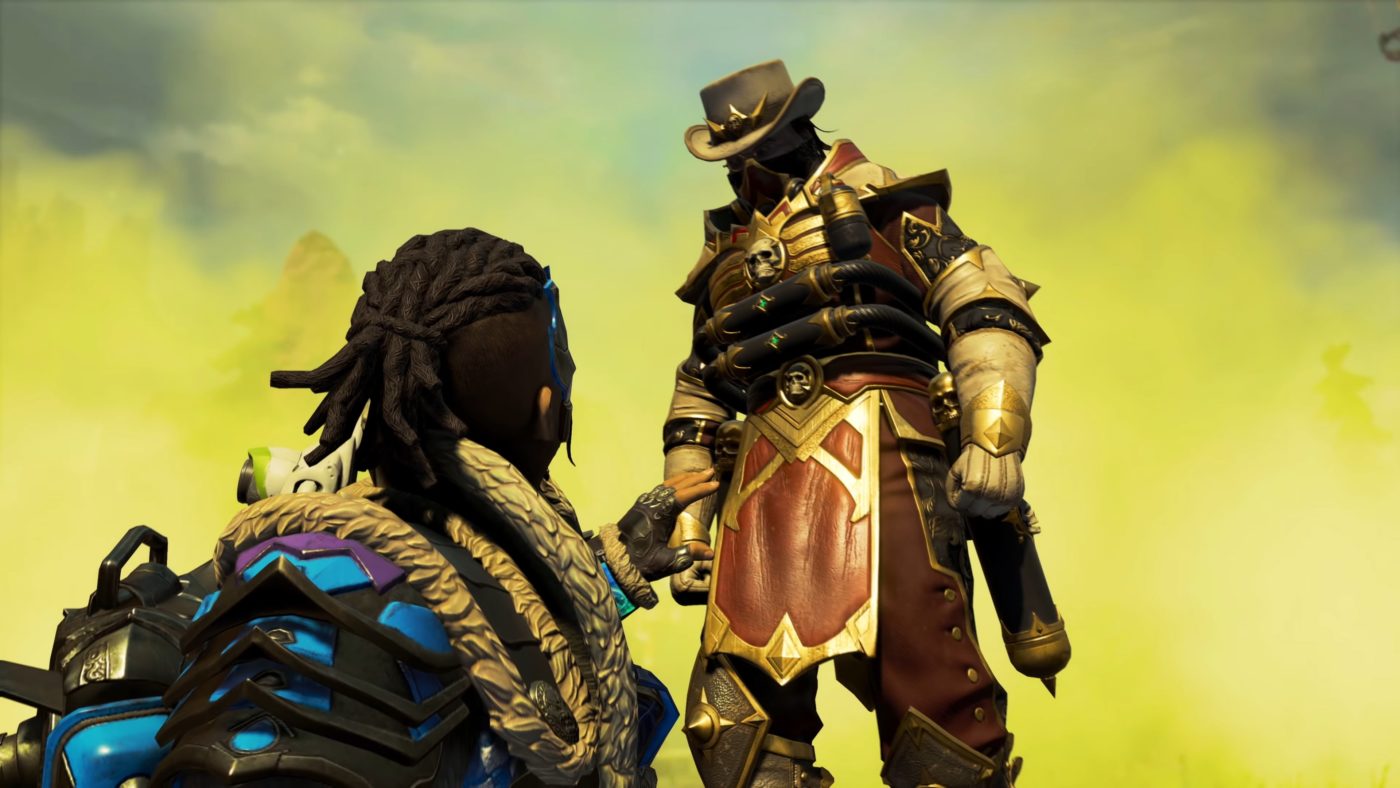
Apex Legends Olympus Map Update Breakdown Revealed

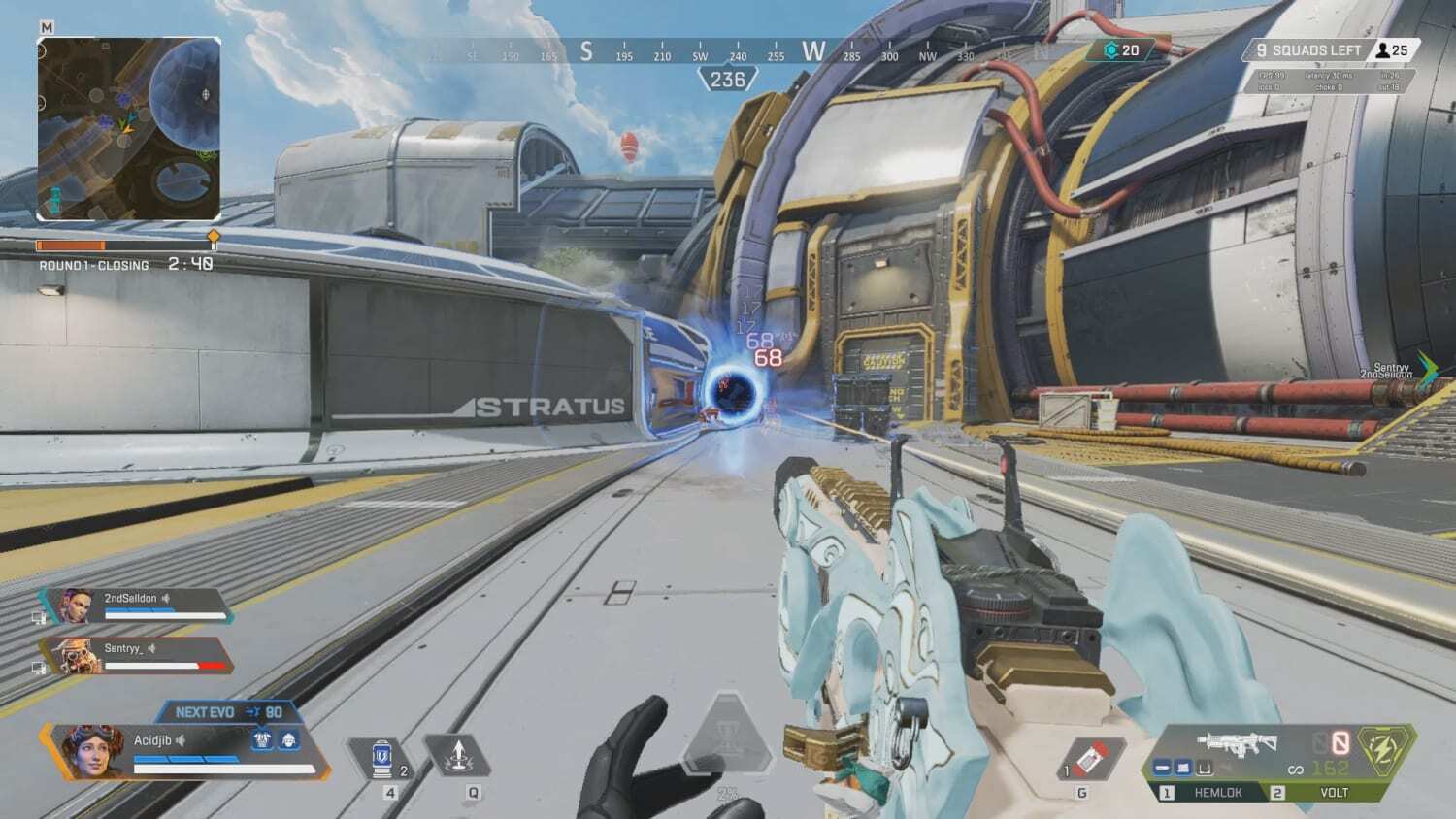
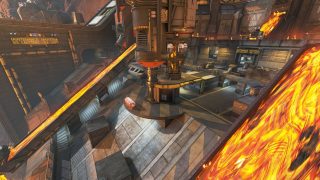
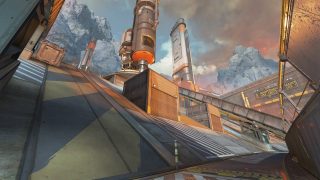
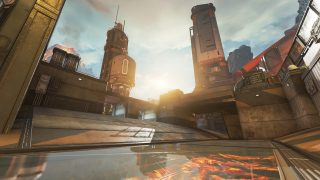
Coming in Apex Legends: Legacy this May 4, is a map revamp of Olympus! If you’re curious what changes are coming, Respawn Lead Level Designer Dave Osei has given us an Apex Legends Olympus map update breakdown.

Apex Legends Olympus Map Update Breakdown:

THE ICARUS

A rogue fleet of ships from outer space has breached the atmosphere of Psamathe. Its lead vessel, The Icarus, has docked with Olympus, bringing with it a viscous, parasitic plant of unknown origin. The resulting outbreak begins to take root along the surface of Olympus and the accompanying vessels can be seen from as far away as the Docks.

SMALL TWEAKS

Before releasing Olympus, we tested a version of the map with no redeploy balloons. At the time, we felt that Tridents were powerful rotational tools on their own, but we weren’t confident in that decision, so we left redeploy balloons in.

Now that the map has been live for a while, we feel more confident in how Tridents are being used to facilitate rotations players are taking, so we’re removing two redeploy balloons. In short, we’re doing this to push players to better plan their routes. But a change like this begs explanation, so let’s dig into the details.

The redeploy balloon outside Golden Gardens was perfect for dropping onto unsuspecting players in many zones close by, exacerbating the “third-partying issue” many players find frustrating. With the height of the zone and the position of the balloon, players could land on top of squads in Grow Towers, Energy Depot, Hammond Labs and the infamous choke at Phase Gateway Central. We believe it was too powerful of a rotation option with very few drawbacks.

While we considered simply lowering the balloon, we realized we’d have to make significant reductions in height to reduce its rotation strength, so we decided it would simply be better to remove it. Players can still move forward to the Energy Depot redeploy balloon for just as much power in rotations, but with a little more risk of entering the zone.

For comparison screenshots and more, head on over here. Check out gameplay of Apex Legends: Legacy right here, and don’t forget, once the patch for this event is out, we’ll be sure to let our readers know.

Avatar photo

Alex Co

Father, gamer, games media vet, writer of words, killer of noobs.

Home > News

Hood: Outlaws & Legends Roadmap and Post-Launch Plans Revealed

Get ready to embark in more quests and adventures in Hood: Outlaws & Legends, as the roadmap and post-launch plans for the game have been revealed — with a hint to some of the new gameplay additions and content that will be coming in four seasons!

Here’s the new trailer showing the new stuff coming to the game!

Here’s the information on the post launch and year 1 pass via press release.

Hood’s first year of post-launch support will be split into four themed seasons, each containing major free gameplay additions, community events, new cosmetics and more. A new map, Mountain, will arrive shortly after launch as part of the initial season. Made up of two distinct areas connected by bridges, the mix of long sightlines and tight, coverless overpasses make Mountain a fresh, deadly challenge.

More goodies are coming down the road, too! The initial season of play will bring a new game mode to spice things up with a greater focus on bloody action. And a free new Outlaw is also bound for Sherwood — stay tuned for more about Eidaa and her heist-changing abilities.

If you missed it, check out the trophies list for Hoods: Legends and Outlaws here.

Hood: Outlaws and Legends will be released for PS5, SP4, Xbox Series X|S, Xbox One, and PC on May 10.

Tim Villasor

Home > News

Red Dead Online Weekly Update April 27, 2021

Cowboys and cowgirls, Rockstar Games has rolled out the Red Dead Online weekly update April 27 activites and discount refresh for the game! Same as before, head on below for the quick summary of everything new this week.

Red Dead Online Weekly Update April 27, 2021:

  • Double RDO$ and Character XP on Moonshiner Story and Bootlegger Missions
  • 1.5X RDO$ and Double Role XP on Moonshine Sales
  • Waived fees for both Fast Travel and Moonshine Shack relocations
  • Moonshiner Rewards: 10 free Mash Refills for logging in, plus destroying 5 Revenue Agent roadblocks will net an Offer for 40% off a Novice or Promising Moonshiner Item, and Rank 20 Moonshiners that complete one sale will get an Offer for 40% off an Established or Distinguished Moonshiner Item
  • An Offer for 30% off any Poncho in the Catalogue for any player that visits the Benefits menu this week
  • 5 Gold Bars off the cost of the Moonshine Shack between now and May 3rd
  • Returning Time-Limited Clothing: Ortega Vest, Plaid Cap, Carver Pants, Pelt Half Chaps, and the Raccoon Hat
  • New Discounts: 40% off all Norfolk Roadster Horses and Moonshiner Role Outfits, plus 30% off all upgrades for the Moonshine Shack and Still, Emotes, and all Vests
  • Ongoing Prime Gaming Benefits: Rewards for a free Bounty Hunter License and free Trimmed Amethyst Bounty Wagon Livery for players who connect their Social Club accounts, plus those that connect to Prime Gaming before May 10th will receive a free Varmint Rifle, 30% off the Hunting Wagon and 50 free Trader Goods

Discounts and Sales

If you’re going to make a killing bootlegging, you should dress and live the part: take 40% off all Moonshiner Role Outfits this week, as well as 30% off the cost of all Moonshine Shack and Still Upgrades.

Wheeler, Rawson & Co. is offering 30% off all Emotes (including Role Emotes) and Vests in the Catalogue.

Then, swing by the Stables to take advantage of a 40% discount on all Norfolk Roadster Horses.

Returning Time-Limited Clothing:

The Wheeler, Rawson & Co. Catalogue also welcomes the return of several limited-time-only clothing items, listed below. Make sure to pay your local Tailor a visit to try them on for size or crack the Catalogue and order them out for delivery.

  • Ortega Vest
  • Plaid Cap
  • Carver Pants
  • Pelt Half Chaps
  • Raccoon Hat

Tune in next week for the next Red Dead Online weekly update.

Avatar photo

Alex Co

Father, gamer, games media vet, writer of words, killer of noobs.

Home > News

AC Valhalla Update 3.10 April 27 Rolled Out for 1.2.1

Ubisoft has released yet another big title update for Assassin’s Creed Valhalla (AC Valhalla!) Called Title Update 1.2.1, console gamers will see this as the AC Valhalla update 3.10 April 27 patch, and this brings new content and game improvements. Head on below for the patch notes.

AC Valhalla Update 3.10 April 27 Patch Notes:

Patch Sizes (estimated):

  • Xbox Series X|S: ~16GB
  • Xbox One: ~12.8GB
  • PlayStation®5: ~5.5 GB
  • PlayStation®4: 5-8 GB (depending on region)
  • PC: ~14 GB

NEW CONTENT

Added support for Wrath of the Druids, preparing the game for the expansion release on May 13. (a separate download is required on release day.)

New Skills

  • Cold Rage – Ignore hit interruptions while performing successive regular melee attacks. This effect recharges after a few seconds.
  • Eye of the North – Prevents flinching from hits while aiming with your bow. This effect recharges after a few seconds.
  • Intense Rage – Ignore hit interruptions while performing your next off-hand parry or special attack. This effect recharges after a few seconds.

GAME IMPROVEMENTS

Miscellaneous

  • Added an option to the gameplay menu to toggle the cinematic camera on/off during finisher moves.
  • Addressed an issue preventing the duel with Dag from triggering after sleeping in A Brewing Storm.
  • Started populating the game with missing fish species: halibut small, sturgeon small, flat fish big, and mackerel big. Check out our forum post for the exact locations.
  • Allowed Bayek’s and Altair’s outfit appearance to apply to other armor when using Transmog.
  • Addressed an issue that prevented horse galloping sound from playing.

Balancing

  • Extended the duration of the Battlecry ability.
  • Tweaked Fearless Leaper to make it easier to jump from greater heights.
  • Addressed an issue with the Spinning-Death and Vordr Bite perk that caused the Chance percentage to be higher than intended.

Quests, World Events, and Side Activities

  • Addressed several issues preventing completion in the Pig of Prophecy World Event in Cent.
  • Addressed an issue where various Fly Agaric mushrooms were missing the Mystery highlight.
  • Addressed an issue in In the Absence of an Ealdorman that prevented players from completing the quest when they had already collected the brooch before the start of the quest.
  • Addressed an instance when returning to Ravensthorpe, and the quest intro dialogue would replay.
  • In the Stench of Treachery, Soma will now kill the traitor Eivor chooses.
  • Addressed several issues when fighting Fenrir.
  • Addressed an instance where players were unable to move the cargo to complete the Blood from a Stone quest.
  • Addressed an issue preventing Eivor from interacting with NPCs and building owners in Ravensthorpe.
  • Addressed an issue where the Man’s Best Friend ability remained locked after completing the quest, A Little Problem.
  • Addressed an issue with the Builder in the Defensive Measures quest preventing players from progressing.
  • Addressed an issue preventing some NPCs from acting as bodyguards after loading a save during the Breach the Second Gate objective in The Sons of Ragnar quest.
  • Addressed an issue after completing the East Anglia Arc, preventing players from progressing and unable to speak with Randvi.
  • Addressed an issue preventing the Lost Glory quest from triggering if players found Halfdan before going to the Royal Hall.
  • Addressed an issue, which misplaced the objectives for the Kingmaker quest.
  • Addressed an issue preventing the River Raids quest from updating if a player leaves the raid before completing the tutorial.
  • Addressed an issue keeping Eivor from speaking to Vagn after returning from a River Raid with all the River Dee clues.
  • Addressed an issue preventing the Unwelcome quest from updating when fighting bandits upon arriving to England.
  • Addressed an issue in the Lost Cauldron that prevented players from investigating the last spot after being attacked during the investigation.
  • Addressed an issue that prevented players from continuing after agreeing to pledge to Hamtunscire.
  • Addressed an issue that caused Gungnir to go AWOL and thus, couldn’t be acquired or used.
  • Addressed an issue in Adorning the Adorned that allowed players to kill Sunniva.
  • Addressed an issue in Thieves Warren in Glowecestrescire, which prevented players from moving a shelf and obtaining wealth.
  • Addressed an issue preventing the next objective to trigger after fighting with Rikiwulf in Honor Bound.
  • Addressed an issue that prevented players from interacting with Randvi after completing The Burning of the Wicker Man.
  • Addressed an issue, which would not allow NPCs to interact with Eivor after completing the Grantebridgescire Arc.
  • Addressed an issue in Reap What Was Sown that prevented players from progressing as the quest NPC was in a dead state.
  • Addressed an issue preventing The First Night of Samhain quest from updating after speaking to Gunnar.
  • Addressed an issue allowing the Uninvited Guests cutscene to trigger during the attack.
  • Addressed an issue allowing Eivor to interact with the old lady during the Uninvited Guests attack.
  • Addressed a looped dialogue issue in Mysterious Berserker preventing quest completion.
  • Addressed an issue with the Spinning-Death and Vordr Bite perk that caused the Chance percentage to be higher than intended.
  • Addressed an issue preventing quest completion as Vili would not follow Eivor after killing bandits in The Price of Wisdom.
  • Addressed an issue with the A Skald’s Lament riddle due to the NPC running away.
  • Addressed an issue preventing players from speaking to Orwig Neverdeath in Hordafylke.

Graphics, Audio, and Animation

  • Addressed various graphics, lighting, or texture issues.
  • Addressed various instances of incorrect sound effects.

River Raids, Jomsvikings, Raids

  • Addressed various clipping issues in River Raid maps.
  • Addressed various text anomalies during River Raids.
  • Addressed various character or NPC animation issues during River Raids.
  • Addressed an issue on the Dee River causing the Champion to remain inactive until Eivor steps foot into the Champion Room.
  • Addressed an instance where if unequipped, the Jomsviking helmet slot would be black.
  • Jomsvikings will no longer call for assistance before it’s necessary. They make their own luck now!
  • Addressed an issue where Foreign Cargo would not be in the inventory after returning from a River Raid.
  • Improved the landing points and camp boundaries on the Dee River.
  • Increased the depth of the Dee River so players don’t bottom out.
  • Addressed an issue where Jomsvikings stand around after the drawbridge is lowered on the Dee River. What is their deal?!
  • Addressed an audio issue causing Vagn to repeat his recruitment line. Practice makes perfect. Roll it again!
  • Addressed issues causing the long ship to pop into the Severn River if summoned. Raids are popping, but that’s a little excessive.
  • Addressed a few issues preventing players from continuing down the Severn River.
  • Addressed a few issues with the Map Alert Meter during River Raids.
  • Addressed an issue preventing Jomsvikings from occasionally joining a raid if Eivor started it while on land.
  • Addressed an issue preventing raiders from fighting guards. Who hires these people?!
  • Addressed an instance keeping the long ship from entering stealth mode in certain areas during River Raids.
  • Addressed several issues preventing unmasting near certain bridges during River Raids.
  • Addressed an issue causing the Revive marker to disappear from Jomsvikings if Eivor was too far away. Now their watch has ended…
  • Naval blockades will no longer respawn on the Severn River during a River Raid until the player has left the raid.
  • Addressed several issues preventing players from looting multiple chests during River Raids.
  • Addressed an issue where the River Raid Dock building was missing its construction.
  • Addressed an issue preventing icons from being revealed on the maps during River Raids.
  • Addressed an issue preventing enemies from spawning during River Raids on the Severn River.
  • Addressed an issue causing the music to end abruptly after looting a large chest during Raids.
  • Corrected an instance where Saint George’s Holy Sword was an axe. Got ‘eeeeem!
  • Addressed an issue preventing players from completing the objective to collect foreign cargo if military camps were raided before villages for rations.
  • Addressed an issue where foreign supplies were set to a 1/1 limit.

Gameplay, Combat, and AI

  • Animals will remain on camera once dialogue has begun. Look who’s photobombing!
  • Addressed several issues with Odin Sight.
  • Addressed several camera issues.
  • Addressed an issue where the Berserker Trap and Shoulder bash previewed as the Dive of Valkyries ability.
  • Addressed several automatic long ship navigational issues.
  • All animals will be reacting accordingly to the Bash ability.
  • Addressed several issues preventing some wild animals from attacking each other when under the influence of the Berserker Trap.
  • Addressed an issue causing the combo status effect to remain active on the Light Bow under certain conditions.
  • Addressed an issue that caused Raven’s loot not to work.
  • Addressed an issue preventing the Mans’s Best Friend ability from working against Zealots. Even Dwolfg feared them…

World

  • Fixed several instances of floating objects.
  • Addressed several issues with objects preventing Eivor from entering buildings.
  • Addressed various issues where Eivor, NPCs, or the long ship would get stuck.

User Interface/HUD

  • Addressed various UI/HUD issues
  • Addressed a variety of inexact text.
  • Addressed an issue where pop-ups did not occur when purchasing Store items.
  • Corrected several Photo Mode frame issues.
  • Corrected an issue where the Long Ship Boost icon was missing from the stamina bar.
  • Addressed an issue causing the Long Ship Boost skill’s stamina to deplete if used twice without pause.
  • Addressed an issue that prevented players from acquiring the Berserker-themed items from the Animus Store or read if they already owned them on another platform.
  • Addressed an issue preventing the Colorful Raven skin to be applied to Synin.

System

  • The game will now display a notification if it’s unable to save progress.
  • (PC) Addressed an issue causing Vsync to remain on while in a locked state in Windowed Mode.
  • (PS5) All trophies achieved on PS4 will now be unlocked on PS5. (Trophies including Viking Legend, Calling in a Favor, As It Was Foretold, Disorder of the Ancients, Skadi’s Hobby, Silent Viking, and Orlog Champion. should now unlock retroactively when conditions were met previously.)
  • (PS4/PS5) Corrected a very high sensitivity issue when playing with M&K.

Performance and Stability

  • Improved performance and stability.

Once we get wind of the next title update for AC Valhlla, we’ll let our readers know.

Source: Ubisoft

Avatar photo

Alex Co

Father, gamer, games media vet, writer of words, killer of noobs.

Home > News

Fallout 76 Update 1.51 April 27 Shoots Out for Locked & Loaded Update

Bethesda has released the latest big title update for Fallout 76 today! The Fallout 76 update 1.51 April 27 patch has been deployed, and it’s also called the Locked & Loaded title update that brings an all-new Season, new SPECIAL loadouts, rewards and loads more! Head on below for the full patch notes.

Fallout 76 Update 1.51 April 27 Patch Notes:

File Sizes (estimated):

Update Version 1.5.2.32

Check the download sizes below for today’s patch on your platform of choice:

  • PC (Bethesda.net): 22.0 GB
  • PC (Microsoft Store): 62.3 GB
  • PC (Steam): 11.2 GB
  • PlayStation 4: 58.6 GB
  • Xbox One: 65.7 GB

Update Highlights

  • Claim New Loot in Season 4: Fallout 76 Season 4 starts now, with an all-new Scoreboard, 100 Ranks to achieve, and tons of rewards for you to earn!
  • Reboot Your S.P.E.C.I.A.L.: After Level 25, use Punch Card Machines to reset your S.P.E.C.I.A.L., change your Perks, and save them into one of two custom loadouts.
  • Build a Second Home: The new C.A.M.P. Slots feature allows you to construct and maintain a second C.A.M.P., in addition to your current home.
  • Vending and Display Updates: Alongside C.A.M.P. Slots, we’ve streamlined Player Vending Machines and Display Cases, which you can now use inside your Shelters.
  • Double the Daily Ops: Dive into the new Decryption game mode and claim new rewards as you conquer new randomized enemies, mutations, and locations.
  • User Interface Improvements: We’ve added an Aim Assist option to the settings, a batch crafting slider to Workbenches, and a big update for the World Activity Menu.

Season 4: Armor Ace in Cold Steel

We’re kicking off Season 4 and introducing an all-new Scoreboard with the arrival of today’s Locked & Loaded Update. Join Armor Ace and the Power Patrol as they seek to put an end to their frigid rivalry with Commissioner Chaos and his band of rogue robots, the Yukon Five.

  • Rank Up!: The new Scoreboard features 100 ranks to achieve as you rank up and the Power Patrol squares off against the Yukon Five, one-by-one.
  • New Rewards: As always, we’ve added a host of new rewards that you will unlock as you rank up, including Power Armor paints, Weapon Skins, Outfits, themed cosmetics, C.A.M.P. items, in-game currencies, consumables, Perk Card Packs, and more.
    • We’ve also added prior Season rewards, the Antique Speed Bag and Perfect Bubblegum, to Mortimer in The Crater and Samuel in Foundation, and you can now purchase them with Gold Bullion.
    • Additionally, we’ve once again added several bonus rewards that Fallout 1st members can claim at certain rank milestones in addition to the normal rewards those ranks offer.
  • Mannequins: This Season introduces Mannequins, which are Display Cases you can use to show off some of your favorite outfits, headwear, underarmor, and backpacks that you’ve collected.
    • You can claim a set of Male and Female Mannequins for your C.A.M.P. by reaching Rank 25 on the Season 4 Scoreboard.
    • Up to 5 Mannequins can be built in each of your C.A.M.P.s and Shelters at once.

Catch everything you need to know about Season 4, and take a look at many of this Season’s rewards, by visiting the Seasons page on Fallout.com.


S.P.E.C.I.A.L. Loadouts

S.P.E.C.I.A.L. Loadouts offer even more adaptability to your characters in the face of the Wasteland’s ever-growing threats by allowing you to modify or completely reboot your S.P.E.C.I.A.L. attributes for free.

  • Visit a “Punch Card Machine” at any time to adjust your S.P.E.C.I.A.L. to your heart’s content, change your Perk Card selections, and save your new custom setup into a slot.
    • Your characters will gain access to S.P.E.C.I.A.L. Loadouts starting at level 25.
    • Currently, each character can have up to two S.P.E.C.I.A.L. Loadout slots, and you can swap between them using a Punch Card Machine.
    • In addition, you can rename your Loadout slots, which will help you quickly tell them apart.
  • At level 25, you’ll learn the plan to build a Punch Card Machine in your C.A.M.P. so that you can change up your Loadouts whenever you head home.
    • While in your C.A.M.P, open up the Build menu, navigate to the Crafting tab, select the Punch Card Machine, and place it down.
    • We’ve also placed Punch Card Machines at Train Stations throughout Appalachia, in The Crater, and at Foundation.
    • You can use any Punch Card Machines you find in other players’ C.A.M.P.s, as well.
  • We’ve removed the “Move-a-Point” option on the level-up screen, since S.P.E.C.I.A.L. Loadouts allow you to change your stats much more easily.

If you would like to learn even more about S.P.E.C.I.A.L. Loadouts, you can head here to watch our recent Dev Dive video or read our article on Fallout.com.


C.A.M.P. Slots

Have you ever found the perfect spot to start building a new Appalachian home, but you just couldn’t bring yourself to tear down your current C.A.M.P.? That difficult decision is a thing of the past with C.A.M.P. Slots, which allow you to build and maintain two C.A.M.P.s at once!

  • Each C.A.M.P. you construct is now saved as a C.A.M.P. Slot, which you can access and manage through the new “C.A.M.P. Slots” menu in the upper-left corner of the Map.
    • Currently, each of your characters will have access to two C.A.M.P. Slots: The C.A.M.P. you already have in-game, plus an additional Slot.
    • You can use the C.A.M.P. Slots menu to see all your current C.A.M.P. Slots, rename them, choose their Map icons, and decide whether your C.A.M.P. is visible to other players on the Map.
    • C.A.M.P. names are only visible to the player who built them.
  • You can have one active C.A.M.P. at a time, and all others will be considered “stored.”
    • Your active C.A.M.P.’s Map icon will appear gold to you.
    • If you enable your active C.A.M.P.’s Public Map Icon, it will appear on the map in white to other players. When the Public Map Icon is disabled, only you will be able to see it.
    • Only you will be able to see the icons for your stored C.A.M.P.s.
    • Additionally, powering a Vending Machine no longer automatically adds a Vendor icon to your C.A.M.P.’s location on the Map. Instead, you must set this yourself from using the C.A.M.P. Slots menu.
    • To change which C.A.M.P. you would like to use, head to the Map to click one of your C.A.M.P.s, or select it in the C.A.M.P. Slots menu, and then choose “Activate CAMP”
    • Your stored C.A.M.P.s will not load into the world, show icons to other players on the Map, or produce resources from Resource Generators.
Vending Machine and Display Case Updates
  • With the introduction of C.A.M.P. Slots, we have also made changes to the way Vending Machines and Display Cases work.
    • Your Vending Machines will have the same shared inventory across all your C.A.M.P.s, so that you will not need to reassign the items you would like to sell every time you build a new C.A.M.P.
    • We have also merged all Vending Machine item slots into a single pool, which means you will now be able to sell the maximum number of items with just one Vending Machine.
    • Other types of CAMP items, like Refrigerators and Fermenters, now also share their inventories across your different C.A.M.P.s.
    • Your Display Cases, however, are not shared across C.A.M.P.s, which will give you the ability to show off different items at each of your homes.
  • While we were working to implement C.A.M.P. Slots, we also added the ability to build and use Display Cases and Vending Machines inside of your Shelters.
    • Vending Machines in Shelters will share the same slots and item assignments as those you have built in your C.A.M.P.s.
    • Display Cases you build inside Shelters will allow you to assign different items from any Displays you may have in your C.A.M.P.
  • Finally, we’ve made an adjustment so that items you place into your Display Cases will no longer consume any of your C.A.M.P. build budget.

Dig even deeper into the C.A.M.P. Slots feature by heading here to watch our recent Dev Dive video or read our article on Fallout.com.


Daily Ops Expansion

Today’s update nearly doubles the amount of available Daily Ops content, with the addition of the new “Decryption” mode, as well as new locations, enemies, mutations, and rewards.

  • New Mode: Decryption
    • In Decryption Mode, you’re on a mission to disable three Radio Interceptors for Vernon Dodge.
    • To do this, you’ll need to hunt for three enemy “Code Carriers,” and then take them down to get a special code you can use to disable a Radio Interceptor.
    • Enemy waves you face will become more difficult after each Interceptor you disable, until you’ve killed the Daily Op boss and pulled the plug on the final Interceptor.
  • New Mutations
    • Enemies in Decryption have a new default Mutation, called Savage Strike, which makes their attacks more deadly and causes them to ignore your armor resistances.
    • We’ve also added several new Mutations to the randomized pool that can apply to enemies in any Daily Ops mode:
    • Group Regeneration: Enemies heal when grouped together.
    • Swift-Footed: Enemies have extra fast movement and melee attacks speeds.
    • Toxic Blood: On death, enemies leave behind poisonous hazard pool.
  • New Enemy Types
    • We’ve added Scorched, Mothman Cultists, and Mole Miners to the pool of randomized enemy types you may encounter in any Daily Ops mode.
  • New Locations
    • Fight your way through Vault 96, Watoga Raider Arena, and West Tek Research Center, all of which have been added to the randomized pool of locations for Daily Ops.
  • Rewards Updates
    • In this update for Daily Ops, we’re adding a host of new rewards, including new Covert Scout Armor, which has some built-in stealthy utility.
    • We’re also adding plans for the “Unstoppable Monster” and “Medical Malpractice” legendary weapons, and a variety of new plans for objects you can build in your C.A.M.P.
    • Following community feedback, we’ve also rebalanced Daily Ops rewards lists to give players a better chance at getting rare rewards.

Catch additional details about the Daily Ops Expansion by watching this Dev Dive video and reading our article on Fallout.com.


Additional Design Updates

Combat
  • Melee Attack Updates: We’ve implemented a number of fixes, tweaks, and improvements to player melee attacks so that your strikes more consistently meet their targets.
Events
  • Hunt for the Treasure Hunter: Keep an eye on our Community Calendar for upcoming Hunt for the Treasure Hunter Weekends, because Treasure Hunter Mole Miners have found some new loot that you can claim for yourself.
User Interface
  • Aim Assist: We’ve added a new game setting for players who use controllers that will help them more easily snap their crosshairs to enemies and stay on target when aiming down the sights with ranged weapons.
  • Batch Crafting: You can now assemble, forge, cook, or manufacture an entire stack of an item all at once using a new slider that we’ve added when you’re crafting at a Workbench.
    • To do this, select the item you want to craft, and then adjust the slider to the quantity that you need.
  • World Activity Updates: The World Activity Menu now includes more than Daily Ops! It will now help you stay up-to-date with many more activities in the world, including active Nuke Zones, Events, and nearby player Vending Machines, giving you an easy way to find and Fast Travel to them.

Improvements and Bug Fixes

Art & Graphics
  • Game Camera: Taking lethal damage from PvP combat while exiting Power Armor no longer causes issues with the game camera.
  • Lighting: The word “Laugh” in the “Kill, Laugh, Love” Neon Sign no longer appears much brighter than the rest of the sign.
  • Modular Sofa: Stand-up animations now play correctly when players get up after using the Modular Sofa.
  • Power Armor: Portions of Raider Scabber, Raider Waster, and Armor Ace Power Armor sets no longer block part of the screen when using heavy weapons in first-person view.
  • Power Armor: Propellers on the Vertiguard Power Armor Jetpack now animate correctly after leaving an interior.
  • Power Armor: Fixed an issue that could occasionally cause Power Armor pieces to appear separate from the player’s character model when loading into a world.
  • Power Armor: Fixed an issue that could cause placed Power Armor to be invisible to some players during a Nuclear Winter match.
  • Power Armor: When placing a set of Power Armor, the placement preview now displays any attached Power Armor pieces instead of an empty chassis.
  • Power Armor: The H.A.R.E. Power Armor Jetpack now correctly displays flame visual effects while it is in use.
  • Power Armor: Applying the Camo Secret Service Jetpack mod to T-65 Power Armor no longer automatically applies the Camo Secret Service paint to the Power Armor Torso.
  • Vertibots: No longer appear to stutter while flying through the air.
C.A.M.P. and Workshops
  • Build: Players can no longer open the build menu while simultaneously interacting with furniture.
  • Build: Build categories no longer disappear from the build menu if a player lacks resources to craft in those categories and then toggles Buildable Objects on and off.
  • Budget: Fixed a rare issue that could cause a player’s Stored budget to exceed 100% despite having no items in storage.
  • Budget: The counter for objects that have a build limit, like Turrets and Lights, now visually updates correctly as the player builds those objects.
  • Collectron Stations: Adjusted the budget cost to build a Gold Collectron Station so that it matches all other Collectron Stations.
  • Defenses: Perimeter Wall Railings can once again be built on upper floors.
  • Exploit: Addressed an exploit that enabled players to stack the bonuses from furniture buffs.
  • Furniture: Players now leave any furniture they are currently using if they interact with another piece of furniture.
  • Stairs: Stairs with Posts can now be stacked on top of themselves. This will allow players to construct multi-level 2×1 staircases without needing to use standalone Posts.
  • Stairs: Fixed an issue preventing some objects from being placed on the floor beneath stairs with posts.
  • Workshops: The outline that appears for valid Resource Extractor placement is now blue instead of green.
  • Wall Décor: Free States Wall Signs now correctly appear under the Wall Décor tab in the build menu.
Challenges
  • Daily: Daily Ops enemies, like Cultists, Blood Eagles, Robots, and etc., now correctly progress Daily Challenges that require the player to kill specific types of enemies.
Daily Ops
  • General: When leaving a Daily Ops, players are now correctly returned to the location where they joined the Op, rather than their last Fast Travel location.
  • Enemies: Fixed an issue causing certain Daily Ops enemies to have lower defenses than intended.
  • Enemies: Upon completing a Daily Op, enemies will now stop spawning, and any that still remain will be automatically destroyed.
  • Enemies: Added new sound effects to Eye Bombs in the Robot faction to help warn players.
  • Locations: Made layout improvements to The Burning Mine and The Burrows to aid player movement and reduce disorientation.
  • Operation Report: Fixed an issue that could cause the Rare Rewards section of the Operation Report to appear blank after completing a Daily Ops quickly enough to reach an upper reward tier.
  • Resilient: Fixed an issue in which Resilient enemies sometimes did not die after players hit them with valid melee attacks.
  • Teams: Team Leaders are no longer kicked from Daily Ops instances if the team disbands.
  • Uplink Mode: Increased the interaction speed of the Uplink object.
  • Uplink Mode: Fixed an issue in the Burning Mine that could cause not enough enemies to spawn during Uplink Mode.
Items
  • Apparel: The Camo Ops, Tactical Ops, and Vintage Football outfits now correctly display on top of the player’s armor.
  • Armor: Repairing a piece of broken armor while it is still equipped no longer prevents that armor from applying its defensive bonuses.
  • Headwear: The Moonshine Mama and Old Man Summer Fasnacht Masks can now be assigned to Display Cases.
  • Headwear: The Fasnacht Brahmin Mask is now scrappable.
  • Power Armor: An empty Power Armor Chassis no longer occasionally appears when another player enters a set of Power Armor.
  • Power Armor: The H.A.R.E. and Park Ranger Power Armors now have appropriate damage and radiation resistances.
  • Power Armor: A “You can’t store that here” error message no longer appears when attempting to transfer T-65 or Strangler Heart Power Armor pieces from one Power Armor Chassis to another.
  • Power Armor: Fixed a rare issue in which players could not exit their Power Armor or access the Pip-Boy.
  • Weapons: .44 Pistol paints can now be correctly applied to the Medical Malpractice weapon.
  • Weapons: Damage numbers displayed when attacking with a Salvaged Assaultron Head now match the damage dealt.
  • Weapons: Melee weapons now properly take Condition damage when attacking.
Performance and Stability
  • Client Stability: Fixed an Xbox One client crash related to viewing the friends list.
  • Client Stability: Fixed a PlayStation 4 client crash that could occur during the Fertile Soil event.
  • Client Stability: The client no longer crashes during a Nuclear Winter match after hacking a Terminal and choosing the Reveal Enemies option.
  • Client Stability: Fixed an issue that could cause a client crash when connecting to a Nuclear Winter match.
  • Loading: Fast traveling after using a Shelter Entrance that was placed inside of a Shelter no longer results in an infinite loading screen.
  • Performance: Improved performance when opening the Map screen.
Legendary Perks
  • Electric Absorption: Now works against enemy laser attacks in addition to energy attacks.
Quests and Events
  • Early Warnings: The quest objective “Find Heating Coils at Abbie’s Bunker” now displays how many Coils the player needs to collect.
  • Seasonal Events: Fasnacht Day and Grahm’s Meat-Cook will now display as completed in the Pip-Boy following the player’s next successful completion of these events.
  • Secrets Revealed: Fixed several issues with Digger and other Secret Service members that could prevent the quest from progressing.
Sound
  • Bobbleheads: The Charisma Bobblehead now plays appropriate sound effects when players consume it.
  • Compound Bow: Now plays appropriate sound effects if the player has no ammo when they attempt to fire.
  • Curtain Door: Now plays appropriate sound effects when opened or closed.
  • Emotes: The Laughing Emote’s sound effects now stop playing if the emote is interrupted before completion.
  • Eyebots: No longer baa like the Imposter Sheepsquatch when they explode.
  • Rustic Watermill: Now plays appropriate sound effects when destroyed.
User Interface
  • Controls: Fixed an issue that could occasionally cause the game controls to lock up when exiting a Workbench.
  • Controls: The game controls no longer lock up for players who are using a Power Armor Station in someone else’s C.A.M.P. when the owner logs out.
  • Controls: Rapidly pressing the Use button while entering Power Armor no longer causes the game controls to lock up.
  • Controls: On Xbox, entering a set of Power Armor immediately after modifying it at the Power Armor Station near Grafton Dam no longer causes the controls to lock up.
  • Custom Item Names: After selling an item that had a custom name, that custom name slot will now be correctly returned to the player so that they can rename another item.
  • Exploit: Fixed an exploit that could allow players to equip more Perk Cards than intended.
  • Localization: In the German client, player names are no longer cut off at the top of the screen when capturing a Workshop.
  • Map: Bloody Frank’s is now labelled correctly on the Map.
  • Notifications: Fixed an issue on login that caused the player’s Season rank to visually reset to 1 in the menus, and fanfares for all of their previously earned ranks to play in sequence.
  • Notifications: The fanfare that appears after discovering a new location now scales down for long location names so that the text does not get cut off.
  • Pip-Boy: Items received through player-to-player trades or from Player Vending Machines now correctly appear in the Pip-Boy’s “NEW” tab.
  • Pip-Boy: When viewing a weapon’s stats in the Pip-Boy, the damage numbers displayed in the item card and in the lower-right corner of the “WEAPON” tab are now consistent.
  • Pip-Boy: Stats for items in the Pip-Boy’s “NEW” tab no longer persist if the player consumes or drops that item.
  • Pip-Boy: Items from the Pip-Boy’s “ITEM” tab no longer sometimes appear when viewing the “EFFECTS” tab.
  • Social: Player Icons no longer disappear from the Recent Players menu when players exit the game.
  • Social: Opening the context menu on a player’s name in the friends list and then switching tabs no longer prevents the player from scrolling through social menu options.
  • Tutorials: The tutorial pop-up for building inside of Shelters will now only appear once.
World
  • General: Fixed several locations throughout Appalachia where players could see out of world.
  • Pathing: Fixed a number of objects in the world that players could path through or clip into.
  • Pathing: Corrected several locations throughout the world where players could become stuck.
  • The Ash Heap: Added missing radiation hazards to fires inside of Abandoned Mine Shafts in the Ash Heap.
  • Vault-Tec University: Players can now enter the Vault-Tec University instance while on a team.

That’s one meaty update! Once we know of the next one, we’ll let our readers know.
Source: Reddit

Avatar photo

Alex Co

Father, gamer, games media vet, writer of words, killer of noobs.
Home > News

PS5 Update 21.01-30.00.00.38 Released Today April 27

Following the release of the firmware update that allowed external USB storage support on the PS5, Sony has today released the PS5 update 21.01-30.00.00.38 firmware patch! Same as any unannounced firmware update, this is mostly stability improvements more than anything else.

PS5 Update 21.01-30.00.00.38 Patch Notes:

The main feature in this PS5 firmware update is:

  • This system software update improves system performance.

Yep. that’s about it. If there are any other changes in this not mentioned above, we’ll be sure to update the post. If you spot any fixes or improvements included in this PS5 firmware patch, let us know what you find down in the comments below.

We’ll update the post if Sony announces anything new in this firmware update.

Avatar photo

Alex Co

Father, gamer, games media vet, writer of words, killer of noobs.

Home > News

FFXIV Update 8.92 April 27 Released for a Bunch of Fixes

Following the release of the Death Unto Dawn Part 1 patch for Final Fantasy XIV (FFXIV) two weeks ago, Square Enix has released the FFXIV update 8.92 April 27 patch today! While this doesn’t seem to include any new content, this brings quite a number of fixes to the game. Head on below for the full list.

FFXIV Update 8.92 April 27 Patch Notes:

■ The following adjustments have been made.
・The Deluxe Heavenscracker item can no longer be sold.
・Sound driver stability has been improved for the PlayStation®5 version.■ The following issues have been addressed.
・An issue wherein certain graphics did not appear correctly during cutscenes in the main scenario quest “Righteous Indignation.” (PlayStation®5)
・An issue when playing the quests “Precious Reclamation,” “A Thousand and One Farewells,” and “It Takes an Enclave,” wherein a quest NPC did not display under certain conditions, preventing quest progression.
・An issue when playing the quest “Ancient Goblin Secrets” wherein cutscenes did not play correctly when speaking with the NPC Notched Bone, preventing quest progression.
・An issue in the quest “Momentary Miracle” wherein cutscenes did not play correctly upon accepting the quest, preventing the quest from being accepted.
・An issue when playing the quests “Eternity, Loyalty, Honesty” and “The Burdens We Bear” wherein graphics did not display properly in Azys Lla under certain conditions.
・An issue in in the final boss battle in the alliance raid the Tower at Paradigm’s Breach wherein mechanics dealt damage to players who had completed mechanics correctly.
・An issue in the battle with Red Girl in the alliance raid the Tower at Paradigm’s Breach wherein mechanics dealt damage to players who had completed mechanics correctly.
・An issue in the battle with Hansel and Gretel in the alliance raid the Tower at Paradigm’s Breach wherein enemies could not be targeted under certain conditions and therefore could not be defeated.
・An issue in the alliance raid the Tower at Paradigm’s Breach wherein the game servers would crash under certain conditions.
・An issue in the duty Delubrum Reginae (Savage) wherein Trinity Seeker ceased activity aside from auto-attacking under certain conditions.
・An issue in the raid the Unending Coil of Bahamut (Ultimate) wherein the graphics of certain mechanics did not display correctly.
・An issue in the trial the Cloud Deck (Extreme) wherein the name of the instance displayed upon entering the duty was inaccurate.
・An issue wherein unobtained Resplendent tools were purchasable from the Calamity Salvager NPC and the Journeyman Salvager housing NPC.
* “Purchase Quest Rewards” → “Purchase Achievement Rewards III” had been disabled for the corresponding NPCs as a temporary measure, and will be reenabled with the implementation of this Hotfix.
・An issue wherein company crests could not be added to the following items:
Shadowstalker’s Helm / Shadowstalker’s Armor / Shadowcleaver’s Helm / Shadowcleaver’s Armor / Brand New Alphinaud’s Attire
・An issue wherein the graphics for the following items did not display correctly: (PlayStation®5)
Aesthete’s Saw / Aesthete’s Round Knife / Aesthete’s Frypan
・An issue wherein the graphics for the Stuffed Bear furnishing did not display correctly. (PlayStation®5)
・An issue wherein attempting to gather as a miner or botanist while mounted caused the game client to crash under certain conditions.
・An issue when using the fisher action Release List wherein gamepad and keyboard controls were unable to select what to release.
・A rare issue under certain conditions wherein players may be unable to log back in after utilizing the World Visit System to visit a World that was previously set as their Home World.
・A rare issue under certain conditions wherein players may be unable to log back in after utilizing the Home World Transfer System to change their Home World to one that was previously designated as their Home World.
・An issue wherein under certain conditions, the order of items in retainers’ inventories were altered upon returning to your Home World after visiting another World using the World Visit System.
・An issue when viewing the shop or exchange window of certain NPCs wherein attempting to close the game by clicking the X at the top right of the client caused an unexpected error. (Windows® and Mac only)
・An issue wherein using a gamepad to operate an orchestrion caused the game client to crash under certain conditions.
・An issue wherein Free Trial accounts were unable to obtain achievement rewards from the Achievements menu.
・An issue in the Lavender Beds wherein certain NPCs did not display correctly.
・An issue wherein Cutscene 4 from the quest “Blood of Emerald” did not play correctly when viewed in The Unending Journey.
・An issue wherein subtitles appear smaller than intended during certain cutscenes. (PlayStation®5)
・An issue wherein the controller would vibrate under certain conditions even when vibration was not enabled in the System Configuration menu. (PlayStation®5)
・An issue wherein HDR output was used even when “On When Supported” is enabled in the PlayStation®5 console settings. (PlayStation®5)
・An issue wherein water sound effects did not play correctly. (PlayStation®5)
・An issue wherein the music does not transition correctly when entering or leaving combat. (Playstation®5)■ The following issues were addressed in a PlayStation®5 system software update.
・The “Take Screenshot” option in the Create menu did not function. (PlayStation®5).
・Screenshots were not saved when earning multiple trophies at the same time. (PlayStation®5)

That’s about it for this patch. Once we get wind of the next one, we’ll let our readers know.

Source: Final Fantasy XIV

Avatar photo

Alex Co

Father, gamer, games media vet, writer of words, killer of noobs.