Home > News

Call of Duty: Modern Warfare Story Trailer Behind the Scenes Video Released, Infinity Ward on Creating the Campaign

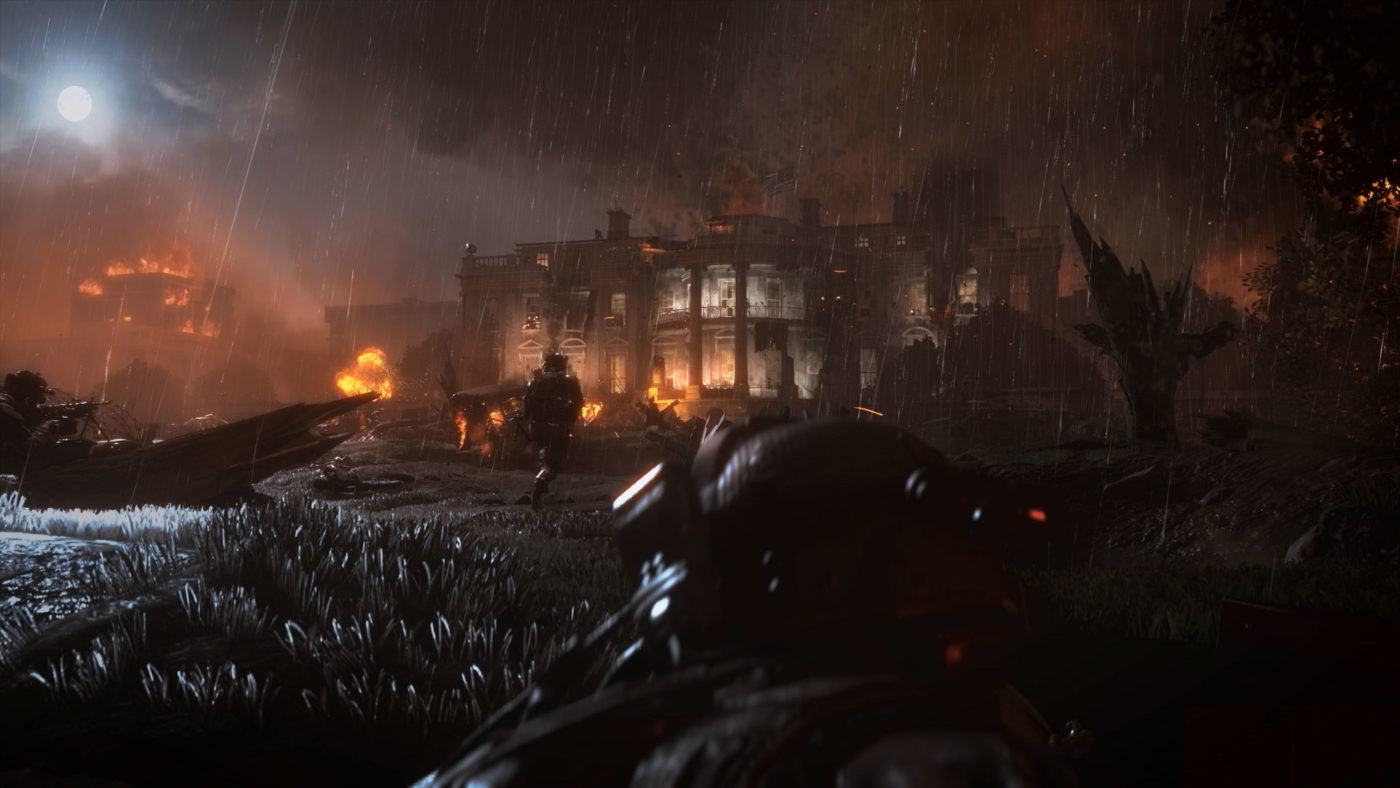
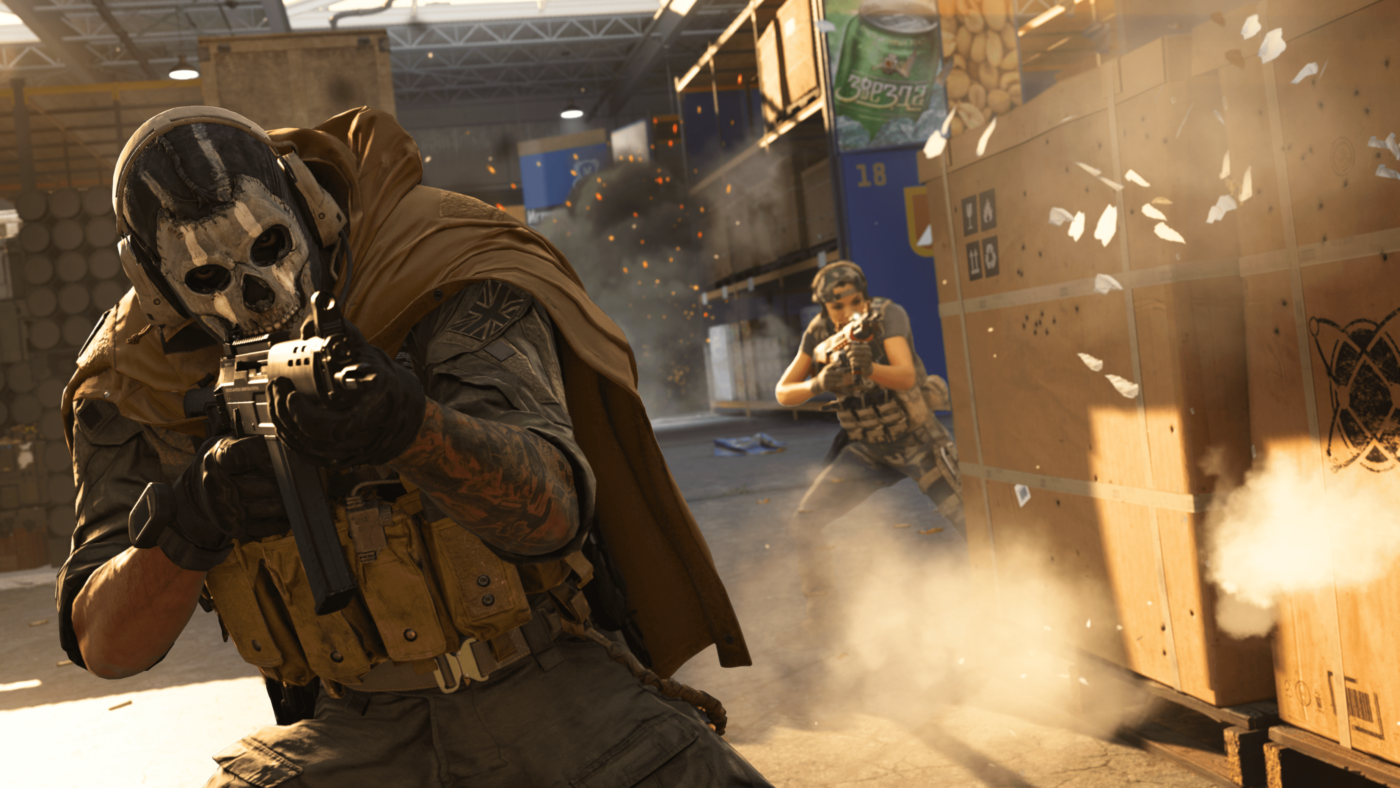
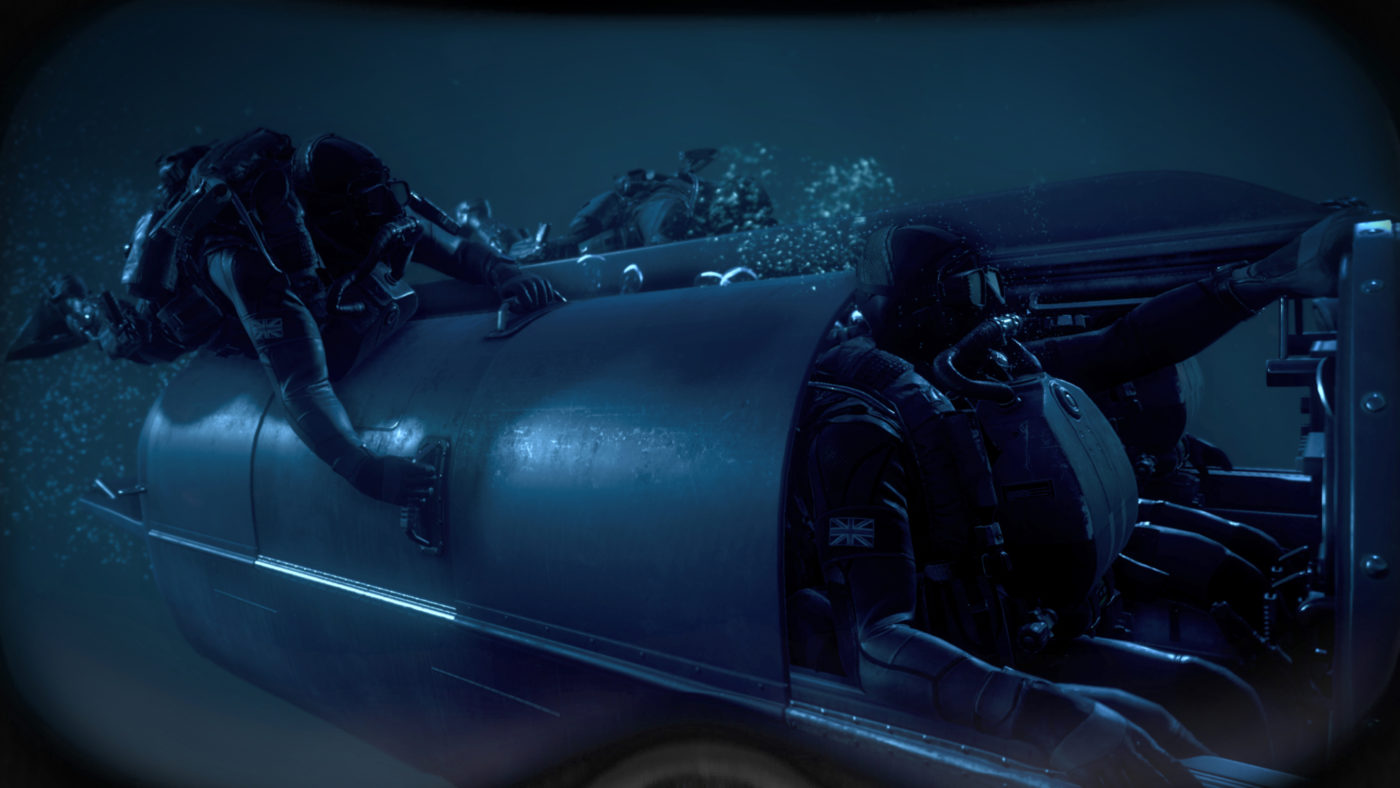
In case you didn’t see it, Infinity Ward released our first official look at the Call of Duty: Modern Warfare campaign yesterday with the Modern Warfare story trailer. If you liked what you saw, Infinity Ward has now given us a behind-the-scenes look at the trailer, and more.

Over on the Activision blog, Infinity Ward goes in depth in the making of Modern Warfare’s campaign, and how it differs from the original Call of Duty 4: Modern Warfare.

One of the key points discussed is giving players morally complex characters that are not 100 percent good, or 100 percent evil, since, y’know, real life isn’t like that.

“Without a doubt, they said, over and over again, they want to see morally complex characters that are not a hundred percent good nor hundred percent evil.  They wanted a much more realistic depictions than they’ve ever seen before…It was really nice to have the validation of our fans and our players; they are a sophisticated audience.  They want something that feels authentic.”

 “You can’t just make some white hat, black hat adventure, fans know better… [We give] our fans what they expect [and] deserve. And hopefully with Modern Warfare, we’ve done that.” – Studio Narrative Director Taylor Kurosaki

Make sure to read up on the entire thing here.

According to Infinity Ward, the next two parts of the campaign will introduce four of the consultants who helped shape Modern Warfare’s authentic narrative. Once we get more details regarding that, we’ll let our readers know.

In other Modern Warfare news, Infinity Ward has given a statement on the Modern Warfare Spec Ops Survival mode controversy.

Avatar photo

Alex Co

Father, gamer, games media vet, writer of words, killer of noobs.

Home > News

Mortal Kombat 11 New Mode “Team Raid” Revealed, Here’s Our First Glimpse of the Terminator in the Character Select Screen

In today’s Mortal Kombat 11 Kombat Kast livestream by NetherRealm Studios, the developers unveiled a Mortal Kombat 11 new mode called “Team Raid.” Curious about this all-new co-op game mode? Check out the video below to see the devs explain it and even showcase gameplay too.

What’s interesting here is, you can get up to five people to go up against one boss character, and you’ll even get a stats/performance breakdown at the end of each match. There will be rewards associated with this, of course.

Now, if you’d rather check out some of the upcoming fighters headed to the game, we have our first glimpse of the Terminator on the character select screen!

That’s all we got from NetherRealm regarding the Terminator today. But given that the character is set to punch his way out this October 8, chances are we’ll see a new trailer showcasing the cyborg soon-ish.

Avatar photo

Alex Co

Father, gamer, games media vet, writer of words, killer of noobs.

Home > News

Infinity Ward Gives Statement on Call of Duty: Modern Warfare Spec Ops Survival Mode PS4 Exclusivity

In case you missed it yesterday, it was confirmed that Call of Duty: Modern Warfare Spec Ops Survival Mode will be exclusive to the PS4 for one year thanks to Sony and Activision’s marketing deal. Obviously, this hasn’t gone over well with the Call of Duty community, and now Infinity Ward has given an official statement regarding it.

Taking to the Modern Warfare subreddit, Infinity Ward Senior Communications Manager Ashton Williams posted a message clarifying that Modern Warfare Spec Ops mode is not exclusive to the PS4, but rather, just a sub mode of it.

Lots of discussion and reactions to yesterday’s news about Special Ops. We know you have questions and we want to clarify. To be clear, our all-new Special Ops mode will be releasing on all platforms on October 25th. We’re looking forward to revealing Special Ops on October 8th. When we launch on October 25th, everyone on all platforms will be getting Modern Warfare which includes Campaign, the all-new Special Ops mode and the entirety of Multiplayer, which is a massive experience we’ve worked to create. Special Ops Survival is an additional, classic mode that will be available on PS4.

We have made many changes this year with the goal to make the entire experience better for all of the Call of Duty community, including no season pass, crossplay across all platforms, and that all post-release maps and modes will be coming to all platforms at the same time. We understand that some may still be disappointed to not be able to play classic Special Ops Survival day one, we hear you. Please know that we are working hard to make sure this is the best Call of Duty we’ve ever made and the best experience possible for fans.

Over on Twitter, Studio Narrative Director Taylor Kurosaki also answered fan concerns about this latest controversy to hit the game.

While it’s never good for a game to lock something from players just because of what platform they want to play on, this is a tad better than having specific maps, modes and other stuff exclusive to one platform, no? Time will tell if this affects the game’s sales, and let’s face it, just based on Kurosaki’s statements, it’s clear it’s Activision who’s behind all this and not Infinity Ward.

In other Modern Warfare news, a new rumor has cropped up stating that guns will be part of the stuff tucked away in Supply Drops (loot boxes)! If so, this might be a bigger issue than the Spec Ops thing.

Avatar photo

Alex Co

Father, gamer, games media vet, writer of words, killer of noobs.

Home > News

Battlefield 5 Update 4.6 Patch Notes Revealed, Patch Dropping Tomorrow & Bringing Al Sundan Conquest

Given we’re in the last few days of September, and DICE still hasn’t given us an update on when the Battlefield 5 private games release date will exactly be released, it’s no surprise then that it has now officially been pushed back. While that might be bad news for those expecting it to be out this September as originally planned, there is some good news, a new patch is dropping tomorrow, and the full Battlefield 5 update 4.6 patch notes are available now!

This was announced by DICE today, stating that update 4.6 will be released tomorrow, and along with it a host of gameplay changes.

Battlefield 5 update 4.6 patch notes:

What’s New?

  • Al Sundan – Now Available on Conquest and Breakthrough
  • New Weapons and Gadgets deploying throughout October (Trench Carbine, Madsen MG, and the Fliegerfaust)
  • Changes to Range of Motion when Prone
  • Balance Pass – Sidearms
  • Overhauled logic and UI for Ammo/Health/Repair Requests

What’s Changed?

Maps and Modes

  • Al Sundan – Now available on Conquest and Breakthrough.
  • Al Sundan – Set the default FOV to match the other MP maps.
  • Aerodrome – Added out of combat area on top of the airplane hangar.
  • Arras – Fixed the floating sandbags that would remain if the players destroyed the bridge near B on Conquest.
  • Arras – Fixed some spawns that were out of bounds when playing on Breakthrough.
  • Arras – Fixed the collision of the curtains around window frames which could block bullets.
  • Devastation – Fixed an issue that would hinder the Squad Reinforcement vehicles spawning on Breakthrough.
  • Devastation – Fixed an issue that would cause a flickering graphical issue inside of the church.
  • Devastation – Fixed an issue that would cause for players to get stuck in piles of wood debris.
  • Fjell 652 – Improved visibility slightly for planes during extreme weather.
  • Marita – Fixed an issue that would cause some players to spawn in the middle of the air, causing them some damage when landing on Frontlines.
  • Marita – We moved the B objective from the second sector on Breakthrough since we saw a huge unbalance during this phase. Telemetry showed that attackers only had a change of getting through this sector in 30% of sessions. We hope that this change brings Marita in line with the other Breakthrough setups.
  • Marita – Adjusted some spawns in CQ and Breakthrough to ensure that players do not spawn outside of the Combat Area, or too close to flags which aren’t controlled by the players Faction.
  • Mercury – Players will no longer get stuck in the gap between the barbed wire and the sandbags.
  • Mercury – The door interact prompt is no longer displayed when a specific door has been destroyed.
  • Operation Underground – Base files added ahead of the maps release in October.
  • Rotterdam – Fixed an issue that would sometimes cause players to vault when jumping through a door opening.
  • Rotterdam – Players will no longer be able to vault on small street curbs.
  • Global – Fixed a faulty collision on the Trucks flatbed cover
  • Combined Arms – Fixed an issue where AI Soldiers would not detonate AP Mines
  • Firestorm – Players can no longer fall under the map near the Minerva Docks
  • Firestorm – Fixed an issue that would make textures pop in if a dead player would switch between different players while spectating.
  • Firestorm – Improved revive interaction, ensuring that it now triggers when the interaction pops up.
  • Firestorm – Revives are now more reliable. We’ve ensured that interactions will no longer be interrupted when aiming straight at the soldier.
  • Firestorm – Door barge is now working smoothly, and you should find that you’re less likely to get blocked when sprinting at a door.
  • Firestorm – Interactions with Doors will now take priority over interactions with nearby dropped weapons.
  • Firestorm – Airplane exit velocity has been fixed. You will now exit the airplane whilst maintaining velocity, instead of dropping down.
  • Firestorm – Made the non-interactable doors in the dome indestructible, as this would lead players below the intended playable area when going through them.
  • Practice range – The M1907 now has the correct ammo count.
  • Spectator mode – Added “SHOW PLAYER OUTLINES” that now allows spectators to display the outlines for all players, or for a specific team, instead of only for a selected squad per team.

Weapons

With this months update, we’re delivering further changes that focus on adjusting the behaviour of players who are firing when Prone, as well as a balance pass on Sidearms. We have increased the damage to make them more attractive gameplay options, instead of only being used as close range finishers. With the exception of the Mark VI Revolver, Pistols are now generally better options for distances beyond 12 m.

Ruby:

  • Increased 4 hit kill range from 7 to 12 m
  • Increased 5 hit kill range from 12 to 22 m
  • Above 22m, the Ruby will require no more than 8 bullets to kill a player at Range

P08 Pistol, P38 Pistol, Repetierpistole M1912:

  • Increased 4 hit kill range from 12 to 22 m
  • Above 22m, these Pistols will require no more than 7 bullets to kill a player at Range

M1911:

  • Increased 3 hit kill range from 7 to 12 m
  • Increased 4 hit kill range from 12 to 22 m
  • Above 22m, the M1911 will require no more than 7 bullets to kill a player at Range

Mk VI Revolver:

  • Decreased 3 hit kill range from 30 to 22 m
  • Decreased 4 hit kill range from 50 to 30 m
  • Now turns into a 6 hit kill starting at 50 m

General Weapon Changes

  • Reduced the horizontal free aiming angle when prone by 40°, this means the slowdown when turning too much will now kick-in earlier.
  • Fairbairn Sykes – Added blood effects on the weapon following a takedown.
  • Gewehr 1-5 – Increased vertical recoil from 1.22 to 1.42 and reduced muzzle velocity from 620 to 580 m/s. This is to make it a bit harder to use this gun at longer distances, in order to better balance out its strength at close and medium range.
  • Karabin 1938M – Reduced vertical recoil from 1.44 to 1.25. This weapon is intended to be an easier version of the Gewehr 43 at the cost of slower reloads, but so far the advantage in recoil was not quite good enough, and so we’re making this tweak to balance that out.
  • Kar98K – Fixed an issue with the reload animation while being in ADS, and having the bi-pod specialization active.
  • MP28 – The Jäger skin now properly shows on the extended mag.

Gadgets

  • Smoke VFX used to identify friendly or enemy artillery barrage now uses custom color settings to help with colorblindness.
  • Active friendly flares now have their spotting radius visible on the minimap
  • Enemy Spawn Beacons now display enemy nametags when looking directly at them inside of 8m.
  • Improved the deployment of Ammo and Health crates, which could sometimes be deployed below the ground under certain circumstances.
  • Added a sound to opening and closing the lid on the ammo and the health crate
  • Increased maximum throw distance of health and ammo crates when attempting to throw it further by aiming higher.
  • Players will no longer be overly slowed down prior to using throwable gadgets and weapons, such as Grenades, Throwing Knives, Ammo/Bandages, and Crates. Similarly, self healing actions will no longer interrupt sprinting.
  • Fixed an issue where the spotting scope would prevent sprinting when the player presses the fire button without zooming.
  • Fixed a pair of issues related to stances, which were preventing soldiers from being reliably spotted when using the Spotting Scope.
  • Fixed a minor flickering issue around the sides of the Aperture sights when ADS.
  • Fixed an issue where friendly and enemy spawn beacon world icons would show through any wall, and ensured that the icon will no longer disappear when within 5m of the gadget.
  • Fixed an issue where the self-heal pouch indicator would remain grayed out when receiving a new pouch.
  • Fixed an issue that would not let players pick up sticky dynamite from some surfaces when attached.
  • Fixed inconsistent damage between Axis Impact Grenade and Allied Impact Grenade, now both deal 65 damage within 2m.
  • Fixed an issue that caused various sounds to not play when deploying and using the ammo or health crate.
  • Fixed an issue that would cause flares to do damage to players even after they had finished burning in some cases.
  • Fixed an exploit caused by flare guns and all variants of smoke grenades which caused repeating Spotting/Unspotting behaviours. This unintentionally resulted in players receiving spotting score for targets inside of smoke effects every second.

Vehicles

  • The Tank weapons and abilities HUD is now properly shown without the player needing to use them or changing seats.
  • Players firing their weapons from the passenger seat should now always play its animation properly.
  • The Blenheim MK 1 no longer automatically replenishes it’s 50.cal ammunition.
  • Fixed an audio issue which caused for vehicle repair sounds to be lower than expected, especially in First Person (the sound was obstructed even for the person in the vehicle).
  • Fixed an issue that would cause vehicle decals to disappear at certain close distances.
  • Fixed an issue that would cause damage to free spawned unused vehicles on the map after 2 minutes.
  • Fixed a rare issue that would make some vehicles to suddenly disappear.
  • Improved revive interaction consistency when there is an elevation difference between players.
  • Improved revive interaction consistency between different player stances.
  • The revive interaction prompt now only shows if the revive interaction is actually possible.
  • Increased the aim angle necessary to revive a friendly player to 30° from 20°.
  • Decreased the aim angle necessary to pick-up a weapon on the ground to 20° from 30°.
  • General consistency improvements to sliding when turning and losing speed.
  • Increased sliding activation consistency, the time allowed between two button presses to trigger a slide is now longer.
  • The soldiers swimming state is now properly triggered if the players falls down into the water from a large height.
  • Fixed an issue where quick-throwing an ammo or health pouch when spotting a friendly player had a different throw angle than when pressing the gadget slot key to throw which resulted in fail throws.
  • Fixed the position of the repair tools flame VFX.
  • Fixed graphical issues with the Stormchaser and Bergsteiger cosmetics.
  • Fixed an issue where the player could get stuck in man down state if revived when the timer is about to run out.
  • Fixed an issue where the player could remain stuck floating in the air, if revived on a surface that gets removed during the revive (a vehicle, a destroyed bridge etc…).
  • Fixed an issue which could cause the camera to be misplaced as players climbed ladders with certain gadgets equipped.
  • Fixed an issue that could cause players to end up in an infinite dead state without being able to redeploy.
  • Fixed an issue where the player could switch to the Syringe after reviving a player while selecting the AP Mine.
  • Fixed an issue where the player could switch to the bomb after reviving a player near a Rush or Airborne objective.
  • Fixed an issue where the player could end up in man down state while being alive following a successful revive.
  • Fixed an issue where the Medic’s Swift Effort trait was not providing the advertised increase to sprint speed when spotting a downed friendly.
  • Fixed an issue where minimap icons would appear when enemy players were tossing a Bandage to other soldiers.
  • Fixed an issue that caused a graphical artifact when a player using The Nachtigall headgear entered into a ragdoll state.
  • Fixed an issue where the lean and peak over animation could not be seen after 50m.
  • Fixed a rare issue where hit detection could fail on soldiers changing stance (specifically when going prone)
  • Fixed an issue where barging through a door while sprinting would get delayed when hitting the door
  • Fixed an issue where interacting with a door would be impossible if an AP Mine, a sticky dynamite or an AT Mine is placed next to it.
  • Fixed an issue where barging through double doors would not be possible when aiming exactly between both doors
  • Fixed an issue where certain animations were not correctly replicated when a player was entering the screen’s view (such as grenade throws).
  • Fixed a rare issue that would cause the players weapon to not reappear after defusing an M-COM.
  • Fixed a rare issue that would occur if a player squad spawned on a soldier that was parachuting and was already close to the ground, which would result in a fall to death. The spawning soldier will now properly get their parachute activated and land safely

Interface and Experience Improvements

For this update, we’ve invested energy into improving the readable information displayed to you on the screen during gameplay, and looked to ensure that you’re better aware of places and players nearby that can be of support to you, or are in need of your assistance.

As a non-medic, when low on health or when requesting health (through comrose or “spotting” a friendly medic player):

  • Nearby friendly medic players show on the minimap with a blinking health icon.
  • Nearby friendly health crates and health stations blink on the minimap.
  • Relevant nearby health sources world icons become sticky to screen edge and show distance to the ammo source (medics, health crates, health stations).
  • Friendly medic players are easier to identify in the world, their kit icon becomes visible from further away, and the distance to them is also visible.

As a medic:

  • Players that are low on health passively show a “Request health” icon in the world and minimap up to 18m away, this distance also matches the Bandage throw distance.
  • Players that request health by spotting a friendly medic or using the comrose command increase the distance visibility of that icon allowing medics to see the request up to 40m away.

As a non-support, when low on ammo or when requesting ammo (through comrose or “spotting” a friendly support player):

  • Nearby friendly support players show on the minimap with a blinking ammo icon.
  • Nearby friendly Ammo Crates and ammo stations blink on the minimap.
  • Relevant nearby ammo source world icons become sticky to screen edge and show distance to the ammo source (support players, ammo crates, ammo stations).
  • Friendly support players are easier to identify in the world, their kit icon becomes visible from further away, and the distance to them is also visible.

As a support:

  • Players that are low on ammo passively show a “Request ammo” icon in the world and minimap up to 18m away, this distance also matches the ammo pouch throw distance.
  • Players that request ammo by spotting a friendly support or using the comrose command increase the distance visibility of that icon allowing the Support class to see these requests up to 40m away.

When low on Vehicle health or when requesting repairs (through comrose or “spotting” a friendly support player):

  • Nearby friendly support players show on the minimap with a blinking wrench (repair) icon.
  • Relevant repair source world icons become sticky to screen edge and show distance to the repair source (support players).
  • Friendly support players are easier to identify in the world, their kit icon becomes visible from further away and is temporarily replaced with a wrench (repair) icon, the distance to them is also visible.

As a support (owning the repair tool):

  • Vehicles that are low on health passively show a “Request repairs” icon in the world and minimap up to 35m away.
  • Vehicles that request repairs by spotting a friendly support or using the comrose command increase the distance visibility of that icon allowing the Support class to see these requests up to 65m away.

Additional Improvements:

  • With this update, we have fixed the issues introduced in 4.4 that was causing the latency numbers to display incorrect values on the scoreboard. Thanks for your patience whilst we restored this back to its normal working order.
  • Health and Ammo Crates now show a world icon that is visible up to ~30m.
  • Health and Ammo Crates are now marked on the minimap with an icon.
  • Enemy Health and Ammo Crate icons are only visible if the player has line of sight on the crate.
  • The player that can receive an Ammo Pouch or a Bandage will now show a contextual throw indicator.
  • Aiming directly at friendly players will now be taken into account to calculate the priority pouch receiver in a case where there are multiple potential receivers (on top of looking at current player health/ammo, distance to player and requesting players).
  • Added an agnostic Request Icon visible on minimap.
  • Adjusted the size and readability of the Request icon visible in the world to use more space in the circle.
  • Request Icon is now more responsive, updates more often and will appear, disappear faster.
  • Fixed an issue where the Request Icon would sometimes not properly stick to the edge of the screen.
  • Repair request icons now show with a wrench icon instead of a tanker icon.
  • Players using the “Request Ride” command now show with a vehicle icon instead of a tanker icon.
  • Friendly squad leaders now also show the direction in which they are looking on the minimap, represented as an arrow.
  • Fixed an issue where downed players would not be marked with an “x” icon on the minimap.
  • The “Request Ammo” world icon is no longer visible when the player is barely missing any ammo (unless a support is within 18m distance of that players AND directly looking at that player).
  • The “Request Health” world icon is no longer visible when the player is barely missing any ammo (unless a support is within 18m distance of that players AND directly looking at that player).
  • The “Request Health” world icon is now properly removed as soon as the player receives healing from a healing source.
  • Increased the visibility of friendly vehicle health bars to 50m (from 10m).
  • Looking at a friendly soldiers directly over any distance will now always show the kit icon over any distance
  • Default friendly soldier icon and name tag opacity while zooming is now 60% (this change will only apply to new option profiles and resets)
  • Spawning for free transport vehicles have been slightly overhauled. Free vehicles will now more aggressively de-spawn, and they will automatically re-spawn regardless of player proximity. This should mean that players can now more reliably and consistently get access to free transport vehicles from their designated spawn position (often the main HQs).
  • We have changed the deploy screen UI to enable better readability for free transport vehicles. There is now a 1:1 vehicle representation of free vehicles and Stationary Weapons, which allows players to make informed decisions on where they can deploy and find a free vehicle.
  • Added new gameplay options for danger ping marker that allows transparency to be scaled in hip-fire, and while aiming down sight. These options are called “DANGER PING OPACITY” in the “DEFAULT ICON OPACITY” and “ADS ICON OPACITY” section under basic gameplay options.
  • Danger ping marker icon also now becomes invisible when looking directly at it to prevent the marker from blocking sight on an enemy target hidden behind the marker. The danger ping marker transparency starts scaling down when the angle between the marker and the player’s aim is lower than 15°.
  • Dogtags that are unlocked during gameplay are now properly shown as an awards pop up.
  • Corrected the S2-200 Proficiency VI assignment to match the description.
  • Corrected the MAB 38 Proficiency V assignment.
  • Added the Panzerbüchse 39 icon on the statistics screen.
  • Friendly downed players are marked with the x icon again.
  • Teamkills are no longer possible if a player destroys a vehicle that a teammate has just exited.
  • Did you know that Peanutbutter and pickled cucumber sandwiches is an actual thing?!
  • Fixed an issue where soldiers could sometimes not be spotted while clearly visible in certain stances.
  • Fixed an issue that was making it difficult to sometimes pick up items from dead players.
  • Fixed an issue where danger ping marker would sometimes become very hard to see when aiming down sight due to being affected by objective icon opacity and friendly opacity.
  • Fixed an issue where the “Request repairs” world icon would show up for any player when requesting repairs through the comrose including players that cannot repair.
  • Fixed an issue where Request Icons would show for all players that are missing any ammo or any health when looking at a player that is missing any ammo or any health.
  • Fixed an issue where the “Request repairs” world icon would never show up when the vehicle is low on health.
  • Fixed an issue where the vehicle health bars would never be visible if the vehicle crew contains a squad member.
  • Fixed an issue where the spawn beacon’s health would display the health of the Spawn Beacon owner.
  • Fixed an issue where Friendly vehicle icons would become almost invisible over distances.
  • Fixed an issue where friendly stationary machine guns world icons would not be occluded through walls.
  • Fixed an issue where enemy stationary machine guns world icons would not be occluded through walls.
  • Fixed an issue where world icons for vehicles, stationary weapons and Spawn Beacons would transition to LookAt behavior from a too wide angle.
  • Fixed an inconsistency on spotted enemy icons when spotted with different spotting gadgets (Flare Gun, Spotting Scope etc).
  • Fixed an issue where the comrose or reinforcement menu would instantly close if assigned to any mouse buttons.

PC Specific Improvements

  • My Company – Weapons that have a long name are now clickable on hover.
  • Fixed a crash that was caused by playing a game mode, and then switching to Firestorm while having DXR and DLSS enabled.
  • Fixed an issue with the mouse not working properly in the menus if a gamepad was connected.

Aside from the patch, DICE has confirmed that Private Games has been pushed back, and we’ll also get Operation Underground activated in October, with the actual data file being included with tomorrow’s patch.

What’s being worked on for Chapter 5?

  • The Pacific
  • Private Games
  • Further improvements to Game Performance and Stability

Same as before, once the patch is out, we’ll be sure to let our readers know.

Source: Reddit

Avatar photo

Alex Co

Father, gamer, games media vet, writer of words, killer of noobs.

Home > News

Call of Duty: Black Ops 4 Update Today September 25 – Jungle Flooded Now Out for All Platforms & More

While PS4 players have been playing the Call of Duty: Black Ops 4 Jungle map variant called Jungle Flooded since last week, Xbox One and PC players are getting it today, and it’s now live! A new Black Ops 4 update today has been released for September 25, and it introduces a number of fixes.

Jungle Flooded Now Live on All Platforms

Our new free alt-weather map, Jungle Flooded, is now in rotation on all platforms with today’s update, bringing new gameplay elements to this re-imagined classic in Black Ops 4. Arsenal Sandstorm has also shifted out of rotation on Xbox One and PC with this latest update.

Here’s what’s new since our last community update on Monday:

PS4:

ZOMBIES

  • “Tag Der Toten”
    • Stability
      • Fixed a rare crash that could occur in certain situations when throwing snowballs at teammates.
      • Fixed a rare crash that could occur when using the Wunderwaffe DG Scharfschütze.

Xbox One and PC:

MULTIPLAYER

  • Maps
    • Jungle Flooded
      • Alt-weather variant of Jungle now in rotation in core and hardcore game playlists.
    • Arsenal Sandstorm
      • Arsenal Sandstorm removed from map rotation.

PC:

MULTIPLAYER

  • Weapons
    • Havelina AA50
      • Corrected damage values for High Caliber II attachment.
  • Featured Playlists
    • Chaos Domination
    • Barebones Moshpit
    • Party Game Moshpit

BLACKOUT

  • Map Updates
    • Main Map
      • The apocalypse has ended in Blackout, bringing new daytime lighting and brightness levels to the main map environment.
    • Alcatraz
      • Original daytime map environment returns to Alcatraz.
  • Featured Playlists
    • Hot Pursuit
    • Alcatraz Portals
    • Quads

ZOMBIES

  • Weapons
    • M16
      • Increased base ammo count.
  • Miscellaneous
    • Addressed an issue that could allow Hellhounds to start pathing before spawning.
    • Addressed a timing issue on Hellhound spawn visual FX.

“Tag der Toten” Stability Improvements

While the hunt continues for more hidden surprises in “Tag der Toten” on PS4, today’s update contains stability improvements for Zombies players, including a fix for a rare crash that could occur when using the Wunderwaffe DG Scharfschütze, and another that could occur when throwing snowballs at teammates in certain situations.

We’re also tracking some additional issues for an upcoming update, including:

  • Players getting stuck after using the Thunder Gun on a zipline.
  • A crash that can occur when the host uses Samantha’s Music Box for the first time after another player quits the match.
  • A rare crash that can occur when using the Level 3 Ragnarok DG-5 to kill enemies on top of a flinger.
  • A rare crash that can occur when using Samantha’s Music Box on too many enemies.
  • A rare crash that can occur after viewing the main quest outro cutscene.
  • “Shivering” character sounds playing too frequently when standing in freezing water.

For PC players, this is update 1.22, which includes: Havelina AA50 tuning to MP, daytime map updates to the main map and Alcatraz in Blackout, and more.

Source: Reddit

Avatar photo

Alex Co

Father, gamer, games media vet, writer of words, killer of noobs.

Home > News

New Medal of Honor Game Announced but It’s Not What You Think, Watch the Gameplay Now

It’s been quite some time since EA released an entry in its Medal of Honor franchise. That changes today, though it’s not what people were expecting (or most likely hoping). EA has announced a new Medal of Honor game, and it’s for VR! Titled “Medal of Honor: Above and Beyond,” the shooter is being developed by Respawn Entertainment (Apex Legends), exclusively for the Oculus Rift for release next year!

Check out our first look at gameplay below.

Set for release this coming Summer 2020, Above and Beyond features a full-fledged campaign, and even multiplayer!

The game, which is being built for Oculus Rift from the ground up by a team comprised of veteran developers of the series, will put players in the role of an agent in the Office of Strategic Services (OSS). Players will go behind enemy lines to sabotage Nazi facilities, subvert enemy plans, and aid the French Resistance. Players will also experience a rich, exciting single-player campaign that takes them through historic events on land, air, and sea, all in virtual reality. 

Additionally, Medal of Honor: Above and Beyond will include unique multiplayer modes and features when it releases in Summer 2020. The game will lean into the franchise’s history of education through entertainment, bringing the stories of WWII veterans to life for players in emotionally powerful ways.

For those hoping that we’d see a Respawn-developed Medal of Honor game that can combat Call of Duty, that day ain’t here just yet.

For reference, the last Medal of Honor proper title was Warfighter, which was release way back in 2012.

Avatar photo

Alex Co

Father, gamer, games media vet, writer of words, killer of noobs.

Home > News

DayZ New DLC “Livonia” Brings a New Map and Much More

Livonia, DayZ new DLC has been announced by developer Bohemia Interactive. The new map, and accompanying content, will come to the game across PC, Playstation 4, and Xbox One in the near future. Check out the trailer for Livonia below, and read on for more details.

Livonia is a brand new map for DayZ, bringing a whole new area for players to explore and survive in. The map is based on the recently released Arma 3 contact spin-off expansion, bringing dense forests, lush green fields, serene lakes, winding rivers, all within 162km2 of space for players to get lost in.

The late summer season of the map means that rainfall and thunderstorms are frequent. This will make survival even tougher, and gear more important than ever before. Wildlife is also different in Livonia, with bears now wondering the map, and they’ll kill any players they stumble across.

Livonia will drop with update 1.06 for DayZ as premium DLC. However, all of the assets that come with the release of Livonia will be free to all players from its launch.

The new map is sure to mix up the gameplay of DayZ, particularly on consoles where it has only recently arrived. There’s no word on whether or not the game’s battle royale element will see any action in Livonia just yet, but if it doesn’t at launch it surely will shortly after.

Check out the latest update patch notes for DayZ here.

Jamie Moorcroft-Sharp

Trying to be a games journalist, dad, and master of Destiny 2. Author

Home > News

Ubisoft Reveals Ghost Recon Breakpoint Microtransactions, First Episodes Detailed

Ubisoft has revealed what players can purchase with Ghost Recon Breakpoint microtransactions, as well as the content coming to the game in the first year after release. Ubisoft is well-known for having strong plans for post-launch content for all of their games, and it seems as though Ghost Recon Breakpoint is no exception. Check out the image below and read on for more details.

ubisoft-reveals-ghost-recon-breakpoint-microtransactions

In addition to Adventures, Raids, Special Events, New Classes, and more, Ubisoft says that there will be way more opportunities to return to Auroa in year 1. There will be three episodes with this first year of content, the first of which will begin when the game launches. Ubisoft also said that AI teammates are on their way to the game, but they probably won’t make it for the launch.

Episode 1 – Operation Greenstone

Operation Greenstone will start on Breakpoint’s official launch date of October 4, 2019. The episode takes players to the volcanic island of Auroa in a set of raids that are freely available to all players. The raids will rotate each week, offering new gameplay experiences and reasons to replay again and again to get the best loot in the game.

Each episode will also feature a live event, bringing a special guest to help players tackle a particular challenge. For episode 1 the Terminator, a T-800, will be coming to Ghost Recon Breakpoint to threaten the inhabitants of Auroa. Completing live event missions rewards players with weapons, customisation options, gear, and vehicles. Even if you miss the live event, it’ll still be possible to play the main story missions relating to it once it’s over.

Engineer Class

The first new class to come to Ghost Recon Breakpoint after launch will be the Engineer. Year 1 pass owners will get one week early access to the class, as well as an automatic unlock for it.

Faction Missions

Factions in Ghost Recon Breakpoint will evolve after the game launches. Two narrative missions will begin every three weeks which will let players follow the evolution of each faction moving through year 1. There will also be 14 daily missions to tackle, bringing new challenges each day.

PVP

There will be consistent multiplayer updates throughout episode 1, including new maps and balances.

Episode 2 – Launching February 2020

Deep State – New Adventure

This new adventure will provide over 5 hours of content for players, with the first hour being free for all players and the rest locked off for year 1 pass owners. It will be possible to join a friend with the pass to complete the adventure, but only those with the pass will benefit from the exclusive rewards.

Episode 2 will also bring updates to the game’s first raid, a new special event, more faction missions, and updates to PVP throughout the course fo a few months.

Episode 3 – Launching June 2020

Transcendence – New Adventure

The new mission looks to be much more tech based than previous episodes, but no details have been given yet.

Once again, Episode 3 will update and bring new content to all aspects of Ghost Recon Breakpiont.

Purchasable Content

Ubisoft has also revealed some content that players will be able to purchase in-game in Ghost Recon Breakpoint. These can be purchased with either Skell Credits, the currency earned and found in-game, or Ghost Coins, which are purchased with real world money. The difference clearly favours Ghost Coins as the premium currency, see the differences below.

Skell Credits can be used for the following:

  • Crafting specific weapons
  • Unlocking specific attachments
  • Purchasing specific weapons and gear
  • Unlocking specific customization items
  • Unlocking specific vehicles

Ghost Coins can be used for the following:

  • Exchanging for more Skell Credits
  • Unlocking weapon blueprints automatically (you can find them in-game for free)
  • Unlocking weapon attachments automatically (you can find them in-game for free)
  • Exclusive customization options
  • Exclusive vehicles
  • Various time savers
  • Rewards Booster

Item packs will also be available for purchase, allowing most items in the game to be purchased if necessary.

A range of time saving consumables can be purchased as well. These equate to crafting materials and other such items that let players get the item they need straight away instead of needing to go out into the world and find it.

Battle Rewards

Battle Rewards are a new system in Ghost Recon Breakpoint that work in a similar way to battle passes in Fortnite. Each episode will have 2 acts that players can earn Battle Points during, which will earn them progress in the Battle Rewards system. At each rank there will be a random reward, which is guaranteed not to be a duplicate. Players can purchase a boost for points after two weeks of the act have passed. Ubisoft says that engaged players will earn the maximum rewards easily, since the daily points a player can earn will be capped.

Year 1 Pass

The year 1 pass is the premium pass for Ghost Recon Breakpoint, and will allow players to get the following:

  • Access to the two Year 1 adventures and their rewards (non-owners can be invited to play the entire mission)
  • One-week early access to the three new classes and instant unlock
  • Siren’s Call Mission coming day one
  • Special Operation Forces pack, which includes:
  • Scorpio Scout | Quiet Blueprint
  • 1400 Skell Credits to craft the blueprint once at Maria’s shop or a bivouac
  • Covered ACH
  • Crye G3 Combat Pants
  • Cross Draw Vest

Ghost Recon Breakpoint shoots out this October 4 on the PS4, Xbox One, and PC.

Source: Ubisoft

Jamie Moorcroft-Sharp

Trying to be a games journalist, dad, and master of Destiny 2. Author

Home > News

Call of Duty: Modern Warfare Seasons Confirmed Post-Launch

With almost all online games these days getting “seasons” as part of its live services initiative, it’s almost a given that Call of Duty: Modern Warfare will have ’em. Well, today, dataminers have confirmed just that — Modern Warfare seasons are indeed coming post-launch.

Almost a week ago, VGSource reported on a leak list of what were assumed to be the seasonal events that Call of Duty: Modern Warfare would hold throughout the year. For those who don’t know what seasonal events are, essentially they’re events that are built around certain themes that last for a specific amount of time (thus seasonal). When they begin, players will have the opportunity to earn unique cosmetics and other goodies centered around the theme. Fortnite follows this template, as does Destiny and even Mortal Kombat. And unsurprisingly, though they’ve hinted when they confirmed there wouldn’t be a “traditional” Season Pass it would appear they will in the least go with something similar to a battle pass. Down below you can find the list of leaked seasons along with a confirmation that also just came to light.

Season 1: Broken Arrow
Season 2: Cyber Attack
Season 3: Bio Warfare
Season 4: Home Grown Terrorism
Season 5: Climate War

In a video interview posted by the Hollywood Reporter, an in-game menu displayed during the interview confirming that seasons were going to be in the game. As you can see in the screenshot below, “Home Grown Terrorism Season” is confirmed from the data leak above.

This will be the first Call of Duty to not offer a Season Pass as the company has opted to go with giving all maps and game mode for free, in attempt to not split the community, especially now that crossplay is a part of the series now. These seasonal events will no doubt have some sort of Battle Pass or microtransaction tied to them, which may in fact be tied to the confirmed loot boxes. Speaking of loot boxes, a new rumor has surfaced stating that weapons will be tucked away in Supply Drops like in Black Ops 4!

More Modern Warfare Reading:

Avatar photo

James Lara

A gamer at heart, James has been working for MP1st for the last decade to do exactly what he loves, writing about video games and having fun doing it. Growing up in the 90's gaming has been in his DNA since the days of NES. One day he hopes to develop his own game.

Home > News

Take a Look at These New The Last of Us 2 Screenshots, Check Out Joel’s Updated Look

Yesterday was big in terms of The Last of Us: Part II (stylized as The Last of Us 2) news. Not only did we get a new gameplay trailer and official release date, but Naughty Dog even announced the different editions of the game. Not only that, but in a press release, Sony has sent out a bunch of new The Last of Us 2 screenshots!

We get to see Ellie an infected, riding a horse, aboard a boat, and more!

Speaking of screenshots, Reddit user harlem50 posted a side-by-side comparison of Joel’s look in The Last of Us 2, and he seems to have been given a slight overhaul, though he looks more weary. Of course, the lighting and such add a lot to it as well.

Looks impressive, right? So much so, that I wouldn’t blame you if you wanted to make some of them as your phone background or PC wallpaper.

The Last of Us 2 is set to be released this February 21, 2020 exclusively on the PS4.

Avatar photo

James Lara

A gamer at heart, James has been working for MP1st for the last decade to do exactly what he loves, writing about video games and having fun doing it. Growing up in the 90's gaming has been in his DNA since the days of NES. One day he hopes to develop his own game.

Home > News

Rumor: Call of Duty: Modern Warfare Supply Drops Will Include Weapons and Not Be Cosmetics Only

While Infinity Ward seems to have been hitting all the right notes with Call of Duty: Modern Warfare, that seemingly changed overnight with yesterday’s news that the Spec Ops Survival mode will be exclusive to PS4 gamers for one year. Well, today, things seem to have turned for the worst as Modern Warfare Supply Drops weapon involvement has seemingly been confirmed!

This was revealed by reliable leaker and YouTuber TheGamingRevolution who added that the “Salvage” system (where you can exchange dupes) have also been removed. Based on his tweets, this is all Activision’s doing, which isn’t that surprising if true given how much the publisher earns from Call of Duty microtransactions.

https://twitter.com/TheGamingRevoYT/status/1176647126891282432?s=20

https://twitter.com/TheGamingRevoYT/status/1176647480404074496

https://twitter.com/TheGamingRevoYT/status/1176649019139010560

Who wants 300+ emotes in supply drops, who wants 500+ titles, who wants over 200 sprays in supply drops YAYAYAYAYAYYA Weapons are coming too, forget any cosmetic only malarkey

They’re literally changing so much. They had A FAIR SYSTEM WITH SALVAGE and then they just remove it. I hope something changes by release, I swear.

This is such a disservice to the developers who have worked so hard on the game. Not everyone wants all of this.

Before anyone starts complaining, remember that this is a rumor and as such, should be taken with a grain of salt. Of course, TGR has been rather accurate, which means there’s a very high possibility that this is legit. Also, the chances of this being Activision’s doing rather than Infinity Ward’s is rather high as well, especially given the studio’s “player-first” comments last month.

Note that Supply Drops (Call of Duty’s version of loot boxes) have been confirmed to be in the game, so this new development isn’t really all that surprising after what we’ve experienced in Black Ops 4.

More Modern Warfare Reading:

Avatar photo

Alex Co

Father, gamer, games media vet, writer of words, killer of noobs.

Home > News

Anthem Cataclysm Update – Cataclysm Now Over but BioWare Leaves Some “Elements” In Until the Next Content Update

In case you didn’t know, the Anthem Cataclysm event has already ended last week…or did it? Freelancers flying through the game might have noticed some Cataclysm stuff still in the game, and that’s intentional according to BioWare’s latest Anthem Cataclysm update post (dubbed Community Cortext).

Many of you may have noticed that the Cataclysm content is… well… not totally gone. Technically, the Cataclysm event has officially ended, as planned. However, the team decided to leave some of the elements for you to play until the next content release. With that in mind, here’s what we’ve decided to leave open until the next seasonal update:

  • The Echoes of Reality portion of the Cataclysm will remain open for you to enjoy
  • You will still retain and earn Crystals in the EoR runs

Aside from that, the studio will bring back the Seasonal Store later this week so players can spend whatever remaining Crystals they have. Note, that it has been confirmed that Crystals leftover will NOT carryover to the next event BioWare has planned.

  • We’ll bring back the Seasonal Store later this week, so you can spend the remaining Crystals you have, while you continue to earn them in the content still in the live game.
  • Second (and this one is important), your Crystals will not carry over to the next Seasonal Event.
  • Finally, Daily Cataclysm Challenges, Story Missions, and Freeplay Events will not remain. Leaderboards will be visible for now, but will not be updated and remain blank until the next event.

BioWare says that they are not ready to give a date on the next content update just yet, though we’re hoping it’ll be real soon. Then again, with the studio axing the Acts roadmap, players, should expect more frequent events as a replacement.

Source: Reddit

Avatar photo

Alex Co

Father, gamer, games media vet, writer of words, killer of noobs.

Home > News

Fortnite Update 2.37 Patch Notes and File Size Info – Here’s What’s in v10.40 Update

It’s another week, and that means Epic Games has released yet another new Fortnite update! Called Fortnite patch v10.40 officially, it’s the Fortnite update 2.37 on consoles. Clocking in at just 2.1GB on PS4, you can check out the full Fortnite update 2.37 patch notes below, where aim assist settings have been tweaked (read up on that here), skill based matchmaking and lots more. Mind, this patch is bringing new stuff outside the Batman event that’s live.

Fortnite update 2.37 patch notes (v10.40):

WHAT’S NEW?

The Combine 
Put your skill and muscle memory to the test! In this new playlist, your goal is to reach the end as fast as possible while eliminating all targets along the way. Compete against friends or other players for the fastest time on the leaderboard. Share your best time using #FortniteCombine!
10BR_TheCombine_Social.jpg

Starry Suburbs
Have you ever wished upon a star for great loot? Come to this new Rift Zone to make your wishes come true — shooting stars with powerful loot are landing here!

LIMITED TIME MODES: 

ZONE WARS

Team Type: Solo | Respawning: Off

A simulation of the end-game scenario in Battle Royale — but with a condensed moving zone! Eliminate the competition as you avoid the Storm closing in. Randomized spawns and inventory items make each round unique.

You can queue with up to 15 friends.

  • Zone Wars: Colosseum
    • Created by Jesgran.
    • Become the ultimate gladiator in a Colosseum-like island. This open-style island demands quick building.
  • Zone Wars: Desert
    • Created by JotaPeGame.
    • Make your way through a small desert town to the final circle. A diverse set of weapons and mobility allow for unique gameplay and lots of replayability.
  • Zone Wars: Downhill River
    • Created by Enigma.
    • Stay out of the storm as you move downhill through a river in this original-style Zone Wars island. Community launch pads and a consistent Storm path allow for familiarity after a few rounds.
  • Zone Wars: Vortex
    • Created by Zeroyahero.
    • This island puts a unique twist on Zone Wars with its mountainous terrain to traverse. The elevation change from zone to zone can be quite drastic!

WEAPONS + ITEMS

  • Explosive Batarang
    • Added an audio visualizer icon for proximity beeping.
  • Shield Bubble
    • Shield Bubbles will bounce off other players when thrown at them.
  • Unvaulted
    • Bouncer
      • Rare trap.
      • Drops in stacks of 3.
      • Found from Supply Drops, Vending Machines, Llamas, and Floor Loot.
      • Can be placed on floors, walls, or ramps/stairs.
      • Provides a jump boost in a direction perpendicular to its placement.
  • Enabled the Batman Grapnel Gun and Explosive Batarang in Arena and Tournament playlists.

Bug Fixes

  • Resolved an issue in which the Health bars of vehicles would not display.
  • When a Junk Rift object hits a player wearing a Bush, it will no longer damage the player instead of the Bush.
  • Using a Grapnel Gun to enter a Rift Zone will no longer prevent players from moving around while skydiving.
  • Resolved an issue in which players could deploy a Glider while in prop form.
  • Being in prop form no longer prevents players from being affected by the Explosive Batarang’s homing.
  • Explosive Batarangs will no longer float in the air after the object they are on is destroyed.
  • Resolved an issue in which the Zapper Trap would not deploy at the location of the placement preview.
  • Shield Bubbles attached to a Supply Drop will no longer disappear after the Supply Drop is destroyed.
  • Shield Bubbles can no longer prevent fall damage.
  • Shield Bubbles can no longer become stuck in the air.
  • Resolved an issue in which Shield Bubbles would not attach to a vehicle when thrown by a player riding the vehicle.

GAMEPLAY

  • Double XP Weekend!
    • Make this weekend double the fun. From Friday, September 27 at 9 AM ET to Monday, September 30 at 9 AM ET, you’ll earn double the XP for the matches you play.
  • Matchmaking
    • We’ve introduced improved matchmaking logic to core modes.
      • Players are now more likely to match with those of similar skill.
      • As players get better, so should their opponents.
      • We will slowly roll this out to core modes in all regions as we test and monitor how it performs.
      • Please see our blog post for more details.
  • New Sensitivity and Aim Assist settings on controllers.
    • For the details of these settings, please refer to our blog post.
    • Note: When using these settings, crosshairs turn red while pointed at a target that is within effective range, which is anytime before damage drop-off is applied.
  • The Combine
    • This new playlist is a great way to get familiar with the controller setting improvements mentioned above!
      • Though The Combine is useful for this purpose, it can also be played using “Legacy” controls, mouse + keyboard, or touch.
    • The goal in this playlist is to reach the end as fast as possible while eliminating all targets along the way.
      • There are leaderboards that allow you to compete for the fastest time with friends or other players.
        • Each leaderboard provides options to sort times by your preferred input device.
  • Starry Suburbs
    • A Rift Zone has brought back the ruined neighborhood near Pleasant Park. However, the Rift Zone has given it a homeowners’ association — it’s a nice place to live now!
      • The neighborhood is actually so nice that shooting stars make it their destination. Crush the stars to access powerful items, including a never-before-seen weapon!
  • Moisty Palms
    • Players can now use the crouch input to exit prop form.
  • Hitmarkers no longer display on teammates.
  • Removed the Reset Camera control bind.

Bug Fixes

  • Fixed an issue where players could use infinite sprays while in a Rift Zone.
  • The building piece choice no longer resets to the wall option when players using a controller have the Reset Building option turned off.

AUDIO

Bug Fixes

  • Resolved an issue in which the sound of a Chest would continue after a player opened the Chest.
  • The “Where is Matt” Emote music no longer restarts after every loop.

UI

  • The Controls Help option, a menu option meant only for mobile platforms, is no longer present on other platforms.
  • The Building Edit option is now located in the Building section of the Input settings rather than the Misc section.

Bug Fixes

  • Match stats no longer clip off-screen during a Victory Royale celebration.

REPLAY

Bug Fixes

  • The “You are in the Storm” warning no longer displays multiple times when switching spectated players.
  • The Shield Bubble’s sound effects no longer behave improperly when players scrub a replay.

MOBILE

  • Added a 2x multiplier for the Edit/Building sensitivity settings.
  • Clarified Look Acceleration Strength tool tip.
  • Toggle Targeting is set to on by default.

Bug Fixes

  • Fixed a crash when exiting the Battle Bus on lower-end iOS devices.
  • Fixed a crash when switching to Presets with Custom Fire selected in the Fire Mode selection screen.
  • The Fire Mode button in the Settings menu will reflect the currently selected Fire Mode.
  • Scoped Assault Rifle crosshair now loads on first ADS.
  • Players will be able to edit or destroy a floor piece when placed in a 1×1 pre-structured building.
  • Players won’t be shot through player-built stairs when crouched beneath them.
  • Friend Requests menu won’t display duplicate confirmations.
  • Players will now be able to lock in place as a prop in Moisty Palms without HUD Layout alteration.
  • Vending Machines will grant the currently displayed item using the dedicated button.
  • The Edit with Touch function will now reset when pressing Reset in the settings.
  • Push-to-Talk button won’t display a white square when pushed.
  • Blueprint will be visible when deploying a Prefab or Gallery with the Retro filter active.
  • Selecting Block and Report won’t result in a duplicate blocked user in the Blocked list.
  • We’ve made graphical improvements to the following:
    •  Bunnymoon Outfit
    •  Axiom Outfit
    •  Neo Versa Outfit
    •  Infinity Outfit cape
    •  Outfits with Jonesy as base model
    •  Standard Issue Back Bling
    •  Full Tilt Emote
    •  Barrels in Dusty Divot
    •  Floating Island

RECAP

  • From server on September 19
    • Improved Storm logic to better avoid Final Storm Circles occurring at the POIs specificed in the v10.31 Patch Notes.
  • From hotfix on September 19
    • Reduced the dance duration of Taco Time by half.
  • From server on September 20
    • Resolved an issue involving the “Deal combined damage with your squad or duo” Team Spirit objective not tracking progress in Team Rumble.

CREATIVE

CREATIVE

Zone Wars
The #FortniteZoneWars battle is on, and it’s your turn to join the fight. Play the most popular Zone Wars games created by the community as LTMs. Pick up the Zone Wars Challenge Bundle in the Item Shop to secure the Hot Zone and Danger Zone Outfits. Complete Challenges to unlock additional rewards.
10CM_ZoneWars_Logo_Social.jpg

Spooky Prop Gallery and Devices
It’s almost that time of year. The time for pumpkins, ghosts, tombstones, and haunted houses. The Spooky Prop gallery and Spooky Particle gallery delivers a wide variety of eerie building and visual content that is great for creepy games — and be sure to check the Radio and Speaker devices for a plethora of spooky sounds.
10CM_HalloweenProp_Social.jpg

Flashlight Device & Customizable Lights
The flashlight device illuminates the area in front of you when equipped. Customizable lights can be switched on or off based on player interaction or remote events. Perfect for setting up a haunted house environment.
10CM_Flashlight_Social.jpg

Creature Placer
Create designer jump-scares with this device which allows you to hand-place individual creatures to really get up close and personal with your players. Surprise!
10CM_CreaturePlacer_Social.jpg

GAMEPLAY

  • Added additional values to the Time Limit option in the My Island Game settings menu: 30 minutes, 45 minutes, 60 minutes, 90 minutes, 120 minutes.

Bug Fixes

  • Prevented the Ostrich Shotgun from dropping from the B.R.U.T.E. when destroyed.
  • Players should no longer be able to spectate players that are on the hub while in a minigame.
  • Fixed an issue where being eliminated with the Glider deployed would prevent the player from attacking after respawn.
  • Fixed an issue where players could not join a match in progress during the round end timer.
  • Fixed an issue where spectators who joined a match in progress would not enter the next game if the match was restarted.
  • Fixed an issue where spectators would see a Defeat screen at the end of a round.

WEAPONS + ITEMS

  • Added the Rare variant Rocket Launcher.

PREFABS & GALLERIES

  • Added 2 New Prefabs.
    • Junk Junction Warehouse
    • Junk Junction Loading Dock
  • Added New Galleries.
    • Junk Junction Prop Gallery
    • Arid Cliff Gallery
  • Spooky Prop Gallery
    • Ghosts
    • Graves
    • Haybales
    • Scarecrows
    • Lanterns, Candles & Lights
    • Spiders & Webs
    • Pumpkins
    • Candy Buckets
    • Smoke Machine
    • Inflatables
  • Spooky Particle Gallery
    • Blinking Eyes
    • Fog Patches
    • Bats
  • Customizable Light Gallery
    • These lights have customization options and can be switched on or off with triggers or player interactions.
    • Initial State: On, Off (Default: On).
    • Activate on Game Phase: Never, Pre-Game, Warmup, Game Start (Default: Never).
    • Color Brightness: 0-10 (Default: 5).
    • Color: White, Red, Orange, Yellow, Green, Teal, Blue, Purple, Team Color (Default: Orange).
    • Initial Team Color Filter: None, Team 1-16 (Default: None).
      • Only has an effect if Color is set to “Team Color.”
    • Turn On Interact Time: Sets how long the light takes to turn on when interacting with it.
      • Instant, 1-5 Seconds (Default: Instant).
    • Turn On Team Filter: Determines which team can turn the light on.
      • None, All, Team 1-16 (Default: None).
    • Turn Off Interact Time: Sets how long the light takes to turn off when interacting with it.
      • Instant, 1-5 Seconds (Default: Instant).
    • Turn Off Team Filter: Determines which team can turn the light off.
      • None, All, Team 1-16 (Default: None).
    • Receiver Support
      • Turn On When Receiving From: No Channel, Channel 1-50 (Default: No Channel).
      • Turn Off When Receiving From: No Channel, Channel 1-50 (Default: No Channel).
      • Toggle When Receiving From: No Channel, Channel 1-50 (Default: No Channel).
      • Reset When Receiving From: Resets the light to its initial settings.
        • No Channel, Channel 1-50 (Default: No Channel).
      • Set to Team Color When Receiving From: Sets the light to the team color of the initiating player.
        • No Channel, Channel 1-50 (Default: No Channel).
  • Added additional props to the Dusty Depot Visitor Warehouse.
  • Added additional props to the Dusty Depot & Diner Prop Gallery.

Bug Fixes

  • Corrected the spelling of the word “Instant” in the description of the Hero and Villain galleries.
  • Kevin Cube healing effects will no longer remain after creators delete the Kevin Cube from the island.
  • Replaced the missing corner columns on the Haunted Tomb Prefab.

DEVICES

  • Added the Creature Placer device.
    • This allows you to place individual creatures in the map, precisely where you want them. The Creature Manager will still apply to creatures spawned this way if you have one placed.
    • Creature Type: Fiend, Red Fiend, Brute, Red Brute, Ranged, Megabrute, Ice Fiend, Major Ice Fiend, Ice Brute, Major Ice Brute, Ice Ranged, Poison Fiend, Exploding Brute (Default: Fiend).
    • Activation Range: 1-15 Tiles (Default: 7 Tiles).
    • Spawn Effects Visibility: On, Off (Default: On).
    • Activate On Game Phase: Never, Warm-Up, Game Start (Default: Game Start).
    • Despawn Type: Distance to Enemy, Distance to Spawner (Default: Distance to Enemy).
    • Despawn Range: 1-20 Tiles (Default: 9 Tiles).
    • Spawn Only If Needed: This can be used to ensure that a new creature cannot be spawned if the previous one spawned from this device is still alive, including via triggers.
      • On, Off (Default: On).
    • Spawn When Receiving From: No Channel, 1-50 (Default: No Channel).
    • Despawn When Receiving From: No Channel, 1-50 (Default: No Channel).
    • When Eliminated, Transmit On: No Channel, 1-50 (Default: No Channel).
  • Added the Round Settings device.
    • This allows you to customize settings for all rounds, or for a specific round in your games. It can also be activated or deactivated via receivers to allow even more customization throughout the course of a game.
    • Round: Determines which round the settings are applied to.
      • All, 1-100 (Default: All).
    • Enabled On Minigame Start: Enabled, Disabled (Default: Enabled).
    • Keep Items Between Rounds: Don’t Override, No, Yes (Default: Don’t Override).
    • Keep Resources Between Rounds: Don’t Override, None, 25%, 50%, 75%, 100% (Default: Don’t Override).
    • Reload & Restock Weapons Each Round: Don’t Override, No, Yes (Default: Don’t Override).
    • Wood Given Per Round: None, 5, 10, 25, 50, 100, 150, 200, 250, 500, 1000, 1500, 2000 (Default: None).
    • Metal Given Per Round: None, 5, 10, 25, 50, 100, 150, 200, 250, 500, 1000, 1500, 2000 (Default: None).
    • Stone Given Per Round: None, 5, 10, 25, 50, 100, 150, 200, 250, 500, 1000, 1500, 2000 (Default: None).
    • Wood Given To Winners Per Round: None, 5, 10, 25, 50, 100, 150, 200, 250, 500, 1000, 1500, 2000 (Default: None).
    • Metal Given To Winners Per Round: None, 5, 10, 25, 50, 100, 150, 200, 250, 500, 1000, 1500, 2000 (Default: None).
    • Stone Given To Winners Per Round: None, 5, 10, 25, 50, 100, 150, 200, 250, 500, 1000, 1500, 2000 (Default: None).
    • Last Standing Wins: Don’t Override, No, Yes (Default: Don’t Override).
    • Receiver Support:
      • Enable When Receiving From: No Channel, 1-50 (Default: No Channel).
      • Disable When Receiving From: No Channel, 1-50 (Default: No Channel).
      • Disable End Round Conditions When Receiving From: No Channel, 1-50 (Default: No Channel).
  • Added additional values to the Respawn Time option on the Sentry device:10 seconds, 15 seconds, 20 seconds, 25 seconds, 30 seconds, 40 seconds, 50 seconds, 60 seconds.
  • Added new Trigger option to the Capture Item Spawner device.
    • When Item Returned Transmit On: Transmits a signal on the selected channel when the dropped Capture Item has been returned.
      • No Channel, 1-50 (Default: No Channel).
  • Changed the disable behavior of the Capture Item Spawner device.
    • On device disable, the Capture Item will now be despawned as long as it hasn’t been picked up.
  • Added new options to the Ball Spawner device.
    • Ball Material: Default (Blue), White, Red, Yellow, Green, Grayscale, Chrome (Default: Default).
    • Activate Energy Shell: Disabled, Enabled (Default: Disabled).
  • Added a new object to the Collectibles Gallery: Pumpkin.
  • Added a new option to the Prop-O-Matic Manager device:
    • Prop Health:  Chooses whether to use prop size to determine health or stick with the health settings specified in the Game Settings or Team Settings device.
      • Scale With Size, Don’t Override (Default: Scale With Size).
  • Added new tracks to the Radio device: Haunted Hotel, Night Ambient, Slasher Camp, Low Threat, Ambient Bats, Ambient Creaking 1, Ambient Creaking 2, Ambient Creaking 3, Ambient Creaking 4, Ambient Creaking 5, Ambient Creaking 6, Ambient Crickets, Ambient Drips, Ambient Fire 1, Ambient Fire 2, Ambient Floorboards 1, Ambient Floorboards 2, Ambient Floorboards 3, Ambient Insects, Ambient Soundscape 1, Ambient Soundscape 2, Ambient Soundscape 3, Ambient Voices, Ambient Wind 1, Ambient Wind 2, Ambient Wind 3, Ambient Wind 4, Ambient Wind Whispers.
  • Added new sounds to the Speaker device: Halloween Mysterious, Halloween Negative, Halloween Positive, Halloween Scare A, Halloween Scare B, Halloween Secret, Halloween Start, Halloween Win, Halloween Bats, Halloween Ghosts, Halloween Laugh A, Halloween Laugh B, Halloween Singing, Halloween Whispers.

Bug Fixes

  • Triggers will not spawn offset from the intended location when thrown.
  • The HUD Message device will now display messages consistently in LTM or Published islands.
  • Fixed an issue where Vending Machines would not function if they spawned an item that was left uncollected at the end of the previous game.
  • Fixed an issue with the When Item Spawned Transmit On trigger not transmitting when a Vending Machine item was spawned via another trigger.
  • Fixed an issue where accessing the My Island settings would reduce the Health of a B.R.U.T.E. to 100.
  • The End Game Slowdown effect will no longer affect players outside the game on the same server.
  • Fixed various issues with the Capture Area device:
    • Players will now be able to correctly capture items that they pick up inside the Area.
    • Player Capture Item Filter should now function as intended.
    • Updated the tooltip for the Consume Item on Scoring option.
  • The Objective Device will display the correct health to spectators who joined a game in progress.

UI + SOCIAL

  • Create Island user interface style updates.

Bug Fixes

  • Fixed an issue where players could interact with the My Island settings menu while in a game if they left the menu open after starting the game.

MOBILE

Bug Fixes

  • The Hero/Villain Gallery is now visible.
  • The treadmill inside the Hero Mansion prefab no longer displays an “Open” button.

SAVE THE WORLD

WHAT’S NEW?

Timeless Mini-Questline
Time is broken! Join Director Riggs in a race against… well not time, because we broke that…
10StW_Quest_BigBen_Social.jpg

Quinn Hits the Road for the last time!
This week, help Quinn make her last trek through the Strangelands en route to the Radio Station. Load up the van and gather your group because it’s time to Hit the Road with a new weekly quest!
10StW_Social_Main-Stage-Quinn_1920x1080.jpg

MISSIONS + SYSTEMS

  • Introduced a Timeless Mini Quest line.
    • Complete this mini quest line to earn Hit the Road Tickets and Gold.
  • Added more Ghost Town zones to the end of Canny Valley to offer a wider mission variety to players who are trying to complete the campaign.
  • Added a final quest to the end of the Stand and Fight Campaign.
    • Complete this new Canny Valley quest to witness a small surprise!
  • The Exploding Deathbomb Storm Modifier, Damage Pulse Mini-Boss Modifier, and Exploding Huskies in Wargames will no longer trigger propane tanks.

Bug Fixes

  • Canny Valley quests can now be completed in all Twine Peak zones if they meet the quest requirements.
  • Players no longer block the clay disc when standing in front of the Target Practice launcher.
  • Players will no longer desync when standing on “The Big Slurp” quest’s Sensor Balloon.
  • Corrected an issue that prevented some clients from being able to interact with the bomb in the Deliver the Bomb mission.

UI

  • Adjusted the pop-up messaging to clearly state when Defenders can’t be placed.

Bug Fixes

  • The sort by subtype now correctly sorts weapon schematics in the Armory.
  • Corrected an issue that caused the Emote Wheel icons to be too small when viewing them in-zone.
  • The Use XP Boost button in the Command menu no longer generates multiple confirmation prompts for keyboard + mouse players.
  • Fixed the ammo icon missing on the interaction indicator on the Defender Post trap.
  • Fixed an issue with the Results screen chest and medal animations getting stuck or flattened.
  • Disabled the changing privacy settings in the Social menu during matchmaking, to match the other privacy setting locations.

HEROES

Bug Fixes

  • The Space Technology Commander Perk now gives the proper damage increase.
  • The Slow Field gadget now drops to the ground if the floor beneath is destroyed.
  • Sub Wafers can no longer be obtained by destroying player built structures or by shooting metal structures.
    • Main Stage Quinn will be eligible for reset due to this fix.
  • B.A.S.E. will no longer appear in the quick bar if it’s restricted.

WEAPONS + ITEMS

  • The Staccato Shotto blasts into the Weekly Store.
    • Automatic piercing shotgun with a high capacity, impact, and rate of fire.
    • Available in the Weekly Store from Wednesday, September 25 at 8 PM ET until Wednesday, October 2 at 8 PM ET.

Bug Fixes

  • The following weapons/attacks no longer damage propane tanks:
    • Ear Splitter – Sonic Pulse
    • Mic Drop – Feedback Pulse
    • Plasmatron 9000
    • Pulsar 9000
    • Woofer
  • Fixed an overly aggressive damage falloff that caused explosion to do less damage than intended for the following weapons and their lower rarities:
    • Cannonade
    • Deciblaster
    • Dragon’s Claw
    • Dragon’s Fury
    • Dragon’s Might
    • Easter Egg Launcher
    • Freedom’s Herald
    • The Jabberwocky
    • Tiny Instrument of Death
    • V6 Launcher
    • Vacuum Tube Launcher
    • Vindertech Disintegrator
    • Zap Zapp
  • Fixed an issue that was causing heavy melee attacks to do less damage than intended. Some attacks may only see a small increase, while most will see a large increase.
    • Black Hole
    • Cut and Thrust – Also increased attack speed by 35%
    • Double Chop
    • Double Thwack – Also reduced energy cost from 60 to 40
    • Double Slash – Also reduced energy cost from 60 to 40
    • Electric Smash
    • Energy Slam
    • Golf Swing
    • Home Run
    • Hydraulic Smash
    • Joust
    • Leap Attack
    • Maelstrom
    • Overhead Smash
    • Push And Swipe
    • Quad Chop
    • Spectral Strike
    • Steampunk Smash
    • Up and Over
    • Whirlwind Attack
  • Corrected the damage zone to be in front of the impact point instead of centered for the Heavy attack on the following weapons:
    • Guardian’s Will
    • Lead Sled
    • Walloper
  • Sound Wall trap now shows appropriate Power Level.
  • Sound Wall trap now triggers if enemies clip through the speakers.

ENEMIES

Bug Fixes

  • Riot Shields no longer spawn before the Riot Husky has finished spawning.
  • Husks no longer walk sideways after bull rushed off high elevation.

GENERAL

  • Added support for the following devices:
    • Samsung Galaxy A9
    • Samsung Galaxy A40
    • Samsung Galaxy A70
    • Samsung Galaxy A80
    • Samsung Galaxy A90
    • Samsung Galaxy M20
  • Added 60 FPS support to OnePlus 7 Pro.

Bug Fixes

  • Improved audio issues with latency on first playback on mobile devices.

UI

  • Players on your Squad/Team in Battle Royale or Save the World now display a globe for their platform if they are not in your party or Friends lists.
  • Added DualShock 4 support on Sony Xperia devices to show the icons for the controller.

PERFORMANCE

  • Optimized I/O performance on Xbox One and Nintendo Switch.
    • This is to improve level streaming performance and load times.

Once there’s a new event or title update, we’ll let our readers know.

Source: Epic Games

Avatar photo

Alex Co

Father, gamer, games media vet, writer of words, killer of noobs.

Home > News

Star Wars Battlefront 2 Update 1.38 Patch Notes – Clone Commando, Felucia Map Now Live Along With New Changes

As expected, the Star Wars Battlefront 2 update is now live, and it brings the Clone Commander, the Felucia Map, and a ton of gameplay changes. Called the “Community Update” by DICE, people can see it as Star Wars Battlefront 2 update 1.38 on consoles. Clocking in at 8.11GB on PC, 6.12GB on PS4, and 7GB on Xbox One, the full Star Wars Battlefront 2 update 1.37 patch notes can be seen below.

Star Wars Battlefront update 1.38 patch notes:

FEATURES

  • Felucia has been added as a playable map on Capital Supremacy.
  • CO-OP, a 4-player online experience against an enemy team of AI opponents is now available. CO-OP is playable on Geonosis, Kashyyyk, Kamino, Naboo and Felucia.
  • Instant Action, a single-player experience with epic battles against AI opponents offline is now available. Instant Action is playable on Geonosis, Kashyyyk, Kamino, Naboo and Felucia.
  • The Clone Commando has been added as a new Reinforcement for the Galactic Republic.
  • A new emote for Darth Maul has been added and will become available to unlock through a special challenge.
  • A new appearance for Luke Skywalker, Farmboy, has been added and will become available to unlock through a special challenge.

QUALITY OF LIFE
Added Damage Reduction messaging. New UI and audio elements have been added to let the player know when damage is dealt to an enemy that has a damage reduction effect applied.

Here is a summary of the new elements added:

  • Attacker: You will hear a new audio effect to denote that you are dealing less than normal damage
  • Attacker: You will see a new icon appear on the enemy in question with each hit that you do
  • Attacker: The enemy in question will display a miniature version of that icon to the left of their name for as long as they have damage reduction
  • Defender: You will see the same icon as above beneath your health number for as long as you have damage reduction
  • Defender: Each time that you take damage, your damage reduction icon will animate to bring attention to the fact that it has taken effect
  • Daily Crates have been removed. In order to offer the same Credit payout on a daily basis, we will be expanding Daily Quests from 3 to 4 in a future update.

HERO CHANGES

  • Hero abilities will have no cooldown and will be instantly refunded, when they are interrupted. For example if Luke Skywalker tries to use his Repulse ability but is pulled by Kylo Ren before the Repulse effect happens, Luke will be pushed but his Repulse ability will instantly be available again. If Luke managed to activate the Repulse effect, the ability will enter cooldown as usual. We have been working on diminishing the frustration of abilities getting interrupted. This is still an ongoing task we will try to improve further in future patches.
  • Fixed an issue that would cause the area of effect of an ability to show before the effect actually takes place. This change should provide more clarity on whether an ability has actually hit an enemy or not.
  • A “RESISTANT” tag will now show over the head of Heroes who cannot be affected by pushing or pulling abilities, for example Darth Vader during his Force Choke ability.

The health bonus from the Officer’s Battle command, Yoda’s Presence and Finn’s Big Deal should not stack anymore.

  • If the player has health bonus active from the Officer and Finn or Yoda’s is applied, the Officer’s health bonus will be removed.
  • If the player has Finn or Yoda’s health bonus active and the Officer’s health bonus is applied, the Officer’s health bonus will be ignored.
  • If the player has Finn or Yoda’s health bonus active and Finn or Yoda’s health bonus is applied, the new health bonus will be applied and the old one removed.
  • If Yoda has his Presence health bonus active and Finn applies his Big Deal health bonus to Yoda, Finn’s health bonus will be ignored.
  • If Finn has his Big Deal health bonus active and Yoda applies his Presence health bonus to Finn, Yoda’s health bonus will be ignored.
  • If Finn has Yoda’s Presence health bonus active and activates Big Deal, Yoda’s Presence health bonus will be removed and Big Deal will be applied.
  • If Yoda has Finn’s Big Deal health bonus active and activates Presence, Finn’s Big Deal health bonus will be removed and Presence will be applied. This was a huge balance feedback and frustration especially in big game modes. it should lower the impact of bonus health when both heroes are present.
  • Intro VO lines for Heroes are now triggering in Multiplayer as well (used to be only in Arcade).

LIGHTSABER HEROES

  • Fixed an issue that could cause the deflect animation to not show locally, even though the player is deflecting.
  • Made changes to reduce the risk of rubberbanding when deflecting a lightsaber attack.
  • Updated staggers to give more control to the player being attacked.
  • Adjusted all Lightsaber Heroes’ dodge timings in order to let them move after the dodge animation earlier.
  • Fixed an issue where Lightsaber Heroes would deflect the wrong Blaster bolt color.

BOBA FETT

  • Boba Fett’s jetpack fuel now displays the amount of fuel constantly when dodging or replenishing. Previously this was updating only every second and leading to misunderstanding about the amount consumed.
  • Fixed an issue where the Death from above star card effect would happen without having to activate the Rocket Barrage ability.

DARTH VADER

  • Fixed an issue that would block players from dodging out of Darth Vader’s Force Choke area of impact.
  • Fixed a text issue with Darth Vader’s Punishing Grip Star Card. The effect description “TIGHTER GRIP” is now replaced by “INCREASED ACTIVE TIME”.

EMPEROR PALPATINE

  • Reduced the camera shake caused by Emperor Palpatine’s lighting attacks on his target.

KYLO REN

  • Fixed an issue where Lightsaber deflect VFX would not always appear when using Frenzy on a Lightsaber-carrying Hero who is deflecting.

DARTH MAUL

  • Fixed an issue that would cause the Spin Attack ability animation to break when using the ability form a higher ground.

GENERAL GRIEVOUS

  • Fixed an issue where Lightsaber deflect VFX would not always appear when using Unrelenting Advance on a Lightsaber-carrying Hero who is deflecting.

CAPTAIN PHASMA

  • Captain Phasma can now pick up the Sentry Droid. This should help Phasma relocate as it was currently very frustrating to be locked in place or have to lose your turret for the duration of the cooldown.
  • Captain Phasma’s Sentry Droid now is destroyed when she is defeated.

CHEWBACCA

  • Fixed an issue with Chewbacca’s Impervious Star Card not stating that the ability resets after the Hero is defeated in a game.

REY

  • Fixed an issue that would cause Rey’s Dash Strike to completely deplete the stamina bar of a Lightsaber Hero when blocking.

YODA

  • Reduced Yoda’s health bonus from the Presence ability
  • Base health bonus on troopers reduced from 100 to 70 points
  • Base health bonus on Heroes and Yoda reduced from 200 to 150 points
  • Reduced the delay until health starts depleting from 10 to 8 seconds. Yoda’s Presence was the strongest bonus health in the game by far. We’re trying to reduce its impact on big game modes.
  • Yoda’s Dash Attack damage has been reduced from 130 to 85 points. The dash attack while breaking block also dealt a lot of damage. We’re adjusting it to have a damage level that takes the block breaking into account.
  • Fixed a visual issue where Yoda blocking incoming blaster fire would inaccurately produce deflect sparks visible for the other player.
  • Fixed an issue where Yoda’s camera would be lowered when pressing the crouch button.

OBI-WAN KENOBI

  • The animation of Obi-Wan’s Defensive Rush ability has been improved for speed and accuracy.
  • Fix Obi-Wan’s Defensive Rush end attack causing all enemy stamina to drain.

ANAKIN SKYWALKER

  • Fixed an issue that would cause Anakin’s Passionate Strike to keep doing damage, even when Anakin is defeated.
  • Fixed an issue with Anakin’s Steamroll Star Card not stating that the ability resets after the Hero is defeated in a game.

IDEN

  • Increased Iden’s Alt fire recharge time from 2 to 2.3 seconds.

GAME MODE AND MAP CHANGES

  • The Extraction map rotation is now combined with the Strike rotation.

CAPITAL SUPREMACY

  • Fixed an issue where players would occasionally spawn in Out-Of-Bounds areas when going to Phase 4 of the Republic Attack Cruiser for a second time.
  • Fixed an issue with the in-game UI widgets occasionally not showing for players joining an ongoing match in Capital Supremacy.
  • Fixed an issue that would cause the Overtime UI bar to not get depleted when the Capture Points on Capital Ships would stop being contested.
  • Added additional VO lines for Capital Supremacy.

HEROES VS. VILLAINS

  • Fixed an issue where the wrong timer would show up in the Star Card selection screen, if the player selected a Hero and entered the Star Card selection screen before the next spawn timer had ended.
  • Fixed an issue that would occasionally allow Heroes of opposing teams to spawn next to each other on Republic Attack Cruiser – Heroes Vs. Villains.

ARCADE

  • Increased the Credits payout between 200 and 250 Credits per round. The maximum payout per day has been increased from 1500 to 3000 Credits.
  • Removed the Intensity option for Custom Arcade’s Starfighter Onslaught mode, due to issues with its functionality.

MAP CHANGES

  • Added back previously removed atmospheric battle elements on Kashyyyk – Capital Supremacy.
  • Fixed an issue that would allow players to kill AI opponents from their spawn location on Kamino – Capital Supremacy.
  • Fixed an issue where shooting at the red droid in the platforms on Kessel would cause performance drops.
  • Fixed an issue that could cause the TX-130 to spawn under the AT-TE spawn location on Geonosis – Galactic Assault.
  • Fixed a visual issue with the shadow of the HMP Gunship Droid during the Boarding cinematics on Geonosis – Capital Supremacy, when the PC Graphic settings were set to Medium or Low.
  • Fixed an issue that would cause the player to fall under the map in case a destroyed Hardcell Transport objective falls on them, during Geonosis – Galactic Assault.
  • Fixed an issue where the camera would have no collision with the roof in the barracks room on Kamino.
  • Various visual and collision improvements on Naboo – Capital Supremacy, Geonosis – Capital Supremacy, Republic Attack Cruiser and Separatist Dreadnought.
  • Fixed an issue where environmental fire on Naboo – Capital Supremacy would not cause damage to the player.
  • Fixed a visual issue with the color of the B1 Droids remains across maps.
  • Fixed an issue where the Gonk droid on the Republic Attack Cruiser would occasionally stop moving when hit by explosions.

CHANGES TO CLASSES AND SPECIAL UNITS

  • Fixed an issue that would cause the Resourceful Star Card to not grant the proper recharge speed on any rarity above Common.
  • Fixed an issue where using a locked weapon in Arcade would cause an unavailable weapon to be selected during the Weapon equip menu in the Spawn screen.

DROIDEKA

  • Fixed an issue that would occasionally cause the Droideka to shake uncontrollably when affected by Anakin’s Retribution ability.
  • Fixed an issue where Droideka would occasionally get stuck in Overheated animation when using the Overload ability.

ASSAULT

  • Fixed an issue where respawning or dying would incorrectly count as a kill for the purposes of the “Assault Vanguard” Milestone.

SPECIALIST

  • Removed game hint that would state that the Specialist has less health than other Trooper classes.
  • Fixed issue where the Resistance Specialist Mirialan had the incorrect face rig.

INFILTRATOR

  • Fixed an issue where the scaling for the Stalker Star Card incorrectly mentioned Stamina instead of Health.

B2-RP

  • Fixed an issue that would cause the camera to not correctly show the opponent, when a player is killed by the B2-RP’s Wrist Rocket ability.

TX-130

  • Made a new crosshair for the TX-130’s Charge Mode to more accurately display the charging level when using the ability.
  • Fixed an issue where the Milestones related to the TX-130 would not count towards the completion of the “A Tremendous Service” Multiplayer Milestone.

VEHICLE CHANGES

  • Tweaked the damage values for Speeders, so that they are prevented from potentially killing Heroes in one shot. Speeders affected are: BARC, STAP, LIUV (Starkiller Base), X-34 Landspeeder (Tatooine), 74-Z Speeder Bike (Laser Barrage only)
  • Fixed a visual issue where the destroyed versions of the AAT and STAP vehicles with the blue livery, would be replaced with their default livery.
  • Fixed an issue where you would still occupy a vehicle slot after leaving the TX-130, AAT, STAP, or BARC in some instances.
  • Fixed an issue where you would incorrectly level up as a Trooper, instead of Armor, when playing as the AAT with the blue livery.

GENERAL CHANGES/MISC

  • Fixed a text issue with the description of the 501st Legion appearances bundle.
  • Fixed an issue with the description of the “These are your First Steps” Milestone, to more accurately describe the Heroes needed to be defeated to progress on the Milestone.

KNOWN ISSUES

  • Visual issue with the default appearance of AI Clone Troopers on CO-OP and Instant Action being Phase 1 by default.

Once we get more details regarding the next content drop, we’ll let our readers know. There’s one more event coming up next week according to the September roadmap.

Avatar photo

Alex Co

Father, gamer, games media vet, writer of words, killer of noobs.

Home > News

Fortnite Aim Assist Settings Update Detailed, New “Combine” Mode Available

As part of today’s Fortnite v10.40 update, Epic Games has also included the Fortnite aim assist settings update, and a new playlist called the “Combine” where players can test the changes out. There are new controller sensitivity options, and more.

NEW CONTROLLER SENSITIVITY

Controller sensitivity has received a rework and a new options screen has been added. There are now 10 sensitivity presets to choose from or you can navigate to the Advanced Settings screen for much deeper customization tools. Find a full list of these options below:

Basic Sensitivity
Sensitivity-Basic.png

  • Look Sensitivity: How quickly your view rotates.
    • Improvements made to diagonal aiming to make it consistent regardless of the horizontal/vertical sensitivity ratio.
  • Aim Sensitivity (ADS): How quickly your view rotates while aiming down sights (ADS).
  • Build Mode Sensitivity Multiplier: A multiplier that is applied to the look sensitivity when in build mode.  Settings less than 1.0 will decrease sensitivity when in build mode. Settings greater than 1.0 will increase sensitivity when in build mode.
    • For example, a build multiplier of 3.0 means you will turn three times as fast when in build mode.
  • Edit Mode Sensitivity Multiplier: A multiplier that is applied to the look sensitivity when in edit mode.  Settings less than 1.0 will decrease sensitivity when in edit mode. Settings greater than 1.0 will increase sensitivity when in edit mode.
  • The maximum setting for the Build and Edit mode multiplier has been increased.
    • Maximum: 5x
    • Default: 1x
    • Minimum: .1x

Advanced – Look Sensitivity
LookSensitivity-Advanced.png

  • Look Horizontal Speed: How quickly your view rotates left and right.
  • Look Vertical Speed: How quickly your view rotates up and down.
  • Turning Horizontal Boost: An additional left/right rotation speed applied when the controller’s look stick is fully deflected. Using boost allows for quicker turns while maintaining look precision. Set to 0% to disable horizontal boost.
  • Turning Vertical Boost: An additional up/down rotation speed applied when the controller’s look stick is fully deflected.  Using boost allows for quicker turns while maintaining look precision. Set to 0% to disable vertical boost.
  • Turning Boost Ramp Time: The time it takes to reach the boost speed when the controller’s look stick is fully deflected.  A setting of 0.0 seconds will cause the boost to kick in instantly.
  • Instant Boost When Building: Enable this setting to ignore the boost ramp time when in build mode.  The boost speed will engage instantly when the stick is fully deflected when in build mode.

Advanced – Aim Down Sights (ADS) Sensitivity
ADSSensitivity-Advanced.png

  • ADS Look Horizontal Speed: How quickly your view rotates left and right while aiming down sights.
  • ADS Look Vertical Speed: How quickly your view rotates up and down while aiming down sights.
  • ADS Turning Horizontal Boost: An additional left/right rotation speed applied when the controller’s look stick is fully deflected while aiming down sights.  Using boost allows for quicker turns while maintaining look precision. Set to 0% to disable horizontal boost.
  • ADS Turning Vertical Boost: An additional up/down rotation speed applied when the controller’s look stick is fully deflected while aiming down sights.  Using boost allows for quicker turns while maintaining look precision. Set to 0% to disable vertical boost.
  • ADS Turning Boost Ramp Time: The time it takes to reach the boost speed when the controller’s look stick is fully deflected while aiming down sights.  A setting of 0.0 seconds will cause the boost to kick in instantly.

Advanced – Sensitivity
Sensitivity-Advanced.png

  • Look Dampening Time: The time it takes to reach the expected look rotation speed after applying initial input to the controller’s look stick.  This allows for small view adjustments by tapping the stick. Set to 0.0 seconds to disable the dampening.
  • Look Input Curve: Defines how input from the controller’s look stick is processed.  Linear uses the raw stick input. Exponential causes smaller stick movement to have less of an effect, allowing for more precision.
  • Aim Assist Strength: How much aim assist to apply.  A setting of 0% will disable aim assist. Lowering this setting is not recommended.

Epic has also implemented a new aim assist system, too.

NEW CONTROLLER AIM ASSIST

We’ve implemented a new aim assist system that calculates targets in screen space, which allows a more consistent feel regardless of that target’s range. This new system applies different aim assist strengths based on that target’s distance from the reticle. Aim Assist now tracks multiple targets and will apply assistance based on a weighting algorithm. This will help in situations where new targets can steal aim assist away from an existing target already being focused on. We have also removed the ability to use target snapping (aka “Left trigger spam”). With these new Aim Assist improvements, we no longer feel it’s necessary. Lastly, crosshairs now turn red while pointed at an enemy target that is within effective range, which is anytime before damage drop-off is applied.

Finally, there’s The Combine Fortnite new playlist:

THE COMBINE

This is The Combine playlist, where you can put your skill and muscle memory to the test! Here your goal is to reach the end as fast as possible while eliminating all targets along the way. Practice with and fine-tune your settings, warm up your aim before a match, or compete for the fastest time on the leaderboard with friends or other players. Each leaderboard provides options to sort times by your preferred input device, whether that be keyboard and mouse, controller, or touch. Share your top times with us on our social channels using the #FortniteCombine hashtag! Will you be the fastest? 

These changes are available today once the servers are back up. We’ll be posting the full patch notes as well, so keep an eye out for those, too.

Source: Epic Games

Avatar photo

Alex Co

Father, gamer, games media vet, writer of words, killer of noobs.

Home > News

Google Claims That Stadia Multiplayer Experience Will Be “Better” Than on PC and Consoles

The Director of Games at Google Stadia, Jack Buser recently took part in a Kinda Funny’s Podcast, making some bold claims that the experience you’ll get out of multiplayer games on Google Stadia will be better than that found on current platforms due to it’s ultra high bandwidth connection it plans to offer.

Another example we give is, if you take a Battle Royale game, you got like a hundred people playing. And basically your PC or your console is busy trying to coordinate with my PC and my console. And there’s 98 other PCs and consoles, and they’re trying to network them all together to make it look like there’s a hundred people running around the same battlefield, right. It’s a very tough engineering problem, which is why Battle Royale games are relatively new, it took awhile for us to figure out how do you synchronize a hundred different consoles and people’s living rooms with varying degrees of Internet connectivity all over the world. It’s tough. But with Stadia, it’s the world’s largest LAN party. Ultra high bandwidth and super, super stable connections between every person playing. ‘Is multiplayer going to be good on Stadia?’ Oh yeah, way better than what you could get out of a console. Because all of these cloud instances are all talking to each other with these very, very robust, high bandwidth pipes. You can imagine multiplayer worlds with like, forget hundreds, thousands of people all running around a playfield together all at the same time, all being rendered up on the screen.

Google Stadia will be launching this November in US, UK, Europe, and Canada territories. Stadia represents Google’s first true major video game venture as they attempt to push forward a future of game streaming. The platform has already lined up some major titles such as Destiny 2, Marvel’s Avengers, and more will continue to be added over time. You can read up on the full launch details, including pricing and plans on our official Stadia Post: Google Stadia Price, Release Date, Games List, Net Requirements and More Detailed

Source: Kinda Funny Podcast, via WCC

Avatar photo

James Lara

A gamer at heart, James has been working for MP1st for the last decade to do exactly what he loves, writing about video games and having fun doing it. Growing up in the 90's gaming has been in his DNA since the days of NES. One day he hopes to develop his own game.

Home > News

Call of Duty: Modern Warfare Spec Ops Survival Mode Will Be Exclusive to PS4 for a Year

Just a few hours ago, Activision gave us our first look at the Call of Duty: Modern Warfare campaign with a new trailer, which was revealed during Sony’s State of Play video event. If you watched it til the end, (and on Sony’s upload of the campaign trailer) you might have noticed how it mentions that the Modern Warfare Spec Ops Survival Mode can be “played first on PS4.”

Not only is that piece of content available first to PS4 owners, but it will be timed exclusive content (like what what Activision did with Destiny and the PS4) for a year! Well, almost a year. Xbox One and PC players will be able to play Survival Mode on October 1, 2020! With Modern Warfare set for release this October 25, that means non-PS4 gamers will have to wait close to 12 months to just play the mode.

Remember when we posted how Activision promised that PS4 gamers will get a “day one advantage?” Yeah, this might be it. We assumed it would be an XP boost or something, but apparently, it’s even bigger.

Before anyone jumps on Infinity Ward’s necks, bear in mind that this Activsion-Sony exclusivity deal has been made years prior to the game’s existence, and chances are, this is Activision’s doing and Infinity Ward has no say in the matter at all. But hey, at least all platforms will be getting all modes and maps at the same time now, right?

And to be clear this will be the only timed exclusive content that the PlayStation 4 version will be receiving as confirmed by the narrative director, Taylor Kurosaki.

Hopefully, timed exclusivity stuff like these will be a thing of the past come next-gen for everyone’s sake.

Are you OK with this and will this affect whether you buy Modern Warfare or not? Let us know in the comments below.

Avatar photo

Alex Co

Father, gamer, games media vet, writer of words, killer of noobs.

Home > News

Inside Xbox Livestream – Watch the Event Here

While Sony might have shook the gaming world today with the announcement of The Last of Us 2 release date, Microsoft will be doing the same thing now as it hosts the Inside Xbox livestream!

Watch live video from Xbox on www.twitch.tv

Same as always, stay tuned here on MP1st for the latest news.

In other Microsoft Xbox news, check out this week’s Xbox Deals with Gold right here.

Avatar photo

Alex Co

Father, gamer, games media vet, writer of words, killer of noobs.

Home > News

PS Plus Free Games October 2019 Titles Announced

The PlayStation Plus free games for October 2019 were officially announced during the latest State of Play livestream today. What are the titles? The PS Plus free games October 2019 freebies are none other than The Last of Us Remastered and MLB The Show 19 will both be available to download for free for PS Plus members from October 1 through November 4.

With the big reveal for The Last of Us Part II (where the release date and new gameplay was shown) during the same livestream, the hype for the series as a whole has undoubtedly intensified. So having The Last of Us Remastered be available for free for PS Plus members is the perfect choice for this month. It will allow those who’ve played it before to re-experience it once again and let those who missed it now be able to catch up before the sequel comes out early next year.

Here’s what Sony had to say regarding both titles:

The Last of Us 2 Remastered

In anticipation of the next chapter of Naughty Dog’s epic adventure in The Last of Us Part II, now is your time to jump into in The Last of Us Remastered. Whether you have already played the game and want to relive Joel and Ellie’s epic journey – or experience it for the very first time, The Last of Us Remastered has you covered with both The Last of Us and The Last of Us: Left Behind.

The Last of Us takes place 20 years after a pandemic has radically changed civilization, where infected humans run wild and survivors kill each other for food, weapons – whatever they can get their hands on. Joel, a violent survivor, is hired to smuggle a 14 year-old girl, Ellie, out of an oppressive military quarantine zone, but what starts as a small job soon transforms into a brutal journey across the U.S.

In The Last of Us: Left Behind, new light is shed on Ellie’s relationship with Riley, her best friend and sometime-mentor from a military boarding school they grew up in together. After disappearing for weeks, Riley returns with a surprising revelation on her whereabouts. Ellie and Riley sneak out of school for the last time, leading to a series of events that will forever change both of their lives.

MLB: The Show 19

Swing for the fences in the latest edition of the popular sports franchise MLB The Show 19 from San Diego Studio (SDS) – and play the sport your way. Relive the biggest MLB moments in history with Moments, where you can recreate the most famous plays (Babe Ruth’s called shot anyone?) and showdowns in baseball history. Or, speed-up full seasons with March to October, which lets you play only the biggest and most exciting games to focus on getting your team to the postseason and beyond in less time. You can also create your own player and rise through the MLB ranks with Road to the Show or play against others as baseball’s greatest stars and legends in Diamond Dynasty.

There will be new content dropping in October for MLB The Show 19, which includes the legendary Ted Williams, one of the greatest players of all time. You can also unlock rewards by reliving moments from the 2019 Postseason and the most memorable moments of all time.

To celebrate The Show being on PS Plus for the first time, SDS is also giving away free in-game content for those who download and log into the game between October 1st and October 31st. To get your Show experience started right go redeem and open five free packs. These packs include a Diamond player for your Diamond Dynasty squad and equipment for your created player in Road to the Show!

Additionally, the PS Plus free games for September, Batman: Arkham Knight and Darksiders III, will still be available to download until September 30. Same as always, expect an announcement post with links here on MP1st once the new games are available for download.

Martin Patino

Administrator

Home > News

The Last of Us 2 Different Editions Revealed, Here’s What’s in Each of Them

As part of their State of Play event for September 2019, Sony has revealed The Last Of Us 2 different editions that will be available when the game launches on the now-confirmed release date of February 21, 2020. Up until today the release date for The Last Of Us Part 2 was just a rumour.

Here’s what we know that will be in The Last Of Us Part 2 different editions:

Collector’s Edition:

  • 12″ Ellie statue
  • A life-sized replica of Ellie’s bracelet
  • A custom SteelBook case
  • 48-page mini art book from Dark Horse
  • A set of six enamel pins, lithograph art print
  • A set of five stickers.
  • Digital content voucher containing a PS4 dynamic theme, set of six PSN avatars, digital soundtrack, and digital version of the art book

Ellie Edition:

Includes everything in the Collector’s Edition plus the following:

  • A full-sized, fully functional recreation of Ellie’s backpack
  • An embroidered patch
  • A 7” vinyl record featuring music from the original soundtrack

Digital Deluxe Edition:

Includes all the digital stuff mentioned above as well as the following:

  • Digital copy of the Standard Edition of The Last of Us 2
  • The Last of Us 2 PSN avatar featuring Ellie’s tattoo

Anyone who pre-orders the game will also get the following:

  • Ammo Capacity Upgrade: Instantly unlock an ammo capacity upgrade for Ellie’s pistol.
  • Crafting Training Manual: Instantly unlock the Crafting Training Manual, which provides access to new crafting recipes and upgrades.

These editions are likely to be quite expensive, but given how rarely they come along they’ll be worth it to those of you who want them.

Jamie Moorcroft-Sharp

Trying to be a games journalist, dad, and master of Destiny 2. Author