Media Molecule has released the Dreams update 2.46 patch today on May 20. This is an update to fix the Convert to Painting option in the game. There is also more info posted for Tooltips. You can check out the full patch notes posted down below.
We’re at it again with a swift hotfix (swiftfix?) for a bug raised to us after the release of 2.44, regarding the newly-released Convert to Painting option. This fix does change the flow of using this tool, which we’ll detail below. It shouldn’t prevent you from taking full advantage of its benefits, though!
Fixes
Convert to Painting credits bug: We’ve fixed an issue that caused credits to be lost when using Convert to Painting in a small selection of use cases. The option still operates as intended, preserving credits, but you now cannot convert sculptures from more than one element at the same time.
Merge Paintings change: To avoid the same issue of creator credit being lost, Merge Paintings has also been amended to restrict paintings from different elements being merged together.
Other Improvements
More Info Tooltips: These have been updated for both of the affected tools to better reflect their use.
That’s it for the patch notes. Dreams is out now for the PS4 console.
San Diego Studio has released MLB The Show 22 update 1.06 (PS5 version 1.006), which is tagged as called Game Update 6 by the studio. Out on all platforms, this patch is mostly for general gameplay improvements and bug fixes. No new content has been released today. You can read the full MLB The Show May 20 patch notes below.
MLB The Show 22 Update 1.06 Patch Notes | MLB The Show 22 Update 1.006 Patch Notes | MLB The Show 22 May 20 Patch Notes:
MLB The Show 22 Game Update 6
PS4: 1.06
PS5: 1.006
Xbox One and Xbox Series X|S: 1.0.0.65
Nintendo Switch: 1.06
GENERAL GAMEPLAY
Hitters will have slightly less foul ball coverage, resulting in more swing and misses.
Fixed a freeze that could occur on foul tips that bounced near the catcher.
Users are now limited to pressing R2 to view pitch types once per pitch, for up to three seconds.
Wind has been turned off in Online Rated games.
Fixed an issue that would cause the “Can’t Pitch” icon to become stuck on screen.
On balls hit in the air where runners stop to see if it is landing or getting caught, instead of going back to the previous base, runners will advance ONE base when the ball is clearly not going to be caught by the outfielder.
Adjustments made to gesture timing for splitters and sinkers when using Pinpoint pitching. Splitters now have a more lenient criteria for perfect pitches, while sinkers now have a less lenient criteria for perfect pitches.
DIAMOND DYNASTY
Fixed an issue which allowed a pitcher to get into a position player slot in the lineup.
MINI SEASONS
Fixed a bug that would cause the away team to always wear home uniforms.
CO-OP
Improvements made to game stability.
Fixed an issue that would cause the substitution prompt to display for the incorrect user.
BALLPLAYER
If a user changes from a two-way to a one-way player the correct archetype will now be available in the loadout screen. Any missing archetypes prior to this update should now display correctly.
FRANCHISE AND MARCH TO OCTOBER
Minor improvements made to two-way player logic.
That’s all the patch notes that have been posted for today. MLB The Show 22 is out now for the PS5, PS4, Xbox Series X/S, Xbox One and Nintendo Switch consoles.
PUBG Corp. has rolled out the (PlayerUnknown’s Battlegrounds) PUBG update 2.09 patch, and this is after yesterday’s roll out of the big 17.2 update for consoles. As one might expect, this is primarily for bug fixes and nothing more. Read on for the PUBG May 20 patch notes.
PUBG Corp. has not acknowledged the patch released today just yet, though there is the announcement of the “Duck Rider Challenge.”
Hello players!
Got some top-tier landing skills? Then you’ve arrived at the perfect event.
Along with the new B.Duck update at Sanhok for Update 17.2, we’ve prepared a special Duck Rider Challenge! Land on top of one of the B.Ducks’ fluffy heads using your parachute, capture and upload a screenshot/video of that moment, and earn the chance to take home ducky rewards!
HOW TO PARTICIPATE
Parachute your way through Sanhok and land on top of one of the four B.Ducks’ heads.
Take a screenshot or video of yourself.
Upload the screenshot/video to your social media account on one of the following platforms.
Regional Channles
Please include the following information along with your entry:
Your PUBG in-game nickname
Your platform (ex. Steam, KAKAO, Xbox, etc.)
Required hashtags
#PUBGDuckRider
Regional Hashtags
Once we have more info regarding the actual changelog, we’ll be sure to update the post.
Earlier today, DICE rolled out the Battlefield 2042 May patch called Update 4.1. While the patch housed quite a large number of tweaks and improvements, it also seems to have brought with it, a few issues as well, with one of them being a Battlefield 2042 PC stuttering problem that a lot of players have reported on.
DICE has acknowledged the Battlefield 2042 stutter issues for PC, and has also confirmed that it has appeared alongside patch 4.1!
Our teams are investigating an issue which has appeared alongside the release of Update 4.1 today #Battlefield
The issue is causing instances of micro-stutters on PC at irregular intervals
We will update this thread with more information as we complete our investigations pic.twitter.com/QozedfHc0C
— Battlefield Comms (@BattlefieldComm) May 19, 2022
Lead Community Manager Adam Freeman has mentioned that they don’t believe the issue is related to shader caching, and that they will be running tests overnight and expect news to be shared tomorrow on the steps to fix it.
Apologies to those looking to play tonight who will run into the issue – it’s not something that appeared in our testing but should be something that we will be able to better protect against in the future.
If that’s not enough of a hassle, in patch 4.1, DICE changed All-Out Warfare’s (AOW) 128-player Breakthrough matches to just 64 players, which DICE says offers a “more tactical experience.” Unfortunately, the ticket counts are not updating as intended in matches as intended, and the studio are investigating it.
In Update 4.1, we had introduced both 128P and 64P layouts into a mix for Breakthrough 64, and have since identified that ticket counts are not updating as intended.
We are investigating this and will update this thread with more information as we complete our investigations. pic.twitter.com/E3NrwdYN9Z
— Battlefield Comms (@BattlefieldComm) May 19, 2022
Hopefully, all these issues that stemmed from patch 4.1 are resolved ASAP. As for the next title update, DICE has confirmed that it will coincide with the launch of Season 1, which is currently set for “early June.”
Have you encountered other issues that stemmed from patch 4.1? If so, leave a comment below, or send us an email (tips@mp1st.com) and we’ll investigate it.
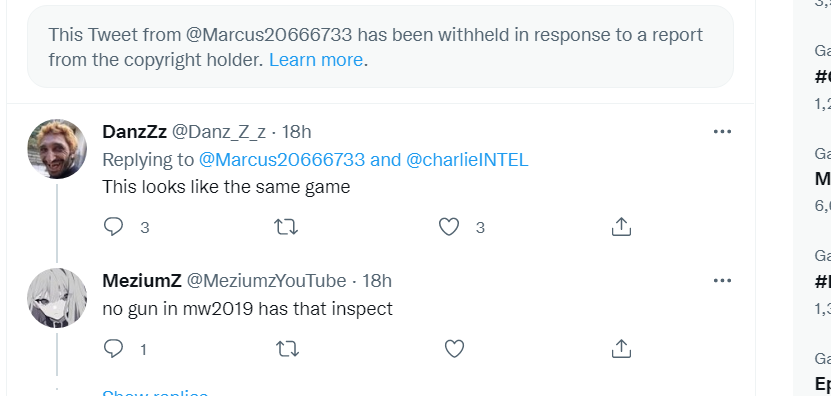
Another year, another Call of Duty leak! In what seems an annual thing by now, footage for Call of Duty: Modern Warfare 2 has leaked! Unfortunately, same as with almost every leak for Call of Duty, it’s pretty blurry, and doesn’t even show us much. This Modern Warfare 2 leak shows us the gun inspect feature which is confirmed here will be returning in Modern Warfare 2.
The footage was first shared by Twitter user “Marcus,” but has been pulled by Activision:
Fortunately, someone from Reddit posted the clip on Streamable!
Over on the (classic) Modern Warfare 2 subreddit, user tom_606 posted an “upscaled” version of the leaked clip, though it looks way worse if you ask me.
Chances are, these clips will be taken down too, so watch them while you can, though I admit, there’s nothing substantial from it other than confirming that we’ll see gun inspect come back. If the previous years are anything to go by, this won’t be the last Call of Duty leak, so expect more stuff to surface online soon!
Outside of the official logo and teaser, Activision has remained mum on Modern Warfare 2 (Modern Warfare II?) so far. Chances are high that we’ll see a proper reveal this month or next, and that Call of Duty Warzone will be a huge part of it.
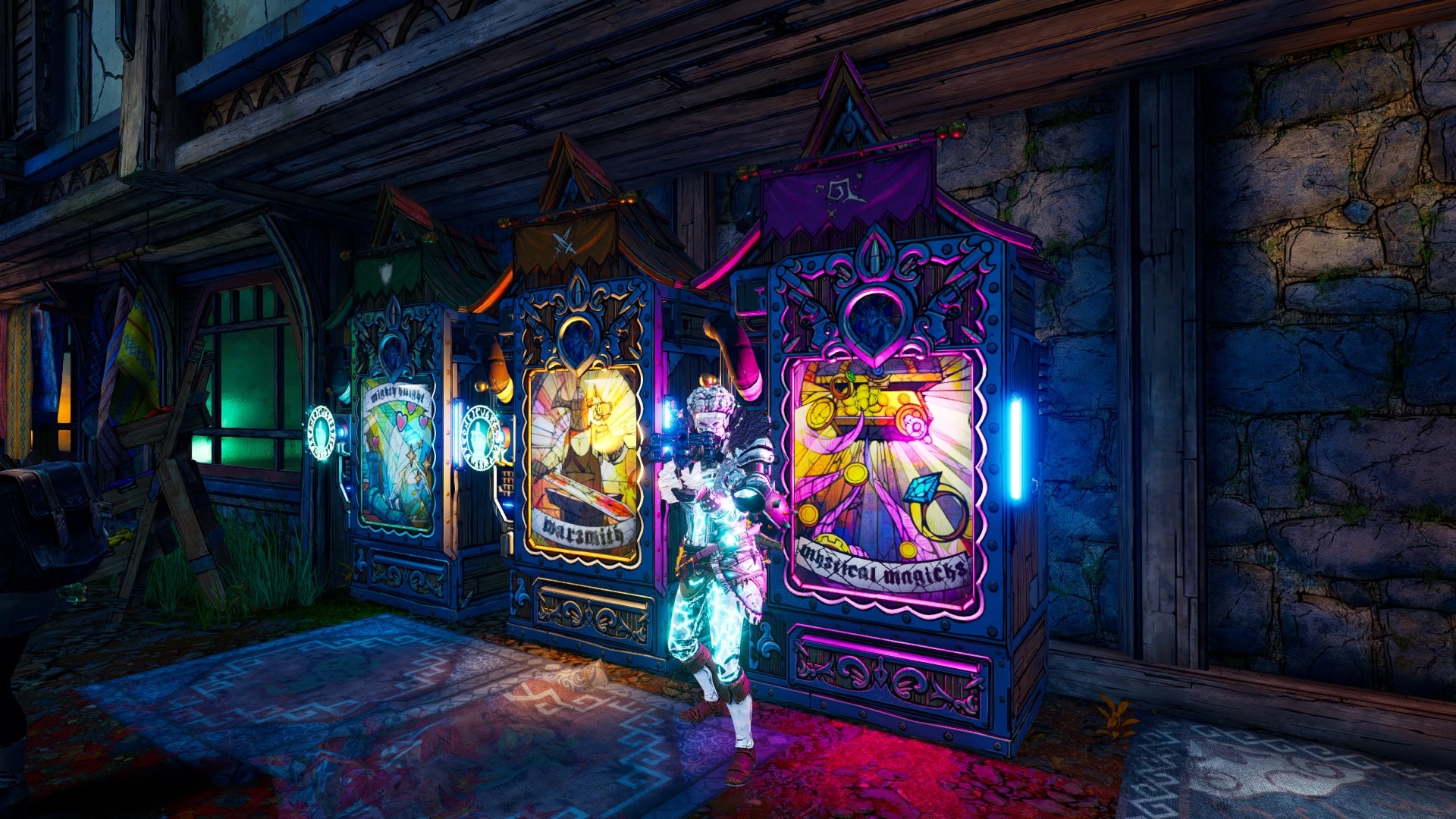
Gearbox Software has released Tiny Tina’s Wonderlands update 1.06 (PS5 version 1.006), which the devs tag as version 1.0.3.0A. This title update adds new Vending Machines to the Loot Room at the end of the Chaos Chamber, alongside other improvements, and even changes per feedback from the community! Read on for the Tiny Tina’s Wonderlands May 19 patch notes.
Update: For those affected by the story progression bug that surfaced from patch 1.0.3.0a, Gearbox has released a new patch for it, which you can read about here.
There are two methods which we deliver updates to players: One will be the weekly changes that will cover smaller adjustments, and the other will be downloadable updates to the game that will include more impactful bug fixes and changes.
Added special Vending Machines to the Loot Room at the end of the Chaos Chamber; each machine has a Legendary of the week for sale that will change every Thursday by 9:00 AM PT.
Mission reward gear is now more likely to show up in standard vending machines
Throwable Hole can now drop with enchantments and can be enchanted at the Re-Roller
Many Mission rewards can now drop as enchanted and can be enchanted at the Re-Roller
The Mushroom Healer has completed their mushroom trials and has been found worthy of a name: Mike, which is an okay name for a mushroom
In addition to this support, some changes have been made that we wanted to give special mention to based on feedback from the community:
Fixed various reported rare crashes, including those related to:
Occasional crash that would occur when switching between display modes
Using the “Randomize Character” button in the Character Creator multiple times quickly
Switching to the Mail menu from the Social menu
[Console Only] Quickly switching between Control Menu tabs in split-screen
[Xbox Only] Activation timeouts
Addressed the following reported concerns:
“Storm Surge” would not drop from the world loot pool. It was dedicated drop only before this change
Thread of Fate spell would not properly heal Fatemakers while doing Dark Magic damage
Counterfeint would occasionally allow players to not be targeted by enemies for longer than intended
Achievements were not being consistently awarded for “Walk the Stalk”, “The Trial of Crooked-Eyed Phil”, “The Ditcher”, and “Completionist is next to Godliness”
Achievements were not being consistently awarded for level milestones
Potential blocker could occur when saving/loading during “Thy Bard with a Vengeance”
Mobly Dick’s mission item would occasionally fall out of bounds
Prevented a drawbridge in Brighthoof from closing after Valentine had gone through the effort of seducing it open.
Prevented a progression blocker during “Walk the Stalk” if a Fatemaker doesn’t pick up the Punchfather
Barrel would occasionally disappear for some Fatemakers during “Break Ingredient X Barrel”
Added an enemy scalar for Chaos Chamber to increase the number of enemies that appear in co-op
Chaos Trial would not automatically update level
Endless Dungeon altars would occasionally subtract crystals from players for ammo and health altars in co-op that did not use them
Some instances where Fatemakers would not save as expected and would revert to a previous state
Instances of items duplicating unintentionally
Prevented players from unintentionally deleting characters
Issues related to reporting players in the Roster menu
Fatemakers that joined a game during the Table introduction still had their HUD visible
Various UI adjustments and improvements
Various sound effect adjustments
Various telemetry improvements
Various audio changes and adjustments
Various performance and stability improvements
[PlayStation®5 Only] Added Variable Refresh Rate support for PlayStation®5
[DLC] Fatemakers would occasionally appear at the incorrect entrance in Dreamveil Overlook
[DLC] Fatemakers would be able to enter a portal early and encounter a progression blocker
[DLC] Fatemakers would be sent to the incorrect store page when interacting with mirrors for the content they did not own
[DLC] Fatemakers that did not own the DLC content would be unable to consistently join a Faktemaker that did
[DLC] A progression blocker could occur when fighting “Best Chums”
…and more!
Class Adjustments:
Addressed the following class-specific reported concerns:
Brr-Zerkers would not stay enraged when multi-classed into Graveborn and using the “Reaper of Bones” action skill
Spore Warden‘s Mushroom pet would not clean up after itself after using its mushroom spore attack for all players
Clawbringer‘s Storm Smite would not properly switch between Fire and Shock damage. The splats on Storm Smite have been corrected to also match their expected visuals and damage type.
Graveborn‘s Faithful Thralls skill’s bonus’ could occasionally stack indefinitely
Graveborn’s kill skill “Harvest” could be unintentionally stacked indefinitely
Stabbomancer‘s “Follow Up” stacks would trigger unintentionally with the chain lightning effect on the Dahlia SM Live Wire
Enchantments – Spore Warden:
Adjusted a Spore Warden Enchantment from receiving a chance for an explosion on Gun and Ability damage to having the chance only with Gun Damage. We found that the bonuses had unintended damage scaling when combined with other abilities.
Brr-Zerker:
Blast Chill and Blast Gasp (for Graveborn) could overlap and scale damage out of the anticipated range in the end game when combined with other damage scaling. The changes below here are focused on making Melee Attacks a bit more powerful during the mid-game and in Chaos Chamber.
Blast Chill has been adjusted to award a chance to release a Nova on Melee Attacks, instead of on all Melee Damage sources.
Savagery has been increased to doing 6% per point of Melee Damage
Damage received from attacks when close to enemies while using The Old Ways had been reduced to 40%
Iron Squall Melee Attack speed has been increased to 4% per point in the skill
Spore Warden:
Wrath of Nature has been adjusted to do 10% increased damage per point in the skill
Increased Affinity’s Ability Damage to award 9% per point to give additional power in the early game
Increased Bullseye’s Critical Hit Chance to 12% per point
Clawbringer:
Changed Cleaning Flame Action skill to do Fire Melee Damage instead of just Melee Damage
Increased Awe’s Critical Hit Chance to 13% per point
Increased Awe’s Critical Hit Damage to 7% per point
Increased Dedication Action Skill Cooldown Rate with Max Ward to 6%
Increased Dragon Aura Elemental Damage to 5% per point
Increased Rebuke Damage Reduction to 4% per point
Increased Oath of Thunder Bonus Melee Damage to 6% per point
Increased Fire Bolt Gun Damage to 10% per point
Increased Storm Breath Damage Reduction to 15% per point
Graveborn:
Adjusted Blast Gasp Ability Damage to 7% per point to compensate for additional bug fixes to the skill
Increased Harvest Bonus Dark Magic to 5% per point. This brings the bonus Magic Damage up to 30% total at max stacks.
Increased Stain of the Soul to deal 5% bonus Dark Magic Damage per point
Stabbomancer:
Increased Ethereal Blade Melee Damage to do 150% of your Melee Weapon
Adjusted Double Knot to do 4% bonus Gun Damage on Spell Critical Hits
Weekly Rotations:
Weekly Event! This in-game, limited-time mini-event will be active from May 19 to June 2 at 9:00 AM PT.
Activated the In-Game Mini Event: Armor Up!
Increases the chance for armor to drop and the chance for the class mods to be for your current character.
Note: Due to classes being distributed between Light, Medium, and Heavy armor types, Fatemakers are still likely to find plenty of armor that fits other classes at average a rate of 1 out of 3. For best results, pair up with friends that match your class/subclass!
The Chaos Chamber’s Featured Run has been updated! All aboard the chaos train, but be warned, this train doesn’t stop! At least, not for a while. The Leaderboard has been reset. Will you top the charts this week?
Featured Runs are available in the Chaos Chamber after you’ve completed the main story, and rotate weekly every Thursday at 9:00 AM PT. They’re the same for all players, so jump in and see how your run went compared to other Fatemakers!
This run features Oculus and Mushroom Monster. We’ll let you figure out who the two bosses are this week! Get ready to take on a new extended run in the Chaos Chamber!
Change Notes:
We have adjusted the Wheel of Fate to drop more items along with Moon Orbs and Gold.
Removed redundant quest markers for “The Slayer of Vorcanar”
Removed the damage scaling increase from Hawkin’s Wrath from the May 5 Hotfix. This had to be removed to address a crash that we saw impacting Xbox players. We will be investigating how to properly address this in a future patch.
Frost Weapon Adjustments:
Frost does damage over time, but we found some Frost-only guns, like Liquid Cooling, that were mistakenly balanced as if that was not the case. We will be adjusting those weapons upwards so that they still roughly deal the same damage. Queen’s Cry specifically was mistakenly nerfed because elemental damage was included, but not during balancing. It is having its damage increased to compensate for that mistake. We are intending to adjust Fragment Rain in a later hotfix after we take a look at the SMG balance for Chaos Chamber.
Adjusted Frost damage scaling for guns by -5.9%
Liquid Cooling’s damage scaling increased by +7.8%
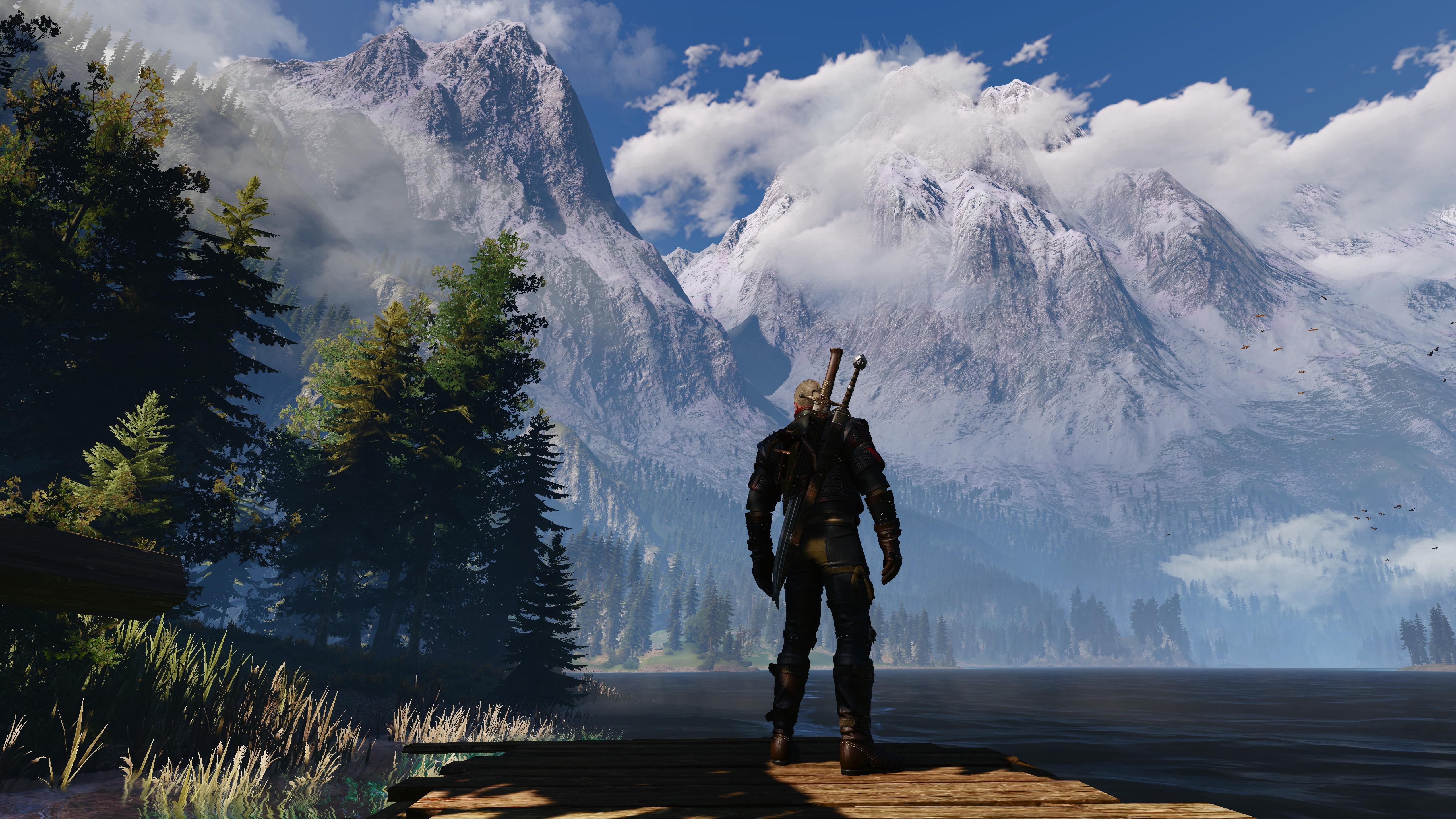
Just last month, CD Projekt RED mentioned that the Witcher 3: Wild Hunt next-gen versions are delayed “until further notice,” which sounded a bit worrying if I’m being honest. Thankfully, the game’s free next-gen upgrade is dropping soon-ish, as The Witcher 3 next-gen release is now set for Q4 of 2022!
This is definitely good news — especially for those who still haven’t played the game. As someone who spent well over 70+ hours on the game, I can safely say that The Witcher 3: Wild Hunt is one of the best gaming experiences I’ve ever had. I gather, a ton of critics agree as well, since it’s sitting at a very impressive 92 rating on Metacritic.
Once we know the specific day, and what else is coming for the free next-gen upgrade, we’ll let our readers know. Don’t forget, there is a new Witcher game in active development though we’re uncertain whether Geralt will be coming back.
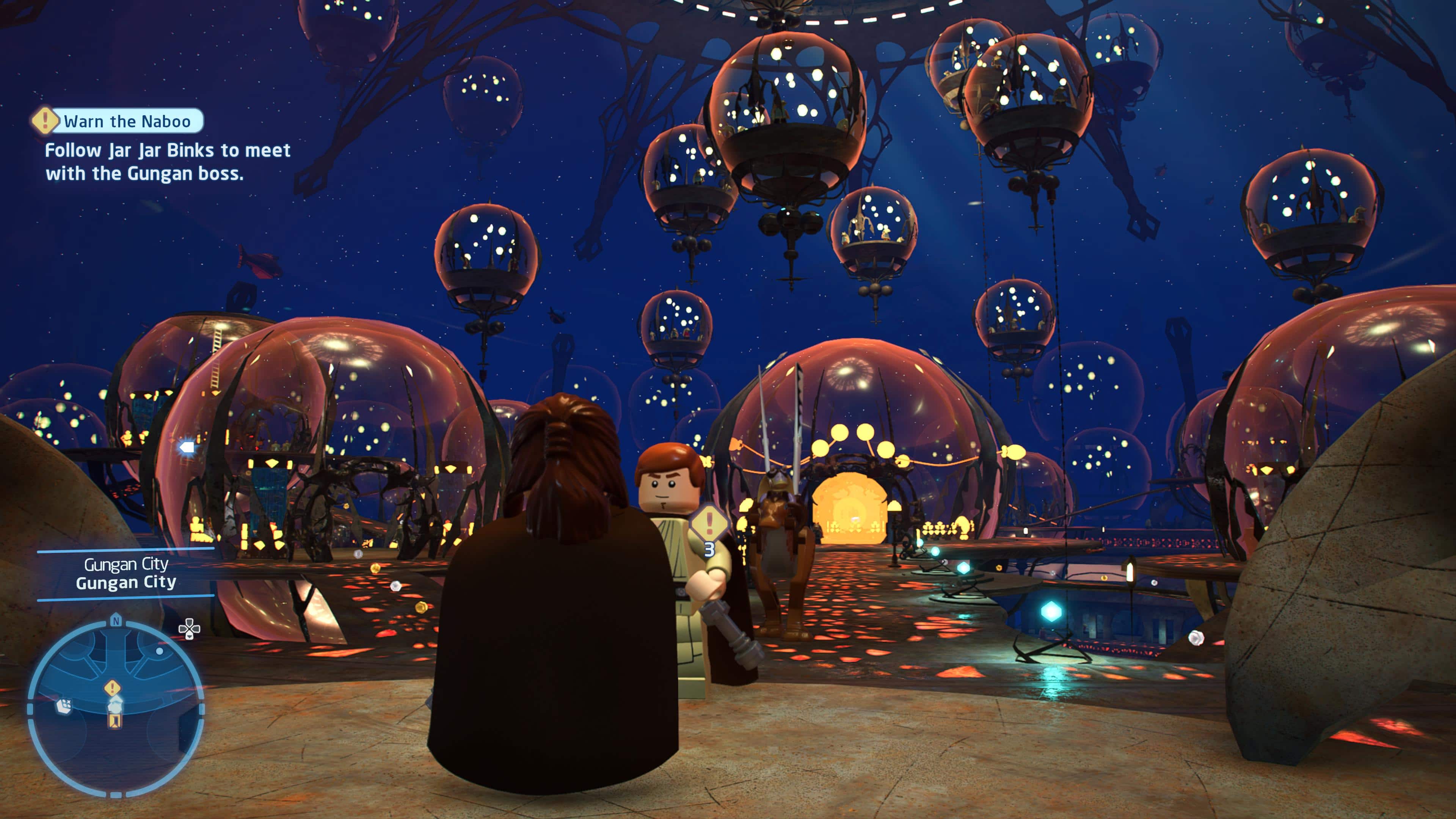
TT Games has released the LEGO Star Wars: The Skywalker Saga update 1.05 (PS5 version 1.000.005) patch that adds new encounters, fixes bugs in specific episodes and more! Check out the LEGO Star Wars: The Skywalker Saga May 19 patch notes below.
LEGO Star Wars: The Skywalker Saga Update 1.05 Patch Notes | LEGO Star Wars: The Skywalker Saga Update 1.000.005 Patch Notes | LEGO Star Wars: The Skywalker Saga May 19 Patch Notes:
Numerous fixes to overall stability, quality and performance throughout the title, including fixes for:
• Issue in Episode 7 where in certain situations Maz would not be present on Takodana to continue Story mission ‘Friends of the Resistance’.
• Issue in Episode 3 where in certain situations the level trigger for ‘The High Ground’ could fail to appear.
• Issue in ‘Green Harvest’ freeplay mission where under certain criteria the camera would be stuck on Tatooine indefinitely.
Implemented 4 new Capital Ship encounters in Local Space adding 34 additional Kyber Bricks to collect:
o Fulminatrix
o Home One
o Invisible Hand
o Venator
That’s about it. If TT Games releases additional info regarding today’s patch, we’ll update the post to reflect it. In other The Skywalker Saga news, new DLC packs are headed to the game, which was announced on Star Wars Day!
After weeks of being delayed, miHoYo has finally revealed that the Genshin Impact update 2.7 release date is all set for May 31, with this new eventful patch lasting six weeks. Its follow-up, v2.8, is arriving July 13. Check out the announcement from Twitter below.
V2.7 Update Notice
Dear Travelers, V2.7 update maintenance is expected to start at 05/31 6AM (UTC+8) and is expected to be done within 5 hours. The duration of V2.7 is expected to be 6 weeks, and V2.8 is expected to be updated on 07/13.https://t.co/YXVSW8SNKl#GenshinImpactpic.twitter.com/2hmVhPddG5
Besides the release date announcement, here’s a primer on the Genshin Impact upcoming update 2.7 via the new post from miHoYo:
Dear Travelers,
Version 2.7 update maintenance is expected to start at 05/31/2022 06:00 (UTC+8) and is expected to be completed within 5 hours. Meanwhile, the duration of Version 2.7 is expected to be 6 weeks, and Version 2.8 is expected to be updated on 07/13/2022.
We sincerely apologize for the inconvenience caused by this delay.
The current Character Event Wish, Weapon Event Wish and “Test Run” event will end on 05/31/2022 05:59 (UTC+8). The countdown time display on the Wish screen and Events Overview page will also be adjusted. There are no changes to the end times of other in-game events.
Maintenance for the Placement Function in the Serenitea Pot will also end after the Version 2.7 update maintenance is complete. Travelers can then resume using this Placement Function.
Once again, we apologize for the delay in this update. Thank you for your continued support and understanding.
Stay tuned here at MP1st for the patch notes once the update finally releases!
Rockstar Games has rolled out the GTA Online weekly update May 19 reset of actvities and discounts! Check out the complete highlights and recap in one handy list below.
GTA Online Weekly Update May 19 Reset:
Rewards for racing take the top spot this week in GTA Online with quadruple GTA$ and RP on Land and Special Vehicle Races, as well as double GTA$ and RP on Open Wheel and Premium Races, doubled Cash Pots for competing in Impromptu Races, and more detailed below:
Quadruple GTA$ and RP on Land and Special Vehicle Races
Double GTA$ and RP on Open Wheel and Premium Races
Doubled Cash Pots on Impromptu Races
Race bet limit increased to GTA$10K
GTA$200K bonus for completing a set of Playing Cards, Movie Props, finding all available Media Sticks, or obtaining El Rubio’s Perico Pistol
GTA$100K bonus for retrieving a Hidden Cache or Treasure Chest three separate days this week
50% off Premium Race Buy-Ins
Lucky Wheel Top Prize: The Dewbauchee JB 700W
LS Car Meet Prize Ride: The Invetero Coquette Classic for placing in the Top 3 in Pursuit Races three days in a row
Test Rides: The Imponte Beater Dukes, Bravado Gauntlet Classic, and Lampadati Casco
On Playstation 5 and Xbox Series X|S:
Hao’s Premium Test Ride: The Karin S95
This week’s Hao’s Special Works Time Trial is between Del Perro Beach and Murietta Heights
30% off Auto Shop Properties
Vehicle Discounts: 30% off the Benefactor BR8, Grotti Itali GTO, Progen Emerus, Imponte Beater Dukes, Bravado Gauntlet Classic, and Coil Rocket Voltic, 40% off the Lampadati Casco, Grotti Itali RSX, Principe Deveste Eight, BF Ramp Buggy, Jobuilt Phantom Wedge, and Nagasaki Blazer Aqua, 50% off the Imponte Nightshade
This month’s ongoing GTA+ Member Benefits: Free Agency property in Rockford Hills for immediate access to The Contract, the Grotti Brioso R/A and HSW Upgrade with 2 exclusive liveries, free clothing and accessories, double GTA$ on Security Contracts, plus additional member bonuses
Prime Gaming Bonus: Players who connect their Social Club account with Prime Gaming will get a GTA$100K bonus for playing any time this week
DISCOUNTS:
Entrepreneurs looking to get a foothold in the automotive repair and customization business can pick up an Auto Shop for 30% off this week, as well as a range of vehicles sure to wreak havoc on the streets of LS, in the Races above, and beyond.
30% off – Benefactor BR8
30% off – Grotti Itali GTO
30% off – Progen Emerus
30% off – Imponte Beater Dukes
30% off – Bravado Gauntlet Classic
30% off – Coil Rocket Voltic
40% off – Lampadati Casco
40% off – Grotti Itali RSX
40% off – Principe Deveste Eight
40% off – BF Ramp Buggy
40% off – Jobuilt Phantom Wedge
40% off – Nagasaki Blazer Aqua
50% off – Imponte Nightshade
50% off – Premium Race Buy-In
GTA+
This Month’s GTA+ Member Benefits:
The Agency in Rockford Hills for access to The Contract
Grotti Brioso R/A and HSW Upgrade with 2 exclusive liveries
Free clothing and accessories
2X GTA$ on Security Contracts
Additional Member Bonuses
Tune in next week for the next GTA Online weekly update.
In order to cater to a wider audience across different kinds of players, Sony Santa Monica has unveiled the accessibility features that will be available in God of War Ragnarok, with a total of 60+ customizable options for players to tinker with. Whether you’re having trouble dealing with motion blur, or you want high-contrast colors to better identify the characters on screen, here’s a rundown of all the availble features that you can customize.
God of War Ragnarok Accessibility Features:
God of War (2018) PC Features – Added to God of War Ragnarök
For God of War (2018) on PC, we made sure to improve and continue to iterate on popular features from the initial PlayStation release. We’re pleased to be continuing to support these features in God of War Ragnarök on PS4 and PS5:
Sprint Auto Sprint: You will sprint while the stick is held and stop when released. When Auto Sprint is active, you can begin sprinting by pressing the move stick forward for a short period of time in one direction. The duration required to engage the Auto Sprint is configurable by you.
Persistent Dot (Always on Reticle): If you need additional focal points to reduce motion sickness, or just want a persistent reminder of the center of the screen, we offer the ability to turn on a center dot in three different sizes and seven different colors.
Aim Style: You can choose to use either hold or toggle on/off the aim stance.
Block Style: You can choose to use either hold or toggle on/off the shield stance.
New to God of War Ragnarök
Subtitle and Caption Improvements
We have invested heavily in improving our subtitle and caption system to allow for even more customization and information.
Subtitle and Caption Size: We have increased our minimum text size and added new scaling. This includes an extra-large text size to make subtitles and captions more readable. We have also dedicated a larger text area to match TV and movie subtitle standards.
Subtitle and Caption Colors: You can adjust the colors of speaker names, subtitle body, and captions individually. You will be able choose between seven different colors.
Speaker Names (Retained options from 2018): As in God of War (2018), you can show or hide speaker names. You can set this size independent from the UI text size.
Captions: With expanded sound effects captions, we’ve added several new ways to understand in-game sound. We’ve added captions to both cinematics and gameplay to provide a rich understanding of the soundscape of the world. You can also enable captions for critical gameplay information to assist with puzzles and narrative understanding.
Subtitle and Caption Background Blur: We’ve included options to allow for blurring the background behind subtitles and captions to make them more readable over complex scenes.
Subtitle Background (Retained options from 2018): In addition to blur, we’ve included options to darken the background behind subtitles for better readability on snow. High contrast backing includes multiple opacity settings for you to select from.
Direction Indicator: Critical gameplay sounds now have an optional direction indicator which shows the direction a sound is coming from. To assist with puzzles that have sound cues, this indicator will help you orient towards the source of an important sound.
Text Size / Icon Size
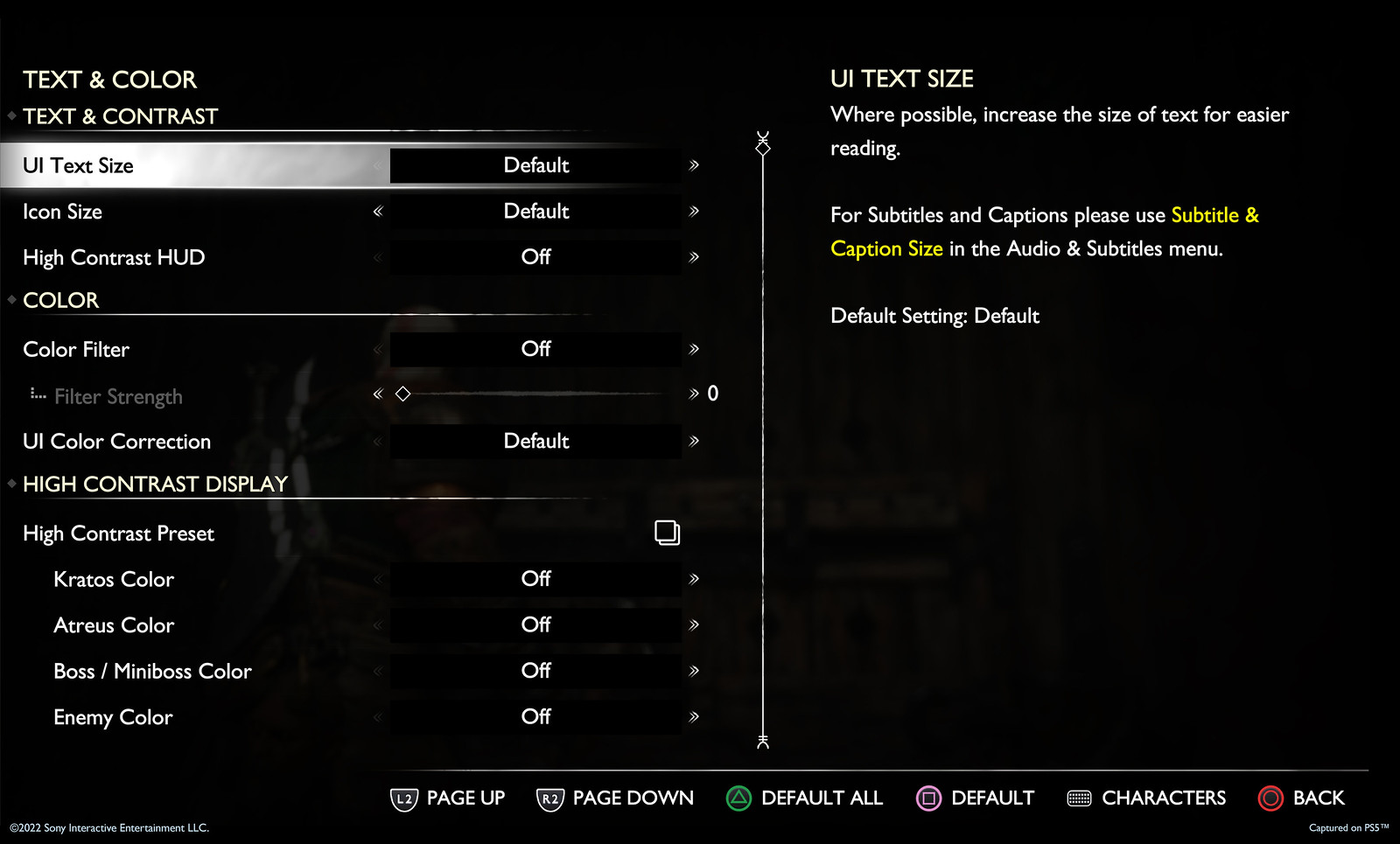
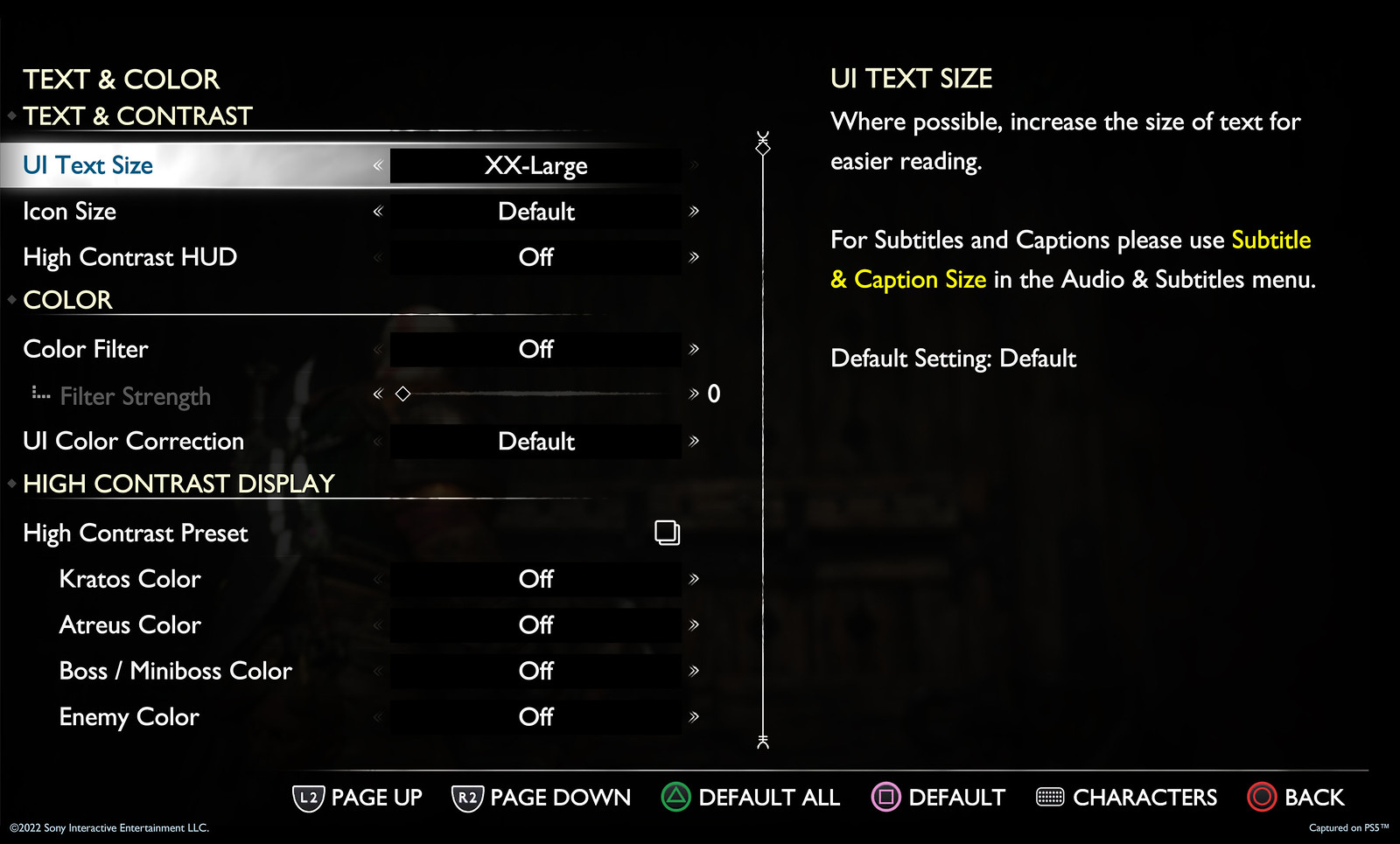
The highly requested feature from God of War (2018) is back and better than ever! You asked for a comfortable reading experience when playing from a couch, so we listened. With a fully re-engineered and responsive UI, and a larger minimum text size that can scale significantly, reading on-screen text is easier than ever.
Here’s a look at our Default and XX-Large game wide UI Text scaling for reference.
Top: Default UI Text Size, Bottom: XX-Large UI Text Size
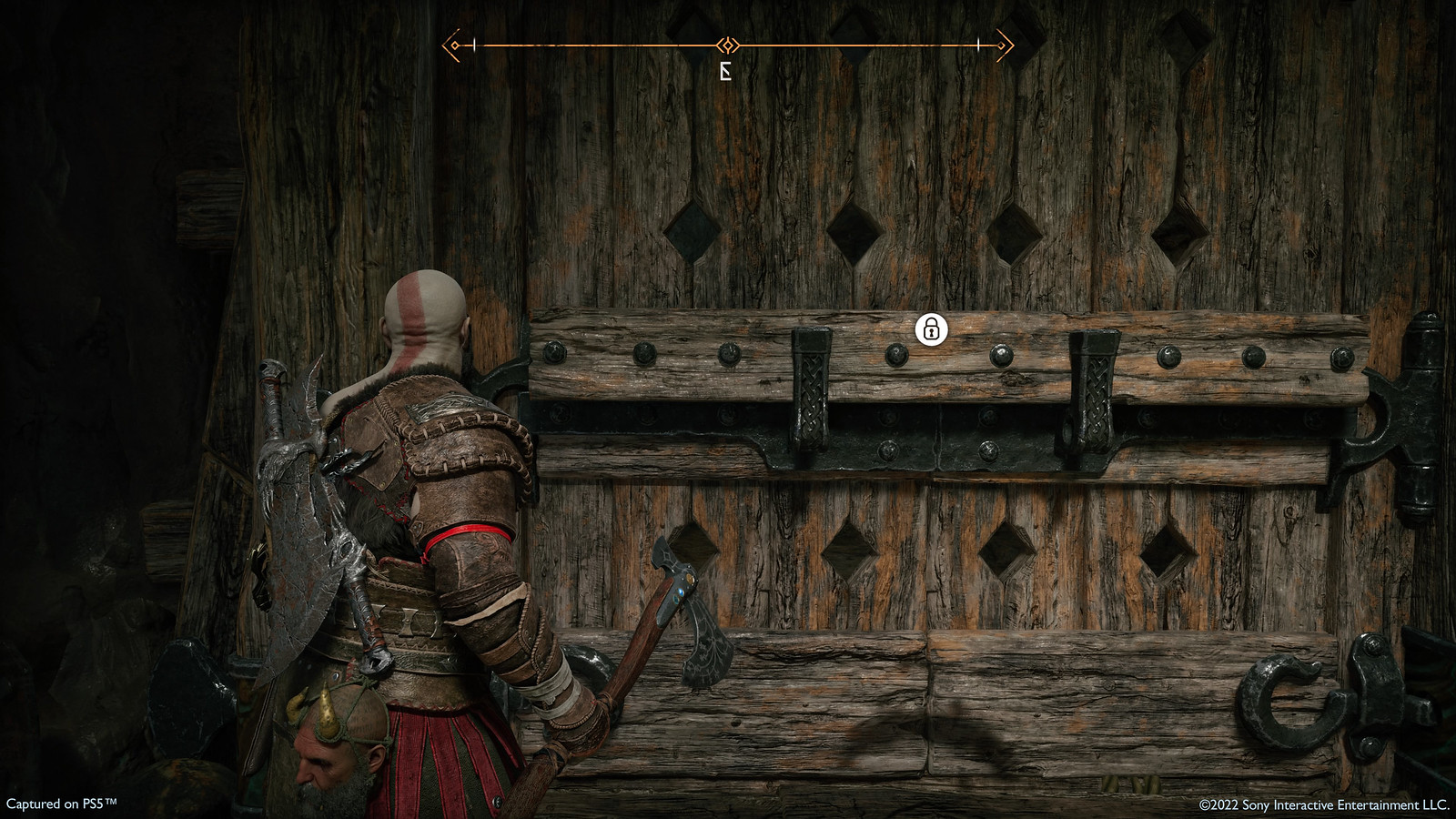
We also have two examples to share of the in-game icon scaling with smallest and largest options available to choose from.
Left: Small UI Icon Size, Right: X-Large UI Icon Size
Controller Remapping
We have rebuilt our controller remapping system to allow you to customize your button configurations in God of War Ragnarök. There will be a wide range of preset layouts, as well as custom controller remapping support. Individual buttons can be swapped and, for select complex actions, you can choose alternate configurations from a preset list.
We offer multiple ways for you to customize your experience for certain actions that require more than one button, including Touch Pad Shortcuts for things like Spartan Rage, Navigation Assist, and Quick Turn.
High Contrast Mode
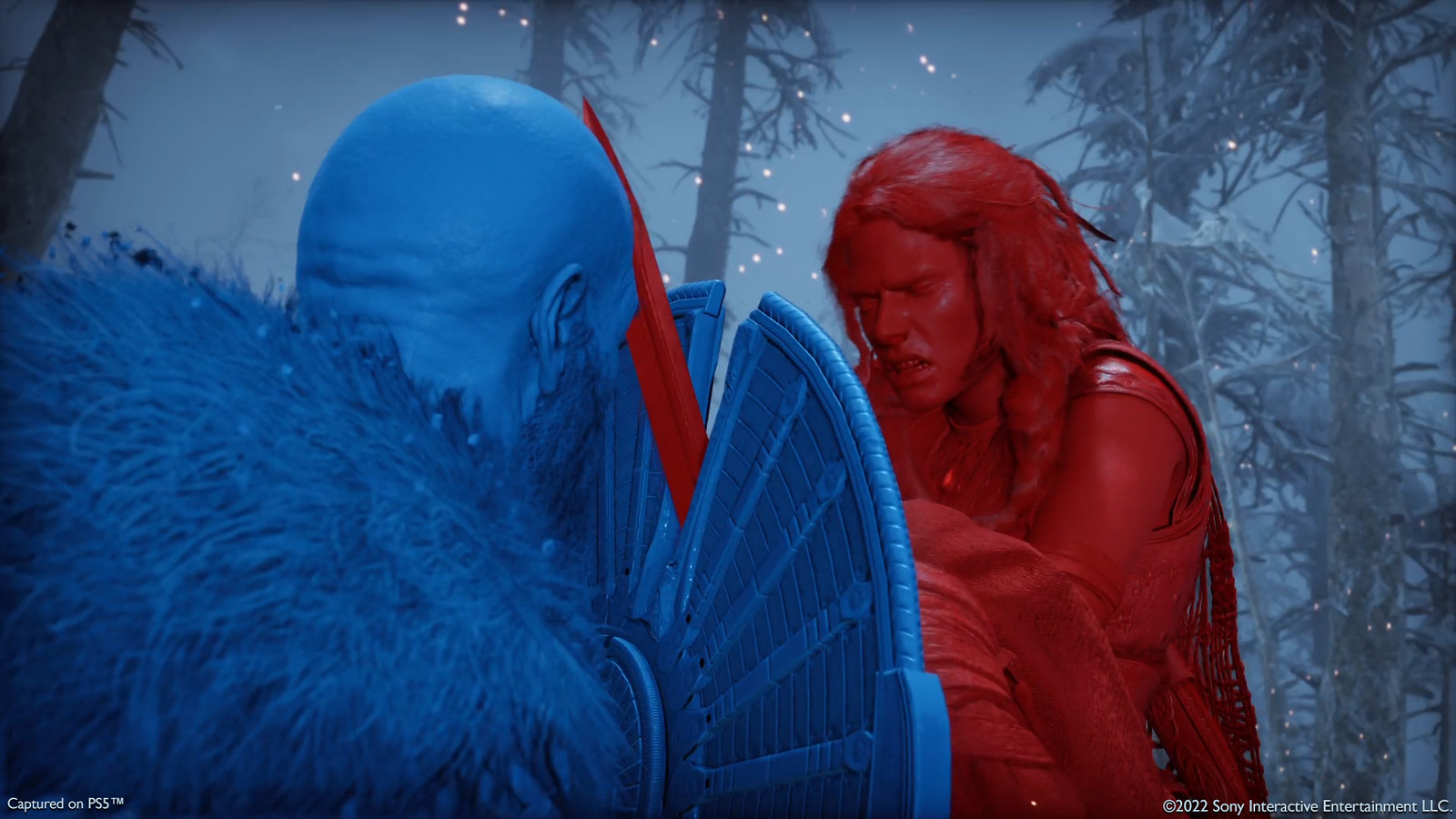
Our new high contrast color-mode allows you to apply a color to objects in-game like targets, enemies, and other characters, in addition to a variety of item types. When active, this will apply a color layer to characters that will make them more visible against the background. You can optionally desaturate the background to further increase the contrast. Traversal paint, loot items, and special effects can also be made more visible in this mode.
High Contrast Activation Customization: Select off, on, or always on for gameplay only (this will exclude cinematics). High contrast mode can be set to toggle on and off from a swipe for easy access. This mode will automatically disable when in a settings menu or character menu.
High Contrast Color Customization: Select a color palette that fits your playstyle and adjust individual colors for characters, enemies, and items.
High Contrast Background Customization: Separately select mid-tone or darkened background contrast levels.
Navigation Assist: New to God of War, this camera navigation system allows you to orient your view towards your compass objective. When not in combat, pressing the Navigation Assist button will orient your view in the direction of the next story goal.
Traversal Assistance: Gap jumping, vaulting, mantling, and other traversal features can now be automated based on the direction you press.
Assistance +: Adds interaction-based moves like climbs, crawls, and squeeze-through.
Audio Cues: We have linked a sound cue to each of the on-screen interact prompts, so that when using this feature, you can hear when an interact icon is nearby, as well as when the button prompt becomes active.
Audio cues extend to additional combat cues like unblockable attack rings, targeting aim cues, and weapon swap cues. The volume of audio cues can be adjusted separately from other volume sliders, so you can adjust for your own comfort.
God of War Ragnarök Reveal Trailer – Audio Described Version
To celebrate Global Accessibility Awareness Day, we also wanted to provide an audio described version of the God of War Ragnarök reveal trailer that came out last year!*
The studio also teased more to come in the future for the game, including combat/aim assists, puzzle/minigame assists, HUD adjustments, camera tuning, auto pick up, and much more. Stay tuned here at MP1st for details on these once they’re out!
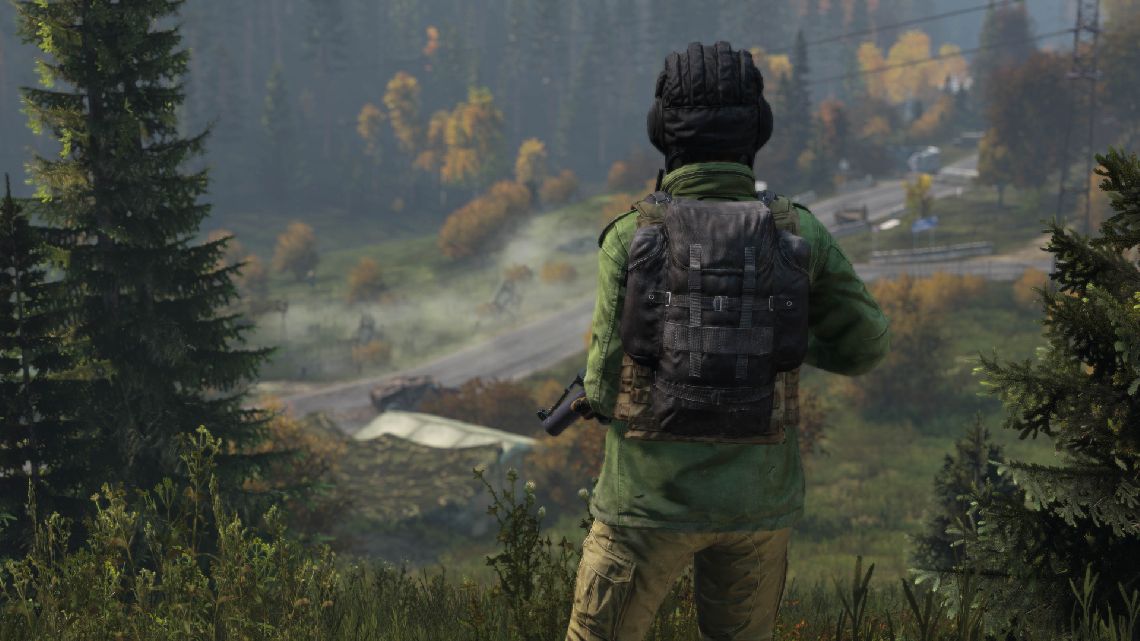
Bohemia Interactive has released the DayZ experimental update 1.18 patch today, and this one adds a myriad of changes and fixes to the game! Check out the full DayZ May 19 experimental update patch notes below.
Keybinding menu now has inputs split into several categories to make it easier to navigate (PC)
Adjusted positions of rifles in the shoulder slots to reduce clipping with the character
Animations of character symptoms do not conflict with other animations any more
Added a UI prompt to exit the game credits
Updated the game credits
Adjusted the modern compass to be more readable in sunlight
Adjusted colors of all raincoat-based armbands
SERVER
Added: cfgeventgroups.xml to define groups of objects to spawn with dynamic events
Added: Hundreds of static environment objects now have a config-class to be spawned by the server
Added: “deloot” attribute to events.xml <child> to define the amount of wanted dynamic events loot for a child instead of the default value
Added: “spawnsecondary” attribute to events.xml <child> to define if the child should be spawning the secondary infected event
Added: Warning message when a definition in types.xml will be ignored
Added: Additional dynamic event setup validation and warning messages
Added: Dynamic events now supports spawning of “dispatch” from proto xmls
Added: “dispatch” and its children “proxy” from proto xmls now have an additional attribute “dechance”, a float value ranging from 0-1 to decide chance of spawning at a dynamic event
Fixed: Banlist, whitelist and prioritylist were cleared when the accompanied file was failed to be opened by the game
Fixed: The enableDebug window was not fully displayed in certain resolutions
Fixed: Random loot spawned by dynamic events would persist after a server restart
Changed: The game now has an error message and shuts down when it cannot find the world
MODDING
Added: Not-categorized input actions are now displayed within the “Unsorted” category in the keybinding menu
Added: CreateFrustum function to Shape class, accessible from script
Added: Added and exposed Shape::GetMatrix() and Shape::SetPosition() to script
Added: PrePhysUpdate, IsEvent and IsTag callbacks to AnimCommand so they are usable from any Animal and Infected command
Added: PrePhysUpdate, IsEvent and IsTag callbacks to AnimCommandBase so they are usable from any Animal and Infected animation command
Fixed: proxyInfo was never filled in for BoxCollidingResult
Fixed: Damage from explosions was always falling off in 4 times the range
Changed: Logic of transition changes while smoking/drying
Changed: Armbands were redesigned to allow flag variants. Textures were split in halves and renamed.
Changed: Layout files are no longer cached on Diag exe
Changed: The game now has an error message and shuts down when it cannot find the navmesh while it is configured to load one
Changed: Fall off damage from explosion goes linearly from 100% to 0% (from indirectHitRange to indirectHitRange * indirectHitRangeMultiplier)
That’s it for this experimental update. The patch is now live on both PC and Xbox, and will be live in stable soon, so stay tuned here at MP1st for further updates!
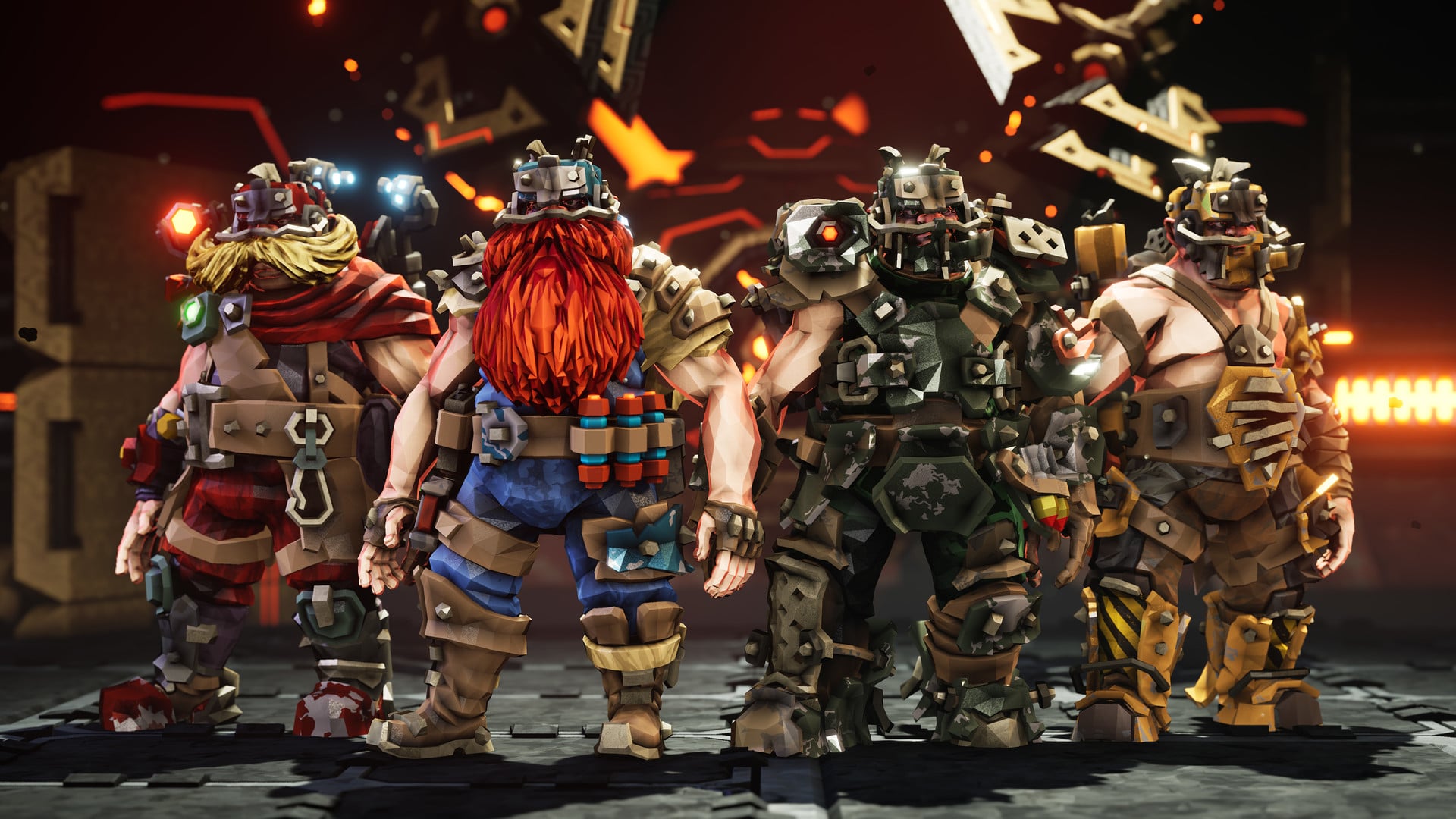
Ghost Ship has released the Deep Rock Galactic update 1.16 patch (PS5 version 1.000.016) today, and this one adds the Season 2 Patch 3 changes and fixes! Check out the full Deep Rock Galactic May 19 update patch notes below.
Deep Rock Galactic Update 1.16 Patch Notes | Deep Rock Galactic Update 1.000.016 Patch Notes | Deep Rock Galactic May 19 Update Patch Notes:
Hello Miners,
Our scanners have picked up a massive amount of fixes coming your way. Stand clear!
With Love,
The Ghost Ship Crew
— PATCH NOTES —
– Fixed the X-80s Chemical Explosion sometimes doing double damage.
– Fixed bolts colliding with each other
– Fixed bolt hits not registering on Higher Pings (Possibly only for Bodkin)
– Reduced the amount of Pheromone Special Bolts.
– Goo and gas clouds are now easier to set on fire with nishanka’s fire bolt
– Made trail effects linger a bit for enemies leaving the Coilgun trail.
– Removed the Coilguns Re-Atomizer Overclocks ability to push Steve and elite enemy STEs.
– Reduced the duration that the Coilguns Re-Atomizer overclock gives to STEs with no set duration.
– Stopped rival enemy STEs from spreading with the Re-Atomizer OC
– Fixed re-atomizer being able to “store” temperature of last enemy shot on clients. Also made it copy at minimum the freezing/burning temperature rather than just the current temperature of the target hit. This should make it so that the spreading of freeze and fire is more consistent with expectations.
– Coilgun Defense Resistance bug fixed where it wouldn’t give the correct defense resistance bonus
– Coilgun Hellfire OC ammo penalty reduced. Introduced Trail Duration penalty.
– Removed friendly fire from the shockwave upgrade and aoe around the shot
– Fixed coilgun doing multiple unnecessary traces for each enemy it hit. Affects the mole OC doing unintended extra damage per enemy hit
-Tweaked the Weapon Framework: Builders Choice for the Cryo Cannon
– Fixed Dazzler Module for the Shard Diffractor affecting other players
– Fixed the animation on X-80 when born ready reloads the arrows swap
– Fixed a bug that resulted in other players getting stuck seeing (and hearing) clients Colette Wave Cooker as if it was firing
– Fixed Colette Wave Cooker freezes a burning Glyphid Brood Nexus back and forth
– Reduced the chance of multiple Nemeses spawning in a row and scaled it based on team size
– Fixed the spawn effects and sound for the Nemesis
– Extended the delay between when a Nemesis spawns and when it can attack giving players more time to relocate
– The Nemesis should now consistently die when set on fire
– Made the Nemesis a little less aggressive on low hazards
– Hovering Rival Presence warning at the mission map now correctly shows the biomes with the challenge
– Reduced the number of turrets spawning in the immediate vicinity of the Turret Controller to correlate to team size
– Reduced amount of rival warnings needed to complete a scrip challenge
Added red outline to the Turret Controller
– Fixed “E” not working correctly for reviving, building, or repairing during high ping.
– Fixed Picking up an item that goes to inventory while mining toggles to previous weapon
– Fixed that Arkenstout blizzard Sound FX continues to loop after breaking free of the ice.
– Fixed enemies who were supposed to die when on fire / frozen, not doing so if the last source was not from damage but from a heat source.
– Trying to fix dreadnoughts being inactive
– Fixed typo in Situation Briefing (Season Terminal)
– Fixed typo in Bestiary (Nemesis)
– Fixed typos in Trifork OC.
– Fixed a typo in Upgrade “eletric”
– Fixed two typos in the string “Hurry up! Droppod isn’t hanging around for ever!”
– Adjusted the max distance that Refinery and Point Extraction platform can be adjusted down into terrain. It has been significantly reduced to fix edge cases where they could end up 10m+ underground.
– [Point extraction] Events that should stop scripted waves from spawning now also prevents waves in point extraction
– Fixed a bug that caused the Data Deposit map marker to be in the wrong place
– Added pathfinder collision to the explosive barrels event
– Corrected the initial delay of point extractions drill spawning.
– Fixed issue where the lost pack can spawn inside non-destructible objects, making it unusable.
– Fixed a bug that caused the cursor icon to not grow/shrink correctly when hovering over UI buttons etc. – When using a controller
– Fixed a bug that caused a softlock when interacting with the Promotion Terminal – When using a controller
– Fixed a bug that made it so viewing more than one item in the cosmetics shop displays the wrong model for subsequent viewings
– Fixed text that didn’t fit into credits and some broken characters in Polish
– Made it so the in-game chat no longer can overflow into the HUD elements
– Updated credits list
– Fixed the chat text that was misaligned for players with the “Supporters” icon
– The class icons that appear when a teammate is marked with the Laser pointer now has color
– Fixed a crash that happened when loading saves
– Disabled collision of O2 canisters on drop pod when the warning isn’t active
– Fixed a bug that caused you to lose speed in Rich Atmosphere after getting slowed
– Fixed a bug that caused the Drop Pod drill to continue drilling after returning from a mission
– Fixed native modded blueprint spawning being inconsistent
– Tweaked the modding settings menu, to be able to open it correctly
– Fixed that the rival warning season challenge text – was showing the incorrect number of wins to complete
– Fixed the Spitball Infectors stiff neck that caused them to only turn their head to one side and not the other
– Fix for the players who completed the Heavy Duty assignment and were not awarded the Heavy Duty Fixer mining helmet – You should have it now – sorry for the wait <3
– Attempted fix for flickering textures on enemies
– Some small performance optimizations
– Some Audio optimization
That’s it for this major patch. Stay tuned here at MP1st for more updates to Deep Rock Galactic!
It’s Thursday and you know what that means right? That’s right, another set of new challenges to be done, and a reward to be earned in Battlefield 2042! Here’s all the requirements to unlock the Battlefield 2042 Weekly Reset Challenge #23 (May 19 – May 26) rewards.
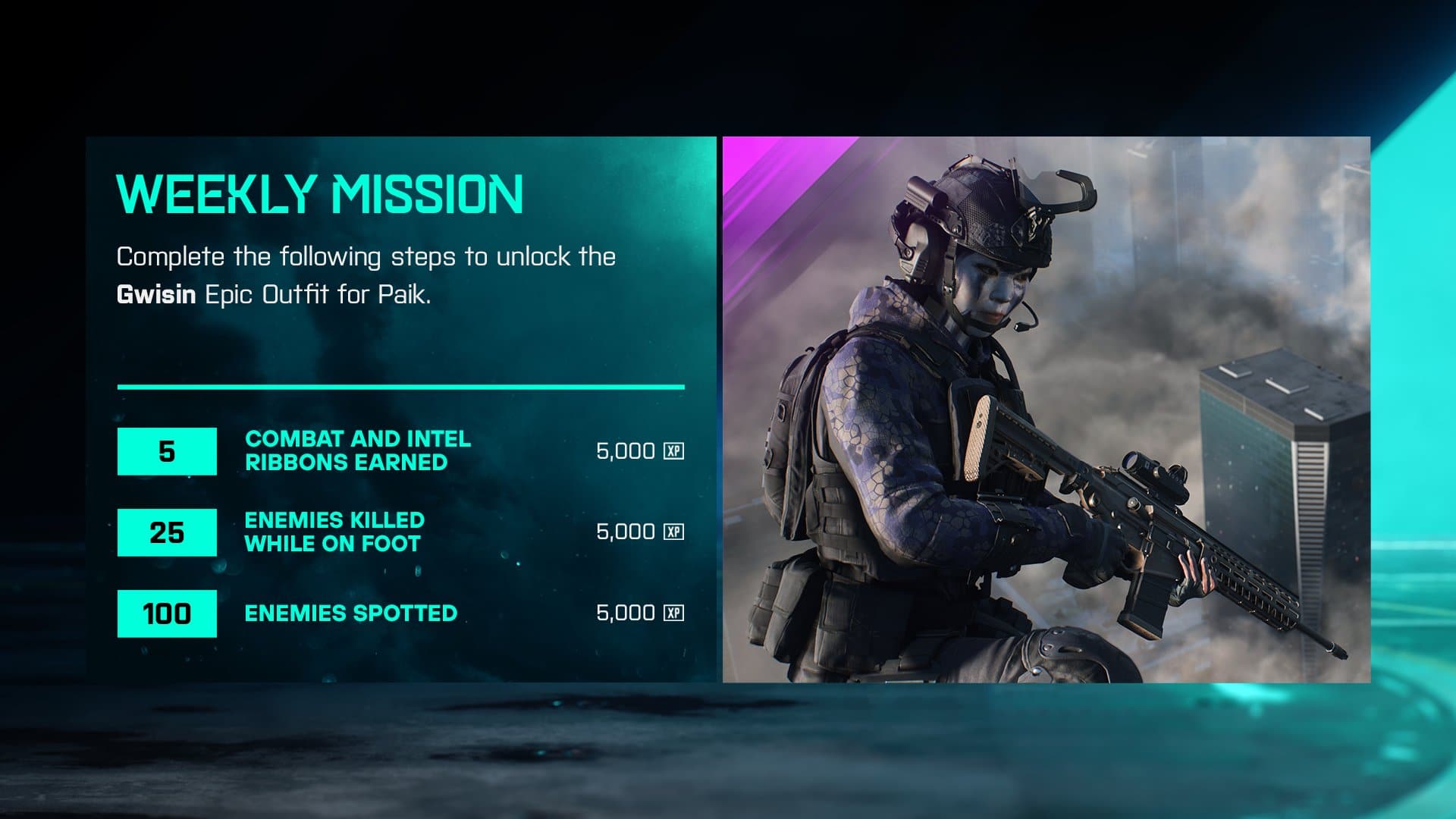
Battlefield 2042 Weekly Reset Challenge #22 (May 19 – May 26): “Gwisin”, Epic Outfit for Paik
5 Combat or Intel Ribbons Earned
20 Enemies Killed while on foot
100 Enemies Spotted
Yet another easy week of challenges. The ribbons should come naturally as you play, as should the enemies killed while on foot. Pretty self explanatory. As for enemies spotted we recommend using the sensor grenades as they are able to cover a decent range and auto spot enemies that fall into that range.
Once you have completed all three challenges you’ll be rewarded the “”Gwisin”, Epic Outfit for Paik. Congrats!
In addition to this, a new set of Featured Experiences for Battlefield Portal have also been detailed, and you can check them out below:
Rush by the Dozen, Community Spotlight (May 19 – 23)
2042 Infantry Conquest (May 19 – 23)
2042 Free for All (May 19 – 23)
#FridayNightBattlefield – 24HR Limited Time Featured Experience (May 20 – 21)
Every week on Thursday at 4:00am PT/6:00am CT/7:00am ET the Battlefield 2042 weekly challenges refresh, revealing a new weekly reward. If you are interested in staying up-to-date on when these rewards and weekly challenges drop, be sure to follow MP1st on Twitter, or keep a watchful eye on our guide page for Battlefield 2042.
First Watch Games has released the Rogue Company update 2.01 patch today, and this one adds a hotfix for the recently released Rogues Rising patch! Check out the full Rogue Company May 19 update patch notes below.
Rogue Company Update 2.01 Patch Notes | Rogue Company May 19 Update Patch Notes:
Hello Rogues!
We have deployed a hotfix to resolve the following issues:
Rogue Saint had the Life Drain Perk removed unintentionally
Fixed an animation issue with the LR15 scope
Fixed a discoloration issue with the “Digital Matrix Gl1tch” skin
That’s it for this small patch. In case you missed it, here’s a rundown of the newest feature that came with the recent Rogues Rising patch:
New Feature: MVP Line Up
In this update, every match will now showcase the top three performers of a match. MVPs are determined by a plethora of general and game mode specific performance metrics. Did you drop a 50 bomb of Downs? Are you the patron(or matron) Saintof revives, leaving no soldier behind? The immovable object holding down the fort on all King of the Hill points? We hope that this celebration of player skill at the end of every match will make players feel like true Rogues. As always, we look forward to your feedback!
Stay tuned for more updates to Rogue Company here at MP1st!
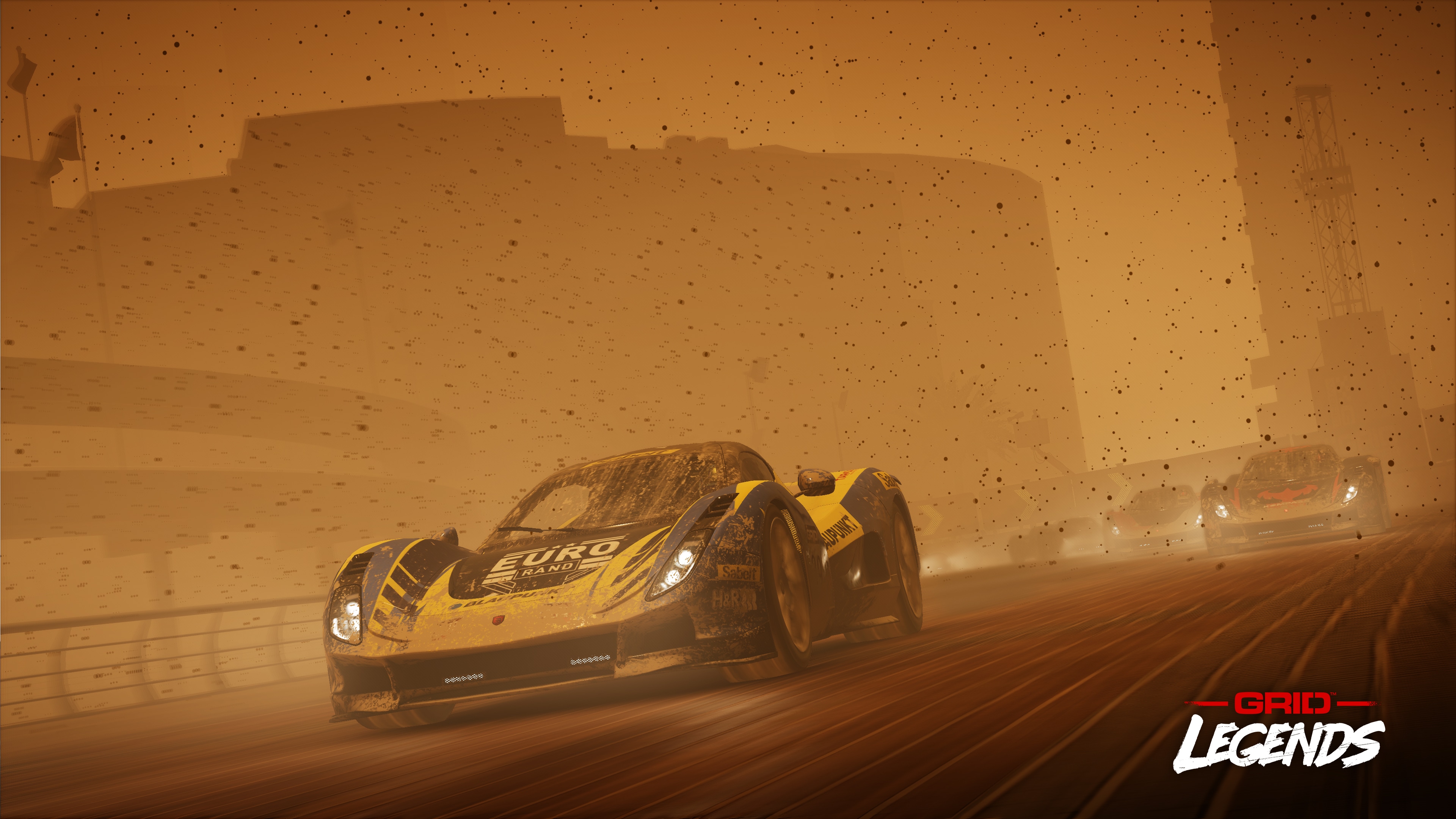
Developer Codemasters has released the GRID Legends update 2.00, and this houses new events, gameplay improvements and bug fixes too! Check out the full GRID Legends May 19 patch notes below.
A new weekly and monthly events page has been added, complete with leaderboards. In addition, two new weather types have been added to Race Creator: Dust and Fog. You can read more about that HERE.
General
The Racing Line is now correctly shown when set to ‘On’ or ‘Corners Only’
Add-Ons purchased through the PS Store now appear correctly
Artifacting around the screen is no longer visible when in replays
Distort sponsor objectives now progress correctly
GRID Legends no longer required a restart in order to complete installation
Online
UI from the Main Menu no longer shows in game after a host migration
Players no longer appear with a generic profile picture after a user leaves the Lobby
Players can now receive invites when the Lobby tab is open
Returning to the main menu from the session list no longer causes ‘Select Vehicle’ to be stuck
The correct message now displays when trying to join an online game for those without PS Plus or Xbox Gold subscriptions
Joining an ‘in-progress’ Drift session now functions correctly
When joining a rolling start session, AI drivers no longer set impossibly fast/negative lap times
Various other minor bug fixes have been made
Driven to Glory & Career
The Oval Stock Event 2 has been changed to Oval Stocks Finale
Progress on The Gauntlet is now visibly updating correctly in Career
Flicking in the corner of the screen during ‘Into The Fray’ has been resolved
Performance/System
Long loading times and low FPS after completing Induction and Into The Fray have been resolved
Various reasons that would cause the game to crash have been resolved across all platforms
Art and Visual Effects
Floodlights no longer flicker
Brabham BT62 – Rendering issues on headlights when the front bumper is detached have been resolved
Koenigsegg Jesko – Driver no longer grips the gearstick too hard when changing gears
Renault Laguna – Headlights have been improved
Shanghai – A white light no longer appears in the tunnel’s distance
Text
Debug text no longer displays in certain instances
Audio
Voice over fixed have been made in Italian, Spanish, French and German
Dynamic music is now available in Weekly and Monthly events
There have been several other audio fixes made throughout the game
That’s all for the patch notes. GRID Legends is out now for PC, PS5, PS4, Xbox Series X/S and Xbox One.
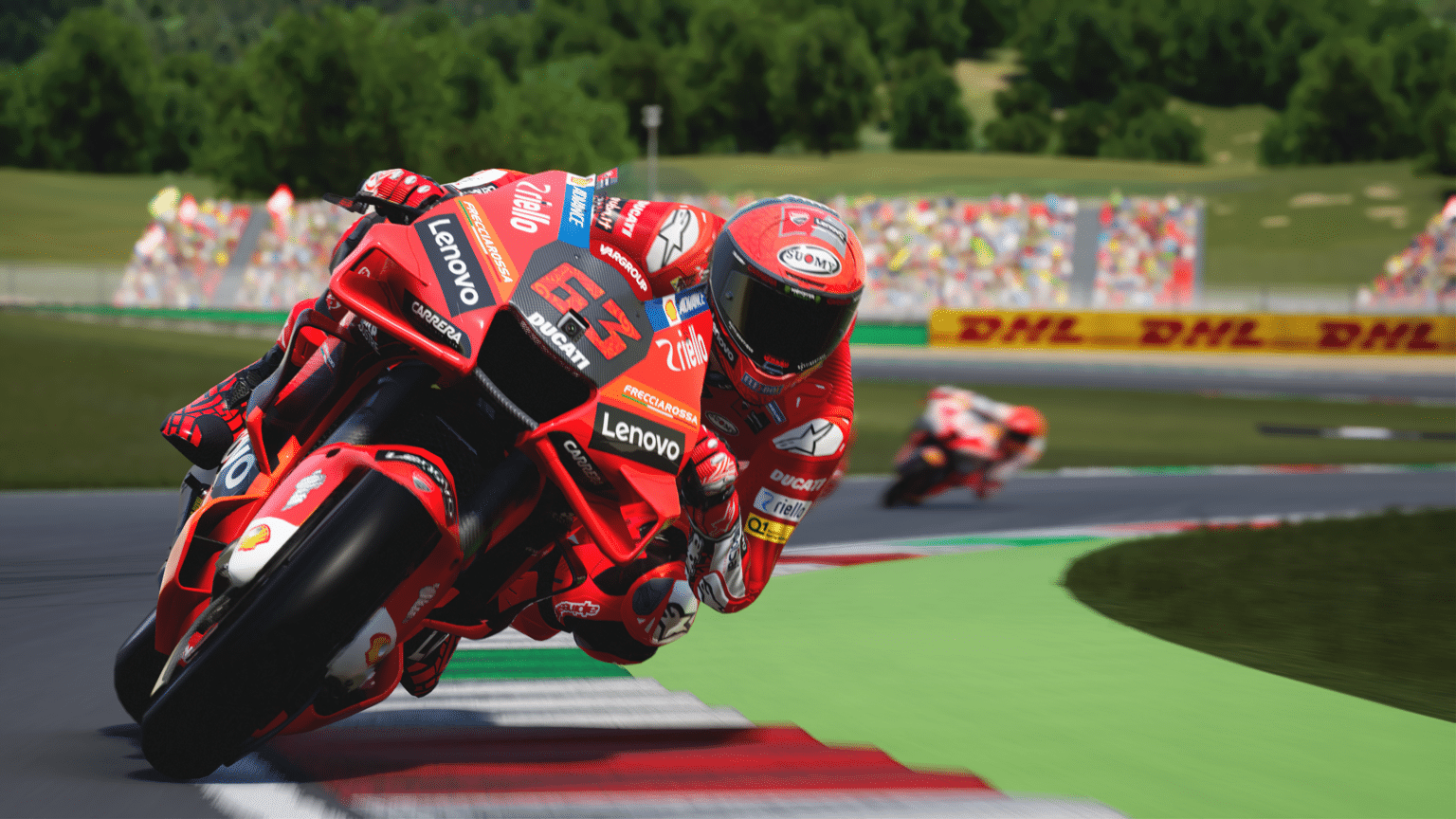
Developer Milestone has released MotoGP 22 update 1.05 (PS5 update 01.005.000) today on May 19. An interesting thing about the update is that it includes a new game mode called ‘Race Director’. Some additional liveries have also been added to the Grand Prix & Championship game modes. You can read the full patch notes below from the PS4’s update history.
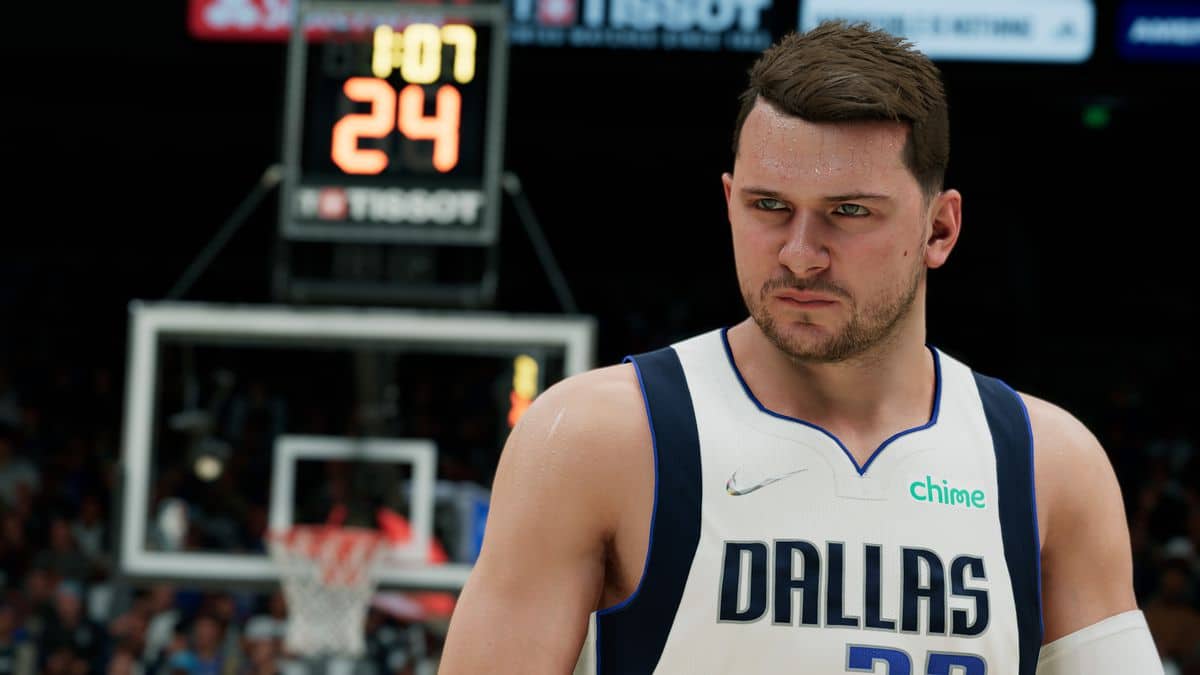
Visual Concepts has released NBA 2K22 update 1.016 on next-gen platforms, and this is to prep the game for Season 7, which starts on May 20! Alongside that, there are gameplay changes included as well. Read on for the NBA 2K22 May 19 patch notes.
NBA 2K22 Update 1.016 Patch Notes | NBA 2K22 Next-Gen May 19 Patch Notes:
Here are the patch notes that were released earlier on last-gen platforms (PS4, Xbox One, Switch), which 2K has said will be out on next-gen platforms at a later date (meaning now).
General
Preparations for NBA 2K22 Season 7, launching this Friday, May 20th, at 8AM PT/11AM ET/4PM BST. Stay tuned for what we have in store!
XP Coin inventory will now properly update after receiving one from a quest reward without the need to re-enter MyCAREER.
Various players and coaches have received new scans and/or general likeness or tattoo updates.
Gameplay
Fixed a rare issue in which a made shot will not count after a defensive goaltending violation occurs.
Fixed an improper animation transition that allowed players to unrealistically change momentum and direction when branching from a quick stop move to a hop step gather.
Fixed an issue that caused zeroed out stats to display on the match up screen in the REC.
MyTEAM
Addressed an issue preventing the “Somewhere over the…” Trophy/Achievement from being unlocked on PS4/XB1 when the Unicorn Ball is obtained on PS5/Xbox Series X|S.
Fixed player reveal walkouts when ‘Flip All’ is used while highlighting a Dark Matter player card.
If there are other changes in this patch that’s different from the patch released for last-gen, we’ll update the post.
Arc System Works has released Granblue Fantasy: Versus update 2.73 today on May 19. The update should now be available for the PS4 and PC platforms. Today’s update contains no new content because it’s to improve online matchmaking. You can read the full patch notes posted down below.
Granblue Fantasy: Versus Update 2.73 Patch Notes | Granblue Fantasy: Versus Patch Notes:
Ver. 2.73 Patch Notes
Connection quality display has been added to online lobbies.
■Online Lobby/Room Match
The connection quality of other players in Online Lobby/Room Match modes will now be displayed.
When in an Online Lobby or a Room Match, the connection quality of surrounding players will be displayed to the left of their names. The connection quality of all players in an Online Lobby/Room Match can also be checked by opening the Lobby Members List.
* Connection quality may not display in certain circumstances due to the state of the connection.
That’s all the news for today’s patch notes. Granblue Fantasy: Versus is out now for PC and PS4.
EA has released FIFA 22 update 1.000.013 for both last-gen and next-gen platforms, and this is for Title Update 11 (TU11). FIFA players can expect changes to Ultimate Team, Career Mode, and more! Read on for the complete FIFA 22 Title Update 11 patch notes below.
FIFA 22 Update 1.000.013 Patch Notes | FIFA 22 TU11 Patch Notes:
When the Transfer Market is selected, the UI will display recommended Player Items based on the most commonly used Player Items in FUT.
– This functionality will only be available following a server update. Please follow @EAFIFADIRECT for updates on when this will be live in-game.[/list}Career ModeAddressed the following issue:
In Player Career, the Virtual Pro did not show up in transfer deadline visuals when transferring clubs on deadline day.
General, Audio, and Visual
Made the following changes:
[PC only] Players will no longer instantly disconnect from an online match if the game window goes out of focus.
– When the game window goes out of focus, the player is considered idle and a timer will count down, causing the player to automatically exit the match if it reaches zero.
Updated some kits, 2D portraits, and ad boards.
Addressed the following issues:
Some placeholder visual and UI elements could unintentionally display.
A rare stability issue could occur when using customized squad files in Career Mode.