Home > News

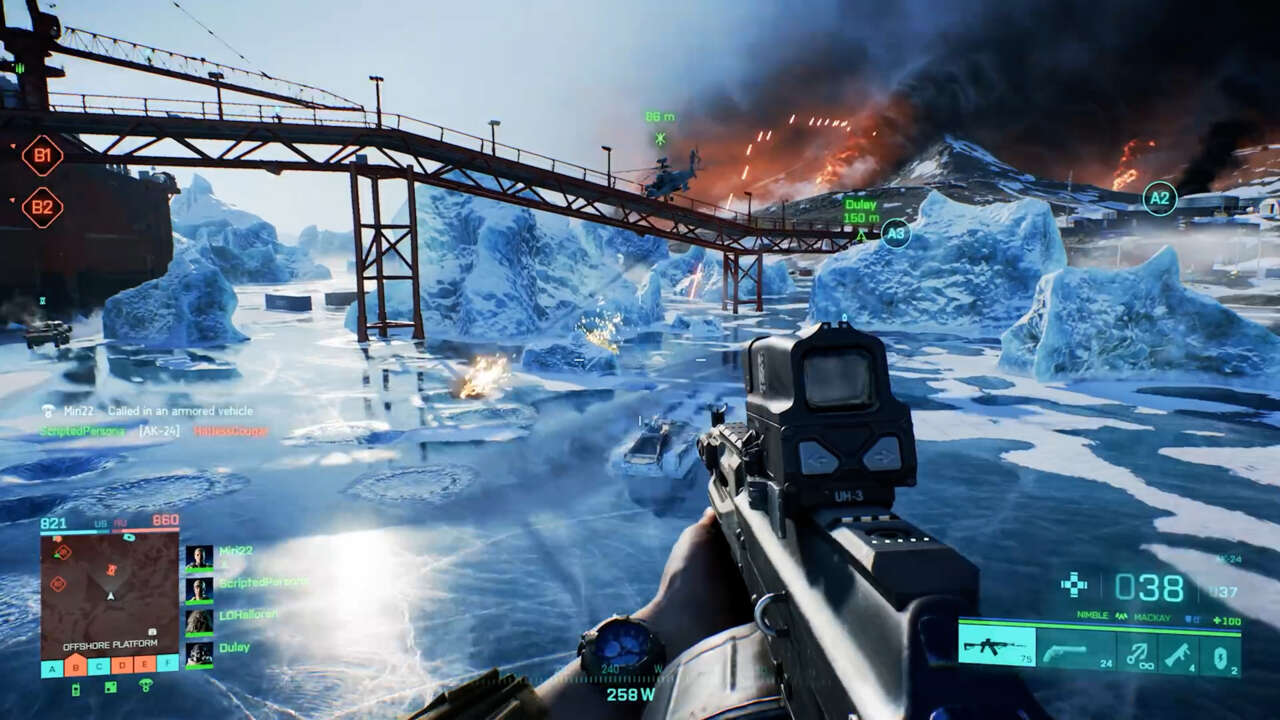
Battlefield 2042 Next Patch 3.3 Now Locked for Next Week, Weekly Missions Returning Alongside It

Following yesterday’s news that the next title update (version 3.3) for Battlefield 2042 was set to be rolled out this Thursday, DICE has clarified today that the Battlefield 2042 next patch 3.3 is now due to be released next week *(no day and date specified, sadly).

This was confirmed by DICE Global Community Manager Adam Freeman, who mentioned that they made the decision to delay the patch’s release from this week to next, so that they (DICE) will be better positioned to support the game in case any issues surface from the patch over the weekend.

Here’s Freeman’s message over on the EA Answers board: where he also explained that the Weekly Missions that were pulled last week due to the on-going Russia-Ukraine conflict will be coming back with patch 3.3!

Hey Folks,

Just a quick note to share that we are now expecting our next game update (Update 3.3) to drop next week. We had intended to release it later this week, but made the decision to hold it back so that we’re best positioned to support in case of any issues that might have cropped up over the weekend.

Our decision to relase the update next week will mean a further suspension of Weekly Missions, and the system will remain inactive this week. Next weeks update will provide new content that will allow us to reenable this feature.

Update 3.3 will introduce a refreshed Scoreboard, incorporating requests from across the Community to update our format to display Deaths alongside Kills, and a team split to help differentiate leaders per team. Thank you for your feedback and suggestions on this, it’s deeply appreciated by us all.

Gold Edition, Ultimate Edition, Year 1 Pass Holders, Upgraded edition owners, and EA Play Pro subcribers will also be receiving the Steadfast Exclusive Legendary Bundle as shared last month, when this update goes live.

We’ll also have a small range of additional fixes live as part of the game update which will be detailed in our Update Notes next week.

I will keep you updated on our deployment schedule here, and via @BattlefieldComm on Twitter.

Freeman // @PartWelsh

Once we know the patch notes and when it’s set to drop, we’ll be sure to let our readers know.
Avatar photo

Alex Co

Father, gamer, games media vet, writer of words, killer of noobs.

Home > News

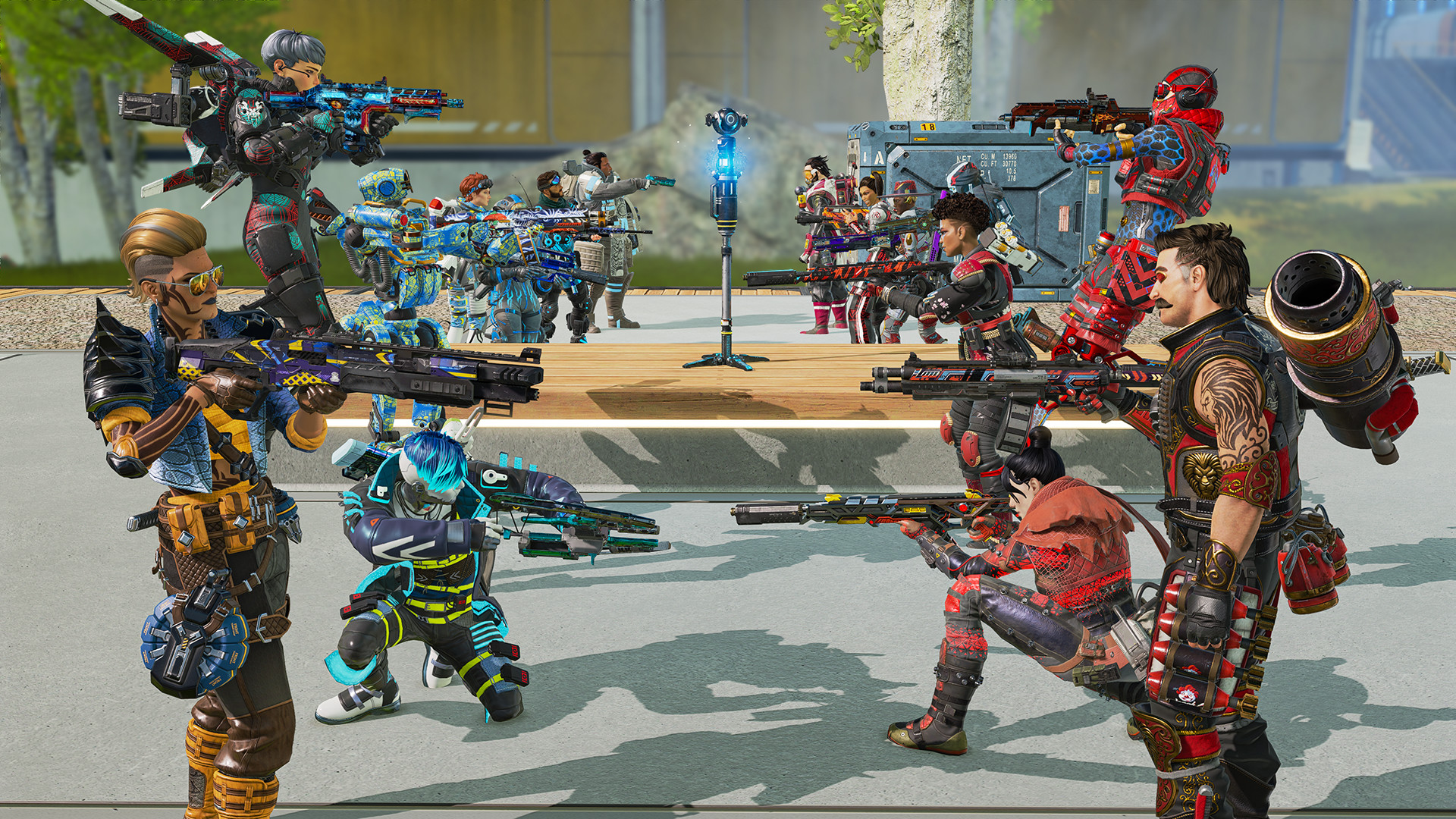
Apex Legends Update 1.90 Patch Notes; Shoots Out This March 1

Respawn Entertainment has released the Apex Legends update 1.90 patch notes this March 1, and this one is for a small hotfix targeting a few but very troublesome issues! For the complete rundown on this patch, check out the full release notes below.

Apex Legends Update 1.90 Patch Notes | Apex Legends March 1 Update Patch Notes:

We just pushed a @playapex  patch to address:

  • Additional console performance improvements, including Gen4 FPS drops
  • Fixes for various client crashes and errors

The patch is quite small, but it should be a welcome one for the avid players on consoles who keep experiencing frame rate drops on their respective platforms. Client crashes were also addressed, so the game should overall run better now.

In case you missed it, Respawn Entertainment also unveiled the Apex Legends Mobile limited regional launch, which will release on 10 different countries. To find out if you can be part of this first wave of players for the mobile port of Apex Legends, check out the full details here.

Which phones is Apex Legends Mobile optimized for?

  • The Apex Legends Mobile is currently still in development and being optimized to run on a variety of devices. Notably, devices not supported during the limited region test are Android devices with less than 3GB RAM and iOS devices with less than 2GB RAM.
    • Vivo
    • Oppo
    • Huawei
    • Motorola
    • Samsung
    • Lenovo
    • Xiaomi

Source: Twitter

MP1st Staff

Home > News

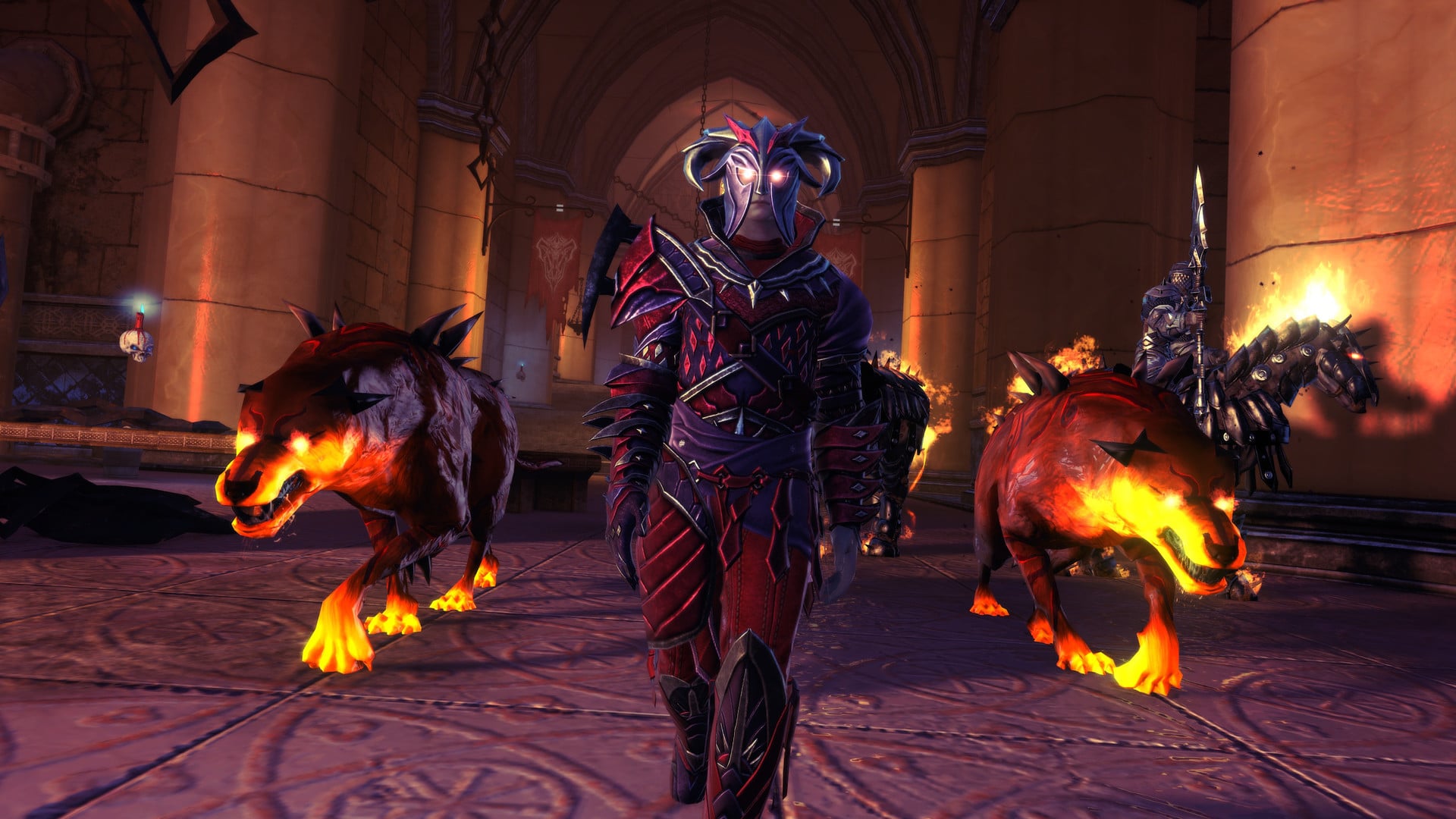
Neverwinter Update 10.05 Patch Notes; Out for Fixes & Changes This March 1

Cryptic Studios has released the Neverwinter update 10.05 patch this March 1, and this includes fixes and changes to new events, content, and more. Check out the complete patch notes below.

Neverwinter Update 10.05 Patch Notes:

Events

Harvester of Nightmares

  • Several occurrences of strange or invisible collision have been cleaned up.
  • The event now scales players up to Item Level 40k, or down to 44k. Enemies are 40k.
  • The “Buy Out” button in event details now properly shows the Partial Buyout when a Token of Achievement has been claimed.
  • The quest, Haunting the Harvester, now properly drops the quest, Inception.
  • Various fixes have been made to event text.

Challenge of the Gods

  • To accommodate the delay of Harvester of Nightmares, Challenge of the Gods in late March has also been delayed by one week.

Feast of Lanterns

  • Happy Tiger Adornment no longer removes characters’ eyes, ears, or other facial features.
  • Happy Tiger Bottoms no longer cause some characters’ legs to disappear.

Content and Environment

Dragonbone Vale

  • Cultists and Thayans are now properly counted during the major Heroic Encounter, From Scales to Bones.

Combat and Powers

Item Powers

  • The Jewel of the North Artifact set bonus now grants a threat generation bonus to Tank roles.

Items and Economy

Rewards

  • The roster of rewards from the Astral Lockbox has been updated. This may currently be missing localization for French, German, Italian, and Russian locales. Existing lockboxes are affected, and they now include the following items.
  • Legendary Mount
    • Arcane Whirlwind
    • Legendary Giant Toad
    • Swarm
    • Legendary Carpet of Flying
    • King of Spines (Mythic)
  • Epic Mount
    • Gorgon
    • Boots of Misty Step
    • Triceratops
    • Hellfire Engine
    • Manticore
  • Epic Companion
    • Deep Crow Hatchling
    • Bulette Pup
    • Minsc
    • Book Imp
    • Owlbear Cub
    • Dancing Shield

User Interface

Queues

  • Players should no longer be unexpectedly dropped from Random Queues when the queue pops.

That’s about it for the patch.

Source: Arc Games

MP1st Staff

Home > News

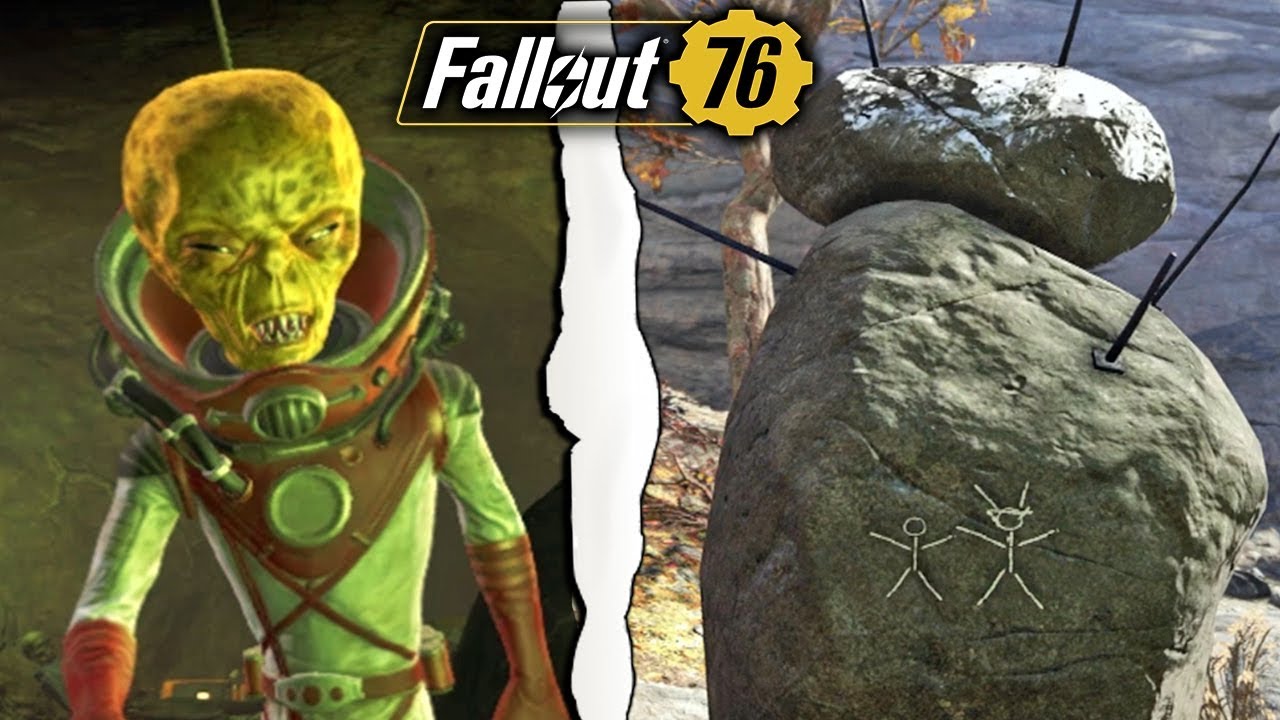
Fallout 76 Update 1.60 Lands for Season 8 & Aliens This March 1

Bethesda has released Fallout 76 update 1.60 on all platforms today, and this is for Season 8, as well as bringing aliens into the game as a new Seasonal Event! In addition to that, there are also improvements, a new scoreboard and more! Read on for the official Fallout 76 March 1 patch notes below.

Fallout 76 Update 1.60 Patch Notes | Fallout 76 Season 8 Patch Notes | Fallout 76 March 1 Patch Notes:

Update Version 1.6.2.15

Check the download sizes below for today’s patch on your platform of choice:

  • PC (Bethesda.net): 10.0 GB
  • PC (Microsoft Store): 17.9 GB
  • PC (Steam): 11.6 GB
  • PlayStation: 18.1 GB
  • Xbox: 17.2 GB

Update Highlights

  • Aliens Have Landed: Extraterrestrials are here, and they want siphon our brainwaves! Until March 15, band together with other Dwellers every hour on the hour to take on an out-of-this-world new Seasonal Event.
  • Season 8 Begins: Relive your glory days inside the comfy confines of the Vault as you rank-up and claim new weapon and armor paints, C.A.M.P. objects, a new Ally, and many more rewards on the Season 8 Scoreboard.
  • Earn S.C.O.R.E. in Fallout Worlds: Continue your Season journey in Public and Custom Worlds by completing Challenges to earn S.C.O.R.E., rank up, and claim Scoreboard rewards.
  • New Custom Worlds Settings: Experiment in your Custom Worlds with more freedom to place intersecting C.A.M.P. objects, the ability to toggle VATS and Perk Card effects, and more!

New Seasonal Event

Mysterious beings from the outer reaches of space have arrived in our skies, and they’re planning to steal the brainwaves from lifeforms throughout Appalachia! Band together with your fellow humans to take on the alien scum and send them fleeing back into their ships before they can complete their “research.”

  • Every hour on the hour until March 15, an Alien Mothership will materialize above one of six Appalachian landmarks to deploy three Brainwave Siphons in the area.
    • Travel to the Mothership’s location and examine Siphon Kappa to start the event.
  • When the event begins, work to destroy all three Brainwave Siphons, one after the other, before the aliens can complete their Brainwave Extraction process.
    • There’s just one problem: Each Siphon is protected by a force field, which is controlled by a different Alien Commander.
    • Defeat alien forces to draw out the Commander for each Siphon. Take out the Commander and the force field will drop, allowing you and your event mates to destroy the Siphon.
  • If you manage to demolish all three Brainwave Siphons in time, you will receive some loot, XP, and have a chance to earn plans to craft new alien weaponry, like the Alien Disintegrator and Electro Enforcer, as well as high-tech new C.A.M.P. objects.
  • Keep your guard up, because as long as the Seasonal Event is live, you may encounter extraterrestrial interlopers at select Public Events, including Campfire Tales, Free Range, and Line in the Sand. You may also spot our curious visitors in new Random Encounters that we’re adding with this update.

Fallout 76 Season 8: New Scoreboard, Rewards & More!

Here’s what’s headed your way during Fallout 76 Season 8, which begins today:

  • New Scoreboard: Relive the glory days of your past life inside the cozy confines of the Vault on an all-new Scoreboard for Season 8. Achieve Rank 100 (and beyond!) once again this Season to earn a suite of new rewards that would even make an Overseer jealous.
    • As you progress during your Season journey, you will unlock new paints for your weapons, armor, and Power Armor, stylish amenities for your C.A.M.P., a new Ally, outfits, cosmetics, consumables, and more!
  • Rank Purchasing Improvements: Clicking over and over to purchase rank-ups with Atoms one at a time can be a drag! We’ve added a new option to the Season Scoreboard, which you can use to purchase as many rank-ups as you’d like, all in one go.
    • Select the rank you’d like to reach and then press the “Rank Up to Here” button at the bottom of the Scoreboard screen.
    • After confirming your purchase, you will immediately rank up to that position on the Scoreboard. You will also unlock all of the rewards between your chosen rank and where you began.
  • Fresh Radio Plays: Tune in to Pirate Radio to experience all the drama, intrigue, and suspense that come with living in close quarters alongside other Dwellers. Sponsored by Abraxo Chemical, our latest round of Radio Plays for Season 8 follows the lives and times of Vault Dwellers as they struggle to get along.

Catch additional details about Fallout 76 Season 8 by heading to the Seasons page on Fallout.com, or by heading here to read our recent article.


Fallout Worlds Improvements

Earn S.C.O.R.E. in Fallout Worlds!

In response to community feedback, we’ve implemented the ability for you to continue your Season journey in Fallout Worlds. Going forward, you will now be able to earn S.C.O.R.E. from non-repeatable Daily and Weekly Challenges you complete while playing in Public and Custom Worlds.

New Custom World Settings to Explore

We’re introducing a variety of new settings for Custom Worlds that Fallout 1st members can tinker with in their Custom Worlds. Catch a brief description of each below, and then head in-game to adjust your Custom Worlds and make these settings your own.

  • Carry Weight: Set how much weight a player can carry to a specific number, reduce it to zero, or multiply it up to eleven times the default amount.
  • Frequent Confetti: New Dismemberment setting that will cause enemies you take down to explode into a cloud of confetti.
  • Perk Effects: Choose whether players can benefit from Normal Perk effects, Legendary Perk effects, both, or neither with this setting.
  • VATS: We’ve added the ability to turn off VATS targeting versus other players, or even disable VATS entirely.
  • Relaxed Building Restrictions: When using “Relaxed Building Restrictions” in a Fallout World, you will now see a new “Placement Mode” option that can be toggled while building in a Workshop or C.A.M.P. Adjusting it will allow you to place C.A.M.P. objects even if they intersect.
  • Weather: If you enjoyed the darkened skies above the Mothman Equinox Seasonal Event, you can now bring it to your Custom Worlds using the Weather Setting.

Additionally, we’ve brought some of the new settings to certain Public Worlds so that everyone can try them out:

  • Happy Builder: Players can now adjust the Snapping Toggle to place intersecting objects in their C.A.M.P.s.
  • High Risk: Perk Card effects, Legendary Perk Card effects, and VATS have been disabled to provide an even riskier experience to thrill seekers.

Additional Changes & Improvements

  • Buildable Pirate Radio: Tap your toes to Appalachia’s newest radio station when you’re relaxing at home with a buildable Pirate Radio that you can place in your C.A.M.P. Open the build menu and navigate to the Appliances section to find it.
  • Invisible Backpacks: The community has long requested the ability to hide their currently equipped backpacks from view. Now, you can do just that with the new “Show Backpack” toggle in the game’s settings menu. Don’t worry, you’ll still receive all the benefits of your pack while it’s hidden.
  • Invulnerable Enemies: To help you more easily identify when creatures are invulnerable, we’ve added in a new shield icon to better indicate that they won’t take damage.
  • Minerva: We’ve added several holiday-themed item plans to Minerva’s inventory that were previously only available in Nuclear Winter, so that you can purchase them with Gold Bullion.
  • Overbudget C.A.M.P. Limits: Much like the absolute carry weight maximums we’ve introduced previously, in today’s update we’re implementing limits for C.A.M.P.s that are excessively overbudget. Upon login, the owners of C.A.M.P.s that have greatly surpassed the build budget will be notified that they are unable to perform certain actions while overbudget. The following actions will be disabled until the player scraps or destroys enough items to drop back under the budget limit:
    • Fast Travel: On login, the owner will have one opportunity to travel to their overbudget C.A.M.P. to reduce its budget. If they don’t, Fast Travel will behave as if the player is overencumbered.
    • C.A.M.P. object placement, rearranging, and storing.
    • C.A.M.P. Slot swapping
    • C.A.M.P. broadcasting on the Map
    • Furniture and activator interactions, including Shelter Entrances.
  • Stimpak Adjustments: We’ve reduced the weight of Stimpaks and Diluted Stimpaks by 25%, and reduced their prices by 25% as well. Additionally, we’ve increased the number of Stimpaks and Diluted Stimpaks that will appear in Medical Vending Machines.

Bug Fixes

Art

  • Outfits: Players’ ankles no longer stretch in odd ways while wearing the Hellcat Field Gear Outfit.
  • Weapons: Firing a Railway Rifle now correctly causes it to emit steam visual effects from the barrel.

C.A.M.P.s & Workshops

  • Appliances: Popcorn from the Popcorn Machine now correctly reduces Hunger and Thirst gains by 25%.
  • Build: Items in the Build Menu’s “New” tab now remain visible after logging out and back in, and after relaunching the game client.
  • Build: Fixed an issue that could prevent certain C.A.M.P. objects from appearing in the Build Menu’s “New” tab.
  • Build: Scrapping or storing a C.A.M.P. object now correctly removes the grey highlight around that object.
  • Build: Selecting an object for placement and then switching to an empty tab in Build Mode now correctly removes the placement preview for that object.
  • Build: Slightly increased the crafting requirements for several C.A.M.P. items, such as Crops, which previously returned the same amount of crafting materials when scrapped as they cost to build.
  • Collectron Stations: Collectron Plans purchased using Gold Bullion, like the Nuka-Cola and Red Rocket Collectrons, now correctly grant access to their unique “Collect” options in the Collectron Station terminal.
  • Defenses: Adjusted the Wire attach point for Enclave Turrets so that players can now correctly connect Wires from one Enclave Turret to another.
  • Defenses: Enclave Turrets now correctly play sound effects while powered.
  • Displays: When scrapping or storing Display Cases and Mannequins, a warning now appears stating that any items assigned to that Display or Mannequin will be unassigned.
  • Displays: The Pepper Shaker is now properly aligned when assigned to wall-mounted weapon Displays.
  • Displays: Souvenir Teddy Bear variants now face the correct direction when assigned to a Display.
  • Displays: The Fasnacht Mask Display now has a build limit of 30.
  • Exploit: Addressed an exploit that allowed players to duplicate certain Crops.
  • Flags: Flag objects now have a build limit of 10.
  • Misc.: The West Virginia Slot Machine now has a build limit of 5.
  • Modify: Fixed a visual issue that could cause incorrect error messages to appear when attempting to replace a C.A.M.P. object using the Modify Menu.
  • Power: Ceiling Conduit Junctions can now correctly connect through Enclave Flat Roof pieces to electrical objects placed beneath.
  • Stairs: Removed the railing at the top of the Guild of Antiquities Stairs with Posts, which could clip with other objects when built indoors.
  • Structures: The Wildwood Den can now be sunk into the terrain more easily, and in cases where the terrain isn’t perfectly flat, it will appear closer to the ground and more natural than before.
  • Walls: Upper-level flooring pieces no longer clip into Enclave C.A.M.P. Walls.

Challenges

  • Combat: Brotherhood Recon Armor Plans now correctly progress lifetime Challenges that require the player to learn Armor Plans.
  • Weekly: The “Repeatable Under Rank 100: Gain XP” Weekly Challenge is now correctly available at Rank 99.
  • World: “Pass the Buck” has been removed from the list of subchallenges for the “Complete Different Daily Quests” World Challenge.
  • World: The Dirty Fedora and Crumpled Fedora now count toward progress for the Possum: Archaeologist World Challenge to “Collect bones while wearing a Fedora.”

Combat

  • Elemental Resistances: Adjusted the calculation for energy and elemental damage to be in line with physical damage calculation. As a result, energy and elemental damage have been increased overall.
  • Enemy Health: Addressed an instance of enemy health “rubber banding” that could occur when using a high rate of fire weapon under poor network conditions.
  • Floating Damage Numbers: Armor penetration is now correctly factored into floating damage numbers that appear when attacking enemies.
  • VATS: Players can now use VATS to target and hit airborne grenades.

Daily Ops

  • Bosses: Addressed an issue that could cause Daily Ops Bosses to flee from the player.
  • Rewards: Fusion Cores for the Ultracite Gatling Laser now appear in the contextual ammo rewards granted after completing a Daily Op.

Enemies

  • **Corpses: Opening the quick loot menu by hovering the crosshairs over a dismembered enemy corpse no longer causes that enemy’s limbs or clothing to reappear.
  • **Humans: Corrected an issue that allowed human enemies to attempt to enter sets of pre-placed Power Armor.
  • **Mothmen: Scorched Mothmen now correctly take bonus damage from weapons with the Zealot’s legendary attribute.
  • **Wild Mongrels: After being crippled, Wild Mongrels now continue their attempts to attack the player instead of preferring to stare at them ominously.

Events & Quests

  • A Colossal Problem: Fixed an issue that could cause the Public Event, “A Colossal Problem”, to begin after nuking Cranberry Bog to start Scorched Earth.
  • A Satisfied Conscience: Valdez and other NPCs no longer become stuck after taking cover at the end of the battle during this quest.
  • Campfire Tales: Fixed an issue that prevented players from remaining hidden from enemies while sneaking during the event.
  • Campfire Tales: Scout Leader Penny no longer plays placeholder voiceover for one of her lines during the boss fight.
  • Free Range: Players now earn the correct rewards after completing Free Range.
  • Lode Bearing: Ultracite Ore that spawns during this event is now correctly minable.
  • One Violent Night: Updated the text for the optional objective “Kill the Nightstalker bare-handed” to reflect that players can use explosives and thrown weapons.
  • Tea Time: Fixed an issue that could cause Tea Time to continue running in the background, which prevented the next Public Event from starting.

Fallout Worlds

  • Legendary Perk Cards: Fixed an issue that could cause the Master Infiltrator Legendary Perk Card to unequip itself after joining a Custom World.
  • Menus: The ordering of Custom World settings categories is now uniform across different platforms.
  • Settings: Players can no longer earn Wanted status when PVP rules in a Custom World are set to “Never.”
  • Settings: When Fast Travel is disabled in a Custom World, players now correctly receive a message that they are unable to Fast Travel.
  • Settings: Jump animations are now smoother in Custom Worlds where Jump Height has been increased.
  • Settings: Jumping while overencumbered no longer consumes Action Points when Jump AP Cost is set to “Zero” in a Custom World.
  • Settings: Players can no longer damage their own CAMP objects when PVP is set to “Always” in a Custom World.
  • Settings: VATS now correctly targets enemies when the player has no Action Points in Custom Worlds with VATS and Melee AP Cost set to “Zero.”
  • Settings: Enemies now correctly stop spawning while the player is on the respawn screen when Proximity Enemy Spawns is enabled in a Custom World.
  • Settings: Players can no longer place stored C.A.M.P. objects when C.A.M.P. Budget is set to “Zero” in a Custom World.
  • Settings: Blueprints that contain floating objects can now be placed in Custom Worlds with Relaxed Building Restrictions enabled.

Items

  • Aid: Certain buff timers, like the Lunchbox XP buff, will no longer become out of sync with the server.
  • Aid: Corrected the description of Toxic Goo to clarify the actual amount of Rad damage the player will take after consuming the item.
  • Ammo: The contextual ammo system now drops .45 ammo and Cannonballs in amounts that are more consistent with other ammo types.
  • Armor: Life Saving legendary armor now correctly consumes a Stimpak when reviving the player.
  • Exploit: Addressed an exploit that allowed players to activate multiple aid items simultaneously.
  • Exploit: Addressed an exploit that allowed players to repeatedly and rapidly stack aid item buffs.
  • Exploit: Addressed an exploit that allowed players to significantly increase a weapon’s magazine size.
  • Headwear: The Covert Scout Armor Mask no longer prevents the Chameleon Mutation from triggering.
  • Headwear: The Fireman and Captain Cosmos Helmets now correctly prevent negative effects from airborne hazards.
  • Melee Weapons: Attacking with an automatic melee weapon, like the Chainsaw, Drill, or Ripper, now correctly drains Action Points.
  • Power Armor: Being melee attacked by another player while wearing Burning, Electrified, Frozen, or Toxic legendary Power Armor will no longer trigger PVP.
  • Power Armor: Removing a Fusion Core from Power Armor that has an equipped Jetpack no longer causes that Jetpack to appear to float near the player.
  • Power Armor: The Rusty Knuckles Power Armor mod now correctly adds damage when applied to only one arm, rather than requiring both arms to have the mod.
  • Power Armor: The Optimized Bracers Power Armor mod’s Action Point cost reduction for Power Attacks now stacks when the mod is applied to both arms, instead of only granting the benefit for one arm.
  • Power Armor: Fixed an issue that prevented the Slocum’s Joe Power Armor paint from being applied to Power Armor pieces.
  • Ranged Weapons: The Alien Blaster now correctly deals damage to the enemy limbs that it hits, instead of damaging limbs at random.
  • Ranged Weapons: Aiming down sights with a weapon that has a scope attached no longer interrupts Jetpack use.
  • Ranged Weapons: Gatling weapons no longer reset their windup times if the player attempts to fire immediately after they stop aiming down sights.
  • Ranged Weapons: Guns that use Cores as ammo, like the Gatling Plasma and Gatling Laser, can no longer spawn with the Quad legendary attribute.
  • Ranged Weapons: Alien Blaster Rounds should now drop from all contextual ammo sources.
  • Thrown Explosives: Players can now correctly throw grenades while sprinting.

Mutations

  • Plague Walker: The Plague Walker Mutation now correctly deals damage to enemies within its area of effect.

NPCs

  • Allies: Daphne and Maul’s C.A.M.P. items can no longer become partially destroyed, which was inconsistent with other Allies’ C.A.M.P. items.

Performance & Stability

  • Client Stability: Fixed an issue that could cause duplicate items to appear in the player’s Pip-Boy and result in a client crash.
  • Client Stability: Consuming Aid items in rapid succession no longer causes the client to freeze or crash.
  • Client Stability: Fixed a client crash that could occur while playing on a team.
  • Server Stability: Addressed a server crash that could occur during combat.

Perk Cards

  • Cap Collector: Looting Brahmin and Chickens no longer causes the fanfare for the Cap Collector Perk Card to appear.
  • Commando: Automatic fire and critical hits now work properly in VATS when the Commando Perk Card is equipped.
  • Daytime Perk Effects: Perk Cards that activate between 6am and 6pm now correctly work when the player is in an instanced location.
  • Friendly Fire: Updated the description of the Friendly Fire Perk Card to clarify that it does not affect Grenades.
  • Friendly Fire: The Hellstorm Missile Launcher’s Napalm Payload mod is now correctly affected by the Friendly Fire Perk Card.
  • Friendly Fire: Turrets that are owned by NPCs can no longer be healed by the Friendly Fire Perk Card.
  • Pain Train: Fixed an issue that prevented Pain Train’s effects from triggering correctly if the player had a weapon drawn in a relaxed state.

Survival

  • Diseases: Now have fixed durations and they are no longer affected by the region they are contracted in. Additionally, Fast Traveling to different regions while affected by a Disease no longer alters its duration.

User Interface

  • Controls: Fixed an issue that caused the game’s controls to become unresponsive after dying at the very end of an event, which could prevent the player from respawning.
  • Notifications: “Crafting item unlocked” notifications that appear after learning plans for various Generators and the Windmill now correctly include the names of those items.
  • Pip-Boy: Fixed an issue that could prevent players from scrolling down in the Pip-Boy’s Collections tab on the STAT menu.
  • Social: The Social Menu now opens correctly after using the Social Menu hotkey from the game’s Main Menu.

World

  • Camden Park: The Mr. Fuzzy Terminal now correctly dispenses rewards after turning in Mr. Fuzzy Tokens to redeem the Super Comic Book option.
  • Exploit: Addressed an exploit that enabled players to repeatedly disarm pre-placed Traps

To check out the 2022 roadmap for Fallout 76, head on over here.

Source: Reddit

Avatar photo

Alex Co

Father, gamer, games media vet, writer of words, killer of noobs.

Home > News

Destiny 2 Weekly Reset March 1, 2022 and Eververse Inventory

It’s Tuesday, and that means another heaping of activities are live for players to complete in Destiny 2 are now live! The Destiny 2 weekly reset March 1, 2022 refresh of activities is now live along with the Eververse inventory of items for sale. Read on for the full info for this week.

Destiny 2 Weekly Reset March 1, 2022 and Eververse Inventory:

Nightfall – The Ordeal: The Arms Dealer

Modifiers:

  • Nightfall: Adept
    • Pestilence: When defeated, Psions spawn Void grenades at their feet.
    • Double Vanguard Rank: All Vanguard Rank points earned are doubled.
    • Acute Solar Burn: +25% Solar damage dealt and +50% Solar damage received.
  • Nightfall: Legend
    • All previous modifiers
    • Champion Foes: You will face [Shield-Piercing] Barrier and [Stagger] Unstoppable Champions. & & You must equip Anti-Barrier and Anti-Unstoppable mods to your arms armor to defeat them. These mods come from the Seasonal Artifact.
    • Equipment Locked: You will not be able to change your equipment after this activity starts.
    • Match Game: Enemy shields are highly resistant to all unmatched elemental damage.
    • Legend Modifiers: Locked Loadout & Match Game & Extra Shields
    • Shielded Foes: You will face combatants with [Arc] Arc, [Solar] Solar, and [Void] Void Shields.
    • Poleharm: You deal more damage with melee weapon attacks, but take more damage from foes that are far away.
  • Nightfall: Master
    • All previous modifiers
    • Attrition: Regeneration is greatly impaired. Defeating enemies may create wells of Light.
    • Master Modifiers: Champions: Mob & Locked Loadout & Match Game & Extra Shields
    • Champions: Mob: This mode contains additional Champions.

Rewards:

  • Powerful (Tier 1) reward: Get 3 points by completing runs. Higher difficulties grant more points.
  • Pinnacle reward: Get a score of 100k. Since modifiers are fixed, this requires a high difficulty run.

Weekly Crucible Rotator: Mayhem

Achieve victory by defeating opponents. Abilities and Supers regenerate faster. Heavy ammo spawns more frequently.


Vanguard Burn: Solar Singe

The other modifiers rotate daily, check out the Daily Reset Thread for them!


Savathûn’s Throne World

Campaign Mission: The Investigation

Venture into Savathûn’s Light-blessed throne world to investigate how she acquired the Light.


Legacy Activities

  • Europa
    • Eclipsed Zone: Cadmus Ridge
    • Empire Hunt: The Warrior: Defeat Eramis’s military commander, Phylaks, the Warrior.
    • Exo Challenge: Simulation: Agility: Simulated Skill-Set Training: Test your dexterity as you move against the Vex.
  • Moon:
    • Wandering Nightmare: Nightmare of Jaxx, Claw of Xivu Arath (Hellmouth)
    • Trove Guardian is in Anchor of Light
  • Dreaming City: Growing Curse
    • Petra is at Divalian Mists.
    • Weekly Mission: The Oracle Engine – The Taken threaten to take control of an irreplaceable Awoken communications device.
    • Ascendant Challenge: Shattered Ruins, Spine of Keres
    • Blind Well: Hive, Plague: Cragur

Eververse Bright Dust Offerings

Name Description Type Cost
Concentrated Mattergem An Upgrade Module ionizer created from refined Mattergems. Consumable 200 Bright Dust
Glimmershard A shard with the ability to generate Glimmer during combat. Consumable 250 Bright Dust
Scavenger’s Boon A transmutation device with the ability to create planetary materials. Consumable 250 Bright Dust
Big Red Button Emote 700 Bright Dust
Lethe’s Mercy Equip this weapon ornament to change the appearance of The Lament. Once you get an ornament, it’s unlocked for all characters on your account. Weapon Ornament 1250 Bright Dust
Box of Tricks Modifications for your ship’s transmat systems, so you’ll always arrive in style. Transmat Effect 450 Bright Dust
Royal Treatment Apply this shader to change the color of your gear. Shader 300 Bright Dust
Shhhh! Emote 3250 Bright Dust
August Shell Ghost Shell 2850 Bright Dust
Last City Silverbird Vehicle 2500 Bright Dust
Dual-Engine Retric Capsule Ship 2000 Bright Dust
Mantle of Remembrance Equip this ornament to change the appearance of Shinobu’s Vow. Once you get an ornament, it’s unlocked for all characters on your account. Hunter Ornament 1500 Bright Dust
Poison Wings Spread Equip this weapon ornament to change the appearance of Le Monarque. Once you get an ornament, it’s unlocked for all characters on your account. Weapon Ornament 1250 Bright Dust
Cover of the Exile Projection Equip this item to change your Ghost’s projection. Ghost Projection 1500 Bright Dust
Forty-Four Steel Apply this shader to change the color of your gear. Shader 300 Bright Dust
Bloody Tooth Equip this shader to change the color of your gear. Shader 300 Bright Dust
Amethyst Bloom Equip this shader to change the color of your gear. Shader 300 Bright Dust
Warsat Arrival Modifications for your ship’s transmat systems, so you’ll always arrive in style. Transmat Effect 450 Bright Dust
Daito Capsule Entrance Modifications for your ship’s transmat systems, so you’ll always arrive in style. Transmat Effect 450 Bright Dust
Pyramid Entrance Modifications for your ship’s transmat systems, so you’ll always arrive in style. Transmat Effect 450 Bright Dust

Weekly Bounties

Petra Venj, The Dreaming City

Name Description Cost Requirement Reward
Ascendant Challenge “The Awoken have long practiced the art of walking between worlds.” —Techeun Kalli 1500 Glimmer 1 Ascendant challenge completed XP++ & Dark Fragment & Legendary Gear
Gateway Between Worlds “The Blind Well can split wide the veins that run between realities.” —Techeun Sedia 40 Dark Fragment 10 Activity completions XP++ & Offering to the Oracle & Baryon Bough

Eris Morn, Moon

Name Description Cost Requirement Reward
Slow-Wave Disruption Complete waves of Altars of Sorrow in Sorrow’s Harbor. 1000 Glimmer 7 Waves completed Hymn of Desecration
Lunar Spelunker Loot chests in 3 of the Moon’s Lost Sectors. 1000 Glimmer 1 K1 Communion Lost Sector looted & 1 K1 Logistics Lost Sector looted & 1 K1 Crew Quarters Lost Sector looted 1 Firewall Data Fragment

Lectern of Enchantment, Moon

Name Description Cost Requirement Reward
Nightmare Hunter Defeat Nightmares in Nightmare Hunts. 5 Phantasmal Fragment 100 Nightmares XP++ & 1 Phantasmal Core
Nightmare Sojourner Defeat Nightmares in Lost Sectors across the solar system. Nightmares defeated on the Moon only grant reduced progress. 5 Phantasmal Fragment 100 Nightmares XP++ & 1 Phantasmal Core

Variks, Europa

Name Description Cost Requirement Reward
Courageous Expedition On Europa, complete Lost Sectors, public events, and patrols. 1000 Glimmer 15 Progress XP++
The Heat of Battle During the Empire Hunt “The Warrior,” defeat Phylaks and earn points by defeating combatants with precision final blows. Higher difficulties grant more efficient progress. 1000 Glimmer 50 [Headshot] Precision & 1 Phylaks, the Warrior defeated XP++

Weekly Records

Name Description Objectives Rewards
Operation Elbrus: Week 2 Complete Week 2 of Operation Elbrus. Also, defeat combatants in PsiOps Battlegrounds. Defeated Champions grant bonus progress. 1 Operation Elbrus: Week 2 completed & 100 Combatants Challenger XP & Insight
Tug of War Defeat a Hive Warden of the Spring and a Scorn Lightflayer in the Wellspring. 1 Warden of the Spring & 1 Lightflayer Challenger XP++
Weapon Shape I Craft a weapon using the weapon crafting system. 1 Weapon crafted Challenger XP
Run the Worms Complete the Exotic quest “Of Queens and Worms” to obtain a new Exotic weapon. 1 “Of Queens and Worms” completed Challenger XP++
Back Home Again In the Cosmodrome, earn progress by completing bounties, patrols, public events, and Lost Sectors. 18 Progress Challenger XP+ & Bright Dust
Lost in the Legend Complete a Lost Sector on Legend or higher. 1 Lost Sectors Challenger XP+ & Bright Dust
Close-Range Calibration Calibrate close-range weapons—Sidearms, Submachine Guns, Shotguns, Glaives, and Swords—in the Cosmodrome. Bonus progress for rapidly defeating combatants. 200 Calibration Challenger XP+ & Bright Dust
Bank, Kill, Repeat Earn points by banking Motes, defeating Blockers, and defeating Guardians in Gambit. 250 Points Challenger XP+ & Bright Dust
Flourish of Power Defeat Guardians in the Mayhem playlist with Super abilities. 50 Guardians Challenger XP+ & Bright Dust
Scorn Pest Control Defeat Scorn combatants in Vanguard playlists or strikes. Earn bonus progress for defeating tougher combatants. 200 Scorn Challenger XP+ & Bright Dust

Modifiers:

  • Nightfall: Adept
    • Pestilence: When defeated, Psions spawn Void grenades at their feet.
    • Double Vanguard Rank: All Vanguard Rank points earned are doubled.
    • Acute Solar Burn: +25% Solar damage dealt and +50% Solar damage received.
  • Nightfall: Legend
    • All previous modifiers
    • Champion Foes: You will face [Shield-Piercing] Barrier and [Stagger] Unstoppable Champions. & & You must equip Anti-Barrier and Anti-Unstoppable mods to your arms armor to defeat them. These mods come from the Seasonal Artifact.
    • Equipment Locked: You will not be able to change your equipment after this activity starts.
    • Match Game: Enemy shields are highly resistant to all unmatched elemental damage.
    • Legend Modifiers: Locked Loadout & Match Game & Extra Shields
    • Shielded Foes: You will face combatants with [Arc] Arc, [Solar] Solar, and [Void] Void Shields.
    • Poleharm: You deal more damage with melee weapon attacks, but take more damage from foes that are far away.
  • Nightfall: Master
    • All previous modifiers
    • Attrition: Regeneration is greatly impaired. Defeating enemies may create wells of Light.
    • Master Modifiers: Champions: Mob & Locked Loadout & Match Game & Extra Shields
    • Champions: Mob: This mode contains additional Champions.

Rewards:

  • Powerful (Tier 1) reward: Get 3 points by completing runs. Higher difficulties grant more points.
  • Pinnacle reward: Get a score of 100k. Since modifiers are fixed, this requires a high difficulty run.

Weekly Crucible Rotator: Mayhem

Achieve victory by defeating opponents. Abilities and Supers regenerate faster. Heavy ammo spawns more frequently.


Vanguard Burn: Solar Singe

The other modifiers rotate daily, check out the Daily Reset Thread for them!


Savathûn’s Throne World

Campaign Mission: The Investigation

Venture into Savathûn’s Light-blessed throne world to investigate how she acquired the Light.


Legacy Activities

  • Europa
    • Eclipsed Zone: Cadmus Ridge
    • Empire Hunt: The Warrior: Defeat Eramis’s military commander, Phylaks, the Warrior.
    • Exo Challenge: Simulation: Agility: Simulated Skill-Set Training: Test your dexterity as you move against the Vex.
  • Moon:
    • Wandering Nightmare: Nightmare of Jaxx, Claw of Xivu Arath (Hellmouth)
    • Trove Guardian is in Anchor of Light
  • Dreaming City: Growing Curse
    • Petra is at Divalian Mists.
    • Weekly Mission: The Oracle Engine – The Taken threaten to take control of an irreplaceable Awoken communications device.
    • Ascendant Challenge: Shattered Ruins, Spine of Keres
    • Blind Well: Hive, Plague: Cragur

Eververse Bright Dust Offerings

Name Description Type Cost
Concentrated Mattergem An Upgrade Module ionizer created from refined Mattergems. Consumable 200 Bright Dust
Glimmershard A shard with the ability to generate Glimmer during combat. Consumable 250 Bright Dust
Scavenger’s Boon A transmutation device with the ability to create planetary materials. Consumable 250 Bright Dust
Big Red Button Emote 700 Bright Dust
Lethe’s Mercy Equip this weapon ornament to change the appearance of The Lament. Once you get an ornament, it’s unlocked for all characters on your account. Weapon Ornament 1250 Bright Dust
Box of Tricks Modifications for your ship’s transmat systems, so you’ll always arrive in style. Transmat Effect 450 Bright Dust
Royal Treatment Apply this shader to change the color of your gear. Shader 300 Bright Dust
Shhhh! Emote 3250 Bright Dust
August Shell Ghost Shell 2850 Bright Dust
Last City Silverbird Vehicle 2500 Bright Dust
Dual-Engine Retric Capsule Ship 2000 Bright Dust
Mantle of Remembrance Equip this ornament to change the appearance of Shinobu’s Vow. Once you get an ornament, it’s unlocked for all characters on your account. Hunter Ornament 1500 Bright Dust
Poison Wings Spread Equip this weapon ornament to change the appearance of Le Monarque. Once you get an ornament, it’s unlocked for all characters on your account. Weapon Ornament 1250 Bright Dust
Cover of the Exile Projection Equip this item to change your Ghost’s projection. Ghost Projection 1500 Bright Dust
Forty-Four Steel Apply this shader to change the color of your gear. Shader 300 Bright Dust
Bloody Tooth Equip this shader to change the color of your gear. Shader 300 Bright Dust
Amethyst Bloom Equip this shader to change the color of your gear. Shader 300 Bright Dust
Warsat Arrival Modifications for your ship’s transmat systems, so you’ll always arrive in style. Transmat Effect 450 Bright Dust
Daito Capsule Entrance Modifications for your ship’s transmat systems, so you’ll always arrive in style. Transmat Effect 450 Bright Dust
Pyramid Entrance Modifications for your ship’s transmat systems, so you’ll always arrive in style. Transmat Effect 450 Bright Dust

Weekly Bounties

Petra Venj, The Dreaming City

Name Description Cost Requirement Reward
Ascendant Challenge “The Awoken have long practiced the art of walking between worlds.” —Techeun Kalli 1500 Glimmer 1 Ascendant challenge completed XP++ & Dark Fragment & Legendary Gear
Gateway Between Worlds “The Blind Well can split wide the veins that run between realities.” —Techeun Sedia 40 Dark Fragment 10 Activity completions XP++ & Offering to the Oracle & Baryon Bough

Eris Morn, Moon

Name Description Cost Requirement Reward
Slow-Wave Disruption Complete waves of Altars of Sorrow in Sorrow’s Harbor. 1000 Glimmer 7 Waves completed Hymn of Desecration
Lunar Spelunker Loot chests in 3 of the Moon’s Lost Sectors. 1000 Glimmer 1 K1 Communion Lost Sector looted & 1 K1 Logistics Lost Sector looted & 1 K1 Crew Quarters Lost Sector looted 1 Firewall Data Fragment

Lectern of Enchantment, Moon

Name Description Cost Requirement Reward
Nightmare Hunter Defeat Nightmares in Nightmare Hunts. 5 Phantasmal Fragment 100 Nightmares XP++ & 1 Phantasmal Core
Nightmare Sojourner Defeat Nightmares in Lost Sectors across the solar system. Nightmares defeated on the Moon only grant reduced progress. 5 Phantasmal Fragment 100 Nightmares XP++ & 1 Phantasmal Core

Variks, Europa

Name Description Cost Requirement Reward
Courageous Expedition On Europa, complete Lost Sectors, public events, and patrols. 1000 Glimmer 15 Progress XP++
The Heat of Battle During the Empire Hunt “The Warrior,” defeat Phylaks and earn points by defeating combatants with precision final blows. Higher difficulties grant more efficient progress. 1000 Glimmer 50 [Headshot] Precision & 1 Phylaks, the Warrior defeated XP++

Weekly Records

Name Description Objectives Rewards
Operation Elbrus: Week 2 Complete Week 2 of Operation Elbrus. Also, defeat combatants in PsiOps Battlegrounds. Defeated Champions grant bonus progress. 1 Operation Elbrus: Week 2 completed & 100 Combatants Challenger XP & Insight
Tug of War Defeat a Hive Warden of the Spring and a Scorn Lightflayer in the Wellspring. 1 Warden of the Spring & 1 Lightflayer Challenger XP++
Weapon Shape I Craft a weapon using the weapon crafting system. 1 Weapon crafted Challenger XP
Run the Worms Complete the Exotic quest “Of Queens and Worms” to obtain a new Exotic weapon. 1 “Of Queens and Worms” completed Challenger XP++
Back Home Again In the Cosmodrome, earn progress by completing bounties, patrols, public events, and Lost Sectors. 18 Progress Challenger XP+ & Bright Dust
Lost in the Legend Complete a Lost Sector on Legend or higher. 1 Lost Sectors Challenger XP+ & Bright Dust
Close-Range Calibration Calibrate close-range weapons—Sidearms, Submachine Guns, Shotguns, Glaives, and Swords—in the Cosmodrome. Bonus progress for rapidly defeating combatants. 200 Calibration Challenger XP+ & Bright Dust
Bank, Kill, Repeat Earn points by banking Motes, defeating Blockers, and defeating Guardians in Gambit. 250 Points Challenger XP+ & Bright Dust
Flourish of Power Defeat Guardians in the Mayhem playlist with Super abilities. 50 Guardians Challenger XP+ & Bright Dust
Scorn Pest Control Defeat Scorn combatants in Vanguard playlists or strikes. Earn bonus progress for defeating tougher combatants. 200 Scorn Challenger XP+ & Bright Dust

New Weapons in Destiny 2 The Witch Queen

Curious to see the many weapons added to The Witch Queen expansion? Here is a list of all of them, compiled by Blueberries.gg, a Destiny site and friend of MP1st.

Names Type Ammo Damage Source Available now? Requires
Aisha’s Embrace Scout Rifle Primary Void Trials of Osiris
The Witch Queen
Cantata-57 Hand Cannon Primary Arc World Loot Pool Free-to-Play
Come to Pass Auto Rifle Primary Arc Wellspring
The Witch Queen
Crisis Inverted Hand Cannon Primary Arc
Playlist: Crucible
Free-to-Play
Dead Messenger Grenade Launcher Special Void Exotic Quest Season 16
Deliverance Fusion Rifle Special Stasis Unobtainable
To be confirmed…
Duty Bound Auto Rifle Primary Kinetic
Nightfall: The Ordeals
Free-to-Play
Edge of Action Glaive Special Void Exotic Quest
The Witch Queen
Edge of Concurrence Glaive Special Arc Exotic Quest
The Witch Queen
Edge of Intent Glaive Special Solar Exotic Quest
The Witch Queen
Empirical Evidence Sidearm Primary Kinetic
The Witch Queen campaign
The Witch Queen
Explosive Personality Grenade Launcher Special Solar
Seasonal activities
Season 16
Father’s Sins Sniper Rifle Special Void Wellspring
The Witch Queen
Fel Taradiddle Combat Bow Primary Kinetic Wellspring
The Witch Queen
Forbearance Grenade Launcher Special Arc Unobtainable
To be confirmed…
Forensic Nightmare Submachine Gun Primary Stasis
Triumph completed
Free-to-Play
Fortissimo-11 Shotgun Special Kinetic Playlist: Strikes Free-to-Play
Frontier’s Cry Hand Cannon Primary Solar Iron Banner Free-to-Play
Fugue-55 Sniper Rifle Special Void World Loot Pool Free-to-Play
Funnelweb Submachine Gun Primary Void World Loot Pool Free-to-Play
Grand Overture Machine Gun Heavy Arc Season Pass Free-to-Play
Herod-C Auto Rifle Primary Stasis Playlist: Gambit Free-to-Play
Cataclysmic Linear Fusion Rifle Heavy Solar Unobtainable
To be confirmed…
Insidious Pulse Rifle Primary Arc Unobtainable
To be confirmed…
Krait Auto Rifle Primary Stasis World Loot Pool Free-to-Play
Likely Suspect Fusion Rifle Special Void
Throne World destination
Free-to-Play
Lubrae’s Ruin Glaive Special Solar Unobtainable
To be confirmed…
Ogma PR6 Pulse Rifle Primary Solar World Loot Pool Free-to-Play
Osteo Striga Submachine Gun Primary Kinetic Exotic Quest
The Witch Queen
Palmyra-B Rocket Launcher Heavy Stasis World Loot Pool Free-to-Play
Parasite Grenade Launcher Heavy Solar Exotic Quest
The Witch Queen
Perses-D Pulse Rifle Primary Stasis World Loot Pool Free-to-Play
Piece of Mind Pulse Rifle Primary Kinetic Season Pass Season 16
Pointed Inquiry Scout Rifle Primary Void
Throne World destination
Free-to-Play
Ragnhild-D Shotgun Special Kinetic World Loot Pool Free-to-Play
Razor’s Edge Sword Heavy Void Iron Banner Free-to-Play
Reckless Endangerment Shotgun Special Kinetic Playlist: Pursuit Free-to-Play
Recurrent Impact Machine Gun Heavy Stasis
Seasonal activities
Season 16
Red Herring Rocket Launcher Heavy Void
The Witch Queen campaign
The Witch Queen
Redback-5si Sidearm Primary Solar World Loot Pool Free-to-Play
Silicon Neuroma Sniper Rifle Special Kinetic
Nightfall: The Ordeals
Free-to-Play
Snorri FR5 Fusion Rifle Special Void World Loot Pool Free-to-Play
Submission Submachine Gun Primary Kinetic Unobtainable
To be confirmed…
Sweet Sorrow Auto Rifle Primary Arc
Seasonal activities
Season 16
Syncopation-53 Pulse Rifle Primary Stasis World Loot Pool Free-to-Play
Tarnation Grenade Launcher Heavy Arc Wellspring
The Witch Queen
The Enigma Glaive Special Void
The Witch Queen campaign
The Witch Queen
Thoughtless Sniper Rifle Special Stasis Season Pass Season 16
Typhon GL5 Grenade Launcher Heavy Stasis World Loot Pool Free-to-Play
Under Your Skin Combat Bow Primary Void
Seasonal activities
Season 16

Thanks, Reddit!

MP1st Staff

Home > News

Risk of Rain 2 Survivors of the Void Expansion Out Today; Launch Trailer Revealed

Risk of Rain 2 Survivors of the Void is finally out on Steam, with developer Hopoo Games also unveiling a launch trailer to celebrate the game’s first major expansion! Check out the launch trailer below, as well as more details on the expansion as it releases today on PC.

First up is the Risk of Rain 2 Survivors of the Void launch trailer:

Here are the features coming to the highly anticipated expansion for Risk of Rain 2:

  • Two Survivors, the powerhouse sniper Railgunner and the corrupt combatant Void Fiend, join Risk of Rain 2, each with unique mechanics and playstyles.

  • Five new stages give players more to explore and enjoy.

    • The all-new Aphelian Sanctuary, Sulfur Pools, Siphoned Forest, a Void stage, and an endgame stage offer new terrain to traverse and secrets to discover.

  • A wave-based horde mode, the Simulacrum is set within the Void simulation and only ends once players have been defeated. Team up in multiplayer and take on enemies of progressively increasing difficulty levels. As long as one person in the party survives by the end of the wave, the whole group revives to face the next challenge.

  • 40 new items add more variety to Risk of Rain 2’s nearly limitless combinations. Eighteen items are “normal,” with fourteen of these items also having a corrupted Void version.

    • A twist on existing items, Void Items corrupt all items in the same item class and change up their effects in the game. Typically, they become a more powerful version of the standard item, but make sure to read carefully as some of them have unique effects!

    • Additionally, three new interactables create a dynamic experience by affecting the items you can use and encounter.

  • With nine new monsters, two new bosses, and two new Elite types, Survivors of the Void presents many unfamiliar threats to players. Whether you’re facing the fearsome (but adorable) blob Gup or a mysterious, crustaceous foe, learn their behavior to find the best strategy to take them down.

  • An alternative endgame boss that completes the Risk of Rain 2 experience by expanding on the story and lore.

  • New music from Risk of Rain 2’s composer Chris Christodoulou brings the deadly-but-incredible world of Petrichor V to life (or death).

Risk of Rain 2 Survivors of the Void is now available on PC via Steam, and you can check it out for yourself here. For console players, the expansion is releasing sometime in Q2 2022, so stay tuned here at MP1st for more details in the future!

In case you want to see the Endless mode called Simulacrum for this new expansion, check out the trailer as well as additional details here.

MP1st Staff

Home > News

Back 4 Blood DLC “Tunnels of Terror” Out in April, 10 Million Players Served

Turtle Rock Studios has announced the first Back 4 Blood DLC called “Tunnels of Terror,” set to release this April 12, as well as a celebratory news of the game reaching the 10 million players milestone! Check out the details on this upcoming expansion for the game below.

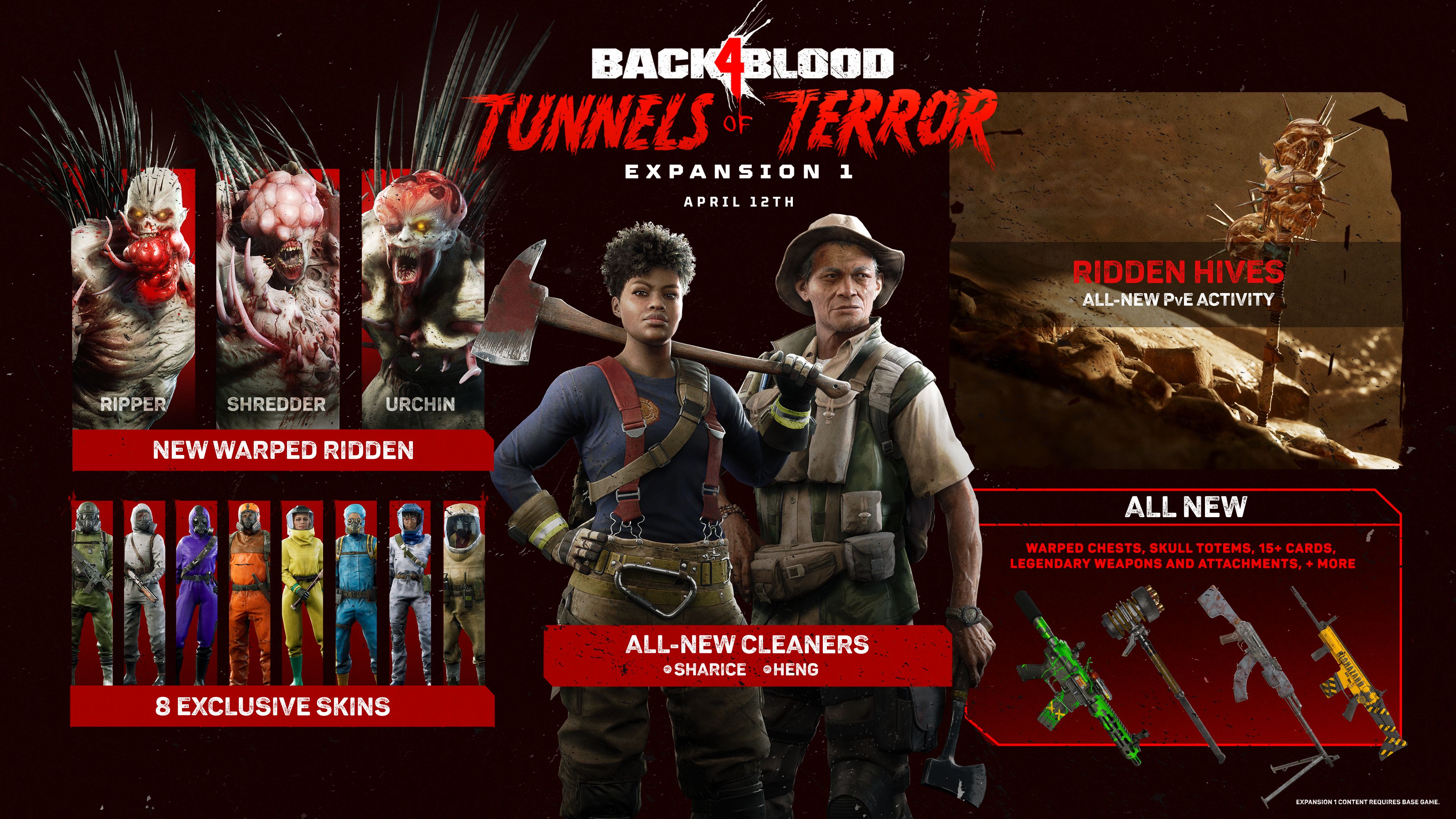
The studio announced the new Back 4 Blood DLC with an infographic showing players what they can get with the expansion, which you can check out below.

back 4 blood dlc infographic

Launching April 12, Tunnels of Terror will include the following:

  • New Warped Ridden (Shredder, Ripper, and Urchin)
  • 8 exclusive skins
  • Ridden Hives, and all-new PvE activity
  • All new warped chests, Skull Totems, 15+ cards, legendary weapons and attachments
  • Sharice and Heng, two new Cleaners

Here are a few more details on Tunnels of Terror:

When the Back 4 Blood Tunnels of Terror expansion arrives on April 12, teams of up to four friends can jump into an all-new co-op activity known as Ridden Hives, where they will explore seven different dungeons full of labyrinthine tunnels below the depths of Evansburgh that are infested with a new Ridden type, Warped Ridden. To claim exclusive loot and rewards only offered in Ridden Hives, players must outmaneuver and overcome the daunting new Warped Ridden, including the landmine-setting Urchins, monstrous Shredders, and damage-dealing Rippers. The new Warped Ridden variants are also playable in PvP Swarm mode.

The upcoming expansion introduces two new playable Cleaners – Sharice, an axe wielding firefighter, and Heng, a tough as nails, no-nonsense restaurateur. Also included in Tunnels of Terror are eight exclusive character skins, seven new legendary weapons, 12 new weapon skins, new cards, and more. The expansion will coincide with the release of the No Hope difficulty setting, a free update adding an extra level of challenge for elite players. Please note, all playable content included in the Tunnels of Terror expansion will be accessible by all players in a party as long as one player in that party has purchased the expansion.

With the announcement of its first expansion, Turtle Rock Studios also guaranteed that “there will be no microtransactions of any kind, cosmetic or otherwise, added to the game as part of this expansion or any future content update.”

Back 4 Blood Tunnels of Terror is releasing for consoles and PC this April 12. In case you missed it, check out the last patch notes for the game here, which added significant changes including a Streamer mode.

MP1st Staff

Home > News

Knockout City Update 5.00 Strikes Out for Season 5 This March 1

Velan Studios has released the Knockout City update 5.00 (PS5 version 5.000) that’s for Season 5: Greatest Hits! This brings in new and improved features, bug fixes and more, and is the last major title update before the game becomes free-to-play starting Season 6! Read on for the Knockout City March 1 patch notes below.

Knockout City Update 5.00 Patch Notes | Knockout City Update 5.000 Patch Notes | Knockout City Season 5 Patch Notes | Knockout City March 1 Patch Notes:

NEW AND IMPROVED FEATURES

  • Trophy Case
    • It’s finally here! The Trophy Case in the Hideout has been fixed up and polished and will now display any Trophies you’ve earned since Season 1!
    • This displays the highest Trophy you’ve earned in Street Rank, any Trophies you’ve earned from each Season of League Play, and the highest Trophies you’ve earned from each Season that included a Brawl Pass (or from Season 5’s Season Contracts).
    • The Trophies displayed in the case belong to the player’s Hideout that you are in. So if Josh were to join into Lynn’s Hideout, then the Trophies on display will be Lynn’s, even if she were to leave the Group. Josh would need to reload into the Hideout to enter his Hideout and see his Trophies. This way, the Trophy Case isn’t just for you… It’s for showing off to your friends and crewmates!
  • Jukebox
    • Someone has replaced that old broken Jukebox in the Hideout with a brand new functioning one!
    • To start rocking out to Knockout City’s exclusive soundtrack, all you gotta do is SMACK the Jukebox. Just tackle it or throw a ball at it and a random song will start playing. The name of the song and the Knockout City band that performs it will also be displayed in the lower left corner of the screen. To stop the music, just SMACK it again, then SMACK it once more to start up a different random song.
    • You’ll be able to enjoy all 18 tracks from the original game soundtrack.
  • Sniper Ball Changes
    • We literally had a task in our database called: “Make players hate Sniper Ball less.” However, the real goal is: “Make players LOVE Sniper Ball.” So here is our first pass at addressing some of the issues we have seen with Sniper Ball, and we’d love to hear what you all think after a few weeks of getting used to it.
    • Sniper Ball has had a series of alterations to make the ball more enjoyable and useful to use, and less frustrating to defend against.
    • The maximum lock-on distance and Sniper Shot speed have both been reduced. It’s still an extremely useful weapon at a distance, as its name suggests it should be, but these changes should make things a little more fair for the brawler being targeted. They won’t be able to be targeted from as far, and it will be easier to break a lock by moving farther away. Also, the reduced speed should make it easier to time a catch. The speed is still ridiculously fast, so don’t expect to be catching Sniper Shots from 10 meters away, but it will be easier at a distance. Which is good, because other than tackling an opponent into a train, catching a Sniper Shot is still one of the most satisfying moves to pull off in the game.
    • Throwers now have more options, as they can now Fumble Throw the Sniper Ball as a Curve or Lob Shot! Once you fully charge, you’ll still only be able to Straight Throw a Sniper Shot, but if you Fumble Throw (throw the Sniper Ball anywhere under 100% charged) you’ll have the option of Curving it or Lobbing it. This makes the Sniper Ball much more versatile at close range and when chasing down opponents, which should have a big impact on the cadence of Sniper Ball matches. So make sure to chug a few cans of Potato Punch before heading into a match to try this out.
    • Quantifiable summary of changes:
      • Sniper Ball Lock-On Distance: Decreased from 70 meters to 60 meters.
      • Sniper Ball Sniper Shot Speed: Decreased by 12.5% (which now makes it about the same speed as a Tier 6 Overcharged Shot).
      • Sniper Ball Fumble Throw Types: Added Curve and Lob.
  • Soda Ball Changes
    • Like the changes to Sniper Ball, the Soda Ball has been improved on both the attacking end and the receiving end.
    • When used offensively, the Soda Ball’s short fuse time made it too hard to find just the right window to hit someone, despite brawlers having more control over when that fuse started than a Bomb Ball. So the fuse time has been increased to give you more time to break through an opponent’s defenses, or return fire on a rebound or after a catch.
    • When caught in a Soda Ball’s blast, the screen effects were stronger than intended, essentially making brawlers sitting ducks for an extended period of time. We’ve made several changes here to help maintain the benefits of splashing an opponent’s screen, while giving them more opportunities to remain an active participant in combat. The overall length of the effect has been reduced by 25%, the strength of the effect has been slightly reduced, the border warnings and teammate HUD (like names, hearts, offscreen indicators, and emotes) return much sooner after the start of the effect, and the splashed effect now ends immediately if you take a hit. That should make it much easier for splashed teammates to coordinate character throws with their teammates or dodge an incoming shot at just the right moment.
    • Quantifiable summary of changes:
      • Soda Ball Fuse Time: Increased from 4.25 seconds to 6.25 seconds.
      • Soda Ball Splashed Duration: Decreased maximum splash duration from 8.5 seconds to 6.5 seconds. Taking damage ends the Splashed Effect immediately.
      • Soda Ball Splashed Effect: Slightly reduced overall intensity of the splash effect.
      • Soda Ball Border Warning Suppression Time: Decreased from 2.5 seconds to 1.5 seconds.
      • Soda Ball Teammate HUD Suppression Time: Decreased from 2.5 seconds to 1.5 seconds.
  • Steam Powered
    • Steam players will now be able to download and launch the game directly from Steam without needing to launch Origin. You will need to have your Steam account linked to your EA account to play the game and pick up where you left off, as cross-progression is tied to your EA account. If you do not link your Steam and EA accounts, the game will display a login screen for Origin, to make sure your progress carries over. Your Steam friends will also now be available in game!
    • This is one of the changes tied to Velan taking over publishing duties, which we talk a little more about over here.
  • Lockdown Throwdown Balancing
    • Courtyard Ball Spawner: The Ball Spawner in the middle of the Courtyard has been moved up to Entrance. We’ve seen a lot of hectic bunching up in the Courtyard, and not enough play around the perimeter of the map, so this should help to alleviate both issues. Courtyard is still a junction point and still has a Cage Ball spawner in the form of the Spotlight/Turret, so there is still sure to be tons of action at that location.
    • Initial Spawn Location: The initial spawn location inside Lockers has been moved to the Alleys, on the end that leads to Entrance. Let’s call this the “Couch Spawn.” This change gives that team some more distance, options, and access to balls (especially with the new Ball Spawner location) so they aren’t at an immediate disadvantage from the team spawning at Lighthouse, and creates some more variety in where the teams’ first encounters will take place. The initial spawn location at Lighthouse is unchanged.
  • Alien Smash Site Balancing
    • The UFO Saucers in Alien Smash Site have proven to be a bit overpowered in competitive play, especially when one team controls all the higher Saucers. Despite the size of the level, their speed allowed a team to quickly descend on respawning opponents and keep the pressure on in such a way that made it too difficult to come back from early defeats. We’ve made a series of speed adjustments to make this situation more fair without compromising too much on the value the Saucers bring to the map.
      • Saucer Base Speed (when not charging a ball): Very slight reduction in speed (but still slightly faster than Sprint).
      • Saucer Charged Speed (when charging up a ball): Now slows the speed of the saucer as you charge, to a little less than Run speed.
      • Saucer Dash Speed (the speed boost from dodging onto a saucer): This action still works, but the air friction has been increased to bring you back down to Base Speed more quickly.
  • Progression 2.0
    • Progression and Contracts data now use specialized databases to improve robustness and reduce lost progress. This is the previously promised “Progression 2.0” update, which is mostly invisible and behind-the-scenes, but should fix various issues around Contracts resetting or not tracking their progress, incorrect or missing League Play rewards, and more. Woohoo!!
  • Increased “Controller Camera Sensitivity” Settings
    • As promised, players using controllers can now DRASTICALLY increase their camera sensitivity. Like seriously, this thing goes up to “Plaid.” The direction given to the gameplay team was “Make the fastest speed faster than even the most superhuman player could use.” So the choice of speed is now entirely up to you, further decreasing the already small differences in ability between controller players and mouse & keyboard players. So let’s make a deal… If you promise never to ask for an even faster camera speed, then I’ll promise never to make a Contract to “Win a match with a Camera Sensitivity of 20 without throwing up.” Love, Jeremy.
    • The “Controller Camera Sensitivity” settings now goes from 0 to 20, and can be found in the Controls tab of the Settings Menu. The default speed is still 5, and a speed of 10 is unchanged from the speed increase given in Update 4.0. My recommendation: https://www.youtube.com/watch?v=F7IZZXQ89Oc
  • Unreachable Ballform Players
    • WARNING: Knockout City’s Surgeon General warns that prolonged exposure to the immense downward hover field that keeps our cars, buses, and construction equipment afloat will result in headaches, dizziness, and ultimately a complete and total knockout.
    • Players will now take damage over time when hiding in Ballform under hovering technology. This change is to help prevent players from hiding under geometry like the crane in Concussion Yard for extended periods of time. The health depletion is slow, so it is unlikely to affect normal play throughout other levels, but should significantly reduce frustration in modes where hiding under certain geometry for long periods of time can feel unfair.
    • Additionally, “Dodge Grabbing” players or balls hiding under geometry should now be slightly more effective. Previously, players or balls grabbed or held while Dodging under geometry were released from your hands about two thirds of the way through the Dodge, but you will now hang onto them for the entire length of the Dodge. This also means it’s a bit safer to Dodge under a train in Jukebox Junction without losing your ball or accidentally dropping your held teammate right into the train.
  • Respawn System Improvements
    • The Respawn System has had two adjustments to improve the fairness of where you or your team will respawn after being KO’d.
      • The process of respawning after the countdown ends is snappier, reducing your down time after being KO’d.
      • The moment the respawn location is selected now happens just before you actually respawn. Prior to this change, it was happening earlier in the process, which meant you could have been respawned in a location the system thought was safe earlier, but no longer was.
  • This may take a while for you to really notice the changes, but if you still feel you are often spawning in bad locations, let us know (with video or details) so we can continue to improve the system.
  • New “Joystick Deadzone” Settings
    • Players using controllers can now manually adjust the dead zones for each individual joystick on their controller from 0% to 50% in the Controls tab of the Settings Menu.
    • Increase this if you are experiencing joystick drift issues, or decrease it for even tighter controls. The default setting is probably as low as most players will want to go though, and is the same as the dead zone has always been: 20
  • New “Curve Throw Direction” Setting
    • This setting has been added to the Controls tab of the Settings Menu. This allows you to select between three different methods for the game to choose which direction your Curve Shot will be thrown. The three options are:
      • Manual: Always throws the Curve Shot in the direction the player Spins, which is determined by the direction (left or right) last input by the player at the start of the Spin.
      • Auto: Automatically picks the Curve Shot direction based on the clearest trajectory (or longest trajectory if none are clear).
      • Hybrid: This is the default setting, which is unchanged behavior from what’s been in the game and is essentially a hybrid of Manual and Auto. First, this behaves like Manual and attempts to throw the Curve Shot in the direction the player Spins if there’s a clear shot at the target in that direction. But if there are no clear shots in that direction, then Auto takes over and picks the Curve Shot direction based on the clearest trajectory (or longest trajectory if none are clear).
        • Note: we are aware of an issue that may cause the Hybrid setting to not function as intended. We will update you with more information as it becomes available.
  • New “Glide Button” Setting
    • Players can now choose whether they want Glide to be a Toggle or Hold action in the Controls tab of the Settings Menu. The default setting is the same behavior as before: Toggle.
  • Dodge-Deflection Improvements
    • Dodge-Deflections (when you Dodge into an incoming ball to deflect it away without hurting you) were erroneously Deflecting balls that were hitting you from behind. This has been fixed, so you must correctly Dodge into a ball to Deflect it. This should be less frustrating for throwers that correctly guessed the direction the opponent would dodge and accounted for it in their throw type, as well as reduce the effectiveness of Dodge-spamming.
  • Lock-On Camera Snapping Improvements
    • There are a few minor improvements to how the camera snaps onto targets you lock-on to.
    • Passing should not snap the camera to your teammate unless you hold it for 1 second, but some situations were causing it to snap right away, causing the camera to jerk toward your teammate even if you just tapped the button. This has been resolved, so a quick pass should never snap your camera.
    • We’ve also fixed some edge cases where you could throw a completely uncharged ball at an opponent in such a way that the camera wouldn’t snap to the target.
  • Respawn Tips
    • Players will now see helpful tips after being KO’d and while waiting to respawn. This should help new and existing players alike remember some of the information taught in the various Training sessions, and even pick up a few new tips you may not have been aware of.
    • Respawn Tips can be turned OFF at any time in the Gameplay Tab of the Settings Menu.
  • Improved Bots Behavior
    • We’ve been doing a lot of playtesting with our bots to improve their behavior. Our current goal is to make them help new players learn how to play the game and be good teammates, so a lot of the improvements are things we want players to see and try to emulate themselves. Don’t forget to use those “Throw Me!” and “Pass To Me!” emotes!
      • Bot matches can now appear in Galaxy Burger, Holowood Drive-In, and Alien Smash Site.
      • Bots caught in Ballform by enemies will try to mash out.
      • Bots held in ballfrom by teammates will sometimes emote “Throw Me!”
      • If a player is being held in Ballform by a teammate bot and emotes “Throw Me!”, the bot will throw them.
      • Bots will sometimes enter Ballform when near a player.
      • Bots will pass to players more often, especially when a player emotes “Pass To Me”!
      • Bots are now properly affected by Soda Ball explosions.
      • Bots are smarter about throwing Bomb Balls.
      • Bots will try harder to get balls in hard-to-reach places, and give up if they can’t.
      • Bots should run into trains less often in Jukebox Junction, as we’ve taught them that they can’t catch a train on this map.
    • Reminder: Bots still ONLY appear in matches with new players, mixed in with other new players for their first 5 to 10 matches depending on how well they perform (and how many other new players near their region happen to be matchmaking at that moment). You can also play them at any time in a Practice Match in the Training menu.
  • Street Play and League Play Access
    • For new players, the requirements for unlocking non-Team KO Street Play Playlists and League Play have changed. Previously, this was based on Street Rank. However, due to many new additions since launch to how players can earn XP, and due to how Crew Contracts work, many new players were able to immediately level up beyond Street Rank 10 before they even played a single match, therefore granting them access to the entire game. This both made for a bad experience for new players trying to understand the game, as well as made it easier for “smurf accounts” to quickly get up and running. To prevent this from happening anymore, the new requirements are based on actually playing matches:
      • Unlock access to all Street Play Playlists: Complete 5 matches of Team KO in Street Play.
      • Unlock access to League Play: Win 10 matches in Street Play.
  • New “Sprint Cancel Delay” Setting
    • Okay this one is getting a little down into the weeds, so feel free to leave this setting alone and skip to the next note…
    • A new setting has been added to help reduce instances of simultaneous or near-simultaneous input of Sprint/Cancel and Throw accidentally cancelling your Throw. This setting adds a miniscule delay (unnoticeable to most players) between the time that you input your Sprint/Cancel and the time that it actually cancels your Throw and Sprints, only if you are holding the Throw button. This has actually always been in place for Passes, we have simply extended this functionality to Throws as well, and exposed it as a tunable option in the Controls tab of the Settings Menu.
    • If you find yourself accidentally canceling Throws or Passes a lot because you are trying to Sprint immediately after throwing, try increasing this setting. If you actually notice the delay in your Sprint/Cancel input and it bothers you, try decreasing this setting or turning it off completely. Most players should probably just leave this setting alone.
  • Additional Features and Improvements:
    • Visual effects that Ultimate Throws make on surfaces now handle moving objects better, like cars in Knockabout Roundabout.
      • This was a longstanding annoyance for one of our engineers who finally got the chance to fix this. Whenever you see one of these effects–called a “decal” in graphics lingo–and think, “cool!”, know that engineer just smiled a little bit.
    • Improved performance in Midnight Madness
      • Some of you had experienced poor or laggy performance in Midnight Madness. This has now been improved. Thanks for bringing this to our attention!
    • Report Server button now “Report Server Lag”
      • The intention of this option is to help track down lag issues specifically, so we’ve updated the name of the button to reflect that. The “Report Server Lag” button won’t help if you’re experiencing other types of issues with the game or if you’re looking to report a player for bad behavior.
    • When a Caged or trapped player hits force-glide height, they will now automatically break out and Glide instead of getting KO’d. This won’t affect throwing players over the edges, only if you ever found yourself throwing an opponent straight up in the air.
    • Hitting a trapped player in Basketbrawl no longer extends their trapped timer. Hitting trapped players will still pop them up in the air, giving you a better chance of grabbing them in time, but this should help prevent trolling that would keep a person stuck in Ballform for extended periods of time.
    • The ragdoll camera has been improved to prevent egregious clipping through geometry.
    • PC players can now use a controller to change the Network option on the Title Screen.
    • When players open the Contracts menu, it will default to the leftmost incomplete Contracts tab, to help players focus on the next item that needs to be completed.
    • Now, when players lose health outside the Face-Off ring or hiding under an object, a sound will play to let them know that their health is deteriorating.

BUG FIXES

Audio

  • Fixed an issue in cinematics sequences in matches with two teams that could cause the sound effects for the second team’s vehicle to be delayed.
  • Fixed an issue that was causing player emotes to not be audible over 20m away. (Maybe they just weren’t hearing “Pass to me!”? Maybe?????)

Bots

  • Fixed an issue that allowed extra bots to join matches when a spectator leaves.

Contracts

  • Fixed a case where the “Regifting” Crew Contract was progressing when hits weren’t overcharged.
  • Fixed an issue in the Match Rewards screen that could cause some contracts progress to be skipped.
  • Fixed issues with several Contracts that were not accurately tracking progress.
  • See also: Progression 2.0 in the Features section

Cosmetics and Shops

  • Fixed an issue sometimes causing the Style icons for Outfits or Gloves to be blank.
  • Improved the loading speed of Outfit previews when perusing the Brawl Shop.

Friends and Groups

  • Fixed being able to queue multiple group join requests when using Join Group multiple times.
  • Fixed an issue that could cause players changing Groups, leaving a match, and then joining another player’s Hideout to incorrectly join back into the previous match.
  • Fixed an error message that displayed on PS5 when leaving a group from the Match End screen.

Gameplay, Environment, and Physics

  • Fixed the player being stuck in Ultimate Throw ball form in Chain Reaction matches.
    • Dev Note: We previously fixed one instance of this happening, then when Chain Reaction returned as a Daily Playlist, we were able to identify another instance of this occurring, which allowed us to investigate further. Please let us know if you continue to see this issue.
  • Fixed a physics issue that could cause players in Ballform thrown underneath moving objects (such as in Concussion Yard) to be launched into the sky and KO’d.
  • Fixed an issue that occasionally caused characters to play their fall animation when on an upward moving platform.
  • Fixed the delay in the ability to pick up coins at the start of Coin Hoarders matches.
  • Fixed a mismatch between the Voice Over and text when swapping views while spectating in Superpowers!
  • Fixed several cases where players were not stunned when dodging into unmovable objects on various maps.
  • Fixed logic issues with awarding MVP. MVP should now always be awarded to the player with the highest KDR (or other special game mode ratios, like Diamond Ratio in Diamond Dash).
  • Fixed an issue that could make players stuck in a wall behind a Bounce Pad in Holowood Drive-In.
  • Fixed Lob Passes potentially missing players who were gliding high above the passer.

Matchmaking

  • Fixed a bug that could cause players in Private Matches to start on the wrong team if they joined at a specific time.
  • Fixed an issue that showed an incorrect message when trying to start a Practice Match while in a group with four or more players.

UI / UX

  • Fixed a missing group indicator when a player leaves and rejoins a group during a match in the Match End screen.
  • Fixed the labels for both the top and bottom Crew Logo being updated when a new logo was selected.
  • Fixed an issue that could cause the targeting indicators to not appear on Group members or the Dummy in the Hideout.
  • Fixed abrupt camera movements when navigating the Crew Options and Find A Crew screens.

Various

  • Fixed a bug that could cause players joining or returning to a Hideout to receive an additional Daily Login Bonus.
  • Fixed an issue that could make it look like a player was picking up two balls that were very close together at the same time (even though only one was being picked up).
  • Fixed a bug that could cause the KO Card animation to repeat in the Match Rewards sequence.

Once Year 2 of the game starts (Season 6), expect another title update for that as well.

Source: EA

Avatar photo

Alex Co

Father, gamer, games media vet, writer of words, killer of noobs.

Home > News

Fortnite Update 1.000.057 Shoots Out for v19.40 This March 1

PlayStation 5 players rejoice, as Epic Games has now released the Fortnite update 1.000.057 patch this March 1, and this one is for the major v19.40 patch! Check out what’s new in the Fortnite February 1 patch notes below.

Fortnite Update 1.000.057 Patch Notes | Fortnite Update 19.40 Patch Notes | Fortnite March 1 Patch Notes:

Battle Royale

Amazing Web Week

The v19.40 update presents Amazing Web Week! From March 1 at 9 AM ET to March 8, 2022, at 8:59 AM ET, find Spider-Man’s Web Shooters as Chest loot on the Island. (In addition to their regular spots!) If you want even more airtime — or just wanna send villains out of your sights — Bouncers will be unvaulted for Amazing Web Week. Find them on the ground and from Supply Drops!

While in aerial action, you can complete “Amazing Web Week” Quests for extra XP. 🕸
Amazing Web Week in Fortnite

A new themed week will begin after Amazing Web Week ends. This week starts March 8 at 9 AM ET, bringing with it a new batch of special Quests. Stay tuned for more info!

Proximity Voice Chat in Impostors

Fortnite Impostors

v19.40 enhances the Voice version of Impostors! The “Impostors (Voice)” playlist now uses proximity voice chat, meaning who you hear is based on who’s around your character. As before, voice communication is split between players who are and aren’t eliminated, while mixing both the Agents and Impostors together. Even though eliminated players can’t voice chat with non-eliminated players, they can still hear them to keep up with the drama.

Players who prefer no voice communication can still select the “Impostors” playlist (which has Quick Chat enabled only).

Adjust the Time of Day in Replays

On platforms that support Fortnite replays, you can now change the time of day when playing back a replay! This can be done for replays that take place in Battle Royale or in Creative Islands where the time of day hasn’t been set by the Island’s creator.

To adjust the time of day in a replay, select the camera settings (denoted by the camera with the gear in the middle), navigate to the clock icon, then use the slider to choose the time of day you want. You can also choose to pause the time of day.

Competitive Notes

  • The Amazing Web Week loot change and Bouncer addition are not included in competitive playlists.

Major Bug Fixes

  • Fixed an issue involving Outfits sometimes glowing with a bright blue “hologram” effect in the Lobby.
  • Fixed the issue in which POI names would appear on the map only in English regardless of your selected language.

Creative:

The v19.40 update brings a brand new device in the Guard Spawner! Along with the Guard Spawner, we’ve updated several additional devices, and are introducing island trailers into Fortnite Discover in the v19.40 update.

Creators, remember the Fortnite Creative Documentation Site is updated every patch with additional details, use cases, and thought starters for newly released and updated devices.

Island Trailers in Fortnite Discover

Big news, island trailers are now live v19.40! Make sure to check out the Submitting your Fortnite Creative island for Discover blog post for all the updated criteria for trailers when submitting your island.

If you have ever uploaded an island trailer with your island through the Discover submission form, your trailer will autoplay above the game tile when a player selects your island in Discover. If you need to update your island trailer, it is recommended that you resubmit your island with the updated trailer using the Discover submission form.

As an additional note, audio will not be supported at the time of launch. Also, if a trailer is uploaded it will supersede the current render image when a player expands your game to learn more. Both your image and the video are important to bringing players to your game, however if you only want to use an image for your experience, do not add a trailer when using the submission form.

New: Guard Spawner

Be on your Guard!  Or at least tell your players to be, since this update sees the full release of the Guard Spawner to Fortnite Creative.  The Guard Spawner shares a lot in common with the Creature Spawner, so if you’re used to working with Fiends you’ll get to grips with Guards in no time at all.  We’ll leave you to discover all the details yourselves, but some of the highlights of the system include:

  • Choose from 8 different Guard skins.
  • Drop a compatible weapon or consumable on the Guard Spawner to have the Guards from that spawner equip it.
    • Add multiple items to have the Guards select randomly from the available pool.
    • Use the Guard filter on the weapon and consumable inventory screens to find which items are compatible with the Guard Spawner.
  • Control patrol radius around the spawner.
  • Assign Guards to teams.
  • Adjust many of their attributes, including awareness, accuracy and health.
  • The maximum number of Guards which can be active is 30 – this is a separate limit from the limits for Fiends and Animals.
  • Several other devices including the Elimination Manager and Mutator Zone have been updated to allow them to interact properly with Guards.

As a bonus, here are some tips from our design team:

  • Friendly Fire settings affect Guards as well as players, so be careful with them!
  • Sneaky Snowman, Creeping Cardboard and other hideables will allow players to avoid being spotted… as long as they don’t move when the Guards are watching!
  • Avoid placing the spawner on very uneven ground or in places where pathfinding is likely to be an issue.
  • Avoid spawning too many Guards in a small radius since this could adversely affect performance on some platforms as well as cause pathfinding problems.
  • When Patrol settings are turned off, Guards will act like sentries – but they will move when they spot someone or when they engage in combat.

Known Issues: Guard eliminations are not currently tracked properly by the Tracker device.

New: Supply Drop Spawner

Incoming!  We’ve added a new device to let you create your own Supply Drops with a whole host of configuration options.  Now you can rain gifts down on your players for them to rejoice over or fight over – your choice!

  • Add your own selection of items.
  • Configure where and how often it drops.
  • Add class and team restrictions.
  • Extensive trigger/receiver support.

Update: Round Settings – Enable Matchmaking

The ability to turn matchmaking off has been available on the Round Settings device for some time now.  With this update we’ve now added the ability to turn it back on as well!  Combined with the recently released Player Counter device, you can now monitor the number of players in your game and turn the flow of new players on and off to keep your game running at your ideal capacity.

Update: Tracker Device Persistence

  • The Tracker Device now has the option to persist data between sessions, allowing you to create longer, more involved quests or tasks that can be completed over multiple play sessions.
    • This includes options for resolving conflicts when multiple players have shared trackers with different amounts of progress.

Update: Item Granter

  • The Item Granter has had two new features added:
    • You can now choose to spawn granted items at a player’s location rather than directly into their inventory – useful if you want a player to leave a breadcrumb trail or just to allow other players to be able to pick up the item when it is granted.
    • You can now choose to simply not grant items if the player’s inventory is full, rather than automatically dropping the excess items at the player’s location.

Update: Campfire Stoking, Damage and Repel

  • The Campfire has had several new options added:
    • You can now allow players to stoke the fire (add fuel) while it is still burning, rather than having to wait for it to run out before re-lighting.
    • The campfire can now repel enemy fiends and animals.  Enemies which enter the campfire’s area of effect will flee from it for a few seconds before attempting to re-acquire targets.
    • The campfire can now also damage fiends and animals which enter its area of effect.

Other Feature Updates

  • Added some fantasy background music tracks to the Radio device.
  • Added support for larger resource numbers in the UI and increased the maximum resource cap to 2.1 Billion.
    • This applies to Gold Coins and other resources, but not building materials such as Wood, Stone and Metal.

Prefab & Gallery Updates

  • Added 3 New Prefabs
    • Background Snow Dunes Small
    • Background Snow Dunes Medium
    • Background Snow Dunes Large
  • Added 3 New Galleries
    • Background Snow Dunes Gallery
    • Tall Grass Gallery A – The tall grass featured on the Chapter 3 Battle Royale map
    • Tall Grass Gallery B – A unique Creative version of tall grass
  • Added an International Women’s Day flag to General Props Gallery A

Known Issues: We are aware of a material issue happening when using the Background Snow Dunes on Nintendo Switch.

Prefab & Gallery Fixes

  • Fixed an issue with a corrupted Trim asset from The Spire set.
  • Fixed an issue with The Spire Base, from The Spire Tower Gallery, from sounding like metal when walked upon.
  • Fixed a resource material issue with the circular rug from The Spire set.
  • Fixed an issue with the Piano Gallery spawning assets outside of the blue preview volume.

Device Fixes

  • Fixed an issue that caused damageable props to be unrepairable.
  • Fixed an issue that caused the Fire Volume to not ignite when above ground level.
  • Fixed an issue that caused the Button Device to not rest the Fishing Zone correctly.
  • Fixed an issue with the ATK vehicle spawner that caused it to remain stuck in place.
  • Fixed an issue with devices that use light beam to properly collide with environments after being scaled.
  • Fixed an issue with the item granter that caused it not to grant items to players when using random setting.
  • Fixed an issue where campfires could not be placed

Gameplay Fixes

  • Fixed an issue when switching teams that caused players to see the change above the players count.
  • Fixed an issue that caused campfires to appear unlit for players joining in progress
  • Fixed an issue that caused players to get sent back to the frontend after the in game matchmaking countdown timer ends.
  • Fixed an issue that caused team select settings in Creative mode to not carry over when the game started
  • Fixed an issue with fires not damaging players in certain situations
  • Fixed an issue with players being unable to repair structures that are on fire
  • Fixed an issue where wildlife was not navigating correctly when indestructible walls were hidden
  • Several issues fixed regarding supply drops

UI Fixes

  • Fixed an issue where XP reward UI was not displaying correctly

Fortnite v19.40 Datamined Info:

https://twitter.com/HYPEX/status/1498609653466513408

https://twitter.com/HYPEX/status/1498603778815279104

We’ll update this post accordingly once the full patch notes are out and if there are any more datamined content discovered for this release.

Source: Epic Games

MP1st Staff

Home > News

FIFA 22 Update 1.000.008 Kicks Out for Title Update #6.1 This March 1

EA has released the FIFA 22 update 1.000.008 patch for all console generations today, and this is for Title Update #6.1, which includes quite a number of fixes which are all listed in the official patch notes below.

FIFA 22 Update 1.000.008 Patch Notes | FIFA 22 Title Update 6.1 Patch Notes:

FIFA Ultimate Team

Addressed the following issues:

  • If a significantly large amount of Packs was present in the My Packs tab in the FUT Store, only a small amount of Packs would be displayed until the number was reduced.
  • In some rare situations, the mouse cursor could not be moved in the menus.

Gameplay

Made the following changes:

  • Stepovers and flicks cannot be performed for 500 milliseconds after initiating a Player Run.
    • This change is intended to prevent the aforementioned Skill Moves from clashing with the ability to choose a direction for the requested Player Run.

Addressed the following issues:

  • Following the activation of Player Lock with the input being performed at an angle, the first Player Switch would not occur and had to be performed again.
  • In some rare situations when shooting after a Skill Move, the shot would not be as accurate as intended.
  • If the Right Stick Switching option was set to Player Rotation, a right stick player switch could not be done after activating Player Lock.
  • In some cases, sliding tackles could be incorrectly called as a foul depending on which area of the defender’s body made contact with the ball.

Career Mode

Addressed the following issues:

  • Manager interviews did not always impact Team Morale.
  • The Asian International Cup did not feature the correctly placed team from the Indian Super League.

VOLTA FOOTBALL

Made the following changes:

  • Added 2 new Party Games to VOLTA ARCADE.
    • These will only be available following a server update.
  • The One Button control option is not usable in VOLTA ARCADE and will default players to the Classic option.

Pro Clubs

Addressed the following issue:

  • When selecting the Next Match option following the completion of a match, a pop up saying that the match search failed could appear.

General, Audio, and Visual

Made the following changes:

  • Updated some kits, boots, flags, banners, scarves, player portraits, commentary lines, corner flags, stadia, balls, and ad boards.
  • Added and updated a total of 24 new star heads.
    • These will only be available following a server update. Please follow @EAFIFADIRECT for updates on when this will be live in-game.

Addressed the following issues:

  • The Skill Games Take Me There UI Shortcut did not always function.
  • Some EA Trax were not always enabled by default.
  • Addressed a potential stability issue that could occur.

That’s about it for this patch. For more on FIFA 22, head on over here.

Source: FIFA forums

Avatar photo

Alex Co

Father, gamer, games media vet, writer of words, killer of noobs.

Home > News

FIFA 22 Update 1.19 Patch Notes; Out for Title Update #6.1 This March 1

EA Sports has released the FIFA 22 update 1.19 patch for all platforms today, which is tagged as Title Update version number 6.1 by the devs. This patch is already available on PC since last week. While no new content is added, there are a ton of bug fixes included in many game modes. You can read the full FIFA 22 March 1 patch notes posted down below.

FIFA 22 Update 1.19 Patch Notes | FIFA 22 March 1 Patch Notes:

FIFA Ultimate Team

Addressed the following issues:

  • If a significantly large amount of Packs was present in the My Packs tab in the FUT Store, only a small amount of Packs would be displayed until the number was reduced.
  • In some rare situations, the mouse cursor could not be moved in the menus.

Gameplay

Made the following changes:

  • Stepovers and flicks cannot be performed for 500 milliseconds after initiating a Player Run.
    • This change is intended to prevent the aforementioned Skill Moves from clashing with the ability to choose a direction for the requested Player Run.

Addressed the following issues:

  • Following the activation of Player Lock with the input being performed at an angle, the first Player Switch would not occur and had to be performed again.
  • In some rare situations when shooting after a Skill Move, the shot would not be as accurate as intended.
  • If the Right Stick Switching option was set to Player Rotation, a right stick player switch could not be done after activating Player Lock.
  • In some cases, sliding tackles could be incorrectly called as a foul depending on which area of the defender’s body made contact with the ball.

Career Mode

Addressed the following issues:

  • Manager interviews did not always impact Team Morale.
  • The Asian International Cup did not feature the correctly placed team from the Indian Super League.

VOLTA FOOTBALL

Made the following changes:

  • Added 2 new Party Games to VOLTA ARCADE.
    • These will only be available following a server update.
  • The One Button control option is not usable in VOLTA ARCADE and will default players to the Classic option.

Pro Clubs

Addressed the following issue:

  • When selecting the Next Match option following the completion of a match, a pop up saying that the match search failed could appear.

General, Audio, and Visual

Made the following changes:

  • Updated some kits, boots, flags, banners, scarves, player portraits, commentary lines, corner flags, stadia, balls, and ad boards.
  • Added and updated a total of 24 new star heads.
    • These will only be available following a server update. Please follow @EAFIFADIRECT for updates on when this will be live in-game.

Addressed the following issues:

  • The Skill Games Take Me There UI Shortcut did not always function.
  • Some EA Trax were not always enabled by default.
  • Addressed a potential stability issue that could occur.
  • Nighttime matches played in the Stamford Bridge stadium did not display correctly.

Source: FIFA Forums

Damien Seeto

Home > News

AC Valhalla Update 1.050.100 Sneaks Out This March 1 (Update)

Ubisoft has stealth dropped the (Assassin’s Creed) AC Valhalla update 1.050.100 patch today, and it seems it’s for next-gen platforms only (at the time of this writing, last-gen still hasn’t gotten the patch). Read on for the changes made in the AC Valhalla March 1 patch notes below.

AC Valhalla Update 1,050.100 Patch Notes | AC Valhalla March 1 Patch Notes:

Update: Ubisoft has acknowledged the patch, and confirmed that it was initiallyu deployed on PS5, with the other platforms getting it later.

Hello everyone, we will be deploying Title Update 1.5.0.1 over the next few days to improve stability and game performance.

This was deployed on PS5 today, March 1 and will be released on Xbox One, Xbox Series X|S, PC, and PS4 tomorrow, March 2, at 12:00 UTC.
Amazon Luna and Google Stadia will follow later on March 8 and 10.

Patch sizes:

  • PC: ~7.54 GB
  • Xbox Series X|S: ~2.90 GB
  • Xbox One: ~2.30 GB
  • PS5: ~0.50 GB
  • PS4: ~2.62 GB

Ubisoft has not released the official patch notes just yet, though we do know some of the changes made thanks to the community.

Here’s one gamer claiming Odin Sight was taken out in the latest patch:

Turned on my PS5 and there was an update. Downloaded and then started playing. Attempted a stealth raid but Odin Sight would not highlight anything other than treasure. No enemies would highlight. I fast traveled around to see if it was just in East Anglia but nope! The whole game won’t high light the enemies now. Was working fine before this new update.

In addition to that, here’s the long list of known issues that are being looked at by the devs (from Dawn of Ragnarok DLC issues and base game version too):

ISSUES / QUERIES UNDER INVESTIGATION BY UBISOFT SUPPORT

We’re hoping that today’s patch fixes some of the issues. Once Ubisoft releases the official patch notes, we’ll update the post.

Avatar photo

Alex Co

Father, gamer, games media vet, writer of words, killer of noobs.

Home > News

Fortnite Update 3.47 Patch Notes; Out for v19.40, Changes & Datamined Info Listed for March 1

Epic Games has released the Fortnite update 3.47 patch this March 1, and this one is for the major v19.40 patch! Check out what’s new in the Fortnite February 1 patch notes below.

Fortnite Update 3.47 Patch Notes | Fortnite Update 19.40 Patch Notes | Fortnite March 1 Patch Notes:

Update: Epic Games has released the full patch notes:

Battle Royale

Amazing Web Week

The v19.40 update presents Amazing Web Week! From March 1 at 9 AM ET to March 8, 2022, at 8:59 AM ET, find Spider-Man’s Web Shooters as Chest loot on the Island. (In addition to their regular spots!) If you want even more airtime — or just wanna send villains out of your sights — Bouncers will be unvaulted for Amazing Web Week. Find them on the ground and from Supply Drops!

While in aerial action, you can complete “Amazing Web Week” Quests for extra XP. 🕸

Amazing Web Week in Fortnite

A new themed week will begin after Amazing Web Week ends. This week starts March 8 at 9 AM ET, bringing with it a new batch of special Quests. Stay tuned for more info!

Proximity Voice Chat in Impostors

Fortnite Impostors

v19.40 enhances the Voice version of Impostors! The “Impostors (Voice)” playlist now uses proximity voice chat, meaning who you hear is based on who’s around your character. As before, voice communication is split between players who are and aren’t eliminated, while mixing both the Agents and Impostors together. Even though eliminated players can’t voice chat with non-eliminated players, they can still hear them to keep up with the drama.

Players who prefer no voice communication can still select the “Impostors” playlist (which has Quick Chat enabled only).

Adjust the Time of Day in Replays

On platforms that support Fortnite replays, you can now change the time of day when playing back a replay! This can be done for replays that take place in Battle Royale or in Creative Islands where the time of day hasn’t been set by the Island’s creator.

To adjust the time of day in a replay, select the camera settings (denoted by the camera with the gear in the middle), navigate to the clock icon, then use the slider to choose the time of day you want. You can also choose to pause the time of day.

Competitive Notes

  • The Amazing Web Week loot change and Bouncer addition are not included in competitive playlists.

Major Bug Fixes

  • Fixed an issue involving Outfits sometimes glowing with a bright blue “hologram” effect in the Lobby.
  • Fixed the issue in which POI names would appear on the map only in English regardless of your selected language.

Currently, the official Fortnite Trello board has not updated to reflect the changes in v19.40. Once the list of fixes is out, we’ll update the post. We’re also expecting Epic to release the official patch notes which the devs have been doing the past few title updates.

In the meantime, here are the top issues as of now for Fortnite Battle Royale:

  • Sometimes player outfits will glow with a bright blue ‘hologram’ effect when in the lobby. (Current workaround: Joining a match or changing the outfit in the locker may fix the issue.)
  • Players rarely may find the Discover menu UI unresponsive when using a controller. (Current workaround: Exiting and re-entering the Discover menu or switching tabs with the shoulder buttons should restore control.)
  • Previously, due to a bug, players in parties created through “Fill” were sharing quests. This was creating problems for a few specific modes. (The fix for this is now Live and players will once again only be sharing with pre-made parties)
  • Some players may find they are showing as being one quest short of completing a ‘Season Bonus Goals’ Milestone. Don’t worry! More season quests are on the way, and there will be more available than required to complete the Bonus Goals.
  • In the air, players are unable to use movement keys while piloting the Quadcrasher.
  • When using Performance Mode players may find the tree leaves have a lower resolution than intended. (Current workaround: Setting “View Distance” to Epic can resolve this so the Trees look as expected)
  • Fire effects are displayed as yellow rectangles in certain areas on Xbox Series X|S.
  • We’re investigating an issue which may prevent aim assist from working while using motion controls on Nintendo Switch.
  • Players on Samsung S21 and OnePlus9 devices may see black flickering in the sky.
  • We are aware that players using a OnePlus 9 device do not currently have the option to use 90 FPS. This will be fixed in a future update.
  • When using a HUD with two build buttons, Turbo Build doesn’t work or can stop working on mobile devices.

Creative:

The v19.40 update brings a brand new device in the Guard Spawner! Along with the Guard Spawner, we’ve updated several additional devices, and are introducing island trailers into Fortnite Discover in the v19.40 update.

Creators, remember the Fortnite Creative Documentation Site is updated every patch with additional details, use cases, and thought starters for newly released and updated devices.

Island Trailers in Fortnite Discover

Big news, island trailers are now live v19.40! Make sure to check out the Submitting your Fortnite Creative island for Discover blog post for all the updated criteria for trailers when submitting your island.

If you have ever uploaded an island trailer with your island through the Discover submission form, your trailer will autoplay above the game tile when a player selects your island in Discover. If you need to update your island trailer, it is recommended that you resubmit your island with the updated trailer using the Discover submission form.

As an additional note, audio will not be supported at the time of launch. Also, if a trailer is uploaded it will supersede the current render image when a player expands your game to learn more. Both your image and the video are important to bringing players to your game, however if you only want to use an image for your experience, do not add a trailer when using the submission form.

New: Guard Spawner

Be on your Guard!  Or at least tell your players to be, since this update sees the full release of the Guard Spawner to Fortnite Creative.  The Guard Spawner shares a lot in common with the Creature Spawner, so if you’re used to working with Fiends you’ll get to grips with Guards in no time at all.  We’ll leave you to discover all the details yourselves, but some of the highlights of the system include:

  • Choose from 8 different Guard skins.
  • Drop a compatible weapon or consumable on the Guard Spawner to have the Guards from that spawner equip it.
    • Add multiple items to have the Guards select randomly from the available pool.
    • Use the Guard filter on the weapon and consumable inventory screens to find which items are compatible with the Guard Spawner.
  • Control patrol radius around the spawner.
  • Assign Guards to teams.
  • Adjust many of their attributes, including awareness, accuracy and health.
  • The maximum number of Guards which can be active is 30 – this is a separate limit from the limits for Fiends and Animals.
  • Several other devices including the Elimination Manager and Mutator Zone have been updated to allow them to interact properly with Guards.

As a bonus, here are some tips from our design team:

  • Friendly Fire settings affect Guards as well as players, so be careful with them!
  • Sneaky Snowman, Creeping Cardboard and other hideables will allow players to avoid being spotted… as long as they don’t move when the Guards are watching!
  • Avoid placing the spawner on very uneven ground or in places where pathfinding is likely to be an issue.
  • Avoid spawning too many Guards in a small radius since this could adversely affect performance on some platforms as well as cause pathfinding problems.
  • When Patrol settings are turned off, Guards will act like sentries – but they will move when they spot someone or when they engage in combat.

Known Issues: Guard eliminations are not currently tracked properly by the Tracker device.

New: Supply Drop Spawner

Incoming!  We’ve added a new device to let you create your own Supply Drops with a whole host of configuration options.  Now you can rain gifts down on your players for them to rejoice over or fight over – your choice!

  • Add your own selection of items.
  • Configure where and how often it drops.
  • Add class and team restrictions.
  • Extensive trigger/receiver support.

Update: Round Settings – Enable Matchmaking

The ability to turn matchmaking off has been available on the Round Settings device for some time now.  With this update we’ve now added the ability to turn it back on as well!  Combined with the recently released Player Counter device, you can now monitor the number of players in your game and turn the flow of new players on and off to keep your game running at your ideal capacity.

Update: Tracker Device Persistence

  • The Tracker Device now has the option to persist data between sessions, allowing you to create longer, more involved quests or tasks that can be completed over multiple play sessions.
    • This includes options for resolving conflicts when multiple players have shared trackers with different amounts of progress.

Update: Item Granter

  • The Item Granter has had two new features added:
    • You can now choose to spawn granted items at a player’s location rather than directly into their inventory – useful if you want a player to leave a breadcrumb trail or just to allow other players to be able to pick up the item when it is granted.
    • You can now choose to simply not grant items if the player’s inventory is full, rather than automatically dropping the excess items at the player’s location.

Update: Campfire Stoking, Damage and Repel

  • The Campfire has had several new options added:
    • You can now allow players to stoke the fire (add fuel) while it is still burning, rather than having to wait for it to run out before re-lighting.
    • The campfire can now repel enemy fiends and animals.  Enemies which enter the campfire’s area of effect will flee from it for a few seconds before attempting to re-acquire targets.
    • The campfire can now also damage fiends and animals which enter its area of effect.

Other Feature Updates

  • Added some fantasy background music tracks to the Radio device.
  • Added support for larger resource numbers in the UI and increased the maximum resource cap to 2.1 Billion.
    • This applies to Gold Coins and other resources, but not building materials such as Wood, Stone and Metal.

Prefab & Gallery Updates

  • Added 3 New Prefabs
    • Background Snow Dunes Small
    • Background Snow Dunes Medium
    • Background Snow Dunes Large
  • Added 3 New Galleries
    • Background Snow Dunes Gallery
    • Tall Grass Gallery A – The tall grass featured on the Chapter 3 Battle Royale map
    • Tall Grass Gallery B – A unique Creative version of tall grass
  • Added an International Women’s Day flag to General Props Gallery A

Known Issues: We are aware of a material issue happening when using the Background Snow Dunes on Nintendo Switch.

Prefab & Gallery Fixes

  • Fixed an issue with a corrupted Trim asset from The Spire set.
  • Fixed an issue with The Spire Base, from The Spire Tower Gallery, from sounding like metal when walked upon.
  • Fixed a resource material issue with the circular rug from The Spire set.
  • Fixed an issue with the Piano Gallery spawning assets outside of the blue preview volume.

Device Fixes

  • Fixed an issue that caused damageable props to be unrepairable.
  • Fixed an issue that caused the Fire Volume to not ignite when above ground level.
  • Fixed an issue that caused the Button Device to not rest the Fishing Zone correctly.
  • Fixed an issue with the ATK vehicle spawner that caused it to remain stuck in place.
  • Fixed an issue with devices that use light beam to properly collide with environments after being scaled.
  • Fixed an issue with the item granter that caused it not to grant items to players when using random setting.
  • Fixed an issue where campfires could not be placed

Gameplay Fixes

  • Fixed an issue when switching teams that caused players to see the change above the players count.
  • Fixed an issue that caused campfires to appear unlit for players joining in progress
  • Fixed an issue that caused players to get sent back to the frontend after the in game matchmaking countdown timer ends.
  • Fixed an issue that caused team select settings in Creative mode to not carry over when the game started
  • Fixed an issue with fires not damaging players in certain situations
  • Fixed an issue with players being unable to repair structures that are on fire
  • Fixed an issue where wildlife was not navigating correctly when indestructible walls were hidden
  • Several issues fixed regarding supply drops

UI Fixes

  • Fixed an issue where XP reward UI was not displaying correctly

Fortnite v19.40 Datamined Info:

https://twitter.com/HYPEX/status/1498609653466513408

https://twitter.com/HYPEX/status/1498603778815279104

We’ll update this post accordingly once the full patch notes are out and if there are any more datamined content discovered.

Source: Epic Games

MP1st Staff

Home > News

Battlefield 2042 Unreleased Weapons and Air Vehicle Unearthed

Just a few days ago, we reported on a few Battlefield 2042 Christmas-themed cosmetics that never saw the light of day. If that’s not your cup of tea, a couple of Battlefield 2042 unreleased weapons have made its way out, along with an air vehicle, too!

Once again unearthed by reliable dataminer temporyal, check out the two Battlefield 2042 unreleased weapons below:

In addition to that, there’s also data regarding an unreleased air vehicle spotted as well.

There’s no word whether we’ll eventually see these weapons and vehicle make it into the game, so don’t expect them to be available anytime soon. That said, there is a chance that we could see these items rolled out in Season 1 or at some point.

What new content do you want to see in Battlefield 2042? Let us know down in the comments. Don’t forget, there is a new update set to be rolled out this week if things go according to plan.

More Battlefield 2042 Reading:

Avatar photo

Alex Co

Father, gamer, games media vet, writer of words, killer of noobs.

Home > News

Elden Ring Upcoming Maintenance Schedule for March 1 Announced (All Platforms)

FromSoftware has announced an Elden Ring upcoming maintenance schedule this March 1, with the goal of improving several multiplayer functions across PS4, PS5, Xbox consoles, and PC! Check out the details on the maintenance below, as well as the scheduled times to help you prepare for the game’s down time.

The upcoming maintenance schedule for Elden Ring was revealed via the official Twitter account:

Servers for #ELDENRING  will undergo maintenance in the next few days to help improve some multiplayer functions.

Times and maintenance length for each platform will be listed in the following thread.

Thank you in advance for your kind understanding.

First up is on PC via Steam:

The  #ELDENRING  #Steam maintenance period will take place on 📅 March 1 at:

5:00am-6:00am CEST

1:00pm-2:00pm JST

8:00pm-9:00pm PST (February 28)

Next up is for PlayStation platforms:

The  #ELDENRING  #PlayStation maintenance period will take place on 📅 March 1 at:

3:00am-4:00am CET

11:00am-12:00pm JST

6:00pm-7:00pm PST  (February 28)

Finally, we have Xbox platforms as well:

The  #ELDENRING  #Xbox maintenance period will take place on 📅 March 1 at:

4:00am-5:00am CET

12:00pm-1:00pm JST

7:00pm-8:00pm  PST (February 28)

There we have it. It’s unknown if there will be a patch that’s coming with this maintenance or if this is purely server-side only, so be sure to stay tuned here at MP1st for more information! Speaking of patches, check out the most recent one released for the PS5 here, which fixed several lingering issues for the platform.

Also, if you haven’t yet, check out our review of Elden Ring here, where Sean wrote, “It’s remarkable how well From has managed to expand to a truly open world while keeping their core gameplay intact as well as building on top of it in one massive and impressively polished package. Elden Ring is clearly the culmination of FromSoftware’s past 13 years of experience and development philosophy of the souls franchise. Miyazaki and FromSoftware have crafted something so massive, special, wondrous and triumphant that it’s unfathomable how they can top it. Easily FromSoftware’s best game to date and a genuine masterpiece.”

MP1st Staff

Home > News

Battlefield 2042 Next Update 3.3 Scheduled for This Thursday, Patch Notes on Wednesday (Update)

Just a few days ago, DICE revealed that news regarding the next feedback loop will be making its way “next week.” Well, next week is now, and it looks like we’ll be getting the Battlefield 2042 next update earlier than expected!

Update (3/1/2022): DICE has announced that patch 3.3 is confirmed to drop next week! Per the studio, this is so that they are positioned to support players in case any issues arise from the patch over the weekend. Read the complete announcement here.

DICE announced back in February’s first week that the Battlefield next patch tagged as version 3.3 would be hitting sometime in March, which was pushed back from its earlier February release time. It seems this March release date is targeted for this Thursday, March 3, with the patch notes set to be released on Wednesday if things go according to plan. This was revealed by DICE Community Manager Adam Freeman, who also revealed that a blog update is also set to go live on Wednesday, provided the patch passes final review.

Final review of the patch happens overnight with publish this week if we go ahead. If not I’ll look to provide a clearer vision of when its due when we’re happy with the best date.

If our patch is going out this week it will be Thursday, so we’ll have patch notes and blog on Wed

We’ll be keeping an eye on this, and if anything is pushed out, we’ll be sure to let our readers know. Players can expect a refreshed scoreboard as one of the many improvements in patch 3.3. Let’s hope this patch pushes through this week, and we get news on a proper roadmap and more as well.

More Battlefield 2042 Reading:

Avatar photo

Alex Co

Father, gamer, games media vet, writer of words, killer of noobs.

Home > News

Full WWE 2K22 Roster and Ratings List Revealed

2K Games has now announced the full WWE 2K22 roster today, in addition to their respective wrestler ratings. That said, the list does not include DLC that will be released post-launch. Teased a few days ago by 2K and developer Visual Concepts, the roster reveal was finally revealed today following numerous development delays and. There are also several wrestlers that did not make the cut; names in the game that are no longer in WWE include the likes of Braun Strowman, Jeff Hardy, Samoa Joe, and more. It might not have the biggest roster to date, but the title does feature wrestlers from both past and present day.

Full WWE 2K22 Roster and Ratings

  • AJ Styles: 91
  • Akira Tozawa: 75
  • Alexa Bliss: 84
  • Alexander Wolfe: 77
  • André the Giant: 88
  • Angel Garza: 79
  • Angelo Dawkins: 80
  • Apollo Crews: 81
  • Ariya Daivari: 70
  • Asuka: 90
  • Austin Theory: 80
  • Batista: 88
  • Bayley: 88
  • Becky Lynch: 92
  • Beth Phoenix: 87
  • Bianca Belair: 87
  • Big Boss Man: 81
  • Big E: 87
  • Billie Kay: 77
  • Bobby Lashley: 91
  • Booker T: 88
  • Braun Strowman: 90
  • Bret “The Hitman” Hart: 91
  • Brock Lesnar: 94
  • Cameron Grimes: 79
  • Candice LeRae: 77
  • Carmella: 79
  • Cedric Alexander: 76
  • Cesaro: 84
  • Chad Gable: 76
  • Charlotte Flair: 90
  • Chyna: 87
  • Dakota Kai: 79
  • Damian Priest: 84
  • Dana Brooke: 74
  • Danny Burch: 77
  • Demon Finn Bálor: 90
  • Dexter Lumis: 79
  • Diesel: 87
  • Dolph Ziggler: 82
  • Dominik Mysterio: 79
  • Drew Gulak: 79
  • Drew McIntyre: 91
  • Eddie Guerrero: 90
  • Edge: 91
  • Elias: 75
  • Ember Moon: 81
  • Eric Bischoff (nWo 4-Life Edition): 69
  • Erik: 80
  • Faarooq: 88
  • Fabian Aichner: 80
  • Fandango: 77
  • Finn Bálor: 87
  • Goldberg: 88
  • Gran Metalik: 79
  • Happy Corbin: 81
  • Hollywood Hogan (nWo 4-Life Edition): 92
  • Hulk Hogan: 91
  • Humberto Carrillo: 77
  • Io Shirai: 82
  • Isaiah “Swerve” Scott: 80
  • Ivar: 81
  • Jake “The Snake” Roberts: 85
  • JBL: 88
  • Jeff Hardy: 85
  • Jerry “The King” Lawler: 86
  • Jey Uso: 85
  • Jim “The Anvil” Neidhart: 86
  • Jimmy Uso: 85
  • Jinder Mahal: 77
  • Joaquin Wilde: 79
  • John Cena: 92
  • John Morrison: 80
  • Johnny Gargano: 82
  • Jordan Devlin: 79
  • Kalisto: 74
  • Kane: 82
  • Karrion Kross: 84
  • Kay Lee Ray: 81
  • Keith Lee: 80
  • Kevin Nash (nWo 4-Life Edition): 90
  • Kevin Owens: 85
  • King Nakamura: 88
  • Kofi Kingston: 88
  • Kushida: 79
  • Kyle O’Reilly: 81
  • Lacey Evans: 81
  • Lana: 71
  • Lince Dorado: 75
  • Liv Morgan: 77
  • MACE: 76
  • ‘Macho Man’ Randy Savage: 88
  • Mandy Rose: 80
  • Mansoor: 80
  • Marcel Barthel: 79
  • Maryse: 79
  • Mia Yim: 79
  • Mickie James: 81
  • “Million Dollar Man” Ted DiBiase: 85
  • Montez Ford: 82
  • McMahon: 76
  • Murphy: 77
  • Mustafa Ali: 77
  • MVP: 80
  • Naomi: 79
  • Natalya: 84
  • Nia Jax: 82
  • Nikki A.S.H.: 82
  • Oney Lorcan: 76
  • Otis: 77
  • Papa Shango: 79
  • Pete Dunne: 81
  • Peyton Royce: 79
  • R-Truth: 77
  • Randy Orton: 88
  • Raquel González: 81
  • Raul Mendoza: 79
  • Razor Ramon: 84
  • RECKONING: 76
  • Rey Mysterio: 90
  • Rhea Ripley: 86
  • Ric Flair: 88
  • Ricochet: 82
  • Riddle: 85
  • Road Dogg Jesse James: 85
  • Robert Roode: 81
  • Roderick Strong: 80
  • Roman Reigns: 95
  • Rowdy Roddy Piper: 85
  • Sami Zayn: 80
  • Samoa Joe: 86
  • Santos Escobar: 81
  • Sasha Banks: 88
  • Scott Hall (nWo 4-Life Edition): 90
  • Seth Rollins: 91
  • Shane McMahon: 79
  • Shawn Michaels: 88
  • Shayna Baszler: 84
  • Sheamus: 85
  • Shelton Benjamin: 81
  • Shotzi: 77
  • SLAPJACK: 71
  • Sonya Deville: 77
  • Stephanie McMahon: 77
  • Syxx (nWo 4-Life Edition): 88
  • T-BAR: 76
  • Tamina: 75
  • Tegan Nox: 79
  • The Brian Kendrick: 74
  • The Miz: 86
  • The Rock: 93
  • Timothy Thatcher: 80
  • Titus O’Neil: 76
  • Tommaso Ciampa: 84
  • Toni Storm: 80
  • Trent Seven: 77
  • Triple H: 91
  • Trish Stratus: 88
  • Tucker: 71
  • Tyler Bate: 82
  • Tyler Breeze: 77
  • Ultimate Warrior: 88
  • Undertaker: 90
    • Ministry of Darkness (Undertaker Immortal Pack): 93
    • Phantom Mask (Undertaker Immortal Pack): 88
    • Boneyard Match (Undertaker Immortal Pack): 91
  • WALTER: 86
  • William Regal: 85
  • X-Pac: 85
  • Xavier Woods: 86

WWE 2K22 releases on March 11, 2022, for the PC, PS5, PS4, Xbox Series X/S, and Xbox One platforms. In case you missed it, 2K recently announced Machine Gun Kelly’s inclusion in the game as both soundtrack producer and playable character, and you can read all about it here.

Source: WWE2K.com

Damien Seeto

Home > News

FNAF Security Breach Update 1.05 Jumps Out for Changes This Feb. 28

Steel Wool has released the (Five Nights at Freddy’s) FNAF Security Breach update 1.05 (PS5 version 1.005) for both last-gen and next-gen platforms, and this brings with it, a bunch of changes and fixes for the game! For the full list of changes and improvements, check out the FNAF Security Breach February 28 patch notes below.

FNAF Security Breach Update 1.05 Patch Notes | FNAF Security Breach Update 1.005 Patch Notes | FNAF Security Breach February Patch Notes:

Steel Wool released a comprehensive list of planned changes and fixes last month for the February patch for the game. Check them out below:

The first category is bug fixes:

  • Serious performance and visual fixes for all platforms, with the most notable improvements appearing on the PlayStation 4. Not all of the issues have been addressed, like hitches that occur outside of moment-to-moment gameplay between attractions, but we think you’ll be happy with the steps we’ve taken towards an overall better experience.

  • We’ve made changes to jump scare functionality to prevent issues like getting jump scared during the game’s credits, and characters disappearing during a jump scare.

  • We fixed issues with the world improperly loading and unloading. The most egregious example we’ve fixed is the possibility of unloading the entire world when entering Freddy.

  • Additionally, we’ve fixed edge case bugs like missions not triggering if a specific series of events occur in a specific order, getting out of bounds under certain conditions, and certain exploits (get your fun in while you can.)


The second category is quality of life improvements:

  • We’ve added a single save station in the atrium for overtime, allowing you to save between endgame events. Our goal was to make unlocking certain endings more difficult – we succeeded, but at the expense of the fun. We hope more folks pursue the game’s endings with these improvements.

  • We’ve extended the skip cinema system to include cinematic moments like the Sun/Moon transformation sequence in the Daycare.

  • We’ve looked at ways to better telegraph goals and paths forward. For example, the colors of the cables in the Daycare now use the same color system that we use in parts and service so that it’s a little easier to get through that sequence.

  • We’ve done a first pass of reducing the game’s overall size on-disk.

  • We’ve also made some overall balance changes to things like the Burntrap boss battle and hiding spots.

That’s about it for the patch. If there’s any more changes made, we’ll be sure to update this post.

Source: Steel Wool Studios

MP1st Staff

Home > News

Jurassic World Evolution 2 Camp Cretaceous Dinosaur Pack Announced, Coming March 8

A new DLC pack is coming with the announcement of the Jurassic World Evolution 2 Camp Cretaceous Dinosaur Pack, with Frontier Developments setting the pack’s release date for March 8. Check out the new trailer for the pack below as well as details on the dinosaurs coming for this DLC.

First up is the trailer, which you can check out below:

Besides the trailer, here are some more details on the upcoming pack:

Inspired by Universal Pictures, Amblin Entertainment and DreamWorks Animation’s hit Netflix series, Jurassic World: Camp Cretaceous, the newest DLC to arrive for critically acclaimed Jurassic World Evolution 2 allows players to introduce an array of awe-inspiring prehistoric species into their parks, including two entirely new dinosaurs, two fascinating variants for existing species, and eight stunning skins, including: the fearsome Scorpios Rex; the carnivourous Monolophosaurus; the peaceful Ouranosaurusis; and the “bumpy” Kentrosaurus.

Accompanying these majestic marvels are eight mesmerising new dinosaur skins, allowing players to bring Bumpy the Ankylosaurus, Toro the Carnotaurus, Big Eatie the Tyrannosaurus rex, plus Baryonyx trio Grim, Limbo and Chaos, to life in their parks. In addition, the Jurassic World Evolution 2: Camp Cretaceous Dinosaur Pack will introduce two entrancing glow-in-the-dark skins inspired by the Parasaurolophus Lux.

The DLC pack also comes with some improvements to the game via an upcoming update, including: Species Viewer, allowing players to view each species in even greater detail; First Person View, providing more ways to get up-close and personal with prehistoric species in their enclosures at guest height; new decoration items including individually placeable trees, perfect for budding park managers to add finishing touches; changes to sandbox mode content; plus a host of other exciting enhancements.

The new DLC pack is coming to consoles and PC this March 8. In case you missed it, check out the last released patch notes for the game here.

MP1st Staff

Home > News

Tiny Tina’s Wonderlands Gameplay Walkthrough Features Co-Op, Two Bosses, & More

Gearbox has released a new Tiny Tina’s Wonderlands gameplay walkthrough today, and it features 20 minutes of co-op action, combat with two bosses, and so much more! Head down below to see this new video detailing more aspects for the upcoming title releasing for PC and consoles this March.

Check out the embedded gameplay walkthrough for Tiny Tina’s Wonderlands below.

The new gameplay walkthrough features two Fatemakers teaming up for some co-op heroics beneath the treacherous peaks of Mount Craw, an optional area within the game that gives you a sense of the scale of zones you can find off the beaten path. Jam-packed with action from beginning to end, you can check out the latest preview for the upcoming fantasy-fueled looter shooter here.

In addition to the gameplay walkthrough, Gearbox also updated the official Game Guide for Tiny Tina’s Wonderlands, which you can check out here. New additions include a full list of always-on Class Feats, iconic Action Skills, and passive Skill Tree abilities for all six classes.

Tiny Tina’s Wonderlands is arriving on consoles and PC this March 25, 2022. In case you missed it, check out the last trailer for the game here, which explores the Graveborn and Spore Warden classes.

MP1st Staff