Tripwire Interactive has released the first post-release patch for Killing Floor 3. While this isn’t considered a major update, it still brings in some much-needed bug fixes to the shooter.
Console gamers will see the Hotfix 1 download appear as Killing Floor 3 update 2.003 (version 2.003.000), and should be a small download across PC, PS5 and Xbox Series X|S.
For those who prefer a keyboard and mouse control method in shooters but prefer the convenience of playing on consoles, DICE has you covered in Battlefield 6.
Killing Floor 3 Hotfix 1 Released on Aug. 6 for Version 2.003
Bug Fixes
Stability Issues
Improved stability for both dedicated servers and clients in a variety of scenarios.
Fixed scenarios in which EGS users are unable to load into the game due to an EOS error.
VOIP:
Resolved voice chat problems in multiplayer, particularly those stemming from in-game privacy setting changes and late joins.
Gameplay & UI:
Removed a brief delay between triggering command wheel actions and specialist dialog lines.
Addressed problems with late-joining players spawning with their custom starter weapon, irrespective of their chosen weapon or operational budget.
Resolved inconsistencies between tool stock value and active available charges at the trader.
Corrected an issue where changes to tools in the Ready Up lobby were not applied for late-joining players entering the game.
Fixed the Message of the Day Banner not being visible on the Start Menu.
Fixed the Desktop Icon for EGS owners
Added additional UI feedback at the end of weapon mod crafting.
Visuals:
Improved visual issues where shadows incorrectly appeared around Zed limbs and gore pieces.
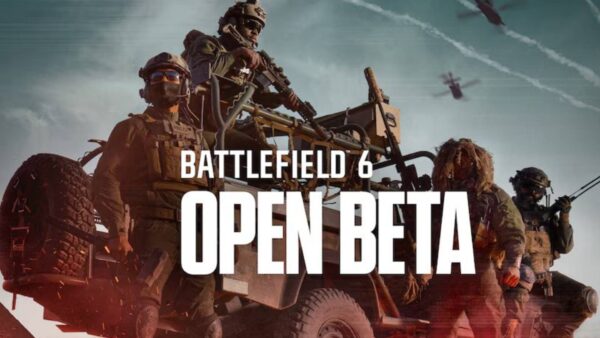
The Battlefield 6 Open Beta preload is now live on all storefronts.
Tripwire has also released a short “non exhaustive” list of items currently being worked on.
Overall Performance & Stability
Performance spikes
Several fixes are currently planned to be included in next week’s update
Matchmaking Issues including:
A fix for infinite matchmaking is currently planned to be included in next week’s update
Investigate why players are loading into a broken VTOL Lobby
And other critical issues such as:
Player inputs sometimes not being read both on rebound and non rebound keys
Incorrect ammo consumption from reserves during matches, currently planned to be included in next week’s update
Addressed a bug where late-joining players would see inactive, sound-making, headless zeds, currently planned to be included in next week’s update
Issue causing players to enter a bad server state, resulting in stuttering movement and unresponsiveness during online play, currently planned to be included in next week’s update
No word yet on when we’ll see this work-in-progress items be released, but once it’s out, expect it here on MP1st.
Although the Battlefield 6 Open Beta is going to be available for everyone to play, DICE is hosting a two-day early access for those who manage to sign up for Battlefield Labs, are a EA Play Pro subscribers, or managed to snag a code during the multiplayer reveal event.
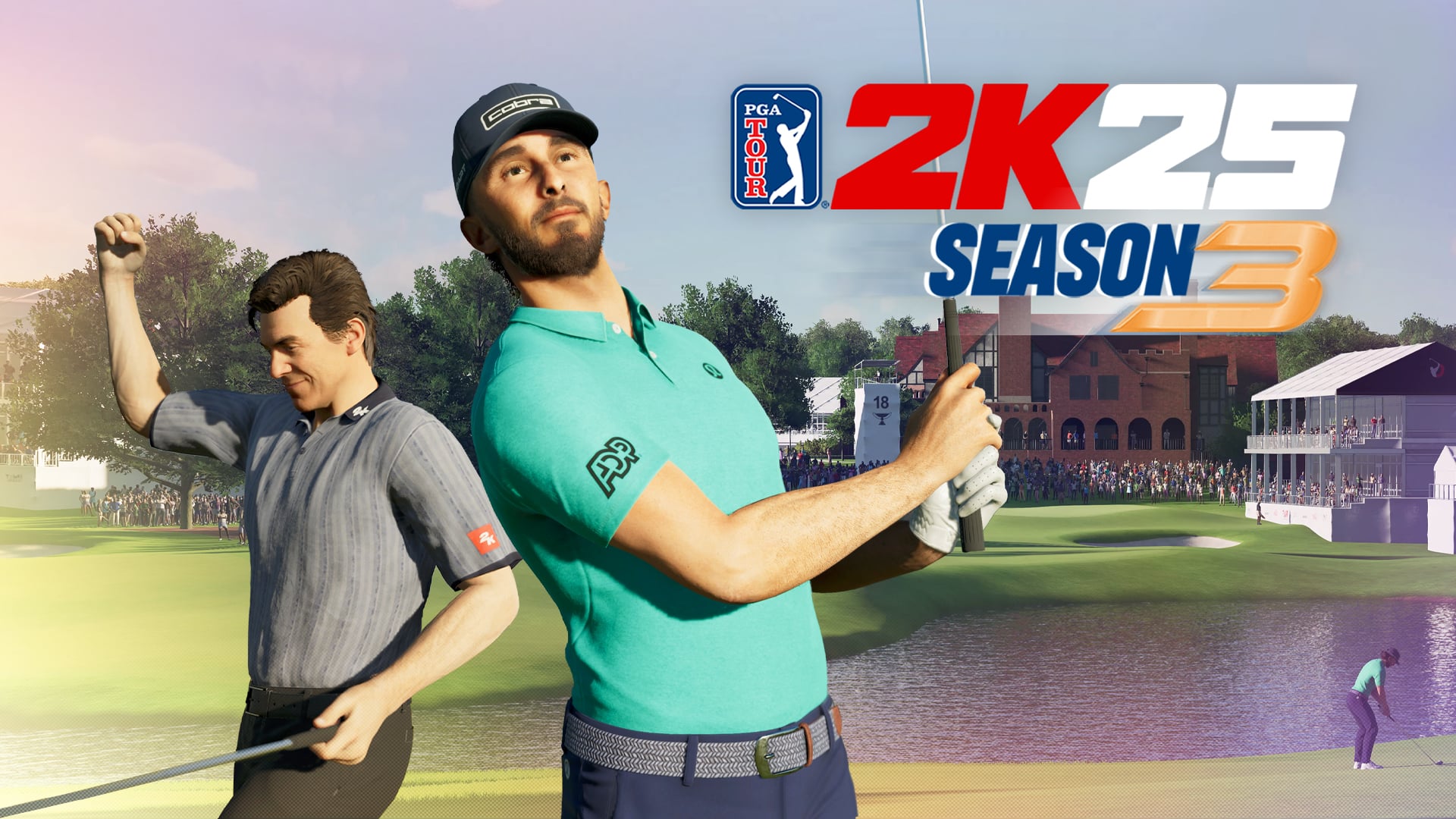
The latest seasonal content for PGA Tour 2K25 is live on all platforms, and this is should make virtual golf players happy. There are new items to earn with the new Clubhouse Pass, and of course, a ton of gameplay improvements.
Console gamers will see this as PGA Tour 2K25 update 1.018 (version 01.018.000), and this brings the culmination of the FedEx Cup, Locker Code Tuesdays, new challenge maps, a new featured archetype, and more.
The Battlefield 6 Open Beta preload is now live on all storefronts.
There’s a lot to take in so, read on for the official PGA Tour 2K25 Season 3 patch notes.
PGA Tour 2K25 Season 3 New Changes and Content via Patch 1.018
FEDEX CUP FEVER
It’s been an action packed Season on the PGA TOUR and we are well on our way to the coveted TOUR Championship, where we’ll finally see who will hoist the FedEx Cup for 2025!
GLOBAL RIVALS FACE OFF IN SEPTEMBER
Team USA vs Team Europe – who you got? Battle it out on the course this September as things ramp up to a showdown packed with themed rewards, fierce challenges, and no shortage of pride. Have your say on the main stage as global rivals go head-to-head. Your tee time is approaching!
LOCKER CODE TUESDAYS
New this season are Locker Code Tuesdays! Every Tuesday, expect locker codes to drop across our social channels and in PGA TOUR 2K25 to bring you new in-game rewards to level up your MyPLAYER! Each code expires after just 24 hours so keep your eye on the ball and follow us now to make sure you never miss a chance to claim apparel and level up your MyPLAYER!
BRAND NEW CHALLENGES MAPS!
Step into the Challenges mode, where every map is a battleground and every shot counts. Take on skill-based challenges to conquer territory, unlock rewards, and push your game further. New themed maps roll out throughout the season – can you conquer them all?
FEATURED ARCHETYPE
MAGICIAN FEATURED SKILL
Did you know: reaching 85 OVR with any archetype unlocks a specific shot type to apply to your MyPLAYER? For the Magician, players can unlock the “Recovery” shot type at 85 OVR—an essential skill for handling tough lies with finesse. Push your build to 99 OVR before the season ends to score exclusive Magician-themed rewards.
For those who prefer a keyboard and mouse control method in shooters but prefer the convenience of playing on consoles, DICE has you covered in Battlefield 6.
PGA Tour 2K25 Season 3 Clubhouse Pass
FREE TIERS
This Season’s free reward tiers include a Hugo Boss Zip up, a Wilson Staff Wedge, a Magician’s Top Hat, plus a whole lot more! Play to reach the Free Tier 25 and earn a new free shot type—the Lob Shot! This is the perfect shot to improve your short game, offering more control around the green than pitch shots and more forgiveness than Spinners. Don’t forget, if you want to start progressing through Season 3 of the Clubhouse Pass, you need to head to the Clubhouse Pass menu and set Season 3 to ‘active’ !
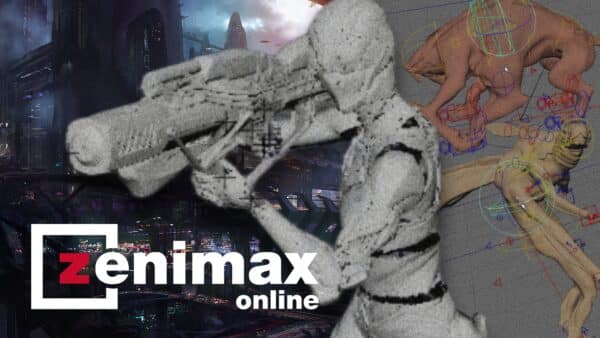
In Microsoft's latest restructuring, ZeniMax Online Studios' highly anticipated new IP, internally codenamed "Blackbird," became one of the notable casualties.
PGA Tour 2K25 Complete Patch Notes for Season 3
General
New Season 3 Clubhouse Pass
New Season 3 Ranked Matchmaking
New Season 3 Ranked Tours
MyCAREER
Addressed reported concerns related to players encountering a game crash when signing PUMA sponsor in Sponsors menu within MyCAREER.
Addressed reported concerns related to players failing to receive their reward when signing with sponsors within MyCAREER.
Addressed reported concerns related to players unable to load into a MyCAREER save after closing the game and attempting to re-enter the save.
Quests
Addressed reported concerns related to 3rd objective of “Travelers Championship” quest being unable to be completed when using long flops during local match.
Addressed reported concerns related to players’ quests unlock and completion status reflecting accurately.
Addressed reported concerns related to target markers not loading in Challenges game modes.
Addressed reported concerns related to all collection and equipment progression quests being marked as complete even though the player has not completed them.
Addressed reported concerns related to equipment objective progress being incorrectly shown as completed when player equipped Player Card instead of required equipment.
Challenges
Addressed reported concerns related to objective not progressing when landing ball on target area during “Wedge is the Right Club” in Challenge.
Addressed reported concerns related to achievement “Ace” not unlocking when holding out from the tee during a challenge within Challenges mode.
Addressed reported concerns related to target markers not loading in Challenges game modes.
Addressed reported concerns related to Barstool challenge nodes not unlocking properly when completing specific node order.
Addressed reported concerns related to the “Lag Putt is your Friend” objective failing to show as completed after player hits ball into circle by Lag Putt within CHP Challenge.
Addressed reported concerns related to objectives failing to progress when landing the ball on the target area during ‘Makeable Range’ in Challenge.
Addressed reported concerns related to objective failing to target when the player hit the ball into the target area during the challenge “Hardest Shot in Golf”.
Addressed reported concerns related to incorrect reward being shown for 100% completion of the Royal Portrush Golf Club reward nodes.
Addressed reported concerns related to objective not progressing when landing ball on target area during “Wedge is the Right Club” in Challenge.
Course Designer
Addressed reported concerns related to players being unable to select pins or tees after playtesting course within Course Designer.
Addressed reported concerns related to players being kicked from camera menu when cycling cameras in Course Designer.
Addressed reported concerns related to players being unable to exit “create water body” menu when terrain limit has been exceeded in Course Designer menu.
Addressed reported concerns related to errors when continuing creating a hole after exceeding Terrain Limit while in Course Designer menu.
Misc.
Addressed reported concerns related to mouse input & tab buttons inputting twice rather than once.
Addressed reported concerns related to text strings popping up over help menu overlay when looking in Camera Help menu.
Addressed reported concerns related to type B body having clothing clipping while set to max weight.
Addressed reported concerns related to DLC tab content missing if player enters Golf Bag or Outfit category ahead of viewing DLC tab.
Addressed reported concerns related to S2 Ranked Tours progression not tracking nor granting rewards accurately.
Addressed reported concerns related to achievement ‘BUILT FOR COMPETITION’ failing to unlock after completing 30 events in Ranked Tours mode.
With a patch this big, don’t be surprised to see bugs creep up, though we expect HB Studios to whack them with a sand wedge the moment they surface.
With the Battlefield 6 open beta early access phase kicking off tomorrow, August 7, DICE has released an update to the client today. This is a minor patch, and given we don’t have access to the game at all, chances are this implements backend changes.
Clocking in at 472 MB on the PS5, players will be required to download the Battlefield 6 open beta update version 1.000.002 before they can connect to the game’s servers. It’s best to download this now if possible, so you’ll be ready when the servers are activated tomorrow.
With the Battlefield 6 open beta client now available for pre-load, DICE is opening up the line of communication regarding some of the design decisions they're making from Battlefield Labs to Battlefield 6.
Battlefield 6 Open Beta Client Gets Surprise Update
As one might expect, there are no notes to speak of given the game isn’t playable yet. However, what we do have is important info on what to expect from the beta, as well as the list of rewards that players can earn for playing the two beta weekends.
While we already mentioned how Battlefield 6 will feature a server browser that's now readily accessible on the main page, Battlefield fans clearly want something similar to how it was in past Battlefield titles.
The first major update for College Football 26 is now live on all platforms! This adds a slew of new content in the form of new uniforms, mascots, and other items, but more importantly, this applies the biggest gameplay improvement pass to date.
Players will see this appear as College Football 26 update 1.007 (complete version 01.007.000), and brings changes to coverage, blocking, Dynasty Mode and everything in between.
The Battlefield 6 Open Beta preload is now live on all storefronts.
This is the kind of update we rarely see, where almost everything about the football sim gets adjusted.
College Football 26’s Latest Update on August 6 as Version 1.007 Is the Biggest Patch to Date
Gameplay
Coverage
Hard Flats Behavior: Defenders now stay closer to the line and recognize swing routes as threats in the flat.
Cover 2 Tampa: The middle defender now gets deeper, maintaining better leverage position against deep threats, especially from 3×1 formations.
Cover 3 Match (incl. Buzz Mable & Zone Blitz 3): Logic improvements for Defenders when reacting to Slot WRs attempting to outleverage the defense on deep routes.
Cover 2 Match (incl. Cover 6/9/Zone Blitz 2): Logic Improvements for defenders guarding inside and vertical routes, especially in formations like bunches and stacks. Improved defense against outside throws and motion-heavy offenses.
Cover 4 Quarters: Against 3×1 sets Corners and Safeties pick up the appropriate vertical threat to ensure that the #3 Receiver is covered on deep routes.
Cover 4 Palms & Cover 6: Corners won’t press by default on the trips side, reducing chances of one-play touchdowns.
Blocking
Pass Block/Pass Rush
Pre-Play: Resolved issues where QB animations prevented players from making protection adjustments blocking the RB.
Protection Menu: Now closes automatically after making an adjustment.
Visual Feedback: Fixed display issues with pass block lines after hot routing the HB.
Blocking Logic Enhancements:
Improved recognition of stunts and loops across base, empty, and slide protections.
Base protection is less effective against stunts, reflecting its man-on-man nature.
Blockers are better at identifying late blitzers and avoiding premature handoffs that lead to free rushers.
Pocket Behavior:
Tuning to decrease the likelihood of pass blockers staying in double teams unnecessarily.
Reduced frequency of illegal man downfield penalties.
Edge rushers now better recognize when they’re being out-leveraged by scrambling QBs.
Difficulty Tuning:
Increased pass rush effectiveness on Heisman and All-American.
Decreased pass rush effectiveness on lower difficulties.
Run Block/Run Shed
Targeting Fixes: Resolved issues where blockers missed or switched targets in open field, including on RPOs and core blocking schemes.
Run Game Enhancements:
Added logic to allow users to be able to untarget defenders on run plays using the ID Mike system.
Fixed bugs causing double teams to split too slowly, preventing blockers from reaching the second level.
Lead blocker logic and HB targeting in under-center formations have been improved to target the biggest threat in the open field.
Engagement & Shedding Logic:
Defenders’ leverage now appropriately affects block outcomes.
Defensive linemen shed blocks more realistically in short-yardage situations.
Edge players no longer disengage inside or take unrealistic inside angles.
Reduced defender control on Block steering interactions.
Animation & Ratings Logic:
Defenders with big ratings advantages now trigger “super win” animations correctly.
Fixed issues where edge rushers didn’t respond properly to scrambling QBs.
General Blocking Animations
Resolved multiple animation issues causing failure to match engagements, frozen players, players stuck in disengages, impact blocks, and animations playing in the wrong direction.
Run Fits and Pursuit
Tuning to improve effectiveness of QB contain defenders vs. play-action bootlegs.
Tuning to improve man coverage effectiveness vs. Jet Motion, specifically for the defender to continue following the motion through the snap.
Playbooks
Adjusted Wildcat and Flexbone plays, including QB Power Swing, Direct Snap, and FB Dive logic.
Split Flexbone FB Toss into two types: FB Sweep (Pin-Pull) and FB Zone Toss (Outside Zone).
Fixed blocking issues on rocket toss, Buck Sweep, and Pistol PA HB Wheel plays.
Improved motion consistency across play sets and fixed alignment issues in no-huddle formations.
Disabled Playmaker flip on Flexbone FB Dive to prevent broken handoffs.
Added new content to Army, Navy, Air Force, and Option Generic offenses, including new Flexbone and Wingback formations.
Introduced GoGo Generic Offense and expanded Air Raid Generic Offense.
Updated play call suggestions to avoid duplicate play types in the same row.
Added Goal Line set to UTSA and made Singleback Spread default to 4WR.
Fixed pitch man behavior on option plays and improved backside edge blocking on RPOs and Play Action.
Synced Play Action Bootlegs with their paired runs and gave all PA Walk plays Inside Zone fake blocking.
Improved deep PoCo route to better sell the Post.
Reduced snap delay on Reload and Dbl Mtn plays (where QB/HB swap).
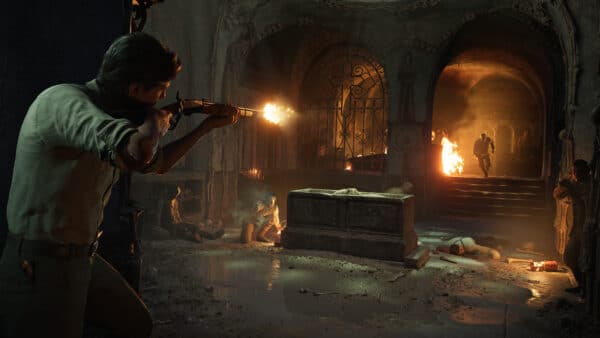
We are coming up on a year since Bloober Team announced Cronos: The New Dawn.
Dynasty
We’ve added two new awards, which are both available in the Trophy Room
The Shaun Alexander award was added, which is given to the best Freshman of the Year.
The Jet Award, which is given to the best special teams returner.
To help players make better decisions when determining who to target in Transfer Portal, Career Wear and Tear is now shown in the Player Module while viewing the Transfer Portal spreadsheet.
Corrected an issue with lighting and game times. Now, in-game times properly reflect local time. This means that a 9pm Eastern Time game in Hawai’i will correctly be at 3pm local time.
Added new scheduling rules for non-Eastern time teams to ensure their games start at the correct times locally.
Added additional rules reflecting the limitations on day games in Arizona in the early fall months.
Added the team uniforms to player portraits on full screen notifications.
Tuned Ability Pre-requisites to better align with positional archetypes.
Pocket Disruptor for Pure Power and Power Rusher no longer requires Power Moves
Pocket Disruptor for Speed Rusher no longer requires Finesse Moves
Updated Skill Groups for many archetypes to ensure they have access to every ability for their archetype, especially Toughness.
Exception for the Dot! ability on Gadget Receivers for balance purposes. In rare situations, a Gadget Receiver can still be generated with Dot!.
Multiple fixes to Playing Style Grades across various archetypes.
Updated Box Specialist to use Defensive Rush Yards Against Per Game
Update Signal Caller Playing Style Rank to use the correct ordering
Increased Speed and Acceleration for Safeties in Recruit Generation, especially 3 and 4 Star Coverage Specialists and Hybrids.
The Pro Potential My School grade now properly updates after Draft Results and before the start of the Transfer Portal.
Increased the number of players in the Transfer Portal who start in the Open Status.
When in the Records Screen, switching between National/Season/Game tabs will now maintain your current filter allowing you to easily view a team or conference’s career, season, and game records.
Updated Boise State rushing TD Record, Big Ten rushing yard record, CUSA receptions record, and Missouri State rushing TD records.
SuperSim
Reduced the number of pass attempts for AI teams.
Increased Yards Per Catch for teams with elite WR1s.
Increased designed QB Run Plays to ensure that running QBs more closely align to their real-world Rush Attempt averages.
Added Weekly Summary Notification to alert when a player is visiting that week.
Fixed an issue where non-user coaches could appear as “Vacant” in the Schemes & Playbooks screen.
Fixed an issue where you would be unable to change a player’s position after viewing their player card.
Fixed an issue where team win percentage did not include bowl games. This also fixes a related issue where the winning seasons coach stat was not incrementing properly.
Setting the Player Edit Permission setting to Commissioner no longer allows non-commissioner users to edit the height and weight of their players.
When exiting the auto subs screen, you will now be prompted with a popup asking if you want to save your changes
Updated team’s Athletic Facilities and Brand Exposure My School grades.
Fixed an issue causing TeamBuilder My School grades not to align with website grades late in the season.
Add the Strategist archetype icon to the Player Module Dealbreaker sub-panel when a player’s dealbreaker has been lowered due to the Lower The Bar ability.
Fixed an issue where FCS teams showed under the ACC filter when selecting an opponent in Custom Schedules.
Fixed an issue in Staff Moves where the coach module would display the coach’s record with their new school as their record with their previous school. It now correctly shows 0-0.
Fixed an issue in Custom Conferences where you could add a school to the conference they are already in.
Custom Schedules now show the correct location for neutral site games.
Added a counter to Formation Subs displaying the total number of subs that have been made.
Road To Glory
When adding a school to your Top Schools List, you will now see if that school has offered you a scholarship regardless of whether or not they are in your Top 10.
Fixed an issue where offers would be given or revoked when advancing to Signing Day.
Reduced the amount of test readiness needed to pass your exams to more closely align with Scrape By. Note, if you already have a low GPA, you will still need to get higher than “Scrape By” in order to stay eligible.
Reduced the amount of Wear and Tear damage Incurred from Training.
Medal Thresholds for Gap Drill for Cornerbacks have been reduced.
Player Grade Widget and Pause Menu Stats Screen now show Total Touchdowns.
Added Player Feedback Notifications when exiting High School Games.
Added new Sponsorship Deals to be earned via NIL.
Fixed an issue where you could not graduate in 3 years if you redshirted your first season.
Fixed an issue allowing you to spend energy points on leadership and brand even when the meters were already full.
Fixed an issue where your current school appeared as one of the schools you could transfer to in the transfer portal.
Fixed an issue with MIKE linebacker not displaying properly in the Trophy Room.
In Microsoft's latest restructuring, ZeniMax Online Studios' highly anticipated new IP, internally codenamed "Blackbird," became one of the notable casualties.
Ultimate Team
Fixed an issue where the Event rules screen was not displaying properly.
Fixed an issue where upgraded items were missing the BND tag until you back out and re-enter the My items .
Fixed an issue where Event: Prerequisites: House Rules were not displaying properly.
Fixed a navigation issue in Team Select: Line up: In Event Requirements.
Fixed an issue when looking to upgrade Keldric Faulk using the tokens, all items are present instead of just the usable items.
Fixed an issue where Users wallet disappeared after viewing the rewards for a field pass.
Fixed an issue in Challenges where Spamming the ‘Select’ button prompts an error message and leads the User back to the Main Menu.
Fixed an issue where sections tabs were missing from the lineup screen.
Activating a X-factor ability after flipping items in the Lineup menu now will not reset the flip.
Fixed an issue where users were returned in the challenge category selection screen after exiting from the milestone screen.
Pack Helper will recommend set completion over lineup improvements when the user has an empty lineup active.
Fixed an issue where players that are contributing to team requirements did not display their position and depth.
Fixed an issue where the scoring drive banner showed the wrong time during UT challenges.
The difficulty bonus percentage now is not cut off on the study hall progress screen.
Fixed an issue where the ‘BND’ & ‘LTD’ badges were both black with white text.
Fixed an issue where the ‘Lineup Needs Editing’ dialog box was not visible in Events with long lists of Team Requirements.
Fixed an issue where event rewards were not being displayed for Gauntlet
Fixed an issue where the Generate best lineup for special teams did not put a player in at kick off specialists.
Fixed an issue when entering the substitution screen from team OVR requirements available players did not populate.
Fixed an issue where items were loading very slow when switching between all tabs from the “Item Manager/My Items” screen.
Fixed an issue where No Coin Image would appear in “Rewards” when user Earns them in the field pass
Fixed an issue where arrows were not shown correctly in the challenge info screen.
Fixed an issue where the “Getting to know the basics” Challenge Text overlaps.
Fixed an issue where no rewards would appear in Online H2H when pressing Progress & Rewards button
Fixed an issue where the player image will appear blank on the Level 50 Field Pass for Season 1 item 87 OVR BDN Xavier Scott.
Fixed an issue where accepting an invite from UT Play a Friend squads lobby to a Head to Head squads lobby.
Two RS callouts are now present in the Progress & Rewards screen when having at least 6 games in the Results box.
Fixed an issue where users received “You lost the auction” pop up when an auction expires even if the user didn’t bid.
Fixed an issue where the game would crash after leaving a MUT Challenge Lobby.
Fixed an issue where the user could not navigate between Team Pass tabs after accessing the Team Pass menu while inside the Compare screen in Ultimate Team
Fixed an issue where the Team Pass Objective screen would refresh 3-4 times before the user can function when accessing from a player card customization item.
Fixed an issue where Pack Helper options were not displayed when receiving Jerome Baker after completing a challenge.
Fixed an issue in “The Run” Game 2, the CPU automatically starts with 3 points, which incorrectly deducts 40 points from the player’s leaderboard score.
Fixed an issue where invited players received an error pop up and were removed from lobby when pressing ready while being transitioned to lobby UT Play A Friend.
Game history is now shown in the Season Rewards screen in Progress & Rewards.
Multiple UI elements now disappear when the user returns from the Progress & Rewards screen.
For those who prefer a keyboard and mouse control method in shooters but prefer the convenience of playing on consoles, DICE has you covered in Battlefield 6.
Presentation
Players/Equipment/Uniforms
Adjusted neck length and helmet fitment on most all players.
Adjusted hair helmet on placement for players with longer hair.
New alternate uniform elements for Ohio, Notre Dame, Boston College, Tennessee, Tulane, Tulsa, Iowa State, Mississippi State, Cincinnati.
New updated or added Home and/or Away sets/elements for Washington, Liberty, West Virginia, Toledo, Georgia Tech, Houston, Tulane, Western Michigan, New Mexico State, Temple, Cincinnati.
Adjusted current uniform assets for Central Michigan (Helmet), North Carolina (Numbers), Marshall (Collar).
Audio
Crowd Updates
Increased crowd reactions to big moments .
Home Field Advantage pre-play swell tuning for different stadium attendance sizes.
Updated Crowd Assets for general pregame and RTG First Person runouts.
Deep Pass anticipation reactions updated to improve timing.
Tuning on field collision sounds.
Adjusted UI Sounds across multiple modes.
New Crowd Themes for the following schools:
Note: New crowd themes included in this update are exclusive to which schools you are playing against and the time of year.
Added All Hail Washington State post Washington State Touchdowns.
Added Music to the VOLS chant at Tennessee.
Added Pump it Up to Michigan after PAT on First TD.
Update to Good Ole Song for Virginia.
Added more chants for Arizona.
Added SFX for Missouri State Cannon.
Commentary Updates
Fixes for Fair Catch inconsistency.
Fixes around PAT follow-ups.
Adjustments to Commentary Banter frequency.
Adjustments to Commentary intros around ranked games.
New Mascots
Appalachian State – Yosef
Virginia – Cavman
UTEP – Paydirt Pete
James Madison – Duke Dog
Memphis – Pouncer
Field Art Updates
Added new Kansas “Waving Wheat” End Zone Design
Various corrections for other Field Art on other teams.
Now that’s one beefy update! Given the scope of the patch, don’t be surprised if another one is released by the developers to fix any issues that surface from this update.
As we inch closer to the multiplayer reveal of Battlefield 6, fans' expectations continue to grow astronomically, as there are still many unanswered questions that many hope will be revealed this Thursday.
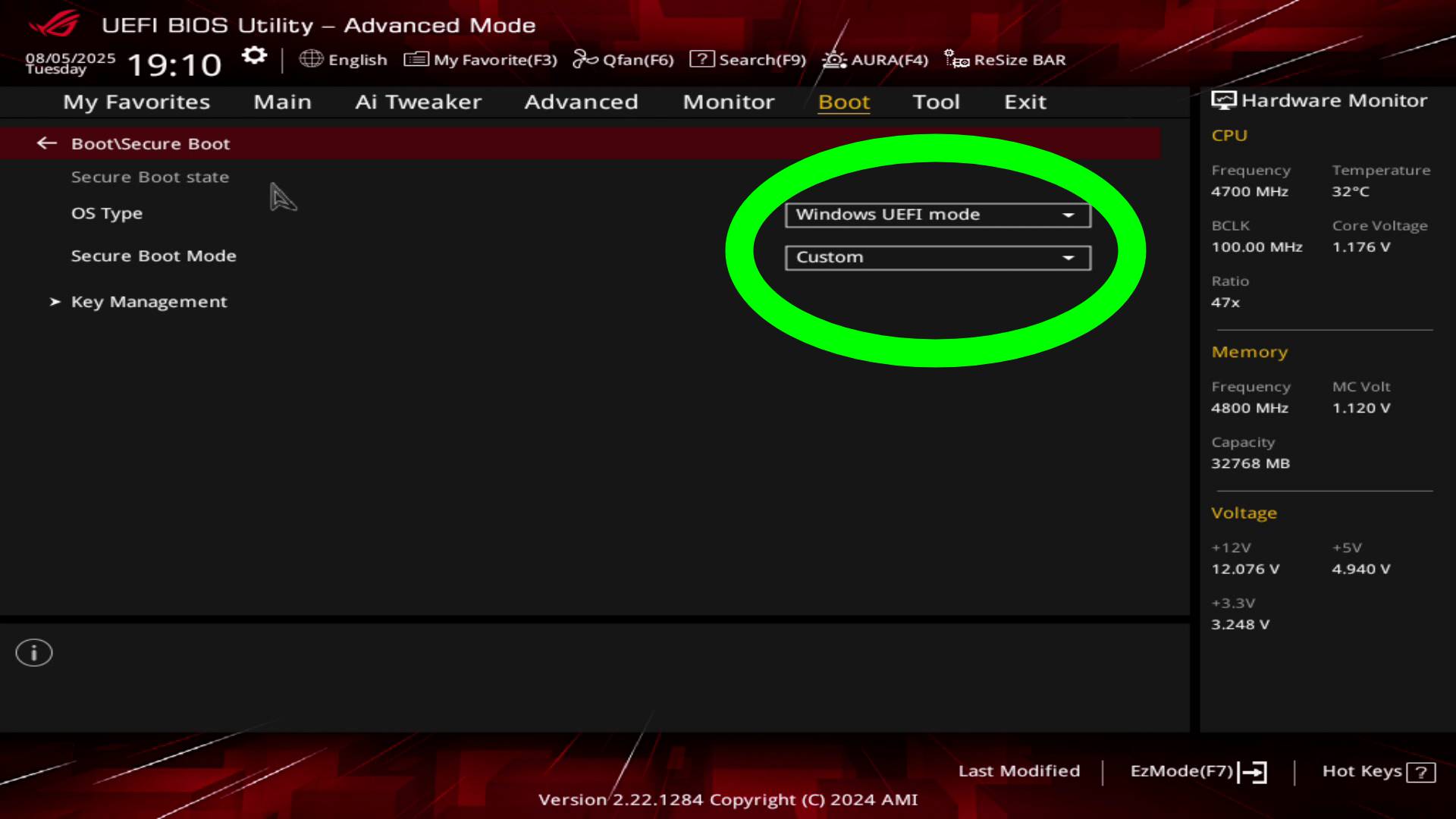
For all you PC gamers planning to play the Battlefield 6 Open Beta this weekend, note that the game requires secure boot to be enabled. As disappointing as that is to hear for many, the reasoning is mostly due to combating security exploits that can lead to cheating, among other things.
Still, despite how easy (that’s an overstatement) enabling secure boot on a PC should be, many are having trouble figuring it out. Although not the answer for everyone, EA has provided a short guide to help you determine if you have it enabled, and we try to walk you through how to enable it.
With the Battlefield 6 open beta client now available for pre-load, DICE is opening up the line of communication regarding some of the design decisions they're making from Battlefield Labs to Battlefield 6.
Battlefield 6 Requires Secure Boot, But Be Cautious, as Not Everyone is Having a Smooth Experience After Enabling It
In case you didn’t know, Battlefield 6 will require secure boot for all PC players. This was revealed with the launch of the preload for the open beta, where many PC players were greeted with a message upon booting the game that they require secure boot to launch.
For those unfamiliar with secure boot, it’s a security measure that protects your PC during startup from potential malware and other unauthorized harm. With Windows 11 now being pushed hard by Microsoft, as Windows 10 will soon be losing support, secure boot enabling has started to become more and more common in upcoming releases, especially multiplayer games.
The unfortunate part of all this is that, for many, even new PCs and custom builds, this isn’t enabled by default. With so many PC gamers buying their builds pre-made, or simply sticking to the basics of installing the components and barely touching the BIOS, enabling secure boot has become quite a hassle for some.
Although I experienced zero issues enabling it on my systems, I only found out that it was still disabled after having this build for almost three years now. That, and I know plenty of other PC owners out there who have been having a nightmare enabling secure boot, so for those planning on doing so, just be prepared for the worst.
To get started, you’ll first want to figure out if Secure Boot is even enabled on your PC. The easiest way if probably just trying to launch Battlefield 6 Open Beta and seeing if that secure boot message pops up. If it doesn’t and you boot right into the game menus, then you are good to go. You might need to update your graphics card drivers, in which case you should refer to whatever tool you normally use to update your drivers.
While we already mentioned how Battlefield 6 will feature a server browser that's now readily accessible on the main page, Battlefield fans clearly want something similar to how it was in past Battlefield titles.
Here’s how you check if Secure Boot is enabled on Windows 10 and Windows 11 (via EA):
Select the WindowsKey + R. This will open the Run Window.
Type msinfo32 and select the Enter Key or OK.
From the System Information window that opens, select System Summary.
Scroll down to find these values:
BIOS Mode value should be UEFI
Secure Boot State value should be On.
If Secure Boot State is Off, we’ll need to check the BIOS Mode and then enable it.
If Secure Boot State is Unsupported, check with your motherboard manufacturer’s specification sheet or manual to see if Secure Boot is supported.
If BIOS Mode is UEFI, then you can move on to how to enable Secure Boot.
If BIOS Mode is Legacy, you’ll need to check if your Windows disk is MBR or GPT.
Now comes the tricky part: enabling Secure Boot on a PC.
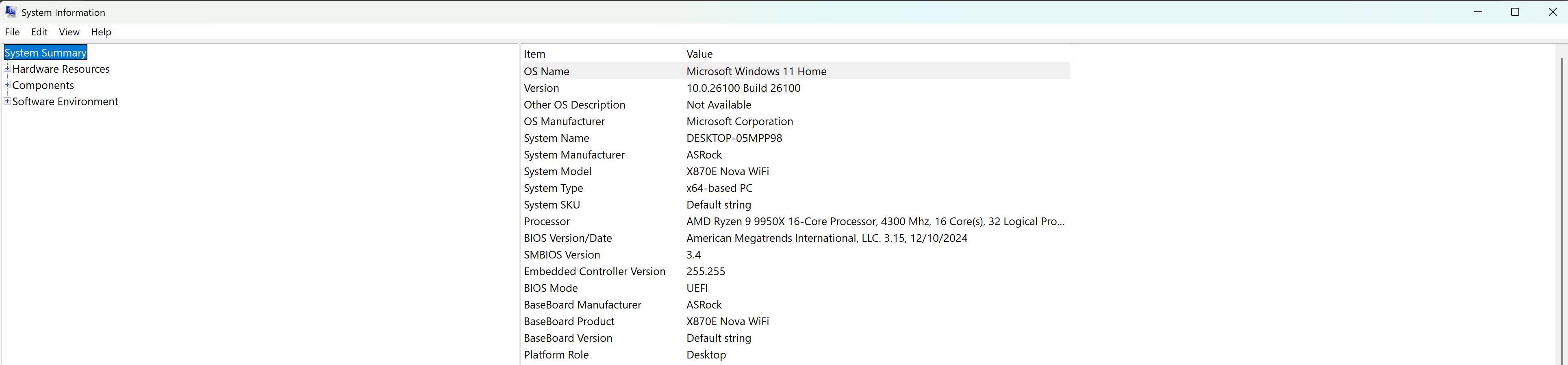
Due to the numerous motherboard manufacturers, there is no single answer that suits everyone, as each has a different BIOS layout. The easiest place to start is to find out what motherboard your PC has. If you can’t think of it off the top of your head, all you have to do is open up the Windows search bar and type “system information.” You should see a pop-up for this option, click it, and you will see information about your PC.
This is what mine looks like.
Write this down somewhere to use later.
Now, it might not be a bad idea to conduct a quick Google search for updates for your motherboard and BIOS. Again, everyone is different, and you are going to want to do some online research on what may be a stable build for your motherboard. Take into account your CPU, too, because not all BIOS updates are stable with certain CPUs. This is where I believe the root of most issues lies when some users report that their PC no longer boots or they no longer have a display.
I also suggest updating your BIOS ahead of time because many users have reported not seeing the Secure Boot option in their settings. An update at one point might have added the option when it was not originally there. Again, do a lot of research first, and make sure the update you are switching to is stable with your CPU. As you can see in my image, the last update I made was in December 2024. You don’t have to be on the latest version of your BIOS, and I would even recommend against it, since it often introduces more issues due to its newness. Again, research.
With the multiplayer reveal for Battlefield 6 that happened this past Thursday, many of the community's burning questions have not only been answered, but also concerns and feedback from viewers are already being addressed by the Battlefield Studios ahead of the game's release.
Alright, the next step you are going to want to do is grab your phone, or use another PC, and search YouTube or Google, “How to enable secure boot on [insert your motherboard info].” For me, it was “How to enable secure boot on Rog strix B650E-F Gaming Wifi.”
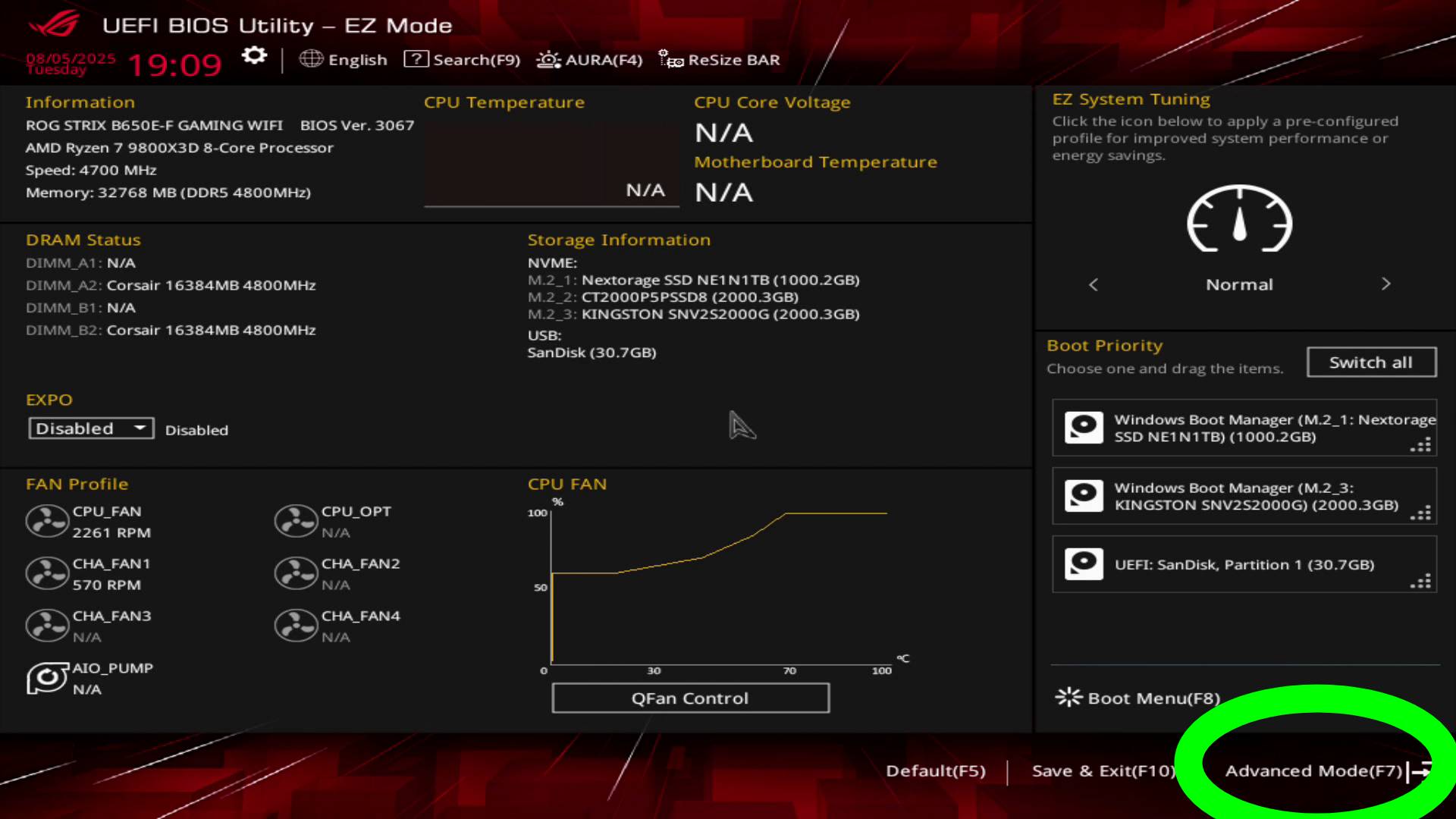
You’re going to get a lot of results, but before you click any, let’s get your PC into the BIOS menu. This should be the same for everyone. Shut down your PC, boot it up, and you should see your boot-up screen with some text at the bottom, instructing you to press either F2 or DEL to enter the BIOS. For the sake of this guide, I am using my current PC build listed above. AGAIN, THIS WILL NOT BE FOR EVERYONE, but if you have the same board, it will be.
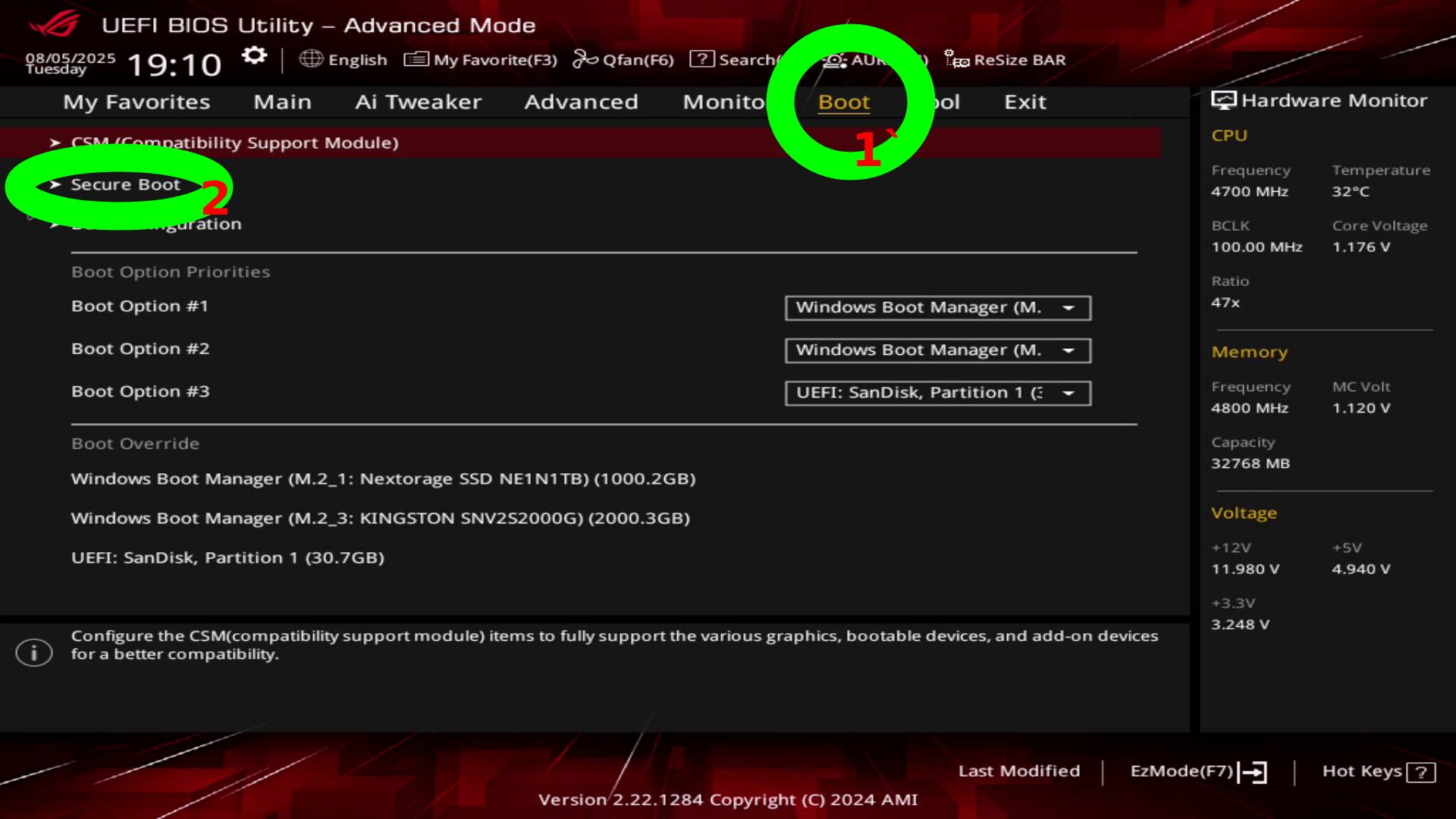
Once in the BIOS, navigate to the Advanced settings and select “Boot” from the top menu. You’ll then see “Secure Boot” listed in the menus.
This is what my Secure Boot settings look like. Set it to that, exit, save, and pray your PC boots.
That’s how you enable Secure Boot, at least on an Rog strix B650E-F Gaming Wifi. I’ll point out that a majority of my settings are stock. I even have EXPO disabled since it was causing me unrelated issues a few months back.
And once again, I want to emphasize that my instructions may not suit everyone, so please conduct some online research to ensure you have all the necessary information to enable it on your board. Additionally, the Battlefield Reddit community has a megathread where users help one another try to figure this out, so it might be worth visiting if you encounter any issues.
The reality is, it shouldn’t be this complicated. I mean, it’s not when everything actually works the way it’s supposed to work, as if that is the case, you should be able to enable it in a matter of minutes. Sadly, though, many have reported issues enabling secure boot, with some even unable to use their PC due to a black screen and crashes. Those are much more complicated to troubleshoot, so you’ll have to do your own research on that if it does happen to you. Hopefully not, but be prepared for the worst if you do plan on proceeding with enabling Secure Boot.
For those hoping EA and DICE will backtrack on the requirement, it’s doubtful, given that Windows 10 will reach the end of its life on October 14, 2025, just four days after the launch of Battlefield 6. On top of that, the game’s anti-cheat system is also built around Secure Boot, so chances of it ever being dropped anytime soon are slim.
Battlefield 6 Open Beta begins this weekend on PC and Consoles, with the game releasing on October 10, 2025. If you’re hoping to get early access privileges, EA is giving some away, though you have to be quick about it.
While a recent datamine has shown us that the cosmetics planned for Battlefield 6 don't include cartoon characters or anything of the sort, we now have the first confirmation from DICE that they are looking for a more "grounded" look to cosmetics.
A gamer at heart, James has been working for MP1st for the last decade to do exactly what he loves, writing about video games and having fun doing it. Growing up in the 90's gaming has been in his DNA since the days of NES. One day he hopes to develop his own game.
Just days before its release, Hanger 13 has confirmed that Mafia: The Old Country will have PS5 Pro enhancements.
Although it won’t come with any advanced graphical improvements, like ray-tracing, PS5 Pro owners will be happy to know that they’ll be able to run the game at a much higher performance.
The leaked release date for Mafia: The Old Country that surfaced last month was the real deal as expected, as the game is headed out on console and PC on August 8, 2025.
Mafia: The Old Country’s PS5 Pro Enhancements Detailed
As revealed on X (formerly Twitter), Mafia: The Old Country is PS5 Pro enhanced! The enhancements are as follows:
Support for Variable Refresh Rate
Support for 120Hz displays
Higher dynamic resolution in both Quality and Performance modes
It’s about what we expected to see out of the PS5 Pro enhancements, which generally come in the form of resolution and performance boosts. Still, 120Hz is nice to have along with VRR, which should make the overall experience a whole lot smoother, and hopefully, much better looking over the base console.
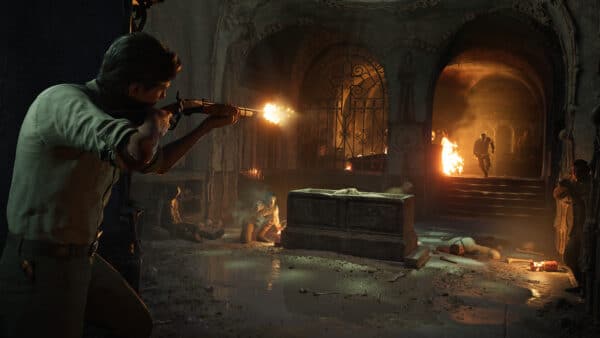
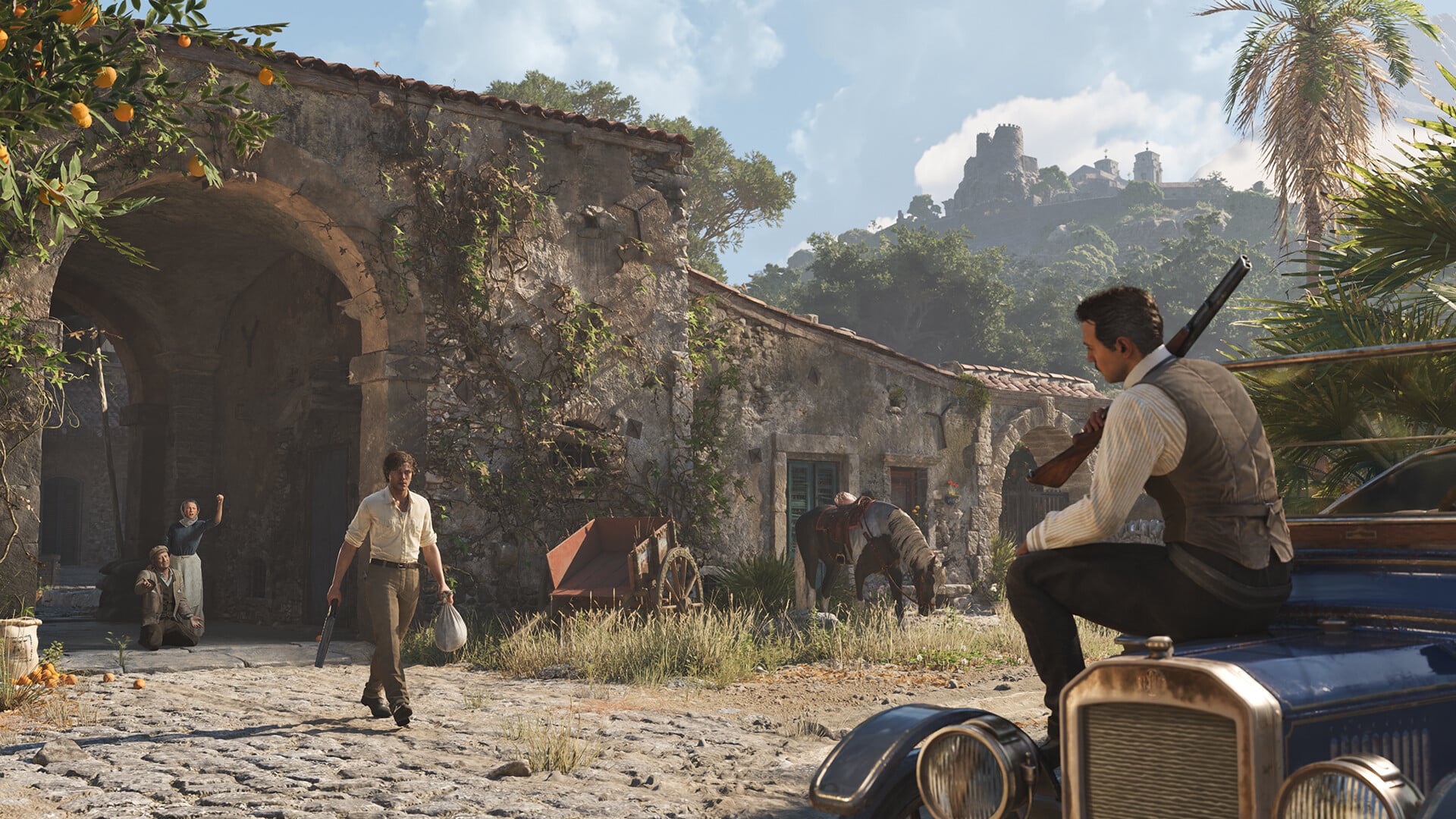
Uncover the origins of organized crime in Mafia: The Old Country, a gritty mob story set in the brutal underworld of 1900s Sicily. Fight to survive as Enzo Favara and prove your worth to the Family in this immersive third-person action-adventure set during a dangerous, unforgiving era.
Enzo will do anything for a better life. After a brutal childhood of forced labor, he’s ready to risk everything to become a man of honor in the Torrisi crime family.
His oath to the Mafia, with all the power, temptation, and hardship it entails, is a burning reminder of this simple truth:
Family Takes Sacrifice.
This thrilling narrative is brought to life by stunning visuals, cinematic storytelling, and the authentic realism that the critically acclaimed Mafia series is known for. Enzo’s story unfolds in a time when skill with a stiletto blade was a deadly asset, a lupara sawed-off shotgun was a go-to firearm, murderous vendettas raged for decades, and mafiosi patrolled their protection rackets on foot, horseback, or behind the wheel of turn-of-the-century motorcars.
Mafia: The Old Country launches this Friday, August 8, 2025, on the PS5, Xbox Series X|S, and PC.
Although the Battlefield 6 Open Beta is going to be available for everyone to play, DICE is hosting a two-day early access for those who manage to sign up for Battlefield Labs, are a EA Play Pro subscribers, or managed to snag a code during the multiplayer reveal event.
A gamer at heart, James has been working for MP1st for the last decade to do exactly what he loves, writing about video games and having fun doing it. Growing up in the 90's gaming has been in his DNA since the days of NES. One day he hopes to develop his own game.
Although the Battlefield 6 Open Beta is going to be available for everyone to play, DICE is hosting a two-day early access for those who manage to sign up for Battlefield Labs, are a EA Play Pro subscribers, or managed to snag a code during the multiplayer reveal event.
For those who aren’t big on signing up for another subscription and missed out on the Labs signup, it looks like your only chance to get to play a little bit earlier will be through an early access code. Luckily, it seems DICE has plenty in stock, as they plan to give away a bunch leading up to this Thursday’s release.
The Battlefield 6 Open Beta preload is now live on all storefronts.
There’s Still a Chance to Play Battlefield 6 Open Beta Early Access
Battlefield fans who missed out on the initial early access giveaway will be glad to know that EA is giving you yet another opportunity to get a code. Announced on X (formerly Twitter), fans can join the official Battlefield Discord channel, where DICE and EA will be sharing a list of redeemable early access codes.
Over the next day or two, your Community Team will be dropping images onto the Battlefield Discord that contain Early Access Keys!
We’ll be sharing them at random intervals, and they’ll look just like the one below 👀
The only downside is that this is all first-come, first-served, meaning the person with the fastest fingers is the one likely to get to code first. But hey, getting a chance to get in on the early access is better than no chance, right?
Even if you don’t get a code, the bright side is that you won’t have long to wait, as the first open beta weekend for Battlefield 6 begins this weekend. The complete schedule is as follows:
Weekend 1: August 9-August 10
Weekend 2: August 14-August 17
The Open Beta will be available on the PS5, Xbox Series X|S, and PC. For PC players, you’re going to want to make sure you meet the minimum requirements, and as a reminder, you must have secure boot enabled to boot the game. Because of how many different motherboard models there are, your best bet is to check your model and do a quick online search for a tutorial, as no set of instruction will fit every board out there (sadly).
Otherwise, good luck, everyone, and hopefully you manage to snag a code!
With the Battlefield 6 open beta client now available for pre-load, DICE is opening up the line of communication regarding some of the design decisions they're making from Battlefield Labs to Battlefield 6.
A gamer at heart, James has been working for MP1st for the last decade to do exactly what he loves, writing about video games and having fun doing it. Growing up in the 90's gaming has been in his DNA since the days of NES. One day he hopes to develop his own game.
In Microsoft’s latest restructuring, ZeniMax Online Studios’ highly anticipated new IP, internally codenamed “Blackbird,” became one of the notable casualties. The long-awaited project, which had been a subject of anticipation for years, was cancelled alongside other significant titles such as Rare’s Everwild and the Perfect Dark reboot.
The game’s existence was originally uncovered through various job listings and a 2020 document unearthed from the FTC vs. Microsoft case, where the project was first revealed as “Project Kestrel”, along with a planned expansion for it. However, this codename was short-lived, as according to Bloomberg, it was later changed to “Blackbird” due to Zenimax’s intention to use “Kestrel” as the game’s final title.
Concerning the game’s content, reports indicated “Blackbird” was envisioned as a third-person sci-fi MMORPG, featuring a high degree of mobility comparable to titles like Titanfall, and a vast open world, though with a particular focus on the planet’s capital city, named “Exodus”. It is also said that the game received nothing but high praise from Xbox executives, making its cancellation particularly disheartening, as we will never see it completed. However, our curiosity led us to uncover over two minutes of footage offering a glimpse at the game’s animations, along with some of the models for the creatures and characters we would have seen.
It's hardly groundbreaking news that more Xbox first-party titles are making their way to PlayStation 5, but it's always interesting to get confirmation of upcoming ports for the platform.
“Project Blackbird” Footage Unveiled
This material originates from the portfolio of a ZeniMax animator, revealing a wide variety of development animations. These include facial animation tests, weapon animations, player body proportion tests, and mobility cycles for five distinct species: W’Hurra, Wretzel, Skreev, Coyo, and Kronar. Interestingly, a report from True Achievements, which includes plot details, describes one of these races, the W’Hurran, as tall and furry aliens who were “were masters of business.”
The next species shown, the Wretzel, appears equally humanoid, suggesting that we would likely have been able to interact with both. However, concerning the remaining species—Skreev, Coyo, and Kronar—their more prominent animalistic features suggest they might have solely been part of the world’s fauna.
According to information we’ve been able to obtain, the Japanese studio FromSoftware — in addition to working on updates and DLC for Elden Ring: Nightreign, as well as on an exclusive title for the Nintendo Switch 2 called The Duskbloods — is also in the advanced stages of production on another, as-yet-unannounced project: a multiplatform game with the codename FMC (note that this is most likely an abbreviation of a longer codename).
Regarding the weapon animations, we can observe a prototype for a female player character in sci-fi armor, wielding two light and two heavy weapons, all of which share the same futuristic aesthetic. Lastly, the footage presents body proportion tests, likely intended for player character customization.
All of this material appears to have been captured just days after the game’s cancellation, as indicated by the dates we’ve found within other related files. However, despite these timestamps, we still don’t know how early this development material truly is concerning its state just prior to the project’s termination.
Unfortunately, Microsoft ultimately shelved the game, directly impacting over 200 developers who were working on it. Despite a misleading headline that circulated claiming no ZeniMax Online developers were laid off following the cancellation of “Blackbird,” industry reporter Jason Schreier quickly clarified that while these developers were temporarily retained during severance package negotiations, nearly all were, in fact, losing their jobs.
In other related news to Bethesda, which is owned by ZeniMax, we reported that its sci-fi RPG Starfield won’t be out on the PS5 this year, and is instead targeting a Spring 2026 release window.
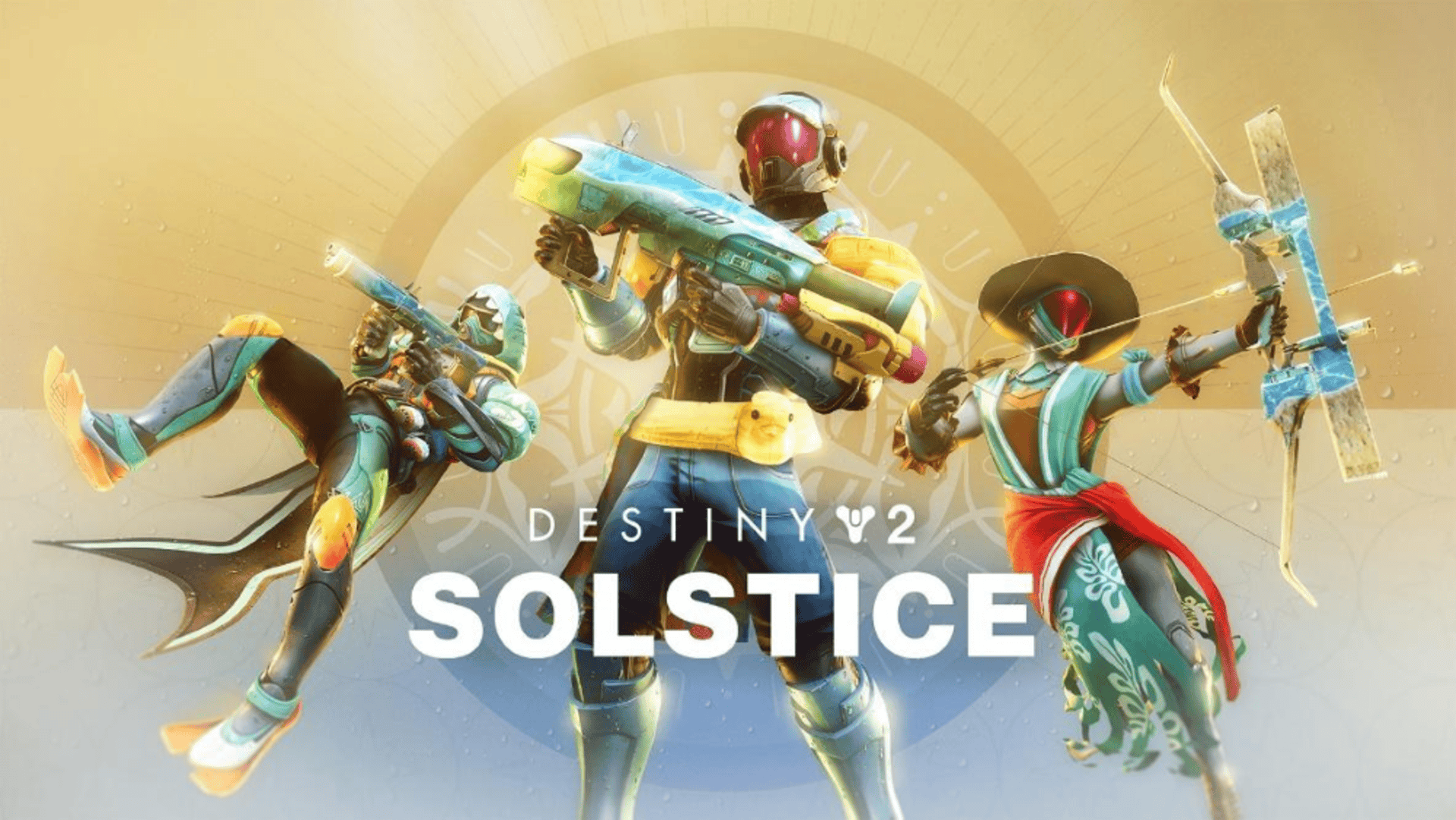
Bungie has dragged in the return of the Destiny 2 Solstice Event with a new patch rollout. Players on consoles will see this as Destiny 2 update 3.69/1.164, which Bungie calls patch version 9.0.0.5.
Alongside the new content for the event, there are a ton of gameplay-related changes regarding The Edge of Fate, Portal, Raid and a lot more, all outlined in the patch notes.
Destiny Solstice Event 2025
Commemorate all we’ve overcome in a solar celebration! ☀️
Solstice has returned, bringing new Holofoil weapons and activity modifiers to Destiny 2.
Here’s what players can expect straight from Bungie: “The summer party brings new Solstice-specific modifiers to Portal activities that are inspired by Solar energy to keep the heat turned up for the event. Guardians will use the Solstice Forge to create their armor and infuse it with a stylized glow that’s unique to the event. Also, players can earn weapons such as the new Yeartide Apex Solar Submachine gun, the new Festival Flight Strand Grenade Launcher, and the returning Fortunate Star Void Bow.”
During the Solstice event, all players can earn rewards through challenges in the Event Home, such as a Solstice-themed emblem, a Ghost shell, and even Holofoil weapons. Also, the Eververse store features pool-party themed armor for Guardians to stay refreshed and have some fun in the sun during the Solstice event.
The Battlefield 6 Open Beta preload is now live on all storefronts.
Destiny 2’s New Update on August 5 Brings a Flood of Improvements via Patch 3.69/1.164
Activities
The Edge of Fate
Fixed an issue where Relocator II would not be granted to some players when completing the Saturnism mission.
Fixed an issue where players could become blocked from progressing The Edge of Fate campaign by acquiring Strangelets while playing with other players on Fabled or Mythic world tiers.
Fixed an issue where players could not complete the Dark Academia quest until after completing The Outer Steppes Strangelet, despite being able to pick it up before completion.
Portal
The Low Gravity modifier will no longer be randomly assigned for Quickplay Playlists or matchmade Fireteam Ops.
Fixed an issue in Encore where the mid-activity chest could reward players more than once after intentional fireteam wipes.
This activity has now been re-enabled in Pinnacle Ops.
Fireteam/Solo Ops’ master playlists now have their combatant tier modifier inform players that they need to be prepared for champions of any type.
Grappler score penalty was increased to 4 Red Arrows, alongside the gameplay changes (detailed below) and is now re-enabled.
We’ll continue to monitor its usage and adjust scoring if required.
Lowered the minimum Power requirement for matchmaking into Expert Fireteam Ops.
Fixed an issue where Reward Banners were not playing at the end of every Portal activity as expected.
Fixed an issue where players could soft-lock themselves in the Conflux Solo Op by progressing too quickly.
Raid and Dungeon
Legacy raid and dungeon activities have had their combat difficulty for normal and master modes reduced by ten Power.
Base combat difficulty in the Desert Perpetual raid has been reduced by ten Power.
The Cutthroat Combat raid feat has been reduced by ten Power.
Was +40 combatant power, is now +30.
The requirements for the Combined Mastery Triumph have been lowered to require only one completion at base difficulty.
Gear reward tiers will depend on the number of feats active. Instead of getting a T1 reward previously, you will get a T2 reward. Layering on additional feats will increase difficulty but also help you get to T3 rewards and beyond.
Lost Sectors
Fixed an issue where players would spawn outside of the K1 Logistics Lost Sector on Expert or Master difficulties.
Crucible
Fixed an issue where Quitter Protection was not functioning in the Competitive playlist and Trials of Osiris playlists.
Fixed an issue where sprinting would degrade over time in an activity and eventually stop working.
This issue may still occur in some cases: we are currently investigating a more permanent fix.
For those who prefer a keyboard and mouse control method in shooters but prefer the convenience of playing on consoles, DICE has you covered in Battlefield 6.
Gameplay and Investment
Armor
Fixed an issue where the Armor 2.0 versions of the Wishful Ignorance and Mataidoxia Exotics could not be masterworked.
Fixed an issue where applying the ornaments of new gear incorrectly provided additional damage resistance through the new gear bonus.
Weapons
Exotic Weapons
Fixed an issue causing Queenbreaker’s single shot mode to not blind targets.
Fixed an issue where seekers spawned by the Hierarchy of Needs ring were not tracking correctly.
Fixed an issue where having Conditional Finality equipped would give other equipped weapons the ability to stun Overload Champions.
Fixed an issue where Vex Mythoclast’s rate of fire had been unintentionally reduced.
Weapon perks
Fixed an issue causing Paracausal Affinity’s damage bonus to grant no bonus damage.
Reduced the effectiveness of the first two tiers of Elemental Honing on non-Kinetic weapons against players.
General weapon fixes
Fixed an issue where not all pre-Edge of Fate special and heavy ammo weapons had the correct ammo generation-enhancing mods present.
Fixed an issue where the Adept Icarus mod couldn’t be applied.
Fixed an issue where adjusting mag size on Rocket Assisted Pulse Rifles could generate ammo from nothing.
PlayStation and Arc System Works have just announced an upcoming closed beta test for their forthcoming Marvel-based fighting game, MARVEL Tokon: Fighting Souls.
Abilities
Titan
Throwing Hammer (melee)
Reverted hammer bounce behavior and pickup cooldown to pre-The Edge of Fate state.
Seasonal Artifact
Fixed an issue where the Tangled Web artifact mod would not suspend Champions.
Fixed an issue where the Elemental Daze artifact mod would trigger repeatedly when used against some Champions.
Fixed an issue where the Fever and Chill artifact mod would sometimes apply the damage bonus from Radiant to the shot which activated it.
Gameplay Modifiers
Grapple Modifier
Reduced passive energy gain and will now grant increasing amounts of grenade energy on defeating combatants, depending on tier.
Customization
Fixed an issue affecting the visibility of the Blackletter ornament set for Warlocks, allowing them to be acquired again.
Fixed an issue causing the Taking Flight holochip’s wings to be dimmer than intended.
Vendors
A one-time offer of 200 Unstable Cores is available to all players due to an issue during The Edge of Fate’s launch week causing some players to lose Cores. This offer can be claimed from Master Rahool.
Fixed an issue where the Weekly Vanguard Arms armor reward displayed “You have already claimed an armor piece from the Vanguard Armory this week.” when it had not been claimed yet.
This will now correctly inform players they must reach this week’s rank 7 or 12 armory requisition to claim their weekly reward.
Fixed an issue where players could be blocked from focusing Exotic armor that they had previously acquired.
Fixed an issue where a small number of players were only receiving specific Exotic armors from Exotic engrams.
General
Updated the The Edge of Fate campaign skip to provide additional details on the Power level of gear provided to the characters using the skip.
Fixed an issue causing the Buy Ranks button on the Rewards Pass to appear when not expected.
Fixed the tutorial prompt for Matterspark’s “charge” to update with non-default key bindings for the Vehicle Primary Fire control mapping.
A Call to Arms Bonus no longer incorrectly displays on Conqueror triumphs.
Fixed an issue where some Hobgoblins with Banes would sometimes glow extremely brightly.
Once another patch is available for Destiny 2, we’ll be sure to let our readers know.
Good news, Battlefield fans, Battlefield 6 is going to have a server browser! From what we've learned, it's somewhat similar to how Portal was implemented in Battlefield 2042; however, this time, the studio is ensuring that it's part of the main menu, rather than separate from the core experience.
Respawn Entertainment has released the Apex Legends Showdown update, which players will see as version 2.91! This brings significant Legend updates, gameplay additions, new drop zones, and a lot of balance changes.
Read on for the complete patch notes and the new features players can expect starting today.
Apex Legends Showdown New Features
WILDCARD
Wildcard is a brand new way to play that challenges what you’ve come to expect with the typical Apex Legends matches. Check out Respawn’s explanation of it in full.
LEGEND UPDATES
In addition to some Controller class updates, we’ve also taken a pass at two smokeshow Legends. Good to have you back in the meta, Gas Daddy and Bangydang.
CAUSTIC
Caustic’s gas should be deadly enough to live up to the fantasy, but lately it’s felt a little toothless. With the updates detailed below, Nox Gas has become something Caustics can trust to threaten or hold an area for a long time with windows that attackers can play around. Also, Caustic’s new Field Research perk allows him to gain additional Legend Updates—making him the first to be able to get all four upgrades at once!
BANGALORE
With a whole new Legend Upgrade tree, Bangalore’s been given tons of new flexibility. Among these new options, are new breaching mechanics that allow you to clear out entrenched enemies.
With a whole new Legend Upgrade tree, Bangalore’s been given tons of new flexibility. Among these new options, are new breaching mechanics that allow you to clear out entrenched enemies.
GAMEPLAY ADDITIONS
We’ve got three powerful additions to the Outlands with Showdown. Read on for an overview or dive into specifics with Patch Notes sections further down:
Elite Weapons take the firepower from Ballistic’s personal stash and into your hands. These variants pack a punch and replace their typical counterparts for a limited-time. Showdown brings the RE-45: Burst, which swaps to Energy ammo and comes with a spin-up mechanic.
Legend Amps are game-changing passives available in Unranked and Ranked BR matches. With five options to choose from, there’s an optimal Amp that could sway things in your favor in any type of fight.
Locked Hop-Ups means that the looting for these boosts are no more. Each weapon comes pre-equipped with its Hop-Up waiting to be activated and unlocked for the rest of the match.
RANKED
Key adjustments have been made to better reflect your performance and risks. Entry costs, placement RP, and kill points have been tuned to create more room for performance-based variance and rewarding consistent well-rounded play. The updated Challenger Bonus gives more RP to players who take on and win fights against higher-tier opponents. And those aren’t the only Ranked updates in Showdown.
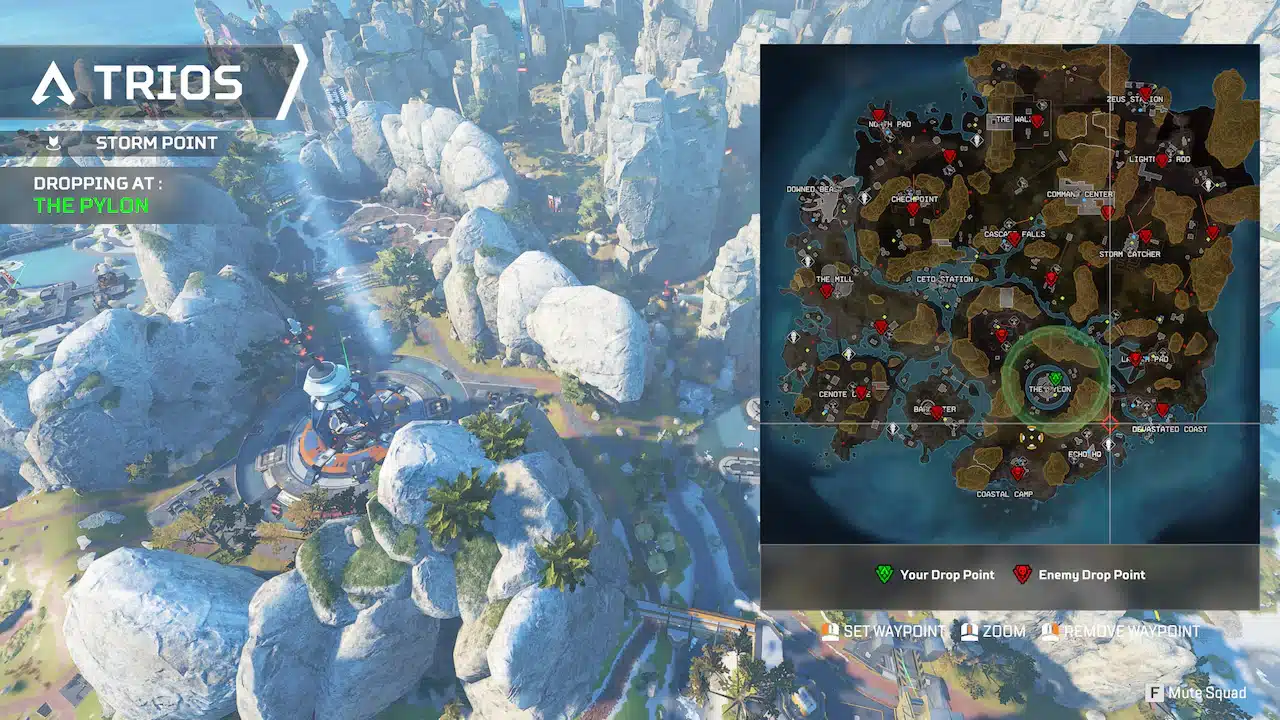
NEW: DROP ZONES
Drop Zones will start Ranked matches faster and fairer with squads automatically spread out across POIs. Before the match starts, you’ll see a preview of your Drop Zone with a ping-able map for strategic co-ordination before locking in your Legends. Loot has been fairly distributed across POIs, so no Hot Zones here. Keep your head up, though. There’s always the chance a neighboring squad will contest by skydiving in.
AURAS
Introducing a brand new cosmetic option: Auras. When equipped, your Aura will be visible in the lobby, Legend selection, and during podium moments. In matches: during dives, emoting in 3rd-person, and it’s visible for both of the engaged players when reviving or finishing. You can toggle your clout on/off in the Legend Locker.
Every player with access to Ranked will get the “Ascension Crest” Aura after logging-in after Showdown’s launch and it will reactively reflect your Ranked Tier going forward. Those still working on their Road to Ranked will be granted this Aura once Ranked is unlocked.
ACCOLADES
Time to recognize players and their squadmates for all that they do during a match—not just winning. From pulling off tricky double kills to expertly blocking damage for your squad, Accolades highlight actions that often go unnoticed, uncelebrated, and untracked. They’re designed to celebrate varying playstyles and skill, and can be earned in Unranked, Ranked, Wildcard, and Mixtape with each tracking separately.
Each Accolade has up to four tiers for you to achieve as you progress and they’ll award XP too. Post-match, the summary will show your earned Accolades and your Gladiator Card the top three. You can earn and record multiple Accolades each day, but there’s a cap of 2200XP for these per day. Find the full list and your tracking under Account Progression, including descriptions, targets, and those you’ve earned this season, per mode, and how many times you’ve hit them.
CHALLENGE UPDATE
We’ve updated our challenge system to try and help you progress more consistently no matter which mode you choose. Most challenges that used to require specific modes or had dual targets now count across all modes, making it easier to play how you want and still finish your Battle Pass.
To keep time-to-completion balanced, some challenge targets have increased and we’ve added progression boosts to some modes. For example, “Deal 10K damage as a Skirmisher or Assault Legend” gets a 2x progress modifier in BR to match it to Mixtape’s completion time.
This is part of our long-term goal to create challenges that support a wider range of playstyles. Jump in, play your way, and get rewarded just like before.
NEW REWARD FLOW
Based on your feedback around reward confusion, we’ve created a new summary to showcase your hard work and rewards without the plethora of pop-ups. You’ll now be able to see each reward (including those occasionally granted silently), how it was earned, and additional details all at once—giving you more time to celebrate those Ws.
The Battlefield 6 Open Beta preload is now live on all storefronts.
Apex Legends Update 2.91 Patch Notes
BALANCE UPDATES
Care Package
Peacekeeper returns to the floor
Akimbo P2020 enters
Gold Weapon Rotation
EVA-8, Hemlok, RE-45: Burst, Sentinel, Wingman
EVO Harvesters
EVO rewarded by Harvesters increased to 425 (was 350)
Overhauled placement to guarantee spawns closer to the geo-center and away from POIs cores
Spawn rate reduced to 8 or 9 depending on Map size (was 17-20)
Dev Note: EVO Harvesters haven’t seen many adjustments, so it’s time to shake things up. We’re removing spawns at the edges of playable space and preventing them from the center of POIs. This could lead to unfair starts where some levelled up quickly by chance, while others were left behind. Now intentional strategic moves will be needed to access Harvesters. With fewer of them, the chances of bumping into enemies is high, but the reward is too with nearly enough EVO to level up.
GAMEPLAY UPDATES
NEW: Amps
Purple tier loot items
Early game: fairly uncommon with a higher chance to spawn in high tier loot locations such as Care Packages, Vaults, and the Hot Zone
After Bins Reset: all bins have a higher chance to spawn an Amp
Mythic, Legendary, Extended, and Weapon supply bins guarantee one
Five Amp types:
Infinite Ammo Amp: gain infinite ammo for non-care package weapons
Temporarily locks two inventory slots. These slots can hold ammo, but you cannot drop their contents.
Bottomless Batteries Amp: Batteries are not consumed upon use
Must have at least 2 Batteries in your inventory to activate
Over Armor Amp: gain an additional 25 shield capacity
Stacks with Ring Expert, but cannot exceed 125 total shields
Heal Overflow Amp: after using a cell or syringe, the corresponding health bar will fully heal over time
Taking damage stops the regeneration
Power Booster Amp: reduces cooldown for Tac and Ult
Refresh a Tactical charge when knocking an enemy
Dev Note: Amps are a new vector to explore when creating and optimizing your loadout. Your choice could be influenced by playstyle, team composition, weapons, and the bedlam each match provides. The Amp you want in one match may not be the one you need in the next.
NEW: Elite Weapons
Limited-time standard-issue weapons are replaced with one from Ballistic’s private collection
Features devastating new mechanics from across the Outlands
Showdown’s Elite Weapon is the RE-45: Burst
Swaps Light ammo for Energy ammo
New spin-up mechanic that fires 3-round bursts in rapid succession
NEW: Locked Hop-Ups
Hop-Ups removed from floor loot
Now pre-equipped and locked to weapons, start as inactive
Can’t be removed or transferred
Gain Locked Hop-Up Points to activate by:
Dealing damage to other players with the weapon (damage from any any other source grants partial credit)
Upgrading at the appropriate Arsenal
Picking up Hop-Up Boosters
White, blue, and purple kitted weapons do not come with Locked Hop-Ups
Gold kitted and Care Package weapons come with their Hop-Ups already unlocked
Helmets
Removed Gold and Mythic helmets from floor loot
World’s Edge: Rampart’s Big Maude
Paintball weapons are no longer offered at vending machines
Blue and purple kitted weapons are now offered at vending machines
Reduced time to unlock weapons by 2 seconds
LOOT BINS
Extended Supply Bins
Top drawer contents now give support items to everyone
Secret drawer and EVO value remain unchanged
Removed icons from minimap and full-map
Before Bin Reset: small chance of spawning an Amp and/or an Ult Accelerant
After Bin Reset: guaranteed Amp and/or Ult Accelerant
Weapon Supply Bins
Top drawer contents now give assault items to everyone
Secret drawer and EVO value remain unchanged
Removed Icons from minimap and full-map
Before Bin Reset: small chance of spawning Amp and/or Hop-Up Booster
After Bin Reset: guaranteed Amp and/or Hop-Up Booster if a squadmate needs one
Legendary Supply Bins
Amps and Hop-Up Boosters added to the pool
LEGENDS
Controller Class
Zone Overcharge: now continuously regenerates shields while in zone
Taking damage stops this for 6s
Ring Consoles: players can spawn a taller custom EVAC from Ring Consoles they have scanned
Dev Note: Controllers should have priority when taking key spots and defending, so we’ve buffed their perks so they can get to zone early and fight with less loot.
BANGALORE
Abilities
Passive: Double Time
Speed increased by 5%
Tactical: Smoke Launcher
Canister breaks and travels through doors
Projectile speed increased to 2900 (was 2500)
Pull out time reduced to 0.25 (was 0.35)
Cooldown reduced to 30s (was 35s)
Gas now reactive: ordnance and abilities can disable it for 5s when used inside/nearby
Ultimate: Rolling Thunder
Cooldown reduced to 210s (was 270s)
Reduced anim frame to fire projectile to 1 (was 5)
Upgrades
Level 2
Ultimate Cooldown+ & Tactical Cooldown: removed
Cover Me: moved to Level 2
Electric Smoke: electrifies Tac dealing 100 damage to enemy Ults and destroys Tacs
Level 3
Refuge: removed, integrated into Cover Me
NEW ECM Payload: electrifies Ult dealing 10 more damage, destroys enemy deployables
NEW Medal of Honor: faster revives and passive triggers running towards knocked allies
Dev Note: Bangalore is always fun to play, which also makes her a prime candidate to buff into a flex pick. We’ve updated her upgrades to give her more choices and be a stronger balancing force overall. Similar to how other Controllers are set to answer highly mobile Legends, Bangalore can now be the one to tackle slower, more defensive metas.
CAUSTIC
Nox Gas
Damage Increased to 10-15 (was 4-10)
Now causes aim punch to victims when causing damage
Caustic’s Health Bar does not show while inside
Increased visibility both outside and inside his own gas
Green highlighting is still active
Clouds now have threat indicators for victims
Now Grounds enemies: slowing them once and draining them of movement cooldowns
“Slow” changed: immediately drains velocity to the desired speed even if the target is moving at high velocity or in the air
Gas now reactive: ordnance and abilities can disable it for 5s when used inside/nearby
Abilities
NEW Passive: Field Research (was Nox Vision)
Gain research points from poisoning enemies, opening unique Death Boxes, and scanning ring consoles
Unlock an upgrade point for every 100 research points (max 2)
Can uniquely have all 4 upgrades unlocked at once
Tactical: Nox Gas Trap
Trap health increased to 225 (was 150)
Trap can be activated earlier while inflating
Reduced toss and stow by 0.1s
Increased trap activation radius to 260 (was 140)
Increased gas radius to 300 (was 282)
Doubled lifetime to 22s (was 11s)
Caustic traps take ring damage
Increased activation delay to 0.8s (was 0.2s)
Traps take bullet damage while inflating
Traps take critical (1.4x) damage when hit in the o-ring/base
Ultimate: Nox Gas Grenade
Reduced cooldown to 2min (was 3m)
Reduced toss and stow time by 0.05s
Increased projectile speed to 1500 (was 1300)
Increase duration to 20s (was 15s)
Upgrades
Level 2
Parabolic Force & Residual Toxins: removed (integrated into base kit)
NEW Extra Traps: one additional charge, increased max in world by 2
Breathe It In: moved to Level 2
Level 3
NEW Gas Fighter: Tac recharges 300% faster while in gas
Particle Diffuser: increases Ult radius by +50%
Dev Note: At long last Nox Gas is powerful enough to be scary, even lethal again. To balance this out, we’ve made it reactive to explosions and player abilities. We hope this makes Caustic feel powerful and more relevant, while offering opponents a way to counterplay if they’re smart about using resources.
While we already mentioned how Battlefield 6 will feature a server browser that's now readily accessible on the main page, Battlefield fans clearly want something similar to how it was in past Battlefield titles.
AMMO & ATTACHMENTS
NEW Hop-Up Booster
Grants 100 Locked Hop-Up Points on pick-up
Only found in Weapon and Legendary Supply Bins
Can not be picked-up without a Locked Hop-Up weapon
Does not appear in Loba’s Black Market
LOCKED HOP-UPS
Accelerator
150 Locked Hop-Up Points to unlock
Compatible with Peacekeeper, L-STAR, and Alternator
Must have weapon in hand in order to receive additional Ult gain on knock
Assist window reduced to 3s (was 10s)
Ult gain on knock increased to 30% (was 20%)
No longer comes pre-equipped to white, blue, and purple kitted weapons
Dev Note: Accelerator has been a very powerful Hop-Up since its addition. We want to keep its power high while incentivizing you to use these weapons more, rather than just shoving them in your secondary slot or sling (looking at you Ballistic mains).
Graffiti Mod
300 Locked Hop-Up Points to unlock
Compatible with Volt, Spitfire, and EVA-8
Greatly improves weapon handling
Slightly increases magazine size
Adds paintball rounds for some battlefield flair
Gun Shield Generator
250 Locked Hop-Up Points to unlock
Compatible with Hemlok, R-301, and Rampage
Selectfire Receiver
250 Locked Hop-Up Points to unlock
Compatible with Charge Rifle and Prowler
Skull Piercer
400 Locked Hop-Up Points to unlock
Compatible with Wingman, Longbow, and 30-30
WEAPONS
LMG
Devotion LMG
Widened reverse hipfire spread
Removed improved scaling from high-tier barrels and stocks (Previous Hotfix)
Mag size reduced to 48 (was 52) (Previous Hotfix)
M600 Spitfire & Rampage LMG
Widened reverse hipfire spread
Dev Note: LMGs were feeling especially oppressive in close quarters combat and reverse hipfire contributes to a lot of that. They’re a strong and relevant weapon class, but recognize that we need to tamp down on some of that spray gameplay.
PISTOL
Akimbo P2020 (Care Package)
Increased damage to 25 (was 24)
Decreased reload time
Improved hipfire accuracy
Added Hop-Up: Kinetic Feeder
RE-45 Burst
Added to floor loot
Also found on Energy Arsenals
RE-45 Auto
Removed from floor loot
SHOTGUN
EVA-8 Auto(Previous Hotfix)
Damage per pellet increased to 7 (was 6)
Reduced rate of fire
Purple and Gold bolts now match other shotguns
Mozambique Shotgun
Slightly tightened blast pattern
Increased rate of fire in akimbo and single fire modes
Increased rate of fire when using a white or blue shotgun bolt
Peacekeeper (Floor Loot)
Increased magazine size to 6 (was 5)
Increased choke time
Widened blast patten
Increased rechamber time
No longer deals headshot damage
MAPS
NEW: E-District Daytime
Lighting overhaul: now takes place during the day
Lotus: new rotation added
Added adjacent doorways to many shops for additional flow
Removed some buildings and clutter to improve readability
Good news, Battlefield fans, Battlefield 6 is going to have a server browser! From what we've learned, it's somewhat similar to how Portal was implemented in Battlefield 2042; however, this time, the studio is ensuring that it's part of the main menu, rather than separate from the core experience.
RANKED
Drop Zones Details
Match start: squads are randomly assigned a POI
Pre-Legend Select: players are presented with a map preview of Drop Zone
After Legend Select: players deploy via squad Dropship to assigned zone with nearby enemy POIs marked for imminent threat
During landing: added warning for incoming threats if an enemy squad invades Drop Zone
Dev Note: Ranked matches should allow you to get into the match before it’s over—bad drops can ruin that and lose you RP. Drop Zones means that all players will land at relatively the same time and have a shot at survival without waiting for the Dropship to unload. Contested drops are still possible, but limited and manageable: no more will half the lobby drop on the same POI. You’ll get the best chance at loot in your assigned Drop Zone, but efficient looting is still important in case enemies invade.
Heat Shields
Heat Shields are disabled in Ranked
Dev Note: Stalling near the Ring and doing long out-of-Ring rotations will now be even riskier. You’ll need to rely on good positioning in order to survive into the late game.
SCORING
Challenger Bonus: reworked bonuses when eliminating higher-ranked opponents
If the killer’s rank is 1 tier lower than the victim: KP +15% bonus
If the gap is 2 tiers: +25% bonus
If the gap is 3 tiers: +35% bonus
If the gap is 4 tiers or more: +50% bonus
Entry Cost Adjustment
Bronze: 10 RP (was 0 RP)
Gold: 38RP (was 35 RP)
Platinum: 48 RP (was 45 RP)
Kill Points Adjustment
1st: 20 RP (was 26 RP)
2nd: 18 RP (was 22 RP)
3rd: 16 RP (was 18 RP)
4th: 14 RP (was 16 RP)
5th: 12 RP (was 16 RP)
6th: 10 RP (was 16 RP)
7th: 10 RP (was 14 RP)
8th: 10 RP (was 14 RP)
9th: 8 RP (was 12 RP)
10th: 8 RP (was 12 RP)
11th-15th: 6 RP (was 10 RP)
16th-20th: 4 RP (was 10 RP)
Placement Points Adjustment
2nd Place: 100 RP (was 95 RP)
3rd Place: 75 RP (was 70 RP)
6th Place: 40 RP (was 30 RP)
SYSTEM
Added report option for Wallhacking/Impossible Gamesense
Dev Note: Based on your feedback and the Reddit AMA, the Wallhack report option is back! If you encounter impossible game sense, let us know by reporting them.
BUG FIXES
Burst weapon firing sounds now stop if the weapon overheated due to Ballistic’s Tac
Fixed inconsistent behavior when picking up some weapon attachments
Fixed intermittent issues when predicting aim punches from ring damage
Firing Range: fixed a few bugs that allowed other players in the server to impact your game
Replicator: can no longer craft on a side with an item printing
Ring visual effects now consistently show up in Kings Canyon
Storm Point’s Northpad Tower drops sniper loot again
Ziprails make a first person noise when attaching
LEGENDS
Wattson
Corrected the used weapon name for eliminations from electrified door
Dropping Gold Helmet no longer removes effects of Energized Healer upgrade (Previous Hotfix)
Double doors no longer have one door electrified if the other breaks
Ultimate Conductor no longer gives Ult charge from self damage (Previous Hotfix)
Bangalore: Ult missile no longer destroyed if it hits Newcastle Tac
QUALITY OF LIFE
Bots: improvements to behavior
Lifeline: updated Halo’s enemy coloring to help differentiate against the ring
Newcastle: Ult can now be targeted and placed over Alter’s Tac portals
Replicator: updated color and associated assets to blue (was purple)
Vantage: scanning an enemy will no longer show shield information if enemy’s eliminated. Previously, dead enemies would show if banner was active. (Previous Hotfix)
Wattson: electrified doors no longer end if the fence placer dies or disconnects
Updates and tuning to some VFX, primarily on 1P Impact FX revolving around Armor and Flesh Impacts
Armor: 90% less smoke, 40% less debris
AUDIO
Reduced occlusion of roof footsteps for clarity and consistency
Skydiving audio will be quieter in intended in certain situations
Mic monitor in audio settings now displays for solo players in lobby
GRAPHICS
New tonemapping for a more natural appearance of highlights with very bright colors
VFX: more consistent brightness regardless of in-game auto exposure, preventing extreme brightness in dark areas
Whew! That’s one massive update, and based on past experience, Respawn should have a follow-up patch or two released to fix any issues that arise from this update.
The latest seasonal drop for Apex Legends is live! The Showdown update will show up as download version 1.000.105 on current-gen consoles for the battle royale game, and this is a hefty download that adds a ton of new features, balancing changes and more.
Players will see this as Apex Legends update version 1.000.105, and should be live by the time you read this.
With the Battlefield 6 open beta client now available for pre-load, DICE is opening up the line of communication regarding some of the design decisions they're making from Battlefield Labs to Battlefield 6.
Apex Legends Showdown Update New Content and Features via Patch 1.000.105
WILDCARD
Wildcard is a brand new way to play that challenges what you’ve come to expect with the typical Apex Legends matches. Check out Respawn’s explanation of it in full.
LEGEND UPDATES
In addition to some Controller class updates, we’ve also taken a pass at two smokeshow Legends. Good to have you back in the meta, Gas Daddy and Bangydang.
CAUSTIC
Caustic’s gas should be deadly enough to live up to the fantasy, but lately it’s felt a little toothless. With the updates detailed below, Nox Gas has become something Caustics can trust to threaten or hold an area for a long time with windows that attackers can play around. Also, Caustic’s new Field Research perk allows him to gain additional Legend Updates—making him the first to be able to get all four upgrades at once!
BANGALORE
With a whole new Legend Upgrade tree, Bangalore’s been given tons of new flexibility. Among these new options, are new breaching mechanics that allow you to clear out entrenched enemies.
With a whole new Legend Upgrade tree, Bangalore’s been given tons of new flexibility. Among these new options, are new breaching mechanics that allow you to clear out entrenched enemies.
GAMEPLAY ADDITIONS
We’ve got three powerful additions to the Outlands with Showdown. Read on for an overview or dive into specifics with Patch Notes sections further down:
Elite Weapons take the firepower from Ballistic’s personal stash and into your hands. These variants pack a punch and replace their typical counterparts for a limited-time. Showdown brings the RE-45: Burst, which swaps to Energy ammo and comes with a spin-up mechanic.
Legend Amps are game-changing passives available in Unranked and Ranked BR matches. With five options to choose from, there’s an optimal Amp that could sway things in your favor in any type of fight.
Locked Hop-Ups means that the looting for these boosts are no more. Each weapon comes pre-equipped with its Hop-Up waiting to be activated and unlocked for the rest of the match.
RANKED
Key adjustments have been made to better reflect your performance and risks. Entry costs, placement RP, and kill points have been tuned to create more room for performance-based variance and rewarding consistent well-rounded play. The updated Challenger Bonus gives more RP to players who take on and win fights against higher-tier opponents. And those aren’t the only Ranked updates in Showdown.
NEW: DROP ZONES
Drop Zones will start Ranked matches faster and fairer with squads automatically spread out across POIs. Before the match starts, you’ll see a preview of your Drop Zone with a ping-able map for strategic co-ordination before locking in your Legends. Loot has been fairly distributed across POIs, so no Hot Zones here. Keep your head up, though. There’s always the chance a neighboring squad will contest by skydiving in.
AURAS
Introducing a brand new cosmetic option: Auras. When equipped, your Aura will be visible in the lobby, Legend selection, and during podium moments. In matches: during dives, emoting in 3rd-person, and it’s visible for both of the engaged players when reviving or finishing. You can toggle your clout on/off in the Legend Locker.
Every player with access to Ranked will get the “Ascension Crest” Aura after logging-in after Showdown’s launch and it will reactively reflect your Ranked Tier going forward. Those still working on their Road to Ranked will be granted this Aura once Ranked is unlocked.
ACCOLADES
Time to recognize players and their squadmates for all that they do during a match—not just winning. From pulling off tricky double kills to expertly blocking damage for your squad, Accolades highlight actions that often go unnoticed, uncelebrated, and untracked. They’re designed to celebrate varying playstyles and skill, and can be earned in Unranked, Ranked, Wildcard, and Mixtape with each tracking separately.
Each Accolade has up to four tiers for you to achieve as you progress and they’ll award XP too. Post-match, the summary will show your earned Accolades and your Gladiator Card the top three. You can earn and record multiple Accolades each day, but there’s a cap of 2200XP for these per day. Find the full list and your tracking under Account Progression, including descriptions, targets, and those you’ve earned this season, per mode, and how many times you’ve hit them.
CHALLENGE UPDATE
We’ve updated our challenge system to try and help you progress more consistently no matter which mode you choose. Most challenges that used to require specific modes or had dual targets now count across all modes, making it easier to play how you want and still finish your Battle Pass.
To keep time-to-completion balanced, some challenge targets have increased and we’ve added progression boosts to some modes. For example, “Deal 10K damage as a Skirmisher or Assault Legend” gets a 2x progress modifier in BR to match it to Mixtape’s completion time.
This is part of our long-term goal to create challenges that support a wider range of playstyles. Jump in, play your way, and get rewarded just like before.
NEW REWARD FLOW
Based on your feedback around reward confusion, we’ve created a new summary to showcase your hard work and rewards without the plethora of pop-ups. You’ll now be able to see each reward (including those occasionally granted silently), how it was earned, and additional details all at once—giving you more time to celebrate those Ws.
The Battlefield 6 Open Beta preload is now live on all storefronts.
Apex Legends Showdown Patch Notes
BALANCE UPDATES
Care Package
Peacekeeper returns to the floor
Akimbo P2020 enters
Gold Weapon Rotation
EVA-8, Hemlok, RE-45: Burst, Sentinel, Wingman
EVO Harvesters
EVO rewarded by Harvesters increased to 425 (was 350)
Overhauled placement to guarantee spawns closer to the geo-center and away from POIs cores
Spawn rate reduced to 8 or 9 depending on Map size (was 17-20)
Dev Note: EVO Harvesters haven’t seen many adjustments, so it’s time to shake things up. We’re removing spawns at the edges of playable space and preventing them from the center of POIs. This could lead to unfair starts where some levelled up quickly by chance, while others were left behind. Now intentional strategic moves will be needed to access Harvesters. With fewer of them, the chances of bumping into enemies is high, but the reward is too with nearly enough EVO to level up.
GAMEPLAY UPDATES
NEW: Amps
Purple tier loot items
Early game: fairly uncommon with a higher chance to spawn in high tier loot locations such as Care Packages, Vaults, and the Hot Zone
After Bins Reset: all bins have a higher chance to spawn an Amp
Mythic, Legendary, Extended, and Weapon supply bins guarantee one
Five Amp types:
Infinite Ammo Amp: gain infinite ammo for non-care package weapons
Temporarily locks two inventory slots. These slots can hold ammo, but you cannot drop their contents.
Bottomless Batteries Amp: Batteries are not consumed upon use
Must have at least 2 Batteries in your inventory to activate
Over Armor Amp: gain an additional 25 shield capacity
Stacks with Ring Expert, but cannot exceed 125 total shields
Heal Overflow Amp: after using a cell or syringe, the corresponding health bar will fully heal over time
Taking damage stops the regeneration
Power Booster Amp: reduces cooldown for Tac and Ult
Refresh a Tactical charge when knocking an enemy
Dev Note: Amps are a new vector to explore when creating and optimizing your loadout. Your choice could be influenced by playstyle, team composition, weapons, and the bedlam each match provides. The Amp you want in one match may not be the one you need in the next.
NEW: Elite Weapons
Limited-time standard-issue weapons are replaced with one from Ballistic’s private collection
Features devastating new mechanics from across the Outlands
Showdown’s Elite Weapon is the RE-45: Burst
Swaps Light ammo for Energy ammo
New spin-up mechanic that fires 3-round bursts in rapid succession
NEW: Locked Hop-Ups
Hop-Ups removed from floor loot
Now pre-equipped and locked to weapons, start as inactive
Can’t be removed or transferred
Gain Locked Hop-Up Points to activate by:
Dealing damage to other players with the weapon (damage from any any other source grants partial credit)
Upgrading at the appropriate Arsenal
Picking up Hop-Up Boosters
White, blue, and purple kitted weapons do not come with Locked Hop-Ups
Gold kitted and Care Package weapons come with their Hop-Ups already unlocked
Helmets
Removed Gold and Mythic helmets from floor loot
World’s Edge: Rampart’s Big Maude
Paintball weapons are no longer offered at vending machines
Blue and purple kitted weapons are now offered at vending machines
Reduced time to unlock weapons by 2 seconds
LOOT BINS
Extended Supply Bins
Top drawer contents now give support items to everyone
Secret drawer and EVO value remain unchanged
Removed icons from minimap and full-map
Before Bin Reset: small chance of spawning an Amp and/or an Ult Accelerant
After Bin Reset: guaranteed Amp and/or Ult Accelerant
Weapon Supply Bins
Top drawer contents now give assault items to everyone
Secret drawer and EVO value remain unchanged
Removed Icons from minimap and full-map
Before Bin Reset: small chance of spawning Amp and/or Hop-Up Booster
After Bin Reset: guaranteed Amp and/or Hop-Up Booster if a squadmate needs one
For those who prefer a keyboard and mouse control method in shooters but prefer the convenience of playing on consoles, DICE has you covered in Battlefield 6.
LEGENDS
Controller Class
Zone Overcharge: now continuously regenerates shields while in zone
Taking damage stops this for 6s
Ring Consoles: players can spawn a taller custom EVAC from Ring Consoles they have scanned
Dev Note: Controllers should have priority when taking key spots and defending, so we’ve buffed their perks so they can get to zone early and fight with less loot.
BANGALORE
Abilities
Passive: Double Time
Speed increased by 5%
Tactical: Smoke Launcher
Canister breaks and travels through doors
Projectile speed increased to 2900 (was 2500)
Pull out time reduced to 0.25 (was 0.35)
Cooldown reduced to 30s (was 35s)
Gas now reactive: ordnance and abilities can disable it for 5s when used inside/nearby
Ultimate: Rolling Thunder
Cooldown reduced to 210s (was 270s)
Reduced anim frame to fire projectile to 1 (was 5)
Upgrades
Level 2
Ultimate Cooldown+ & Tactical Cooldown: removed
Cover Me: moved to Level 2
Electric Smoke: electrifies Tac dealing 100 damage to enemy Ults and destroys Tacs
Level 3
Refuge: removed, integrated into Cover Me
NEW ECM Payload: electrifies Ult dealing 10 more damage, destroys enemy deployables
NEW Medal of Honor: faster revives and passive triggers running towards knocked allies
Dev Note: Bangalore is always fun to play, which also makes her a prime candidate to buff into a flex pick. We’ve updated her upgrades to give her more choices and be a stronger balancing force overall. Similar to how other Controllers are set to answer highly mobile Legends, Bangalore can now be the one to tackle slower, more defensive metas.
CAUSTIC
Nox Gas
Damage Increased to 10-15 (was 4-10)
Now causes aim punch to victims when causing damage
Caustic’s Health Bar does not show while inside
Increased visibility both outside and inside his own gas
Green highlighting is still active
Clouds now have threat indicators for victims
Now Grounds enemies: slowing them once and draining them of movement cooldowns
“Slow” changed: immediately drains velocity to the desired speed even if the target is moving at high velocity or in the air
Gas now reactive: ordnance and abilities can disable it for 5s when used inside/nearby
Abilities
NEW Passive: Field Research (was Nox Vision)
Gain research points from poisoning enemies, opening unique Death Boxes, and scanning ring consoles
Unlock an upgrade point for every 100 research points (max 2)
Can uniquely have all 4 upgrades unlocked at once
Tactical: Nox Gas Trap
Trap health increased to 225 (was 150)
Trap can be activated earlier while inflating
Reduced toss and stow by 0.1s
Increased trap activation radius to 260 (was 140)
Increased gas radius to 300 (was 282)
Doubled lifetime to 22s (was 11s)
Caustic traps take ring damage
Increased activation delay to 0.8s (was 0.2s)
Traps take bullet damage while inflating
Traps take critical (1.4x) damage when hit in the o-ring/base
Ultimate: Nox Gas Grenade
Reduced cooldown to 2min (was 3m)
Reduced toss and stow time by 0.05s
Increased projectile speed to 1500 (was 1300)
Increase duration to 20s (was 15s)
Upgrades
Level 2
Parabolic Force & Residual Toxins: removed (integrated into base kit)
NEW Extra Traps: one additional charge, increased max in world by 2
Breathe It In: moved to Level 2
Level 3
NEW Gas Fighter: Tac recharges 300% faster while in gas
Particle Diffuser: increases Ult radius by +50%
Dev Note: At long last Nox Gas is powerful enough to be scary, even lethal again. To balance this out, we’ve made it reactive to explosions and player abilities. We hope this makes Caustic feel powerful and more relevant, while offering opponents a way to counterplay if they’re smart about using resources.
While we already mentioned how Battlefield 6 will feature a server browser that's now readily accessible on the main page, Battlefield fans clearly want something similar to how it was in past Battlefield titles.
AMMO & ATTACHMENTS
NEW Hop-Up Booster
Grants 100 Locked Hop-Up Points on pick-up
Only found in Weapon and Legendary Supply Bins
Can not be picked-up without a Locked Hop-Up weapon
Does not appear in Loba’s Black Market
LOCKED HOP-UPS
Accelerator
150 Locked Hop-Up Points to unlock
Compatible with Peacekeeper, L-STAR, and Alternator
Must have weapon in hand in order to receive additional Ult gain on knock
Assist window reduced to 3s (was 10s)
Ult gain on knock increased to 30% (was 20%)
No longer comes pre-equipped to white, blue, and purple kitted weapons
Dev Note: Accelerator has been a very powerful Hop-Up since its addition. We want to keep its power high while incentivizing you to use these weapons more, rather than just shoving them in your secondary slot or sling (looking at you Ballistic mains).
Graffiti Mod
300 Locked Hop-Up Points to unlock
Compatible with Volt, Spitfire, and EVA-8
Greatly improves weapon handling
Slightly increases magazine size
Adds paintball rounds for some battlefield flair
Gun Shield Generator
250 Locked Hop-Up Points to unlock
Compatible with Hemlok, R-301, and Rampage
Selectfire Receiver
250 Locked Hop-Up Points to unlock
Compatible with Charge Rifle and Prowler
Skull Piercer
400 Locked Hop-Up Points to unlock
Compatible with Wingman, Longbow, and 30-30
WEAPONS
LMG
Devotion LMG
Widened reverse hipfire spread
Removed improved scaling from high-tier barrels and stocks (Previous Hotfix)
Mag size reduced to 48 (was 52) (Previous Hotfix)
M600 Spitfire & Rampage LMG
Widened reverse hipfire spread
Dev Note: LMGs were feeling especially oppressive in close quarters combat and reverse hipfire contributes to a lot of that. They’re a strong and relevant weapon class, but recognize that we need to tamp down on some of that spray gameplay.
PISTOL
Akimbo P2020 (Care Package)
Increased damage to 25 (was 24)
Decreased reload time
Improved hipfire accuracy
Added Hop-Up: Kinetic Feeder
RE-45 Burst
Added to floor loot
Also found on Energy Arsenals
RE-45 Auto
Removed from floor loot
SHOTGUN
EVA-8 Auto(Previous Hotfix)
Damage per pellet increased to 7 (was 6)
Reduced rate of fire
Purple and Gold bolts now match other shotguns
Mozambique Shotgun
Slightly tightened blast pattern
Increased rate of fire in akimbo and single fire modes
Increased rate of fire when using a white or blue shotgun bolt
Peacekeeper (Floor Loot)
Increased magazine size to 6 (was 5)
Increased choke time
Widened blast patten
Increased rechamber time
No longer deals headshot damage
MAPS
NEW: E-District Daytime
Lighting overhaul: now takes place during the day
Lotus: new rotation added
Added adjacent doorways to many shops for additional flow
Removed some buildings and clutter to improve readability
Good news, Battlefield fans, Battlefield 6 is going to have a server browser! From what we've learned, it's somewhat similar to how Portal was implemented in Battlefield 2042; however, this time, the studio is ensuring that it's part of the main menu, rather than separate from the core experience.
RANKED
Drop Zones Details
Match start: squads are randomly assigned a POI
Pre-Legend Select: players are presented with a map preview of Drop Zone
After Legend Select: players deploy via squad Dropship to assigned zone with nearby enemy POIs marked for imminent threat
During landing: added warning for incoming threats if an enemy squad invades Drop Zone
Dev Note: Ranked matches should allow you to get into the match before it’s over—bad drops can ruin that and lose you RP. Drop Zones means that all players will land at relatively the same time and have a shot at survival without waiting for the Dropship to unload. Contested drops are still possible, but limited and manageable: no more will half the lobby drop on the same POI. You’ll get the best chance at loot in your assigned Drop Zone, but efficient looting is still important in case enemies invade.
Heat Shields
Heat Shields are disabled in Ranked
Dev Note: Stalling near the Ring and doing long out-of-Ring rotations will now be even riskier. You’ll need to rely on good positioning in order to survive into the late game.
SCORING
Challenger Bonus: reworked bonuses when eliminating higher-ranked opponents
If the killer’s rank is 1 tier lower than the victim: KP +15% bonus
If the gap is 2 tiers: +25% bonus
If the gap is 3 tiers: +35% bonus
If the gap is 4 tiers or more: +50% bonus
Entry Cost Adjustment
Bronze: 10 RP (was 0 RP)
Gold: 38RP (was 35 RP)
Platinum: 48 RP (was 45 RP)
Kill Points Adjustment
1st: 20 RP (was 26 RP)
2nd: 18 RP (was 22 RP)
3rd: 16 RP (was 18 RP)
4th: 14 RP (was 16 RP)
5th: 12 RP (was 16 RP)
6th: 10 RP (was 16 RP)
7th: 10 RP (was 14 RP)
8th: 10 RP (was 14 RP)
9th: 8 RP (was 12 RP)
10th: 8 RP (was 12 RP)
11th-15th: 6 RP (was 10 RP)
16th-20th: 4 RP (was 10 RP)
Placement Points Adjustment
2nd Place: 100 RP (was 95 RP)
3rd Place: 75 RP (was 70 RP)
6th Place: 40 RP (was 30 RP)
SYSTEM
Added report option for Wallhacking/Impossible Gamesense
Dev Note: Based on your feedback and the Reddit AMA, the Wallhack report option is back! If you encounter impossible game sense, let us know by reporting them.
BUG FIXES
Burst weapon firing sounds now stop if the weapon overheated due to Ballistic’s Tac
Fixed inconsistent behavior when picking up some weapon attachments
Fixed intermittent issues when predicting aim punches from ring damage
Firing Range: fixed a few bugs that allowed other players in the server to impact your game
Replicator: can no longer craft on a side with an item printing
Ring visual effects now consistently show up in Kings Canyon
Storm Point’s Northpad Tower drops sniper loot again
Ziprails make a first person noise when attaching
LEGENDS
Wattson
Corrected the used weapon name for eliminations from electrified door
Dropping Gold Helmet no longer removes effects of Energized Healer upgrade (Previous Hotfix)
Double doors no longer have one door electrified if the other breaks
Ultimate Conductor no longer gives Ult charge from self damage (Previous Hotfix)
Bangalore: Ult missile no longer destroyed if it hits Newcastle Tac
QUALITY OF LIFE
Bots: improvements to behavior
Lifeline: updated Halo’s enemy coloring to help differentiate against the ring
Newcastle: Ult can now be targeted and placed over Alter’s Tac portals
Replicator: updated color and associated assets to blue (was purple)
Vantage: scanning an enemy will no longer show shield information if enemy’s eliminated. Previously, dead enemies would show if banner was active. (Previous Hotfix)
Wattson: electrified doors no longer end if the fence placer dies or disconnects
Updates and tuning to some VFX, primarily on 1P Impact FX revolving around Armor and Flesh Impacts
Armor: 90% less smoke, 40% less debris
AUDIO
Reduced occlusion of roof footsteps for clarity and consistency
Skydiving audio will be quieter in intended in certain situations
Mic monitor in audio settings now displays for solo players in lobby
GRAPHICS
New tonemapping for a more natural appearance of highlights with very bright colors
VFX: more consistent brightness regardless of in-game auto exposure, preventing extreme brightness in dark areas
Whew! That’s one massive update, and based on past experience, Respawn should have a follow-up patch or two released to fix any issues that arise from this update.
Following last month’s major patch for The Last of Us Remastered Part 2 that added new Uncharted skins and more, Naughty Dog has released a new minor patch that addresses a short list of minor issues.
PS5 gamers will see this as The Last of Us Part 2 Remastered update version 2.001.010, which the studio tags as 2.1.1. While most of these are technical fixes, there is one that affects gameplay and Ellie.
Tribute Games, the developers behind the highly acclaimed Teenage Mutant Ninja Turtles: Shredder's Revenge, are teaming up with publisher Dotemu yet again for another exciting project: a brand-new Marvel beat 'em up game, Marvel Cosmic Invasion.
Read on for every new change made today.
The Last of Us Part 2’s New Update on August 5 Brings Version 2.001.010
General
Fixed an issue where Ellie would appear with multiple bracelets when bonus skins were equipped
Fixed an issue where voice-over audio would be missing at the start of the chapter “Ground Zero” when playing on Chronological mode
Addressed an issue where subtitles during certain cutscenes would not appear when playing on Chronological mode
Gameplay
Fixed an issue where, in rare instances, Ellie could be missing her pistol at the end of the chapter “Hillcrest”
That’s about it for the update.When it comes to the franchise’s future, Naughty Dog boss Neil Druckmann can’t guarantee The Last of Us 3 will happen, and says “this could be it” for the franchise.
For those who prefer a keyboard and mouse control method in shooters but prefer the convenience of playing on consoles, DICE has you covered in Battlefield 6.
Minecraft update 1.026 (complete version 1.026.000) is now available for download, and this update is for Bedrock version 1.21.100. Players will notice that Flat World presets in Bedrock will now include the Void. There are bug fixes, Experimental new features and a lot more.
Read on for the complete patch notes and all the new changes made.. I suggest grabbing a drink first, as this is one meaty changelog.
Minecraft August 5 New Update Patch Notes for Version 1.026
Experimental Game Drop Features
Per Mojang, “To try out upcoming features, enable the Experimental Features toggle in your world settings. These features are still in development and may cause your world to crash, break, or become incompatible with future updates.”
Copper Golem
Copper golems are handy, organization-loving companions that’ll bring your base to life! Summoned with copper and carved pumpkins, the copper golem removes items you leave in copper chests, and sorts them based on the item type into chests around your base!
Copper Golem will drop between 1 and 3 Copper Ingots when killed
Copper Golem can help with sorting items into Chests
Copper Golem Item Sorting
If the Copper Golem is not holding an item, it will look for nearby Copper Chests to try to pick up an item
The Copper Golem will look in any oxidized and waxed Copper Chest variant to pick up items
It can pick up max 16 items in a stack at the time
Any item in a Copper Chest can be picked up
If the Copper Golem is holding an item, it will look for nearby Chests to try to place the item in
The Copper Golem will look in Chests and Trapped Chests to try to place items –
It can place an item in a Chest if it’s empty, or if it contains the same type of item it is holding in its hand
The Copper Golem will visit max 10 Chests or Copper Chests in sequence to try to pick up or place an item
If no matching chest is found the Copper Golem will idle for 7 seconds before trying again
The search area for chests from the Copper Golem’s position is horizontally 32 blocks and vertically 8 blocks
Copper Chest
Copper chests are a new block! Summon a copper golem to get your first copper chest, which you can leave to oxidize, or keep pristine with wax. Drop items into a copper chest, and then sit back and relax as your copper golem sorts them into normal chests around your base!
Copper Chest is a new type of chest that has waxed and oxidized variants
Copper Chests oxidize over time and can be waxed like other Copper blocks
Copper Chests can be crafted using a Chest and Copper Ingots
Copper Tools
What comes between stone and iron? Now the answer is: copper! Craft tools, weapons, and armor from copper, giving this early-game ore more uses than ever before. Unlike copper blocks, these items won’t oxidize, but like all copper blocks – they will look beautiful!
Copper tools and weapons are crafted and repaired using copper ingots. They do the same amount of damage as stone but have higher durability. Copper tools work faster than stone tools, but they are slower than their iron counterparts. Copper tools have higher enchantability than diamond, but slightly less than iron.
Copper Axe
Copper Hoe
Copper Pickaxe
Copper Shovel
Copper Sword
Copper Armor
Copper armor has higher durability than leather but less than iron. Copper armor enchantability sits slightly lower than with iron.
Copper Helmet
Copper Chestplate
Copper Leggings
Copper Boots
New Copper Items
Copper equipment turns into Copper Nuggets when smelted.
With the Battlefield 6 open beta client now available for pre-load, DICE is opening up the line of communication regarding some of the design decisions they're making from Battlefield Labs to Battlefield 6.
Features and Bug Fixes
Accessibility Features
Added screen narrator enumeration to UI buttons when adding a new server
Sugar Cane clusters will now become slightly transparent when the camera passes through them
Biomes
Trees now generate more sparsely in Groves
Trees now generate more frequently in Snowy Plains
Mushrooms now properly generate under trees in Swamps and other biomes where they naturally occur
Seagrass no longer generates poking through ice in biomes with frozen water surfaces
Frozen Ocean surface is no longer entirely covered by ice, and now features patches of open water
Deep Frozen Ocean surface is no longer covered by ice and now consists entirely of open water
The color of water and underwater fog in Swamps when has been updated to match the intended look of the game (MCPE-63460)
This change only impacts Simple and Fancy Graphics, but not Vibrant Visuals
Mega Pines and Mega Spruces now always generate with Podzol beneath every block of their trunk, instead of appearing suspended over air (MCPE-140517)
Increased the size of the Podzol patch generated beneath Mega Pines and Mega Spruces
This change affects both world generation and trees grown by players
One-block-deep water puddles now generate in Swamps and Mangrove Swamps (MCPE-137029)
Grass blocks no longer generate at the bottom of carved terrain in Mushroom Fields biomes (MCPE-74983)
Icebergs in Frozen Ocean biomes now generate with a shape and frequency that more closely matches Java
Blocks
Leash Knots now immediately disappear when the block supporting them is destroyed (MCPE-163558)
Leashed mobs can no longer be attached to Walls (MCPE-187041)
Fixed bug where an Enchanted Book with Fire Aspect could be used to light Campfires, Candles, and activate TNT (MCPE-100021)
Fixed bug where a Chest could end up in a corrupted state by being paired when pushed by a Piston (MCPE-224452)
Character Creator
Fixed “Choose New Skin” button no longer working after pressing back button on Android. (MCPE-149587)
Gameplay
Emoting players will no longer get stuck in a boat
Hotbar can always be hit in any touch device. The detection area matches the texture even if you have customise controls enabled
Fixed an issue that caused custom music to stay paused after leaving and re-entering the game (MCPE-219364)
The block breaking animation will now stop when opening the Pause Menu (MCPE-191029)
Quickly swapping the selected item slot after a Riptide Trident uses will not rewind the player position anymore (MCPE-190952)
Non-player entities transported from the End to the Overworld now correctly arrive at the world spawn (MCPE-157125)
The spawn point can now be set in The End through a command
Graphical
Weather events now affect the scene illumination and the color of clouds and sky in Vibrant Visuals
Fixed a bug where Caustics were not appearing for player hand and held items in First Person view.
The lead now correctly attaches to the player hand in first person with Vibrant Visuals enabled (MCPE-217597)
Fixed the Spyglass and fire effects in first person not receiving gamma calibration in Vibrant Visuals
Fixed a bug that caused Bottle o’ Enchanting not to glow when thrown in Vibrant Visuals
Fixed clusters of Mangrove Root blocks displaying a non-uniform color.
Fixed Chain blocks not being rendered with PBR properties defined by the texture set.
Fixed issue that caused Chain blocks to change PBR properties of surrounding blocks.
Fixed incorrect colors being displayed when render controllers used is_hurt_color along with on_fire_color (MCPE-220347)
Fixed render controllers displaying incorrect textures when using identically named Array.name values across geometry and texture expressions. (MCPE-220829)
Fixed flipbook textures not working with variations textures (MCPE-190531)
Fixed faces of non-full blocks (eg. Cakes or Trapdoors) having an unnatural ambient occlusion applied to them in some neighboring blocks configurations
Fixed an issue where custom animations would be incorrect in first person with Vibrant Visuals enabled
Items dropped in first person view appear slightly higher, without affecting the actual item position
Moved the graphics mode and render distance options to the top of video settings for convenience
Fixed an issue where certain blocks did not show a highlight when they were interactable, if outline selection was disabled (MCPE-180453)
Adjusted default rendering position for players holding leads if a lead_hold locator is not defined on the model, such that the lead does not render out of the player’s forehead (MCPE-96298)
Fixed the animation of End Crystal healing beams in Vibrant Visuals (MCPE-208094)
Fixed the animation of Beacon beams in Vibrant Visuals (MCPE-220579)
Increased thickness in Vibrant Visuals mode of the fishing line, so that it does not disappear when TAA is selected
Reduced the alpha value from 60% to 25% for hurt color overlay on entities to aid in accessibility
Added option to change cloud quality in settings
Updated Reflections configurations for “Favor Performance” presets on Xbox platforms with Vibrant Visuals
Certain sprites rendered in the world are now scaled and offset to be in parity with Java, and to better match their collider
Piglin Brutes will now despawn properly on peaceful difficulty (MCPE-88837)
Fixed a bug where Glow Squid would not act as leash anchor points
The ambient sound interval for Animals and the Ghast have been adjusted to 6 and 4 seconds, respectively, matching Java
Fixed bug that caused Happy Ghast to not rotate properly if dismounted while moving vertically
Happy Ghast now drops 1-3 experience orbs when killed by a player
Starting in 1.21.100, we’re gradually enabling engine changes to mob death behavior. This refactor shouldn’t affect gameplay but we’ll monitor for any death-related bugs.
Boats no longer play step sounds when on the ground (MCPE-51638)
Fixed a bug where the Happy Ghast riding sound would sometimes play in the loading screen
Fixed a bug where both Ghast and Happy Ghast ambient sounds would not be audible further than 16 blocks away from the player (MCPE-298575)
Ghast ambient sound is now audible within 80 blocks
Happy Ghast ambient sound is now audible within 64 blocks
Updated the way leashed mobs interact with vehicles
Leashed mobs can now be pulled into Boats, Minecarts, and other rideable entities if the leash is slackened when close to those entities (MCPE-157907)
Leashed mobs will now automatically dismount their vehicle if the leash is stretched far enough
These changes will come to Java Edition at a later date
Increased Squid and Glow Squid height offset, to offset them slightly forward and decrease the size of their collision boxes to match Java (MCPE-114253)
Leads can no longer be used on untamed Wolves that have been angered (MCPE-178947)
The Battlefield 6 Open Beta preload is now live on all storefronts.
Sounds
Increased volume of Happy Ghast ride sound
Leashes will now emit their breaking sound from the location of the leash holder, rather than the actor being leashed
Stability and Performance
Fixed an issue where Xbox cloud saves would grow excessively in size with each save. (MCPE-197900)
Fixed rare crashes during the app suspension on Xbox
User Interface
Fixed the link text for the stacking add-ons banner in Create New World (MCPE-194268)
Removed trailing spaces from the Tears music disc description (MCPE-219554)
Recovering “Friends” and “Invite to Game” buttons when a scoreboard is visible (MCPE-218617)
Fixed an issue when clicking the world image in the world grid layout there was no click sound (MCPE-217667)
Player Dots on the Locator Bar now move smoothly when strafing near other Players
Touch Controls: Pick Block button is now available while inside Scaffolding or Powder Snow (MCPE-190776)
Player Dot on the Locator Bar now stops 1 pixel before the edge of the bar
Touch Controls: The button to change camera perspective is now also available in Spectator mode (MCPE-190751)
Fixed a bug which could cause the bed screen to not be removed properly when being disconnected from a server.
The Owned/Download text now shows on items you own outside of the My Library page
The Marketplace Pass Chevron will now show on Items that the user owns while on normal Marketplace pages. Not on the Inventory. Owned/Download text moved to the right.
Updated Marketplace Pass chevron to show on items in the inventory. Moved Download/Owned text to right side.
The audio default volumes have been updated.
We’ve made some adjustments to the spacing of items in the settings menus in this update. Work is still ongoing, and we plan to make further refinements in future updates!
When using a Lead on an entity the “Attach” prompt is now translated (MCPE-219627)
While we already mentioned how Battlefield 6 will feature a server browser that's now readily accessible on the main page, Battlefield fans clearly want something similar to how it was in past Battlefield titles.
Minecraft Aug. 5 Update Technical Updates
AI Goals
Added the minecraft:behavior.take_block AI goal, allows an entity to take blocks from the world with the following options:
blocks: Array of block descriptors that the entity can take, if empty can take any block
can_take: Entity filters for when the entity can use the goal
on_take: Trigger ran if the entity does take a block
xz_range: XZ range from which the entity will try and take blocks from
y_range: Y range from which the entity will try and take blocks from
chance: Chance each tick to try and take a block
affected_by_griefing_rule: If the goal is affected by the mob griefing game rule
requires_line_of_sight: If the entity requires line of sight on the block it tries to take
Removed the minecraft:behavior.enderman_take_block AI goal, it upgrades to the above goal
Added the minecraft:behavior.place_block AI goal, allows an entity to place blocks in the world with the following options:
placeable_carried_blocks: Array of block descriptors that the entity can place if its carried item, if empty can place any block from its carried item
randomly_placeable_blocks: Array of weighted block descriptors that the entity can randomly place, if empty the entity will try to place the block in its carried item instead
can_place: Entity filters for when the entity can use the goal
on_place: Trigger ran if the entity does place a block
xz_range: X range from which the entity will try and place blocks in
y_range: Y range from which the entity will try and place blocks in
chance: Chance each tick to try and place a block
affected_by_griefing_rule: If the goal is affected by the mob griefing game rule
Removed the minecraft:behavior.enderman_leave_block AI goal, it upgrades to the above goal
Added the minecraft:behavior.transport_items AI goal, allows a mob to transport items from and to containers
Description:
If the mob is not carrying an item it will try to find a container matching source_container_types and will attempt to take an item from the first non-empty slot. It will take the largest of max_stack_size and the size of the stack in that slot. If the container is empty or it does not find a match it will remember this container as visited and search for the next container from which to pick up an item. If it fails to find an unvisited container from which to pick up items it will disable the goal for idle_cooldown seconds and reset what containers it has visited. Once it has picked up an item it resets what containers it has visited.
If the mob is carrying an item it will try to find a container matching destination_container_types and attempt to put its carried item in it. It will put as much of the carried item as possible into the container. If it is still carrying an item (the container is full) it will remember the container as visited and try to find the next container to put items in. If it fails to find an unvisited container in which to put items it will disable the goal for idle_cooldown seconds and reset what containers it has visited. Once it has stored items and is empty handed again it resets what containers it has visited.
If at any point the target container becomes an invalid target (the block could be removed or a chest could have a cat sit on it for example), the mob will mark the position as visited and move to the next target.
Fields:
source_container_types: A list of block descriptors that should be a container type to get items from. Default is any container
destination_container_types: A list of block descriptors that should be a container type to put items in. Default is any container
max_stack_size: The maximum stack size that the mob will try to take from a container. Default is 16
interaction_time: The amount of time spent interacting with the containers in seconds. Default is 3.0
allow_simultaneous_interaction: Whether the entity is allowed to simultaneously interact with a container that another non-player entity is already interacting with. Default is false
search_strategy: Whether to select the nearest valid container or a random valid container in range. valid values are “nearest” or “random” (default).
search_distance: The maximum horizontal and vertical distance at which to find containers for taking or placing items. Default [62, 32]
max_visited_containers: The maximum number of containers the mob will visit before resetting. 0 is unlimited and default is 16
initial_cooldown: Time, in seconds, the mob will wait after spawning or after its available goals have changed (e.g. due to a component group update). Default is 0
idle_cooldown: When the mob cannot find a valid container to interact with, the goal will be disabled for this amount of time in seconds. Default is 20
place_strategy: governs which container contents the goal is allowed to add to:
“with_matching”: Only allows placing item in a container already having stack(s) of item.
“with_matching_or_empty”: Like the above, but additionally allows placement in empty containers.
“any”: Puts no restriction, allows placement of item in container as long as there is space. This is the default behavior.
allowed_items: A list of item descriptors that are the only items the mob is allowed to transport. If non-empty disallowed_items must be empty. Default is empty (all items allowed)
disallowed_items: A list of item descriptors that are the mob is not allowed to transport. If non-empty allowed_items must be empty. Default is empty (no items disallowed)
Requirements and limitations:
Initially the component requires the 2025 Drop 3 experiment to be enabled but it will be generally available in a later update
A navigation component is needed to enable the mob to navigate to the container. E.g. minecraft:navigation.walk
At the moment Chests, Copper Chests, Barrels, and Shulker Boxes are the only supported containers
Add-Ons and Script Engine
Custom biome names are no longer implied by their filenames. Biome names are explicitly specified via the “identifier” property under the “description” sub-object of their JSON definition.
Biome identifiers must now be namespaced (ex: “minecraft:plains”). Client biomes with a format version lower than 1.21.90 will have their identifier automatically prefixed “minecraft:” when loaded if no namespace is already specified.
Updates biome documentation to match updated biome JSON formatting and requirements.
Biomes client settings now look up settings based on the biome’s full name, including its namespace. Vanilla biomes will fall back on their name without a namespace if an exact match is not found before falling back on default settings (for example, “minecraft:plains” will match itself, then “plains” if no setting was found)
API
Moved custom commands from beta to 2.1.0.
Moved Player command permissions from beta to 2.1.0.
Fixed a bug where the includeLiquidBlocks property on BlockRaycastOptions would not correctly result in hits on liquids if it didn’t also reach a solid block afterward.
Fixing a crash with the DebugDrawer when used too early in the client joining a world (such as inside the playerSpawn event).
The message parameter of the setText method on BlockSignComponent no longer accepts a RawText as an option. This option was redundant as it is covered by the existing RawMessage option. This affects the setText method in all versions. .
Updated many error strings to use consistent punctuation.
The properties minValue and maxValue on the ArgumentOutOfBoundsError class are now optional. .
Updated several APIs to throw ArgumentOutOfBoundsError instead of Error where appropriate. .This affects the following APIs in all versions:
Entity.addEffect for when the amplifier setting is out of bounds (0 – 255) or duration setting is out of bounds (1 – 20000000).
Entity.applyImpulse for when the vector parameter is out of bounds (-1000 – 1000 per axis).
ItemStack.setLore and ContainerSlot.setLore for when the loreList parameter is out of bounds (0 – 100 max lines, 0 – 1000 max length per line).
ItemStack.setAmount and ContainerSlot.setAmount for when the amount parameter is out of bounds (0 – 255).
Some existing errors that throw ArgumentOutOfBoundsError have been updated to use a standardized error message. .This affects the following APIs in all versions:
ScreenDisplay.setTitle for when the fadeInDuration, stayDuration or fadeOutDuration settings are out of bounds (min value of 0).
StructureManager.placeStructure for when the integrity setting is out of bounds (0 – 1).
PlayerAimAssist.setAimAssistSettings for when the viewAngle setting is out of bounds (10 – 90) or distance setting is out of bounds (1 – 16).
ItemStack.setNameTag and ContainerSlot.setNameTag for when the nameTag parameter length is out of bounds (0 – 255).
Some existing errors that throw InvalidArgumentError have been updated to use a standardized error message. .
CustomSpawnRulesRegistry.registerObstructionCallback for when the predicate parameter is empty or a duplicate.
Released ‘DyeableItemComponent’ to stable
Moved enum MovementType from beta to v2.0.0
Moved enum StickyType from beta to v2.0.0
Moved class BlockMovableComponent from beta to v2.0.0
Moved localizationKey property on Block, Entity, Dimension, and ItemStack from beta into 2.1.0
Moved Container methods contains, firstEmptySlot, firstItem, find, and findLast from beta into 2.1.0
Added new error class UnsupportedFunctionalityError which is thrown for certain cases where a particular functionality such as a method, or part of a method based on the parameters, is not supported. An example is calling the Entity method remove on a player
Added new error class EntitySpawnError which is thrown when an entity fails to spawn via the spawnEntity method on Dimension
Updated many methods to throw custom errors to provide better context and information of the problem that occurred
Audio
Fixed a bug where “ambient” sounds played by a flying mob would have the volume set to 0.2 by default (MCPE-298575)
Biomes
Updated “minecraft:grass_appearance” component with “grass_is_shaded” variable if true it adds a shading effect to the grass as if there was a roof.
Blocks
“alpha_test_to_opaque”, “alpha_test_single_sided_to_opaque”, and “blend_to_opaque” will now shift to “opaque” in the distance again when used as render method in minecraft:material_instances
Removed Upcoming Creator Features toggle requirement from Movable Component.
Released the component minecraft:random_offset from experimental for block format versions 1.21.100 or higher
Fix incorrect destruction particles on blocks that do not have a “minecraft:destruction_particles” component on the base block json definition, it will now fall back to the “minecraft:material_instances” component’s definition for that permutation like it used to
Fixed a crash related to reading incorrect or corrupt json data for animated blocks. Instead we now trigger a content error and prevent the block from animating.
Blocks with improperly configured textures will now show additional content errors
Released the particle count field for the block destruction particles component out of experimental
Block Components
Modified minecraft:geometry block component
Field uv_lock no longer requires Upcoming Creator Features experiment to work. JSON format_version still needs to be >= 1.21.90
Blocks
Fixed assert “can’t add a new vertex field at this point: COLOR” when loading some worlds that contained clusters of mangrove_roots blocks.
Fixed assert “can’t add a new vertex field at this point: TEXCOORD_4” when loading some worlds that contained chain or end_portal blocks.
Commands
Empty text for ‘/say’, ‘/me’ and ‘/tell’ commands now return ‘Invalid message length’ error (MCPE-185429)
/locate biome command now requires that the biome’s namespace is specified (ex: minecraft:plains instead of just plains). Auto-complete suggestions for this command will now include namespaces.
Added @n target selector which returns the single closest entity.
Components
Content warnings will log missing entity references in Spawn Rule JSON
Content warnings will log missing references in Client Biome JSON
The “minecraft:body_rotation_axis_aligned” component has been renamed to “minecraft:rotation_axis_aligned”
Content warnings will log missing references in Jigsaw Structure, Processor List, Template Pool, and Structure Sets JSON
Creator Camera
Fixed an issue where projectiles were shot in the wrong direction when using touch controls and custom cameras (MCPE-201558)
Editor
Added ability to specify directional placement of blocks for any brush operation using DirectionalPlacementMode enum and setDirectionalPlacementMode.
Added ability to toggle that “Ctrl” will either erase or add blocks with the addition of “setInverseEraseMode”.
Added tooltips for all actions with keybindings in Editor
Added an optional image field to tooltips for modal tools and property pane components.
Added ‘Mute Music’ and ‘Mute Game Sounds’ toggles to Editor settings pane.
Added the ability to drag a structure item from the Structure panel to the viewport. This updates the clipboard and activates the paste preview
Added a gizmo to the Entity Summon Tool to allow for more exact placement
Added arbitrary rotation for brush shapes
Added a new “Pencil” tool that allows to easily add (or remove) individual blocks
Removed support for the SimpleTool framework API. Tools using this feature must now use IPlayerUISession controls instead.
Updated default brush shape and sizes for the terrain tool to apply smooth and roughen stronger on first use
Updated Cone and Cylinder Brush Shapes so that the origin is included in radius measurements. Fixed edge cases where values in X and Z dimensions would produce different results.
Updated component tooltip property to support new TooltipContent type. TooltipContent allows for a custom title to be added to the tooltip.
Updated Editor Scripting Structure Manager to use Editor’s structure repository instead of the level’s
Updated cursor control keybinding to cycle through all cursor control modes
Updated brush mask keybinding to cycle through all the brush mask modes
Updated the /structure command in an Editor Project to use the Editor Structure repository instead of the level’s
Fixed a bug where Realms panel was opening in an empty state
Fixed a bug where ‘Multiplayer’ and ‘visible to LAN Players’ didn’t export
Fixed navigation and focus issues in the Editor graph, fixed arrow key movement when the graph is locked. Improved handling of clicks outside of the graph
Fixed misaligned icons and image artifacts for block imaged after entering and returning from a test world
Fixed a bug that caused recently used block list of Block Picker to not display correctly
Entity Components
Made the schema for the minecraft:tick_world entity component stricter so that the parsing now refuses out of range values for radius and distance_to_players
Added a “can_wear_armor” field to the “minecraft:equip_item” entity component that specifies if equipped armor should be added to the armor slot or hand slot (MCPE-153135)
Graphical
Caustics textures with incorrect dimensions will no longer be loaded; a content error will be issued and the default caustics texture will be used instead
Fixed parent_setup not running with the correct context
Items
Fixed an issue where custom armor disabled knockback on some platforms
Jigsaw
Added minecraft:blockstate_match and minecraft:random_blockstate_match rules to jigsaw processors.
Added heightmap projection type none and made it the default setting, which instead of performing heightmap calculations uses the starting placement position.
Molang
query.is_carrying_block is now usable by all entities, not just Enderman
query.is_carrying_block returns 1.0 if the entity is carrying any block, including air
Textures
Modified Json parsing of “variations” texture objects in terrain_texture.json files
weight field clamped to minimum value of 0.05
weight field clamped to maximum value of 1000000
User Interface
Fixed a bug where the death screen could be shown while the player was alive when certain gamepad buttons where pressed at the same time
Added preview sounds for the new audio tab
Mobs
Endermen can now pick up all block types they are able to in Java Edition
The block carried by an Enderman can now be set via commands, similar to Foxes and Allays; it will then attempt to place that block as normal (MCPE-164355)
Fixed an issue where Endermen could take blocks without having line of sight to them
Fixed Endermen placing blocks in locations or states where they normally shouldn’t (MCPE-162613)
While Cronos: The New Dawn is a purely single-player affair, Bloober Team will have something to add to the replay value, and that's with the inclusion of New Game Plus (+)!
Not only that, as while Cronos is a linear game, Bloober explains how the horror game's dialogue choices will add another layer of replayability as well.
Experimental Technical Updates
World Generation
Mixing Terrain matching and Rigid Structures will no longer sink rigid structure 1 block
Chunks will no longer infinitely load when multiple structures are used within a structure set.
Can now use minecraft:empty_pool_element jigsaw template pools to represent empty elements
API
Moved class PlayerHotbarSelectedSlotChangeAfterEvent from beta to 2.1.0.
Moved class PlayerHotbarSelectedSlotChangeAfterEventSignal from beta to 2.1.0.
Moved class PlayerInventoryItemChangeAfterEvent from beta to 2.1.0.
Moved class PlayerInventoryItemChangeAfterEventSignal from beta to 2.1.0.
Moved interface HotbarEventOptions from beta to 2.1.0.
Moved interface InventoryItemEventOptions from beta to 2.1.0.
Moved enum PlayerInventoryType from beta to 2.1.0.
Class HotbarEventOptions.
Field allowedSlots added bound validation, numbers inside the array must be between 0 and 8.
Class InventoryItemEventOptions.
Field allowedSlots added bound validation, numbers inside the array must be positive.
ItemInventoryComponent
Bundle UI now renders non-contiguous items added to the container with this API correctly.
Removed minecraft:destruction_particles’s block API from beta . It was determined to not release this server side script to stable due to it’s reliance on client driven functionality.
Added class InvalidItemStackError to beta.
Added runOnFinish method to GameTest which runs after the test is completed, regardless if it passed, failed, or timed out
Added class ItemBookComponent to beta for interfacing with minecraft:writable_book and minecraft:written_book to change their contents and sign them.
Added class BookError and class BookPageContentError to beta.
Moved type EntityHungerComponent, EntitySaturationComponent, EntityExhaustionComponent from beta into 2.1.0
Moved EntityEquippableComponent properties totalArmor and totalToughness from beta into 2.1.0
Class ModalFormDataTextFieldOptions.
Field defaultValue type changed from string to minecraftserver.RawMessage | string
Fixed choppiness in Player.applyImpulse and Player.clearVelocity for beta
Added setFov with CameraFovOptions parameter. This can be used to modify the FOV of the current camera
Added class LootTableManager to beta, which allows for generation of loot from entities and blocks
Added easing options for clearing a custom FOV. Clearing without valid easing values will instantly clear the custom FOV value
Biomes
Adding a new server side biome component surface_builder that will combine the components surface_parameters, frozen_ocean_surface, mesa_surface, swamp_surface, capped_surface, and the_end_surface into one component. Each biome can only use one builder type. The component can be used for world generation settings such as foundation material and sea floor depth.
Added “minecraft:humidity” component with “is_humid” this forces a biome to either always be humid or never humid. Humidity effects the spread chance, and spread rate of fire in the biome.
Added ‘minecraft:partially_frozen’ This component will impact the temperature in a frozen biome, causing some areas to not be frozen. Ex: patchy ice, patchy snow.
Commands
Added the fov_set keyword to the /camera command for changing the camera’s field of view. Enabled with the Experimental Creator Camera toggle
‘locate structure’ command (and similar structure-searching gameplay elements) will now quickly return no result if experimental Custom Biomes have replaced all of the biomes where that structure could appear
Gameplay
When loading a chunk that used a removed custom biome, the removed biome is now replaced with the dimension’s default biome, which is Ocean in the overworld
Jigsaw
max_distance_from_center now parses horizontal and vertical values separately in an object while supporting horizontal only with parsing as a constant, the vertical value is now optional and defaults to having no limit.
Changed structure definitions folder from worldgen/jigsaw_structures to worldgen/structures.
Scripting
Added support for text to speech for tooltips at Server-UI forms.
UI
Added support for navigation using keyboard and gamepad for tooltips at settings. Also, to be showed always inside the visible area. Mobile resolutions were having issues with this.
With a patch this big, don’t be surprised if Mojang releases another patch to fix any issues that surface from this update.
Mojang has the latest major patch for Minecraft available for download today, August 5, on consoles and PC. The download’s called Bedrock version 1.21.100, but for console gamers, you’ll see this as Minecraft update version 3.17/1.026.000.
Players will notice that Flat World presets in Bedrock will now include the Void. There are bug fixes, Experimental new features and a lot more.
Read on for complete patch notes and everything new.
Tribute Games, the developers behind the highly acclaimed Teenage Mutant Ninja Turtles: Shredder's Revenge, are teaming up with publisher Dotemu yet again for another exciting project: a brand-new Marvel beat 'em up game, Marvel Cosmic Invasion.
Minecraft’s New Update on August 5 Adds New Features via Patch 3.17/1.026
Experimental Game Drop Features
Per Mojang, “To try out upcoming features, enable the Experimental Features toggle in your world settings. These features are still in development and may cause your world to crash, break, or become incompatible with future updates.”
Copper Golem
Copper golems are handy, organization-loving companions that’ll bring your base to life! Summoned with copper and carved pumpkins, the copper golem removes items you leave in copper chests, and sorts them based on the item type into chests around your base!
Copper Golem will drop between 1 and 3 Copper Ingots when killed
Copper Golem can help with sorting items into Chests
Copper Golem Item Sorting
If the Copper Golem is not holding an item, it will look for nearby Copper Chests to try to pick up an item
The Copper Golem will look in any oxidized and waxed Copper Chest variant to pick up items
It can pick up max 16 items in a stack at the time
Any item in a Copper Chest can be picked up
If the Copper Golem is holding an item, it will look for nearby Chests to try to place the item in
The Copper Golem will look in Chests and Trapped Chests to try to place items –
It can place an item in a Chest if it’s empty, or if it contains the same type of item it is holding in its hand
The Copper Golem will visit max 10 Chests or Copper Chests in sequence to try to pick up or place an item
If no matching chest is found the Copper Golem will idle for 7 seconds before trying again
The search area for chests from the Copper Golem’s position is horizontally 32 blocks and vertically 8 blocks
Copper Chest
Copper chests are a new block! Summon a copper golem to get your first copper chest, which you can leave to oxidize, or keep pristine with wax. Drop items into a copper chest, and then sit back and relax as your copper golem sorts them into normal chests around your base!
Copper Chest is a new type of chest that has waxed and oxidized variants
Copper Chests oxidize over time and can be waxed like other Copper blocks
Copper Chests can be crafted using a Chest and Copper Ingots
Copper Tools
What comes between stone and iron? Now the answer is: copper! Craft tools, weapons, and armor from copper, giving this early-game ore more uses than ever before. Unlike copper blocks, these items won’t oxidize, but like all copper blocks – they will look beautiful!
Copper tools and weapons are crafted and repaired using copper ingots. They do the same amount of damage as stone but have higher durability. Copper tools work faster than stone tools, but they are slower than their iron counterparts. Copper tools have higher enchantability than diamond, but slightly less than iron.
Copper Axe
Copper Hoe
Copper Pickaxe
Copper Shovel
Copper Sword
Copper Armor
Copper armor has higher durability than leather but less than iron. Copper armor enchantability sits slightly lower than with iron.
Copper Helmet
Copper Chestplate
Copper Leggings
Copper Boots
New Copper Items
Copper equipment turns into Copper Nuggets when smelted.
With the Battlefield 6 open beta client now available for pre-load, DICE is opening up the line of communication regarding some of the design decisions they're making from Battlefield Labs to Battlefield 6.
Features and Bug Fixes
Accessibility Features
Added screen narrator enumeration to UI buttons when adding a new server
Sugar Cane clusters will now become slightly transparent when the camera passes through them
Biomes
Trees now generate more sparsely in Groves
Trees now generate more frequently in Snowy Plains
Mushrooms now properly generate under trees in Swamps and other biomes where they naturally occur
Seagrass no longer generates poking through ice in biomes with frozen water surfaces
Frozen Ocean surface is no longer entirely covered by ice, and now features patches of open water
Deep Frozen Ocean surface is no longer covered by ice and now consists entirely of open water
The color of water and underwater fog in Swamps when has been updated to match the intended look of the game (MCPE-63460)
This change only impacts Simple and Fancy Graphics, but not Vibrant Visuals
Mega Pines and Mega Spruces now always generate with Podzol beneath every block of their trunk, instead of appearing suspended over air (MCPE-140517)
Increased the size of the Podzol patch generated beneath Mega Pines and Mega Spruces
This change affects both world generation and trees grown by players
One-block-deep water puddles now generate in Swamps and Mangrove Swamps (MCPE-137029)
Grass blocks no longer generate at the bottom of carved terrain in Mushroom Fields biomes (MCPE-74983)
Icebergs in Frozen Ocean biomes now generate with a shape and frequency that more closely matches Java
Blocks
Leash Knots now immediately disappear when the block supporting them is destroyed (MCPE-163558)
Leashed mobs can no longer be attached to Walls (MCPE-187041)
Fixed bug where an Enchanted Book with Fire Aspect could be used to light Campfires, Candles, and activate TNT (MCPE-100021)
Fixed bug where a Chest could end up in a corrupted state by being paired when pushed by a Piston (MCPE-224452)
Character Creator
Fixed “Choose New Skin” button no longer working after pressing back button on Android. (MCPE-149587)
Gameplay
Emoting players will no longer get stuck in a boat
Hotbar can always be hit in any touch device. The detection area matches the texture even if you have customise controls enabled
Fixed an issue that caused custom music to stay paused after leaving and re-entering the game (MCPE-219364)
The block breaking animation will now stop when opening the Pause Menu (MCPE-191029)
Quickly swapping the selected item slot after a Riptide Trident uses will not rewind the player position anymore (MCPE-190952)
Non-player entities transported from the End to the Overworld now correctly arrive at the world spawn (MCPE-157125)
The spawn point can now be set in The End through a command
Graphical
Weather events now affect the scene illumination and the color of clouds and sky in Vibrant Visuals
Fixed a bug where Caustics were not appearing for player hand and held items in First Person view.
The lead now correctly attaches to the player hand in first person with Vibrant Visuals enabled (MCPE-217597)
Fixed the Spyglass and fire effects in first person not receiving gamma calibration in Vibrant Visuals
Fixed a bug that caused Bottle o’ Enchanting not to glow when thrown in Vibrant Visuals
Fixed clusters of Mangrove Root blocks displaying a non-uniform color.
Fixed Chain blocks not being rendered with PBR properties defined by the texture set.
Fixed issue that caused Chain blocks to change PBR properties of surrounding blocks.
Fixed incorrect colors being displayed when render controllers used is_hurt_color along with on_fire_color (MCPE-220347)
Fixed render controllers displaying incorrect textures when using identically named Array.name values across geometry and texture expressions. (MCPE-220829)
Fixed flipbook textures not working with variations textures (MCPE-190531)
Fixed faces of non-full blocks (eg. Cakes or Trapdoors) having an unnatural ambient occlusion applied to them in some neighboring blocks configurations
Fixed an issue where custom animations would be incorrect in first person with Vibrant Visuals enabled
Items dropped in first person view appear slightly higher, without affecting the actual item position
Moved the graphics mode and render distance options to the top of video settings for convenience
Fixed an issue where certain blocks did not show a highlight when they were interactable, if outline selection was disabled (MCPE-180453)
Adjusted default rendering position for players holding leads if a lead_hold locator is not defined on the model, such that the lead does not render out of the player’s forehead (MCPE-96298)
Fixed the animation of End Crystal healing beams in Vibrant Visuals (MCPE-208094)
Fixed the animation of Beacon beams in Vibrant Visuals (MCPE-220579)
Increased thickness in Vibrant Visuals mode of the fishing line, so that it does not disappear when TAA is selected
Reduced the alpha value from 60% to 25% for hurt color overlay on entities to aid in accessibility
Added option to change cloud quality in settings
Updated Reflections configurations for “Favor Performance” presets on Xbox platforms with Vibrant Visuals
Certain sprites rendered in the world are now scaled and offset to be in parity with Java, and to better match their collider
Piglin Brutes will now despawn properly on peaceful difficulty (MCPE-88837)
Fixed a bug where Glow Squid would not act as leash anchor points
The ambient sound interval for Animals and the Ghast have been adjusted to 6 and 4 seconds, respectively, matching Java
Fixed bug that caused Happy Ghast to not rotate properly if dismounted while moving vertically
Happy Ghast now drops 1-3 experience orbs when killed by a player
Starting in 1.21.100, we’re gradually enabling engine changes to mob death behavior. This refactor shouldn’t affect gameplay but we’ll monitor for any death-related bugs.
Boats no longer play step sounds when on the ground (MCPE-51638)
Fixed a bug where the Happy Ghast riding sound would sometimes play in the loading screen
Fixed a bug where both Ghast and Happy Ghast ambient sounds would not be audible further than 16 blocks away from the player (MCPE-298575)
Ghast ambient sound is now audible within 80 blocks
Happy Ghast ambient sound is now audible within 64 blocks
Updated the way leashed mobs interact with vehicles
Leashed mobs can now be pulled into Boats, Minecarts, and other rideable entities if the leash is slackened when close to those entities (MCPE-157907)
Leashed mobs will now automatically dismount their vehicle if the leash is stretched far enough
These changes will come to Java Edition at a later date
Increased Squid and Glow Squid height offset, to offset them slightly forward and decrease the size of their collision boxes to match Java (MCPE-114253)
Leads can no longer be used on untamed Wolves that have been angered (MCPE-178947)
The Battlefield 6 Open Beta preload is now live on all storefronts.
Sounds
Increased volume of Happy Ghast ride sound
Leashes will now emit their breaking sound from the location of the leash holder, rather than the actor being leashed
Stability and Performance
Fixed an issue where Xbox cloud saves would grow excessively in size with each save. (MCPE-197900)
Fixed rare crashes during the app suspension on Xbox
User Interface
Fixed the link text for the stacking add-ons banner in Create New World (MCPE-194268)
Removed trailing spaces from the Tears music disc description (MCPE-219554)
Recovering “Friends” and “Invite to Game” buttons when a scoreboard is visible (MCPE-218617)
Fixed an issue when clicking the world image in the world grid layout there was no click sound (MCPE-217667)
Player Dots on the Locator Bar now move smoothly when strafing near other Players
Touch Controls: Pick Block button is now available while inside Scaffolding or Powder Snow (MCPE-190776)
Player Dot on the Locator Bar now stops 1 pixel before the edge of the bar
Touch Controls: The button to change camera perspective is now also available in Spectator mode (MCPE-190751)
Fixed a bug which could cause the bed screen to not be removed properly when being disconnected from a server.
The Owned/Download text now shows on items you own outside of the My Library page
The Marketplace Pass Chevron will now show on Items that the user owns while on normal Marketplace pages. Not on the Inventory. Owned/Download text moved to the right.
Updated Marketplace Pass chevron to show on items in the inventory. Moved Download/Owned text to right side.
The audio default volumes have been updated.
We’ve made some adjustments to the spacing of items in the settings menus in this update. Work is still ongoing, and we plan to make further refinements in future updates!
When using a Lead on an entity the “Attach” prompt is now translated (MCPE-219627)
While we already mentioned how Battlefield 6 will feature a server browser that's now readily accessible on the main page, Battlefield fans clearly want something similar to how it was in past Battlefield titles.
Minecraft Aug. 5 Update Technical Updates
AI Goals
Added the minecraft:behavior.take_block AI goal, allows an entity to take blocks from the world with the following options:
blocks: Array of block descriptors that the entity can take, if empty can take any block
can_take: Entity filters for when the entity can use the goal
on_take: Trigger ran if the entity does take a block
xz_range: XZ range from which the entity will try and take blocks from
y_range: Y range from which the entity will try and take blocks from
chance: Chance each tick to try and take a block
affected_by_griefing_rule: If the goal is affected by the mob griefing game rule
requires_line_of_sight: If the entity requires line of sight on the block it tries to take
Removed the minecraft:behavior.enderman_take_block AI goal, it upgrades to the above goal
Added the minecraft:behavior.place_block AI goal, allows an entity to place blocks in the world with the following options:
placeable_carried_blocks: Array of block descriptors that the entity can place if its carried item, if empty can place any block from its carried item
randomly_placeable_blocks: Array of weighted block descriptors that the entity can randomly place, if empty the entity will try to place the block in its carried item instead
can_place: Entity filters for when the entity can use the goal
on_place: Trigger ran if the entity does place a block
xz_range: X range from which the entity will try and place blocks in
y_range: Y range from which the entity will try and place blocks in
chance: Chance each tick to try and place a block
affected_by_griefing_rule: If the goal is affected by the mob griefing game rule
Removed the minecraft:behavior.enderman_leave_block AI goal, it upgrades to the above goal
Added the minecraft:behavior.transport_items AI goal, allows a mob to transport items from and to containers
Description:
If the mob is not carrying an item it will try to find a container matching source_container_types and will attempt to take an item from the first non-empty slot. It will take the largest of max_stack_size and the size of the stack in that slot. If the container is empty or it does not find a match it will remember this container as visited and search for the next container from which to pick up an item. If it fails to find an unvisited container from which to pick up items it will disable the goal for idle_cooldown seconds and reset what containers it has visited. Once it has picked up an item it resets what containers it has visited.
If the mob is carrying an item it will try to find a container matching destination_container_types and attempt to put its carried item in it. It will put as much of the carried item as possible into the container. If it is still carrying an item (the container is full) it will remember the container as visited and try to find the next container to put items in. If it fails to find an unvisited container in which to put items it will disable the goal for idle_cooldown seconds and reset what containers it has visited. Once it has stored items and is empty handed again it resets what containers it has visited.
If at any point the target container becomes an invalid target (the block could be removed or a chest could have a cat sit on it for example), the mob will mark the position as visited and move to the next target.
Fields:
source_container_types: A list of block descriptors that should be a container type to get items from. Default is any container
destination_container_types: A list of block descriptors that should be a container type to put items in. Default is any container
max_stack_size: The maximum stack size that the mob will try to take from a container. Default is 16
interaction_time: The amount of time spent interacting with the containers in seconds. Default is 3.0
allow_simultaneous_interaction: Whether the entity is allowed to simultaneously interact with a container that another non-player entity is already interacting with. Default is false
search_strategy: Whether to select the nearest valid container or a random valid container in range. valid values are “nearest” or “random” (default).
search_distance: The maximum horizontal and vertical distance at which to find containers for taking or placing items. Default [62, 32]
max_visited_containers: The maximum number of containers the mob will visit before resetting. 0 is unlimited and default is 16
initial_cooldown: Time, in seconds, the mob will wait after spawning or after its available goals have changed (e.g. due to a component group update). Default is 0
idle_cooldown: When the mob cannot find a valid container to interact with, the goal will be disabled for this amount of time in seconds. Default is 20
place_strategy: governs which container contents the goal is allowed to add to:
“with_matching”: Only allows placing item in a container already having stack(s) of item.
“with_matching_or_empty”: Like the above, but additionally allows placement in empty containers.
“any”: Puts no restriction, allows placement of item in container as long as there is space. This is the default behavior.
allowed_items: A list of item descriptors that are the only items the mob is allowed to transport. If non-empty disallowed_items must be empty. Default is empty (all items allowed)
disallowed_items: A list of item descriptors that are the mob is not allowed to transport. If non-empty allowed_items must be empty. Default is empty (no items disallowed)
Requirements and limitations:
Initially the component requires the 2025 Drop 3 experiment to be enabled but it will be generally available in a later update
A navigation component is needed to enable the mob to navigate to the container. E.g. minecraft:navigation.walk
At the moment Chests, Copper Chests, Barrels, and Shulker Boxes are the only supported containers
Add-Ons and Script Engine
Custom biome names are no longer implied by their filenames. Biome names are explicitly specified via the “identifier” property under the “description” sub-object of their JSON definition.
Biome identifiers must now be namespaced (ex: “minecraft:plains”). Client biomes with a format version lower than 1.21.90 will have their identifier automatically prefixed “minecraft:” when loaded if no namespace is already specified.
Updates biome documentation to match updated biome JSON formatting and requirements.
Biomes client settings now look up settings based on the biome’s full name, including its namespace. Vanilla biomes will fall back on their name without a namespace if an exact match is not found before falling back on default settings (for example, “minecraft:plains” will match itself, then “plains” if no setting was found)
API
Moved custom commands from beta to 2.1.0.
Moved Player command permissions from beta to 2.1.0.
Fixed a bug where the includeLiquidBlocks property on BlockRaycastOptions would not correctly result in hits on liquids if it didn’t also reach a solid block afterward.
Fixing a crash with the DebugDrawer when used too early in the client joining a world (such as inside the playerSpawn event).
The message parameter of the setText method on BlockSignComponent no longer accepts a RawText as an option. This option was redundant as it is covered by the existing RawMessage option. This affects the setText method in all versions. .
Updated many error strings to use consistent punctuation.
The properties minValue and maxValue on the ArgumentOutOfBoundsError class are now optional. .
Updated several APIs to throw ArgumentOutOfBoundsError instead of Error where appropriate. .This affects the following APIs in all versions:
Entity.addEffect for when the amplifier setting is out of bounds (0 – 255) or duration setting is out of bounds (1 – 20000000).
Entity.applyImpulse for when the vector parameter is out of bounds (-1000 – 1000 per axis).
ItemStack.setLore and ContainerSlot.setLore for when the loreList parameter is out of bounds (0 – 100 max lines, 0 – 1000 max length per line).
ItemStack.setAmount and ContainerSlot.setAmount for when the amount parameter is out of bounds (0 – 255).
Some existing errors that throw ArgumentOutOfBoundsError have been updated to use a standardized error message. .This affects the following APIs in all versions:
ScreenDisplay.setTitle for when the fadeInDuration, stayDuration or fadeOutDuration settings are out of bounds (min value of 0).
StructureManager.placeStructure for when the integrity setting is out of bounds (0 – 1).
PlayerAimAssist.setAimAssistSettings for when the viewAngle setting is out of bounds (10 – 90) or distance setting is out of bounds (1 – 16).
ItemStack.setNameTag and ContainerSlot.setNameTag for when the nameTag parameter length is out of bounds (0 – 255).
Some existing errors that throw InvalidArgumentError have been updated to use a standardized error message. .
CustomSpawnRulesRegistry.registerObstructionCallback for when the predicate parameter is empty or a duplicate.
Released ‘DyeableItemComponent’ to stable
Moved enum MovementType from beta to v2.0.0
Moved enum StickyType from beta to v2.0.0
Moved class BlockMovableComponent from beta to v2.0.0
Moved localizationKey property on Block, Entity, Dimension, and ItemStack from beta into 2.1.0
Moved Container methods contains, firstEmptySlot, firstItem, find, and findLast from beta into 2.1.0
Added new error class UnsupportedFunctionalityError which is thrown for certain cases where a particular functionality such as a method, or part of a method based on the parameters, is not supported. An example is calling the Entity method remove on a player
Added new error class EntitySpawnError which is thrown when an entity fails to spawn via the spawnEntity method on Dimension
Updated many methods to throw custom errors to provide better context and information of the problem that occurred
Audio
Fixed a bug where “ambient” sounds played by a flying mob would have the volume set to 0.2 by default (MCPE-298575)
Biomes
Updated “minecraft:grass_appearance” component with “grass_is_shaded” variable if true it adds a shading effect to the grass as if there was a roof.
Blocks
“alpha_test_to_opaque”, “alpha_test_single_sided_to_opaque”, and “blend_to_opaque” will now shift to “opaque” in the distance again when used as render method in minecraft:material_instances
Removed Upcoming Creator Features toggle requirement from Movable Component.
Released the component minecraft:random_offset from experimental for block format versions 1.21.100 or higher
Fix incorrect destruction particles on blocks that do not have a “minecraft:destruction_particles” component on the base block json definition, it will now fall back to the “minecraft:material_instances” component’s definition for that permutation like it used to
Fixed a crash related to reading incorrect or corrupt json data for animated blocks. Instead we now trigger a content error and prevent the block from animating.
Blocks with improperly configured textures will now show additional content errors
Released the particle count field for the block destruction particles component out of experimental
Block Components
Modified minecraft:geometry block component
Field uv_lock no longer requires Upcoming Creator Features experiment to work. JSON format_version still needs to be >= 1.21.90
Blocks
Fixed assert “can’t add a new vertex field at this point: COLOR” when loading some worlds that contained clusters of mangrove_roots blocks.
Fixed assert “can’t add a new vertex field at this point: TEXCOORD_4” when loading some worlds that contained chain or end_portal blocks.
Commands
Empty text for ‘/say’, ‘/me’ and ‘/tell’ commands now return ‘Invalid message length’ error (MCPE-185429)
/locate biome command now requires that the biome’s namespace is specified (ex: minecraft:plains instead of just plains). Auto-complete suggestions for this command will now include namespaces.
Added @n target selector which returns the single closest entity.
Components
Content warnings will log missing entity references in Spawn Rule JSON
Content warnings will log missing references in Client Biome JSON
The “minecraft:body_rotation_axis_aligned” component has been renamed to “minecraft:rotation_axis_aligned”
Content warnings will log missing references in Jigsaw Structure, Processor List, Template Pool, and Structure Sets JSON
Creator Camera
Fixed an issue where projectiles were shot in the wrong direction when using touch controls and custom cameras (MCPE-201558)
Editor
Added ability to specify directional placement of blocks for any brush operation using DirectionalPlacementMode enum and setDirectionalPlacementMode.
Added ability to toggle that “Ctrl” will either erase or add blocks with the addition of “setInverseEraseMode”.
Added tooltips for all actions with keybindings in Editor
Added an optional image field to tooltips for modal tools and property pane components.
Added ‘Mute Music’ and ‘Mute Game Sounds’ toggles to Editor settings pane.
Added the ability to drag a structure item from the Structure panel to the viewport. This updates the clipboard and activates the paste preview
Added a gizmo to the Entity Summon Tool to allow for more exact placement
Added arbitrary rotation for brush shapes
Added a new “Pencil” tool that allows to easily add (or remove) individual blocks
Removed support for the SimpleTool framework API. Tools using this feature must now use IPlayerUISession controls instead.
Updated default brush shape and sizes for the terrain tool to apply smooth and roughen stronger on first use
Updated Cone and Cylinder Brush Shapes so that the origin is included in radius measurements. Fixed edge cases where values in X and Z dimensions would produce different results.
Updated component tooltip property to support new TooltipContent type. TooltipContent allows for a custom title to be added to the tooltip.
Updated Editor Scripting Structure Manager to use Editor’s structure repository instead of the level’s
Updated cursor control keybinding to cycle through all cursor control modes
Updated brush mask keybinding to cycle through all the brush mask modes
Updated the /structure command in an Editor Project to use the Editor Structure repository instead of the level’s
Fixed a bug where Realms panel was opening in an empty state
Fixed a bug where ‘Multiplayer’ and ‘visible to LAN Players’ didn’t export
Fixed navigation and focus issues in the Editor graph, fixed arrow key movement when the graph is locked. Improved handling of clicks outside of the graph
Fixed misaligned icons and image artifacts for block imaged after entering and returning from a test world
Fixed a bug that caused recently used block list of Block Picker to not display correctly
Entity Components
Made the schema for the minecraft:tick_world entity component stricter so that the parsing now refuses out of range values for radius and distance_to_players
Added a “can_wear_armor” field to the “minecraft:equip_item” entity component that specifies if equipped armor should be added to the armor slot or hand slot (MCPE-153135)
Graphical
Caustics textures with incorrect dimensions will no longer be loaded; a content error will be issued and the default caustics texture will be used instead
Fixed parent_setup not running with the correct context
Items
Fixed an issue where custom armor disabled knockback on some platforms
Jigsaw
Added minecraft:blockstate_match and minecraft:random_blockstate_match rules to jigsaw processors.
Added heightmap projection type none and made it the default setting, which instead of performing heightmap calculations uses the starting placement position.
Molang
query.is_carrying_block is now usable by all entities, not just Enderman
query.is_carrying_block returns 1.0 if the entity is carrying any block, including air
Textures
Modified Json parsing of “variations” texture objects in terrain_texture.json files
weight field clamped to minimum value of 0.05
weight field clamped to maximum value of 1000000
User Interface
Fixed a bug where the death screen could be shown while the player was alive when certain gamepad buttons where pressed at the same time
Added preview sounds for the new audio tab
Mobs
Endermen can now pick up all block types they are able to in Java Edition
The block carried by an Enderman can now be set via commands, similar to Foxes and Allays; it will then attempt to place that block as normal (MCPE-164355)
Fixed an issue where Endermen could take blocks without having line of sight to them
Fixed Endermen placing blocks in locations or states where they normally shouldn’t (MCPE-162613)
While Cronos: The New Dawn is a purely single-player affair, Bloober Team will have something to add to the replay value, and that's with the inclusion of New Game Plus (+)!
Not only that, as while Cronos is a linear game, Bloober explains how the horror game's dialogue choices will add another layer of replayability as well.
Experimental Technical Updates
World Generation
Mixing Terrain matching and Rigid Structures will no longer sink rigid structure 1 block
Chunks will no longer infinitely load when multiple structures are used within a structure set.
Can now use minecraft:empty_pool_element jigsaw template pools to represent empty elements
API
Moved class PlayerHotbarSelectedSlotChangeAfterEvent from beta to 2.1.0.
Moved class PlayerHotbarSelectedSlotChangeAfterEventSignal from beta to 2.1.0.
Moved class PlayerInventoryItemChangeAfterEvent from beta to 2.1.0.
Moved class PlayerInventoryItemChangeAfterEventSignal from beta to 2.1.0.
Moved interface HotbarEventOptions from beta to 2.1.0.
Moved interface InventoryItemEventOptions from beta to 2.1.0.
Moved enum PlayerInventoryType from beta to 2.1.0.
Class HotbarEventOptions.
Field allowedSlots added bound validation, numbers inside the array must be between 0 and 8.
Class InventoryItemEventOptions.
Field allowedSlots added bound validation, numbers inside the array must be positive.
ItemInventoryComponent
Bundle UI now renders non-contiguous items added to the container with this API correctly.
Removed minecraft:destruction_particles’s block API from beta . It was determined to not release this server side script to stable due to it’s reliance on client driven functionality.
Added class InvalidItemStackError to beta.
Added runOnFinish method to GameTest which runs after the test is completed, regardless if it passed, failed, or timed out
Added class ItemBookComponent to beta for interfacing with minecraft:writable_book and minecraft:written_book to change their contents and sign them.
Added class BookError and class BookPageContentError to beta.
Moved type EntityHungerComponent, EntitySaturationComponent, EntityExhaustionComponent from beta into 2.1.0
Moved EntityEquippableComponent properties totalArmor and totalToughness from beta into 2.1.0
Class ModalFormDataTextFieldOptions.
Field defaultValue type changed from string to minecraftserver.RawMessage | string
Fixed choppiness in Player.applyImpulse and Player.clearVelocity for beta
Added setFov with CameraFovOptions parameter. This can be used to modify the FOV of the current camera
Added class LootTableManager to beta, which allows for generation of loot from entities and blocks
Added easing options for clearing a custom FOV. Clearing without valid easing values will instantly clear the custom FOV value
Biomes
Adding a new server side biome component surface_builder that will combine the components surface_parameters, frozen_ocean_surface, mesa_surface, swamp_surface, capped_surface, and the_end_surface into one component. Each biome can only use one builder type. The component can be used for world generation settings such as foundation material and sea floor depth.
Added “minecraft:humidity” component with “is_humid” this forces a biome to either always be humid or never humid. Humidity effects the spread chance, and spread rate of fire in the biome.
Added ‘minecraft:partially_frozen’ This component will impact the temperature in a frozen biome, causing some areas to not be frozen. Ex: patchy ice, patchy snow.
Commands
Added the fov_set keyword to the /camera command for changing the camera’s field of view. Enabled with the Experimental Creator Camera toggle
‘locate structure’ command (and similar structure-searching gameplay elements) will now quickly return no result if experimental Custom Biomes have replaced all of the biomes where that structure could appear
Gameplay
When loading a chunk that used a removed custom biome, the removed biome is now replaced with the dimension’s default biome, which is Ocean in the overworld
Jigsaw
max_distance_from_center now parses horizontal and vertical values separately in an object while supporting horizontal only with parsing as a constant, the vertical value is now optional and defaults to having no limit.
Changed structure definitions folder from worldgen/jigsaw_structures to worldgen/structures.
Scripting
Added support for text to speech for tooltips at Server-UI forms.
UI
Added support for navigation using keyboard and gamepad for tooltips at settings. Also, to be showed always inside the visible area. Mobile resolutions were having issues with this.
With a patch this big, don’t be surprised if Mojang releases another patch to fix any issues that surface from this update.
Tribute Games, the developers behind the highly acclaimed Teenage Mutant Ninja Turtles: Shredder’s Revenge, are teaming up with publisher Dotemu yet again for another exciting project: a brand-new Marvel beat ’em up game, Marvel Cosmic Invasion.
While it still doesn’t have a release date, we did manage to get a bit of a sneak peek at the game with a new hands-on experience. Our thoughts? It’s everything we hoped for and more!
Dotemu's and Tribute Game's upcoming Marvel beat'em up, Marevel Cosmic Invasion, just got a surprise announcement, as two highly popular characters are set to join the growing roster of playable characters.
The Cosmic ’90s
Ah, the’ 90s—the era that many would call the golden age of gaming and cartoons. While it brought forth series like Mario, Mega Man, Metal Gear Solid, The Legend of Zelda, and many other iconic titles that are still thriving today, it was also an era where tie-in games dominated comic books and animated cartoons. For every masterpiece like Aladdin on the Genesis or X-Men 2: Clone Wars, you had a dozen forgettable titles that were rushed out to capitalize on a movie or cartoon’s popularity. Sure, the quality was a real mixed bag at times, but when they got it right, they created some of the most memorable and sought-after games of the decade. For me, these were games like Teenage Mutant Ninja Turtles: Turtles in Time, as well as a whole lot of X-Men games and other Marvel IPs, such as The Punisher and Spider-Man.
Life was good back then, and though not all those games have aged all too well, every now and then I do go back to play some of the classics. It’s a fond memory, but one I thought was firmly in the past—until now. Seeing Tribute Games and Dotemu, the team that so perfectly revived Turtles in Time with Shredder’s Revenge, take on the Marvel universe felt like a dream come true. Their expertise in the genre gave me high hopes for Marvel Cosmic Invasion, and after getting my hands on it, I can tell you that they’ve absolutely delivered.
Unfortunately, our build lacked a campaign and instead offered the classic arcade experience, where you navigate a gauntlet of stages, defeat a multitude of bad guys, and confront bosses with limited lives. Still, even then, I could tell just how much potential this game was already shaping up to have. For one, the general look of the stages feels like they’ve been plucked right out of the comic books, with the first stage being set in New York. Again, there was no campaign in this build, but I love how the world conveyed a sense of a story unfolding through subtle references, such as the Daily Bugle littering walls with newspapers and labeling Spider-Man a menace, along with other headlines and such. It’s the small details in this world that Tribute Games really pays attention to, and I love how lively it feels.
The art direction is just so great to look at, and again, feels like it was ripped straight from the comic pages of the 90s, with each character sprite animated with a level of care and detail that’s a throwback to the fantastic pixel art games of that era. But the real star of the show is the gameplay.
Boasting 15 characters when it releases, I was able to try out 8 of them, those being: Captain America, Nova, Storm, Venom, Wolverine, Phyla-Vell, Spider-Man, Rocket Raccoon, and She-Hulk. I’m not going to do a massive breakdown of each character, because I would probably be here all day, but all you have to know is that they all play as you’d expect them to play, and feel fantastic.
My favorite thing, aside from the four-player co-op, is that each player can select up to two heroes to play as, meaning you can tag team with up to eight characters total. I didn’t get to try this out myself with a full set of players, but I did with one other family member for some local play, and the amount of chaos that ensued was a beautiful, non-stop ballet of punches, kicks, and cosmic powers. The tag-team mechanic, dubbed the Cosmic Swap tag-team system, was a pretty big game-changer and spin on the classic beat ’em up formula. It lets you instantly swap between heroes while also chaining their attacks with one another.
For example, the Spider-Man and She-Hulk cosmic swap can be chained from Spider-Man shooting his webs at enemies, stunning them, to allow She-Hulk to tag in and perform a ground pound. I experimented with other characters, like Storm and Wolverine, Spider-Man and Wolverine, Venom and Nova, and the Cosmic Swap works seamlessly regardless of who you pair.
Overall, the combat feels like a perfect blend of old-school arcade fun with modern polish. The controls are intuitive, allowing you to seamlessly pull off combos and special moves without feeling overwhelmed. The hit animations are satisfyingly weighty, and the sound design makes every punch and power blast feel impactful. What truly sets it apart, though, is how every element works in harmony. The individual character movesets, the Cosmic Swap system, and the beautifully chaotic co-op all come together to create an experience that is both easy to pick up and incredibly hard to put down. It’s a testament to Tribute Games’ mastery of the genre that they can create a game that feels so familiar yet so fresh.
Dotemu and Tribute Games are back with another classic beat ‘em up title, though this time you'll be going into the brawl as a super-charged superhero.
Again, returning to the finer details, Tribute Games has been paying close attention to how these characters are intended to play. Seeing them come to life in this kind of game is an absolute treat. The fact that the developers have gone to such lengths to create unique move sets for each character, filled with recognizable and even obscure references, shows a level of love and dedication that is truly rare in licensed games. They may be designed as pixel-art versions, but every character reveals a significant portion of their personality, and to top it all off, each of them is fully voiced. Not only that, but some of the voices are of the original cast from their classic shows.
Marvel Fans, Assembe!
I’ve already put in more time into the demo than I should have, but damn, it’s just that much fun. I’m hopeful that a build of the demo will become public, though anyone who has been paying close attention to the game probably doesn’t need any more convincing.
If you’re a Marvel fan, you definitely shouldn’t skip out on this one, but even if you aren’t a fan, it’s hard not to already recommend MARVEL Cosmic Invasion because of how much right it does right off the bat. Tribute Games and Dotemu have once again proven that they are the modern masters of the beat ’em up, and Marvel Cosmic Invasion is shaping up to be a true gem. We may not have a release date yet, but after this sneak peek, the wait is going to be incredibly difficult.
Marvel Cosmic Invasion has no release date set yet, but it is confirmed for the PS4, PS5, Xbox One, Xbox Series X|S, Switch and PC this 2025.
A gamer at heart, James has been working for MP1st for the last decade to do exactly what he loves, writing about video games and having fun doing it. Growing up in the 90's gaming has been in his DNA since the days of NES. One day he hopes to develop his own game.
The servers are diwn and offline on August 5, as Bungie not only conducts maintenance, but also preps the game for a new update roll out. This downtime will affect all platforms, and should only take a few hours.
For the complete schedule and downtime server outage, head on below.
The Battlefield 6 Open Beta preload is now live on all storefronts.
Destiny 2 Servers Downtime Schedule no August 5, 2025
Tuesday, August 5, 2025 — Update 9.0.0.5
6:00 AM PDT
-7 UTC
Destiny 2 will undergo maintenance.
Sign-on and game integration features will be unavailable on web, mobile, third-party apps, and the Bungie Store.
Players who observe issues should report to the #Help forum.
8:35AM PDT
-7 UTC
Destiny 2 and all APIs will be brought offline for expected maintenance.
Players will be removed from activities.
Destiny 1 may be impacted.
10:00 AM PDT
-7 UTC
The latest Destiny 2 update will be available across all platforms and regions.
Players will be able to log back into Destiny 2.
Players logging into the game may be placed in a queue and may experience sign-on issues as background maintenance is still ongoing.
The Destiny 2 API will be brought online.
Clan features may remain offline until maintenance is complete.
12:00 PM PDT
-7 UTC
Destiny 2 maintenance is expected to conclude.
Console players who encounter issues updating should restart their console and try downloading the update.
Players who observe issues should report to the #Help forum.
Same as with any server outages, there is a chance it will last longer than indicated, and if that happens, we’ll let our readers know by updating the article.
Once the patch notes are out, it will be up on the site, so make sure to check back near the server downtime ending time.
For those who prefer a keyboard and mouse control method in shooters but prefer the convenience of playing on consoles, DICE has you covered in Battlefield 6.
Developer tobyfox has released a major patch for narrative-heavy RPG Deltarune on all platforms, and this looks to be the last patch for the game. Those on consoles, this will appear as Deltarune update 1.05, though it’s two patches rolled into one.
Switch and Switch 2 players will see the patch appear as version 1.04, while those on PS5 will see it as version 1.000.005. This title update applies fixes to Chapter 3 and Chapter 4, though the other chapters also get minor fixes as well.
With Neon Abyss 2 now out in early access, a highly requested multiplayer mode has finally arrived, bringing a new level of chaos to the beloved rogue-like.
While the base game will show up as version 1.04, the 1.05 has been released, which contains “minor changes” according to the developer.
Deltarun’s Latest Update Might Be Its Last
Here are the set of changes straight from the developers:
Chapter 3
Added a method to get “TripTicket” even after receiving “ShadowMantle”.
You can no longer erroneously keep Lancers in your inventory.
Susie doesn’t slide weird after battle in that room where she kicks the houses. Apparently this is better.
Fixed an obscure softlock during the Pushing Buddies sequence.
Fixed a frame perfect game crash if you throw a shell and check it as it’s breaking.
Fixed a frame perfect crash involving checking water-logged binoculars.
Chapter 4
You can get the “SpinCake” from the “Top Chef” if you gave him the “TopCake” in the “Chapter1”.
Reduced the speed of the bullets on one of Jackenstein’s attacks.
Fixed an obscure issue if you used “OldMan” ACT and then spared Guei before the attack started.
Toriel no longer answers the phone at the beginning of the Chapter.
You can no longer check a nonexistent snack tray.
Fixed an error where “Dual Heal” ACT could be skipped in certain scenarios.
Fixed an error where Susie’s turn would be skipped if she used an item during the boss of the Second Sanctuary.
[Switch 2-only] Fixed an issue with the minigame “Main Performance” where barely matching the correct colors would cause them to not light up.
[Switch 2-only] Intentionally getting hit with cats at the end of a battle no longer softlocks the game.
Various Chapters
Fixed various minor visual errors.
Fixed minor text and font issues.
Fixed an issue where your customized keyboard controls could be reset when connecting a new controller.
Fixed an issue where plugging in USB and Bluetooth controllers simultaneously could cause repetitive button presses.
As the developers have said, this is most likely the last patch, as none are planned after this.
Square Enix has released a huge new update to Final Fantasy 14 today called ‘The Promise of Tomorrow’. This is patch 7.3 which is update 1.000325 on current-gen and update 11.24 on last-gen.
Players can expect to see the conclusion of the Dawntrail story, more raids, a new trial, and so much more. Read on for some of the highlights of this patch down below.
We were given an early opportunity to review this The Lord of the Rings game, Tales of the Shire, Wētā Workshop’s cozy reimagining of Middle-earth.
Final Fantasy 14 Update 1.000.325 Adds ‘The Promise of Tomorrow’ Content
New main scenario quests have been added
Targeted Tragedy
Disciple of War or Magic level 100
The Backroom (X:6.0 Y:6.3)
Shale
Players must first complete the main scenario quest “Crossroads.”
???
Disciple of War or Magic level 100
???
???
Players must first complete the main scenario quest “Targeted Tragedy.”
???
Disciple of War or Magic level 100
???
???
Players must first complete the main scenario quest “???”
???
Disciple of War or Magic level 100
???
???
Players must first complete the main scenario quest “???”
???
Disciple of War or Magic level 100
???
???
Players must first complete the main scenario quest “???”
???
Disciple of War or Magic level 100
???
???
Players must first complete the main scenario quest “???”
???
Disciple of War or Magic level 100
???
???
Players must first complete the main scenario quest “???”
???
Disciple of War or Magic level 100
???
???
Players must first complete the main scenario quest “???”
???
Disciple of War or Magic level 100
???
???
Players must first complete the main scenario quest “???”
???
Disciple of War or Magic level 100
???
???
Players must first complete the main scenario quest “???”
Chronicles of a New Era quests have been added.
Echoes of Vana’diel
Dreams of Paradise
Disciple of War or Magic level 100
Tuliyollal (X:16.2 Y:3.9)
Landsguard messenger
Players must first complete the Chronicles of a New Era quest “Jeuno.”
???
Disciple of War or Magic level 100
???
???
Players must first complete the Chronicles of a New Era quest “Dreams of Paradise.”
???
Disciple of War or Magic level 100
???
???
Players must first complete the Chronicles of a New Era quest “???”
???
Disciple of War or Magic level 100
???
???
Players must first complete the Chronicles of a New Era quest “???”
Tutorials have been added to quests with certain objectives.
When proceeding through quests with objectives such as transporting special objects or escorting NPCs, a window with supplementary information on the quest objective will now be displayed. This window will display automatically the first time such objectives are encountered. These explanations can be reviewed again at any time by selecting the “?” icon in the Duty List or the link in the chat log.
FATEs
New items are available in exchange for bicolor gemstones from the Gemstone Trader NPC Kajeel Ja in Tuliyollal.
Treasure Hunt
The following additions and adjustments have been made to treasure maps:
Gargantuaskin Treasure Maps have been added.
Treasure hunts using Gargantuaskin Treasure Maps are exclusive to Living Memory. While rewards from the treasure chests unearthed using this map are the same as Br’aaxskin Treasure Maps, only Gargantuaskin Treasure Maps will grant entry to Vault Oneiron.
Rewards for Loboskin Treasure Maps and Br’aaxskin Treasure Maps have been adjusted.
Known Issues
An issue wherein graphical noise appears around certain NPCs during specific main scenario quests added in Patch 7.3.
An issue wherein framerate may drop during certain instanced dungeon battles added in Patch 7.3. (PlayStation®5 / PlayStation®4 / Xbox Series X|S versions only)
An issue in Crystalline Conflict custom matches wherein, under certain conditions, after a pictomancer is incapacitated and they do not use the PvP action Creature Motif through the end of the match, they will be unable to use this action after selecting the “Rematch” option. * This issue can be resolved by logging out and logging back in.
The effects of the following PvE actions do not display properly.
Bloodspiller / Wheeling Thrust / Hissatsu: Shinten / Crimson Cyclone / Engagement / Displacement
The effects of the following PvP actions do not display properly.
Wheeling Thrust/Crimson Cyclone/Displacement
An issue wherein a female Viera equipping the Assassin’s Hood causes part of the graphics to clip the character’s face.
An issue wherein the furnishing item Training Bench, added in Patch 7.3, displays a different graphic in-game from its item icon. * The correct appearance can be viewed via the Preview Furnishing option in the Housing menu.
An issue wherein the furnishing item Silver Ornate Wall Door, added in Patch 7.3, displays shadows in unnatural locations.
An issue wherein the icon for Phoenix Down registered to a hotbar does not correctly indicate whether the item can be used when the target character is out of range.
An issue in Group Pose’s portrait mode wherein using an aspect ratio other than 16:9 may result in sticker positions not matching their previewed placement.
An issue wherein the acquisition method for the portrait/adventurer plate frame Island Days, added in Patch 7.3, is incorrectly listed as “Item Exchange” instead of “Currency Exchange.”
An issue when chat bubbles are enabled wherein messages sent while using performance actions may appear briefly alongside other chat bubbles after exiting Performance mode.
Our readers can check out the full patch notes via the official Final Fantasy 14 website. We will have more coverage of the game very soon, so stay tuned.
Super Earth has delivered a new patch for Helldivers 2 on PS5 and PC today, and this not only fixes crashing issues, but also bugs with a few of the weapons, and most importantly of all: you can now laugh on your ship without breaking the audio!
Players will see the download appear as Helldivers 2 update 1.003.202, and this also fixes issues tied to Warbonds.
For the latest weapon fixes and everything that got changed, head on below.
The Battlefield 6 Open Beta preload is now live on all storefronts.
Helldivers 2 Update on August 5 Fixes Laughing Emote
Overview
Crash Fixes
Weapon Fixes
Missing DLC and Warbond fix
You may now laugh on the ship with full audio
Fixes
Crash fixes
Fix a crash caused by tinkering with weapon customization
Fix a crash that could occur when enemies despawned after being killed
Fix crash after getting killed by explosions
Weapons Stratagems & Boosters
PLAS-45 EPOCH: Improved spread
Decreased by 75% to improve the weapons accuracy
The Laser turret now displays correct heat build up
The LIFT-182 Warp Pack FX no longer shows when in first person mode
Disabled LIFT-182 Warp Pack fields around shuttles, preventing any Helldiver escapees. You are done, it is time to go home
Fix desync between clients when using the LIFT-182 Warp Pack to get out of a vehicle
Fixed issue with the AR-32 PACIFIER being unable to fire for a second after reloading
Enemies
Fixes for enemy navigation in cities where they could not traverse certain areas
Miscellaneous Fixes
Fixed an issue where some players were unable to access items tied to their DLC or Warbonds
Fix for some emotes snapping the Helldiver torso when standing near a hellpod drop
Fix for Manic Laughter emote not triggering sound on ship
There are a few known issues that have yet to be fixed, so expect another patch to be released within the month. Xbox gamers, you’ll be able to join the fight for Super Earth later this month!
For those who prefer a keyboard and mouse control method in shooters but prefer the convenience of playing on consoles, DICE has you covered in Battlefield 6.
A new Street Fighter 6 update (1.000.021 on consoles) is now available to download, and this is a major update as it adds Sagat to the roster, and some new in-game activities.
That’s not all, either, as this update also adds new purchasable swimsuit outfits for some of the characters.
With Neon Abyss 2 now out in early access, a highly requested multiplayer mode has finally arrived, bringing a new level of chaos to the beloved rogue-like.
Street Fighter 6 Update 1.000.021 Adds a Familiar Face
Sagat is now available in Street Fighter 6, along with his combo trials and arcade story mode. As part of the 1.21 update, there are several battle changes, which you can read about on the official Street Fighter 6 website.
But Sagat isn’t the only new content that came with this update, as Outfit 4, or as most people know it, the Swimsuit pack, is now live, adding new outfits for Jamie, Chun-Li, Cammy, Manon, A.K.I., Kimberly, and Luke.
Fighting fans are eating good with the swimsuit outfits today, as Tekken 8 also released a batch of Summer-themed swimsuits earlier today. I wonder what game will be next?
A gamer at heart, James has been working for MP1st for the last decade to do exactly what he loves, writing about video games and having fun doing it. Growing up in the 90's gaming has been in his DNA since the days of NES. One day he hopes to develop his own game.