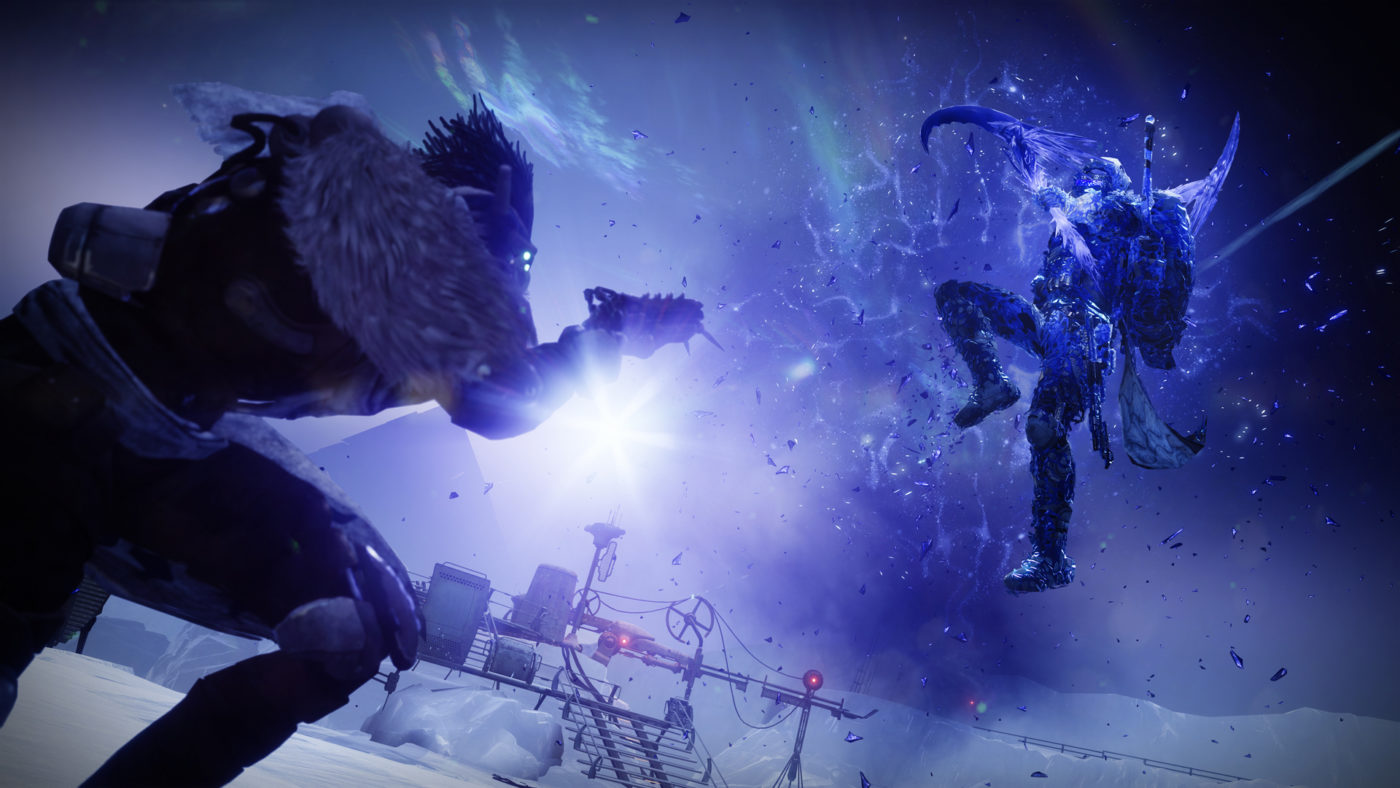
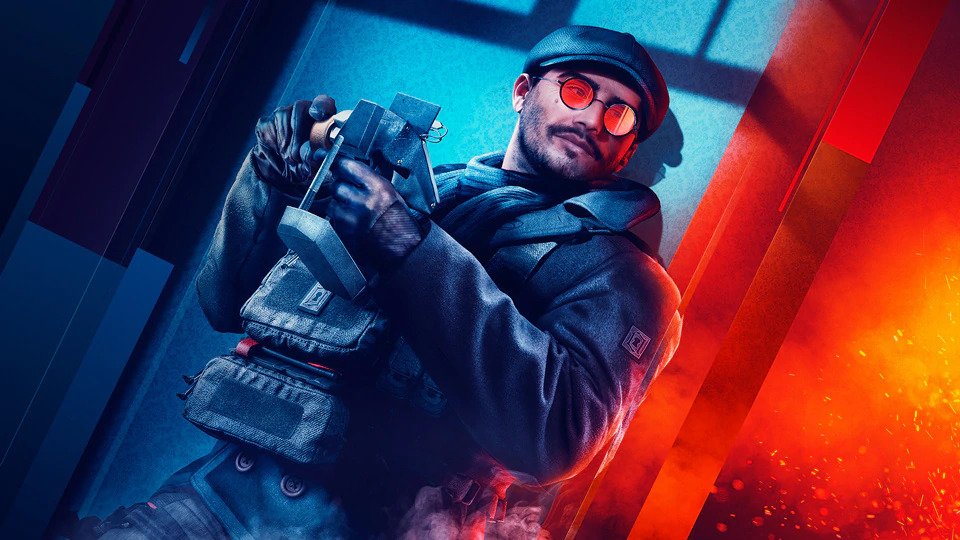
It’s Call of Duty: Warzone’s first year anniversary! To mark this occasion, Activision has launched the CoD Warzone Report! This is a personalized look at your Warzone stats in one handy image.
How to get one? Simple. Just follow the instructions below:
Simply check @Call of Duty for the Tweet, reply to @CallofDuty with your gamertag and the hashtag #WarzoneReport to get a personal look at your Kills, Deaths, K/D Ratio, Hours Played, Games Played, and Wins over the past year.
That’s about it. For highlights with Call of Duty: Warzone’s first year, head on over here. Do you have a good Warzone story? What about a gameplay clip? Save that since that might earn you some dough here on MP1st soon!
Daybreak Games has released the PlanetSide 2 update 2.31 March 10 patch for PC and PS4 There are two separate changelogs, and we’ve listed both below.
PlanetSide 2 Update 2.31 March 10 Patch Notes:
PS4:
Misc. Fixes, Changes, and Additions
Fixed an issue with single-shell shotgun reload animations while crouched or sitting on the back of a Flash.
Fixed a couple of locations where non-ASCII loadout names would display invalid characters.
Colossus tanks’ Fire Suppression ability now has a “Ready” indicator when the ability is off of cooldown, like other vehicles.
Coming Soon: St. Patrick’s Day 2021
Shiny new green is coming to the marketplace for St. Patrick’s Day from Mar. 17 through Mar. 21.
A holiday themed shotgun, new profile banner, and uilleann pipe horns for all vehicles are among what will be hitting the shelves. We’ll be showing these new items off as the holiday draws closer, be on the lookout for screenshots and more on www.twitter.com/planetside2
PC:
Outfit Wars
We will be fixing an issue where extra Victory Points were assigned at the beginning of Playoffs Round 2, based on the Outfit’s current rank. This bug didn’t impact any placements going into the round, as the matches were calculated using the correct VP, and we’ll be adjusting the VP to its proper values when this update goes Live.Misc. Fixes, Changes, and Additions
Fixed an issue with single-shell shotgun reload animations while crouched or sitting on the back of a Flash.
Fixed a couple of locations where non-ASCII loadout names would display invalid characters.
Colossus tanks’ Fire Suppression ability now has a “Ready” indicator when the ability is off of cooldown, like other vehicles.
A7 tooltip in the loadout screen no longer mentions alert rewards.
Outfit Wars: When the preparation phase ends, the “teleport you back to spawn” mechanic is disabled the moment the opaque bubble is removed.
Outfit Wars: The string above the Outfit Wars button on the World Map screen no longer overlaps the button.
Outfit Wars: Updated the help and join match tooltips to more accurately reflect account lock mechanics
Dev Note Hey there, folks. We’re experimenting with shorter update cycles on smaller fixes and features that we don’t necessarily want to hold for a larger update. So you’re going to start seeing small updates like this more often. Our main focus as a team is working on Chapter 03 and the NSO revamp, both of which are turning out to be pretty large updates at this point. On the 17th we’re targeting getting the first look of Chapter 03 and the new facility to the public test server, so prepare for a large download.
Once we get wind of the next patch, we’ll let our readers know.
Here’s a small taste of some of the visual enhancements players will see when Marvel’s Avengers launches on PS5 next week. Head on below for a look at the Marvel’s Avengers PS5 vs PS4 comparison screenshots, that show the next-gen improvements.
Would like to first say a few things about this comparison. For starters, the PS4 Pro images were captured directly from the PS4 Pro via external capture card, where as the PS5 image is from a recent live stream capped at 720p resolution. Because of this, don’t expect to see much of a difference when it comes to textures among other details. Once the PS5 version is officially released we will do another comparison to better show the differences between the platforms. With that said, from the recent PS5 debut gameplay we did notice a few noticeable changes, which you can see below.
As you can see, the water has now been improved to offer a more “realistic” look. This effect is currently available as an option in the PC version of the game. Images below taken from the Intel PC trailer that released last year.
The next batch of images also show some general improvement to the game’s reflection system. Pay attention to the ocean in the background in each capture and you’ll notice some additional reflections from neighboring structures.
Here’s one of actual gameplay showing enemies also have better reflections.
Now these small changes aren’t exactly the biggest ones, though reflections should be more noticeable in other levels in the game. As for the water effects, while impressive it’s not one that we really see standing out much considering most environments are within land and closed spaces. It’s definitely a nice feature to have nonetheless, and once the PS5 version of Marvel’s Avengers is out, we’ll be sure to revisit this comparison with a more in-depth video (hopefully). So stay tuned!
Marvel’s Avengers will be available on PS5 and Xbox Series X|S this March 18 with the Future Imperfect title update.
A gamer at heart, James has been working for MP1st for the last decade to do exactly what he loves, writing about video games and having fun doing it. Growing up in the 90's gaming has been in his DNA since the days of NES. One day he hopes to develop his own game.
Sony has launched the new PlayStation Store Sale for March 10 this week, and it’s called the “Prequels & Sequels” sale! There are over 75 games discounted, and as one might expect, these are sequels and prequels for existing franchises. Head on below for the complete list of games.
Remember that rad side-scrolling brawler Teenage Mutant Ninja Turtles: Turtles in Time from the arcades? It looks like publisher Dotemu (Streets of Rage 4) is about to bring that back, as it has partnered with developer Tribute Games and has announced Teenage Mutant Ninja Turtles: Shredder’s Revenge!
The brawler is due out for consoles and PC, and we have our first look of the gameplay with a new remixed soundtrack!
Here’s the info straight from the press release:
Teenage Mutant Ninja Turtles: Shredder’s Revenge reunites Leonardo, Raphael, Michelangelo, and Donatello to kick shell in a beautifully realized pixel art world invoking the turtles’ classic 1987 design. Today’s announcement trailer perfectly encapsulates the Heroes in a Half-Shell’s rambunctious attitude as they leap and bash their way across Manhattan to a thumping rendition of their signature anthem belted out by Faith No More’s Mike Patton
With Bebop and Rocksteady amassing gizmos to support Krang and Shredder’s latest scheme, Teenage Mutant Ninja Turtles: Shredder’s Revenge finds the turtles battling through a breathless tour of iconic TMNT locations to thwart their nemeses’ most diabolical plan yet. Armed with shell-shocking new abilities built on a foundation of classic brawling mechanics, the gang are in for an exhilarating, Foot Clan-stomping romp leading them through the sewers and bustling boroughs of New York City all the way to Dimension X.
No release date has been given yet, but you can bet we’ll keep our eyes glued to this like Michaelangelo on pizza!
During a recent live broadcast where Crystal Dynamic showcased new gameplay for the PS5 version of Marvel’s Avengers, a Crystal Dynamics rep took to the Twitch chat for some open discussion Q&A. While it has been confirmed that both the PS5 and Xbox Series version of Marvel’s Avengers would have faster loading, what wasn’t yet known was exactly how much faster. According to the PR rep, fans can expect to see Marvel’s Avengers load screens to be pretty much instant — at least on PS5.
“Many loading screens on PS5 are pretty much instant. It’s VERY fast,” The Crystal Dynamics rep who goes by the username “Crystal_PR_Guy” said during the Twitch chat.
The live broadcast unfortunately didn’t showcase this, though this news should hopefully please many players as the load times are atrociously long, even when playing via backwards compatibility on the next-gen consoles. If you’re curious how fast (or rather slow) it is on the current-gen version (via backwards comp), check out the video below posted by Kinda Funny’s Greg Miller back in November 2020:
Sticking to the subject of next-gen platforms, “Crystal_PR_Guy” also commented on the Xbox Series X and S version. While there are no plans to showcase what Marvel’s Avengers looks like on either platforms (most likely due to PlayStation marketing rights,) the Crystal Dynamic rep did at least let Xbox gamers know that the game will look visually the same as the PS5 version. Xbox Series S will see the same next-gen treatment, though capped off at 1440P as previously announced.
“no plans to show Xbox Series X, but it’ll be pretty much the same from a visual perspective as PS5”
“Xbox Series S gets the next-gen treatment, but will max out at 1440p resolution”
In other Marvel’s Avengers news, Crystal Dynamics has announced that players can replay the campaign of the game on March 18 when the Future Imperfect title update is released.
A gamer at heart, James has been working for MP1st for the last decade to do exactly what he loves, writing about video games and having fun doing it. Growing up in the 90's gaming has been in his DNA since the days of NES. One day he hopes to develop his own game.
While we just got out of the NBA All Star weekend, Visual Concepts has just released the unannounced NBA 2K21 update 1.09 March 10 patch that’s live now on current-gen, though not on PS5 as far as we’re aware. This clocks in at a huge 20GB, so don’t be shocked to see your HDD pushed. Head on down for the changes.
NBA 2K21 Update 1.09 March 10 Patch Notes:
Update: Visual Concepts has finally released the official patch notes for what it calls “NBA 2K21 Update #7” which we’ve listed down below:
GENERAL:
2K Foundation Inspired court at 2K Beach along with new seasonal decorations.
Updated another set of player likeness for current NBA players.
MyTEAM:
Addressed a rare issue with Dark Matter player cards not displaying the player reveal during pack openings
Addressed an audio issue with Dark Matter card animations
Addressed a name display issue for some playbook cards
Additional various preparations for upcoming additions to MyTEAM
*Update is available on Xbox One and PlayStation 4; will roll out to additional platforms at a later date
Per the PS4 update history:
Improved the stability of the title in addition to a number of general improvements to the user experience.]]>
So far, Visual Concepts has not released any patch notes for today’s patch. The studio did release a server-side player ratings update before the All Star Weekend, though that didn’t come with any gameplay-related changes. Usually, the studio releases the patch notes within the day, so we’ll be sure to update the post once that’s made public.
Here’s the latest changes for MyTeam Season 5 which was rolled out on March 6 “Age of Heroes“:
The top tier of NBA 2K21’s MyTEAM has arrived, Dark Matter! Featured in the new Pantheon: All-Star packs, the one and only Michael Jordan and NBA 2K21 Cover Athlete Zion Williamson are the first-ever Dark Matter player cards in MyTEAM!
Both the Pantheon: All-Star and Hero versions of these Dark Matter players usher in the highest tier of power you will see in MyTEAM. MJ & Zion are forces to be reckoned with on the MyTEAM courts.
The appearance of these Dark Matter cards raised a very important question though… if Dark Matter Zion and MJ are a part of the Modern Age and Golden Age collections… then what are the rewards for completing these collections?!
First, for Season 5: Age of Heroes, special drawn versions of NBA players have been added throughout MyTEAM to collect each week, and earn via Agenda Groups. Split into the Golden Age for our Heroes of the past, and the Modern Age for current Heroes of the hardwood, these 30 players form an interconnected mural that only YOU can complete.
If you spot any gameplay-related changes, let us know what you see and share ’em down in the comments.
First Watch Games has released the Rogue Company update 1.51 March 10 patch, and this brings the new rogue, Seeker into the game, along with a new map, rogue changes and loads more. Head on below for the complete patch notes.
Rogue Company Update 1.51 March 10 Patch Notes:
New Rogue: Seeker
One of the newest recruits to Rogue Company, Seeker is an Olympic medalist and Archery prodigy. He was brought in by The Director and trained by Kestrel to help with the assault on Jackal’s Hollows Base.
Primary Weapons
New Weapon: Sahara Assault Rifle
Body Damage: 24
Fire Rate: 7.25
Range: 21
Handling: 29
Magazine Size: 20
Reload Time: 2.4
Arren L2-12
Body Damage: 30
Fire Rate: 5
Range: 35.01
Handling: 50
Magazine Size: 12
Reload Time: 1.6
Secondary Weapon
A3 Salvo
Melee Weapon
Baseball Bat
Gadgets
Sticky Sensor
Bounce Grenade
Perks
Berserker
Padded Steps
Bounce Back
Stalker
Life Drain
Lifeline
Active Ability
Arrow Scanner: Fire an arrow that reveals enemies along its flight path.
Passive Ability
Ricochet: Projectiles deal 60% more damage when bounced.
MODES
DEMOLITION
Rounds increased by two per half. First team to reach 9 rounds wins the match.
The cash earned from winning a round has been changed to $6500
The cash earned from losing a round has been changed to $5500
NEW Map Hollows has been added to the map rotation
STRIKEOUT
Tickets increased from 12 to 16
Starting cash changed from $12,000 to $13,000
NEW Map Hollows has been added to the map rotation
We have temporarily disabled the outline on enemies who eliminated you
Wingman Strikeout
Tickets increased from 10 to 12
Starting cash changed from $12,000 to $13,000
Wingman
Rounds changed from BO9 to BO13
Countdown
Rounds changed from BO3 to BO5
Starting cash changed from $12,000 to $13,000
Sabotage
Friendly outline changed from green to blue
Starting cash changed from $12,000 to $13,000
New map rotation
Hollow
Glacier
Canals
Icarus
Custom Games
Wingman added
Wingman Strikeout added
RANKED
Glacier and Arena maps have been removed from the map rotation
NEW LIMITED TIME MODE: ASSAULT (4V4)
The attacking team will try to Assault the active bomb site and plant the bomb. They must do this tactfully though as they have a limited number of respawns.
Each game is a BO7 lasting up to 4 minutes per round
Teams will switch sides after 3 rounds
Both teams begin at 12 respawns
There is a single site the attackers must plant and detonate the bomb at which rotates each round
If the bomb gets defused it will reset and not end the round
If the bomb stays idle for 20 seconds, without the attacking team touching it, it will reset
Maps
High Castle
Favelas
Lockdown
Vice
Windward
Skyfell
Hollows
Canals
Icarus
Glacier
New Map: Hollows
With the information discovered by Gl1tch, Rogue Company has located Jackal’s Hollows Base. Built into an underground cavern in Southeast Asia, this top secret installation is preparing to launch a stealth weapons platform into space. Jackal must be stopped, but in order to do that the Rogues will face off against entrenched defenders among the caves and structures of the facility.
ROGUES
Dahlia
Can no longer link to downed friendly players
Scorch
Overheat: Damage reduced from 5 per tick to 4 per tick
Sigrid
No longer has Evade. Now has a new perk called “Toughen Up which provides 30% reduction from melee attacks
No longer has Tracker Rounds. Now has Life Drain
Vy
No longer has Tenacity. Now has Bounce Back
WEAPONSArbitrator (Anvil, Scorch)
Body damage reduced from 104 to 90
HRM-30KS (Dallas, Trench)
Fixed an issue where the max accuracy loss (bloom) was greater than desired
Warrant (Fixer, Sigrid)
Range increased from 12m to 13m
Body damage increased from 20 to 21
Melee Upgrades
Now cost $2500
SMGs
Base now cost $7000
Upgrades now cost $5000
Shotguns
Base now cost $7000
Upgrades now cost $5000
GADGETS
Adrenaline Shot
Base now costs $4000
Level 1 upgrade now costs $2000
Level 2 upgrade now costs $3000
Active Protection System
Level 2 upgrade now costs $3000
Bounce Grenade
Base now costs $5000
C4
Base now costs $5000
Cluster Smoke
Level 1 upgrade now costs $3000
EMP Grenade
Base now costs $4000
Level 1 upgrade now costs $2000
Level 2 upgrade now costs $3000
Flashbang
Level 1 upgrade now costs $3000
Level 1 upgrade no longer affects throw distance. Now increases explosion radius
Grenade
Base cost increased to $5000
Level 2 upgrade increases damage to 150
Molotov
Base now cost $5000
Semtex
Base cost increased to $5000
Smoke Grenade
Level 1 upgrade now costs $3000
Level 1 upgrade no longer slows movement speed
Sticky Sensor
Base now costs $3000
Level 1 upgrade now costs $2000
Level 2 upgrade now costs $3000
Tear Gas
Level 1 upgrade now costs $3000
PERKS
Padded Steps
Now costs $3000
Evade
Now costs $3000
Shredder Rounds
Now costs $3000
Cloaked
Now costs $3000
Berserker
Now costs $3000
Helping Hand
Now costs $5000
Nimble Hands
Now costs $5000
Tenacity
Explosion reduction changed from 40% to 30%.
Upgraded C4 and Grenades will down an enemy who has Tenacity
Bounce Back
Now costs $5000
Headstrong
Now costs $12000
Tracker Rounds
Now costs $12000
Life Drain
Now costs $12000
Resupply
Now costs $11000
MAPS
Canals
Fixed an issue where the camera clipped through the tank near the Bombsite B
Depot
Fixed an issue where players failed to stand up when crouched under a railing in Depot map
Fixed an issue where the player’s camera clipped through an inside wall when panning the camera down
Fixed an issue where players were able to vault on the ledge and onto the shutter covers
Favelas
Fixed an issue where players could land on top of buildings
Fixed an issue where the camera clipped through the wall near black car in the small garage
Fixed an issue where players could go to an unintended area without getting any warning message
Fixed an issue where rocks had missing textures at the edge of the map near Jaguar statue
Fixed an issue where irrelevant shadows appeared in high quality setting at multiple locations
Fixed various areas with graphical corruption
Glacier
Fixed an issue where the door frame flickered near the Attacker spawn
Fixed an issue where players could go to unintended areas by climbing on the zipline near the defenders spawn
High Castle
Fixed an issue where players could access a rock area outside of the map
Fixed an issue where a gap was observed on the floor near the steps next to the Jacuzzi
Fixed an issue where Anvil failed to place his Barricade near the crate on top of the bridge
Fixed an issue where irrelevant shadows were appearing on many walls and corners
Windward
Fixed an issue where the camera clipped through the wall next to the zipline at bombsite B
Fixed an issue where players got stuck when they were in the fruit shop near the concert area
QUALITY OF LIFE
New Match Protection System
Matchmaking is now designed to prevent matches without a full lobby from launching
If a player disconnects from the match during its initial start, the match will end and players will return to the lobby
This will not impact in-progress matches
Increased mini-map coverage radius from 30m to 45m
Fixed an issue where controller players received less vertical kick when aiming at an enemy
When aiming, the mini map is now hidden
Consecutive crouches are now throttled to combat Crouch Spamming
Characters now hold an SMG like it’s an Assault Rifle
The boost bonus amount isn’t being called out in the post-match report
Players can now emote in the game lobby
BUGS
Fixed an issue where grenades would not properly be thrown over cover
Fixed an issue where players could get into a Ranked party with players more than 6 Division levels apart
Fixed an issue where a gamepad menu could become stuck by accessing the scoreboard and hitting back
Fixed an issue where players would avoid losing Ranked points if they dropped out of a Ranked match during loading and then rejoined
Fixed an issue where the HRM-30KS used the KA30 inventory icon
Fixed a typo in the Report menu when using Report Player
Fixed the animation of the Solar Flare wrap
Fixed an issue where the camera clipped through the wall near the swimming pool
Fixed an issue with the Hellfire Protocol Scorch Outfit missing fire in Rogue walk-in animation
Fixed an issue where melee weapons dropped by enemies upon death could cause damage to allies when they are thrown at them
Fixed an issue where deployed Rogue abilities were not showing up on Gl1tch’s passive
Fixed an issue where moving parallel or close to certain walls in the map Skyfell caused the camera to shift into a first person perspective
Fixed an issue where Mastery Points abbreviation was unlocalized
Fixed an issue where Unknown region was unlocalized on the queue selection screen
Fixed an issue where Anvil’s machine gun got attached to Saxophone on the Saxy Dance emote
Fixed an issue where Anvil’s Arbitrator had a visual issue with the Base tier icon
Fixed an issue where the ‘MASTERY LEVEL UP’ text in postmatch reports was misaligned
Fixed an issue where sometimes the getting revived audio stayed in the world at that location
Fixed an issue with Vy’s passive health gain audio which played even when the volume was set to 0
Fixed an issue where Switch and Xbox One players were unable to mute players
Fixed multiple visual issues with Saint Revive Drone
Fixed an issue where some On and Off options were unlocalized in the settings menu
Fixed an issue on consoles where the APS system display animation was missing for Anvil and Trench
Fixed an issue in Wingman where the player would not respawn in the map if they were standing at the edge of the dropship when the timer ran out
Fixed an issue where ‘Waiting for party leader to queue’ text overlapped the button ‘GOT IT’ on Ranked Demolition info page
Fixed an issue where players failed to rejoin the game session after quitting and relaunching the game
Fixed an issue where a disconnected player’s mini map icon gets stuck on the screen
PTS BUGS
Fixed an issue where Lancer’s speed buff during her ability was not working
Fixed an issue where the progression tab failed to display in post-match screen for Strikeout mode
Fixed an issue where Aim Assist would jitter when on a moving target
Fixed an issue in Assault where the bomb would not respawn if thrown in the Chimera
Known Issues
Subsequent dodge rolling prevents players from moving
Due to technical issues the Factory map is being temporarily disabled
That’s not a bad update. If there are more stuff included in this update that’s not mentioned here, we’ll update the post.
Software security company Irdeto has just announced that its anti-cheat technology and DRM software Denuvo joined the exclusive PlayStation 5 Tools and Middleware program, allowing developers to use their program to help combat cheaters.
From the press release:
Denuvo is at the forefront of games security with over 2 billion unique game installs protected across all platforms, and over 1,000 games secured. Joining the PlayStation®5 Tools and Middleware program therefore fosters Denuvo’s continued commitment to excellence and innovation in game security. It also supports Denuvo’s goal of protecting the developers’ investment, where approximately 70% of their revenue is earned in the first two weeks after the launch of a game.
Today, as a member of ecosystem players, Denuvo will carry on its mission of bringing fairness and fun back to gaming by providing its Anti-Cheat solution to all developers who want to protect their games and gamers, from hackers and cheaters, on PlayStation®5. According to its Global Gaming Survey, 77% of the gamers express being repelled from a game due to cheating occurring, creating a tremendous risk on monetization of games.
“Cheating ruins video games for honest players,” said Reinhard Blaukovitsch, Managing Director of Denuvo, Irdeto. “This can lead to lower engagement, game traffic and shrinking revenues for game publishers. We are really proud be able to help the world’s most talented developers to bring rich experiences for gamers on Playstation®5.”
While the PS5 currently does not have any known public form of piracy (and most likely won’t for a while,) the news of Denuvo being available for use should not doubt help slow the progress. However, as many PC gamers have learned, the anti-tamper tool isn’t exactly all it’s cracked up to be.
Some claim it has had a hit on performance in certain titles, with even Tekken 7 own Chief producer taking a stab at it and blaming the way it’s implemented as the reason to FPS drops in Tekken 7.
Problem occurred in "TEKKEN7 for PC". that the frame rate drops when hits such as Akuma's "Shakunetsu Hadouken". Since it's not a problem of graphics & CPU processing, it will not solve even if changing PC setting (problem with encryption program). We'll fix Soon. Sorry Plz wait.
Anti-tamper 3rd party middleware. It’s live updating programs and I heard “it’s fix soon” from them. We will check it and update. Thx RT @TiredOcean: What does the encryption program do?
However, one of the bigger complaints has to be the fact that the tool requires authentication during initial set up. This means that titles that have used the tool before require an online check before they can be played offline, including some single-player focused games. No details were given on whether this would be the same on PS5, though we suspect this will mostly be used in online only titles.
Nonetheless, due to how quickly it is becoming with cracking Denuvo-enabled titles on PC, many gamers have been vocal in its removal with some developers eventually doing just that.
Of course with the PS5 being such a closed system, we don’t expect this have much of an effect when it comes to piracy on the platform. Still, while in most cases (on PC) the performance effects are minimal, it does always beg to question as to what is being impacted with the tool implemented. Guess we’ll just have to wait and see.
In other PlayStation news, Sony’s London Studio says that its current project has “huge potential,” though we don’t know what that exactly is just yet.
A gamer at heart, James has been working for MP1st for the last decade to do exactly what he loves, writing about video games and having fun doing it. Growing up in the 90's gaming has been in his DNA since the days of NES. One day he hopes to develop his own game.
The GTA Online $1 Million PS+ benefits will be seeing a bit of a change come April, as the perks will no longer be applied automatically to accounts, but instead will now require a store redemption.
In an email we received from the PlayStation Network subscription letter, it details a new change coming to the GTA Online $1 Million PS+ Benefits. For those unaware, as part of the GTA 5 next-gen promotion, Rockstar Games had teamed up with PlayStation to offer an exclusive monthly deposit of $1 million GTA Online dollars for PS Plus subscribers. This money was automatically deposited into users accounts, once a time each month. However, it has now been confirmed that players will now be required to redeem the perk rather than automatically be given it.
The email reads:
Changes to your GTA$ Benefit
The way you receive your monthly GTA$1,000,000 Playstation®Plus benefit will soon change.
From April 1, 2021 forward you will need to claim your monthly GTA$1,000,000 benefit from the Playstation™Store. At the start of each month a new GTA$1,000,000 product will be available on the PS Store, like other similar PS Plus pack benefits. You must be a Playstation®Plus subscriber to claim this product each month and the GTA$ will be deposited into your in-game account upon store redemption.
The month of March 2021 will be the last month in which your monthly GTA$ benefit will be automatically deposited into your in-game account within 72 hours of your first play session. As of April 1, 2021, these automatic GTA$ in-game deposits will be discontinued.
The amount of the GTA$ benefit is not changing. The offer is still limited to GTA$1,000,000 per person per month and this offer will still end when Grand Theft Auto V launches on Playstation®5 in the second half of 2021. A specific release date of GTAV on PS5™ has not yet been announced.
Of course with this news there seems to be much confusion in the GTA Online community as to why Rockstar is making these changes. For those unaware, Sony has a system in place where users can designate which console is their primary/home console. Not only does this feature allow users to be able to play their digital games offline, but it also allows any account on the designated primary console to enjoy PS+ benefits such as online play. This meaning you could play in online matches without an account needing a PS+ subscription if one of the primary accounts already have it.
However, in the case of GTA Online and it’s PS+ perks, those benefits also applied to every account that logged into GTA Online for a given month. Unsurprisingly, some users ended up exploiting this system by giving accounts without a subscription, free $1 million GTA bucks. It seems that both PlayStation and Rockstar Games are set to correct this as the perk now requires redemption, which is tied to a user’s account rather than being system wide.
A gamer at heart, James has been working for MP1st for the last decade to do exactly what he loves, writing about video games and having fun doing it. Growing up in the 90's gaming has been in his DNA since the days of NES. One day he hopes to develop his own game.
Microsoft has announced that the Xbox One and Xbox Series X|S will be getting a major firmware update next week! The Xbox March update will see a few key features added, and preps the console for the release of the official Xbox wireless headset!
Head on below for the summary and key points gamers need to remember once the firmware patch is out on March 16.
Xbox March Update Summary:
The Xbox Accessories app on Xbox One, Xbox Series X|S, and Windows 10 is getting an update ahead of the launch of the Xbox Wireless Headset.
New toggle settings are available for FPS Boost and Auto HDR for backward compatible games.
Achievements are coming back to the Xbox app (mobile),
A new way to manage your Xbox subscriptions is coming to console.
The biggest feature coming are the toggles for the FPS Boost and Auto HDR! This should keep those last-gen games looking crispy and rich.
Backward Compatible Auto HDR and FPS Boost Settings
In February, Team Xbox announced backward compatible games were getting even better with FPS Boost. Choice is incredibly important when it comes to choosing how you play your favorite games. So this March, we’re rolling out our new toggles for both FPS Boost and Auto HDR.
In your game’s manage settings, you can choose your compatibility options and toggle on or off Auto HDR and FPS Boost. Once you restart the game, your selections will be applied – you can verify it by pressing the Xbox button and checking the indicators under the clock. Not every game will support these features, so the compatibility options may not be available for your game.
Achievements are returning in the Xbox app! The first update will include a list of achievements in the app, achievements details screen, and notifications for newly unlocked ‘cheevos! More features are planned to drop “in the coming months” says Microsoft.
Managing Xbox subscriptions will now be made easier too, as subscription management will be made available on the Xbox console of your choice!
Crystal Dynamics has shared specific details regarding the Marvel’s Avengers camapign replay feature that’s been requested by fans since last year! In addition to that, the studio shared more details regarding the Custom HARM Rooms that we now know will also arrive on March 18.
The Campaign Replay allows you to replay the entire Reassemble Campaign from the beginning. It works by resetting your campaign progress to the start of the story, meaning that you will have to play the campaign over from the first mission. While your data tracking campaign progress will be reverted, you will not lose any player progression like XP, character progress, and collectibles obtained up until this point.
Replaying the Reassemble Campaign is simple: when available, the “Reset Campaign Progress” option will appear in the Operation Picker button legend bar for the Reassemble Campaign, next to the “Continue” option. When selected, a warning notification will show up onscreen clarifying what will and won’t be reset, and ask for your confirmation. When you’re ready, hit “Continue” to move forward with the reset and enjoy replaying the Reassemble storyline again! You can reset your campaign progress as many times as you like.
Keep in mind that the Campaign Reset button will only be available on the operation picker once you’ve progressed past the opening cinematic and into A-Day gameplay in the Reassemble Campaign. Once Kamala has disembarked from the Quinjet, the Campaign Reset option will be available upon returning to the main menu from this point forward. You will need to reach this availability threshold each time you reset the campaign.
Since we know the community loves re-experiencing the story, future Operations will be designed to be replayable by default, so you can dive back into the cinematic action to your heart’s content!
As for the HARM Rooms, here’s what the studio has to say about it, and yes, it looks like it’ll be a single-player affair given there’s no mention of it at all that you’ll be able to do it with friends.
HARM Room (Custom)
Many members of the Community have expressed the desire to tailor the HARM room for a personal Super Hero training experience. We’re happy to announce that customizable HARM rooms are on the way!
The HARM Room (Custom) is accessible via the War Table. After a tutorial that will guide you through the process on your first entry into the HARM Room (Custom), you can use the console to customize your combat experience with modifiers like enemy types, enemy numbers, different environmental hazards like fire and electricity, difficulty, and buffs!
Want to see how you fare alone with no buffs against a gigantic horde of brutal-difficulty Adaptoids as hellfire billows around you? There’s a HARM room for that. Feel more like equipping every buff possible and smashing droves of puny Synthoids beneath you? There’s a HARM room for that too. These customizable HARM Rooms are a great resource to test the limits and discover the strengths and weaknesses of your Hero builds, as well as a great place to just have fun!
Once the patch is out, we’ll be sure to let our readers know ASAP.
While it was just annnounced last week, Cold Iron Studios is wasting no time in releasing details about their upcoming PvE, co-op game Aliens: Fireteam. If you think you’ll just go battle your standard enemy that we’ve seen in the movies, think again! There are at least six new Aliens: Fireteam Xenomorph types players will face off in the game, and they each have their own strengths.
The Aliens: Fireteam Xenomorph types are:
Runner
Drone
Praetorian
Prowler
Burster
Spitter
You can go check out our first look at these new kind of killers over on IGN, where there’s a month-long feature running for the upcoming shooter.
Don’t forget to check out a full 25-minute gameplay mission walkthrough of the game right here.
Aliens: Fireteam is being developed by Cold Iron Studios and is set for release this summer on the PS4, PS5, Xbox One, Xbox Series X|S, and Steam.
It looks like big things are coming to Epic Games and its use of the Unreal Engine, as the company has acquired RealityCapture creator and photogrammetric software for 3D scans company Capturing Reality — which was made public and announced at their official website.
The investment is certainly a powerful one, as Epic is looking to utilize and integrate Capturing Reality’s photogrammetry software into the Unreal Engine — making it easier for developers to upload images and create photorealistic 3D models in games.
Following the announcement of the acquisition, Capturing Reality co-founders Michael Jancosek and Martin Bujnak spoke about the possibilities and potential this partnership will have going forward.
“Our mission at Capturing Reality is to give our customers the most powerful and easy-to-use photogrammetry solution on the market, so they have the freedom to focus on their business,” said Capturing Reality Co-founder Michal Jancosek, PhD.
“Epic is clearly aligned with this mission, and has a proven track record of taking existing technologies and making them more accessible to developers across industries. We look forward to partnering with their team to accelerate adoption of our technology and moving the photogrammetry industry forward together,” concluded Martin Bujnak, PhD., co-founder of Capturing Reality.
Blizzard Entertainment has released the Overwatch update 3.07 March 9 patch, and this is for the PachiMarchi Challenge that runs from today up to March 22, 2021! This also brings bug fixes and tweaks for maps, heroes and more!
Added “Damage FX” options to the advanced Video options menu that will reduce the amount of impact effects seen during gameplay and replays
Added a “Custom Spectator Options” menu for live spectating that opens when you press the “View Spectator Options Menu” button as a spectator
Spectator camera bookmarks in live spectating and replay viewing now also save the current “Camera Field of View” (FOV)
Added “Custom Game Invite Filter” and “Custom Game Invite Requests” settings to the Social options menu to allow players to change and save who they can receive custom game invites from
Updated how off-screen important elements (e.g. an exploding D.Va Mech) are displayed on the screen to make them easier to find
WORKSHOP UPDATES
We’re pleased to announce Workshop Extensions, a system which allows users to enable certain enhancements, such as access to new effects and increasing the number of dummy bots. These enhancements can be enabled using Extension Points, which are earned by either disabling player slots, disabling all non-Workshop maps, or a combination of both. This system allows us to add resource-intensive features while giving creators control over when they’re enabled. Check out the New Workshop Extensions section in these and future patch notes!
Spawn Points now returns an array of spawn point entities that have a position and facing direction. If you were already using this Value in places that expected a position, it will work as before. If you want explicitly grab the position and facing direction data, you can use the Position Of and Facing Direction Of Values respectively.
General
Added Workshop Extensions
Spawn Points now returns an array of entities rather than position vectors
Optimized effect position evaluation
New Workshop Extensions
Beam Effects
Beam Sounds
Buff Status Effects
Debuff Status Effects
Buff and Debuff Sounds
Energy Explosion Effects
Kinetic Explosion Effects
Explosion Sounds
Play More Effects
Spawn More Dummy Bots
New Workshop Actions
Enable Text Chat
Disable Text Chat
Enable Voice Chat
Disable Voice Chat
Start Game Mode
Return to Lobby
Restart Match
Move Player to Team
Remove Player
Start Forcing Dummy Bot Name
Stop Forcing Dummy Bot Name
New Workshop Values
Damage Over Time Count
Heal Over Time Count
Text Count
Damage Modification Count
Healing Modification Count
Assist Count
Entity Count
Local Player
Char In String
Index Of String Char
String Split
String Replace
BUG FIXES
General
Fixed a bug that caused specific abilities to persist on targets after a player swaps off the hero that used them
Fixed a bug that prevented players from using the escape menu to leave a custom game under certain circumstances
Fixed a bug that would cause heroes to become stuck against some buildings in midair
Fixed a bug with the Bounty Hunter game mode that caused Sombra to be detected when invisible if the Bounty Target buff expires
Fixed a bug that caused player ragdoll models to fall through the terrain when skipping kill cam playback
Fixed a bug that caused heroes knocked back by Doomfist’s Rocket Punch to not always break railings
Fixed a bug when calculating the “Weapon Accuracy – Best” stat
Maps
Blizzard World
Fixed a bug that allowed Tracer to blink and become stuck behind the two candelabras
Château Gaillard
Fixed a bug that allowed Wrecking Ball to Piledrive from the ground and get stuck on certain bushes and corners
Dorado
Fixed a bug with a collision location that allowed Wrecking Ball to unintentionally grapple upon it
Eichenwalde
Fixed a bug that caused the UI to incorrectly reflect payload progress in rare circumstances
Gibraltar
Fixed a bug that allowed players to place turrets in an unintended location
Hanamura
Fixed a bug with missing player collision in various locations of the map
Fixed a bug that caused Reinhardt to hit the door frame when charging out of the second attacker spawn room
Fixed a bug that allowed Reaper to teleport through a small gap outside of the second capture point
Hollywood
Fixed a bug that caused players to become stuck on a specific section of rooftop
Kanezaka
Fixed a bug with player collision that allowed heroes to move through map geometry
King’s Row
Fixed a bug that caused Mei’s Blizzard drone to fall through the floor in certain locations
Fixed a bug that allowed players to travel beneath some collision but not be killed by the death plane
Nepal
Fixed a bug that allowed players to land on some snow piles on top of buildings
Numbani
Fixed a bug that caused lighting issues in the back of the second attacker spawn
Rialto
Fixed a bug that allowed D.Va’s Self-Destruct to go through walls causing damage to enemies
Heroes
Baptiste
Fixed a bug where Earthshatter could be blocked by an Immortality Field that was mid-deploy
Bastion
Fixed a bug where a stun would cancel transformation from Recon mode to Sentry mode
Doomfist
Fixed a bug where Doomfist’s Rocket Punch impact animation would incorrectly play twice
Fixed a bug where Doomfist would incorrectly maintain vertical momentum while entering Meteor Strike
Sombra
Fixed a bug that caused her Translocator beacon to become stuck in a specific section of the Havana map
Wrecking Ball
Fixed a bug that allowed Piledriver to be used in unintended scenarios after a successful Piledriver
Workshop
Fixed an issue where Continue could jump to the wrong loop in certain cases
Fixed an issue where Brigitte would continue using Primary Fire after it had been disabled
Fixed an issue where certain abilities would collide with walls even when environment collision had been disabled
Fixed an issue where the Workshop Inspector would display incorrect player names
Fixed an issue where certain buttons were ignored during flight abilities even when they were held down via Workshop
Fixed an issue where beam effects were not rendering when going straight up
Fixed an issue where extra D.Va’s could exist in certain scenarios
Fixed an issue where the Array value would interfere with the correct evaluation of Current Array Element and Current Array Index
Fixed an issue where Start Facing would not correctly honor Evaluate Once values when mixed with Event Player or other context-dependent values
Fixed an issue where Spawn Points would sometimes fail to reevaluate correctly
Fixed an issue where Hero Being Duplicated would fail when Echo duplicated D.Va
Fixed an issue where Player Died events wouldn’t trigger for environmental deaths when Echo was duplicating another hero
Removed the error sound that plays when attempting to use an ability that has been disabled by Custom Game settings or the Workshop
Stay tuned for the latest Overwatch updates here on MP1st!
If you’re looking to shoot up enemies in Call of Duty: Black Ops Cold War, you won’t be able to regardless of platform, as Black Ops Cold War down reports have surfaced now, and we can confirm it’s affecting all platforms the game is on.
On the official Call of Duty server status page, the Black Ops Cold War servers are currently in “Outage” and on all platforms confirmed (PSN, XBox Live, Battle.net).
Unfortunately, the official Activision Support Twitter account has not acknowledged the issues just yet, though the game’s subreddit has suddenly come to life with reports from players regarding the Black Ops Cold War down issues for its servers.
We’re monitoring the situation, and will update the post once we know more info.
For more Black Ops Cold War reading, check out the changes made by Treyarch yesterday via server-side right here.
If the game’s servers are working or down for you, share where you are and what platform down below in the comments to let us, and other gamers know if it’s slowly going back up.
Update: Activision has listed everything as “online.”
Mojang has released the Minecraft update 2.21 March 9 patch or what the studio calls the 1.16.210 title update! Thios adds ambient sounds, bug fixes as reported by players, and more! Head on below for the full patch notes changelog.
Minecraft Update 2.21 March 9 Patch Notes (1.16.210):
Vanilla Parity Changes and Fixes:
Players now experience ambient sounds in the Nether (MCPE-74756)
Mobile players need to update the Minecraft Original Music Pack via the Marketplace to hear these new sounds
Using bone meal in warm ocean biomes now only generates sea grass, coral, and coral fans (MCPE-100085)
Changes:
Added F11 as a keyboard shortcut for Full Screen mode
Added text-to-speech volume slider in Audio Settings
Android Devices
Our ability to support Android devices on KitKat OS or below is coming to an end. For more information, please see our help article
Players running this KitKat OS or below are not able to purchase a Realm from that device
Known Issues:
Please be assured that we still are working on the issue that is causing some players to get stuck on the red loading screen on PS4 – to help us investigate this further, the game will now detect if it has failed to load correctly after 30 minutes, which will help us to diagnose and rectify the problem (MCPE-84790)
Player may be unable to change back from Local Network to Online Network on Nintendo Switch due to infinite loading
Players are unable to see and join LAN sessions on Xbox without on Xbox Live Gold subscription
The chest inventory menu is not visible when a chest is placed close to wall on PS VR (MCPE-109860)
There are are no animations when using items and punching at the air when playing on mobile devices
Fixes:
Performance / Stability
Fixed a number of crashes that could occur during gameplay
Fixed a crash that could occur when opening the achievements screen when the Anti-Aliasing setting was set to 1 (MCPE-110164)
Fixed a crash that could occur when loading ‘.mcstructure’ files into the world that include entities (MCPE-63387)
Teleporting away from a structure animation no longer causes the game to crash
Fixed a crash that could occur when leaving a world
Fixed a crashing issue related to corrupted biomes during world load for various Marketplace worlds
Fixed a crash that could occur when using Code Connection (MCPE-113355)
General
Players are once again able to join servers when the server has view-distance set to 4 or less (BDS-8855)
Split-screen characters are now stored in memory and re-joining the game will keep the character that the player had (MCPE-58640)
Brought back capability to rejoin a server after it has been suspended and resumed
Sign in failures now have a more helpful error message and provide error codes
Clicking “Download Template” when missing required templates of an existing world now correctly downloads the required templates
Resolved an issue where, in certain cases, a world could not be properly synced to the cloud (Xbox only). If you are having trouble syncing worlds, please try opening the world on the original Xbox, save/quit, then wait a few moments while the world is re-synced into the cloud
Fixed an issue where crafting a bed with the recipe book unlocked the “Change of Sheets” trophy
Gameplay
Fixed players taking fall damage when opening Shulker Boxes (MCPE-105490)
Players will no longer dismount into liquids (lava or water) from rideables such as boats
In all worlds created with the same seed, the same chest will now always generate the same content in the same order (MCPE-72432)
Mobs
All mobs that use a melee attack have had their ability to hit targets above and below them restored
The target still must be within melee attack distance to be hit
This only affects world versions greater than or equal to 1.16.210
Fixed a bug where parrots could fly upwards indefinitely
Fixed an issue that was causing the Ender Dragon animation to appear jittery (MCPE-105892)
Added new logic for mobs dismounting rideables
This also introduces a more fine-grained entity height check allowing different dismount places for entities of different heights
Fixed a bug where foxes wouldn’t knock off and eat sweet berries (MCPE-70790)
Fixed a bug that allowed players to place custom spawn eggs by default in Adventure mode
Minecarts now properly update their effects (looping sound, player coordinates) when the minecart is not being rendered for the rider (MCPE-104044)
Blocks
Mining crimson hyphae with Silk Touch now returns a placeable block
Fix for certain Marketplace worlds having incorrect block data when played on Realms and multiplayer between mobile and PC
Fixed dried kelp block bottom and carried textures so the rope pixels are aligned (MCPE-35476)
Fixed an issue where snow accumulated in lines with certain simulation distances (MCPE-73468)
TNT submerged in water will once again launch players in Survival mode (MCPE-47047)
Items
Ink Sacs obtained from the Wandering Trader can now be used for crafting and can be stacked (MCPE-101087)
Redstone Dust is now displayed as “Redstone Dust” instead of “Redstone”
Nether Brick now gives XP from being smelted (MCPE-100030)
Graphical
Fixed an issue with screen resolution which could flicker when resizing a window (MCPE-69721)
Fixed an issue with maps rendering over transparent objects when attached to item frames when using ray tracing
Reduced ghosting of fish when viewed through the water with DLSS enabled
Accessibility
Fixed the screen reader not reading the title on the Permissions screen
Emote wheel now supports the screen reader on Android and iOS devices
Keyboard inputs can now adjust slider settings when the cursor is outside the UI frame
Fixed a bug where the screen reader did not read the permission toggles’ titles on the Permissions Screen
The screen reader now reads Whisper and Announcement messages
The screen reader now informs the player when the “Chat Settings” menu has been opened
The screen reader now properly reads Edit/Create character button text for each character on the profile screen
The screen reader now announces the names of the A/B Button Swap and X/Y Button Swap options correctly
Fixed an issue where the screen reader would intermittently fail to announce some button names
User Interface
Command blocks no longer censor numbers (MCPE-106296)
Improved the smoothness of menu transition animations (MCPE-41772)
A warning now appears when attempting to move a locked item in and from containers
Added more helpful Video Settings messages for ray tracing on supported and non-supported platforms
Golden Apple and Enchanted Apple now have colored hotbar text when selecting them (MCPE-64427)
Tool and armor recipes now display the selected item background when selected in the recipe list
Wireframe of a structure block in the Overworld will no longer render in Nether and The End (MCPE-75231)
Audio sliders now always highlight when hovered over with a mouse
The durability bar is now visible when holding items with decreased durability in a window (MCPE-105893)
Fixed an issue where achievement names and descriptions would not be translated, independent of language selection (MCPE-85813)
The online status of cross-platform friends’ shown on the invite screen will now update when a change has been detected (MCPE-70004)
Fixed an issue that prevented achievement rewards from showing correctly after changing the language setting
Owned and purchasable skins no longer get mixed into different categories while offline
Emote title no longer shows previously previewed emote upon re-entering the emotes tab. Emotes!
Updated the in-game links to the proper support pages
Fixed Skin Preview navigation when using a controller
Fixed missing Incompatible button on the Marketplace Inventory screen
Fixed some interface issues with scrolling and clearing store filters
Raised the time limit for selecting whether to download a resource pack on connect from 5 seconds to 5 minutes
The in-game invite screen will now refresh when you return to it from the add members screen
Achievement Screen
The new Achievement screens are now enabled by default (Except in VR, on PS4, or on touch devices with narration enabled)
Removed the input legend of the Achievement page Summary panel when narration is enabled
Fixed an issue where the scrollbar could be hidden behind the input legend
Fixed achievement details page getting its content hidden behind the Input legend
Updated size of achievement reward frame
Updated frame art for locked achievements
Commands
Teleport command now correctly aligns your rotation with the destination entity (MCPE-35979)
Selector argument options can again be seen and auto-completed correctly after specifying one (MCPE-59794)
Spawn events now show as suggestions for the ‘/summon’ command (MCPE-101112)
‘SendCommandFeedback’ no longer prevents display of outgoing messages (MCPE-95217)
Multiple ’/tickingarea add’ or ’/tickingarea remove’ commands performed during the same tick will no longer result in inaccurate messages about the number of ticking areas in use
Players can no longer overrun the maximum number of standalone ticking areas in use by adding them all in the same tick
Added stop action to the ‘/screenshake’ command
Score values on the scoreboard now align to the right of the table (MCPE-64973)
The ‘/setblock’ command now supports setting the connected state for Soul Lanterns (MCPE-89609)
The ‘/setblock’ command now supports setting the rotation state for the chain block (MCPE-105912)
Fixed an issue that preventing player interaction after using the ‘/clone’ command on a double chest block (MCPE-109119)
Using the ‘/clone’ command to clone a block of the same type is no longer treated as a failed operation (MCPE-83352)
For Map Makers and Add-On Creators:
Updated Template Packs
Updated templates for 1.16.210 with new resources, behaviors, and documentation are available for download
Added the “fogs” folder to the Resource Pack template
Added Fog documentation
Fixes
Horses, Donkeys, Mules, Skeleton Horses, and Zombie Horses can now properly be given custom names, and identified using their respective “runtime_identifier”
Improved performance for actors using ‘TemptGoal’
Zombie villagers spawned from zombie spawners on Marketplace worlds that were created after version 1.11 now correctly spawn as V2 zombie villagers. When cured, they will now correctly turn into V2 villagers
Fixed upgrade path for ’format_version’ 1.13.0 boats to be properly upgraded to 1.16.100, which resolves a bug where boats templated worlds with a version lower than 1.16.100 had no gravity
Documentation for Bedrock Server Commands has been updated to show the correct commands for permission reloading and listing (BDS-2341)
Structure blocks no longer auto-save data when structure name text box is deselected (MCPE-101055)
Entities that use material state “Blending” now render correctly behind transparent parts
The scoreboard data of an entity is no longer removed if the entity is being teleported to an unloaded area of the world
Custom blocks now can only drop default state when broken, even with Silk Touch
Technical
Structures can now be deleted from the saved structure list using the new ’/structure delete <name>’ command
Added new slash command options for ‘/setblock’, ‘/fill’, and ‘/clone’ commands for passing in a list of block states to set on the block being spawned
A boolean parameter called “ignore_game_mode” has been added for the block event response “decrement_stack”, set to false by default. Thus “decrement_stack” no longer decreases the item stack when playing in Creative by default
Changing ‘RideableComponent’ property “rotate_rider_by” to function for custom mobs
‘SetBlock’ and ‘SetBlockAtPos’ events now support custom block states (MCPE-104747)
Attachable items created in 1.16.2 and before will not render for their player in first person. Attachable items created after 1.16.2 will render for their player in first person unless they are armor
GameTest Framework
GameTest is server-side test automation tool that is based on pairing test code with test structures. You can trigger the tests via the ’/gametest’ command once you have enabled the “Enable GameTest Framework” experimental toggle for a world
NOTE: GameTest is not functional on console platforms
Custom Biomes and Blocks
Disabled loading of entities in custom biome features
Fixed UVs of data-driven blocks to not be slightly shrunk, which caused texel warping
Fixed data-driven blocks being pushed by pistons not working correctly
Render Offsets Component
Simple items, like swords or pickaxes, can have an optional offset applied to them to modify the way they are rendered. Note this component should not be added to an attachable item
Component Variables:
main_hand – An optional object storing optional transform data for ‘first_person’ and ‘third_person’ for the player’s right hand
off_hand – An optional object storing optional transform data for ‘first_person’ and ‘third_person’ for the player’s left hand
first_person – An optional object storing 3 vectors ‘position’, ‘rotation’, ‘scale’ used to build the first person matrix
third_person – An optional object storing 3 vectors ‘position’, ‘rotation’, ‘scale’ used to build the third person matrix
Bedrock Dedicated Server
On server side, added protection from semicolon usage in server-name parameter in ‘server.properties’ config file. If semicolon symbol(s) are used by the user in server-name parameter then any semicolon(s) will be removed to provide correct client-server interactions. Additional comments are added to ‘server.properties’, which are not allow to use semicolon symbol(s) in server-name parameter
On server side, added protection from semicolon and symbols illegal for file name usage in level-name parameter in ‘server.properties’ config file. If semicolon or symbols illegal for file name are used by user in level-name parameter then those symbols will be removed to provide correct client-server interactions and correct level-name parameter usage on server side. Additional comments are added to ‘server.properties’, which are not allow semicolon or symbols illegal for file name usage in level-name parameter
On client side, added additional verification and correction for Unconnected Pong packet data to prevent incorrect server parameters parsing and inability of the client to connect to the server as result of that. Unit-tests are added for parsing, additional verification and correction of Unconnected Pong packet data (BDS-6825)
Once we get wind of the next Minecraft console patch, we’ll let our readers know.
As expected given Respawn’sannouncement, the Chaos Theory Collection Event is now live! The Apex Legends update 1.60 March 9 patch brings the new map layout changes, the new survival item, legend changes and more! Head on below for the full patch notes.
Apex Legends Update 1.60 March 9 Patch Notes (Chaos Theory)
Update: Respawn has revealed changes to today’s Apex Legends patch notes, which we’ve included below:
There may be some minor inconsistencies with how bleed-through is handled with individual shotgun pellets—we'll work on resolving that soon.
Also: Heads up that we're aware of the Ring sound effect bug in the latest patch. A fix for that is on its way but may take some time.
Caustic Town Takeover – Featuring the all-new Caustic Treatment, players will encounter a new dominant mousetrap with lots of high-quality loot that beckons all Legends who seek the glorious cheese. Constructed to prevent the Crash Site fuel spill from reaching the ocean, players must drain the toxic liquid from the center of the facility in order to receive temporary access to four gold loot items locked in cages.
Ring Fury Escalation Takeover – A new game-type, the “Ring Fury Escalation Takeover” introduces one or more Ring Flares on the map within the current ring. Giving the classic Battle Royale a twist with expanding pockets within the Arena, players who get caught in the Ring Flare will take damage equal to the damage dealt by the current round’s ring. Players can also throw down a new item, Heat Shields, which casts a protective dome that pours the deadly effect of the ring over the barrier for a short time. Heat Shields will reside in a brand new Survival Slot that aims to eliminate the choice between normal loot and situational utilities like a Mobile Respawn Beacon or a Heat Shield.
Chaos Theory Collection Event – Featuring a rewards track with all-new earnable cosmetics, this event includes legendary Kraber and EVA-8 weapon skins, daily rewards and challenges, and a brand new set of 24 themed, event-limited cosmetics. All 24 items will be available through direct purchase (for Apex Coins or Crafting Metals) and in Event Apex Packs for the entire duration of the event. Players who collect all 24 event items will earn the Bangalore heirloom. Following the event, the heirloom will be available to all via heirloom crafting.
No-Fill Matchmaking – A new way to play as a solo Legend that sends you into your selected playlist without a team of players. This feature will give players a lot of creative opportunities to play the game their way.
Apex Legends Chaos Theory Patch Notes:
LEGEND UPDATES
Caustic
Nox Gas Grenade cooldown increased from 2.5 minutes to 3.5 minutes.
Nox Gas damages at a flat rate of 5hp per tick instead of ramping up from 6hp → 12hp.
Dev note: Caustic is brutally effective at slowing down engagements. The entirety of his kit revolves around gas with a large area of effect, slow, vision obstruction, and direct health damage. It’s proven to be too oppressive in too many scenarios especially considering teammates can play in gas relatively unimpaired. Significantly reducing gas damage (without taking it away completely or having it affect armor instead) seems like a fair compromise that stays true to the character while making him less oppressive on the receiving end. We will be monitoring the data and gameplay closely. If these changes hit Caustic’s appeal or effectiveness too hard we will revisit accordingly.
Pathfinder
Removed Low Profile
Dev Note:Low Profile has been used as a balancing tool for both mobile and/or small legends. Although Path is still mobile, his hitbox is large. While his overall win rate and encounter win rate is by no means low, it’s hard to justify keeping Low Profile on a hitbox of his size.
Gibraltar
Removed 15% faster heal item usage while in Dome of Protection.
Horizon
Increased Black Hole cooldown from 2 minutes to 3 minutes
Revenant
Revenant’s Silence now disables Mirage’s cloaked revive & respawn as well as Octane’s Swift Mend.
Wattson
Wattson now has passive shield regen at 0.5 hp/s (half of Octane’s current health regen rate).
Rampart
Explosives damage Amped Cover normally, instead of inflicting 200 damage.
Explosives damage Sheila normally, instead of inflicting 175 damage.
Dev Note: Walls should be beefy and powerful once built. Before Rampart shipped, we were worried that her nests would be too oppressive and so we gave enemy players the option to quickly clear them out with grenades. This wasn’t necessary, as it turns out, so we’re removing increased damage from grenades against Amped Cover and Sheila.
WEAPON UPDATE
Weapon Optics
All gold AR and LMG default optics updated to 2x Bruiser.
Mastiff
Pellet damage decreased from 13 → 11. Fire rate increased from 1.0 → 1.1.
Dev Note: The goal of these changes are to place this weapon’s identity between the fast fire EVA-8 and the heavy hitting Peacekeeper. The Mastiff has consistently been dominant in close quarters combat given its forgiving spread pattern and high damage spikes with each shot. This change reduces that high damage potential in order to limit the amount of two pumps players experience on the receiving end.
Wingman
+1 bullet to every magazine size, including base.
Hemlok
Increased hip-fire spread.
Dev Note: The burst damage from the Hemlok’s hip-fire was feeling a little too consistent for an AR that should excel at medium range. This change mitigates the Hemlok’s close quarters damage spikes that felt bad on the receiving end.
QUALITY OF LIFE CHANGES
Kings Canyon Loot – we’ve done a pass on the loot to bring up the quality across the map, while also maintaining a certain amount of loot after Mirage Voyage has flown away.
The wooden shacks across the map should have a few more pieces each, and generally be a little higher quality.
Spotted Lake has been reduced to Medium Quality from High.
Crash Site has redistributed the loot in the area slightly. The amount stays the same, but the higher quality loot should be in the ship.
Caustic Treatment has more loot than Water Treatment, and it remains Hiqh Quality.
Locked Weapon Optic Swapping – For guns with fully locked attachment slots, like fully-kitted gold weapons and most crate weapons, you can now remove the optic and replace it with a different sight. This does not apply to the Kraber sniper rifle.
Assists have been added to the in-game HUD, next to kills. This was already present in Ranked and now has been added to unranked. Assists still don’t contribute to XP. This has replaced the Spectator “eye” icon.
Assists and Knocks have been added to your squad’s banners and will show at the end of a match.
Club names now appear on Match Summary and Champion screen if all players are part of the same club.
Items will no longer “stick” to Crafting Replicator when dropped on the Replicator.
Badge Progress – for badges that have longer amounts of progress, hovering over the badge will show you more information. For example, if you’re trying to get 50 wins as Lifeline, you’ll now see that you have 45 instead of somewhere between 15 and 50.
Ping My Deathbox – While respawning on a dropship, you can now ping your own deathbox to help locate it easier.
Gold Backpack – Players being revived by a gold backpack will have a crackle of energy—based on the tier of armor they wear—while the revive is taking place. They will also display the armor heal FX when the revive is finished. This change should help players prioritize pushing a revive in progress.
Players on PC can now go back to the title screen from the lobby to allow switching of data centers without restarting the game.
Added numbers to the Advanced Look Controls. This should help people experiment and easily revert back to their favorite settings.
When scanning a beacon for Ring 6, you should now be able to see the location where Ring 6 finishes.
Inspect Weapon – Since the Survival Slot took its button on controller (we only have so many buttons!), Inspect Weapon has been moved to the emote wheel by default. It can be bound to any key on PC.
BUG FIXES
Gibraltar
Corrected an issue with Gibraltar not getting hit registrations when simultaneously releasing ADS and shooting while his Gun Shield was up
Wraith
Wraith players can no longer cancel Into the Void by jumping at a wall
The New Skydive Emote will now work with Legendary Skins
Caustic
Fixed a bug that was causing Nox Gas to flicker for some players affected by it
Octane
Repeatedly using the same jump pad no longer disables double-jumps
Players are no longer allowed to “glide” along a wall after using the jump pad
Crypto
Crypto’s animation to bring out his Drone is no longer skippable by throwing a holospray
Crypto can no longer teleport to a replicator
Reloading the Mastiff and 30-30 will no longer be faster while in Crypto’s drone
Loba
Fixed a few areas Loba could teleport into that would get her stuck
Rampart
Players can no longer use Sheila to get under the world when placed too close to the Phase Runner in Olympus
Horizon
Fixed the Gravity Lift falling through the floor when used on the train tracks in World’s Edge’s Sorting Factory
Using a zipline after a Gravity Lift will no longer increase accuracy
Fuse
Motherload will now damage and destroy jump pads
When under a small enclosure, players will no longer be pushed out after using Motherload
Players can no longer double their grenades after looting a dead Fuse’s deathbox
Mastiff
Dropping and picking up the Mastiff will no longer cause it to be reloaded
3030 Repeater
Dropping and picking up the 30-30 will no longer cause it to be reloaded
30-30 will now have spread deviation when ADS firing and jumping
MISC
Fixed a bug preventing Steam users from sending friend requests to each other
Usernames now update when a user swaps between the Origin Client to the Steam Client
Fixed a bug preventing players from creating or joining clubs due to their EA Account already being associated with another platform
Aside from the patch notes that list down the bug fixes and legend changes coming next week, Repawn is also bringing a Caustic makeover to the level as well!
CAUSTIC TOWN TAKEOVER
When life gives you lemons, you can count on Caustic to turn it into toxic lemonade. Breathe it in at the all-new Caustic Treatment; a new dominant mousetrap with lots of high quality loot that beckons all Legends who seek the glorious cheese.
Another major new addition are Heat Shields!
HEAT SHIELDS
During the Ring Fury Escalation Takeover, all players will start with a Heat Shield in their inventory on drop. Throw down your Heat Shield to avoid damage from Ring Flares (or from the ring itself!) and remember that you can always find more. The loot pool for this event has been tuned to spread Heat Shields out throughout the map.
Heat Shields cast a protective dome, pouring the deadly effect of the ring over the barrier for a short time, enabling Legends to loot, revive and generally make some amazing plays outside of the Ring. Plus, when you’re inside the dome, the use of healing items is sped up by 50% and the speed of Revives is increased by 25%. This bonus is ONLY given by Heat Shields that have been activated by the ring. Heat Shields on standby in the safe zone are conserving energy, and don’t grant this bonus.
But watch out: The Heat Shield will slowly degrade in power as it’s damaged by the ring. The damage of the Ring is reflected in the duration of the Heat Shield, so don’t expect it to last very long in the final rounds.
After the Ring Fury Escalation Takeover concludes, the Heat Shield will remain in the game as general ground loot
For those worried that the Heat Shield will take up precious inventory space, don’t. Respawn has announced that a new “Survival Slot” will be added to the game as well.
You’ll notice that the Heat Shield doesn’t take up any of your normal inventory slots—instead, it resides in the brand new “Survival Slot”.
The Survival Slot aims to eliminate the choice between normal loot and situational utilities like a Mobile Respawn Beacon or a Heat Shield. Now, there’s no reason not to carry one of these around. Coordinate with your team, and the possibility for more survivability tactics soars!
Like the heat shield, the Survival Slot itself will continue to be available in the game even after the Ring Fury Escalation Takeover ends.
INTRODUCING ESCALATION TAKEOVERS
Like previous playlist takeovers, Ring Fury will replace regular Duos and Trios playlists for the two-week duration of the Collection Event. Ranked will not be affected.
However, unlike previous takeovers, Ring Fury is an “Escalation Takeover,” which means that every few days during the event, we’re going to turn some knobs to crank up the prevalence, timing, and size of Ring Flares. By the end of the event, you can expect five different stages of escalation. Exciting!
Good luck out there.
NO-FILL MATCHMAKING
TL;DR: No-Fill Matchmaking is a new way to play the game as a solo Legend. Here’s how it works, and why you might choose to use it.
In the lobby, you’ll now see a checkbox entitled “Fill Matchmaking”. This means the matchmaking system will attempt to fill your squad to Duos or Trios, whichever you queued for. This is how the game has worked up to this point, and will be the default setting after every match you play.
Unchecking this box and clicking Play will send your party into your selected playlist without filling your team with other players. So, if you solo queue into Trios, with “Fill Matchmaking” unchecked, you’ll go in alone. You’ll be on a team of one, against teams of three.
We still strongly believe that, at its best, Apex Legends is a game about teamplay. But we’re launching this No-Fill matchmaking as an option for solo players because we think it gives a lot of creative opportunities for you to play the game your way.
Here’s some things you might want to use No-Fill Matchmaking for:
Focus on completing certain Daily and Weekly challenges
Warm up, drop hot, and get into lots of fights
Challenge yourself—can you win a round of Duos alone? How about Trios?
Experience the latest lore teaser on your own
Explore the map and experiment with characters you haven’t tried before; Take an opportunity to learn a bit more about the game at your own pace.
We have some limitations in place for No-Fill matchmaking, because we don’t want it to greatly disrupt the experience or pacing of the game for other players. We only allow six potential No-Fill players in any match, and the feature isn’t available in Ranked.
Give it a shot and let us know what you think.
CHAOS THEORY COLLECTION EVENT AND REWARDS TRACK
It ain’t a Collection Event without new unlockables. Let’s start with the freebies. As usual, the Chaos Theory Collection Event brings a rewards track with all-new earnable cosmetics, this time including legendary Kraber and EVA-8 weapon skins among the goodies.
You can earn 1,000 points per day and challenges refresh daily. There are also stretch challenges that reward four unique badges if you complete them during the event. All of these challenges also stack with your Battle Pass, so you can complete multiple at once.
And of course, Chaos Theory also introduces a brand new set of 24 themed, event-limited cosmetics.
Inspired by the warriors of the Frontier, our Legends are donning fierce new looks as they drop into the arena.
All 24 items will be available through direct purchase (for Apex Coins or Crafting Metals) and in Event Apex Packs for the entire duration of the event. If you collect all 24 event items, you’ll unlock the Bangalore Heirloom set.
Bangalore took this Pilot’s knife off a cold-blooded opponent. Since that day, she’s made it her own.
After the event ends, the Bangalore Heirloom will become available via heirloom crafting.
A few more nitty gritty details on how this Collection Event will work:
First, the crafting costs for the skins are returning to their regular pricing now that the Anniversary Collection Event has ended.
Second, each Event Pack will come with one event item and two non-event items at the following drop rates:
Now that’s one heck of an update! Don’t forget, the Nintendo Switch version of the game is available today as well. Head on here for more info about that version and what freebies are available.
Those looking for more things to do in Destiny 2, Bungie has rolled out the new Destiny 2 weekly reset March 9 activities and rewards refresh! Same as always, head on below for your one-stop summary on everything new in Destiny 2 this week.
Empath: Enhanced radar. Take increased damage from melee.
Nightfall: The Ordeal: Hero
All previous modifiers
Champions: Unstoppable: This mode contains Unstoppable Champions, which cannot be stopped without an Unstoppable mod.
Champions: Barrier: This mode contains Barrier Champions, which cannot be stopped without an Anti-Barrier mod.
Champions: Cabal: This mode contains both Barrier and Unstoppable Champions, which cannot be stopped without an Anti-Barrier or Unstoppable mod, respectively.
Hero Modifiers: Extra Shields
Kargen’s Stratagem: Incoming Void and environmental damage increased.
Nightfall: The Ordeal: Legend
All previous modifiers
Equipment Locked: You will not be able to change your equipment after this activity starts.
Match Game: Enemy shields are highly resistant to all unmatched elemental damage.
Legend Modifiers: Locked Loadout & Match Game & Extra Shields
Nightfall: The Ordeal: Master
All previous modifiers
Chaff: Radar is disabled.
Master Modifiers: Champions: Mob & Locked Loadout & Match Game & Extra Shields
Champions: Mob: This mode contains additional Champions.
Following Crystal Dynamics’ announcement of the upcoming XP changes in Marvel’s Avengers, the studio has given clarification on why the changes are happening and how, In addition to that, we now know the Marvel’s Avengers Customizable HARM Rooms release date, and it’s due on March 18 — which means it’s coming with the Future Imperfect title update!
Currently, as you get to higher levels, the XP required between levels didn’t scale well, but your ability to crush enemies certainly does speed up at higher levels, so you could end up leveling up (“dinging”) 2 to 3 times per mission – with missions taking about 10-20 minutes in length.
So what’s the problem? This is great, you might say.
The problem we were seeing, and hearing, was that you would immediately get more skill points than you had time to review, apply, and get used to, before embarking on your next mission and gaining your next few levels. Hopefully, you can see the issue here.
We want people to level up, in fact, we really want to see more people level up more Heroes, as playing the full Avenger roster should be the most fun thing you can do, but we don’t want the leveling up experience to be too overwhelming or diminish exploring each skill purchase.
So we smoothed out the higher-level curves to make it so you were less likely to “ding” more than once or twice per mission at the higher end. There is so much variability in how quick you can gain XP (level types, mission selection, etc…), but the end result of our tuning was meant to add around 3-5 hours to reach the maximum level in total. This means leveling at a steadier place around every 2-4 missions at the upper end. We consider this a way to achieve clearer “ding” thresholds, and more time to engage with and enjoy each skill purchase. We also tuned the game to make early leveling slightly faster, giving players more advantage against enemies when first starting out and hopefully making them feel more like a Super Hero faster.
Lastly, more powerful enemies will grant additional XP, which makes them more rewarding to take down.
Hopefully, this clears things up and offers a better vision of what we’re doing with the XP change, and we’ll work better to make things clearer when we share this sort of information.
In addition, the bug we discovered in regards to Kate leveling up at a blistering pace was due to players being able to level up about 200-300% faster than other Heroes. We intend to fix this so that all Heroes can level up at the same pace.
Once the patch is out next week, we’ll be to sure to let our readers know.