Home > News

Modern Warfare & Warzone Update Today October 14 Now Live, Brings It to Version 1.28

It’s finally live! While gamers on PS4 were given the chance to pre-load it a few days ago, the Call of Duty: Modern Warfare & Warzone update today October 14 patch is now live on all platforms, and this brings the game to version 1.28.

Head on below for the full patch notes! PC gamers, you’ll now able to pick and choose which component of the game you want to install to save on HDD space.

Modern Warfare & Warzone Update Today October 14 Patch Notes:

New in this update, PC players can now select which content they’d like installed on their machines. Instructions on how to install specific content below!

  1. Before removing installed content, be sure your Call of Duty: Modern Warfare game is not running, and the game is not updating.
  2. 1. Open the Battle.net Launcher.
  3. 2. Select Call of Duty: Modern Warfare from the panel on the left.
  4. 3. Select the Options menu on the upper lefthand portion of the Battle.net Launcher.
  5. 4. Select Modify Install to open the installation popup.
  6. 5. Under Game Content, select Modify Install.
  7. 6. Uncheck the content you wish to uninstall. (Warzone cannot be uninstalled.)
  • Campaign
  • Multiplayer
  • Special Ops
  1. 7. Select Confirm.
  2. 8. Select Start Install.

Note:

It is not possible to modify the installed content while updating. If your game is not up to date before you modify your content selection, the size estimates will not be accurate.

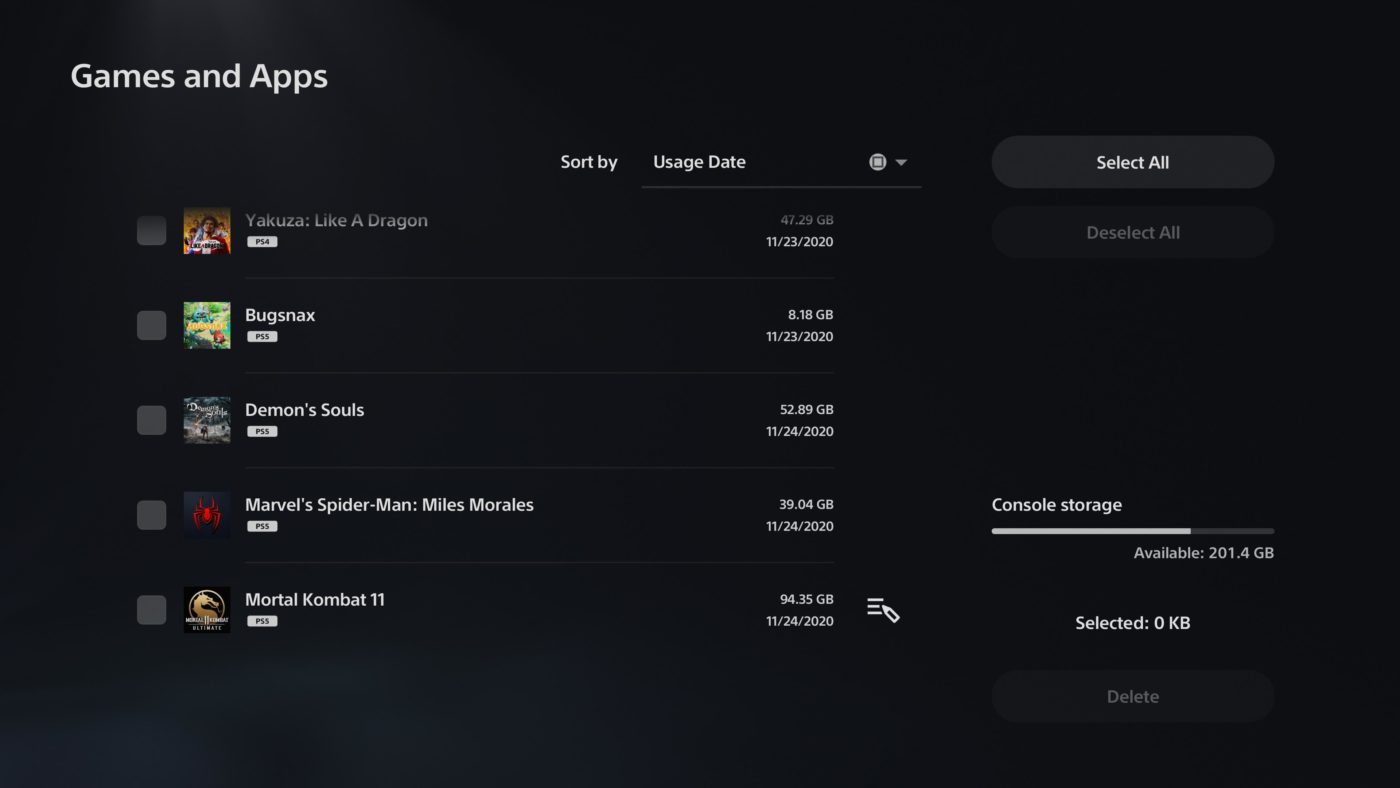
Are you on console and want to free up space on your hard drive? Click HERE.

PLAYLIST UPDATE:

MODERN WARFARE:

  • Ground War
  • Gunfight
  • Deathmatch Domination + Drop Zone
  • Gun Game TDM
  • HQ Firefight – teams can add to their score by capturing the headquarters and also by getting kills

WARZONE:

  • Removing Blood Money Quads
  • Adding Plunder Quads

GENERAL FIXES:

  • Fix for an issue where the “next unlocks” section was showing attachments out of order
  • Fixed an issue where teammates could spawn inside a closed off room on Broadcast
  • Fix for a bug where viewing the “Nevermore” execution in the menu could sometimes cause the animal model to get stuck
  • Fixed a bug where grenades could fall through the floor in the Foreman’s Office while on Mialstor Tank Factory
  • Fixed a lighting issue with the “Gilded Arm” variant from the Season Six Battle Pass
  • Fix for an issue where players could experience a crash after reaching wave 45 or higher in Survival mode
  • Improved stability for PC

WEAPONS:

  • Increased minimum damage at range on the Kar98 in Warzone
  • Reduced minimum damage at range on the SP-R 208 in Warzone

WARZONE:

  • Fixes to help improve volume levels with War Tracks slider
  • Fixes to help prevent players from dying while completing the Subway puzzle
  • Fix for a bug where players might not be able to access Bunker 11
  • Fixed a gas mask bug when players attempt to complete the Station puzzle
  • Fix for a bug where using a self-revive near the doors on the subway train, they will clip out of the train but still be transferred to the next station
  • Fix for a collision bug near the entrance of the underground road on the West side of the airport
  • If a player dies post doors closing of the subway car, they will be pulled out of gulag by the fast travel system and then pulled back into gulag for a match once it is their turn. This has been fixed
  • Fix for an issue where the player’s view could be forcibly moved when exiting a vehicle or parachuting
  • Fixed a bug where players could experience a crash after engaging with a Bounty contract

Don’t forget that the Black Ops Cold War beta is starting this week for Xbox One and PC! We’ll be giving some codes away on the site’s official Twitter, so make sure to check that out.

Source: Infinity Ward

Avatar photo

Alex Co

Father, gamer, games media vet, writer of words, killer of noobs.

Home > News

New Wasteland 3 Update 1.09 (1.1.2) Brings Faster Loads & Better Performance

Released last week for PC, Wasteland 3 update 1.09 has begun rolling out across consoles, bringing with it more bug fixes and improved load times. Head on below for the complete patch notes.

New Wasteland 3 Update 1.09 Patch Notes

Size is roughly 800mb

Highlights

  • Do you hate long load times? We hate long load times. Our engineers changed how the game loads levels, reducing load times by up to 60% on PC and 25% on console.

– As one example, on our PC test hardware a 38 second load time was reduced to 13 seconds.

  • Fixed an issue where combat could become unresponsive with use of the Chain Ambush Perk for sniper rifles.

  • Resolved several progression blocking issues in Yuma County Speedway.

  • Enemies are now much less invisible after use of Precision Strike.

Performance & Stability

  • Significantly changed how levels load, resulting in up to 60% faster load speeds across the game on PC, and on average 25% faster for consoles.

– Note: your hardware, save data, and which level you’re loading into can all impact load times. Your mileage may of course vary.

– As part of this change, auto-saves will no longer occur as a part of the level load, and instead happen concurrently. This can lead to situations where you’ve loaded into the next scene but an auto-save is still in-progress. Don’t close the game while the Ranger star is spinning.

  • Major Prasad will no longer crash your game if you exit while she’s still talking.

  • Additional stability and performance improvements for consoles that were too technical for the person writing these patch notes to understand and explain easily. It’s good stuff though. All good stuff.

– We’ll be continuing to target and resolve specific stability issues as necessary.

Co-op

  • Players can no longer attack companions that are in the process of being recruited by the other player, in case your partner likes to troll.

  • Fixed an issue where the Guest client could become unresponsive when talking with Hope Emerson and choosing to side with Del Hackett and her people.

  • Improved stability while in the Hire Companion screen.

  • Players can now use the keyboard in the lobby screen to choose game type, options, invite player, and ready up.

  • Enabled UI Narration in the Direct Connection interface and for multiplayer game messages sent through chat.

  • Fixed an issue with voice chat text-to-speech and speech-to-text.

  • [Microsoft Store] Resolved an issue where guests couldn’t rejoin a lobby they’d just left.

Quests & Gameplay

  • Resolved an issue where quirks could become unselectable during character creation.

  • Fixed a potential blocker with Medical Marvel not allowing revival without use of a Nitro Spike.

  • Resolved a rare issue that would block you from speaking to a companion.

  • The door in Yuma County Speedway leading to Liberty is now unbreakable as intended.

Misc.

  • Fixed minor graphical issue with the radio.

  • Some cinematic characters have been given microdermabrasion treatments and now have better looking skin.

  • Skill levels for recruitable characters now display properly in all cases.

  • Mission status should no longer display incorrectly after quest completion or updates.

  • Resolved issue where the spinning Ranger Star would permanently stay on screen after saving the game.

You can check out our review of Wasteland 3 here, to see why it’s worth picking up.

Source: inXile Entertainment 
Avatar photo

James Lara

A gamer at heart, James has been working for MP1st for the last decade to do exactly what he loves, writing about video games and having fun doing it. Growing up in the 90's gaming has been in his DNA since the days of NES. One day he hopes to develop his own game.

Home > News

Modern Warfare & Warzone Update 1.28 October 13 Patch Notes

Deployed as a pre-load earlier this week for PS4 owners, Modern Warfare & Warzone Update 1.28 for October 13 patch notes are finally live. Note that the actual patch should be out at 11 p.m. PDT/2 a.m. EDT/2 p.m. HKT.

Down below you’ll find full details as to what it included in this latest update.

Modern Warfare & Warzone Update 1.28 October 13 Patch Notes

New in this update, PC players can now select which content they’d like installed on their machines. Instructions on how to install specific content below!

  1. Before removing installed content, be sure your Call of Duty: Modern Warfare game is not running, and the game is not updating.
  2. 1. Open the Battle.net Launcher.
  3. 2. Select Call of Duty: Modern Warfare from the panel on the left.
  4. 3. Select the Options menu on the upper lefthand portion of the Battle.net Launcher.
  5. 4. Select Modify Install to open the installation popup.
  6. 5. Under Game Content, select Modify Install.
  7. 6. Uncheck the content you wish to uninstall. (Warzone cannot be uninstalled.)
  • Campaign
  • Multiplayer
  • Special Ops
  1. 7. Select Confirm.
  2. 8. Select Start Install.

Note:

It is not possible to modify the installed content while updating. If your game is not up to date before you modify your content selection, the size estimates will not be accurate.

Are you on console and want to free up space on your hard drive? Click HERE.

PLAYLIST UPDATE:

MODERN WARFARE:

  • Ground War
  • Gunfight
  • Deathmatch Domination + Drop Zone
  • Gun Game TDM
  • HQ Firefight – teams can add to their score by capturing the headquarters and also by getting kills

WARZONE:

  • Removing Blood Money Quads
  • Adding Plunder Quads

GENERAL FIXES:

  • Fix for an issue where the “next unlocks” section was showing attachments out of order
  • Fixed an issue where teammates could spawn inside a closed off room on Broadcast
  • Fix for a bug where viewing the “Nevermore” execution in the menu could sometimes cause the animal model to get stuck
  • Fixed a bug where grenades could fall through the floor in the Foreman’s Office while on Mialstor Tank Factory
  • Fixed a lighting issue with the “Gilded Arm” variant from the Season Six Battle Pass
  • Fix for an issue where players could experience a crash after reaching wave 45 or higher in Survival mode
  • Improved stability for PC

WEAPONS:

  • Increased minimum damage at range on the Kar98 in Warzone
  • Reduced minimum damage at range on the SP-R 208 in Warzone

WARZONE:

  • Fixes to help improve volume levels with War Tracks slider
  • Fixes to help prevent players from dying while completing the Subway puzzle
  • Fix for a bug where players might not be able to access Bunker 11
  • Fixed a gas mask bug when players attempt to complete the Station puzzle
  • Fix for a bug where using a self-revive near the doors on the subway train, they will clip out of the train but still be transferred to the next station
  • Fix for a collision bug near the entrance of the underground road on the West side of the airport
  • If a player dies post doors closing of the subway car, they will be pulled out of gulag by the fast travel system and then pulled back into gulag for a match once it is their turn. This has been fixed
  • Fix for an issue where the player’s view could be forcibly moved when exiting a vehicle or parachuting
  • Fixed a bug where players could experience a crash after engaging with a Bounty contract

In other Call of Duty news, don’t forget that the Black Ops Cold War beta is starting for Xbox One and PC players later this week! Check out the changes made by Treyarch from the first week to this one here.

Source: Infinity Ward

Avatar photo

James Lara

A gamer at heart, James has been working for MP1st for the last decade to do exactly what he loves, writing about video games and having fun doing it. Growing up in the 90's gaming has been in his DNA since the days of NES. One day he hopes to develop his own game.

Home > News

Street Fighter 5 Update 3.04 Brawls Out (Update)

Street Fighter 5 update 3.04 has begun rolling during the planned server maintenance. Head on below for the full patch notes released by Capcom. Players are getting a new spectator mode feature, new costumes and more.

Street Fighter 5 Update 3.04 Patch Notes:

[Content]

Costumes:
– SFL 2020 NASR Costume Pack (Rashid, Akuma, Zeku)
– SFL 2020 UYU Costume Pack (Rashid, Akuma, Seth)

■Network Adjustments

1. As of the 2/19/2020 update, game lag would be synced during matches.
Steps have been taken to mitigate one-sided rollback, but if the connection between both players is unstable,
synchronization during temporary network delays could result in frequent pauses during matches.

One-sided rollback will be permitted during temporary fluctuations in network connections,
and other adjustments have been made to further prevent pauses when the game is attempting to sync.

Before: Changed to check opponent’s ping every second instead of an average ping over 8 seconds.
After: Rolled back the change so that the average ping over 8 seconds is calculated instead of checking ping every second.

2. Significant lag could occur immediately after the start of a match,
so matches are now synched from the beginning of round call to minimize early lag.

3. Reduced the processing load during the battle.

■Other
Battle Lounge spectators can now tell if the match they are going to spectate is a P2P or relay connection.

This icon indicates a relay-connected match, meaning lag may occur.

At the time of writing there are no official patch notes for the Street Fighter 5 3.04 update, though players attempting to connect to the online servers should know that Capcom is currently performing maintenance. This is scheduled to run from 6PM PDT to 10 PM PDT, which is fours hours of downtime according to the Street Fighter 5 server status Twitter account.

“We will perform server maintenance from PDT 6pm to 10pm on October 13 (10/14 1:00 to 5:00 UTC). Thank you for your patience and support!”

During this time players will be unable to log into the Street Fighter 5 servers. As noted there are currently no known notes for Street Fighter 3.02 update, though we will be sure to update this post once the notes become available.

Update: We’ve updated the post to include the official notes from Capcom!

Avatar photo

James Lara

A gamer at heart, James has been working for MP1st for the last decade to do exactly what he loves, writing about video games and having fun doing it. Growing up in the 90's gaming has been in his DNA since the days of NES. One day he hopes to develop his own game.

Home > News

Black Ops Cold War Beta Weekend 2 Changes Revealed by Treyarch

For those on PS4, the first weekend of the beta has already wrapped up, and the next one is happening this Thursday, and this time, Xbox One and PC gamers are joining as well. Treyarch has now listed the Black Ops Cold War beta weekend 2 changes, which are listed below.

Black Ops Cold War Beta Weekend 2 Changes:

GAMEPLAY

  • Adjusted tuning on the Duster Stock attachment to prevent faster sliding than intended.
  • Increased the cooldown on the Spy Plane to help limit their numbers in the sky at one time.
  • Increased TDM score limit from 75 to 100 for better match pacing.
  • Updated the Assassin Perk description for clarity. (Updated Oct. 9)
  • Slightly reduced damage output of the Milano 821 SMG. (Updated Oct. 9)

GENERAL

  • Adjusted conditions for joining in progress to prevent players from joining matches that are about to end.
  • Moved VIP Escort exclusively to the Featured playlist.

BUG FIXES

  • Fixed an issue where a controller could become unresponsive when loading into a match.
  • Fixed an issue with multiple Optics being misaligned in ADS and blocking the player’s view, including Snappoint, Diamondback, and Hawksmoor attachments.
  • Fixed a bug where players would get “UI Error 66156” when selecting “Add Activision Friends” from the Recent Players menu.
  • Fixed an issue where other players’ names were not visible in the pre-match lobby.

STABILITY

  • Fixed crashes that could occur during the Best Play in a VIP Escort match.
  • Fixed a crash that could occur while selecting Operators in the front-end menu.
  • Fixed a crash that could occur when a SAM Turret missile hit a target when the turret was destroyed.
  • Fixed a rare crash that could occur if a Gunboat was beached for too long.

Note that these changes were rolled out as server-side updates during the PS4-only beta weekend. However, yesterday, Treyarch rolled out a client-side beta update as well, which you can read about here. For the full beta schedule, head on over here.

Source: Treyarch

Avatar photo

Alex Co

Father, gamer, games media vet, writer of words, killer of noobs.

Home > News

New Library Section on PlayStation Site Launches, Lets You Manage PS4 & PS5 Game Downloads and Filter Subscriptions

Sony has launched a new section on their PlayStation site that gives users access to their whole game library for PS4 and PS5.

While users can currently access a download list from the PS Store via web browser, this new library site lets users look at all their purchases, along with sort them between PS+ and PS Now titles. Users can also force download games from a download option under each title, which brings up a supported device. One of the more interesting new thing of this library though st the “played” filter, which arranges titles by their most recent use.

It also appears that the library will also be able to tell you if it’s a part of any other services outside of PlayStation as shown in the image above. Star Wars Jedi: Fallen Order has a small “EA” logo by it as it is apart of the EA Access service, which the account is subscribed to. The recently played section also keeps track of titles that aren’t owned by a user (from another account) and even displays a locked symbol which prevents a user from downloading it. The same is true for disc based games as we tested it ourselves with The Order: 1886.

Pre-orders are also displayed and have a small clock icon over them. Unfortunately there’s no real-time counter like on the PS4, though clicking the title does link you to the PS Store for further details.

There doesn’t seem to be much else here, though chances are this is still being worked on and will include more functionality later. From my testing, it definitely is a bit easier to use than the current one of the PS Store, though the best way to download a game you want if directly from the PS4 as it has more available filters and search functionality. 

More PlayStation Reading:

Avatar photo

James Lara

A gamer at heart, James has been working for MP1st for the last decade to do exactly what he loves, writing about video games and having fun doing it. Growing up in the 90's gaming has been in his DNA since the days of NES. One day he hopes to develop his own game.

Home > News

Star Wars Squadrons Review – Space Jam

When I first started up Star Wars: Squadrons, I didn’t know what to expect. EA was releasing a Star Wars game that wasn’t full price but just at only $40 dollars, had me wondering what the catch was. I mean, this is EA we are talking about here, but to my surprise, Squadrons isn’t just a great Star Wars game, it’s an excellent flying sim that makes you feel like you are a part of the Star Wars universe. Read on for our full Star Wars Squadrons review.

Great Shot, Kid! That Was One in a Million

The game’s entire system revolves around you flying for both sides of a faction war in a galaxy far far away. You start by creating two pilots, one for the Empire and the other for the newly formed New Republic. The game takes place just after episode six that sees the Empire on the defensive after Endor’s battle in Return of the Jedi. The pilot creator isn’t intense, but you can customize your voice, uniform, helmet, and emotes and gives you just enough things to unlock to keep you chasing cool looking items. Once you create both sides, the campaign is around 8-10 hours of a pretty generic story about the New Republic building a weapon that can defeat the Empire, while the Empire works to find out its location and destroy it. You fly in 14 missions, switching between the Empire and New Republic perspectives and the tasks themselves are very fun. Developer Motive has done a fantastic job making you feel like you are flying in these epic battles. You fly the entire game in the first person, so the immersion (especially in VR) is a significant factor playing the game. You get to know your squad flying with you, each with a personality that makes them stand out. The campaign falls flat in-between missions, and this is where you see that the campaign had a smaller budget due to its cheaper price tag. You go to mission briefings and get to chat with your squad with this strange click and go to talk to them UI (If you have ever played any Telltale series game, you will understand what I mean). Talking to your squad-mates on both sides can be interesting at times, but it’s all entirely optionally, and all I could think while I was getting a mission brief was “hurry up and let me get to flying again.”

Pilots Don’t Blame Their Equipment

Everything in Squadrons feels right at home in the Star Wars universe, which is especially true for gameplay. Each faction has four ships, the X-wing, A-wing, Y-wing and U-wing on the New Republic side and the Tie Bomber, Tie Interceptor, Tie Fighter and Tie Reaper on the Empires. All of the UI is built right into each ship’s console, so knowing your speed, missile count, hull integrity, shield strength, and lock-on marker requires zero on-screen UI. I turned off every assist once I got to know each ship reasonably well and had one of the most immersive experiences I have ever had in a Star Wars game. The developers have done such a great job making each ship feel unique and bring a particular role to the table. Bombers are perfect for attacking capital ships for massive damage, and they have better shielding, but the downside is they are relatively slow and take longer turns. You can customize parts of your ship, which change depending on what kind of playstyle or role you enjoy most. You can make a Tie Fighter a jack of all trades ship where everything is balanced, or you can tune it, so it is best suited for a hit and run role by upgrading the engines to give yourself more speed but at the cost of less hull integrity. I enjoyed unlocking new parts to experiment with what worked best for each mission and my playstyle. As the game’s lifespan increases, I could see some builds that come out as overpowered, so here’s hoping Motive continues to watch what is being used the most and balances it the best they can.

The Best of the Best Run With a Good Squadron

Outside of the campaign, there is an online multiplayer which allows for further customization. You can unlock decals, bobbleheads, ship colour designs and more all by just playing the multiplayer. The two modes included are Dogfight, your standard 5v5 deathmatch and a large-scale mode called Fleet battles. Fleet battles are still 5v5 but bring in AI-controlled ships and tasks both teams to earn points by shooting down fighters to earn points. Once one team has earned enough points, they will go on the attack and try to take out the two capital ships that the defensive team must protect. Once both ships are taken out, the final stage begins, and the attacking team must take out the flagship to win the match. Teams on the defence can earn enough points to push the attackers back and go on the offensive, a tug of war if you will, and it’s enjoyable but a lot more enjoyable if you have teams that communicate. Being able to call out to a teammate that you have someone on your tail and they come and save you is one of the most gratifying things about the multiplayer because it gives that sense of you are a squadron; you back each other up, exactly how we see it happen in the movies. 

The biggest flaw with multiplayer is the maps. Only six maps are in the game, and while many of them are beautiful to look at, some are just too wide open to be able to escape an enemy who is chasing you. What usually ends up happening is you will start flying around in a circle trying to get sight of the person behind you. I have had quite a few instances where I was trying to attack someone, and it would end up being a 2-3 minute case of nothing but going up and around in a circle, and would only end because a teammate would come in from a different direction and shoot the ship I was chasing. Motive has already confirmed to have no post-launch content for Squadrons, and while this is usually a good thing ( your $40 goes to the full complete game, yay!), the map variety becomes stale quickly. 

Star Wars Squadrons surprised me a lot. Being a $40 game with a full campaign, fairly deep progression and some enjoyable multiplayer modes, I was shocked that all of this came from the company that launched Star Wars Battlefront 2 a few years ago. Squadrons fly on that perfect line of arcadey feel and simulation, with settings that allow players to bring it more in line with what they want out of the game. EA seems to have finally figured out what players want with their Star Wars licenses, although it took quite a few years to get it right. 

8/10

Pros: 

  • Excellent controls that let the player choose how realistic they want the game to be
  • A lot of unlockables to craft your ship and pilot 
  • Makes excellent use of the Star Wars licence; first person perspective makes it feel authentic. 
  • The $40 price tag is very nice to see

Cons: 

  • Multiplayer maps leave a lot to be desired 
  • The campaign is genetic, point and click between missions is jarring 
  • No post-launch content hurts, especially since this game could use it

Star Wars Squadron review code provided by the publisher. You can read SP1st and MP1st’s review and scoring policy right here.

Kyle Hooper

Home > News

Overwatch Update 2.99 October 13 Brings Halloween Terror

Blizzard Entertainmet has released the Overwatch update 2.99 October 13 patch, and this is for the Halloween Terror event! Aside from the event, there’s hero-related tweaks as well.

Head on below for the full patch notes.

Overwatch Update 2.99 October 13 patch notes:

HALLOWEEN TERROR 2020

Overwatch Halloween Terror returns!

During this pulse-pounding in-game event, expand your collection with spooky new cosmetics and experience new twists in the chilling tale of Junkenstein’s Revenge, our limited-time PvE brawl. Get ready for a shock with Junkenstein’s Revenge Challenges, diabolical twists on Dr. Junkenstein’s sordid plans. Two will become available each week, totaling six in all. Plus, overcome weekly challenges with wins in Quick Play, Competitive Play, or Arcade to earn a series of unique rewards!

Throughout the event, unlock new seasonal items—including legendary skins like Flying Dutchman Sigma, Karasu-Tengu Genji, and Werewolf Winston—to add to our growing collection from previous years.

GENERAL UPDATES

Feature Update: Improved Profanity Filter

We are making changes to how the Profanity Filter works to give players more control over the types of words they see. Instead of a simple On/Off Profanity Filter, there are now three levels of profanity filtering provided.

  • FRIENDLY – We’ll do our best to filter all words currently identified by our constantly-updated list as obscene, vulgar, or offensive. This is the most family-friendly setting.
  • MATURE – You may see some obscene or vulgar words with this setting, but we will filter language identified as extremely offensive.
  • UNFILTERED – Nothing will be filtered. Please be aware that you may see extremely offensive language. This setting is not recommended.

Along with the new three levels of filtering, we now will allow players to have different profanity filter settings for each communication channel. These channels include:

  • GENERAL CHAT
  • MATCH CHAT
  • TEAM CHAT
  • PARTY CHAT
  • WHISPER

As an example, you could use the stronger FRIENDLY profanity filter option for more public channels such as GENERAL CHAT or MATCH CHAT, but use the MATURE option for the more private PARTY CHAT.

PLEASE NOTE: Using Any of the profanity filters doesn’t make it okay for players to use offensive language, and we encourage you to report these examples if you encounter them.

See Blizzard Entertainment’s In-Game-Code of Conduct for more information on acceptable behavior. Using language reported by the community and deemed offensive by Blizzard will result in severe account restrictions.

Feature Update: Elevator Adjustments

Elevators will now wait at the bottom of their track until a player boards the platform. After a short delay, the platform rises rapidly upward. Once the elevator reaches the top, it pauses briefly before returning to the bottom.

We’ve received quite a bit of feedback about the unreliability of the looping elevators in Hollywood and Volskaya Industries. In an effort to improve that experience, we have re-designed the elevators in both maps so that they no longer endlessly loop. We hope that this change will make elevators a quicker and more reliable form of vertical transportation, while granting nearby players fair warning that the elevator is in use through updated sound effects.

COMPETITIVE UPDATES

Competitive Team Deathmatch

Season 3 of Competitive Team Deathmatch has begun!

HERO UPDATES

REINHARDT
Earthshatter
  • Added a voice line stating, “For the Crusaders!”, that allies will hear when Reinhardt uses Earthshatter

SOLDIER: 76
Heavy Pulse Rifle
  • Bullet spread removed
  • Constant recoil added
  • Bullet damage reduced from 20 to 19
  • Ammo increased from 25 to 30

SOMBRA
Translocator
  • Improved smoothness of Sombra’s First Person camera when Translocating short distances to a Translocator that is in view

WIDOWMAKER
Grappling Hook
  • Grapple will now bounce off a surface if the distance between you and the hook is under 2 meters, canceling the hook and not costing any cooldown

BUG FIXES

General
  • Fixed a bug that caused highlights saved from Experimental games to not load properly
  • Fixed a bug that caused heroes to load slowly when switching heroes from the Hero Select screen
  • Fixed a bug with skill ratings not appearing in the Career Profile for Competitive Arcade seasons
  • Fixed a bug with the “All Seasons” option not appearing within the Career Profile menu
Heroes

Baptiste

  • Fixed a bug that caused Baptiste’s eyes to not blink during his idle animation

D.Va

  • Fixed a bug that caused the spray menu to display “Empty” in the top slot while a spray is equipped
  • Fixed a bug that displayed the Korean flag incorrectly on the Taegeukgi skin

Echo

  • Fixed a bug with Echo’s Duplicate voice lines not playing in the correct language

Lúcio

  • Fixed a bug that caused Lúcio’s legs to unintentionally extend when landing on uneven terrain

Pharah

  • Fixed a bug with the Lifeguard skin model not displaying properly on low texture quality settings
  • Fixed a bug that caused Pharah’s eyes to not animate properly when equipping the Lifeguard skin

Reaper

  • Fixed a bug that caused Reaper’s shotgun pattern to still be affected by random rotation

Reinhardt

  • Fixed a bug that prevented “Storm, Earth and Fire” achievement from triggering

Zarya

  • Fixed a bug that caused beam hit effects to display incorrectly on barriers
Custom Games
  • Fixed an issue with the Door Health Scalar custom games setting for Junkenstein
  • Fixed an issue with the Difficulty custom games setting for Junkenstein
Workshop
  • Fixed a bug with Ashe’s Dynamite in hand to not scale to the size of the projectile
  • Fixed a bug with Brigitte’s Whip Shot not displaying properly when triggered rapidly without a cooldown
  • Fixed a bug that caused Reinhardt’s Earthshatter to not consistently hit targets when model scale is increased
  • Fixed a bug where Ashe’s B.O.B. would not smoothly scale up/down with Ashe
  • Fixed a bug where Call Mech placed the location of the new mech incorrectly at varying scales

Once there’s a new patch, we’ll let our readers know.

Source: Overwatch

Avatar photo

Alex Co

Father, gamer, games media vet, writer of words, killer of noobs.

Home > News

Star Wars Jedi Fallen Order Update 1.11 October 13 Released for Fixes (Update #2)

In a rather surprising move, Respawn Entertainment has released the Star Wars Jedi Fallen Order update 1.11 October 13 patch, and as one might expect, there’s no new content, but more to do with fixes.

Star Wars Jedi Fallen Order Update 1.11 October 13 Patch Notes:

Respawn Entertainment has not released any patch notes just yet, but so far, we know one thing that got fixed.

Over on the subreddit, a poster announced that the flying glitch has been fixed.

Since the latest patch the flying glitch doesnt work anymore 🙁
byu/YeahImThePumkinGuy inFallenOrder

For those wondering, here’s a video showcasing the flying glitch:

As far as we’re aware, that’s the only thing that got fixed. We’re still keeping an eye out on Respawn and will update the post if we hear anything back. If you spot any gameplay-related changes, let us know down in the comments below, and it check outs, we’ll update the post and credit you.

Update: EA has sent us the official patch notes via email.

Update 2: We’ve updated the post as the “official” notes are from a third-party. We’ve contacted EA for a reply and will update the post again if we hear back.

More Star Wars Reading:

Avatar photo

Alex Co

Father, gamer, games media vet, writer of words, killer of noobs.

Home > News

Destiny 2 Weekly Reset October 13, 2020

It’s Tuesday, and that means guardians have another round of new stuff to do in Destiny 2! The Destiny 2 weekly reset October 13 activities update is now live and we have the full list.

Destiny 2 Weekly Reset October 13, 2020:

Nightfall – The Ordeal: The Corrupted

Modifiers:

  • Nightfall: The Ordeal: Adept
    • Denial: Taken Vandals summon their shields significantly more often.
  • Nightfall: The Ordeal: Hero
    • All previous modifiers
    • Champions: Unstoppable: This mode contains Unstoppable Champions, which cannot be stopped without an Unstoppable mod.
    • Champions: Overload: This mode contains Overload Champions, which cannot be stopped without an Overload mod.
    • Champions: Taken: This mode contains both Overload and Unstoppable Champions, which cannot be stopped without an Overload or Stagger mod, respectively.
    • Hero Modifiers: Extra Shields
    • Sedia’s Durance: Arc damage increased. Knockback damage and distance increased.
  • Nightfall: The Ordeal: Legend
    • All previous modifiers
    • Equipment Locked: You will not be able to change your equipment after this activity starts.
    • Match Game: Enemy shields are highly resistant to all unmatched elemental damage.
    • Legend Modifiers: Match Game & Extra Shields
  • Nightfall: The Ordeal: Master
    • All previous modifiers
    • Attrition: Regeneration is greatly impaired. Defeating enemies may create wells of Light.
    • Master Modifiers: Champions: Mob & Match Game & Extra Shields & No Saved Checkpoints
    • Champions: Mob: This mode contains additional Champions.

Rewards:

  • Nightfall Exclusive DropHorror’s Least (Pulse Rifle)
  • Powerful (Tier 1) reward: Get 3 points by completing runs. Higher difficulties grant more points.
  • Pinnacle reward: Get a score of 100k. Since modifiers are fixed, this requires a high difficulty run.

Legacy Nightfalls:


FLASHPOINT: TITAN

Complete various activities around the moon Titan, including public events, Lost Sectors, and Heroic adventures.


Weekly Crucible Rotator Playlists:

  • Mayhem: “Enjoy yourselves, Guardians. You’ve earned it.” —Lord Shaxx – – Fight for Valor by defeating opponents. Abilities and Supers regenerate faster. Heavy ammo spawns more frequently.
  • Lockdown: “Hold your ground. Yield to no one.” —Lord Shaxx – – Fight for Valor by capturing and holding zones. Win rounds instantly by capturing all three.

Vanguard Burn: Solar Singe

The other modifieres rotate daily, check out the Daily Reset Thread for them!


Moon Activities


Menagerie Boss: Pagouri, Vex Hydra

  • Extinguish: If your fireteam falls in a Restricted Zone, everyone is returned to orbit.
  • Match Game: Enemy shields are highly resistant to all unmatched elemental damage.
  • Attrition: Regeneration is greatly impaired. Defeating enemies may create wells of Light.
  • Arc Singe: Arc damage increases slightly from all sources.

Reckoning Boss: The Swords


Dreaming City Cycle: Growing Curse

  • Petra is at Divalian Mists.
  • Weekly MissionThe Oracle Engine – The Taken threaten to take control of an irreplaceable Awoken communications device.
  • Ascendant Challenge: Shattered Ruins, Spine of Keres
  • Blind Well: Hive, Plague: Cragur

Escalation Protocol Boss: Damkath, the Mask

This boss drops:


Leviathan

Raid Order: Gauntlet > Dogs > Baths > Calus

Challenge: Throne Challenge

Prestige Raid Lairs

  • Prestige: Arsenal
  • Armsmaster

Eververse Bright Dust Offerings

Name Description Type Cost
Concentrated Mattergem An Upgrade Module ionizer created from refined Mattergems. Consumable 200 Bright Dust
Glimmershard A shard with the ability to generate Glimmer during combat. Consumable 250 Bright Dust
Scavenger’s Boon A transmutation device with the ability to create planetary materials. Consumable 250 Bright Dust
Hexing Shell For Ghosts who cast a spell over you. Ghost Shell 2850 Bright Dust
Rueful Wail How could you?! Emote 400 Bright Dust
Howling Projection Equip this item to change your Ghost’s projection. Ghost Projection 1500 Bright Dust
Bloodmane Equip this shader to change the color of your gear. Shader 40 Bright Dust
Festival of the Lost Hunter Bundle Contains a full set of Festival of the Lost 2020 Hunter universal ornaments. Bundle price reduced for each item you already own. Package 6000 Bright Dust
Skeletal Hunter Bundle Contains a full set of Festival of the Lost 2019 Hunter universal ornaments. Bundle price reduced for each item you already own. Package 6000 Bright Dust
Skerren Corvus Hunter Bundle Contains a full set of Festival of the Lost 2018 Hunter universal ornaments. Bundle price reduced for each item you already own. Package 4800 Bright Dust
Peaceful Rest Take a break from the chaos. Emote 700 Bright Dust
Chiropteran Shell For Ghosts who embody vengeance and the night. Ghost Shell 2850 Bright Dust
Summoning Dance Everyone is summoned to dance! Emote 700 Bright Dust
By Candlelight Who goes there? Emote 700 Bright Dust
The Desmodus I fly on silent wings, blood-bound. Ship 2000 Bright Dust
Quondam Shell For Ghosts who come from a more civilized age. Ghost Shell 400 Bright Dust
Spinneret Projection Equip this item to change your Ghost’s projection. Ghost Projection 500 Bright Dust
Dark Fluorescence Apply this shader to change the color of your gear. Shader 40 Bright Dust
Shadowstrike Apply this shader to change the color of your gear. Shader 40 Bright Dust
Melchizedek Bramble Apply this shader to change the color of your gear. Shader 40 Bright Dust
Vibrant Medusa Equip this shader to change the color of your gear. Shader 40 Bright Dust
Murder of Crows Modifications for your ship’s transmat systems, so you’ll always arrive in style. Transmat Effect 450 Bright Dust
Only the Finest Modifications for your ship’s transmat systems, so you’ll always arrive in style. Transmat Effect 450 Bright Dust
Up in Smoke Modifications for your ship’s transmat systems, so you’ll always arrive in style. Transmat Effect 450 Bright Dust
Gleaming Boon of the Vanguard When this is used during a strike, all players receive an Eververse Gift at the end of that strike. Only one gift consumable may be used per player in an activity. Consumable 150 Bright Dust
Gleaming Boon of the Crucible When this is used during a Crucible match, all players receive an Eververse Gift at the end of that match. Only one gift consumable may be used per player in an activity. Consumable 500 Bright Dust

Weekly Bounties

Prismatic Recaster Weekly Bounties

Name Description Cost Requirement Reward
Enter the Arena Complete matches in the Crucible. 1000 Glimmer 3 Crucible matches 500 Twisted Energy & XP
Danger Close Earn points by defeating combatants and Guardians with Submachine Guns and Shotguns. Shotgun final blows grant the most efficient progress. 1000 Glimmer 300 Points 500 Twisted Energy & XP

Don’t forget to check out the Destiny 2 Beyond Light weapons and gear here.

Avatar photo

Alex Co

Father, gamer, games media vet, writer of words, killer of noobs.

Home > News

Hyrule Warriors: Age of Calamity New Trailer Shows Off The Enemies to Be

A Hyrule Warriors: Age of Calamity new trailer has been released by Nintendo — showing off the enemies to be and offering glimpse into the story that acts as an official prequel to The Legend of Zelda: Breath of the Wild.

Here’s the new trailer, as shared by Nintendo’s Twitter page, which shows Master Kohgna and a mysterious new ally leading the Yiga Clan against the Hyrulean warriors:

Here’s an overview of the game and its plot from Nintendo’s official game page:

See Hyrule 100 years before The Legend of Zelda: Breath of the Wild game and experience the events of the Great Calamity.

Join the struggle that brought Hyrule to its knees. Learn more about Zelda, the four Champions, the King of Hyrule and more through dramatic cutscenes as they try to save the kingdom from Calamity. The Hyrule Warriors: Age of Calamity game is the only way to firsthand see what happened 100 years ago.

Battle Hordes of Hyrule’s Most Formidable Foes

From barbaric Bokoblins to towering Lynels, Ganon’s troops have emerged in droves. Playable heroes like Link, Zelda and more must use their distinct abilities to carve through hundreds of enemies to save Hyrule from the impending Calamity.

Be sure to check out our related feature on 22 minutes of gameplay footage for Hyrule Warriors: Age of Calamity. The game will be released on Nintendo Switch this November 20.

Tim Villasor

Home > News

Fallout 76 Update 1.45 October 13 Brings a Host of Bug Fixes

Bethesda has released the Fallout 76 update 1.45 October 13 patch, and it brings a ton of gameplay fixes. The size of each platform and patch notes are available below.

For  those wondering, this is the 1.4.1.4 patch tagged by Bethesda.

Fallout 76 Update 1.45 October 13 Patch Notes:

Update Version 1.4.1.4

Check the download sizes below for today’s patch on your platform of choice:

  • PC (Bethesda.net): 1.7 GB
  • PC (Microsoft Store): 8.2 GB
  • PC (Steam): 2.2 GB
  • PS4: 7.7 GB
  • Xbox: 8.1 GB

Bug Fixes

Allies
  • Customization: Ally apparel is now correctly unequipped when scrapping an Ally Station.
  • Settler Forager: Players can once again receive quests from the Settler Forager Ally.
Art & Graphics
  • Apparel: Corrected a texture issue for Straight Jackets that are equipped on Allies.
  • Apparel: A portion of the player’s left arm is correctly visible when reloading while they have a Straight Jacket and a Gauss Rifle equipped.
  • Apparel: The VTU Baseball Cap now displays the correct logo and colors.
  • Enemies: Addressed an issue that could cause normal Mutant Hounds to incorrectly display Glowing Mutant Hound visual effects.
  • Lighting: Corrected a lighting issue that could occur in Hornwright Estate’s upper levels at certain times of day.
  • Lunchboxes: Animations now play when opening a Lunchbox while wearing Power Armor.
  • Perks: Corrected overlapping art in the “Bow Before Me” Perk Card.
  • Sympto-matic: Now plays the correct animation while a player is using it.
  • Underarmor: Secret Service Underarmor no longer clips through Armor or other Apparel the player has equipped.
  • Weapons: The Blood Eagle paint now displays correctly on the Suppressor Mod for the Handmade Rifle.
C.A.M.P. and Workshops
  • Blood Eagle Nest: Players can no longer path through the Blood Eagle Nest in its destroyed state.
  • Blueprints: Fixed an issue that could result in an infinite loading spinner when attempting to create a Blueprint.
  • Collectron Stations: Fixed an issue that could allow players to build Collectron Stations that they have not unlocked.
  • Displays: Lunchboxes no longer clip into Display Cases.
  • Doors: The Nuka-Cola Secret Door now more effectively snaps to doorframes.
  • Exploit: Addressed an exploit related to blueprinting.
  • Statues: Adjusted the crafting requirements for the Animatronic Santa and the Snowman so that they better match the items produced. They now require circuitry, plastic, and steel, instead of concrete, plastic, and adhesive, and the total material costs have been reduced.
  • Turrets: No longer target or attack neutral wandering merchant NPCs.
  • Vending Machines: Addressed an issue that prevented proper snapping between Slocum’s Joe Vending Machines and Slocum’s Joe Counter pieces.
  • Walls: Wallpaper can now correctly be applied to wall variants that have windows.
  • Wall Décor: The Flying Witch Cutout no longer clips into Walls that have Wallpaper applied.
Items
  • Aid: Raw Yao Guai Meat can now be sold to Vendors for Caps.
  • Apparel: The Emmett Mountain Hazmat Suit can now be repaired.
  • Armor: Endurance bonuses offered by Armor and Underarmor now correctly grant +5 Health per point of Endurance.
  • Armor: Players can now correctly apply Mods to Solar and Thorn armor limb pieces.
  • Exploit: Fixed an exploit that could allow players to apply item mods without spending crafting materials under certain circumstances.
  • Flora: Fixed a case where previously harvested Flora would incorrectly appear harvestable when revisiting the area.
  • Headwear: The description for the West Virginia Drifter Helmet no longer incorrectly states that it protects against airborne diseases.
  • Headwear: The Captain Cosmos Helmet no longer removes facial hair when equipped.
  • Headwear: Wearing The Quack Mask no longer causes the Pip-Boy light to shine from an incorrect location.
  • Legendary Weapons: Addressed an issue allowing weapons with certain legendary attributes to deal much higher damage than intended.
  • Legendary Weapons: The Instigating legendary attribute now correctly applies its damage bonus additively instead of multiplicatively.
  • Mole Miner Pails: Empty Pails can no longer be dropped, sold, or traded.
  • Technical Data: Can no longer be dropped, sold, or traded.
  • Weapons: The Cryolator with the Crystallizing Barrel Mod no longer deals damage to the owner when firing at the ground or at objects that are very close.
  • Weapons: Applying a Scorched Killer’s Receiver Mod to the .45 SMG no longer results in a much faster fire rate than intended.
  • Weapons: The Flatwoods Fletcher Bow Skin can now be applied to Compound Bows.
Performance and Stability
  • Client Stability: Fixed an issue that could cause the game client to crash.
  • Loading: Joining a Daily Op from the location where it takes place and then attempting to exit now correctly removes the player from that Daily Op.
  • Performance: Implemented a fix to help mitigate hitching that can occur while cycling through items in crafting menus.
  • Server Stability: Addressed several issues that could cause a server to crash during normal gameplay.
  • Server Stability: Fixed a server crash that could occur during combat.
Perks
  • Awareness: Enemy resistance values that appear in VATS with the Awareness Perk Card equipped now correctly match the enemy’s One Wasteland adjusted resistances.
  • Nerd Rage!: Now correctly applies its damage bonus additively instead of multiplicatively.
  • Tenderizer: Targets now correctly take increased damage after being attacked by a player with the Tenderizer Perk Card equipped.
Quests and Events
  • Exploit: Fixed an exploit in which players could bypass a portion of “Daily Ops: Uplink” to access the Signal Repeater early.
  • Trade Secrets: Quest targets inside Hornwright Estate now point the player to the correct locations instead of the elevator.
Sound
  • Classic Jukebox: Sound effects no longer play over the music when repeatedly activating the Classic Jukebox.
User Interface
  • Buttons: Addressed issues that could result from the Scoreboard and Operation Report being mapped to the same button when completing a Challenge and a Daily Op at the same time.
  • Challenges: Added a Perk Coin icon next to the reward for the “Become Legendary” Challenge in the Challenges Menu.
  • Daily Ops: Added XP and in-game currency rewards to the rewards list that appears in the Operation Report at the end of a Daily Op.
  • Daily Ops: Adjusted the wording on the Operation Report when players have already earned tiered rewards for that day to “No more rare reward rolls available” instead of “None.”
  • Daily Ops: Addressed an issue that could cause the progress bar to stop updating when capturing an Uplink during “Daily Ops: Uplink.”
  • Inventory: Fixed an inventory item transfer issue that could occur after switching to Adventure Mode from Nuclear Winter.
  • Map: Exiting a world while the Daily Ops Operation Report is on screen no longer prevents opening the Map after joining a new world.
  • Map: Addressed an issue in which the World Activity tracker would open automatically when viewing the Map, even when no World Activity notifications were present.
  • Perk Cards: Equipped Perk Cards no longer visually overlap non-equipped Perk Cards when nine or more are assigned to the same S.P.E.C.I.A.L. category.
  • Pip-Boy: When joining an event, its objectives now appear and track correctly, and they are no longer automatically set as inactive in the Pip-Boy.
  • Public Teams: The icon for the “Daily Ops” Public Team type has received updated art that’s more specific to Daily Ops.
  • Scoreboard: The player’s current Atom balance now updates immediately on the Season Scoreboard when claiming a rank-up reward that grants Atoms.

If you spot any changes not metioned in the patch notes, let us know in the comments below.

Source: Reddit

Avatar photo

Alex Co

Father, gamer, games media vet, writer of words, killer of noobs.

Home > News

Red Dead Online Weekly Update October 13 Summary

Rockstar Games has released the Red Dead Online weekly update October 13 activities refresh. Same as before, the summary and discounts are listed below.

Red Dead Online Weekly Update October 13 Summary:

  • New locations for Shootouts are debuting in this week’s Featured Series, including Free for all and team variations in BlackwaterBolger GladeSaint DenisTumbleweed, and The Manor
  • Rewards for all players that play between today and October 19th: 5 Blending Tonics and 50 rounds of Nitro Express Ammo
  • New Discounts: 50% off Baits, and 40% off all Shotguns and the Elephant Rifle
  • A Reward for a free Off-Hand Holster (Rank 70 and below) will be given to players that Hunt or Sedate the Legendary Ruddy Moose
  • New Coat and boosted Bear Pelt sales at Gus’ Store: Delivering the Legendary Ruddy Moose pelt to Gus will unlock its Coat for purchase, at the same time Gus is offering 50% extra on all Bear Pelts sold to him
  • Prime Gaming Benefits: A free Katata Coat, 6,000 Naturalist XP, a free Wilderness Camp, and 5 free Legendary Animal Pheromones for players that connect their Social Club account with Prime Gaming
  • Additional Prime Gaming Benefits: A free Bar Theme and Outfit, Accessory or Emote, plus 6,000 Club XP, 10X each of Gin, Brandy, Rum, Baked Beans and Jolly Jack’s
  • And a new Legendary Animal Sighting Mission featuring the Legendary Ruddy Moose, last seen around the Tall Trees area, is now available for Naturalists to start at Harriet’s Shop
  • Plus rewards for Outlaw Pass No. 3 owners: 10 Special Health Cures, 5 pieces of Lost Jewelry and 200 rounds of Sedative Ammo, plus those who have gotten past Rank 50 in the Outlaw Pass No. 3 will receive a colorway of the Griffith Chaps and the Caffyns Hat

The Outlaw Pass closes soon as well.

OUTLAW PASS NO. 3 CLOSES OCT 19TH

This is the final week for the latest iteration of the Wheeler Rawson & Co. Club and The Outlaw Pass No. 3, so if you have been eyeing that Golden Spirit Buckle or the Bandit Mask, now through October 19th is your chance to earn them.

As an added bonus, all Outlaw Pass No. 3 owners will receive 10 Special Health Cures, 5 pieces of Lost Jewelry and 200 rounds of Sedative Ammo this week, while those who made it past Rank 50 will receive a select colorway version of the Griffith Chaps and the Caffyns Hat.

If you play GTA Online, head no to the site this Thursday.

Avatar photo

Alex Co

Father, gamer, games media vet, writer of words, killer of noobs.

Home > News

Black Desert Update 1.57 October 13 Fixes Listed, PS5 Version Confirmed

Pearl Abyss has released the Black Desert update 1.57 October 13 patch on consoles! Note that this was deployed during today’s maintenance, and as one might expect for an unannounced game patch, this one is purely for fixes. Head on below for the patch notes.

Also, the game has been confirmed for the PS5, too! Head on below for the full news.

Black Desert Update 1.57 October 13 patch notes:

Full message from Pearl Abyss:

Adventurers,

A small patch has been released.
You will be prompted to download this patch the first time you log into the game after its release, or after you have restarted your game if you are currently in game.

This patch will address the following issues:

– Camera resets when exiting the Skill UI

– The remaining time on buffs overlap with one another when the game is set to English

In order to download the update, you will need to restart your game.

Yep, that’s basically it for the patch. However, in addition to that, the studio has confirmed that Black Desert will be transitioning to the PS5! As one might expect, you can carry your game saves and whatnot from the PS4 version to the PS5!

Adventurers,

We are pleased to announce that Black Desert will be able to be played from day one on the PlayStation 5. If you already own Black Desert on PlayStation 4, you will be able to play Black Desert on PlayStation 5 at no extra cost.

Not only that, as long as your PlayStation ID remains the same as you transition to the PlayStation 5, you will be able to pick up your adventures from the PlayStation 4 and continue your story.

For more information about backwards compatibility, you can check out the official PlayStation 5 blog highlighting more of the details on backwards compatibility.

Of course, the game will be playable on the Xbox Series X as well.

Xbox Series X/S

We are happy to announce that as backwards compatibility is a core feature of both Xbox Series X and Xbox Series S, you will be able to enjoy Black Desert on the next generation of consoles from day 1. There will be no need to purchase any additional bundles as all current owners of Black Desert will be able to continue their adventures on these devices. The only caveat is that your current Xbox Live Account must be the one used, and if it is, you will be able to continue where you left off!

We’ll let you know once a new game update has been released.

Source: Play Black Desert

Avatar photo

Alex Co

Father, gamer, games media vet, writer of words, killer of noobs.

Home > News

New Fortnite Update 2.89 October 13 Brings v14.30 Changes, Here’s the Datamined Content

Epic Games has triggered maintenance for Fortnite today, aand that’s due to the new Fortnite update 2.89 October 13 patch! This is called the v14.30 patch, and includes fixes and more. Same as before, we have the list of fixes below, and the datamined content included in the patch!

Note that not all the datamined content will be available today, since some might be tied to events with the data rolled out earlier.

New Fortnite Update 2.89 October 13 v14.30 Patch Notes:

General:

Audio of Last Forever Emote playing even with licensed audio muted.

Description
The audio of the Last Forever Emote may still play even when licensed audio is muted in the Audio settings.


Platforms
PlayStation 4, Xbox One, Nintendo Switch, PC, Android

Battle Royale:

Placing a map marker cancels movement.

Description
Opening the map and placing a marker will cancel held player movements, requiring them to be input again.


Platforms
PlayStation 4, Xbox One, Nintendo Switch, PC, Android

Save the World:

Sword of the Daywalker has incorrect animation when swinging.

Description
The Sword of the Daywalker pickaxe is currently using the two-handed swing animation.


Platforms
All

Mobile:

XP bar can be visually incorrect while in a match. / Incorrect leveling-up.

Description
We’re aware of an issue that can sometimes occur on mobile involving the XP from punch cards bar being visually incorrect in a match. This can cause players to appear to level up during the match even if they really didn’t.

In these instances, please reference the XP bar in the Lobby for an accurate display.


Platforms
Android

Save the World:

THIS WEEK – CLIP’S NIGHTMARE

Starting Friday, October 16 at 8pm. A nauseating spell overtakes Hexylvania. A gunsmith is haunted by a figure from her past. Help Homebase dispel the curse before it’s too late! Complete this brand new questline to unlock Homebase’s favorite blacksmith, Clip!

Fortnite Save The World Clip
CASSIE “CLIP” LIPMAN JOINS THE CREW

“Let’s take things to the next level” – Clip

  • Standard Perk: High Caliber Harvest
    • Objects destroyed by Anti Material Charge have a 33% chance to drop additional ingredients.
  • Commander Perk:  High Caliber Harvest +
    • Objects destroyed by Anti Material Charge have a 100% chance to drop additional ingredients.

Available from the Clip’s Nightmare questline!

Fortnite Save The World Dire
DIRE LEADS THE PACK 

“Howwwwwwwwlll !” – Dire

  • Standard Perk: NIGHT STALKER
    • During evening and night, increases movement speed by 25%
  • Commander Perk: NIGHT STALKER +
    • During evening and night, increases movement speed by 50% and decreases energy cost for abilities by 50%
  • Unlocks Team Perk: Hunter’s Instinct
    • FOR EACH: Hero of Epic or higher rarity with at least 4 stars Eliminations during evening or night grant 0.24% damage and 0.08% Melee Life Leech, up to 40 Stacks. These bonuses last until night ends.

Available on October 16 at 8PM ET in the Event Store!

Fortnite Save The World Ghost Pistol
THE GHOST PISTOL RETURNS

The most ghostly of pistols returns for some nightmarish gunslinging. A slow-firing pistol that shoots spectral ammo which passes through walls and enemies. It’s the perfect way to show the world that you are Ghost Boss material.

Available on October 16 at 8PM ET in the Event Store!

WEEK 2 – RAVEN AND BLOODFINDER A.C RETURN

Fortnite Save The World Raven
RAVEN, THE MASTER OF DARK SKIES RETURNS

“I’m still outside…” – Raven

  • Standard Perk: Bang and Pow
    • Increases Lefty and Righty damage by 25%
  • Commander Perk: Bang and Pow +
    • Increases Lefty and Righty damage by 25%. Lefty and Righty causes explosions which deal 20 base energy damage in a .5 tile radius
  • Unlocks Team Perk: Hunter’s Instinct
    • FOR EACH: Hero of Epic or higher rarity with at least 4 stars Increases damage by 6.5% against full health enemies.

Available on October 23 at 8PM ET in the Event Store!

Fortnite Save The World Bloodfinder Ac
BLOODFINDER A.C CREEPS INTO THE EVENT STORE

“Invite me in…” – Bloodfinder A.C

  • Standard Perk: Iron Knuckles
    • Increases Anti-Material Charge damage to enemies by 75%
  • Commander Perk: Iron Knuckles +
    • Increases Anti-Material Charge damage to enemies by 225%

Available on October 23 at 8PM ET in the Event Store!
WEEK 3 – CRAM SESSION IS IN FULL EFFECT

Fortnite Save The World Cram Session

BONUS MATERIALS RETURN WITH CRAM SESSION

Level-up and evolve your favorite items during the Cram Session mini-event!

  • For the duration of the event, Quests and Mini-Boss Mission Alerts will drop additional XP, Evolution Material, RE-Perk, or Perk-UP.
  • Don’t forget your quest! Each of which has ten stages that grant increasingly better one-time rewards upon completion. (Hero/Schematic/Survivor XP, Evolution Materials, PERK-UPs, or Gold).

Available on October 30 at 8PM ET until November 20!

Fortnite Save The World Arrlene Izza
IT’S A PERFECT NIGHT FOR MYSTERY AND HORROR WITH ARRLENE IZZA 

“That’s a wrap!” – Arleen Izza

  • Standard Perk: Monster Smash
    • Increase Life Leech with Melee attacks and Goin’ Constructor by up to 15% based on the percentage of your missing Health
  • Commander Perk: Monster Smash+
    • Increase Life Leech with Melee attacks and Goin’ Constructor by up to 15% based on the percentage of your missing Health. Additionally, Melee and Goin’ Constructor eliminations have a 50% chance to conjure a Phantasm.

Available on October 30 at 8PM ET in the Event Store!

Fortnite Save The World Spectral Blade
THE SPECTRAL BLADE RETURNS

Homebase’s favorite Husks carving tool is returning! This Ghostly blade uses above average attack speed to deal high sustained damage, with moderate impact. Unleash the Spectral Slash to  warp to the targeted enemy, deal heavy damage and stagger smaller enemies.

Available on October 30 at 8PM ET in the Event Store!

BUG FIXES IN FORTNITE CREATIVE – V14.30:

ISLANDS BUG FIXES

  • Fixed an issue where the sky brightness changed whenever the camera was moved.
  • Fixed an issue where the Back to Hub rift was floating above the terrain.

GAMEPLAY BUG FIXES

  • Fixed an issue where players weren’t able to see the flashlight when others were using it.
  • Fixed an issue where the Prop Ping UI remained on screen when returning to HUB.
  • Fixed an issue where multiple players were spawned onto the same spawn pad during warm up phase.
  • Fixed an issue where players were unable to jump after playing in low gravity.

WEAPONS AND ITEMS BUG FIXES

  • Fixed an issue where the Cozy Campfire left behind visual effects when deleted.
  • Fixed an issue where the Sneaky Snowman was duplicated after players stopped hiding.
  • Fixed an issue where players did not take damage from the Bottle Rocket while standing in front of it.
  • Fixed an issue where the X-4 Stormwing did not have the Flip option when it was upside down.
  • Fixed an issue where the Driftboard jittered when a player stood on it.

CREATIVE TOOLS AND PHONE BUG FIXES

  • Fixed an issue where players could not open the inventory or customize devices after copying a grid-based object.
  • Fixed an issue where the Quickbar hotkeys were not displayed when prefabs/galleries were selected.
  • Fixed an issue where non-prop structures could not be rotated while using cut and paste with resize turned on.

PREFABS AND GALLERIES BUG FIXES

  • Fixed an issue where the vines from the Princess Castle Foliage Gallery were giving the wrong resource material.
  • Fixed an issue where several assets from the Princess Castle Wall Galleries were floating above the terrain.
  • Fixed an issue where the Princess Castle Wall was missing collision.
  • Fixed an issue where the Princess Castle Mirror appeared warped.

DEVICES BUG FIXES

  • Fixed an issue where the Item Spawner device did not display item costs.
  • Fixed an issue where the Damage Volume inflicted damage after the player exited the volume while driving the Quadcrasher.

Per FortTory:

new hotfixes:

Noggin (Carbon Fiber)
Illustrated The Devil’s Wings
Grave
You’ll need speed and wit to take home this victory. Collect tickets to unlock the finish line and then get there quick or get left in the dust.

New Fortnite update datamined content:

We’ll be updating the post as more datamined content is pulled.

Same as before, if you spot any gameplay-related changes, let us know down in the comments and we’ll add it to the list once verified.

Update: Added the official fixes from Epic Games, and more datamined content.

Update #2: Added the info from Epic Games regarding Creative bug fixes, and new stuff/changes in Save the World

Avatar photo

Alex Co

Father, gamer, games media vet, writer of words, killer of noobs.

Home > News

FFXIV Update 8.52 October 13 Brings the 5.35 Patch

Square Enix has released a new Final Fantasy XIV (FFXIV) update just now, and it’s the 5.35 patch! Console gamers will see this as the FFXIV update 8.52 October 13 patch, and it brings a host of new content and gameplay tweaks! Read on for the full notes below.

We’ve include the different versions needed in order to access each piece of content as well.

FFXIV Update 8.52 October 13 patch notes:

Patch 5.35 contains content that can only be accessed by registering the expansion packs for FINAL FANTASY XIV to your service account. To distinguish between adjustments that are and are not affected by the registration of these expansions, the following notations will be used throughout the patch notes:

These additions and adjustments only require the purchase of FINAL FANTASY XIV: A Realm Reborn and FINAL FANTASY XIV: Heavensward.
These additions and adjustments require the purchase and registration of FINAL FANTASY XIV: Stormblood.
These additions and adjustments require the purchase and registration of FINAL FANTASY XIV: Shadowbringers.
These additions and adjustments contain elements that may require the purchase and registration of the expansion packs noted above.

Quests

New side story quests have been added.

Save the Queen: Blades of Gunnhildr

Where Eagles Nest

Disciple of War or Magic level 80
Gangos (X:6.4 Y:5.7)
Marsak
Players must first complete the main scenario quest “Vows of Virtue, Deeds of Cruelty,” and have completed the quests “The Bozja Incident” and “Fire in the Forge.”

???

Disciple of War or Magic level 80
???
???
Players must first complete the quest “Where Eagles Nest.”

???

Disciple of War or Magic level 80
???
???
Players must first complete the quest “???”

???

Disciple of War or Magic level 80
???
???
Players must first complete the quest “???”

???

Disciple of War or Magic level 80
???
???
Players must first complete the quest “???”

???

Disciple of War or Magic level 80
???
???
Players must first complete the quest “???”

???

Disciple of War or Magic level 80
???
???
Players must first complete the quest “???”

???

Disciple of War or Magic level 80
???
???
Players must first complete the quest “???”

???

Disciple of War or Magic level 80
???
???
Players must first complete the quest “???”

???

Disciple of War or Magic level 80
???
???
Players must first complete the quest “???”

Save the Queen: Blades of Gunnhildr (Resistance Weapons)

A Sober Proposal

Disciple of War or Magic level 80
Gangos (X:5.5 Y:5.3)
Stressed Soldier
Players must first progress to the relevant stage of the quest “Where Eagles Nest.”

???

Disciple of War or Magic level 80
Gangos (X:6.1 Y:4.9)
Zlatan
Players must first complete the quest “A Sober Proposal.”

???

Disciple of War or Magic level 80
Gangos (X:6.1 Y:4.9)
Zlatan
Players must first complete the quest “???”

Skysteel Tools

In Everyone’s Best Interests

Disciple of the Hand or Land level 80
Foundation (X:7.9 Y:10.6)
Neillemard
Players must first complete the quest “Work It Harder, Make It Better.”

???

Disciple of the Hand or Land level 80
Foundation (X:7.9 Y:10.6)
Nimie
Players must first complete the quest “In Everyone’s Best Interests.”

???

Disciple of the Hand or Land level 80
Foundation (X:7.9 Y:10.6)
Nimie
Players must first complete the quest “???”

New chapters have been added to New Game+.

Chapters will be unlocked after completing certain quests.

A Realm Reborn

    • A Realm Reborn – Part 1
    • A Realm Reborn – Part 2
    • A Realm Reborn – Part 3
    • A Realm Reborn – Part 4
    • A Realm Reborn – Part 5
    • A Realm Reborn – Part 6

* Replayable content will not include main scenario quests as they appeared prior to revisions made in Patch 5.3.
* A Realm Reborn – Part 1 does not include tutorials that appear immediately after beginning the game. Furthermore, introductory quests will differ based on your starting city.

The requirements for New Game+ have been adjusted.

Before After
After completing the main scenario quest “Heavensward,” speak with the wistful whitebeard in western Thanalan (X:12.0 Y:14.0). After completing the main scenario quest “The Ultimate Weapon,” speak with the wistful whitebeard in western Thanalan (X:12.0 Y:14.0).

Housing

Wards 22 through 24 have been added to all residential districts.

A total of three wards have been added to all residential districts, each of which includes a subdivision. An apartment building has also been added to each ward, with a second apartment building available in each subdivision.

* Purchasing of plots and relocation of estates is available to both free companies and individual players.

Proceed to the housing guide on the Lodestone to learn more.

Furnishings from the FFXIV Furnishing Design Contest have been added.

Learn more about the Furnishing Design Contest.

Entries that did not win have also been selected to serve as new furnishings.

New furnishings have been added.

New orchestrion rolls have been added.

The Manderville Gold Saucer

The following additions have been made to Triple Triad:

New cards have been added.
New NPC opponents for Triple Triad have been added.

Miscellaneous

A new emote has been added.

New hairstyles have been added.

The Bozjan southern front has been added.

The Bozjan southern front is a new instanced encounter wherein players assist the Bozjan Resistance in reclaiming their homeland from the IVth Imperial Legion.

Up to 72 players can join a single instance, taking part in various large-scale encounters, as well as more challenging player-limited ones. Read on and learn how you can play a part in earning victory for the Bozjan Resistance.

Level Requirement Disciple of War or Magic level 71
Item Level Requirement
Party Size Eight players
Time Limit 180 minutes

Requirements

Where Eagles Nest

Disciple of War or Magic level 80
Gangos (X:6.4 Y:5.7)
Marsak
Players must first complete the main scenario quest “Vows of Virtue, Deeds of Cruelty,” and have completed the quests “The Bozja Incident” and “Fire in the Forge.”

Entering the Bozjan Southern Front

Players can enter the Bozjan southern front by speaking with Sjeros at Gangos (X:5.5 Y:5.4). If entering as a party, the leader must speak with the NPC.

Forming Parties

Unlike other instanced areas, the Bozjan southern front allows the use of party functions such as inviting party members, disbanding the party, and leaving the party without exiting the instance.
* Please note that if you enter the Bozjan southern front as a member of a party, even if you leave it while within the Bozjan southern front, you will be returned to the party upon exiting the instance.

Level Sync

All forays in the Bozjan southern front are level synced, with character levels adjusted to 80, and all equipment adjusted to item level 430. Furthermore, materia bonuses will be ignored, regardless of the item level of gear affixed with materia.
* Actions requiring job quest completion will remain inaccessible if their associated quests have not been completed.

Earning Experience

Players who have yet to reach level 80 will earn experience points commensurate with their job level.

Changing Classes and Jobs

You may change between Disciple of War and Magic classes and jobs level 71 or above. Note, however, that you cannot change classes or jobs during combat or when participating in a critical engagement.

Mounts

Players are free to ride mounts at any time after entering the instance.
* Please note that mounts cannot fly.

Enemies

Enemies encountered on the Bozjan southern front will have an icon next to their name denoting their strength. The larger the number on this icon, the more powerful the enemy. Especially dangerous enemies will bear a unique icon with no number.

Mettle and Resistance Rank

Mettle

By participating in battles on the Bozjan southern front, players earn mettle. After earning sufficient mettle, players can speak with the Resistance commander to increase their Resistance rank.
* Please note that mettle cannot be earned by fighting enemies outside of skirmishes and critical engagements.

Resistance Rank

Resistance rank is a representation of your reputation on the Bozjan southern front. As your rank increases, the Resistance’s front line will advance, allowing you to explore new areas on the southern front.

Current Resistance rank and mettle earned can be viewed at any time via the HUD.

Penalties

After reaching Resistance rank 5, players will begin to lose mettle upon being incapacitated. Players will also lose mettle if they return to the encampment or leave the instance without being revived.
* Resistance rank cannot go down from losing mettle.

Encounters on the Bozjan Southern Front

Players must assist the soldiers of Bozja by participating in skirmishes and critical engagements. Contributions to these battles will earn players the following rewards:

  • Mettle
  • Allagan tomestones (For jobs at level 80)
  • Experience points (For jobs below level 80)

Victory in these battles is essential to pushing the front line forward and ultimately routing the imperial forces.

Skirmishes

These battles appear throughout the instance, and can be joined by any number of players. Most skirmishes are commenced randomly in the field, with some being triggered by the defeat of certain enemies.

Critical Engagements

These battles are triggered by the defeat of certain enemies or victory in skirmishes, allowing only a limited number of combatants.

Critical engagements do not require you to be present in the field to participate. Instead, players must request deployment via the Resistance Recruitment window.

Joining Critical Engagements

Once battle has commenced, critical engagements will appear in the Resistance Recruitment window. There, players can confirm whether the Resistance is enlisting more combatants to join the fray, the maximum number of participants, as well as the time remaining for the encounter.

Critical engagements take place in three phases:

1. Registration
Players will have one minute after a critical engagement has been initiated to request deployment. If there are more requests for deployment than are permitted for an engagement, however, participants will be selected at random.
* When joined in a party, the party leader must request deployment on behalf of their party. In the event participants are selected at random, the party will be accepted or declined as a whole.
2. Preparing for Battle
Players selected for deployment will have two minutes to prepare for battle. When ready, they can be transported to the battlefield via the Resistance Recruitment window.
Should the maximum number of combatants not be reached before the preparation phase, the Resistance will call for reinforcements, at which point players may again request deployment.
* When requesting deployment as reinforcements, all players must apply separately, even if they are in a party. Furthermore, combatants will be selected in the order in which they applied rather than by lottery.
3. Battle Commences
When the preparation phase ends, players must take up arms and do battle with imperial forces.

Priority Deployment

It is possible to gain priority deployment for critical engagements. This can be accomplished in one of two ways:

  • Combatant’s Priority Deployment
    Players who contribute to the initiation of a critical engagement may receive priority when registering for their next deployment.
  • Quartermaster’s Priority Deployment
    Players may receive priority deployment in exchange for Bozjan clusters by speaking to the Resistance quartermaster at Utya’s Aegis (X:14.2 Y:29.6). It should be noted that those with combatant’s priority deployment are more likely to be chosen.

* When registering as a party, all party members must have the same type of priority deployment for it to be recognized.
* If the number of players requesting priority deployment exceeds the maximum number of combatants, they will be selected by lottery.

Bozjan Clusters

When defeating enemies on the Bozjan southern front, there is a chance players will come across Bozjan clusters. These crystals can be traded to the Resistance quartermaster at Utya’s Aegis (X:14.2 Y:29.6) for various goods and services.

The number of Bozjan clusters in your possession can be confirmed via the HUD.

Lockboxes

While battling on the southern front, players will also come across lockboxes. They can be appraised by the Resistance locksmith at Utya’s Aegis (X:15.2 Y:29.7).

Lost Actions

Lost actions are a special type of duty action exclusive to the Bozjan southern front. They have various effects, including those used for attacking, healing, and reviving allies. Their effective use may turn the tide of battle in your fight against the IVth Imperial Legion.
* Lost actions are unlocked after reaching Resistance rank 2 and progressing the quest line.

Forgotten Fragments and the Lost Finds Cache

During their expeditions into the front, players will obtain items known as “forgotten fragments.” These can be examined by a Resistance appraiser at Utya’s Aegis (X:15.3 Y:30.1), transforming them into lost actions.

While unidentified fragments can be placed in your inventory, those transformed into lost actions are stored in the lost finds cache, which can hold up to 200 copies of any lost action.

Lost Finds Holster

To use lost actions in battle, they must first be moved from the lost finds cache to the lost finds holster.

It should be noted, however, that the lost finds holster has a limited capacity. While this limit can be increased with a higher Resistance rank, you must choose carefully which actions to take into battle.

Up to 10 combinations of your favorite lost actions can be saved as sets.

Once a set has been loaded, your selection of actions can be confirmed in the Lost Finds Holster window.

Using Lost Actions

While most lost actions must be converted into duty actions before they are used, some can be used directly from the holster as items.

  • Using as Duty Actions
    Lost actions are kept in the lost finds holster until they are assigned as duty actions.
    * Lost actions assigned as duty actions will not be lost upon exiting the Bozjan southern front.

When two duty actions are set, the controls are as follows:

  • Duty Action 1
    RT + Right Thumb-click (R2 + R3)
  • Duty Action 2
    LT + Right Thumb-click (L2 + R3)
  • Using as Items
    Lost actions categorized as items can be used directly from the lost finds holster to activate their effects. They may also be assigned to your hotbar, making them ideal for use in emergencies.

Field Records

As you progress through quests on the Bozjan southern front, a field record will be added to your collection. Furthermore, completion of certain quests, skirmishes, and critical engagements in the Bozjan southern front will earn you sheaves of notes. These notes can then be used to add entries to the field record.

If you should find sheaves of notes already added to your field record, they can be traded to the Resistance historian at Utya’s Aegis (X:15.0 Y:29.1) for various goods.

A new Resistance weapon story quest has been added.

Players will be able to enhance the strength of their Resistance weapons by completing this quest.

Requirements

A Sober Proposal

Disciple of War or Magic level 80
Gangos (X:5.5 Y:5.3)
Stressed Soldier
Players must first progress to the relevant stage of the quest “Where Eagles Nest.”

Enhancing Resistance Weapons

Resistance weapons can be enhanced further by completing this quest. The required items can be found both in and outside of the Bozjan southern front.

Class/Job-specific Quests

Resistance weapon quests employ a system which will require players to proceed using the same class or job with which they accepted the quest.

PvP

The following adjustments have been made to PvP actions:

Warrior

Action Adjustment
Inner Chaos The effect “Absorbs 100% of damage dealt as HP” has been added.
Chaotic Cyclone The effect “Absorbs 100% of damage dealt as HP” has been added.

Dragoon

Action Adjustment
Mirage Dive Potency has been reduced from 1,200 to 1,000.

Samurai

Action Adjustment
Hissatsu: Soten Potency has been increased from 1,200 to 1,600.

Machinist

Action Adjustment
Gauss Round Potency has been increased from 1,000 to 1,200.

White Mage

Action Adjustment
Afflatus Solace Cure potency has been increased from 3,000 to 4,000.
Regen potency has been reduced from 600 to 400.
Afflatus Rapture Cure potency has been increased from 1,500 to 2,000.
Regen potency has been reduced from 300 to 200.
Tetragrammaton Maximum charges has been increased from 1 to 2.
Temperance Increase to damage dealt and healing potency has been changed from 20% to 25%.

Scholar

Action Adjustment
Biolysis Reduction to target’s HP recovered by healing actions has been changed from 15% to 10%.
Excogitation Maximum charges has been increased from 1 to 2.
Dissipation Increase to healing potency has been changed from 40% to 50%.

The Feast

As Season Sixteen ends, Season Seventeen begins.

When the season ends, the top ranking players from each data center will receive vouchers via the moogle delivery service.

Players finishing in Bronze tier or higher can claim rewards by speaking with the Feast quartermaster at the Wolves’ Den Pier (X:4.9 Y:5.7).

Learn more about rewards.
* Tier rewards for Season Sixteen must be claimed before the end of Season Seventeen.
* The Season Seventeen ranking will be updated daily, beginning from the day after the start of the season. In the event of an error, the rankings will not be updated on that day.

New items have been added.

* Items added in patch 5.35 will be listed at a later date.

New recipes have been added.

* Recipes added in patch 5.35 will be listed at a later date.

A new Skysteel tool quest has been added.

Players will be able to enhance the strength of their Skysteel tools by completing this quest.

Requirements

In Everyone’s Best Interests

Disciple of the Hand or Land level 80
Foundation (X:7.9 Y:10.6)
Neillemard
Players must first complete the quest “Work It Harder, Make It Better.”

Enhancing Skysteel Tools

Each Skysteel tool requires a certain number of items to be delivered to Denys in the Skysteel Manufactory (x:8.0 Y:10.0) before it can be enhanced. Please note that the items required will vary depending on the tool.
* Unlike the methods employed in Patch 5.25, Disciples of the Land must also use their Skysteel tools to complete the quest.

Disciples of the Hand

After completing the quest “In Everyone’s Best Interests,” new recipes will be added to the Crafting Log which can be used to enhance Skysteel tools.
* Skysteel tools must be equipped when crafting with these new recipes.

Disciples of the Land

After completing the quest “In Everyone’s Best Interests,” materials required to upgrade your Skysteel tools can be gathered from specified gathering points.
* Skysteel tools must be equipped when gathering these items.

Fisher

After completing the quest “In Everyone’s Best Interests,” players will be able to purchase the signature skyball, a special bait used to catch fish required to upgrade your Skysteel tool from specified fishing locations.
* Skysteel tools must be equipped when catching the required fish.
* The signature skyball can be purchased from Denys in the Skysteel Manufactory (X:8.0 Y:10.0).

New miner and botanist gathering points have been added.

New items have been added to gathering points.

New fish have been added.

New mounts have been added.

New minions have been added.

The following additions have been made to achievements:

New achievements and titles have been added.
The Field Operations category has been added.

Lakeland will no longer be separated into multiple instances.

A Community Finder button has been added to the Official Sites window accessed via the System menu.

The Community Finder is an official site designed to support adventurers in the search for new friends, linkshells, and free companies.

The following text command has been added:

Command Description
/guard USAGE:
/guard [subcommand]

→Keep watch over someone.

>>Subcommands:
motion
Perform motion only.

Both text and motion will be displayed when no subcommand is specified.

New music has been added.

  • The following issues have been addressed:
    • An issue in the instanced dungeon the Heroes’ Gauntlet wherein players were unable to progress under certain conditions.
    • An issue when undertaking the battlecraft levequest “Necrologos: Olidious Separation” wherein the items required for progression did not appear in the correct location, preventing completion.
    • An issue wherein executing the astrologian action Horoscope while multiple stacks of Horoscope Helios were applied would remove the Horoscope Helios effect from another player.
    • An issue when viewing the Crafting Log wherein using the “Search for Item by Crafting Method” subcommand causes the interface to function improperly.
    • An issue wherein the total sum of attributes for Crystarium gear was lower than that of other gear with the same item level.
    • An issue wherein the items Doctore’s Buckler, Qarn Kite Shield, and Conquistador Plate Belt could not be desynthesized.
    • An issue wherein players did not receive the achievement “Out of the Dark” after using the items Tales of Adventure: A Realm Reborn, Tales of Adventure: Heavensward, or Tales of Adventure: Stormblood.
      * Players who have already used one of the aforementioned items will receive the achievement after maintenance for Patch 5.35.

Other various issues have also been addressed.

In other news, the major 5.4 patch is dropping this December and here are the official details you need to know!

For the list of know issues listed in this patch, head on over here.

Avatar photo

Alex Co

Father, gamer, games media vet, writer of words, killer of noobs.

Home > News

Black Ops Cold War Beta Update 1.02 Released

While it’s down now and won’t be back for PS4 gamers until this Thursday, Treyarch has taken that time to release the Call of Duty: Black Ops Cold War beta update 1.02 patch. This is a small download clocking in at just 750MB.

Black Ops Cold War Beta Update 1.02 Patch Notes:

  • Stability fixes and bug fixes

Unfortunately, that’s all we know so far, as Treyarch hasn’t posted anything else. Of course, given the PS4 beta had crashing issues, this is a welcome patch. If there are any other gameplay-related changes to this, chances are, we won’t know what they are until the beta starts again this Thursday.

Speaking of which, Xbox One and PC gamers will be getting their early access time with the beta too! Head on over here for the complete schedule. In other Black Ops Cold War news, go check out how the scorestreak multipliers have changed from the alpha right here, and we also posted a video showing the current state of the netcode and hit registration too.

We’ll be posting our Black Ops Cold War impressions piece soon, as well as a list of changes we want to see Treyarch implement as well, so stay tuned!

Avatar photo

Alex Co

Father, gamer, games media vet, writer of words, killer of noobs.

Home > News

New Xbox Store Sale This Week October 13 – Deals With Gold and Spotlight Sale Titles

Xbox gamers looking for the best bargains, Microsoft has launched the new Xbox Store sale this week of October 13. For the full list of titles, head on overe there now.

New Xbox Store Sale This Week October 13:

Xbox One

Game USD GBP EUR AUD CAD Type
8-Bit Invaders! $2.99 £2.67 €2.99 AU $5.69 $3.99 Spotlight
Aces of the Luftwaffe Squadron – Extended Edition $14.99 £11.99 €14.99 $14.99 Spotlight
Adventure Time: Pirates of the Enchiridion $5.99 £7.49 €8.99 AU $11.98 $5.99 Spotlight
America’s Greatest Game Shows: Wheel of Fortune® & Jeopardy!® $13.99 £15.87 €18.99 AU $28.97 $18.72 Spotlight
American Ninja Warrior: Challenge $7.49 $7.49 Spotlight
ARCADE GAME SERIES 3-in-1 Pack $3.99 £3.19 €3.99 AU $5.32 $4.99 Spotlight
ARCADE GAME SERIES: DIG DUG $1.99 £1.59 €1.99 AU $2.67 $2.49 Spotlight
ARCADE GAME SERIES: GALAGA $1.99 £1.59 €1.99 AU $2.67 $2.49 Spotlight
ARCADE GAME SERIES: Ms. Pac-Man $1.99 £1.59 €1.99 AU $2.67 $2.49 Spotlight
ARCADE GAME SERIES: Pac-Man $1.99 £1.59 €1.99 AU $2.67 $2.49 Spotlight
Arcade Spirits $14.99 £14.99 €14.99 AU $22.46 $19.49 Spotlight
Baja: Edge of Control HD $8.99 £7.19 €8.99 AU $11.98 $8.99 Spotlight
Battleship $5.99 £4.63 €5.99 AU $8.78 $5.99 Spotlight
Bayonetta $18.74 £14.99 €18.74 AU $28.08 $25.49 Spotlight
Bayonetta & Vanquish 10th Anniversary Bundle $23.99 £20.99 €23.99 AU $35.97 $32.99 Spotlight
Bear With Me: The Complete Collection $5.99 £4.79 €5.99 AU $9.18 $7.59 Spotlight
Bear With Me: The Lost Robots $1.99 £1.59 €1.99 AU $3.02 $2.59 Spotlight
Bee Simulator $19.99 £17.49 €19.99 AU $29.97 $24.99 Spotlight
Ben 10 $5.99 £5.99 €5.99 AU $8.08 $5.99 Spotlight
Blasphemous $12.49 £9.99 €12.49 AU $18.72 $15.99 Deal With Gold
Blood and Guts $9.89 £8.24 €9.89 $12.86 Deal With Gold
Bloodstained: Ritual of the Night $23.99 £20.99 €23.99 AU $41.97 $32.39 Spotlight
Boggle $3.99 £3.99 €4.99 AU $7.05 $3.99 Spotlight
Boom Ball 2 for Kinect $1.99 £1.59 €1.99 AU $2.99 $1.99 Spotlight
Borderlands: Game of the Year Edition $9.89 £8.24 €9.89 AU $14.83 $9.89 Deal With Gold
BQM – BlockQuest Maker $16.74 £14.06 €16.74 AU $25.09 $21.43 Deal With Gold
Bullet Beat $3.99 £3.35 €3.99 AU $5.96 $5.19 Spotlight
Capcom Beat ‘Em Up Bundle $9.99 £7.99 €9.99 AU $14.97 $13.49 Spotlight
Cartoon Network: Battle Crashers $4.99 £5.99 €7.49 AU $9.98 $4.99 Spotlight
Clouds & Sheep 2 $1.99 £1.59 €1.99 $1.99 Spotlight
Crayola Scoot $5.99 £4.99 €5.99 AU $7.99 $5.99 Spotlight
Crazy Sports Bundle $2.24 £1.79 €2.24 $2.24 Spotlight
DCL: The Game $19.99 £17.49 €19.99 AU $27.47 $19.99 Spotlight
de Blob $5.99 £4.79 €5.99 AU $8.08 $5.99 Spotlight
Degrees of Separation $3.99 £3.11 €3.99 AU $5.99 $5.99 Spotlight
DRAGON BALL XENOVERSE Super Bundle $16.99 £12.99 €17.99 AU $24.99 $21.99 Spotlight
DRAGON BALL Z: KAKAROT $29.99 £24.99 €34.99 AU $47.47 $39.99 Deal With Gold
DRAGON BALL Z: KAKAROT Ultimate Edition $37.99 £29.99 €39.99 AU $57.98 $50.59 Deal With Gold
DreamWorks Dragons Dawn of New Riders $11.99 £10.49 €11.99 AU $15.73 $11.99 Spotlight
Dynamite Fishing – World Games $0.99 £0.79 €0.99 $0.99 Spotlight
Edna & Harvey: The Breakout – Anniversary Edition $9.99 £8.37 €9.99 AU $14.97 $12.99 Spotlight
Far Cry 3: • Deluxe Bundle DLC $2.99 £2.71 €3.79 AU $3.98 $2.99 Deal With Gold
FAR CRY 4 + FAR CRY PRIMAL BUNDLE $19.99 £17.99 €19.99 AU $27.98 $26.79 Deal With Gold
FAR CRY 4 GOLD EDITION $11.54 £14.84 €16.49 AU $23.08 $15.50 Deal With Gold
Far Cry Classic $2.99 £2.39 €2.99 AU $4.05 $2.99 Spotlight
Far Cry Insanity Bundle $29.69 $46.19 Deal With Gold
Far Cry New Dawn $19.99 £19.19 €21.99 AU $33.98 $27.99 Deal With Gold
Far Cry Primal $9.89 £8.24 €9.89 AU $16.48 $13.19 Deal With Gold
Far Cry Primal – Apex Edition $11.54 £9.89 €11.54 AU $18.13 $16.49 Deal With Gold
Far Cry® 2 $5.99 £2.69 €2.99 AU $3.15 $5.99 Spotlight
Far Cry® 3 Blood Dragon $4.49 £3.99 €5.79 AU $5.98 $4.49 Deal With Gold
Far Cry® 5 + Far Cry® New Dawn Deluxe Edition Bundle $29.99 £25.49 €29.99 AU $43.56 $38.99 Deal With Gold
Far Cry® 5 Gold Edition + Far Cry ® New Dawn Deluxe Edition Bundle $38.99 £28.79 €35.99 AU $52.56 $50.99 Deal With Gold
Far Cry®5 Gold Edition £17.49 €22.49 AU $32.36 Deal With Gold
Farming Simulator 19 $19.99 £17.49 €19.99 AU $27.47 $26.99 Deal With Gold
Farming Simulator 19 – Platinum Edition $29.99 £26.99 €29.99 AU $41.97 $40.19 Deal With Gold
Farming Simulator 19 – Premium Edition $53.59 £43.54 €53.59 AU $77.01 $71.68 Deal With Gold
Fight’N Rage $13.99 £11.71 €13.99 AU $20.96 $18.19 Spotlight
Frost $3.89 £3.11 €3.89 $3.89 Deal With Gold
G.I. Joe: Operation Blackout $31.99 £27.99 €31.99 AU $63.56 $39.99 Spotlight
G.I. Joe: Operation Blackout – Digital Deluxe $39.99 £35.99 €39.99 AU $71.96 $47.99 Spotlight
Gigantosaurus: The Game $25.99 £22.74 €25.99 AU $38.96 $33.79 Spotlight
Glaive: Brick Breaker $6.99 £5.87 €6.99 AU $10.46 $8.95 Spotlight
Grand Theft Auto V $20.24 £17.99 €20.24 AU $31.47 $20.24 Deal With Gold
Gravel $7.49 £6.24 €7.49 AU $9.98 $9.99 Spotlight
Gravel Season Pass $5.99 £4.49 €5.99 AU $7.48 $8.99 Spotlight
Gravel Special Edition $9.99 £7.49 €9.99 AU $13.73 $12.49 Spotlight
Gunscape $1.99 £1.59 €1.99 AU $2.69 $1.99 Spotlight
Hasbro Family Fun Pack $11.99 $11.99 Spotlight
Hasbro Family Fun Pack – Super Edition $14.99 £14.99 €17.99 AU $26.98 $19.99 Spotlight
Hasbro Family Fun Pack Conquest Edition $11.99 $11.99 Spotlight
Hyperdrive Massacre $2.99 £2.39 €2.99 $2.99 Spotlight
Ice Age Scrat’s Nutty Adventure $23.99 £20.99 €23.99 AU $35.97 $31.19 Spotlight
Jeopardy! $4.99 £9.44 €11.99 AU $17.97 $6.74 Spotlight
Jumanji: The Video Game $23.99 £20.99 €23.99 AU $35.97 $31.19 Spotlight
Let’s Sing 2020 $24.74 £19.24 €21.99 AU $30.22 $31.89 Spotlight
Let’s Sing 2020 Platinum Edition $46.79 £35.09 €41.99 AU $62.97 $60.59 Spotlight
Let’s Sing Country $24.74 $31.89 Spotlight
Let’s Sing Country – Platinum Edition $46.79 $60.59 Spotlight
Lock’s Quest $5.99 £4.79 €5.99 AU $8.08 $5.99 Spotlight
Mafia III: Definitive Edition $14.99 £12.49 €14.99 AU $24.97 $19.99 Deal With Gold
Marooners $4.99 £3.99 €4.99 AU $6.72 $4.99 Spotlight
MARVEL VS. CAPCOM: INFINITE $9.99 £8.24 €9.99 AU $14.98 $12.49 Spotlight
Marvel vs. Capcom: Infinite – Deluxe Edition $23.99 £19.99 €23.99 AU $36.38 $29.99 Spotlight
Mega Man 30th Anniversary Bundle $40.19 £30.14 €40.19 AU $56.91 $53.59 Spotlight
Mega Man Legacy Collection 1 & 2 Combo Pack $14.99 £9.99 €12.49 AU $19.00 $19.99 Spotlight
Mega Man X Legacy Collection 1+2 $19.99 £15.99 €19.49 AU $29.22 $24.99 Spotlight
Mega Man Zero/ZX Legacy Collection $22.49 £18.74 €22.49 AU $33.71 $29.99 Spotlight
Mighty No. 9 $3.99 £3.19 €3.99 AU $5.39 $3.99 Spotlight
MONOPOLY Deal $1.24 £1.59 €1.99 AU $2.66 $1.24 Spotlight
MONOPOLY FAMILY FUN PACK $5.99 £7.19 €8.99 AU $11.98 $8.99 Spotlight
MONOPOLY Plus $4.49 £3.59 €4.49 AU $5.98 $4.49 Spotlight
Monster Hunter World: Iceborne Master Edition $35.99 £29.69 €35.99 AU $45.81 $49.49 Deal With Gold
Monster Hunter World: Iceborne Master Edition Digital Deluxe $42.49 £35.69 €42.49 AU $53.50 $55.24 Deal With Gold
MONSTER HUNTER: WORLD™ $14.99 £11.99 €14.99 AU $18.71 $18.74 Deal With Gold
MONSTER HUNTER: WORLD™: • Iceborne $23.99 £19.99 €23.99 AU $31.96 $31.99 Deal With Gold
MONSTER HUNTER: WORLD™: • Iceborne Digital Deluxe $29.99 £24.74 €29.99 AU $38.17 $41.24 Deal With Gold
Monster Jam Steel Titans $19.99 £17.49 €19.99 AU $29.97 $19.99 Spotlight
Morphite $2.99 £2.39 €2.99 AU $3.99 $2.99 Spotlight
Motorbike Racing Bundle $19.79 £21.44 €26.39 AU $37.93 $24.74 Deal With Gold
MXGP 2019 – The Official Motocross Videogame $7.49 £7.49 €10.49 AU $14.99 $10.49 Deal With Gold
My Memory of Us $5.74 £4.49 €4.99 AU $7.48 $6.49 Deal With Gold
NAMCO MUSEUM ARCHIVES Vol 1 $9.99 £7.99 €9.99 AU $14.97 $12.99 Spotlight
NAMCO MUSEUM ARCHIVES Vol 2 $9.99 £7.99 €9.99 AU $14.97 $12.99 Spotlight
Naruto Shippuden: Ultimate Ninja Storm 2 $7.99 £6.39 €7.99 AU $12.08 $9.99 Spotlight
Naruto Shippuden: Ultimate Ninja Storm 3 $7.99 £6.39 €7.99 AU $12.08 $9.99 Spotlight
NARUTO SHIPPUDEN: Ultimate Ninja STORM Legacy $20.99 £14.99 €20.99 AU $32.98 $26.99 Spotlight
Naruto To Boruto: Shinobi Striker $13.49 £9.89 €14.24 AU $20.65 $17.54 Spotlight
Naruto: Ultimate Ninja Storm $7.99 £6.39 €7.99 AU $12.08 $9.99 Spotlight
NASCAR Heat 4 $13.99 £11.71 €13.99 AU $20.96 $18.19 Deal With Gold
NASCAR Heat 4 – Gold Edition $20.99 £17.49 €20.99 AU $31.46 $27.29 Deal With Gold
NASCAR Heat 4: • 2019 Season Pass $8.99 £7.49 €8.99 AU $13.48 $11.69 Deal With Gold
NBA 2K21 $38.99 £41.99 €48.99 AU $69.96 $51.99 Deal With Gold
NeuroVoider $4.19 £3.35 €4.19 $4.19 Spotlight
NHL 21 $89.99 £80.99 €89.99 AU $134.73 $116.99 Spotlight
Nickelodeon: Kart Racers $9.99 £7.99 €9.99 AU $13.11 $9.99 Spotlight
Ninjin: Clash of Carrots $4.99 £4.19 €4.99 AU $7.47 $6.39 Spotlight
ONE PIECE World Seeker $14.99 £12.49 €17.49 AU $24.98 $19.99 Spotlight
ONE PIECE World Seeker Deluxe Edition $22.49 £18.74 €24.99 AU $36.11 $29.99 Spotlight
One Punch Man: A Hero Nobody Knows $23.99 £19.99 €27.99 AU $39.98 $31.99 Spotlight
Outbreak Ultimate Apocalypse $19.99 £16.74 €19.99 AU $29.97 $25.99 Deal With Gold
Overcooked $4.24 £3.19 €3.99 AU $5.33 $4.24 Spotlight
Overcooked! 2 – Gourmet Edition $29.09 £22.49 €25.49 AU $41.97 $32.99 Deal With Gold
Override: Mech City Brawl $7.49 £6.24 €7.49 AU $11.23 $9.99 Spotlight
Override: Mech City Brawl – Super Charged Mega Edition $9.99 £7.49 €9.99 AU $14.98 $12.49 Spotlight
Pac-Man 256 $2.49 £1.99 €2.49 AU $3.32 $2.49 Spotlight
PAC-MAN CE DX+ $2.49 £1.69 €2.37 AU $2.48 $2.49 Spotlight
PAC-MAN CE DX+: • All You Can Eat Add-on Pack $1.99 £1.34 €1.89 AU $1.98 $1.99 Spotlight
Pac-Man Championship Edition 2 $5.19 £3.99 €5.19 AU $7.70 $5.19 Spotlight
PAW Patrol: On a Roll $19.99 £17.49 €19.99 AU $26.22 $19.99 Spotlight
Phoenix Wright: Ace Attorney Trilogy $14.99 £14.99 €14.99 AU $19.97 $19.99 Spotlight
Portal Knights $7.99 £6.39 €7.99 AU $10.78 $7.99 Spotlight
Pro Fishing Simulator $11.99 £10.49 €13.49 AU $20.61 $18.14 Spotlight
Project Highrise: Architect’s Edition $8.99 £7.49 €8.99 AU $13.48 $11.69 Spotlight
Race with Ryan $23.99 £20.99 €23.99 AU $35.97 $31.19 Spotlight
RAD $5.99 £4.79 €5.99 AU $8.98 $7.79 Spotlight
Radical Rabbit Stew $11.99 £9.74 €11.99 AU $17.96 $15.74 Spotlight
Railway Empire $17.99 £15.59 €17.99 AU $26.97 $23.39 Spotlight
Rainswept $6.99 £5.87 €6.99 AU $10.46 $8.95 Deal With Gold
Rare Replay $14.99 £9.99 €14.99 AU $24.97 $14.99 Spotlight
RISK $5.99 £4.79 €5.99 AU $7.98 $5.99 Spotlight
Risk: Urban Assault $7.49 £4.63 €5.99 AU $8.78 $7.49 Spotlight
Rock of Ages 3: Make & Break $19.49 £16.24 €19.49 AU $32.49 $25.99 Spotlight
Saints Row: The Third Remastered $25.99 £21.44 €25.99 AU $38.96 $35.74 Deal With Gold
Scrabble $4.94 $4.94 Spotlight
SEGA Mega Drive & Genesis Classics $11.99 £9.99 €11.99 AU $19.18 $15.99 Spotlight
Sid Meier’s Civilization VI: • Civilization VI Expansion Bundle $32.49 £21.44 €25.99 AU $38.96 $43.54 Deal With Gold
Skully $19.49 £16.24 €19.49 AU $32.14 $25.99 Deal With Gold
Slide Stars $35.99 £32.39 €35.99 AU $53.95 $44.99 Spotlight
Smoke And Sacrifice $5.99 £4.79 €5.99 AU $8.08 $5.99 Spotlight
Sonic Adventure™ 2 $4.99 £3.39 €4.74 AU $4.97 $4.99 Spotlight
SONIC FORCES™ Digital Standard Edition $9.99 £17.49 €19.99 AU $29.97 $14.99 Spotlight
Sonic Generations $9.99 £7.49 €9.99 AU $14.97 $9.99 Spotlight
Sonic Mania $9.99 £7.99 €9.99 AU $13.47 $9.99 Spotlight
SONIC UNLEASHED $7.49 £5.99 €7.49 AU $10.22 $7.49 Spotlight
SOULCALIBUR VI $22.49 £18.74 €24.99 AU $35.92 $29.24 Spotlight
Space Hulk: Tactics $7.49 £6.24 €7.49 AU $9.98 $9.99 Deal With Gold
Speed 3 – Grand Prix $26.99 £23.39 €26.99 AU $40.45 $35.99 Spotlight
SpongeBob SquarePants: Battle for Bikini Bottom – Rehydrated $23.99 £19.99 €23.99 AU $38.36 $23.99 Spotlight
Street Fighter 30th Anniversary Collection $14.99 £12.49 €14.99 AU $19.97 $19.99 Spotlight
Street Outlaws: The List $9.99 £8.37 €9.99 AU $14.98 $12.99 Spotlight
Strider $2.99 £2.39 €2.99 AU $3.99 $2.99 Spotlight
Stunt Kite Party $2.99 £2.51 €2.99 AU $4.48 $3.83 Spotlight
Subdivision Infinity DX $7.49 £5.99 €7.49 AU $9.72 $9.49 Deal With Gold
Super Monkey Ball: Banana Blitz HD $22.49 £18.74 €22.49 AU $37.46 $29.99 Spotlight
Super Party Sports: Football $1.49 £1.19 €1.49 $1.49 Spotlight
Taimumari: Complete Edition $2.99 £2.51 €2.99 AU $4.47 $3.89 Spotlight
Tcheco in the Castle of Lucio $2.49 £2.09 €2.49 AU $3.72 $3.24 Spotlight
Tekken 7 $19.99 £15.99 €19.99 AU $28.89 $25.99 Spotlight
Terraria $9.99 £6.79 €9.49 AU $12.77 $9.99 Spotlight
The Disney Afternoon Collection $4.99 £3.99 €4.99 AU $6.23 $6.74 Spotlight
The Last Door – Complete Edition $7.49 £6.24 €7.49 AU $11.22 $9.49 Deal With Gold
The Occupation $16.49 £10.99 €16.49 AU $24.72 $21.44 Spotlight
The Sims™ 4 $9.99 £13.99 €15.99 AU $12.48 $12.99 Spotlight
The Sims™ 4 Bundle – City Living, Vampires, Vintage Glamour Stuff $24.99 £22.49 €24.99 AU $29.97 $32.49 Spotlight
The Sims™ 4 Bundle – Get to Work, Dine Out, Cool Kitchen Stuff $24.99 £22.49 €24.99 AU $34.97 $32.49 Spotlight
The Sims™ 4 Deluxe Party Edition $12.49 £17.99 €19.99 AU $17.48 $16.24 Spotlight
The Sims™ 4 Plus Cats & Dogs Bundle $24.99 £22.49 €24.99 AU $34.97 $32.49 Spotlight
The Sims™ 4: • Cats and Dogs Plus My First Pet Stuff Bundle $19.99 £17.49 €19.99 AU $29.97 $25.99 Spotlight
The Sims™ 4: • City Living $19.99 £17.49 €19.99 AU $29.97 $25.99 Spotlight
The Sims™ 4: • Dine Out $14.99 £13.49 €14.99 AU $22.46 $19.49 Spotlight
The Sims™ 4: • Discover University $19.99 £17.49 €19.99 AU $29.97 $25.99 Spotlight
The Sims™ 4: • Eco Lifestyle $19.99 £17.49 €19.99 AU $29.97 $25.99 Spotlight
The Sims™ 4: • Get Famous $19.99 £17.49 €19.99 AU $29.97 $25.99 Spotlight
The Sims™ 4: • Get to Work $19.99 £17.49 €19.99 AU $29.97 $25.99 Spotlight
The Sims™ 4: • Get Together $19.99 £17.49 €19.99 AU $29.97 $25.99 Spotlight
The Sims™ 4: • Island Living $19.99 £17.49 €19.99 AU $29.97 $25.99 Spotlight
The Sims™ 4: • Jungle Adventure $14.99 £14.99 €14.99 AU $22.46 $19.49 Spotlight
The Sims™ 4: • Outdoor Retreat $14.99 £14.99 €14.99 AU $22.46 $19.49 Spotlight
The Sims™ 4: • Parenthood $14.99 £13.49 €14.99 AU $22.46 $19.49 Spotlight
The Sims™ 4: • Realm of Magic $14.99 £14.99 €14.99 AU $22.46 $20.24 Spotlight
The Sims™ 4: • Seasons $19.99 £17.49 €19.99 AU $29.97 $25.99 Spotlight
The Sims™ 4: • Spa Day $14.99 £14.99 €14.99 AU $22.46 $19.49 Spotlight
The Sims™ 4: • StrangerVille $14.99 £14.99 €14.99 AU $22.46 $19.49 Spotlight
The Sims™ 4: • Vampires $14.99 £13.49 €14.99 AU $22.46 $19.49 Spotlight
Trine 4: The Nightmare Prince $8.99 £7.49 €8.99 AU $17.98 $11.99 Spotlight
Trine: Ultimate Collection $19.99 £15.99 €19.99 AU $35.98 $23.99 Spotlight
TRIVIAL PURSUIT LIVE! $5.99 £4.79 €5.99 AU $7.98 $5.99 Spotlight
Tropico 6 $29.99 £24.99 €29.99 AU $44.97 $38.49 Spotlight
Truck Driver $27.99 £24.49 €27.99 AU $48.96 $34.99 Deal With Gold
Tyler: Model 005 $1.99 £1.59 €1.59 AU $2.99 $1.99 Spotlight
UglyDolls: An Imperfect Adventure $7.99 £6.99 €7.99 AU $10.49 $7.99 Spotlight
Ultimate Marvel vs. Capcom 3 $9.99 £7.99 €9.99 AU $15.20 $13.19 Spotlight
Ultimate Ski Jumping 2020 $6.99 £5.87 €6.99 AU $10.46 $8.95 Spotlight
Underhero $8.49 £7.12 €8.49 AU $12.72 $10.99 Deal With Gold
UNO Ultimate Edition: UNO + UNO Flip! $5.99 £5.99 €7.49 AU $11.22 $7.99 Spotlight
UNO® $3.99 £3.99 €4.99 AU $7.47 $3.99 Spotlight
Unravel $6.59 £4.94 €6.59 AU $9.88 $6.59 Spotlight
Unravel Two $6.59 £5.93 €6.59 AU $9.88 $6.59 Spotlight
Unravel Yarny Bundle $9.89 £8.24 €9.89 AU $13.18 $13.19 Spotlight
Valhalla Hills – Definitive Edition $9.99 £8.37 €9.99 AU $14.97 $12.99 Spotlight
Vanquish $14.99 £11.99 €14.99 AU $22.47 $20.39 Spotlight
Wheel Of Fortune $7.99 £9.44 €11.99 AU $17.97 $10.79 Spotlight
Wolfenstein: Alt History Collection $31.99 £29.59 €35.99 AU $54.38 $47.99 Deal With Gold
Wolfenstein: The New Order $9.99 £7.49 €9.99 AU $14.97 $12.49 Deal With Gold
Wolfenstein: The Old Blood $9.99 £7.49 €9.99 AU $19.97 $12.49 Deal With Gold
Wolfenstein: Youngblood $25.99 £22.74 €25.99 AU $45.46 $35.74 Deal With Gold
Wolfenstein® II: The New Colossus™ $19.99 £17.49 €19.99 AU $27.47 $27.49 Deal With Gold
Wolfenstein® II: The New Colossus™ Digital Deluxe Edition $19.79 £18.14 €23.09 AU $32.98 $26.39 Deal With Gold
Wolfenstein®: The Two-Pack $14.99 £9.99 €14.99 AU $19.97 $19.99 Deal With Gold
Worms W.M.D. $7.49 £4.99 €7.49 AU $9.98 $7.49 Deal With Gold
Yooka-Laylee $9.99 £8.74 €9.99 AU $12.48 $12.49 Spotlight
Yooka-Laylee: Buddy Duo Bundle $14.84 £13.19 €14.84 AU $22.25 $19.13 Spotlight
YourToy and Dying: Reborn Horror Game Bundle $4.49 £3.74 €4.49 AU $6.73 $5.69 Spotlight

Xbox 360

Game USD GBP EUR AUD CAD Type
Avatar: The Last Airbender: The Burning Earth $4.99 £3.74 €4.99 AU $7.48 $4.99 Deal With Gold
Far Cry 2 $5.99 £3.59 €3.99 AU $3.98 $5.99 Deal With Gold
Far Cry 3 Blood Dragon $4.49 £3.99 €5.75 AU $5.98 $4.49 Deal With Gold
Far Cry 4 $8.99 £5.99 €7.99 AU $11.98 $8.99 Deal With Gold
Far Cry Classic $2.99 £3.19 €3.99 AU $5.38 $2.99 Deal With Gold
Sniper: Ghost Warrior £1.15 AU $2.09 $1.79 Deal With Gold
Sonic Adventure 2 $4.99 £3.37 €4.74 AU $4.97 $4.99 Spotlight
Sonic Generations $9.99 £7.49 €9.99 AU $14.97 $9.99 Spotlight
Sonic Unleashed $7.49 £5.99 AU $9.97 $7.49 Spotlight
Things on Wheels $0.99 £0.67 AU $0.99 $0.99 Deal With Gold
Thunder Wolves $2.49 £1.68 $2.49 Deal With Gold
Zombie Driver HD $2.49 £1.68 AU $2.48 $2.49 Deal With Gold


In other Xbox news, head on below for links to more Xbox reading!

Related Reading:

Avatar photo

Alex Co

Father, gamer, games media vet, writer of words, killer of noobs.

Home > News

Why PS3 Emulation Is So Hard Even After 15 Years

As we learned earlier in the year, the PS4 won’t be feature any backwards compatibility outside of the PS4. While a disappointment to many, some had wondered why it was that some PCs were capable of running emulations such as RPCS3 yet a next-gen console such as the PS5 isn’t. Well, for those who aren’t very technical, a new video by Modern Vintage Gamer breaks down the very reasons as to why it’s not easy to emulate the PS3, with professional input from a member of Sony’s own ICE team. 

While we’ve seen a good numbers of videos over the years as to why the PS3 would be difficult to emulate on home consoles, MVG breaks things down a bit further going over many overlooked details, including talks of the console’s SPU in which he got Rob Wyatt, a former member of the ICE team (no at Tin Giants) that worked on the PS3 architecture. Have a watch below, it’s very informative. 

For those that missed the quote, here’s what Rob Wyatt had to say about PS3 emulation. 

“Emulating the PS3 will be tricky. The most difficult thing of all would be the SPUD, to this day – over 15 years later – they are in a class of their own. Sustained single core performance on an SPU is still higher than most anything on the market today”

The explanation provided in the video is pretty understandable, and considering the development woes that the PS3 first had when it launched, we can’t imagine it being any easy actually bringing that technology forward on other home consoles. Of course, we don’t know what future plans that Sony has concerning the matter, though we do suspect we will see a big push with PS Now until a different solution is found. 

The PS5 will be releasing on November 12 in North America and November 19 everywhere else. For more on the PS5, check out the list of PS4 games that won’t work with the PS5’s backwards compatibility here.

Avatar photo

James Lara

A gamer at heart, James has been working for MP1st for the last decade to do exactly what he loves, writing about video games and having fun doing it. Growing up in the 90's gaming has been in his DNA since the days of NES. One day he hopes to develop his own game.

Home > News

Rockstar Acquires Crackdown Dev Ruffian Games, Rebrands as Rockstar Dundee

Rockstar acquires Ruffian Games — the British video game developer best known for developing Crackdown 2, and has rebranded the company as Rockstar Dundee.

Named after the Scotland city where the company is based in, Ruffian has been working with Rockstar since last year and has been assisting them in developing their games according to a report by The Gamer.

Founded in 2008, the former Ruffian Games was formed by Gary Liddon, Billy Thompson, and Gareth Noyce, and consisted of a team of developers who have worked in games such as Fable II, Cracdown, and Project Gotham Racing. Their best known work in Crackdown 2, which was released in 2010 for the Xbox 360. The company also worked on the following sequel Crackdown 3, as well as teaming up with lead developer 343 Studios to make Halo: The Master Chief Collection for the Xbox One and PC — a collection of Halo games which consisted of Halo: Combat Evolve Anniversary, Halo 2: Anniversary, Halo 3, Halo 3: ODST, Halo: Reach, and Halo 4.

The news of the acquisition adds to speculation that Rockstar is increasing its production capacity and adding new blood to their ranks, especially a company that has developers who have had experience working on their own titles such as the Grand Theft Auto franchise and Manhunt series.

Be sure to check out our other feature on Rockstar’s latest GTA Online update for October 8.

Tim Villasor