MP1st is here to bring players the new Battlefield 2042weekly missions and store refresh for February 7. Check out the official Battlefield 2042 Season 3 Week 12 weekly missions, Battle Pass rewards, and Featured Experiences!
We show you exactly how to solve those mysterious number doors in Hogwarts Legacy with this helpful article! This Hogwarts Legacy number door puzzle guide even comes with a cipher!
Hogwarts Legacy Number Door Puzzles Guide and Solution – How to Open Them
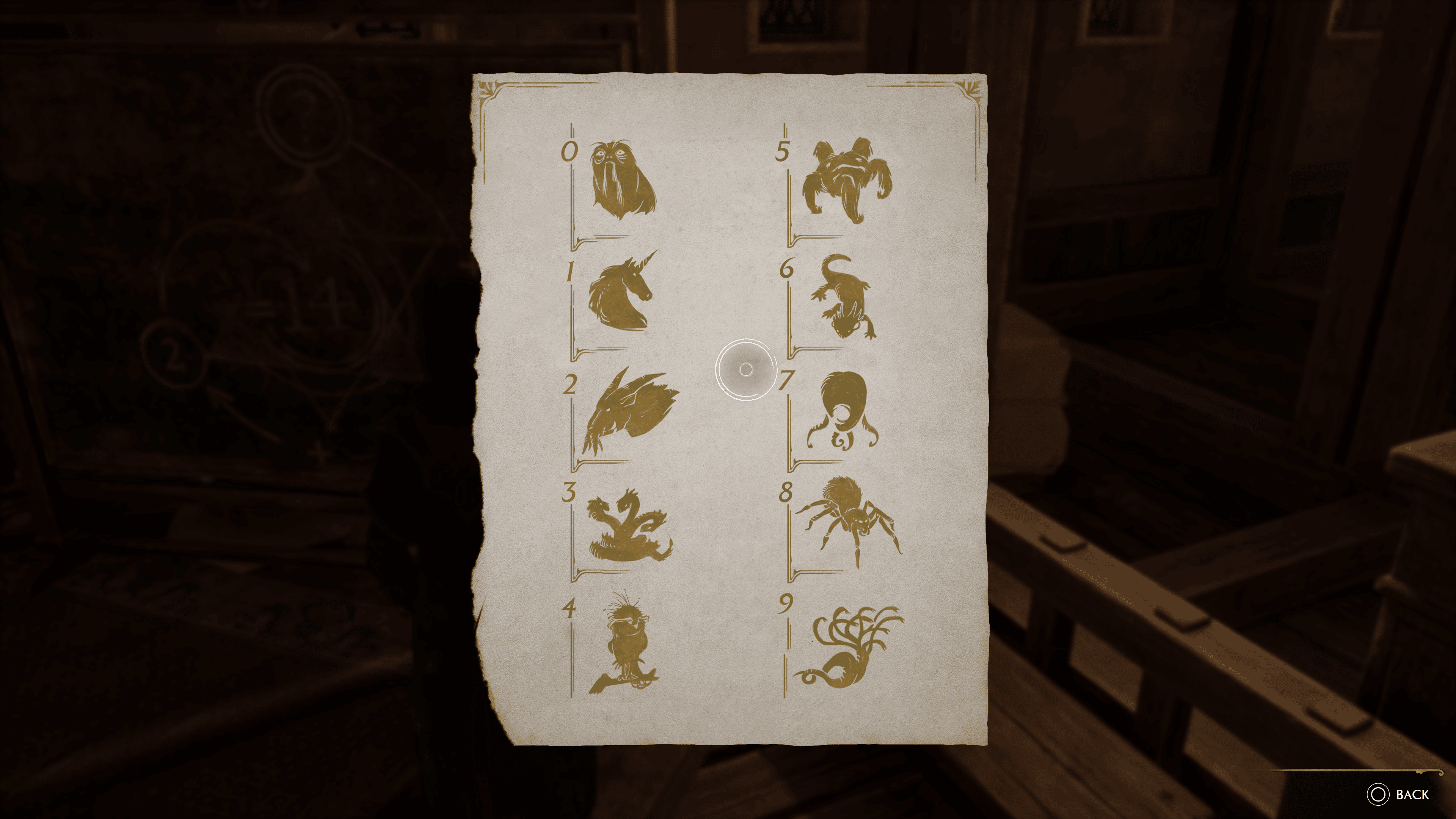
To save you a bit of a headache, down below, you’ll find the note that contains the cipher to these mysterious doors scattered around Hogwarts. I recommend keeping it handy on a phone or another screen, as it’ll save you time from flipping between the in-game menus to look at it every time.
Assuming you’re not horrible at math, this should make opening those doors easy. Each door has two solutions that need to be solved, with two mechanisms close by that have symbols that correspond with the image above. Interacting with these mechanisms will roll it, displaying a different symbol each time.
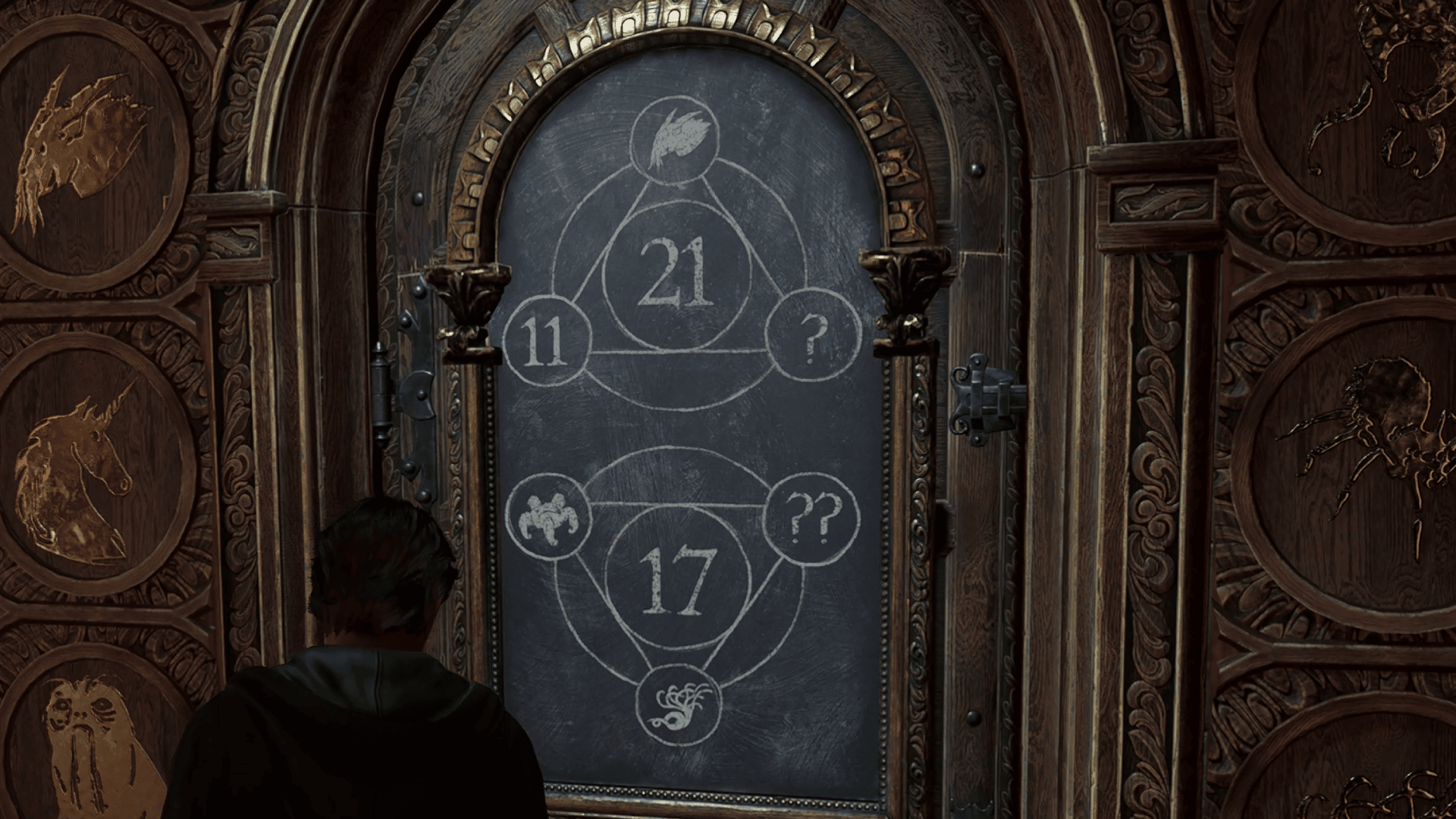
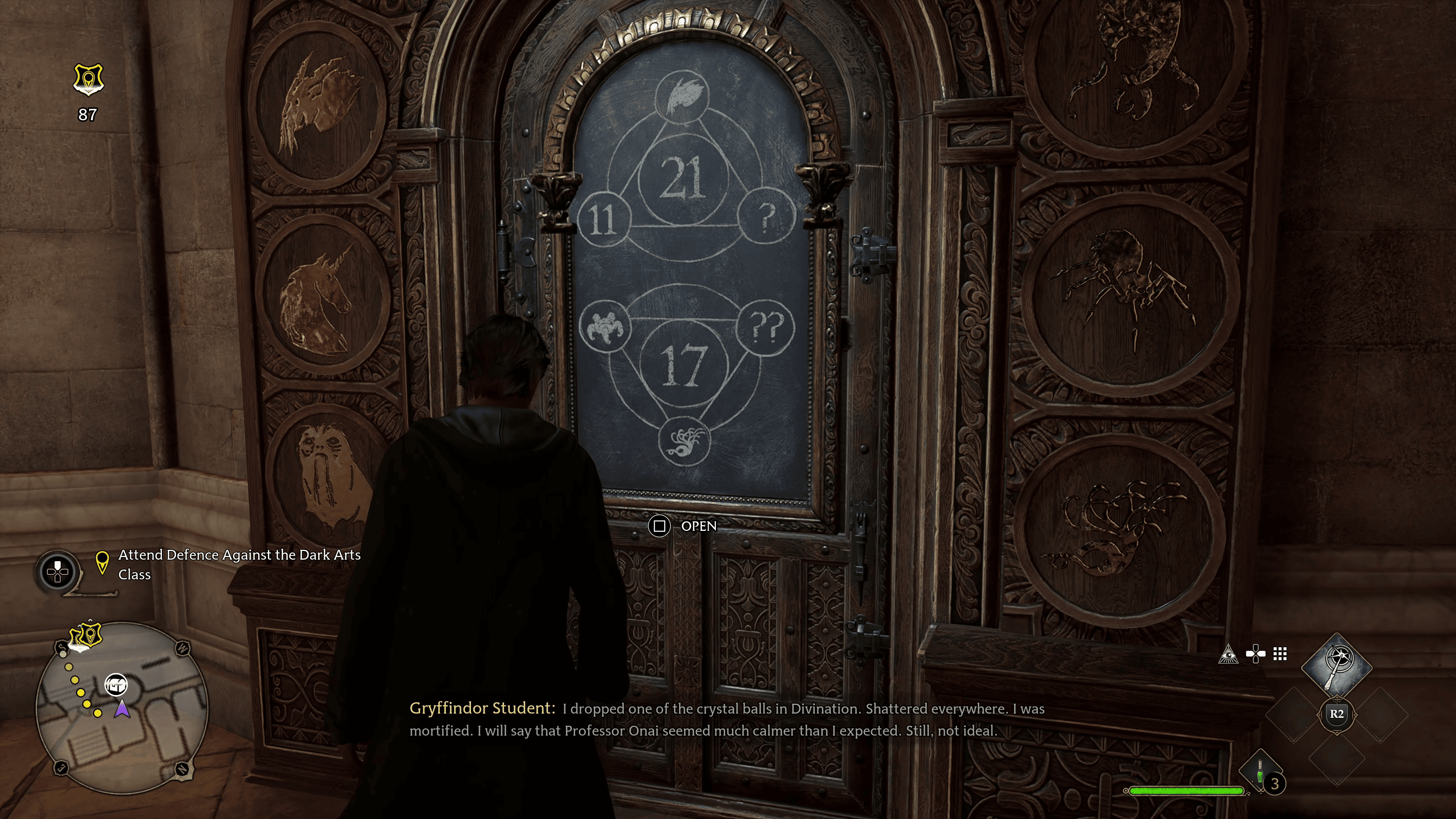
The doors will display a question mark, one of those symbols above, and usually a number or another symbol, as shown in the example below.
The center number is the sum of all those symbols and numbers, so looking at the first one, we have 21 for the total. 11 is the number given, with the creature symbol corresponding to 2. That provides us with a total of 13, meaning we need an 8. That corresponds with the spider symbol, so this is the symbol you’ll want to use on the first mechanism.
Solve the second equation the same way, and once you get both symbols correct, the door will open. Each door has some reward behind it, so you’ll want to do these every time you come across them if you want to get some easy loot.
Where to Find the Cipher Note
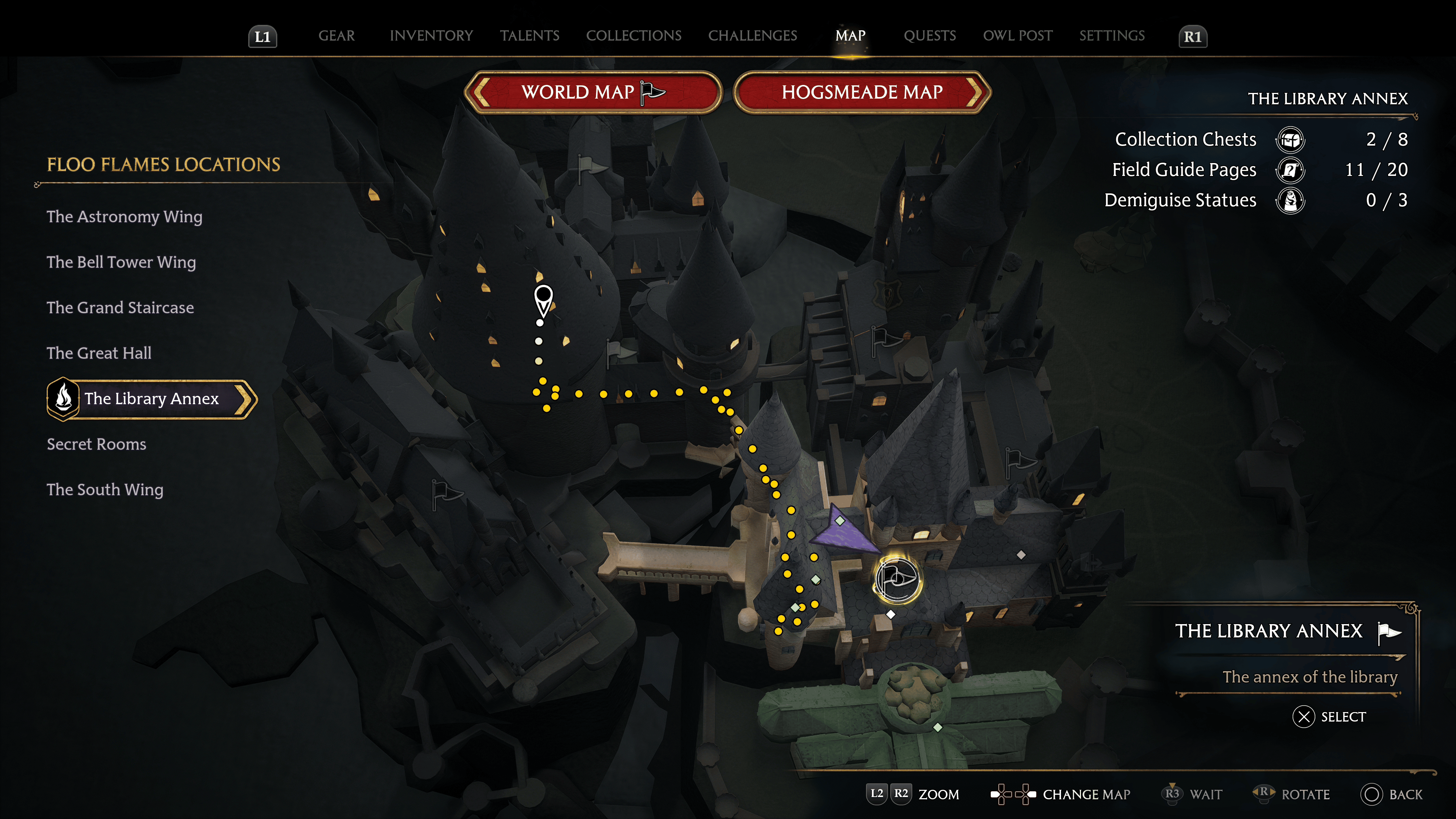
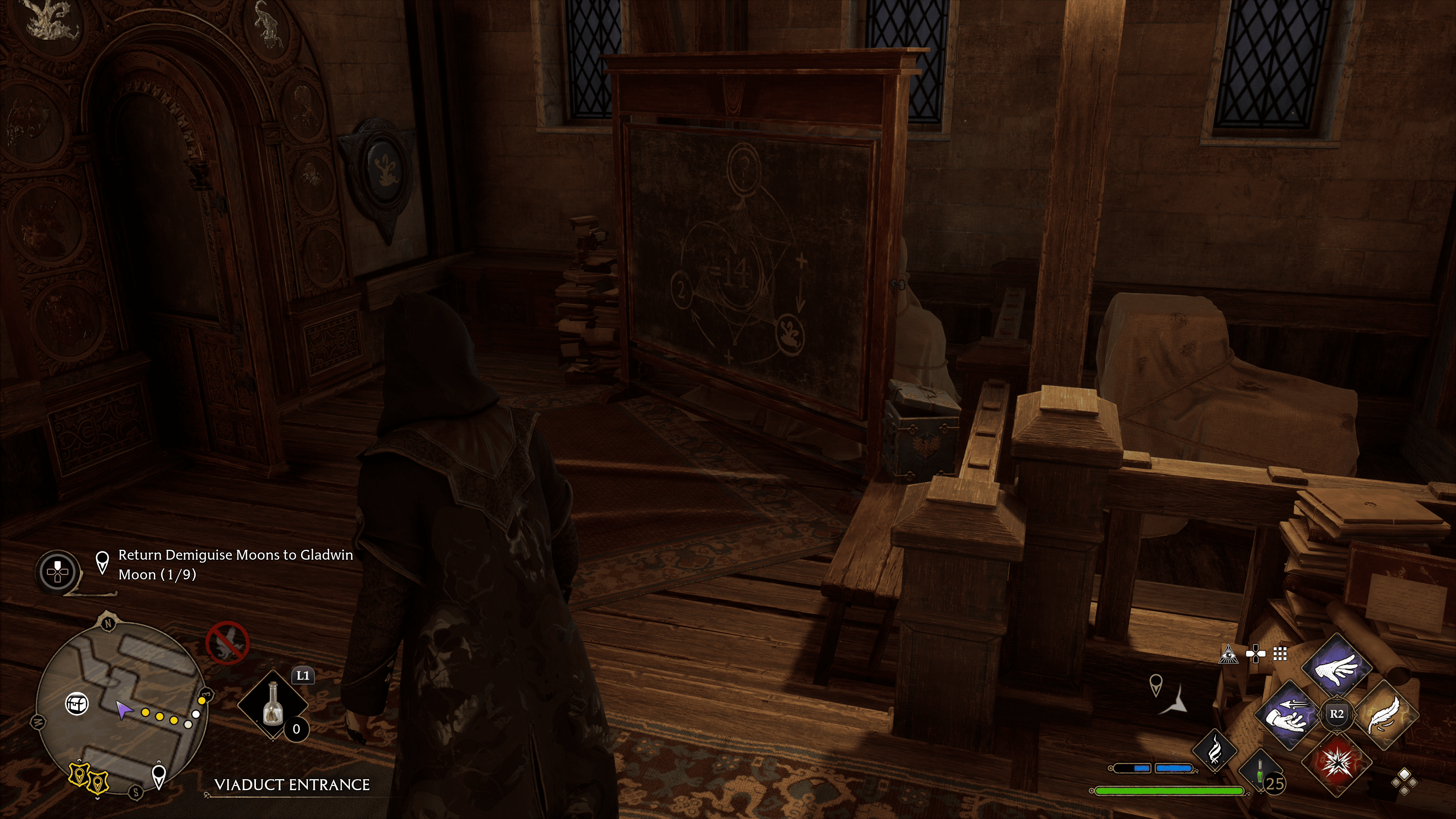
If you want to find this item yourself, the note is located in the Viaduct Entrance in the library of the library annex section of Hogwarts. Head up towards the upper levels, where you can look down into the library. You’ll eventually come across a chalkboard with the same markings as those doors. On the bench beside it is a note on the bench next to it.
Once you have the note, you should be able to figure out the rest. If not, refer to the information provided above.
And that’s how you open these doors in Hogwarts Legacy. If you found this guide helpful, be sure to check out our other Hogwarts Legacy guides!
A gamer at heart, James has been working for MP1st for the last decade to do exactly what he loves, writing about video games and having fun doing it. Growing up in the 90's gaming has been in his DNA since the days of NES. One day he hopes to develop his own game.
One of the hardest types of side quests in Hogwarts Legacy comes in the form of maps that require you to find a specific location within the game. Sometimes these aren’t as obvious as they seem, but lucky for you, we’re here to help! For this guide, we’ll be looking at the Hogwarts Legacy Cache in the Castle side quest, revealing to you exactly where to find the third landmark.
Hogwarts Legacy: Cache in the Castle – Where to Find the Third Landmark
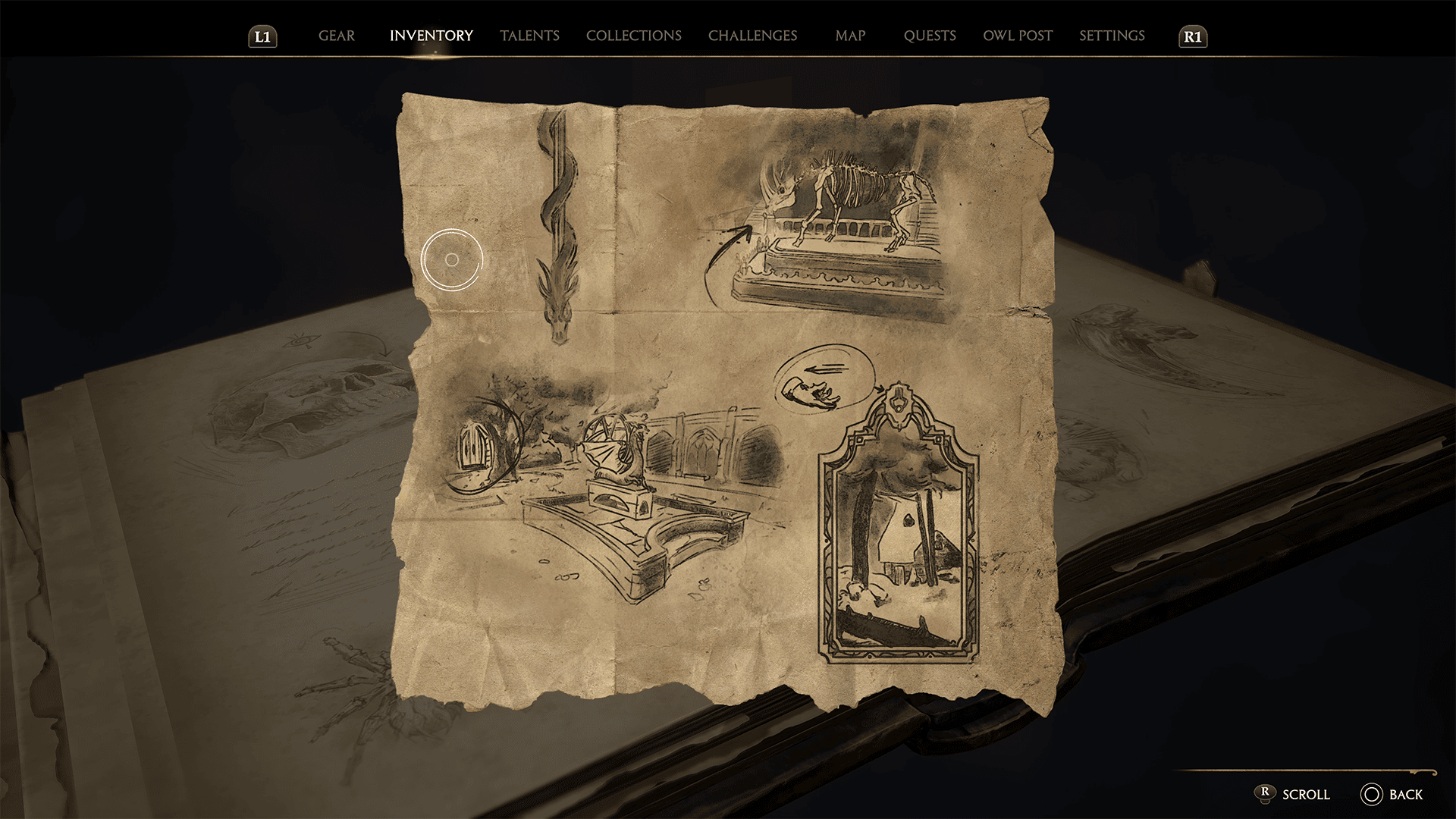
Early in the game, you can pick up a questline from Arthur Plummly, a Hogwarts student located in Astronomy Tower. He’ll give you a side quest called “cache in the castle,” asking you to find a hidden chest based on the treasure map he gives you.
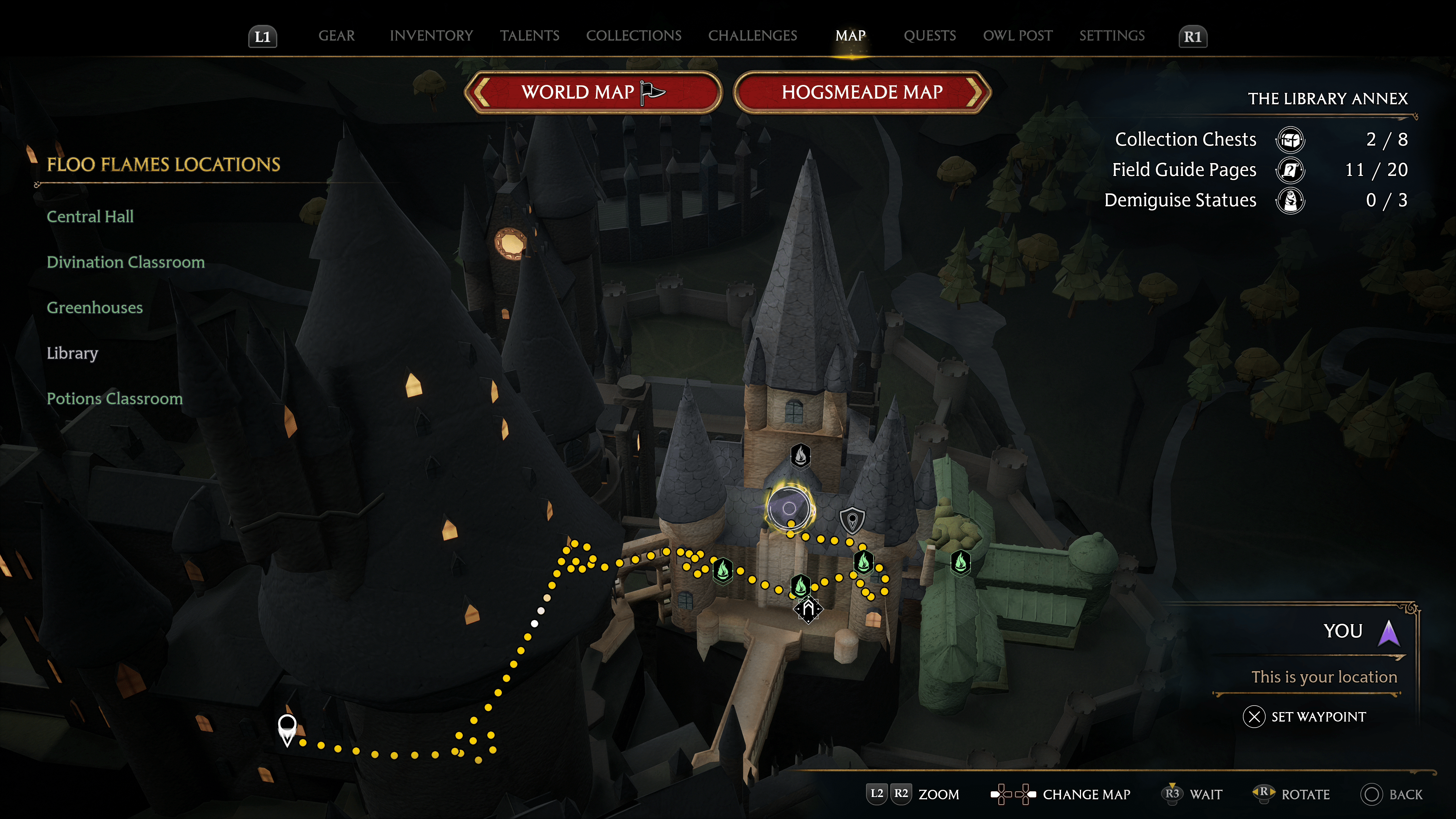
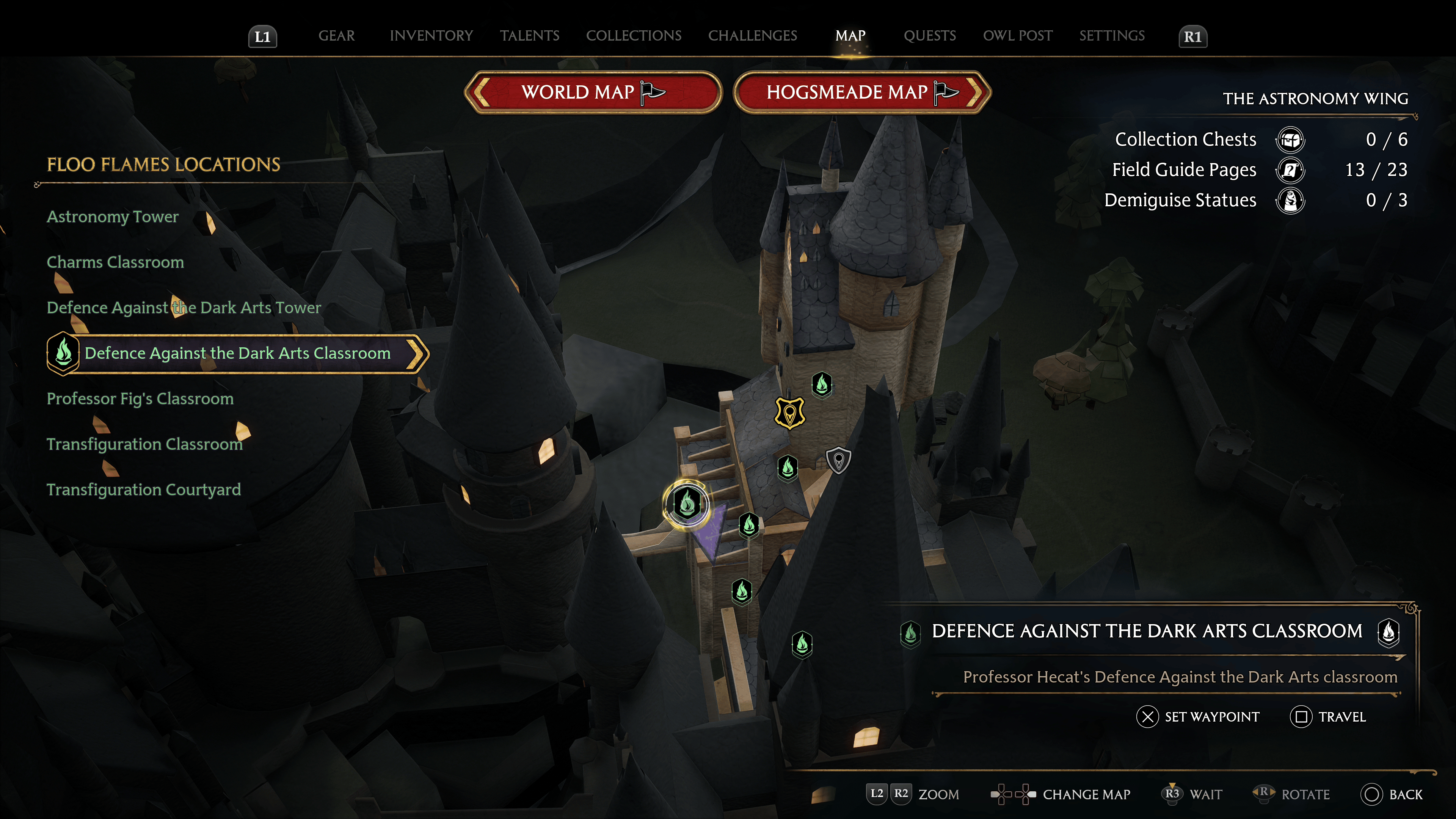
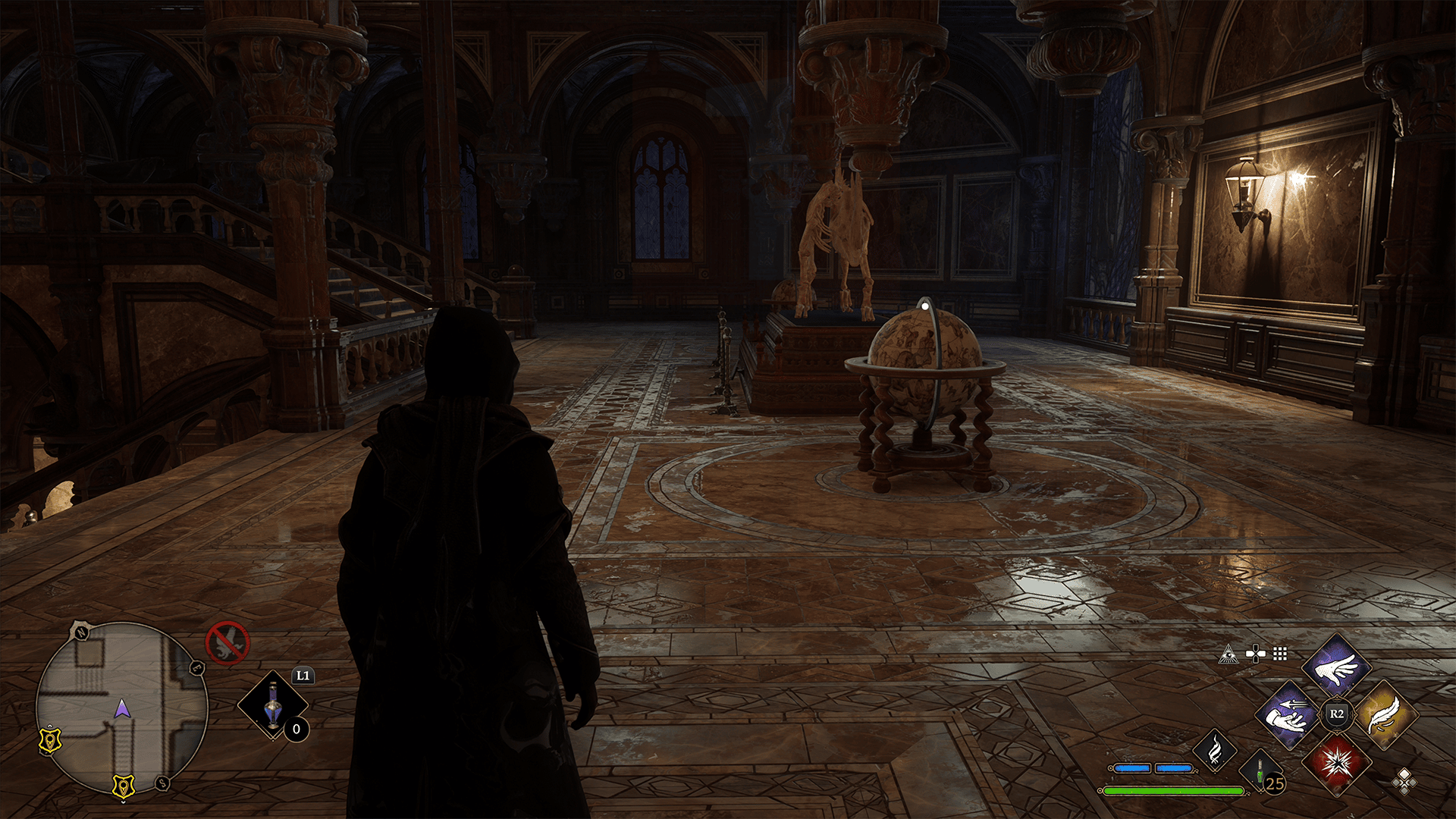
Chances are you’ve been to both the location with the skeleton and dragon statue, but the closest fast travel point is the Defence Against the Dark Arts Classroom under the Floo Flames locations. Fast travel here; head down the stairs, and you will come across the skeleton of a creature.
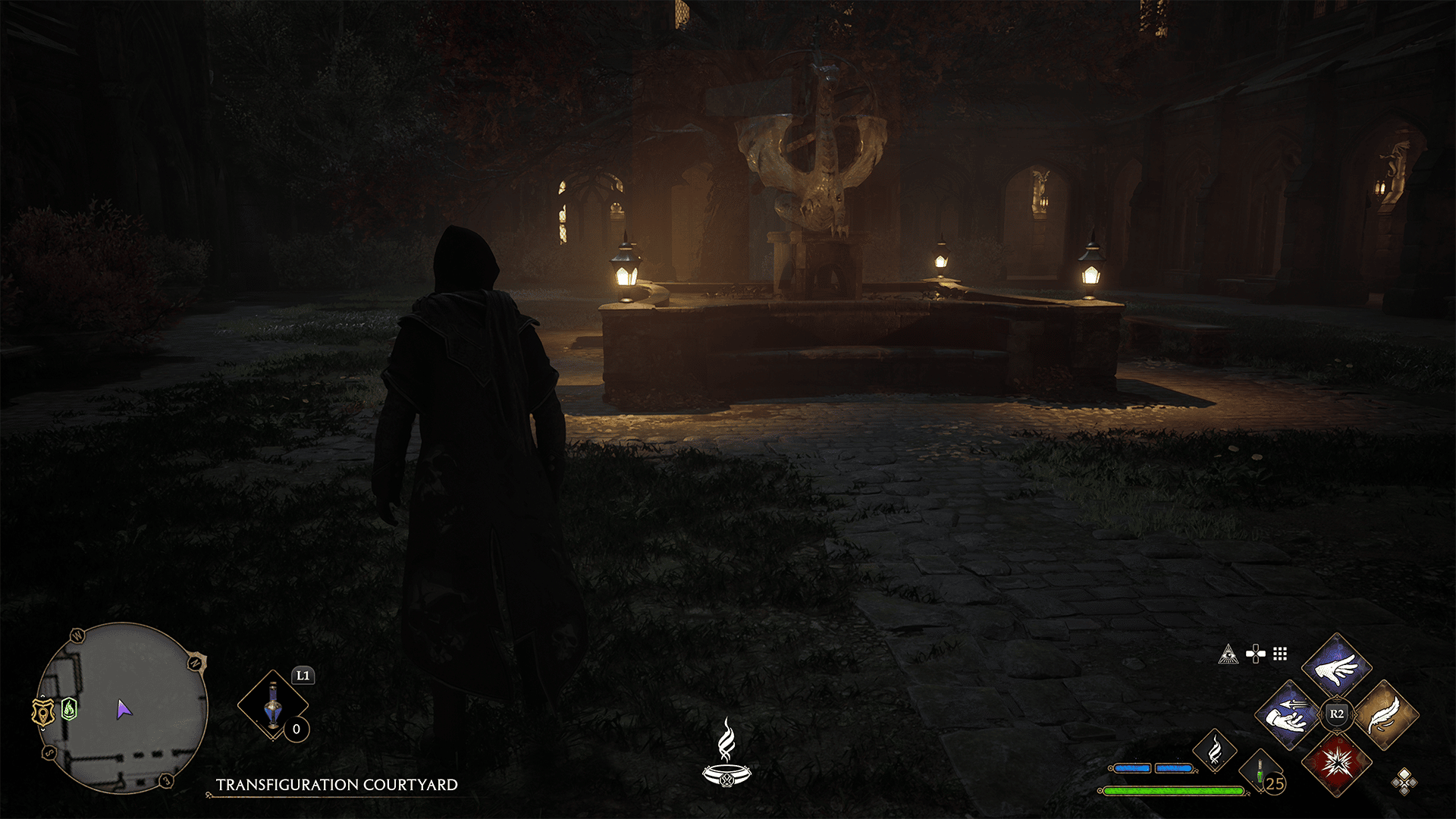
Take the stairs on the left, and head down the the first floor. There will be a door in front of you that leads into the courtyard. Here you’ll the statue of the dragon.
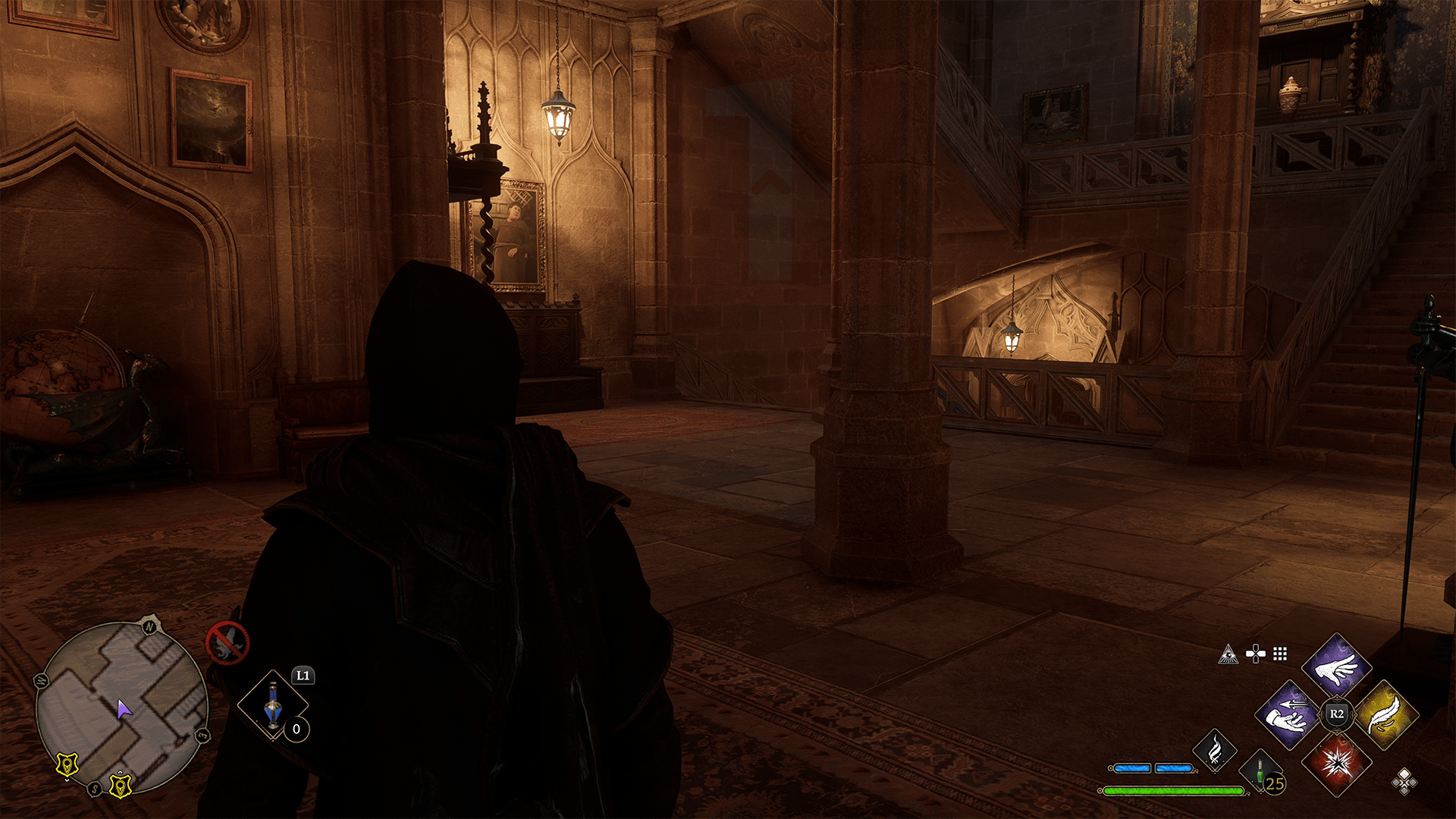
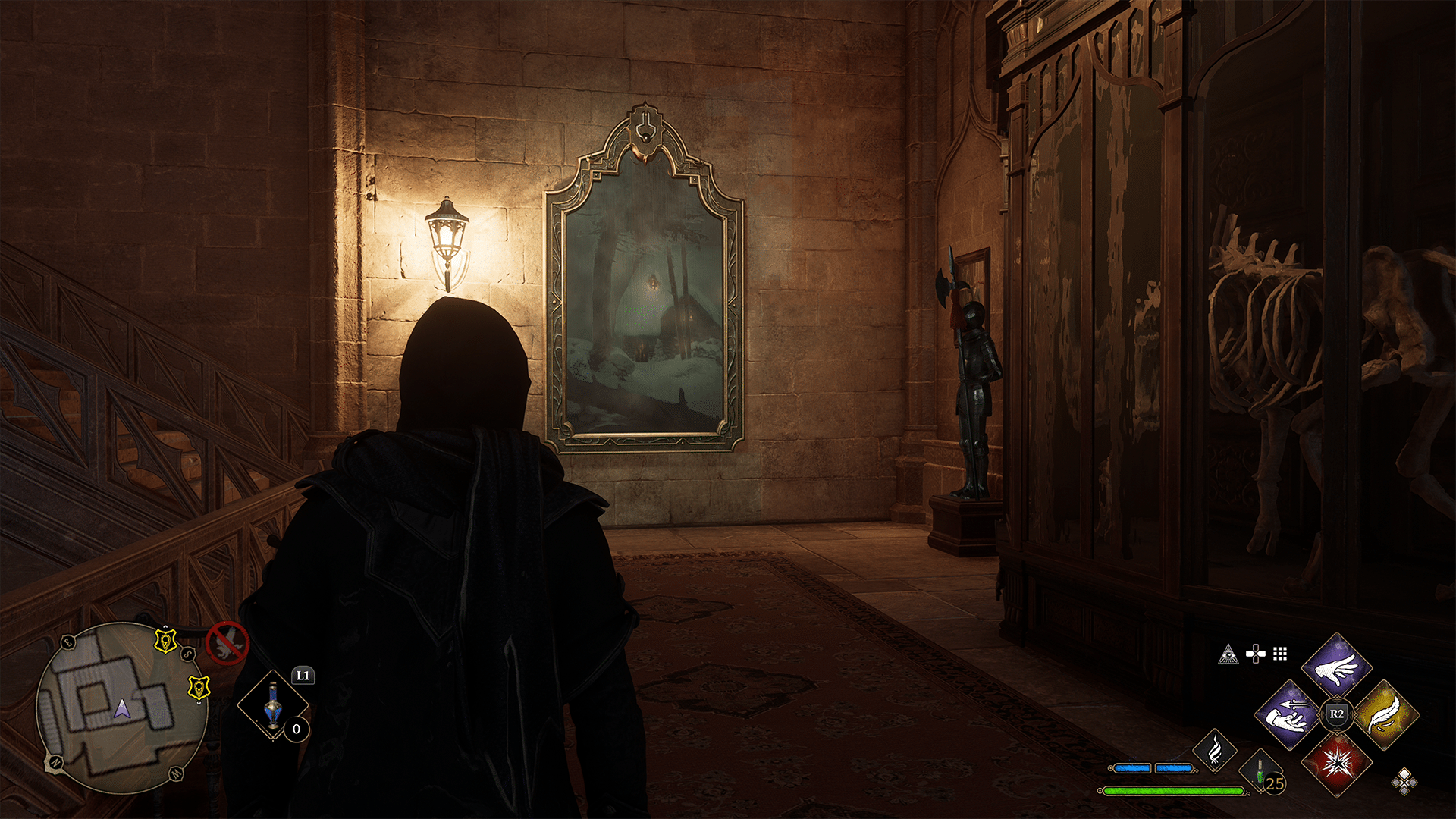
Run past the statue towards the building, you’ll find a door you can enter. If you look straight ahead, you should see another dragon statue with stairs to the right of it. Head up the stairs, and you should past another one of the skeletons from earlier with a painting on the wall next to it.
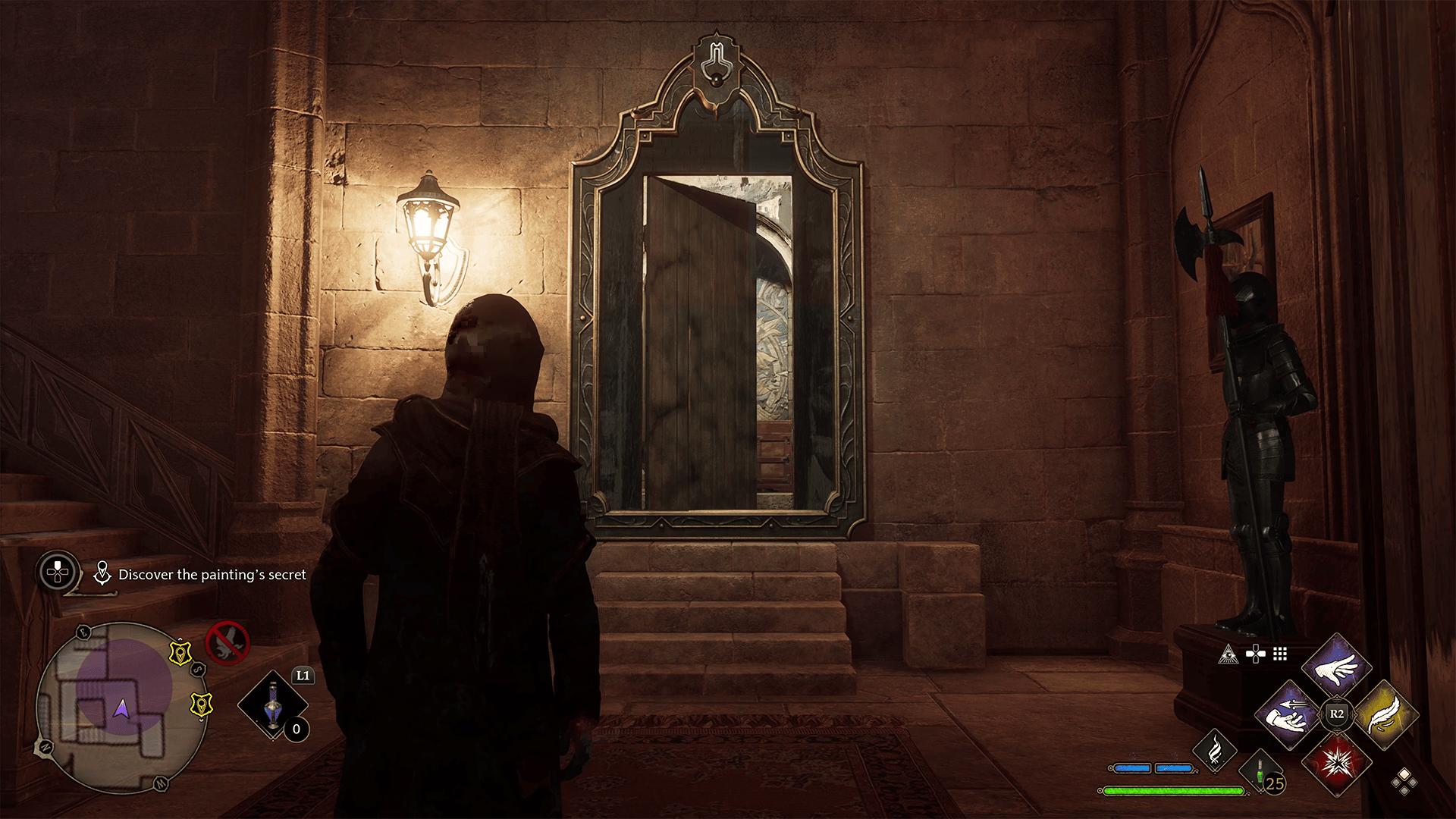
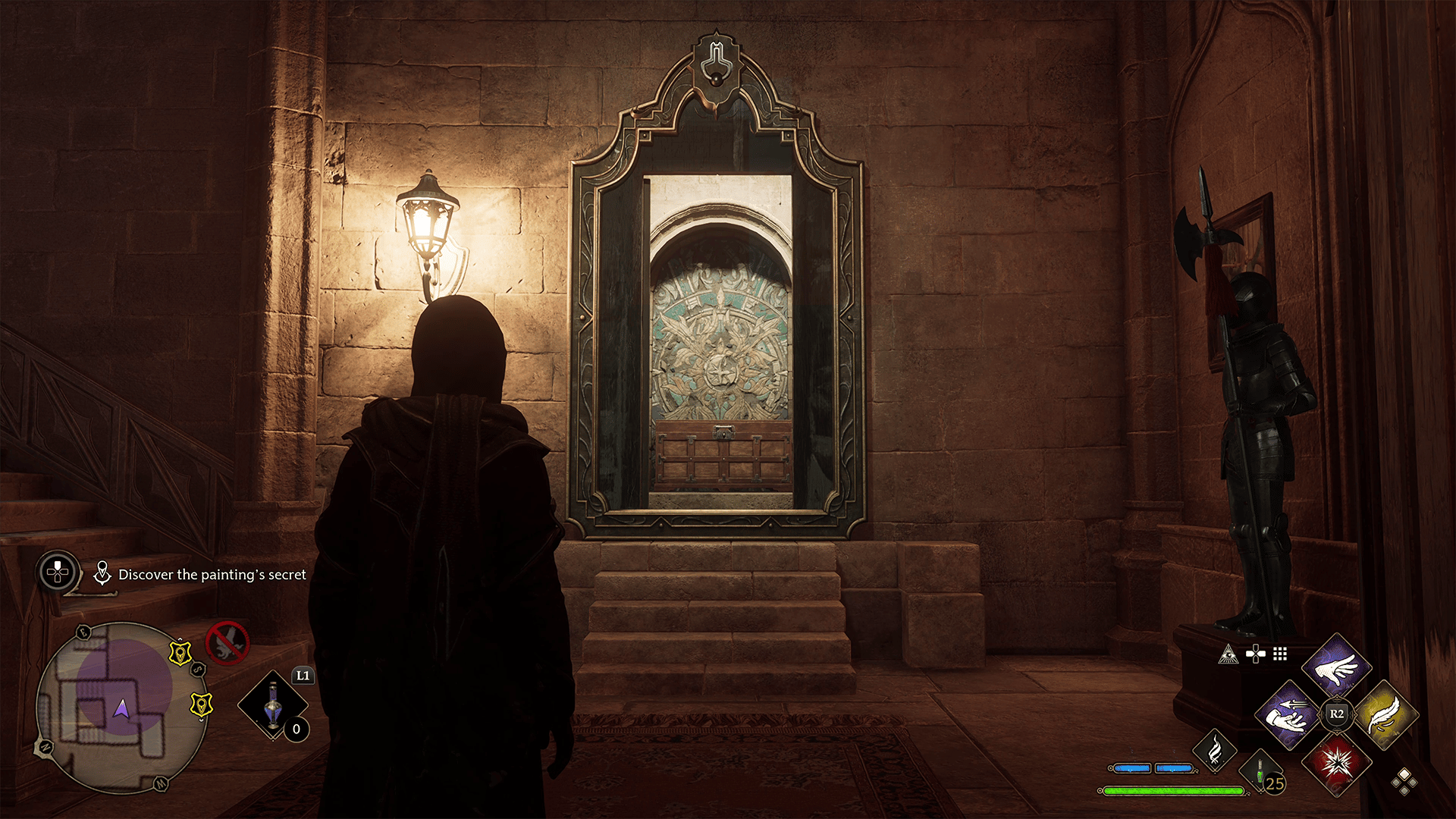
You can cast Accio on the top portion of the picture frame, revealing a secret room behind it.
Open the chest, collect the reward, and report back to Arthur to complete the Cache in the Castle quest.
That’s how to Find the Third Landmark! Hopefully this guide has helped you out, and if it has, then you may want to take a look at out other Hogwarts Legacy guides.
A gamer at heart, James has been working for MP1st for the last decade to do exactly what he loves, writing about video games and having fun doing it. Growing up in the 90's gaming has been in his DNA since the days of NES. One day he hopes to develop his own game.
If you’re not liking how the gear looks on your character in Hogwarts Legacy, you may be happy to know that the game features transmog, the ability to change your character’s appearance without sacrificing stats. Here’s how to change character appearance in Hogwarts Legacy.
How to Change Character Appearance (Transmog) in Hogwarts Legacy
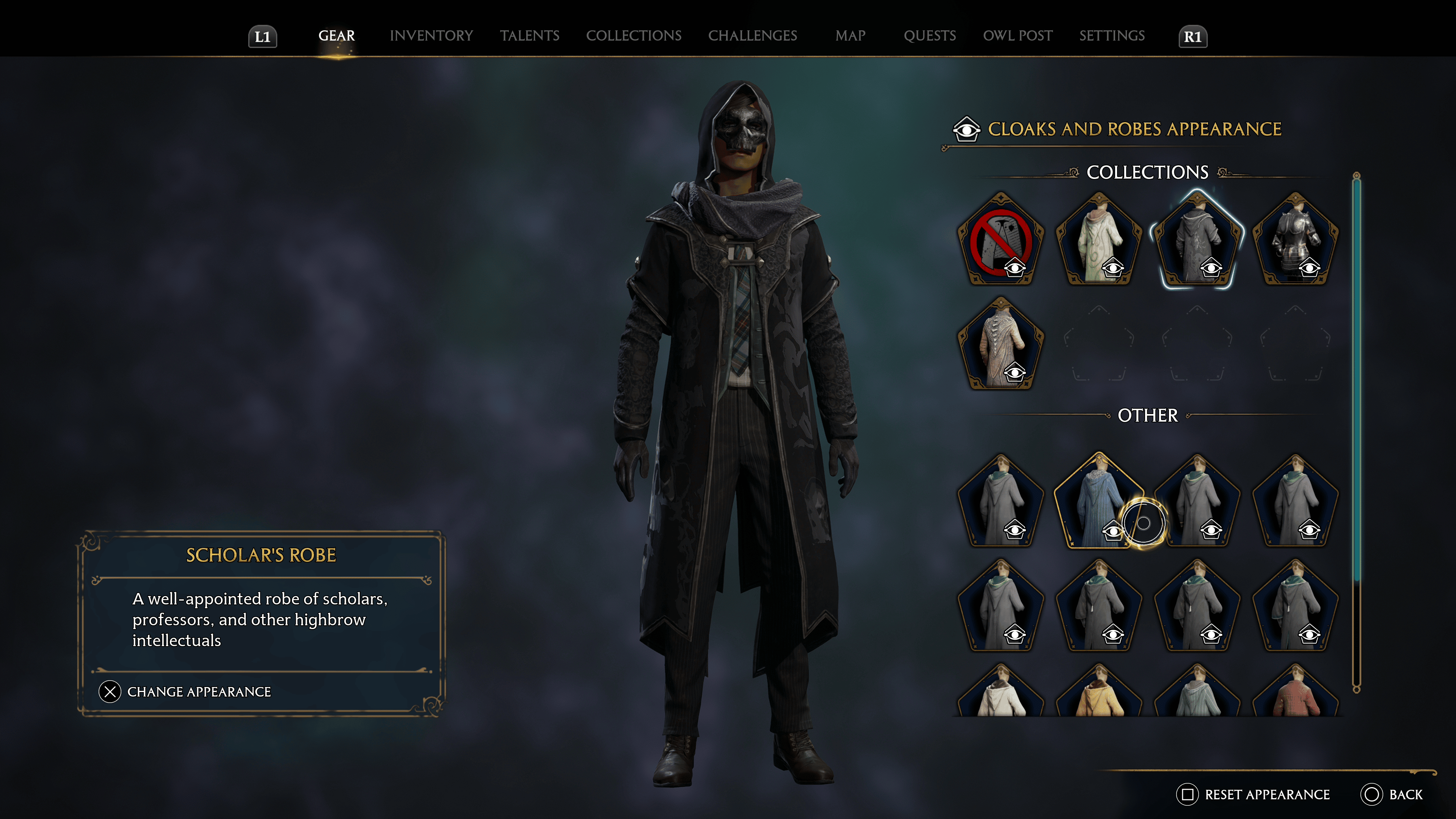
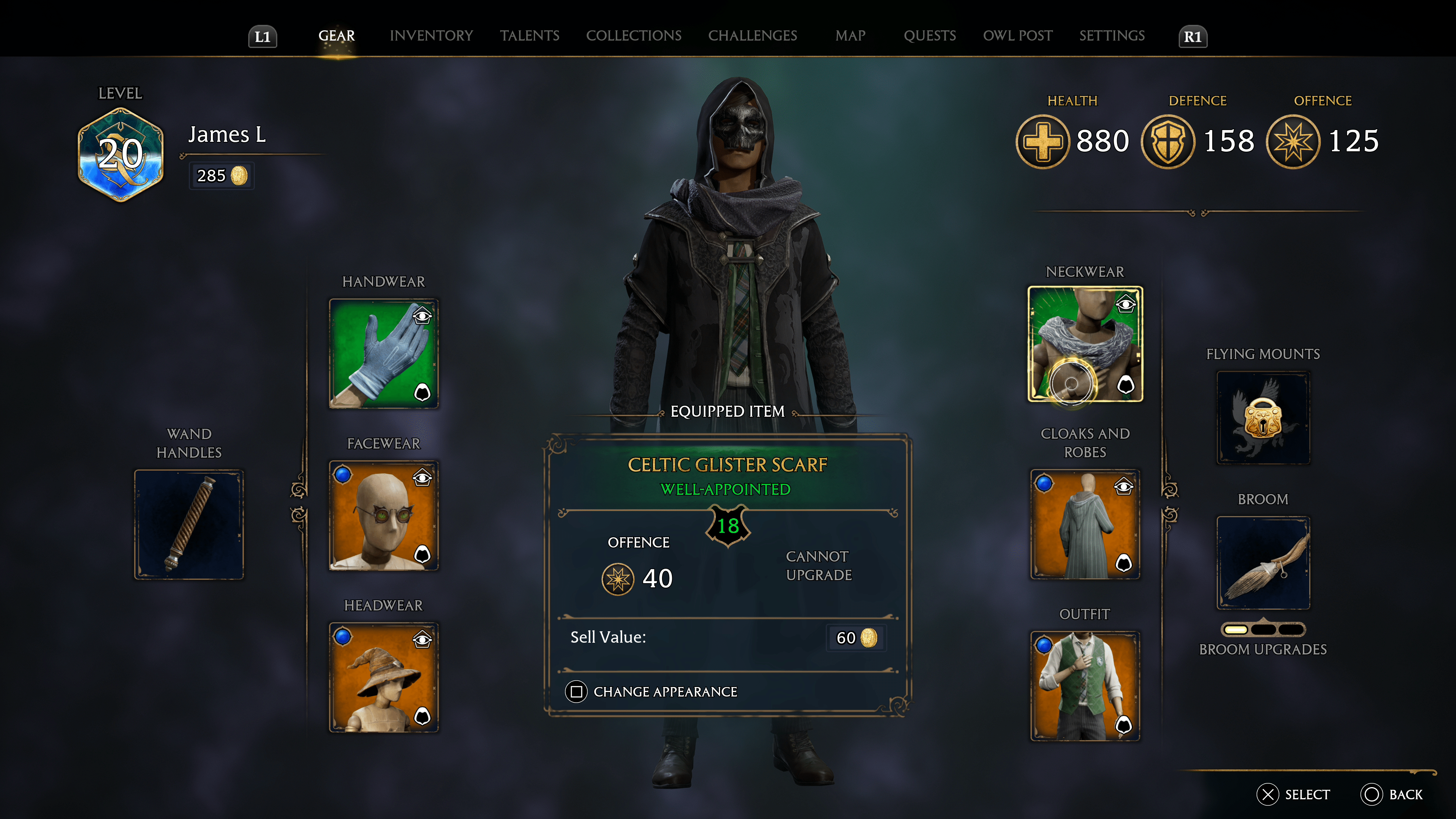
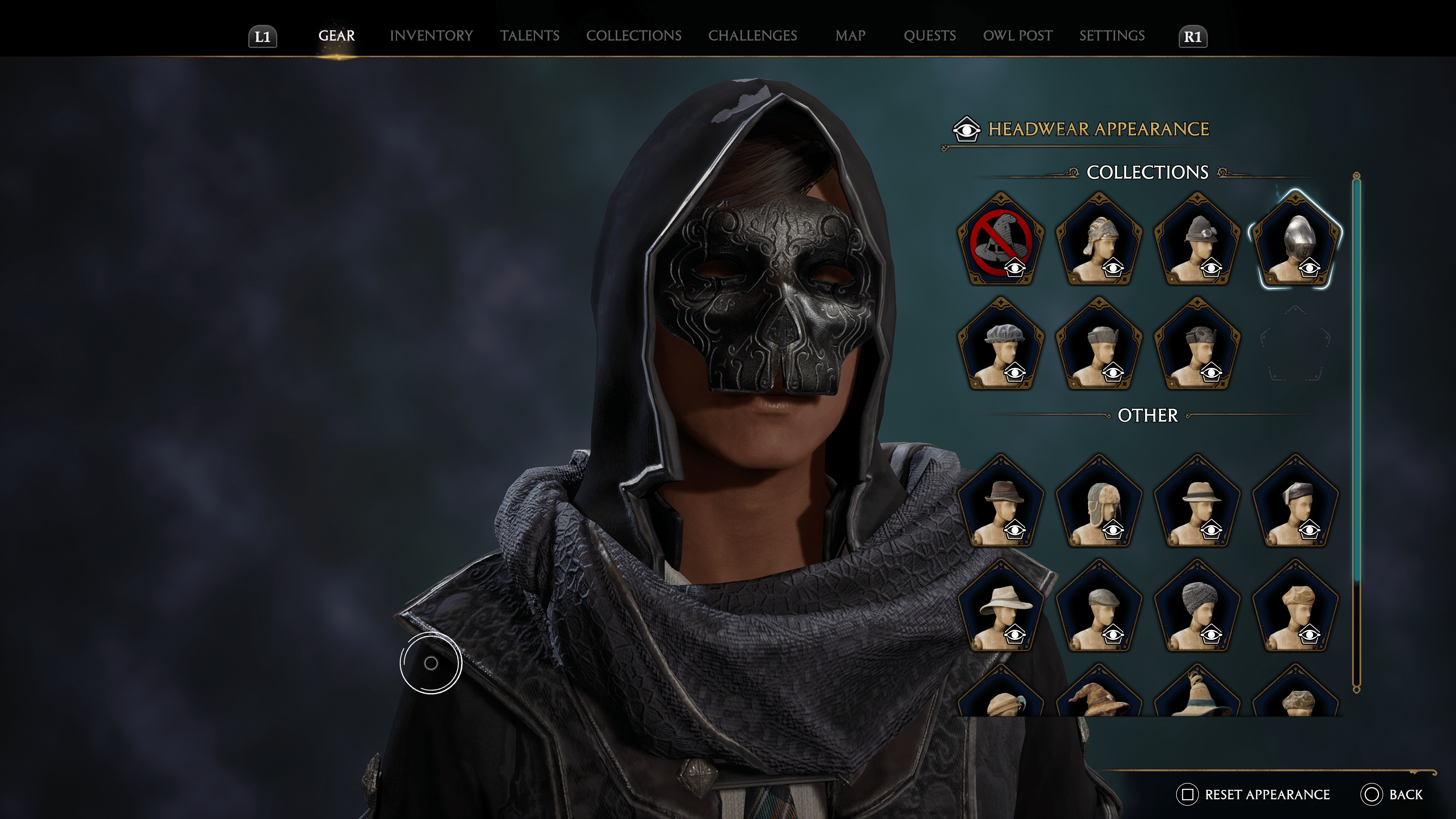
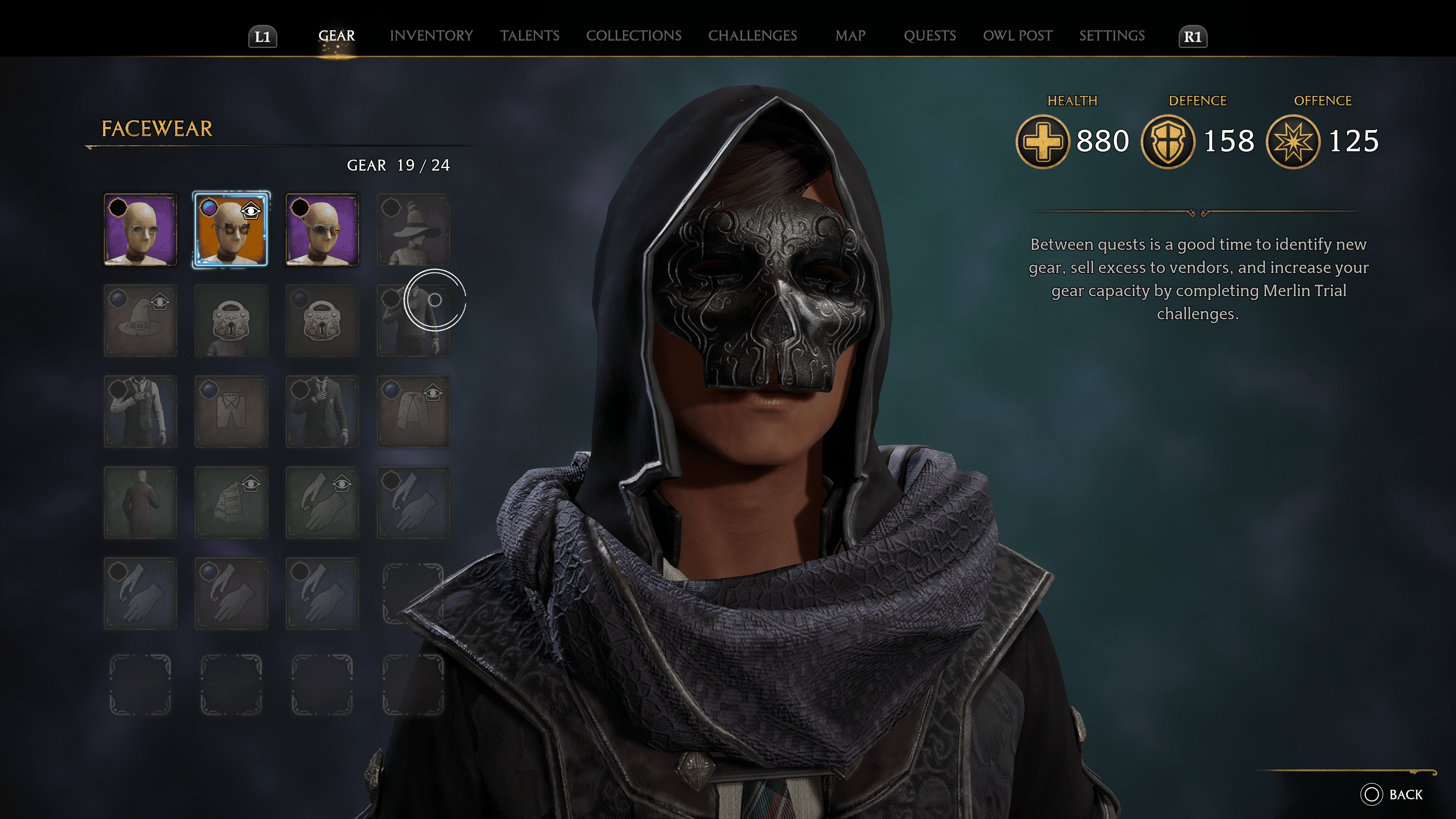
Changing character appearance without losing gear stats (known as Transmog) is very easy in Hogwarts Legacy. There’s no required quest line to complete, or station for it, as it’s accessible via the gear menu. All you have to do is highlight a piece of gear, and under its stats information, you should see a “change appearance” option. Push the button prompt (in PlayStation’s case, square), and you’ll be taken to the appearance window.
You can change the appearance of every piece of gear (handwear, facewear, headwear, neckwear, cloaks and robes, and outfit.) The cloak and robe gear slot has an additional “hood on/off” option, which lets you use the hood of the selected appearance. If you choose to enable the hood option, headwear appearance will be disabled until the hood option is turned off.
That’s all there is to it! If you found this guide to be helpful, be sure to check out our other guides for Hogwarts Legacy.
A gamer at heart, James has been working for MP1st for the last decade to do exactly what he loves, writing about video games and having fun doing it. Growing up in the 90's gaming has been in his DNA since the days of NES. One day he hopes to develop his own game.
Having trouble deciphering the map and finding out where Rowland Oakes is in Hogwarts Legacy? Well, we got you covered, as this guide will show you exactly where to find Rowland Oakes in Hogwarts Legacy!
Where to Find Rowland Oakes in Hogwarts Legacy
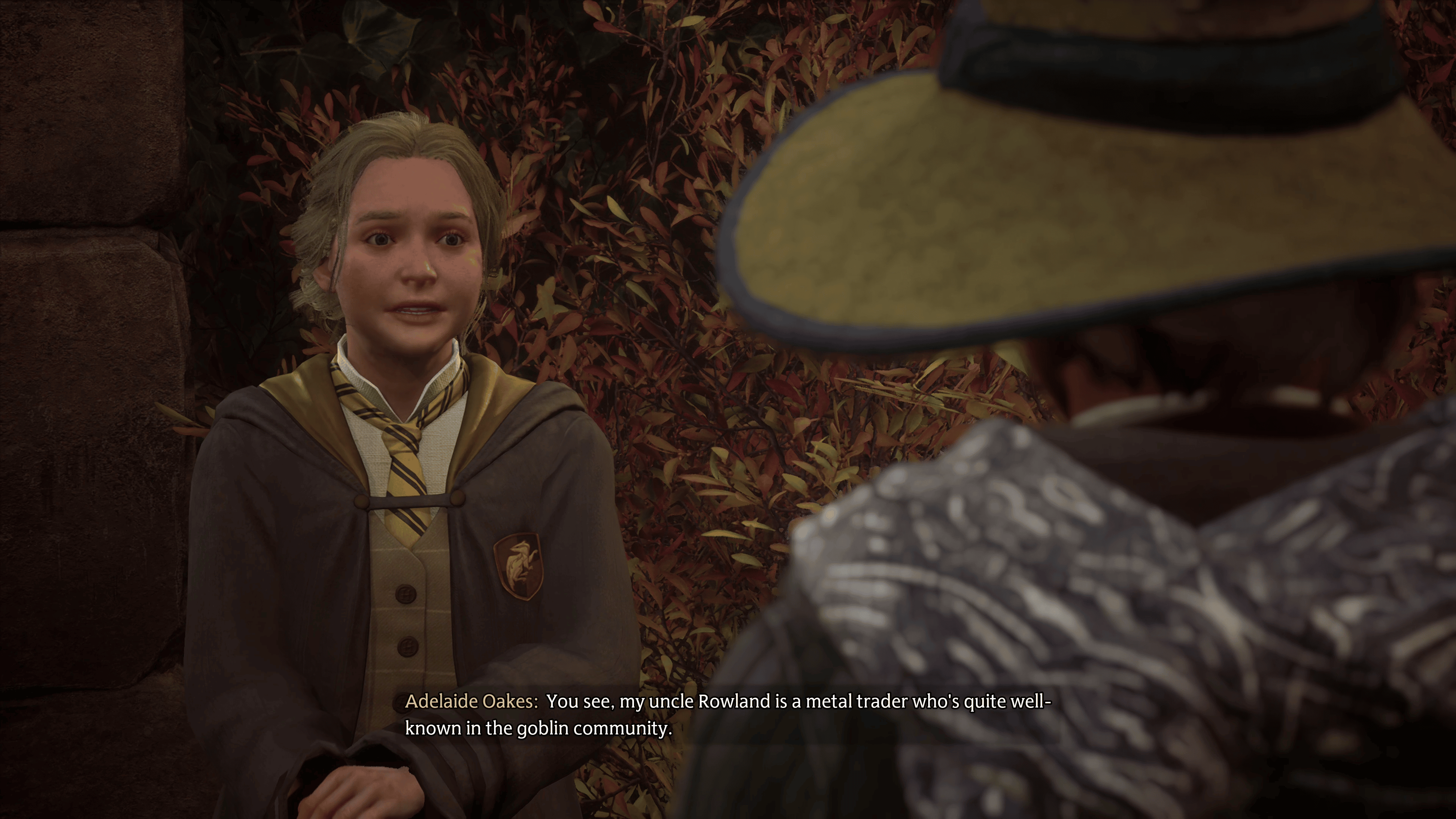
If you’re going around and completing all the sidequests around Hogwarts school, eventually, you’ll come across a side quest called “The Tale of Rowland Oakes.” Adelaide Oakes, a classmate, would like you to check up on her uncle Rowland, a metal trader who frequently works with the goblin community.
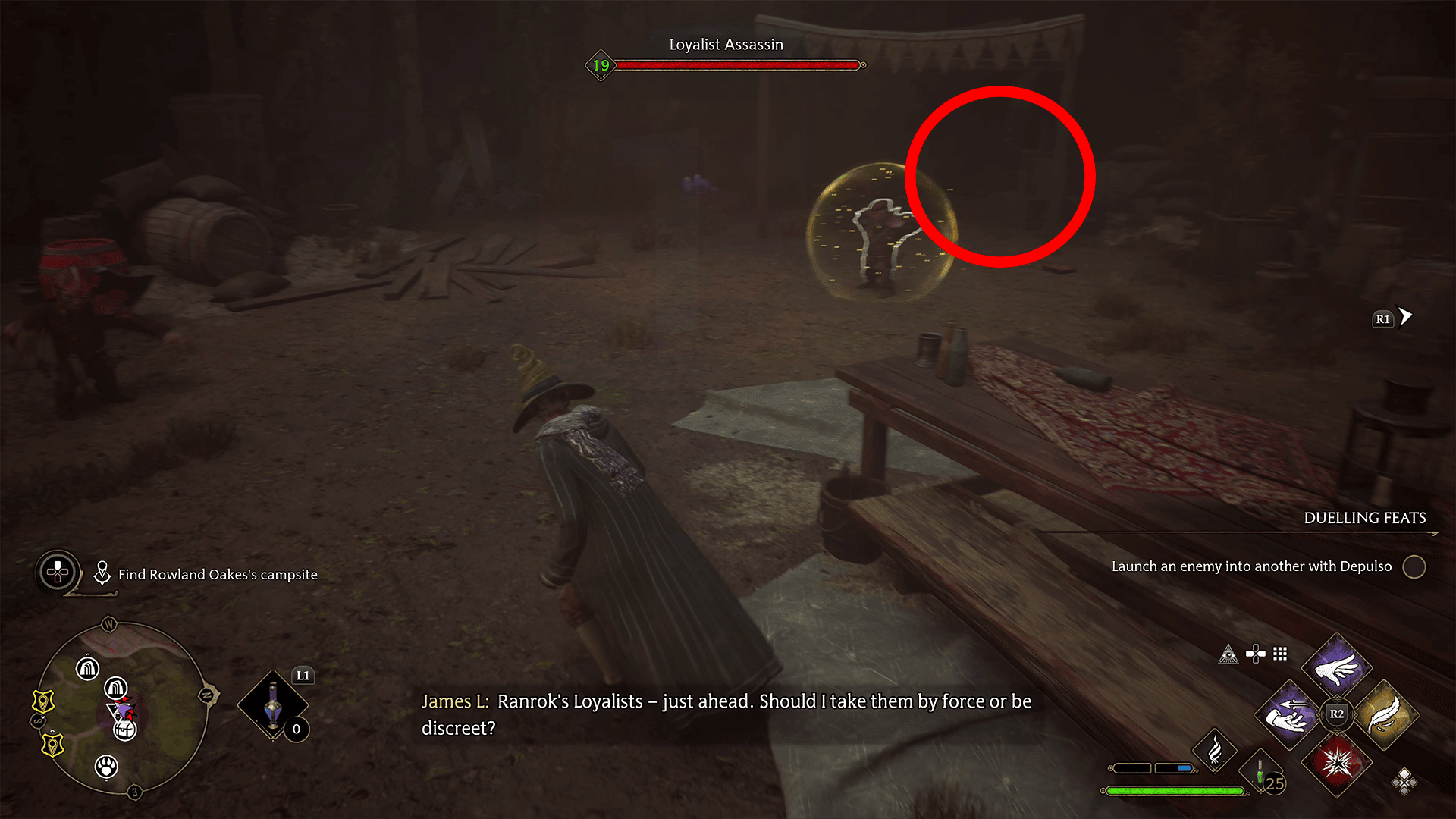
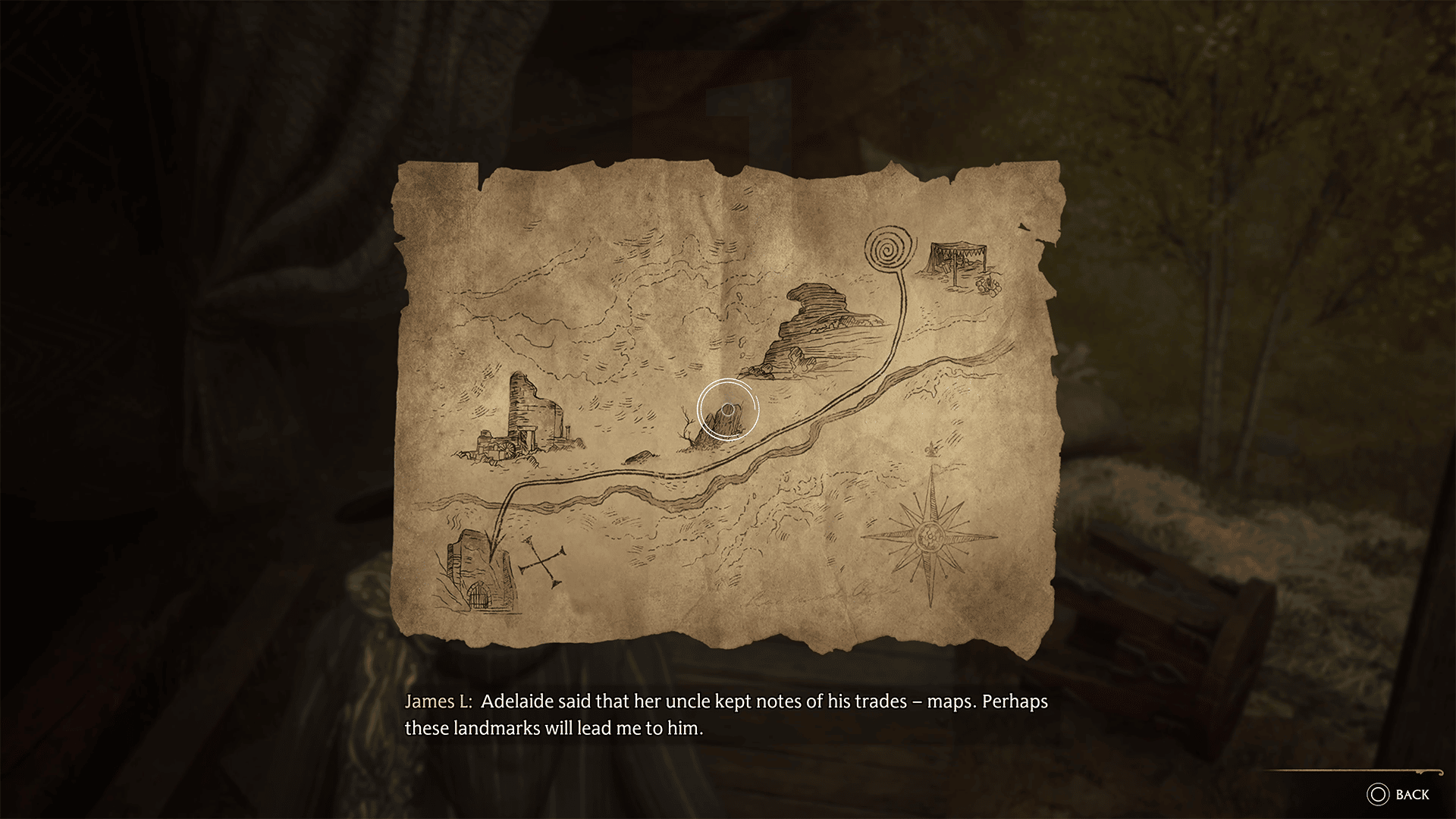
She’ll ask you to visit his campsite, which is marked on the map for you. Head over to this location, and you’ll come across a group of goblins you must defeat. After that, you’ll need to search the camp for Rowland’s whereabouts. There is a map in the back with clues about where he might be.
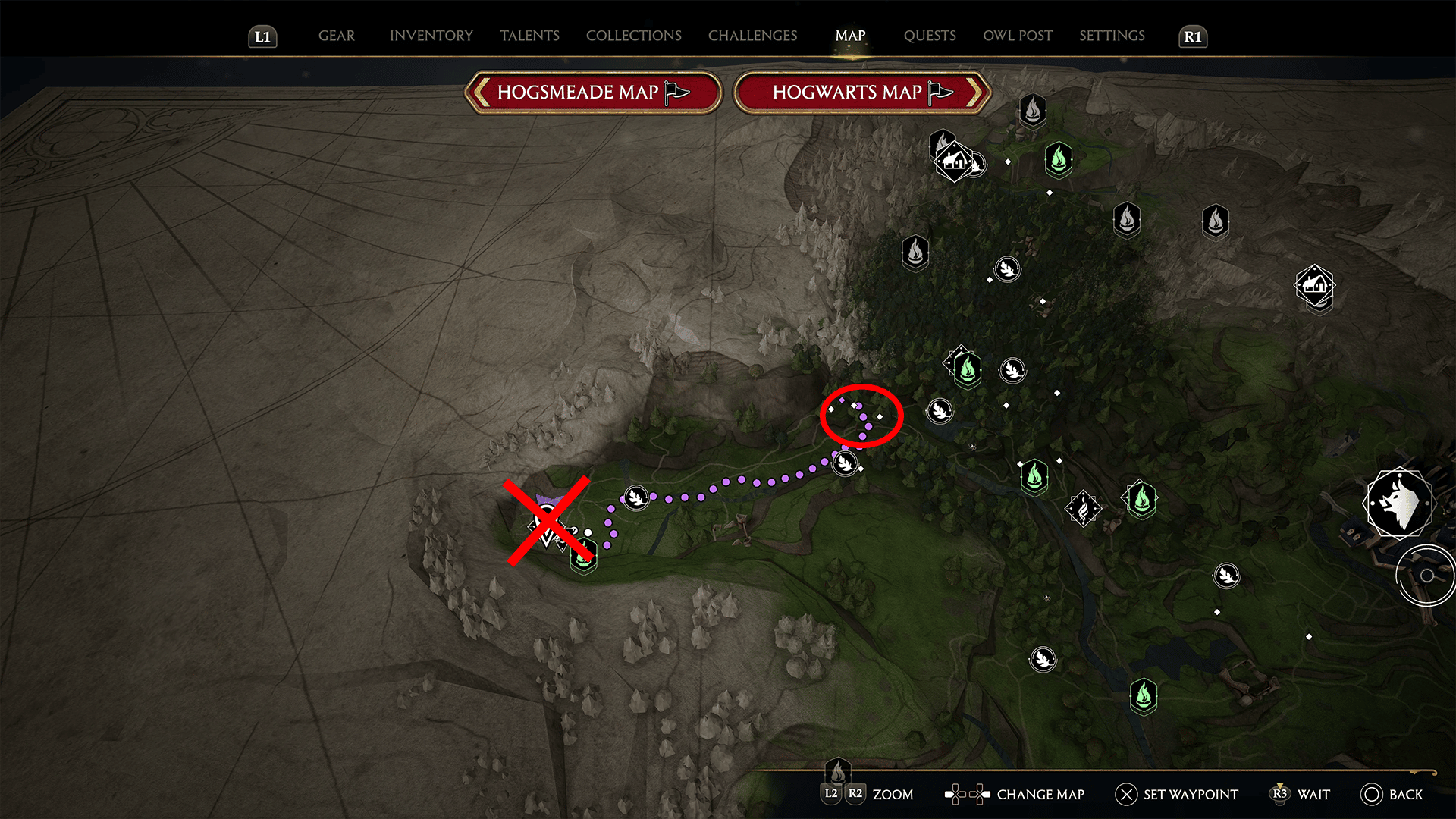
Not the most detailed of maps, especially given the size of the world. However, looking at the map, we can see a river running through it, with some landmarks along the river. The starting point is the camp you’re at. With this in mind, you can open up your map. You’ll want to follow the river heading North East. The exact path is shown below.
You should have your broom by this point, so fly there; otherwise, expect to face off against some resistance on the way.
Once you arrive, you’ll be at a goblin outpost, and as it turns out, Rowland has been taken prisoner by the goblins. Fight your way through, free Rowland, and report to Adelaide for your reward.
Congrats, you’ve found Rowland and completed the “The Tale of Rowland Oakes” questline. Before you leave, don’t forget to check out our other Hogwarts Legacy guides!
A gamer at heart, James has been working for MP1st for the last decade to do exactly what he loves, writing about video games and having fun doing it. Growing up in the 90's gaming has been in his DNA since the days of NES. One day he hopes to develop his own game.
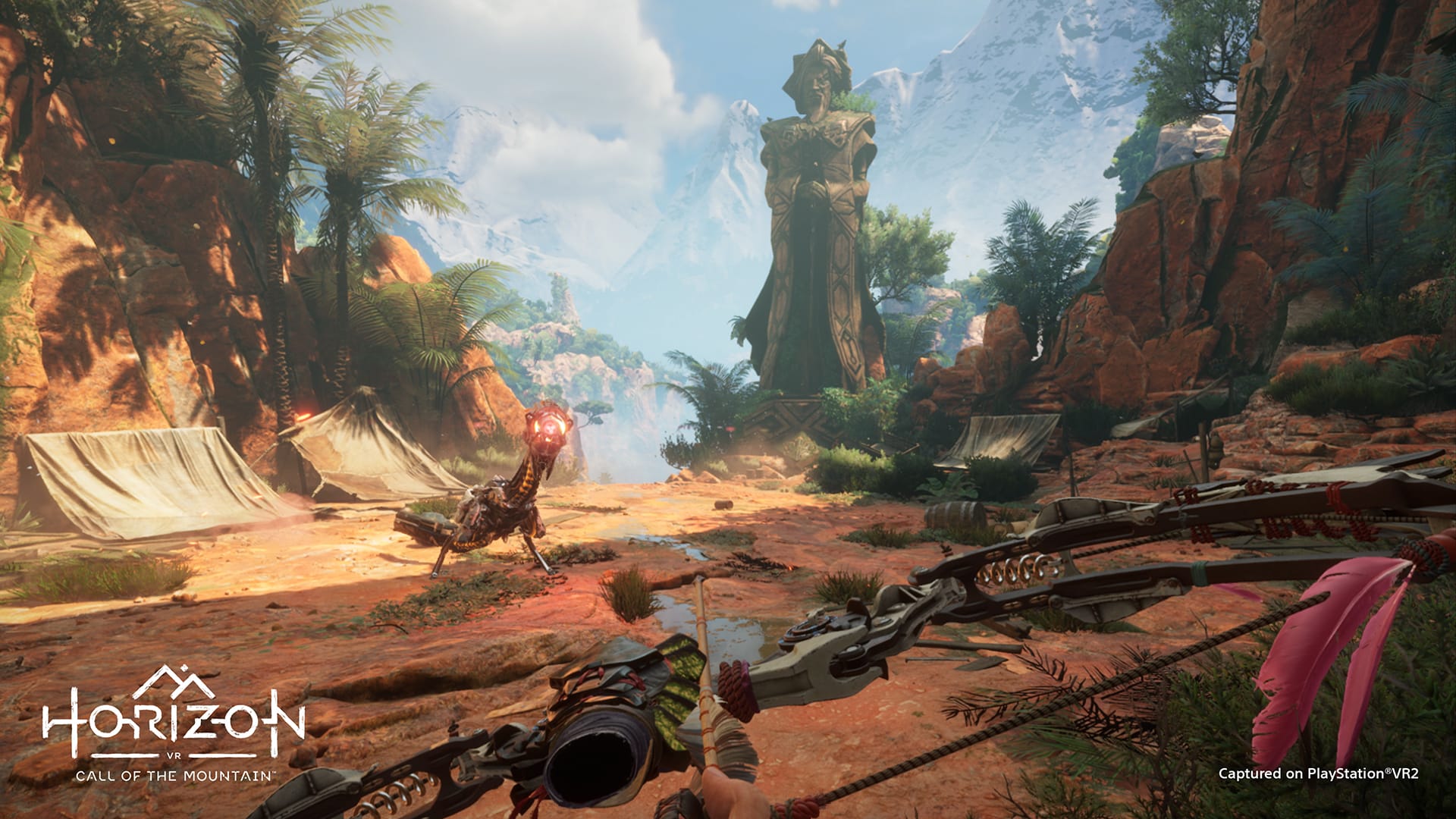
It’s been a busy few months for Horizon fans, with rumors afoot of multiple titles and a Zero Dawn remake in development and the recent leaks of a Horizon multiplayer game. Today, Guerrilla Games and Firesprite have announced that their upcoming title Horizon: Call of the Mountain has officially gone gold ahead of its simultaneous launch with the PSVR2 headset on February 22, 2023.
We're thrilled to share some exciting news today: Horizon Call of the Mountain has gone GOLD!
For those unaware, a video game is said to have “gone gold” when development has concluded and the title is ready for publication and distribution.
First announced at CES 2022 as a PSVR2 launch title, Horizon: Call of the Mountain is a virtual reality (VR) experience in the Horizon universe created exclusively for the PSVR2 headset. The game unites PSVR2’s immersion capabilities with the vast, scalable landscapes characteristic of the Horizon games, using the Sense controllers’ haptic tech to convey physical tension and weight.
With launch just two weeks away, the PSVR2 headset already boasts an impressive collection of fresh and reimagined titles that will be available to play on day one. For a better idea of the PSVR2 experience, check out the PlayStation team’s hands-on impressions of a number of these games, including Horizon: Call of the Mountain and Resident Evil Village on the PSVR2.
In case you didn’t know, WB Games struck a deal with Sony that gives PlayStation gamers extra content not found on other platforms. One of these extra content is an exclusive side quest to Hogwarts Legacy that’s a rather beefy side mission called “Haunted Hogsmeade Shop.” If you’re curious where to find the PlayStation-exclusive quest in Hogwarts Legacy or know how to access it, MP1st is here to remedy that with this Haunted Hogsmeade Shop quest guide!
Where to Find the PlayStation Exclusive Quest “Haunted Hogsmeade Shop” in Hogwarts Legacy
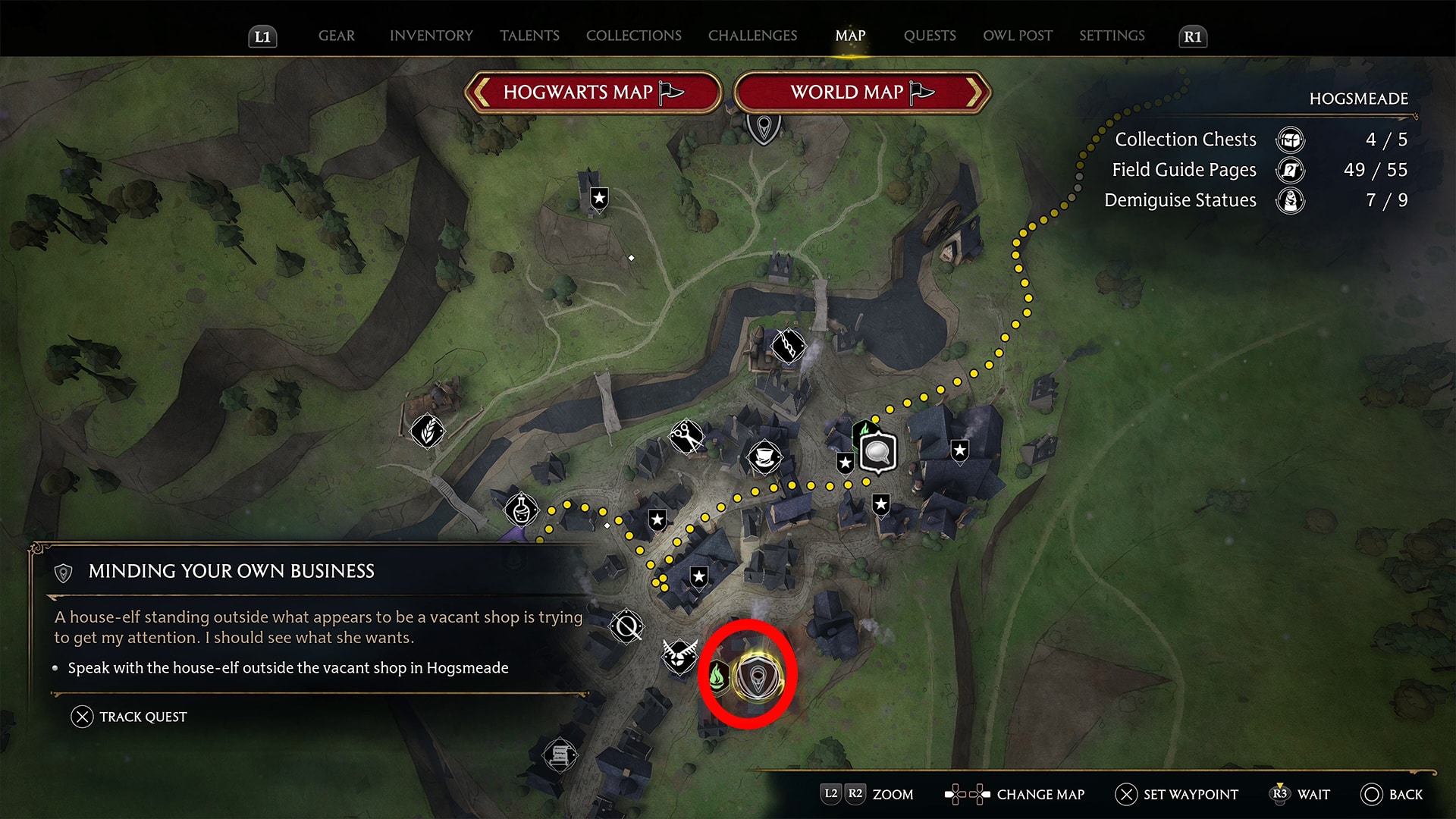
To access the PlayStation-exclusive Hogwarts Legacy quest, “Haunted Hogsmeade Shop,” you’ll need to first progress in the story. We noticed the quest becoming available roughly 3/4 of the way through the campaign when the season changed to Winter, though it’s possibly available earlier than this. Keep checking Hogsmeade (marked below). You don’t have to go to Hogsmeade to check physically; all you have to do is look at the map to see if the icon is there. It will eventually become available after a certain point in the story.
You’ll see a working house-elf cleaning outside an abandoned shop. Her name is Penny, and she’ll tell you that the owner is looking for a buyer and promises to help you run the place by selling any gear you give her. This will begin the “Minding Your Own Business” quest.
Eventually, this will lead to the Haunted Hogsmeade Shop quest.
You’ll want to ensure you have everything you need before you begin this quest since it’s a rather long and, at times, challenging quest. Stock up on potions, and make sure you equip the best gear you have. I won’t spoil anything, but this is perhaps my favorite side quest in the entire game. It’s definitely worth doing if you come across it.
Haunted Hogsmeade Shop Quest Rewards
Here’s what you get for completing the Haunted Hogsmeade Shop quest.
Shopkeepers Cosmetic Set – Outfit, cloak and robe, and headwear
In-game Hogsmeade Shop – A shop you can sell items at a slightly higher price (20-40 more gold than usual.)
Felix Felicis Potion Recipe – A potion that reveals all large chests on the mini-map for a day.
Pretty decent rewards overall, though the quest itself is without a question the highlight. For PC and Xbox gamers out there wanting to play this quest, unfortunately the quest is exclusive to PlayStation for one year.
A gamer at heart, James has been working for MP1st for the last decade to do exactly what he loves, writing about video games and having fun doing it. Growing up in the 90's gaming has been in his DNA since the days of NES. One day he hopes to develop his own game.
Late last year, Activision said that the company is releasing a “full premium” release for the Call of Duty franchise as part of its 2023 strategy. This is despite reports that surfaced stating that Activision will be skipping a year and instead, we’ll see the next full premium release in 2023.
In today’s latest quarterly earnings report by Activision, the company reaffirms that a “full premium release” is planned for the shooter franchise this year.
Across the Call of Duty franchise, our teams are working to amplify the success of the fourth quarter, with 2023 plans including even more engaging live services across platforms and the next full annual premium release in the blockbuster series.
Could this “full premium release” point to Modern Warfare 2 DLC instead of a full-fledged Call of Duty game? I honestly can’t say. But the company stating that term leads me to believe that we are getting a full retail COD game later this year complete with single-player, multiplayer and the whole bit.
Hopefully, we’ll have more info about this in the coming months.
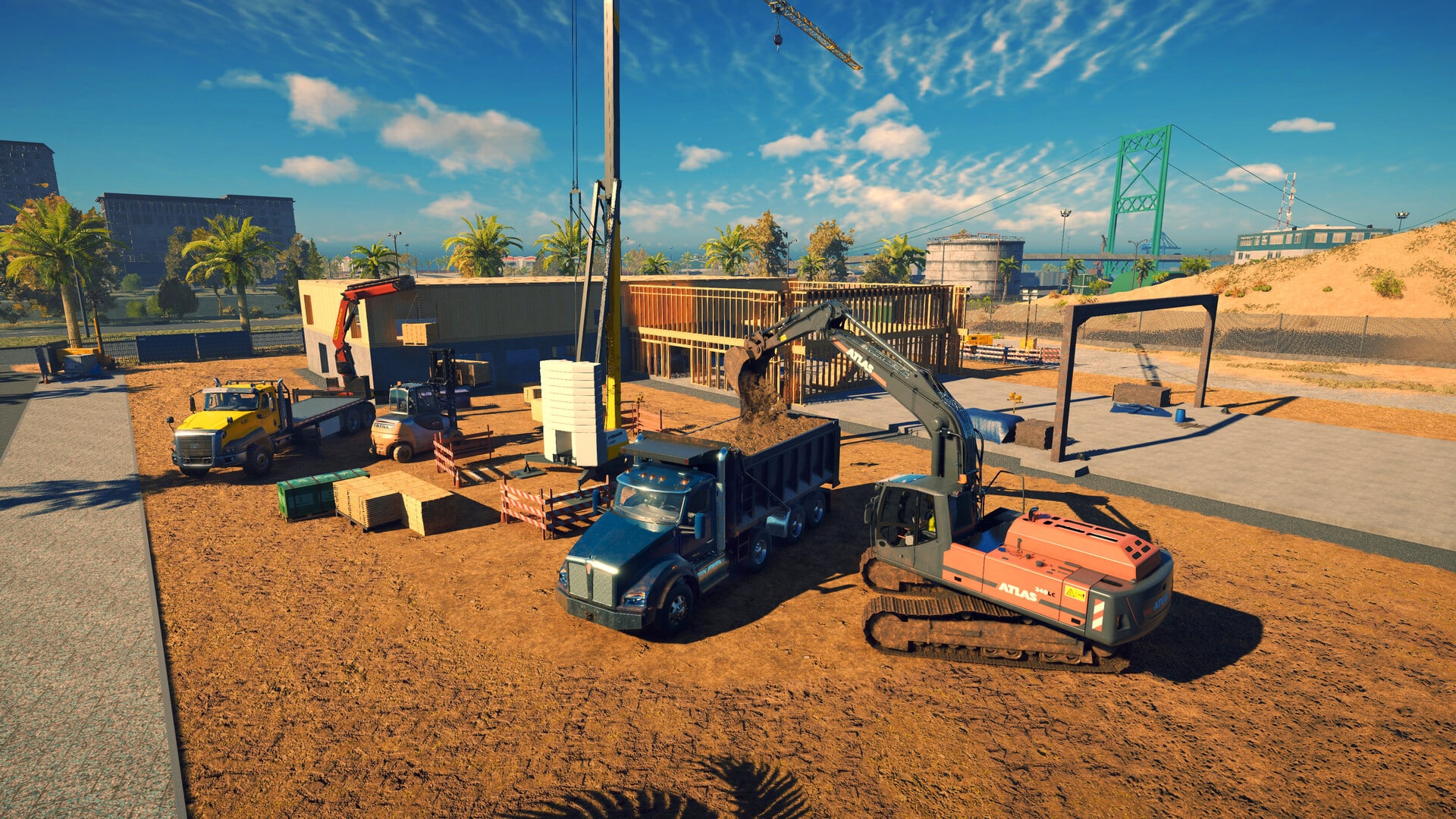
Software Entwicklung has released Construction Simulator update 1.11 on all platforms, and this is purely for a bug fix! Read on for what’s new in the Construction Simulator Feb. 6 patch notes.
Construction Simulator Update 1.11 Patch Notes | Construction Simulator Feb. 6 Patch Notes:
Here’s what got fixed per the devs:
Hotfix for delivery task HUD issues after Update #4 available for download!
We just released a small hotfix for an issue that slipped into the game with Update #4:
Fixed delivery task progress for jobs in HUD
Yep, that’s about it. Speaking of Update #4, go read the patch notes for that update which was released last week here.
Racking up gear in Hogwarts Legacy is easy. What isn’t easy is managing all of it, as you can only hold so much at once before being told your inventory is full. Thankfully, there’s a way to increase gear storage in the game! Here’s how to increase gear storage in Hogwarts Legacy.
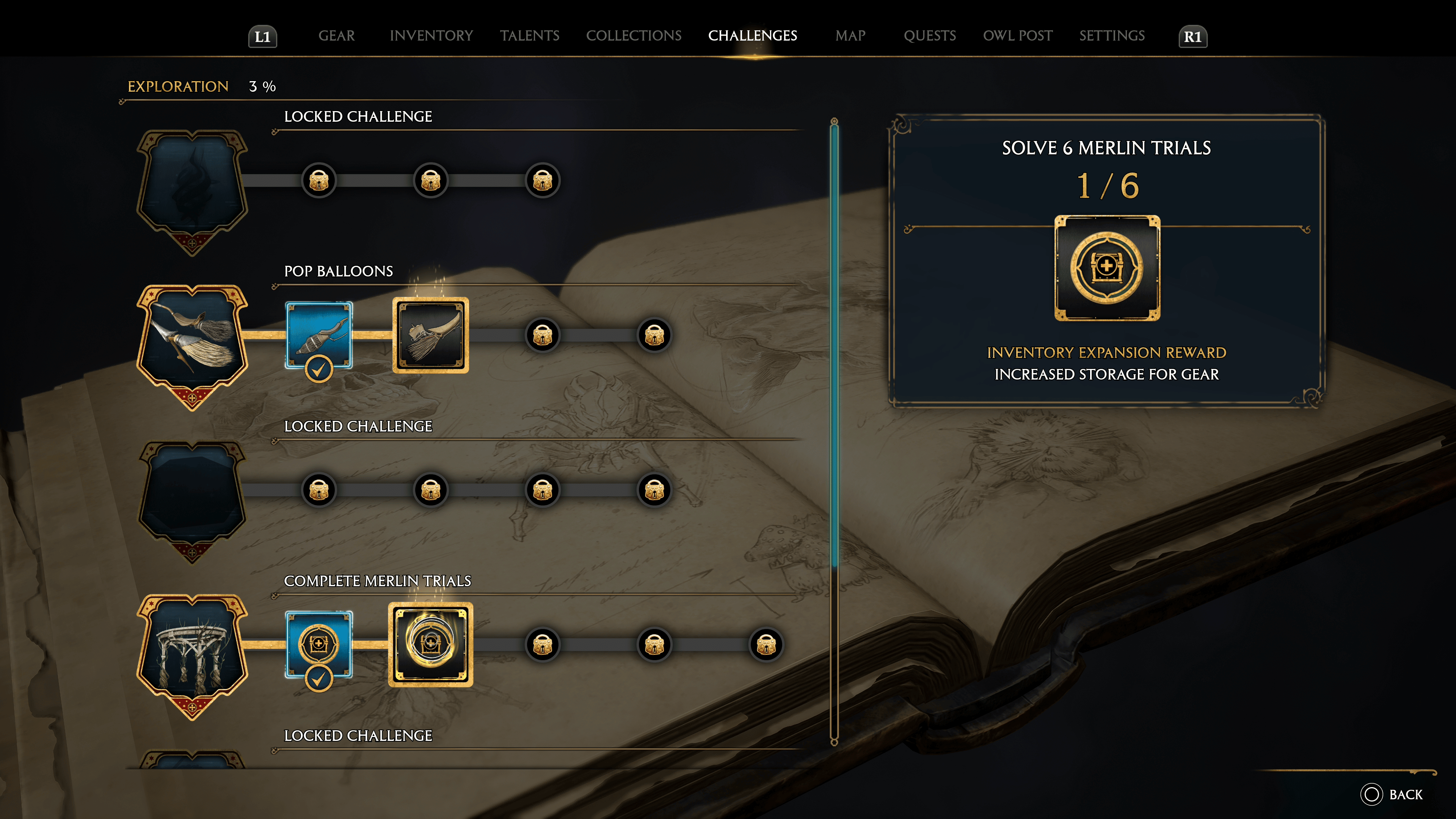
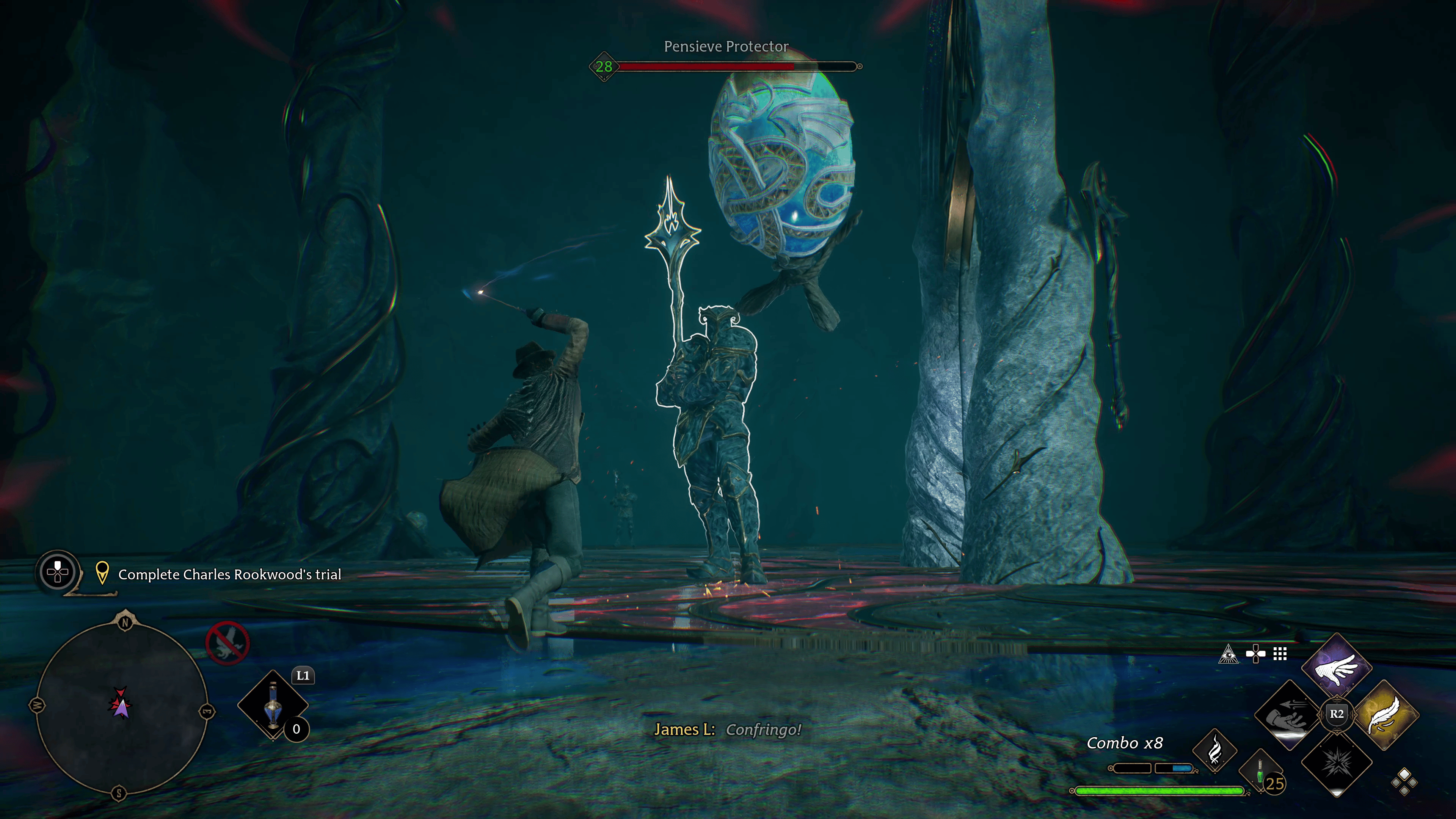
To increase your gear storage, you must progress through the Merlin Trial challenges. Merlin Trials are trials you undergo, usually quick and straightforward puzzles scattered throughout the world. They’re marked with a feather symbol, followed by Merlin’s crest on the ground. You’ll initially have to do one of these as part of the story progression.
The Merlin trials all differ, but for the most part, they are simple to do as they typically revolve around shooting at objects, lighting them on fire, or rolling a ball into a slot.
You’ll need to complete a specific number of these before your gear storage increases. You can check the progress of required Merlin Trials under the Exploration tab in the Challenge menu.
Once you complete a challenge, you can hop back into the challenge menu to claim your reward. In total, you can increase gear storage a total of five times.
There you have; pretty straightforward. If you found this guide to be helpful, be sure to check out our other guides for Hogwarts Legacy!
A gamer at heart, James has been working for MP1st for the last decade to do exactly what he loves, writing about video games and having fun doing it. Growing up in the 90's gaming has been in his DNA since the days of NES. One day he hopes to develop his own game.
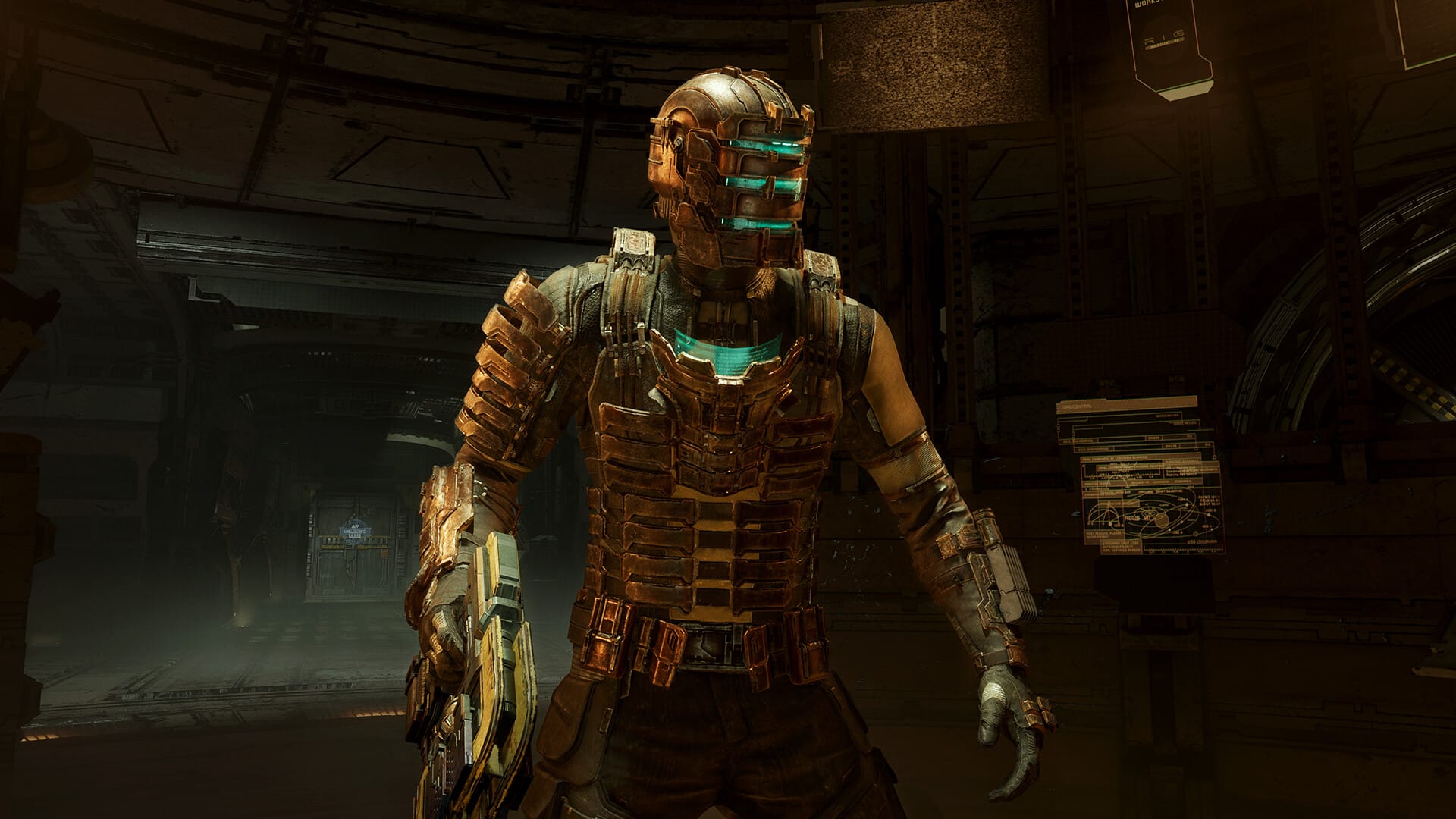
Celebrating the positive critical reception of the ambitious remake project, Motive Studio and EA have released a Dead Space remake accolades trailer set to breathtaking visuals and gameplay sequences.
Watch the Dead Space remake accolades trailer below:
Released on January 27, 2023, the Dead Space remake is a modern yet faithful reimagining of the 2008 cosmic survival horror classic. While series co-creator Glen Schofield attempts to capture the Dead Space essence with his new The Callisto Protocol IP, the remake brings Isaac Clarke and his terrifying journey to a newer audience in rejuvenated fidelity.
The Dead Space remake is available now on PC, PS5, and Xbox Series X|S. If you’re wondering what the fanfare is all about, check out our review of the title on PS5 where we found it “a fantastic way to start the year for horror fans, and one indoctrination worth experiencing.”
The Diablo Hell’s Ink Tattoo Shop Takeover tour is back for seconds, and this time it’ll be held in four different cities throughout the U.S. The Diablo 4 tattoo shop takeover will occur from February all the way to late April, with the final city being a fan-voted choice.
To win a custom Diablo tattoo, you’ll need to post on social media with the required hashtags. Here are the requirements:
To enter for a chance to win a custom Diablo tattoo from one of these incredible headlining tattoo artists, share your connection to the Diablo franchise on social media with us via Twitter, Facebook, or Instagram—accompanied with the hashtag #DiabloHellsInk and the hashtag of the Hell’s Ink takeover city closest to you (#LV, #PIT, #DAL).
Submissions will be accepted from February 1–February 7. Winners will be contacted via direct message on their respective social media platform to verify eligibility and other prize-related details.
There will also be another contest for the fourth city after the location has been decided.
Even if you weren’t chosen for a custom tattoo, you can get flash tattoos from the locations mentioned above. They’re going to be offered on a first-come, first-served basis, so keep that in mind. Finally, everyone who gets a custom or flash tattoo will also get Early Access to Diablo 4’s Open Geta as well as a custom in-game title, “Mother’s Inked.”
Diablo 4 releases officially on June 6, 2023 on PS4, PS5, Xbox One, Xbox Series X|S, and PC.
It’s not easy to develop games based on big, established properties. Sure, it works out sometimes (ie. the Batman Arkham franchise), or it works against it (see: Marvel’s Avengers). But when it does work, it’s something magical. With the Harry Potter franchise, it’s not an easy task. While we’ve had multiple games based on the IP over the years, none has been good enough to live up to fan expectations…that is, until now, as Avalanche has done the impossible: the studio has made a Harry Potter game worth playing even if you’re not a Potterhead! Yes, Hogwarts Legacy manages to cast a spell, and it’s an insanely powerful one at that. Curious? Read on for our review (no spoilers).
I’m a Wizard, Harry
Set in the 1890s, Hogwarts Legacy will see players take on a new tale nearly a decade before the book’s events. While locations such as the wizarding school of Hogwarts and other neighboring sites will look and feel familiar, the world of Hogwarts Legacy is unlike anything of the likes you’ve seen thus far.
Before you begin your journey, you’ll have the opportunity to create your character, and while not the deepest of creators, it’s in the least serviceable as you’ll be able to select from a wide selection of different hairstyles, face types, skin tones, gender, and even the pitch of your voice. There are preset ones, too, if you prefer to save time creating your character.
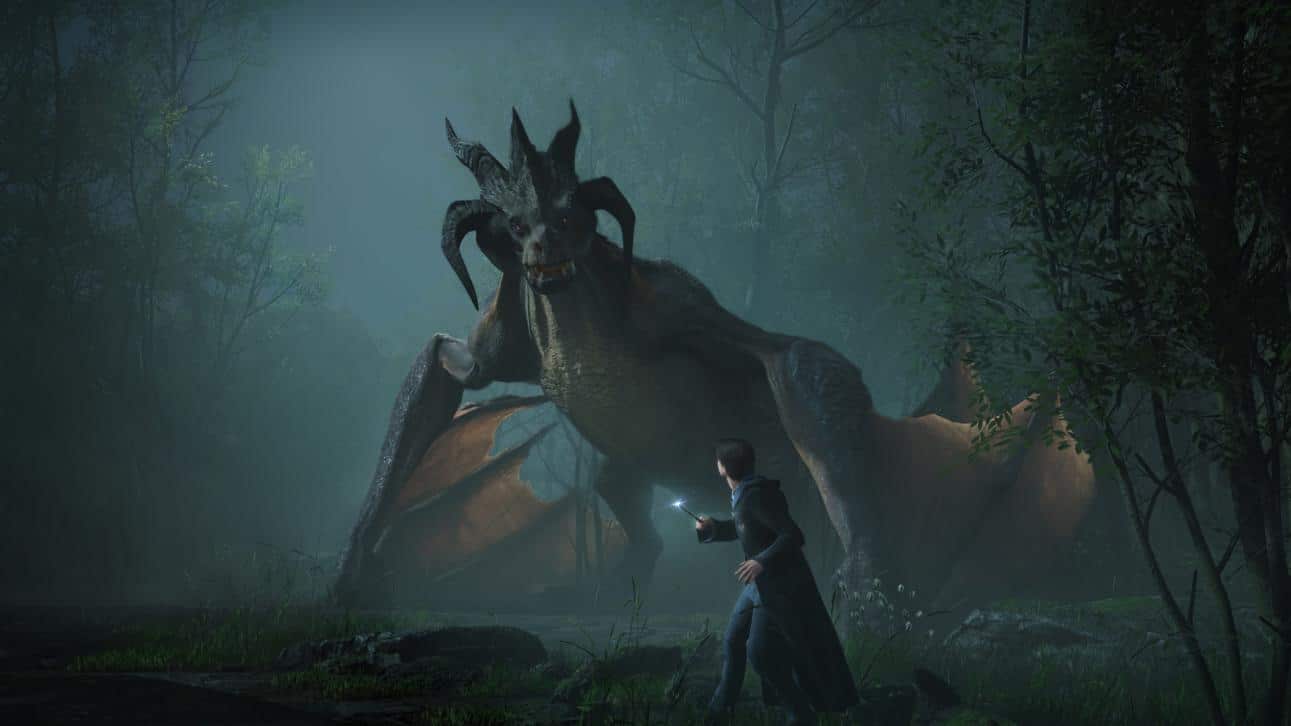
From there, the game thrust into the world as a new student who immediately starts as a fifth year. We meet with Professor Fig, our primary mentor, who will guide us through the game’s central plot. It doesn’t take long after for chaos to ensue, as you’ll be confronted by a dragon and several powerful foes. It’s here we learn about the game’s antagonist, a goblin named Ranrok, who’s hell-bent on searching for the source of an ancient and powerful forbidden spell that grants its wielder with unfathomable dark magic.
This is where you get tied into things, as it’s revealed that you’ve inherited a special kind of ability that allows you to see ancient magic long thought lost. The type of magic that Ranrok just so happens to be after.
Thus your journey in the hunt for this source begins.
Without going into spoilers, Avalanche did a fantastic job with Hogwarts Legacy’s story. It’s compelling with its well-written, lore-filled content that feels like a respectful homage to the source material while expanding upon it. To best describe it, it feels like a newly released novel or film (and not in the Fantastic Beast sense either,) something that Harry Potter fans have been clamoring for since the conclusion of the original series.
However, as magical as the world of Hogwarts feels, the star-studded cast of characters you’ll meet along the way steals the show. Fans of the movies know precisely how well developed they are, especially when it comes to the introduction of new characters, as while you may end up hating them in the context of the story, there’s an undeniable amount of talent the actors give in their portrayal, winning you over with their believable performance. Hogwarts Legacy exceeds at delivering that very performance, with Simon Pegg as the headmaster giving one of his most humorous performances yet.
Further adding to the Harry Potter vibe are the locations themselves. Hogwarts castle is a massive character unto itself. It’s very much alive, as while the floors and halls are filled with students going about their day, various objects such as picture frames, knight armor, and other items can be interacted with or interact with you as you pass by. Ominous whispers can be heard as if the castle is calling to you to let you know of the secrets it holds or to warn of the impending doom that awaits.
I’m engrossed by the world that Avalanche Studios have crafted with Hogwarts Legacy, as so much love and attention to detail has gone into it. This is by far the best depiction of a Harry Potter game to date, and that’s saying a lot, considering it doesn’t even star Harry Potter.
Casting an Enchantment Spell
However, the game’s world is only as strong if the gameplay is engaging enough to keep you playing and to say the least, Avalanche Studios has excelled at making you feel like a true wizard when it comes to the gameplay.
Played from a third-person perspective, it’s easy to dismiss Hogwarts Legacy as another over-the-shoulder generic third-person shooter based on looks alone. And while it does give that impression at the start, once you start unlocking all the different spells, potions, and traits, you quickly realize that there is a lot more depth than what you see on screen.
There are dozens of spells to earn and learn, with some giving you added abilities to unlock other areas and items, with others aiding you in combat. Potterheads will see familiar spells appear, such as Wingardium Leviosa, Lumos, and the like, but other spells are made just for the game.
All these spells play into a combo system, allowing you to transition from one spell to the next seamlessly. I’m reminded of the combat of the Batman Arkham series, where you can move around with such freedom and don’t have to worry about being overrun by an onslaught of enemies, as Hogwarts Legacy offers an easy-to-block and parry mechanic that works incredibly well.
One thing to mention is that you can learn several forbidden spells from the Dark Arts. While it does add diversity to the combat, logically and narratively, I was disappointed that it had no consequence. There is no morality system in Hogwarts Legacy, something that it could have benefited from. That means that while you can play the “bad” guy, it has no significant implication over the story itself outside of a few choices that aren’t dependent on your playstyle.
It’s the same for the House Cup, as it’s all predetermined. There’s no real scoring system, making choosing which house you want to be in feel less important. Oh well, there’s always hope for a sequel to address this.
Exploring the Wizarding World of Hogwarts
Outside the main story quest is a vast open world filled to the brim with things to discover and do. It’s the kind of world that isn’t playing the number games either, as despite having hundreds of collectibles scattered across it, there are actually a lot of unique things to do.
Side missions are perhaps some of the best I’ve encountered in an open world, comparing them to the likes of The Witcher 3, God of War Ragnarok, and even Elden Ring to some extent. I rarely find myself playing in an open world and wanting to explore it because of how much unique content it has.
Additionally, you can partake in relationship missions, which are just as long as the main campaign. These missions will see you taking on a unique storyline with the friends you made along the way. Mind you, you can’t romance any character, but these missions do feel very personal, to the point that they exceed even the main campaign in some parts. They’re fantastic.
Other side activities include mini-games, such as broom racing (no Quidditch, sadly), dungeons, monster hunting, and puzzles like the Merlin trails. I never once felt like I was having a dull moment exploring, especially when flying around the world and visiting some of the gorgeous landscapes I’ve seen in a video game.
While Hogwarts Legacy doesn’t opt for photorealistic visuals, its art direction really is something to behold. Everything feels like it was plucked straight out of the movie. I’ve spent countless hours flying around on my broomstick in total awe at the world’s beauty. It’s a damn shame that there’s no photo mode to capture the perfect moment.
As for the collectibles, they are somewhat overwhelming. I’m all for content, but being a completionist, having hundreds, and that is with an “s” at the end, is somewhat of a nightmare. That’s because the spell to cast and highlight objects and enemies, Revelio, only lasts a few seconds, with no way to upgrade it. I’ve spent a considerable chunk of time on Hogwarts ground casting that spell nonstop because of how quickly objects disappear and how low visibility they are. Fingers crossed, a patch of some sort addresses this eventually.
The Magic of Next-Gen Hardware
While Hogwarts Legacy is coming to last-gen consoles later this year, it’s hard to imagine how the game will run on those platforms, given its scale and how beautiful it runs on the PS5 hardware. I’m surprised because, going into this, I was expecting another Gotham Knight scenario where the game looked good visually but ran like crap. It didn’t, and in my 30-plus hour campaign run, I’ve run into one or two hitches, those being during cutscenes.
Performance mode is a buttery smooth 60fps, with fidelity aiming for 30fps at 4K, while there’s also a ray-tracing mode fidelity. The other modes are for those who prefer better visuals, but I felt the performance mode was the way to go. Luckily the game does support uncapped frames-per-second in both fidelity and performance, so if you have a VRR TV or monitor, you can take full advantage of the frame boost.
Playing on the PS5 specifically, Avalanche makes good use of all the hardware features. Load times are near instant between areas, as is fast traveling. The use of 3D audio is also incredible, as exploring the Forbidden Forrest can feel terrifying as you hear branches break in the distance and the scattering of feet from a spider clacking around on the forest ground.
The DualSense haptics and adaptive triggers also get utilized, with fantastic feedback allowing you to feel every spell you cast. I don’t like using the audio speakers in most of my games, but in the case of Hogwarts Legacy, it uses it really well. A fantastic showcase overall of what the controller can do to help up the immersion level of a game.
Ten Points For Gryffindor
I say this to the highest degree of praise possible when speaking about Avalanche Studios and Hogwarts Legacy. Avalanche Studios does for Harry Potter what Rocksteady did for Batman; a perfect match, delivering a genuine, authentic experience like no other. For the last 20-plus years, I’ve dreamt about an open-world Harry Potter game that has everything you’d expect out of a Harry Potter game, and Avalanche has finally delivered on that dream. The attention to detail that has gone into this game, the love and care, and the pure dedication of the team. It all goes unnoticed.
I feel like a kid again, reliving every magical moment I’ve ever had with the franchise, screaming and jumping with excitement during every minute of my playthrough. I strongly recommend playing Hogwarts Legacy, as it’s easily an early frontunner for easy Game of The Year.
Score: 10/10
Pros
Gameplay – It has a slow start, but once the spells, traits, and potions start pouring in, you’ll find it’s much deeper than it looks.
The World – Not only is this the best depiction of Hogwarts in a video game yet, and the world around the school is steeped in lore and will make any Harry Potter fan smile a few times.
Visuals are breathtaking. They look and feel like they’re ripped right out of the pages and movies.
Performance mode on the PS5 keeps a steady 60fps for most of the time.
an excellent showcase of the PS5’s DualSense features.
Has some of the best side quests I’ve played in an open world.
The music, if you liked the soundtrack featured in the films, you will love it here.
Cons
Can’t upgrade Revelio, the spell that highlights items, enemies, and such. It gets annoying pressing constantly, to the point of non-stop in some places. That makes collectibles feel like a chore.
Enemy variety is on the low side, mainly consisting of goblins and dark wizards. It can get a little old.
No morality system – There are Forbidden spells, yet almost no consequences for using them. It sort of takes you out when your suppose to be the good guy and are using torture spells and such.
No House Cup mechanic. I would have loved to see this implemented with proper points awarded and deducted.
A gamer at heart, James has been working for MP1st for the last decade to do exactly what he loves, writing about video games and having fun doing it. Growing up in the 90's gaming has been in his DNA since the days of NES. One day he hopes to develop his own game.
Avalanche Software’s Hogwarts Legacy is a massive game, so understandably, you’re probably trying to do everything you can before you beat the game. Which may bring up the question, how do you get a flying mount to help you traverse the massive open world in Hogwarts Legacy?
How to Get the Flying Mount (Hippogriff) in Hogwarts Legacy
Getting the flying mount in Hogwarts Legacy is unmissable as it’s part of the natural story progression of the game. Unfortunately, it’s towards mid-game, meaning you’ll need to use the broomstick as your primary form of transportation.
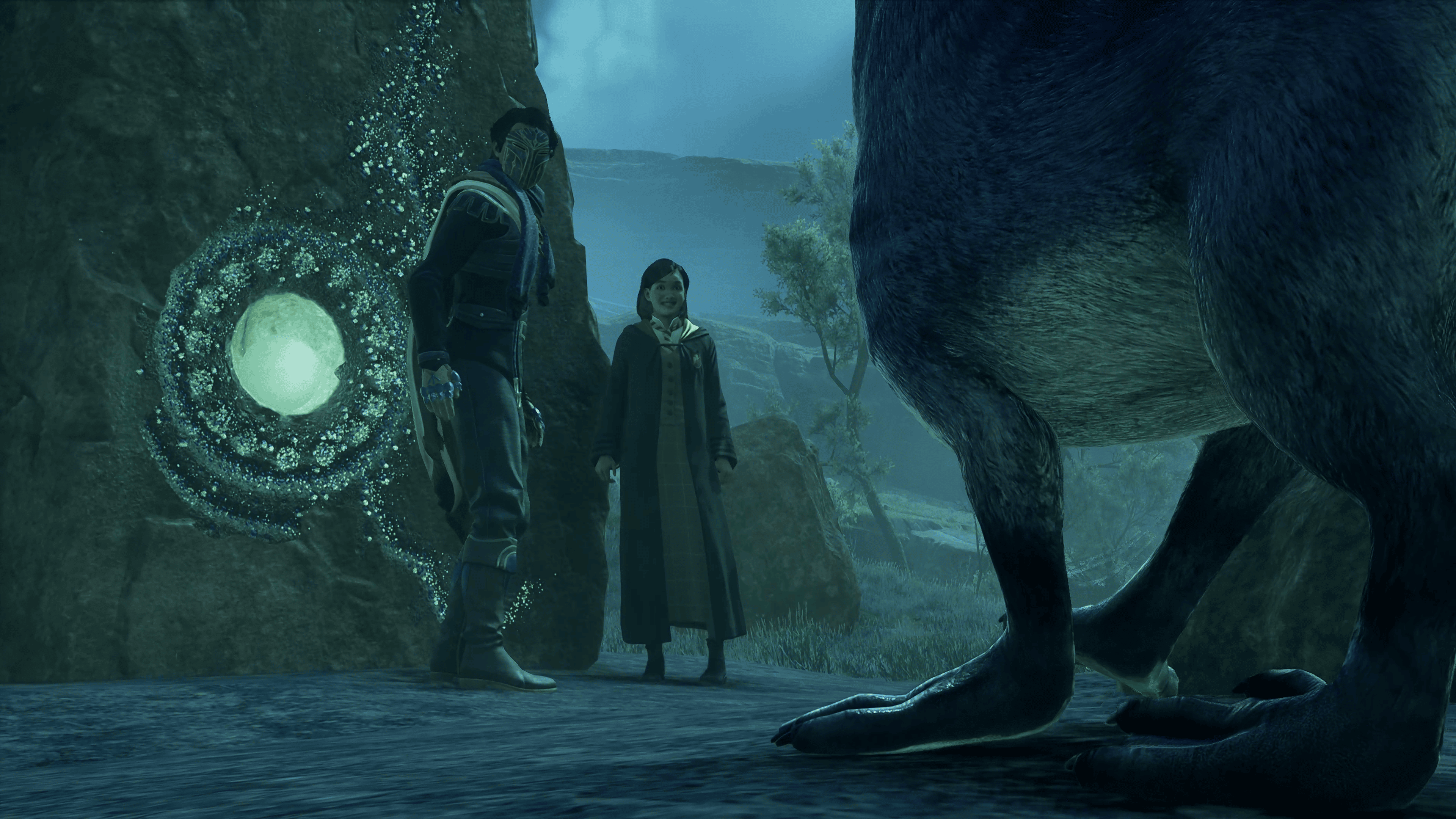
For those curious (and spoiler warning,) at one point during the campaign, Natsai Onai (Natty) will contact you concerning her investigation into Harlow. Without getting into too much details, the quest line is called “The High Keep” and completing it will reward you the Hippogriff.
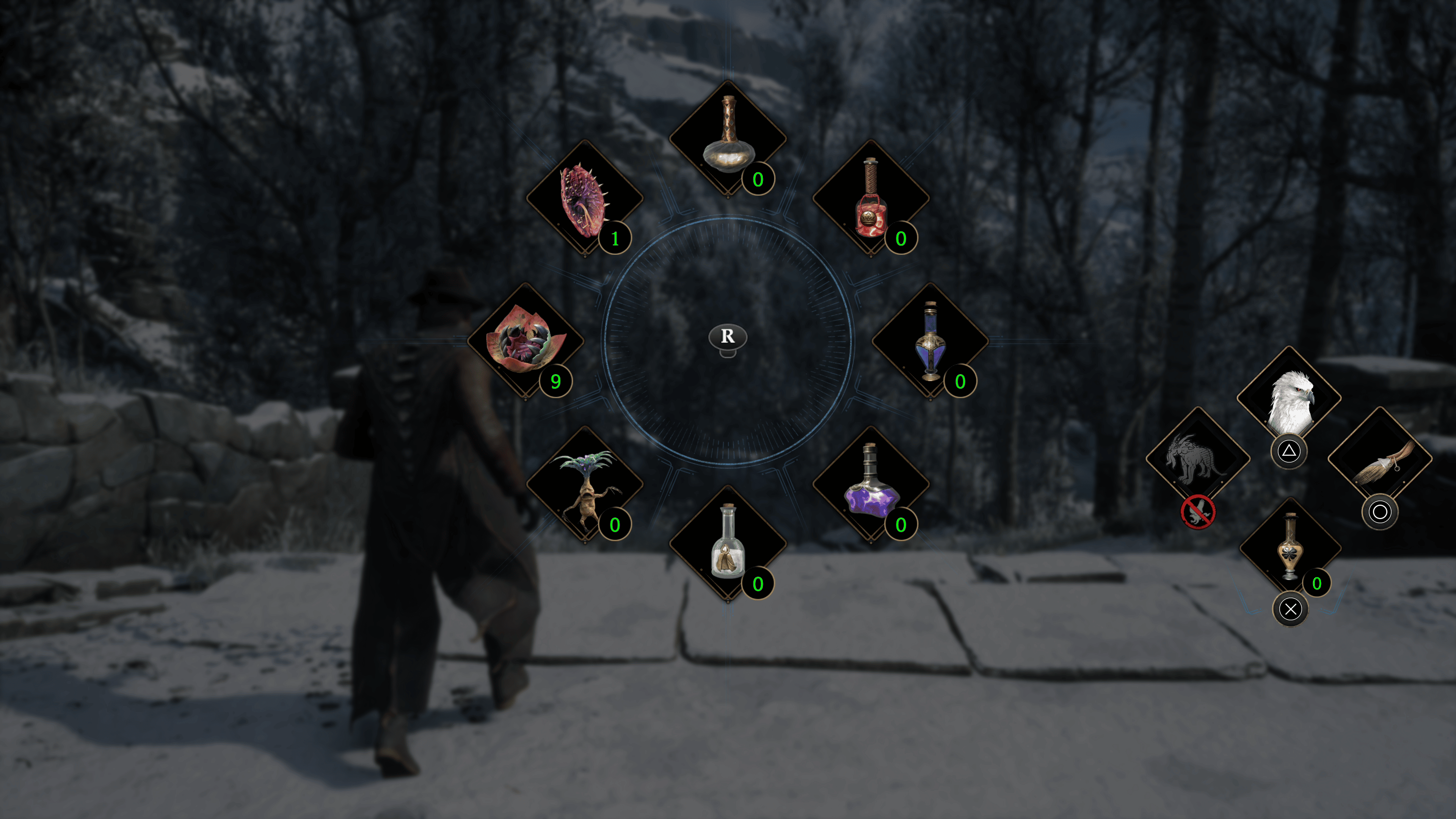
To call the flying mount, all you have to do (on PlayStation) is push and hold L1. This will bring up the item menu, with the mount mapped to the triangle button. Holding L1 and then pressing the triangle will summon the mount.
Control-wise, the flying mount does operate differently from the broomstick. There’s no dedicated boost button, and the only way to make the flying mount move faster is to use momentum. So you’ll want to ascend to a good height to descend as the Hippogriff moves faster.
You also have to keep in mind that the Hippogriff is significantly bigger than the broomstick. That means you should pay attention to your surroundings as it’s easy to get stuck in the environment. You also need more clearance when landing and dismounting from the flying mount.
The broomstick can be upgraded too. Attributes like speed and handling can be improved, unlike the Hippogriff. Not to mention it’s smaller, so navigating through dense areas and landing in them is easier.
Regardless of which one you end up using more, know that you gain access to both of them through story progression. So if you haven’t gotten either of them yet, just keep playing.
A gamer at heart, James has been working for MP1st for the last decade to do exactly what he loves, writing about video games and having fun doing it. Growing up in the 90's gaming has been in his DNA since the days of NES. One day he hopes to develop his own game.
Ahead of the launch of the PSVR2 headset on February 22, Sony has released a comprehensive FAQ covering the details of the headset, the Sense controllers, the PSVR2 launch titles, the various functionalities and customization options of the virtual reality system, and much more. We’ve compiled all this information into a handy list, which you can check out below.
PSVR2 FAQ: Everything You Need to Know Ahead of Launch
Overview
What is PlayStation VR2’s release date and its retail price?
PlayStation VR2 will be available globally on February 22, 2023 starting at the following prices:
$549.99 / €599.99 / £529.99 / ¥74,980 recommended retail price (including tax for GBP, EUR, and JPY). Actual retailer prices may vary.
Availability in each country/region is subject to local import regulations.
What’s included in the PS VR2 box?
PlayStation VR2 will be available in two options at launch.
PlayStation VR2
Includes PS VR2 headset, PS VR2 Sense controller, stereo headphones with additional earpieces, USB cable
PlayStation VR2 Horizon Call of the Mountain Bundle
Includes PlayStation Store voucher code for Horizon Call of the Mountain, PS VR2 headset, PS VR2 Sense controller, stereo headphones with additional earpieces, USB cable.
How does PS VR2 enhance gameplay?
PS VR2 is a quantum leap for VR experiences, and allows you to interact in new and immersive ways powered by the PS5 console. With PlayStation VR2 Sense Technology, it combines PlayStation VR2 Sense controllers, PlayStation VR2 headset feedback, 3D Audio, and eye tracking to bring emotion and immersion to life.
In a huge boost to visual clarity, the PS VR2 headset features an internal HDR OLED display that supports 2000 x 2040 pixels per eye, along with a wider field of view to create a more seamless VR gameplay experience.
PS VR2 also features headset feedback with subtle haptic effects that add a tactile element to the sensory experience. Examples could include feeling your character’s heartbeat, the rush of objects passing close to your head, and more. Eye-tracking cameras follow your line of sight when aiming or looking around, with PS VR2 delivering a high-fidelity visual experience by adjusting resolutions to pinpoint and enhance whatever you’re focusing on (this is known as foveated rendering). The PS5 console’s advanced 3D audio features allow developers to create an incredibly realistic soundscape, too.
The included PS VR2 Sense controller also brings significant enhancements to the VR experience, including much more precise hand motion tracking than PS VR, finger touch detection, as well as haptic feedback and adaptive trigger effects similar to the DualSense wireless controller for the PS5 console.
And PS VR2’s setup is easy: One USB Type-C cord plugs directly into the PS5 console. “Inside out” cameras embedded into the headset track the movements of your head, making a simple, intuitive playing experience without the need for external cameras or other sensors.
Will PS VR2 work with the PS4 console?
PS VR2 is designed for the PS5 console, and will not work with the PS4 console.
What are the differences between PS VR2 and the first generation PS VR?
PlayStation VR
PlayStation VR2
Display method
OLED
OLED
Panel resolution
960×1080 per eye
2000 x 2040 per eye
Panel refresh rate
90Hz, 120Hz
90Hz, 120Hz
Lens separation
N/A
Adjustable
Field of View
Approx. 100 degrees
Approx. 110 degrees
Sensors
Motion Sensor: Six-axis motion sensing system (three-axis gyroscope, three-axis accelerometer)
Attachment Sensor: IR Proximity sensor
Motion Sensor: Six-axis motion sensing system (three-axis gyroscope, three-axis accelerometer)
Attachment Sensor: IR Proximity sensor
Cameras
PlayStation Camera (external, for PS4, or compatible with PS5 via PS5 camera adaptor)
4 embedded cameras for headset and controller tracking
IR camera for eye tracking per eye
Feedback
N/A
Vibration on headset
Communication with console
Processor unit: HDMI TV, HDMI PS4, USB, HDMI, AUX
USB Type-C®
Audio Input
Built-in microphone
Built-in microphone
Audio Output
Stereo headphone jack
Stereo headphone jack
Weight
Approx. 600g (21.16 oz) (excluding cables)
Approx. 560g (19.8 oz) (excluding cables)
External Dimensions
Approx. 187 × 185 × 277 mm (7.4 x 7.2 x 10.9 in) (width × height × length) excludes largest projection, headband at the shortest
Approx. 212 × 158 × 278 mm (8.3 × 6.2 × 10.9 in) (width × height × length) excludes largest projection, headband at the shortest
What are the different viewing modes on PS VR2?
There are two viewing modes.
VR Mode: You can enjoy VR game content in a 360 degree view in a virtual environment. Content will be displayed in 4000 x 2040 HDR video format (2000 x 2040 per eye) with 90Hz/120Hz frame rate.
Cinematic Mode: You can view the PS5 system and UI and all non-VR game and media content, such as streaming apps, on a virtual cinema screen. Content in Cinematic Mode will be displayed in 1920×1080 HDR video format with 24/60Hz and also 120Hz frame rate. The audio and image will be only displayed on the VR headset and there is no output on the TV side when you are wearing VR headset and playing in Cinematic mode.
Does PS VR2 support HDR?
Yes, the PS VR2 headset will display supported content in HDR, both VR Mode and Cinematic Mode.
How do I connect the PS VR2 to my PS5?
It’s easy: just use the USB Type-C cable that is included for the PS VR2 headset to directly connect to your PS5 console.
How long is this included USB Type-C cable for the PS VR2 headset?
The included cable is approximately 4.5m (14.7 ft) long.
What is the minimum play space I need to use PS VR2?
There are three different VR Play Styles depending on the game content. Please check the compatibility notice for each title to ensure you have enough play space.
Roomscale (allows more movement)
A minimum play area of 2m × 2m (6 ft 7 in × 6 ft 7 in) in the room is required.
Sitting
Requires a minimum play area of 1m × 1m (3 ft 4 in × 3 ft 4 in). Make sure you have enough space to move your arms freely.
Standing
Requires a minimum play area of 1m × 1m (3 ft 4 in × 3 ft 4 in). Make sure you have enough space to move your arms freely.
Can I customize this play area?
The play area for PS VR2 can be customized by using the PS VR2 Sense controller and the cameras that are embedded in the PS VR2 headset. The cameras will allow you to scan the room, while the PS VR2 Sense controller allows you to expand and further customize the play area to fit your play style and room environment.
While playing, if you get close to the boundary you have set up, you will receive a warning that you are closely approaching the play area boundary. You can modify your settings at any time while PS VR2 is connected. Once you set up your play area, the settings will be saved unless you move into a different play area. You can use See-Through View to aid you at any time.
What is See-Through View?
With PS VR2, you can see your surroundings while wearing the headset with the new See-Through View feature. It comes in handy when you want to easily check where the PS VR2 Sense controller is in your room without taking the headset off.
Thanks to the embedded cameras on PS VR2, you can press the function button on the headset, or use the PlayStation VR2 Quick Settings in the Control Center, to switch between viewing your surroundings, or viewing the content on PS VR2. The Card in the Control Center also gives quick access to other PS VR2 settings, such as adjusting the play area.
The See-Through View is for viewing only, so there’s no recording option.
Does my room have to be dark for PS VR2 to work?
No, this is not necessary. For the best experience, we recommend playing PS VR2 in a well-lit room.
When I’m using PS VR2, will other people in the room be able to experience what I’m seeing?
Yes. Similar to PS VR, PS VR2 will also have Social Screen experience that allows others to see what you’re experiencing on the TV screen. Content is displayed in a 2D format. Please note this feature is only available when playing games in VR Mode.
Do I need a separate camera to use PS VR2?
No. With inside-out tracking, PS VR2 tracks you and your controller through integrated cameras embedded into the PS VR2 headset. Your movements and the direction you look at are reflected in-game without the need for an external camera.
Can I use the PS5 HD Camera with PS VR2?
While there is no need to use an external camera to experience PS VR2 since it has four embedded cameras on the headset, the PS5 HD camera can be used with PS VR2 if you want to film yourself while playing using PS VR2’s broadcast feature.
How do I switch between playing PS VR2 games, and PS5 games on my TV?
You will be able to access the Control Center during your play session to easily switch between PS VR2 and PS5 content.
Will PS VR2 receive system updates?
System updates for PS VR2 will be available through the PS5 console and players will be required to update to the latest version available.
How can I pre-order PS VR2?
In the U.S., U.K., France, Germany, Belgium, Netherlands and Luxembourg, players can pre-order PS VR2 from PlayStation’s online store at direct.playstation.com.
In other markets, PS VR2 will be sold at participating retailers.
What tips do you have to clean and maintain PS VR2?
For the PS VR2 headset and PS VR2 Sense controller surfaces, connectors, and ports, wipe clean with a soft dry cloth. Do not use thinners, benzine or alcohol. For lenses, wipe only with a soft, dry cloth made specifically for lens cleaning. Do not use paper towels or tissues that are not intended for lenses.
The lightshield can be removed from the PS VR2 headset and cleaned using water. Wipe the water off with a soft, dry cloth. Before using, air dry the light shield well in a place with good ventilation, before reattaching it back to the PS VR2 headset.
The integrated vents in the headset can be cleaned using a handheld vacuum cleaner to remove any dust buildup.
The Headset
What is the video output in the headset?
The PS VR2 headset offers 4K HDR. The headset’s OLED display supports up to 2000×2040 per eye and refresh rates of 90/120Hz.
Can the headset be adjusted for different head sizes?
Yes, similar to the first-generation PS VR headset, PS VR2 has an adjustable scope, a headband release button that can stretch or tighten the width of the band, and a headband adjustment dial to further tighten the band and fix the positioning.
Can further adjustments be made in the viewfinder/scope area?
Yes, PS VR2 has a new lens adjustment dial, so you have an additional option to match the lens distance between your eyes to optimize your view.
Can I wear my glasses inside of the headset?
Yes, PS VR2 was designed to accommodate players who wear glasses. However, some very wide or unusually shaped glasses may not fit.
How is PS VR2 headset design an improvement over PS VR?
We received a lot of positive feedback on PS VR’s comfort, so we kept some of the same ergonomic features players will be familiar with, such as the simple headband that can be adjusted to fit the wearer’s head, and careful weight distribution in the headset so it feels light and comfortable.
We also created a slimmer design with an overall weight reduction – even with the new added features such as the built-in motor for the headset feedback. For PS VR2, we took comfort a few steps further by adding new features, such as the adjustable lens dial and new integrated exhaust vent to help minimize lenses fogging up while players are immersed in a VR game.
What additional sensory features are added compared to the first PS VR headset?
The headset feedback allows game designers to apply sensory feedback to the player’s head, increasing the feeling of immersion.
The PS VR2 headset can also detect the motion of your eyes using eye tracking, which has many possibilities for game design. Though game applications vary, some games allow you to look at an item to select it. This allows you to interact more intuitively in new and lifelike ways, allowing for a heightened emotional response and enhanced expression that provide a new level of realism in gaming.
Does the headset have PlayStation symbols embedded in it?
Yes, similar to the thousands of tiny PlayStation symbols we added to the surfaces of the PS5 console and DualSense controller, we also included tiny PlayStation symbols to the front and back bands of the PS VR2 headset. This adds a texture for a tactile feel for you to enjoy.
Does the headset have in-built mic, controls, and buttons?
The headset features a built-in microphone, a power button, and a function button that can switch to See Through View or mute/unmute the microphone.
Does the headset have a stereo headphone jack?
Yes. It’s the same placement as the original PS VR headset.
How long can I wear the PS VR2 headset for?
Taking inspiration from PS VR, PS VR2 is designed for comfort and can be worn for extended periods of time. Players’ responses to VR gameplay can differ, but generally, the vast majority of gamers should be able to enjoy playing on PS VR2. We recommend taking frequent breaks, and if you experience any discomfort, discontinue playing.
The PS VR2 headset is not for use by children under age 12.
Can I move around while wearing PS VR2?
Limited movement is okay when playing content that uses the “Roomscale” VR Play Style, if you stay within the play area while using PS VR2. You’ll get a warning if you move close to the boundary area that you’ve set up in your customized play area.
PlayStation VR2 Sense Controller
What are the PS VR2 Sense controller features and buttons?
Motion Sensor: Six-axis motion sensing system (three-axis gyroscope + three-axis accelerometer)Capacitive Sensor: Finger Touch DetectionIR LED: Position Tracking
Feedback
Trigger Effect (on R2/L2 button), Haptic Feedback (by single actuator per unit)
Port
USB Type-C® Port
Communication
Bluetooth® Ver 5.1
Battery
Built-in Lithium-ion Rechargeable Battery
Weight
Approx. 168 g (5.93 oz) per controller
External Dimensions
137mm x 135mm x 107mm (5.4 x 5.3 x 4.2 inches) (width x height x depth) per controller
The new PS VR2 Sense controller enables players to feel and interact with games in a much more visceral way. There are several features, including key features from PS5’s DualSense controller, which match SIE’s vision for what the next-generation of VR games can be.
Adaptive Triggers: Each PS VR2 Sense controller (Left and Right) includes an adaptive trigger button that adds palpable tension when pressed, similar to what’s found in the DualSense wireless controller. For instance, when playing Horizon Call of the Mountain, you’ll feel the tension when drawing your bow.
Haptic Feedback: Optimized for its form factor, the PS VR2 Sense controller’s haptic feedback makes every sensation in the game world more impactful, textured, and nuanced. When you’re traversing through rocky desert or trading blows in melee combat, you’ll feel the difference, magnifying the extraordinary visual and audio experience that’s so central to VR.
Finger Touch Detection: The PS VR2 Sense controller can detect the approximate location of your fingers, enabling you to make more natural gestures with your hands during gameplay.
Tracking: The PS VR2 Sense controller is tracked by the PS VR2 headset through a tracking ring across the bottom of the controller.
Action Buttons / Analog Sticks: The Left controller contains one analog stick, the Triangle and Square buttons, a “grip” button (L1), trigger button (L2) and Create button. The Right controller contains one analog stick, the Cross and Circle buttons, a “grip” button (R1), trigger button (R2) and Options button. The “grip” button can be used to pick up in-game objects, as one example.
Can I use the PS Move controller with PS VR2? Or the PS VR Aim controller?
No, only the included PS VR2 Sense controller and the DualSense controller or DualSense Edge controller for PS5 are compatible with PS VR2. There will be a compatibility notice for each title, so players can check which controllers are compatible with a specific game.
How do I turn the PS VR2 Sense controller on and off?
You can turn on the PS VR2 Sense controller by pressing the PS button on the controller. To turn it off, go to Control Center > [Accessories] > [PS VR2 Sense Controller].
How do I sync the PS VR2 Sense controller with my PS5 or PS VR2 headset?
You can pair your PS VR2 Sense controller using the included USB cable.
Connect Right PS VR2 Sense controller to the PS5 via the included USB cable
Press PS Button on the Right PS VR2 Sense controller
Repeat the same steps for the Left PS VR2 Sense controller
How will I know how much charge I have on each PS VR2 Sense controller?
When you turn on the PS VR2 Sense controller, you can check the battery’s power level on the screen, similar to how the battery indicator is displayed for the DualSense wireless controller.
How do I recharge The PS VR2 Sense controller?
The PS VR2 Sense controller can be charged using the USB cable that’s included with the PS VR2 headset.
You can also use the PS VR2 Sense controller charging station, which is sold separately.
With the PS VR2 Sense Controller charging station, you can charge the PS VR2 Sense controller through a simple click-in design, without having to connect to a PS5 console – freeing up the console’s USB ports.
Can I use the PS VR2 Sense controller without the PS VR2 headset?
Yes, the PS VR2 Sense controller will work with the PS5 console without the use of a PS VR2 headset. PS VR2 Sense controller can be used in the PS5 user interface and Media application. You cannot use the PS VR2 Sense controller for non-PS VR2 supported games.
Are there accessibility options so I can use a single PS VR2 Sense controller, or customize the controls to use only one controller?
Both of the Left and Right PS VR2 Sense controllers need to be powered on. While button remapping is supported, and whether both the Left and Right PS VR2 Sense controllers are required will vary from game to game, both controllers are recommended for most gameplay.
Will the PS VR2 Sense controller be sold separately?
PS VR2 Sense controller is not sold separately at this time.
PSVR2 Games
How many games will be available at launch for PS VR2?
More than 30 games will be available for the launch window including all-new titles and upgraded versions of preexisting PS VR titles. Please see the full list here.
How many games are in development for PS VR 2?
There are currently more than 100 titles in development for PS VR2.
How will I know which games are PS VR2 compatible?
There will be prominent branding elements that will indicate whether PS VR2 will be supported for a specific title.
Can I play PS VR games on PS VR2?
PS VR2 is designed to deliver a truly next-generation VR experience, with advanced features such as haptic feedback, adaptive triggers, inside-out tracking, eye tracking and more. Due to this new approach to playing games in PS VR2, PS VR games are not compatible with PS VR2.
Will PS VR games receive PS VR2 updates/upgrades, and if so is there a cost?
Some games may be available for cross buy or upgrades on a title-by-title basis. The offering and any associated costs are based on the developer’s preference.
Will there be cross-gen PS VR games that work both on PS VR and PS VR2?
Some VR games will be available as a cross-gen product. The PS4 version of the game will be available for PS VR, and PS5 version of the game will be available for PS VR2.
Will PS VR2 games feature Activity Cards?
Yes, similar to games on the PS5 console, Activity Cards can be supported for PS VR2 games depending on the title.
Will PS VR2 games be digital only or will there be physical disc releases?
Initially at launch, PS VR2 games will be digital. Physical disc releases for select titles may be available at a future date.
Can I play PS VR2 games without the headset?
PS VR2 games are designed for PS VR2 and will require a headset. It will be noted for the title that PS VR2 is required. There are also titles for the PS5 console that may include a VR mode within the console version of the game, and will be noted that it is PS VR2 compatible. To experience VR mode, a headset is required.
Broadcasting + Capture
Can I capture screenshots or gameplay capture of my PS VR2 game sessions?
Yes, the Create Menu in PS VR2 allows players to capture screenshots and videos, just as they do on PS5, but without having to leave VR Mode. You can also trim videos and share content with friends without leaving your game.
Can I share my screen with another player online who is or isn’t using PS VR2?
Yes, you can share your screen with another player online. Please note that Share Play is not available for PS VR2 games.
Can I broadcast my PS VR2 playthroughs?
A new broadcast feature for PS VR2 will allow you to film yourself while playing by connecting a PS5 HD Camera to the console. It’s a great way to show your movements and reactions during a boss battle and share your reactions with your fellow gamers as it happens!
Other
If PS VR2 is not in use, will the unit switch off or do I need to disconnect it from the PS5?
By default, the PS VR2 headset will automatically shut off after 30 minutes if you are not wearing the headset and exit a PS VR2 game. The default timing can be changed in the Power Saving settings.
You can also manually turn off the PS VR2 headset by using the power button on the PS VR2 headset, or by going to Control Center > [Accessories] > [PlayStation VR2] in the system UI menu.
Is there a unique on-screen PS VR2 UI?
The UI for PS VR2 is similar to the UI for the PS5 console when watching on the TV screen. However you will notice minor optimizations when viewing the UI through the PS VR2 headset.
This includes the layout for sections such as the Control Center and Create Menu, the position of the notification display and how the font is rendered for optimization.
Do I need a TV to use PS VR2?
A TV is required to set up the PS VR2 unit for the first time. Once you complete the set up, a TV is not required for general PS VR2 game play.
Can I turn off my TV screen while using PS VR2?
Yes, you can turn off your TV screen while you are playing PS VR2.
What accessibility options does PS VR2 support?
Accessibility features available for the PS5 console, except for Zoom, will be available for PS VR2. This includes Color Correction, Invert Color, and Custom Button Assignment. Some games will also support additional in-game accessibility options.
Are there any parental controls built into PS VR2?
Yes, parental control settings are available and can be customized on the PS5 console for PS VR2.
Can two people using PS VR2 headsets play together on one PS5 console?
No. The PS5 console only supports one PS VR2 headset at a time.
Do I need to be connected to the internet to play PS VR2 games?
Internet connection requirements will vary by title. An internet connection is required to download purchased games and software updates.
The PSVR2 headset and Sense controller launch along with a number of day one titles on February 22, 2023. For a better idea of the PSVR2 experience, check out the PlayStation team’s hands-on impressions of a number of these games, including Horizon: Call of the Mountain and Resident Evil Village on the PSVR2.
In case you didn’t know, Apex Legends’ next season (called Revelry) will launch this Feb. 14 on all platforms. While we know the new season will introduce Team Deathmatch into the free-to-play game, that’s not the only that’s being introduced. as Respawn is also introducing the Apex Legends class system in this upcoming season.
In an invite-only media session for Apex Legends, we were given details on the upcoming class system, this season’s new weapon and more!
We’ll have more details regarding the classes, and their perks (!) within the week.
Apex Legends Revelry Update New Weapon: Nemesis
As for this season’s new weapon, it’s called the “Nemesis.” This will be the only new weapon in Season 16, and is a burst rifle (energy weapon). It will fire in four-round bursts and features an automatic trigger. There’s a unique ramp up mechanic for it that all bursts you fire will reduce the delay between bursts. These ramp ups can hold a charge for a short period of time, and we’re expecting this to be a formidable weapon once it launches.
Apex Legends TDM Details:
6v6 kill based, fast respawn mode, no downs
30 kills to win a round, win two rounds to win a game
Loadout selection at the beginning, able to switch when you die, as well as switch Legends
Find random airdrops throughout the match
Play on Party Crasher, Habitat and Skull Town
Launching on season launch in its own limited-time mode (LTM) for three weeks
Another feature the community has been asking for a while is being introduced this season, and that’s Mixtape rotation!
Mixtape Rotation featuring Gun Run, Control and Team Deathmatch
Permanent rotating LTM queue
At launch Control, Gun Run and Team Deathmatch will be in the Mixtape, rotating the same way maps do every 15 minutes.
Available every season, all the time
Respawn plans to “Remix” the content over time. Also, Respawn has plans to add modes as seasons go on. There is the possibility and potential for new and old modes to come in.
Mixtape will launch three weeks after Season 16 launches
Stay tuned for more Apex Legends coverage on its upcoming new season here on MP1st!
Respawn is about to shake things up the Apex Legends landscape with the launch of Season 16 titled “Revelry” this Feb. 14! To drum up hype, we have a new cinematic trailer for the game out today, and this one shows the characters having some (lethal) fun.
Clocking in at two minutes, the trailer features the various legends shooting each other silly in Deathmatch. Yes, the battle royale shooter is finally getting Team Deathmatch (TDM)!
Tune in here on MP1st for more Apex Legends Revelry news incoming this week, as we attended EA’s invite-only event for the game.
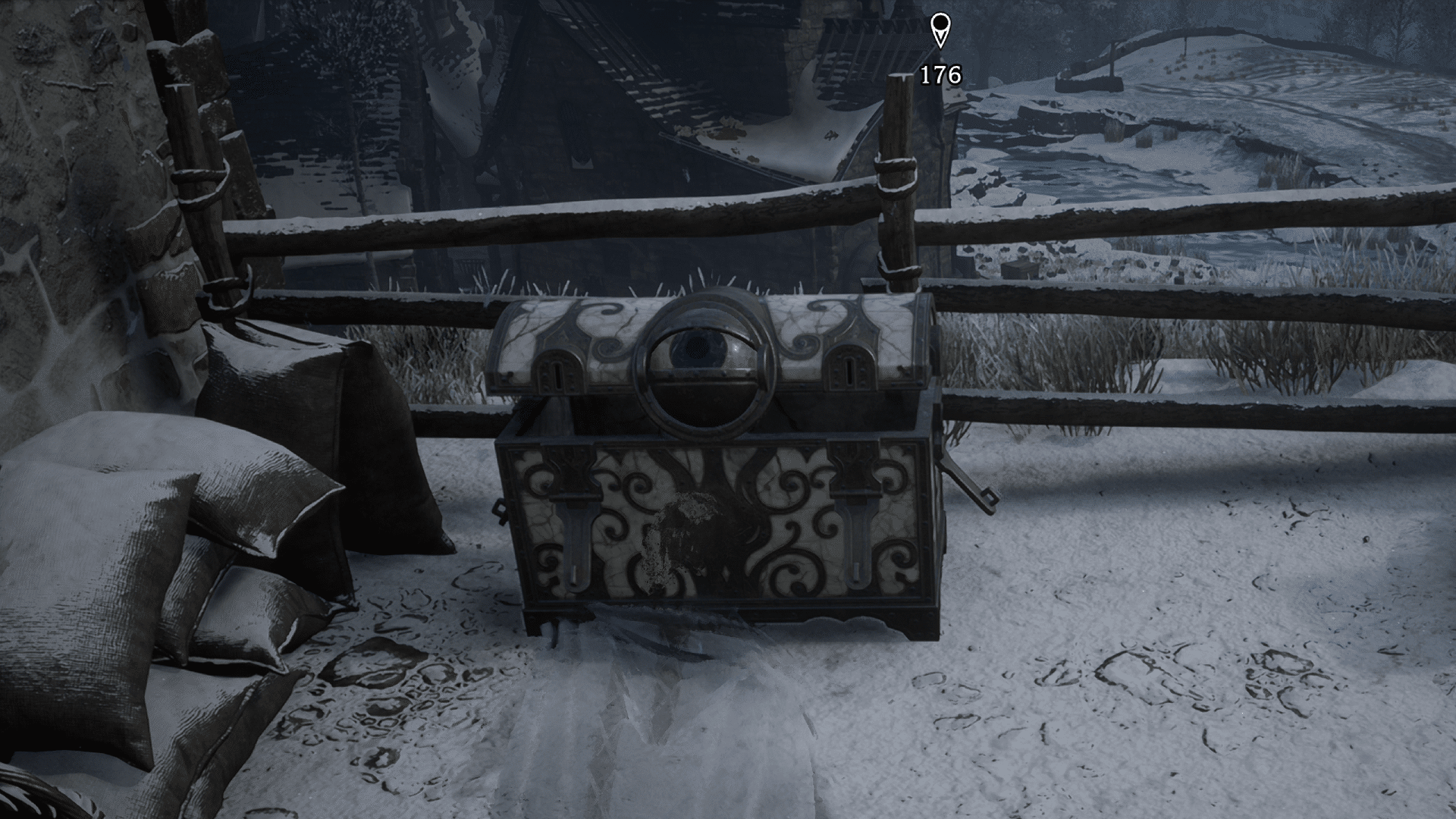
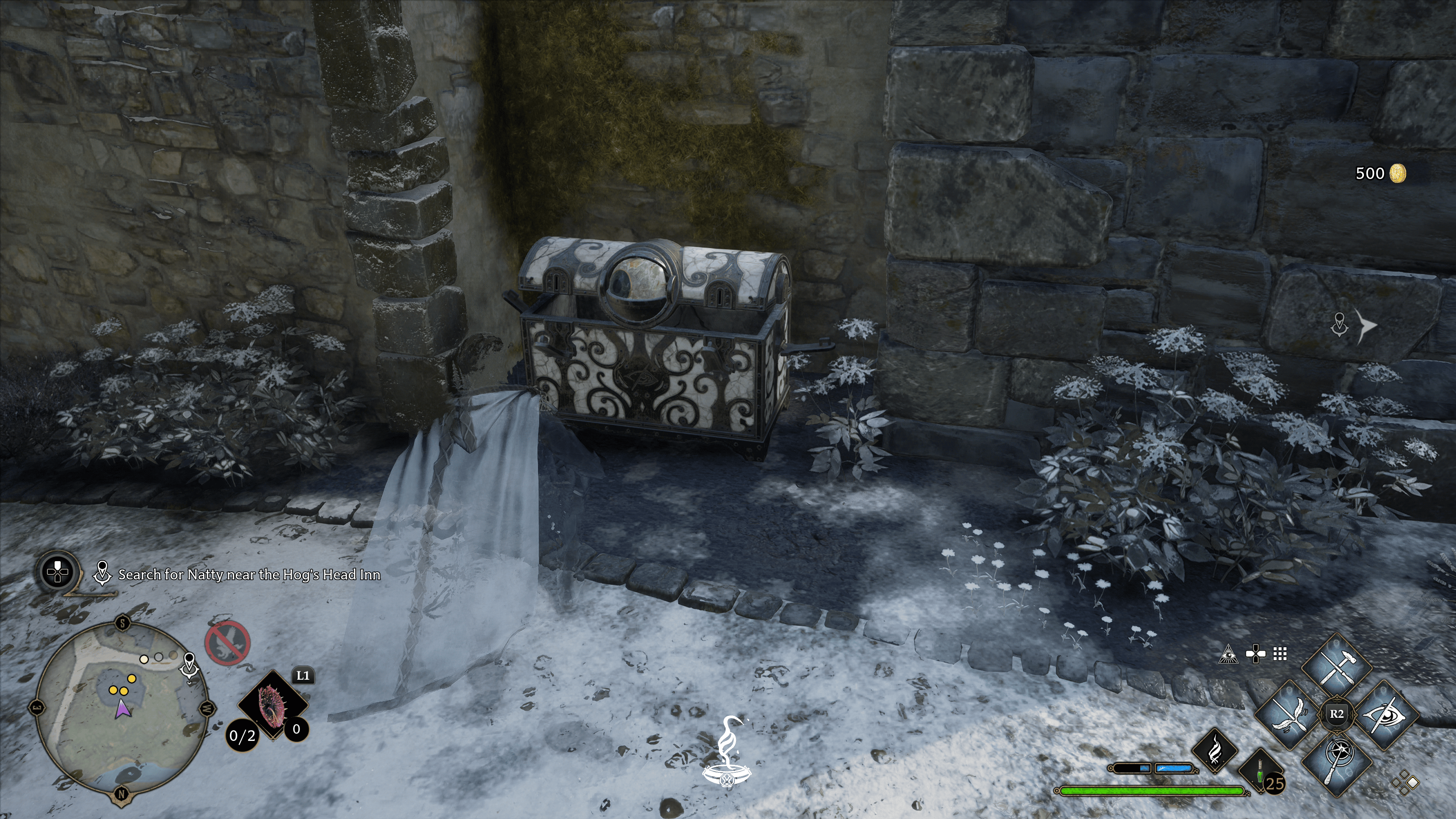
If you’ve been wandering around the grounds of Hogwarts, chances are you’ve come across some chests with an eyeball on them. Don’t worry, it can’t hurt you (physically, at least,) but neither can you hurt it, which has prompted many to wonder, how do you open it? Well, worry not, as we tell you exactly how to open the eye chests in Hogwarts Legacy.
How to Open Eye Chests in Hogwarts Legacy
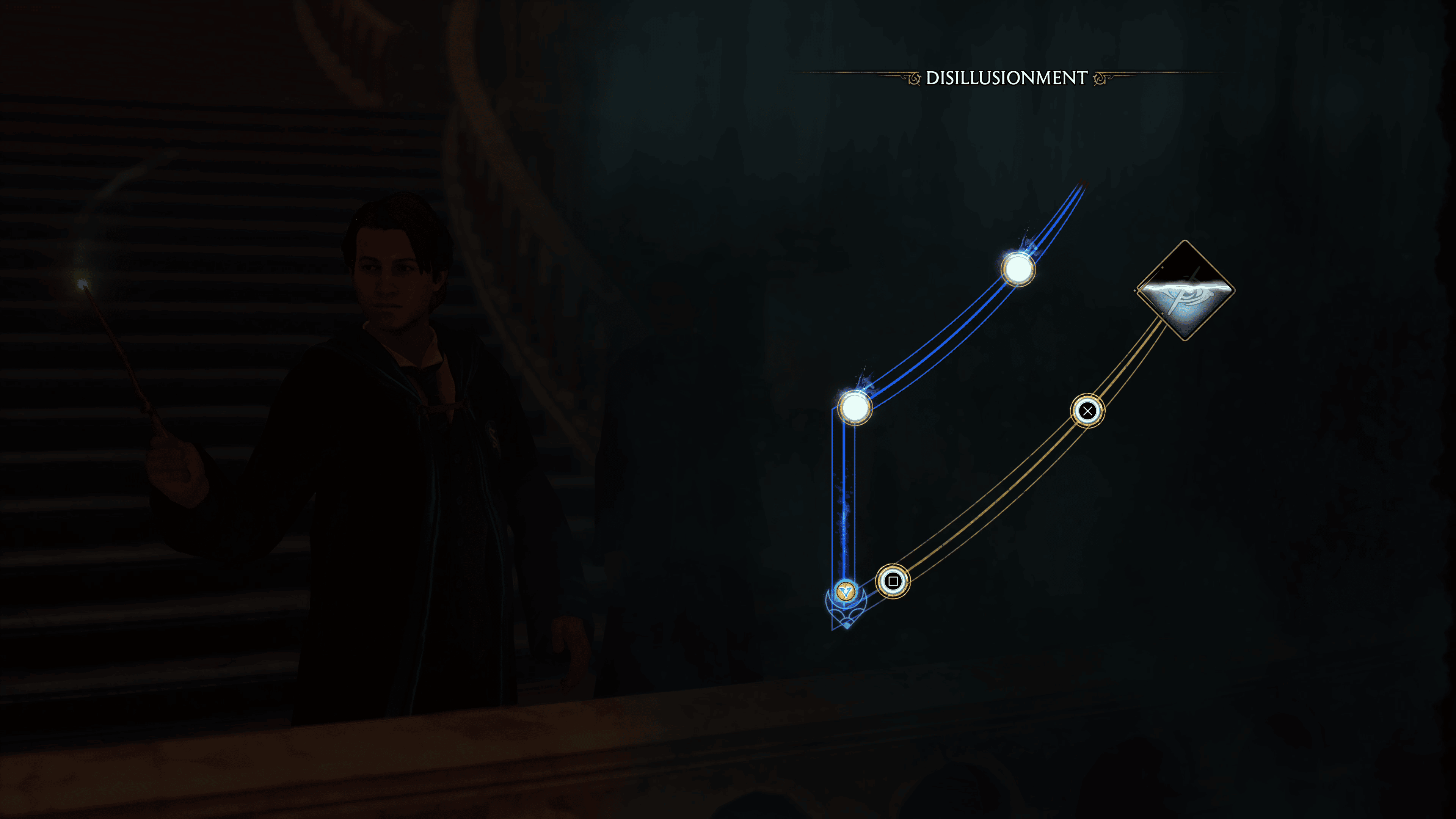
To open the eye chests, you’ll need to learn the disillusionment spell. You’ll learn this spell as part of the story progression. Alternatively, you could use an invisible potion. However, this method costs resources, whereas the spell is free to use once you learn it.
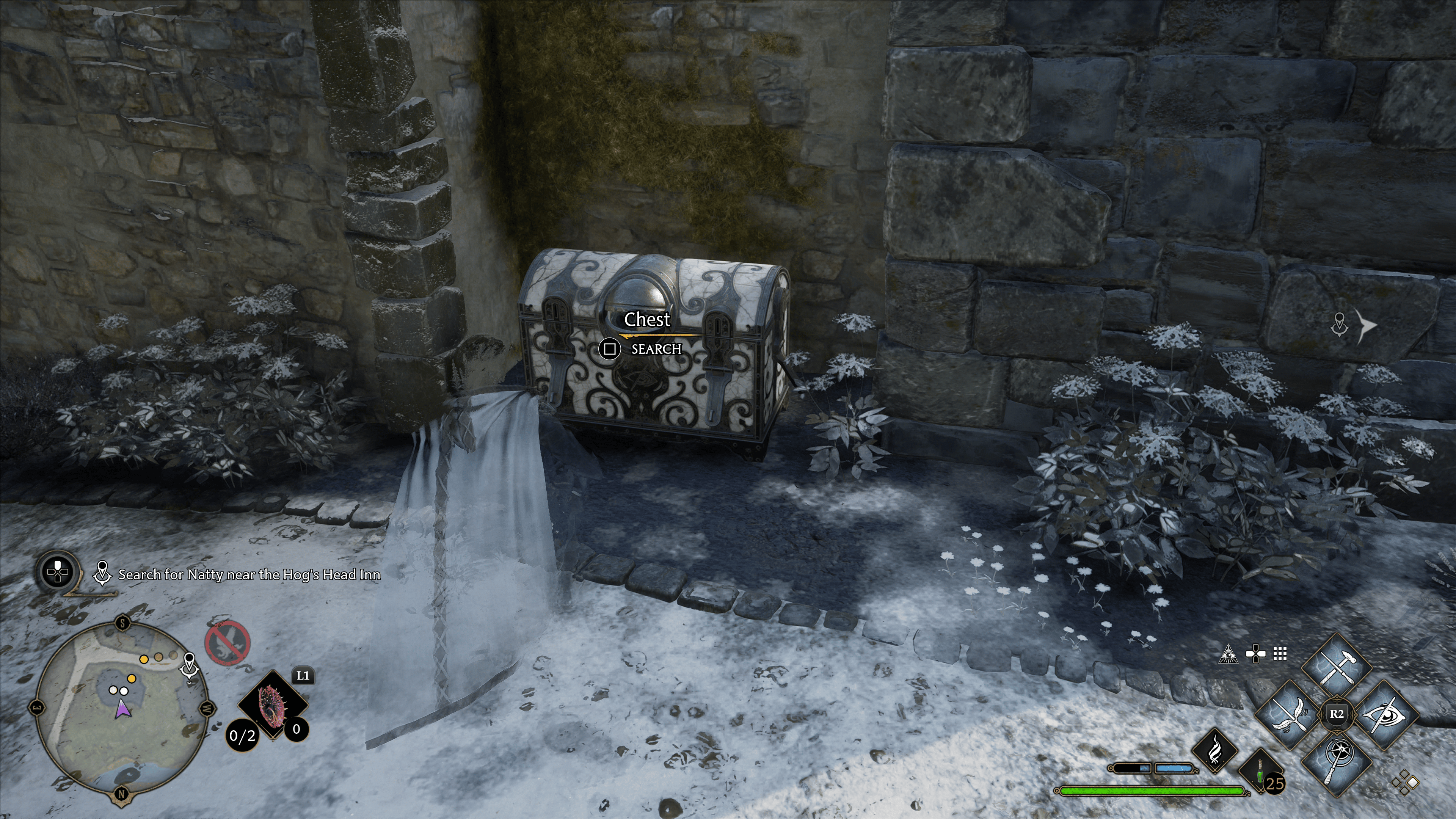
Once you’ve gotten disillusionment, all you have to do is cast it and sneak up on the chest. It’s really that easy! Because the chest no longer sees you, it will no longer lock on itself, allowing you to open it.
Eye chests contain large sums of gold (500) and are one of the best ways to rack up money in Hogwarts Legacy, so be sure you open every one you come across, as the funds will be helpful to buy recipes, gear, and other items.
Hopefully this guide was helpful, and if it was, be sure to check out our other Hogwarts Legacy guides!
A gamer at heart, James has been working for MP1st for the last decade to do exactly what he loves, writing about video games and having fun doing it. Growing up in the 90's gaming has been in his DNA since the days of NES. One day he hopes to develop his own game.
Hear, ye Tarnished! FromSoftware and Bandai Namco Entertainment have announced a special Elden Ring anniversary event to be held on February 25, 2023 at the Red Bull Gaming Sphere in Stockholm. The community celebration event will celebrate Elden Ring’s first anniversary with giveaways, contests, exclusive prizes, in-game PvP, and much more, and will be livestreamed on Twitch as well.
📅 SAVE THE DATE! 📅
Welcome to our #ELDENRING 1 year anniversary celebration in Stockholm. 🎉 On the 25th of February, we invite you all to celebrate with us at Red Bull Gaming Sphere in Stockholm. The event will also be live streamed on Twitch. More info coming (very) soon! pic.twitter.com/H2NsKUKTyy
FromSoftware’s Souls successor has enjoyed an unprecedented degree of success: Elden Ring won over 400 Game of the Year awards from gaming and entertainment publications by January 31, 2023, beating 2020’s The Last of Us Part 2 as the most awarded game of all time. To celebrate the game’s success in the year following its release, FromSoftware and Bandai Namco Entertainment are holding a community celebration event on February 25 in Stockholm at the Red Bull Gaming Sphere.
The in-person event, which will also be livestreamed on Twitch, promises “(a) live show, giveaways, contests, exclusive prizes, (a) pub quiz, drinks, cosplay, PvP!” More info about the event will be revealed “very soon.”
Many fans will be wishing for DLC announcements following the discovery of unused “DLC01” data within the game and hints dropped by creator Hidetaka Miyazaki and Kadokawa, but no such promises have been made for the event as of yet. Stay tuned here at MP1st for any and all Elden Ring updates and announcements.
Elden Ring is available now for PC, PS5, PS4, Xbox Series X|S, and Xbox One. If you’re still on the fence about picking it up, check out our review of the title in which we gave “FromSoftware’s best game to date” a perfect 10/10 score.
Ahead of the March 3 release, Team Ninja and Koei Tecmo have announced that a second Wo Long: Fallen Dynasty demo will be available on February 24 on all platforms. Players will be able to transfer save data from the demo to the full game after launch, and completion of the demo will once again unlock the “Crouching Dragon Helmet” DLC in the full game.
While Team Ninja’s Nioh IP is often considered a Soulslike, Wo Long: Fallen Dynasty’s combat brings a fluid, visceral style of combat much closer to FromSoftware’s Sekiro to a Three Kingdoms-era Chinese setting. Fans will be able to see for themselves when the second playable demo goes live on February 24 on PC (through Microsoft Store and Steam), PS5, PS4, Xbox Series X|S, and Xbox One.
The new demo will be free to play on all platforms (Xbox Game Pass subscription not needed on Xbox/Microsoft Store), and progress will be carried over to the full game on release should players choose to buy it. Once again, players will also receive the “Crouching Dragon Helmet” cosmetic DLC in the full game if they play through the demo in time.
Wo Long: Fallen Dynasty launches March 3, 2023 on PC, PS5, PS4, Xbox Series X|S, and Xbox One, with day-one access on Xbox Game Pass as well. Check out the one-minute gameplay trailer from last August, which showcases the game’s shinobi-style combat and mythological enemy NPCs.