Home > News

Battlefield 2042 Known Issues Ahead of Launch Listed

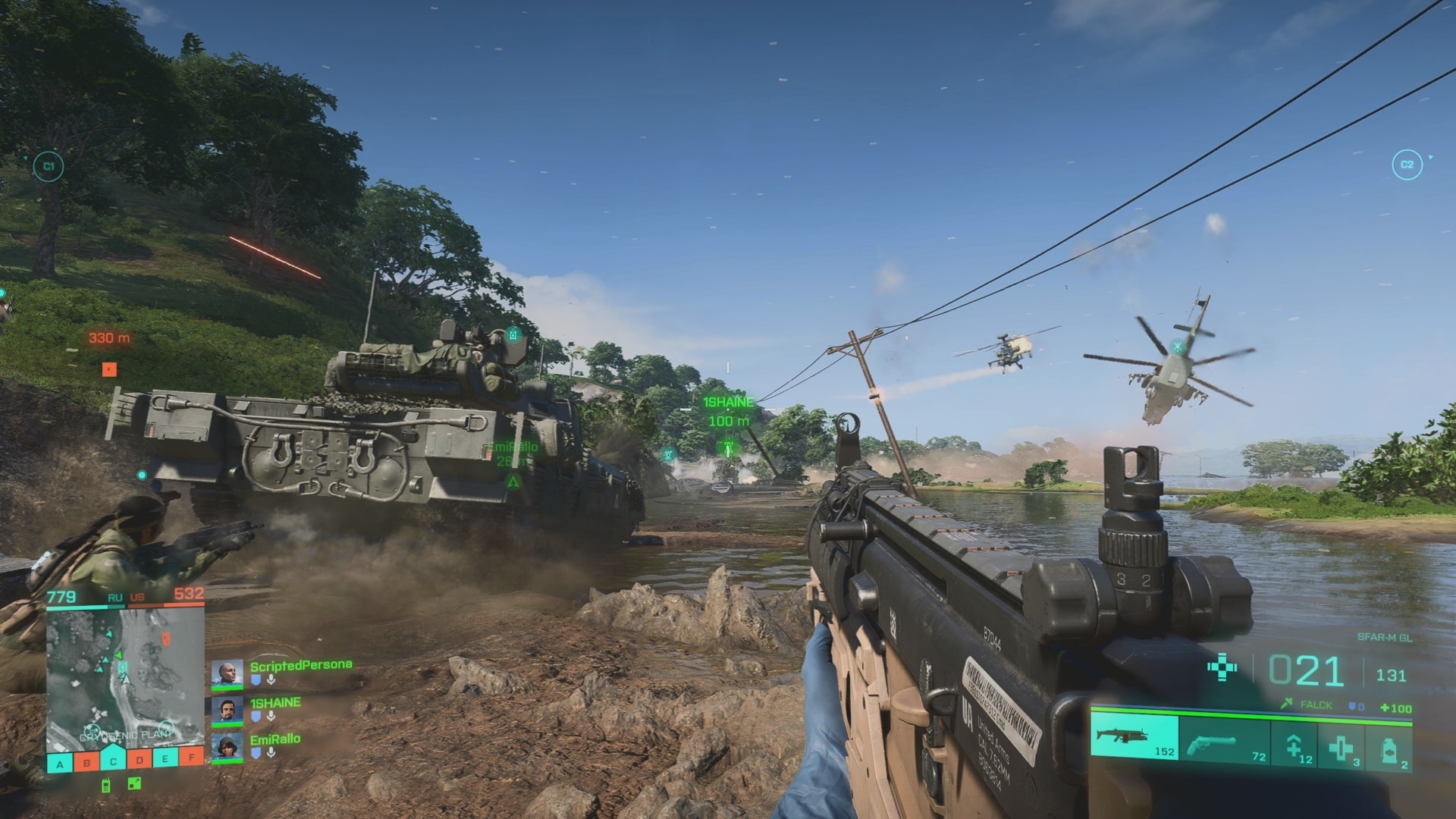
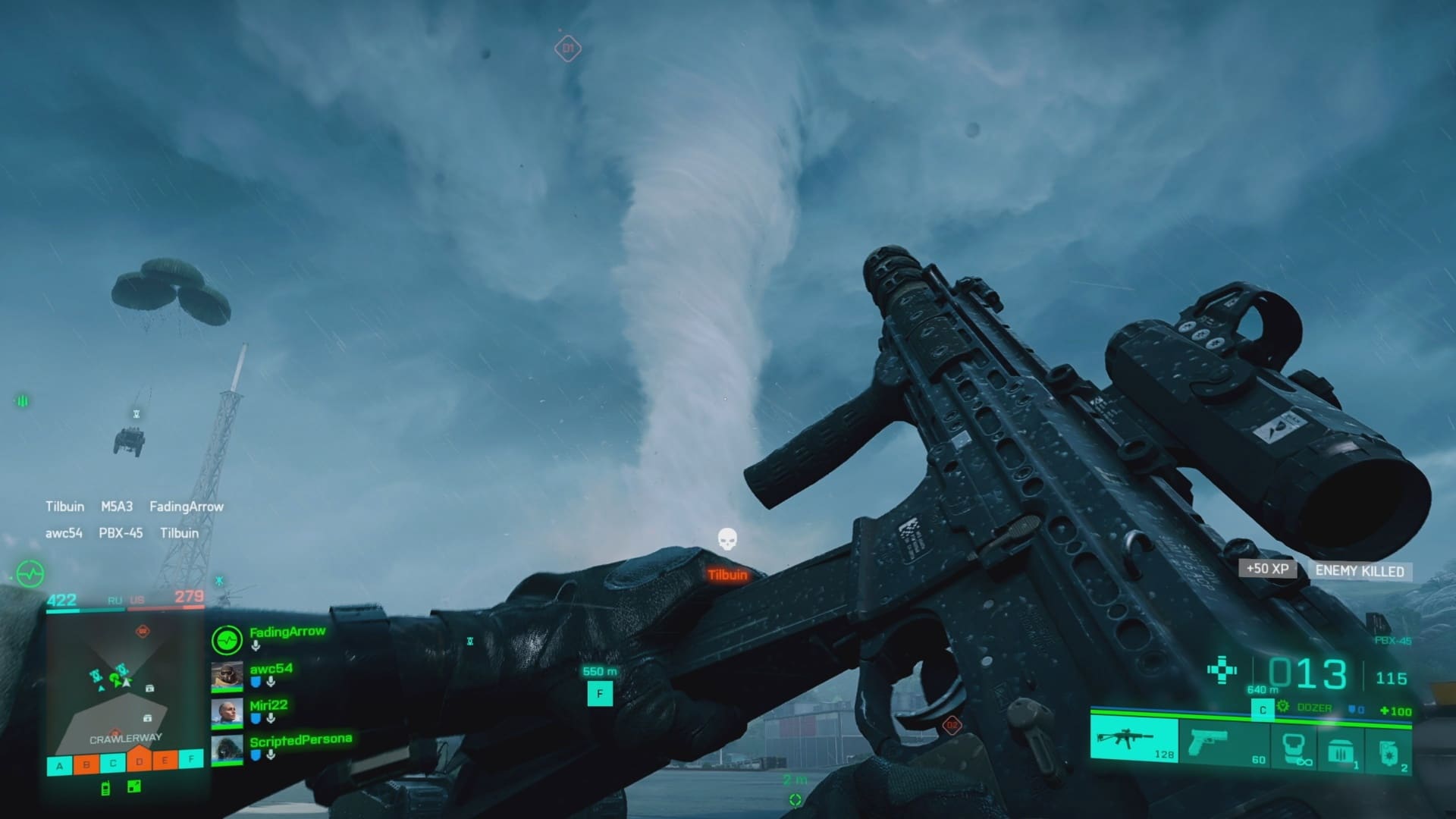
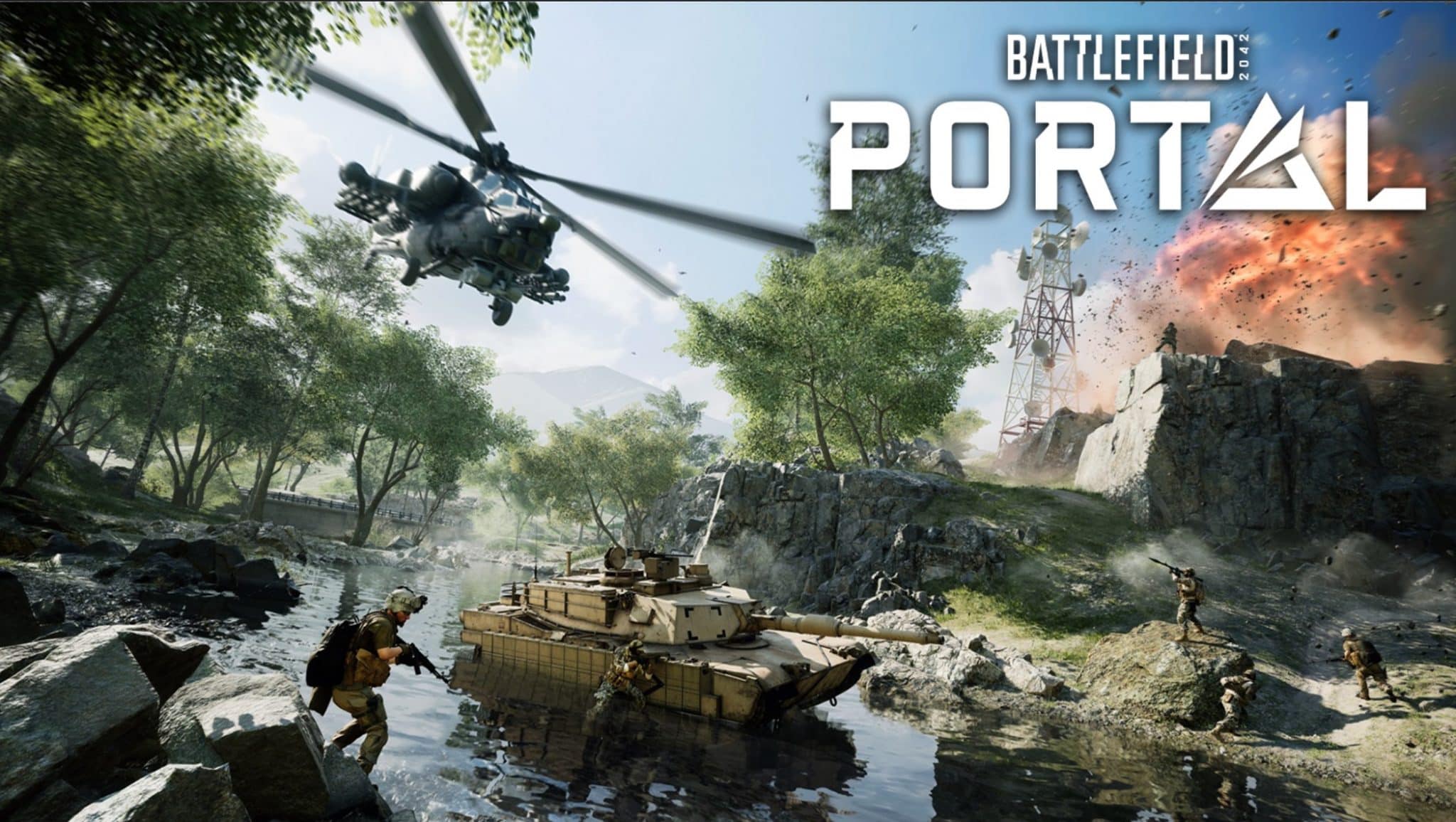
With Battlefield 2042 entirely focused on online multiplayer, it’s expected that not everything will be 100% bug-free. DICE is aware of this, and thanks to EA, we have the Battlefield 2042 known issues ahead of launch.

As part of a review event for Battlefield 2042 that MP1st attended, EA gave us a list of known issues that the devs are aware of, which are being worked on. These run the range from map-related bugs, UI issues, progression problems, and more.

Battlefield 2042 Known Issues (Launch Build):

Maps:

Breakaway

● All Platforms – We have identified some server instances of rubberbanding when the
big silos on Breakaway are destroyed*
● All Platforms – On the mode Breakthrough, players will be unable to spawn on B1 while
it is contested*

Kaleidoscope

● All Platforms – Bridge destruction states have a tendency to desync if the player joins at
a late stage in the round*
● All Platforms – On the mode, Breakthrough, players will be unable to spawn on B1 while
it is contested*

Discarded

● PC, Xbox Series X|S & PlayStation 5 – There are some rare instances of visual
flickering while playing on Discarded*

Manifest

● PlayStation 5 – Within the Weather Station on Manifest, while the building is in a
destroyed state there are rare instances that can cause severe flickering of our lighting
systems, which has the potential to trigger those with Photosensitive Conditions*

Misc

● All Platforms – We are aware of some miscellaneous issues causing players to become
stuck within world geometry*
○ Several of these are being fixed for a patch after launch, please continue to
report any scenario where you get stuck in the maps!

Bots:

Soldiers

● All Platforms – In some situations, Bots are unable to revive downed players*

Ranger

● All Platforms – We’re aware of Ranger malfunctioning when ordered over some
obstacles, and we are working to improve this.
● All Platforms – Ranger can become non-responsive to “Go To” orders if the player is far
away from Ranger, and we are similarly working to improve this.
Audio

Vehicles

● All Platforms – The Lock-on sound effect for helicopters can continue after the
Helicopter has been destroyed*

User Interface & Messaging:

● All Platforms – There is currently no error message to indicate to the player that the
game is still installing*

● All Platforms – Subtitles are not present on video tutorials even if the subtitle setting is
ON*

● Battlefield Portal – Loadouts have a slight tendency to not save when entering or
leaving a match*

● Battlefield Hazard Zone – When starting a second round, unlocks from the previous
round are triggered during the intro sequence*

● All Platforms – When returning back to the main menu after a match, Specialist’s
textures may be slow to load*

● All Platforms – The “Vertical Sync” option does not have any effect when activated while
using a 144hz monitor*

● All Platforms – “View Profile” option is not present in “Search EA ID” between
same-platform Xbox Series S|X and PlayStation 5 players*

● All Platforms – We’re aware of a unique situation where accounts that have access to
Battlefield 2042 across multiple platforms may cause Cross Play Friends to not appear*

● All Platforms – The attackers playercard doesn’t load after getting killed by another
player*

● All Platforms – Sprint/Boost hint text is currently misleading*

Progression & Unlocks:

● All Platforms – The rank displayed in the bottom right of the Main Menu does not always
update with the player’s actual rank achieved after an Online session.
○ We’re working to resolve this issue and will follow up with further updates at a
later time.

● All Platforms – Weapon Skins are unlocked but will show an incomplete progress bar
until the game has been restarted*
○ Restarting the game will fix this for you, however a fix has been made for an
upcoming update.

● All Platforms – All Locked Character / Weapon / Vehicle skins are missing their Mastery
Rank target*

● All Platforms – The “Fly Not Ye Cowards” Playercard Art unlock objective is currently
incorrect, you will need to visit two locations on El Alamein, in the same life, to unlock
this*

● All Platforms – EMP Mine is currently incorrectly labelled. We will be renaming this to
EMP Grenades at a later date.

● All Platforms – Some skins are applying over weapon charms.
○ We’re working to fix this as soon as possible.
● All Platforms – The Mastery bar won’t show for hardware items until T5 is unlocked*

● PlayStation 5 – The Med-Pen Mastery Badge is not currently tracking progress after
Rank 25*

● PlayStation 5 – Captain Caspian Playercard Background is not unlocked after
completing its criteria*

Weapons & Gadgets:

Recon Drone

● All Platforms – Players are currently unable to deploy the OV-P Recon Drone while
prone*
● PC – The OV-P Recon Drone is not currently locking onto enemy targets or vehicles*

XDR Holo Sight
● All Platforms – We’re aware of some instances of flickering when ADS with the XDR
Holo Sight*

Vehicles:

Misc
● All Platforms – On rare occasions, vertical aiming in a vehicle can be inoperable upon
vehicle entry*

● All Platforms – Some vehicles may not have controller vibration when used*

● All Platforms – We’re aware of some vehicles not having RTAO (Ray-traced Ambient
Occlusion)*

MD540 Nightbird
● All Platforms – Rockets from the MD540 Nightbird that impact the ground can
sometimes appear as being frozen*

Gameplay:
● All Platforms – Parachutes sometimes remain open, even after the player has landed.
○ This will be improved upon in an upcoming update.

Hazard Zone:

● PC – We’re aware of players experiencing an issue with mouse input when it comes to
selecting a Specialist within Hazard Zone

○ While we are working to resolve this in an upcoming patch, players can bypass
this by selecting their chosen Specialist with the spacebar.

● All Platforms – Players are currently unable to revive downed teammates if they are
inside the MV38-Condor (at Extraction Point)*

● All Platforms – We’re aware of some rare instances of the Extraction Streak not
updating after multiple extractions have taken place*

Per DICE/EA:

The details listed in this article may change as we listen to community feedback and continue developing and evolving our Live Service & Content. We will always strive to keep our community as informed as possible. NO WEAPON, MILITARY VEHICLE OR GEAR MANUFACTURER IS AFFILIATED WITH OR HAS SPONSORED OR ENDORSED THIS GAME

Mind, the issues listed here aren’t all that’s known, but are the ones prioritized by DICE.

Battlefield 2042 will be released officially this November 19, with early access starting this Friday. Stay tuned for more BF2042 news here on MP1st!

More Battlefield Reading:

Avatar photo

Alex Co

Father, gamer, games media vet, writer of words, killer of noobs.

Home > News

Complete Battlefield 2042 Weapons and Attachments List

Battlefield 2042 is almost here! And for those wondering what kind of weapons they’ll be able to arm themselves with come launch, MP1st has you covered! We attended a review event for the game, wherein we were given access to the complete Battlefield 2042 weapons and attachments list, which we’ve compiled in one spot!

Before diving in, note that we’ve listed everything as to not bombard the article with loads of images. If you want to see what each attachment looks like, just click on it, and it’ll open a new tab featuring the said attachment.

Complete Battlefield 2042 Weapons and Attachments List:

SMG

PBX-45 (SMG)

Developed in the private sector for potential foreign military and NGO clients, the PBX-45 offers a powerful .45 ACP alternative to lighter submachine guns. The delayed blowback operating system reduces barrel rise.

Ammunition

Barrel

Sights

Underbarrel

PP-29 (SMG)

SMG chambered for 9mm Makarov pistol rounds with a unique 53-round, under-barrel helical magazine that doubles as a foregrip.

Ammunition

Barrel

Sights

Underbarrel

MP9 (SMG)

The Swiss MP9 is a compact, short range submachine gun chambered for 9mm rounds fed from an extended 30-round magazine.

Ammunition

Barrel

Sights

Underbarrel

K30 (SMG)

Unique recoil system redirects force downwards, helping to counterbalance barrel rise and increasing sustained fire accuracy compared to other SMGs.

Ammunition

Barrel

Sights

Underbarrel

ASSAULT

M5A3 (Assault)

The US Military’s standard-issue rifle since 2034, the M5A3 can be chambered for a variety of rounds for either semi or automatic modes.

Ammunition

Barrel

Sights

Underbarrel

AK-24 (Assualt)

Lives up to all the hype of Russian ARs. Chambered for 5.45x39mm with three fire modes and a standard 30-round magazine. 

Ammunition

Barrel

Sights

Underbarrel 

SFAR-M GL (Assault)

Designed for SOCOM. Default chambered for standard NATO 7.62mm rounds. Capable of both semi-auto and automatic fire. The standard EGLM 40mm grenade launcher and you can deliver a lot of damage to a variety of targets.

Ammunition

Barrel

Sights

Underbarrel

AC-42 (Assault)

Next generation Russian AR, the AC-42 utilizes a non-traditional bullpup layout to provide a compact frame without sacrificing barrel length and accuracy. 

Ammunition

Barrel

Sights

Underbarrel 

LMG

LCMG (LMG)

With a lineage tracing back to US Special Forces in the Vietnam War, the LCMG’s lightweight construction and constant recoil system provide unprecedented control. An ideal fire support weapon for squad assaults.

Ammunition

Barrel

Sights

Underbarrel

PKP-BP (LMG)

Russian LMG with heritage. Effective support by fire with belt-fed 7.62x54mm rounds at a lethal 800rpm.

Ammunition

Barrel

Sights

Underbarrel

MARKSMAN

DM7 (Marksman)

Precision over rate-of-fire. With an extended 16″ barrel and flexible SOCOM RIS II mounting system, the DM7 can be configured for almost any mission. Priorities targets that can match your precision and range. 

Ammunition

Barrel

Sights

Underbarrel 

SVK (Marksman)

Heavily influenced by its Western counterparts, the Russian-made SVK is a gas-operated, short-stroke DMR with a max effective range of 1,500m.

Ammunition

Barrel

Sights

Underbarrel

VCAR (Marksman)

Portable, light weight carbine – weighing only 3.8lbs, and measuring 22.5″ end-to-end with a collapsed stock. Ideal for stealthy, targeted operations when equipped with a suppressor.

Ammunition

Barrel

Sights

Underbarrel

SNIPER

SWS-10 (Sniper)

Finnish bolt-action sniper rifle made with a lightweight aluminum frame and adjustable/folding stock.

Ammunition

Barrel

Sights

Underbarrel

DXR-1 (Sniper)

Lightweight and compact, the DXR-1 can still reach out and touch someone with a deadly accuracy at up to 800m.

Ammunition

Barrel

Sights

Underbarrel 

NTW-50 (Sniper)

South African high-caliber anti-materiel rifle, designed for neutralizing engine blocks and gun emplacements. Ablet to destroy dreams at up to 1,500m.

Ammunition

Barrel

Sights

Underbarrel

UTILITY

MCS-880 (Utility)

The MCS-880 tactical shotgun has remained a staple of the US arsenal for nearly a century. Aiming is optional.

Ammunition

Barrel

Sights

Underbarrel

GVT 45-70 (Utility)

Old-School meets the demands of mid-21st Century combat. With modern sights and attachments, the 6-round custom GVT 45-70 is every frontiersman’s dream.

Ammunition

Barrel

Sights

Underbarrel

12M Auto (Utility)

Despite the Russian 12M Auto’s close resemblance to the AR family from which it originates, there are glaring differences.

12M Auto Attachments

Ammunition

Barrels

Sights

Underbarrel

SIDEARMS

G57

MP28

M44

We’ll be updating the post with the sidearms/pistols within the day, so keep an eye out for that (outside of that, this is the complete list).

We’ll have more on Battlefield 2042, so stay tuned! You can bookmark our Battlefield game hub to see all our stories on the franchise.

Avatar photo

James Lara

A gamer at heart, James has been working for MP1st for the last decade to do exactly what he loves, writing about video games and having fun doing it. Growing up in the 90's gaming has been in his DNA since the days of NES. One day he hopes to develop his own game.

Home > Features

Battlefield 2042 Review Event Impressions – Danger Zone

After a one month delay, Battlefield 2042 is finally out this week in its Early Access period. This past week, MP1st was invited to get an early preview of Battlefield 2042 with content creators and media. This was the full build of the game, and according to DICE, it is the same build Early Access players will have this Friday. We had a chance to preview each of the game’s three core modes on a variety of maps for several hours each. So how were they? And what’s changed since the beta? Read on.

Performance

The first thing I was keen to try out was the performance on PC. Thankfully, there have been significant improvements on that front. While frame rates have improved somewhat, the biggest thing I noticed was the increase in overall smoothness. For me, the beta was “stuttery,” and I regularly experienced significant frame drops. Thankfully, that has been almost completely eliminated in the final build.

It is still a demanding title though. DICE recommend an RTX 3060 and a Ryzen 7 2700x for optimal performance. But players looking to play at high frame rates will want a beefy CPU. For reference, on Ultra settings I averaged around 80 – 90fps (frames-per-second) at 1440P, with a 5900x and an RTX 3080. For most of the preview, I opted for the High preset, where I averaged around 95-100fps. All of the numbers above are with DLSS set to Quality mode.

Ray tracing should be avoided altogether at launch. I could barely manage 60fps with it turned on, and the game frequently dipped into the 50’s and 40’s, even with DLSS.

With that said, the game looks excellent. While I wouldn’t say it’s the true next-gen Battlefield experience many were hoping for, the Frostbite engine continues to be one of the most visually impressive around. That goes for the Battlefield Portal maps too.

All-Out War

First, we got to try out Conquest and Breakthrough on six of the seven maps available in All-Out War at launch. Orbital was the only map available in the beta, so I was interested to see how the other maps would play. One thing was common across nearly every attendee I spoke to — Orbital was among the weakest maps in the game. That’s not to say it’s a bad map; but my squad and I felt that other maps were more interesting, varied, and overall a lot more enjoyable to play.

There are other large open maps like Orbital in the game, like Hourglass and Renewal. But these maps also have tighter, more close quarters areas. Renewal for example is literally split down the middle. One half is a wide-open rocky area, and the other is a large industrial complex situated on some dense farmland. Kaleidoscope is set in a raging sandstorm, with a soccer stadium on one side, and a downtown area with towering skyscrapers on the other. For the most part, I felt that these other maps offered better opportunity for gunfights at all ranges — rather than just at long to medium range like on Orbital.

Battlefield 2042 also has doubled the player count on PC and new-gen consoles. While the maps felt pretty well balanced for this in Conquest, at times Breakthrough could get extremely chaotic. Squeezing double the player count into a small sector of the map can feel like bashing your head against the wall – especially on the Attacking side. You now have 64 defenders on the other team pre-aiming at you, rather than 32. You will have to get creative to break through (no pun intended). I suggest bringing smoke grenades.

Everything else is largely the same as the beta, although the severe lack of launch weapons sticks out like a sore thumb. There are a meager 22 new weapons in All-Out War and Hazard Zone, with about 2-4 weapons per weapon type. This will no doubt change as DICE’s post-launch content starts rolling out, but given that they recently announced (link here) that we won’t hear more about that until early next year, anyone playing during the launch window is going to have to live with these. We had everything unlocked from the beginning, so we unfortunately didn’t get a chance to fully experience the weapon and character progression. We’ll have to see how DICE can keep XP grinders intersted until new content starts to roll out.

Hazard Zone

Full disclosure, I have never played Escape From Tarkov. But from what I gather, that’s pretty much what Hazard Zone is.

You and your team drop onto the map, locate and secure data drives, and extract at one of the designated extraction points on the map. The extraction vehicle flies in twice during the match — once about halfway through, and once at the very end. Failing to extract results in a loss, as does a team wipe.

Before each match, you’ll have a chance to purchase weapons, perks and equipment using credits that you earn after completing matches. Getting kills, successfully extracting, and other actions will earn you an increased amount of credits post-match. There’s also a “win-streak” mechanic which earns you increasingly more credits, for every consecutive match you manage to extract in.

What that means is, as a new player, you’re going to have very little to work with, and will have to manage with the default loadout the game gives you. But the more you play, and the better you do, the more credits you stack up to purchase gear before every game. Going on an Extraction Streak also unlocks an additional perk slot, up to a maximum of three. I found that even after losing a match, we earned enough credits to buy what we needed for the next game, but we certainly weren’t buying things like sniper rifles, or some of the higher-tier perks.

There has been some concern about lower skilled players having trouble against Hazard Zone diehards, purely because of the imbalance in loadouts. While our team didn’t find this to be an issue, we also managed to extract somewhat regularly. So while there were games where we failed to, those leftover credits definitely helped. DICE told us this is something they’ll be watching closely at launch (during a Q&A session which MP1st will be diving into in a separate article).

Hazard Zone was a pleasant surprise. I wasn’t sure what to expect with this mode but I can definitely see it being something I play regularly alongside All-Out War and Portal. While it’s not quite a Battle Royale, it has the same sort of feel and it is definitely going to appeal to fans of that genre. This feels like a fully fleshed out mode, not just an afterthought. Communication is key in this mode. In fact, Hazard Zone feels even more team-oriented than All-Out War. Your team’s specialist selection will be crucial, and some of the specialists really shine here.

Battlefield Portal

The third and final pillar of Battlefield 2042 is the new Portal mode. Basically, think of it as the server-browser from past entries, combined with n custom-game editor on steroids. There is an endless list of customizations you can make. From the simple stuff like selecting the map rotation and weapon selection, to the highly specific and wacky stuff. The most interesting mode we tried was a rocket launcher-only Free-For-All, with a twist. To reload your rocket, you had to jump up and down five times. If it sounds crazy, that’s because it was — but it gives you an idea of the amount of freedom the Game Editor gives you.

Thankfully, DICE has made every new map coming to Battlefield 2042 available in Battlefield Portal. They’ve also made five classic maps available from previous Battlefield entries, fully remastered and “reimagined.” There are some changes to them, but for the most part these are the maps Battlefield fans know and love. And they look fantastic.

What really excites me about Portal is the flexibility. Seeing what kinds of creations the community comes up with will be a treat. Battlefield Portal also completely negates the lack of weapon variety in All-Out War. Since all of the new maps are playable in Portal, you can just create a Conquest server, add in the remastered Battlefield 1942, Bad Company 2, and Battlefield 3 weapons, and throw in the remastered maps for good measure. DICE also confirmed to us that experience gains will be consistent across all three modes, so there is no downside whatsoever to playing Portal.

With all of this combined, I fully expect Battlefield Portal to be where it’s at.

Final Thoughts

There has been a lot of hype surrounding Battlefield 2042. But as we have seen before, sometimes too much hype can be a bad thing. Is Battlefield 2042 a good Battlefield game? Yes. Is it the savior of gaming that many first-person shooter fans pegged it to be earlier in the year? Not exactly.

After 10+ hours of playtime, I would put my final ranking somewhere between Battlefield V and Battlefield 1. While I don’t think it quite reaches the level of immersion and quality as Battlefield 1 did, it is in my opinion, a far better showing for DICE than Battlefield Vwas.

The new specialist system shakes up the class system of previous Battlefield titles, and allows for far more freedom when creating loadouts. Instead of relying on teammates to play Medic and heal you, you can do it yourself. Hazard Zone is an interesting take on a single-life Battlefield mode, and will satisfy those looking for a more hardcore, team-based experience. And if neither of those work, DICE LA have put a ton of effort into creating the Battlefield Portal which allows the community to make whatever modes they want.


Review build played via digital review event by EA. Battlefield 2042 releases November 19, 2021 on PS5, PS4, Xbox Series X|S, Xbox One and PC.

ganacci fatal fury

Barry

Home > News

Battlefield Portal Complete Weapons List

With Battlefield 2042 set to launch in early access this week (and out officially on November 19), players might be interested to know what weapons they can wield in Battlefield Portal — which is a pillar of one of the game’s three core modes. Thankfully, we don’t have to guess, as the Battlefield Portal complete weapons list is here! Head down below for the complete weapons list, all available for you to customize your own personal loadout in Battlefield Portal.

Battlefield Portal Complete Weapons List:

Battlefield 2042

T1 Assault Rifles

  • AK-24
  • M5-A3
  • SFAR-M GL
  • AC-42

T1 SMG-PDWS

  • MP9
  • PP-29
  • K30
  • PBX-45

T1 DMRs

  • SVK
  • VCAR
  • DM7

T1 Bolt Action Rifles

  • DXR-1
  • NTW-50
  • SWS-10

T1 LMGs

  • PKP-BP
  • LCMG
  • GVT 45-70

T1 Shotguns

  • MCS-880
  • 12M Auto

T1 Pistols

  • MP28
  • G57

T1 Revolvers

  • M44

Battlefield 3

T2 Assault Rifles

  • AN-94
  • M16A3
  • M416
  • SCAR-H
  • G3A3

T2 Carbines

  • A-91
  • ACW-R

T2 SMG-PDWS

  • AS Val
  • P90
  • PP-2000
  • AKS-74u

T2 Bolt Action Rifles

  • M98B

T2 DMRs

  • M39 EMR
  • SVD

T2 LMGs

  • M240B
  • M60E4
  • Type 88 LMG

T2 Shotguns

  • DAO-12
  • SPAS-12

T2 Pistols

  • MP443
  • M93R
  • M1911

T2 Revolvers

  • MP412 REX

Battlefield Bad Company 2

T1 Assault Rifles

  • AN-94
  • M16A2
  • XM8 Prototype
  • M416
  • G3

T1 SMG-PDWS

  • XM8 Compact
  • AKS-74u
  • Thompson
  • PP-2000

T1 DMRs

  • M1 Garand

T1 Bolt Action Rifles

  • GOL Sniper Magnum
  • M24 Sniper

T1 LMGs

  • M60
  • Type 88 LMG
  • XM8 LMG

T1 Shotguns

  • SPAS-12

T1 Pistols

  • M1911
  • M93R
  • MP443

T1 Revolvers

  • MP412 REX

T1 Sidearms

  • Tracer Dart Gun

Battlefield 1942

T2 Assault Rifles

  • StG 44

T2 SMG-PDWS

  • MP 40
  • Thompson

T2 Bolt Action Rifles

  • K98
  • K98 Sniper
  • No4 Sniper

T2 DMRs

  • M1 Garand

T2 LMGs

  • BAR 1918

T2 Pistols

  • P38
  • M1911

What do you think? Which specific loadouts will you be checking out in Battlefield Portal? Let us know in the comments below! We have a TON more info regarding Battlefield Portal, and Battlefield 2042 hitting the site today and leading up to launch! You can check this out over on our Battlefield hub!

MP1st Staff

Home > Title Updates and Patches

Black Desert Online Update 2.05 Released This November 11

Pearl Abyss has released the Black Desert Online update 2.05 patch for November 11, which kicks off the conquest war pre-season by introducing all new content along with fixses and improvements. Check out the complete patch notes below.

Black Desert Online Update 2.05 Patch Notes

Conquest War Pre-Season

● The Conquest War Pre-Season has begun.
● Conquest War for Balenos and Serendia have been disabled during this period.

– After reorganization, they’ll be revamped in a different way. Hence, during this period, Conquest Wars will only be held in Calpheon and Mediah territories.
– As the information regarding Conquest Wars will be reset with this change, there will be less tax obtained before Conquest Wars on November 13th.
● Successfully conquering Mediah and Calpheon Conquest Wars will give all guild members a handsome reward, on top of the usual Tax income.
● Liberated territories are no more, as a new points system has been introduced to settle matters in case of 2 guilds remaining at the end of a conquest war.

For more information regarding the Conquest War Pre-season, please check out the 11/11 Patch Notes Part 2.

Blue Maned Lion’s Manor

● On the banks of the Demi River, between Heidel and the Mediah border, sits a brand new Manor. While the building has been under construction for quite some time, it has attracted many curious glares and wonderment from those who passed by. Now that it has been completed, the Blue Maned Lion’s Manor has finally been unveiled.
– Many wonder who the mysterious proprietor of the Mansion is, and now it can be revealed to the patrons of the Golden Toad Inn that Crucio Domongatt is the lord of the manor. Find out more behind the circumstances of the Manor through the related quests needed to obtain your right to use the manor!
For more information regarding the Blue Maned Lion’s Manor, go over to the 11/11 Patch Notes Part 3.

The Master of Flames – Doom

● The final offspring of Krogdalo, Doom, has arose from the darkness in a blazing display of power.


– Due to the intense flames burning throughout Doom, this dream horse boasts a more powerful attack and faster movement than its sisters.
– Doom can be obtained by training and awakening a Tier 8, Level 30 Courser with a Krogdalo’s Origin Stone via Gula at Stonetail Horse Ranch.
– While training your dream horse, you will want to focus on the increases to the Strength stat (over Elegance and Skill) if you want a higher chance of obtaining Doom once the courser successfully awakens.
– Succeeding in awakening your Dream Horse will cause it to turn into one of the three Dream Horses: Arduanatt, Diné, or Doom. Failing to awaken your horse will reset all stats in Skill, Elegance and Strength (using Cron Stones will reduce all stats by 50%).
– The following skills are Dream Horse skills that can be obtained by Doom, Arduanatt and Diné.

Skill Name Skill Effect
Courser’s Spirit Recovers a certain amount of HP and Stamina on standby when unmounted
Double Jump Able to jump once again while jumping (Activated after learning High Jump and Streak Leap)
S: Charge Able to charge once again while charging (activated after learning Charging)

– At Level 1, Doom will already know Courser’s Spirit, Double Jump and Dark Flame Step. There is a certain chance that it will also know Dark Sprint.

– Dark Flame Steps leaves a fiery trail behind doom that inflicts damage to nearby enemies while using Instant Accel and Dark Sprint.

– Dark Sprint can be used after learning Instant Accel and S: Instant Accel and it allows you to speed up once more.

– Using Dark Sprint inflicts damage to nearby enemies and there will be blazing flame effects near the target area. Once Dark Spirit is learned, you can attack enemies while using S:Instant Accel.

– Doom is the only Dream Horse that can learn Two-seater.

– There is an issue where the surrounding environment does not display as intended when using the two-seater skill on Doom. Therefore the skill has been temporarily disabled.

For more information regarding Doom, please check out the GM Note here.

Season+ Graduation – Special Gift

● The special gift for Season+ is finally available.

Quest Name Target NPC Quest Conditions Objectives Rewards
[Seasonal Special Gift] Dreaming Beyond the Sunset Fughar Lv. 20 or higher season character
OR
a character that has completed the quest ‘[Season Server Graduation] Into the Big Wide World’
Talk to Fughar Special Seasonal Gift Exchange Coupon x1
Cron Stone x50
Fresh Orange Juice x10
Sweet Wild Berry Juice x10
Sour Green Grape Juice x10

– The Item ‘Seasonal Special Gift Exchange Coupon’ mentioned above can be exchanged for one of the following 3 special rewards available through Fughar.
* However, if you have already received an item from a reward group, you will not be able to obtain another item from that group.
– The item ‘Special Seasonal Gift Exchange Coupon’ can be used after Season+ ends to obtain a special reward.
– Adventurers that have yet to obtain some of the previous season special rewards can obtain them by completing a season server in the future.

Category Special Season Reward
Group A  

PEN(V) Capotia Earring or PEN(V) Capotia Ring

Group B
Perilla’s Star
Group C

PEN(V) Capotia Belt

Group D
Advice of Valks (+100)

Content Changes

● In Atoraxxion: Vahmalkea, the fight with Urukios has been improved so that the effects are visible even with Character Optimization turned on, and other effects turned off during the Color Orb section.
● With the change to the Time Zones in North America, Node Wars, Conquest Wars, Tax Wagons and World Bosses have been changed back to their original times.
– For more information, please refer to the ‘Daylight Savings End’ notice.
● Changed Imperial Delivery for cooking/alchemy boxes to be able to deliver boxes to the Imperial Delivery Manager regardless of the limits set for each territory and server.
– You can deliver the following items regardless of the limit set for each territory and server.
※ However, limits for Imperial Delivery that are proportionate to your max. Contribution Points remain the same.

Imperial Cuisine Imperial Alchemy
Apprentice’s Cooking Box
Skilled Cook’s Cooking Box
Professional’s Cooking Box
Artisan’s Cooking Box
Master’s Cooking Box
Guru’s Cooking Box
Apprentice’s Medicine Box
Skilled Alchemist’s Medicine Box
Professional’s Medicine Box
Artisan’s Medicine Box
Master’s Medicine Box
Guru’s Medicine Box
In our last update to Imperial Delivery, we had added the Heavy Duty Packaging Cord item, which you could use to mass package imperial cooking/alchemy boxes. For this update, we made changes so that you can deliver imperial cooking/alchemy boxes regardless of the limit set for each territory and server. We recognized that the limits set on the number of boxes that you can deliver for each territory and server were unnecessarily tiring for our Adventurers. With this change, you will no longer have to compete with other Adventurers to deliver your beautifully packaged boxes to a nearby Imperial Delivery Manager NPC.

Node War + Conquest War Changes

● Optimization related to character movements has been carried out for Node and Conquest War.

Character Changes

Hashashin

● Changed the skill effects of the following skills to still appear even if the settings option, ‘remove others’ effects’ is activated.
– Breath of Aal, Prime: Breath of Aal


Shai

● Eat This! – Changed the effect left on the ground when the skill is used to match the skill effect.

Item Changes

● Improved the Campsites to be installable on uneven terrain.
– You can see how campsites will be installed on steeper ground in the image below. However, you cannot install them on ground that is too uneven.


● Added the Manos Riding Crop to the description of the ‘[Season] Sunset Maple Leaf’ exchange items.
● Changed the item ‘Old Moon Alchemy Catalyst’ to be sellable to NPC vendors for 350,000 Silver.
● Added an item description pertaining to the usage of ‘Origenus Fragments’ that are obtainable during the [Sage] Awakening questline, and used to craft the Canon Kibelius.
● Improved the description of Imperial Alchemy Boxes and Imperial Cooking Boxes to better explain the purpose of the Heavy Duty Packaging Cord.
● Changed the way that the [Dark Knight] Checkmate, Eclipse, and Ataraxia Armor or Gloves display when equipped.

Before After
When equipping Armor Gloves equipped on the left arm (hand) when equipping Armor Gloves not equipped when equipping Armor
When equipping Gloves Gloves equipped on the right arm (hand) Gloves equipped on both arms (hands).

Changed the text displayed when equipping the following Magic Crystals to read more naturally.
– Black Magic Crystal – Precision
– Magic Crystal of Infinity – Ignore Knockback Resistance/Ignore Knockdown Resistance/Ignore Grapple Resistance/Ignore Stun Resistance
– Magic Crystal of Infinity – Ignore Grapple Resistance
– Magic Crystal of Infinity – Ignore Knockdown Resistance
– Magic Crystal of Infinity – Ignore Stun Resistance.

● Removed the text in the item description of “Tears of the Falling Moon” that states that “Frenzy Draught” can be crafted using the mentioned method when the relevant content is released.
● Added a line saying “Slots: 8” on the item description of “Morco’s Gear Bag.”

● Separated [Kunoichi] Ayo Gloves and [Kunoichi] Ayo Shoes from the [Kunoichi] Ayo Armor.
– Added [Kunoichi] Ayo Gloves and [Kunoichi] Ayo Shoes to the outfit boxes that contain [Kunoichi] Ayo Armor.
* Adventurers who had the [Kunoichi] Ayo Armor in their possession will receive the [Kunoichi] Ayo Gloves and [Kunoichi] Ayo Shoes in their storage in Heidel.

● Separated [Ranger, Witch] Sylvia Gloves and [Ranger, Witch] Sylvia Shoes from [Ranger, Witch] Sylvia Armor.
– Added [Ranger, Witch] Sylvia Gloves and [Ranger, Witch] Sylvia Shoes to outfit boxes that contain [Ranger, Witch] Sylvia Armor.
* Adventurers who had the [Ranger, Witch] Sylvia Armor in their possession will find the [Ranger, Witch] Sylvia Gloves and [Ranger, Witch] Sylvia Shoes in their storage in Heidel.

UI

● A shortcut has been added to the right side of the Start Window to give easier access to the Progress Pass.

● Fixed an issue where in certain situations, the resurrection UI would remain even after using a resurrection item.
● As Halloween has concluded, the Halloween themed screens have been changed.

● The ‘Automatically use Sprint’ function has been changed from LT+X to R3.
– The function of R3 remains the same in that it will put away weapons when your horse is not auto-pathing.
– The ‘Automatically use Sprint’ indicator will not display unless your horse is auto-pathing.

System Changes

● The Black Spirit’s Adventure has been modified to open faster than before.

Other Changes

● NPC’s in Trina Fort, Heidel and Khimut Lumber Camp have been modified to be more natural.
● Giath’s diary has been improved so that it shows in a more natural way.
● Improved certain environments and topographical features in Sycrakea.
● Fixed issues where the Waterfalls in Sycrakea would display awkwardly.
● Fixed an issue where Name Engraving could be applied to Pearl Outfits
● Changed it so that you can no longer package Imperial Delivery boxes in Red Battlefield, Battle Arena and Pit of Undying.

● Fixed an issue where guilds could exceed the maximum number of Guild Points in certain situations.

● Fixed an issue where the game would crash in certain situations during the Guild Boss, Khan.

● Fixed the quest summary for “Daphne’s Matchlock” to read more naturally.

Conquest War Pre-Season

Due to the change to certain Conquest Wars rules, we will be holding a “Conquest Wars Pre-Season” from November 11th maintenance until December 29th. During this Pre-Season, we will be continuously monitoring all Conquest Wars, keeping an eye out on all the feedback our Adventurers have given us, as we hope to make Conquest Wars a true battlefield for glory and honor. At the start of the “Conquest Wars Pre-Season,” all territory information will be reset, as well as when the Pre-Season ends on December 29th, so we ask for your participation and feedback. The following changes will apply for the “Conquest Wars Pre-Season”:

Certain Conquest Wars rules will be changed. First off, in the spirit of providing a challenge for participating guilds and guild members, we’ve greatly boosted the rewards. Besides the potential tax benefits, a rather substantially-sized reward awaits those who emerge victorious in battle. Even guilds who fought their hardest and faced defeat will still earn a special reward, as well as one for guilds who liberate a territory.

In addition, we are planning to release the Territorial Decree system, where guilds who have won a Conquest War could enact policies over an occupied territory, which has been tested on the Black Desert Global Labs since last April.

However, along with improved rewards, we’ve added AP/DP limits to the Mediah Conquest Wars to offer more Adventurers a chance to participate. We’ve made sure to not set these limits too low, and they will be adjusted depending on the overall growth of our Adventurers over time. While the current type of limits are already fixed, we are also considering a variety of settings such as those that factor in class characteristics to administer selective limits (lower AP, Damage Reduction, but higher Evasion, etc.) in the future.

● Achieving victory in Conquest Wars in Calpheon and Mediah will see all guild members receive a reward in addition to the general tax benefits.

– You can collect your individual rewards for Conquest War from the Guild Information>Guild Member Status> Reward

– You must retrieve your participation reward after a Conquest War ends in order to participate in the next Conquest War.

– Conquest War rewards will expire within 15 days upon receipt.

– Tax Benefits remain the same, and are separate from the individual rewards.

● Liberating territories has been removed, and a new points system has been added.

– If two guilds remain at the end and no winner has been decided, the final result will be determined based on the durability of the Command Post/ Field HQ and annexes from each of the guilds.

– The guild with the highest amount of points at the end of the calculation will be crowned lord of the territory.

– From the remaining guilds/alliances when the Conquest War ends, the top 5 guilds, excluding the highest-ranking guild, will now receive more rewards for defeats than the previous defeat rewards.

– Changed rewards when the point system is applied to now be based on the time elapsed from the moment combat begins in a Conquest War.

* Guilds whose Command Post/Field HQ are destroyed within 1 hour of Conquest War will receive gold bars to the value of 150,000,000 Silver and 10 Resplendent Medals of Honor.

* Guilds who Command Post/Field HQ are destroyed after an hour can win a minimum reward of Gold Bars worth 250,000,000 Silver and 36 Resplendent Medals of Honor, and the rewards will be ranked based on the time the Post/HQ was destroyed.

* If there were less than 6 guilds remaining at the end of a Conquest War, the rewards will be issued based on the order Command Post/Field HQs were destroyed.

For example, if there are only 4 guilds remaining by the end of a Conquest War, the guild who ranks 1st in points will become the Lord and be issued the Glorious Victor Reward, while the other 3 guilds who rank 2nd, 3rd, and 4th place in points will be issued a Burning Spirit Reward (V), (IV), and (III), respectively.
The remaining Burning Spirit Reward (II) and (I) will be issued in the order of those guilds whose Fort/Command Post were destroyed latest.

– Points that are used to calculate rankings are as follows:

Points Based on Durability Remaining on Command Post/Annex
Annex Points
Command Post/ Field HQ 50 points per 1% of remaining durability
Points for Defeating/ Dying to Enemies
Defeated/Killed Points
Defeated Enemy 1 pt
Killed by Enemy 1 pt
Points for Destroying Command Post/Field HQ and Annexes by Type
Installation Points
Flimsy Barricade 1 pt
Barricade 1 pt
Iron Barricade 5 pt
Flimsy Wooden Fence 10 pts
Wooden Fence 20 pts
Wooden Fence Gate 20 pts
Siege Defense Tower 1pt
Enhanced Flame Tower 100pts
Big Hwacha 100 pts
Supply Depot 80 pts
Recovery Center 70 pts
Cannon Observatory 50 pts
Elephant Nursery 50 pts
Indomitable Flag Factory 50 pts
Medium Siege Tower Workshop 50 pts
Large Siege Tower Workshop 50 pts
Ballista Workshop 50 pts
Flame Tower 60 pts
Hwacha 50 pts
Indomitable Flag 30 pts
Fort/Command Post/Field HQ 150 pts


– Rewards for each rank are as follows

※ Please not that you will only receive one of these rewards, and the highest applicable reward to you will be received.

Ranking Item Name Rewards
1st (Lord)

Glorious Victor Reward

Gold Bar of the Glorious Battlefield 10,000G x2
Ancient Spirit Dust x1,000
Cron Stone x100
Resplendent Medal of Honor x84
Item Collection Increase Scroll (60 min) x3
[Event] Scroll of te Glorious Battlefield x3
2nd
Burning Spirit Reward (V)
Gold Bar of the Glorious Battlefield 1,000G x7
Resplendent Medal of Honor x36
3rd
Burning Spirit Reward (IV)
Gold Bar of the Glorious Battlefield 1,000G x6
Resplendent Medal of Honor x36
4tth
Burning Spirit Reward (III)
Gold Bar of the Glorious Battlefield 1,000G x5
Resplendent Medal of Honor x36
5th
Burning Spirit Reward (II)
Gold Bar of the Glorious Battlefield 1,000G x4
Resplendent Medal of Honor x36
6th
Burning Spirit Reward (I)
Gold Bar of the Glorious Battlefield 1,000G x3
Resplendent Medal of Honor x36
Guilds that have a Command Post/Field HQ at the end of Conquest War
Burning Inspiration Reward
Gold Bar of the Glorious Battlefield 1,000G x2
Gold Bar of the Glorious Battlefield 100G x5
Resplendent Medal of Honor x36
Guilds that do not have a Command Post/Field HQ at the end of Conquest War
Fighting Spirit Reward
Gold Bar of the Glorious Battlefield 1,000G x1
Gold Bar of the Glorious Battlefield 100G x5
Resplendent Medal of Honor x10

● Changed the Gold Bars obtained for participating in Conquest War to the items listed below (however, the value of the item remains the same):

Item Name

Gold Bar of the Glorious Battlefield 10,000G

Gold Bar of the Glorious Battlefield 1,000G

Gold Bar of the Glorious Battlefield 100G


  • Added Guild Ranks and points to display via the Conquest Status Window

– Guild Rankings and points will be displayed if the current lords of the region are no longer remaining in the fight.

In addition, the score and ranking will only give different rewards if two or more guilds remain at the end of the Conquest War period and the Lord Guild has been toppled.

● You can now earn the Resplendent Medal of Honor from Conquest Wars.
– Depending on your performance in Conquest Wars, you will be able to obtain up to a number of ‘Resplendent Medals of Honor’ according to the amounts listed below.

Territory Conquest War Victory Conquest War Defeat Ranking in top 5% for contributing to Guild’s Victory
All Territories 84 10 5

– Adventurers who ranked in the top 5% for contributing to their guild’s victory in the Conquest War will receive additional medals.

– If the points of all Adventurers in the top 5% for contributing to their guild’s victory are the same, none will receive additional medals.

Example) In a Conquest war of 100 Participants, if the top 5 Adventurers all earn the same number of points, none will receive the additional medals.

Conquest War Contribution Points
Category Destroy Command Post Destroy Gate Destroy Placement Object Mount Killed Guild Member Killed Kill with Siege Weapon Death Count
Points 20 15 1 0 1 1 0

※ The ‘Destroy Command Post’ category refers to destroying Conquest War Fort/Command Post/Field HQ.

● The Adventurer who ranks 1st in contributing to their guild’s Conquest War victory will receive the following buff item upon receiving their reward:
– Conquest War Victory Contribution 1st Place Reward: Battlefield Glory (HP+500 for 4 hrs)
– This item will expire 24 hours from the time it was obtained, and it cannot be used after it expires.

● Balenos and Serendia Conquest Wars will undergo a period of reorganization.
– After reorganization, they’ll be revamped in a different way. Hence, during this period, Conquest Wars will only be held in Calpheon and Mediah territories.
– As Balenos and Serendia Conquest Wars are in the reorganization period, information about the war will be removed from the World Map window.
– Accordingly, we have reset the current information regarding Conquest Wars.

● As a result of the changes made, the occupation status of Conquest Wars for occupied regions have been reset.

● Changed the price of forts, command posts, and field HQs necessary to participate in Conquest Wars as follows:
– Due to the price change, all items stored in your inventory and guild warehouse will be recalled and refunded as Guild Funds based on the same price they were purchased for prior to the change.

Item Name Guild Funds Price Before Guild Funds Price Now
[Guild] Command Post (Conquest War) 50,000,000 Silver 1,000,000,000 Silver
[Guild] Field HQ (Conquest War)
[Guild] Square Fort (Conquest War)
[Guild] Strong Square Fort (Conquest War)
[Guild] Sturdy Octagonal Fort (Conquest War)

● Added AP/DP limits to Mediah Conquest War. However this system is not applied to Calpheon Conquest Wars.
– Max AP and DP limits are applied to the character’s basic attacks, main/awakening skills, summon skills, and all other forms of attacks in PvP. However, it does not apply when on mounts like horses, elephants, hwachas, cannons and other war mounts.

Mediah Conquest War Limits
AP Limit Evasion Limit Evasion Rate Limit Damage Reduction Limit Fixed Damage Reduction Rate Limit Accuracy Accuracy Rate
457 818 20% 326 19% 719 20


● Added limits to Max Accuracy, Accuracy Rate, and All Resistance for Tier 1 Node Wars
– In the case of the Accuracy Limit, it is based on wearing a full Tuvala set, and in the case of the Accuracy Rate Limit, it is the same as the Evasion Rate Limit.

Node Tier Accuracy Limit Accuracy Rate Limit All Resistance Limit
Tier 1 Beginner 652 15 % 20 %
Tier 1 Intermediate 671 15 % 30 %
Tier 1 Advanced 686 15% 30%

● In servers where Node and Conquest wars are currently active, any limits on character stats that apply to a region’s Node/Conquest war will be applied to all Adventurers who enter the region.

Example: If you are not participating in a Node War, but stroll into an active Tier 1 Node War area, your stats will be capped based on the Tier restrictions of that node.

● Added a new skill to the Enhanced Flame Tower that can be used in Node/Conquest War.

– After performing 4 basic attacks, hold O/B to fill the gauge to use the skill ‘Incinerating Flame’.

– Fill the gauge to the max to use Oil for Enhanced Flame Tower x8 then use the skill ‘Incinerating Flame’ for 5 sec.
– The Enhanced Flame Tower will become overheated after using the skill, and it cannot be used for the next 15 seconds.

  • Added the Spirit of Battle content.

– The battlefield gets more heated by the death of comrades who share sorrows and joys.

– The rage that fills in the hearts of your allies can really turn the tides of battle.

– You can check the Spirit of Battle gauge from the UI at the bottom of the Minimap on the upper right of the screen during a Node/Conquest War.

– The Spirit of Battle gauge fills up when you die during a battle, and when it is full, you can use a special skill that applies powerful effects to every guild member. However, since the gauge decreases when constantly defeating enemies, the gauge resets when you use the special skill.

– When the Spirit of Battle gauge is at 100%, it does not decrease and is maintained until you use a Guild Skill that consumes the Spirit of Battle.

– Added a new Guild Skill that can be used by consuming the Spirit of Battle.

* The new skills you can use by consuming the Spirit of Battle are detailed below. These skills require consuming the Spirit of Battle in order to activate, so you can only use these skills during Node and Conquest Wars.

Skill Spirit of Battle Consumption Effect Cooldown

Breath of Life
100% Cooldown for reviving during a Node/Conquest War resets
(The effect applies only around your own fort/Command Post/Field HQ)
5 Hours

Blessing of Battle
100% For 30 Seconds

Recovery +500 every 3 sec for 30 seconds
All Damage Reduction +150
Movement Speed +10%
Super Armor for 15 seconds

(The effect applies only around your own fort/Command Post/Field HQ)

15 Minutes


● Changed the Guild Skills that you can use in Node and Conquest Wars to the following with the addition of the Spirit of Battle content.
– When you use the Guild Skills for Node/Conquest Wars, they will apply to guild members who participated in the Node/Conquest Wars in the same server. The cooldown applies to all servers.
* Applies to the following Guild Skills

Guild Skill

Battle Command to Gather

Horrors of Battle

Healing Touch

Battle Reorganization I

Battle Reorganization II

Intimidating Force

Boost Morale

Frenzied Fighter

Call of the Lord

Breath of Life

Blessing of Battle

– When you are under the effect of the Spirit of Battle, a visual effect will engulf your character announcing it’s activation. This effect is only visible to the person under the effect.
– The effect will be displayed once when the Blessing of Battle skill is used and the buff is applied.

This Spirit of Battle system was added in hopes of guilds that are relatively weak at combat skills being able to make use of this strategically in a relatively equal environment where they have a better chance at fighting back. The battle gauge is basically built to accumulate when dying during battle. On the other hand, when you keep attacking an opponent, or there are many survivors in the guild, the gauge will keep decreasing.


● ‘Sun’s Resolve,’ A dedicated outfit that is only available in Conquest War has been added.

– Sun’s Resolve can be purchased from Guild Managers in large cities for 100,000 Silver.

– Sun’s Resolve can only be purchased once per day, and will last for 24 hours after purchase.

* In order to participate in Conquest Wars, you must equip the Sun’s Resolve outfit set. Failing to do so will mean that you will be unable to deal damage to opposing guilds in Conquest War.

– All guild members can purchase the Sun’s Resolve costume, however there are conditions that need to be met in order to equip it:

– You must have a fort placed in a Conquest War region.
– Applied to participate in Conquest War by pressing the ‘Participate’ button in the Guild window
– You can equip it 1 hour before Conquest War begins.
– Once equipped, the outfit will be dyed a specific color for your Guild in that Conquest War.

– The Sun’s Resolve item will equip into the Helmet, Armor, Gloves, and Shoes outfit slots. Equipping the item will give you the following effects: Jump Height +0.5m, Gear Durability Consumption –10%, and Movement Speed +2.

– During Conquest War, the color of the outfit given will be maintained even if your Fort/Command Post/Field HQ are destroyed

– During Conquest War, the color of the outfit will change to a default color if switching to other servers where the conquest war is not taking place.
(In the case of reconnecting to the server, your outfit will appear as default. In order for the color to be applied once more, you must equip and unequip the outfit.)
– The color of the outfit will be maintained as long as you do not change servers or log in again.
* The color of the outfit will change to its default color if you change servers or log in again.

We added a Conquest War exclusive outfit. This outfit with its shiny plate armor and fluttering cape will enhance the feeling of you becoming a part of a group together with your guild members during Conquest War. Additionally, it helps to differentiate your members from other guilds. The color of the cape will be assigned automatically depending on the number of guilds that participate in Conquest War. Now, you will be able to present a more united front with your fellow guild members with this guild outfit.

Additionally, we’ve added effects that you had with other outfits into the Sun’s Resolve to maintain those same buff effects. You will be able to keep the effects: Jump Height +0.5 m, Gear Durability Consumption -10%, and Movement Speed +2 with the new Conquest War exclusive guild outfit.

We will continue to strive hard to form Conquest War into a heated battlefield where you and your fellow guild members can make amazing memories together.

Blue Maned Lion’s Manor

Previously announced as mansion content, the “Blue Maned Lion’s Manor” has been added. As it is the first manor we’ve ever introduced, we’ve purposely placed it along the Eastern Border near Heidel in Serendia, thus making it easy for many to walk by and appreciate.

We developed the “Blue Maned Lion’s Manor” with a huge emphasis on expanding the content of decorating one’s residence. Therefore, we allocated a good chunk of the content to be available outside the manor, thus allowing you greater freedom to decorate all areas of your manor. Also, we deemed it only fitting to add a section for all things terrace-related, which you can decorate as well.

We’ve added a diverse selection of manor-exclusive furniture to choose from. Various items such as grass and flowers to liven up your own garden, different lighting to accentuate your manor’s majesty at night, along with a wide assortment of trees. We also added the so-called “Effect Objects” (i.e. Fireflies) to offer more meticulous ways to decorate your manor. With our aforementioned increased focus on outdoor decorations, we are planning to release additional furniture and objects of various concepts. You will also be able to host a concert in the garden, open up a mock-dueling circle, or even expand your fields into farms.

Lastly, while we originally planned on granting the rights to rent the manor to only a select group of Adventurers, we decided to remove that restriction and make this content available to all. You will still require an initial investment of 5 Contribution Points, along with a daily tax you will have to pay to Serendia. While the fee may be a bit taxing on your character, we plan to continue to update and release new content for the manor, so we ask for your interest and participation.


● Between Serendia’s central city of Heidel and the Eastern Border, the construction of the manor that caught the eyes of countless passerby has now been completed. This newly finished structure has been christened as the “Blue Maned Lion’s Manor.”
– As speculation continues to swell among tavern patrons on who the exact owner of this incredible manor might be, Lord Crucio Domongatt of Heidel is reported to be seeking Adventurers who wish to reside within the manor. You can find out more by proceeding with the relevant quests.


 ● The Blue Maned Lion’s Manor is divided into outdoor and interior areas. You can install manor-exclusive furniture along with previously existing residence furniture in the interior area of the manor.
– You can only install manor-exclusive objects in the outdoor area.
– You can also freely place all sorts of vegetation (trees, flowers, grass, etc.) along with other objects in the outdoor area.
– You cannot install manor-exclusive furniture inside a normal residence

● Added ‘[Manor] Crucio Domongatt’s Summon’, the pre-requisite quest to be able to rent the Blue Maned Lion’s Manor. Once you’ve completed the questline up to ‘[Manor] A Father’s Heart,’ you will be able to rent the Blue Maned Lion’s Manor for 5 Contribution Points. You’ll be able to accept this quest after completing either ‘[Boss] Witch of Horrors’, ‘Looking for Adventurers’ or ‘[Special Growth] Fughar’s Memorandum – Chapter 6’ which are obtained from the Black Spirit.
※ This quest can only be picked up if you have ‘Life’ quests activated in your Quest window.
– The Blue Maned Lion’s Manor requires a daily rental fee of 1 million Silver. You can get a discount for this fee depending on the number of days you sign to rent the manor.
※ You can use money from either your inventory or your Heidel Storage to pay the cost of the manor.


Contracted Days Discount (%)
29 days or less No Discount
30 ~ 89 days 5%
90 ~ 179 days 8%
180 ~ 364 days 12%
365 days 20%

– Upon cancellation, you will be refunded the usage cost for the remaining days left in your contract minus a certain surcharge.

※ Once your rental period expires, you will no longer be able to access the manor, and all items once installed in the manor will be returned to your storage in Heidel.

Days Remaining Surcharge (%)
29 days or below 15%
30 ~ 89 days 20%
90 ~ 179 days 23%
180 ~ 364 days 27%
365 days 35%

– From time to time, you may find the “Blue Maned Lion’s Manor Deed” available on the Imperial Auction House. If you can get your hands on this deed, you will no longer have to invest the 5 CP nor pay the daily tax to use the manor, permanently. We will post more details regarding this Imperial Auction in the future.

● To mark the launch of the Blue Maned Lion’s Manor, completing the series of quests required to rent the Blue Maned Lion’s manor will award you with a few trees to help you get started on the decoration.

▲ [Manor] Maple Tree

▲ [Manor] Small Acaia Tree


● Added manor-exclusive furniture, vegetation, and objects. You can obtain these pieces of furniture through various means and/or crafting recipes with varying difficulty. They may take a bit more time and effort compared to normal residence furniture, but once you’ve obtained them all, they will definitely add to your enjoyment of spending each day in your manor.

Item Item Description


[Mansion] Dreaming Golden Mermaid Fountain
A 3 tier fountain with a realistic singing golden mermaid. A great piece of outdoor ornament to add to the sense of grandeur to the manor. This fountain can only be owned by outstanding treasure hunters of the seas.

After completing the quest that can be accepted from Naruo at the Slippery Scallywags Isle, use the Clickety-clack Key to open the Slippery Scallywags Treasure Chest buried in the sea near the Slippery Scallywags Isle to obtain the Golden Mermaid Statue. The 3-tier fountain can be crafted in level 5 Furniture Workshop


[Manor] Glory of Serendia Wall Decor
A Glory of Serendia Wall Decor crafted by a famous noble family that once lived on the spot where the Elion Church in Heidel stands today. The family had five sons, but the family came to ruin when all of them went to war and died during Calpheon’s invasion of Valencia.

Eil discovered it when he came to found the church long after the family was forgotten. Now, only people that have a deep understanding of Serendia can get it from Eil.

After completing a quest that you can accept from Eil in the Elion Church of Heidel, you can obtain the ‘Lion that Serenades the Sun’ and ‘Design: Crown of Honor’. Once you have crafted the Crown of Honor in a level 5 Furniture Workshop, you can combine it with the ‘Lion that Serenades the Sun’ and combine them into the Glory of Serendia Wall Decor.


[Manor] Runn Lamp
A lamp that was used to light the currently deserted city of Runn back in the day. It was created with the Runn’s Light Fragment, a stone that never burns out and stays bright throughout the night.

After learning the knowledge of the Inextinguishable Stone, find Shakatu to complete the quest that you can accept from him to learn the Knowledge of the Runn Light Fragment. Only a skilled alchemist who has this knowledge can obtain the Runn Light Fragment. You can craft other parts that make up the Runn Lamp in a Level 5 Furniture Workshop.


[Manor] Skabiosa’s Gazebo
Skabiosa, the work supervisor in Kamasylvia, was shocked to find out that people coined the term ‘Skabiosa’s midnight oil’ as she was famous for working day and night without rest. She then decided to visit Lake Flondor and rest, but when she went all the way down to the Okiara river, she was inspired to build the Skabiosa’s Gazeb. Skabiosa made it to represent the winds of the forest and the flow of the river.After completed the quest that can be accepted from Skabiosa, the work supervisor of Kamasylvia, take Peridot Petals to Skabiosa to obtain the design. Once you have the design, you will be able to craft Skabiosa’s Gazebo in a level 5 Furniture Workshop


[Manor] Little Sun
The Little Sun was used to light the Calpheon Slums. The stone inside stays bright like the sun, even during the night. The stones are rare products of numerous alchemical experiments.

After you learn knowledge on the ‘Inextinguishable Stone’ that is hidden among the piles of books in the Calpheon Library, you can obtain the Inextinguishable Stone with a certain probability. Process the Alchemist’s Lamp and the Inextinguishable Stone to craft the ‘Little Sun’. You can obtain the Inextinguishable Stone by collecting a certain number of Charred Stone, the result of failed Alchemy, and taking them to Yisar Pjetyo, the Alchemist in Tarif.


[Manor] Life Guru Trophy
A glorious trophy crafted by the Old Moon Guild awarded only to people that have reached the pinnacle of every Life Skill category. Anyone that owns it should be proud of themselves and showcase the trophy to gaze upon tirelessly.


The Old Moon Guild members will come to the manor when you reach the Guru level in any Life Skill category.  Talk to them to obtain the glorious trophy and combine items after crafting the Pedestal of Honor in level 5 Furniture Workshop to obtain the Life Guru Trophy.


[Manor] Laurus Nobilis Trophy
The Laurus Nobilis Nest that Lara, who runs the orphanage, carefully crafted with the orphans is placed on top of the Angel’s Pedestal that the Heidel Villagers made for Lara. The fresh leaves gently sway on the breeze and you can feel a sense of warmth from somewhere.


Build amity with Lara in Heidel, and you will be able to accept a weekly quest from Melissa Brady. The reward for this weekly quest is Laurel Leaves, and keeping these leaves on you will allow you to accept a quest from someone else. Complete that quest, and you will be able to obtain the Laurus Nobilis Nest. Combining this with the Angel’s Pedestal, craftable in a level 5 furniture workshop, will allow you to obtain the Laurus Nobilis Trophy.

[Manor] Stella’s Hope Ornament
A vase made by Izella of Florin for an adventurer that shared pain with her son Stella. The Bouquet of Vedelona in the vase gives off a pleasing scent. Much like the sincere hopes of Stella for someone else, the flowers evokes sentimental feelings.


Find Izella in Florin to complete the daily quest to get the Vase of Florin’s Hope. Afterwards, combine it with the Vilentia’s Vedelona Bouquet to get Stella’s Hope Ornament.

[Manor] Dim Runn Lamp
A Runn Lamp that gives off a gentle light crafted on Crow’s Nest. Walking in the soft light of the lamp makes you feel like you are strolling through the peaceful depths of space.


After learning about the Knowledge for Runn’s Light Fragment, seek out Patrigio at the Crow’s Nest to accept the quest to earn the right to craft the Dim Runn Lamp. Hand over the materials to earn a Crafting Token, and after a certain period of time, you’ll be able to obtain the Tidal Blue Lamp Post and Hero’s Small Lamp. You will then be able to complete the Dim Runn Lamp at a level 5 Furniture Workshop.

[Manor] Carpet of a Forgotten King
A red carpet made of a now-extinct creature called a Keplan Horn Cocoon. The texture of the carpet is so soft that it feels like you are walking on clouds.


Obtain the Fertile Oil-rich Soil from a mole while farming in a secret location revealed in someone’s journal in Keplan. This will give you a quest and upon completion, you will receive the Keplan Horn Cocoon. Take this to Merv in Calpheon who will be able to extract the silk, which you can then use at a level 5 Furniture Workshop to complete the Carpet of a Forgotten King.

[Manor] Fairy’s Abode of Sunlight
A Fairy’s Abode where fairies that adore the bright twilight in the sky congregate. They are known to return to the abode after getting tired from sliding down slides made of clouds dyed in the twilight.


Upon completing the “Fairy, Mysterious Companion” quest, find Laila, Queen of the Fairies, at Kamasylve Temple to proceed with a quest to summon forth fairies of different shapes and colors.

Bring the materials each group of fairies enjoys, and you’ll be able to bring them into your manor as well.


[Manor] Fairy’s Abode of Nature’s Light
A Fairy’s Abode where fairies that adore the emerald trees and grass congregate. They are known to return to the abode after getting tired from playing with the dew drops in the forest.


Upon completing the “Fairy, Mysterious Companion” quest, find Laila, Queen of the Fairies, at Kamasylve Temple to proceed with a quest to summon forth fairies of different shapes and colors.

Bring the materials each group of fairies enjoys, and you’ll be able to bring them into your manor as well

[Manor] Fairy’s Abode of Moonglade
A Fairy’s Abode where fairies that adore the moonglade congregate. They are known to return to the abode after getting tired from playing with the droplets of waves.


Upon completing the “Fairy, Mysterious Companion” quest, find Laila, Queen of the Fairies, at Kamasylve Temple to proceed with a quest to summon forth fairies of different shapes and colors.

Bring the materials each group of fairies enjoys, and you’ll be able to bring them into your manor as well.

[Manor] Fairy’s Abode of Flame’s Light
A Fairy’s Abode where fairies that adore the hot burning flames congregate. They are known to return to the abode after getting tired from chattering among themselves in small groups by the flames.


Upon completing the “Fairy, Mysterious Companion” quest, find Laila, Queen of the Fairies, at Kamasylve Temple to proceed with a quest to summon forth fairies of different shapes and colors.

Bring the materials each group of fairies enjoys, and you’ll be able to bring them into your manor as well.

[Manor] Atanis Fireflies of Sunlight
A group of fireflies that hatched in the shadows after the rain that Narc God poured down ended and the twilight was cast on the Atanis Pond. They tend to group up together to be more like the light of Narc’s deeply placed bond.


Accept the quest from Maery at Atanis Pond to proceed with a quest to call forth fireflies of different shapes and colors.

Bring the materials each group of fireflies enjoys, and you’ll be able to bring them into your manor as well.

[Manor] Atanis Fireflies of Nature’s Light
A group of fireflies that hatched at the center of everyone’s attention due to the discovery of Tunta God’s footprint at Atanis Pond. They tend to group up together to resist the light of Tunta’s deeply placed loneliness.


Accept the quest from Maery at Atanis Pond to proceed with a quest to call forth fireflies of different shapes and colors.

Bring the materials each group of fireflies enjoys, and you’ll be able to bring them into your manor as well.

[Manor] Atanis Fireflies of Moonglade
A group of fireflies that hatched in the glint of the eyes of Okiara when Okiara came upstream to take a quick glimpse of Atanis Pond. They tend to group up together to be more like the light of Okiara’s deeply placed kindness.


Accept the quest from Maery at Atanis Pond to proceed with a quest to call forth fireflies of different shapes and colors.

Bring the materials each group of fireflies enjoys, and you’ll be able to bring them into your manor as well.

[Manor] Atanis Fireflies of Flames Light
A group of fireflies that hatched while giggling from the sudden shake of the earth as Valtarra tossed and turned its body. They tend to group up together to be more like the light of Valtarra’s deeply placed passion.


Accept the quest from Maery at Atanis Pond to proceed with a quest to call forth fireflies of different shapes and colors.

Bring the materials each group of fireflies enjoys, and you’ll be able to bring them into your manor as well.

[Manor] Handcrafted Serazad Chair
A handcrafted chair made by Serazad the Villa Keeper during her stay in the villa. Its clean looks and cozy colors makes it easy to place anywhere.


You can obtain this by bringing a Crimson Echo Flower, rewarded from daily Villa quests, and a large amount of Sweet Fig Pie for the Villa Keepers themselves to Shakatu’s Right-hand Man Dellus.

[Manor] Handcrafted Serazad Bedside Table
A handcrafted bedside table made by Serazad the Villa Keeper during her stay in the villa. Its clean looks and cozy colors makes it easy to place anywhere.


You can obtain this by bringing a Crimson Echo Flower, rewarded from daily Villa quests, and a large amount of Spicy Teff Sandwich for the Villa Keepers themselves to Shakatu’s Right-hand Man Dellus.

[Manor] Lion’s Reach Fountain
A northern Heidelian style water fountain that was put out of production after Serendia was conquered by Calpheon. In the past, it was used in ceremonies where someone returning from war would wash their bodies of the stench of their enemies and swear upon the peace of Serendia before an audience with the king. You can read the following text when looking at it closely.

“Be always vigilant like a lion”


Find Jemkas Wyrmsbane at Heidel Northern Guard Camp to complete the quest, then gather Dark Spirit’s Greed to obtain the Northern Heidel Gothic Fountain. Make Jemkas Wyrmsbane remember a certain someone in Calpheon who will let you obtain the Lion’s Gaze for Moonlight Opal. Only then will you be able to obtain the Lion’s Reach Fountain through a level 5 Furniture Workshop.

[Manor] Marzana’s Starpaved Table
[Manor] Marzana’s Path of Stars Chair
A table crafted by Marzana, the leader of the Lavania League, and artisan Dwarves in Gavinya Great Crater. The galaxy as she imagines it is engraved on it beautifully.


Bring Bluish Sulfur to Marzana to obtain a crafting token, which you can hand over to Muturan who watches over Gavinya Great Crater to obtain Marzana’s Starpaved Table.

[Manor] Fireflies
A group of fireflies giving off a gentle light. The light from these fireflies looks even more mesmerizing at night and adds a nice touch to the manor.


Search for them near a village of powerful magic south of the Lava Cave, a crater where the Black Star fell, by the vilest criminals in the Great Desert, and amongst walking aquatic creatures.

* Some furniture and objects can also be obtained in O’dylitta once it releases on Black Desert Console.


● An Icon has been added to easily show where the Blue Maned Lion’s Manor is.


● Different flooring options (such as those in the Pearl Store) cannot be installed to the Gardens outside of the Blue Maned Lion’s Manor.

● Badane, the groundskeeper of the Blue Maned Lion’s Manor, is now available. Badane had long overseen a now-defunct manor, and thus knows all there is to know regarding how to manage a manor. He is a certified manor groundskeeper and claims that he’s come to help you tend to your new manor.
● Norma Leight of the Northern Wheat Plantation has begun exchanging Tulip Seeds. Bring Gold Bar 1G to Norma Leight to exchange for seeds, which you can turn into harvest Tulips via Farming. Based on a set probability, you can harvest up to 3 Budding, Blossoming, or Fully Bloomed Tulips. Bring your picked Tulips to Norma Leight to exchange them into Tulips you can install in your manor.

Required Items Exchanged for
Budding Red Tulip x5 [Manor] Budding Red Tulip x1 or [Manor] Budding Yellow Tulip x1
Blossoming Red Tulip x3 [Manor] Blossoming Red Tulip x1 or [Manor] Blossoming Yellow Tulip x1
Fully Bloomed Red Tulip x2 [Manor] Fully Bloomed Red Tulip x1 or [Manor] Fully Bloomed Yellow Tulip x1

● Lebyos, the Furniture Vendor of Heidel, is now selling the [Manor] Maze Shrub and other natural vegetation available in different sizes.
– The furniture items sold by Lebyos of Heidel are as follows.

Preview Furniture Price
[Manor] Long Maze Shrub 2,000,000 Silver

[Manor] Maze Shrub 1,000,000 Silver

[Manor] Maze Corner Shrub 2,000,000 Silver

[Manor] Maze Arch Shrub 4,000,000 Silver


[Manor] Turf Tile (1X1) 1,000,000 Silver
[Manor] Turf Tile (2X1) 2,000,000 Silver
[Manor] Turf Tile (2X2) 4,000,000 Silver
[Manor] Turf Tile (2X6) 12,000,000 Silver
[Manor] Turf Tile (4X4) 16,000,000 Silver
[Manor] Wing Turf 2,000,000 Silver
[Manor] Circular Turf (Large) 2,000,000 Silver
[Manor] Crescent Turf 2,000,000 Silver
[Manor] Circular Turf (Small) 1,000,000 Silver


● Wocester in Olvia and Gustuk in Port Epheria have recently added new furniture to their wares, and are said to be selling them for a price. Mayeri in Trent is also selling some trees for to be used to decorate homes.
– The furniture items sold by Wocester in Olvia are as follows.

Preview Furniture Name Price
[Manor] Olvian Dining Table 15,000,000 Silver

[Manor] Olvian Table 10,000,000 Silver

[Manor] Olvian Bedside Table 4,000,000 Silver

[Manor] Olvian Chair 4,000,000 Silver
[Manor] Olvian Drawers 15,000,000 Silver

– The furniture item sold by Gutusk of Port Epheria is as follows:

Preview Furniture Name Price
[Manor] Shattered Star Partition 2,000,000 Silver

– Items sold by Mayeri of Trent is as follows.

Preview Item Name Price
[Manor] Small Acacia Tree 3,000,000 Silver
[Manor] Small Birch Tree 3,000,000 Silver

● Items that offer buff effects will now have durability display bars when installed inside residences/Blue Maned Lion’s Manor.

Source: Play Black Desert

Avatar photo

James Lara

A gamer at heart, James has been working for MP1st for the last decade to do exactly what he loves, writing about video games and having fun doing it. Growing up in the 90's gaming has been in his DNA since the days of NES. One day he hopes to develop his own game.

Home > News

The Elder Scrolls V: Skyrim Update 1.20 Released This November 11

Bethesda has rolled out The Elder Scrolls V: Skyrim update 1.20 patch this November 11, which is for the game’s Anniversary update, which includes new features. This is for last-gen platforms, as the PS5 and Xbox Series X|S version of the game just launched today.

The Elder Scrolls V: Skyrim Update 1.20 Patch Notes:

While Bethesda has not released the official patch notes, what’s noticeable is that players will see a banner of sorts to upgrade to The Elder Scrolls V: Skyrim Anniversary Edition when they boot the game up (which is shown above as the article’s featured image).

It also marks the 10th anniversary with four free Creations: Saints & Seducers, Rare Curios, Survival Mode, and Fishing.

The Anniversary Edition has the following content included if you do choose to upgrade:

INCLUDED CONTENT

CREATION CLUB
The Anniversary Edition and Upgrade includes over 500 unique pieces of content from Creation Club, including quests, dungeons, bosses, weapons, spells, and more. With Creations, there is a lot more to discover.

DRAGONBORN
With this official add-on for The Elder Scrolls V: Skyrim, journey off the coast of Morrowind, to the island of Solstheim. Encounter new towns, dungeons, and quests, as you traverse the ash wastes and glacial valleys of this new land. Become more powerful with shouts that bend the will of your enemies and even tame dragons. Your fate, and the fate of Solstheim, hangs in the balance as you face off against your deadliest adversary – the first Dragonborn.

DAWNGUARD
The Vampire Lord Harkon has returned to power. By using the Elder Scrolls, he seeks to do the unthinkable – to end the sun itself. Will you join the ancient order of the Dawnguard and stop him? Or will you become a Vampire Lord? In Dawnguard, the ultimate choice will be yours.

HEARTHFIRE
With this official add-on to The Elder Scrolls V: Skyrim, you can purchase land and build your own home from the ground up – from a simple one-room cottage to a sprawling compound complete with an armory, alchemy laboratory, stable, garden, and more. Use all-new tools like the drafting table and carpenter’s workbench to transform quarried stone, clay, and sawn logs into structures and furnishings. Even transform your house into a home by adopting children.

If there are bug fixes and whatnot included, we’ll be sure to update the post if and when Bethesda releases an official changelog.

Avatar photo

Alex Co

Father, gamer, games media vet, writer of words, killer of noobs.

Home > News

PUBG Update 1.86 Patch Notes; Out for 14.2 This November 11

PUBG Corp. has released the PUBG update 1.86 patch this November 11, and this is for patch 14.2 hitting consoles! This includes title update includes new weapons, a chicken, and more! The full patch notes are listed below, and it’s a long read.

PUBG Update 1.86 Patch Notes:

New Weapon: Mortar 

The new Taego weapon Mortar is easy to use in combat situations, but it can take a lot of practice to achieve reasonable accuracy. First, you must calculate the distance to the target and the expected movement path, so calculate carefully. Once you get used to it, it can be helpful to attack behind ridges where grenades can’t reach or when defending specific areas. Also, it can be effective when destroying vehicles. In particular, you can use various strategies in cooperative play, so be sure to use them in battle!

  • Once looted, it takes up a primary slot.
  • Deployment
    • It can only be deployed on flat surfaces.
      • It cannot be deployed on cement, iron, concrete, water, or wooden floors, or inside buildings.
      • Press RT (Xbox/Stadia)/R2 (PlayStation) button to deploy the Mortar.
      • Press X (Xbox/Stadia)/▢ (PlayStation) to cancel deployment.
    • Requires three seconds for deployment.
  • Firing
    • The character crouches automatically once the firing mode gets activated.
    • The character cannot move until the firing mode gets released.
    • You must have ammo in the inventory to fire.
    • There is a one-second delay between fires.
  • Modes
    • Normal Match
    • Custom Match
    • Not included in Ranked Season 14
  • Spawn
    • Mortar and ammo both spawn inside buildings.
      • Does not spawn in Supply Crates or Secret Rooms.
  • It can shoot between 121m to 700m in distance.
  • Controls

​

Status Action
Deploy Mode – Select Mortar Weapon Slot
Cancel Deploy Mode – Select the corresponding weapon slot- Change to another weapon
Deployment – Move to an eligible deployment surface in Deploy Mode and press RT (Xbox/Stadia)/R2 (PlayStation)
Cancel Deployment – Press X (Xbox/Stadia)/▢ (PlayStation)
Firing Mode – Press X (Xbox/Stadia)/▢ (PlayStation)
Firing Mode – Adjusting Barrel Left/Right Controls- R-StickUp/Down Controls- L-Stick
Firing Mode – Camera Angle – RB + R-Stick (Xbox/Stadia)- R1 + R-Stick (PlayStation)
Firing – RT (Xbox/Stadia)- R2 (PlayStation)

New Weapon: M79 

Our new M79 is a smoke grenade launcher that was created to provide quick smoke cover on longer ranges. Blind your enemies, cover your downed teammate or make a grand escape from a losing battle!

New Weapon: M79 can be found, not only in Taego but across all eight maps.

  • Weapon slot: Pistol slot
    • Cannot be used in a vehicle’s driver’s seat.
  • New ammo type: 40mm Smoke Grenade
    • Once it hits an object that’s more than 10m far away, the projectile will release the first smoke effect followed by a second one a few seconds later.
    • Once it hits an object that’s less than 10m far away but fails to explode on impact, only the second smoke effect will be released after 3 seconds.
    • Weight: 14
    • Max stack size: 5
    • World spawns in stacks of 1 to 3.
    • World spawns in stacks of 2 to 3 along with the M79.
  • Available Modes
    • Normal Matches
    • Custom Matches
    • Will not be available in Training Mode to prevent other players from getting interfered by the smoke effect. However, we will consider adding it in later updates.
  • Spawn Location
    • World spawn
  • Damage to enemies: 0
  • Max firing range: 400m
  • Reloading speed: 3.5 – 4 seconds

New Feature: DBNO Swimming 

To improve the survivability of players inside water, we are now supporting DBNO Swimming. Previously a player who enters DBNO while in the water would skip DBNO and instantly die. This made any deep water a hazardous area to traverse. Now a player will instead enter Swimming DBNO, a slow swimming state which gives the player a chance to reach the shore and be revived by teammates. Hopefully, you’ll feel more confident next time you get into a Boat or swim across that river!

  • DBNO Players can swim for at half of the normal speed.
  • The air a player has in their lungs is not reset when entering DBNO, so a player who was drowning will continue to drown in DBNO.
  • In DBNO a player is constantly losing HP. combined with drowning HP loss this means that a DBNO player will die within 10 seconds underwater.
  • Reviving underwater is impossible, and any ongoing revive is canceled when either player goes underwater or moves around too much.
  • It is possible to revive a swimming DBNO player while floating on the water.

World

Taego’s New Creature: Chicken

We are proud to introduce the Chicken, a new creature that will hopefully amuse many players during fierce combats in Taego! “Chicken? Why the heck?” you might wonder. The answer to this question is left to your imaginations.

  • Three different conditions apply:
    • Calm
      • This is the default state and, at the same time, the most stable emotional state. Calm as a monk, and nothing special.
    • Fear
      • The Chickens fly, not, run for their lives in the following situations.
      • When hearing
    • Death
      • Sadly, there’s an end to everything. Taego’s amuser also passes away once hit. They take damages from guns and grenades, then turn into fried chicken upon death. Sorry, a bad joke, they go to where we all go.

Custom Match 

Five new Taego areas have been added to the Team Deathmatch preset in Custom Matches.

  • Palace
  • Field
  • Market
  • Mountain
  • Shipyard

Arcade Mode

Improvements have been made to Team Deathmatch Taego areas.

  • Market
    • The initial spawn points for both teams have been changed from left/right to top/bottom.
    • The number of spawn points that lead to the roof has been reduced.
  • Mountain
    • The number of spawn points on the bottom left of the area has been reduced.
    • The distance between the remaining spawn points has been adjusted to within 30m.

Arcade Mode 

Improvements have been made to Team Deathmatch Taego areas.

  • Market
    • The initial spawn points for both teams have been changed from left/right to top/bottom.
    • The number of spawn points that lead to the roof has been reduced.
  • Mountain
    • The number of spawn points on the bottom left of the area has been reduced.
    • The distance between the remaining spawn points has been adjusted to within 30m.

Ranked Mode

Based on community feedback, we have adjusted the Taego and Paramo rulesets and spawn tables to better suit the Ranked play experience.

  • Taego
    • Adjusted the Blue Zone to better fit the 8km size map.
    • The following features will not be supported:
      • Emergency Landing
      • Emergency Pickup
      • Comeback BR
      • Secret Room
      • Error Space
    • The following items will not be supported:
      • Emergency Pickup
      • Self-AED
      • Secret Room Key
      • M79
      • Mortar
      • C4
      • Blue Zone Grenade
      • Spike Trap
  • Paramo
    • The size of each Blue Zone phase has been reduced and the moving speed has been increased. Therefore, the total playtime has been reduced to 18 minutes from the previous 21 minutes.
    • More items are spawned.
    • The following features will not be supported:
      • Secret Room Key
      • Panzerfaust
      • 8x Scope

Esports – PGC 2021 

  • The Esports menu has been updated for PUBG Global Championship 2021.
    • Overview Tab
      • Shows tournament’s live stream and schedule.
      • Explains tournament structure.
      • Explains the Pick’em Challenge and live streaming event.
    • Standings Tab
      • Shows team ranking for each match.

  • The previous in-game Halloween theme has been removed and replaced by the PGC 2021 theme for Normal, Custom, and Ranked Matches. The theme will be applied to the following:
    • Main lobby
    • Plane banner
    • Erangel/Miramar/Vikendi building graffiti

UI/UX Improvements 

Krafton ID in PUBG Lobby (Read More About Krafton ID)

  • We will add a button to the Profile Overview page to link your PUBG account and Krafton ID.
  • With the update, the PUBG account can be linked directly with Krafton ID from the lobby.

Profile Overview

Previously, the Career page was used as the profile screen. It was difficult for players to recognize their status at a glance, and it was also challenging to identify which player they were when viewing other players’ profiles. That’s why we want to provide you with a profile overview where you can see at a glance the current state of yourself and other players. Here, you can show off your fashion sense and skin!

  • You can check the summary of your current season stats in “Career” → “Overview”.
  • You can check the last played match mode, team mode, and season summary information at the time of the current season.
  • Current survival level, last killed weapon mastery information, and last obtained medal information is displayed.
  • The summary of the player’s season stats will be visible in other players’ profiles.
  • Previous records, adding friends, and inviting teams are possible in the same way as in the previous record profile.
  • You can edit emblems, nameplates, character poses, and medals.
  • It may take some time after a match for the stats to be reflected.

QoL Improvements 

Dynamic Blue Zone Message

  • The Dynamic Blue Zone function operates according to the number of survivors per phase in certain maps. A guiding message will be displayed so that players can be aware of it.
    • Maps: Sanhok, Karakin
    • Dynamic Bluezone Activation Conditions
      • 2nd Phase: Activated when there are less than 30 survivors
      • 3rd Phase: Activated when there are less than 18 survivors
      • 4th Phase: Activated when there are less than 10 survivors
      • 5th Phase: Activated when there are less than 3 survivors
      • 6th Phase: Activated when there are less than 3 survivors
    • The following message will be displayed
      • The Blue Zone delay has been reduced because of the decreased survivor count.

Paramo Minimap Improvement on Unplayable Areas

Improved the display of the minimap to better understand unplayable areas on the Paramo map.

Store 

  • Changed the navigation path of the Move button on the pop-up window when a Nameplate is purchased.
    • The body message of the pop-up window has been changed accordingly.
  • The main image for single items will now be shown as well.
  • Purchased items will now be sent to the very end of the catalog.
    • However, items that can be repurchased will not be moved.
  • A wall background has been added to Spray item previews.

Survivor Pass Update 

Survivor Pass: CRAZY NIGHT ends with this update on:

  • PST: November 11 2021, 1 AM
  • CET: November 11 2021, 10 AM
  • KST: November 11 2021, 6 PM

Make sure to grab the rewards before the end date!

Another important note: A new Survivor Pass won’t be released until March 2022… but to make up for the long wait, we’ll be bringing updates in the following months on some big and fun in-game events coming your way!

Your Shop 

Your Shop is back! It will be available during the following period:

  • PST: November 23 2021, 6 PM – December 15 2021, 7 AM
  • CET: November 24 2021, 3 AM – December 15 2021, 4 PM
  • KST: November 24 2021, 11 AM – December 16 2021, 12 AM

Items & Skins 

The updates on new items and skins will now be provided in a separate announcement starting November. Therefore, this section will no longer be included in the future Patch Notes.

※ Sales period is subject to change.

  • WSUS Update
    • Sales Period:
      • PST: November 10 2021, 8 PM – February 27 2022, 8 PM
      • CET: November 11 2021, 5 AM – February 28 2022, 5 AM
      • KST: November 11 2021, 1 PM – February 28 2022, 1 PM
  • Singles’ Day

https://preview.redd.it/tfo3czm4niy71.jpg?width=1920&format=pjpg&auto=webp&s=f7e7b8c9528e08681698ec7edc02f23f084b9438

  • Sales Period:
    • PST: November 10 2021, 8 PM – December 7 2021, 8 PM
    • CET: November 11 2021, 5 AM – December 8 2021, 5 AM
    • KST: November 11 2021, 1 PM – December 8 2021, 1 PM
  • PGC 2021

https://preview.redd.it/pls00hv6niy71.jpg?width=1920&format=pjpg&auto=webp&s=41b27faec73dc42600461dd994d01e06e4f45b9b

  • Sales Period:
    • PST: November 11 2021, 6 PM – December 18 2021, 1 AM
    • CET: November 12 2021, 3 AM – December 18 2021, 10 AM
    • KST: November 12 2021, 11 AM – December 18 2021, 6 PM
  • GODV

https://preview.redd.it/qkbom0y8niy71.jpg?width=1920&format=pjpg&auto=webp&s=fc623a8e7c418030d97a7d0148db9b3709b2f638

  • Sales Period:
    • PST: November 23 2021, 8 PM – February 15 2022, 8 PM
    • CET: November 24 2021, 5 AM – February 16 2022, 5 AM
    • KST: November 24 2021, 1 PM – February 16 2022, 1 PM
  • Black Friday

https://preview.redd.it/9qyd5t7bniy71.png?width=1920&format=png&auto=webp&s=0d61144f813d4226d9f166757bd71262b5235181

  • Sales Period:
    • PST: November 23 2021, 8 PM – December 30 2021, 8 PM
    • CET: November 24 2021, 5 AM – December 31 2021, 5 AM
    • KST: November 24 2021, 1 PM – December 31 2021, 1 PM

Lobby

  • Esports live streaming in lobby is not supported.

Known Issues

  • The issue where the Self-AED disappears instantly when it is used immediately after coming out of the water in DBNO conditions when teammate(s) is alive.
  • The issue where if you use Self-AED on the ground after being downed while swimming, you get killed instantly when there are no teammates.

Bug Fixes

Gameplay

  • Fixed the issue of being unable to put down a DBNOed player after closing a door of a building.
  • Fixed the issue of being unable to carry or put down a DBNOed enemy who has disconnected from the game.
  • Fixed the issue of being unable to revive a DBNOed teammate who has disconnected from the game.
  • Fixed the issue of being unable to scroll back up in the inventory of a dead player.
  • Fixed the issue of the center dot of a player’s crosshair not disappearing when switching to Freecam View in Observer Mode.
  • Fixed the issue of being unable to see the team list on the world map when a player goes through certain steps.
  • Fixed the issue of being able to shoot in the driver’s seat if a player goes through certain steps.
  • Fixed the issue of a normal kill message popping up instead of a teamkill message when a teammate kills a DBNOed teammate.
  • Fixed the issue of Sticky Bombs and C4s being attachable to a player riding a vehicle.
  • Fixed the issue of backseat passengers of the Motor Glider receiving damage when the driver is shooting to the front with a Skorpion.
  • Fixed the volume issue of Panzerfausts and grenades not being affected even when the gameplay volume is lowered.
  • Fixed the ‘cancel’ error message that pops up during matchmaking.
  • Fixed the issue of a player’s weapon getting holstered after player gets off a vehicle after using healing/boosting item in the driver’s seat.
  • Fixed the audio issue of an observer being able to hear gun shots from a player who isn’t shooting.

World

  • Fixed general bugs in Erangel and Paramo.

UI

  • Fixed the perspective issue of TPP changing to FPP when an additional player joins a Solo/Duo party and changes the mode to Squad mode.
  • Fixed the issue of AUG being shown as “AUG_A3” in the Weapons filter menu of the Customize tab.
  • Fixed the awkward transition issue when moving from Overview to Stats in the Career tab.
  • Fixed the issue of the level and BATTLESTAT symbol overlapping each other on Progressive item icons in the Obtained Weapons window.
  • Fixed the issue of the sentence on the bottom of the Ranked mode results screen being cut off after the game language is set to English.

Items & Skins

※ Clipping issue: Graphics that are shown outside the visible part of an image/object.

  • Fixed the clipping issue when female character equips Floptop Hoodie with Hindsight Shirt, Golf Polo Shirt, or Dress Shirt and Tie.
  • Fixed the transparent ankle issue when equipping Dinoland Mascot Suit with Moon Seeker Boots.
  • Fixed the clipping issue when female character equips Colorwave Cardigan with a short sleeve/sleeveless top.
  • Fixed the glove clipping issue when equipping Midnight Equalizer Jacket with Skullface Stunt Gloves.
  • Fixed the clipping issue when female character equips JENNIE’s BLACKPINK Leggings with PGI.S Tactical Pants.
  • Fixed the transparent waist issue when female character equips specific tops with bottoms.
  • Fixed the clipping issue when female character equips Cheerleader Top with Floptop Hoodie.
  • Fixed the issue of the Night Hunter Mask’s color looking different from the Store’s banner image color.

Source: Reddit

Avatar photo

Alex Co

Father, gamer, games media vet, writer of words, killer of noobs.

Home > News

GTA The Trilogy – The Definitive Edition Missing Tracks List Revealed

GTA fans who remember the original PS2 era games may find some of their favorite music absent from the game. GTA The Trilogy – The Definite Edition missing tracks list have been revealed, and due to licensing issues these songs will not be a part of the game.

Thanks to VGC, here are the names of the tracks that were not in previous releases and the definite edition — though some may still appear in the case of Vice City.

VICE CITY – MISSING IN PREVIOUS RE-RELEASES (AND DEFINITIVE EDITION)

  • Wow – Kate Bush
  • Bark at the Moon – Ozzy Osbourne
  • Rockit – Herbie Hancock
  • Looking for the Perfect Beat – Afrika Bambaataa and The Soul Sonic Force
  • The Smurf – Tyrone Brunson
  • Wanna Be Startin’ Somethin’ – Michael Jackson
  • Billie Jean – Michael Jackson
  • Running with the Night – Lionel Richie
  • Añunga Ñunga – Irakere

VICE CITY – MISSING FROM ROCKSTAR’S LIST (MAY STILL BE IN THE GAME)

  • Cum On Feel the Noize – Quiet Riot
  • She Sells Sanctuary – The Cult
  • Working for the Weekend – Loverboy
  • God Blessed Video – Alcatrazz
  • Fist Fury – Love Fist
  • Cars – Gary Numan
  • Poison Arrow – ABC
  • Obsession – Animotion
  • Video Killed the Radio Star – The Buggles
  • Japanese Boy – Aneka
  • Steppin’ Out – Joe Jackson
  • One Thing Leads to Another – The Fixx
  • Pump Me Up – Trouble Funk
  • Get It Girl – 2 Live Crew
  • A Gozar Con Mi Combo – Cachao

SAN ANDREAS – MISSING IN PREVIOUS RE-RELEASES (AND DEFINITIVE EDITION)

  • Yum Yum (Gimme Some) – Fatback Band
  • You Dropped a Bomb on Me – Gap Band
  • Running Away – Roy Ayers
  • Runnin’ Down a Dream – Tom Petty
  • Woman to Woman – Joe Cocker
  • Don’t Let It Go to Your Head – Black Harmony
  • Ring My Bell – Blood Sisters
  • I Don’t Give a Fuck – 2Pac feat. Pogo
  • Express Yourself – N.W.A.
  • Hellraiser – Ozzy Osbourne
  • Killing in the Name – Rage Against the Machine
  • Express Yourself – Charles Wright & the Watts 103rd Street Rhythm Band
  • Rock Creek Park – The Blackbyrds
  • Funky President (People It’s Bad) – James Brown
  • The Payback – James Brown
  • The Grunt – The JB’s

SAN ANDREAS – MISSING FROM ROCKSTAR’S LIST (MAY STILL BE IN THE GAME)

  • Loopzilla – George Clinton

  • Hot Pants – I’m Coming, I’m Coming, I’m Coming – Bobby Byrd

  • Rock Me Again And Again – Lyn Collins

  • Soul Power’ 74 – Maceo & The Macks

  • I Know You Got Soul – Bobby Byrd

If you’re wondering just how different GTA The Trilogy – The Definitive Edition is, check out the intro comparison compared to its predecessor here.

Source: VGC

Tim Villasor

Home > Hardware

Steam Deck Delayed by Two Months, Valve Issues Apology

Steam users who wanted to take their games on the go this holiday season will be disappointed, as the Steam Deck has been delayed by two months. With this new development, Valve has issued an apology to those who were looking forward to the handheld gaming device.

In a statement released on their official website, Steam cited material shortage as the reason for the delay and why they couldn’t make the target release window.

The launch of Steam Deck will be delayed by two months. We’re sorry about this—we did our best to work around the global supply chain issues, but due to material shortages, components aren’t reaching our manufacturing facilities in time for us to meet our initial launch dates.

Based on our updated build estimates, Steam Deck will start shipping to customers February 2022. This will be the new start date of the reservation queue—all reservation holders keep their place in line but dates will shift back accordingly. Reservation date estimates will be updated shortly after this announcement.

With the release window now moved up to the first quarter of next year, gamers better get their Steam Deck pre-orders on the ready if they haven’t done it yet. You can check out how the interface of the console for dev kits looks like here.

Source: Steam

Tim Villasor

Home > News

Resident Evil 4 Remade Into a PS1 Game by Fans, Playable Demo Available

Here’s how Leon S. Kennedy’s adventure in Europe would look like if it used tank controls, as Resident Evil 4 is remade into a PS1 game by some fans — with a playable demo available and incorporating the same old school look and feel from the original PlayStation era.

Created by YouTube user Rustic Games BR, the aptly titled RE4 PS1 edition has been in the works for months. Now some gameplay footage has arrived and you can check out a video of that below.

While the fanmade game is still in the works, a playable demo has also been made available by the creator and you can download that to try it out.

Originally released for the Nintendo Gamecube in January 2005, Resident Evil 4 is the first entry in the series to feature an over-the-shoulder style camera and putting emphasis on action oriented gameplay. Directed by Shinji Mikami, the story sees U.S government agent and Raccoon City survivor Leon S. Kennedy tasked with rescuing the president’s daughter from a cult known as the Los Illuminados. The game has been critically acclaimed, and has seen numerous ports and updated releases through the years in different platforms. The latest one released is Resident Evil 4 VR for the Oculus Quest 2, and you can read about the changes made to that version here.

Tim Villasor

Home > News

Battlefield 2042 Season 1 Launches in 2022, Details Coming “Early Next Year”

With Battlefield 2042, EA is focusing on the live services aspect of the game, which is par for the course when it comes to multiplayer shooters these days. This means that we’ll be getting seasonal content in the form of new maps, Specialists, weapons and more. For those wondering when Battlefield 2042 Season 1 will start, it won’t be this year as confirmed by EA.

EA confirmed that Battlefield 2042 Season 1 won’t be starting until 2022, with info set to be delivered “early next year.” Here’s what EA had to say regarding post-launch support for BF2042:

WHAT TO EXPECT AFTER LAUNCH

Launch is only the beginning.

We’re taking a new approach to live service with not only a commitment to new content, but a goal of enhancing the Battlefield experience through seasons that will continue to evolve the world of Battlefield 2042.

In our first year of live service, we will deliver four Seasons, with four Battle Passes, four new Specialists, and new locations along with more fresh content. We also intend to deliver updates to Battlefield Portal that will give players more ways to build and share new Battlefield experiences with the world.

That means for Season 1, you can expect a new Specialist, Battle Pass and Portal content, and maybe even some new sights to see as the story of Battlefield 2042 continues to unfold. Expect more details early next year.

During launch we’ll also kick off the Preseason with Weekly Missions and Rewards, Limited Time Modes, featured Creator Spotlights and experiences in Battlefield Portal, and more!

Mind, given we’re already in November, it’s a bit much to ask that DICE release the first season in a month’s time (in December). But still, for those hoping for that, well, you can stop hoping.

Battlefield 2042 will officially launch on November 19 on the PS4, PS5, Xbox One, Xbox Series X|S and PC.

Source: EA

Avatar photo

Alex Co

Father, gamer, games media vet, writer of words, killer of noobs.

Home > News

Marvel’s Avengers Gives First Look at Spider-Man, Trailer Arrives Tomorrow

Your friend neighborhood webslinger finally joins Earth’s Mightiest Heroes this month, as Crystal Dynamics gives our first look at Spider-Man, with the trailer showing him in action arrives tomorrow!

Set to arrive this November 30 exclusively for PlayStation users, Square Enix and Crystal Dynamics have released a poster of Spidey fighting alongside the Avengers!

Teased since the release of the game last year as an exclusive character coming to the PS4 and PS5 versions of Marvel’s Avengers, the Spider-Man DLC has been delayed multiple times — with Crystal Dynamics promising fans that he would eventually appear in the game when they are ready. It appears that day is finally coming, and we’ll finally be seeing Peter Parker and his wallcrawling alter ego by the end of the month.

We reported about Marvel’s Spider-Man getting his own showcase some time this week, and looks like that will happen once the trailer gives us an idea of how the character plays and fits into the world of Marvel’s Avengers. Stay tuned for that video presentation tomorrow and check back here for more updates and details.

Marvel’s Avengers is available to play on the PS5, PS4, Xbox Series X|S, Xbox One, Google Stadia, and PC.

Tim Villasor

Home > News

Chivalry 2 Update 1.10 Rolled Out for Patch 2.2.3 This November 10

Torn Banner Studios has released the Chivalry 2 update 1.10 (PS5 version 1.010) patch this November 10, and this is called patch 2.2.3 by the studio! This title update includes crash and performance improvements, animation fixes, and more. Check out the complete patch notes below.

Chivalry 2 Update 1.10 | Chivalry 2 Update 1.010 Patch Notes:

Patch 2.2.3 focuses on resolving critical player teleporting/warping issues and animation issues where animations were not playing as intended. These animation issues were likely experienced as server-related issues, such as bad server performance, lagging, and stuttering. We expect that these animation issues will greatly improve the flow of combat, but will continue to work with the community on smoothing out any other potential issues that may not yet be resolved.

Multiple server and client crashes have also been resolved.

Performance/Crashes

  • Fixed a rendering crash on PS5
  • Improvements for an out-of-memory crash on PS4 and XB1
  • Fixed multiple server crashes
  • Fixed some map soundbanks always loaded and causing memory issues
  • Optimization changes made to Galencourt

Matchmaking

  • New Matchmaking queue setup
    • 64p Mixed Modes remains the same –
      • Positions for Lionspire and Galencourt have been switched to be chronological
    • 40p FFA and Brawl queue are now merged into one queue
    • 40p Last Team Standing queue now available
  • Fixed an issue where OCE/Asia/Japan players searching in matchmaking would be sent into wrong region servers
  •  Potentially resolved a case where players (especially console players) would be anti-cheat kicked after reconnecting to a server. Please let us know if this still occurs.

Animation

  • Major replication fix to address teleporting of players
  • Fixed a player warping issue that occurred when players would leave and re-enter the players field of view
  • Fixed an animation issue where attacks did not always animate when queued from outside players vision
  • Fixed an issue where riposte attacks sometimes weren’t animating to other players, causing players to damage you even when it looked like they didn’t swing
  • Fixed “parry forgiveness” (when you counter with the wrong input within 0.10s, allowing you to block an attack and riposte instead of taking damage due to the wrong counter input) riposte attack sometimes not animating
  • Fixed an issue where parry animation wasn’t playing if the defender performed a block from an Interrupting state
  • Fixed an issue where hitting someone’s missing limb while they were attacking caused a swing through

Combat

  • Fixed a bug where players were not awarded score for any takedowns
  • Active riposte with a shield no longer deals damage to the shield (this will buff shield durability in 1vsMany fights)

Gamemodes

The top three changes were listed in the previous patch but were not actually included in that update. This has now been resolved and these changes will be live in this update (2.2.3).

  • Fixed the archer limit not actually being enforced
  • Fix for arena queue matches forming uneven teams
  • Adjusted Votekick values across all modes making votekick harder to pass
  • Fixed the unintended delay after spawning in Brawl mode locking the player in place briefly

Maps

  • Fixed bots being invisible on Galencourt and Falmire
  • Ammo carts removed on Falmire (Last Man Standing mode)
  • Fixed an exploit on Fighting Pit LTS allowing players to be out of combat

Source: Chivalry 2

Avatar photo

Alex Co

Father, gamer, games media vet, writer of words, killer of noobs.

Home > News

Far Cry 6 Upcoming DLC Vaas: Insanity Out on November 16

Those who want to delve deeper into the Caribbean Island of Yara and its story will be pleased, as Far Cry 6’s upcoming DLC Vaas: Insanity is out starting November 16 — letting players take control of the iconic Far Cry 3 villain as voiced by Michael Mando!

Here’s the overview of the DLC adventure as seen in the press release.

Players will embody Vaas, the iconic villain from Far Cry® 3 played by Michael Mando (Better Call Saul), who is reprising his role in a brand-new experience inspired by the roguelite genre. Starting with nothing more than a pistol to defend themselves, players will need to find new weapons and unlock power-ups to become stronger and progress deeper into the depths of Vaas’ psyche. Blending intense action and storytelling, Vaas: Insanity will provide a unique opportunity to better understand Vaas’ past, personal demons and motivations.

Appearing in several Far Cry mediums including the web series The Far Cry Experience and the virtual reality game Far Cry VR, Vaas has become a staple of the series despite his status as a mentally unstable villain in the franchise. His appearance in Far Cry 6 was implied towards the end of the game, but now players will have a chance to experience his adventure set after the events of the main campaign. In fact a new update released for the game has rolled out which will prepare players for the DLC, and you can read all about that here.

If you haven’t played Far Cry 6 yet, go read our review here, where we state, “While Far Cry 6 is not the huge revamp many have been asking for, it is a great time nonetheless. The extensive weapon customization, and new additions like the Supremo weapons and Amigos add even more flexibility to the tried and true formula.”

Tim Villasor

Home > News

COD Vanguard Update 1.05 Patch Notes; Includes Fixes to Multiplayer & More This Nov. 10

Sledgehammer Games has released the (Call of Duty) COD Vanguard update 1.05 (PS5 version 1.005) patch this November 10, and this includes a number of fixes to the campaign, multiplayer, Zombies, and more. Check out the patch notes below to see what got fixed for today’s title update.

COD Vanguard Update 1.05 Patch Notes | COD Vanguard Update 1.005 Patch Notes:

Here’s the announcement from Sledgehammer Games:

An update has been deployed in #Vanguard! Players can expect general performance improvements, fixes to some spawn bugs, weapon progression bugs, and Combat Shields will now protect when stowed.
In addition to that, over on Twitter, MP1st friend ModernWarzone tweeted the patch notes, which came from in the game itself.
Image
Image
If you notice any other changes not mentioned in the patch notes above, share them in the comments below. You can check the official Vanguard Trello board to see what the studio is working on when it comes to fixes.
Avatar photo

Alex Co

Father, gamer, games media vet, writer of words, killer of noobs.

Home > News

Battlefield Portal Builder App Is Now Live Ahead of Official Release

While Battlefield 2042 is still a few days away from its official release, the Battlefield Portal Builder app is now live for players to tinker around with in order to share their creations. If you’re interested in diving deeper into what can be customized with the live app, head down below for the complete details.

The Battlefield Portal Builder is web-based, and won’t require that the builder own a copy of Battlefield 2042. You can check out some of the stuff players can sort in BF Portal in this info overview. The Battlefield Portal Builder app is now online with more than a week left before Battlefield 2042’s full launch. You can check it out for yourself here, where it will first prompt you to log-in via your EA Origin account.

Once inside, you’ll find several different tabs for customization, including Core mechanics (Game Mode, Map Rotation, Game Mode Details), Modifiers (Gameplay, Soldier, Vehicle, User Interface, AI), and Restrictions (Teams, Characters, Weapons, Attachments, Vehicles, Gadgets). A Rules Editor is also included once you’re all set, which lets you refine your Battlefield Portal experience even further.

What do you think? Are you excited to build your own Battlefield Portal experiences now that the app is live? Let us know in the comments below!

MP1st Staff

Home > News

GTA Vice City: 20 Years Later and Tommy Still Hasn’t Learned to Swim

Possibly one of the biggest questions revolving around the Grand Theft Auto: The Trilogy – The Definitive Edition is that given the reworking to the gameplay and graphical overhaul, many players were wondering whether or not the main protagonist for GTA Vice City could swim. Well, we finally have an answer for you, and sadly it’s a no.

With the GTA Trilogy finally out (in some regions later tonight) we finally have a more in-depth look at gameplay. While the graphics have been completely overhauled, along with gameplay, and even some physics, it would appear not everything has gotten improved upon, as over the last 20 years Tommy has yet to learn to swim in GTA Vice City! Behold, and witness him drowning once more.

I don’t think this should come much as a shock, although understandably, some may have been expecting Rockstar to implement this, even if it’s a rather small feature.

Grand Theft Auto: The Trilogy – The Definitive Edition is now available on the PS4, PS5, Xbox One, Xbox Series, PC, and the Nintendo Switch. Stay tuned for our review hitting the site soon!

Avatar photo

James Lara

A gamer at heart, James has been working for MP1st for the last decade to do exactly what he loves, writing about video games and having fun doing it. Growing up in the 90's gaming has been in his DNA since the days of NES. One day he hopes to develop his own game.

Home > News

GTA The Trilogy – The Definitive Edition Intro Comparison; Just How Different Is the Remaster?

With its release date less than a day away, footage of the GTA The Trilogy – The Definitive Edition intro comparison is starting to appear online, showcasing just how different the remaster is from the original. Check out the footage below via YouTuber GamersPrey.

As shown in the video above, it’s clearly apparent how different GTA The Trilogy – The Definitive Edition intro is from its original counterparts. GTA 3 and Vice City, in particular, both had their widescreen bars removed entirely. The overall lighting also looked very natural in the remakes, with GTA San Andreas’ opening scene with Carl Johnson and Officer Tenpenny showcasing an entirely different color palette from the the one in the original.

What do you think? Is the GTA The Trilogy – The Definitive Edition better in terms of graphics compared to its original counterparts? Are you planning on picking them up to play by tomorrow? Let us know in the comments below!

MP1st Staff

Home > News

Splitgate Update 1.12 Released This November 10

1047 Games has released the Splitgate update 1.12 patch this November 10, and this one is possibly for bug fixes and other changes. Head down below for the complete patch notes.

Splitgate Update 1.12 Patch Notes:

At the time of writing, there has been no mention of anything new in this latest update. We’ll update this post accordingly once the patch notes are out.

In the meantime, check out what was released in the last patch, update 1.11, a few days ago. This one added several new features like:

  • Save and Load your own custom game modes
  • Set unique player settings based on teams
  • Set the team names to whatever you want
  • OOB exploits fixes on various maps, like Impact

In other Splitgate news, 1047 Games has stated that ideas that were put on hold, are now being revived due to the funding the studio has gotten recently. You can read more about that here. For more on Splitgate, check out our game hub here.

MP1st Staff

Home > News

MLB The Show 21 Update 1.20 Strikes Out for Gameplay Changes This Nov. 10

San Diego Studio has released the MLB The Show 21 update 1.20 (PS5 version 1.020) this November 10, and this one adds several gameplay changes to the title, especially for Xbox platforms. Check out the complete patch notes below.

MLB The Show 21 Update 1.20 Patch Notes | MLB The Show 21 Update 1.020 Patch Notes:

MLB The Show 21 Game Update 20
PS4: 1.20
PS5: 1.020
Xbox One and Xbox Series X|S: 1.0.0.92
Scheduled to deploy: November 10th at 4:00 AM PT

GAMEPLAY:

  • Following the feedback from the PCI changes made in Update 17, we are scaling back the reach of the PCI by approximately half. Players can still reach the corners of the zone, but will notice a decrease in the coverable region outside of the zone.
  • XBOX: Fixed a rare occurrence where input was lost when using Pinpoint Pitching interface.
  • XBOX: Fixed a bug that would prevent users from pitching a perfect Splitter or Forkball regardless of player input.

That’s about it for the patch notes.

If you haven’t picked the game up yet, it’s another solid entry for the baseball franchise! Read our review here where we state, “Ultimately, MLB The Show 21 reigns supreme among sports games. From the wide variety of game modes to many different playing styles that fit any player, MLB The Show 21 goes above and beyond to be an experience for everyone. While some player ratings can be a head-scratcher, there isn’t much to get upset about in that department. Other than the frequent hiccups with the online servers, each mode runs smoothly and offers in-depth tutorials to ensure optimal success. Hopefully, the server problem is more of a launch issue and will sort itself out as time goes on. MLB The Show 21 shines with its amazing gameplay, realistic graphics that look breathtaking on the PlayStation 5, and will satisfy any baseball fan’s appetite. As John Fogerty stated perfectly in his song “Centerfield”, put me in coach, I’m ready to play today.”

Source: MLB The Show 21

MP1st Staff

╳