Agents trying to log in to The Division 2 but having problems connecting, it’s not you, but rather, it’s Ubisoft who has triggered The Division 2 down for scheduled maintenance this August 2, 2022!
The Division 2 Down Status and Maintenance Schedule for August 2:
From what was shared, there is no patch set to be released alongside this, but don’t be surprised if there is one pushed out. We’re keeping an eye on things and if there is a patch, or if the server maintenance is extended, we’ll be sure to update the post.
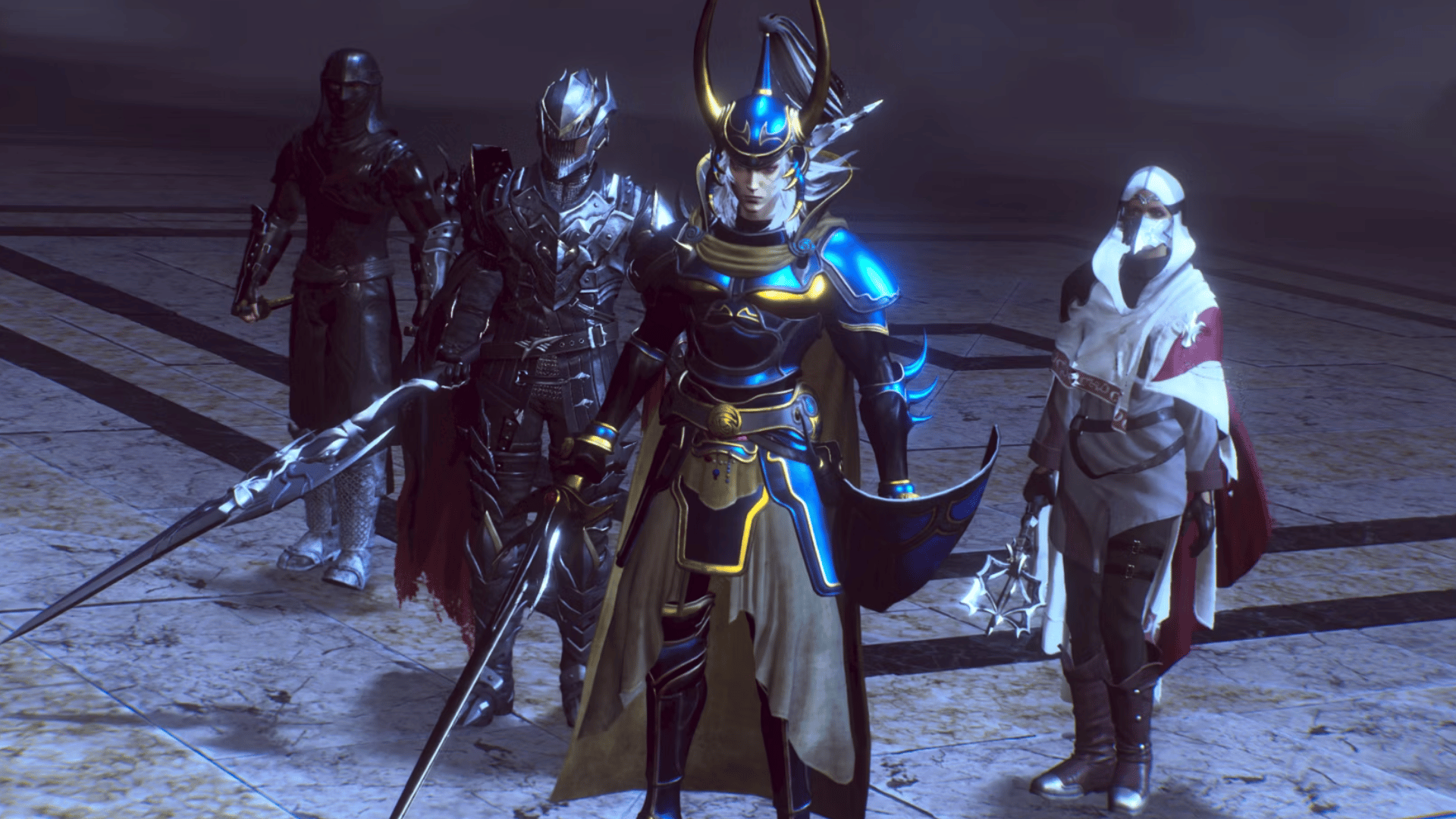
Square Enix has released the Stranger of Paradise Final Fantasy Origin update 1.12 (PS5 version 1.102), which appears to be focusing on some bug fixes. Read on for the official Stranger of Paradise Final Fantasy Origin August 1 patch notes.
Stranger of Paradise Final Fantasy Origin Update 1.12 Patch Notes | Stranger of Paradise Final Fantasy Origin Update 1.102 Patch Notes | Stranger of Paradise Final Fantasy Origin August 1 Patch Notes:
Update: Here are the official patch notes via Square Enix!
▼Epic Games Store版
【Function addition】
– Added DLSS settings
You can set it from within the options menu.
▼Common to all platforms
【Function addition】
・A function has been added that allows you to use Anima Fragments and Anima Crystals from your ally’s Battle Settings.
With this, you will be able to arbitrarily raise the job level of your allies.
【Bug fixes】
・Fixed a bug that caused the game to stop when the cursor was moved downward on the room list display screen of room matching.
・Fixed a bug where the follow-up attack from Soul Shield did not succeed in the tutorial.
-Fixed an issue where the chain could not be canceled after using some enemy skills.
・Fixed the following bugs in the job-specific action “End of Light” of the class change job “Warrior of Demise”.
-Fixed a bug where End of Light’s follow-up attack was judged as a normal attack.
-Bug where End of Light’s follow-up attack continues.
・Fixed an issue where the command abilities “Blood Mark” and “Holy Mark” would disappear without any effect.
・Fixed a bug where the time to extend status ailments other than paralysis was too long with the command ability “Cursed Art”.
・Fixed an issue in which the class change effect of “King of the King” and “Gladiator” did not trigger the combo ability effect of Just Guard derived attacks after hitting a job-specific action.
-Fixed a bug where job aptitude bonuses and some effects that affect command abilities were occurring in job actions.
・Fixed a bug in multiplayer where job aptitude effects that occur due to status ailments such as “Red Mage” and “Jiraiya” rarely occur.
・Fixed a bug where the effect of the job aptitude bonus “Divine Punishment” of “Warrior of Reincarnation” was not applied to Chaos Bringer.
・Fixed an issue where the companion NPC Jed’s job would become stuck when set to “Ninja” and resonated.
・Fixed an issue where poison damage increased on some enemies.
・Fixed a bug where some bosses, such as the boss “Tiamat” and the boss “Dragon Zombie” whose parts can be destroyed, would continue to hit continuously when their parts were destroyed.
・Fixed a bug where the accumulated value of the magic “Stun” and “Poison” did not enter the boss “Dragon King of the Beginning”
・Other minor bugs fixed
As of right now, Square Enix has yet to release any official patch notes for this new update, though according to the PS4 history log this update addresses “various” bug fixes. It is likely related to some of the bugs introduced with the Trials of the Dragon King DLC, as well as improved performance and stability. Hopefully Square Enix publishes the full list of changes. We’ll be sure to keep this post updated once they do, so stay tuned!
In the meantime, in case you missed it, check out the changes and new content in the Trials of the Dragon King update released last month right here.
A gamer at heart, James has been working for MP1st for the last decade to do exactly what he loves, writing about video games and having fun doing it. Growing up in the 90's gaming has been in his DNA since the days of NES. One day he hopes to develop his own game.
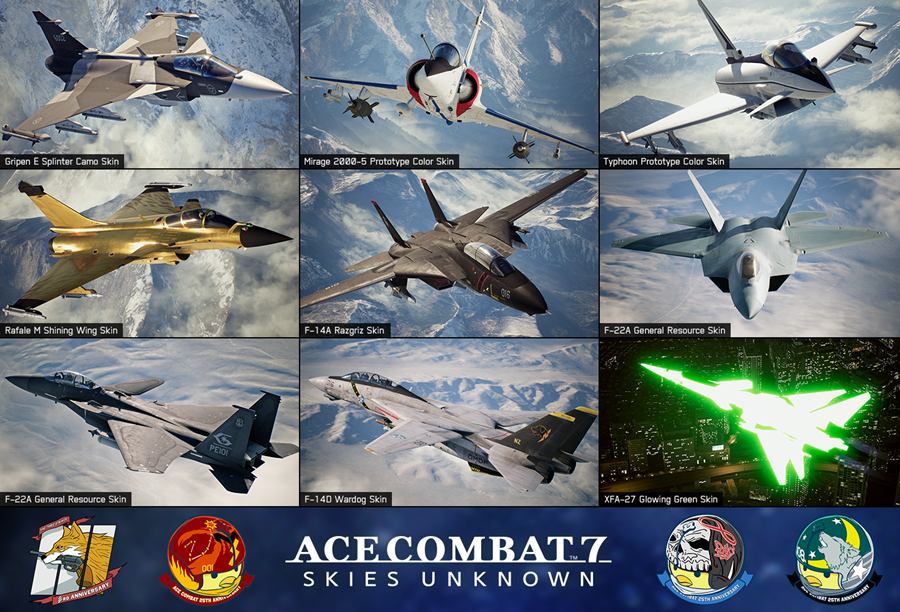
Bandai Namco has deployed Ace Combat 7 update 2.20, adding a bunch of new skins, and more anniversary content! Here’s everything packed in the August 1 Ace Combat 7 update.
Update: Added trailer, images and other details straight from Bandai Namco!
Here’s what’s new per the PS4’s update history:
Added 14 new skins, 17 new emblems, and 1 new nickname. Skins, emblems, and nicknames can be viewed by choosing “Select a Skin,” “Select an Emblem,” and “Select a Nickname,” respectively. Note: Skins and emblems can only be changed in campaign mode after completing campaign mode once. Nicknames cannot be changed in campaign mode. In multiplayer mode, skins, emblems, and nicknames can be changed from the beginning.
14 New Skins
F-14A Tomcat Wardog Skin
F-14A Tomcat Razgriz Skin
F-14D Super Tomcat Wardog Skin
F-15 S/MTD Dision Skin
F-22A Raptor General Resource Skin
F-22A Raptor Dision Skin
Gripen E Splinter Camo Skin
Mirage 2000-5 Prototype Color Skin
MiG-29A Fulcrum UPEO Skin
Rafale M Shining Wing Skin
Su-37 Terminator UPEO Skin
Su-47 Berkut UPEO Skin
Su-47 Berkut UPEO Skin
Typhoon Prototype Color Skin
XFA-27 Glowing Green Skin
● 1 call sign: PHOENIX
● 17 emblems
● 1 type of ACE COMBAT 7 3rd Anniversary Emblem
● 3 types of Nuggets emblems
– 25th Anniversary Nugget -Antares-
– 25th Anniversary Nugget -Warwolf-
– 25th Anniversary Nugget -Reaper-
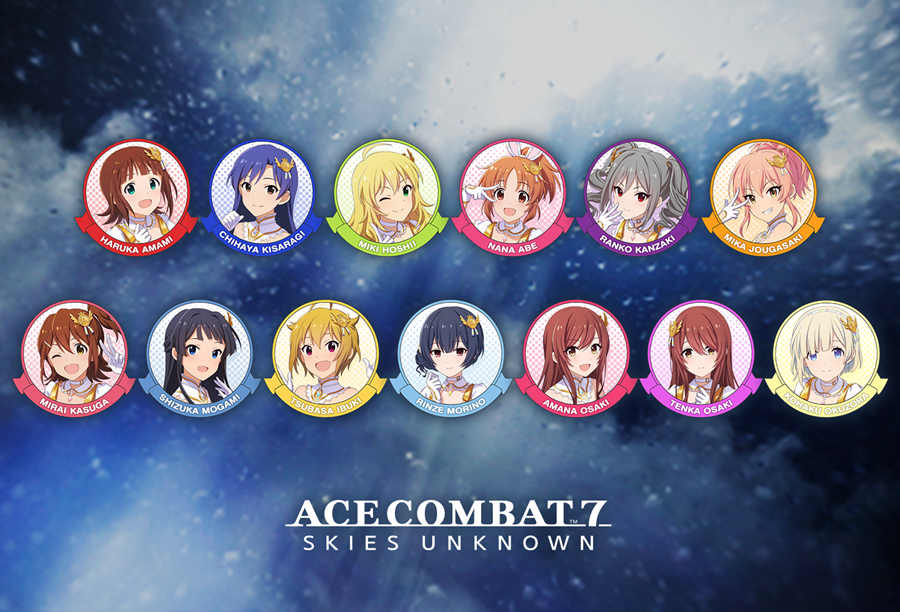
● 13 types of THE IDOLM@STER STARLIT SEASON Collaboration emblems
– THE IDOLM@STER STARLIT SEASON: HARUKA AMAMI
– THE IDOL@MASTER STARLIT SEASON: CHIHAYA KISARAGI
– THE IDOL@MASTER STARLIT SEASON: MIKI HOSHII
– THE IDOL@MASTER STARLIT SEASON: NANA ABE
– THE IDOL@MASTER STARLIT SEASON: RANKO KANZAKI
– THE IDOL@MASTER STARLIT SEASON: MIKA JOUGASAKI
– THE IDOL@MASTER STARLIT SEASON: MIRAI KASUGA
– THE IDOL@MASTER STARLIT SEASON: SHIZUKA MOGAMI
– THE IDOL@MASTER STARLIT SEASON: TSUBASA IBUKI
– THE IDOL@MASTER STARLIT SEASON: RINZE MORINO
– THE IDOL@MASTER STARLIT SEASON: AMANA OSAKI
– THE IDOL@MASTER STARLIT SEASON: TENKA OSAKI
– THE IDOL@MASTER STARLIT SEASON: KOHAKU OKUZORA
The following adjustments were made.
Miscellaneous text updates.
Updated the skin design of some aircraft.
Fixed other minor issues.
About「THE IDOLM@STER STARLIT SEASON」
The four brands of the “THE IDOLM@STER” series have come together to bring excitement to the world of idols.
The biggest festival of the “THE IDOLM@STER” series has started
The player is a producer belonging to the entertainment production company 765 Productions. The story begins when he returns to Japan after completing his overseas training. After meeting the president again, he tells you that he would like to have a “special unit of idols from multiple offices” to participate in the new major idol event “STARLIT SEASON “.
The president has already contacted each of the offices, and as soon as he returns home, he is appointed as the producer in charge of the special unit…
Talk about a surprise drop right? Now go out there pilots, and enjoy the new free Ace Combat 7 content!
Update: Added trailer, images and other details via the press release.
A gamer at heart, James has been working for MP1st for the last decade to do exactly what he loves, writing about video games and having fun doing it. Growing up in the 90's gaming has been in his DNA since the days of NES. One day he hopes to develop his own game.
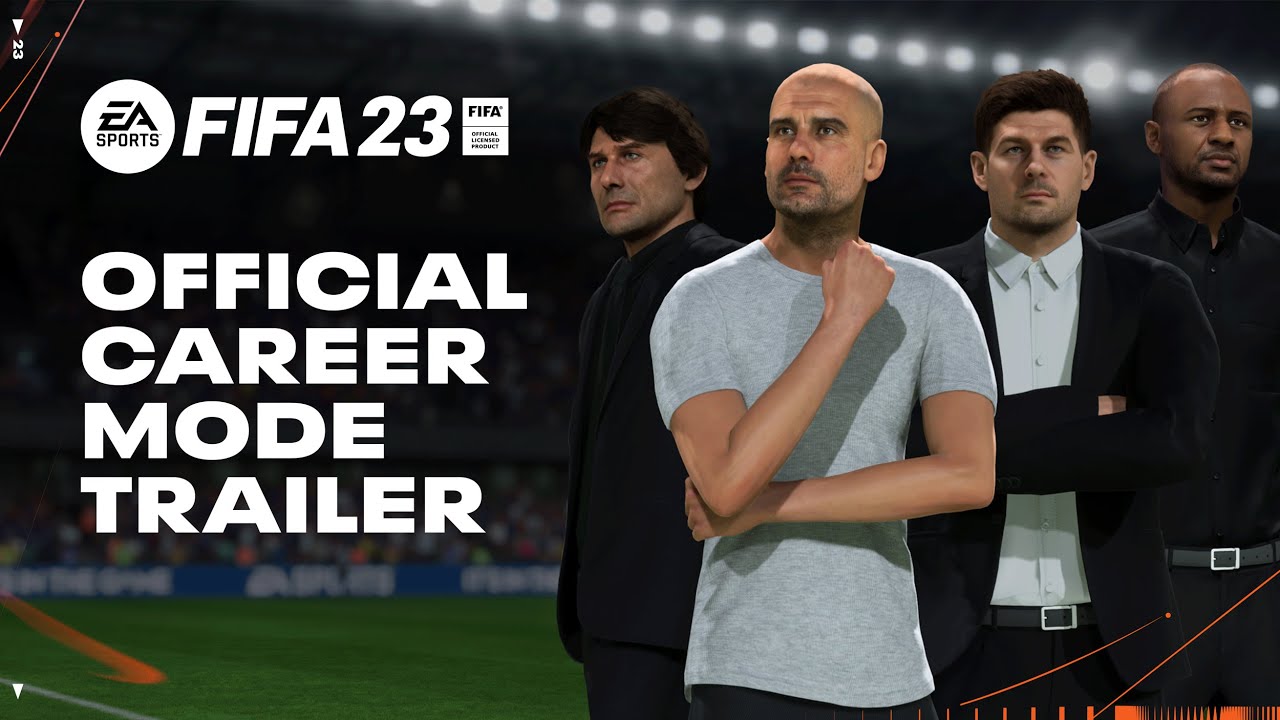
EA Sports has just released the latest FIFA 23 Career Mode Deep Dive Trailer. The new trailer unveils new features including real manager careers, playable highlights, and more.
The video features AI tactics, the new menu, playable higlights and more.
The new player mode will now allow players to choose between different personality types. The three types are Maverick, Virtuoso, and Heartbeat. Each one will offer the player different attributes and perk trees.
The new FIFA 23 career mode will also allow players to play as a particular real-life team manager of their choosing instead of having to create their own custom manager. It will also let players play the critical highlights of the match instead of having to play entire matches.
FIFA 23 is officially releasing on September 30, 2022 for the Xbox Series X/S, Xbox One, PS4, PS5, Google Stadia, and PC via Steam. The game is also releasing three days early on September 27, for those who order the Ultimate Edition.
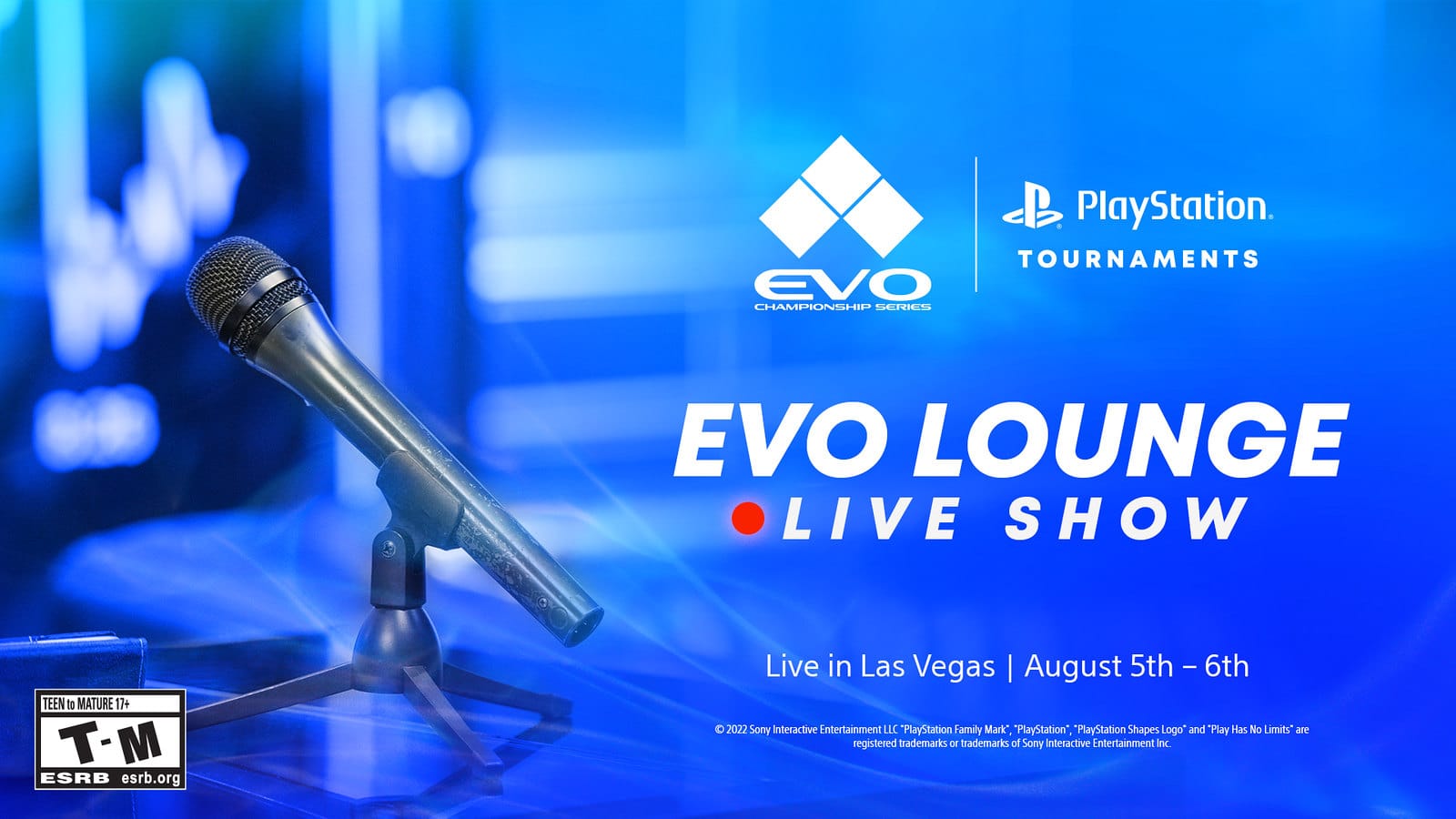
After a long hiatus due to the COVID-19 pandemic, the Evo Championship Series (Evo) is back this year! Kicking off this August 5 and running until Aug. 7, this marks the event’s 20th anniversary! If you’re not someone who likes watching skilled fighting game players at work, then you’ll still want to tune in to Sony’s Evo Lounge live show, as there will be reveals confirmed!
According to Sony, the Evo Lounge will feature “top-shelf curated show coverage, bracket updates, interviews with players, and exciting content and reveals from developers and publishers.” Confirmed video game companies attending the show are Arc System Works, Warner Bros. Games (parent company of Mortal Kombat studio NetherRealm), Capcom, SNK, and Bandai Namco. It’s the who’s who of the video game fighting game world, in short.
Viewers and attendees will be treated to “a few sneak peeks of what’s ahead” as well, so there’s bound to be a new character reveal, perhaps a new Mortal Kombat announcement? I wouldn’t bet against that. Gamers can watch the PlayStation Evo Lounge live show via Twitch.tv/PlayStation and/or YouTube.com/PlayStation.
Aside from the promised reveals, here are the following titles that will be part of the competition:
Street Fighter V: Champion Edition
Guilty Gear -Strive-
Mortal Kombat 11 Ultimate
Tekken 7
The King of Fighters XV
Melty Blood: Type Lumina
Dragonball FighterZ
Granblue Fantasy: Versus
Skullgirls: 2nd Encore
If you want to see the action unfold with top tier players, you’ll be able to watch it on the official n YouTube and Twitch channels of the tournament.
MP1st will be on hand to report on the latest developments from the show, so stay tuned for our coverage.
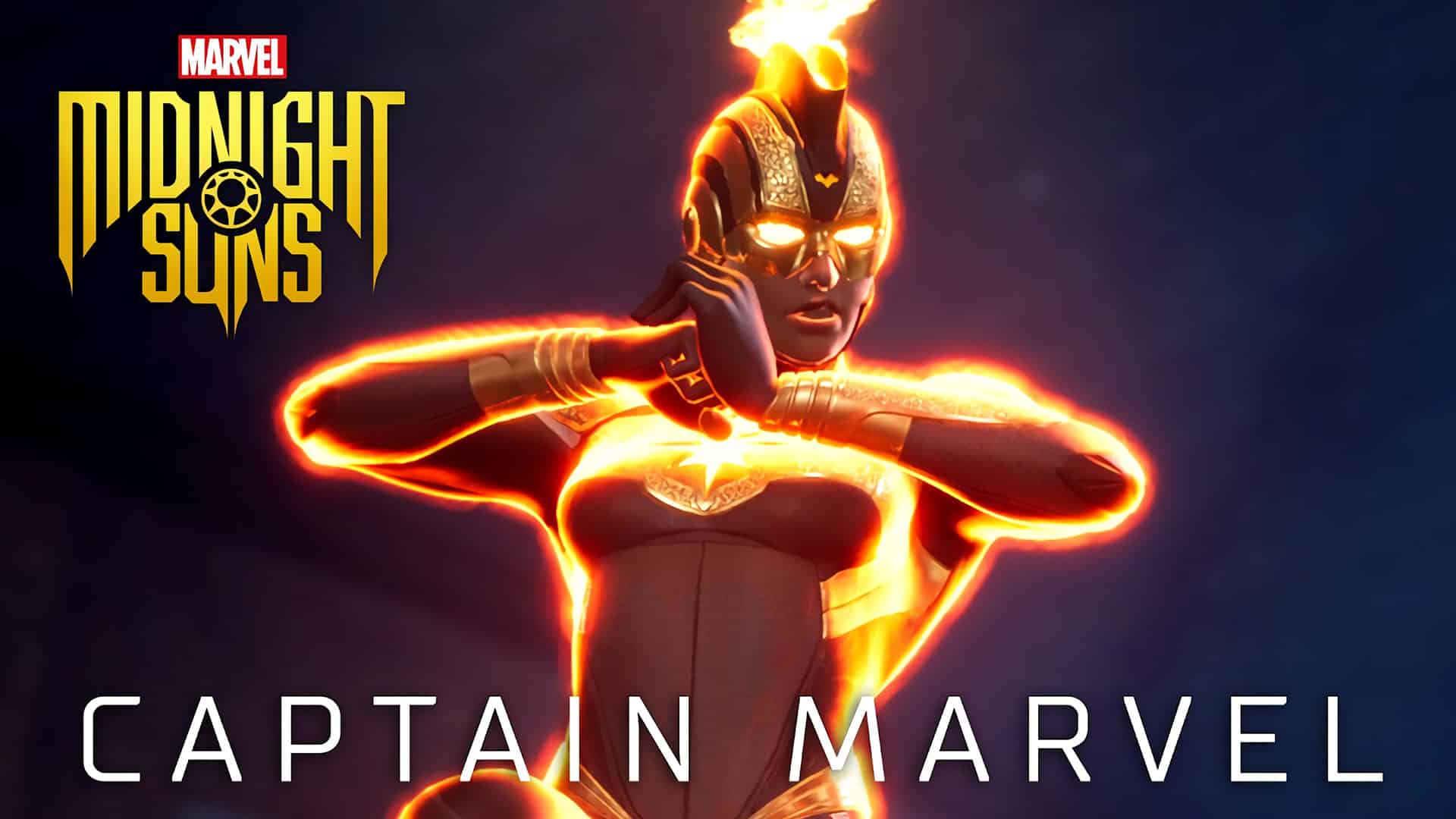
2K Games and Firaxis Games have finally revealed the new Marvel’s Midnight Suns Captain Marvel gameplay showcase. The new trailer spotlights the character’s gameplay, abilities, and a few voice-over lines.
Although the Midnight Suns Captain Marvel gameplay trailer is brief, it does serve its purpose in properly introducing Captain Marvel to the game’s audience. It also introduces some of her abilities including the Cosmic Champion and the Burning Bruiser.
It is worth noting, that if the studio follows the same pattern of videos, we should expect a deeper dive into Midnight Suns’ Captain Marvel in the next couple of days. Fans should expect a reveal of the character’s card deck and an in-depth explanation of her powers in upcoming trailers.
Marvel’s Midnight Suns is releasing on October 7, 2022, for the Xbox Series X/S, Xbox One, PS4, PS5, and PC. The game is available for pre-order right now on 2K Games’ official website.
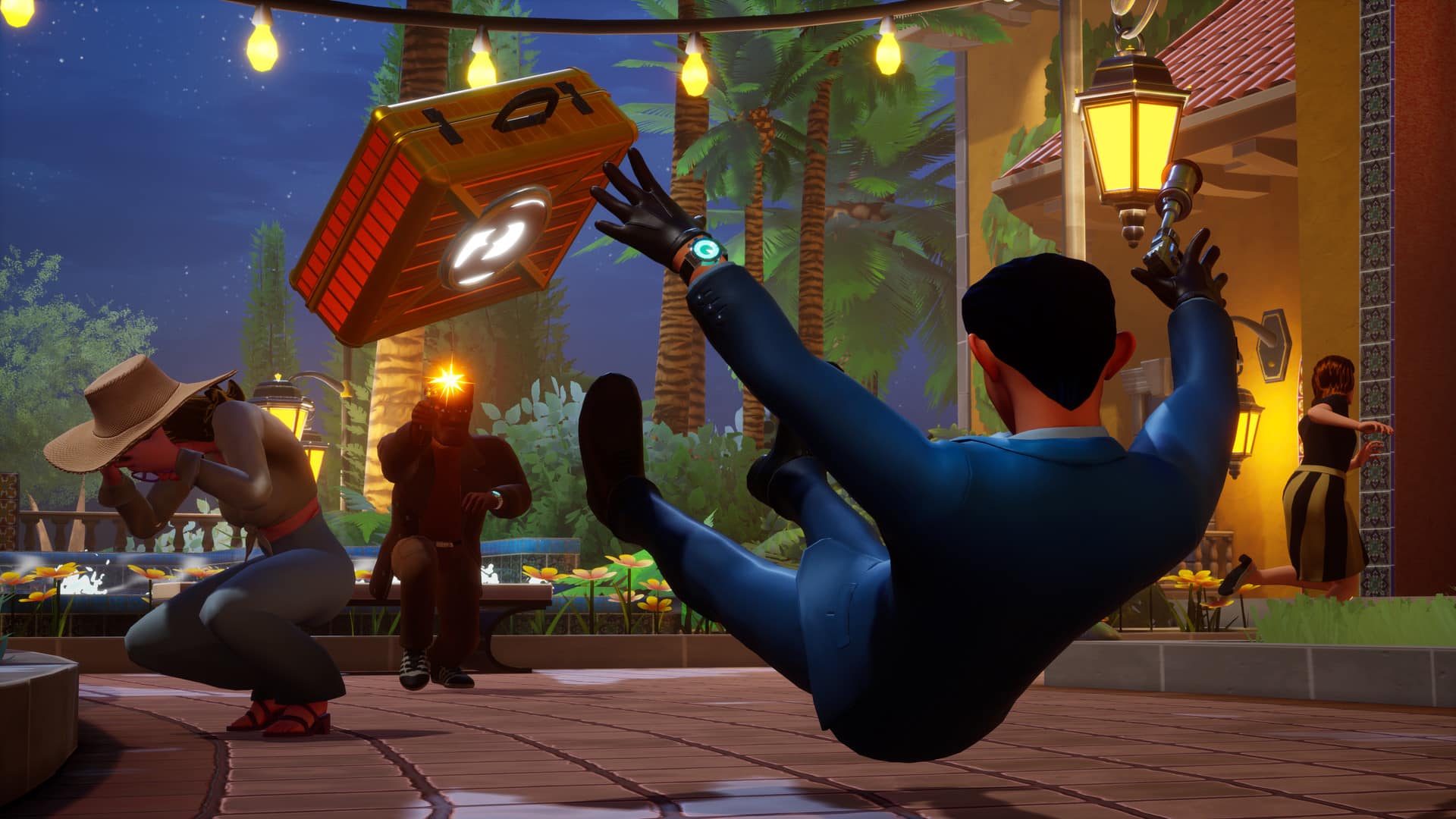
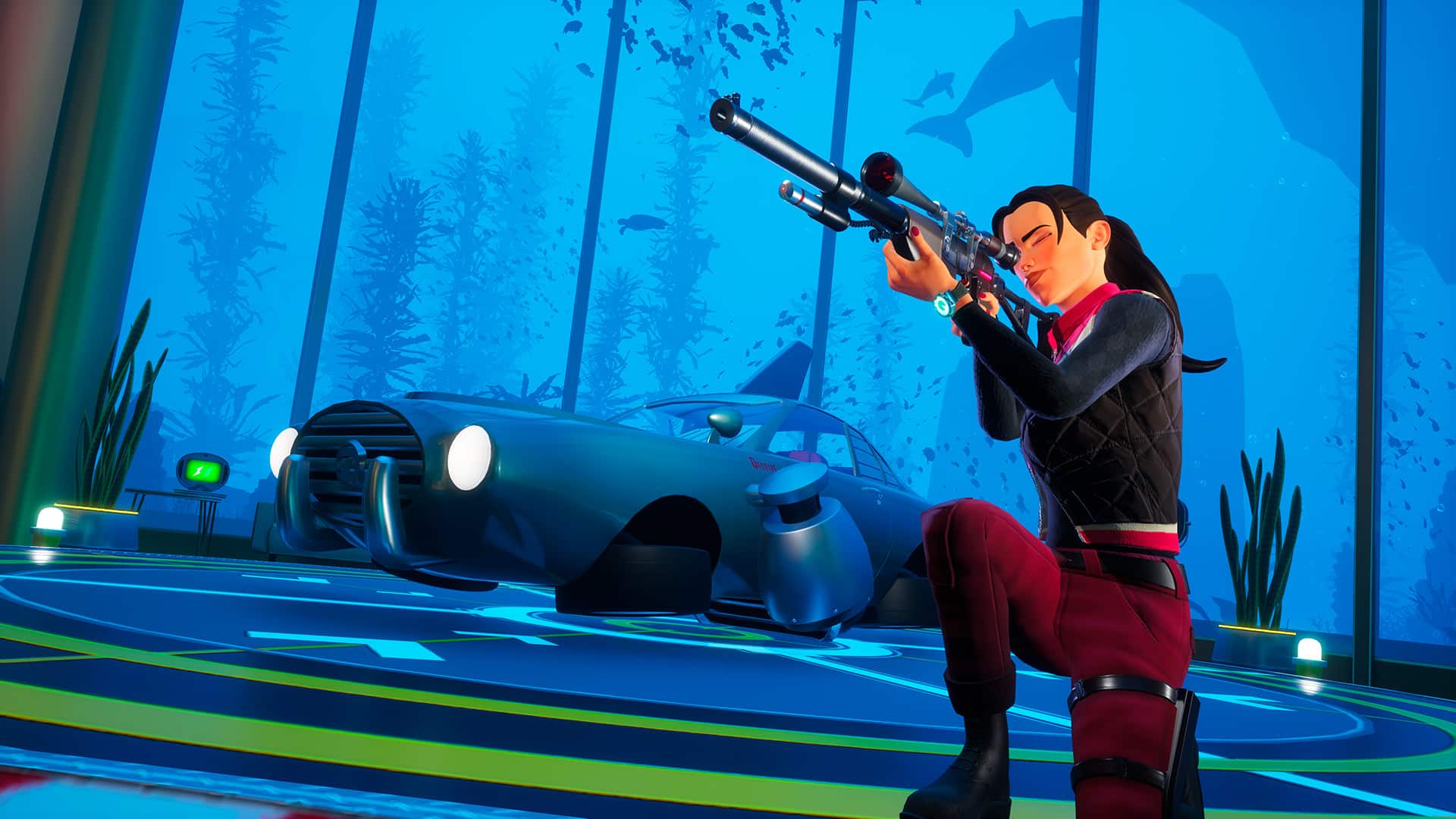
Deceive Inc. is an upcoming subterfuge multiplayer experience where you act as a spy with one goal in mind: to retrieve the golden briefcase and escape alive. You have the option of either doing it alone, or having a team of two other people to help you on your adventure. Intrigued? We certainly were. Thanks to the folks at Tripwire Interactive, we recently had the chance to get some hands-on time with Deceive Inc. Read up on what we thought of this heist-focused game in our preview.
The Basics
The basics of Deceive Inc. is that you can disguise as anyone you see, but make sure to blend in with the crowd to prevent the other players from noticing and ending your spy career quickly. As well, certain rooms will require you to be a certain disguise so as to not raise suspicion by the NPCs in the room.
Each spy character you choose to play has their own unique advantages. From being an easy shot with a pistol, to a slingshot that is more difficult to aim but if the shot lands, it’s an instant knockout. Among the eight different spies you can select from, you can always choose a variety of gadgets such as the following: an inflatable mat which allows you to reach high places, a “holo-mimic” that allows you to clone yourself as any object you see in the room, and there’s even a bulletproof umbrella which does exactly what the name suggests. In the few hours of game time that I had, I was only able to try out a few spies and gadgets. However, this provided a great understanding of each spy character’s unique abilities and weaknesses. It is definitely a game of strategy when picking out the right spy that suits your play style best at to ensure victory.
During the gameplay round, you can collect intel from machines to help speed up your way to cracking open the vault that contains the golden briefcase. As well, looking for key cards to ensure your future intel deposits aren’t wasted. If your disguise is busted by either the NPCs, or the players you are with, you better run before dying. You only have one life in this game. There are also ammo vending machines where you can spend some intel on, I highly recommend stacking up on ammo before reaching the end, as you will need it. Certain rooms also have more than one way of exiting if you are in a tight jam, such as a moving bookcase for example and vents you can traverse through.
So Far, So Good…
Gameplay wise, Deceive Inc. has the basics nailed down even in its alpha version that we tried. Shooting makes sense, the diverse gadgets and movement fit the world’s theme perfectly. The team at Sweet Bandits Studios have done a stellar job at making Deceive Inc. fun but not too hard. Sound design is also top notch, it makes you feel like you are in a classic spy film with only one objective in mind: win by any means necessary. That could mean killing another player in the beginning of the game to eliminate any competition. Once you play a few rounds, you pick up telltale signs on what a player does vs. an NPC.
From what we played so far, Deceive Inc. is a fun, co-operative experience that seems to bring a fresh take on multiplayer games. There’s no release date announced just yet, but it’s one I’m looking forward to, so I can queue up with my friends for some heist-related fun.
MP1st has more information for Deceive Inc. hitting the site, so stay tuned! Deceive Inc, is currently set to release on the Xbox Series S|X, PlayStation 5 and PC sometime in 2023.
While we already know that Call of Duty: Warzone 2 is being developed currently by Activision, the studio reaffirmed that the sequel to the smash hit free-to-play battle royale is still locked in for this year. Not only that, but it’ll be “tightly integrated” with this year’s premium Call of Duty game, Modern Warfare 2.
In the company’s latest quarterly financial report, made a note of the two games’ relationship, and even mentioned that the battle royale sequel will launch as an “extension” of the Modern Warfare universe.
The fourth quarter will usher in a new era for the Call of Duty franchise. Anticipation is high for Call of Duty: Modern Warfare II, planned for release on console and PC on October 28. The sequel to 2019’s Modern Warfare®, the most successful Call of Duty title to date, will lead the most ambitious rollout yet across the franchise. An all-new Call of Duty: Warzone2.0 experience, tightly integrated with the premium game, will launch as an extension of the Modern Warfare universe later this year.
Of course, one can argue that the other Call of Duty games such as Black Ops Cold War and Vanguard were also “tightly integrated” into Warzone. However Infinity Ward and Raven Software ties the two up, let’s hope it lives up to the hype, and is a worthy sequel.
Call of Duty: Modern Warfare 2 is set to launch this October 28 on the PS4, PS5, Xbox One, Xbox Series X|S and PC.
Stay tuned for more Call of Duty news, as the publisher’s earnings call will wrap up today, too.
Behaviour Interactive has just released a Dead by Daylight Developer Update for the month of August 2022. The developer update reveals that the studio is now ready to move on to fine-tune the balance after launching their biggest patch last month.
Dead by Daylight Developer Update for August 2022:
The Dead by Daylight Developer Update reveals that Thanatophobia is getting a rework and will now provide a 1/1.5/2% action speed penalty. Thanatophobia will grant all survivors an additional 12% penalty to their speed if they are all either dying, injured, or hooked.
Mettle of Man will also be activated by taking 2 protection hits. This will grant the Endurance status effect and the player’s aura will be revealed to the killer when they are further than 12/14/16m away.
Other changes include that the Pain Resonance’s generator interruption will also be restored and the Merciless Storm will no longer combo with Pain Resonance. The clown will be available to play once again in 6.1.2 and the Orange Glyphs will be temporarily swapped out.
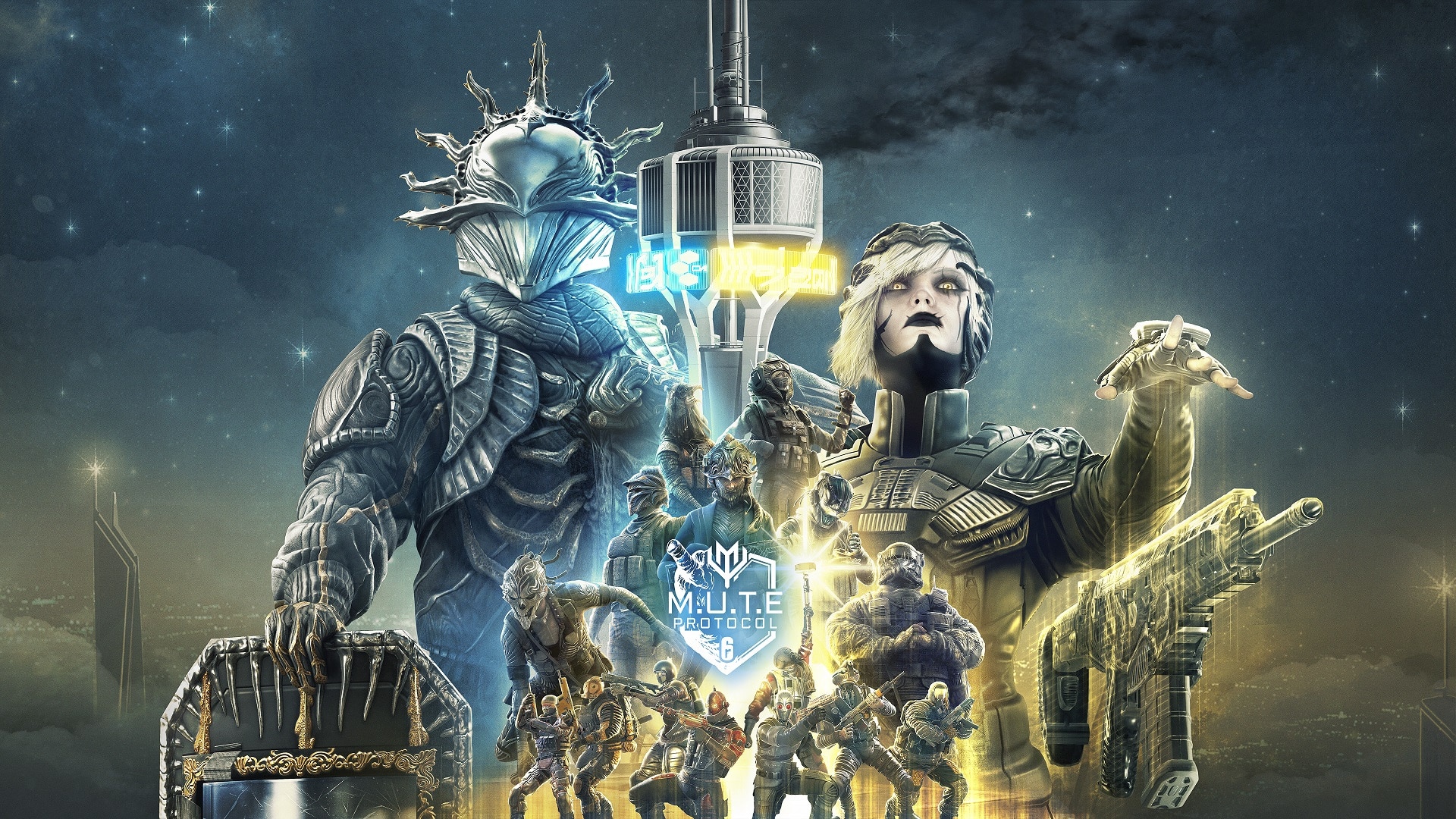
Ubisoft has just released the new Rainbow Six Siege: MUTE Protocol Reloaded gameplay trailer featuring some of the new cosmetic items players will be able to earn starting tomorrow, August 2, when the event kicks off.
From 2nd August to 23rd August, experience a brand-new game mode in a reworked event in Rainbow Six Siege! The new episode of M.U.T.E. Protocol is out with an Arms Race to the Objective! Upgrade your weapon by taking down your opponent, get the Golden Hammer and smash the Brain! Play each week and receive free rewards by completing the weekly challenges!
The new iteration of the event is releasing alongside the time-limited Arms Race mode. Much like CoD’s Gungame, each kill will earn the players a new upgraded weapon, however, with each death, the player will be moved back one level as they respawn. Players will have one main objective, get the Golden Hammer, with which players will be able to remove the Shield and win the entirety of the round.
The new Rainbow Six Siege: MUTE Protocol Reloaded event will also be coming with a new collection of cosmetic items. The new selection will include new uniforms, hats, weapon skins, and Operator card portraits.
Rainbow Six Siege is now available for purchase on Ubisoft’s official website for the Xbox One, Xbox Series X/S, PS4, PS5, Google Stadia, Amazon Luna, and PC.
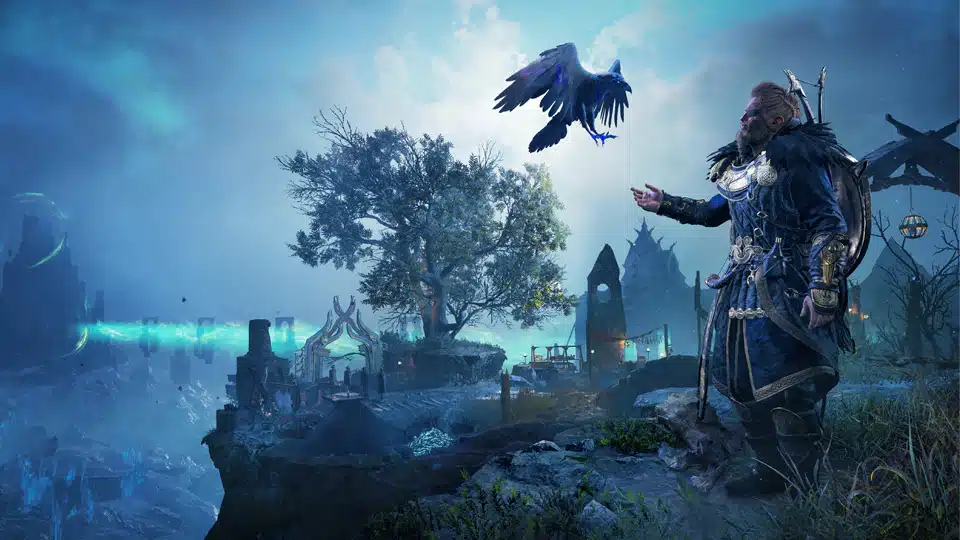
Ubisoft has announced that the next title update for Assassin’s Creed Valhalla is due tomorrow, August 2! Not only that but the company has now pushed out the Assassin’s Creed Valhalla Title Update 1.6.0 patch notes ahead of launch! This brings the new free game mode The Forgotten Saga alongside a new event and more!
Assassin’s Creed Valhalla Title Update 1.6.0 Patch Notes:
NEW CONTENT
New Free Game Mode: The Forgotten Saga
Added the new free game mode to the game.
Plunge into the depths of Niflheim and face overwhelming odds in this exciting, rogue-lite inspired, free game-mode for Assassin’s Creed® Valhalla. Accessible for all players once they have reached Asgard in the main game. This new mode provides a formidable challenge for players with a unique quest to defy fate.
After you’ve visited Asgard for the first time, a new building can be constructed in Ravensthorpe that will provide access to the Forgotten Saga mode. There are no power level requirements to access this content, and the equipment and perks you have unlocked throughout England do not transfer over.
SIGRBLOT FESTIVAL RETURNS!
The Sigrblot Festival has returned to the game.
Sigrblot returns to Ravensthorpe for a limited time. From August 4-25 participate in the festival and exchange opals for exclusive festival rewards. To access the Sigrblot festival players much reach England and complete one of the first two narrative arcs (Grantebridgescire OR Ledecestrescire) and be at least at Settlement Level 2.
BUG FIXES & IMPROVEMENTS
EXPANSION 3: DAWN OF RAGNARÖK
MAIN QUESTS, WORLD EVENTS, AND SIDE ACTIVITIES
Addressed
The movable light beam in Alethorpis stuck, making it impossible to solve the puzzle for the Book of the Knowledge.
Unable to move the stone block to obtain the Dwarven Blacksmith Cloak in Svaldal.
ASSASSIN’S CREED VALHALLA
MAIN QUESTS, WORLD EVENTS, AND SIDE ACTIVITIES
Addressed
Cannot complete the quest Wedding Horns, as Rued spawns in dead.
WORLD
Addressed
Reda only offers one daily contract instead of two.
MASTERY CHALLENGE
Addressed
Anderitum Hideout Raven Challenge: Addressed the persisting issue that prevents the looting of the key from Destroyer if the player has already acquired it without unlocking the door.
MISCELLANEOUS
Addressed
When using Dual Spears the light combo finisher attack doesn’t work as intended.
When using the Algurnir Dane Axe, perks from other Bows and Gear will not activate.
Twilight pack shows as available for purchase when it is owned on Xbox and PC platforms.
Discounts for owning gear from a pack in the animus store isn’t consistent.
The VFX from the Blood Elf Eye-Wrap gear can be seen during some cutscenes.
Selecting “Sell all trinkets” at a store will sell trade goods as well.
UI/HUD
Addressed
Button prompts in pop-up messages in the store do not align correctly with the pop-up box.
Incorrect thumbnail for Edward Kenway’s outfit in the Inventory screen.
Once the patch is out, we’ll be sure to let our readers know.
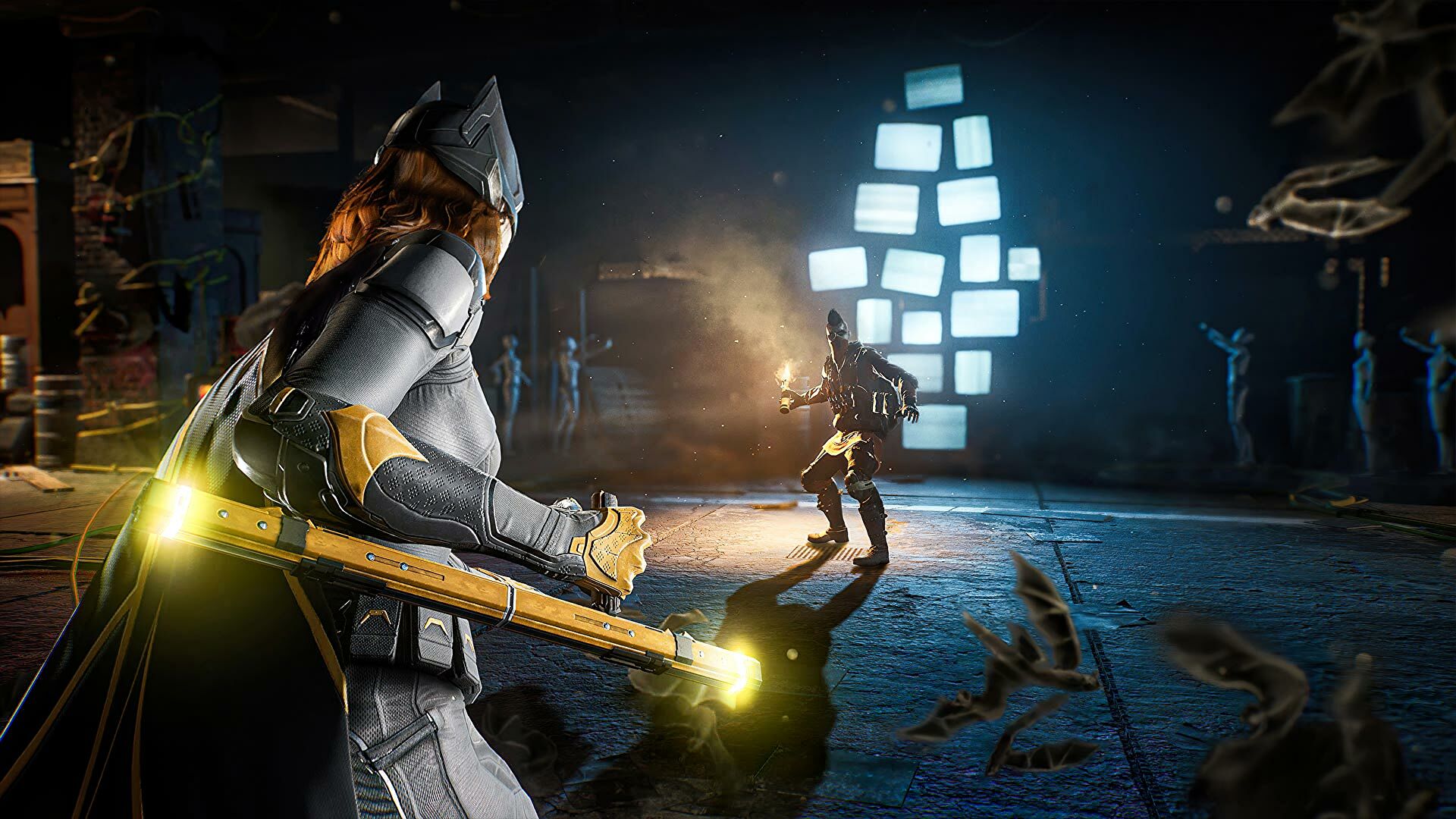
WB Games Montreal has released some Gotham Knights new gameplay, and this one focuses on the game’s first 16 minutes! The new footage reveals the character selection section, the game’s tutorial, and how each character will have unique abilities.
The Gotham Knights intro gameplay first shows off the character selection process and reveals that each character’s unique abilities will influence how each mission can be tackled. The footage also reveals the full first mission which is set to serve as a tutorial. New players will have the chance here to learn the mechanics of the game including combat, stealth, investigation, and exploration.
The trailer offers a closer look at Batgirl, her movement, her voice-over performance, and how she operates in this new game as she investigates a secret laboratory.
Gotham Knights is officially releasing on October 25, 2022, for the PS5, Xbox Series X/S, and PC.
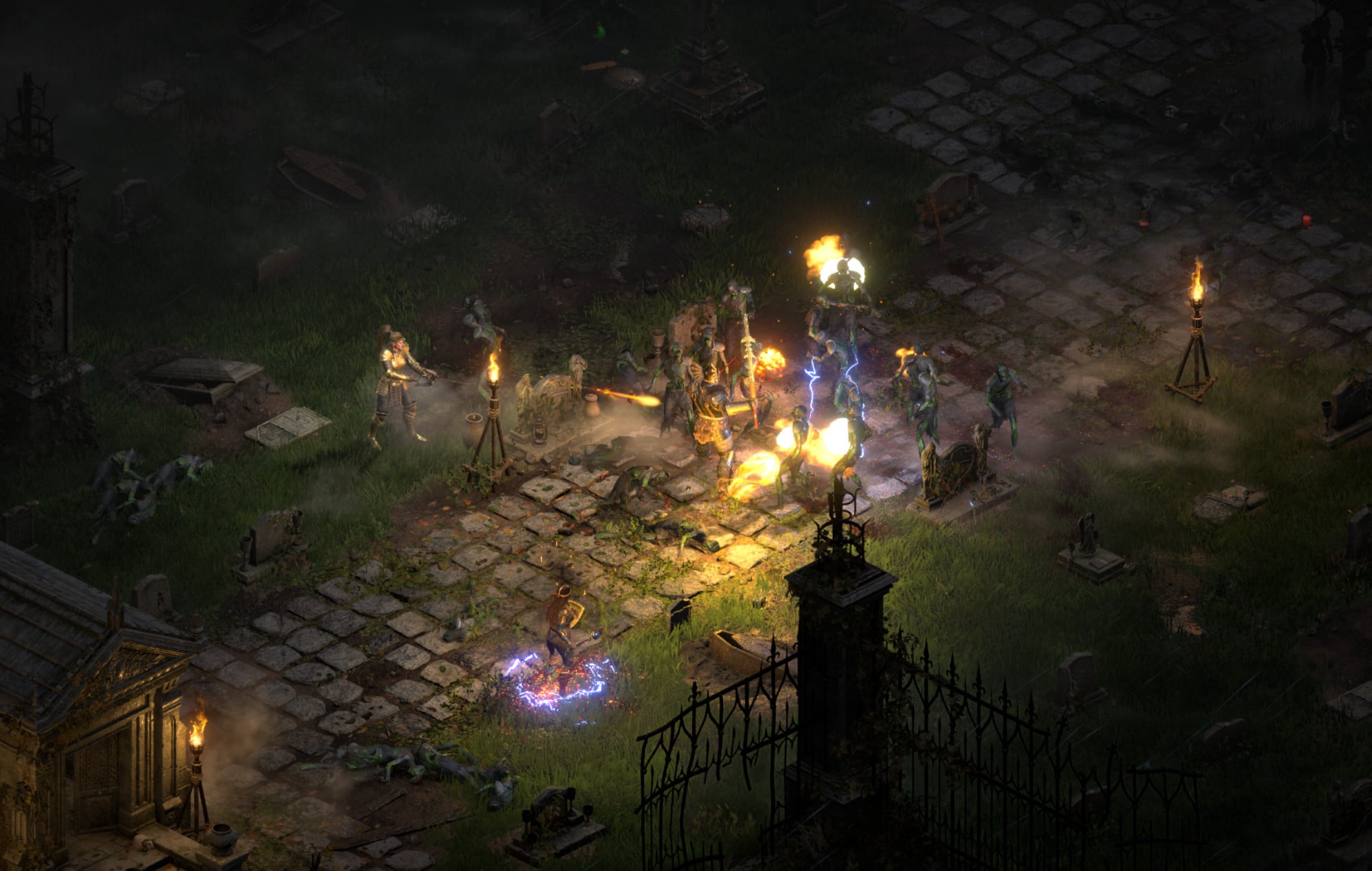
Blizzard Entertainment has pushed out Diablo 2 Resurrected update 1.20 (PS5 version 1.020), which is once again, an unannounced title update! Don’t expect anything big out of it outside of bug fixes, though. Read on for the Diablo 2 Resurrected August 1 patch notes.
Unfortunately, Blizzard Entertainment has not released anything official or even acknowledged today’s patch, which was also the case with the patch released on July 19. The officail Diablo 2 Resurrected forums have also not been updated for quite some time now, and we’re wondering why too.
We’re guessing this update was released to fix minor bugs and other backend improvements, which is par for the course for most games (but that’s just a guess).
We’re checking in on the game’s community (Discord, Reddit, etc) and once we find out any new info, we’ll be sure to update the post accordingly.
If you spot anything that got changed, be it gameplay-related or a technical fix, leave a comment below and let us know. The last significant update released for the game was for patch 2.4.3, which you can read about here.
Starved for more Dying Light 2 content? If so, Techland has your back as the Dying Light 2 next chapter has been announced today! The new season chapter is called “A Huntress and a Hag,” and will be released alongside patch 1.5!
The studio aired a new show featuing a hint of what players can expect from Dying Light 2 chapter 2!
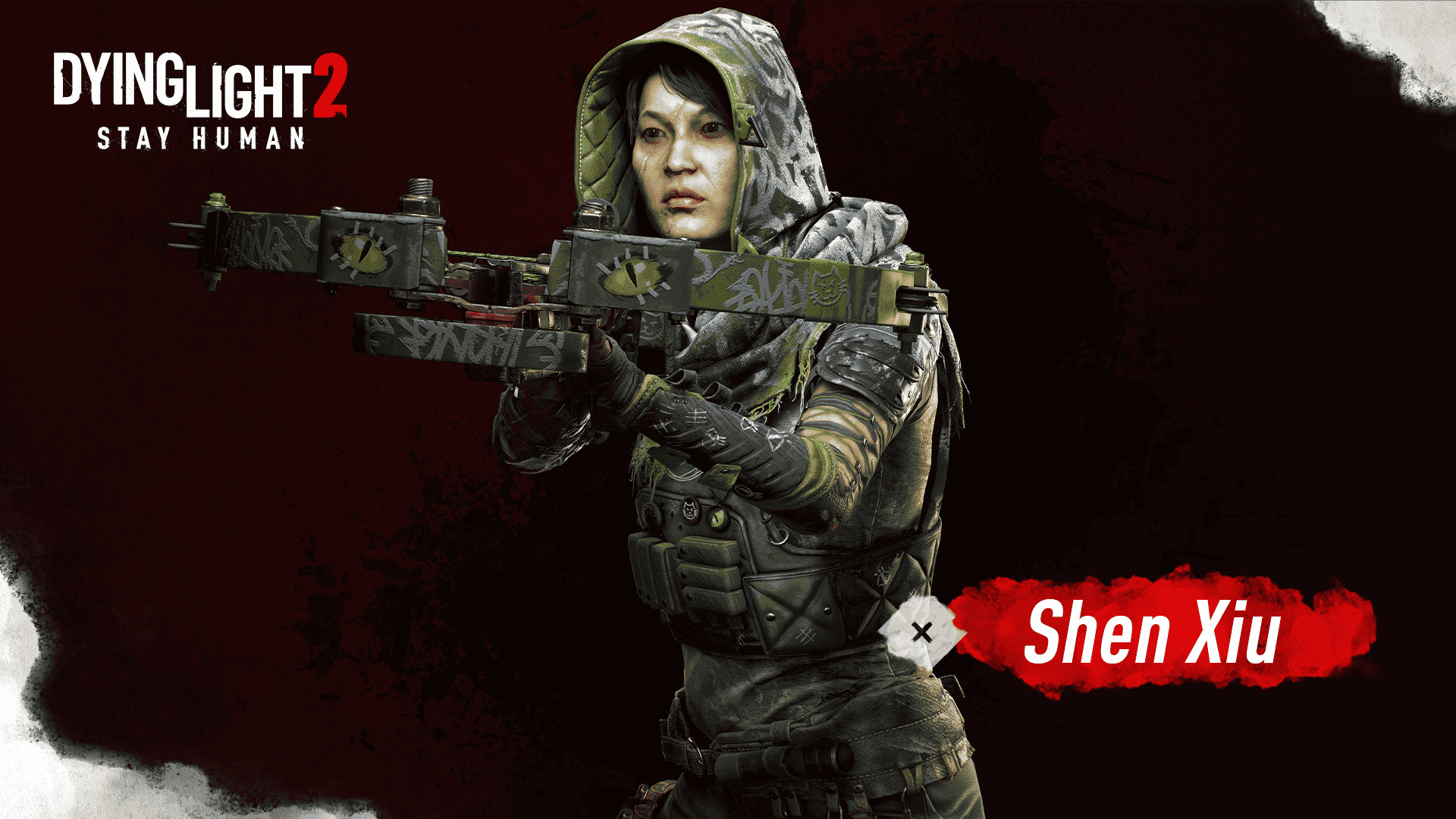
Techland has also revealed Shen Xiu (pictured above), the huntress in the aformentioned second chapter!
“Meet Shen Xiu, AKA The Huntress—our newest Chapter Agent! Who is she? Where does she come from? What is her business in the City? For now, just know this extremely proficient tracker and archery expert has a very special task for Nightrunners. Will you become the hunter… or the prey?”
According to the studio, more details regading new missions, bounties, enemies and weapons in the second chapter will be revealed in the coming weeks! Chances are, we’ll be getting the patch sometime in August. Dying Light 2 players, get ready fore more zombies and monsters to slay soon!
If you still haven’t picked the game up, go check out our review right here where we state, “If you were a fan of the original and have been eagerly anticipating Dying Light 2, it’s an easy day one purchase, and one that delivers on every promise that Techland set for it.?
Tango Gameworks has pushed out Ghostwire Tokyo update 1.005 for new season content and bug fixes! Players can expect the Obon season content added, which will be unlocked later this week! Read on for the full Ghostwire Tokyo August 1 patch notes.
Ghostwire Tokyo Update 1.005 Patch Notes | Ghostwire Tokyo August 1 Patch Notes:
OBON COMMEMORATION – NEW EMOTE AND COSTUME
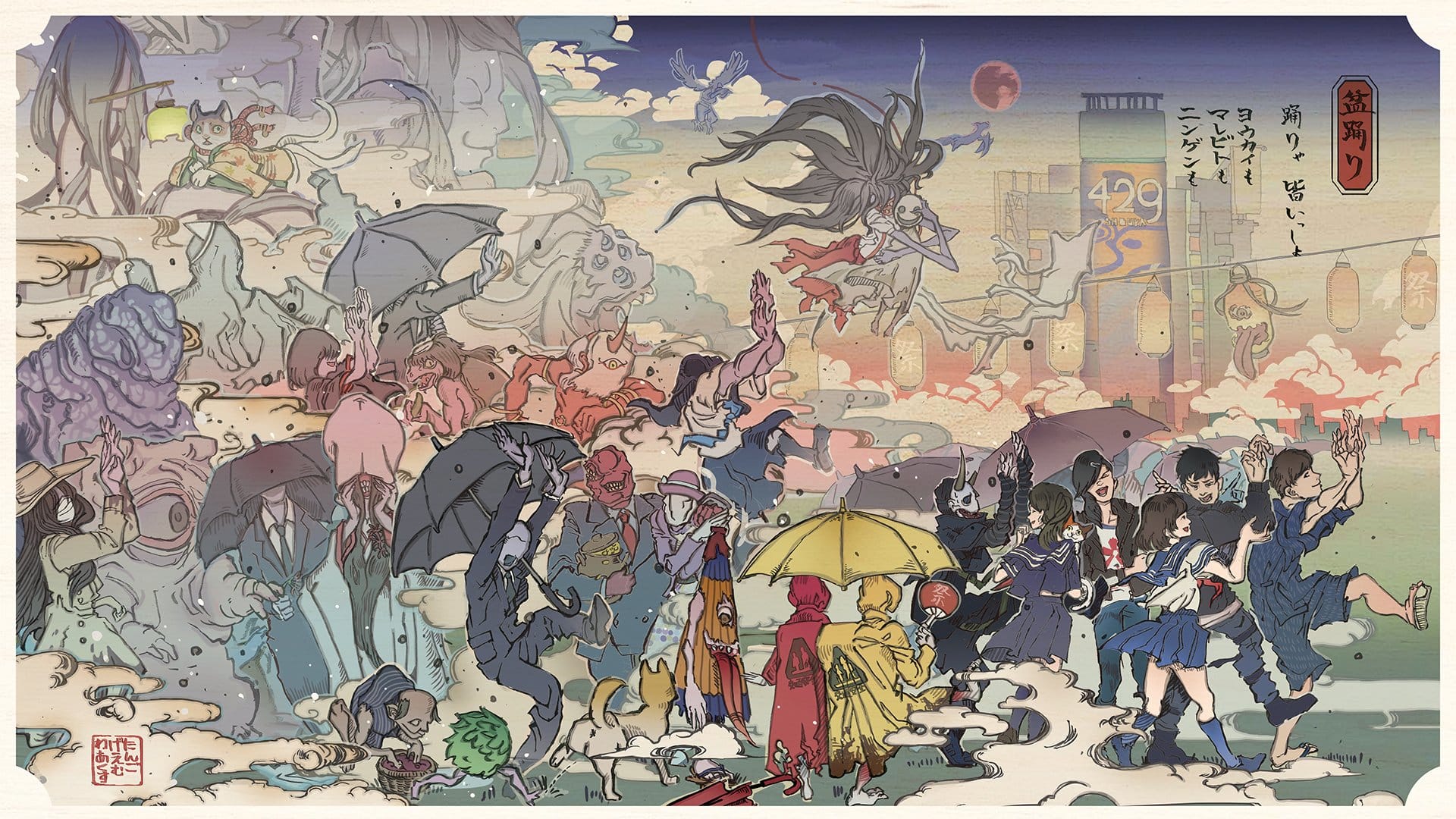
Ghostwire: Tokyo is a game about spirits (vanished presences): rescuing them from evil, honoring them, and acknowledging and accepting their passing. Obon is a time to commemorate one’s ancestors, whose spirits are believed to temporarily return to this world during this time of year.
Obon traditions vary throughout Japan, but the most common are holding summer festivals in school yards or parks, with everyone dancing the Bon Odori together to welcome the spirits of their ancestors. In some areas, an event called “Toro-nagashi” is also held, in which lanterns are floated down a river or into the sea to mourn the souls of the departed. Areas inspired by the event are featured in the game, and the Tokyo Bon dance is available as an emote in Photo Mode.
On Wednesday, August 3 at 11 AM ET / 3 PM UTC (August 4, 12 AM JST), an all-new festive Obon costume and new Photo Mode emote will automatically unlock for all players:
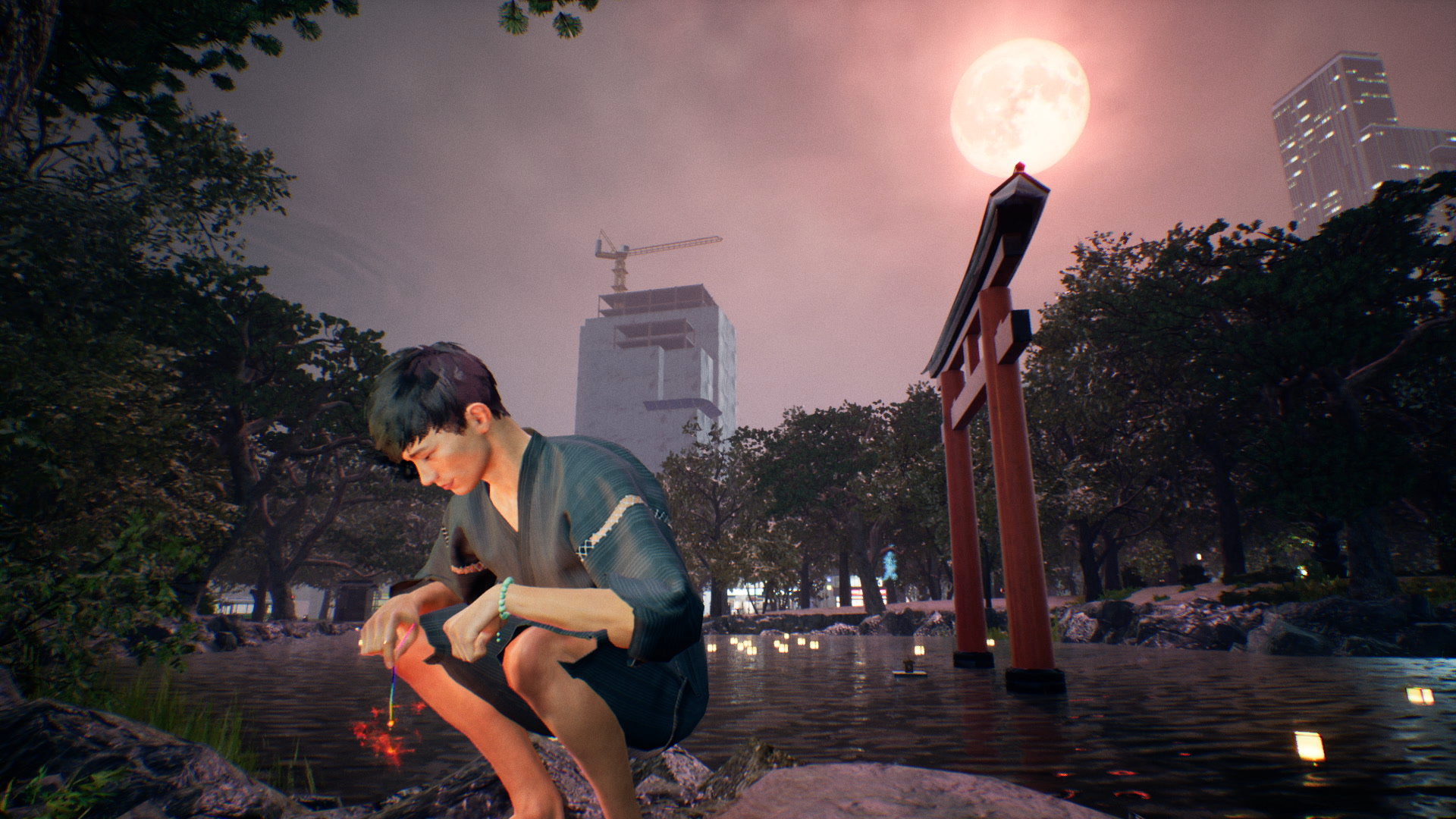
Jinbei Costume: A casual Kimono-style jacket and short pants, this outfit is perfect whether you’re enjoying a summer festival, or sitting on the porch eating watermelon.
Japanese Sparklers Emote: It isn’t a festival without fireworks! With this new emote, Akito crouches down and enjoys the sparkle of a senko hanabi. (Hanabi literally means, “fire flower.”)
BUG FIXES:
All Platforms – Adjusted Gliding Behavior – Adjusted effects – Adjusted emote volume – Changed acquisition flow for Bethesda.net login bonuses – Fixed progression issue during “Hide and Seek 3” side mission – Fixed crash issue when changing settings
PlayStation 5 Fixes – Fixed crash issue during Hyakki Yako
DICE has announced that the next patch for Battlefield 2042 is due tomorrow, August 2! This will be called update 1.2, and brings map changes, the promised Player Profile and stats page, and the promised aim assist fix for controllers! Read on for the full Battlefield 2042 next update 1.2 patch notes!
Battlefield 2042 Next Update 1.2 Patch Notes:
What’s new?
This update includes not only new bug fixes, balance changes and Quality of Life improvements, but also the first of our planned launch map reworks, alongside the initial Style and Tone changes for some of our Specialists:
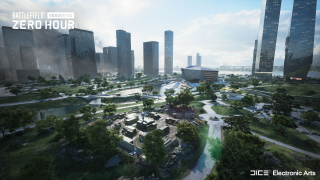
Kaleidoscope has been reworked to offer an improved gameplay flow through new cover assets, flag positions, terrain elevations and visual updates to several locations on the map
We are introducing the first Style and Tone change for our Specialists, which includes several updated character models
The power of the RAH-68 Huron and YG-99 Hannibal 30mm Cannon has been reduced by making it overheat at a much faster rate. This will help to limit their impact on infantry and bring it more inline with our balance
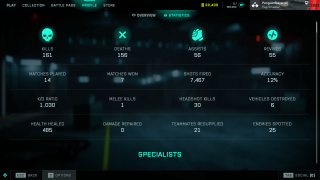
A Player Profile and Statistics page is now available in-game. It provides an overview of your performance and progression since launch
Aim Assist on Controllers has been adjusted to ensure it feels smoother and more consistent while tracking moving targets
The BSV-M Full Auto mode now receives an accuracy penalty, and High Power rounds now lose damage faster over distance
Content & Improvements
Kaleidoscope – Map Improvement
Earlier this year we had an open discussion with you on map design via our Core Feedback – Maps initiative. Through your feedback, we identified several focus areas for our launch maps where our quality standards could be improved through Cover, Intensity, Line of Sight, Pathing and Traversal changes. As a result, we have been reworking our launch maps to ensure their gameplay is updated to these revised standards of quality.
Reworking maps takes time, and Kaleidoscope is the first map for which we have completed this rework. You can play the improved version in this game update.
What’s changed?
We have revised the playspace to add more cover, creating new flag positions, and improved the flow across the whole map.
Cover has been added not only with the placement of new assets, but also in the raising of terrain to help break sightlines and let infantry move more purposefully around the map. Most importantly, these new assets bring more tactical destruction which help to ensure that the map evolves throughout the duration of each round, and provide both Attackers and Defenders with new options when playing in key areas.
We have also introduced new areas onto the map, by adding a Forward Operating Base into the park, with a second command post added close to the Tower. The Data Center has similarly received multiple passes from the teams to help ensure that there are more cover points, and new war torn looks to certain areas that help make the map more faithful to 2042’s setting.
We hope you will enjoy the new gameplay on this map, and we are looking forward to your feedback on how this updated version plays once you have tried it out.
As a reminder, Renewal is the next map we are reworking. That work is still ongoing, and the revised version will be available for play during Season 2.
Specialists – Style and Tone Updates
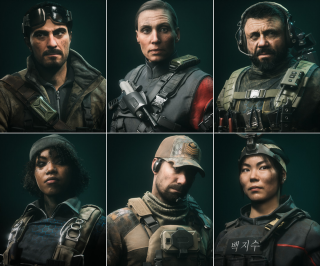
In this update, we are revising our art direction to ensure Specialists meet your Style and Tone expectations for our world of 2042. You will notice updated Specialist character models to better reflect the intense situations they have experienced.
Here are several examples of those updated models. We would love to hear your thoughts on the new Specialist looks once you have seen them in-game.
Player Profile
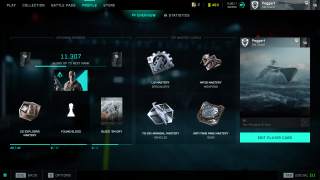
Another area of feedback we have heard from you is being able to view your in-game performance and stats. This feature will be in your hands in Update 1.2 through the introduction of the Player Profile.
Your Profile shows your current in-game progress and your performance stats since launch. View information such as your current Rank, XP required towards the next Rank and the associated unlocks, your top Masteries and the unlocks you are next closest to completing.
While on the Statistics screen, you can check out information such as your K/D Ratio, kills, deaths, assists, revives, accuracy, shots fired and much more.
We are excited for you to discover how you have been performing once the Player Profile is in your hands. And of course, we are looking forward to seeing those impressive K/D ratio screenshots coming our way.
Changelog
General
Fixed an issue with Aim Assist that prevented Auto Tracking from working as intended for moving targets
A scroll menu has been added while viewing weapon attachments
Previewing skins while in a game will no longer show character feet clipping into the ground
Text in the Collection screen identifying Ranger’s category is now easier to read
The Hide UI button in the Battle Pass screen no longer hides Player Card backgrounds or Tags
Battlefield Portal
Rush – corresponding era-specific MCOM’s have been added for all maps. The Bad Company 2 version also received visual improvements from its original look and feel
Fixed an issue where AI Soldiers driving tanks wouldn’t move in the El Alamein: Axis Airfield map layout
Modifiers
Dozer will no longer regenerate explosive damage even when Soldier Health Regeneration is On
The call-in Vehicle Cooldown modifier now affects the window of time when a vehicle is destroyed and when it’s available for use again
The call-in tablet now correctly displays when vehicles are unavailable due to limits being reached
AI Soldiers are now able to fly planes
Vehicle Superiority will now respect the ticket multiplier modifier
Vehicle Superiority ticket progress bar will now update based on max tickets remaining
A new separate Modifier has been added for enabling AI passenger seats
Rules Editor
Quad Bike vehicles placed in the map now respond to ModBuilder Blocks
Resolved a Rules Editor teleporting issue on Exposure
The “Equals” Rules Editor block now supports Capture Point type
Disabled Capture Points will no longer impact the game, such as still having ticket bleed
Teleport now works in vehicle superiority game modes
Several new Rules Editor blocks have been added
GetPreviousOwnerTeamId
GetOwnerProgressTeamId
GetCurrentOwnerTeamId
GetCaptureProgress
OnCaptured:CapturePoint
OnCapturing:CapturePoint
OnLost:CapturePoint
Gadgets
Picking up Ammo Pouches should now always register when collecting them in quick succession
An incorrect status is no longer displayed while using insta-lock projectiles such as Sundance’s Anti-Armor grenade
Fixed an issue where the player could use both IBA Armor Plates consecutively after placing Boris’s SG-36 Sentry Gun or Irish’s DCS Deployable Cover
Anti-Tank Mine
The handle of the Anti-Tank Mine no longer floats while held when changing to it from the NTW-50
C5
C5 no longer gets attached to the MV38-Condor when thrown from the passenger seat
Insertion Beacon
The Insertion Beacon health bar and icon should now not be offset when it’s placed on uneven terrain
Repair Tool
The Repair Tool now starts cooling down immediately when stopping a repair
There is no longer an incorrect delay before the overheat progress starts
Smoke Grenade Launcher
The Smoke Grenade Launcher now shows the correct category tag in the Battle Pass
Hazard Zone
There is now a chance for a powerful AI Tank to appear which guards a significant number of Data Drives. It’s marked on the map, so it’s up to you if you want to try and get the sweet loot…
In-world icons have been adjusted to make it easier to read how many Data Drives are at each location
You are now able to pick up Gadgets dropped by Players and AI Soldiers
An issue has been resolved that prevented Ranger and vehicle call-in items from being used after picking up the required Uplink
Soldier
Auto deploying a parachute should no longer deploy too late or cause fall damage
The camera will no longer clip in transition from 1P to 3P view while performing a takedown
Soldiers sometimes did not drop their weapons when dying in a vehicle. This has been resolved
Made changes to areas where explosion damage would still reach out of range soldiers
Fixed an issue where melee attacks could cause physical issues on transition areas such as slopes
Fixed as bug where reviving and trying to melee didn’t cancel the revive
Soldiers no longer clip into each other during takedown animations
Fixed an issue where downed animations were not played correctly if the player died before others players spawned in
Fixed an issue reviving an ally inside the elevator on Renewal wasn’t possible
Added high quality animations for occluded soldier kill cams
Spawning on a player that is prone will ensure you are now also in prone stance
Prone behavior on steep slopes has been improved which should prevent instances of inaccurate dispersion while firing
You are now able to go prone while walking backwards
Player models would sometimes stick through walls while prone, which allowed them to be damaged. This should no longer happen
Stairs or slopes should no longer sometimes show vaulting animations
You should no longer sometimes see a stuttering animation when starting a slide
Visuals for soldiers and vehicles popping into player view after being hidden has been made smoother
Fixed an issue where the forward button had to be held for a short duration to enter ladders
Jumping should no longer get interrupted directly after vaulting
An issue has been resolved that prevented sliding immediately after climbing a ladder
Jumping during a slide should now always trigger correctly
Specialists
Paik
We felt that Paik’s EMG-X Scanner was not consistently worth using as an offensive tool as it caused her to become spotted, and thus vulnerable. We therefore removed this self-spotting effect, and slightly increased the spot duration of scanned enemies to make the Scanner more reliable for use.
Increased the spot duration while using the EMG-X Scanner from 0.5 -> 0.85s
Paik is no longer spotted when using the EMG-X Scanner
Rao
Rao’s Hack effect should no longer last when in the passenger seat of a vehicle
Rao’s hacking animation should no longer sometimes get stuck
Rao’s hacking now properly goes through some penetrable or see through objects, while before it didn’t always do that
Sundance
Resolved discrepancies with Sundance Grenade Icons
Sundance’s Wingsuit audio should no longer continue playing when entering a vehicle
You should now be able to perform takedown while inside bushes
Angel
Angel’s Loadout Crate should no longer block ladders
Casper
The OV-P Recon Drone is now always destroyed when hit by air vehicles
Dozer
Bashing with Dozer’s SOB-8 Ballistic Shield should now always follow the enemy soldier
The camera should no longer clip through structures when attacking with Dozer’s SOB-8 Ballistic Shield
Irish
Ammo Crates and Medical Crates can no longer go through Irish’s DCS Deployable Cover
Lis
Fixed an issue where hitting the back of a T90 MBT with Lis’ G-84 TGM would deal 1% damage
Fixed issues with aircraft HUD disappearing when shooting and reloading the G-84 TGM from a passenger seat
G-84 TGM camera missile visuals now properly interact with the sandstorm on Hourglass
Lis’s animations should no longer sometimes clip during End of Round
Reduced the brightness for Lis’s Armor Hunter trait
UI/HUD
Added support for Aim Based Icons Opacity. This new feature allows the opacity of icons to be adjusted based on how close or how far they are from the center of the screen. Icons at the center of the screen will be more transparent, whereas icons at the edge of the screen will be more opaque.
This feature aims to prevent icons from blocking the visibility of enemy targets that you are aiming at. It is active at all times with greater effect when zoomed (very low opacity when the icon is in the center). Enemy player icons’ opacity are not affected by this feature.
Added options to customize the area of the screen where the opacity is affected as well as the transparency in the periphery of the area or at the center of the screen when zoomed and not zoomed. The option can be found under DIsplay > HUD Icons.”
Added a new HUD option called “Horizontal HUD Padding” which allows adjusting how far off the left and right side the HUD is positioned. When set to 0, elements such as the minimap and the inventory will be positioned at the edges of the screen. When set to 100, those elements will be close to the center. This option can be found under Display > HUD General
Improved readability of nearby grenade threats through an updated grenade warning indicator icon. Animation, size and opacity scaling over distances adjustments have been made to ensure it’s easier to see the warning when the grenade isn’t in the player’s view
In-world health bars, icons and names should now always be visible on unoccupied and friendly vehicles
Fixed issues with distance not being visible on location, danger and objective pings when these icons are sticking to edge of screen
Vehicles
Adjusted helicopter rotor transparency in 1P view to reduce potential photosensitivity risks.
Ammo counters and the actual replenish time are now fully synced properly on vehicle weapon pods.
Fixed an issue that was causing the MV38-Condor to not take off while in flight mode
Fixed an issue where the reload timer on missiles would stay on screen after switching weapons.
The spark element for miniguns has been adapted to light level so it doesn’t block player view while in low-light environments
A Minigun/20mm shell eject effect has been added for the MD540 Nightbird
Added 25mm shell eject effects for aircraft Anti-Aircraft weapon
Collision damage has been updated for light vs heavy air vehicles. This does not mean the vehicles are immediately destroyed while colliding, but they will take more damage than before
50mm Air Cannon Pod (Condor / Hind)
We felt the offensive capabilities from the MV-38 Condor and Mi-240 Super Hind against infantry were still too strong. We are adjusting their 50mm Cannon to help further limit their impact on infantry, and to put more focus on these helicopters being intended as a means of transport.
Ammo count reduced from 12 to 8
Blast radius reduced from 5 -> 3.5m
Replenish time increased from 3.5 -> 6s
EBAA Wildcat
We are adjusting the EBAA WILDCAT’s anti-air capabilities to ensure these weapons are more effective in their intended use of dealing with air vehicles.
Anti-Aircraft Missiles – Damage increased from 130 -> 210. This means it’s now a 2-hit kill against the Nightbird and Jets, and will leave Attack Helicopters at critical HP.
Anti-Aircraft Missiles lock on range increased from 400 -> 600m
Dual 30mm AA Cannons minimum damage has been removed. It now always does the same damage at all ranges
Dual 30mm AA Cannons now do slightly more damage against Jets and all Helicopters
RAH-68 Huron / YG-99 Hannibal
We felt the Stealth Helicopter 30mm Cannon Pods were too powerful against infantry because they could be fired for extended periods of time and leaving little opportunity for infantry to retaliate. We have therefore increased the overheat speed for these Cannons to limit their impact on infantry.
Increased overheat of the 30mm Cannon Pods on the RAH-68 Huron and YG-99 Hannibal
The wrong keybind is no longer being displayed for the Equipment Slot in the Gunner seat for RAH-68 Huron and YG-99 Hannibal
Adjusted entry icon position on the YG-99 Hannibal/ RAH-68 Huron
Weapons
Fixed an issue where Shotguns were dealing damage up to 300m. They no longer deal damage above 200m.
For those fired upon from distances with a shotgun, it means less instances of falsely giving you feedback that you might be in danger. For shotgun wielders, it should no longer mistakenly give you the indication that you could effectively eliminate your target from such distances
The Incendiary Grenade launcher no longer one shots enemies
Reduced the peripheral blur around weapon scopes when zoomed in to aid with general visibility
M5A3 barrel is no longer visible through some scopes
BKS Scope no longer clips with camera in NTW-50
Ghostmaker R10 barrel is no longer visible through certain scopes
A number of scopes have been updated to ensure a larger playable area is visible when Aiming Down Sights
Tweaked shell eject effects so that the shell casings aren’t visible when ADSing with the PSO-1 scope
Fixed an issue that was breaking scope visuals on the BKS 8X and SDB 10X when certain underbarrels were equipped
The Target 8T 1.25-4.5X scope is no longer missing its “Toggle Optic” label
Buckshot Shell’s default magazine now has the correct magazine size icon
The MP28 default red-dot sight is now using the correct icon
Fixed an issue that was causing incorrect visuals to be displayed through scopes with some skins
BSV-M
Full Auto mode on the BSV-M no longer provides Recoil Compensation and instead gives a 15% Dispersion Penalty
Adjusted the BSV-M High Power Magazine damage dropoff to begin at 50m instead of 100m
Fixed an issue where the BSV-M would not get reduced recoil while using the bipod
Fixed an issue where the BSV-M magazine size in the HUD did not match the one equipped on the weapon
K30
Reduced K30 ammo type damage for Subsonic, Standard Issue and High-Power rounds
Subsonic, 0-10m – 22 dmg > 18 dmg
Subsonic, 30-40m – 18 dmg > 15 dmg
Standard Issue, 0-10m – 22 dmg > 18 dmg
High-Power, 0-10m – 22 dmg > 18 dmg
M5A1
Reduced the M5A3 Close Combat rounds damage
0-20m – 22 -> 18 damage
MP9
Reduced the MP9 Close Combat rounds damage
0-5m – 28 -> 22 damage
30-40m – 22 -> 18 damage
Underbarrels
Reduced the size of the Masterkey’s attachment crosshairs
Players would take damage from the initial impact of the 40mm Incendiary launcher, but not the fire itself. Players will now burn as expected
Firing an underbarrel now also spots you on the minimap
Fixed a broken animation that would sometimes play when triggering an underbarrel attachment while being in the Plus Menu
An underbarrel icon will now be displayed while ADSing in Launcher/Masterkey mode
Added missing Default underbarrel to the Hazard Zone M5A3
Fire Mode UI icon is now present while using underbarrel attachments
Fire Mode Key bind is no longer present while using underbarrel attachments
According to DICE, this is the last patch before BF2042 heads into Season 2, and that we’ll hear more about Update 2.0 sometime this August.
Same as always, once the patch is released tomorrow, we’ll be sure to let our readers know ASAP!
Excited for Apex Legends’ new season? While Respawn Entertainment has already given us story details regarding the upcoming legend’s backstory, the studio has now delivered an Apex Legends Hunted gameplay trailer, and this time, we see Vantage in action!
Check that out alongside what to expect when the new season arrives next week!
Below is a breakdown of what players can expect when Apex Legends: Hunted launches:
New Legend Vantage – After being forced to learn everything the hard way, Vantage is ready to hit the Apex Games with her best shot. As the ultimate survivalist, Vantage is unfathomably good with a scoped weapon and can see a threat coming down from her sniper scope thousands of meters away.
Reforged Kings Canyon – Further tap into your survival instincts with the reforged Kings Canyon, previously known as Skull Town which has now risen from the ashes as Relic. In the updated King’s Canyon, terraforming has altered popular ambush locations, widening or closing them off entirely, while the Cage has been opened and replaced with a simple platform.
New Battle Pass – Become the ultimate survivalist with the new Hunted Battle Pass. On the path to mastery, earn a new music pack, loading screens, emotes, banner frames and weapon charms.
Increase Level Cap – Aim for staggering heights with the significant new level cap increase. As the ascent continues, players can collect Legend Tokens and Apex Packs.
Once we know the full patch notes for Hunted, we’ll be sure to let our readers know. Apex Legends’ Hunted season starts on August 9 on all platforms.
Red Dot Games has raced out Car Mechanic Simulator 2021 update 1.28, and this seems to be for a few fixes for the game. Read on for what’s new in the Car Mechanic Simulator 2021 August 1 patch notes.
Car Mechanic Simulator 2021 Update 1.28 Patch Notes | Car Mechanic Simulator 2021 August 1 Patch Notes:
The developers have made no announcement on what got changed, but here’s the latest patch notes from the recently released patch on the PC version (July 29):
– Fixed bug with selecting destination on map
– Fixed bug with launching in the air when moving a car
– Fixed car handling on tracks
– Fixed languages
On the console front, the studio released a patch on July 26, and you can check out the changes included in that here.
Once we know more regarding today’s patch, we’ll be sure to update the post.
Source: Steam
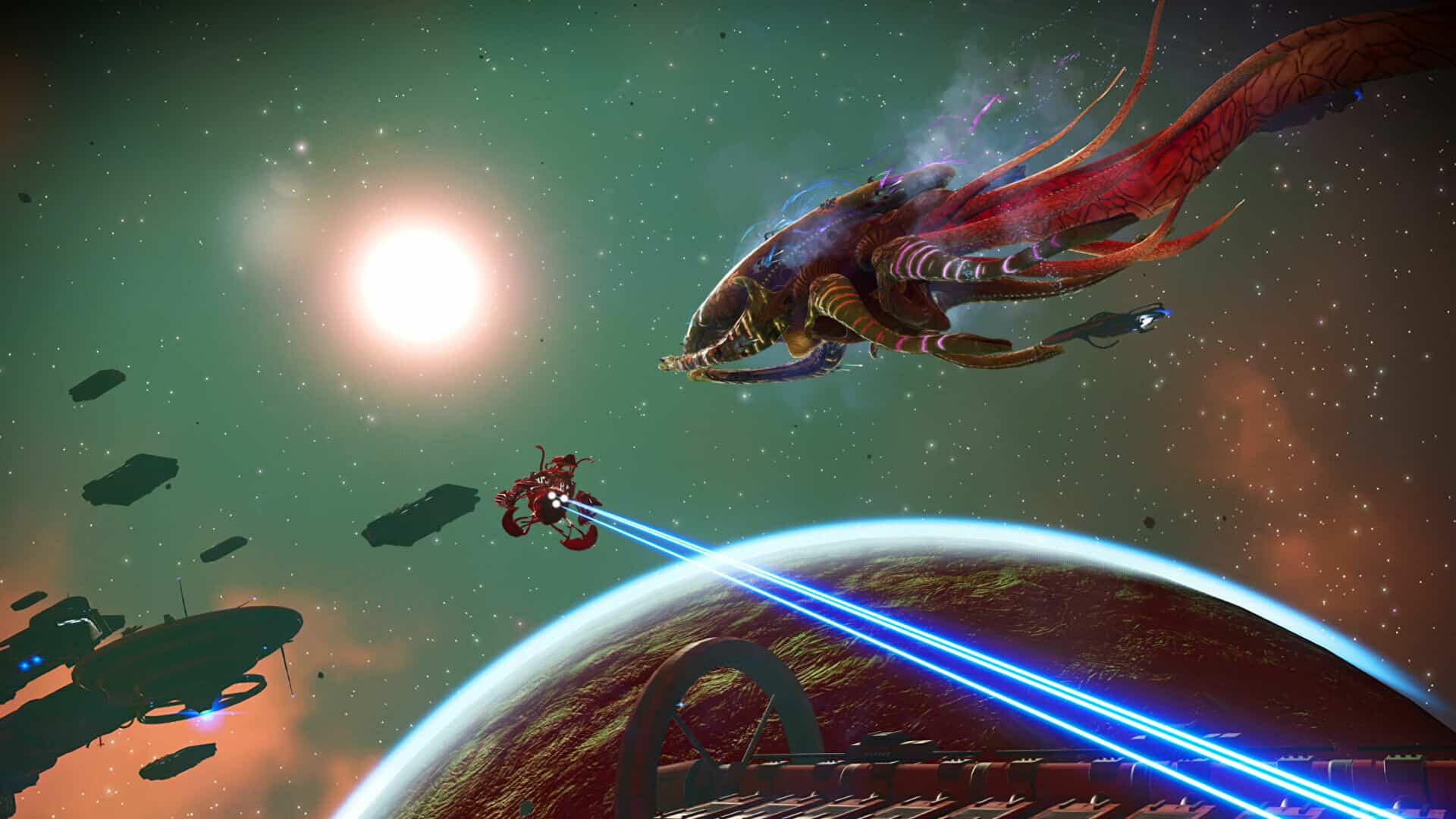
Hello Games has deployed No Man’s Sky update 3.98 (PS5 version 3.098), which is once again for fixes for issues brought on by the Endurance title update released this July 20! This is the third title update released since the Endurance patch brought in new content for those keeping score. Read on for the full No Man’s Sky August 1 patch notes!
No Man’s Sky Update 3.98 Patch Notes | No Man’s Sky Update 3.098 Patch Notes | No Man’s Sky August 1 Patch Notes:
Hello everyone,
Thank you to everyone playing the Endurance Update, especially those taking the time to report any issues they encounter via Zendesk or console crash reporting.
We are listening closely to your feedback, and have identified and resolved a number of issues. These fixes are included in patch 3.98, which will be live on all platforms soon.
Bug fixes
Fixed a visual glitch that could occur when the player stood on very steep ledges or railings.
Fixed an issue that could cause some Leviathan-specific missions to persist beyond the end of the expedition.
Infestation Nexus missions now correctly lead players to the target planet.
Fixed a number of visual issues with freighter engines.
Improved the messaging during combat at Sentinel Pillars during Nexus missions.
Fixed a number of collision issues in freighter bases.
Fixed a case where freighter rooms with ladders could prevent other parts in the base from being powered.
Fixed an issue that prevented players from building inside another player’s freighter base, even with the correct multiplayer permissions.
Fixed a collision issue that allowed players to become stuck when jetpacking into the freighter bridge teleporter.
Fixed an issue that caused some NPCs to give dialog from the wrong quest the first time they were interacted with.
Starships can no longer be purchased or exchanged while your current ship is being salvaged, to prevent issues were inventories and stats of your current ship were displaced.
Placing a ladder in a freighter now automatically adds a room above it.
Fixed an issue that caused NPC ship labels to have the incorrect pilot name in pirate space stations.
Fixed an issue that prevented freighter upgrades related to frigate speed and fuel usage from working correctly.
Fixed an issue that prevented Vy’keen face shape customisation from being available in the Appearance Modifier.
Fixed an issue that prevented organic frigates from making contact if discovered in uninhabited systems.
Fixed an issue that prevented summoning a freighter immediately after acquiring a new organic frigate.
Fixed an issue that caused incorrect information to appear on the frigate UI (such as ‘flesh status’) after viewing the Leviathan.
The visibility of the ‘feed’ slot for organic frigates has been improved.
Fixed a number of minor visual issues with freighter base parts.
Fixed an issue that allowed unwanted bases to appear around specific Nexus mission locations.
Fixed an issue that could cause Nexus missions involving activated Cadium to fail to initiate.
The visuals of the freighter Nutrition Room have been improved.
Two additional freighter base parts have been added: an internal staircase and a set of exterior stairs.
Fixed a number of shadowcasting glitches on freighter exterior bases.
Fixed a rare case where players would not receive a Dream Aerial from fleet mission after a mission was totally destroyed, or after adjusting the system clock.
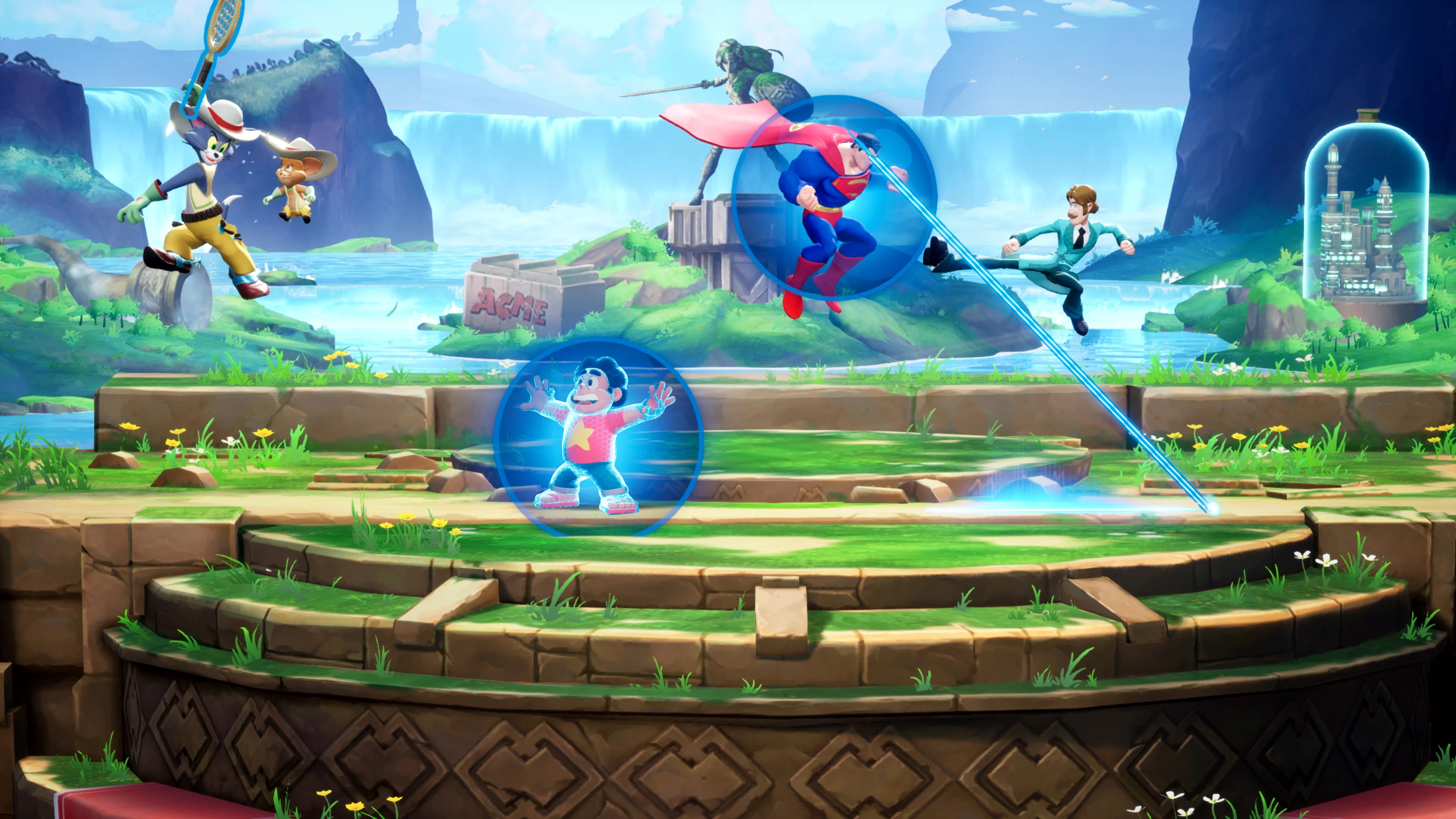
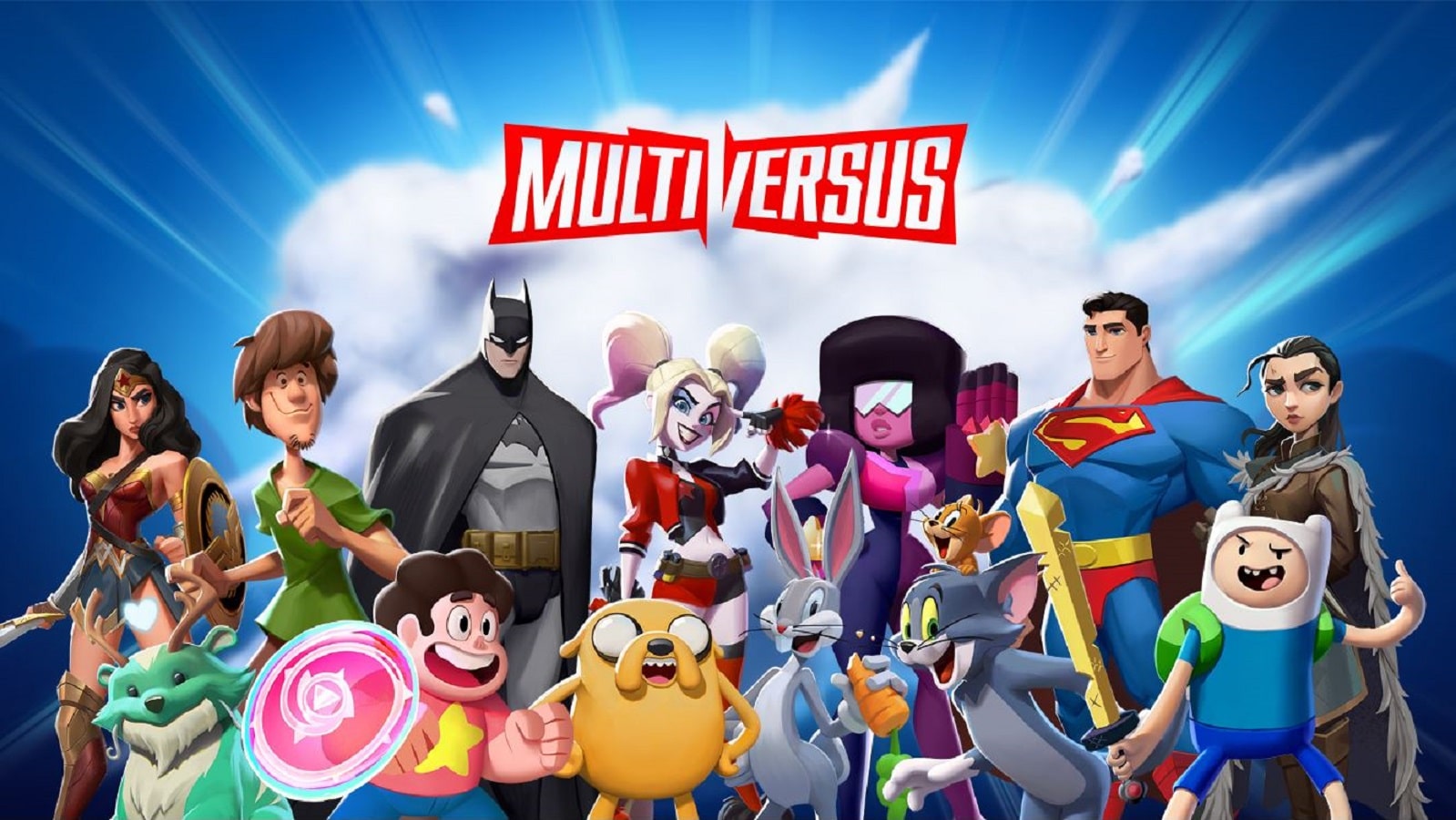
Warner Bros. Games’ new platform brawler, MultiVersus, has taken the world by storm. MultiVersus is in many ways a Smash Bros twin, featuring similar mechanics, level design, and play styles. Despite its many similarities, MultiVersus has enough going on for itself to make it stand out. The ability to play from a number of Warner Bros’s iconic characters, including Batman, Shaggy, Tom & Jerry, and Arya Stark (including original voice casting for most characters), meant that it was bound for success from the beginning.
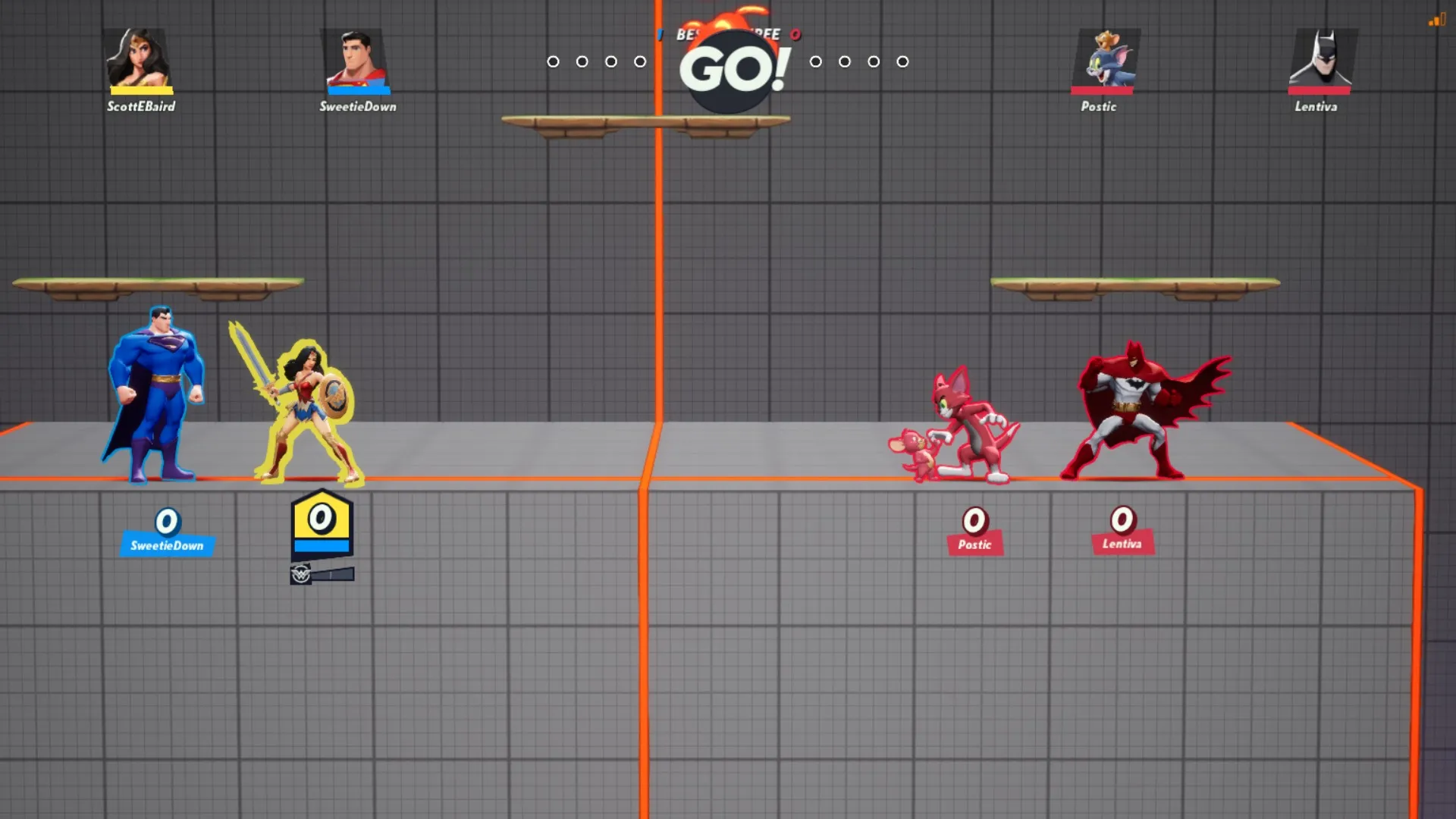
Given how it is a brawler, MultiVersus is a very challenging game and can often times be straight-up overwhelming for beginners. The 2V2 game modes can get swarmed with attacks, dodges, and projectiles, meaning they can get to the point where newer players to the game often end up having no clue of what’s going on. Given that the open beta of MultiVersus just launched, here is our MultiVersus beginner’s guide, featuring a number of tips and tricks we believe will help newcomers get a better understanding of the game and vastly improve in it.
Do Not Skimp on The Tutorial
MultiVersus offers a very comprehensive tutorial that can be vital for a beginner’s understanding of the game. While players can get by just fine when skipping tutorials in most games, MultiVersus is a tough game and one where an understanding of the controls and gameplay mechanics is essential. The tutorial covers everything, from basic movements to advance attacks and elemental damage. Giving the tutorial ample time will prepare you for what is to follow.
All MultiVersus beginners should at least go through the entire tutorial before engaging in multiplayer games. This will ensure they are acquainted with the fast-paced nature and attacks of the game.
Classes Are Vital
No MultiVersus beginner’s guide is complete without a mention of classes. The game currently offers five character classes: Bruisers, Tanks, Supports, Assassins, and Mages. Each of these classes has multiple characters and different playing styles. For example, tanks can generally take more hits and can hit hard. Bruisers are agile and can dish out quite a bit of damage really quickly. Support characters deal less damage, but in exchange for that, they offer good support in co-op and can buff their partners and themselves.
Knowing what class to pick can be important, especially for MultiVersus beginners. Experimenting with characters of different classes and their playstyles and ability will go a long way. Playing a character you are most comfortable with can mean the difference between winning and losing in the game.
Choose Your Characters Wisely
Much like classes, MultiVersus offers a lot of character variety. Characters like Superman and Wonder Woman deal a lot of damage but are equally defensive, with slower movements in exchange for powerful combos and increased health. Characters like Batman, Shaggy, and Taz are extremely quick and are apt for players looking to cause a ruckus and stay up close while dealing tons of damage.
Alongside their powers, some characters are better horizontally while others are better vertically, and some are hybrids in this regard. What this means is that horizontal characters perform well in ground combat, whereas vertical characters dish out high damage mid-air. Leveraging this can be devastating in the best way possible.
While more experienced players can perform well no matter what character they opt for, beginners of MultiVersus should stick to one or two favorites for some time. We recommend spending some time with characters that interest you until you discover one that you enjoy the most and playing with them for a few days, if not weeks. This will help familiarize yourself with the game’s mechanics while having a character you excel with.
Elemental Damage Is Powerful
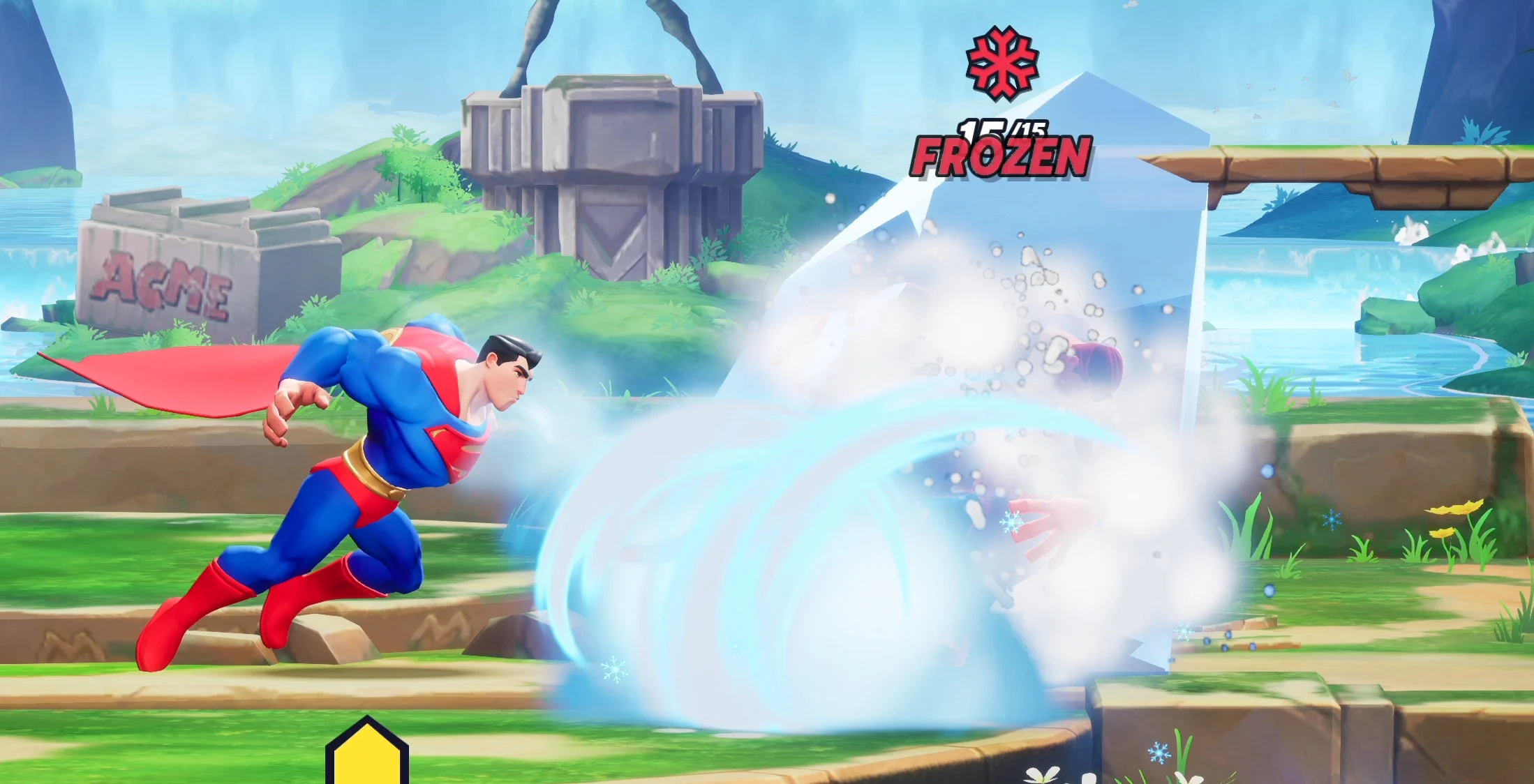
It is essential for beginners of MultiVersus to understand the many elemental debuffs in the game. For example, Superman’s freeze breath will not only slow characters down, but upon reaching full capacity, it will make them turn into ice and stall for a while. Taz’s ‘cooked’ debuff turns players into a chicken where all they can do is run and hope they don’t get hit a ton, and the ‘ignited’ debuff causes damage over time.
Learning debuffs can be essential. Not only will they display a better understanding of gameplay mechanics or help cause more damage by utilizing them efficiently, but elemental debuffs can also help cause panic in the enemy team, which, if leveraged, can end up being a big advantage. All in all, elemental damage is strong and players should use it whenever an opportunity presents itself.
Know Your Perks
Perks are a big part of MultiVersus. They range from follow up attacks to debuffs and damage increase perks. Perks can greatly improve a character’s utility since they can offer an increased range, increased damage, a much faster cooldown, et cetera. They can be unlocked as you play through a character and level up, and they can be stacked too. Having your co-op partner have the exact same perk as you will mean that you both get an added bonus. While each character will have perks that will suit its play style more than others, we recommend experimenting and going with the ones that suit your play style the most.
Utilize The Lab
Going hand in hand with our tip about sticking to your favorite character, the lab in MultiVersus is a great way to experiment with every single character in the game’s roster. You can set up the lab as you wish and play with and against every character the game has to offer, even if you don’t have access to them.
The lab is an excellent way to improve your skill and learn characters’ moves, weaknesses, perks, elemental attacks, et cetera. It is also a great way to acquaint yourself with a character. Spending a few hours in the lab with multiple characters is a quick way of discovering your playstyle and favorite character. Every MultiVersus beginner should visit the lab occasionally.
With this, our MultiVersus beginner’s guide concludes. We hope you gained some valuable information regarding how to excel in the game, and we bid you good luck.







![[ACV] Title Update 1.6.0 Patch Notes - Sigrblot](https://staticctf.akamaized.net/J3yJr34U2pZ2Ieem48Dwy9uqj5PNUQTn/6ye69V9tmgri2OKc6UwTyF/d92e3fd17f8cba2954a5d06d796603d4/Sigrblot_resized.jpg)