Home > News

Madden 22 Update 1.010 Brings New X-Factor Players & More This December 2

EA has released the Madden 22 update 1.010 patch this December 2, and it’s out for both next-gen and last-gen platforms! Same as in other sports games, there are a different set of tweaks and changes between the last-gen and next-gen versions. You can check out the PS5 and Xbox Series X|S changes made to Madden 22 below in the official patch notes.

Madden 22 Update 1.010 Patch Notes:

Read the Madden 22 December 2 Last-Gen Patch Notes Here

Madden NFL 22 (Xbox Series X|S & PS5)

Key Highlights:

  • New X-Factor Superstar Players
  • Improvements to defending RPO plays
  • Various Franchise issues fixed

NFL Authenticity Updates:

  • Authenticity adjustments to 1990’s Lions helmet
  • Added Rams 1994 Throwback
  • Added Saints 2000 Gold & 1980’s Home/Away Throwbacks
  • Added Cowboys Head Coach Mike McCarthy’s beard
  • Updated Saints endzone seats
  • Added Cardinals QB Kyler Murray’s “Meditate” Touchdown celebration

Superstar X-Factors:

New X-Factor Players:

  • Cardinals QB Kyler Murray
  • Cowboys QB Dak Prescott
  • Bills QB Josh Allen
  • Rams WR Cooper Kupp
  • Washington WR Terry McLaurin
  • Steelers DL Cameron Heyward
  • Seahawks WR D.K. Metcalf

Players Upgraded to Superstars:

  • Chargers QB Justin Herbert
  • 49ers WR Deebo Samuel
  • Chargers RB Austin Ekeler
  • Browns OG Wyatt Teller
  • Saints CB Marshon Lattimore
  • Cowboys DB Trevon Diggs
  • Patriots LB Matt Judon
  • Chargers WR Mike Williams
  • Bengals WR Ja’Marr Chase
  • Buccaneers DT Vita Vea
  • Ravens TE Mark Andrews
  • Buccaneers C Ryan Jensen

Dev Note: Be on the lookout for another ability update towards the end of the season! Already on the watch list are Colts RB Jonathan Taylor, Falcons RB Cordarelle Patterson, and Patriots DB JC Jackson.

Players Downgraded to Superstar:

  • Titans WR Julio Jones
  • Seahawks DB Jamal Adams
  • Saints WR Michael Thomas
  • Cardinals DE J.J. Watt
  • Patriots DB Devin McCourty
  • Dolphins DB Xavien Howard

Players Downgraded to No Abilities

  • Giants RB Saquon Barkley
  • Browns WR Odell Beckham Jr
  • Giants WR Kenny Golladay
  • Bears WR Allen Robinson
  • Jaguars DE Josh Allen
  • Bills WR Cole Beasley
  • Patriots OL Trent Brown
  • Dolphins DB Byron Jones
  • Packers DL Kenny Clark
  • Buccaneers OL Ali Marpet

Ability Updates

  • Pick Artist: Tuning to significantly reduce knock-out chance after the catch has been secured; this will prevent knock-outs caused by contact from either an opponent receiver or a teammate defender.

Gameplay Updates:

  • Added logic for defenders to attack the QB more aggressively when scrambling on RPO and WR screen plays
  • Added logic for defenders to recognize ineligible players downfield on RPO and screen plays so they can break into pursuit faster to attack the ball carrier
  • Tuning to improve the pursuit of the Pitch and Read defenders on RPO Read plays so they’ll pursue the QB when he keeps the ball after not initially choosing to key on the QB
  • Fixed an issue causing the Read defender to tackle the WR on RPO’s
  • Fixed issue causing Tight End streaks to take an outside release stem at the beginning of the route
  • Tuning to Kick Power so that kickers with 99 KPW will now have the capability to make 66-yard field goals in the right conditions
    • DEV NOTE: Because we saw a new NFL Record for FG Distance this year by Ravens K Justin Tucker, we have updated the max kick distance to reflect this amazing accomplishment. In order to pull off a 66-yard FG, you will need to achieve max kick power while pointing the kick arc all the way down, while also not having wind/weather negatively impacting the kick.
  • Fixed an issue sometimes preventing the defensive player from making adjustments after flipping the play
  • Improved a DB Press animation that was taking the receiver too far off his route
  • Fixed an issue preventing Play Art from always showing up in Co-Op Offline Franchise games
  • Tuning to improve Tight Ends catching the ball in the flat when thrown by a CPU-controlled QB
  • Tuning to improve pursuit angles vs. ball carriers using ‘Truck’ in the open field

Franchise Updates: 

  • Fixed an issue where downloading a Draft Class through Scouting would sometimes cause a disconnect or crash
  • Fixed an issue where creating a league using Real-Life Rosters would result in an error
  • Fixed a crash when selecting download from Madden Share while using the Real-Life Regular Season Week 1 starting point.
  • Fixed an issue where users would see an error message when creating a Cloud franchise using the Real-Life Roster option and Regular Season starting point
  • General stability improvements
  • Fixed an issue with simulation stats in offline Franchises where every Quarterback’s longest pass would be 25 yards

Madden ID Updates:

  • Stability improvements

Once we get a new Madden 22 patch, we’ll be sure to let our readers know.

Source: EA
Avatar photo

Alex Co

Father, gamer, games media vet, writer of words, killer of noobs.

Home > News

Madden 22 Update 2.04 Patch Notes; Franchise Issues & More Fixed This Dec. 2

EA has released the Madden 22 update 2.04 patch this December 2, and this is for key fixes alongside player shake ups, and more. Check out the complete patch notes for the patch released for the PS4, Xbox One, PC.

Madden 22 Update 2.04 Patch Notes:

Madden NFL 22 (Xbox One, PS4, PC, Stadia)

Key Highlights:

  • New Superstar X-Factor Players
  • Various Franchise issues fixed

NFL Authenticity Updates:

  • Authenticity adjustments made to 1990’s Lions helmet
  • Rams 1994 Throwback added
  • Saints 2000 Gold & 1980’s Home/Away Throwbacks added
  • Mike McCarthy beard added
  • Saints endzone seats updated
  • Colts Crowd clipping fixed

Superstar X-Factors:

New X-Factor Players:

  • Cardinals QB Kyler Murray
  • Cowboys QB Dak Prescott
  • Bills QB Josh Allen
  • Rams WR Cooper Kupp
  • Washington WR Terry McLaurin
  • Steelers DL Cameron Heyward
  • Seahawks WR D.K. Metcalf

Players Upgraded to Superstars:

  • Chargers QB Justin Herbert
  • 49ers WR Deebo Samuel
  • Chargers RB Austin Ekeler
  • Browns OG Wyatt Teller
  • Saints CB Marshon Lattimore
  • Cowboys DB Trevon Diggs
  • Patriots LB Matt Judon
  • Chargers WR Mike Williams
  • Bengals WR Ja’Marr Chase
  • Buccaneers DT Vita Vea
  • Ravens TE Mark Andrews
  • Buccaneers C Ryan Jensen

Dev Note: Be on the lookout for another ability update towards the end of the season! Already on the watch list are Colts RB Jonathan Taylor, Falcons RB Cordarelle Patterson, and Patriots DB JC Jackson.

Players Downgraded to Superstar:

  • Titans WR Julio Jones
  • Seahawks DB Jamal Adams
  • Saints WR Michael Thomas
  • Cardinals DE J.J. Watt
  • Patriots DB Devin McCourty
  • Dolphins DB Xavien Howard

Players Downgraded to No Abilities

  • Giants RB Saquon Barkley
  • Browns WR Odell Beckham Jr
  • Giants WR Kenny Golladay
  • Bears WR Allen Robinson
  • Jaguars DE Josh Allen
  • Bills WR Cole Beasley
  • Patriots OL Trent Brown
  • Dolphins DB Byron Jones
  • Packers DL Kenny Clark
  • Buccaneers OL Ali Marpet

Ability Updates

  • Pick Artist: Tuning to significantly reduce knock-out chance after the catch has been secured; this will prevent knock-outs caused by contact from either an opponent receiver or a teammate defender.

Gameplay Updates:

  • Fixed an issue with declining a friendly quit

Franchise Updates: 

  • Fixed an issue where downloading a Draft Class through Scouting would sometimes cause a disconnect or crash
  • Fixed an issue where creating a league using Real-Life Rosters would result in an error
  • Fixed a crash when selecting download from Madden Share while using the Real-Life Regular Season Week 1 starting point
  • Fixed an issue where users would see an error message when creating a Cloud franchise using the Real-Life Roster option and Regular Season starting point
  • General stability improvements

Madden ID Updates:

  •  Stability improvements

Once a new patch for Madden 22 is out, we’ll let our readers know.

Source: EA
Avatar photo

Alex Co

Father, gamer, games media vet, writer of words, killer of noobs.

Home > News

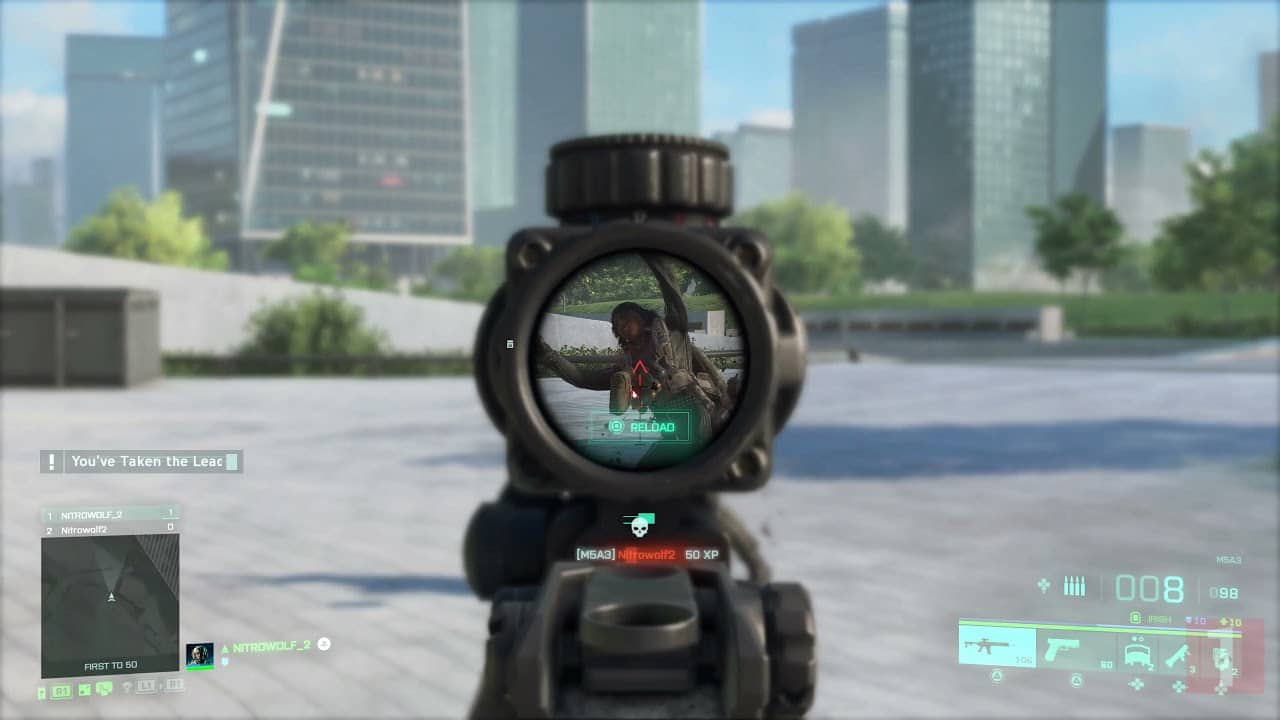
Battlefield 2042 Aim Assist Added on Console, Here’s How Much “Help” It Adds

In case you didn’t know, DICE rolled out the biggest title update to Battlefield 2042 to date with Update #3 earlier today. Not only did it have tuning for weapons, Specialists and the like, but it also added Battlefield 2042 aim assist on consoles, which is something players have been asking for since the beta.

If you can’t or haven’t played the game with the patch applied just yet but want to know how mich aim assist DICE added, we’re here to help! Our own Jimmy Lara captured gameplay footage to highlight just how much assist this little tweak helps gamers. Important to note that almost every shooter on consoles (and the Battlefield franchise is no exception to this) has always had aim assit out of the gate, but for some reason Battlefield 2042 didn’t have this, which meant console gamers were at a disadvantage going up against PC gamers.

As you can see, it’s not a lot — definitely not something PC gamers can complain about, no? Given how mouse and keyboard controls offer a more precise aiming method than controllers, it’s understandable that console gamers would want Battlefield 2042 aim assist turned on. Of course, if it’s too much, it would break the game for PC gamers as well, so DICE has to find the perfect balance for it.

For those on consoles, have you felt the aim assist help in today’s patch? Is it just right or is it too little? Sound off in the comments and let us know.

Avatar photo

Alex Co

Father, gamer, games media vet, writer of words, killer of noobs.

Home > News

GTA Online Weekly Update December 2 Reset

Rockstar Games has rolled out the GTA Online weekly update December 2 reset of actvities and discounts! Check out the complete highlights and recap in one handy list below.

GTA Online Weekly Update December 2 Reset:

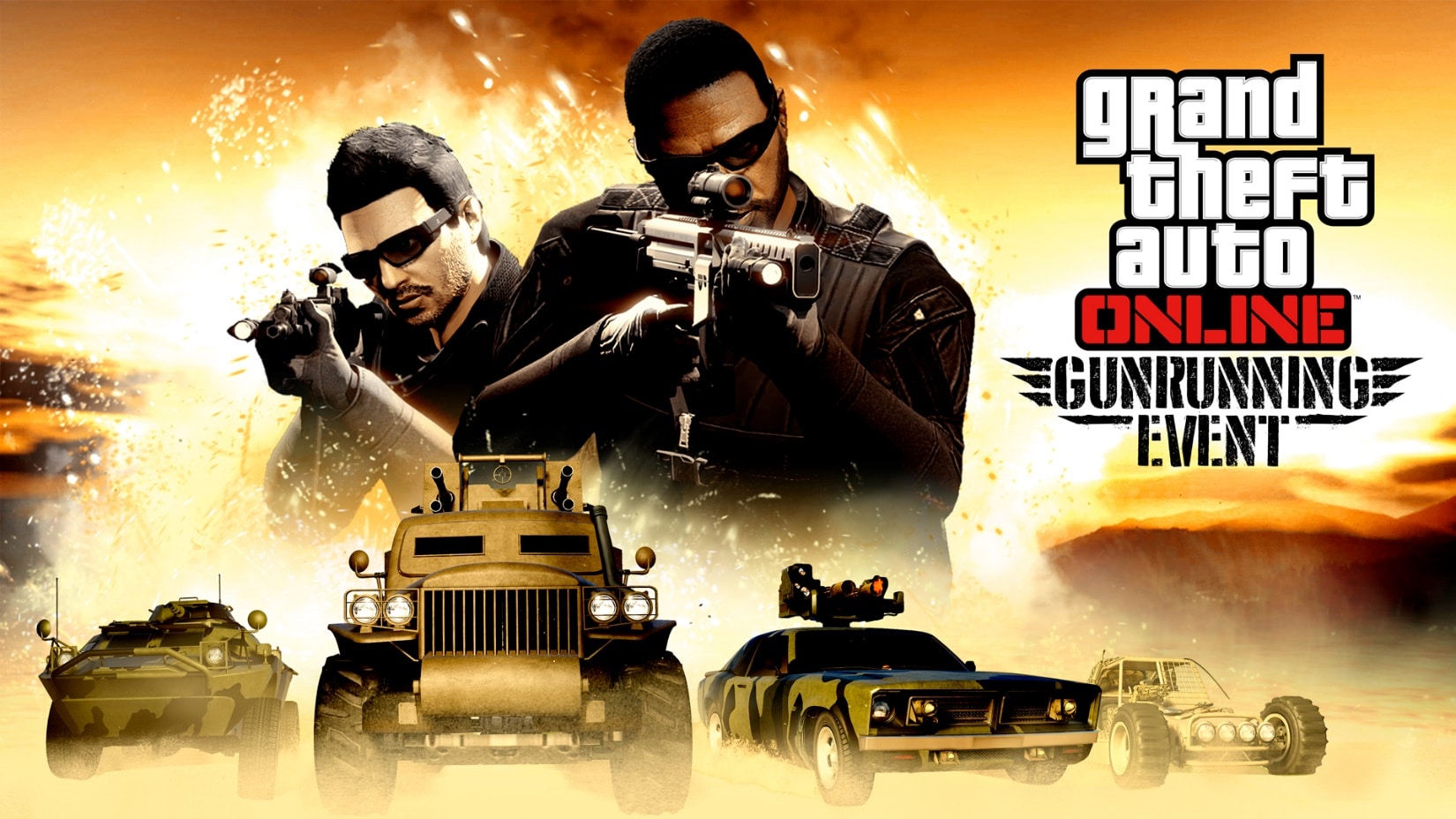
GTA Online’s Gunrunning event has kicked off, with GTA$ and RP boosts on Gunrunning Sell Missions, Triple Rewards in the Bunker Series, Double Rewards on Mobile Operations Missions and Top Fun, and much more.

Plus, players can look out for a free unlockable Manor PRBG Tee simply for logging in.

More highlights from today’s news include:

  • Triple GTA$ and RP on the Bunker Series
  • Extra 50% GTA$ and RP on Gunrunning Sell Missions
  • Double GTA$ and RP on Mobile Operations Missions and Top Fun
  • Double Car Club Rep on all Car Meet Races (Sprint, Street Race, and Pursuits)
  • Free Tee Unlock: A Manor PRBG Tee will be received by anyone who logs in
  • Car Meet Prize Ride: The Emperor Vectre will be scored by those who place in the Top 5 across 12 different Pursuit and/or Street Races over the course of December 2 – 13
  • Latest Test Track Vehicles: Karin Sultan Classic, Obey Tailgater S, and Übermacht Cypher
  • The latest Lucky Wheel Podium Vehicle is now the Mammoth Squaddie
  • 40% off all Bunkers and their Upgrades, Renovations and Modifications, as well as the Mobile Operations Center and all MOC Upgrades
  • Additional Discounts: 35% off the Ocelot Jugular, Maibatsu Penumbra FF and Pegassi Tempesta, plus 30% off the JoBuilt P-996 LAZER as well as all LS Car Meet Merch Shop Racing Suits
  • Ongoing Prime Gaming Bonus: Players who connect their Social Club account with Prime Gaming will get a GTA$100K bonus for playing any time this week

Discounts:

Are your friends’ subterranean compounds a little more sprawling than yours? Would you like to join them below-ground? Good news: all Bunker properties are 40% off via Maze Bank Foreclosures, as are their Upgrades, Renovations and Modifications. That Mobile Operations Center mentioned above? Also 40% off. Same goes for all the MOC’s upgrades too.

Perhaps that talk about streetwear up there leaves you cold and looking for something on the greasier side: all LS Car Meet Merch Shop Racing Suits are 30% off at the LS Car Meet Merch Shop, so you’ll fit right in with the other hopefuls at the starting line.

Beyond that, there is a selection of vehicles on sale this week to help aid in the criminal antics outlined above.

  • Ocelot Jugular – 35% off
  • Maibatsu Penumbra FF – 35% off
  • Pegassi Tempesta – 35% off
  • JoBuilt P-996 LAZER – 30% off

Tune in next week for the next GTA Online weekly update.

MP1st Staff

Home > News

The Matrix Awakens Leaked on PSN Backend, Runs on Unreal Engine 5

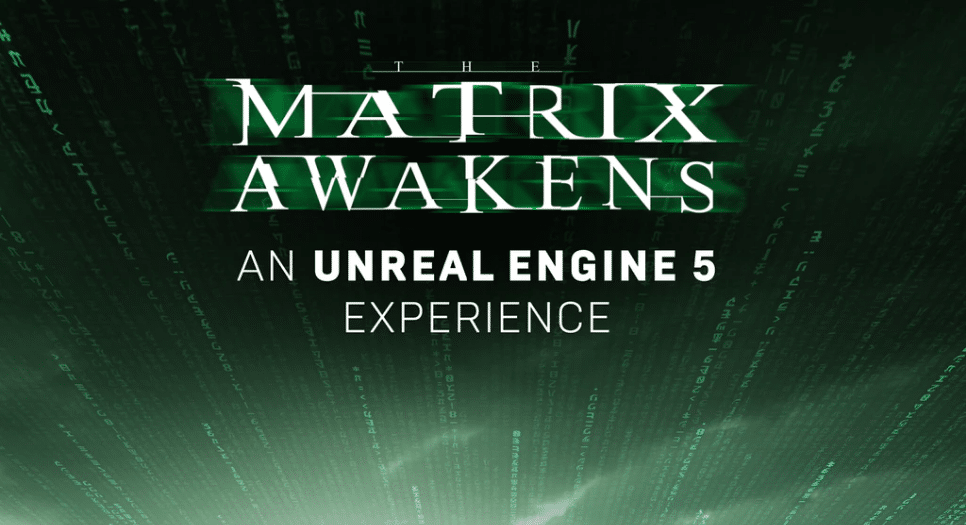
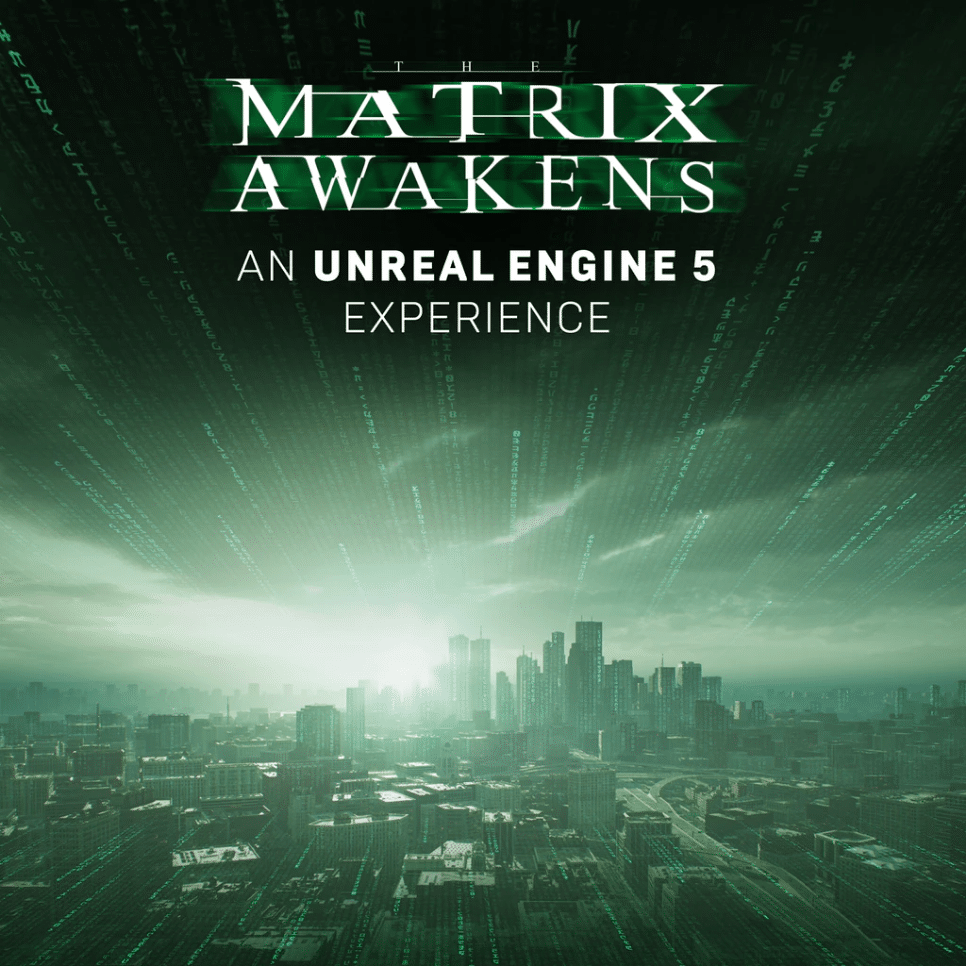
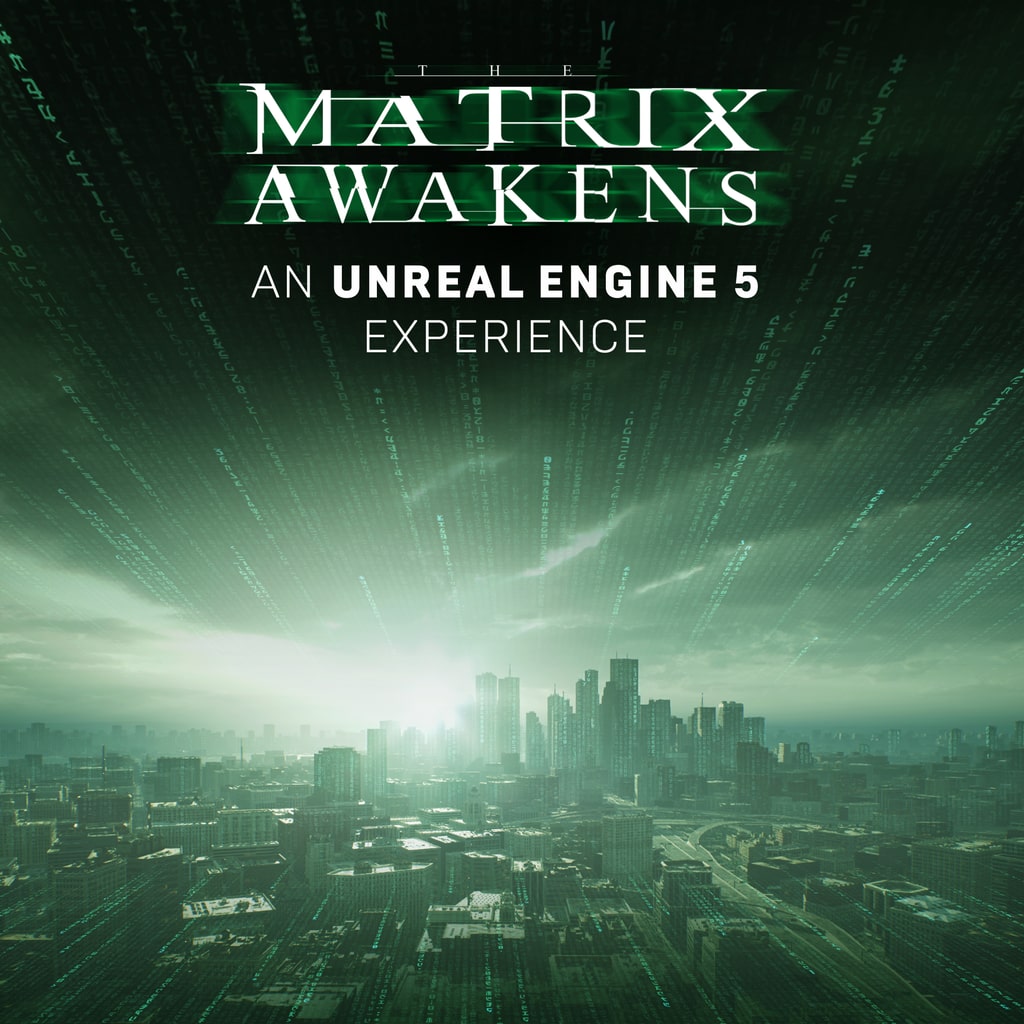
With a new Matrix movie coming out relatively soon, it’s not the biggest surprise in the world to see it have some form of tie-ins with other media, in particular video games. The latter seems pretty much confirmed by now, as it appears that something called The Matrix Awakens was datamined and leaked from the PSN backend, with the tagline of it being an “Unreal Engine 5 Experience.”

The leak was posted over on Reddit, where a user datamined what appears to be a poster for something called The Matrix Awakens. Check it out below:

the matrix awakens

According to the Reddit user, there are no other details for this ‘experience,’ other than it’s confirmed only on PS5. He also shared the app id from the backend:

TitleId: PPSA05753_00 ConceptId: 10004087

https://image.api.playstation.com/vulcan/ap/rnd/202111/3023/2Xx5zJZOqDPuGZxQMf68YNaV.png

As is the case with everything regarding leaks and datamines, take everything with a grain of salt until officially confirmed.

To add to this, we did verify that this ID does exist with PlayStation Game Sizes, a popular Twitter account that keeps track of PlayStation games’ sizes through via backend method. They stated that it was indeed real, though had no information on the size or anything else as they Tweeted.


At the moment, it’s a bit hard to speculate what kind of game will The Matrix Awakens be, if it even is a full game at all. The tagline “An Unreal Engine 5 Experience” could point to it being like a short media tie-in that utilizes the game engine. Whatever it is, here’s hoping we get more information on it as The Matrix Resurrections releases later this December.

Thanks, the_andshrew !

MP1st Staff

Home > News

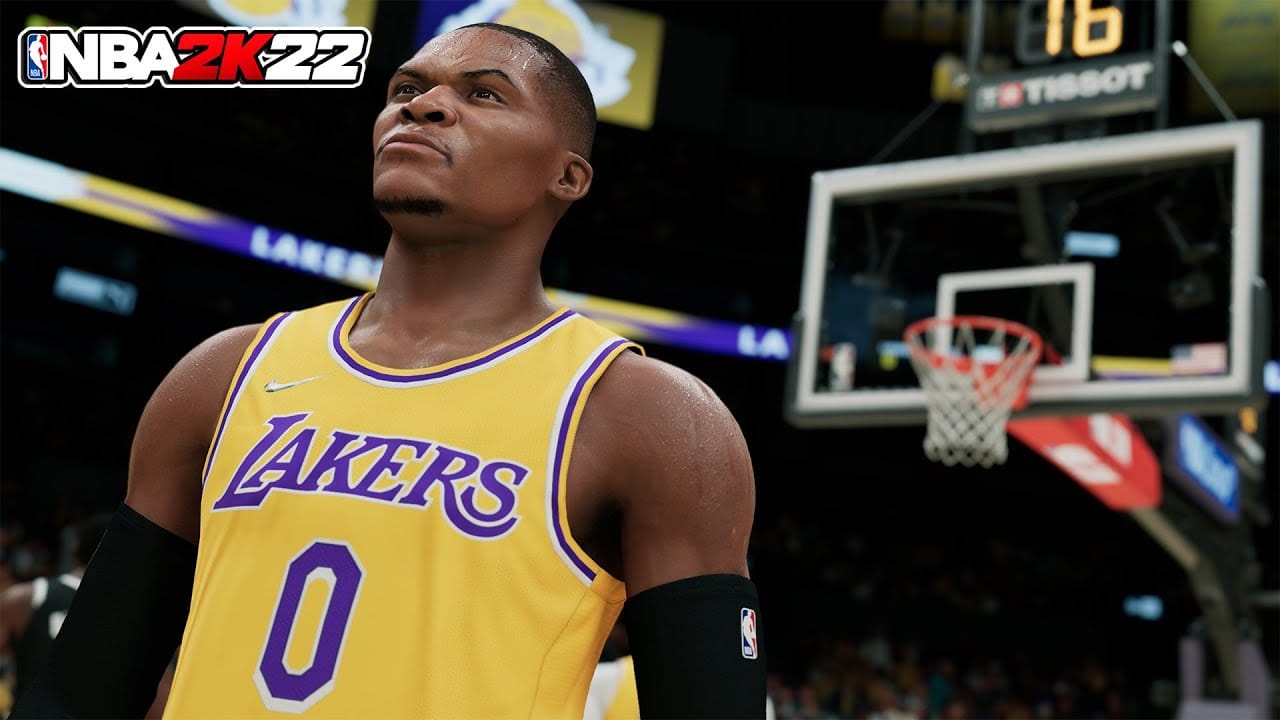
NBA 2K22 Update 1.011 Hits the Court This December 2

Visual Concepts has released the NBA 2K22 update 1.011 patch this December 2, and this is after yesterday’s patch that was rolled out on both last-gen, next-gen consoles, and PC. As far as we’re aware, this new patch for NBA 2K22 is only for next-gen platforms. If things change, we’ll be sure to update the post. Check out what’s new in below.

NBA 2K22 Update 1.011 Patch Notes:

Update (12/3/21): Visual Concepts has rolled out an NBA 2K22 player ratings update today!

As one might expect, Visual Concepts has not released the official patch notes for today’s NBA 2K22 patch. However, with the start of Season 3, this could be part of it that roll-out, as some of the in-game events are kicking off this week.

NBA 2K22 Season 3: Iced Out (Dev Blog)
byu/yyy2k inNBA2k

For those curious, here are the list of fixes rolled out yesterday:

GENERAL

  • Lots of preparation for Season 3 of NBA 2K22, launching this Friday at 8AM PT/11AM ET/4PM GMT!
  • Addressed a rare hang that could occur at halftime in various modes
  • Removed the 75th Anniversary logos from the Phoenix Suns and Utah Jazz City uniforms to mirror real world usage
  • 2021 NBA Championship banners have been unveiled in the Milwaukee Bucks arena
  • The baseline text on the Cleveland Cavaliers City court floor has been updated to reflect recent real world changes
  • The following players and coaches have received new scans and/or had general likeness updates made to them:
  • New Scans:
    • Santi Aldama
    • Cole Anthony
    • Desmond Bane
    • Saddiq Bey
    • James Bouknight
    • Jared Butler
    • Josh Christopher
    • Ayo Dosunmu
    • Usman Garuba
    • Luka Garza
    • Killian Hayes
    • Bones Hyland
    • Isaiah Jackson
    • Isaiah Joe
    • Jalen Johnson
    • Herbert Jones
    • Kai Jones
    • Tre Jones
    • Corey Kispert
    • Saben Lee
    • Kira Lewis Jr.
    • Theo Maledon
    • Kenyon Martin Jr.
    • Tyrese Maxey
    • Jaden McDaniels
    • Leilani Mitchell
    • Isaac Okoro
    • Theresa Plaisance
    • Paul Reed
    • Jeremiah Robinson-Earl
    • Jaden Springer
    • Jaesean Tate
    • Xavier Tillman
    • Ziaire Williams
  • Tattoo Updates:
    • RJ Barrett
    • Devin Booker
    • Brandon Clarke
    • Chris Duarte
    • Jalen Green
    • JaMychal Green
    • Quentin Grimes
    • Tre Mann
    • Trey Murphy III
    • Payton Pritchard
    • Karl-Anthony Towns
    • A’ja Wilson
  • General Updates:
    • Mike Bantom
    • Bimbo Coles
    • Josh Giddey
    • Justin Holiday
    • Luke Jackson
    • Grant Long
    • Oliver Miller
    • Ja Morant
    • Lamond Murray
    • Gregg Popovich
    • Otto Porter
    • Cazzie Russell
    • Pepe Sanchez
    • Stromile Swift
    • Derrick White

GAMEPLAY

  • Slowed down lateral dribble launches and added a shooting penalty that applies for players who zig-zag from side to side excessively before shooting
  • Fixed an issue that was causing ball handlers to hitch and slow down when running in transition
  • Adjusted the Intimidator badge to apply to jump shots in addition to dunks and layups
  • Defensive positioning logic improvements have been made to help CPU screen defenders guard the pick and roll more effectively
  • Added new “Cutter Help” defense that enables help defenders to recognize an off-ball cut to the basket and position themselves to guard it. This can be disabled with the Drive Help setting in the defensive settings menu

THE CITY

  • Various stability and performance improvements have been made throughout the City
  • Resolved some issues that could occur when attempting to join a friend at the Gatorade private courts

MyCAREER

  • Continued fixes and adjustments have been made to improve the overall quest experience and ensure that all quests are tracking and completing properly
  • The Edit Playbook menu should now function correctly once unlocked
  • You are now able to change your selections when using the Suggest Free Agents menu

MyTEAM

  • Fixed an issue with custom uniforms that could allow users to show up invisible in multiplayer games
  • Fixed an issue with Free Throws not visually tallying points in the in-game Agenda Tracker
  • Prevented Series I Agendas from qualifying for all players in the Agenda Tracker
  • Certain Event Cards will now display their names in Auction Outcomes
  • Updated the thumbnails on uniform cards to reflect new sponsor patches
  • Improved ball bounces for locker code and Triple Threat Online: The 100 Ball Drops

MyNBA/THE W

  • Continued stability fixes and improvements have been made for MyNBA, MyNBA Online, and The W
  • You can now properly make changes to team rotations in MyNBA Online

Once the official patch notes are out, we’ll be sure to update the post. If you spot any new technical fixes or gameplay changes, share ’em down in the comments below.

Avatar photo

Alex Co

Father, gamer, games media vet, writer of words, killer of noobs.

Home > News

Battlefield 2042 Mouse Input Issues Surface After Latest Patch, Workaround Outlined by DICE

If you’re playing Battlefield 2042 on PC after Update 3 went live today, you may have noticed some issues with regards to your mouse inputs, in particular with regards to mouse movement. If you are, you’ll be happy to know that developer DICE have recognized these Battlefield 2042 mouse input issues, with a workaround fix being revealed online for players to try for themselves.

The workaround fix was relayed over on the official Battlefield Direct Communication Twitter account, where it stated:

We’ve noticed some players on PC aren’t able to use horizontal mouse input after Update #3 went live.

Restore default settings by removing “PROFSAVE” files in My Documents > Battlefield 2042 > Settings to keep playing

Be aware this resets all your in-game settings

As noted by the developer, some PC players have not been able to use horizontal mouse inputs after the game’s most recent update. The workaround should resolve these issues, with a cost: you will need to reset your in-game settings, as you’re basically deleting your current in-game ones.

If you’re one of the players experiencing this issue and this workaround fixed it, let us know in the comments below!

MP1st Staff

Home > News

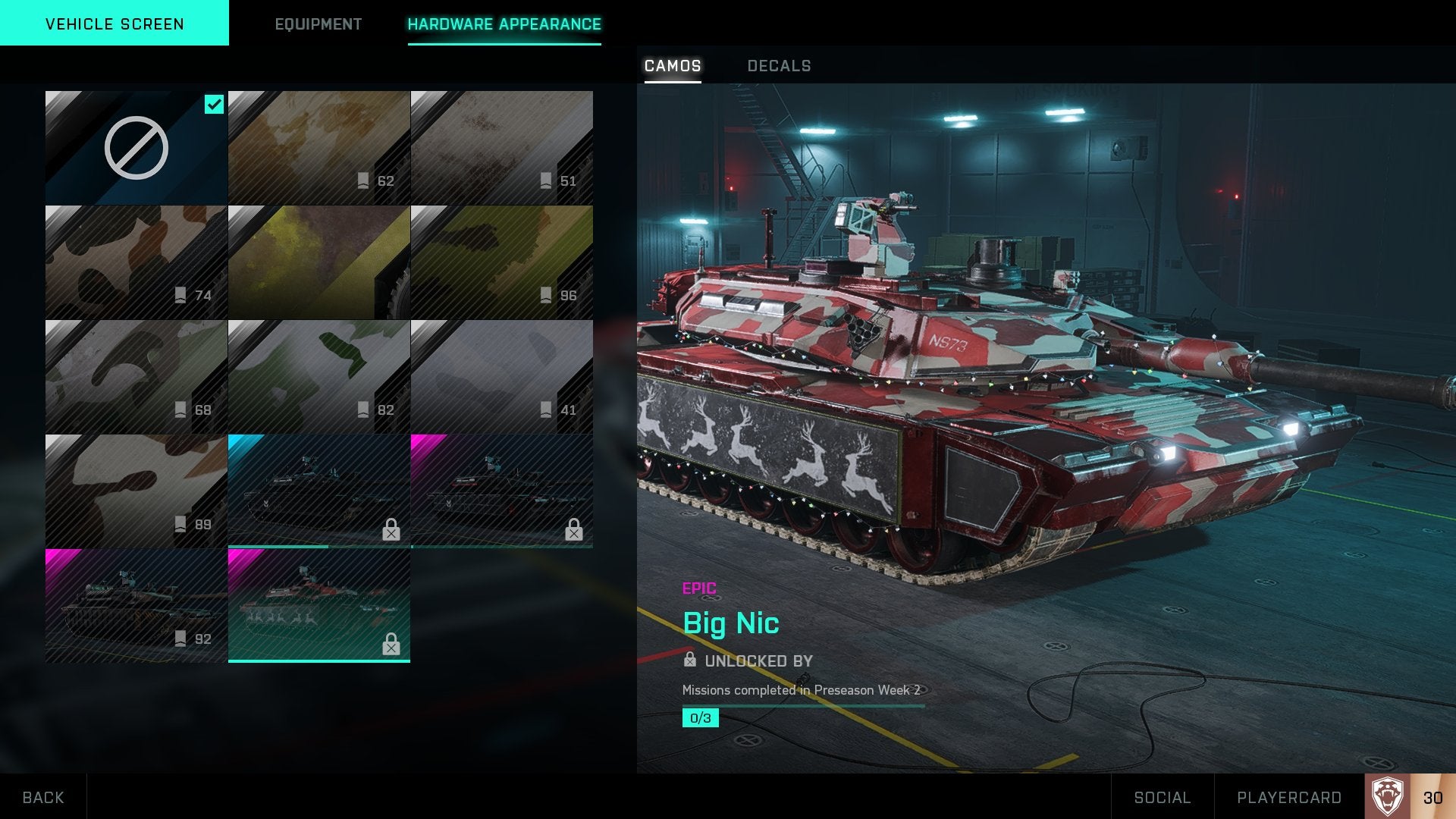
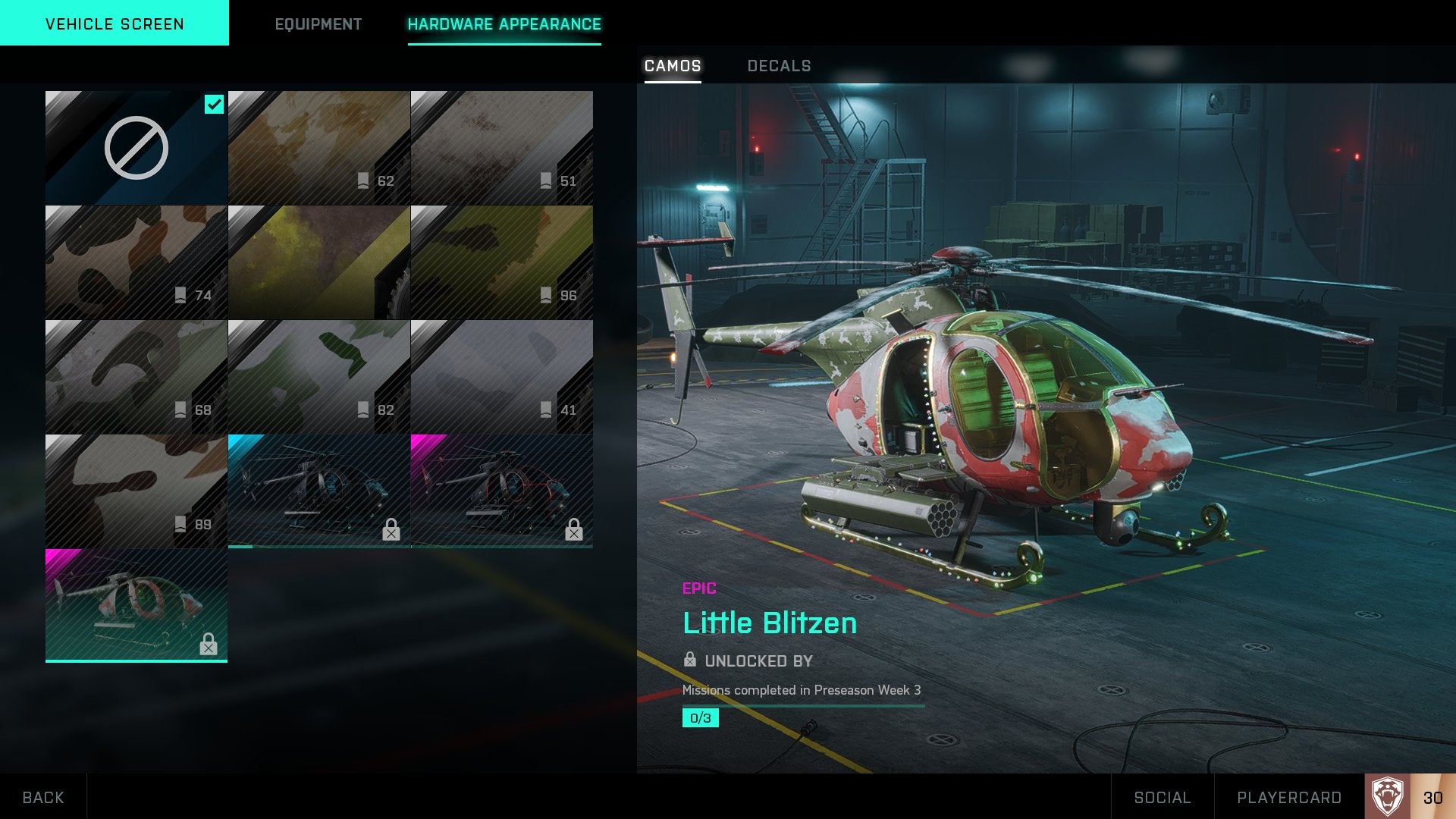
Battlefield 2042 Santa Clause Skin and Other Festive Camos Accidentally Revealed

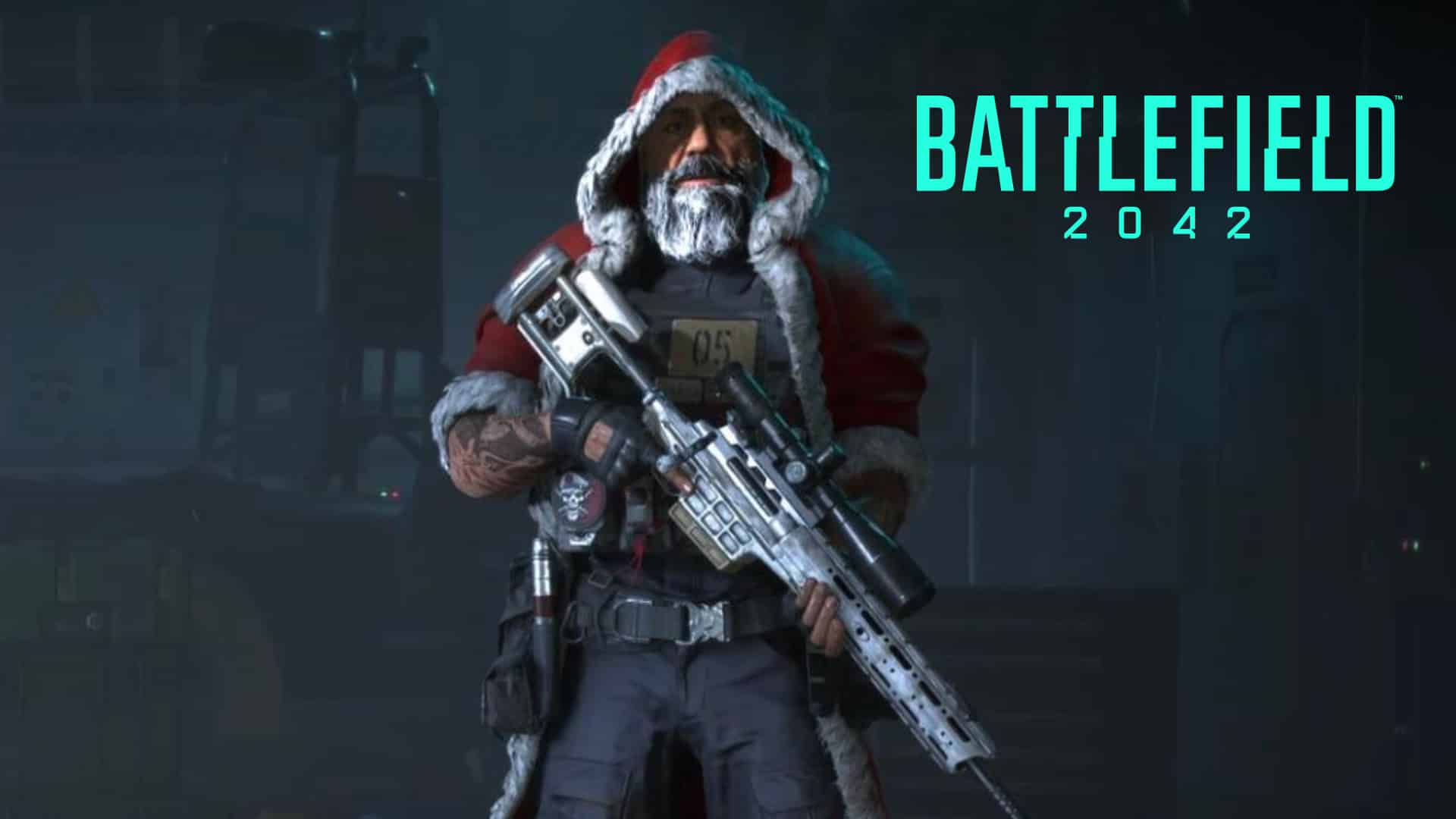
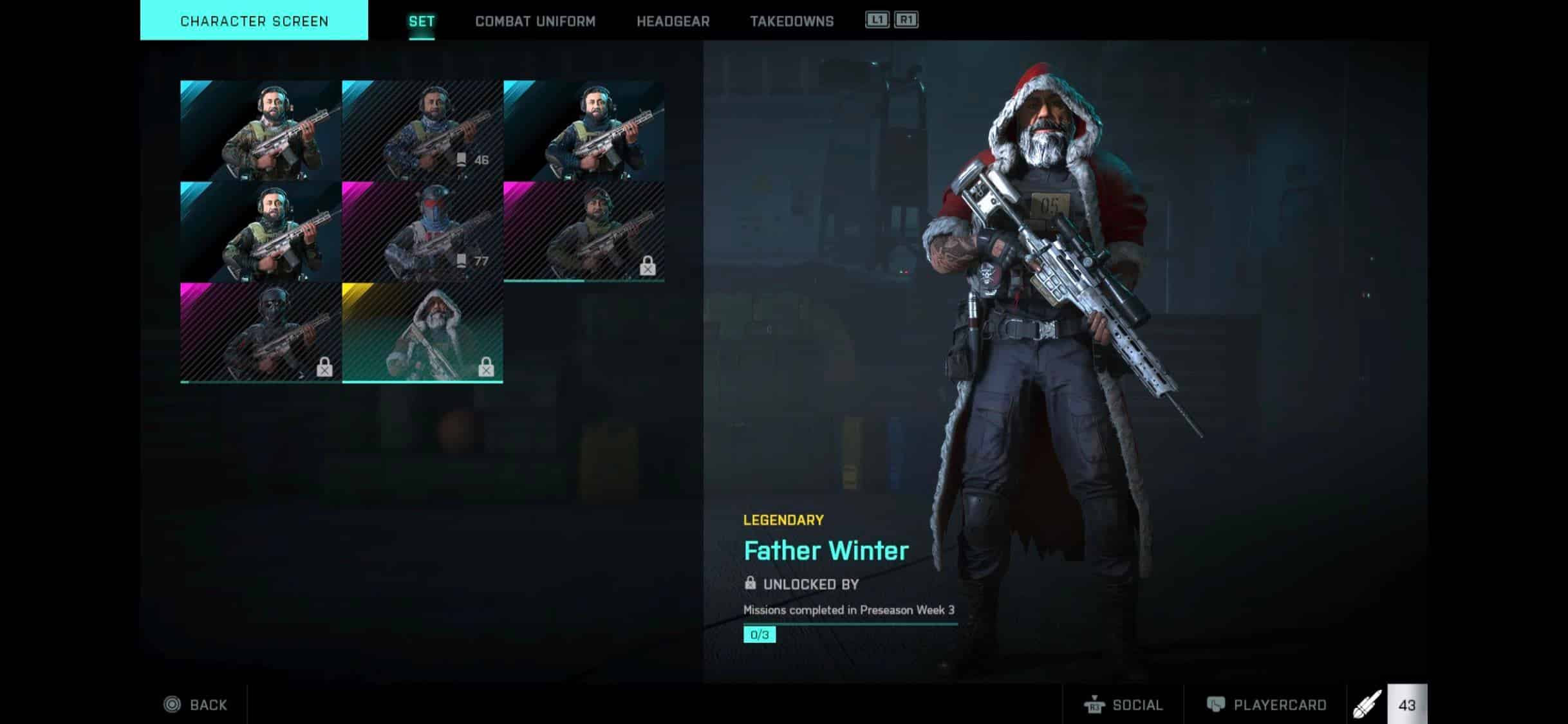
To the surprise of no one, it would appear that Battlefield 2042  is about to get a bit festive, as the latest update has unintentionally revealed a new Battlefield 2042 Santa Clause skin along with other Christmas-themed rewards.

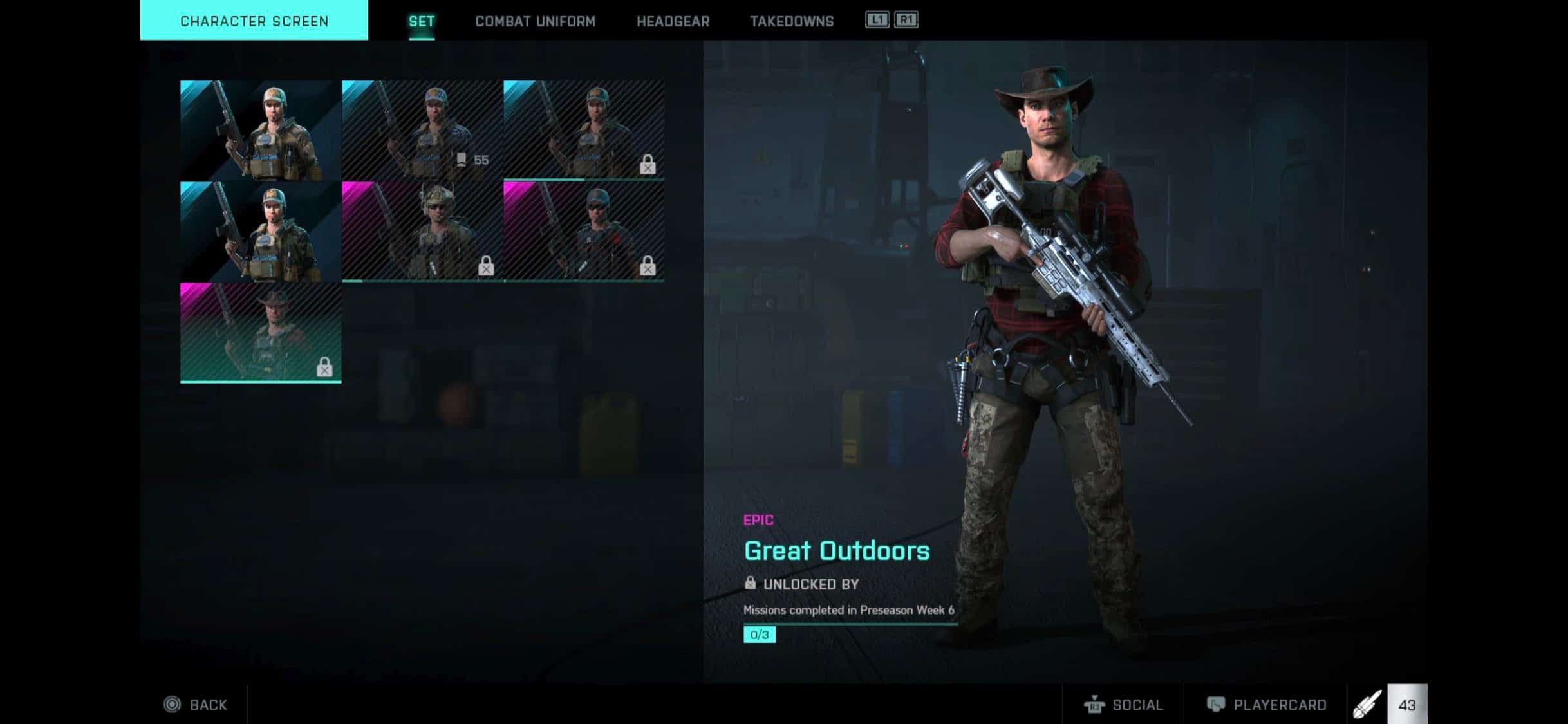
For those who were able to download and play Battlefield 2042 with the latest patch earlier today, you may have noticed a few new locked character and vehicle skins that will be part of the upcoming pre-season challenge rewards. Well, turns out that these skins were unintentionally included, and since then DICE has removed them from the player’s collection screen. Luckily, with this being the internet and all, Reddit users have managed to capture these skins before being pulled.

Battlefield 2042 Santa Clause and Other Christmas Skins

While this shouldn’t come as a shock to anyone, it doesn’t seem like the Battlefield community is taking too kindly to these additions. While they’re solely cosmetics, and play no role in giving players any gameplay advantages, many are seeing this as DICE and EA’s attempt to capitalize (despite skins being free) on the success of Warzone and Fortnite. Specifically the Battlefield 2042 Santa Clause skin, which has long been joked and worried about in the Battlefield community that DICE would eventually do at some point in the Battlefield franchise.

While we don’t mind the vehicle and gun (if there are some) camos, we do understand where the community is coming from, as this brings a concern that the game will eventually be filled with other meme-like character skins, even that crossing over from other franchises. Of course that’s yet to be determined, but it’s clear that the community does not want these types of skins — especially more so when you look at the amount of customizations that past Battlefield games have had that Battlefield 2042 lacks in.

What do you guys think? Are you okay with these types of character skins coming to Battlefield or would you rather the team focus on giving players the level of customization they had before?

Source: Reddit (1,) Reddit (2)

Avatar photo

James Lara

A gamer at heart, James has been working for MP1st for the last decade to do exactly what he loves, writing about video games and having fun doing it. Growing up in the 90's gaming has been in his DNA since the days of NES. One day he hopes to develop his own game.

Home > News

Hood Outlaws & Legends Update 1.12 Sneaks Out for Season 2 Yule This December 2 (Update)

Sumo Digital has released the Hood Outlaws & Legends update 1.12 (PS5 version 1.001.200)  patch this December 2, and this is for Season 2 Yule! Head on below to see what’s new for the game starting today.

Hood Outlaws & Legends Update 1.12 Patch Notes | Hood Outlaws & Legends Update 1.001.200 Patch Notes | Hood Outlaws & Legends Season 2 Yule Patch Notes:

Update: We’ve included the pertinent info via press release!

Steal more, faster, in the new Gold Rush mode.

Experience a new way to rob from the State in the new Gold Rush mode. To win in this PvPvE game mode, a team must bring a certain amount of gold to one of their controlled spawn points before their opponents. But be careful – carrying too much gold will weigh you down, making you run slower, so make sure to secure it regularly. With several treasures to steal, hidden gold stashes, and stealing from rival Outlaws, this mode blows open the doors of possibility, viable strategies, and surprise epic moments.

A new Battle Pass with 100 cosmetics!

Steal both the gold and the stage with the Season 2: Yule Battle Pass. Complete heists to progress through the Battle Pass and collect over 100 new outfits, weapon skins, and banner packs to steal in style.

Unfortunately, the actual patch notes aren’t available yet, though we expect that to change in a bit. Expect new gameplay-related tweaks, new content, events and more to be available. Once we know the full patch notes, we’ll be sure to update the post.

There was a patch released last month, which you can read about here.

Check out our review of it here, where our own Jimmy Lara states, “For what it’s worth, I really like the idea of Hood: Outlaws & Legends. From a combat standpoint, I think it plays great to the point where I’m having a ton of fun just going around and killing things. But sadly this is where most of my praise ends, as while I think Heists is a really creative mode, the unbalancing ruins it. Add to the fact that it’s the only mode to play across the six  maps, then you got yourself a very repetitive game. This is only after a short few hours, which never bodes well for any online multiplayer. Hood: Outlaw and Legends is a great idea on paper, but not one so well executed.”

Avatar photo

Alex Co

Father, gamer, games media vet, writer of words, killer of noobs.

Home > News

Battlefield 2042 Update 1.000.006 Released for Patch 3, Here Are the Patch Notes for Dec. 2

DICE has released the Battlefield 2042 update 1.000.006 patch this December 2, and this is called Update #3 by the studio, and is out for both next-gen and last-gen platforms. This patch has over 3,000 items tweaked, which include Specialist ability adjustments, technical fixes and loads more. Read on for the full patch notes.

Battlefield 2042 Update 1.000.006 Patch Notes | BF2042 Update 1.000.006 Patch Notes | Battlefield 2042 December 2 Update Patch Notes:

Size: 5GB (PS5), 5.5GB (Xbox Series X|S)

Update 0.3.0

Fixes, Changes, and Improvements

General

  • The Recent Players screen now include everyone from previous matches to allow for easier user reporting
  • Made improvements to the “Interaction” system by switching the default “INTERACT” text on multiple interactions to reflect the action you are about to do, i.e. “OPEN CONTAINER”, “CALL ELEVATOR”
  • Resolved Kaleidoscope server room lighting issue
  • Resolved an issue related to the velocity / trajectory while spawning in jets
  • Improved helicopter animation in level fly-bys during insertion
  • Improvements to address an issue where players killed in vehicles would fall beneath level geometry
  • Improvements to streaming assets in deploy screen presentation
  • Player no longer gets stuck in a zipline/rope after exiting a vehicle after entering it too close to a zipline or rope
  • Exiting an open seat early in the enter animation no longer causes your aim pitch to lock up
  • Correct field of view is applied immediately following insertion sequences 

User Interface

  • Improved the Collection screens, making them easier to use and clear as to what you’re interacting with
  • Improved the ways in which you’re able to manage your attachments via the Collection screen to reduce the number of interactions you need to have when building your loadouts
  • Enhancements to our Player Card screen and End of Round (EOR) to provide additional polish
  • Added new markers to make your newly unlocked items easier to find
  • Improved screen transitions when entering and returning to the Main Menu
  • Improved Report a Player flows, specifically around toxicity and cheating reports
  • The in-game scoreboard now properly scales to match screen safe-zone settings
  • Fixed instances where the scroll function didn’t work in the Options screens
  • Implemented Focus restoration for screens so the focused button is remembered when re-entering a screen
  • Fixed visual effects remain on screen during End of Round
  • CommoRose
    • Improved responsiveness of CommoRose opening
    • Fixed inactive objectives showing in the CommoRose for defenders in Rush & Breakthrough
    • Fixed objectives not showing in the CommoRose for attackers in Rush

Matchmaking & Friends

  • Improved the experience between EOR and the Main Menu
  • Improved Matchmaking reliability and reduced instances of Matchmaking failed
  • Improved Crossplay invite flows
  • Fixed Rich presence update issues, ensuring that your friends are better able to track where you are in Game
  • Addressed servers getting stuck in unresponsive game states, where rounds fail to properly start
  • Fixes to Friend Invitations for players on PC
  • Fixed an issue where the friends list was sometimes not fully up to date

Progression and Unlocks

  • Introduction of weekly missions, providing set challenges that reward cosmetic unlocks
  • Added 1st match bonus of 1000 Dark Market Credits for Hazard Zone
  • Improved overall XP/Rank tracking and reliability
  • Improved Mastery rank tracking
  • Improved reliability of Player card tracking
  • The required level to unlock an item is no longer visible once the item is unlocked
  • Fixed a bug where Mastery Badges weren’t displaying within the Portal Collection menu
  • Fixed an issue that was not properly awarding XP for Angel resupplies
  • 3D preview of vehicles now displays the correct customizations in the Collection menu
  • Added a notification when reaching a new Player Card Badge tier
  • Added a notification when reaching a new Mastery tier

Rendering

  • Addressed a variety of visual flickering and stuttering issues
  • Improvements to water rendering when Aiming Down Sight (ADS)
  • Added sight definition for iron sights to allow correct ADS for the VCAR
  • Leaving ADS  is now smoother than before on Xbox One and PlayStation 4 consoles
  • Addressed multiple graphical issues affecting water reflections
  • Addressed an issue with character rendering for players joining a match in progress
  • Made improvements to artifacts affecting DLSS implementation
  • Fixed flickering in the oasis water in El Alamein on deploy
  • Fixed animations sometimes glitching when picking up a weapon from the ground
  • Fixed Aircrafts sometimes showing up with wrong landing gear visuals
  • Fixed issue that would cause incorrect bullet impact effects when shooting near water
  • Fixed Ju-87 Stuka Gunner Seat firing visual effects not aligning properly with the airplane
  • Shifted PSO-1 Scope forward on AN94 to prevent clipping into screen while idle
  • Fixed skinning issues for several PP-29 Weapon Skins

Maps

  • Over 150 individual fixes, small changes, and improvements across all of our Maps
  • Improved level geometry issues across all levels addressing issues such players getting snagged or trapped
  • Resolved multiple spawning issues
  • Resolved visual glitches such as lens flare, visible seams in skydome
  • Resolved a large number of collision and placement issues
  • Addressed issues affecting local audio placement in multiple Maps

Battlefield Hazard Zone

  • Made improvements to visual presentation of Dark Market Credits
  • Modified the Squad and Player Screen to remove enemy squad names
  • Modified the Scoreboard to no longer show connected enemy players
  • Added additional flares to Extraction Zone, offering players better visibility of extraction area, as well as providing additional cover
  • Added new spawn locations for initial Data Capsules
  • Increased the amount of Data Drives initial Data Capsules can contain
  • Made improvements to the Data Drive Scanner’s accuracy and enemy identification
  • Resolved an issue where two teams could extract simultaneously
  • Resolved warnings to alert players they’re being scanned sometimes not appearing
  • Made it easier to interact with Data Drive pick-ups
  • Added a distance read-out for the next available Extraction Point
  • Improved the end-of-round camera placement
  • The “Modify” button in the lobby now takes you back to the Perk tab
  • Initial Data Capsules now only spawn a maximum of 4-6 Opposing Forces
  • Drones inside the extraction Condor will now be destroyed upon leaving
  • Added XP for completely eliminating an enemy squad
  • The Redeploy icon is now part of the soldier and vehicle world icon
  • Fixed players sometimes being able to pick up more than their max capacity of Data Drives
  • Fixed instances where the Round Bonus XP was inaccurate and the End of Round was not triggering correctly
  • Fixed an issue where the countdown in the lobby would not start if the player was tabbed out
  • Reduced width of lobby summary information
  • Added an animation and audio cue when the player’s Remaining Balance changes in the lobby
  • Combined Tactical Items tab into a single tab in the lobby
  • Made lock icon visuals more clear while in the lobby
  • Added an option to Quit from the waiting for players to join and pre-round lobby menu
  • Fixed an issue in the lobby that made it difficult to understand what Tactical Items are being selected
  • Fixed an issue where voice over would get cut off too early at the end of round
  • Fixed issues with voice over heard by extracting players
  • Fixed issues with random audio triggers for the Data Drive Scanner
  • Fixed missing music when squad gets eliminated

Battlefield Portal

  • Added Server Info for the Pause Menu
  • Added support for reporting a server from the Pause Menu
  • Added support for server admins to write periodic server messages
  • Simplified the Server Settings screen design
  • Fixed an issue where bullet spread would be too high when trying to fire while zoomed right after sprinting for some Portal weapons
  • Fixed maximum human players displaying incorrectly in the Modifiers Tab for FFA game modes
  • Added different loading music based on which Portal map is loading
  • Setting a low Max Health multiplier for vehicles will no longer cause them to spawn in on fire
  • Aircraft within Portal now display their equipped missiles and bombs correctly
  • Added a UI indicator for Rush to show when the next sector will start
  • Fixed a visual issue while reloading several Launchers (RPG-7, SMAW, Bazooka, Panzerschreck)

Builder additions

  • Rush game mode layouts for all 2042 All-Out Warfare maps (through Portal)
  • New official Vehicle Team Deathmatch game mode
  • New official Team & FFA Gun Master templates
  • New official Infection template

Rules Editor

  • Added the ability to detect what players were killed with in order to apply additional Logic
  • Enable the portal SetTeamId block to be usable with AI

Battlefield 1942

  • Fixed spotting issues for the Binoculars
  • Fixed an issue that caused the M3 Halftrack and Sd. Kfz 251 Halftrack to sometimes dip into the terrain
  • Fixed an issue that caused the 9K22 Tunguska-M to take too much damage from some vehicle MG’s

Battlefield: Bad Company 2

  • Improved the M416 reload animation
  • The Tracer Dart now locks successfully on tagged vehicle
  • Mortar Strike can no longer be fired while not zoomed
  • Additional tuning to the UAV-1

Battlefield 3

  • Fixed a bug that could cause the M3A3 Bradley primary and APFSDS-T Shells to continue firing uninterrupted
  • Fixed a bug that prevented the SOFLAM and MAV gadgets maintaining their previous aim direction when a player re-entered them
  • Fixed a bug that caused the MAV, EOD Bot and SOFLAM gadgets to show a preview model after it had already been placed
  • Added new and classic voice over lines for damaging/killing an enemy with a Defibrillator using BF3 Assault characters
  • The Mi-28 Havoc and AH-64 Apache Rocket Pods now have the same reload time
  • EOD Bot now has a Vehicle Status Icon to assist with driver orientation
  • Rebalanced the Su-35BM Flanker-E to match the health of other jets
  • The FGM-148 Javelin now has two distinct firing types
  • Balancing pass on C-RAM and Pantsir stationary
  • Increased the reload time for Guided Rocket
  • Fixed passive spotting issues for the MAV

UX Improvements

  • Made a series of visual, audio, and gameplay improvements to weapons, vehicles, and gadgets
  • Improved the Plus Menu customization experience
  • Fixed navigational issues on the Player Card Collection screen
  • Added a new Options to select damage the indicator color for soldiers and vehicles
  • Added a new crosshair option to change damage indicator shape thickness between: Thin – Medium – Thick’
  • Replaced the “Accessibility” button in the Experience Selection with “Accessibility & Options”
  • Fixed the color picker preview in Options menu often showing black, instead of the actual color
  • Pinged objects now remain visible when occluded

Conquest

  • Tuned information spamming in Conquest, reducing the amount of messages that appear in the world log. In particular we reduced messages about flag state changes so that they’re not as distracting

Breakthrough

  • Tuned capture times for Breakthrough
  • Improved out of bounds defender spawning in Breakthrough to ensure easier safe spawning
  • Made improvements to the Breakthrough UI to enable you to better track round progress in the form of a Game Mode Widget
  • The Game Mode Widget inside the Scoreboard has been updated to put emphasis on sectors and attackers reinforcements. Note that it only displays while playing Breakthrough and Rush
  • Elapsed time is now added and trackable in both the Scoreboard & Deploy Screen.
  • Added a pulsating effect on the Team 1 (attacker) score and progress bar when their tickets are =< 25% of their initial tickets. This is also present in the GMW in the HUD, Scoreboard and Deploy Screen for both Rush and Breakthrough
  • Made UI improvements to indicate when the attacking team has reached the last sector
  • Made UI improvements to indicate when the defending team loses a sector
  • Fixed an issue that could cause the End of Round screen to display inaccurate scores for the attacking team

Dynamic World Improvements

  • Addressed issues for VFX affecting late-joiners
  • Made improvements to correctly align the bridge behavior on Kaleidoscope for late joiners to the match
  • Made improvements to correctly align the destructive silos state for late joiners in Renewal and Orbital
  • Improved interaction of SG-36 Sentry Gun and elevators
  • Quality of Life fixes and improvements to interact prompts
  • Tornado and smoke visual effect improvements
  • Resolved a large number of collision issues with large scale animation events
  • Improved location-based sandstorm audio experience
  • Improvements to destruction audio
  • Adjusted the timing for automatic doors

HUD

  • Added a UI element that shows nearby players that can revive you within 50m when downed
  • Added a UI element that shows incoming revivers when downed and pinged by a player that intends to revive you
  • When low on ammo or health, nearby friendly players within 50m will now show a resource icon above their head indicating that they can provide you with health or ammo
  • Increased Big Map Resolution for improved navigation
  • Added health bars on enemy vehicles (up to 200m) and enemy soldiers when looked at (up to 50m)
  • All player world icons now scale over distance, making them smaller when far away in an effort to reduce icons cluttering the screen
  • Time before revive completion is now visible for the downed player when being revived
  • Fixed an issue where friendly player icons would sometimes not be hidden behind walls, which caused screen clutter
  • Fixed an issue where friendly soldiers are missing their blue UI icons when a player is in a downed state
  • Fixed an issue where some player names don’t show when looking at multiple soldiers or vehicles next to each other
  • Changed the visibility behavior of the fire mode icon in the HUD. By default, the fire mode icon is now visible if it is currently possible to change fire-mode. The behavior can be changed to allow the fire mode icon to always be visible (even if it’s not possible to change fire mode) or turned off. The option is called “Fire Mode Indicator” under “HUD” Options
  • Added an option that allows for the disabling of the button prompts visible in the HUD
  • Added message about which player healed you when getting healed by other players
  • Added message about which player shared ammo when getting ammo from other players
  • Fixed an issue where IFF markers on squad members do not change with colorblind option
  • Improved visibility of IFF marks over distances
  • Fixed an issue where IFF markers would not be visible when using low video settings
  • Fixed an issue where the HUD/UI sometimes wasn’t visible when joining a Portal game after quitting the previous Portal match
  • Reload UI hints now stop pulsating after 4 seconds
  • Added an option to show or hide button prompts in the HUD
  • Added an option to show or hide the Reactive hints in the HUD (reload, low on ammo etc…)
  • Added an option to customize the visibility of the fire mode indicator’s prompt and icon in the HUD (When available, Always ON, ADS Only)

Bots

  • Fixed issue where Bots sometimes didn’t revive players
  • Improved Bots helicopter handling
  • Improved Bots combat behaviors
  • Improved Bots gamemode behaviors

Audio

  • Improved reliability of various ability sounds when offscreen, such as reiving, SOB-8 Ballistic Shield, flares, wingsuit, parachute, vehicle smoke discharges and system repairs
  • Improved weapon audio for enemies firing at the player, including at a distance
  • Switched lock-on warning sound with incoming missile warning sound
  • Tweaked audio during End of Round
  • Added a ping sound for “Request Revive” to help mark your location
  • Tweaked the sound when pinging a downed friendly player
  • Made improvements to ground vehicle gear shifts and suspension sounds
  • Warning and Transmission sounds will no longer repeat on vehicle low health
  • Switched locked on warning sound with incoming missile warning sound
  • Added audio for damaged engine fires on vehicles
  • It’s now easier to hear the LCAA Hovercraft when it’s behind players

Specialists

Angel

  • Loadout Crate
    • Players that require armor and can receive it now have a white outline around them to indicate that the magnetism will throw the armor to the outlined player.
    • When using the Loadout Crate, players can now scroll if more than 4 loadouts are available
    • Visual effects and polish on destruction and despawning of Loadout Crate
    • The cooldown for the resupply action on the Loadout Crate is now shared between Loadout Crates
    • Added a unique sound when picking up armor
    • Added the ability to self-apply armor with Angel’s Supply Bag
    • Loadout Crate can now no longer be called-in when underneath tall buildings
    • Added a hand gesture animation when placing the Loadout Crate
    • Angels armor and ammo supply pouch now auto targets towards friendlies with low ammo and not only low armor

Irish

  • Fixed an issue where switching to Irish via Portals SetPlayersSoldier command would cause the Deployable Cover ability to not play any animations
  • Updated Irish’s gadget preview video found on the “More Info” screen
  • DCS Deployable Cover
    • Fixed an issue where the DCS Deployable Cover Minimap Icon was not displayed correctly
    • Improved reliability of the DCS Deployable Cover’s deployable placement allowing placement on more angled surfaces

Dozer

  • SOB-8 Ballistic Shield
    • Fixed an issue where the SOB-8 Ballistic Shield didn’t block bullets when inside an elevator.
    • Fixed an issue where Dozer would not be targeted by Boris’s SG-36 Sentry Gun and AI ignoring the user while having a SOB-8 Ballistic Shield equipped.
    • Fixed an issue where players couldn’t enter vehicles while the SOB-8 Ballistic Shield was equipped
    • Fixed an issue where reviving is hard to perform while having the SOB-8 Ballistic Shield equipped
    • Fixed an issue where killing a player with the SOB-8 Ballistic Shield would also take the victim’s dogtag.
    • Fixed an issue where players were flung up in the air after being melee’d by Dozers with his shield equipped
    • Fixed a bug where Dozer could steal a takedown kill from friendlies using shield bash
    • Reduced Dozer’s deflection damage from his shield
    • Removed the headshot multiplier from Dozer’s deflection damage

Rao

  • Cyber Warfare Suite
    • Added a short grace period for Rao’s Cyber Warfare Suite when something occludes the target being hacked. This will help most frequently when trying to hack vehicles that may be driving in front of trees
    • Fixed issue where the Cyber Warfare Suite would trigger “Enemy Hacked” voice over without eligible enemies being present

Paik

  • EMG-X Scanner
    • Added a sound effect for the victims being scanned by the EMG-X Scanner
    • Fixed missing sound for AR-Scanner when owner of ability is out of view
    • The EMG-X Scanner should now be able to spot targets above or below Paik.
    • Disabled the usage of EMG-X Scanner while inside vehicles
    • Fixed the EMG-X Scanner’s “target found” audio effect not working for targets beyond 20m

Casper

  • OV-P Recon Drone
    • Fixed an issue where user is unable to deploy the OV-P Recon Drone while in a prone position
    • Improved the visibility of Enemy Recon Drones; they now have lights making them easier to see
    • Players now switch back to their previous weapon after exiting the OV-P Recon Drone
    • Updated OV-P Recon Drone EMP hint message to clarify that firing requires a lock on
    • Increased the range of the EMP on the OV-P Recon Drone
    • Fixed an issue where Casper’s OV-P Recon Drone is sometimes unable to lock onto enemy targets
    • Increased the OV-P Recon Drone’s movement speed
    • Increased the OV-P Recon Drone’s hitbox size to make it easier to hit.
    • Adjusted the “near drone” spotting distance
    • Adjusted the size of the spotting area when controlling the drone’s camera view.

Boris

  • SG-36 Sentry Gun
    • The SG-36 Sentry Gun will now be destroyed when the owner dies instead of when the owner is downed
    • Fixed an issue where Boris’ SG-36 Sentry Gun would not be able to acquire targets that are near a vehicle

Sundance

  • Moved Sundance’s scatter grenade to detonate after first bounce to allow victims the chance to move away if they are thrown at low altitude
  • Wingsuit
    • Fixed an issue where the repair tool crosshair was visible in the wingsuit when you entered the wingsuit whilst having the repair tool equipped
    • Fixed an issue when undeploying and then deploying the Wingsuit can cause 1p view while flying
  • Grenade Belt
    • Fixed an issue where the Sundance’s Anti-Armor grenade could get stuck circling in air after the targeted vehicle deploys counter-measures or attempt to target another vehicle instead
    • Adjusted the behavior of Sundance’s splitter fragment grenades to bounce once before detonating

Falck

  • S21 Syrette Pistol
    • Added Lock On and Lock Off sounds for S21 Syrette Pistol for when a target is designated by the magnetism of the S21 Syrette Pistol
    • Players that require health and can receive it now have a white outline around them to indicate that the magnetism will fire at the outlined target.
    • Added healing VFX for when you’re being healed by the S21 Syrette Pistol
    • Added sound feedback for when being healed by the S21 Syrette Pistol

Mackay

  • Grappling Hook
    • Fixed an issue where the Grappling Hook rope got misaligned in front of the gadget after changing FOV settings
    • Fixed the vault after the Grappling Hook animation where it could cause camera jerks or provide no animation at all
    • Reduced damage of the Grapple Gun

Vehicles

  • Fixed issue where missile countermeasures sometimes didn’t work, causing missiles to not blow up and instead reacquire the same target
  • Made exit position from vehicles more consistent
  • Made improvements to controller vibration for vehicles
  • Fixed an issue where the MD540 Nightbird Mounted 20mm Cannons hitting the ground can appear frozen
  • Balanced MD540 Nightbird Mounted Miniguns spread buildup and convergence
  • AH-64GX Apache Warchief & KA-520 Super Hokum 127mm Anti-Vehicle Rocket Packs will no longer have blast impulse upon firing
  • Fixed an issue where a player driving the LCAA Hovercraft can not be shot through the front window
  • Fixed the F-35E Panther repair system ability missing from customisation
  • Added an option to have vehicle boost as toggle or hold
  • Fixed an issue where vehicles took double damage when getting hit through glass
  • Improved TOW Missile Projectiles flying behavior
  • Removed blast impulse on Attack Helicopters Anti Vehicle Rocket which caused nudging of vehicles on hit
  • Fixed instances where vehicles sometimes would become stuck on world geometry
  • Fixed an issue which prevented the Ranger from turning into a ragdoll when destroyed. Destroying the Ranger will look a lot more natural now.
  • Fixed a bug where Ranger would lose connection to player who called them in after being downed
  • Fixed some wheeled vehicles continuing to roll backwards when reverse is released
  • Adjusted FOV sense of speed effect on vehicles
  • Land vehicles could sometimes get “stuck” when driving on top of something that makes all or most of the wheels lose contact with the ground. It should now be easier to become unstuck from these situations by giving normal throttle and steering input
  • Fixed kill camera going under ground when killed in a vehicle

Weapons

  • Fixed some issues that prevented visual hits from registering when firing on an enemy target. Note: further improvements are still being investigated
  • Fixed the 8X Scope having a faster ADS time than the others
  • Fixed M44 revolver chambering an extra bullet; it will now correctly reload 5 bullets instead of 6.
  • Fixed an issue where a soldier is unable to shoot after getting hacked while in a vehicle
  • Reduced switch back to weapon delay after throwing grenade
  • Fixed an exploit that allowed to have unlimited ammo and rapid-fire grenades from the 40mm Underbarrel Attachments
  • The 40mm AP projectile no longer incorrectly shows a proximity indicator
  • Ammunition can now be supplied to 40mm Underbarrel Attachments and their different ammunition types
  • Adjusted reticle position and brightness on PK-A and Kobra, making these optics easier to use

NTW-50

  • Reduced effectiveness of the NTW-50 against vehicles
  • Anti Materiel Rounds magazine size increased to 5
  • Lowered Anti Materiel Rounds damage multiplier against heavy vehicles
  • Lowered Anti Materiel Heavy Rounds damage multiplier against all vehicles

Gadgets

  • Gadgets no longer pause their cooldown when the player enters a vehicle
  • Gadgets will move with elevators rather than getting destroyed
  • Carl Gustaf, RPG, Wildcat AA missiles, Bolte missile barrage will not re-lock onto vehicles if they have been flared
  • Adjusted glass on Orbital to allow grenades to pass through windows instead of bouncing back at players

CG Recoilless M5

  • Fixed a bug where the CG Recoilless M5 would not lose its lock on to enemy air vehicles when locked on via SOFLAM Designator and the target deployed countermeasures
  • Adjusted range finder and time of flight information on the Recoilless M5 to better mirror its proper gameplay capabilities / timings

C5 Explosive

  • Fixed a bug where the C5 Explosive blast damage was sometimes inconsistent when trying to detonate the C5 Explosive on a moving vehicle
  • Fixed an issue where the C5 Explosive server and client positions were not correctly synced
  • Adjusted the deploy time of the C5 Explosive and reduced the delay before allowing it to be detonated to improve responsiveness.

SOFLAM Designator

  • Fixed an issue where the visual SOFLAM Designator UI elements are still present on the screen when switching to other gadgets while zoomed
  • Fixed the SOFLAM Designator’s tooltip text being misaligned

Anti-Tank Mine

  • Fixed an issue that caused Mines and other deployables to not trigger sound effects when deployed from inside a vehicle

Medical Crate and Ammo Crate

  • Fixed issue where the Medical Crate healing cooldown was triggered when at Full HP.
  • Adjusted Medical and Ammo crates’ trajectory to align with the animation of the throw and address jitter
  • Improved responsiveness of Medical and Ammo crates deployment. It is now possible to throw them a lot quicker after selecting them
  • Fixed an issue where the resupply animation would not play when resupplying gadgets from the Ammo Crate

Smoke Grenade

  • Changed the detonation behavior of the Smoke Grenade; it will now bounce once before detonating
  • Fixed an issue where Smoke Grenades could be destroyed by bullets or explosions
  • Fixed an issue where the VO was not triggering when an enemy Specialists’ Smoke Grenade has been thrown

Frag Grenade

  • Ensured that the grenade warning icon does not draw under certain elements of the HUD like the minimap

Repair Tool

  • Fixed an issue where the Repair Tool can repair vehicles while not facing the vehicle.
  • Improved the Repair Tool so that it is quicker to equip and put away

Insertion Beacon

  • Fixed an issue where picking up an Insertion Beacon would not make any sounds.
  • EMP now blocks spawning on Insertion Beacons
  • Reduced the delay before the Insertion Beacon is placed after throwing it

FXM-33 AA Missile

  • The FXM-33 AA Missile reload sound effect will now appropriately fit the animation of reloading
  • Extended the animation of the FXM-33 AA Missile reload

Soldier

  • Added turn in place animations for one-handed and two-handed gadgets
  • Proning with your legs dangling in the air will push you off that object, however allowing for time to correct yourself
  • Reduced occurrences where Specialists can be seen with low quality animations in the distance
  • Adjusted the pose of the legs when falling to avoid legs blocking the view
  • Adjusted soldier animations when swimming.
  • Various visual adjustments and fixes for Specialists
  • Addressed issues where players prone on thin surfaces could be seen floating in the air. They will now tend to fall if the surface is not large enough.
  • Fixed a bug where players could get stuck in swimming state on ground
  • Fixed missing weapon deploy animation when transitioning from water to land.
  • Fixed issues where the soldier would sometimes not properly follow the ground when sliding
  • Fixed an issue where jumping would be buffered if holding jump when trying to stand up from crouch or prone pose
  • Fixed an issue where it is not possible to look up and down enough while prone on a slope
  • Fixed an issue where character hands were not in contact with ladders when FOV was higher than default
  • Fixed an issue where you could turn and see your own headless first person body while on ladders
  • Fixed an issue where setting the “Always Traversal Sprint” Option would sometimes not allow the player to traversal sprint with the intended speed
  • Fixed an issue where attempting to traversal sprint while swimming resulted in an incorrect swimming animation.
  • Fixed an issue where your first person soldier would sometimes not play the correct sprint animation
  • Fixed an issue where certain vehicle weapons could deal damage to soldiers by damaging the parachute.
  • Fixed an issue where your third person animation could get stuck in a prone turn in place loop even though you had stopped turning

Melee

  • Adjusted the timing of sound of takedowns on enemies being prone
  • Improved the speed in which the weapon switches when watching another player melee attack
  • Decreased the range in which you can melee a player
  • You can no longer perform a takedown on a soldier climbing a ladder
  • Meleeing unoccupied light vehicles now allows you to slightly push the vehicle which can help when vehicles get stuck.
  • Fixed an issue where players sometimes got thrown up in the air while using melee
  • Fixed takedowns on enemies lying prone not working from all angles
  • Fixed an animation issue while taking down an enemy that is prone on stairs
  • Fixed a camera bug for meleeing players while standing on a moving platform
  • Fixed a bug where melee attacks in water could put the player in a broken state
  • Fixed an issue where players were able to gain velocity by hopping on and off a ladder and hit melee

You can read more about the patch today right here, where DICE also shares that Weekly Challenges are coming to the game very soon.

Source: EA
Avatar photo

Alex Co

Father, gamer, games media vet, writer of words, killer of noobs.

Home > News

Battlefield 2042 Update 1.05 Patch Notes; Deployed for Update #3 This December 2

DICE has released the Battlefield 2042 update 1.05 patch this December 2, and this is called BF2042 update #3 by the studio, and this one includes a LOT of gameplay-related changes, technical fixes and more. Check out the patch notes below, which is quite a read.

Battlefield 2042 Update 1.05 Patch Notes | BF2042 Update 1.05 Patch Notes | Battlefield 2042 Update 3 Patch Notes:

Size: 7.1GB (Xbox One), 6.5GB (PS4)

Update 0.3.0

Fixes, Changes, and Improvements

General

  • The Recent Players screen now include everyone from previous matches to allow for easier user reporting
  • Made improvements to the “Interaction” system by switching the default “INTERACT” text on multiple interactions to reflect the action you are about to do, i.e. “OPEN CONTAINER”, “CALL ELEVATOR”
  • Resolved Kaleidoscope server room lighting issue
  • Resolved an issue related to the velocity / trajectory while spawning in jets
  • Improved helicopter animation in level fly-bys during insertion
  • Improvements to address an issue where players killed in vehicles would fall beneath level geometry
  • Improvements to streaming assets in deploy screen presentation
  • Player no longer gets stuck in a zipline/rope after exiting a vehicle after entering it too close to a zipline or rope
  • Exiting an open seat early in the enter animation no longer causes your aim pitch to lock up
  • Correct field of view is applied immediately following insertion sequences 

User Interface

  • Improved the Collection screens, making them easier to use and clear as to what you’re interacting with
  • Improved the ways in which you’re able to manage your attachments via the Collection screen to reduce the number of interactions you need to have when building your loadouts
  • Enhancements to our Player Card screen and End of Round (EOR) to provide additional polish
  • Added new markers to make your newly unlocked items easier to find
  • Improved screen transitions when entering and returning to the Main Menu
  • Improved Report a Player flows, specifically around toxicity and cheating reports
  • The in-game scoreboard now properly scales to match screen safe-zone settings
  • Fixed instances where the scroll function didn’t work in the Options screens
  • Implemented Focus restoration for screens so the focused button is remembered when re-entering a screen
  • Fixed visual effects remain on screen during End of Round
  • CommoRose
    • Improved responsiveness of CommoRose opening
    • Fixed inactive objectives showing in the CommoRose for defenders in Rush & Breakthrough
    • Fixed objectives not showing in the CommoRose for attackers in Rush

Matchmaking & Friends

  • Improved the experience between EOR and the Main Menu
  • Improved Matchmaking reliability and reduced instances of Matchmaking failed
  • Improved Crossplay invite flows
  • Fixed Rich presence update issues, ensuring that your friends are better able to track where you are in Game
  • Addressed servers getting stuck in unresponsive game states, where rounds fail to properly start
  • Fixes to Friend Invitations for players on PC
  • Fixed an issue where the friends list was sometimes not fully up to date

Progression and Unlocks

  • Introduction of weekly missions, providing set challenges that reward cosmetic unlocks
  • Added 1st match bonus of 1000 Dark Market Credits for Hazard Zone
  • Improved overall XP/Rank tracking and reliability
  • Improved Mastery rank tracking
  • Improved reliability of Player card tracking
  • The required level to unlock an item is no longer visible once the item is unlocked
  • Fixed a bug where Mastery Badges weren’t displaying within the Portal Collection menu
  • Fixed an issue that was not properly awarding XP for Angel resupplies
  • 3D preview of vehicles now displays the correct customizations in the Collection menu
  • Added a notification when reaching a new Player Card Badge tier
  • Added a notification when reaching a new Mastery tier

Rendering

  • Addressed a variety of visual flickering and stuttering issues
  • Improvements to water rendering when Aiming Down Sight (ADS)
  • Added sight definition for iron sights to allow correct ADS for the VCAR
  • Leaving ADS  is now smoother than before on Xbox One and PlayStation 4 consoles
  • Addressed multiple graphical issues affecting water reflections
  • Addressed an issue with character rendering for players joining a match in progress
  • Made improvements to artifacts affecting DLSS implementation
  • Fixed flickering in the oasis water in El Alamein on deploy
  • Fixed animations sometimes glitching when picking up a weapon from the ground
  • Fixed Aircrafts sometimes showing up with wrong landing gear visuals
  • Fixed issue that would cause incorrect bullet impact effects when shooting near water
  • Fixed Ju-87 Stuka Gunner Seat firing visual effects not aligning properly with the airplane
  • Shifted PSO-1 Scope forward on AN94 to prevent clipping into screen while idle
  • Fixed skinning issues for several PP-29 Weapon Skins

Maps

  • Over 150 individual fixes, small changes, and improvements across all of our Maps
  • Improved level geometry issues across all levels addressing issues such players getting snagged or trapped
  • Resolved multiple spawning issues
  • Resolved visual glitches such as lens flare, visible seams in skydome
  • Resolved a large number of collision and placement issues
  • Addressed issues affecting local audio placement in multiple Maps

Battlefield Hazard Zone

  • Made improvements to visual presentation of Dark Market Credits
  • Modified the Squad and Player Screen to remove enemy squad names
  • Modified the Scoreboard to no longer show connected enemy players
  • Added additional flares to Extraction Zone, offering players better visibility of extraction area, as well as providing additional cover
  • Added new spawn locations for initial Data Capsules
  • Increased the amount of Data Drives initial Data Capsules can contain
  • Made improvements to the Data Drive Scanner’s accuracy and enemy identification
  • Resolved an issue where two teams could extract simultaneously
  • Resolved warnings to alert players they’re being scanned sometimes not appearing
  • Made it easier to interact with Data Drive pick-ups
  • Added a distance read-out for the next available Extraction Point
  • Improved the end-of-round camera placement
  • The “Modify” button in the lobby now takes you back to the Perk tab
  • Initial Data Capsules now only spawn a maximum of 4-6 Opposing Forces
  • Drones inside the extraction Condor will now be destroyed upon leaving
  • Added XP for completely eliminating an enemy squad
  • The Redeploy icon is now part of the soldier and vehicle world icon
  • Fixed players sometimes being able to pick up more than their max capacity of Data Drives
  • Fixed instances where the Round Bonus XP was inaccurate and the End of Round was not triggering correctly
  • Fixed an issue where the countdown in the lobby would not start if the player was tabbed out
  • Reduced width of lobby summary information
  • Added an animation and audio cue when the player’s Remaining Balance changes in the lobby
  • Combined Tactical Items tab into a single tab in the lobby
  • Made lock icon visuals more clear while in the lobby
  • Added an option to Quit from the waiting for players to join and pre-round lobby menu
  • Fixed an issue in the lobby that made it difficult to understand what Tactical Items are being selected
  • Fixed an issue where voice over would get cut off too early at the end of round
  • Fixed issues with voice over heard by extracting players
  • Fixed issues with random audio triggers for the Data Drive Scanner
  • Fixed missing music when squad gets eliminated

Battlefield Portal

  • Added Server Info for the Pause Menu
  • Added support for reporting a server from the Pause Menu
  • Added support for server admins to write periodic server messages
  • Simplified the Server Settings screen design
  • Fixed an issue where bullet spread would be too high when trying to fire while zoomed right after sprinting for some Portal weapons
  • Fixed maximum human players displaying incorrectly in the Modifiers Tab for FFA game modes
  • Added different loading music based on which Portal map is loading
  • Setting a low Max Health multiplier for vehicles will no longer cause them to spawn in on fire
  • Aircraft within Portal now display their equipped missiles and bombs correctly
  • Added a UI indicator for Rush to show when the next sector will start
  • Fixed a visual issue while reloading several Launchers (RPG-7, SMAW, Bazooka, Panzerschreck)

Builder additions

  • Rush game mode layouts for all 2042 All-Out Warfare maps (through Portal)
  • New official Vehicle Team Deathmatch game mode
  • New official Team & FFA Gun Master templates
  • New official Infection template

Rules Editor

  • Added the ability to detect what players were killed with in order to apply additional Logic
  • Enable the portal SetTeamId block to be usable with AI

Battlefield 1942

  • Fixed spotting issues for the Binoculars
  • Fixed an issue that caused the M3 Halftrack and Sd. Kfz 251 Halftrack to sometimes dip into the terrain
  • Fixed an issue that caused the 9K22 Tunguska-M to take too much damage from some vehicle MG’s

Battlefield: Bad Company 2

  • Improved the M416 reload animation
  • The Tracer Dart now locks successfully on tagged vehicle
  • Mortar Strike can no longer be fired while not zoomed
  • Additional tuning to the UAV-1

Battlefield 3

  • Fixed a bug that could cause the M3A3 Bradley primary and APFSDS-T Shells to continue firing uninterrupted
  • Fixed a bug that prevented the SOFLAM and MAV gadgets maintaining their previous aim direction when a player re-entered them
  • Fixed a bug that caused the MAV, EOD Bot and SOFLAM gadgets to show a preview model after it had already been placed
  • Added new and classic voice over lines for damaging/killing an enemy with a Defibrillator using BF3 Assault characters
  • The Mi-28 Havoc and AH-64 Apache Rocket Pods now have the same reload time
  • EOD Bot now has a Vehicle Status Icon to assist with driver orientation
  • Rebalanced the Su-35BM Flanker-E to match the health of other jets
  • The FGM-148 Javelin now has two distinct firing types
  • Balancing pass on C-RAM and Pantsir stationary
  • Increased the reload time for Guided Rocket
  • Fixed passive spotting issues for the MAV

UX Improvements

  • Made a series of visual, audio, and gameplay improvements to weapons, vehicles, and gadgets
  • Improved the Plus Menu customization experience
  • Fixed navigational issues on the Player Card Collection screen
  • Added a new Options to select damage the indicator color for soldiers and vehicles
  • Added a new crosshair option to change damage indicator shape thickness between: Thin – Medium – Thick’
  • Replaced the “Accessibility” button in the Experience Selection with “Accessibility & Options”
  • Fixed the color picker preview in Options menu often showing black, instead of the actual color
  • Pinged objects now remain visible when occluded

Conquest

  • Tuned information spamming in Conquest, reducing the amount of messages that appear in the world log. In particular we reduced messages about flag state changes so that they’re not as distracting

Breakthrough

  • Tuned capture times for Breakthrough
  • Improved out of bounds defender spawning in Breakthrough to ensure easier safe spawning
  • Made improvements to the Breakthrough UI to enable you to better track round progress in the form of a Game Mode Widget
  • The Game Mode Widget inside the Scoreboard has been updated to put emphasis on sectors and attackers reinforcements. Note that it only displays while playing Breakthrough and Rush
  • Elapsed time is now added and trackable in both the Scoreboard & Deploy Screen.
  • Added a pulsating effect on the Team 1 (attacker) score and progress bar when their tickets are =< 25% of their initial tickets. This is also present in the GMW in the HUD, Scoreboard and Deploy Screen for both Rush and Breakthrough
  • Made UI improvements to indicate when the attacking team has reached the last sector
  • Made UI improvements to indicate when the defending team loses a sector
  • Fixed an issue that could cause the End of Round screen to display inaccurate scores for the attacking team

Dynamic World Improvements

  • Addressed issues for VFX affecting late-joiners
  • Made improvements to correctly align the bridge behavior on Kaleidoscope for late joiners to the match
  • Made improvements to correctly align the destructive silos state for late joiners in Renewal and Orbital
  • Improved interaction of SG-36 Sentry Gun and elevators
  • Quality of Life fixes and improvements to interact prompts
  • Tornado and smoke visual effect improvements
  • Resolved a large number of collision issues with large scale animation events
  • Improved location-based sandstorm audio experience
  • Improvements to destruction audio
  • Adjusted the timing for automatic doors

HUD

  • Added a UI element that shows nearby players that can revive you within 50m when downed
  • Added a UI element that shows incoming revivers when downed and pinged by a player that intends to revive you
  • When low on ammo or health, nearby friendly players within 50m will now show a resource icon above their head indicating that they can provide you with health or ammo
  • Increased Big Map Resolution for improved navigation
  • Added health bars on enemy vehicles (up to 200m) and enemy soldiers when looked at (up to 50m)
  • All player world icons now scale over distance, making them smaller when far away in an effort to reduce icons cluttering the screen
  • Time before revive completion is now visible for the downed player when being revived
  • Fixed an issue where friendly player icons would sometimes not be hidden behind walls, which caused screen clutter
  • Fixed an issue where friendly soldiers are missing their blue UI icons when a player is in a downed state
  • Fixed an issue where some player names don’t show when looking at multiple soldiers or vehicles next to each other
  • Changed the visibility behavior of the fire mode icon in the HUD. By default, the fire mode icon is now visible if it is currently possible to change fire-mode. The behavior can be changed to allow the fire mode icon to always be visible (even if it’s not possible to change fire mode) or turned off. The option is called “Fire Mode Indicator” under “HUD” Options
  • Added an option that allows for the disabling of the button prompts visible in the HUD
  • Added message about which player healed you when getting healed by other players
  • Added message about which player shared ammo when getting ammo from other players
  • Fixed an issue where IFF markers on squad members do not change with colorblind option
  • Improved visibility of IFF marks over distances
  • Fixed an issue where IFF markers would not be visible when using low video settings
  • Fixed an issue where the HUD/UI sometimes wasn’t visible when joining a Portal game after quitting the previous Portal match
  • Reload UI hints now stop pulsating after 4 seconds
  • Added an option to show or hide button prompts in the HUD
  • Added an option to show or hide the Reactive hints in the HUD (reload, low on ammo etc…)
  • Added an option to customize the visibility of the fire mode indicator’s prompt and icon in the HUD (When available, Always ON, ADS Only)

Bots

  • Fixed issue where Bots sometimes didn’t revive players
  • Improved Bots helicopter handling
  • Improved Bots combat behaviors
  • Improved Bots gamemode behaviors

Audio

  • Improved reliability of various ability sounds when offscreen, such as reiving, SOB-8 Ballistic Shield, flares, wingsuit, parachute, vehicle smoke discharges and system repairs
  • Improved weapon audio for enemies firing at the player, including at a distance
  • Switched lock-on warning sound with incoming missile warning sound
  • Tweaked audio during End of Round
  • Added a ping sound for “Request Revive” to help mark your location
  • Tweaked the sound when pinging a downed friendly player
  • Made improvements to ground vehicle gear shifts and suspension sounds
  • Warning and Transmission sounds will no longer repeat on vehicle low health
  • Switched locked on warning sound with incoming missile warning sound
  • Added audio for damaged engine fires on vehicles
  • It’s now easier to hear the LCAA Hovercraft when it’s behind players

Specialists

Angel

  • Loadout Crate
    • Players that require armor and can receive it now have a white outline around them to indicate that the magnetism will throw the armor to the outlined player.
    • When using the Loadout Crate, players can now scroll if more than 4 loadouts are available
    • Visual effects and polish on destruction and despawning of Loadout Crate
    • The cooldown for the resupply action on the Loadout Crate is now shared between Loadout Crates
    • Added a unique sound when picking up armor
    • Added the ability to self-apply armor with Angel’s Supply Bag
    • Loadout Crate can now no longer be called-in when underneath tall buildings
    • Added a hand gesture animation when placing the Loadout Crate
    • Angels armor and ammo supply pouch now auto targets towards friendlies with low ammo and not only low armor

Irish

  • Fixed an issue where switching to Irish via Portals SetPlayersSoldier command would cause the Deployable Cover ability to not play any animations
  • Updated Irish’s gadget preview video found on the “More Info” screen
  • DCS Deployable Cover
    • Fixed an issue where the DCS Deployable Cover Minimap Icon was not displayed correctly
    • Improved reliability of the DCS Deployable Cover’s deployable placement allowing placement on more angled surfaces

Dozer

  • SOB-8 Ballistic Shield
    • Fixed an issue where the SOB-8 Ballistic Shield didn’t block bullets when inside an elevator.
    • Fixed an issue where Dozer would not be targeted by Boris’s SG-36 Sentry Gun and AI ignoring the user while having a SOB-8 Ballistic Shield equipped.
    • Fixed an issue where players couldn’t enter vehicles while the SOB-8 Ballistic Shield was equipped
    • Fixed an issue where reviving is hard to perform while having the SOB-8 Ballistic Shield equipped
    • Fixed an issue where killing a player with the SOB-8 Ballistic Shield would also take the victim’s dogtag.
    • Fixed an issue where players were flung up in the air after being melee’d by Dozers with his shield equipped
    • Fixed a bug where Dozer could steal a takedown kill from friendlies using shield bash
    • Reduced Dozer’s deflection damage from his shield
    • Removed the headshot multiplier from Dozer’s deflection damage

Rao

  • Cyber Warfare Suite
    • Added a short grace period for Rao’s Cyber Warfare Suite when something occludes the target being hacked. This will help most frequently when trying to hack vehicles that may be driving in front of trees
    • Fixed issue where the Cyber Warfare Suite would trigger “Enemy Hacked” voice over without eligible enemies being present

Paik

  • EMG-X Scanner
    • Added a sound effect for the victims being scanned by the EMG-X Scanner
    • Fixed missing sound for AR-Scanner when owner of ability is out of view
    • The EMG-X Scanner should now be able to spot targets above or below Paik.
    • Disabled the usage of EMG-X Scanner while inside vehicles
    • Fixed the EMG-X Scanner’s “target found” audio effect not working for targets beyond 20m

Casper

  • OV-P Recon Drone
    • Fixed an issue where user is unable to deploy the OV-P Recon Drone while in a prone position
    • Improved the visibility of Enemy Recon Drones; they now have lights making them easier to see
    • Players now switch back to their previous weapon after exiting the OV-P Recon Drone
    • Updated OV-P Recon Drone EMP hint message to clarify that firing requires a lock on
    • Increased the range of the EMP on the OV-P Recon Drone
    • Fixed an issue where Casper’s OV-P Recon Drone is sometimes unable to lock onto enemy targets
    • Increased the OV-P Recon Drone’s movement speed
    • Increased the OV-P Recon Drone’s hitbox size to make it easier to hit.
    • Adjusted the “near drone” spotting distance
    • Adjusted the size of the spotting area when controlling the drone’s camera view.

Boris

  • SG-36 Sentry Gun
    • The SG-36 Sentry Gun will now be destroyed when the owner dies instead of when the owner is downed
    • Fixed an issue where Boris’ SG-36 Sentry Gun would not be able to acquire targets that are near a vehicle

Sundance

  • Moved Sundance’s scatter grenade to detonate after first bounce to allow victims the chance to move away if they are thrown at low altitude
  • Wingsuit
    • Fixed an issue where the repair tool crosshair was visible in the wingsuit when you entered the wingsuit whilst having the repair tool equipped
    • Fixed an issue when undeploying and then deploying the Wingsuit can cause 1p view while flying
  • Grenade Belt
    • Fixed an issue where the Sundance’s Anti-Armor grenade could get stuck circling in air after the targeted vehicle deploys counter-measures or attempt to target another vehicle instead
    • Adjusted the behavior of Sundance’s splitter fragment grenades to bounce once before detonating

Falck

  • S21 Syrette Pistol
    • Added Lock On and Lock Off sounds for S21 Syrette Pistol for when a target is designated by the magnetism of the S21 Syrette Pistol
    • Players that require health and can receive it now have a white outline around them to indicate that the magnetism will fire at the outlined target.
    • Added healing VFX for when you’re being healed by the S21 Syrette Pistol
    • Added sound feedback for when being healed by the S21 Syrette Pistol

Mackay

  • Grappling Hook
    • Fixed an issue where the Grappling Hook rope got misaligned in front of the gadget after changing FOV settings
    • Fixed the vault after the Grappling Hook animation where it could cause camera jerks or provide no animation at all
    • Reduced damage of the Grapple Gun

Vehicles

  • Fixed issue where missile countermeasures sometimes didn’t work, causing missiles to not blow up and instead reacquire the same target
  • Made exit position from vehicles more consistent
  • Made improvements to controller vibration for vehicles
  • Fixed an issue where the MD540 Nightbird Mounted 20mm Cannons hitting the ground can appear frozen
  • Balanced MD540 Nightbird Mounted Miniguns spread buildup and convergence
  • AH-64GX Apache Warchief & KA-520 Super Hokum 127mm Anti-Vehicle Rocket Packs will no longer have blast impulse upon firing
  • Fixed an issue where a player driving the LCAA Hovercraft can not be shot through the front window
  • Fixed the F-35E Panther repair system ability missing from customisation
  • Added an option to have vehicle boost as toggle or hold
  • Fixed an issue where vehicles took double damage when getting hit through glass
  • Improved TOW Missile Projectiles flying behavior
  • Removed blast impulse on Attack Helicopters Anti Vehicle Rocket which caused nudging of vehicles on hit
  • Fixed instances where vehicles sometimes would become stuck on world geometry
  • Fixed an issue which prevented the Ranger from turning into a ragdoll when destroyed. Destroying the Ranger will look a lot more natural now.
  • Fixed a bug where Ranger would lose connection to player who called them in after being downed
  • Fixed some wheeled vehicles continuing to roll backwards when reverse is released
  • Adjusted FOV sense of speed effect on vehicles
  • Land vehicles could sometimes get “stuck” when driving on top of something that makes all or most of the wheels lose contact with the ground. It should now be easier to become unstuck from these situations by giving normal throttle and steering input
  • Fixed kill camera going under ground when killed in a vehicle

Weapons

  • Fixed some issues that prevented visual hits from registering when firing on an enemy target. Note: further improvements are still being investigated
  • Fixed the 8X Scope having a faster ADS time than the others
  • Fixed M44 revolver chambering an extra bullet; it will now correctly reload 5 bullets instead of 6.
  • Fixed an issue where a soldier is unable to shoot after getting hacked while in a vehicle
  • Reduced switch back to weapon delay after throwing grenade
  • Fixed an exploit that allowed to have unlimited ammo and rapid-fire grenades from the 40mm Underbarrel Attachments
  • The 40mm AP projectile no longer incorrectly shows a proximity indicator
  • Ammunition can now be supplied to 40mm Underbarrel Attachments and their different ammunition types
  • Adjusted reticle position and brightness on PK-A and Kobra, making these optics easier to use

NTW-50

  • Reduced effectiveness of the NTW-50 against vehicles
  • Anti Materiel Rounds magazine size increased to 5
  • Lowered Anti Materiel Rounds damage multiplier against heavy vehicles
  • Lowered Anti Materiel Heavy Rounds damage multiplier against all vehicles

Gadgets

  • Gadgets no longer pause their cooldown when the player enters a vehicle
  • Gadgets will move with elevators rather than getting destroyed
  • Carl Gustaf, RPG, Wildcat AA missiles, Bolte missile barrage will not re-lock onto vehicles if they have been flared
  • Adjusted glass on Orbital to allow grenades to pass through windows instead of bouncing back at players

CG Recoilless M5

  • Fixed a bug where the CG Recoilless M5 would not lose its lock on to enemy air vehicles when locked on via SOFLAM Designator and the target deployed countermeasures
  • Adjusted range finder and time of flight information on the Recoilless M5 to better mirror its proper gameplay capabilities / timings

C5 Explosive

  • Fixed a bug where the C5 Explosive blast damage was sometimes inconsistent when trying to detonate the C5 Explosive on a moving vehicle
  • Fixed an issue where the C5 Explosive server and client positions were not correctly synced
  • Adjusted the deploy time of the C5 Explosive and reduced the delay before allowing it to be detonated to improve responsiveness.

SOFLAM Designator

  • Fixed an issue where the visual SOFLAM Designator UI elements are still present on the screen when switching to other gadgets while zoomed
  • Fixed the SOFLAM Designator’s tooltip text being misaligned

Anti-Tank Mine

  • Fixed an issue that caused Mines and other deployables to not trigger sound effects when deployed from inside a vehicle

Medical Crate and Ammo Crate

  • Fixed issue where the Medical Crate healing cooldown was triggered when at Full HP.
  • Adjusted Medical and Ammo crates’ trajectory to align with the animation of the throw and address jitter
  • Improved responsiveness of Medical and Ammo crates deployment. It is now possible to throw them a lot quicker after selecting them
  • Fixed an issue where the resupply animation would not play when resupplying gadgets from the Ammo Crate

Smoke Grenade

  • Changed the detonation behavior of the Smoke Grenade; it will now bounce once before detonating
  • Fixed an issue where Smoke Grenades could be destroyed by bullets or explosions
  • Fixed an issue where the VO was not triggering when an enemy Specialists’ Smoke Grenade has been thrown

Frag Grenade

  • Ensured that the grenade warning icon does not draw under certain elements of the HUD like the minimap

Repair Tool

  • Fixed an issue where the Repair Tool can repair vehicles while not facing the vehicle.
  • Improved the Repair Tool so that it is quicker to equip and put away

Insertion Beacon

  • Fixed an issue where picking up an Insertion Beacon would not make any sounds.
  • EMP now blocks spawning on Insertion Beacons
  • Reduced the delay before the Insertion Beacon is placed after throwing it

FXM-33 AA Missile

  • The FXM-33 AA Missile reload sound effect will now appropriately fit the animation of reloading
  • Extended the animation of the FXM-33 AA Missile reload

Soldier

  • Added turn in place animations for one-handed and two-handed gadgets
  • Proning with your legs dangling in the air will push you off that object, however allowing for time to correct yourself
  • Reduced occurrences where Specialists can be seen with low quality animations in the distance
  • Adjusted the pose of the legs when falling to avoid legs blocking the view
  • Adjusted soldier animations when swimming.
  • Various visual adjustments and fixes for Specialists
  • Addressed issues where players prone on thin surfaces could be seen floating in the air. They will now tend to fall if the surface is not large enough.
  • Fixed a bug where players could get stuck in swimming state on ground
  • Fixed missing weapon deploy animation when transitioning from water to land.
  • Fixed issues where the soldier would sometimes not properly follow the ground when sliding
  • Fixed an issue where jumping would be buffered if holding jump when trying to stand up from crouch or prone pose
  • Fixed an issue where it is not possible to look up and down enough while prone on a slope
  • Fixed an issue where character hands were not in contact with ladders when FOV was higher than default
  • Fixed an issue where you could turn and see your own headless first person body while on ladders
  • Fixed an issue where setting the “Always Traversal Sprint” Option would sometimes not allow the player to traversal sprint with the intended speed
  • Fixed an issue where attempting to traversal sprint while swimming resulted in an incorrect swimming animation.
  • Fixed an issue where your first person soldier would sometimes not play the correct sprint animation
  • Fixed an issue where certain vehicle weapons could deal damage to soldiers by damaging the parachute.
  • Fixed an issue where your third person animation could get stuck in a prone turn in place loop even though you had stopped turning

Melee

  • Adjusted the timing of sound of takedowns on enemies being prone
  • Improved the speed in which the weapon switches when watching another player melee attack
  • Decreased the range in which you can melee a player
  • You can no longer perform a takedown on a soldier climbing a ladder
  • Meleeing unoccupied light vehicles now allows you to slightly push the vehicle which can help when vehicles get stuck.
  • Fixed an issue where players sometimes got thrown up in the air while using melee
  • Fixed takedowns on enemies lying prone not working from all angles
  • Fixed an animation issue while taking down an enemy that is prone on stairs
  • Fixed a camera bug for meleeing players while standing on a moving platform
  • Fixed a bug where melee attacks in water could put the player in a broken state
  • Fixed an issue where players were able to gain velocity by hopping on and off a ladder and hit melee

Outside of today’s patch, DICE has also announced that Weekly Challenges will be a thing soon after today’s patch roll out, and has even explained the decisions behind the recent tweaks.

Source: EA
Avatar photo

Alex Co

Father, gamer, games media vet, writer of words, killer of noobs.

Home > News

Final Fantasy XIV Endwalker Down for Maintenance This December 2

For those trying to log into Final Fantasy XIV, but having issues, it’s not you, as Square Enix has triggered Final Fantasy XIV Endwalker down reports by switching on maintenance mode for the game’s servers, and it’ll be for quite some time.

Final Fantasy XIV Endwalker Down Status This December 2:

Here’s the announcement from Square Enix:

Timezone converter

Maintenance on the Online Store and Mog Station will take place at the following time, during which users may be unable to use the services listed below.

[Date & Time]
Dec. 2, 2021 12:00 a.m. to Dec. 3, 2021 2:00 a.m. (PST)
* Completion time is subject to change.

[Details]
System maintenance

[Affected Online Store/Mog Station Services]
・Character Renaming Service
・Item code/Gift code entry

———————————

[Date & Time]
Dec. 2, 2021 12:30 a.m. to Dec. 2, 2021 11:00 p.m. (PST)
* Completion time is subject to change.

[Details]
Mog Station maintenance to accompany the release of Patch 6.0

[Affected Online Store/Mog Station Services]
・Upgrading from Free Trial service account

———————————

[Date & Time]
Dec. 2, 2021 9:00 p.m. to Dec. 2, 2021 11:00 p.m. (PST)
* Completion time is subject to change.

[Details]
Mog Station maintenance to accompany the release of Patch 6.0

[Affected Online Store/Mog Station Services]
・Mog Station

We’ll have the details on Patch 6.0 once it’s available.

Source: Final Fantasy XIV

Avatar photo

Alex Co

Father, gamer, games media vet, writer of words, killer of noobs.

Home > News

Splitgate Update 1.15 Fires Out for Holiday Stuff This December 2 (Update)

1047 Games has released the Splitgate update 1.15 patch this December 2, and this is to bring some holiday treats into the free-to-play shooter.  Check out everything new in the trailer and patch notes below.

Splitgate Update 1.15 Patch Notes:

Once the official patch notes are out, we’ll be sure to update the post with it. Here are the complete patch notes:

Hey all! It’s been a while since we’ve shared official patch notes with you –not since the September update when we introduced clamber—so we’re definitely overdue for another one. Since that last patch notes, some of the things we’ve added include asymmetrical settings to custom games, a Halloween event called “Spookygate,” and a preview of 5 upcoming maps in their blockout form, among other quality-of-life changes! But enough with the tangents, let’s take a look at what the Winter Update has to offer:

Maps

·        Changed Stadium, Pantheon, and Abyss into winter Splitmas maps.

·        Added further optimizations to Karman Station – Performance Improvements

Maps

·        Changed Stadium, Pantheon, and Abyss into winter Splitmas maps.

·        Added further optimizations to Karman Station – Performance Improvements

Abyss: Before and After

UI

·        Loading screen and main menu have been given the Splitmas treatment.

Winter Event

·        Added a new AR, Bard skin, and spray created by the community for Splitmas.

·        Complete the winter challenges to earn the community items, a new portal skin, and drops.

·        Added new Splitmas themed weapons and skins.

·        Featured Playlist: Let it snow! Play the three winterized maps on community favorite game modes.

Snowglobe Oddball!?

Miscellaneous

·        The Season 0 Battle Pass and challenges have been extended until early next year.

·        Added the TeamSeas Skin. 100% of the proceeds will be donated to TeamSeas.

That’s about it for the patch.

Source: Splitgate

Avatar photo

Alex Co

Father, gamer, games media vet, writer of words, killer of noobs.

Home > News

Marvel’s Avengers Update 1.000.029 Released for Fixes

While Crystal Dynamics just released the big Klaw Raid title update yesterday, the studio has today rolled out the Marvel’s Avengers update 1.000.029 patch which is available for both last-gen and next-gen platforms. This is to fix some major issues that were accidentally triggered by yesterday’s title update.

Marvel’s Avengers Update 1.000.029 Patch Notes:

Here’s the announcement from the devs which are comprised of multiple tweets, which we’ve made more reader-friendly below:

Patch 2.2c will be published today:
– Players who have not logged in since the 2.2 release will not lose Units/Resources when they first log in. We are still looking into those who were impacted by this issue and will update you once we have more information.

– Players on non-PlayStation platforms no longer receive bugged comics that resulted in a crash
– The Marketplace now loads correctly for players who already purchased the Hawkeye or Civil War Starter Packs

Other issues from patch 2.2 we are working on:
– The Windows PC patch is still further delayed
– There are certain cases where players cannot purchase more than a few Shipments
– In the final Klaw fight in the Raid, Klaw triggers his beam attack before any indicators are shown

– In rare cases, save progression is deleted. While loading backup saves does restore it, we are still looking into this
– Those who previously had Intel Outfits have them locked now

If you’re curious, here are the known issues that surfaced after yesterday’s major content patch. Once a new patch is out, we’ll let our readers know ASAP.

Avatar photo

Alex Co

Father, gamer, games media vet, writer of words, killer of noobs.

Home > News

Pokemon Brilliant Diamond Update 1.1.2 Zaps Out to Fix Duplication Glitch

Studio ILCA inc and Nintendo have released the Pokemon Brilliant Diamond Update 1.1.2 (also on Pokemon Shining Pearl) patch which appears to address the recently discovered item duplication glitch.

Pokemon Brilliant Diamond Update 1.1.2 Patch Notes | Pokemon Shining Pearl Update 1.1.2

  • Fixed some issues that would prevent the game from progressing under certain circumstances.
  • Some issues have also been fixed for more pleasant gameplay.

These are the official patch notes provided by Nintendo, however, many users on Reddit have confirmed that this update fixes the menu glitch, which allowed users to duplicate their own items. For those who plan on using the glitch, it is advised that you turn off automatic game updates and to disconnects from the internet altogether on the Nintendo Switch. 

Source: Nintendo

Avatar photo

James Lara

A gamer at heart, James has been working for MP1st for the last decade to do exactly what he loves, writing about video games and having fun doing it. Growing up in the 90's gaming has been in his DNA since the days of NES. One day he hopes to develop his own game.

Home > Title Updates and Patches

Super Smash Bros. Ultimate Ver. 13.0.1 Brawls Out for Final Fighter Adjustments

Nintendo has released the Super Smash Bros. Ultimate Ver. 13.0.1 update, which introduces a number of fighter adjustments along with bug fixes. Per Nintendo, this will be the final fighter adjustment update that they will make for Super Smash Bros. Ultimate.

Super Smash Bros. Ultimate Ver. 13.0.1 Patch Notes

  • Game-balance adjustments have been made. Please see the details of fixes and changes to fighters.
  • The Samus (Metroid Dread) & E.M.M.I. (Metroid Dread) amiibo are now supported
  • Note: If you go to amiibo in Games & More and tap these amiibo to the NFC area, you can receive their spirits.
  • Note: Samus (Metroid Dread) can be used as a Figure Player (FP).
  • Several issues have been fixed to improve gameplay experience.

Super Smash Bros. Ultimate Ver. 13.0.1 Fighter Adjustments for December 2021

Fighter Move Change
Donkey Kong Neutral Attack 2 Increased the amount of time hit detection lasts.
Reduced vulnerability.
Donkey Kong Down Tilt Attack Extended the amount of time opponents will be in the damage animation.
Donkey Kong Neutral Special Increased the speed that super armor activates.
Link Neutral Attack 1 Increased attack speed.
Link Down Tilt Attack Adjusted launch angle.
Link Up Smash Attack Extended launch distance for the final attack.
Peach Side Special Made it easier to grab edges.
Daisy Side Special Made it easier to grab edges.
Ice Climbers Dash Attack Increased attack speed.
Ice Climbers Down Smash Attack Extended launch distance.
Ice Climbers Up Special Increased attack speed.
Increased the speed of the edge-grab range detection.
Falco Dash Attack Increased attack power while maintaining launch distance.
Falco Side Smash Attack Increased the attack range in the front to match the visual.
Mewtwo Side Tilt Attack Increased power.
Extended launch distance.
Mewtwo Forward Throw Increased power.
Meta Knight Up Smash Attack Increased attack range.
Adjusted so opponents won’t fall over when hit with the first or second hit.
Meta Knight Forward Air Attack Increased power.
Meta Knight Back Air Attack Increased power.
Meta Knight Up Throw Extended launch distance.
Wario Neutral Attack 1 Increased power.
Reduced vulnerability.
Wario Neutral Attack 2 Increased attack power while maintaining launch distance.
Reduced vulnerability.
Ike Neutral Attack 3 Increased power.
Extended launch distance.
Ike Up Smash Attack Extended launch distance for the high-damage range.
Ike Side Special Increased power when starting to charge forward on the ground.
Extended launch distance when starting to charge forward on the ground.
Mega Man Dash Attack Extended launch distance for the final attack.
Increased attack speed.
Mega Man Down Smash Attack Extended the damage range downward.
Mega Man Side Special Increased power.
Rosalina & Luma Basic Movements Shortened the launch distance when Luma is launched.
Rosalina & Luma Down Smash Attack Extended Rosalina’s damage range inward.
Robin Flurry Attack Increased attack range.
Increased power.
Robin Flurry Attack to KO Increased attack range.
Bowser Jr. Dash Attack Made it easier to hit multiple times.
Increased power.
Bowser Jr. Down Tilt Attack Made it easier to hit multiple times.
Adjusted launch angle for the final attack.
Bowser Jr. Up Smash Attack Increased power.
Bowser Jr. Side Special Extended launch distance when spinning.
Ryu Side Tilt Attack (Strong) Increased attack speed.
Ryu Neutral Special Increased attack power while maintaining launch distance for light, medium, heavy, and command-input attacks.
Ryu Side Special Reduced vulnerability for light, medium, heavy, and command-input attacks when used on the ground.
Cloud Down Special Increased attack speed for Finishing Touch.
Inkling etc. Reduced vulnerability when reloading ink.
Inkling Side Tilt Attack Increased power.
Extended launch distance.
Inkling Up Tilt Attack Made it easier to hit opponents on the ground.
Inkling Side Smash Attack Made it easier to hit the high-damage range.
Inkling Neutral Special Extended the distance of the shot.
Ridley Dash Attack Increased power.
Extended launch distance.
Piranha Plant Side Tilt Attack Extended launch distance for the final attack.
Piranha Plant Down Tilt Attack Increased the amount of time hit detection lasts.
Reduced vulnerability.
Piranha Plant Down Air Attack Increased the amount of time the meteor effect lasts for the damage window.
Piranha Plant Down Special Shortened the time to use the move.
Min Min Basic Movements Reduced the power against shields for each punch.
Adjusted the length of some of the animations when knocked down on the ground to match other fighters.
Min Min Neutral Air Attack Increased the vulnerability when landing.
Min Min Side Smash Attack Reduced the duration of the Dragon’s beam.
Steve Up Smash Attack Reduced the duration of an opponent’s animation when they are struck by different parts of this attack.
Pyra Basic Movements Adjusted the length of some of the animations when knocked down on the ground to match other fighters.
Pyra Side Special Increased vulnerability.
Mythra Basic Movements Adjusted the length of some of the animations when knocked down on the ground to match other fighters.
Mythra Side Smash Attack Shortened launch distance.
Sora Basic Movements Adjusted the length of some of the animations when knocked down on the ground to match other fighters.

Source: Nintendo

Avatar photo

James Lara

A gamer at heart, James has been working for MP1st for the last decade to do exactly what he loves, writing about video games and having fun doing it. Growing up in the 90's gaming has been in his DNA since the days of NES. One day he hopes to develop his own game.

Home > News

Hot Wheels Unleashed Update 1.008 Released for Future DLC Support

Milestone has released the Hot Wheels Unleashed update 1.008 patch this December 1 for last-gen, next-gen consoles, and PC, and this is for planned DLC support, and doesn’t seem to include any gameplay-related changes or fixes.

Hot Wheels Unleashed Update 1.008 Patch Notes:

Size: 1.9GB (PC)

Milestone has not mentioned any gameplay-related changes or fixes outside of the following:

  • -Added support for upcoming DLCs

Speaking of DLC, the Batman-themed DLC is set for release tomorrow so there is a chance that this DLC drop will include gameplay-related changes as well. Once we know more, we’ll let our readers know.

The upconing roadmap left for the game can be seen in the image above.

If you haven’t played the game yet, our review can be seen here where our own Tim said the following, “I’m giving Hot Wheels Unleashed a 8.5 out of 10. If all you care about is the racing itself it might be a little higher, but the issues with the controls in the Track Builder and a few other small issues here and there make the score for the whole product a solid 8.5. Hopefully people are able to see past or even embrace the less than stellar parts because ultimately I think this game is worth playing and I think that for fans of arcade racing, it’s a must-play. I’m pleased that it lived up to my expectations on that front. Hopefully we’ll see a resurgence in arcade racing on this generation of consoles but whether or not that happens I’m glad we have this to either kick it off or hold us over. Maybe Milestone could talk with Rockstar about doing the next Midnight Club game before they make another one of these. Now wouldn’t that be something.”


Source: Hot Wheelsv

Avatar photo

Alex Co

Father, gamer, games media vet, writer of words, killer of noobs.

Home > News

Hot Wheels Unleashed Update 1.07 Races Out This December 1

Milestone has released the Hot Wheels Unleashed update 1.07 patch this December 1, and this is for planned DLC support, and doesn’t seem to include any gameplay-related changes.

Hot Wheels Unleashed Update 1.07 Patch Notes:

Size: 1.9GB (PC)

Milestone has not mentioned any gameplay-related changes or fixes outside of the following:

  • -Added support for upcoming DLCs

That’s about it. Speaking of DLC, the Batman-themed DLC is set for release tomorrow so there is a chance that this DLC drop will include gameplay-related changes as well. Once we know more, we’ll let our readers know.

Here’s the roadmap for upcoming content:

If you haven’t played the game yet, our review can be seen here where our own Tim said the following, “I’m giving Hot Wheels Unleashed a 8.5 out of 10. If all you care about is the racing itself it might be a little higher, but the issues with the controls in the Track Builder and a few other small issues here and there make the score for the whole product a solid 8.5. Hopefully people are able to see past or even embrace the less than stellar parts because ultimately I think this game is worth playing and I think that for fans of arcade racing, it’s a must-play. I’m pleased that it lived up to my expectations on that front. Hopefully we’ll see a resurgence in arcade racing on this generation of consoles but whether or not that happens I’m glad we have this to either kick it off or hold us over. Maybe Milestone could talk with Rockstar about doing the next Midnight Club game before they make another one of these. Now wouldn’t that be something.”

Source: Hot Wheels

Avatar photo

Alex Co

Father, gamer, games media vet, writer of words, killer of noobs.

Home > News

Rocket League Update 2.09 Out for Fixes This December 1

Psyonix Studios has released the Rocket League update 2.09 this December 1/December 2 (depending on where you are in the world), and it’s for a short list of fixes. Check out the complete patch notes below.

Rocket League Update 2.09 Patch Notes:

Version: Rocket League v2.09

Platforms: Epic Games Store, PlayStation 4, PlayStation 5, Steam, Switch, Xbox One, Xbox Series X|S

Scheduled Release: 12/1/2021, 4 p.m. PST / 12/2/2021, 12 a.m. UTC

BUG FIXES

  • Fixed Pause Menu navigation while on the post-match celebration screen
  • Fixed several issues with the Play Again button
  • Fixed a bug with LAN matches

In addition to that short list of fixes, a new bundle featuring amustycow is now available! Check out what’s new in the in-game store:

Musty's Garage Hits The Item Shop Image

Get Musty’s Garage and unlock six popular items, including the Poof Goal Explosion (Lime Painted), making it the first time a Painted version of this item has been made available and the first variant version of an item previously featured in a Rocket Pass. Check out the full list of items.


Musty’s Garage (2000 Credits)

  • Octane (Lime Painted)

  • 20xx Decal 

  • Sparkles Boost (Crimson Painted)

  • Cristiano Wheels

  • Standard Trail (Lime Painted)

  • Poof Goal Explosion (Lime Painted)

Be sure to use Musty’s Support-A-Creator code “MUSTY,” or a creator code of your choice while in the Item Shop to help support your favorite personality in the Rocket League Community.

Once there’s a new Rocket League patch, we’ll be sure to let our readers know.

Source: Rocket League

Avatar photo

Alex Co

Father, gamer, games media vet, writer of words, killer of noobs.

Home > News

EA JP Apologizes After Battlefield 2042 Stream Event Experiences Issues, Apologizes for Game’s Problems, Too

After a ton of problems, EA JP has issued an apology for the Battlefield 2042 stream event which experienced a ton of issues. In addition to this, the apology also extended to the game’s current situation, which has resulted in the devs releasing one patch after the other in order to fix the game ASAP.

Related Reading: Battlefield 2042 Player Count Experiences Sharp Decline on Steam Less Than a Month After Launch

The apology was issued by the official Battlefield Japan Twitter account as an image, and you can check our translated text below:

Here is a translation of the apology, courtesy of cenorexia over on Reddit:

To everyone in the Japanese Battlefield community, various technical issues arose at the BATTLEFIELD 2042 live stream event held on the 20th.

We are keenly aware that these qualities are our responsibility, and we take it seriously, and we deeply apologize for the inconvenience caused to the talents, influencers, and the community who watched the event.

In addition, regarding various problems that are currently occurring, the development team will continue to update so that you can enjoy a better game experience.

We will continue to listen to the voices of the Japanese community and do our utmost to provide you with the best experience of BATTLEFIELD 2042.

Check here for more information on upcoming BATTLEFIELD 2042 updates:

http://x.ea.com/71904

In the same Reddit thread, users commended EA Japan’s response to the troubled Battlefield 2042 stream event, with many in the Western side of gaming wishing that the actual EA would also apologize for the current state of Battlefield 2042.

In case you missed it, developer DICE have mentioned that they are already aware of the current hit registration issues, and that they have plans to address it in early December. Read more about this and more over on our official Battlefield hub.

MP1st Staff