Home > News

PS Plus Free Games September 2019 Announced

Same as always when it’s near the start of a new month, Sony has today announced the PS Plus free games September 2019 selections, and they’re fantastic! Free this month are Batman: Arkham Knight, and Darksiders 3! Both titles will be free to download between September 3 up to September 30, 2019.

Check the PS Plus free games September 2019 game descriptions below.

Batman: Arkham Knight

Descend into the besieged streets of Arkham City as DC’s most-iconic crime-fighting crusader in Rocksteady’s neo-noir action adventure and explosive finale to the Arkham series.

Pull on the legendary black cowl and explore the vast neon metropolis, grappling up walls and vaulting across rooftops, gliding between buildings, or tearing through the streets in the super-powered Batmobile.

Go up against some of the caped crusader’s most iconic enemies, including Scarecrow, Harley Quinn, Killer Croc and more, using brutal hand-to-hand combat and an array of gadgets to liberate the over-run city once and for all.

Are you ready to become the Batman?

Darksiders III

A visceral hack-and-slash action adventure, Darksiders III places you in a dark fantasy world filled with diverse environments, dangerous foes, hidden secrets, and weapons and abilities to unlock.

Take on the role of Fury, the most unpredictable and enigmatic of the Four Horseman, as she returns to the scorched Earth to hunt down and destroy the Seven Deadly Sins. Track down each of the Seven Deadly Sins, slay their minions, and restore the balance between good and evil on Earth.

Let the apocalypse begin…

Same as in past months, once the download links are live, we’ll be sure to let link you to ’em. In the meantime, go download this month’s free games if you haven’t done so yet.

Source: PlayStation Blog

Avatar photo

Alex Co

Father, gamer, games media vet, writer of words, killer of noobs.

Home > News

World War Z Update 1.07 Patch Notes and File Size Info – Proving Grounds Update Now Live

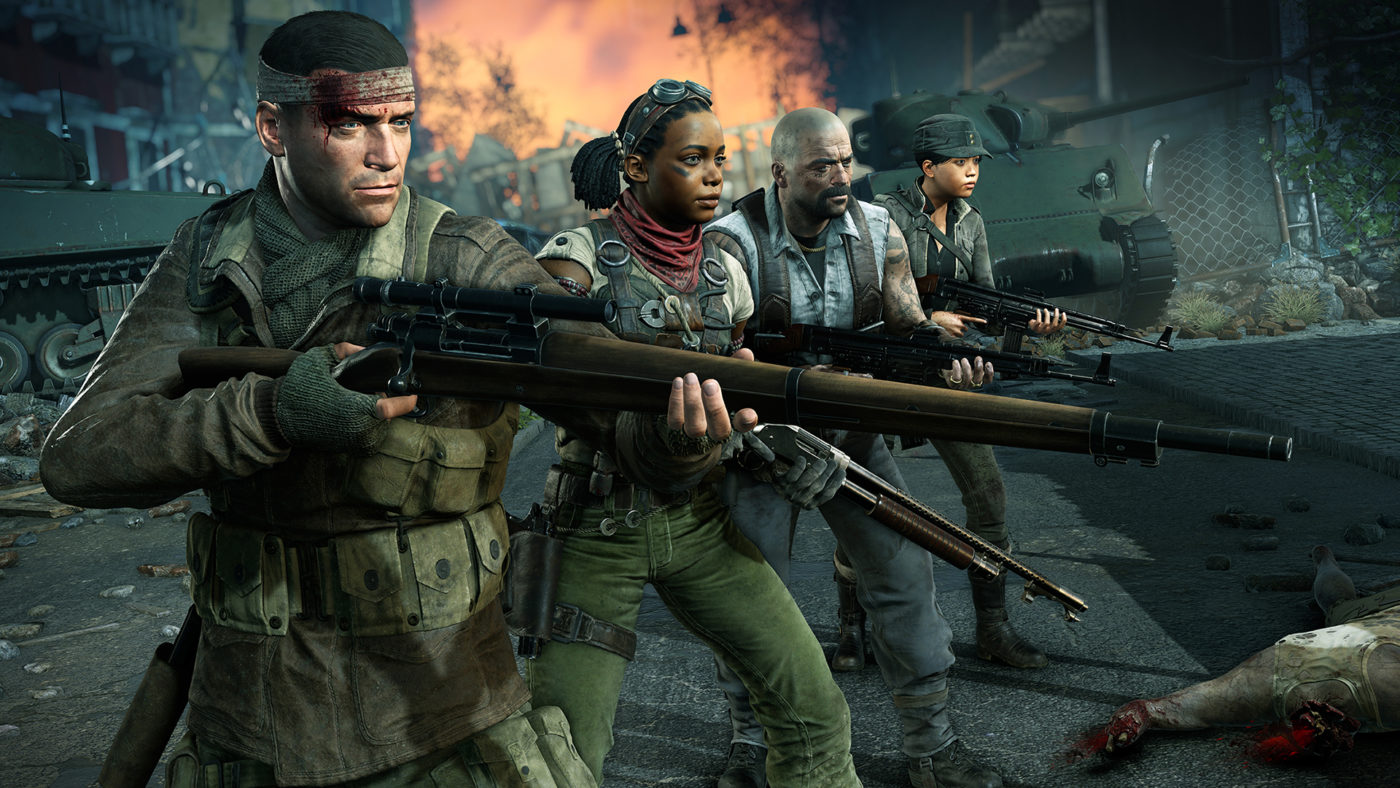
Zombie slayers, a new World War Z update is out now! Called the “Proving Grounds” update, this brings the game to World War Z update version 1.07, and there’s a lot of new content released! Clocking in at a whopping 13.9GB on PS4, and 6GB on PC, check out the World War Z update 1.07 patch notes below.

World War Z update 1.07 patch notes:

New Features

  • Added new Weekly Challenge Mode – This is a separate playlist that offers a combination of three unique gameplay modifiers, which rotate every week
  • Successfully completing weekly challenges will reward you with Challenge Coins.
  • This special currency is spent on unlocking customization options such as character skins, headgear, backpack attachments and more
  • Added Character Outfit Customization feature
  • Added skins, headgear and backpack attachments for each character
  • Added new Classic Battle Rifle weapon and its variants
  • Added Biohazard DLC weapon variants

AI

  • Players under masking effects will no longer get hit by zombies that are attacking other teammates
  • The Bull special zombie will not grab players under masking effects even if he was charging at another player and the masked player was in his way
  • The Bull and Lurker special zombies will no longer deal instant damage when grabbing players, providing a small window to prevent damage if the special zombies are quickly killed by teammates

Quality of Life

  • Added option to swap triggers and buttons on a controller
  • Added option to toggle aim
  • Added option to toggle crouch
  • Players will be able to sprint if they are holding sprint button as soon as sprint stamina is regenerated. Previously players had to depress and press sprint button again

UI

  • Weapon stats progress bars now more accurately display actual gameplay stats. This resulted in some visual changes across all weapons. However, actual gameplay stats did not change
  • PvE assists are now rewarded for these actions:
  • Healing teammates with a stim pistol
  • Healing teammates with a medkit
  • Saving a teammate who has been grabbed
  • Reviving a teammate
  • Teammates using your supply bag
  • Killing Infector that infected your teammate
  • Added ping display in PvP
  • Minor UI and localization fixes

Weapons

  • Pump Action Shotgun. Increased damage by 7%.
  • Combat Shotgun. Increased rate of fire by 25%.
  • Compact Shotgun. Increased rate of fire by 25%. Increased damage by 5% for versions 4 and 5.
  • BF25 Payload Rifle. Increased damage by 25%. Improved version is also affected and has 50% more ammo
  • Improved Stun Gun aiming at point blank distances
  • Improved effectiveness of vertical Voltage Grid defense kit

Stability

  • Fixed several gameplay crashes

Levels

  • Fixed some gameplay bugs that were causing inability to progress in levels

General fixes

  • Fixed Bullet Dodger perk which was giving friendly fire resistance for an inconsistent amount of time
  • Fixed issue that caused newly acquired weapons to have less than full ammunition in some cases
  • Fixed issue that kept the “Clear Infection” prompt from being displayed on the HUD if player was using melee
  • Crossbow bolts will now explode properly if fired by an AI bot (no friendly fire, don’t worry)
  • Fixed Stun Gun dealing inconsistent amounts of damage
  • Fixed issue that caused already burnt gasoline barrels and puddles to appear as targets for aim assist target selection
  • Chainsaw will no longer waste fuel if used against dead bodies
  • Fixed issue with scoreboard staying on screen in outro cinematics
  • Fixed issue that caused players to be unable to shoot while being healed in some cases
  • Fixed issue with shotguns sometimes reloading 2 extra rounds in one reload cycle
  • Fixed Infector spit effect staying on the screen after respawn
  • Igniting gasoline puddles, using Taser and throwing Molotovs will no longer fail stealth checks
  • Fixed issue with “zombies are close” warning sound triggering incorrectly
  • Angel no longer loses his head during cinematics

PC Specific Fixes

  • Player can now switch shoulders when aiming with Dual Sights Sniper Rifle

Vulkan

  • Added option to disable Vulkan Dynamic Resolution in video settings
  • Added option to disable Vulkan FidelityFX CAS in video settings

Also included in the update are a new Weekly Challenge  mode, a separate mode with unique gameplay modifiers. Completing these weekly challenges will reward the player with a new currency that can be spent on character customization options like color schemes, headgear, backpack attachments and more. The update also includes the new Classic Battle Rifle, and more.

The Biohazard Bundle is now also available for $4.99, and features three new weapon skins, and a tomahawk axe.

With this update, the first season of free content for World War Z is now complete! Check out the roadmap for the checklist.


In other World War Z news, go check out our Jerusalem glitch videos here.

Source: Focus Home forums

Avatar photo

Alex Co

Father, gamer, games media vet, writer of words, killer of noobs.

Home > News

Control Features a Hideo Kojima Cameo, and You Probably Missed It

Yep you read right, there’s a Control Hideo Kojima Easter egg in the game! Control features a brief voice cameo of Hideo Kojima along with Kojima’s Production Manager, Aki Saito.

Back in March of this year, Kojima personal assistant, Tweeted our a photo of Kojima doing some voice work, though as to what exactly it was for was unknown at the time with the only hint being that it was VO work for “the other Sam”

For those who don’t know, Sam is both the name of the main character in Death Stranding, and also that of Remedy’s Control creative director(Sam Lake) . Many speculated it may have been tied to Splinter Cell as well since the main protagonist is named Sam Fisher. Ubisoft recently payed homage to the Metal Gear Franchise with a touching Easter egg as part of a Splinter Cell DLC for Ghost Recon Wildlands, which you can watch below.

However, since the release of Control it has now been confirmed that Kojima does indeed feature some Japanese voice lines along with Aki Saito, Manager over at Kojima Productions providing translation.

You can watch the video of this side mission down below.

And just to be sure if you have any doubts about it, he is indeed a part of the game’s credits!

We won’t be surprised if this cameo went over your head as it did ours, since for the majority of players probably wouldn’t have recognized the voices.

Control is now available on PC, PS4, and Xbox One. If you haven’t yet, make sure to read up on our review of the title to see what we make of it.

Avatar photo

James Lara

A gamer at heart, James has been working for MP1st for the last decade to do exactly what he loves, writing about video games and having fun doing it. Growing up in the 90's gaming has been in his DNA since the days of NES. One day he hopes to develop his own game.

Home > News

The Last of Us 2 Gameplay Shown Off to GameStop Employees, Brief Gameplay Details Revealed

It has been revealed that Sony has shown off some brand new footage of The Last of Us Part II (stylized as The Last of Us 2) behind closed doors at this year’s GameStop Convention.

The news comes from  Twitter user Gaming_Forte, who posted pictures of the event he attended. While no gameplay or screenshots of the shown footage were uploaded, the user did give some very brief details confirming that mechanics where players could use clickers to distract other enemies from The Last of Us: Left Behind were returning.


Along with this it was also confirmed that some of the voice cast for the game and developers also made an appearance during the show.

Hopefully, this means that the public will see actual The Last of Us 2 gameplay before the year is done. In other The Last of Us 2 news, a new report says that the release date is set for February 2020, and it even lists the game as having four different editions.

It’s also important to keep in mind that Outbreak day, a tradition that Naughty Dog started to celebrate all things related to The Last of Us is on September 26th, so we may be getting some footage sooner rather than later. It’s on September 26th because this is the date that the infectious Cordycep Fungus became widespread in the world of The Last of Us.

Source: Reddit

Avatar photo

James Lara

A gamer at heart, James has been working for MP1st for the last decade to do exactly what he loves, writing about video games and having fun doing it. Growing up in the 90's gaming has been in his DNA since the days of NES. One day he hopes to develop his own game.

Home > News

3 Types of Apex Legends Events and Their Structure Explained by Respawn

While we didn’t get a new Apex Legends patch this week, Respawn has instead rolled out a new announcement post explaining the three types of Apex Legends events, and how they function.

Apex Legends Director of Product Management Lee Horn mentioned that there are Season Launches, Collection Events, and Themed Events. Below, you can read the full explanation from the studio, and their differences. But first, here’s the what the three events share:

  • One or more new gameplay changes such as permanent and limited-time modes (Ranked or Solos respectively), map updates and town takeovers, balance changes, new characters, new weapons, and more
  • New free progression content via challenges or the free Battle Pass track
  • Purchasable cosmetics via Battle Pass, Packs, and/or the Shop

The Three Event Structures will Generally Have the Following

Season Launches

At the start of every season, you can expect a major map update, a new Legend, new loot items (weapons, ordnances, etc.), meaty changes to the Legend and weapon meta and balance, updates to our Ranked mode, and potentially new features (like we introduced in Season 2 with Ranked mode).Every season will also feature the release of a brand-new Battle Pass.

Themed Events

These events will generally occur during a season and bring with them a limited-time mode, event challenges that let players earn cosmetics, and a mix of event limited and evergreen cosmetics available for direct purchase. These events may also include a town takeover or small map change, and potential extensions to Apex Legends lore. Legendary Hunt was an example of a Themed Event, with the next one coming early September focused on a certain Phase Expert.

Collection Events

Collection Events will also take place throughout the season and deliver a limited-time mode, event challenges where players earn cosmetics, and a set of event limited cosmetics available via Event-specific Apex Packs or direct purchase; it’s your choice. Like Themed Events, Collection Events may also feature a town takeover or small map change.

Got that? Good. In other Apex Legends news, make sure you catch up on all the drama that happened with the game’s community and developers right here.

Source: Reddit

Avatar photo

Alex Co

Father, gamer, games media vet, writer of words, killer of noobs.

Home > News

Best Single-Player Games on Steam

The gaming platform offers over 23,000 titles, which makes it your ultimate destination for the most fascinating digital battles. In addition to the wide choice, the installation on multiple devices and automatic updates are also available. Overall, Steam is pure gaming heaven. 

There is one drawback, however — the abundance of choice. With so many adventures to choose from, a user may feel overwhelmed. Sometimes, Steam visitors need a little guidance. Check out some of the best cheap Steam games and read about top ones three. There is a battle for every taste and budget. If you are into single-player adventures, the following three will impress you. 

  1. What Remains of Edith Finch

If you are looking for a compact but enthralling narrative, this game is for you. Here, failing is simply impossible, and the adventure takes 3 hours at most. You find yourself exploring your childhood home as the character Edith Finch. The items are remnants of the past, telling fascinating stories of each family member’s demise. 

The concept may sound boring or dismal, but it is touching rather than gloomy. You are bound to appreciate the enchanting ambiance and the realism of this magical journey into the past. After all, this indie title was awarded BAFTA as “Best Game” for a good reason. 

  1. Into the Breach

This game is the brainchild of the same team that previously gave us Faster than Light. It is a sci-fi strategy set in the aftermath of an alien invasion — nothing groundbreaking here. Your mission is to guide teams of mechs that have arrived from the future to reverse the course of events. 

The battlefield is an 8×8 grid, and your warriors take turns to prevent the intruders from decimating too many of the outposts and buildings. The gaming experience, therefore, bears some resemblance to a chess match, and the mechs can be upgraded for better odds of victory. 

Each of the four islands in this fantasy environment has its special features. Difficulty keeps gradually rising, eventually culminating in the final standoff. The game will constantly remind you of the cost of your past decisions, as the power indicator shows how much you have lost since the start of the experience. 

  1. Surviving Mars

The game is reminiscent of Sim City and the Martian movie starring Matt Damon. As the single player, you will be tasked with arranging a base on a barren patch of the Red Planet. Next, you have to make sure it is running properly to let your fellow colonists survive. This mission is more challenging than it may seem. 

Failure to manage the limited resources properly will result in a deadly chain reaction. Once “a colonist has died” message is heard, your comrades start dying one after another, which leaves very little time for repairs. The atmosphere and the survivalist narrative make the experience very compelling. 

MP1st

MP1st Staff

Home > News

The Last Guardian Director, Fumito Ueda Searching for a Publisher For Next Project

Curious what the Fumito Ueda next game is? You’re not the only one. Known for his work on Shadow of The Colossus. ICO, and most recently The Last Guardian, head of GenDesign studio, Fumito Ueda has confirmed that their unannounced project is ready for a publisher.

In a lengthy article about the Kowloon Night funding program, Polygon was given the opportunity to sit down with multiple developers part of the program, including former Sony employee Fumito Ueda. Now leading his own studio, GenDesign, Ueda has confirmed that the team has been working on a project over the past year that is currently wrapping up its prototype phase.

“The extensive prototyping period was worthwhile and we are making very good progress,” Ueda says. “I believe this project will showcase both unexpected and familiar elements in one.”

Polygon confirms in the article that the team had recently finished the initial development phase that Kowloon Night funded, and that the developers are ready to show it off to large publishers. From the sound of it, the team is still a long ways off from even showing it to the public, though we’re sure once a publisher does pick it up development will surely ramp up.

GenDesign was founded in 2014 by Famito Ueda and houses other members whom have previously worked on ICO and Shadow of the Colossus. The studio is based out in Tokyo and is currently independent.

Which publisher are you hoping to pick up this project? Sony? Microsoft? Nintendo maybe? Or perhaps one of the many multi platform publishers out there? Let us know down below!

Avatar photo

James Lara

A gamer at heart, James has been working for MP1st for the last decade to do exactly what he loves, writing about video games and having fun doing it. Growing up in the 90's gaming has been in his DNA since the days of NES. One day he hopes to develop his own game.

Home > News

DICE Unaware of Promised Battlefield 5 New Vehicles Due to Marketing Blunder

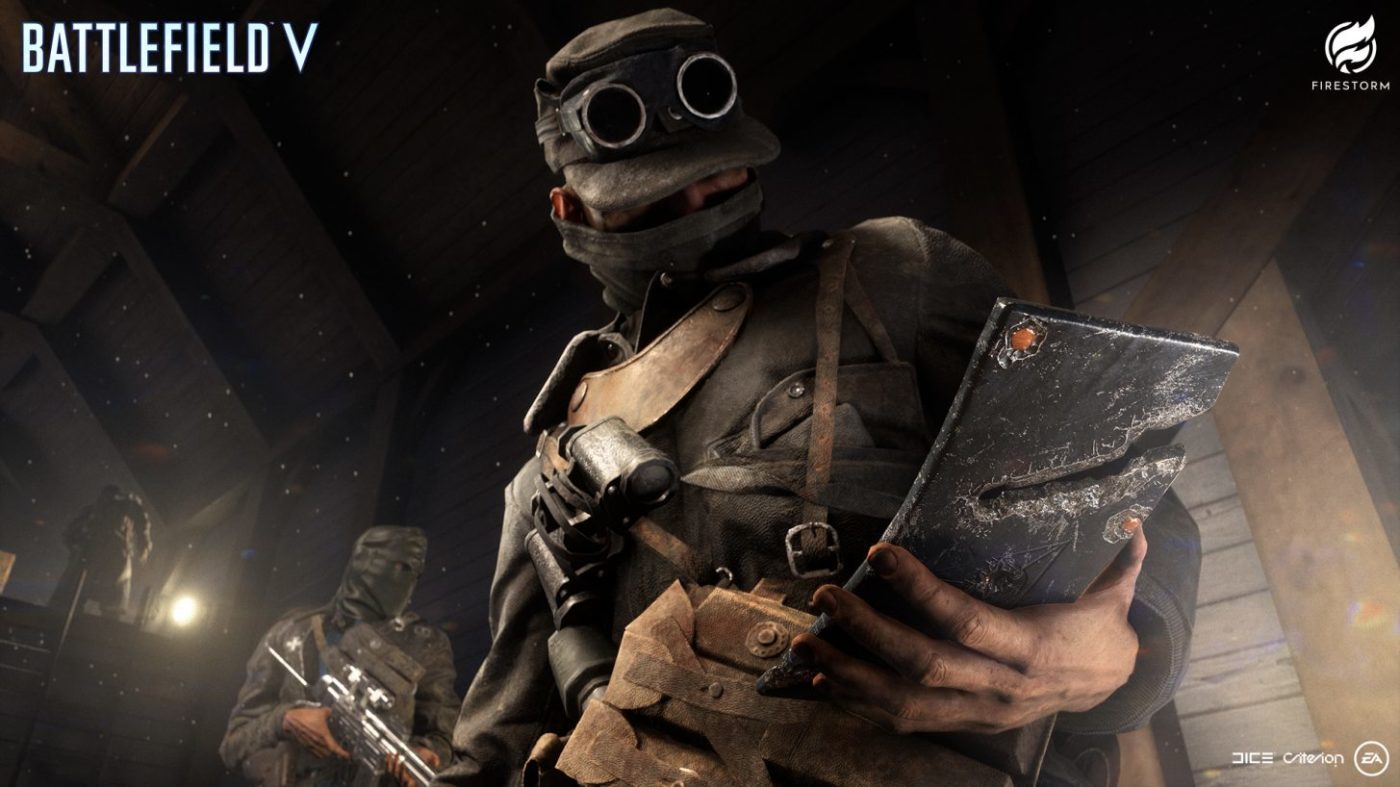
While we already posted DICE’s explanation yesterday why some of the datamined (and promised) new Battlefield 5 weapons still haven’t made their way out, that’s not the only thing promised, which we’ve yet to receive. In the Battlefield 5 Chapter 4 roadmap, DICE promised Battlefield 5 new vehiclew, which has yet to be released, but it seems actual DICE devs didn’t know about this promise at all.

Check out the image below to see how “new weapons, vehicles and gadgets” were part of the promised content roll out for this chapter:

Now, here’s the confusing (and sad) part: over on the Battlefield 5 subreddit, a fan started a thread asking DICE where were the advertised vehicles and gadgets in this chapter. Thankfully, Battlefield Community Manager Jeff Braddock replied, though it might not be what people were expecting.

The answer I received from the vehicle dev was “What are you talking about?” I showed him the image you shared. “That’s wrong. The next big push of vehicles and gadgets is with the Pacific.” He’s frustrated with the inaccuracy of the specific chapter roadmap and he’s escalating it to his bosses and studio leadership and I’m escalating it to the marketing team to find out why it has this info in the first place. The body of the article doesn’t talk about vehicles or gadgets – it talks about weapons and Elites, so the image is inaccurate. I’m sorry, man. Sigh.

In case you didn’t read Braddock’s response, you ought to as it seems actual DICE devs didn’t know that new vehicles were promised in this chapter, and said that was a mistake!

While this is sad news indeed, at least players should stop expecting a new vehicle or two to be released anytime soon. We have the next update (4.4) set to be released soon-ish, which will include the Provence and Lofoten Islands maps (watch gameplay of both maps here!).

What are your thoughts on this marketing blunder and who’s to blame for this? Sound off in the comments and let us know.

More Battlefield 5 Reading:

Avatar photo

Alex Co

Father, gamer, games media vet, writer of words, killer of noobs.

Home > News

Mortal Kombat 11 PC Update Released, Here’s What Got Changed

PC players, a new Mortal Kombat 11 PC update just got released by NetherRealm Studios today. As expected from an unannounced patch, this one contains fixes, and no new content. Console gamers, if the timing is the same as before, expect this patch to be released on the PS4 and Xbox One next week.

Mortal Kombat 11 PC update patch notes:

General Gameplay Adjustments

•Kung Lao’s Swaggering Shaolin Hat is now the correct visual and unlocked for players

•Fixed an issue where some Augments were not awarding their Experience bonuses when socketed into certain pieces of gear

•Fixed an rare issue where after Chip Avoided or Last Breath has occurred Offensive/Defensive Meter could have an invalid regeneration rate

•Fixed a rare issue where Meter regeneration rate could become invalid if the meter was not allowed to refill to maximum for a long period of time over multiple rounds

Krypt •Kollector’s Trading Table now has the correct inventory displayed

In other Mortal Kombat 11 news, veteran Spawn voice actor Keith David has been confirmed to be voicing the character again as one of Mortal Kombat 11’s upcoming fighters.

Source: Reddit

Avatar photo

Alex Co

Father, gamer, games media vet, writer of words, killer of noobs.

Home > News

Call of Duty: Black Ops Update Today August 27 Introduces New Playlists, New Event Starting Thursday

If you’re playing Call of Duty: Black Ops 4, you might have noticed a quick server-side download when you boot the game up now. Treyarch just rolled out a new Black Ops 4 update today, August 27! Same as other server-side updates, don’t expect a client download, and this one is mostly for playlist changes.

Black Ops 4 update today August 27 (server-side):

BLACKOUT

  • Limited-Time Modes
    • Ambush Solo
      • SDM, Vendetta, Locus, and Havelina AA50 excluded from sniper rifle pool.
  • Featured Playlists (Aug. 27 – Sept. 3)
    • PS4/Xbox One
      • Ambush Solo
      • Alcatraz Portals
      • Quads
      • Duos
      • Solo
    • PC
      • Ambush Solo
      • Alcatraz Portals
      • Quads

MULTIPLAYER

  • Featured Playlists (Aug. 27 – Sept. 3)
    • PS4/Xbox One
      • Deathmatch Domination
      • Party Game Moshpit
      • Mercenary Deathmatch Moshpit
      • Barebones Moshpit
      • Bolt-Action Barebones Moshpit
    • PC
      • Barebones Moshpit
      • Party Game Moshpit
      • Endurance Chaos Moshpit

What’s even bigger news is, a new Contraband event is launching this Thursday called “Heatwave.”

Starting 10AM PT this Thursday on all platforms, we’re launching our new “Heatwave” Contraband event featuring earnable bonus Reserves and a new Ultra Weapon Bribe to unlock at Tier 15! Check out the event before it ends at 10AM PT Tuesday, September 3rd, and have a safe and happy Labor Day Weekend.

Once this new update is out on Thursday, be it a download or server-side, we’ll let our readers know.

Source: Reddit

Avatar photo

Alex Co

Father, gamer, games media vet, writer of words, killer of noobs.

Home > News

Destiny 2 Weekly Reset August 27 Edition – Rewards, Challenges and More

It’s another Tuesday, Guardians, and that means another round of Destiny 2 Weekly Reset is upon us! Same as always, check out the full list of new activities, rewards, bounties, and more are now live!

Destiny 2 Weekly Reset August 27, 2019 Edition:

Nightfalls:

  • Strange Terrain
    • Mars. Defeat Nokris before he completes his ritual.
  • Warden of Nothing
    • Prison of Elders. Help the Drifter restore order at the Prison of Elders.
  • The Corrupted
    • The Dreaming City. Hunt down one of Queen Mara’s most trusted advisors and free her from Taken possession.

Scoring:

  • Complete the nightfall to receive a ‘challenge card’ (If you already have one, this will still be in your inventory).
  • Add burns / increase the difficulty on the challenge card to increase the scoring modifier for your run.
  • Get a highscore and earn unique weapons and exotic accessories. The higher the score, the higher your chance.
  • Reach a score of 100.000 or more to get an additional Powerful Engram.

FLASHPOINT: IO

Complete various activities around Io, including public events, Lost Sectors, and Heroic Adventures.


Weekly Crucible: Iron Banner

“There will come a day when the Tower falls again. Our ability to hold territory is paramount.” —Lord Saladin

Capture zones to increase points for every kill.


Heroic Strikes Burn: Void Singe

The other modifieres rotate Daily, check out the Daily Reset Thread for them!


Dreaming City Cycle: Strong Curse

The Shattered Throne dungeon active, start at The Confluence.

  • Petra is at Rheasilvia.
  • Weekly MissionDark Monastery – Provide recon for Petra’s forces by investigating strange enemy activity in Rheasilvia.
  • Ascendant Challenge: Keep of Honed Edges, Harbinger’s Seclude
  • Blind Well: Taken, Plague: Inomina

Escalation Protocol Boss: Naksud, the Famine

This boss drops:


Leviathan Raid

Order: Baths > Dogs > Gauntlet > Calus

Prestige Raid Lairs

  • Prestige: Gladiator
  • Armsmaster

Weekly Bounties

Werner 99-40 Weekly Bounties

Name Description Cost Requirement Reward
Golden Experience Gain experience by completing tasks and defeating enemies throughout the solar system. 500 Glimmer 120000 Experience gained Powerful Gear & Legendary Rune & 1 Puny Purse of Imperials
Trial by Valor Complete Vanguard daily bounties. 500 Glimmer 10 Daily bounties completed Powerful Gear & Legendary Rune & 1 Puny Purse of Imperials
Gaze Into Death’s Eyes Defeat enemies at close range using Submachine Guns, Shotguns, Sidearms, or Swords. 500 Glimmer 200 Enemies defeated Powerful Gear & Legendary Rune & 1 Puny Purse of Imperials
Salvaged Goods Loot Legendary engrams from the ground in any activity. 500 Glimmer 5 Engrams looted Powerful Gear & Legendary Rune & 1 Puny Purse of Imperials

Spiders Wanted Bounties

Name Description Cost Requirement Reward
WANTED: Metal Captain Hunt down a Prison of Elders escapee hiding out in the Drain in the EDZ. 1 Ghost Fragments 1 Escapee eliminated Legendary Gear
WANTED: Downpour Captain Hunt down a Prison of Elders escapee hiding out in the Weep in the EDZ. 1 Ghost Fragments 1 Escapee eliminated Legendary Gear
WANTED: Prince of Yul Hunt down a Prison of Elders escapee in the Jetsam of Saturn on the Tangled Shore. 1 Ghost Fragments 1 Escapee eliminated Legendary Gear
WANTED: Zerz, the Unstoppable Weight Hunt down a Prison of Elders escapee in Pathfinder’s Crash in the EDZ. 2 Ghost Fragments 1 Escapee eliminated Legendary Gear
WANTED: Mazan, Lost Captain Begin your hunt in Widow’s Walk in the EDZ. 2 Ghost Fragments 1 Escapee eliminated Legendary Gear
WANTED: Karugul Begin your hunt in the Methane Flush on Titan. 2 Ghost Fragments 1 Escapee eliminated Legendary Gear
WANTED: Golmuut Begin your hunt at Cargo Bay 3 on Titan. 2 Ghost Fragments 1 Escapee eliminated Legendary Gear
WANTED: Calzar, Scarred Captain Begin your hunt in Shaft 13 in the EDZ. 3 Ghost Fragments 1 Escapee eliminated Legendary Gear & 1 Enhancement Core
WANTED: Devourer Darg Begin your hunt in Skydock IV in the EDZ. 3 Ghost Fragments 1 Escapee eliminated Legendary Gear & 1 Enhancement Core
WANTED: Thyrdron Begin your hunt at the Orrery on Nessus. 3 Ghost Fragments 1 Escapee eliminated Legendary Gear & 1 Enhancement Core
WANTED: Saturn Survivor Begin your hunt in the Sludge in the EDZ. 4 Ghost Fragments 1 Escapee eliminated Legendary Gear & 1 Enhancement Core
WANTED: Student of Beltrik Begin your hunt near the Exodus Black on Nessus. 4 Ghost Fragments 1 Escapee eliminated Legendary Gear & 1 Enhancement Core
WANTED: Arcane Mind Begin your hunt in the Cistern on Nessus. 4 Ghost Fragments 1 Escapee eliminated Legendary Gear & 1 Enhancement Core
WANTED: Blood Cleaver Hunt down the wanted Blood Cleaver that escaped from the Prison of Elders. 5 Ghost Fragments 1 Escapee eliminated Powerful Gear

Weekly Eververse Bounties

Name Description Cost Requirement Reward
Negate and Vex Defeat enemies with Void damage, and eliminate Vex. 1 Eververse Bounty Note 30 Vex defeated & 15 Void kills 20 Bright Dust
Cabal Up Close Use weapons to defeat enemies at close range, and eliminate Cabal. 1 Eververse Bounty Note 30 Cabal defeated & 15 Close-range weapon kills 20 Bright Dust
Taken… Their Stuff Collect resources from Io or the Dreaming City. 1 Eververse Bounty Note 15 Resources collected 20 Bright Dust
Critical Victory! Land five precision final blows and complete one Crucible match. 1 Eververse Bounty Note 1 Crucible match completed & 5 Precision kills 20 Bright Dust
High and Mighty Defeat high-value targets all over the system. 3 Eververse Bounty Note 3 High-value targets defeated 70 Bright Dust
Chest Thumping Loot enemy supply caches anywhere in the system. 3 Eververse Bounty Note 20 Chests looted 70 Bright Dust
Soul of a Gambler Complete Gambit matches. 6 Eververse Bounty Note 5 Gambit matches completed 150 Bright Dust

In other Destiny 2 news, make sure to check out the first-ever community event that takes us back to Mars!

Source: Reddit

Avatar photo

Alex Co

Father, gamer, games media vet, writer of words, killer of noobs.

Home > News

Fallout 76 Atomic Shop Update – Items and Sales for August 27, 2019

The Fallout 76 Atomic Shop update for August 27, 2019 is now live. The update brings new items to the store for players to purchase using Atoms, as well as some free content that they can get their hands on if they log in from today. As a little reminder, Atoms are the premium currency in Fallout 76, but they can also be earned by completing challenges in-game.

Free Items

Today Bethesda has announced a new free item in the Atomic Shop. This is a new Player Icon called Escape Artist, and it can be claimed from the Atomic Shop right now by everyone. This item will be available until September 3, 2019.

escape-artist-player-icon

Limited-Time Offers

Future-Tec

New to the Atomic Shop for a limited time is the Future-Tec Bundle. This bundle includes an exclusive Future-Tec Globe and other Future-Tec items for use in Fallout 76’s CAMP system. The Vault-Tec Prototype Generators can be purchased separately from the bundle, allowing players to get their hands on some shiny new technology without breaking the bank.

future-tec-bundle

Included in the Future-Tec Bundles is:

  • Future-Tec World Globe – Bonus item exclusive to the Future-Tec Bundle
  • In the Vault Stairs
  • Vault-Tec Prototype Generators
  • Vault Boy 2000 Plushie
  • Vault Boy 2000 Lamp
  • Vault Boy 2000 Cardboard Stand-Up
  • Vault-Tec and Future-Tec Flags

Scabber Raiders

It’s still possible to pick up the Scabber Raiders Bundle and individual items from the Atomic Shop.

scabber-raiders-bundle

Included in the Scabber Raiders Bundle is:

  • Raider Player Icon – Bonus item exclusive to the Scabber Raider Bundle.
  • Scabber Power Armor Skin
  • Raider Scabber Outfit
  • Scabber Handmade Rifle Paint
  • Scabber Tire Backpack
  • Scabber Pip-Boy Paint
  • Raider Scabber Flags

These scabby looking outfits can be purchased from and until 12pm ET on the following dates

Item Atom Price Available From Available Until
Vault-Tec Power Armor Paints 1,200 August 27 September 3
Future-Tec Bundle 1,500 August 27 September 10
Vault-Tec Prototype Generators 500 August 27 September 17
Scabber Raider Bundle 1,800 August 20 September 3
Scabber Power Armor Skin 1,400 August 20 September 10
Raider Scabber Outfit 800 August 20 September 10
Scabber Handmade Rifle Paint 700 August 20 September 10
Scabber Tire Backpack 500 August 20 September 10
Scabber Pip-Boy Paint 400 August 20 September 10
Raider Scabber Flags 200 August 20 September 10

Item Sales

Item Sale Price Sale Starts Sale Ends
Mountaineer Outfit 800 640 (20% Off!) August 27 September 3
Carnivorous Plant 200 100 (50% Off!) August 28 August 29
Fish Lamp 300 150 (50% Off!) August 29 August 30
Willard Plushie 200 100 (50% Off!) August 30 August 31
Rhododendron Suit 600 300 (50% Off!) August 31 September 1
Clean Billboard 500 300 (40% Off!) September 1 September 2
Green Boy Player Icon 150 60 (60% Off!) September 2 September 3
Alpine Horn 200 120 (40% Off!) September 2 September 3

Items Leaving the Store

Some items are leaving the Atomic Shop, either forever or for a short period of time. However, these items will be discounted for a while before they disappear. The discounts and dates the items are available until are listed below.

Item Sale Price Sale Starts Sale Ends
Pickaxe Pilsner Sign 500 250 (50% Off!) August 27 August 28
Home Sweet Home Photomode Frame 200 100 (50% Off!) August 27 August 28
Red Rocket Bed 300 150 (50% Off!) August 27 August 28
Modern Chandelier 300 300 (40% Off!) August 27 August 29
Easter Bonnet 300 180 (40% Off!) August 27 August 30
AstroTurf Floors and Foundations 600 360 (40% Off!) August 27 August 31
Red Rocket Pip-Boy Paint 600 360 (40% Off!) August 27 September 1
Heroic Photomode Pose 150 90 (40% Off!) August 27 September 2
Classical Column 300 180 (40% Off!) August 27 September 2
Tactical Ops Underarmor 700 560 (20% Off!) August 27 September 3
Princess Castle Bed 500 400 (20% Off!) August 27 September 3
Conspiracy Suit Underarmor 800 640 (20% Off!) August 27 September 3

New Items

Finally, some brand new items are heading to the Atomic Shop right now. Take a look at the list below and decide what you’re buying before Fallout 76 has fully loaded up.
Item Atom Price
Double Wide Vault 76 Staircase 500
Vault Boy 2000 Desk Lamp 500
Vault Boy 2000 Cutout 300
Vault Boy 2000 Plushie 300
Vault-Tec Flag Set 100

Don’t forget to check out the latest Fallout 76 patch, which brought Vault 94 to the game.

Jamie Moorcroft-Sharp

Trying to be a games journalist, dad, and master of Destiny 2. Author

Home > News

Overwatch Nintendo Switch Port Might Have Just Been Leaked by Officially Licensed Overwatch-Themed Carrying Case

An Overwatch Nintendo Switch case listing was posted on Amazon by the accessory maker PowerA on Monday. However, after a brief time of the listing being live, it was quickly pulled down again after users from ResetEra posted a picture of the listing on Twitter. Fortunately at least one post on Twitter still has an image of the listing. Check it out below and read on for more details.

The Overwatch Nintendo Switch case was described as being officially licensed by both Nintendo and Blizzard Entertainment, the repercussions of which could be dramatic for the future of the console. If both Nintendo and Blizzard Entertainment have sanctioned the creation of an official Overwatch Nintendo Switch case, then it probably means that Overwatch is coming to Nintendo Switch. While the mere existence of this product listing is no proof that the case, or the Nintendo Switch port of Overwatch, exist, there’s a very good chance that both are real.

In 2017 Jeff Kaplan, Overwatch Game Director, told fans that a port of Overwatch for the Nintendo Switch was a possibility. While he didn’t deny that the port was feasible, he did say that it would be a challenge on a technical level. In a separate Reddit AMA Kaplan also commented on the fact that Blizzard Entertainment could make an Overwatch Nintendo Switch port, but it would be a lot of work. He also stated that the console is his second favourite behind the Nintendo 3DS, though whether this fact would speed up an Overwatch port is anyone’s guess.

The fact that Diablo 3 has already been ported to the Nintendo Switch has led many to believe that an Overwatch port is in the works. With a Nintendo Direct rumoured to be coming in the next few months, and BlizzCon 2019 occurring in November, many people have already decided that a port will definitely be announced around the time of these two events. With the game already popular on PC, Xbox One, and Playstation 4, there’s no reason that both Nintendo and Blizzard Entertainment wouldn’t consider a Nintendo Switch port.

The most recent content addition to Overwatch came in the form of new character Sigma. Check out the full-size Overwatch Nintendo Switch case images below.
Overwatch-Nintendo-Switch-Case-Could-Indicate-That-a-Port-is-on-the-Way-1 Overwatch-Nintendo-Switch-Case-Could-Indicate-That-a-Port-is-on-the-Way-2 Overwatch-Nintendo-Switch-Case-Could-Indicate-That-a-Port-is-on-the-Way-3 Overwatch-Nintendo-Switch-Case-Could-Indicate-That-a-Port-is-on-the-Way-4

Jamie Moorcroft-Sharp

Trying to be a games journalist, dad, and master of Destiny 2. Author

Home > News

Xbox Store Sale August 27 List Now Up, Here’s Your Week’s Deals With Gold

Xbox gamers, the Xbox Store sale this week is now live! Same as always, this week’s Xbox Deals With Gold include titles for the Xbox One, and Xbox 360. Check out the full Xbox Store sale August 27 list below.
Xbox Store sale August 27:

Xbox One:

Xbox 360:

Source: MajorNelson

Avatar photo

Alex Co

Father, gamer, games media vet, writer of words, killer of noobs.
Home > News

Death Stranding was Hideo Kojima’s “Last Idea,” Wanted to Make Smaller Games

Legendary game designer Hideo Kojima reflects on the time he spent after the Konami incident, and how Death Stranding came to be. In a recent interview with French reporter Julien Chièze, Kojima opens up on the process that he had begun during the development of Death Stranding. Originally, Kojima mentioned that because he is now an independent studio, that they should have focused on more smaller and faster to produced titles. Luckily, his meeting with film director Guillermo Del Toro changed that.

“Continue making AAA games in an open, stunning world, that’s what people look for in a Hideo Kojima game!” Said Del Toro.  Kojima continued, “So then i started following my instincts, the hardest part was game design since it is something that has never been done before. I also know my fans are expecting a great story, if this game does not do well, DS will have failed to show you what I want you to see”

Like many of us out there, we were rather surprised when Death Stranding got announced, as it had only been a short time since Kojima had left Konami with Kojima Productions. Kojima himself compares Death Stranding to having a baby as the whole process has been both a mix of suffering and a joy of life during the interview and then gave some insight behind that.

“Very overwhelming, in 2016 we were a handful of people in a tiny office and in June of the same year we started game design, casting without even knowing the whole game. It’s like a marathon where the middle is the hardest part. The start is easy everyone is full of energy, then in the middle you cannot see the end and it feels like there is no end and it’s a terribly draining. But honestly, the closer we get to the end the more we see that arrival which gives us extra strength…. I had MANY ideas and concepts, but to be honest DS was NOT the first idea, it was literally the last. There was ANOTHER game that I had to abandon and I will probably never come back to it. So that is how DS was born.”

In other Death Stranding news, Kojima says the game’s multiplayer aims to connect millions of players at launch, and compares it to the Spider-Verse. The game will be playable in first-person view according to Kojima as well.

Translation of the interview provided by Reddit in two parts: Reddit 1, Reddit 2

Avatar photo

James Lara

A gamer at heart, James has been working for MP1st for the last decade to do exactly what he loves, writing about video games and having fun doing it. Growing up in the 90's gaming has been in his DNA since the days of NES. One day he hopes to develop his own game.

Home > News

Anthem Update Today for Cataclysm Includes New Weapons and More

Freelancers, BioWare has rolled out a new Anthem update today for the Cataclysm. Same as before, there are new challenges, and more. Note that this is a server-side update, so don’t expect to download anything. Check out the full Anthem Cataclysm update below.

Cataclysm “Echoes of Reality” Changes:

  • “Crucible of Astrid” Event  – This week we add the next arena to the Cataclysm, which you will want to finish before going to challenge Vara for maximum points (and Crystals). The Crucible of Astrid event, located in the “Trials of Might” District on the Cataclysm map, will have Freelancers working together with a set of 5 Echoes to switch ON and OFF the relic suppression fields. Per usual, teamwork is key and utilizing communication with your squadmates will help optimize your time.
  • Inversions Changes – Here are this week’s Inversion changes:
    • On the Edge: At low armor, damage dealt increases.
    • Soldier’s Reward: Killing an enemy restores a small amount of shields.

Seasonal Store Refresh:

  • War Chest: Weapon – Ever since these first showed up on the PTS for the Cataclysm, Freelancers have been asking when they’d be able to get their hands on these news weapons. Well, I am excited to tell you that the time has finally come! Pulse AcceleratorsVolt Casters and Blade Slingers (all with three additional MW/LEG variants) are available in these new War Chests and loot drops. If you want more details on the new weapons, we have additional details in our 1.3.0 Update NotesAs a reminder, the War Chests allow you to trade in Crystals for a Masterwork item (with a chance to roll Legendary). The chests are also the only way to acquire the lvl 66 MW and lvl 80 LEG items.
  • War Chest: Melee Weapon – (returning)
  • Piercer Armor Pack (Interceptor Javelin)
  • Wrap: Neon Shard
  • Painted: Diamond Gemstone
  • Graphic: Gleaming Mantle
  • Graphic: Purple Spire
  • Decal: Guard Sheen
  • Decal: Parry Sheen
  • Decal: Strike Sheen
  • Arrival Emote: Triple Axel (Storm Javelin)
  • Emote: Cameraman

Daily Cataclysm Challenge:

  • Daily Cataclysm Arenas Challenge: Weapon – These challenges granted a Support piece in week three, and now they will reward you with a new Weapon (Masterwork with a chance to be Legendary) here in the Week 4 update. These can be repeated daily, so… just another reminder to do your dailies. ?
  • Power of the Storm (Daily) – Complete 3 Cataclysm arenas using the Storm javelin and be rewarded with one Weapon.
  • Heart of the Ranger (Daily) – Complete 3 Cataclysm arenas using the Ranger javelin and be rewarded with one Weapon
  • Strength of the Colossus (Daily) – Complete 3 Cataclysm arenas using the Colossus javelin and be rewarded with one Weapon.
  • Speed of the Interceptor (Daily) – Complete 3 Cataclysm arenas using the Interceptor javelin and be rewarded with one Weapon.

NOTE: These are in addition to the other rotating Daily, Weekly and Monthly challenges, so keep an eye on your Path to Glory tab in the Challenges menu.

According to BioWare, the new weapons do NOT drop, and are only available in War Chests (which players can purchase with Crystals or earn in Daily Challenges).

You should also check out the in-game store refresh here (with pics!).

Source: Reddit

Avatar photo

Alex Co

Father, gamer, games media vet, writer of words, killer of noobs.

Home > News

Anthem Store Update August 27, 2019 – Prospero Items List

Today’s Anthem store update is now live, bringing new Wraps and other customisation options for Javelins to the Featured Store, where Prospero sells his wares. There’s nothing out of the ordinary today, but there are some items in particular that could make a Javelin look more than epic. Check out the storefront below and read on for more information.

Anthem-Store-Update-August-27-2019–Prospero-Items-List

Wraps

Swamp Stalker: 61,000 Coin or 850 Shards – While not quite the Swamp Thing cosplay option it might sound like, Swamp Stalker will allow you to equip all sorts of digital camouflage to use in the field.

Ander’s Wrath: 61,000 Coin or 850 Shards – The lines on this Wrap make my eyes go a but funny. If you’re into the look of skins in Borderlands 3 then this is good for you, because it almost looks hand drawn.

Emotes

Ballerina Twirl: 23,000 Coin or 475 Shards – If you’ve always longed to dance in a mech suit designed to murder aliens, this is your chance.

Standing Backflip: 7,000 Coin or 225 Shards – This is a pretty standard Emote in Anthem that most players should have, so this is your chance to pretend you had it all along.

Material

Tropical Shell (Leather): 12,000 Coin or 300 Shards – This material is great for creating any kind of fashionable look on your Javelins, particularly ones that are modelled after handbags.

Graphics

Amethyst Breach: 23,000 or 475 Shards – If you love crystals, and if you’re playing the Cataclysm you probably do, then this is the graphic for you.

That’s all for this week’s reset. Our recommendation would be to get those Wraps if you don’t already own them, they look particularly fabulous this week. Don’t forget to check out what the Anthem store update was on August 16, 2019 to compare the items that have been switched in between then and now.

Jamie Moorcroft-Sharp

Trying to be a games journalist, dad, and master of Destiny 2. Author

Home > News

Death Stranding Multiplayer Aims to Connect Millions at Launch, Compares the Idea to Spider-Verse

Hideo Kojima recently took part in an interview, answering a number of questions pertaining to his personal life and Death Stranding. One interesting question that came up was regarding the online component, and although Hideo wanted to keep things close to the chest, he did in the very least offer some small hints as to what players may expect in the Death Stranding multiplayer.

Taking part in a one on one interview done by French reporter, Julien Chièze and translated by reddit user xxxjohnnygxxx, Kojima explains that upon launch the game will have millions of users connected to one another and that it’s comparable to the concept of Spider-verse in a sense that these Spider-Man characters had always thought they were the one and only Spider-Man.


Q: With DS you said you wanted to opt for a brand new, never seen multiplayer approach, can you tell me a little more about the social strand system?

A: I’m going to let you down, but I cannot say anything atm. All i can say is that it is an open world in which the players will quickly find out that the approach is different. Its going to be hard task and you must reconnect a fractured society and split up humans, you do this with a character who has nothing to do with superheroes. Sam is just by himself and must survive, he has no special power. The more you play the more you will notice that he isn’t the only one in this situation. At launch, there will probably be millions of people who will play and you will be CONNECTED to them USING SOMETHING…

Q: Something?

A: Yes, its like Miles Morales in the Spiderman Spider-verse. Miles thinks he is the only spiderman, then different characters from different alternate dimensions also become Spiderman and meet up, all of a sudden Miles is not alone! Of course DS will be different but it’s a clue towards what the game is about. Sorry but i really cant say anymore, is that ok?

Like the rest of the game, Death Stranding multiplayer is very much shrouded in a cloud of mystery. We know that Kojima and his team are aiming for it to offer an “Asynchronous“ style of gameplay where no players actually meet with one another, though it has yet to be explained exactly so.

Avatar photo

James Lara

A gamer at heart, James has been working for MP1st for the last decade to do exactly what he loves, writing about video games and having fun doing it. Growing up in the 90's gaming has been in his DNA since the days of NES. One day he hopes to develop his own game.

Home > News

Death Stranding First Person View Confirmed, but Won’t Be an FPS

Game director Hideo Kojima has confined a Death Stranding first person view will be available in the game, though before anyone gets any ideas, he also confirms that it won’t be a first-person shooter.

Taking to Twitter to address a commonly asked question, Kojima once again iterates that Death Stranding will be an entirely new genre that he’s calling “Social Strand System.”

The big take here is that he did indeed confirm that the game will in some capacity be playable in first-person view. A majority of the gameplay shown thus far has been in third-person view, however there was one interesting scene from one of the past trailer that showcased what appeared to be a first person view. Check it out below

It really shouldn’t come much as a surprise, considering that the past couple of Metal Gear Solid (a series Kojima created and worked on) games have featured the ability to play entirely in first-person view. However those also featured guns that can be shot from that perspective, which Kojima states that this game will not be a FPS.

It’ll be interesting to see how this all turns out and hopefully TGS 2019 will be able to shed some more light on the recent gameplay reveal. Death Stranding will be releasing this November, exclusively for the PlayStation 4. Make sure to also check out this Briefing trailer leak to see seven minutes of new footage!

Avatar photo

James Lara

A gamer at heart, James has been working for MP1st for the last decade to do exactly what he loves, writing about video games and having fun doing it. Growing up in the 90's gaming has been in his DNA since the days of NES. One day he hopes to develop his own game.

Home > News

Fortnite Update 2.32 Patch Notes and File Size Info (v10.20) – Borderlands Crossover Event Now Live

Who’d have thought this would be a thing? Epic Games has partnered with Gearbox Software to bring us a Fortnite crossover event with Borderlands! Officially called Fortnite update version v10.20 (or version 2.32 on PS4), this crossover event brings themed Challenges, rewards, cosmetics tied to the Borderlands franchise and more. Check out the full Fortnite update 2.32 patch notes below, which clocks in at 3.45GB on PS4.

Fortnite update 2.32 patch notes:

Shield Bubble
This is a bubble that’s not easy to burst. Take cover under this dome that’s invulnerable to projectiles and explosives!
10BR_ShieldBubble_Social.jpg

WEAPONS + ITEMS

  • Shield Bubble
    • Rare item.
    • Found from Floor Loot, Chests, Supply Drops, and Vending Machines.
    • Lasts for 30 seconds.
    • Creates a large bubble that blocks projectiles and explosives. However, players can still run through it.
      • Projectiles and explosives can be fired from inside the bubble but cannot go outside of it.
      • The bubble’s emitter has 400 HP. Destroying it deactivates the bubble.
  • B.R.U.T.E.
    • The B.R.U.T.E.’s map icon will remain visible to all players after players board one. The icon will follow the vehicle as it moves.
      • This is to increase awareness of a B.R.U.T.E.’s presence and location to all players in the match.
    • The B.R.U.T.E. changes below were implemented between August 22-23.
      • Decreased the maximum amount of rockets fired by the B.R.U.T.E. in a single charge from 10 to 6.
      • Decreased the rate at which the rockets are fired from the B.R.U.T.E. by 56%.
      • The B.R.U.T.E. no longer grants materials to the driver and passenger when stomping or dashing through the environment.
      • Returned the explosion radius of B.R.U.T.E. missiles back to their original range.
        • We had decreased the explosion radius by 42% in the August 22 hotfix. This change in particular felt like an overswing, making it too difficult for the B.R.U.T.E to hit targets with less rockets and mobility. So on August 23 we brought the damage radius back (in core modes) to where it was before August 22. We’re continuing to closely evaluate the B.R.U.T.E. changes to make sure they align with our goals.
          • As of v10.20, these changes are now also in Arena & Tournament playlists.
      • Increased the dash cooldown from 3 seconds to 5 seconds.
      • Decreased the velocity gained from boosting while in air by 33%.
      • Adjusted the variability of spawn rates for storm phases 1, 2, and 3 in core modes.
        • Note: These adjustments do not affect the spawn rates in Arena and Tournament playlists. You can find those spawn rates in the v10.10 Patch Notes.
        • Storm phase 1
          • Increased the maximum number of B.R.U.T.E. spawns from 5 to 6.
          • Reduced the chance for 0 B.R.U.T.E.s to spawn from 29% to 14.3%.
          • New spawn rates
            • 14.3% chance to spawn 0.
            • 14.3% chance to spawn 1.
            • 14.3% chance to spawn 2.
            • 14.3% chance to spawn 3.
            • 14.3% chance to spawn 4.
            • 14.3% chance to spawn 5.
            • 14.3% chance to spawn 6.
          • Old spawn rates
            • 29% chance to spawn 0.
            • 14.3% chance to spawn 1.
            • 14.3% chance to spawn 2.
            • 14.3% chance to spawn 3.
            • 14.3% chance to spawn 4.
            • 14.3% chance to spawn 5.
        • Storm phase 2
          • Increased the maximum number of B.R.U.T.E. spawns from 3 to 5.
          • New spawn rates
            • 16.7% chance to spawn 0.
            • 16.7% chance to spawn 1.
            • 16.7% chance to spawn 2.
            • 16.7% chance to spawn 3.
            • 16.7% chance to spawn 4.
            • 16.7% chance to spawn 5.
          • Old spawn rates
            • 25% chance to spawn 0.
            • 25% chance to spawn 1.
            • 25% chance to spawn 2.
            • 25% chance to spawn 3.
        • Storm phase 3
          • New spawn rates
            • 25% chance to spawn 0
            • 25% chance to spawn 1
            • 25% chance to spawn 2
            • 25% chance to spawn 3
          • Old spawn rates
            • 33% chance to spawn 1
            • 33% chance to spawn 2
            • 33% chance to spawn 3
      • Decreased the material cost of using the gunner’s overshield from 200 to 75.
      • Increased the Health of the B.R.U.T.E from 1000 to 1250.
  • Junk Rift
    • The Junk Rift has been re-enabled in all modes.
  • Vaulted
    • Storm Flip
    • Drum Gun
    • Storm Scout Sniper Rifle

Bug Fixes

  • Fixed an issue in which the Junk Rift was not destroying B.R.U.T.E.s on impact.
  • Weapons and items received from Vending Machines no longer differ from the weapons and items displayed upon receiving them.
  • Fixed an issue in which Chug Splashes were able to be deployed quicker than intended.
  • The Combat Shotgun no longer becomes more inaccurate for a short period of time after players swap to it from a weapon best used while aiming down sights (such as Sniper Rifles).
  • Shockwaves now properly affect members of the Horde.
  • Fixed an issue in which Small Shield Potions would not fill players’ Shield to 50 if it was at 49.
  • Fixed an issue in which Stink Bombs would do less damage to players using a B.R.U.T.E.
  • Gunners in a B.R.U.T.E. who aren’t accompanied by a driver will no longer have an obstructed view while in the volcano vortex.
  • Hoverboards can no longer be ridden by a B.R.U.T.E.
  • The damage state of a B.R.U.T.E. now appears when players with a vehicle Wrap equipped enter a B.R.U.T.E. that was previously unoccupied.
  • Reloading a B.R.U.T.E.’s shotgun no longer makes it unable to fire missiles.
  • Fixed an issue involving the B.R.U.T.E.’s air slam dealing more damage to Horde spawners than intended.
  • The self-destruct timer of a B.R.U.T.E. can no longer be paused.
  • Switching seats in or exiting a B.R.U.T.E. while it is loading missiles no longer makes it unable to emote.
  • Entering a B.R.U.T.E. no longer causes players to lose the ability to use weapons or items on exit.

GAMEPLAY

  • Pandora
    • At the oasis near Paradise Palms, a Rift Beacon has created the Pandora Rift Zone.
      • Part of the Fortnite X Mayhem collab.
      • This Rift Zone highly resembles the planet Pandora. However, it’s more than just a model; even the rules of the planet apply!
        • While at the Rift Zone, players will begin to generate Shield after 4 seconds of not taking damage.
      • Pandora will be available until September 10.
  • Tilted Town
    • Added traversable paths that connect the town to the surrounding hills.
      • This is to improve the experience in late-game circles that take place at Tilted Town.
  • Increased the time between subsequent Turbo Build placements from 0.05 seconds to 0.15.
    • The first placement of a structure using Turbo Build remains the same.
  • Moving Storm
    • Safezones will no longer move while shrinking in the later phases of a match.
    • Note: This change does not affect Arena and Tournament playlists.
    • This change was implemented on August 23.

Bug Fixes

  • Going inside the Tilted Town Rift Zone while using a B.R.U.T.E. no longer causes the screen filter and no-building effect to remain after leaving the Rift Zone.
  • Getting knocked out of a B.R.U.T.E. no longer causes players to enter an unintended Down But Not Out state in which they’re able to walk/run and unable to be revived.
  • Fixed an issue in which members of the Horde would not attack players in a B.R.U.T.E.
  • Damaging a B.R.U.T.E. no longer counts towards the Storm Surge damage threshold.
  • Players inside indestructible buildings can no longer be damaged by a Junk Rift.
  • Destroying a Chest or ammo container by destroying the object it is placed on will now open it.

ART + ANIMATION

Bug Fixes

  • Fixed an issue in which Catalyst’s left arm would clip through multiple backpacks in the lobby while idle.
  • The Y0ND3R Outfit and EQ Wrap now animate correctly on PlayStation 4.
  • Boarding a B.R.U.T.E. inside the Tilted Town Rift Zone and then exiting the Rift Zone while in the B.R.U.T.E. no longer causes the player’s Outfit to be unable to return to the equipped Outfit.

AUDIO

  • Adjusted the shape of the Junk Rift’s audio attenuation from a sphere to a capsule.
    • This is to make Junk Rift objects more audible when spawned up high. 
  • Reduced the volume of the Minigun’s overheat audio.

Bug Fixes

  • The Frag Grenade’s fuse sound no longer occurs as it is thrown.
  • The Battle Bus’ audio no longer plays from the wrong location on Starter Island.
  • Fixed an issue in which the spawn sound effects of Junk Rift objects would not play if the thrown projectile hit a player.

UI

Bug Fixes

  • Fixed an issue involving players being unable to see Challenges upon logging in for the first time during Season X.
  • The input UI for the B.R.U.T.E.’s gunner mode no longer displays the wrong inputs for players using a controller.
  • Fixed an issue in which the player icon wouldn’t update properly while players have their Locker Outfit set to Random.
  • A rounding error no longer occurs in the Health and Shield meters after applying Bandages or Small Shields.
  • Fixed an issue that caused the Social Panel to show an incorrect set of Team Members.

REPLAY

  • Local replays now have the same HUD as that of server/broadcast replays.
  • After a player is eliminated in a replay, the camera will now follow their teammates or the player who eliminated them.
  • Reordered and slightly modified the replay HUD controls.
    • As part of this, the button used to access the player list has been removed. However, players can still access the player list using the map screen.
  • On August 20, we disabled server streaming replays on PlayStation 4 and Xbox One to improve stability and address performance issues.

Bug Fixes

  • Fixed an issue in which some of the smaller Junk Rift objects would not be hidden in replay rewinds after hitting the ground.
  • Thrown Junk Rift projectiles no longer duplicate in replays.
  • Junk Rift objects hitting the ground in replays no longer causes assets to appear.
  • Fixed an issue involving the Junk Rift’s audio effects not occurring in replays.

MOBILE

  • iOS will now optimize content during players’ first run of the game after patching. This will help reduce hitching and load times when waiting for the Battle Bus to leave.
  • 60FPS support has been re-enabled for iPhone 8.
  • Updated the images that appear on-screen during the patching process.

Bug Fixes

  • Playlist tiles, “New” tiles, and Event page tiles will now display the correct images.
  • Fixed collision issues between characters and some cosmetics.
  • Fixed an audio issue when using the B.R.U.T.E on Android.
  • Backing out of cinematics no longer causes a black screen.
  • The font alignment has been corrected in the Challenges menu.
  • Fixed an issue in which ammo belts would float while players were in a B.R.U.T.E.
  • Fixed an issue in which Autofire was active against some vehicles.

CREATIVE

WHAT’S NEW?

Pandora Building Set
Recreate your favorite Pandora setting! Fortnite will be featuring a Pandora themed block in the near future, so make sure to submit and share your creations. Part of the Fortnite X Mayhem collab.
10BR_Mayhem_Prefab_NewsHeader.jpg

Arid Island
A desert themed canyon with high peaks and jagged rocks, inspired by the Pandora desert area on the Battle Royale map.
Pandora_woRocks.png

Communication
New ways to let your players know what’s going down with the addition of the Speaker device and HUD Message Device.
NewsHeader_HUDMessageDevice.jpg

Light it Up
Let your players explore those dark corners of the map with the Torch and Flashlight Pistol.
NewsHeader_FlashlightPistol.jpg

ISLANDS

  • Added a desert-themed canyon with high peaks and jagged rocks, inspired by the desert area on the Battle Royale map.

Bug Fixes

  • The ground on Ice Lake Islands no longer flickers on mobile devices.

GAMEPLAY

  • Added a new value to the Camera Filter option in the Game Settings menu: Comic.
  • Added Weapon Destruction option to the Game Settings menu.
    • Determines how much damage player weapons will do to the environment and buildings on the map.
    • None, 10%, 25%, 50%, 75%, 100%, 125%, 150%, 175%, 200%, 300%, 400%, 500%, Instant (Default: 100%).
  • Added Allowed to Edit option to the Game Settings menu.
    • Determines who is permitted to edit player built structures during the game.
    • Default, Anyone (Default: Default).  Default – players can edit structures built by themselves or their teammates.  Anyone – all player built structures can be edited by any player.
  • Added a new value to the Join in Progress option in the Game menu: Spawn On Next Round.

Bug Fixes

  • Players do not lose movement functionality when entering a vehicle that is overlapping a rift.
  • Fixed an issue where Creatures wouldn’t spawn on the Kevin Floating Islands.
  • Players will no longer have access to the Creative inventory on the Battle Royale map when they enter Tilted Towns or Retail Row.

Known Issue:

  • Unmanned vehicles are no longer causing traps to trigger. This breaks many Creative islands that use this mechanism to trigger events. We’re actively working on a fix.

WEAPONS + ITEMS

  • Added Flashlight Pistol.
    • Allows players to defend themselves while navigating in the dark.
    • Rare Item.
    • Use Light Ammo.
    • Damage: 26.
    • Headshot: 52.
    • 6.75 Rounds per second.
    • 16 Rounds per magazine.
  • Added Torch.
    • A flaming brand to light your way.
    • Rare Item.
    • Cannot be used as a melee weapon.

Bug Fixes

  • Traps now activate for players after they have turned into a prop.
  • Camera placement is more stable when switching directly between different props using the Prop-O-Matic.
  • Fixed several issues related to how the Prop-O-Matic interacts with DBNO state.

PREFABS & GALLERIES

  • Added 6 New Prefabs:
    • Pandora Container Complex.
    • Pandora L-Stack.
    • Pandora Transmission Stack.
    • Pandora Barn Shelter.
    • Pandora Hearth Shelter.
    • Pandora Traveler Shelter.
  • Added 6 New Galleries:
    • Pandora Gallery.
    • Pandora Prop Gallery.
    • Pandora Prop Gallery Large.
    • Pandora Container Gallery.
    • Pandora Bone & Rock Gallery.
    • Pandora Light Gallery.

Bug Fixes

  • Cliff Gallery floors won’t automatically destroy after pasting them.
  • The Butterfly Orb effects can be seen on lower graphical quality settings.
  • The Pueblo Gallery no longer has an invisible collision at the bottom of certain walls.
  • The Great Pyramid prefab no longer has a black floor on mobile.
  • The Tomato Head Framed picture from the Mega Mall Gallery and the Dusty Depot Framed picture from the Dusty Prop Gallery now have collision.
  • Players can no longer “Search” the bed from the Stilted Cabin Prefab.
  • Items from the Indoor Residential Prop Gallery give proper materials when destroyed.
  • The Factory Roofs from the Dusty Depot and Diner Gallery can be pasted.

DEVICES

  • Added Random Number Generator device.
    • This picks a random number between two values and displays the result. Optionally, it can also award score or apply this random value to a volume in front of it to trigger devices.
    • Value Limit 1: 0-99 (Default: 1). Can be either the Max or Min Value.
    • Value Limit 2: 0-99 (Default: 6). Can be either the Max or Min Value.
    • Winning Value: If the output is higher than this, you ‘win’. This can be used with other customization options and can be used to send a trigger signal.
      •  0-99 (Default: 4).
    • Result Multiplier: Multiplies the visible output (and the winning score) of the device. e.g. if you roll a 5 with 10x multiplier, the device will report a value of 50.
      •  1-10 (Default: 1).
    • Roll Time: Determines how long the roll takes to complete.
      •  Instant, 1-30 seconds (Default: 3 seconds)
    • Reset Delay: Determines how long the device will wait after a roll before it can be activated again.
      • None, 1 second, 2 seconds, 3 seconds, 5 seconds, 10 seconds, 20 seconds, 30 seconds, 1 minute, 2 minutes, 3 minutes, 5 minutes, 10 minutes, 15 minutes, 20 minutes (Default: None).
    • Award Score: Determines the circumstances under which score is awarded to the player who activated the device.
      • Never, Always, On Win, On Loss (Default: Never).
    • Score Type: Determines how any score award is handled.
      • Add, Remove, Set (Default: Add).
        • Add and Remove – Adjust the player’s current score by the Score amount.
        • Set – Forces the player’s current score to the Score amount, ignoring any existing score.
    • Score Value: Determines how much Score is awarded to the player.
      • Roll Amount, 1, 2, 3, 4, 5, 10, 15, 20, 35, 50, 100, 200 (Default: Roll Amount).
    • Zone: Determines whether this device has a Zone, and if so, the direction it extends from the plate. On rolling, a location within the Zone will be highlighted based on the rolled result. This highlighted area will activate Triggers, Music Sequencers, Speakers and other Random Number Generators.
      • None, Forward, Left, Right, Backwards (Default: None).
    • Length: Length of the Zone.
      • ½, Normal, 2-20, 24, 26, 28, 30, 40, 60, 80, 100 (Default: 4).
    • Width: Width of the Zone.
      • ½, Normal, 2-20, 24, 26, 28, 30, 40, 60, 80, 100 (Default: Normal).
    • Height: Height of the Zone.
      • ½, Normal, 2-20, 24, 26, 28, 30, 40, 60, 80, 100 (Default: Normal).
    • Visible During Game: Off, On (Default: On).  If Off, the device can still be triggered via a received signal, but not by player interaction.
    • Play Audio: Determines whether the device will play sounds for rolling, winning and losing.
      • Off, On (Default: On).
    • Team: Any, 1-16 (Default: Any).
    • Enabled: Determines when the device is enabled.
      • Disabled, Enabled, Warmup Only, Gameplay Only (Default: Enabled).
    • Activate on Game Phase: Starts rolling when this game phase starts.
      • Never, Pre-Game, Warm-up, Game Start (Default: Never).
    • Receivers:
      • Enable when Receiving From: No Channel, 1-32 (Default: No Channel).
      • Disable when Receiving From: No Channel, 1-32 (Default: No Channel).
      • Activate when Receiving From: Starts rolling when a signal is received on the selected channel.
        • No Channel, 1-32 (Default: No Channel).
      • Cancel When Receiving From: Cancels any roll currently in progress when a signal is received on the selected channel.
        • No Channel, 1-32 (Default: No Channel).
    • Transmitters:
      • On Win Transmit On: If the roll is considered a ‘win’, a signal is sent on the selected channel.
        • No Channel, 1-32 (Default: No Channel).
      • On Lose Transmit On: If the roll is considered a ‘loss’, a signal is sent on the selected channel.
        • No Channel, 1-32 (Default: No Channel).
      • When Rolled Max Transmit On: If the roll resulted in the highest possible value, transmit a signal on the selected channel.
        • No Channel, 1-32 (Default: No Channel).
      • When Rolled Min. Transmit On: If the roll resulted in the lowest possible value, transmit a signal on the selected channel.
        • No Channel, 1-32 (Default: No Channel).
  • Added Score Manager device.
    • This device provides score to the player that activates it. It can only be activated via its receivers – it cannot be interacted with directly by players.
    • Score Value
      • Determines the amount of score awarded the first time the device is activated during a game.
        • -200, -100, -50 , -35, -20, -15, -10, -5, -4, -3, -2, -1, 0, 1, 2, 3, 4, 5, 10, 15, 20, 35, 50, 100, 200 (Default: 0).
    • Score Award Type: Determines what effect the device has on the activating player’s score.
      • Add, Subtract, Set, None (Default: Add).
        • Add and Subtract – Adjust the player’s current score.
        • Set – Forces the player’s current score to the required amount, ignoring any existing score.
        • None – does not change the player’s current score, making the device a counter.
    • Team
      • Any, 1-16 (Default: Any).
    • Times Can Trigger
      • Determines how many times the device can be triggered before it stops responding.  This value can still be reset via the Reset When Receiving From receiver even after the limit has been reached.
        • Infinite, 1-10 (Default: Infinite).
    • Score Increment
      • Each subsequent time the device is triggered after the first, the amount of score to be awarded will be adjusted by this amount.  This can be utilized to create increasing or decreasing reward structures.
        • -200, -100, -50 , -35, -20, -15, -10, -5, -4, -3, -2, -1, 0, 1, 2, 3, 4, 5, 10, 15, 20, 35, 50, 100, 200 (Default: 0).
    • Minimum Score
      • This determines the minimum value that the score award can be reduced to by the Score Increment option. The actual score awarded will never be less than this value, even if the initial Score Value begins lower.
        • -999, -500, -400, -300, -200, -100, -50 , -35, -20, -15, -10, -5, -3, -2, -1, 0, 1, 2, 3, 5, 10, 15, 20, 35, 50, 100, 200 (Default: -999).
    • Maximum Score
      • This determines the maximum value that the score award can be raised to by the Score Increment option.  The actual score awarded will never be greater than this value, even if the initial Score Value begins higher.
        • -200, -100, -50 , -35, -20, -15, -10, -5, -3, -2, -1, 0, 1, 2, 3, 5, 10, 15, 20, 35, 50, 100, 200, 300, 400, 500, 999 (Default: 999).
    • Enabled: Determines when the device is enabled. When Disabled, the device cannot be activated by its receivers.
      • Disabled, Enabled, Warmup Only, Gameplay Only (Default: Enabled).
    • Visible In Game: Off, On (Default: Off).
    • Transmit On Score
      • When the device awards this amount of score it will transmit.
        • -200, -100, -50 , -35, -20, -15, -10, -5, -4, -3, -2, -1, 0, 1, 2, 3, 4, 5, 10, 15, 20, 35, 50, 100, 200 (Default: 0).
    • Receivers:
      • Activate When Receiving From: Awards score to the activating player when receiving a signal on the selected channel.
        • No Channel, 1-32 (Default: No Channel).
      • Enable When Receiving From
        • No Channel, 1-32 (Default: No Channel).
      • Disable When Receiving From
        • No Channel, 1-32 (Default: No Channel).
      • Reset When Receiving From
        • On receiving a signal from the selected channel, the device will be Enabled, the score award value will be reset to the value specified in the Score Value option and the number of times triggered will be reset to 0.
          • No Channel, 1-32 (Default: No Channel).
      • Increment When Receiving From
        • Causes the current score award value to be adjusted by the Score Increment value without actually awarding any score to the activating player.
          • No Channel, 1-32 (Default: No Channel).
    • Transmitters:
      • On Max Triggers Transmit To
        • When the device has been triggered the number of times specified by the Times Can Trigger option, send a signal on the selected channel.
          • No Channel, 1-32 (Default: No Channel).
      • On Score Output Transmit To
        • When the score specified in Transmit on Score is awarded to a player, send a signal on the selected channel.
          • No Channel, 1-32 (Default: No Channel).
  • Added Speaker Device.
    • Plays audio to everyone nearby when triggered.
    • Speaker Audio: Selects which audio sample to play.
      • Off, Accent A, Accent B, Accent C, Bump A, Bump B, End A, End B, Failure A, Failure B, Flashback, Game Over, Magic, Mystery A, Mystery B, Mystery C, Neutral, Positive, Reward A, Reward B, Scare A, Scare B, Success A, Success B, Success C, Surprise A, Surprise B, Threat, Transition A, Transition B, Unlock, Wash (Default: Accent A).
    • Volume: Very Low, Low, Medium, Loud, Very Loud (Default: Medium).
    • Attenuation: Determines how far the sound will travel.
      • Close, Medium, Far, Very Far, Island (Default: Medium). Island – the sound can be heard anywhere on the map.
    • Retrigger Behaviour: Determines what should happen if the device is triggered again while a sound is already playing.
      • Ignore, Restart (Default: Ignore).
    • Enabled: Determines when the device is enabled. When Disabled, the device cannot be activated by its receivers.
      • Disabled, Enabled, Warmup Only, Gameplay Only (Default: Enabled).
    • Activate on Hit: Selects whether the device can be activated by applying damage to it.
      • Yes, No (Default: Yes).
    • Visible In Game: Off, On (Default: Off).
    • Receivers:
      • Activate When Receiving From: No Channel, 1-32 (Default: No Channel).
      • Enable When Receiving From: No Channel, 1-32 (Default: No Channel).
      • Disable When Receiving From: No Channel, 1-32 (Default: No Channel).
  • Added HUD Message Device.
    • This device allows you to send text messages to players through the HUD in a variety of styles.  Messages can be timed or activated via triggers and receivers. Only one message can be on-screen at a time, regardless of placement.
    • Message
      • Text box with 80 character limit.
    • Team
      • All, 1-16 (Default: All).
    • Time From Round Start
      • The message will be displayed after the specified amount of time has elapsed since game start.
        • Off, 1-10 seconds, 15 seconds, 20 seconds, 25 seconds, 30 seconds, 40 seconds, 50 Seconds; 1 minute, 2 minutes, 3 minutes, 4 minutes, 5 minutes (Default: 10 seconds).
    • Display Time
      • Determines how long the message will remain on-screen.
        • 1-5 seconds, 10 seconds, 15 seconds, 20 seconds, 25 seconds, 30 seconds, 40 seconds, 50 seconds, 60 seconds, Permanent (Default: 5 seconds).
    • Text Style
      • Default, Small, Large, Bold, Extra Large, Blue, Bold Blue, Orange, Bold Orange, Red, Red Outline (Default: Default).
    • Message Type
      • Determines the importance level of the message.  Default messages will queue behind other messages.  Critical messages will be displayed immediately.
        • Default, Critical (Default: Default).
    • Play Sound
      • On, Off (Default: On).
    • Placement
      • Selects the area of the screen in which the message will be displayed.
        • Bottom Center, Top Center, Center Right (Default: Bottom Center).
    • Visibility During Game
      • Visible, Hidden (Default: Hidden).
    • Receivers
      • Show When Receiving From: No Channel, 1-32 (Default: No Channel).
      • Hide When Receiving From: No Channel, 1-32 (Default: No Channel).
  • Made a number of changes to the Advanced Storm Controller device.
    • Overall we have tried to simplify the use of the Advanced Storm Controller and Advanced Storm Beacons to make it easier to generate custom storms.
    • Added Generate Storm on Game Start
      • Should the Storm start as soon as the game begins?
        • Yes, No (Default: Yes).
    • Added Generate Storm When Receiving From
      • Generates the Storm on receiving a signal from the selected channel.
        • No Channel, 1-32 (Default: No Channel).
    • Added Destroy Storm When Receiving From
      • Disables the Storm controller, removing the Storm immediately on receiving a signal from the selected channel.
        • No Channel, 1-32 (Default: No Channel).
    • Added When Phase Ended Transmit On
      • Sends a signal on the selected channel at the end of each Storm phase.
        • No Channel, 1-32 (Default: No Channel).
    • Removed Starting Phase and Late Phases Move options – These caused confusion when being used with the Storm Beacons. Intent is that Storm Beacons will be used to configure late Storm phases.
  • Made a number of changes to the Advanced Storm Beacon device.
    • Removed “Don’t Override” value from all options – all values must now be specifically set and defaults have been added. This was done to reduce confusion on how Storm Beacons worked with the Storm Device.
    • Removed “None” value from the Movement Behavior option.
      • Choose if the Storm will move to this Beacon or randomly.
    • Added additional value to End Radius option: 0m.
  • Added new option to Item Spawner, Item Spawn Plate and Capture Item Spawner devices.
    • When Item Picked Up Transmit On
      • No Channel, 1-32 (Default: No Channel).
  • Added additional values to Duration option for Timer device
    • 6 minutes, 7 minutes, 8 minutes, 9 minutes, 11 minutes, 12 minutes, 13 minutes, 14 minutes.
  • Added a number of options to the Radio device.
    • Play During Pregame: No, Yes (Default: No).
    • Play During Warmup: No, Yes (Default: No).
    • Play During Gameplay: No, Yes (Default: No).
    • Play During Round End: No, Yes (Default: No).
    • Play During Game End: No, Yes (Default: No).
    • Play When Receiving From: No Channel, 1-32 (Default: No Channel).
    • Stop When Receiving From: No Channel, 1-32 (Default: No Channel).
  • Added a number of options to the Explosive Device.
    • Visible During Game: On, Off (Default: On).
    • Collision During Game: On, Off (Default: On).
    • Collide Against: All, Only Weapons (Default: All).
    • When Exploded Transmit On: No Channel, 1-32 (Default: No Channel).
    • Turn On Visibility When Receiving From: No Channel, 1-32 (Default: No Channel).
    • Turn Off Visibility When Receiving From: No Channel, 1-32 (Default: No Channel).
    • Added additional values to Time to Detonation from Game Start option: 11 minutes, 13 minutes, 14 minutes.
  • Added options to the Team Settings & Inventory device.
    • End Round When Received From: Ends the current round with this team being the winner.
    • When Team is Eliminated Transmit On: Transmits when the team associated with this team settings device is eliminated.
  • Removed option from the Objective Device.
    • Collision During Game: When Visible
      • This was causing networking performance issues.

Bug Fixes

  • Settings on certain devices on Xbox One now save correctly (including Player Spawn, Billboard and Explosive Device).
  • Fixed an issue where Billboard device memory cost increased to 200.
  • The Speed Boost device now affects the B.R.U.T.E.
  • Initial storm phase will now spawn at the Advanced Storm Controller device location.
  • Fixed an issue where the Storm Controllers’ Generate Storm When Receiving From options would reset existing storms.
  • Ambient sound effects from the Advanced Storm Beacon device are no longer audible during games.
  • Players will not be able to use weapons after respawning inside an active Weapon-Free Zone.
  • Fixed an issue where Collectibles would block interaction with other actors when nearby.
  • Barrier device frames no longer show up while far away from players.
  • Barrier devices will now block players in the pre-game lobby.
  • Fixed an issue where the Team Settings & Inventory device would incorrectly send a team elimination signal when the team wasn’t eliminated.
  • The Retro camera filter renders properly on PlayStation 4 or Xbox One, as well as other rendering artifacts on mobile devices.
  • The Creature Spawner will display descriptions when cycling through customization options.

UI + SOCIAL

  • Building quick bar will now be hidden and building hotkeys disabled if Allow Building option in the Game Settings menu is set to Off.
  • Added “Duplicate” button to the Game Creation menu to allow players to create a quick duplicate of an existing island.

Bug Fixes

  • The screen will not black out when using the B.R.U.T.E. after having been eliminated.
  • Fixed an issue with the score widget in the HUD not tracking player/team standings correctly.
  • Text fields can now be selected on Playstation 4 and Switch.
  • Fixed the Creative-mode scoreboard menu in replays to show the buttons to close it or leave the match.

SAVE THE WORLD

WHAT’S NEW?

Long Road Home Questline
The past and future collide in a time destroying adventure! Help Ray, Dennis, and Lars fight their way through these difficult times.
Social.jpg

Cosmetic Pickaxes
Get ready to harvest in style as the Pickaxes swing their way into the locker.
10StW_PickaxeLocker_Social.png

Sound Wall Trap
Get those Husks movin’, groovin’, and distracted from attackin’! Make the Husks dance to your heart’s content with the new Sound Wall trap.
10StW_SpeakerTrap_Social.jpg

MISSIONS + SYSTEMS

  • Discover the possible future fates of Ray, Lars, Dennis, and even Ned in a series of quests where the past and future collide!
    • Progress your way through 15 quests to earn Gold, Event Tickets, a choice of new legendary ranged weapons, and a brand new Constructor Hero!
  • Hits the Road for part 2 of her Song of the Summer!
    • This week, Quinn continues her journey to the Radio Station to broadcast her Song of the Summer.
    • Catch up on part 1 of Quinn’s Song of the Summer as she prepares for her next adventure.
    • Part 1 is available until August 28 at 8:00 PM Eastern Time.
    • Part 2 available starting August 28 at 8:00 PM Eastern Time.
  • “Husk Extermination (SMG)” has been added as a possible daily quest.
  • Updated the “Rescue the Survivors” badge UI to correctly display it’s  requirement for Silver, Gold and Platinum. (Silver is 3 or more Gold is 7 or more, Platinum is 9)
  • The Radar Tower now only accepts the required amount of BluGlo for additional scans.
  • The Husk power level scaling between sub-objectives in Hit the Road has been reduced.
  • There is now a guaranteed “Evacuate the Shelter” mission in Canny Valley’s power level 64 region.
  • Increased the rewards obtained from the Shadow Orb Activity.

Bug Fixes

  • The Hit the Road vehicle will now despawn if the mission is failed.
  • T.E.D.D.Y. and Shock Tower will now be destroyed by the Hover Truck in Hit the Road if placed in its path.
  • Locating the servers in the “Have You Tried Turning it On and Off again?” mission now requires closer proximity and cannot be discovered through walls.
  • The Canny Valley map will now indicate which zones the quest “The Big Picture” can be completed in.
  • Players in private parties will no longer be locked out of lower level zones in Hit the Road when paired with higher power level players.
  • Husks now spawn correctly on all Storm Shield Defense waves.
  • Note: We discovered that this bug was blocking valid Husk spawn points, now some amplifiers will be attacked from new directions.

UI

Bug Fixes

  • Emote keybindings are now visible and assignable in Save the World.
  • Llamas on sale for 0 V-Bucks/X-Ray Tickets will now display as 0 V-Bucks instead of 0 X-Ray Tickets.
  • Fixed extra space between currency icons and quantities in the Item Shop.
  • The “Select” button no longer becomes disabled while using a mouse in the Collection Book Rewards flow.
  • Pinned quest will no longer become large or stretch horizontally while on the zone map.
  • Leader banner and stats now populate correctly in team bar after leaving a zone with a party.
  • Players can no longer change party leaders while matchmaking.
  • Weapons will no longer display “default data” in Hit the Road missions. It now shows a loading spinner until the correct information is ready to be displayed.
  • Item cards will no longer flicker when opening a Llama in the store.
  • Progression popups can no longer cause the quest tracker to overlap with the UI elements above it.
  • Disabled the PSA load screens that were covered up by objective bullet points when loading into a mission.
  • The Proximity Mine now has correct blast radius descriptions on the gadget upgrade screen.

PERFORMANCE

  • Slight reduction in memory usage at the end of the level.

HEROES

  • Carbide answers the call of action, and returns to the event store!
    • Standard Perk: Zip and Zap
      • Lefty and Righty applies Affliction which deals 13 base energy damage per second for 3 seconds
    • Commander Perk: Zip and Zap+
      • Lefty and Righty applies Affliction which deals 26 base energy damage per second for 3 seconds. Lefty and Righty uses Space Pistols which fire piercing, bouncing lasers.
    • Available in the Event Store starting August 28 at 8:00 PM Eastern Time.
  • Dennis Jr., the new mythic Constructor, enters the stage!
    • Standard Perk: Shredder
      • Axe eliminations have an 11% chance to grant Rockin’ Riff (Increases Damage by 50% and Melee Attack Speed by 32%, decaying over 8 seconds).
    • Commander Perk: Shredder+
      • Axe eliminations have a 37% chance to grant Rockin’ Riff.
    • Team Perk: Totally Rockin’ Out
      • REQUIRES: 2 Totally Rad Heroes.
      • Rockin’ Riff also increases your Crit Rating by 160 (decaying over 8 seconds) and Heals for 73 base health.
      • Available from “The Long Road Home” quest line.
  • Break down the competition with Breakbeat Wildcat, the new Soldier!
    • Standard Perk: Battle Beat
      • Eliminating 10 enemies within 9 seconds grants Rockin’ Riff.
    • Commander Perk: Battle Beat+
      • Eliminating 4 enemies within 9 seconds grants Rockin’ Riff.
    • Available from the Rad Llama.
  • Become the star with Power Pop Penny, the new Constructor!
    • Standard Perk: Bringin’ Down the House
      • Heavy attack eliminations have a 12.5% chance to grant Rockin’ Riff.
    • Commander Perk: Bringin’ Down the House+
      • Heavy attack eliminations have a 40% chance to grant Rockin’ Riff.
    • Available from the Rad Llama.
  • Steal the show with Main Stage Quinn, the new Outlander!
    • Standard Perk: Sub Wafers
      • Harvesting Metal objects has a 32% chance to give Sub Wafers. Consuming Sub Wafers grants Rockin’ Riff.
    • Commander Perk: Sub Wafers+
      • Harvesting Metal objects has a 100% chance to give Sub Wafers. Consuming Sub Wafers grants Rockin’ Riff.
    • Available from the Rad Llama.
  • Varsity Hiro, the new Ninja, becomes your MVP!
    • Standard Perk: Fumble
      • Eliminated enemies have a 7% chance to fumble a FootballFootballs grant Rockin’ Riff when picked up.
    • Commander Perk: Fumble+
  • Eliminated enemies have a 23% chance to fumble a Football. Footballs grant Rockin’ Riff when picked up.
  • Available from the Rad Llama.

Bug Fixes

  • Fixed Anti-Material Charge collision becoming inconsistent after charging off edges.
  • The Supercharged Traps buff is now properly removed from traps when B.A.S.E is destroyed.
  • Standing in T.E.D.D.Y no longer prevents the Husks from targeting players.

WEAPONS + ITEMS

  • The Rad Llama is now available!
    • Contains 4 new Totally Rad Heroes and 5 Boombox Weapons.
    • Cost: 500 Hit the Road Tickets
  • Added the Boombox weapons set, available in Rad Llamas
    • Beat Blaster: A high impact assault rifle that fires two shots of piercing projectiles.
    • Crescendo: A piercing sniper rifle that can be charged up for extra damage.
    • Earsplitter: A spear that deals heavy damage with long range thrusting attacks.
      • Heavy Attack: Sonic Pulse – Slam the spear into the ground, channeling damage and knocking back nearby enemies while also providing a temporary damage buff to you and your allies. Stacks up to 4 times.
    • Mic Drop: A chunky club with excellent knockback potential.
      • Heavy Attack: Feedback Pulse – Swing the mic head into the ground, blasting enemies in front of you with a sonic pulse.
    • Woofer: Shotgun that shoots sonic blasts at enemies in a mid-ranged cone, damaging and knocking them back.
  • New Sound Wall Trap is available via the new Hit the Road Quest, “Well-Traveled”
    • This trap stuns Mist Monsters and causes other Husks to dance for a short duration.
  • Updated the weapon icon shown next to a Defender’s item card to indicate if they can use SMGs.
  • Crafting times are now standardized and shortened for all crafted items regardless of rarity.
    • Weapons craft in 5 seconds.
    • Traps craft in 3 seconds.
    • Ammo crafts in 2 seconds.
    • Crafted ingredients in 0.5 seconds.
  • Schematic crafting costs for Healing Pad traps have been reduced.
    • Common-Uncommon: 2 Herbs, 4 Flowers, and 1 Bacon.
    • Rare: 3 Herbs, 5 Flowers, 1 Bacon.
    • Epic: 4 Herbs, 5 Flowers, 1 Bacon.
    • Legendary:  5 Herbs, 6 Flowers, 1 Bacon.

Bug Fixes

  • SMG weapons can now be increased in Rarity.
  • Traps now rotate correctly when placing them without a floor.
  • Mist blasters will no longer slide after being knocked back by players during their laser attack.
  • Fixed issue with the vacuum tube sniper rifle beam pointing at inconsistent locations on refire.
  • Deathray no longer causes bright white flashes when shot near other players.
  • Banner no longer self destructs unless a new banner is placed by the same player.

GAMEPLAY

  • The pickaxe customization is now available in the locker!
    • Choose any of the styles you’ve unlocked through in-game progression, or choose any Pickaxe you have from Battle Royale.
    • You can also use your Save the World Pickaxes in Battle Royale. Log in to Save the World to unlock them.
    • More information available in our blog post.
      • Note: We’re removing the Heavy Attack from Pickaxes, as they do not effectively fit in with harvesting. This change will also accommodate the addition of dual-wielding Pickaxes. Outlander’s Anti-Material Charge will not be impacted by this change.
  • Wargames – Double Trouble: Increased the knockback resistance on the golden smashers so they cannot be held in place forever by freezing traps and launcher pads.

Bug Fixes

  • Wargames: Quantum Countdown: Fixed an issue where the second wave spawns at an incorrect location.
  • The active Encampment beacon now correctly shows up for a player joining an in progress “Destroy the Encampments” mission.
  • The Hover Truck no longer gets visually stuck if a player reconnects to Hit the Road.
  • Fixed a rare crash that could occur when going into the down but not out state.
  • Adjusted spawn locations in the Wargames Simulation: Quantum Countdown.
  • Wall Spikes now provide combat score when they damage an enemy.
  • Fixed registration of PS4 trophies when completing achievements in StW

ART + ANIMATION

Bug Fixes

  • Snare VFX no longer applies to environmental objects.
  • VFX for sleeping Smashers, Takers, and Blasters now display correctly.

AUDIO

Bug Fixes

  • The end of day score audio will get stuck less frequently in an audio loop.
    • Note: The issue may still randomly occur at a low rate or get stuck on the end of mission reward screen. A permanent fix will be implemented in v10.30.
  • Fixed an increase in audio memory on PS4 that may have resulted in out of memory crashes.
  • Storm sounds no longer persist when switching game modes.

GENERAL

  • Players will now be granted each Pickaxe they’ve earned through playing Save the World for use as a cosmetic in every game mode. Log in to Save the World to unlock them.

SOCIAL

  • Matchmaking will no longer be canceled when a player who is Sitting Out leaves the party.

PERFORMANCE

  • iOS will now optimize content during players’ first run of the game after patching. This will help reduce hitching and load times when waiting for the Battle Bus to leave.
  • 60FPS support has been re-enabled for iPhone 8.
  • Made load times for launching Fortnite on certain Mac devices shorter.
  • Fixed a regression in loading performance on Xbox One and Switch introduced in v10.10. This fix is to improve load times and reduce instances of players landing on buildings with a low level of detail.
  • Improved stability and performance on iOS by reducing level streaming distances. Reduced level streaming distances on iOS.
  • This may impact visuals of distant objects.

Miscellaneous

  • Optimized time spent culling building actors.
  • Optimized Sniper projectiles.
  • Optimized cosmetics that were doing expensive collision checks.

This crossover is no doubt bolstered with Borderlands 3’s release on the Epic Games Store. Check out our full coverage of Borderlands 3 right here.

Source: Epic Games

Avatar photo

Alex Co

Father, gamer, games media vet, writer of words, killer of noobs.