Home > News

Babylon’s Fall Update 1.001.002 Out for Fixes and Special Rewards Campaign This April 12

PlatinumGames has rolled out the Babylon’s Fall update 1.001.002 patch for both last-gen and next-gen platforms, and this brings in a list of gameplay-related fixes, alongside a special rewards campaign that will net players more rewards. Read on for the new Babylon’s Fall update patch notes.

Babylon’s Fall Update 1.001.002 Patch Notes | Babylon’s Fall Update Today Patch Notes:

The following updates to the NieR:Automata event have been made:

  • Addition of the event quest “Amusement Park Rabbit”
  • An exclusive rankings board for the “Amusement Park Rabbit” quest has been added
  • Updates to the content of the event exclusive missions
  • Addition of the Vanity Attire “Emil Head” and the rod type weapon “Pod Rod”

Resolved Issues:

  • The following issues have been addressed:

The following enchantment types that increase attacking power against specific enemies were not taking effect against their designated target types:

・Sinistral Machine Slayer
・Dextral Machine Slayer
・Udug Slugger
・Colossus Slammer
・Thunder Fisted Colossus Slayer
・Pacifier of Bandits

In addition to that, there’s also the Kur: Increased Rewards Campaign starting today.

Kur: Increased Rewards Campaign:

We will be running a special campaign where the quantity of reward items earned from eligible quests will be increased during the campaign period!

Event Period

From the end of maintenance on Tue., April 12, 2022
until the start of maintenance on Tue., April 26, 2022

Event Content

During the event period, the quantities of all reward items earned from playing the high difficulty level quests “Kur: Hard” and “Kur: Very Hard” will be increased!

*Please be aware that the reward increase during the campaign period does not stack with the effects of an item booster, so using one will not affect the quantities earned any further.

Main Rewards

Material: Dragon’s Horn

Accessory: Cobra Bangle

Various Relics

Eligible Quests:

  • Kur: Hard (Recommended Power Level: 110)
  • Kur: Very Hard (Recommended Power Level: 150)

Requirements to Play the Eligible Quests

Must have completed the quest “Heart of the Blue Sun”

How to Join These Quests

From the quest board select “Tower of Babylon” > “Thieves Cloister” > “Kur: Hard” or “Kur: Very Hard”.

Source: Hanging Garden

Avatar photo

Alex Co

Father, gamer, games media vet, writer of words, killer of noobs.

Home > News

Babylon’s Fall Update 1.05 Slashes Out for Special Campaign & More This April 12

PlatinumGames has released the Babylon’s Fall update 1.05 patch, and this is for a special campaign, alongside a slew of gameplay-related bug fixes. Read on for hte Babylon’s Fall April 12 patch notes.

Babylon’s Fall Update 1.05 Patch Notes | Babylon’s Fall April 12 Patch Notes:

The following updates to the NieR:Automata event have been made:

  • Addition of the event quest “Amusement Park Rabbit”
  • An exclusive rankings board for the “Amusement Park Rabbit” quest has been added
  • Updates to the content of the event exclusive missions
  • Addition of the Vanity Attire “Emil Head” and the rod type weapon “Pod Rod”

Resolved Issues:

  • The following issues have been addressed:

The following enchantment types that increase attacking power against specific enemies were not taking effect against their designated target types:

・Sinistral Machine Slayer
・Dextral Machine Slayer
・Udug Slugger
・Colossus Slammer
・Thunder Fisted Colossus Slayer
・Pacifier of Bandits

In addition to that, there’s also the Kur: Increased Rewards Campaign starting today.

Kur: Increased Rewards Campaign:

We will be running a special campaign where the quantity of reward items earned from eligible quests will be increased during the campaign period!

Event Period

From the end of maintenance on Tue., April 12, 2022
until the start of maintenance on Tue., April 26, 2022

Event Content

During the event period, the quantities of all reward items earned from playing the high difficulty level quests “Kur: Hard” and “Kur: Very Hard” will be increased!

*Please be aware that the reward increase during the campaign period does not stack with the effects of an item booster, so using one will not affect the quantities earned any further.

Main Rewards

Material: Dragon’s Horn

Accessory: Cobra Bangle

Various Relics

Eligible Quests:

  • Kur: Hard (Recommended Power Level: 110)
  • Kur: Very Hard (Recommended Power Level: 150)

Requirements to Play the Eligible Quests

Must have completed the quest “Heart of the Blue Sun”

How to Join These Quests

From the quest board select “Tower of Babylon” > “Thieves Cloister” > “Kur: Hard” or “Kur: Very Hard”.

If there are other changes not listed above, leave a comment below to let us know.

Source: Hanging Garden

Avatar photo

Alex Co

Father, gamer, games media vet, writer of words, killer of noobs.

Home > News

FF14 Online Update 1.000.131 Out for Patch Newfound Adventure 6.1

Square Enix has released the (Final Fantasy 14) FF14 Online update 1.000.131 patch for last-gen and next-gen, and this is for “Newfound Adventure” which is tagged as version 6.1! This is a pretty massive update, so read on for the full FF14 Online April 11 patch notes.

FF14 Online Update 1.000.131 Patch Notes | FF14 Online 6.1 Patch Notes | Final Fantasy 14 Online April 11 Patch Notes:

Patch 6.1 contains content that can only be accessed by registering the expansion packs for FINAL FANTASY XIV to your service account. To distinguish between adjustments that are and are not affected by the registration of these expansions, the following notations will be used throughout the patch notes:

These additions and adjustments only require the purchase of FINAL FANTASY XIV: A Realm Reborn and FINAL FANTASY XIV: Heavensward.
These additions and adjustments require the purchase and registration of FINAL FANTASY XIV: Stormblood.
These additions and adjustments require the purchase and registration of FINAL FANTASY XIV: Shadowbringers.
These additions and adjustments require the purchase and registration of FINAL FANTASY XIV: Endwalker.
These additions and adjustments contain elements that may require the purchase and registration of the expansion packs noted above.

Quests:

New main scenario quests have been added.

Newfound Adventure

Disciple of War or Magic level 90
The Rising Stones (X:6.0 Y:5.9)
Tataru
Players must first complete the main scenario quest “Endwalker.”

???

Disciple of War or Magic level 90
???
???
Players must first complete the main scenario quest “Newfound Adventure.”

???

Disciple of War or Magic level 90
???
???
Players must first complete the main scenario quest “???”

???

Disciple of War or Magic level 90
???
???
Players must first complete the main scenario quest “???”

???

Disciple of War or Magic level 90
???
???
Players must first complete the main scenario quest “???”

???

Disciple of War or Magic level 90
???
???
Players must first complete the main scenario quest “???”

???

Disciple of War or Magic level 90
???
???
Players must first complete the main scenario quest “???”

???

Disciple of War or Magic level 90
???
???
Players must first complete the main scenario quest “???”

???

Disciple of War or Magic level 90
???
???
Players must first complete the main scenario quest “???”

???

Disciple of War or Magic level 90
???
???
Players must first complete the main scenario quest “???”

Chronicles of a New Era quests have been added.

Myths of the Realm

A Mission in Mor Dhona

Disciple of War or Magic level 90
Old Sharlayan (X:9.1 Y:11.5)
Fresh-faced Student
Players must first reach a certain point in the main scenario quest “???”

???

Disciple of War or Magic level 90
???
???
Players must first complete the Chronicles of a New Era quest “A Mission in Mor Dhona.”

???

Disciple of War or Magic level 90
???
???
Players must first complete the Chronicles of a New Era quest “???”

???

Disciple of War or Magic level 90
???
???
Players must first complete the Chronicles of a New Era quest “???”

Role quests have been added.

Bitter Snow

Disciple of War or Magic level 90
Radz-at-Han (X:7.7 Y:9.4)
Shirabaht
Players must first complete the main scenario quest “Endwalker,” the tank role quest “A Path Unveiled,” the melee DPS role quest “To Calmer Seas,” the physical ranged DPS role quest “Laid to Rest,” the magical ranged DPS role quest “Ever March Heavensward,” and the healer role quest “The Gift of Mercy.”

???

Disciple of War or Magic level 90
???
???
Players must first complete the role quest “Bitter Snow.”

???

Disciple of War or Magic level 90
???
???
Players must first complete the role quest “???”

???

Disciple of War or Magic level 90
???
???
Players must first complete the role quest “???”

New chapters have been added to New Game+.

The final quest of each chapter must be completed before it can be unlocked.

Main Scenario Quests

  • Endwalker – Part 1
  • Endwalker – Part 2

Side Story Quests

  • Role Master Quests (Endwalker)

Tank Quests

  • Tank Role Quests (Endwalker)

DPS Quests

  • Melee DPS Role Quests (Endwalker)
  • Physical Ranged DPS Role Quests (Endwalker)
  • Magical Ranged DPS Role Quests (Endwalker)
  • Reaper Quests

Healer Quests

  • Healer Role Quests (Endwalker)
  • Sage Quests

Certain main scenario quests for A Realm Reborn have been revised.

In accordance with changes to various dungeons and trials, certain quests have been revised. These adjustments will not affect the overall story.

For Players Progressing through A Realm Reborn

If you are currently undertaking a quest in A Realm Reborn, please refer to the duty list or journal, as you may find that the quest information has been updated. If the quest has been changed, you will be asked to abandon it and accept the newly designated quest.

Updated Quests

  • Operation Archon
  • The Ultimate Weapon

* New Game+ is also affected by this change.

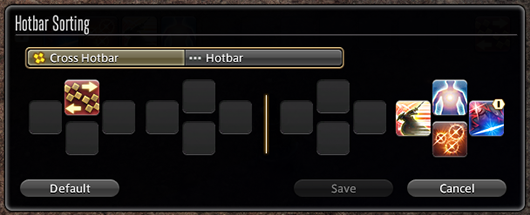
When playing as a different character in instanced quest battles, actions on the additional hotbar can now be rearranged.

* The hotbar changes will be reset upon playing an alternate character in an instanced quest battle, or upon logging out of the game.

Character portraits have been implemented for battle dialogue during instanced quest battles from the 5.x series.

* Character portraits for battle dialogue in instanced quest battles prior to Patch 5.0 will be implemented in a future update.

Leves

The report area for a leve will now be displayed in the information section of the leve’s journal entry.

The following adjustments have been made to the journal entries for fisher fieldcraft leves:

Entries will now display the method of fishing required to obtain the desired catch.
The area where the desired catch can be found will be displayed next to “Location.”
Selecting “Map” will display the desired catch’s approximate location.
* Once the desired catch has been caught, the leve’s report area will display instead.

FATEs

New items are available in exchange for bicolor gemstones from Gemstone Trader NPCs in each area.

Treasure Hunt

Rewards in the Excitatron 6000 have been adjusted.

The animation for the Decipher action has been changed.

Grand and Free Companies

Players must now remain in a free company for a minimum of 30 days before the rank of free company master can be transferred to them.

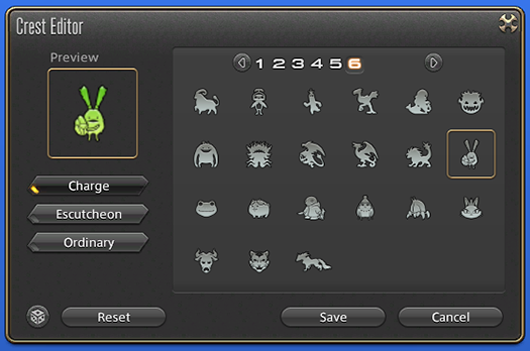
New Charge symbol options have been added to Company Crests.

New Charge symbol options have also been added to PvP team crests.

New craftable items have been added to the company workshop.

The following additions and adjustments have been made to subaquatic voyages:

New areas have been added.
New items have been added.
Maximum submersible rank has been increased from 90 to 95.

Housing

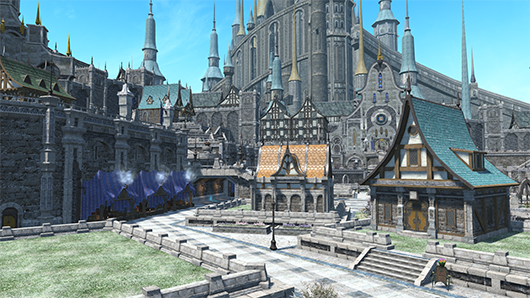
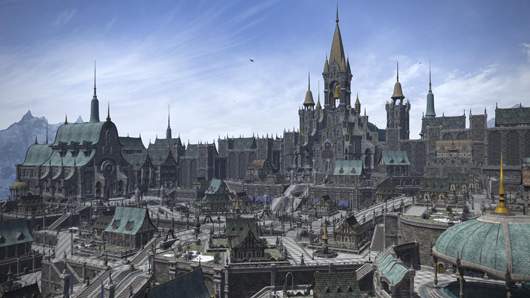
Plots of land in Empyreum can now be purchased.

All plots on the Oceanian data center are now available for purchase.

A lottery system for the purchase of land has been implemented.

Further details on the lottery system can be found in the Additional Plots and Purchasing Guide.
As of Patch 6.1, all plots in all wards will be subject to the lottery system.

Every housing district will now have dedicated wards for private and free company estates.

As of Patch 6.1, estate plots have been allocated as follows:

  • Free Company Estates: Wards 1-18
  • Private Estates: Wards 19-24

* Methods of sale and allocation of plots will be reassessed every patch on a per-World basis.

To prevent the reselling of plots, players must now remain in a free company for a minimum of 30 days before they are allowed to purchase a free company plot.

* Players must meet this requirement for plots being sold via the lottery system.

The designated price of plots will no longer be reduced over time.

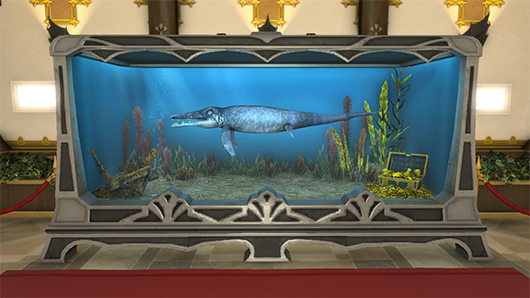
Furnishings from the FFXIV Furnishing Design Contest have been added.

Learn more about the FFXIV Furnishing Design Contest 2019.

Entries that did not win have also been selected to serve as new furnishings.

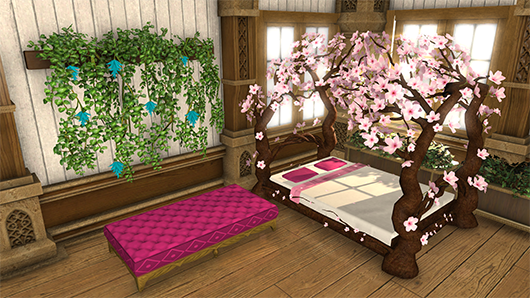
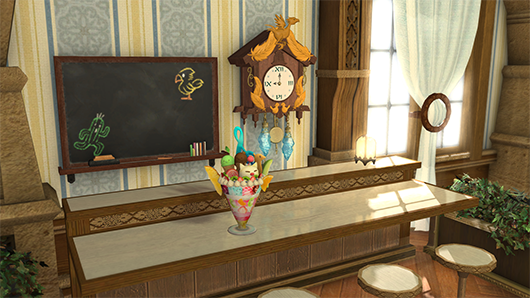
New furnishings have been added.

New orchestrion rolls have been added.

Location and duty names previously omitted to prevent spoilers will now be displayed.

New aquarium fish have been added.

New paintings have been added.

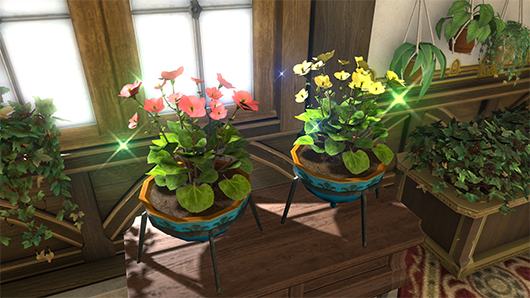
A new seed for flowerpots has been added.

  • Byregotia SeedsByregotia seeds can be purchased from the following NPCs:
    • Mist (X:11.0 Y:11.4) – Material Supplier
    • The Lavender Beds (X:11.9 Y:8.3) – Material Supplier
    • The Goblet (X:10.9 Y:8.9) – Material Supplier
    • Shirogane (X:10.5 Y:12.1) – Material Supplier
    • Empyreum (X:10.2 Y:12.2) – Material Supplier
    • Apartments – Apartment Merchant
    • New Gridania (X:11.0 Y:11.2) – Tanie

The Manderville Gold Saucer

New prizes are available for purchase using MGP.

Players must first complete the Chronicles of a New Era quest “Brave New World” in order to exchange for Pod 602 Identification Key.

The following additions have been made to Triple Triad:

New cards have been added.
New NPC opponents for Triple Triad have been added.

Miscellaneous

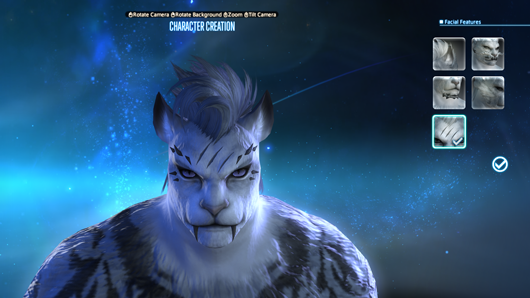
The following updates have been made to Hrothgar character customization:

Regardless of your progression in the main scenario, these changes will be available when creating new characters, editing your character’s appearance using Fantasia, or hiring a retainer. Otherwise, these options will be available when visiting the aesthetician.

New hairstyle options have been added.

Certain options that were previously designated as facial features, such as bangs and sideburns, have been moved to the hairstyle section.
New facial features have been added.

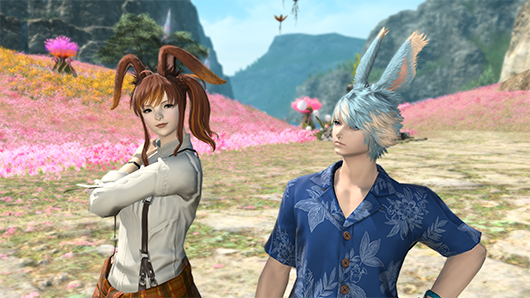
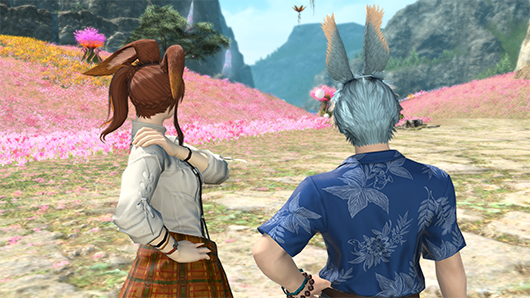
New hairstyle options have been added for male and female Viera.

Duty Support, a system that allows solo players to tackle duties with a party of NPCs, has been added.

The Duty Support system can be used to progress through main scenario duties with a party of NPCs.
As of Patch 6.1, instanced duties for A Realm Reborn, Shadowbringers, and Endwalker are supported. Duty Support for 2.x to Heavensward and beyond will be added in future patches.

Accessing the Duty Support System from Duty Entrance

The Duty Support icon will display above the entrance of applicable duties.
Select the entrance, and then choose the option to enter the dungeon with a group of NPCs in the window that appears. A new menu will display, from which you can select “Register for Duty” to begin the duty.

Accessing the Duty Support System

First, select Duty Support under Duty in the main menu. A list of available duties will be displayed in the window that appears. Select the duty you wish to enter, confirm which NPCs will be accompanying you, then select the “Register for Duty.”

The Duty Finder and Trust menus can also be accessed by pressing the appropriate button at the bottom of the Duty Support menu.

Party Selection

Certain duties allow you to switch out the NPCs in your party. This is indicated by a message that displays underneath your party members.

Click on your party members or press the confirm button on your controller to open a window showing a list of available NPCs for that duty.

* The NPC party members available in A Realm Reborn instanced duties are fixed according to your role, and therefore cannot be selected.

Duty Support can be used to complete the following duties:

A Realm Reborn

  • Sastasha
  • The Tam-Tara Deepcroft
  • Copperbell Mines
  • The Bowl of Embers
  • The Thousand Maws of Toto-Rak
  • Haukke Manor
  • Brayflox’s Longstop
  • The Navel
  • The Stone Vigil
  • The Howling Eye
  • Castrum Meridianum
  • The Praetorium
  • The Porta Decumana

Shadowbringers

  • Holminster Switch
  • Dohn Mheg
  • The Qitana Ravel
  • Malikah’s Well
  • Mt. Gulg
  • Amaurot
  • The Grand Cosmos
  • Anamnesis Anyder
  • The Heroes’ Gauntlet
  • Matoya’s Relict
  • Paglth’an

Endwalker

  • The Tower of Zot
  • The Tower of Babil
  • Vanaspati
  • Ktisis Hyperboreia
  • The Aitiascope
  • The Mothercrystal
  • The Dead Ends
  • ???
    * The above is a new dungeon that has been added in this patch.

The following additions and adjustments have been made to the Trust system:

Scenario Mode, which allowed players to progress through main scenario dungeons from Patch 5.0 through 6.1 with a party of NPC allies, has now been incorporated into the Duty Support system.
You may continue to challenge previously completed main scenario dungeons with a party of NPC avatars via the Trust system.

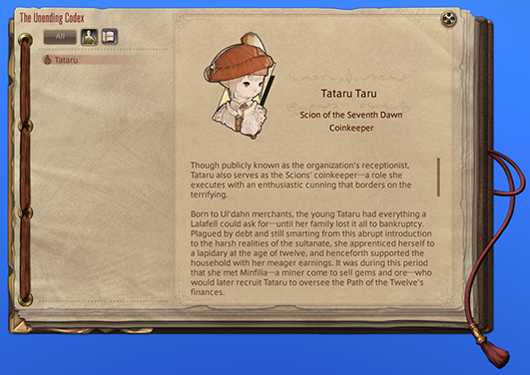
The Unending Codex has been added, giving players easy access to a compendium of vital information about in-game terminology and characters.

The Unending Codex will be unlocked as you progress through the main scenario of Patch 6.1, with new entries added as the story unfolds.

The following additions and adjustments have been made to Wondrous Tails:

Prizes available in exchange for Khloe’s Gold Certificates of Commendation, Khloe’s Silver Certificates of Commendation, and Khloe’s Bronze Certificates of Commendation have been adjusted.
The message that displays when attempting to hand over a Wondrous Tails journal that has less than 9 duties completed has been changed.
Certain tasks within Wondrous Tails journals will now allow you to select from more than one duty to earn a seal. Completing any of the duties listed in that square will mark it as complete.
For example, the objective previously labeled “The Binding Coil of Bahamut – Turn 1” has been changed to simply “The Binding Coil of Bahamut,” and the completion of any turn will be counted for this objective.
  • Binding Coil of Bahamut
  • Second Coil of Bahamut
  • Final Coil of Bahamut
  • Alexander: Gordias
  • Alexander: Midas
  • Alexander: The Creator
  • Omega: Deltascape
  • Omega: Sigmascape
  • Omega: Alphascape

The following additions and adjustments have been made to Faux Hollows:

The available trial for Faux Hollows has been changed.
Before After
The Whorleater (Unreal) Ultima’s Bane (Unreal)

* Different unreal trials will be available in each major patch.

New items are available in exchange for faux leaves.

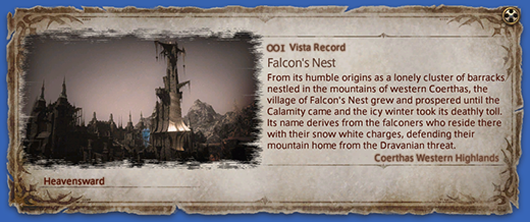
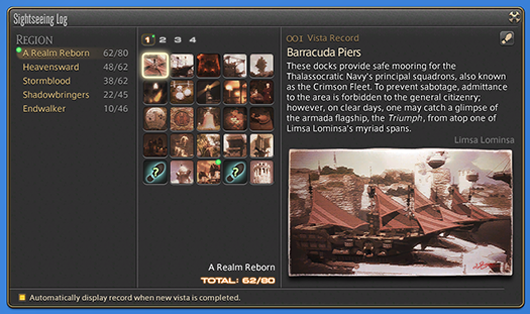
The following adjustments have been made to the Sightseeing Log:

The visual effect for completing an entry for a vista has been changed.
Vistas will now be categorized by expansion.

New emotes have been added.

Actions and traits have been adjusted as follows:

* Each action and trait is listed as it appears at level 90.

Healer Role Actions

Action Adjustment
Lucid Dreaming Now acquired at level 14 (previously level 24).

Gladiator / Paladin

Action Effect
Iron Will Recast time has been reduced from 10 to 3 seconds.
Clemency Execution no longer interrupts action combos.
Holy Spirit Execution no longer interrupts action combos.
Requiescat The additional effect “Grants Blade of Faith Ready when the effect of Requiescat ends” has been added with a duration of 30 seconds.
Holy Circle Execution no longer interrupts action combos.
Confiteor The additional effect “Restores own HP” has been added with a cure potency of 400.
Blade of Faith No longer a combo action with Confiteor.
The requirement of “Blade of Faith Ready” has been added.
The additional effect “Restores own HP” has been added with a cure potency of 400.
Blade of Truth The additional effect “Restores own HP” has been added with a cure potency of 400.
Blade of Valor The additional effect “Restores own HP” has been added with a cure potency of 400.
Divine Magic Mastery II Now adds a healing effect to Confiteor.

Marauder / Warrior

Action Adjustment
Defiance Recast time has been reduced from 10 to 3 seconds.
Overpower Area of effect has been changed from a cone before you to all nearby enemies.
Inner Release Stacks of Inner Release now only apply to Fell Cleave and Decimate.
The additional effect “Nullifies Stun, Sleep, Bind, Heavy, and most knockback and draw-in effects” has been changed to “Grants Inner Strength, nullifying Stun, Sleep, Bind, Heavy, and most knockback and draw-in effects.”

Dark Knight

Action Adjustment
Grit Recast time has been reduced from 10 to 3 seconds.
Flood of Darkness Potency has been reduced from 130 to 100.
Blood Weapon Now grants 5 stacks of the Blood Weapon effect.
Effect duration has been increased from 10 to 15 seconds.
Stalwart Soul Now acquired at level 40 (previously level 72).
Living Dead The additional effect “Restores HP with each weaponskill successfully delivered or spell cast” has been added with a cure potency of 1,500.
If an amount of HP totaling your maximum HP is restored before the Walking Dead timer runs out, the effect will now change to Undead Rebirth, with a duration carried over from the time remaining for Walking Dead.
While under the effect of Undead Rebirth, most attacks will not lower your HP below 1.

Gunbreaker

Action Adjustment
Royal Guard Recast time has been reduced from 10 to 3 seconds.

Monk

Action Adjustment
Perfect Balance Can no longer be executed while under the effect of any Beast Chakra.

Dragoon

Action Adjustment
Jump Action animation has been shortened.
Action now changes to Mirage Dive while under the effect of Mirage Dive Ready.
High Jump Action animation has been shortened.
Action now changes to Mirage Dive while under the effect of Mirage Dive Ready.
Elusive Jump Action animation has been shortened.
Spineshatter Dive Action animation has been shortened.
Dragonfire Dive Action animation has been shortened.

Rogue / Ninja

Action Adjustment
Hide Now dispels the effect of Doton upon execution.
Mug The additional effect “Increases target’s damage taken by 5%” has been added with a duration of 20 seconds.
Trick Attack The additional effect “Increases target’s damage taken by 5%” has been changed to “Increases damage you deal target by 10%.”
Aeolian Edge Potency has been increased from 360 to 380.
Rear combo potency has been increased from 420 to 440.
Shukuchi Action animation has been shortened.
Doton Potency has been increased from 70 to 80.
Effect duration has been reduced from 24 to 18 seconds.
Hakke Mujinsatsu Combo potency has been increased from 120 to 130.
Armor Crush Combo potency has been increased from 340 to 360.
Flank combo potency has been increased from 400 to 420.
Bhavacakra Potency has been reduced from 400 to 350.
Phantom Kamaitachi Potency has been increased from 550 to 600.
Melee Mastery Now acquired at level 74 (previously level 84).

Samurai

Action Adjustment
Hakaze Potency has been increased from 180 to 200.
Jinpu Potency has been increased from 100 to 120.
Third Eye Effect duration has been increased from 3 to 4 seconds.
Shifu Potency has been increased from 100 to 120.
Gekko Potency has been increased from 100 to 120.
Combo potency has been increased from 320 to 330.
Rear combo potency has been increased from 370 to 380.
Higanbana Damage over time potency has been increased from 30 to 45.
Mangetsu Combo potency has been increased from 110 to 120.
Kasha Potency has been increased from 100 to 120.
Combo potency has been increased from 320 to 330.
Flank combo potency has been increased from 370 to 380.
Tenka Goken Area of effect has been changed from a cone before you to all nearby enemies.
Oka Combo potency has been increased from 110 to 120.
Yukikaze Potency has been increased from 100 to 120.
Combo potency has been increased from 280 to 300.
Midare Setsugekka Potency has been reduced from 660 to 600.
Attack is now guaranteed to land a critical hit.
Meikyo Shisui Ranged weaponskills no longer count toward the effect of this action.
Hissatsu: Shinten Now acquired at level 52 (previously level 62).
Potency has been reduced from 270 to 250.
Hissatsu: Yaten Activation time has been adjusted to match that of other backstep actions.
Hissatsu: Kyuten Now acquired at level 62 (previously level 64).
Kaeshi: Higanbana Potency has been reduced from 300 to 200.
Kaeshi: Goken Potency has been reduced from 420 to 280.
Area of effect has been changed from a cone before you to all nearby enemies.
Kaeshi: Setsugekka Potency has been reduced from 990 to 600.
Attack is now guaranteed to land a critical hit.
Shoha Potency has been reduced from 580 to 500.
Ogi Namikiri Potency has been reduced from 900 to 800.
Attack is now guaranteed to land a critical hit.
Kaeshi: Namikiri Potency has been reduced from 1,350 to 800.
Attack is now guaranteed to land a critical hit.

Reaper

Action Adjustment
Hell’s Ingress The duration of Enhanced Harpe has been increased from 15 to 20 seconds.
Action animation has been shortened.
Hell’s Egress The duration of Enhanced Harpe has been increased from 15 to 20 seconds.
Action animation has been shortened.
Regress Action animation has been shortened.

Archer / Bard

Action Adjustment
Repelling Shot Range has been increased from 5 to 15 yalms.
Activation time has been adjusted to match that of other backstep actions.
Battle Voice No longer requires the effect of Mage’s Ballad, Army’s Paeon, or the Wanderer’s Minuet to be active.
The Wanderer’s Minuet Action now changes to Pitch Perfect upon execution.

Machinist

Action Adjustment
Heat Blast Potency has been increased from 170 to 180.
Wildfire Potency increase per weaponskill landed has been increased from 150 to 200.
Drill Potency has been increased from 570 to 580.
Air Anchor Potency has been increased from 570 to 580.
Pile Bunker Potency has been increased from 650 to 680.
Crowned Collider Potency has been increased from 750 to 780.
Chain Saw Potency has been increased from 570 to 580.

Dancer

Action Adjustment
Standard Step Action is now categorized a weaponskill.
Emboite Action is now categorized a weaponskill.
Entrechat Action is now categorized a weaponskill.
Jete Action is now categorized a weaponskill.
Pirouette Action is now categorized a weaponskill.
Cascade The additional effect “50% chance of granting Flourishing Symmetry” has been changed to “50% chance of granting Silken Symmetry.”
Fountain The additional effect “50% chance of granting Flourishing Flow” has been changed to “50% chance of granting Silken Flow.”
Windmill The additional effect “50% chance of granting Flourishing Symmetry” has been changed to “50% chance of granting Silken Symmetry.”
Reverse Cascade The requirement for execution has been changed from “Can only be executed while under the effect of Flourishing Symmetry” to “Can only be executed while under the effect of Silken Symmetry or Flourishing Symmetry.”
Bladeshower The additional effect “50% chance of granting Flourishing Flow” has been changed to “50% chance of granting Silken Flow.”
Rising Windmill The requirement for execution has been changed from “Can only be executed while under the effect of Flourishing Symmetry” to “Can only be executed while under the effect of Silken Symmetry or Flourishing Symmetry.”
Fountainfall The requirement for execution has been changed from “Can only be executed while under the effect of Flourishing Flow” to “Can only be executed while under the effect of Silken Flow or Flourishing Flow.”
Bloodshower The requirement for execution has been changed from “Can only be executed while under the effect of Flourishing Flow” to “Can only be executed while under the effect of Silken Flow or Flourishing Flow.”
Technical Step Action is now categorized a weaponskill.

* Players can still receive the effect of Flourishing Symmetry and Flourishing Flow from the Flourish action.

Arcanist / Summoner

Action Adjustment
Ruby Ruin Recast time has been increased from 2.5 to 3 seconds.
Potency has been increased from 300 to 340.
Ruby Outburst Recast time has been increased from 2.5 to 3 seconds.
Potency has been increased from 140 to 160.
Ruby Ruin II Recast time has been increased from 2.5 to 3 seconds.
Potency has been increased from 340 to 380.
Ruby Ruin III Recast time has been increased from 2.5 to 3 seconds.
Potency has been increased from 360 to 410.
Ruby Rite Recast time has been increased from 2.5 to 3 seconds.
Potency has been increased from 450 to 510.
Searing Light Action is now executed directly from the caster rather than via Carbuncle.
Ruby Disaster Recast time has been increased from 2.5 to 3 seconds.
Potency has been increased from 170 to 190.
Ruby Catastrophe Recast time has been increased from 2.5 to 3 seconds.
Potency has been increased from 180 to 210.
Ruin Mastery IV The increase of potency for Ruby Rite has been changed from 450 to 510.

Red Mage

Action Adjustment
Displacement Action animation has been shortened.

Conjurer / White Mage

Action Adjustment
Stone MP cost has been reduced from 400 to 200.
Aero MP cost has been reduced from 400 to 200.
Effect duration has been increased from 18 to 30 seconds.
Stone II MP cost has been reduced from 400 to 200.
Regen MP cost has been reduced from 500 to 400.
Cure III Area of effect radius has been increased from 6 to 10 yalms.
Aero II MP cost has been reduced from 400 to 200.
Effect duration has been increased from 18 to 30 seconds.
Asylum Range has been increased from 8 to 10 yalms.
Secret of the Lily Time before a Lily is added to the Healing Gauge has been reduced from once every 30 seconds to once every 20 seconds.
Stone III Potency has been reduced from 230 to 220.
MP cost has been reduced from 400 to 300.
Stone IV Potency has been reduced from 270 to 260.
Afflatus Misery Potency has been increased from 900 to 1,240.
Reduction in potency after the first enemy has been increased from 25% to 50%.
Liturgy of the Bell The additional healing effect from remaining stacks of Liturgy of the Bell will now be triggered when time expires or upon executing this action a second time.

Scholar

Action Adjustment
Ruin MP cost has been reduced from 400 to 300.
Embrace Range from which party members can be targeted has been increased.
Bio MP cost has been reduced from 400 to 300.
Bio II MP cost has been reduced from 400 to 300.
Sacred Soil Area of effect radius has been increased from 8 to 10 yalms.
Expedient Effect duration of Expedience has been reduced from 20 to 10 seconds.

Astrologian

Action Adjustment
Combust Effect duration has been increased from 18 to 30 seconds.

Sage

Action Adjustment
Dosis MP cost has been reduced from 400 to 300.
Soteria Now grants 4 stacks of the Soteria effect.
Effect potency has been increased from 50% to 70%.
Addersting Now gain maximum stacks of Addersting upon entering an instance or restarting an instance battle.

New traits have been added.

Ninja

Action Adjustment
Level 84
Melee Mastery II
Increases the potency of Spinning Edge to 220 and Gust Slash to 160.

Samurai

Action Adjustment
Level 66
Way of the Samurai
Increases the potency of Hakaze to 200, Jinpu to 120, and Shifu to 120.
Level 84
Way of the Samurai II
Increases the potency of Gekko, Kasha, and Yukikaze to 120.

The following action has been removed:

Samurai

  • Hissatsu: Kaiten

Miscellaneous adjustments to action, trait, and status effect descriptions have been made.

* No changes have been made to their effects.

The following additions and adjustments have been made to job gauges:

The appearance of the dancer’s Esprit Gauge when filled to 50 or higher has been adjusted to be more discernible.
The sound effect played when a bard’s Soul Voice Gauge reaches 100 will now also play when the gauge reaches 80. Moreover, a new visual indicator has been added for when the gauge reaches 80.

A new dungeon has been added.

Players may enter this dungeon with Trust or Duty Support NPCs.

Level Requirement Disciple of War or Magic level 90
Item Level Requirement Average item level 560 or above
Party Size Four players
Time Limit 90 minutes

Requirements

???

Disciple of War or Magic level 90
???
???
Players must first complete the main scenario quest “???”

A new trial has been added.

The Minstrel’s Ballad: Endsinger’s Aria

The Minstrel’s Ballad: Endsinger’s Aria can only be accessed via the Raid Finder.
* Item level restrictions and role requirements do not apply when registering as a full party.

Level Requirement Disciple of War or Magic level 90
Item Level Requirement Average item level 580 or above
Party Size Eight players
Time Limit 60 minutes

Requirements

After completing the main scenario quest “Endwalker,” speak with the Wandering Minstrel in Old Sharlayan (X:12.7 Y:14.2) as a level 90 Disciple of War or Magic.

Item Exchange

The totem received upon completing this trial can be exchanged for rewards by speaking with Nesvaaz in Radz-at-Han (X:10.6 Y:10.0).

Ultima’s Bane (Unreal)

* Different unreal trials will be available in each major patch.

Ultima’s Bane (Unreal) can only be accessed via the Raid Finder.
* Item level restrictions and role requirements do not apply when registering as a full party.

Level Requirement Disciple of War or Magic level 90
Item Level Requirement Average item level 560 or above
Item Level Sync 565
Party Size Eight players
Time Limit 60 minutes

Requirements

Fantastic Mr. Faux

Disciple of War or Magic level 80
Idyllshire (X:7.0 Y:5.9)
Painfully Ishgardian Man
Players must first complete the main scenario quest “Shadowbringers” and the quest “Keeping Up with the Aliapohs.”

* This trial will be unlocked automatically for players who have completed the quest “Fantastic Mr. Faux” prior to Patch 6.1.

Players can now be revived in battle after being incapacitated by falling in the following duties:

    • The Navel
    • Amdapor Keep
    • Neverreap
    • The Navel (Hard)
    • The Navel (Extreme)
    • The Whorleater (Extreme)
    • Thok ast Thok (Hard)
    • Thok ast Thok (Extreme)
    • The Limitless Blue (Hard)
    • The Limitless Blue (Extreme)
    • Containment Bay S1TZ
    • Containment Bay S1TZ (Extreme)

The following adjustments have been made to the battle against Hraesvelgr in Sohr Khai:

The arena platforms will no longer be destroyed.
Damage inflicted by Cauterize has been increased.

The weekly restriction on rewards in Pandæmonium: Asphodelos has been removed.

* This change does not apply to the Unsung Blade of Asphodelos obtained in Asphodelos: The Fourth Circle.

The number of Unsung Blades of Asphodelos required to exchange for a Discal Tomestone has been reduced from 7 to 4.

Gunbreaker, dancer, reaper, and sage weapons are now available from coffers that appear after completing the Minstrel’s Ballad: Thordan’s Reign.

The alliance raid dungeon, Aglaia, has been added.

Level Requirement Disciple of War or Magic level 90
Item Level Requirement Average item level 565 or above
Party Size Eight players, or an alliance of 24 players
Time Limit 120 minutes

Requirements

???

Disciple of War or Magic level 90
???
???
Players must first complete the Chronicles of a New Era quest “A Mission in Mor Dhona.”

Role Requirements

Parties matched automatically via the Duty Finder will comprise 1 tank, 2 healers, and 5 DPS.

Rewards

You can receive only one reward item per week for completing duties in Aglaia. In the event you are awarded an item from the loot list, you relinquish your right to vie for all remaining items regardless of whether you selected Need or Greed.
* Reward eligibility is reset every Tuesday at 1:00 a.m. (PDT)

Each party in the alliance will receive its own treasure chest, the contents of which will be identical regardless of the route taken.
* Players cannot open a treasure chest belonging to another party.

Completion Reward

Upon completing Aglaia, players can also earn a separate reward once per week: two Cracked Anthoclusters and one Aglaia Coin. The Aglaia Coin can be exchanged with Nesvaaz in Radz-at-Han (X:10.6 Y:10.0) for items used to enhance equipment purchased with Allagan tomestones of astronomy.

The items required to enhance equipment purchased with Allagan tomestones of astronomy, Radiant Twine and Radiant Coating, can be purchased from the following vendors:

Vendor Item Required
J’lakshai, Old Sharlayan (X:11.9 Y:13.2) Sacks of Nuts
Wilmetta, Radz-at-Han (X:10.5 Y:7.4) Sacks of Nuts
Nesvaaz, Radz-at-Han (X:10.6 Y:10.0) Aglaia Coin
* Aglaia coins can be found in the new alliance raid dungeon Aglaia.

Upgrading Equipment

After acquiring the items to enhance your equipment from J’lakshai, Wilmetta, or Nesvaaz, speak with Khaldeen in Radz-at-Han (X:10.9 Y:10.4) and exchange them for augmented gear of your choice.

The following duties have been added to the Raid Finder:

  • The Minstrel’s Ballad: Endsinger’s Aria
  • Ultima’s Bane (Unreal)

The following duties have been moved to the Duty Finder:

  • The Minstrel’s Ballad: Zodiark’s Fall
  • The Minstrel’s Ballad: Hydaelyn’s Call

Players will now receive the power of the Echo in the event all party members are incapacitated during the following trials:

The Dark Inside / The Mothercrystal / The Final Day

Each time players restart the aforementioned trial, they will be granted a 10% Echo effect boost, which increases each restart up to a maximum of 50%. If a player restarts after battling for less than three minutes, they will not be granted this effect.

The Minstrel’s Ballad: Zodiark’s Fall / The Minstrel’s Ballad: Hydaelyn’s Call

Each time players restart the aforementioned trial, they will be granted a 5% Echo effect boost, which increases each restart up to a maximum of 25%. If a player restarts after battling for less than three minutes, they will not be granted this effect.

The location of enemies in the following areas has been adjusted:

  • Mor Dhona
  • Thavnair
  • Ultima Thule

The following adjustments have been made to Duty Roulette: Expert:

The duties listed have been changed as follows:
Before After
The Dead Ends
Smileton
The Stigma Dreamscape
The Dead Ends
Smileton
The Stigma Dreamscape
???
* The above is a new dungeon that has been added in this patch.
The required average item level to register for Duty Roulette: Expert has been increased from 540 to 560.

The following duties have been added to Duty Roulette: Mentor:

  • The Porta Decumana
  • Aglaia
  • ???
    * The above is a new dungeon that has been added in this patch.

Following changes made to duties in main scenario, the duty “the Praetorium” is no longer counted as complete. Players must recomplete this duty to unlock Duty Roulette: Mentor.

When challenging a duty with an unrestricted party, a vote to abandon the duty may now be initiated at any time.

The following trials have been added to Stone, Sky, Sea:

  • Stone, Sky, Sea – Level 60
  • Stone, Sky, Sea – Level 70
  • Stone, Sky, Sea – Level 80
  • Stone, Sky, Sea – Level 90
  • Stone, Sky, Sea – The Minstrel’s Ballad: Endsinger’s Aria

Adjustments have been made to the graphics/collision in certain dungeons from A Realm Reborn.

Adjustments have been made to the following dungeons and trials:

Copperbell Mines

The content of the battle with Kottos has been adjusted.
The content of the battle with Ichorous Ire has been adjusted.
The content of the battle with Gyges the Great has been adjusted.
Certain dungeon mechanics have been adjusted.

The Thousand Maws of Toto-Rak

Certain mechanics in the battle with Graffias have been adjusted.
Extensive changes to general progression through the dungeon have been implemented.

Haukke Manor

The content of the battle with Lady Amandine has been adjusted.
After the battle with the manor steward and manor jester, an object allowing players to warp back to the starting point will now appear.
The positioning of certain monsters has been adjusted.

Brayflox’s Longstop

The content of the battle with Aiatar has been adjusted.
The positioning of certain monsters has been adjusted.
The map layout has been adjusted.

Dzemael Darkhold

The route through the dungeon has been adjusted, and the positioning of certain treasure coffers has been changed accordingly.

The Stone Vigil

The content of the battle with Koshchei has been adjusted.
The difficulty of certain mechanics has been eased during the battle with Isgebind.

Cape Westwind

The duty has been changed into an instanced quest battle to be undertaken solo.

Castrum Meridianum

Maximum party size has been reduced from 8 to 4.
The content of the battle with the Black Eft has been adjusted.
The content of the battle with the magitek vanguard F-1 has been adjusted.
The content of the battle with Livia sas Junius has been adjusted.
Extensive changes to general progression have been implemented.

The Praetorium

Maximum party size has been reduced from 8 to 4.
The content of the battle with the Mark II magitek colossus has been adjusted.
The content of the battle with Nero tol Scaeva has been adjusted.
The content of the battle with Gaius van Baelsar has been adjusted.
The battle with the Ultima Weapon has been removed.
The battle with Lahabrea has been removed.
Extensive changes to general progression have been implemented.
The ability to skip certain cutscenes has been added.

The battle with the Ultima Weapon has been removed from “The Praetorium” and has been reinstated as the new trial “The Porta Decumana.”

* Players who have completed the main scenario quest “The Ultimate Weapon” as of Patch 6.08 will have access to “The Porta Decumana” in Patch 6.1.
* Players who have accepted but not completed the main scenario quest “The Ultimate Weapon” as of Patch 6.08 must abandon and reaccept the quest upon the release of Patch 6.1.

“Cape Westwind” and the battle with Lahabrea in “The Praetorium” have been removed, and each has been reinstated as separate instanced battles.

The amount of Allagan tomestones earned from the following duties has been adjusted:

Castrum Meridianum

Before After
200 Allagan tomestones of poetics 100 Allagan tomestones of poetics

The Praetorium

Before After
200 Allagan tomestones of poetics 150 Allagan tomestones of poetics

The following changes have been made to duties unlocked by using Tales of Adventure: A Realm Reborn:

Cape Westwind has been removed.
The Porta Decumana has been added.

The display of target indicators for certain battle mechanics has been adjusted for the following duties:

  • Brayflox’s Longstop (Hard)
  • The Tam-Tara Deepcroft (Hard)
  • Syrcus Tower
  • The World of Darkness

The duties listed within Duty Roulette: Main Scenario have been changed as follows:

Listed duties have been adjusted.
Before After
Castrum Meridianum
The Praetorium
Castrum Meridianum
The Praetorium
The Porta Decumana
Rewards have been adjusted.
Before After
300 Allagan tomestones of poetics
100 Allagan tomestones of aphorism
50 Allagan tomestones of astronomy
350 Allagan tomestones of poetics
100 Allagan tomestones of aphorism
50 Allagan tomestones of astronomy

It will take longer for the screen to darken after a Party KO during the following duties:

This is an experimental feature that will allow players a grace period to better identify and understand the reasons behind the Party KO. It may be applied to other duties or otherwise adjusted in the future.

  • Asphodelos: The First Circle
  • Asphodelos: The Second Circle
  • Asphodelos: The Third Circle
  • Asphodelos: The Fourth Circle
  • Asphodelos: The First Circle (Savage)
  • Asphodelos: The Second Circle (Savage)
  • Asphodelos: The Third Circle (Savage)
  • Asphodelos: The Fourth Circle (Savage)
  • The Minstrel’s Ballad: Endsinger’s Aria

As a measure to prevent illicit activity, the timing of “Contact Prohibition” and “Escape Prohibition” in the Epic of Alexander (Ultimate) has been adjusted.

* These changes will not affect overall battle balance.

The following adjustments have been made to the Bozjan southern front and Zadnor:

A lost finds cache has been added near the starting point of the Battle of Castrum Lacus Litore.
A lost finds cache has been added near the starting point of the Dalriada.
Experience points earned by completing the Battle of Castrum Lacus Litore have been increased.
Experience points earned by completing the Dalriada have been increased.

PvP

The following duties have been removed:

  • The Feast (Training)
  • The Feast (Ranked)
  • The Feast (Team Ranked)
  • The Feast (Custom Match – Feasting Grounds)
  • The Feast (Custom Match – Lichenweed)
  • The Feast (Custom Match – Crystal Tower)
  • The Feast (Team Custom Match – Crystal Tower)

Rival Wings will be temporarily unavailable due to balance adjustments.

PvP actions have been fully reworked.

Learn more about revised job actions, traits, and role actions in the job guide.

The following common PvP actions have been added:

Action Effect
Guard Reduces damage taken by 90% and grants immunity to Stun, Heavy, Bind, Silence, Half-asleep, Sleep, Deep Freeze, and knockback and draw-in effects.
Duration: 5s
Movement speed is reduced by 50% for the duration of this effect.
Effect ends upon reuse, using another action, or when the effect duration expires.
Standard-issue Elixir Restores your HP and MP to maximum.
Purify Removes Stun, Heavy, Bind, Silence, Half-asleep, Sleep, and Deep Freeze.
Grants Resilience upon successfully removing one of the aforementioned effects.
Resilience Effect: Nullifies status afflictions that can be removed by Purify.
Duration: 5s
Can be used even when under the effect of certain status afflictions.
Sprint Increases movement speed.
Effect ends upon reuse or execution of another action.
Recuperate Restores own HP.
Cure Potency: 15,000

The following adjustments have been made within PvP areas and duties:

Maximum HP and MP for all jobs has been adjusted.
Job gauges no longer display.
Damage modifiers for both damage taken and dealt have been adjusted on a per-job basis.
Damage taken and dealt will no longer be subject to RNG.
Resistance effects will no longer be applied upon the expiration of status afflictions.
The appearance of the flying text that accompanies damage dealt will now change based on target condition.

Attacking a target with Guard active

Attacking a target that does not have Guard active

When an action-specific requirement is fulfilled when attacking enemies under the effect of Guard*

When an action-specific requirement is fulfilled when attacking enemies*

* Requirements include, but are not limited to, attacking targets with less than 50% HP or attacking targets afflicted with specific enfeebling effects.

In accordance with PvP action revisions, Adrenaline Rush has been adjusted as follows:

The name of this feature has been changed to “Limit Break.” Moreover, each job will have its own unique limit break action.
The adrenaline gauge has also been changed to the limit gauge.

A new type of PvP match between small teams, Crystalline Conflict, has been added.

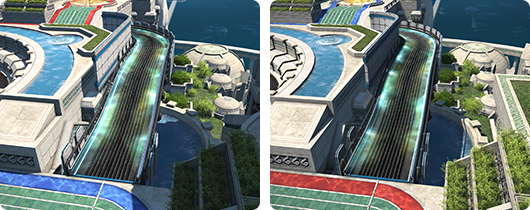
Crystalline Conflict PvP duties pit teams Astra and Umbra against one another in tactical confrontations. Each team may have up to five players, for a total of ten match participants. Teams are challenged to maintain control over a tactical crystal, which must be transported to a designated location amid the heat of battle.

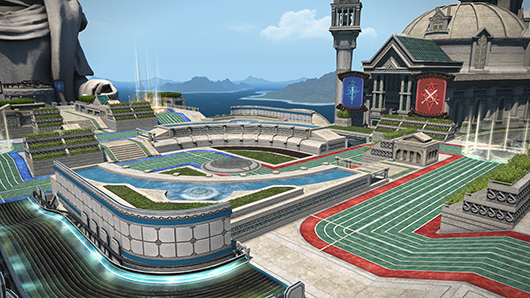
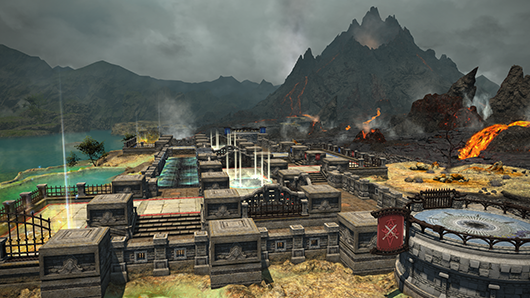
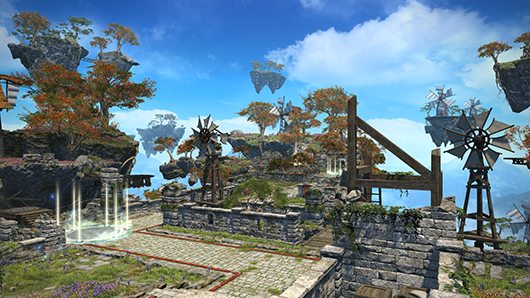
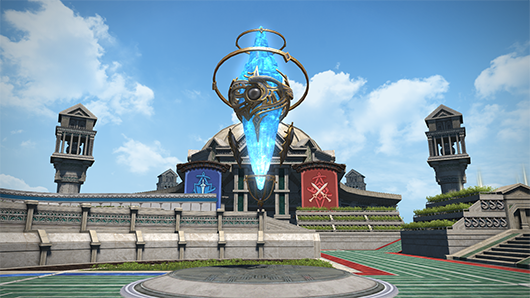
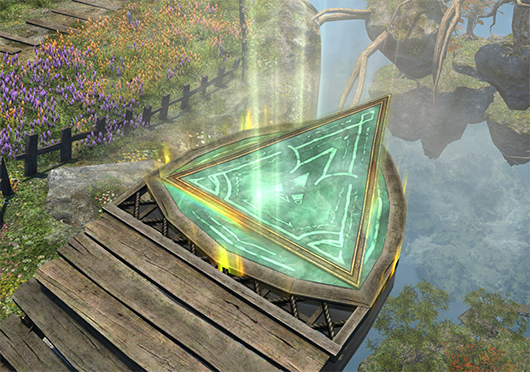
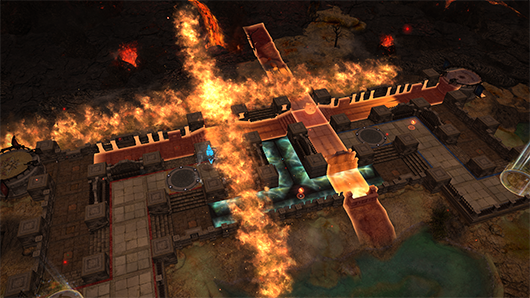
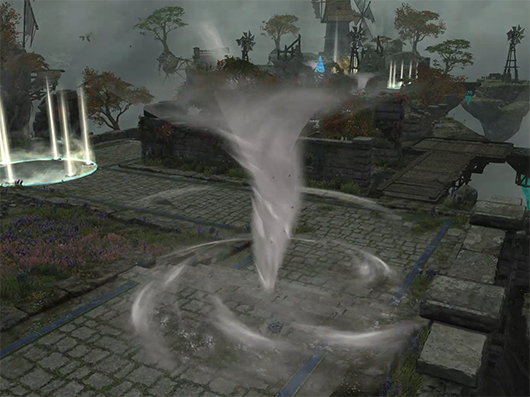
There are three arenas currently available for Crystalline Conflict matches─the Palaistra, the Volcanic Heart, and Cloud Nine.

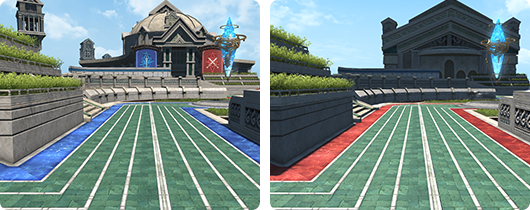
The Palaistra

The Volcanic Heart

Cloud Nine

Requirements

Crystalline Conflict is open to those who have completed the quest “A Pup No Longer” for their Grand Company.
* If you have completed this quest prior to Patch 6.1, there is no need to recomplete it.

A Pup No Longer (Maelstrom)

Disciple of War or Magic level 30
Limsa Lominsa Upper Decks (X:13.1 Y:12.8)
R’ashaht Rhiki
Member of the Maelstrom

A Pup No Longer (Twin Adder)

Disciple of War or Magic level 30
New Gridania (X:9.7 Y:11.1)
Vorsaile Heuloix
Member of the Order of the Twin Adder

A Pup No Longer (Immortal Flames)

Disciple of War or Magic level 30
Ul’dah – Steps of Nald (X: 8.4 Y:8.9)
Flame Commander Swift
Member of the Immortal Flames

After unlocking Crystalline Conflict, proceed to the following quest for an explanation of relevant duties and rules of engagement.

The Crystal (Line’s) Call

Disciple of War or Magic level 30
Wolves’ Den Pier (X:4.9 Y:6.4)
Gungi Zelungi
Complete one of the following quests: “A Pup No Longer (Maelstrom),” “A Pup No Longer (Twin Adder),” or “A Pup No Longer (Immortal Flames).”

Rules

The rules of engagement for Crystalline Conflict are outlined below.

Duty Details
Level Requirement One or more jobs at level 30 or above
Time Limit 5 mins

Entering the Arena

Casual Matches
Results have no bearing on your ranking in Crystalline Conflict.
Custom Match
Results have no bearing on your ranking in Crystalline Conflict. Register with two parties of five players via the Duty Finder. There are no restrictions on party composition.
Ranked Matches
Register solo via the Duty Finder. Results will influence your ranking in Crystalline Conflict.

Role Requirements

There are no role requirements for Crystalline Conflict parties. However, matchmaking will ensure that no two players have the same job within a single party.

Basic Rules

Beginning the Match

Participants will be divided into Team Astra and Team Umbra and transported to their respective starting points. After a 30-second waiting period, the match will begin.

Chatting

Only Quick Chat is available during casual and ranked matches.
Custom matches allow for standard chat features in addition to Quick Chat.

Retaliation

Incapacitated players will be returned to their base after a short delay, where they will be allowed to rejoin combat with their HP and MP fully restored and all action recast timers reset.

Level and Item Level

When participating in Crystalline Conflict, all player attributes will be updated to their PvP counterparts.

Restrictions

The use of the following is prohibited while participating in Crystalline Conflict:

  • Class or job changes
  • Chocobo companions
  • Mounts
  • Teleportation
  • Return
  • Items
  • Gear changes

Abandoning Matches

Players who abandon a Crystalline Conflict match (not including players who join a match in progress or are vote kicked) will receive a penalty. Players so penalized will be unable to use the Duty Finder for 30 minutes.

Players inactive for over a period of two minutes will automatically be removed from play.
* Players who remain inside the duty with less than the required number of party members, or are participating in a custom match, will not receive a penalty.

Victory Conditions

To win, one team must move the tactical crystal from the center of the field to the goal point. If neither team accomplishes this during the time limit, the match will proceed into overtime.

The team with a greater progress score must keep the entire opposing team out of the bounds of the tactical crystal for three seconds to win. The team with a lesser progress score must beat the opponent’s progress score during overtime to win.
* If neither team can fulfill the overtime victory requirements, the match will end in a draw.

The Tactical Crystal

The all-important object placed at the arena’s centerpoint is called the “tactical crystal.”

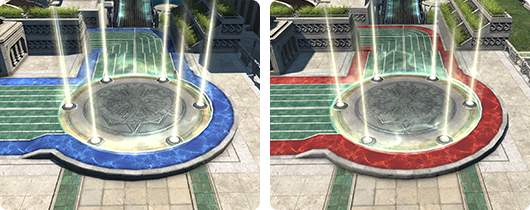
The tactical crystal will remain bound until the first 30 seconds of the match have passed. Once the tactical crystal is unbound, a ring will appear at its base. Should one team be fully in control of this ring─with no members of the opposing team present within its bounds─that team will be able to move the crystal.

Transporting the Tactical Crystal

The crystal can only be moved along the crystal line─a dedicated path within the arena.

Its movement will be halted when combatants from both teams are present within its bounds. When combatants from neither team are present, the crystal will move back toward the centerpoint.

Tactical Crystal Speed

Should the tactical crystal be wrestled from your team’s control, and you manage to reclaim it, the crystal will travel faster when moving back through a stretch of the line your team has moved it once before.
* Even if your team has failed to claim the crystal for the entirety of the match, once your team has gained control of the crystal, it will move at increased speed until it has returned to the centerpoint.

Checkpoints and Progression

Checkpoints can be found halfway between the centerpoint and each team’s goal. Upon reaching a checkpoint, the tactical crystal will stop moving.

The team attempting to clear the checkpoint must remain in the crystal’s ring until the Clear Progress gauge reaches 100%. The gauge will only increase so long as that team holds control of the ring. A greater majority of party members in the ring will hasten the gauge’s progression.

Should the opposing team have a greater majority at any point, the tactical crystal will begin moving toward the opposing team’s goal. However, any progress made in clearing the checkpoint will not be lost.

Advanced Rules

Crystalline Conflict arenas include a variety of tactically useful elements to make matches more dynamic.

Sprint Zones

The Palaistra and Volcanic Heart feature unique paths suited to running. Entering these “sprint zones” will grant the effect of Swift Sprint, greatly increasing player movement speed.

Jump Glyphs

Cloud Nine is equipped with jump glyphs. Stepping on a jump glyph will rapidly transport you to a specific location on the field.

Arena Events: Eruption

The Volcanic Heart periodically erupts, scattering self-destructing bombs across the field. Those who fail to avoid their explosive radii will take damage. Bomb cores will remain at the site of bombs’ destruction, granting those who acquire them bonuses to damage dealt and limit gauge increases.

Arena Events: Turbulence

Players cast up into the air by Cloud Nine’s periodic turbulence will take damage upon being returned unceremoniously to the ground. However, they may acquire black chocobo feathers while in the air, granting them a soft landing and nullifying the damage. The locations of black chocobo feathers are indicated by markers on the ground. Those who do not wish to go flying can negate the effects of turbulence by using Guard. Turbulence also leaves behind a twister at the site where it occurred, and can be confirmed on the map. Stumbling into these twisters will result in damage and knockback.

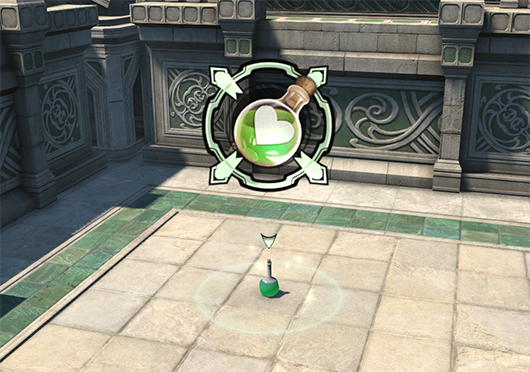
Medicine Kits

Each arena comes equipped with medicine kits. Accessing these kits will restore 50% of a player’s HP, and each can only be claimed by one player.
* Medicine kits cannot be claimed by those whose HP is at 100%.
* Each kit can only be claimed by one player.
* Once a kit has been claimed, a replacement will be generated after a set period of time has passed.

Seasons

Seasons are periods of time in which players compete to earn the highest tier and Crystal Credit ranks possible. Announcements will be made on the Lodestone marking the beginning and ending of each season.

At the end of each season, players of sufficient rank will receive season rewards. Participants’ current ranks are displayed on the Lodestone during a season. Please note that ranks will be reset between seasons.

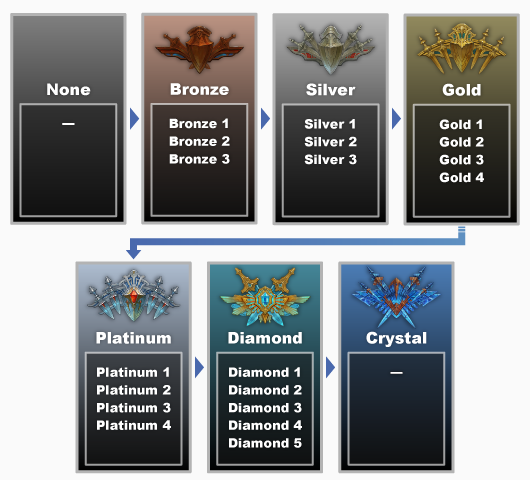
Ranked Matches

The Bronze through Diamond tiers are divided further into “risers.” The number of risers per tier varies.

Tier

A player’s tier represents their standing in the hierarchy of Crystalline Conflict. Unlike the Feast, players cannot be demoted over the course of a season. As such, players will retain the current standing even when losing a match immediately after promotion to a higher tier.

Risers

The Bronze through Diamond tiers are divided further into “risers.” The number of risers per tier varies.

Rising Stars

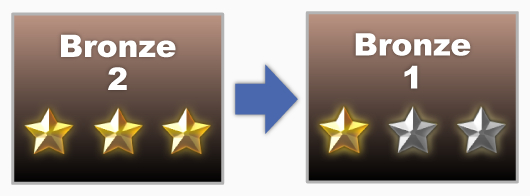
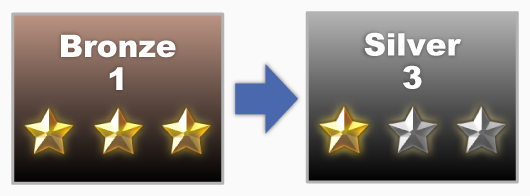
The new PvP ranking system uses Rising Stars, rather than ratings, to indicate progress within the Unranked through Diamond tiers. When you win a ranked match, you will gain one Rising Star. Similarly, a loss will remove one Star. Once you have earned the maximum Rising Stars for one riser, an additional win will allow you to move up a riser.

  • Winning a match when you have three Rising Stars will allow you to move up a riser, starting with one Rising Star.
  • After reaching the top riser for a tier and earning three Rising Stars, an additional win will advance you to the next tier, starting at the lowest riser with one Rising Star.
  • Winning three matches in a row will apply a streak bonus, netting you two Rising Stars per win. Earning a streak bonus while you possess two Rising Stars will allow you to move up a riser or tier depending on your current overall standing.
  • While it is possible to move down to a lower riser upon losing a match, you will never drop down to a lower tier during a given season.
  • Moreover, you cannot lose Rising Stars while you are unranked.

The Crystal Tier

There is one tier above Diamond─the Crystal tier. When ranked in this tier, your skill level will be reflected by your Crystal Credit, rather than Rising Stars. Your Crystal Credit score will increase by 100 upon winning a match, and decrease by 100 after losing. Significant differences between your team and the opposing team’s average Credit will increase the amount your score changes upon a win or loss. Streak bonuses do not apply to Crystal Credit.

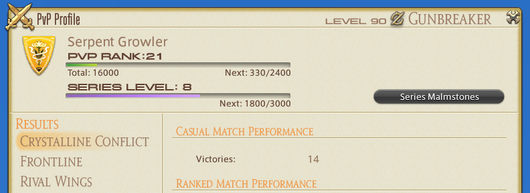
A new reward system applicable to all PvP content, Series Malmstones, has been added.

The Series Malmstones system provides unique rewards to players who participate in PvP during a given Series─a period of time lasting the duration of one major patch (e.g. from the release of Patch 6.1 until the release of Patch 6.2).

From the release of Patch 6.1, participating in PvP content will earn you Series EXP, which will increase your Series level. Increasing your Series level will unlock various Series rewards.

Series Level

The maximum Series level is 30, though you may continue to accumulate EXP and “extra levels” after that.

Series Rewards

Each Series lasts for a predetermined period of time. After a Series ends, a new one will begin, and available rewards will change accordingly─though rewards earned during one Series can still be claimed during the next. Make sure to check your Series malmstones and claim any earned rewards via the PvP Profile!

Trophy Crystals

A new currency, Trophy Crystals, has been added as a Series reward. Trophy Crystals can be exchanged at the Wolves’ Den Pier for a variety of items.

The following changes have been made to the Wolves’ Den Pier:

Shop NPCs and available wares have been adjusted.
Gungi Zelungi, a Crystalline Conflict (CC) attendant offering an explanation of the rules, has been added to the Wolves’ Den Pier (X:4.9 Y:6.4).

The following duties have been added to the PvP section of the Duty Finder:

Crystalline Conflict
Crystalline Conflict (Casual Match)
Crystalline Conflict (Ranked Match)
Crystalline Conflict (Custom Match)
The Palaistra
The Volcanic Heart
Cloud Nine

* The arena for casual and ranked matches rotates periodically according to Earth time. The current and next arena in rotation can viewed under Information in the Duty Finder when selecting casual or ranked match.

Party Finder custom match options for the Feast have been replaced with those for Crystalline Conflict.

In accordance with the removal of the Feast and implementation of Crystalline Conflict, Quick Chat options have been adjusted.

Quick Chat is now available only during Crystalline Conflict.
The following Quick Chat options have also been added:
Icon Title
Sorry
Going Ahead
Falling Back
Moving Crystal
Push Crystal
Covering Target
The following Quick Chat options have been removed:
  • Offensive Supplies
  • Defensive Supplies
  • Adrenaline Supplies
  • Wolf’s Heart
  • Attacking Tank
  • Attacking Healer
  • Attacking Melee DPS
  • Attacking Ranged DPS
  • Stopping Tank
  • Stopping Healer
  • Stopping Melee DPS
  • Stopping Ranged DPS
  • Collecting Medals
  • Get Medals
  • TP
  • Additional Action 1
  • Additional Action 2
  • Focus Attack
  • End Focused Attack
The following Quick Chat options have been adjusted:
  • Hello
  • Good Match
  • Thank You
  • Nice Job
  • Limit Break
  • Charge
  • Retreat
  • MP
  • Attacking Target
  • Blocking Target

In accordance with the removal of the Feast and implementation of Crystalline Conflict, the following UI elements have been adjusted:

  • PvP Profile
  • Introductory PvP Pop-up Window

Season One of Crystalline Conflict will begin.

The collaboration with the television series GARO has been made available once again.

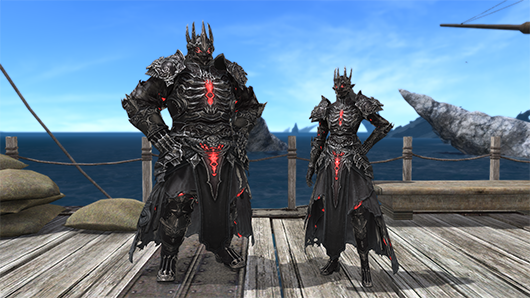
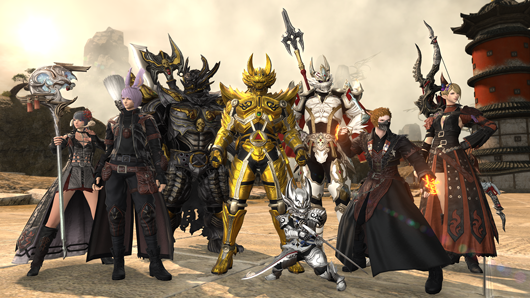
Trade Wolf Marks for Garo gear by speaking to the disreputable priest at the Wolves’ Den Pier (X:5.0 Y:5.3). Items resembling the Garo gear can also be exchanged for MGP at the Gold Saucer (X:5.4 Y:6.6). The following adjustments have been made for this edition of the collaboration:

Gunbreaker and reaper gear have been added.
Samurai, red mage, gunbreaker, dancer, reaper, and sage achievement titles have been added.

New items have been added.

* Items added in Patch 6.1 will be listed at a later date.

New recipes have been added.

* Recipes added in Patch 6.1 will be listed at a later date.

The following item names have been changed:

Before After
Fortune Egg Chipped Fortune Egg

The classification of the following items has been changed to “rare.”

  • Coblyn Larva
  • Kidragora

The following items can now be equipped regardless of gender:

    • Quaintrelle’s Hat
    • Quaintrelle’s Ruffled Dress
    • Quaintrelle’s Ruffled Skirt
    • Quaintrelle’s Dress Shoes
    • Boulevardier’s Hat
    • Boulevardier’s Ruffled Shirt
    • Boulevardier’s Ruffled Pantaloons
    • Boulevardier’s Dress Shoes
    • Frontier Ribbon
    • Frontier Dress
    • Frontier Dress Gloves
    • Frontier Pumps
    • Frontier Hat
    • Frontier Jacket
    • Frontier Trousers
    • Frontier Shoes
    • Thavnairian Wool Autumn Dress
    • Thavnairian Wool Autumn Shirt
    • Gryphonskin Breastguard
    • Gryphonskin Pantalettes
    • Uraeus Body Armor
    • Uraeus Breeches
    • Southern Seas Skirt
    • Southern Seas Trousers
    • Riviera Dress
    • Riviera Doublet
    • Riviera Slops
    • Oasis Tunic
    • Oasis Sarouel
    • Oasis Doublet
    • Oasis Halftrews
    • Ishgardian Gown
    • Ishgardian Thighboots
    • Far Eastern Smock
    • Augmented Rathalos Helm [F]
    • Augmented Rathalos Mail [F]
    • Augmented Rathalos Vambraces [F]
    • Augmented Rathalos Coil [F]
    • Augmented Rathalos Greaves [F]
    • Rathalos Helm [F]
    • Rathalos Mail [F]
    • Rathalos Vambraces [F]
    • Rathalos Coil [F]
    • Rathalos Greaves [F]
    • Augmented Rathalos Helm [M]
    • Augmented Rathalos Mail [M]
    • Augmented Rathalos Vambraces [M]
    • Augmented Rathalos Coil [M]
    • Augmented Rathalos Greaves [M]
    • Rathalos Helm [M]
    • Rathalos Mail [M]
    • Rathalos Vambraces [M]
    • Rathalos Coil [M]
    • Rathalos Greaves [M]

An item exchange to upgrade crafted item level 580 equipment to item level 590 has been added.

Vendor and Items Required

Vendor Item Required
Radz-at-Han (X:10.8 Y:9.9) – Rashti Hannish Certificate of Grade 1 Import/Crucible Rain

Acquiring Upgraded Gear

  • Confirm the requisite number of Hannish certificates of grade 1 import and Crucible rain for your desired gear by speaking with Rashti in Radz-at-Han.
  • Hannish certificates of grade 1 import can be received from Rashti in exchange for item level 580 equipment.
  • Crucible rain can also be received from Rashti in exchange for Allagan tomestones of aphorism.
  • After acquiring the requisite number of Hannish certificates of grade 1 Import and Crucible rain, speak with Rashti and exchange them for your desired gear.

New items have been added to the inventory of Calamity salvagers.

The animations of the following Disciple of the Hand actions have been adjusted:

Applicable to All Crafter Classes

  • Observe

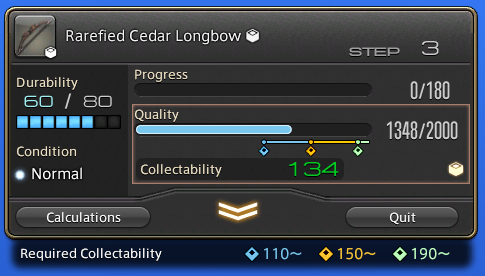
You will be able to check the required collectability of crafted items during synthesis/trial synthesis.

The animations of the following Disciple of the Land actions have been adjusted:

Botanist/Miner

  • Scour
  • Meticulous Woodsman/Meticulous Prospector

Fisher

  • Powerful Hookset
  • Precision Hookset

The icon for the botanist action Collector’s Focus has been changed.

New items have been added to gathering points.

New fish have been added.

The requirements for catching fish via spearfishing have been added to the Fishing Log.

The text color for custom deliveries has been adjusted.

Fishers will earn the greatest possible reward when submitting large-sized fish for custom deliveries.

The following adjustments have been made to glamour plates:

Maximum available glamour plates has been increased from 15 to 20.
Glamour plates can now be used in sanctuaries.
* Glamour plates may not be used during duties, regardless of location.

The level cap for desynthesis has been increased from 580 to 590.

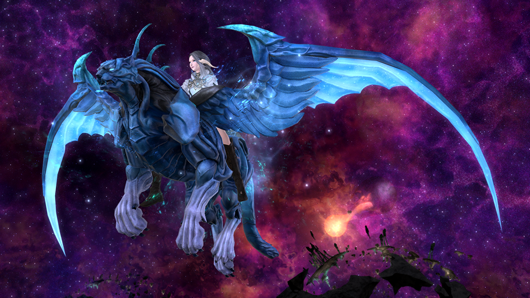
New mounts have been added.

New chocobo barding has been added.

New minions have been added.

The following additions and adjustments have been made to fashion accessories:

New fashion accessories have been added.
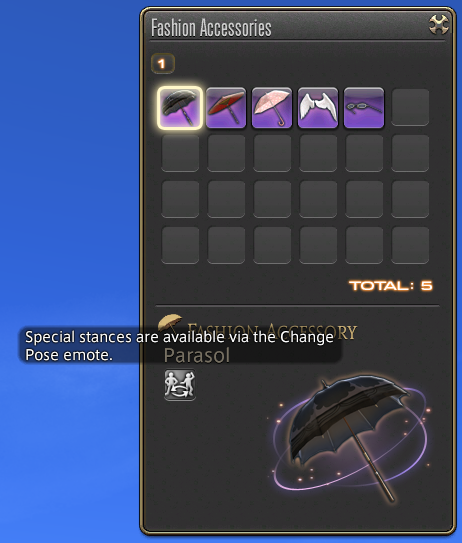
The Change Pose emote is now available while using fashion accessories.
The layout of the Fashion Accessories window has been adjusted. Additionally, an icon for the Change Pose emote has been added, allowing you to cycle through a series of idle stances.

The listed order of customizable options during character creation has been adjusted.

This adjustment has also been applied to character customization after using a phial of Fantasia, when selecting your retainer’s appearance, or when visiting the aesthetician.

The following additions and adjustments have been made to market boards:

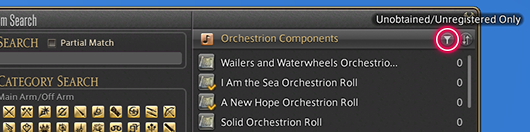
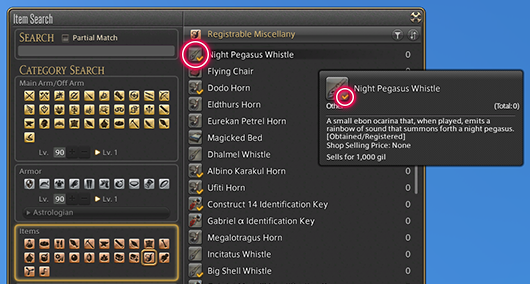
A new subsection of Miscellany, Registrable Miscellany, has been added for items that obtain/register something else, such as minions or orchestrion rolls.
You will be able to filter search results to show only unobtained/unregistered items.
The subcommands “Add to Wish List” and “Add to Favorites” will now display the number of currently registered entries.
Should the number of entries exceed the allowed amount, you will become unable to use the subcommand.
The number of registered entries versus the total number of available slots will appear in the log window when you add/remove items to/from your wish list or favorites.
Similarly, when editing your Crafting Log favorites, the number of registered entries versus the total number of available slots will appear in the log window.

The following additions and adjustments have been made to retainers:

Level ranges for ventures are now ordered from highest level to lowest level.
New ventures have been added.
New items can now be obtained from quick exploration ventures.
You will now be notified if items placed on the market become prohibited or obsolete.
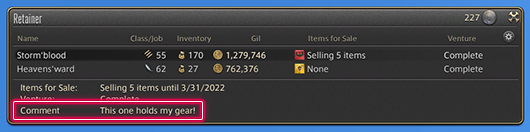
You may now create retainer comments.
You may compose a customized message of up to 90 characters for each of your retainers. Retainer comments are visible only to you.

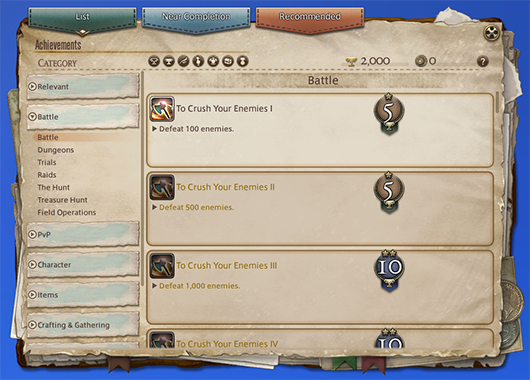
The following additions and adjustments have been made to achievements and titles:

New achievements and titles have been added.
Certain duties will now count toward the completion of achievements.
Achievement Duty
A Tankless Job I (Paladin)
A Tankless Job II (Paladin)
But Somebody’s Gotta Do It (Paladin)
A Tankless Job I (Warrior)
A Tankless Job II (Warrior)
But Somebody’s Gotta Do It (Warrior)
A Tankless Job I (Dark Knight)
A Tankless Job II (Dark Knight)
But Somebody’s Gotta Do It (Dark Knight)
The Minstrel’s Ballad: Endsinger’s Aria
Ultima’s Bane (Unreal)
Tank You, Paladin I
Tank You, Paladin II
Tank You, Paladin III
Tank You, Paladin IV
Tank You, Paladin V
Tank You, Warrior I
Tank You, Warrior II
Tank You, Warrior III
Tank You, Warrior IV
Tank You, Warrior V
Tank You, Dark Knight I
Tank You, Dark Knight II
Tank You, Dark Knight III
Tank You, Dark Knight IV
Tank You, Dark Knight V
Tank You, Gunbreaker I
Tank You, Gunbreaker II
Tank You, Gunbreaker III
Tank You, Gunbreaker IV
Tank You, Gunbreaker V
Aglaia
The Minstrel’s Ballad: Endsinger’s Aria
Ultima’s Bane (Unreal)
???
* The above is a new dungeon that has been added in this patch.
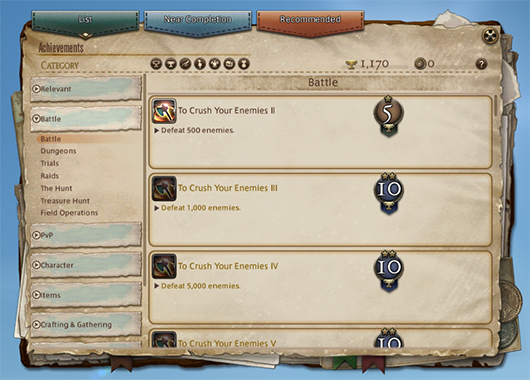
In order to more easily distinguish between completed/unfinished achievements, the background color of unfinished achievements has been adjusted.

Titles must now be selected by saving changes made in the Titles menu.

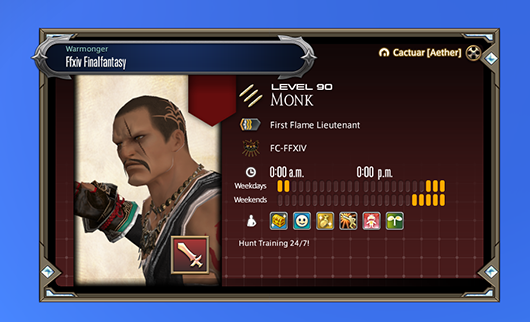
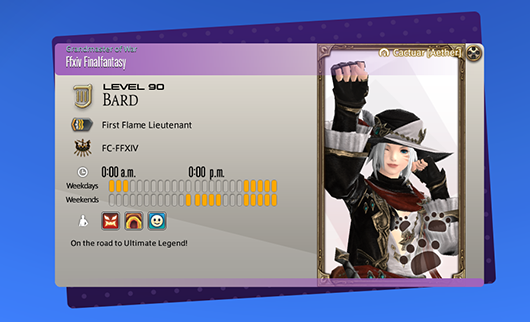
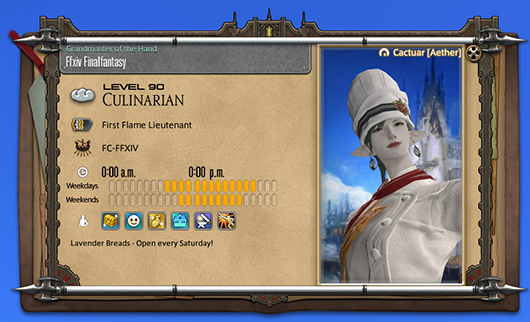
The “Adventurer Plate (Beta Version)” interface has been added.

The adventurer plate interface allows you to create a personalized calling card by which to introduce yourself to other players. View a player’s adventurer plate by targeting them and selecting the “View Adventurer Plate” subcommand.
* The feature available as of Patch 6.1 is the beta version. The official version is scheduled to be released in Patch 6.15 after further improvements have been made to the UI.

How to Create an Adventurer Plate

Access the adventurer plate interface by selecting “Adventurer Plate” or “Portraits” from the Character menu. Further designs may be attained as rewards for completing quests, challenging duties, or fulfilling other in-game requirements.

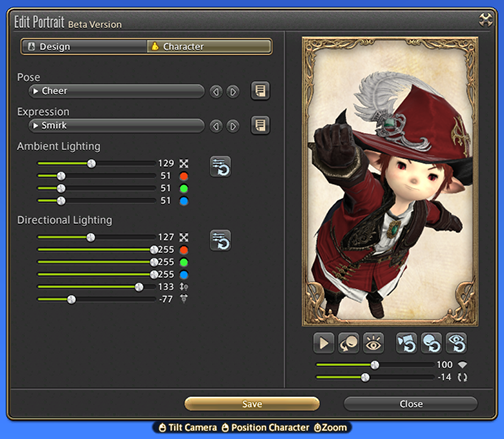
Portraits (Beta Version)

Capture the appearance of your Warrior of Light by customizing poses, movements, camera angles, backgrounds, framing, lighting, and more! You may save a variety of different portraits, and select one to be applied to your adventurer plate.
* Portraits, by default, will update your appearance automatically as you change jobs or gear. The portrait displayed on your adventurer plate, however, will preserve the appearance of a selected class or job.

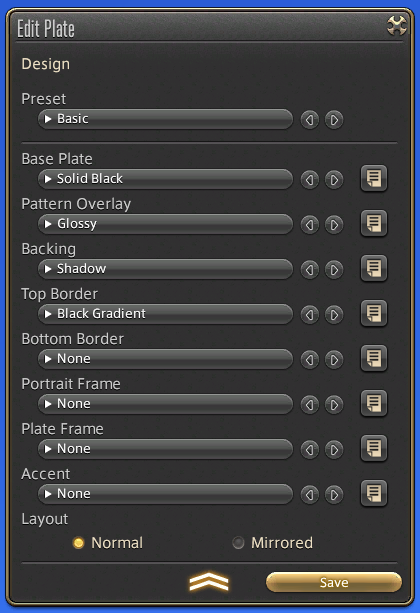
Plate Design

In addition to portraits, you may also customize various design elements of your adventurer plate, including backgrounds, pattern overlays, and portrait frames.

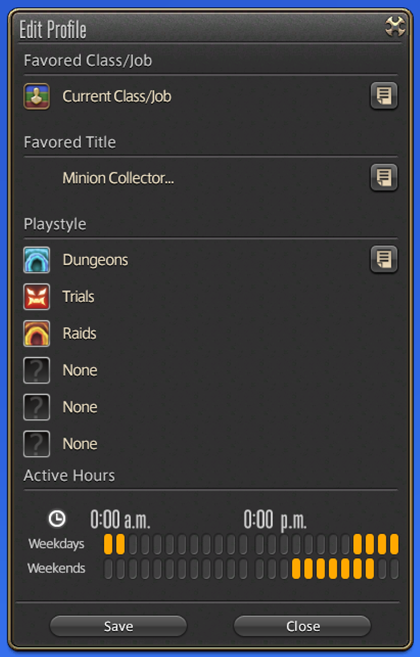
Profile

You may customize an adventurer plate profile with information about your favorite job, title, playstyle, active hours, and more.

Privacy Settings

You can set limits on who may view your adventurer plate. By default, your portraits can be viewed by all players. This setting can be restricted to “Friends Only” or “No One.”

Setting Portraits

The following subcommands are available for setting portraits:

Apply to Adventurer Plate

Selects a primary portrait to use on your adventurer plate. As this portrait is not updated automatically, your class or job, pose, and decorative elements chosen will remain unaffected even should you change jobs or gear. A new primary portrait must be chosen to update your adventurer plate.

Use as Instant Portrait

Selects a portrait that reflects your current appearance. Such portraits are used to introduce players at the start of various duties. As of Patch 6.1, they are used to introduce combatants at the beginning of Crystalline Conflict PvP matches.

Link with Gear Set

When linked with a particular gear set, portraits can be set automatically as your instant portrait whenever you equip said gear set.

It should be noted that portrait data is saved locally. As such, any portraits you have created will not be accessible when playing on a different client.
* However, data used for adventurer portraits and Instant Portraits will be saved to the game servers.

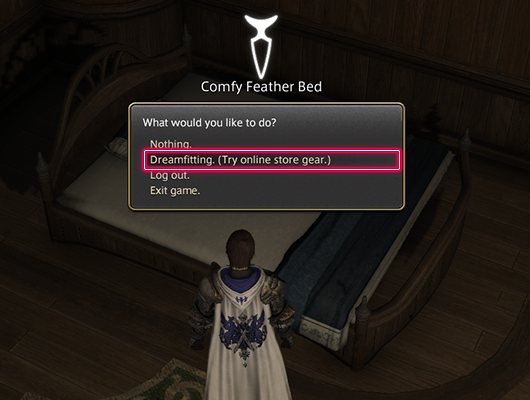
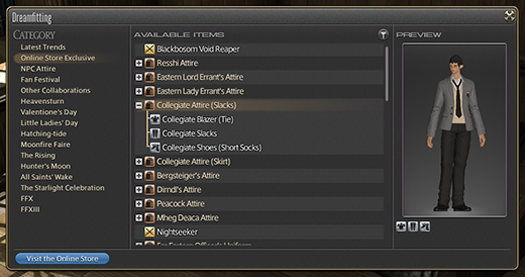
Dreamfitting, a feature allowing your Warrior of Light to try on items from the FFXIV Online Store, has been added.

By accessing the bed in any inn room and selecting “Dreamfitting,” you may try on products from the Online Store individually or by set outfits.

You may also use the “Search for Item” subcommand while Dreamfitting.
* You may confirm effects of dyeing by accessing the “Enable Dye Preview” subcommand via the “Try On” feature.

An option to automatically target enemies when executing target-based attacks has been added.

Players may choose to prioritize either line of sight or the closest target.

The following adjustments have been made to the NPC accompaniment system.

As long as you remain in the same area, you will no longer become separated from accompanying NPCs when using the Aethernet or riding mounts.
* Some NPCs may temporarily disappear in the event of riding mounts or swimming, but they will still be accompanying you.
The locations of conversation points will now appear on the map.

The display of gear set names has been adjusted to reflect job and item level individually.

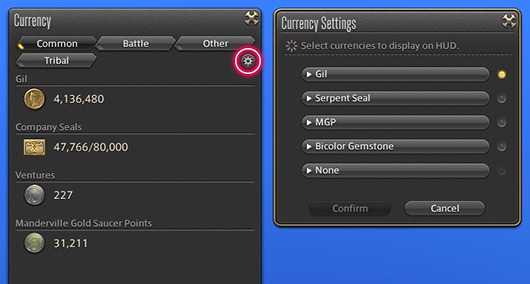
The following additions and adjustments have been made to the Currency window:

The following currencies have been added:
  • Bicolor Gemstone
  • Trophy Crystal
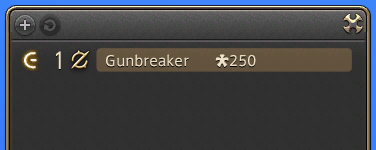
The “Currency Settings” function has been added, allowing you to customize which currency is displayed on the HUD.
You may open Currency Settings by selecting the gear-shaped icon located in the Currency window.
From the dropdown menu, you may select up to five types of currency you wish to display. You may change which currency is currently being displayed on the HUD by performing either of the following steps:
  • Accessing the Currency Settings window and selecting the light on the right side of the currency you wish to display.
  • Right-clicking the currency icon on the HUD.

The following subcommands have been added to the Dyeing interface:

  • Search for Item
  • Link

When traveling to a free destination or using aetheryte tickets to teleport, the amount of gil expended will no longer appear in the log window.

System notifications including confirmation of market sales will no longer display during quest or duty-related cutscenes.

These notifications can be confirmed in the log window.

The renewal period for mentor certification has ended.

Players who have not renewed their certification after the release of Patch 6.0 will no longer be mentors. However, they may be recertified provided they meet the current certification requirements.

Once you have fulfilled the updated requirements, speak to one of the Smiths in Gridania, Limsa Lominsa, Ul’dah, or at the Hall of the Novice in western La Noscea (X:28.2 Y:24.4), and select “Apply for Mentor Certification.”

New dungeons are available for Explorer Mode.

Available Duties

    • The Dusk Vigil
    • Sohm Al
    • The Aery
    • The Vault
    • The Great Gubal Library
    • The Aetherochemical Research Facility
    • Neverreap
    • The Fractal Continuum
    • Saint Mocianne’s Arboretum
    • Pharos Sirius (Hard)
    • The Antitower
    • The Lost City of Amdapor (Hard)
    • Sohr Khai
    • Hullbreaker Isle (Hard)
    • Xelphatol
    • The Great Gubal Library (Hard)
    • Baelsar’s Wall
    • Sohm Al (Hard)
    • ???
      * The above is a new dungeon that has been added in this patch.

The duties that can be recorded have changed.

Before After
The Tower at Paradigm’s Breach
The Mothercrystal
The Dark Inside
The Mothercrystal
The Final Day
Asphodelos: The Fourth Circle (Savage)

The following adjustments have been made to the Duty Finder:

  • “Register via Duty Support” has been added.
  • “Register via Trust” has been added.

The following additions have been made to the Trust interface:

A button linking to the Duty Finder has been added.
A button linking to Duty Support has been added.
Icons allowing you to change/check availability of NPC avatar glamours have been added.
* Glamours are unlocked for NPC avatars who have attained level 80. You may change them via the glamour icons or subcommand from the party selection window.

A check mark will appear on the icon of items that have already been obtained or registered.

In the event a player spends 30 consecutive days outside of their Home World by means of the World Visit system, they will be automatically returned to their Home World upon their next login.

* Depending on the timing of their most recent logout, players may be returned to their Home World after spending more than 30 consecutive days outside from their Home World.

The instanced field areas that were implemented to alleviate congestion after Patch 6.0’s release have been removed, with the exception of Radz-at-Han, Thavnair, and Mor Dhona.

Additions have been made to the System Configuration interface. (PlayStation®4/PlayStation®5)

Display Settings

Draw Quality

Use low-detail models on distant objects. (LOD)

* The default settings for LOD will be “On” for PlayStation®4, and “Off” for PlayStation®5.

The “Wireless Controller Settings” option under Sound in the System Configuration menu has been renamed to “DualSense/DUALSHOCK 4 Settings.”

The following options have been added to the Character Configuration menu:

Control Settings

Target Tab

Auto-target Settings

Enable full auto-target.

Auto-target according to priority.

The following options have been removed from the Character Configuration menu:

Control Settings

Target Tab

Target Settings

Enable auto-target when no target specified.

Wireless controllers have become compatible with certain operating systems. (Mac)

Eligible Mac Operating Systems

  • Mojave
  • Catalina
  • Big Sur

Compatible Controllers

  • DualSense™ Wireless Controller
  • Xbox Series X/S Wireless Controller

The following text commands have been added:

Command Description
/draw USAGE:
/draw [subcommand]→Ready your weapon.>>Subcommands:
motion
Perform motion only.

Both text and motion will be displayed when no subcommand is specified.

/sheathe USAGE:
/sheathe [subcommand]→Put away your weapon.>>Subcommands:
motion
Perform motion only.

Both text and motion will be displayed when no subcommand is specified.

/determined USAGE:
/determined [subcommand]→Punch your own palm with readiness.>>Subcommands:
motion
Perform motion only.

Both text and motion will be displayed when no subcommand is specified.

/content USAGE:
/content [subcommand]→Smile in warm satisfaction.>>Subcommands:
motion
Display expression only.

Both text and expression will be displayed when no subcommand is specified. Expression will return to normal after five seconds or by using the command /straightface.

/adventurerplate ALIASES:
/adventurerplate, /myplate
USAGE:
/myplate→Opens and closes your adventurer plate.
/portrait USAGE:
/portrait→Opens and closes the Portraits interface.

Additions have been made to the auto-translation dictionary.

Additions have been made to the PlayStation®4/PlayStation®5 auto-complete dictionary.

New trophies have been added. (PlayStation®5)

New music, sound effects, and voices have been added.

Immerse Spatial Audio is now compatible with multichannel sound cards.

When you enable the Immerse Gamepack with a multichannel sound card, you will no longer be required to manually select channels. Instead, channels will be automatically adjusted for optimal experience.

For more information on Immerse Spatial Audio, please visit the official website.

Upon enabling Immerse Spatial Audio, the Equalizer Mode will be automatically set to “Standard.”

Accounts with entry subscriptions can now create up to eight characters per World.

* The character limit per physical data center has not been changed.
* Physical data centers are divided between the Japanese, North American, European, and Oceanian regions.

  • The following issues have been addressed.
    • An issue when undertaking the trial the Minstrel’s Ballad: Shinryu’s Domain wherein the status effect “the Worm’s Curse” did not function as intended.
    • An issue during certain boss battles in the dungeon the Stigma Dreamscape wherein the range of certain ground-targeted actions was farther than intended.
    • An issue when undertaking the raid Asphodelos: The Third Circle (Savage) wherein the status effect resistance of Darkened Fire
    • An issue when undertaking the raids Asphodelos: The Fourth Circle and Asphodelos: The Fourth Circle (Savage) wherein certain action effects expired unintentionally when stage mechanics caused the floor to change.
    • An issue wherein the location of certain marks written in guildship mark bills was incorrect.
    • An issue wherein the dark knight status effect Walking Dead could not be removed under certain circumstances.
    • An issue wherein the effect of Opo-opo Form expired when Arm of the Destroyer or Shadow of the Destroyer missed a target.
    • An issue wherein executing the ninja PvE action Bunshin under certain conditions caused the status effects of Bunshin and Phantom Kamaitachi to expire erroneously.
    • An issue wherein executing the dancer PvE actions windmill or bladeshower under certain conditions caused the status effects Silken Symmetry and Silken Flow to expire erroneously.
    • An issue wherein certain action text descriptions were incorrect.
      * The effects of this actions have not been changed.
    • An issue when using the Battle Stance emote as a reaper wherein using a different emotion during the Battle Stance motion would cause the emote graphics to display incorrectly.
    • An issue when equipping Ktiseos Bottoms of Healing or Ktiseos Bottoms of Casting with a female character wherein the coloring of the gear displayed incorrectly.
    • An issue wherein the graphics of certain gear displayed incorrectly.
    • An issue wherein the food effect granted by Yakow Moussaka was incorrect.
    • An issue wherein the graphics displayed when using certain food items was incorrect.
    • An issue wherein certain food items were incorrectly categorized.
    • An issue wherein the items yielded when desynthesizing certain items were incorrect.
    • An issue wherein certain gathering spots in areas added in Patch 6.0 erroneously overlapped with FATEs.
    • An issue in Thavnair wherein using the botanist action Arbor Call under certain conditions did not display the location of ephemeral gathering points on the minimap.
    • An issue in Ultima Thule wherein using the fisher action Cast at fishing holes under certain conditions displayed the name of the wrong fishing hole.
    • An issue when playing as a Viera male wherein the size of their chocobo as a companion and as a mount were different.
    • An issue wherein the items available from scrip exchange NPCs were incorrect.

Other various issues have also been addressed.

  • An issue wherein the warrior PvP action Primal Scream fails to note that the potency of Primal Rend and Chaotic Cyclone are increased while under the effect of Inner Release.
    * This is an issue only in the description. The action functions as intended.
  • An issue wherein character motions while under the effect of No Mercy, granted by the gunbreaker PvP action Rough Divide, are incorrect.
  • An issue wherein the gunbreaker PvP action Terminal Trigger, the dancer PvP action Honing Dance, and the machinist PvP action Wildfire, fail to note they have a radius of 5 yalms.
    * This is an issue only in the descriptions. The actions functions as intended.
  • An issue wherein certain explanations in the Hall of the Novice fail to account for action adjustments in Patch 6.1.
  • An issue wherein the effects displayed when defeating certain enemies are incorrect.
  • An issue wherein the gunbreaker, dancer, reaper, and sage weapons newly added to the trial the Minstrel’s Ballad: Thordan’s Reign cannot be purchased in exchange for Heavens’ Ward Helm Fragments.
  • An issue wherein the Bluefeather Astrolabos furnishing fails to note that only one may be placed in an estate.
  • An issue when accessing portraits wherein selecting “Create from Primary Portrait” after changing your character appearance via Fantasia will erroneously display an image of your character prior to using Fantasia.
  • An issue when using group pose wherein the motions for the ninja PvP action Fleeting Raiju fail to play on loop.
Avatar photo

Alex Co

Father, gamer, games media vet, writer of words, killer of noobs.

Home > News

Final Fantasy XIV Update 9.47 for Patch 6.1 Newfound Adventure This April 11

Square Enix has released the Final Fantasy XIV update 9.47 patch, and this is for “Newfound Adventure” which is tagged as version 6.1! This is a pretty massive update that includes new quests, item changes, and tons more! Read on for the full FFXIV April 11 patch notes.

Final Fantasy XIV Update 9.47 Patch Notes | Final Fantasy XIV 6.1 Patch Notes | FFXIV April 11 Patch Notes:

Patch 6.1 contains content that can only be accessed by registering the expansion packs for FINAL FANTASY XIV to your service account. To distinguish between adjustments that are and are not affected by the registration of these expansions, the following notations will be used throughout the patch notes:

These additions and adjustments only require the purchase of FINAL FANTASY XIV: A Realm Reborn and FINAL FANTASY XIV: Heavensward.
These additions and adjustments require the purchase and registration of FINAL FANTASY XIV: Stormblood.
These additions and adjustments require the purchase and registration of FINAL FANTASY XIV: Shadowbringers.
These additions and adjustments require the purchase and registration of FINAL FANTASY XIV: Endwalker.
These additions and adjustments contain elements that may require the purchase and registration of the expansion packs noted above.

Quests:

New main scenario quests have been added.

Newfound Adventure

Disciple of War or Magic level 90
The Rising Stones (X:6.0 Y:5.9)
Tataru
Players must first complete the main scenario quest “Endwalker.”

???

Disciple of War or Magic level 90
???
???
Players must first complete the main scenario quest “Newfound Adventure.”

???

Disciple of War or Magic level 90
???
???
Players must first complete the main scenario quest “???”

???

Disciple of War or Magic level 90
???
???
Players must first complete the main scenario quest “???”

???

Disciple of War or Magic level 90
???
???
Players must first complete the main scenario quest “???”

???

Disciple of War or Magic level 90
???
???
Players must first complete the main scenario quest “???”

???

Disciple of War or Magic level 90
???
???
Players must first complete the main scenario quest “???”

???

Disciple of War or Magic level 90
???
???
Players must first complete the main scenario quest “???”

???

Disciple of War or Magic level 90
???
???
Players must first complete the main scenario quest “???”

???

Disciple of War or Magic level 90
???
???
Players must first complete the main scenario quest “???”

Chronicles of a New Era quests have been added.

Myths of the Realm

A Mission in Mor Dhona

Disciple of War or Magic level 90
Old Sharlayan (X:9.1 Y:11.5)
Fresh-faced Student
Players must first reach a certain point in the main scenario quest “???”

???

Disciple of War or Magic level 90
???
???
Players must first complete the Chronicles of a New Era quest “A Mission in Mor Dhona.”

???

Disciple of War or Magic level 90
???
???
Players must first complete the Chronicles of a New Era quest “???”

???

Disciple of War or Magic level 90
???
???
Players must first complete the Chronicles of a New Era quest “???”

Role quests have been added.

Bitter Snow

Disciple of War or Magic level 90
Radz-at-Han (X:7.7 Y:9.4)
Shirabaht
Players must first complete the main scenario quest “Endwalker,” the tank role quest “A Path Unveiled,” the melee DPS role quest “To Calmer Seas,” the physical ranged DPS role quest “Laid to Rest,” the magical ranged DPS role quest “Ever March Heavensward,” and the healer role quest “The Gift of Mercy.”

???

Disciple of War or Magic level 90
???
???
Players must first complete the role quest “Bitter Snow.”

???

Disciple of War or Magic level 90
???
???
Players must first complete the role quest “???”

???

Disciple of War or Magic level 90
???
???
Players must first complete the role quest “???”

New chapters have been added to New Game+.

The final quest of each chapter must be completed before it can be unlocked.

Main Scenario Quests

  • Endwalker – Part 1
  • Endwalker – Part 2

Side Story Quests

  • Role Master Quests (Endwalker)

Tank Quests

  • Tank Role Quests (Endwalker)

DPS Quests

  • Melee DPS Role Quests (Endwalker)
  • Physical Ranged DPS Role Quests (Endwalker)
  • Magical Ranged DPS Role Quests (Endwalker)
  • Reaper Quests

Healer Quests

  • Healer Role Quests (Endwalker)
  • Sage Quests

Certain main scenario quests for A Realm Reborn have been revised.

In accordance with changes to various dungeons and trials, certain quests have been revised. These adjustments will not affect the overall story.

For Players Progressing through A Realm Reborn

If you are currently undertaking a quest in A Realm Reborn, please refer to the duty list or journal, as you may find that the quest information has been updated. If the quest has been changed, you will be asked to abandon it and accept the newly designated quest.

Updated Quests

  • Operation Archon
  • The Ultimate Weapon

* New Game+ is also affected by this change.

When playing as a different character in instanced quest battles, actions on the additional hotbar can now be rearranged.

* The hotbar changes will be reset upon playing an alternate character in an instanced quest battle, or upon logging out of the game.

Character portraits have been implemented for battle dialogue during instanced quest battles from the 5.x series.

* Character portraits for battle dialogue in instanced quest battles prior to Patch 5.0 will be implemented in a future update.

Leves

The report area for a leve will now be displayed in the information section of the leve’s journal entry.

The following adjustments have been made to the journal entries for fisher fieldcraft leves:

Entries will now display the method of fishing required to obtain the desired catch.
The area where the desired catch can be found will be displayed next to “Location.”
Selecting “Map” will display the desired catch’s approximate location.
* Once the desired catch has been caught, the leve’s report area will display instead.

FATEs

New items are available in exchange for bicolor gemstones from Gemstone Trader NPCs in each area.

Treasure Hunt

Rewards in the Excitatron 6000 have been adjusted.

The animation for the Decipher action has been changed.

Grand and Free Companies

Players must now remain in a free company for a minimum of 30 days before the rank of free company master can be transferred to them.

New Charge symbol options have been added to Company Crests.

New Charge symbol options have also been added to PvP team crests.

New craftable items have been added to the company workshop.

The following additions and adjustments have been made to subaquatic voyages:

New areas have been added.
New items have been added.
Maximum submersible rank has been increased from 90 to 95.

Housing

Plots of land in Empyreum can now be purchased.

All plots on the Oceanian data center are now available for purchase.

A lottery system for the purchase of land has been implemented.

Further details on the lottery system can be found in the Additional Plots and Purchasing Guide.
As of Patch 6.1, all plots in all wards will be subject to the lottery system.

Every housing district will now have dedicated wards for private and free company estates.

As of Patch 6.1, estate plots have been allocated as follows:

  • Free Company Estates: Wards 1-18
  • Private Estates: Wards 19-24

* Methods of sale and allocation of plots will be reassessed every patch on a per-World basis.

To prevent the reselling of plots, players must now remain in a free company for a minimum of 30 days before they are allowed to purchase a free company plot.

* Players must meet this requirement for plots being sold via the lottery system.

The designated price of plots will no longer be reduced over time.

Furnishings from the FFXIV Furnishing Design Contest have been added.

Learn more about the FFXIV Furnishing Design Contest 2019.

Entries that did not win have also been selected to serve as new furnishings.

New furnishings have been added.

New orchestrion rolls have been added.

Location and duty names previously omitted to prevent spoilers will now be displayed.

New aquarium fish have been added.

New paintings have been added.

A new seed for flowerpots has been added.

  • Byregotia SeedsByregotia seeds can be purchased from the following NPCs:
    • Mist (X:11.0 Y:11.4) – Material Supplier
    • The Lavender Beds (X:11.9 Y:8.3) – Material Supplier
    • The Goblet (X:10.9 Y:8.9) – Material Supplier
    • Shirogane (X:10.5 Y:12.1) – Material Supplier
    • Empyreum (X:10.2 Y:12.2) – Material Supplier
    • Apartments – Apartment Merchant
    • New Gridania (X:11.0 Y:11.2) – Tanie

The Manderville Gold Saucer

New prizes are available for purchase using MGP.

Players must first complete the Chronicles of a New Era quest “Brave New World” in order to exchange for Pod 602 Identification Key.

The following additions have been made to Triple Triad:

New cards have been added.
New NPC opponents for Triple Triad have been added.

Miscellaneous

The following updates have been made to Hrothgar character customization:

Regardless of your progression in the main scenario, these changes will be available when creating new characters, editing your character’s appearance using Fantasia, or hiring a retainer. Otherwise, these options will be available when visiting the aesthetician.

New hairstyle options have been added.

Certain options that were previously designated as facial features, such as bangs and sideburns, have been moved to the hairstyle section.
New facial features have been added.

New hairstyle options have been added for male and female Viera.

Duty Support, a system that allows solo players to tackle duties with a party of NPCs, has been added.

The Duty Support system can be used to progress through main scenario duties with a party of NPCs.
As of Patch 6.1, instanced duties for A Realm Reborn, Shadowbringers, and Endwalker are supported. Duty Support for 2.x to Heavensward and beyond will be added in future patches.

Accessing the Duty Support System from Duty Entrance

The Duty Support icon will display above the entrance of applicable duties.
Select the entrance, and then choose the option to enter the dungeon with a group of NPCs in the window that appears. A new menu will display, from which you can select “Register for Duty” to begin the duty.

Accessing the Duty Support System

First, select Duty Support under Duty in the main menu. A list of available duties will be displayed in the window that appears. Select the duty you wish to enter, confirm which NPCs will be accompanying you, then select the “Register for Duty.”

The Duty Finder and Trust menus can also be accessed by pressing the appropriate button at the bottom of the Duty Support menu.

Party Selection

Certain duties allow you to switch out the NPCs in your party. This is indicated by a message that displays underneath your party members.

Click on your party members or press the confirm button on your controller to open a window showing a list of available NPCs for that duty.

* The NPC party members available in A Realm Reborn instanced duties are fixed according to your role, and therefore cannot be selected.

Duty Support can be used to complete the following duties:

A Realm Reborn

  • Sastasha
  • The Tam-Tara Deepcroft
  • Copperbell Mines
  • The Bowl of Embers
  • The Thousand Maws of Toto-Rak
  • Haukke Manor
  • Brayflox’s Longstop
  • The Navel
  • The Stone Vigil
  • The Howling Eye
  • Castrum Meridianum
  • The Praetorium
  • The Porta Decumana

Shadowbringers

  • Holminster Switch
  • Dohn Mheg
  • The Qitana Ravel
  • Malikah’s Well
  • Mt. Gulg
  • Amaurot
  • The Grand Cosmos
  • Anamnesis Anyder
  • The Heroes’ Gauntlet
  • Matoya’s Relict
  • Paglth’an

Endwalker

  • The Tower of Zot
  • The Tower of Babil
  • Vanaspati
  • Ktisis Hyperboreia
  • The Aitiascope
  • The Mothercrystal
  • The Dead Ends
  • ???
    * The above is a new dungeon that has been added in this patch.

The following additions and adjustments have been made to the Trust system:

Scenario Mode, which allowed players to progress through main scenario dungeons from Patch 5.0 through 6.1 with a party of NPC allies, has now been incorporated into the Duty Support system.
You may continue to challenge previously completed main scenario dungeons with a party of NPC avatars via the Trust system.

The Unending Codex has been added, giving players easy access to a compendium of vital information about in-game terminology and characters.

The Unending Codex will be unlocked as you progress through the main scenario of Patch 6.1, with new entries added as the story unfolds.

The following additions and adjustments have been made to Wondrous Tails:

Prizes available in exchange for Khloe’s Gold Certificates of Commendation, Khloe’s Silver Certificates of Commendation, and Khloe’s Bronze Certificates of Commendation have been adjusted.
The message that displays when attempting to hand over a Wondrous Tails journal that has less than 9 duties completed has been changed.
Certain tasks within Wondrous Tails journals will now allow you to select from more than one duty to earn a seal. Completing any of the duties listed in that square will mark it as complete.
For example, the objective previously labeled “The Binding Coil of Bahamut – Turn 1” has been changed to simply “The Binding Coil of Bahamut,” and the completion of any turn will be counted for this objective.
  • Binding Coil of Bahamut
  • Second Coil of Bahamut
  • Final Coil of Bahamut
  • Alexander: Gordias
  • Alexander: Midas
  • Alexander: The Creator
  • Omega: Deltascape
  • Omega: Sigmascape
  • Omega: Alphascape

The following additions and adjustments have been made to Faux Hollows:

The available trial for Faux Hollows has been changed.
Before After
The Whorleater (Unreal) Ultima’s Bane (Unreal)

* Different unreal trials will be available in each major patch.

New items are available in exchange for faux leaves.

The following adjustments have been made to the Sightseeing Log:

The visual effect for completing an entry for a vista has been changed.
Vistas will now be categorized by expansion.

New emotes have been added.

Actions and traits have been adjusted as follows:

* Each action and trait is listed as it appears at level 90.

Healer Role Actions

Action Adjustment
Lucid Dreaming Now acquired at level 14 (previously level 24).

Gladiator / Paladin

Action Effect
Iron Will Recast time has been reduced from 10 to 3 seconds.
Clemency Execution no longer interrupts action combos.
Holy Spirit Execution no longer interrupts action combos.
Requiescat The additional effect “Grants Blade of Faith Ready when the effect of Requiescat ends” has been added with a duration of 30 seconds.
Holy Circle Execution no longer interrupts action combos.
Confiteor The additional effect “Restores own HP” has been added with a cure potency of 400.
Blade of Faith No longer a combo action with Confiteor.
The requirement of “Blade of Faith Ready” has been added.
The additional effect “Restores own HP” has been added with a cure potency of 400.
Blade of Truth The additional effect “Restores own HP” has been added with a cure potency of 400.
Blade of Valor The additional effect “Restores own HP” has been added with a cure potency of 400.
Divine Magic Mastery II Now adds a healing effect to Confiteor.

Marauder / Warrior

Action Adjustment
Defiance Recast time has been reduced from 10 to 3 seconds.
Overpower Area of effect has been changed from a cone before you to all nearby enemies.
Inner Release Stacks of Inner Release now only apply to Fell Cleave and Decimate.
The additional effect “Nullifies Stun, Sleep, Bind, Heavy, and most knockback and draw-in effects” has been changed to “Grants Inner Strength, nullifying Stun, Sleep, Bind, Heavy, and most knockback and draw-in effects.”

Dark Knight

Action Adjustment
Grit Recast time has been reduced from 10 to 3 seconds.
Flood of Darkness Potency has been reduced from 130 to 100.
Blood Weapon Now grants 5 stacks of the Blood Weapon effect.
Effect duration has been increased from 10 to 15 seconds.
Stalwart Soul Now acquired at level 40 (previously level 72).
Living Dead The additional effect “Restores HP with each weaponskill successfully delivered or spell cast” has been added with a cure potency of 1,500.
If an amount of HP totaling your maximum HP is restored before the Walking Dead timer runs out, the effect will now change to Undead Rebirth, with a duration carried over from the time remaining for Walking Dead.
While under the effect of Undead Rebirth, most attacks will not lower your HP below 1.

Gunbreaker

Action Adjustment
Royal Guard Recast time has been reduced from 10 to 3 seconds.

Monk

Action Adjustment
Perfect Balance Can no longer be executed while under the effect of any Beast Chakra.

Dragoon

Action Adjustment
Jump Action animation has been shortened.
Action now changes to Mirage Dive while under the effect of Mirage Dive Ready.
High Jump Action animation has been shortened.
Action now changes to Mirage Dive while under the effect of Mirage Dive Ready.
Elusive Jump Action animation has been shortened.
Spineshatter Dive Action animation has been shortened.
Dragonfire Dive Action animation has been shortened.

Rogue / Ninja

Action Adjustment
Hide Now dispels the effect of Doton upon execution.
Mug The additional effect “Increases target’s damage taken by 5%” has been added with a duration of 20 seconds.
Trick Attack The additional effect “Increases target’s damage taken by 5%” has been changed to “Increases damage you deal target by 10%.”
Aeolian Edge Potency has been increased from 360 to 380.
Rear combo potency has been increased from 420 to 440.
Shukuchi Action animation has been shortened.
Doton Potency has been increased from 70 to 80.
Effect duration has been reduced from 24 to 18 seconds.
Hakke Mujinsatsu Combo potency has been increased from 120 to 130.
Armor Crush Combo potency has been increased from 340 to 360.
Flank combo potency has been increased from 400 to 420.
Bhavacakra Potency has been reduced from 400 to 350.
Phantom Kamaitachi Potency has been increased from 550 to 600.
Melee Mastery Now acquired at level 74 (previously level 84).

Samurai

Action Adjustment
Hakaze Potency has been increased from 180 to 200.
Jinpu Potency has been increased from 100 to 120.
Third Eye Effect duration has been increased from 3 to 4 seconds.
Shifu Potency has been increased from 100 to 120.
Gekko Potency has been increased from 100 to 120.
Combo potency has been increased from 320 to 330.
Rear combo potency has been increased from 370 to 380.
Higanbana Damage over time potency has been increased from 30 to 45.
Mangetsu Combo potency has been increased from 110 to 120.
Kasha Potency has been increased from 100 to 120.
Combo potency has been increased from 320 to 330.
Flank combo potency has been increased from 370 to 380.
Tenka Goken Area of effect has been changed from a cone before you to all nearby enemies.
Oka Combo potency has been increased from 110 to 120.
Yukikaze Potency has been increased from 100 to 120.
Combo potency has been increased from 280 to 300.
Midare Setsugekka Potency has been reduced from 660 to 600.
Attack is now guaranteed to land a critical hit.
Meikyo Shisui Ranged weaponskills no longer count toward the effect of this action.
Hissatsu: Shinten Now acquired at level 52 (previously level 62).
Potency has been reduced from 270 to 250.
Hissatsu: Yaten Activation time has been adjusted to match that of other backstep actions.
Hissatsu: Kyuten Now acquired at level 62 (previously level 64).
Kaeshi: Higanbana Potency has been reduced from 300 to 200.
Kaeshi: Goken Potency has been reduced from 420 to 280.
Area of effect has been changed from a cone before you to all nearby enemies.
Kaeshi: Setsugekka Potency has been reduced from 990 to 600.
Attack is now guaranteed to land a critical hit.
Shoha Potency has been reduced from 580 to 500.
Ogi Namikiri Potency has been reduced from 900 to 800.
Attack is now guaranteed to land a critical hit.
Kaeshi: Namikiri Potency has been reduced from 1,350 to 800.
Attack is now guaranteed to land a critical hit.

Reaper

Action Adjustment
Hell’s Ingress The duration of Enhanced Harpe has been increased from 15 to 20 seconds.
Action animation has been shortened.
Hell’s Egress The duration of Enhanced Harpe has been increased from 15 to 20 seconds.
Action animation has been shortened.
Regress Action animation has been shortened.

Archer / Bard

Action Adjustment
Repelling Shot Range has been increased from 5 to 15 yalms.
Activation time has been adjusted to match that of other backstep actions.
Battle Voice No longer requires the effect of Mage’s Ballad, Army’s Paeon, or the Wanderer’s Minuet to be active.
The Wanderer’s Minuet Action now changes to Pitch Perfect upon execution.

Machinist

Action Adjustment
Heat Blast Potency has been increased from 170 to 180.
Wildfire Potency increase per weaponskill landed has been increased from 150 to 200.
Drill Potency has been increased from 570 to 580.
Air Anchor Potency has been increased from 570 to 580.
Pile Bunker Potency has been increased from 650 to 680.
Crowned Collider Potency has been increased from 750 to 780.
Chain Saw Potency has been increased from 570 to 580.

Dancer

Action Adjustment
Standard Step Action is now categorized a weaponskill.
Emboite Action is now categorized a weaponskill.
Entrechat Action is now categorized a weaponskill.
Jete Action is now categorized a weaponskill.
Pirouette Action is now categorized a weaponskill.
Cascade The additional effect “50% chance of granting Flourishing Symmetry” has been changed to “50% chance of granting Silken Symmetry.”
Fountain The additional effect “50% chance of granting Flourishing Flow” has been changed to “50% chance of granting Silken Flow.”
Windmill The additional effect “50% chance of granting Flourishing Symmetry” has been changed to “50% chance of granting Silken Symmetry.”
Reverse Cascade The requirement for execution has been changed from “Can only be executed while under the effect of Flourishing Symmetry” to “Can only be executed while under the effect of Silken Symmetry or Flourishing Symmetry.”
Bladeshower The additional effect “50% chance of granting Flourishing Flow” has been changed to “50% chance of granting Silken Flow.”
Rising Windmill The requirement for execution has been changed from “Can only be executed while under the effect of Flourishing Symmetry” to “Can only be executed while under the effect of Silken Symmetry or Flourishing Symmetry.”
Fountainfall The requirement for execution has been changed from “Can only be executed while under the effect of Flourishing Flow” to “Can only be executed while under the effect of Silken Flow or Flourishing Flow.”
Bloodshower The requirement for execution has been changed from “Can only be executed while under the effect of Flourishing Flow” to “Can only be executed while under the effect of Silken Flow or Flourishing Flow.”
Technical Step Action is now categorized a weaponskill.

* Players can still receive the effect of Flourishing Symmetry and Flourishing Flow from the Flourish action.

Arcanist / Summoner

Action Adjustment
Ruby Ruin Recast time has been increased from 2.5 to 3 seconds.
Potency has been increased from 300 to 340.
Ruby Outburst Recast time has been increased from 2.5 to 3 seconds.
Potency has been increased from 140 to 160.
Ruby Ruin II Recast time has been increased from 2.5 to 3 seconds.
Potency has been increased from 340 to 380.
Ruby Ruin III Recast time has been increased from 2.5 to 3 seconds.
Potency has been increased from 360 to 410.
Ruby Rite Recast time has been increased from 2.5 to 3 seconds.
Potency has been increased from 450 to 510.
Searing Light Action is now executed directly from the caster rather than via Carbuncle.
Ruby Disaster Recast time has been increased from 2.5 to 3 seconds.
Potency has been increased from 170 to 190.
Ruby Catastrophe Recast time has been increased from 2.5 to 3 seconds.
Potency has been increased from 180 to 210.
Ruin Mastery IV The increase of potency for Ruby Rite has been changed from 450 to 510.

Red Mage

Action Adjustment
Displacement Action animation has been shortened.

Conjurer / White Mage

Action Adjustment
Stone MP cost has been reduced from 400 to 200.
Aero MP cost has been reduced from 400 to 200.
Effect duration has been increased from 18 to 30 seconds.
Stone II MP cost has been reduced from 400 to 200.
Regen MP cost has been reduced from 500 to 400.
Cure III Area of effect radius has been increased from 6 to 10 yalms.
Aero II MP cost has been reduced from 400 to 200.
Effect duration has been increased from 18 to 30 seconds.
Asylum Range has been increased from 8 to 10 yalms.
Secret of the Lily Time before a Lily is added to the Healing Gauge has been reduced from once every 30 seconds to once every 20 seconds.
Stone III Potency has been reduced from 230 to 220.
MP cost has been reduced from 400 to 300.
Stone IV Potency has been reduced from 270 to 260.
Afflatus Misery Potency has been increased from 900 to 1,240.
Reduction in potency after the first enemy has been increased from 25% to 50%.
Liturgy of the Bell The additional healing effect from remaining stacks of Liturgy of the Bell will now be triggered when time expires or upon executing this action a second time.

Scholar

Action Adjustment
Ruin MP cost has been reduced from 400 to 300.
Embrace Range from which party members can be targeted has been increased.
Bio MP cost has been reduced from 400 to 300.
Bio II MP cost has been reduced from 400 to 300.
Sacred Soil Area of effect radius has been increased from 8 to 10 yalms.
Expedient Effect duration of Expedience has been reduced from 20 to 10 seconds.

Astrologian

Action Adjustment
Combust Effect duration has been increased from 18 to 30 seconds.

Sage

Action Adjustment
Dosis MP cost has been reduced from 400 to 300.
Soteria Now grants 4 stacks of the Soteria effect.
Effect potency has been increased from 50% to 70%.
Addersting Now gain maximum stacks of Addersting upon entering an instance or restarting an instance battle.

New traits have been added.

Ninja

Action Adjustment
Level 84
Melee Mastery II
Increases the potency of Spinning Edge to 220 and Gust Slash to 160.

Samurai

Action Adjustment
Level 66
Way of the Samurai
Increases the potency of Hakaze to 200, Jinpu to 120, and Shifu to 120.
Level 84
Way of the Samurai II
Increases the potency of Gekko, Kasha, and Yukikaze to 120.

The following action has been removed:

Samurai

  • Hissatsu: Kaiten

Miscellaneous adjustments to action, trait, and status effect descriptions have been made.

* No changes have been made to their effects.

The following additions and adjustments have been made to job gauges:

The appearance of the dancer’s Esprit Gauge when filled to 50 or higher has been adjusted to be more discernible.
The sound effect played when a bard’s Soul Voice Gauge reaches 100 will now also play when the gauge reaches 80. Moreover, a new visual indicator has been added for when the gauge reaches 80.

A new dungeon has been added.

Players may enter this dungeon with Trust or Duty Support NPCs.

Level Requirement Disciple of War or Magic level 90
Item Level Requirement Average item level 560 or above
Party Size Four players
Time Limit 90 minutes

Requirements

???

Disciple of War or Magic level 90
???
???
Players must first complete the main scenario quest “???”

A new trial has been added.

The Minstrel’s Ballad: Endsinger’s Aria

The Minstrel’s Ballad: Endsinger’s Aria can only be accessed via the Raid Finder.
* Item level restrictions and role requirements do not apply when registering as a full party.

Level Requirement Disciple of War or Magic level 90
Item Level Requirement Average item level 580 or above
Party Size Eight players
Time Limit 60 minutes

Requirements

After completing the main scenario quest “Endwalker,” speak with the Wandering Minstrel in Old Sharlayan (X:12.7 Y:14.2) as a level 90 Disciple of War or Magic.

Item Exchange

The totem received upon completing this trial can be exchanged for rewards by speaking with Nesvaaz in Radz-at-Han (X:10.6 Y:10.0).

Ultima’s Bane (Unreal)

* Different unreal trials will be available in each major patch.

Ultima’s Bane (Unreal) can only be accessed via the Raid Finder.
* Item level restrictions and role requirements do not apply when registering as a full party.

Level Requirement Disciple of War or Magic level 90
Item Level Requirement Average item level 560 or above
Item Level Sync 565
Party Size Eight players
Time Limit 60 minutes

Requirements

Fantastic Mr. Faux

Disciple of War or Magic level 80
Idyllshire (X:7.0 Y:5.9)
Painfully Ishgardian Man
Players must first complete the main scenario quest “Shadowbringers” and the quest “Keeping Up with the Aliapohs.”

* This trial will be unlocked automatically for players who have completed the quest “Fantastic Mr. Faux” prior to Patch 6.1.

Players can now be revived in battle after being incapacitated by falling in the following duties:

    • The Navel
    • Amdapor Keep
    • Neverreap
    • The Navel (Hard)
    • The Navel (Extreme)
    • The Whorleater (Extreme)
    • Thok ast Thok (Hard)
    • Thok ast Thok (Extreme)
    • The Limitless Blue (Hard)
    • The Limitless Blue (Extreme)
    • Containment Bay S1TZ
    • Containment Bay S1TZ (Extreme)

The following adjustments have been made to the battle against Hraesvelgr in Sohr Khai:

The arena platforms will no longer be destroyed.
Damage inflicted by Cauterize has been increased.

The weekly restriction on rewards in Pandæmonium: Asphodelos has been removed.

* This change does not apply to the Unsung Blade of Asphodelos obtained in Asphodelos: The Fourth Circle.

The number of Unsung Blades of Asphodelos required to exchange for a Discal Tomestone has been reduced from 7 to 4.

Gunbreaker, dancer, reaper, and sage weapons are now available from coffers that appear after completing the Minstrel’s Ballad: Thordan’s Reign.

The alliance raid dungeon, Aglaia, has been added.

Level Requirement Disciple of War or Magic level 90
Item Level Requirement Average item level 565 or above
Party Size Eight players, or an alliance of 24 players
Time Limit 120 minutes

Requirements

???

Disciple of War or Magic level 90
???
???
Players must first complete the Chronicles of a New Era quest “A Mission in Mor Dhona.”

Role Requirements

Parties matched automatically via the Duty Finder will comprise 1 tank, 2 healers, and 5 DPS.

Rewards

You can receive only one reward item per week for completing duties in Aglaia. In the event you are awarded an item from the loot list, you relinquish your right to vie for all remaining items regardless of whether you selected Need or Greed.
* Reward eligibility is reset every Tuesday at 1:00 a.m. (PDT)

Each party in the alliance will receive its own treasure chest, the contents of which will be identical regardless of the route taken.
* Players cannot open a treasure chest belonging to another party.

Completion Reward

Upon completing Aglaia, players can also earn a separate reward once per week: two Cracked Anthoclusters and one Aglaia Coin. The Aglaia Coin can be exchanged with Nesvaaz in Radz-at-Han (X:10.6 Y:10.0) for items used to enhance equipment purchased with Allagan tomestones of astronomy.

The items required to enhance equipment purchased with Allagan tomestones of astronomy, Radiant Twine and Radiant Coating, can be purchased from the following vendors:

Vendor Item Required
J’lakshai, Old Sharlayan (X:11.9 Y:13.2) Sacks of Nuts
Wilmetta, Radz-at-Han (X:10.5 Y:7.4) Sacks of Nuts
Nesvaaz, Radz-at-Han (X:10.6 Y:10.0) Aglaia Coin
* Aglaia coins can be found in the new alliance raid dungeon Aglaia.

Upgrading Equipment

After acquiring the items to enhance your equipment from J’lakshai, Wilmetta, or Nesvaaz, speak with Khaldeen in Radz-at-Han (X:10.9 Y:10.4) and exchange them for augmented gear of your choice.

The following duties have been added to the Raid Finder:

  • The Minstrel’s Ballad: Endsinger’s Aria
  • Ultima’s Bane (Unreal)

The following duties have been moved to the Duty Finder:

  • The Minstrel’s Ballad: Zodiark’s Fall
  • The Minstrel’s Ballad: Hydaelyn’s Call

Players will now receive the power of the Echo in the event all party members are incapacitated during the following trials:

The Dark Inside / The Mothercrystal / The Final Day

Each time players restart the aforementioned trial, they will be granted a 10% Echo effect boost, which increases each restart up to a maximum of 50%. If a player restarts after battling for less than three minutes, they will not be granted this effect.

The Minstrel’s Ballad: Zodiark’s Fall / The Minstrel’s Ballad: Hydaelyn’s Call

Each time players restart the aforementioned trial, they will be granted a 5% Echo effect boost, which increases each restart up to a maximum of 25%. If a player restarts after battling for less than three minutes, they will not be granted this effect.

The location of enemies in the following areas has been adjusted:

  • Mor Dhona
  • Thavnair
  • Ultima Thule

The following adjustments have been made to Duty Roulette: Expert:

The duties listed have been changed as follows:
Before After
The Dead Ends
Smileton
The Stigma Dreamscape
The Dead Ends
Smileton
The Stigma Dreamscape
???
* The above is a new dungeon that has been added in this patch.
The required average item level to register for Duty Roulette: Expert has been increased from 540 to 560.

The following duties have been added to Duty Roulette: Mentor:

  • The Porta Decumana
  • Aglaia
  • ???
    * The above is a new dungeon that has been added in this patch.

Following changes made to duties in main scenario, the duty “the Praetorium” is no longer counted as complete. Players must recomplete this duty to unlock Duty Roulette: Mentor.

When challenging a duty with an unrestricted party, a vote to abandon the duty may now be initiated at any time.

The following trials have been added to Stone, Sky, Sea:

  • Stone, Sky, Sea – Level 60
  • Stone, Sky, Sea – Level 70
  • Stone, Sky, Sea – Level 80
  • Stone, Sky, Sea – Level 90
  • Stone, Sky, Sea – The Minstrel’s Ballad: Endsinger’s Aria

Adjustments have been made to the graphics/collision in certain dungeons from A Realm Reborn.

Adjustments have been made to the following dungeons and trials:

Copperbell Mines

The content of the battle with Kottos has been adjusted.
The content of the battle with Ichorous Ire has been adjusted.
The content of the battle with Gyges the Great has been adjusted.
Certain dungeon mechanics have been adjusted.

The Thousand Maws of Toto-Rak

Certain mechanics in the battle with Graffias have been adjusted.
Extensive changes to general progression through the dungeon have been implemented.

Haukke Manor

The content of the battle with Lady Amandine has been adjusted.
After the battle with the manor steward and manor jester, an object allowing players to warp back to the starting point will now appear.
The positioning of certain monsters has been adjusted.

Brayflox’s Longstop

The content of the battle with Aiatar has been adjusted.
The positioning of certain monsters has been adjusted.
The map layout has been adjusted.

Dzemael Darkhold

The route through the dungeon has been adjusted, and the positioning of certain treasure coffers has been changed accordingly.

The Stone Vigil

The content of the battle with Koshchei has been adjusted.
The difficulty of certain mechanics has been eased during the battle with Isgebind.

Cape Westwind

The duty has been changed into an instanced quest battle to be undertaken solo.

Castrum Meridianum

Maximum party size has been reduced from 8 to 4.
The content of the battle with the Black Eft has been adjusted.
The content of the battle with the magitek vanguard F-1 has been adjusted.
The content of the battle with Livia sas Junius has been adjusted.
Extensive changes to general progression have been implemented.

The Praetorium

Maximum party size has been reduced from 8 to 4.
The content of the battle with the Mark II magitek colossus has been adjusted.
The content of the battle with Nero tol Scaeva has been adjusted.
The content of the battle with Gaius van Baelsar has been adjusted.
The battle with the Ultima Weapon has been removed.
The battle with Lahabrea has been removed.
Extensive changes to general progression have been implemented.
The ability to skip certain cutscenes has been added.

The battle with the Ultima Weapon has been removed from “The Praetorium” and has been reinstated as the new trial “The Porta Decumana.”

* Players who have completed the main scenario quest “The Ultimate Weapon” as of Patch 6.08 will have access to “The Porta Decumana” in Patch 6.1.
* Players who have accepted but not completed the main scenario quest “The Ultimate Weapon” as of Patch 6.08 must abandon and reaccept the quest upon the release of Patch 6.1.

“Cape Westwind” and the battle with Lahabrea in “The Praetorium” have been removed, and each has been reinstated as separate instanced battles.

The amount of Allagan tomestones earned from the following duties has been adjusted:

Castrum Meridianum

Before After
200 Allagan tomestones of poetics 100 Allagan tomestones of poetics

The Praetorium

Before After
200 Allagan tomestones of poetics 150 Allagan tomestones of poetics

The following changes have been made to duties unlocked by using Tales of Adventure: A Realm Reborn:

Cape Westwind has been removed.
The Porta Decumana has been added.

The display of target indicators for certain battle mechanics has been adjusted for the following duties:

  • Brayflox’s Longstop (Hard)
  • The Tam-Tara Deepcroft (Hard)
  • Syrcus Tower
  • The World of Darkness

The duties listed within Duty Roulette: Main Scenario have been changed as follows:

Listed duties have been adjusted.
Before After
Castrum Meridianum
The Praetorium
Castrum Meridianum
The Praetorium
The Porta Decumana
Rewards have been adjusted.
Before After
300 Allagan tomestones of poetics
100 Allagan tomestones of aphorism
50 Allagan tomestones of astronomy
350 Allagan tomestones of poetics
100 Allagan tomestones of aphorism
50 Allagan tomestones of astronomy

It will take longer for the screen to darken after a Party KO during the following duties:

This is an experimental feature that will allow players a grace period to better identify and understand the reasons behind the Party KO. It may be applied to other duties or otherwise adjusted in the future.

  • Asphodelos: The First Circle
  • Asphodelos: The Second Circle
  • Asphodelos: The Third Circle
  • Asphodelos: The Fourth Circle
  • Asphodelos: The First Circle (Savage)
  • Asphodelos: The Second Circle (Savage)
  • Asphodelos: The Third Circle (Savage)
  • Asphodelos: The Fourth Circle (Savage)
  • The Minstrel’s Ballad: Endsinger’s Aria

As a measure to prevent illicit activity, the timing of “Contact Prohibition” and “Escape Prohibition” in the Epic of Alexander (Ultimate) has been adjusted.

* These changes will not affect overall battle balance.

The following adjustments have been made to the Bozjan southern front and Zadnor:

A lost finds cache has been added near the starting point of the Battle of Castrum Lacus Litore.
A lost finds cache has been added near the starting point of the Dalriada.
Experience points earned by completing the Battle of Castrum Lacus Litore have been increased.
Experience points earned by completing the Dalriada have been increased.

PvP

The following duties have been removed:

  • The Feast (Training)
  • The Feast (Ranked)
  • The Feast (Team Ranked)
  • The Feast (Custom Match – Feasting Grounds)
  • The Feast (Custom Match – Lichenweed)
  • The Feast (Custom Match – Crystal Tower)
  • The Feast (Team Custom Match – Crystal Tower)

Rival Wings will be temporarily unavailable due to balance adjustments.

PvP actions have been fully reworked.

Learn more about revised job actions, traits, and role actions in the job guide.

The following common PvP actions have been added:

Action Effect
Guard Reduces damage taken by 90% and grants immunity to Stun, Heavy, Bind, Silence, Half-asleep, Sleep, Deep Freeze, and knockback and draw-in effects.
Duration: 5s
Movement speed is reduced by 50% for the duration of this effect.
Effect ends upon reuse, using another action, or when the effect duration expires.
Standard-issue Elixir Restores your HP and MP to maximum.
Purify Removes Stun, Heavy, Bind, Silence, Half-asleep, Sleep, and Deep Freeze.
Grants Resilience upon successfully removing one of the aforementioned effects.
Resilience Effect: Nullifies status afflictions that can be removed by Purify.
Duration: 5s
Can be used even when under the effect of certain status afflictions.
Sprint Increases movement speed.
Effect ends upon reuse or execution of another action.
Recuperate Restores own HP.
Cure Potency: 15,000

The following adjustments have been made within PvP areas and duties:

Maximum HP and MP for all jobs has been adjusted.
Job gauges no longer display.
Damage modifiers for both damage taken and dealt have been adjusted on a per-job basis.
Damage taken and dealt will no longer be subject to RNG.
Resistance effects will no longer be applied upon the expiration of status afflictions.
The appearance of the flying text that accompanies damage dealt will now change based on target condition.

Attacking a target with Guard active

Attacking a target that does not have Guard active

When an action-specific requirement is fulfilled when attacking enemies under the effect of Guard*

When an action-specific requirement is fulfilled when attacking enemies*

* Requirements include, but are not limited to, attacking targets with less than 50% HP or attacking targets afflicted with specific enfeebling effects.

In accordance with PvP action revisions, Adrenaline Rush has been adjusted as follows:

The name of this feature has been changed to “Limit Break.” Moreover, each job will have its own unique limit break action.
The adrenaline gauge has also been changed to the limit gauge.

A new type of PvP match between small teams, Crystalline Conflict, has been added.

Crystalline Conflict PvP duties pit teams Astra and Umbra against one another in tactical confrontations. Each team may have up to five players, for a total of ten match participants. Teams are challenged to maintain control over a tactical crystal, which must be transported to a designated location amid the heat of battle.

There are three arenas currently available for Crystalline Conflict matches─the Palaistra, the Volcanic Heart, and Cloud Nine.

The Palaistra

The Volcanic Heart

Cloud Nine

Requirements

Crystalline Conflict is open to those who have completed the quest “A Pup No Longer” for their Grand Company.
* If you have completed this quest prior to Patch 6.1, there is no need to recomplete it.

A Pup No Longer (Maelstrom)

Disciple of War or Magic level 30
Limsa Lominsa Upper Decks (X:13.1 Y:12.8)
R’ashaht Rhiki
Member of the Maelstrom

A Pup No Longer (Twin Adder)

Disciple of War or Magic level 30
New Gridania (X:9.7 Y:11.1)
Vorsaile Heuloix
Member of the Order of the Twin Adder

A Pup No Longer (Immortal Flames)

Disciple of War or Magic level 30
Ul’dah – Steps of Nald (X: 8.4 Y:8.9)
Flame Commander Swift
Member of the Immortal Flames

After unlocking Crystalline Conflict, proceed to the following quest for an explanation of relevant duties and rules of engagement.

The Crystal (Line’s) Call

Disciple of War or Magic level 30
Wolves’ Den Pier (X:4.9 Y:6.4)
Gungi Zelungi
Complete one of the following quests: “A Pup No Longer (Maelstrom),” “A Pup No Longer (Twin Adder),” or “A Pup No Longer (Immortal Flames).”

Rules

The rules of engagement for Crystalline Conflict are outlined below.

Duty Details
Level Requirement One or more jobs at level 30 or above
Time Limit 5 mins

Entering the Arena

Casual Matches
Results have no bearing on your ranking in Crystalline Conflict.
Custom Match
Results have no bearing on your ranking in Crystalline Conflict. Register with two parties of five players via the Duty Finder. There are no restrictions on party composition.
Ranked Matches
Register solo via the Duty Finder. Results will influence your ranking in Crystalline Conflict.

Role Requirements

There are no role requirements for Crystalline Conflict parties. However, matchmaking will ensure that no two players have the same job within a single party.

Basic Rules

Beginning the Match

Participants will be divided into Team Astra and Team Umbra and transported to their respective starting points. After a 30-second waiting period, the match will begin.

Chatting

Only Quick Chat is available during casual and ranked matches.
Custom matches allow for standard chat features in addition to Quick Chat.

Retaliation

Incapacitated players will be returned to their base after a short delay, where they will be allowed to rejoin combat with their HP and MP fully restored and all action recast timers reset.

Level and Item Level

When participating in Crystalline Conflict, all player attributes will be updated to their PvP counterparts.

Restrictions

The use of the following is prohibited while participating in Crystalline Conflict:

  • Class or job changes
  • Chocobo companions
  • Mounts
  • Teleportation
  • Return
  • Items
  • Gear changes

Abandoning Matches

Players who abandon a Crystalline Conflict match (not including players who join a match in progress or are vote kicked) will receive a penalty. Players so penalized will be unable to use the Duty Finder for 30 minutes.

Players inactive for over a period of two minutes will automatically be removed from play.
* Players who remain inside the duty with less than the required number of party members, or are participating in a custom match, will not receive a penalty.

Victory Conditions

To win, one team must move the tactical crystal from the center of the field to the goal point. If neither team accomplishes this during the time limit, the match will proceed into overtime.

The team with a greater progress score must keep the entire opposing team out of the bounds of the tactical crystal for three seconds to win. The team with a lesser progress score must beat the opponent’s progress score during overtime to win.
* If neither team can fulfill the overtime victory requirements, the match will end in a draw.

The Tactical Crystal

The all-important object placed at the arena’s centerpoint is called the “tactical crystal.”

The tactical crystal will remain bound until the first 30 seconds of the match have passed. Once the tactical crystal is unbound, a ring will appear at its base. Should one team be fully in control of this ring─with no members of the opposing team present within its bounds─that team will be able to move the crystal.

Transporting the Tactical Crystal

The crystal can only be moved along the crystal line─a dedicated path within the arena.

Its movement will be halted when combatants from both teams are present within its bounds. When combatants from neither team are present, the crystal will move back toward the centerpoint.

Tactical Crystal Speed

Should the tactical crystal be wrestled from your team’s control, and you manage to reclaim it, the crystal will travel faster when moving back through a stretch of the line your team has moved it once before.
* Even if your team has failed to claim the crystal for the entirety of the match, once your team has gained control of the crystal, it will move at increased speed until it has returned to the centerpoint.

Checkpoints and Progression

Checkpoints can be found halfway between the centerpoint and each team’s goal. Upon reaching a checkpoint, the tactical crystal will stop moving.

The team attempting to clear the checkpoint must remain in the crystal’s ring until the Clear Progress gauge reaches 100%. The gauge will only increase so long as that team holds control of the ring. A greater majority of party members in the ring will hasten the gauge’s progression.

Should the opposing team have a greater majority at any point, the tactical crystal will begin moving toward the opposing team’s goal. However, any progress made in clearing the checkpoint will not be lost.

Advanced Rules

Crystalline Conflict arenas include a variety of tactically useful elements to make matches more dynamic.

Sprint Zones

The Palaistra and Volcanic Heart feature unique paths suited to running. Entering these “sprint zones” will grant the effect of Swift Sprint, greatly increasing player movement speed.

Jump Glyphs

Cloud Nine is equipped with jump glyphs. Stepping on a jump glyph will rapidly transport you to a specific location on the field.

Arena Events: Eruption

The Volcanic Heart periodically erupts, scattering self-destructing bombs across the field. Those who fail to avoid their explosive radii will take damage. Bomb cores will remain at the site of bombs’ destruction, granting those who acquire them bonuses to damage dealt and limit gauge increases.

Arena Events: Turbulence

Players cast up into the air by Cloud Nine’s periodic turbulence will take damage upon being returned unceremoniously to the ground. However, they may acquire black chocobo feathers while in the air, granting them a soft landing and nullifying the damage. The locations of black chocobo feathers are indicated by markers on the ground. Those who do not wish to go flying can negate the effects of turbulence by using Guard. Turbulence also leaves behind a twister at the site where it occurred, and can be confirmed on the map. Stumbling into these twisters will result in damage and knockback.

Medicine Kits

Each arena comes equipped with medicine kits. Accessing these kits will restore 50% of a player’s HP, and each can only be claimed by one player.
* Medicine kits cannot be claimed by those whose HP is at 100%.
* Each kit can only be claimed by one player.
* Once a kit has been claimed, a replacement will be generated after a set period of time has passed.

Seasons

Seasons are periods of time in which players compete to earn the highest tier and Crystal Credit ranks possible. Announcements will be made on the Lodestone marking the beginning and ending of each season.

At the end of each season, players of sufficient rank will receive season rewards. Participants’ current ranks are displayed on the Lodestone during a season. Please note that ranks will be reset between seasons.

Ranked Matches

The Bronze through Diamond tiers are divided further into “risers.” The number of risers per tier varies.

Tier

A player’s tier represents their standing in the hierarchy of Crystalline Conflict. Unlike the Feast, players cannot be demoted over the course of a season. As such, players will retain the current standing even when losing a match immediately after promotion to a higher tier.

Risers

The Bronze through Diamond tiers are divided further into “risers.” The number of risers per tier varies.

Rising Stars

The new PvP ranking system uses Rising Stars, rather than ratings, to indicate progress within the Unranked through Diamond tiers. When you win a ranked match, you will gain one Rising Star. Similarly, a loss will remove one Star. Once you have earned the maximum Rising Stars for one riser, an additional win will allow you to move up a riser.

  • Winning a match when you have three Rising Stars will allow you to move up a riser, starting with one Rising Star.
  • After reaching the top riser for a tier and earning three Rising Stars, an additional win will advance you to the next tier, starting at the lowest riser with one Rising Star.
  • Winning three matches in a row will apply a streak bonus, netting you two Rising Stars per win. Earning a streak bonus while you possess two Rising Stars will allow you to move up a riser or tier depending on your current overall standing.
  • While it is possible to move down to a lower riser upon losing a match, you will never drop down to a lower tier during a given season.
  • Moreover, you cannot lose Rising Stars while you are unranked.

The Crystal Tier

There is one tier above Diamond─the Crystal tier. When ranked in this tier, your skill level will be reflected by your Crystal Credit, rather than Rising Stars. Your Crystal Credit score will increase by 100 upon winning a match, and decrease by 100 after losing. Significant differences between your team and the opposing team’s average Credit will increase the amount your score changes upon a win or loss. Streak bonuses do not apply to Crystal Credit.

A new reward system applicable to all PvP content, Series Malmstones, has been added.

The Series Malmstones system provides unique rewards to players who participate in PvP during a given Series─a period of time lasting the duration of one major patch (e.g. from the release of Patch 6.1 until the release of Patch 6.2).

From the release of Patch 6.1, participating in PvP content will earn you Series EXP, which will increase your Series level. Increasing your Series level will unlock various Series rewards.

Series Level

The maximum Series level is 30, though you may continue to accumulate EXP and “extra levels” after that.

Series Rewards

Each Series lasts for a predetermined period of time. After a Series ends, a new one will begin, and available rewards will change accordingly─though rewards earned during one Series can still be claimed during the next. Make sure to check your Series malmstones and claim any earned rewards via the PvP Profile!

Trophy Crystals

A new currency, Trophy Crystals, has been added as a Series reward. Trophy Crystals can be exchanged at the Wolves’ Den Pier for a variety of items.

The following changes have been made to the Wolves’ Den Pier:

Shop NPCs and available wares have been adjusted.
Gungi Zelungi, a Crystalline Conflict (CC) attendant offering an explanation of the rules, has been added to the Wolves’ Den Pier (X:4.9 Y:6.4).

The following duties have been added to the PvP section of the Duty Finder:

Crystalline Conflict
Crystalline Conflict (Casual Match)
Crystalline Conflict (Ranked Match)
Crystalline Conflict (Custom Match)
The Palaistra
The Volcanic Heart
Cloud Nine

* The arena for casual and ranked matches rotates periodically according to Earth time. The current and next arena in rotation can viewed under Information in the Duty Finder when selecting casual or ranked match.

Party Finder custom match options for the Feast have been replaced with those for Crystalline Conflict.

In accordance with the removal of the Feast and implementation of Crystalline Conflict, Quick Chat options have been adjusted.

Quick Chat is now available only during Crystalline Conflict.
The following Quick Chat options have also been added:
Icon Title
Sorry
Going Ahead
Falling Back
Moving Crystal
Push Crystal
Covering Target
The following Quick Chat options have been removed:
  • Offensive Supplies
  • Defensive Supplies
  • Adrenaline Supplies
  • Wolf’s Heart
  • Attacking Tank
  • Attacking Healer
  • Attacking Melee DPS
  • Attacking Ranged DPS
  • Stopping Tank
  • Stopping Healer
  • Stopping Melee DPS
  • Stopping Ranged DPS
  • Collecting Medals
  • Get Medals
  • TP
  • Additional Action 1
  • Additional Action 2
  • Focus Attack
  • End Focused Attack
The following Quick Chat options have been adjusted:
  • Hello
  • Good Match
  • Thank You
  • Nice Job
  • Limit Break
  • Charge
  • Retreat
  • MP
  • Attacking Target
  • Blocking Target

In accordance with the removal of the Feast and implementation of Crystalline Conflict, the following UI elements have been adjusted:

  • PvP Profile
  • Introductory PvP Pop-up Window

Season One of Crystalline Conflict will begin.

The collaboration with the television series GARO has been made available once again.

Trade Wolf Marks for Garo gear by speaking to the disreputable priest at the Wolves’ Den Pier (X:5.0 Y:5.3). Items resembling the Garo gear can also be exchanged for MGP at the Gold Saucer (X:5.4 Y:6.6). The following adjustments have been made for this edition of the collaboration:

Gunbreaker and reaper gear have been added.
Samurai, red mage, gunbreaker, dancer, reaper, and sage achievement titles have been added.

New items have been added.

* Items added in Patch 6.1 will be listed at a later date.

New recipes have been added.

* Recipes added in Patch 6.1 will be listed at a later date.

The following item names have been changed:

Before After
Fortune Egg Chipped Fortune Egg

The classification of the following items has been changed to “rare.”

  • Coblyn Larva
  • Kidragora

The following items can now be equipped regardless of gender:

    • Quaintrelle’s Hat
    • Quaintrelle’s Ruffled Dress
    • Quaintrelle’s Ruffled Skirt
    • Quaintrelle’s Dress Shoes
    • Boulevardier’s Hat
    • Boulevardier’s Ruffled Shirt
    • Boulevardier’s Ruffled Pantaloons
    • Boulevardier’s Dress Shoes
    • Frontier Ribbon
    • Frontier Dress
    • Frontier Dress Gloves
    • Frontier Pumps
    • Frontier Hat
    • Frontier Jacket
    • Frontier Trousers
    • Frontier Shoes
    • Thavnairian Wool Autumn Dress
    • Thavnairian Wool Autumn Shirt
    • Gryphonskin Breastguard
    • Gryphonskin Pantalettes
    • Uraeus Body Armor
    • Uraeus Breeches
    • Southern Seas Skirt
    • Southern Seas Trousers
    • Riviera Dress
    • Riviera Doublet
    • Riviera Slops
    • Oasis Tunic
    • Oasis Sarouel
    • Oasis Doublet
    • Oasis Halftrews
    • Ishgardian Gown
    • Ishgardian Thighboots
    • Far Eastern Smock
    • Augmented Rathalos Helm [F]
    • Augmented Rathalos Mail [F]
    • Augmented Rathalos Vambraces [F]
    • Augmented Rathalos Coil [F]
    • Augmented Rathalos Greaves [F]
    • Rathalos Helm [F]
    • Rathalos Mail [F]
    • Rathalos Vambraces [F]
    • Rathalos Coil [F]
    • Rathalos Greaves [F]
    • Augmented Rathalos Helm [M]
    • Augmented Rathalos Mail [M]
    • Augmented Rathalos Vambraces [M]
    • Augmented Rathalos Coil [M]
    • Augmented Rathalos Greaves [M]
    • Rathalos Helm [M]
    • Rathalos Mail [M]
    • Rathalos Vambraces [M]
    • Rathalos Coil [M]
    • Rathalos Greaves [M]

An item exchange to upgrade crafted item level 580 equipment to item level 590 has been added.

Vendor and Items Required

Vendor Item Required
Radz-at-Han (X:10.8 Y:9.9) – Rashti Hannish Certificate of Grade 1 Import/Crucible Rain

Acquiring Upgraded Gear

  • Confirm the requisite number of Hannish certificates of grade 1 import and Crucible rain for your desired gear by speaking with Rashti in Radz-at-Han.
  • Hannish certificates of grade 1 import can be received from Rashti in exchange for item level 580 equipment.
  • Crucible rain can also be received from Rashti in exchange for Allagan tomestones of aphorism.
  • After acquiring the requisite number of Hannish certificates of grade 1 Import and Crucible rain, speak with Rashti and exchange them for your desired gear.

New items have been added to the inventory of Calamity salvagers.

The animations of the following Disciple of the Hand actions have been adjusted:

Applicable to All Crafter Classes

  • Observe

You will be able to check the required collectability of crafted items during synthesis/trial synthesis.

The animations of the following Disciple of the Land actions have been adjusted:

Botanist/Miner

  • Scour
  • Meticulous Woodsman/Meticulous Prospector

Fisher

  • Powerful Hookset
  • Precision Hookset

The icon for the botanist action Collector’s Focus has been changed.

New items have been added to gathering points.

New fish have been added.

The requirements for catching fish via spearfishing have been added to the Fishing Log.

The text color for custom deliveries has been adjusted.

Fishers will earn the greatest possible reward when submitting large-sized fish for custom deliveries.

The following adjustments have been made to glamour plates:

Maximum available glamour plates has been increased from 15 to 20.
Glamour plates can now be used in sanctuaries.
* Glamour plates may not be used during duties, regardless of location.

The level cap for desynthesis has been increased from 580 to 590.

New mounts have been added.

New chocobo barding has been added.

New minions have been added.

The following additions and adjustments have been made to fashion accessories:

New fashion accessories have been added.
The Change Pose emote is now available while using fashion accessories.
The layout of the Fashion Accessories window has been adjusted. Additionally, an icon for the Change Pose emote has been added, allowing you to cycle through a series of idle stances.

The listed order of customizable options during character creation has been adjusted.

This adjustment has also been applied to character customization after using a phial of Fantasia, when selecting your retainer’s appearance, or when visiting the aesthetician.

The following additions and adjustments have been made to market boards:

A new subsection of Miscellany, Registrable Miscellany, has been added for items that obtain/register something else, such as minions or orchestrion rolls.
You will be able to filter search results to show only unobtained/unregistered items.
The subcommands “Add to Wish List” and “Add to Favorites” will now display the number of currently registered entries.
Should the number of entries exceed the allowed amount, you will become unable to use the subcommand.
The number of registered entries versus the total number of available slots will appear in the log window when you add/remove items to/from your wish list or favorites.
Similarly, when editing your Crafting Log favorites, the number of registered entries versus the total number of available slots will appear in the log window.

The following additions and adjustments have been made to retainers:

Level ranges for ventures are now ordered from highest level to lowest level.
New ventures have been added.
New items can now be obtained from quick exploration ventures.
You will now be notified if items placed on the market become prohibited or obsolete.
You may now create retainer comments.
You may compose a customized message of up to 90 characters for each of your retainers. Retainer comments are visible only to you.

The following additions and adjustments have been made to achievements and titles:

New achievements and titles have been added.
Certain duties will now count toward the completion of achievements.
Achievement Duty
A Tankless Job I (Paladin)
A Tankless Job II (Paladin)
But Somebody’s Gotta Do It (Paladin)
A Tankless Job I (Warrior)
A Tankless Job II (Warrior)
But Somebody’s Gotta Do It (Warrior)
A Tankless Job I (Dark Knight)
A Tankless Job II (Dark Knight)
But Somebody’s Gotta Do It (Dark Knight)
The Minstrel’s Ballad: Endsinger’s Aria
Ultima’s Bane (Unreal)
Tank You, Paladin I
Tank You, Paladin II
Tank You, Paladin III
Tank You, Paladin IV
Tank You, Paladin V
Tank You, Warrior I
Tank You, Warrior II
Tank You, Warrior III
Tank You, Warrior IV
Tank You, Warrior V
Tank You, Dark Knight I
Tank You, Dark Knight II
Tank You, Dark Knight III
Tank You, Dark Knight IV
Tank You, Dark Knight V
Tank You, Gunbreaker I
Tank You, Gunbreaker II
Tank You, Gunbreaker III
Tank You, Gunbreaker IV
Tank You, Gunbreaker V
Aglaia
The Minstrel’s Ballad: Endsinger’s Aria
Ultima’s Bane (Unreal)
???
* The above is a new dungeon that has been added in this patch.
In order to more easily distinguish between completed/unfinished achievements, the background color of unfinished achievements has been adjusted.

Titles must now be selected by saving changes made in the Titles menu.

The “Adventurer Plate (Beta Version)” interface has been added.

The adventurer plate interface allows you to create a personalized calling card by which to introduce yourself to other players. View a player’s adventurer plate by targeting them and selecting the “View Adventurer Plate” subcommand.
* The feature available as of Patch 6.1 is the beta version. The official version is scheduled to be released in Patch 6.15 after further improvements have been made to the UI.

How to Create an Adventurer Plate

Access the adventurer plate interface by selecting “Adventurer Plate” or “Portraits” from the Character menu. Further designs may be attained as rewards for completing quests, challenging duties, or fulfilling other in-game requirements.

Portraits (Beta Version)

Capture the appearance of your Warrior of Light by customizing poses, movements, camera angles, backgrounds, framing, lighting, and more! You may save a variety of different portraits, and select one to be applied to your adventurer plate.
* Portraits, by default, will update your appearance automatically as you change jobs or gear. The portrait displayed on your adventurer plate, however, will preserve the appearance of a selected class or job.

Plate Design

In addition to portraits, you may also customize various design elements of your adventurer plate, including backgrounds, pattern overlays, and portrait frames.

Profile

You may customize an adventurer plate profile with information about your favorite job, title, playstyle, active hours, and more.

Privacy Settings

You can set limits on who may view your adventurer plate. By default, your portraits can be viewed by all players. This setting can be restricted to “Friends Only” or “No One.”

Setting Portraits

The following subcommands are available for setting portraits:

Apply to Adventurer Plate

Selects a primary portrait to use on your adventurer plate. As this portrait is not updated automatically, your class or job, pose, and decorative elements chosen will remain unaffected even should you change jobs or gear. A new primary portrait must be chosen to update your adventurer plate.

Use as Instant Portrait

Selects a portrait that reflects your current appearance. Such portraits are used to introduce players at the start of various duties. As of Patch 6.1, they are used to introduce combatants at the beginning of Crystalline Conflict PvP matches.

Link with Gear Set

When linked with a particular gear set, portraits can be set automatically as your instant portrait whenever you equip said gear set.

It should be noted that portrait data is saved locally. As such, any portraits you have created will not be accessible when playing on a different client.
* However, data used for adventurer portraits and Instant Portraits will be saved to the game servers.

Dreamfitting, a feature allowing your Warrior of Light to try on items from the FFXIV Online Store, has been added.

By accessing the bed in any inn room and selecting “Dreamfitting,” you may try on products from the Online Store individually or by set outfits.

You may also use the “Search for Item” subcommand while Dreamfitting.
* You may confirm effects of dyeing by accessing the “Enable Dye Preview” subcommand via the “Try On” feature.

An option to automatically target enemies when executing target-based attacks has been added.

Players may choose to prioritize either line of sight or the closest target.

The following adjustments have been made to the NPC accompaniment system.

As long as you remain in the same area, you will no longer become separated from accompanying NPCs when using the Aethernet or riding mounts.
* Some NPCs may temporarily disappear in the event of riding mounts or swimming, but they will still be accompanying you.
The locations of conversation points will now appear on the map.

The display of gear set names has been adjusted to reflect job and item level individually.

The following additions and adjustments have been made to the Currency window:

The following currencies have been added:
  • Bicolor Gemstone
  • Trophy Crystal
The “Currency Settings” function has been added, allowing you to customize which currency is displayed on the HUD.
You may open Currency Settings by selecting the gear-shaped icon located in the Currency window.
From the dropdown menu, you may select up to five types of currency you wish to display. You may change which currency is currently being displayed on the HUD by performing either of the following steps:
  • Accessing the Currency Settings window and selecting the light on the right side of the currency you wish to display.
  • Right-clicking the currency icon on the HUD.

The following subcommands have been added to the Dyeing interface:

  • Search for Item
  • Link

When traveling to a free destination or using aetheryte tickets to teleport, the amount of gil expended will no longer appear in the log window.

System notifications including confirmation of market sales will no longer display during quest or duty-related cutscenes.

These notifications can be confirmed in the log window.

The renewal period for mentor certification has ended.

Players who have not renewed their certification after the release of Patch 6.0 will no longer be mentors. However, they may be recertified provided they meet the current certification requirements.

Once you have fulfilled the updated requirements, speak to one of the Smiths in Gridania, Limsa Lominsa, Ul’dah, or at the Hall of the Novice in western La Noscea (X:28.2 Y:24.4), and select “Apply for Mentor Certification.”

New dungeons are available for Explorer Mode.

Available Duties

    • The Dusk Vigil
    • Sohm Al
    • The Aery
    • The Vault
    • The Great Gubal Library
    • The Aetherochemical Research Facility
    • Neverreap
    • The Fractal Continuum
    • Saint Mocianne’s Arboretum
    • Pharos Sirius (Hard)
    • The Antitower
    • The Lost City of Amdapor (Hard)
    • Sohr Khai
    • Hullbreaker Isle (Hard)
    • Xelphatol
    • The Great Gubal Library (Hard)
    • Baelsar’s Wall
    • Sohm Al (Hard)
    • ???
      * The above is a new dungeon that has been added in this patch.

The duties that can be recorded have changed.

Before After
The Tower at Paradigm’s Breach
The Mothercrystal
The Dark Inside
The Mothercrystal
The Final Day
Asphodelos: The Fourth Circle (Savage)

The following adjustments have been made to the Duty Finder:

  • “Register via Duty Support” has been added.
  • “Register via Trust” has been added.

The following additions have been made to the Trust interface:

A button linking to the Duty Finder has been added.
A button linking to Duty Support has been added.
Icons allowing you to change/check availability of NPC avatar glamours have been added.
* Glamours are unlocked for NPC avatars who have attained level 80. You may change them via the glamour icons or subcommand from the party selection window.

A check mark will appear on the icon of items that have already been obtained or registered.

In the event a player spends 30 consecutive days outside of their Home World by means of the World Visit system, they will be automatically returned to their Home World upon their next login.

* Depending on the timing of their most recent logout, players may be returned to their Home World after spending more than 30 consecutive days outside from their Home World.

The instanced field areas that were implemented to alleviate congestion after Patch 6.0’s release have been removed, with the exception of Radz-at-Han, Thavnair, and Mor Dhona.

Additions have been made to the System Configuration interface. (PlayStation®4/PlayStation®5)

Display Settings

Draw Quality

Use low-detail models on distant objects. (LOD)

* The default settings for LOD will be “On” for PlayStation®4, and “Off” for PlayStation®5.

The “Wireless Controller Settings” option under Sound in the System Configuration menu has been renamed to “DualSense/DUALSHOCK 4 Settings.”

The following options have been added to the Character Configuration menu:

Control Settings

Target Tab

Auto-target Settings

Enable full auto-target.

Auto-target according to priority.

The following options have been removed from the Character Configuration menu:

Control Settings

Target Tab

Target Settings

Enable auto-target when no target specified.

Wireless controllers have become compatible with certain operating systems. (Mac)

Eligible Mac Operating Systems

  • Mojave
  • Catalina
  • Big Sur

Compatible Controllers

  • DualSense™ Wireless Controller
  • Xbox Series X/S Wireless Controller

The following text commands have been added:

Command Description
/draw USAGE:
/draw [subcommand]→Ready your weapon.

>>Subcommands:
motion
Perform motion only.

Both text and motion will be displayed when no subcommand is specified.

/sheathe USAGE:
/sheathe [subcommand]→Put away your weapon.

>>Subcommands:
motion
Perform motion only.

Both text and motion will be displayed when no subcommand is specified.

/determined USAGE:
/determined [subcommand]→Punch your own palm with readiness.

>>Subcommands:
motion
Perform motion only.

Both text and motion will be displayed when no subcommand is specified.

/content USAGE:
/content [subcommand]→Smile in warm satisfaction.

>>Subcommands:
motion
Display expression only.

Both text and expression will be displayed when no subcommand is specified. Expression will return to normal after five seconds or by using the command /straightface.

/adventurerplate ALIASES:
/adventurerplate, /myplate
USAGE:
/myplate→Opens and closes your adventurer plate.
/portrait USAGE:
/portrait→Opens and closes the Portraits interface.

Additions have been made to the auto-translation dictionary.

Additions have been made to the PlayStation®4/PlayStation®5 auto-complete dictionary.

New trophies have been added. (PlayStation®5)

New music, sound effects, and voices have been added.

Immerse Spatial Audio is now compatible with multichannel sound cards.

When you enable the Immerse Gamepack with a multichannel sound card, you will no longer be required to manually select channels. Instead, channels will be automatically adjusted for optimal experience.

For more information on Immerse Spatial Audio, please visit the official website.

Upon enabling Immerse Spatial Audio, the Equalizer Mode will be automatically set to “Standard.”

Accounts with entry subscriptions can now create up to eight characters per World.

* The character limit per physical data center has not been changed.
* Physical data centers are divided between the Japanese, North American, European, and Oceanian regions.

  • The following issues have been addressed.
    • An issue when undertaking the trial the Minstrel’s Ballad: Shinryu’s Domain wherein the status effect “the Worm’s Curse” did not function as intended.
    • An issue during certain boss battles in the dungeon the Stigma Dreamscape wherein the range of certain ground-targeted actions was farther than intended.
    • An issue when undertaking the raid Asphodelos: The Third Circle (Savage) wherein the status effect resistance of Darkened Fire
    • An issue when undertaking the raids Asphodelos: The Fourth Circle and Asphodelos: The Fourth Circle (Savage) wherein certain action effects expired unintentionally when stage mechanics caused the floor to change.
    • An issue wherein the location of certain marks written in guildship mark bills was incorrect.
    • An issue wherein the dark knight status effect Walking Dead could not be removed under certain circumstances.
    • An issue wherein the effect of Opo-opo Form expired when Arm of the Destroyer or Shadow of the Destroyer missed a target.
    • An issue wherein executing the ninja PvE action Bunshin under certain conditions caused the status effects of Bunshin and Phantom Kamaitachi to expire erroneously.
    • An issue wherein executing the dancer PvE actions windmill or bladeshower under certain conditions caused the status effects Silken Symmetry and Silken Flow to expire erroneously.
    • An issue wherein certain action text descriptions were incorrect.
      * The effects of this actions have not been changed.
    • An issue when using the Battle Stance emote as a reaper wherein using a different emotion during the Battle Stance motion would cause the emote graphics to display incorrectly.
    • An issue when equipping Ktiseos Bottoms of Healing or Ktiseos Bottoms of Casting with a female character wherein the coloring of the gear displayed incorrectly.
    • An issue wherein the graphics of certain gear displayed incorrectly.
    • An issue wherein the food effect granted by Yakow Moussaka was incorrect.
    • An issue wherein the graphics displayed when using certain food items was incorrect.
    • An issue wherein certain food items were incorrectly categorized.
    • An issue wherein the items yielded when desynthesizing certain items were incorrect.
    • An issue wherein certain gathering spots in areas added in Patch 6.0 erroneously overlapped with FATEs.
    • An issue in Thavnair wherein using the botanist action Arbor Call under certain conditions did not display the location of ephemeral gathering points on the minimap.
    • An issue in Ultima Thule wherein using the fisher action Cast at fishing holes under certain conditions displayed the name of the wrong fishing hole.
    • An issue when playing as a Viera male wherein the size of their chocobo as a companion and as a mount were different.
    • An issue wherein the items available from scrip exchange NPCs were incorrect.

Other various issues have also been addressed.

  • An issue wherein the warrior PvP action Primal Scream fails to note that the potency of Primal Rend and Chaotic Cyclone are increased while under the effect of Inner Release.
    * This is an issue only in the description. The action functions as intended.
  • An issue wherein character motions while under the effect of No Mercy, granted by the gunbreaker PvP action Rough Divide, are incorrect.
  • An issue wherein the gunbreaker PvP action Terminal Trigger, the dancer PvP action Honing Dance, and the machinist PvP action Wildfire, fail to note they have a radius of 5 yalms.
    * This is an issue only in the descriptions. The actions functions as intended.
  • An issue wherein certain explanations in the Hall of the Novice fail to account for action adjustments in Patch 6.1.
  • An issue wherein the effects displayed when defeating certain enemies are incorrect.
  • An issue wherein the gunbreaker, dancer, reaper, and sage weapons newly added to the trial the Minstrel’s Ballad: Thordan’s Reign cannot be purchased in exchange for Heavens’ Ward Helm Fragments.
  • An issue wherein the Bluefeather Astrolabos furnishing fails to note that only one may be placed in an estate.
  • An issue when accessing portraits wherein selecting “Create from Primary Portrait” after changing your character appearance via Fantasia will erroneously display an image of your character prior to using Fantasia.
  • An issue when using group pose wherein the motions for the ninja PvP action Fleeting Raiju fail to play on loop.

Avatar photo

Alex Co

Father, gamer, games media vet, writer of words, killer of noobs.

Home > News

Weird West Update 1.07 Patch Notes; Deployed for Patch 1.01 This April 11

WolfEye Studios has released Weird West update 1.07, which is tagged as patch 1.01 by the devs. This patch is out today on PS4 and the Epic Game Store, and should be available soon on Xbox platforms. Read on for the full Weird West April 11 patch notes.

Weird West Update 1.07 Patch Notes | Weird West April 11 Patch Notes:

Here’s the confirmation from WolfEye that patch 1.07 on PlayStation is the same as patch 1.01 which was released earlier.

Here’s the official patch notes (via Steam):

We will now look into Patch 1.02. While 1.01 is heavily focused on bug fixing, 1.02 will give us an opportunity to do a bit more QoL updates and feature adds/changes. So if you have a minute, don’t forget to go to our Suggestion Board to lodge suggestions or vote on existing ones! We will be reviewing them on Monday, April 11th, and select which one we will prioritize for Patch 1.02.

As mentioned before our goal is to keep on working on the game for the long term, so 1.02 is far from being the last patch. We plan on iterating on the game whether it’s for bug fixing, improvements, adding content, game modes, etc so this is only the beginning!

1.01 Changelog
  • Your Horse now stops if it was moving while if you attempt to search their Saddlebags (and Saddlebags wont auto close if they restart moving for whatever reasons, but will still auto close if you move away from your Horse)
  • You can now access your Companions and Horse inventory directly from the Shop UI to resell items directly from their inventory
  • Wanderers now also buy Junk Items to give more opportunities to resell such items while on the road
  • The game now cycle through 5 x Auto Save Slots instead of 3, so you can more easily backtrack through save files if needed
  • Game Pass PC Build now uses 10 Manual Save Slots like on Xbox (up from 5) so it matches for Save Roaming between both platforms
  • The Protector Journey Hero recruited as a Companion will no longer wrongly quit your Posse when receiving friendly fire
  • Bolt-Action Forester Rifles now have their correct icon in the Weapon Wheel
  • Fixed opening of the Shop UI sometimes wrongly auto selling a random item from Player inventory, if you pressed USE for too long when validating the choice “Browse Goods”
  • Fixed crafting of items not dropping crafted item at Player’s Feet if player’s inventory was full
  • Improved throwable weapons (eg dynamites etc) throw arc and speed so they are easier to use in combat and can easily be sent through door frames etc
  • Decreased HOLD time on Scrap Weapon interaction to be standard HOLD interact time to make it less annoying to scrap multiple weapons in a row
  • Added an option so that player can transfer at once all junk items from their inventory to a companion, horse or container inventory
  • Fixed an issue with Keyboard+Mouse where you could not navigate the “Abilities” and “Perks” TAB of the Journal if you had used LMB on any of the Abilities or Perks
  • Fixed one of the Heathen Travel Encounter not triggering on a specific story path
  • Fixed Canker and Fighting Pit Sigil being wrongly destroyed when using a generic Sigil to access a secondary Temple (the fix is retroactive and if the bug happened already to you, you will re receive the missing Sigil upon entering the Fighting Pit/Canker or upon reloading a save in those locations)
  • Made all Bounty Targets Intro Line non blocking so that player doesnt get derailed by a blocking conversation while fighting or sneaking on their target
  • Made it so that if you return a handcuffed Bounty Target, they only have a low chance of later jail breaking and starting a vendetta against you (was previously 100% when it should have been 15%)
  • Companions now auto use bandages they have in their inventory when their health drops below 40% (instead of the threshold being at 25%)
  • Tuned distraction noise made by throwing props around so AIs will react to it from further away, allowing player more control over this system
  • Fixed issue with abandoned mine sometimes not being correctly populated with Sirens when using Sirens Scenario
  • Fixed Foliage/Bushes areas in Canyon Location to have less “holes” in them so player does not get surprised detected while walking hidden in the middle of a bush patch
  • Fixed Weapon Shops Guards being pulled to guard banks in Town instead of staying inside the Weapon Shop (also solves Deputies being inside the locked ransacked Bank at beginning of the game)
  • Added Loading Hint about Companions not requiring Ammo to use ranged weapons
  • Fixed Easy Prey/Terror on the Trail side quests having their quest item disappearing if you entered the abandoned wagon location and re entered it prior to finding the item
  • Fixed losing reputation when killing Ravenous at Galen’s Crossing
  • You can drop items from your inventory when browsing containers/NPCs inventory and opening your inventory side panel
  • Fixed being able to bury companions in Olvidado’s lair, resulting in not being able to access their corpse during the last Journey
  • Fixed finding husband in Bounty Hunter Journey, without freeing him and then returning to Galen’s Crossing and completing local objectives prematurely and wrongly completing the Journey
  • Fixed issue where in rare cases, Essex Mast in Quickbend does not follow up with his blocking conversation when you free him, resulting in an objective blocker
  • Fixed Tanning Racks in Trapper Camps having nav mesh beneath them which could result in side quest NPCs spawning inside tanning racks and blocking side quest progression
  • Fixed Rope being removed from player inventory everytime you reloaded into a location where you had attached the rope to a skylight
  • Fixed Documents, Relics, Keys, Golden Ace not transferring from 4th to 5th Hero
  • Fixed Oneirist leaving location while talking with her about the cursed statuette during the Ritual travel encounter
  • Fixed hole in bush area at starting point of Greenwood Run resulting in player getting unfairly detected
  • Made it clearer on the Crafting UI which is the item you produce and which are the items needed
  • Fixed the Reputation Notification sometimes displaying a placeholder text
  • Fixed Ability Wheel not showing weapon abilities when having set AIMING to TOGGLE MODE and aiming with your weapon
  • Fixed Sheriff wrongly going hostile during the side quest where they open the cell after being bribed
  • Fixed rare blocker bug where Pigman Hero would not go to destination during a specific Objective in last Journey

Once we get wind of the next patch, we’ll be sure to let our readers know.

Avatar photo

Alex Co

Father, gamer, games media vet, writer of words, killer of noobs.

Home > News

Embracer Group Future Acquisitions Not Yet Done Says CEO

Despite totalling more than $8 billion up to this day, Embracer Group acquisitions are still not done according CEO Lars Wingefors. In an exclusive with the Financial Times, Wingefors describes their plans for future acquisitions, as well as what studios they are targeting.

Reported by the Financial Times (via VGC), Wingefors says that he wants to invest in more free-to-play titles and focus in countries like the UK, the US, Poland, France and China.

As for the company’s target studios, he says that they want “entrepreneurs with a successful record:”

“From a commercial standpoint, we don’t have central, commercial decision-making. Looking at other companies, they’ve struggled when they put too many layers of directors and management and start controlling creators, that’s when they start falling apart.”

It’s worth noting that the Embracer Group has not only embarked in video game company acquisitions. Earlier this year, the company acquired Dark Horse media, the comic book media giant which gave them access to more than 300 intellectual properties. Check out the full report on that here.

As for video game-related acquisitions, the latest big-name deal struck was Embracer Group’s purchase of Gearbox Software earlier last year worth more than $1 billion.

MP1st Staff

Home > News

Battlefield 2042 Player Count on Steam Drops Below 1,000 Players for the First Time

It’s a sad day for Battlefield 2042 fans, as the franchise’s latest installment has now, for the first time since it launched in November last year, seen its player count on Steam dip below the 1,000-player mark.

Over on Steamcharts, it marks Battlefield 2042 as having just 979 players online on Steam on April 11:

Obviously, there are players gaming on other platforms, which should further hike this number up. However, even with that in mind, it’s still not a good sight to see given the game seems to be on its last legs already with the player base, and we haven’t even seen its first season yet.

While the first season of Battlefield 2042 and what it’ll feature is still a big mystery, DICE has talked about feedback on the game’s maps, with the latest one featuring line of sight, cover and more.

As of press time, BF2042 has 1,519 players online according to Steamcharts. Will this number breach below 1,000 again this week? More importantly, will DICE and EA see this number rise when the first season drops? Let’s hope so.

More Battlefield Reading:

Avatar photo

Alex Co

Father, gamer, games media vet, writer of words, killer of noobs.

Home > News

Ark Survival Evolved Update 2.77 Out for Eggcellent Adventure 7 This April 11

Studio Wildcard has released Ark Survival Evolved update 2.77, and this is for the Eggcellent Adventure 7 event, which is right on time for Easter! This brings in new skins, and more! Read on for the Ark Survival Evolved April 11 patch notes.

Ark Survival Evolved Update 2.77 Patch Notes | Ark Survival Evolved April 11 Patch Notes:

Current ARK Official Client Version: v702.3

v702.2 – 04/10/2022 – Major version for clients and servers

  • Eggcellent Adventure returns until April 25th! Follow the trails of wild Bunny Dodo’s and Bunny Oviraptor’s to gather Bunny Eggs for special event loot.  Use the server parameter -ActiveEvent=Easter to begin the event.
  • For the duration of Egccellent Adventure, we will be disabling the world buffs from Baby Boon & Maewing Poach on Genesis Part 2 on the Official Network. In the past, we’ve adjusted for the impact event have had on the rates by tweaking the bonuses that we use during the holidays, however, those tweaks lead to unfavorable circumstances on maps that aren’t Genesis Part 2, so going forward during breeding events, we’ll be disabling these mission buffs specifically as not to affect the bonuses on other maps.

Additional Changes for PC:

v344.26 – 04/10/2022 – Minor version for  servers

  • Fixed an exploit

For the complete list of Eggcellent Adventure rates, skins and more, head on over here. If there are gameplay-related changes included in thsi patch that’s unearthed, we’ll be sure to update the post.

Source: Survive the Ark

Avatar photo

Alex Co

Father, gamer, games media vet, writer of words, killer of noobs.

Home > News

Ark Survival Evolved Eggcellent Adventure 7 Rates, Chibis, Skins & More Listed, Starts April 11

Studio Wildcard has kicked off a new Ark Survival Evolved event today, and with Easter right around the bend, it’s none other than a new Eggcellent Adventure! The Ark Survival Evolved Eggcellent Adventure 7 event is here, and it brings new chibis, skins and more! Read on for the full info, schedule and more.

Ark Survival Evolved Eggcellent Adventure 7 Schedule, Chibis, Skins and More:

event_details_EA.png

  • This event can be manually activated with the server arg parameter: -ActiveEvent=Easter

event_dates_EA.png

  • 4/11 – 4/25

event_creatures_EA.png

  • Bunny Dodos
  • Bunny Oviraptors

event_rates_EA.png

  • Official Servers: 3x XP, Harvesting, Taming, and Breeding (imprint, maturation, hatch/gestation), 0.5x Mating Interval, 1.5x Hexagon Bonus
  • Small Tribe Servers: 4.5x XP4.5x Harvesting, 4.5x Taming, and 4x Breeding (imprint, maturation, hatch/gestation), 0.5x Mating Interval, 1.5x Hexagon Bonus
  • ARKPocalypse: 5x XP5x Harvesting, 5x Taming, and 5x Breeding (imprint, maturation, hatch/gestation), 0.5x Mating Interval, 1.5x Hexagon Bonus
  • Classic: 6x XP, 6x Harvesting, 6x Taming, and 5x Breeding (imprint, maturation, hatch/gestation), 0.5x Mating Interval

event_skins_EA.png

  • Full-Body Easter Bunny Costume *NEW*
  • Bunny Tail
  • Procoptodon Bunny Costume
  • Bunny Ears Skin
  • Dino Bunny Ears Skin
  • Easter Chick Hat Skin
  • Dino Easter Chick Hat Skin
  • Easter Egg Hat Skin
  • Dino Easter Egg Hat Skin
  • Marshmallow Hat Skin
  • Dino Marshmallow Hat Skin
  • E4 Remote Eggsplosives Skin
  • Easter Egghead Skin
  • Chocolate Rabbit Club Skin
  • Sweet Spear Carrot Skin

event_items_EA.png

  • Bunny Egg
  • Festive Dino Candy

event_emotes_EA.png

  • Tail Wiggle Emote
  • Bunny Hop Dance Emote

event_chibis_EA.png

  • Dilophosaur *NEW*
  • Purlovia *NEW*
  • Queen Bee *NEW*
  • Microraptor *NEW*
  • Spring Shinehorn  *NEW*

event_colors_EA.png

  • Magenta
  • Light Green
  • Light Yellow
  • Light Orange
  • Light Red
  • Dino Light Brown
  • Dino Dark Brown
  • Yellow
  • Cyan
  • Green
  • Dino Medium Blue
  • Turquoise
  • LightPink
  • DeepPink
  • Peach
  • Mint
  • Teal
  • PowderBlue
  • Cream

That’s about it. Make sure to check up on all our Ark coverage right here.

Source: Survive the Ark

Avatar photo

Alex Co

Father, gamer, games media vet, writer of words, killer of noobs.

Home > News

Halo MCC April 11 Update Deployed for Cross-Platform Co-Op for Halo 3 & More

343 Industries has released the Halo MCC April 11 patch today, and this one is a massive update that adds cross-platform co-op to Halo 3 and Halo 3: ODST and more! Check out the full Halo: The Master Chief Collection April 11 patch notes below.

Halo MCC April 11 Patch Notes | Halo: The Master Chief Collection April 11 Patch Notes:

Updated Game Version: 1.2819.0.0

Download Size by Platform

  • Xbox consoles: approximately 21.5 GB or less
  • Microsoft Store app or Xbox app on PC: approximately 26.5 GB or less
  • Steam: approximately 11.2 GB or less

Update Overview

This update brings numerous bug fixes and several new features to Halo: The Master Chief Collection. For a full list of this update’s bug fixes, see the Resolved Issues section below. New features included in this update are:

Halo 3: ODST Firefight improvements and Floodfight

  • Various new settings are available when creating a Firefight session. Added scenario settings include hazards and friendly “Boons” such as additional weapons being available on the map and allies delivered via Insertion Pods.
  • This update brings Elites to New Mombasa for the first time and a new Firefight game variant: Floodfight.
    • Elites and Flood enemies can also be added to other Halo 3: ODST Firefight game variants via the Wave Properties settings.
    • Flood waves will be accompanied by a fog that changes the atmosphere of classic maps and allies lost to the Flood may return to attack players.
    • Flood-themed hazards are also available in the new scenario settings. These hazards include Flood Dispersal Pods, Flood Stalkers, and Flood-controlled vehicles.

Halo MCC April 11 Update

Custom Game Browser (CGB) Improvements

  • In addition to several menu improvements, all titles in the Master Chief Collection are now available for use in Custom Game Browser sessions.
  • A “Quick Match” option has been added to the Custom Game Browser menu. This will allow players and their party members to enter a match that fits their selected Filter options without browsing the full list of available sessions.

Halo MCC April 11 Update

Cross-platform co-op for Halo 3 and Halo 3: ODST (Experimental)

  • Players on PCs and Xbox consoles can now play these campaigns cooperatively online.
  • This feature has been tested internally, but the team requires additional insight from real players with different networking setups. Please submit Bug Report tickets if you encounter any issues in-game and share your feedback on this feature in the Halo Waypoint forums.

Campaign Customization for Halo 4

  • When starting a Halo 4 mission, enable the Campaign Customization option to see equipped weapon skins in-game.

Halo MCC April 11 Update

New Skulls added to Halo 2: Anniversary, Halo 3, and Halo 3: ODST

  • The Acrophobia Skull has been added to Halo 2: Anniversary’s campaign.
  • 16 new Skulls have been added to Halo 3 and Halo 3: ODST. Use the expandable box below for a full list of newly added campaign Skulls.

Halo MCC April 11 Update

Full list of new campaign Skulls in Halo 3 and Halo 3: ODST

    • Anger
    • Bandanna
    • Bonded Pair
    • Boom
    • Eye Patch
    • Foreign
    • Ghost
    • Jacked
    • Malfunction
    • Master Blaster
    • Pinata
    • Recession
    • So…Angry…
    • Swarm
    • That’s Just… Wrong
    • They Come Back (Halo 3 only)
    • Acrophobia (Halo 3: ODST only)

New Medals in Halo 3 and Original+ Medals Option

  • Several new medals have been introduced to Halo 3 multiplayer via the Unified Medal Display setting. These new medals will always count towards level progression but will only be visible in gameplay when the Unified Medal Display setting is set to On.
  • The new Original+ option for the Unified Medal Display setting will show Halo 3’s original multiplayer medals with their original artwork and three of the newly added medals: Headshot, Assist, and Supercombine.

Halo MCC April 11 Update

Full list of new Unified Medals for Halo 3 Multiplayer

  1. Headshot: Kill an opponent by shooting them in the head.
  2. Assist: Assist a player in achieving a kill.
  3. Revenge: Kill the opponent responsible for your last death.
  4. Kill: Kill an opponent (applies only when no other kill medal is awarded).
  5. Avenger: Kill an opponent who recently killed your teammate.
  6. Comeback Kill: Achieve a kill after dying 3 times in a row.
  7. Reload This: Kill an opponent who is reloading.
  8. Grenade Kill: Kill an opponent by using a Frag Grenade or Pulse Grenade
  9. Protector: Save a teammate by killing his attacker.
  10. Close Call: Kill an opponent while your health is low and survive.
  11. Rocket Kill: Kill an opponent by using a Rocket Launcher.
  12. Plasma Kill: Kill an opponent by using a Plasma Grenade.
  13. Vehicle Kill: Kill an opponent with a vehicle. This includes the Shade Turret and Elephant Turret. This is for vehicle weapon kills, not splatters.
  14. Vehicle Destroyed: Destroy an enemy vehicle.
  15. Sword Kill: Kill an opponent by using an Energy Sword
  16. First Strike: Earn the first kill of the match.
  17. Vehicle Destroy Assist: Assist in destroying a vehicle.
  18. Supercombine: Kill an opponent by using a Needler.
  19. Snapshot: Kill an opponent with a sniper rifle while not zoomed in.
  20. Last Strike: Earn the final kill.
  21. Flag Taken: Take an enemy’s flag from their base.
  22. Hill Offense: Kill an opponent holding a hill.
  23. Hill Defense: Kill an opponent while holding a hill.
  24. Ball Carrier Kill: Kill an opponent holding the Oddball.
  25. Flag Returned: Return your team’s flag.
  26. First Touch: Be the first player to pick up the Oddball.
  27. Fuel Rod Cannon Kill: Kill an opponent by using a Fuel Rod Cannon.
  28. First Point: Be the first player to earn a point from a hill.
  29. Hammer Kill: Kill an opponent by using a Gravity Hammer.
  30. Inconceivable: Kill 35 opponents in a row without dying.
  31. Unfrigginbelievable: Kill 40 opponents in a row without dying.
  32. Ball Holder: Hold onto the Oddball for 10 seconds.
  33. Ball Keeper: Hold onto the Oddball for 20 seconds.
  34. Ball Master: Hold onto the Oddball for 30 seconds.
  35. Ball Hog: Hold onto the Oddball for 45 seconds.
  36. Magic Hands: Hold onto the Oddball for 1 minute.
  37. Flag Runner: Capture 2 flags in one game.
  38. Flag Champion: Capture 3 flags in one game.
  39. Smooth Moves: Get a Triple Kill with the oddball.
  40. Hill Dominance: Hold and survive in the hill for its entire duration.
  41. Brute Shot Kill: Kill an opponent with a Brute Shot.
  42. Sentinel Beam Kill: Kill an opponent with a Sentinel Beam.
  43. Turret Kill: Kill an opponent with a turret.
  44. Territory Captured: Captured a Territory.
  45. Territorial: Kill an opponent while you are in a Territory Zone.
  46. Triumvirate: Capture 3 different Territories during a match.
  47. Bomb Defense: Protect the enemy bomb by killing an opponent near it.
  48. Bomb Defused: Defuse the bomb.
  49. Disarmed: Kill an opponent while they are arming the bomb.
  50. Saboteur: Successfully plant 2 bombs that go off during a match.
  51. Environmentalist: Kill an opponent with any dynamic element in the level.

Halo 3: ODST Mod Tools

Mod tools are now available for Halo 3: ODST. You can download these tools on Steam. Within the Steam app, set your Library filter to include “Tools,” locate “Halo 3: ODST Mod Tools” and install.

To learn more about the Steam mod tools and discuss them with other players, visit the mod forums on Steam.

More information about this update

For additional insight on these new features and 2022 development plans for MCC, see the new Halo Waypoint update blog.

Join the Halo Insider program for the chance to see new features before they’re released publicly and, if you’ve encountered a bug in-game, submit a Halo Support ticket so that the development team can investigate the issue. Thank you to all Halo Insiders and ticket submitters for their bug reports and feedback!

Some of the improvements in this update required us to invalidate past Theater films and Campaign saves. If you have films you would like to save, please record them using a digital recording tool.

Many platforms automatically update games. See Updating Halo: The Master Chief Collection on PC for detailed instructions for how to manually update your game on Steam or the Microsoft Store app.

We have a range of player guides and other support articles for Halo: The Master Chief Collection, including:

Resolved Issues and Bug Fixes

Many improvements, especially those related to Floodfight in Halo 3: ODST, come from Halo Insider and Halo Support tickets submitted by our community. Thank you for participating and please keep submitting tickets!

Global

  • Loading screens will now display the correct names for custom maps.
  • Improvements to the functionality of the “Save Settings” pop-up that appears after changing options in the Settings menu.
  • Improvements to the playback of main menu audio to reduce skipping and distortion.
  • Title-specific menu backgrounds will now appear more consistently.
  • Improvements to the usability of the Server Region section of the Settings menu.
  • Binding a key for one title no longer results in that key becoming unbound for other titles.
  • The “Change Profile” button now results in the sign-in menu appearing as expected.
  • The text chat window on Xbox consoles now has a blurred background like on PC, not a black background.
  • The “Jumper Jumper” option is now in the Controls tab of the Settings menu to reflect that it works on both gamepad and keyboard.
  • Selecting a suggested word using the Windows On-Screen Keyboard no longer closes the text chat window.
  • Clarified unlock descriptions for various nameplates.
  • The following cinematic missions can now be played in co-op campaign:
    • Halo: Reach
      • Noble Actual
      • Epilogue
    • Halo 3
      • Arrival
      • Epilogue
    • Halo 3: ODST
      • Prepare to Drop
      • Epilogue
    • Halo 4
      • Prologue
      • Epilogue
  • Audio settings that were previously only available on PC are now available on Xbox consoles.
  • The text chat availability setting no longer reverts recently made changes.
  • The in-game link to Halo Waypoint’s credits now works as expected.
  • The “Set for all games” button in the keybinding settings menu will no longer unbind actions that don’t exist in all titles.
  • Terminal cutscenes now align to the game’s color blindness setting rather than the user interface (UI) color blindness setting.
  • Quality of life improvements to the Customization menu including increased visibility of equipped items in a collapsible list.
  • Added new tooltips throughout the menus.
  • A “Use at your own risk” disclaimer will appear when activating certain Skulls in the Campaign menus.
  • Various icons throughout the menus have been updated. Some of the new icons can be found in the following menus:
    • Career
    • Player ID
    • Pause menu
    • Active Skulls

Custom Game Browser (CGB)

  • Text size on the Select Game Variant and Select Map Variant menus has been increased to improve legibility.
  • When playing with a mouse and keyboard, Session and Variant Names can now be confirmed using the numpad’s Enter key.
  • Attempting to leave a CGB session as the host ends the current game will no longer result in the leaving player being unable to leave the session.
  • A Session Description can now be set when creating a new CGB session. This description and game variant details are visible to joining players in the Session Details menu.
  • On Xbox consoles, the Game Transcription feature will better narrate the CGB menus.
  • Names on the Select Game Variant menu, Browse menu, and Create menu will display more characters before being truncated.
  • Players who block User Generated Content (UGC) in their Xbox profile settings will no longer be able to join Custom Game Browser sessions that utilize UGC.
  • The Page Up and Page Down keys now function as expected in the CGB’s Browse menu.
  • Improvements to the accuracy of game variant names when joining an in-progress Custom Game Browser session.
  • Improvements to text rendering in the Session Details menu when playing in Spanish, Portuguese, Japanese, or Chinese (Simplified).
  • The “All” option for selecting titles in the CGB’s Filter menu now functions consistently.
  • The Roster menu will now show the correct map name for players in a CGB session.
  • Recent changes to selected Map or Game Variants will now be reflected correctly on the Create menu.

Halo: Combat Evolved

  • When playing campaign with Remastered graphics enabled, performance has been improved for Xbox One consoles in solo sessions and Xbox Series X consoles in both solo and co-op sessions.
  • Reduced audio reverb in the Battle Creek multiplayer map.
  • Resolved multiple audio issues affecting dialogue audio in campaign, music in the mission The Maw, and the Remastered audio’s shield charging sound effect.
  • The correct medal is now awarded in the Post-Game Carnage Report (PGCR) and the Career menu’s Medal Chest for sniper rifle kills in multiplayer.
  • Multiple improvements to campaign’s chapter titles including text size and letterboxing behavior in some aspect ratios.
  • The Rocket Warthog’s wheels now animate correctly when the “Field Medic” skin is equipped.
  • Weapon sway animation has been improved for high framerates.
  • Projectiles fired by the Covenant’s Spirit dropship and Stationary Gun now appear correctly.
  • Crosshair position will now default to Centered for new or guest profiles. This option can be changed at any time in the Gameplay tab of the Settings menu.
  • The Flamethrower’s screen now appears correctly when a skin is equipped.
  • The reload timer for the Scorpion and Rocket Warthog are no longer offset into the crosshair.

Halo 2

  • In campaign, nearby dialogue audio will now transition to radio chatter when players move away from the character who is speaking.
  • Various visual improvements to Classic graphics throughout campaign, including but not limited to:
    • Explosions, smoke, and other visual effects are now consistent with the original Halo 2 release.
    • Some texture issues have been resolved, notably in the mission Sacred Icon.
    • Heads-up Display (HUD) elements such as the co-op partner indicator and shield damage animation are now consistent with the original Halo 2 release.
  • Resolved a visual issue affecting the overheat indicators on the Plasma Pistol and Plasma Rifle in the mission The Oracle with Remastered graphics enabled.
  • Active Camo now consistently applies to first-person player models in co-op sessions while Remastered graphics are enabled.
  • Scoring and Timing HUD elements are now consistently visible when playing the mission Cairo Station in co-op.
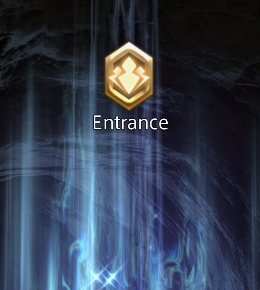
  • Increased stability of online co-op sessions during loading and extended play sessions.
  • Destroyed mounted turrets are now consistently inoperable in Classic multiplayer.
  • Secondary armor color is now reflected in team-based Halo 2 Classic multiplayer modes.
  • The correct medal is now awarded in the Post-Game Carnage Report (PGCR) and the Career menu’s Medal Chest for sniper rifle kills in Classic multiplayer.
  • Voice Chat indicators in both Classic and Anniversary Multiplayer now work as expected.
  • Multiple improvements to Halo 2 Anniversary Multiplayer armor including first-person view models now reflecting the equipped armor set.
  • Escalation Slayer’s weapon counter will now consistently appear in sessions with multiple rounds.
  • Added team support for Kill Volumes and Safe Volumes in Forge mode for Halo 2: Anniversary. Kill Volumes owned by a team kill everyone not on that team. Safe Volumes owned by a team protect everyone on that team.
  • Object Color and Team Color no longer conflict with one another in Forge for Halo 2: Anniversary.

Halo 3

  • The “Steaktacular” medal can now be earned in Halo 3 multiplayer matchmaking. It is awarded after winning a match by at least 20 kills.
  • “Triple Double” medals earned in multiplayer will now appear in the Career menu’s Medal Chest.
  • The correct medal is now awarded in the Post-Game Carnage Report (PGCR) and the Career menu’s Medal Chest for sniper rifle kills in multiplayer.
  • Resolved instability caused by pressing Alt+Tab while playing Halo 3.
  • Multiple visual issues resolved on the multiplayer map Waterfall.
  • Customization skins now consistently appear on Transport Warthogs.
  • Lighting effects now appear correctly in split-screen multiplayer on Xbox consoles.
  • Hand textures on multiple Techsuits have been improved.
  • When New Skins are enabled, the first-person hand models for Gen 1 and Gen 2 Techsuits have been improved.
  • Visor colors in the Customization menu now better reflect their in-game appearance.
  • Multiple improvements to level geometry in the multiplayer map Icebox.
  • Changing the audio output device in the Settings menu now works as expected.
  • Animated visors in the Exchange menu now consistently appear correctly.
  • Speaker icons now appear during the pre- and post-game scoreboards in multiplayer matches.
  • Lighting now appears correctly on the Fronkbox back accessory.
  • In split-screen, the New Customization toggle now reflects the primary player’s selection.
  • A Moa collectible on the mission Floodgate will now only appear if it counts towards a Challenge’s progress.
  • Multiple armor sets now better reflect their color selection in-game.
  • The stun duration for Sentinels is now consistent with the original release of Halo 3.
  • Explosives like Fusion Coils no longer appear as “unknown” kills in the Post-Game Carnage Report (PGCR).
  • Kills are now attributed to the correct weapon when two players kill one another at the same time with melee weapons.

Halo 3: ODST

  • Players in online Firefight missions will no longer experience unintended movements after using the Gravity Hammer.
  • All players in online Firefight missions can now view enemies on the VISR map, regardless of whether they are alive or waiting to respawn.
  • Resolved an issue that caused enemies on the Crater (Night) map to walk through a closed door and prevented players from damaging enemies on the other side of the door.
  • Changing the audio output device in the Settings menu now works as expected.
  • To prevent players from accidentally blocking progress, the Phantom at the start of the Bonus Round on the Rally Point (Day) mission can no longer be destroyed.
  • The pause menu and Theater lobby now display the correct level information for the Rally Point Firefight mission.
  • Optimized network usage for AI actions in Firefight. This may result in some players seeing AI actions more reliably or quicker as well as a reduction in network bandwidth being consumed while playing Firefight online.
  • On the Alpha Site Firefight mission, remaining enemies from the previous wave no longer become stuck in the player spawn rooms and will now correctly follow the player.
  • When playing a custom Firefight variant on the Alpha Site Firefight mission, the doors on the elevator platforms are disabled to ensure that spawning enemies do not become stuck.

Floodfight

The following improvements are based on feedback and Halo Support tickets from a Halo Insider flight in September 2021.

  • New enemies introduced in Floodfight, such as the Flood and Elites, now have full audio.
  • Flood carriers and Flood Tanks will now navigate Firefight maps as expected
  • Resolved issues that caused enemies to become stuck outside of the playable space or waves to not transition as expected.
  • Flood Infection Forms are now visible for all players in online missions, including when in a reanimated Combat Form’s chest.
  • Flood enemies now appear correctly for all players in cross-platform sessions.
  • Headshots on Flood enemies now reward headshot medals and deal critical damage. Headshots on Combat Forms will result in immediate kills.
  • Flood Infection Forms are now highlighted when VISR mode is activated.
  • Covenant Engineers will no longer shield Flood enemies.
  • Reanimated Flood Combat Forms now behave correctly for all players in online missions.
  • All Flood and Elite enemies will now aggressively seek out the players.

Halo 4

  • Swinging the Energy Sword no longer results in seeing through the player’s arm at high field-of-view (FOV) values.
  • In Spartan Ops cutscenes, Elites now have subtitles when speaking Sangheili.
  • Escalation Slayer’s weapon counter will now consistently appear in sessions with multiple rounds.
  • Improved heads-up display (HUD) and cinematic letterbox scaling in multiple aspect ratios.
  • Armor from the Champions Bundle (Mark V, Prefect, and ODST) now appears correctly in first-person.
  • The Inclement Weather armor effect no longer appears cut off in-game.
  • The Spartan Ops menu now correctly reflects completed missions.
  • Changing the audio output device in the Settings menu now works as expected.
  • ODST leg armor now appears correctly in-game.
  • Object Color and Team Color no longer conflict with one another in Forge.
  • Armor effects are now visible in Spartan Ops.
  • Improved clarity of Heads-Up Display (HUD) text in Polish, Russian, Japanese, Chinese (Traditional and Simplified), and Korean.
  • Resolved an issue that caused players to not receive a weapon in Escalation Slayer after killing multiple enemies at once with the Incineration Cannon.
  • Text size of chapter titles and skip prompts are now consistent with the original release of Halo 4.
  • Added support for weapon skins in game modes with loadouts disabled (such as Fiesta and Escalation Slayer).
  • The Suppressor MCN and RFC weapon skins now appear correctly in gametypes with Map or Game Loadouts.
  • Added team support for Kill Volumes and Safe Volumes. Kill Volumes owned by a team kill everyone not on that team. Safe Volumes owned by a team protect everyone on that team.

Halo: Reach

  • Improved heads-up display (HUD) scaling in multiple aspect ratios.
  • Tactical Recon chest armor, prosthetic arms, and visors now appear correctly in campaign cutscenes.
  • Changing the audio output device in the Settings menu now works as expected.
  • Field-of-view (FOV) for the Seraph and Sabre now correctly responds to the Vehicle FOV setting.
  • Object Color and Team Color no longer conflict with one another in Forge.
  • Resolved an issue which resulted in Object Colors disappearing between rounds.
  • The New Customization setting now functions correctly in Spartan-only game variants for players who have set their preferred species to Elite.
  • The Blackguard Carrion Crow helmet now better reflects the selected armor color in-game.
  • In split-screen, the New Customization toggle now reflects the primary player’s selection.
  • All players in online Firefight matches can now trade weapons with friendly marines on the Installation 04 mission.
  • Sirens now play while attacking objectives in Invasion on Ridgeline.
  • Added team support for Kill Volumes and Safe Volumes. Kill Volumes owned by a team kill everyone not on that team. Safe Volumes owned by a team protect everyone on that team.
  • The Target Locator battery now consistently syncs between players and resets at the start of new rounds in multiplayer matches.
  • Improved stability when playing Rocketfight in an online Firefight mission.

Known Issues

With this update, the team has added eleven new issues to our Known Issues list:

  • When playing with Remastered graphics in Halo: Combat Evolved, gamepad button prompts are missing their backgrounds.
  • In Halo: Combat Evolved, gamepad look sensitivity when using the “Classic” aim setting is slower than expected.
  • On Xbox consoles, changes made to the Game Volume options in the Audio Settings menu are not reflected in Halo: Combat Evolved gameplay. Audio volume in Halo: Combat Evolved will instead reflect the default value of 100%.
  • When playing split-screen on an Xbox console, disconnecting a controller may result in the joining player’s account being signed out without a notification.
  • The Customization menu may experience framerate drops on Xbox One X consoles.
  • When joining a Custom Game Browser session using the Quick Match feature, party members may see the incorrect filters listed in the user interface (UI). The party leader’s selected filters will be used as expected.
  • The Game Categories in the Custom Game Browser’s Filter menu lists modes that may not align with expected game variants in all titles. For example, Grifball in Halo 3 is an Assault game variant and Race is a VIP game variant, so the Grifball and Race game categories in the Custom Game Browser will not populate with those lobbies when searched.
  • Players may see their Halo 3 game and map variants or Halo 3: ODST Firefight game variants appearing as ‘corrupted’ in-game. These variants will not be available for use in Custom Games.
    • While these files may appear to be corrupted, the issue is not due to the files themselves. A future update for Halo: The Master Chief Collection will restore the game’s ability to read these files correctly.
  • Map Variants and Game Variants uploaded via the Private Files menu will display an incorrect file size in the Shared Files menu and when downloaded. This does not affect files uploaded via the Temporary Files menu.
  • After saving then editing a Trusted file from the My Files menu, the edited file will be shown as Trusted when it should display Untrusted. The correct status will be reflected after backing out to the Main Menu and then re-entering the Private Files menu.
  • When playing with a high Field-of-View (FOV) value and the effects quality option set to Low, some visual effects on the Halo 3 multiplayer map Waterfall may not appear.

That’s it for this massive patch for Halo MCC. Stay tuned here at MP1st for future updates!

Source: Halo Waypoint

MP1st Staff

Home > News

FNAF Security Breach Update 1.07 Released for Graphical Settings & More This April 11

Steel Wool Studios has released the FNAF Security Breach update 1.07 today (PS5 version 1.007), and this one is for the addition of more graphical settings, and usual fixes and changes! Check out the full FNAF Security Breach April 11 update patch notes below.

FNAF Security Breach Update 1.07 Patch Notes | FNAF Security Breach Update 1.007 Patch Notes | FNAF Security Breach April 11 Update Patch Notes:

At the time of writing, Steel Wool Studios has not yet revealed the official patch notes for this particular update. However, FNAF fan Kane Carter shared some changes made to the game over on Twitter which you can read below:

FNAF News: An update has been pushed for Security Breach, adding subtitles for Chinese and Korean, compressing file size, and more.

FNAF News: Deeper graphical settings are now available for Security Breach in the latest patch! #fnaf #fnafsecuritybreach

There you have it. We’ll have to wait for confirmation from the official patch notes, but it looks like these changes are legit, as noted over by users on Reddit. Additionally, it seems that PC users also saw a significant reduction to the game’s file size in today’s patch, as reported over in the last update:

For our PC users, you’ll be getting this patch in a few days and it will also contain the game’s size reduction. We do appreciate your patience for this change. Since it touched literally every part of the game, it was vital we tested again, and again, and again, and again… and then one more time. The version that’s been live had a download size of about 52 GB, with an uncompressed size of 84 GB. The new version has a download size of about 41 GB, with an uncompressed size of 65 GB.

We’ll be sure to update this post once the full patch notes are out.

Source: Twitter

MP1st Staff

Home > News

SMITE Yu Huang Trailer Unveiled; Jade Emperor Arrives for Free This April 19

A new SMITE Yu Huang trailer has just dropped, showcasing the new Chinese God headed to the MOBA later this April! Check out the trailer for Yu Huang below, as well as details on the first Chinese deity in the game in two years.

In the Chinese pantheon, Yu Huang is the famed vanquisher of the greatest demon king there ever was. In the aftermath of that mythical battle, he ascended to his throne and to divinity, thus becoming the Jade Emperor. Yu Huang’s reign is one of wisdom and enlightenment – and it is about to begin in SMITE.

On the Battleground of the Gods, Yu Huang will be the master of a pearl dragon, which he can summon during battles to fight by his side. After spending several millennia cultivating his Dao, Yu Huang has reached the state of attunement and now uses it as another source of tremendous power.

Yu Huang is arriving to SMITE as a free-to-play God this April 19. As always, stay tuned here at MP1st for the full patch notes once the update comes around!

MP1st Staff

Home > News

Apex Legends Update 1.000.008 for Bangalore Fixes & More This April 11

Respawn Entertainment has released the Apex Legends update 1.000.008 for both last-gen and next-gen platforms. This is for ability fixes, Bangalore-related bug fixes and more. Check out the new Apex Legends update patch notes below.

Apex Legends Update 1.000.008 Patch Notes:

Here are the official patch notes via Respawn Entertainment:

Just pushed a @PlayApex update to address:
-Issues with placeable abilities on Storm Point.
-Third-party controllers not working on Xbox Series X|S.
-Various next-gen console, Control, and Bangalore Story Event fixes.

Here are some of the other fixes listed (which is more or less the same as the ones listed above) by the official Apex Legends Trello board:

Coming in Future Patch/Investigating:

  • Audio – Players are reporting echo-y/strange audio unless Console audio is set to “Stereo Uncompressed”
  • A number of third party controllers are reported as not working on Xbox Series X.
  • Legends with placable abilities are unable to place them throughout the areas between Cascade Falls and Checkpoint on Storm Point map.
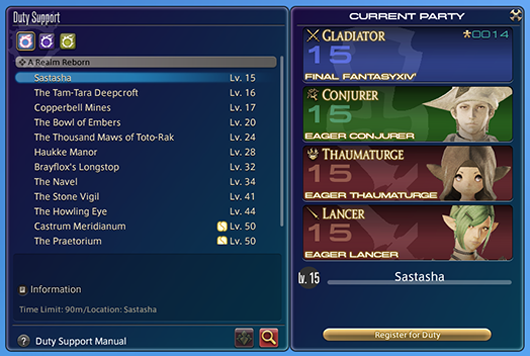
If we spot anything that got changed that’s not listed above, leave a comment below.
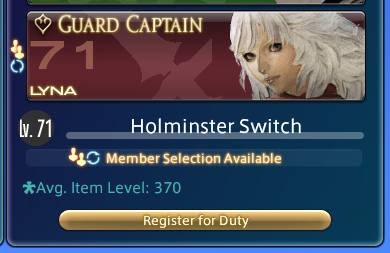
Avatar photo

Alex Co

Father, gamer, games media vet, writer of words, killer of noobs.

Home > News

Apex Legends Update 1.94 Drives Out for Abilities Fixes & More This April 11

Respawn Entertainment has released Apex Legends update 1.94 this Monday, April 11. Same as any unannounced patch, this is purely for fixes, so don’t expect any new content to be included in it. Read on for the Apex Legends April 11 patch notes.

Apex Legends Update 1.94 Patch Notes | Apex Legends April 11 Patch Notes:

Here are the official patch notes via Respawn Entertainment (Twitter):

Just pushed a @PlayApex update to address:
-Issues with placeable abilities on Storm Point.
-Third-party controllers not working on Xbox Series X|S.
-Various next-gen console, Control, and Bangalore Story Event fixes.

In addition to that, here are the confirmed issues being investigated by the devs, as well as the ones with fixes incoming (via the Apex Legends Trello board).

Coming in Future Patch/Investigating:

  • Audio – Players are reporting echo-y/strange audio unless Console audio is set to “Stereo Uncompressed”
  • A number of third party controllers are reported as not working on Xbox Series X.
  • Legends with placable abilities are unable to place them throughout the areas between Cascade Falls and Checkpoint on Storm Point map.
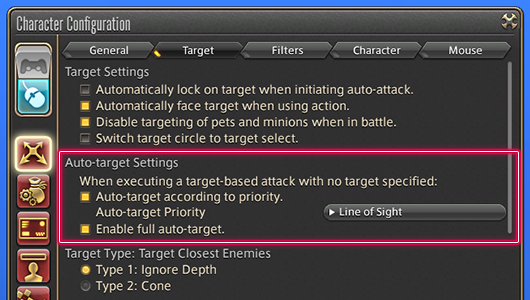
If you spot anything that got changed, leave a comment below and let us know.
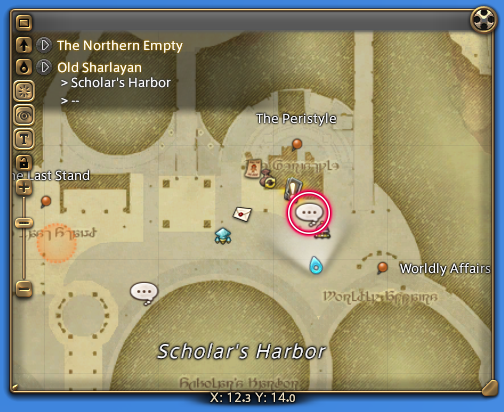
Avatar photo

Alex Co

Father, gamer, games media vet, writer of words, killer of noobs.

Home > News

Elden Ring Speedrun Completes Game in Less Than 10 Minutes

Elden Ring speedrun history has been broken once again, as famed runner Distortion2 has breached the 10 minute mark for the first time in the game’s history! The record time is also historic for another reason, as this posted time is now officially the least amount of time for a speedrun amongst all of the Souls games by FromSoftware.

As you can see in the video above, the run is incredibly technical and utilizes almost no combat at all. The run consists almost entirely of zips, which are the glitches speedrunners use for traversing places by holding up a guard and moving at certain intervals. What’s special about this particular run is that Distortion2 also used zip skips for Maliketh, which would usually be the first boss that speedrunners must face in the 1.02 patch category, requiring the use of the overpowered Hoarfrost Stomp Ash of War from the Icerind Axe.

However, with the latest patch severely nerfing the Ash of War, this run is now the undisputed fastest in the current patch as it does not require any combat whatsoever.

With these new skips, speedrunners can now beat the game without setting up for weapons at all, effectively cutting down the time to just perfecting zips for all of the skips in the game. Distortion2 famously also set World’s First across the 50, 40, 30, and 20 minute marks, so it will not be surprising to see him cut down this record 8:56 to below 5 minutes in the future.

With this new time, Elden Ring now has the fastest speedrun you can complete across the Souls games. Dark Souls 2 previously held that record at 14:20, with the original Dark Souls at third at 21:10.

If you’re still having trouble with Elden Ring and its difficulty, you can check out this recently discovered Starscourge Radahn cheese which involves drowning the terrifying deity. Read more about it here.

MP1st Staff

Home > News

Sony & LEGO Parent Company Invest $2 Billion Into Epic Games

Sony and KIRKBI, the parent company behind LEGO, have announced a new round of funding for Epic Games today, amounting to $2 billion. This new investment is in support of Epic Games’ continued work on the metaverse. Check out the details on the announcement below.

As expanded upon in an official post, the newest round of investment comes from both Sony Group Corporation as well as KIRKBI, the family-owned holding and investment company behind The LEGO Group. Each party invested $1 billion, with all three companies highly valuing both creators and players, and aim to create new social entertainment exploring the connection between digital and physical worlds.

Kenichiro Yoshida, Chairman, President and CEO of Sony Group Corporation, had this to say on the investment:

“As a creative entertainment company, we are thrilled to invest in Epic to deepen our relationship in the metaverse field, a space where creators and users share their time. We are also confident that Epic’s expertise, including their powerful game engine, combined with Sony’s technologies, will accelerate our various efforts such as the development of new digital fan experiences in sports and our virtual production initiatives.”

This news comes as a follow-up of sorts to Epic Games’ previous announcement of their partnership with LEGO, in which the two companies will be endeavouring to build their metaverse with children in mind. Check out their full announcement here.

Source: Epic Games

MP1st Staff

Home > News

Tormented Souls Update 1.02 Out for Bug Fixes This April 11

Dual Effect has released the Tormented Souls update 1.02 patch today, and this one is for bug fixes across platforms! Check out the full Tormented Souls April 11 patch notes below.

Tormented Souls Update 1.02 Patch Notes | Tormented Souls April 11 Patch Notes:

Here are the changes according to the PS4 update history:

Following features are added.

Minor Bugfixes

In addition to these changes, the developers also noted some changes released over the past couple of days since release:

  • Fixed save folder error: Save path reverted back to old folder, no save was deleted.
  • Fixed cache errors: Loading save from in game does not introduce strange behaviours anymore.
  • Fixed final boss error: Entering the final boss room does not generate black screen problems.
  • Fixed anti-aliasing option: Anti-aliasing option now can be changed from init menu too.
  • Minor bugfixes

That’s it for the patch. For more on Tormented Souls and all the latest video games, stay tuned here at MP1st!

MP1st Staff

Home > News

Train Sim World 2 Update 1.79 Out for Harlem Line Changes & More This April 11

Dovetail Games has released the Train Sim World 2 update 1.79 patch today, and this one is for changes to the Harlem Line and more! Check out the full Train Sim World 2 April 11 update patch notes below.

Train Sim World 2 Update 1.79 Patch Notes | Train Sim World 2 April 11 Update Patch Notes:

Today we are bringing updates to Harlem Line, S-Bahn Zentralschweiz and continued improvements to Tees Valley Line.

S-Bahn Zentralschweiz

  • Added “LZN” to livery editor name of RABe 523.
  • Re-enabled livery editor functionality for the RABe 523.
  • Updated VR5 type signals to display aspect AND indication rule and updated signal B12 to show a HP5 aspect.
  • Updated French Voice Over and subtitles for training modules so they are aligned.
  • Lowered the scoring threshold for the route so that you can now achieve gold medals.
  • Added various improvements to localisation.

Tees Valley Line

  • Restored medal awards for the Class 37 and Class31 that vanished after the previous update.
  • Reinstated 3 car formations for the Class 101 in the timetable following community feedback.
  • Added 3 car Class 101 formation to the Livery Designer.
  • Expanded the list of trains available to be selected in the Scenario Planner without the need to engage Off the Rails mode.
  • Fixed inconsistent ability to climb up on platforms at the following stations:
    • Allens West
    • Cargo Fleet
    • Dinsdale
    • Eaglescliffe
    • Grangetown
    • Middlesbrough
  • Further updated track rendering following community feedback.
  • Reinstated missing signal heads inside Darlington station.
  • Added various improvements to localisation.

Harlem Line

  • Updated instances where players experienced issues with red lights.
  • Fixed reported issues with service 363 while driving the M3a.
  • Updated the HUD to show the correct maximum permitted speed, the blue dot on the speedo should no longer disappear when neither ATC or ACSES systems are active.
  • Updated the gangway door on the M3a so that you can interact with it from inside and outside of the train.
  • Updated AI trains to correctly support station PIS displays and enabled display of final destination on internal PIS screens.
  • Updated the console buzzer so that it’s now bound to the bell key
  • Updated the brake system on the M7a to cater for more combinations of orientation in a single train.
  • Removed reported instances of floating scenery.
  • Improved the scoring thresholds of the M3A training module.
  • Improved the bridge clearance on the CSX Oak Point Link track.
  • Updated Williams Bridge so that you can no longer see through the staircase on both sides.
  • Updated the scenery at Tuckahow so that the road is no longer floating.
  • Updated the NPC’s spawning at the Botanical Gardens.
  • Updated the wooden platform by Yankees East Station which was missing textures.
  • Added various improvements to localisation.

That’s it for the latest patch for Train Sim World. Stay tuned here at MP1st for more!

Source: Dovetail Games forums

MP1st Staff

Home > News

CDPR: Cyberpunk 2077 Expansions Still Being Worked on; Aware There “Is Work to Be Done” on Game

While CD Projekt RED (CDPR) has announced that it’s working on a new chapter for The Witcher franchise, the studio isn’t quite done just yet when it comes to bug fixes for Cyberpunk 2077. Not only that, but if you’re looking forward to more adventures in Night City, CDPR has also assured people that Cyberpunk 2077 expansions (DLCs) are still being worked on.

In a devstream, CDPR Quest Director Pawel Sasko answered a few fan questions regarding Cyberpunk 2077 DLCs, and more.

Unfortunately I cannot tell you anything about our future plans, but I can assure you that we’re working on expansions, we are working on stuff for you guys…

In the same statement, Sasko also assured fans that the studio knows that more work needs to be done for Cyberpunk 2077, and that they are not done improving the action-RPG.

We are still improving the game, because we are aware that there is work to be done.

That is quite comforting to hear, no? The last major patch released was title update 1.5, which housed a ton of changes, and there were even quite a lot of hidden changes were made, too. The last patch released was back on March 22, which was a smaller patch that focused on bug fixes more than anything else.

Hopefully, we’ll hear more about whatever Cyberpunk 2077 expansions CDPR has cooking. Regarding DLC, we reported on some of the names spotted last year via datamining, which should give us a hint of what’s incoming in terms of content.

Source: Reddit (thanks, TheGamer)

Avatar photo

Alex Co

Father, gamer, games media vet, writer of words, killer of noobs.

Home > News

Tiny Tina’s Wonderlands Update 1.0.1.0e Adds a New Event & Fixes

Gearbox Software has released the Tiny Tina’s Wonderlands update, and this adds a new in-game event, as well as a host of fixes. This is a server-side update, so no download is needed in order for these changes to take effect, and is tagged as version 1.0.1.0e by the devs. Read on for the Tiny Tina’s Wonderlands new update patch notes.

Tiny Tina’s Wonderlands Update 1.0.1.0e Patch Notes:

To confirm that you have the most recent hotfix, check the News screen in-game on the Main Menu or Pause Menu for the Hotfix: 1.0.1.0e article. If you don’t see the article in the News section after the update is live, or if you see the previous version number, please Exit the Game and relaunch.

Weekly Rotations:

Weekly Event! This in-game, limited-time mini-event will be active from April 8 to April 14 at 9:00 AM PT.

  • Activated the In-Game Mini Event: Optional Opportunities

The Chaos Chamber’s Featured Run has been updated! Well, well, back for more, are we? Good luck, you’ll need it… The Leaderboards have been reset. Will you top the charts this week?

Featured Runs are available in the Chaos Chamber after you’ve completed the main story, and rotate weekly every Thursday at 9:00 AM PT. They’re the same for all players, so jump in and see how your run went compared to other Fatemakers!

  • This run features the Parasite and Pigwort. Get ready to take on a new preset in the Chaos Chamber!

Hotfix Notes:

  • Balanced overall weapon damage scaling.
    • Hyperius Shotgun damage increased
    • Blackpowder Shotgun damage increased
    • Feriore Shotgun damage increased
    • Skulldugger Assault Rifle damage increased
    • Dahlia Assault Rifle damage decreased
  • Stairs going into Brighthoof will no longer eat items.
  • The waypoint during the “Burning Hunger” side quest will no longer disappear when going back to Tangledrift.
  • The Legendary Marshmallow spell now has fire before it spawns so it looks as cool as intended.
  • Spore Warden‘s Barrage now properly receives damage boost from rings.
  • Spore Warden’s Barrage now works properly with Clawbringer‘s “Fire Bolt” and Spellshot‘s “One Slot One Kill”
  • Kao Khan and the Heckdawer of the Hurricane now properly show the correct magazine size on the item card.
  • Punished Polly’s bad behavior. She shouldn’t push Fatemakers to their deaths anymore (unless they deserve it).
  • Ice Spike Spell has been adjusted to deal damage to individual targets once per cast.
  • King Q’urub Hullsunder in Drowned Abyss now engages with the player from a further distance.
  • Prevented Fatemakers from letting an evil plant get them stuck in a corner in Tangledrift.
  • Ron Rivote quest billboard has been moved to a new location to reduce confusion during the “Walk the Stalk” quest.
  • Added Collision to some areas in Tangledrift.

If you’re curious what we thought of the game, read on here for our review.

Source: Play Wonderlands

Avatar photo

Alex Co

Father, gamer, games media vet, writer of words, killer of noobs.