Home > News

Black Ops Cold War Beta Netcode and Hit Registration Highlighted in Clip, Treyarch Looking Into It

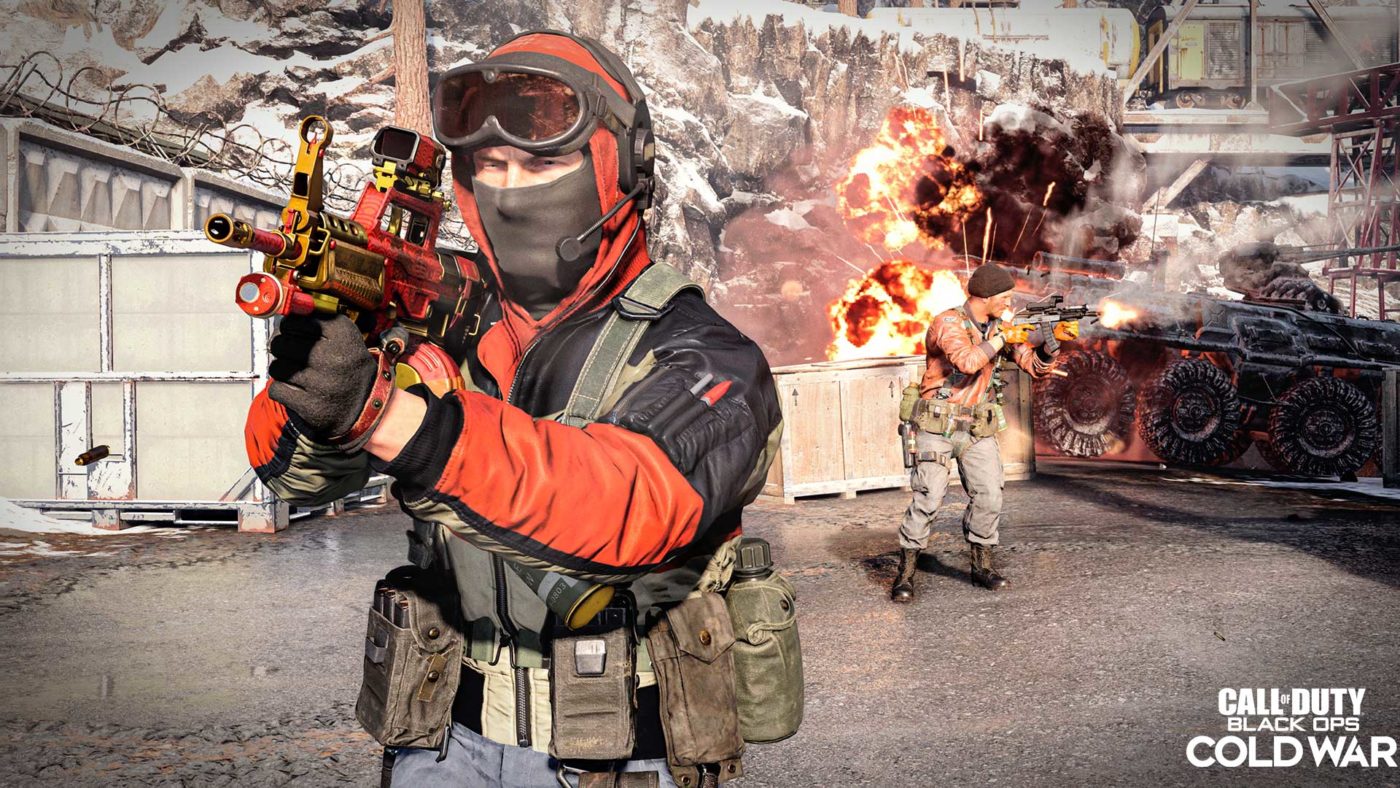
For those playing the Call of Duty: Black Ops Cold War beta that’s currently open for everyone to try on the PS4, you might have noticed some Black Ops Cold War beta netcode and hit registration issues. It’s not lag per se, but engagements where you pour bullets into an enemy, and they turn out and melt you in two shots.

Unfortunately, the netcode and hit registration has been an on-going issue since the beta started, with the Black Ops Cold War subreddit inundated with these complaints popping up everyday. Over on Twitter, YouTuber TheBrokenMachine captured a short clip perfectly encapsulating what most of us are experiencing during the beta. Curious? Head on below to check it out.

Here’s another one from Reddit user exp1ain where you can see him shooting the enemy on the back, while the killcam shows something different entirely.

While Treyarch hasn’t exactly commented officially regarding this, David Vonderhaar, Treyarch’s Game Desgn Director replied to YouTuber Driftor on how this will be looked into.

Hopefully, this gets sorted right away, as I admit, this has made the beta frustrating to play for me so far.

Have you encountered this in the Black Ops Cold War beta? Do you think this is just due to the netcode? Tick rates of the servers or something else? Let us know your thoughts in the comments below.

For those on Xbox One and PC, you’ll be able to play the beta next week! Here’s the full schedule.

Avatar photo

Alex Co

Father, gamer, games media vet, writer of words, killer of noobs.

Home > News

Crash Bandicoot 4 Update 1.03 October 11 Spins Out

Toys for Bob has released the Crash Bandicoot 4 update 1.03 October 11 patch that’s live now. This is a small download on the PS4 clocking in at just 500MB. Head on below for the Crash Bandicoot 4: It’s About Time patch details.

Crash Bandicoot 4 Update 1.03 October 11 patch notes:

Currently, Toys for Bob has not released any patch notes, with the Update History of the PS4 only stating “Format changes” as the notes.

We’re hoping this solves the crashing issues some players have encountered. We’re keeping an eye on the official Crash Bandicoot subreddit, and once we know more regarding this patch, we’ll update the post.

If you haven’t bought the game yet, head on here for our review where we state:

Crash Bandicoot 4: It’s About Time is the long awaited sequel that fans have been longing for. Without losing the identity of the franchise, it introduces plenty of new to satisfy long time fans, while catering to news ones with its modern mode.

If you spot any changes in this patch, let us know down in the comments.

Avatar photo

Alex Co

Father, gamer, games media vet, writer of words, killer of noobs.

Home > News

Crash Bandicoot 4: It’s About Time Review – Straight From the ’90s

The old lovable PS1 mascot is finally back in a new grand adventure. Set to fix the wrongs of past iterations, we take a look at Toys for Bob’s ambitious sequel to the original Crash trilogy, Crash Bandicoot 4: It’s About Time. Read our full Crash 4 review now to see whether this is an adventure worth taking.

The Crash Bandicoot series just hasn’t been much of the same since leaving the hands of Naughty Dog, and being sold off by Universal Studio back in the ’90s. Countless iterations have come and go, but a majority of fans never truly felt that the series had reached the great heights it had with the original trilogy.

So to much of the surprise of many, Activision ended up greenlighting a remake of the original trilogy, which released in 2017. A stellar collection that received high praise from both critics and fans, which soon after prompted them to go forward with a remaster of Crash Team Racing, which also saw the same level of success as the trilogy release. With two stellar collections of Crash games now under their belt. it was time to start looking to the future of the franchise and thus the announcement of Crash Bandicoot 4 was made, a bold one might we add, since it set to do the wrong that other developers had done with some very lackluster experiences.

Old Wombat Learning New Tricks

The big reason why the Crash Bandicoot N Sane Trilogy was so well received was because at its core, it had the same old games we grew up with, only with modernized visuals. A taste of nostalgia that fans were craving for since the PS1 era. Newcomers of the series may have found them to be rather difficult, but that has and always will be part of the series charm. So of course, expectations were high for what is effectively now the fourth mainline game (eight released) in the franchise, and well, I’m glad to say it does the series right.

Crash Bandicoot 4 It's About Time Review

Kicking things off, the story of Crash 4 begins where Crash Bandicoot Warped (third game) ended, with the series’ villains Dr. Neo Cortex, Dr. Nefarious Tropy, and Uka Uka being banished to the prehistoric past. Seeking a way out, Uka Uka, the ancient evil entity, manages to rip a dimensional rift in which both Cortex and Trophy use to escape. Now free of their prison, Cortex and Trophy use their newly found discovery of rifts to conquer the multiverse and control the fate of time. As this is happening, Aku Aku, Uka Uka twin brother rushes to warn Crash Bandicoot of the disturbance, thus their journey across time and space begins.

If it wasn’t clear, Crash Bandicoot 4: It’s About Time is well, about time. Sticking with it’s familiar faces of characters, Crash 4 story feels all familiar, but in a good way. While I personally never laughed at any of the jokes in any of the Crash Bandicoot games, I have always appreciated the light hearted humor they have always had. With Crash 4 I feel it takes the narrative of the franchise to new heights, mostly thanks to the Pixar-like cinematics. Expressions on characters have never looked so better in a Crash game, and while some may be turned away from the cartoon art-style, it’s an appropriate fit considering it retains much of it’s originality in it. This holds very true to not just the plot and visuals, but also the gameplay itself.

Crash Bandicoot 4 It's About Time Drops Review

Bobbing, weaving, dodging and jumping, staples of the Crash Bandicoot franchise and when it comes to gameplay, Crash 4 offers just that with enough new. Sticking true to its roots, players can expect an array of levels filled challenging obstacles, both creative and hair pulling at the same time. Taking you through lush green jungles, booming cities, and electrical hazardous factories, the variety is all there and the visuals make it all blend beautifully as you move into motion. While certain sections do have some questionable designs (get to that later), the overall structure of each stage feel wonderful once you begin playing through them. Honestly, they’re designs feel straight out of the minds of the original ’90s Naughty Dog team. Now of course that’s all good for the fans and even for new players, but what about for those wanting a bit of freshness to the gameplay? Well don’t worry, because it has you covered there.

With the central plot revolving around time and space, it’s only natural it features gameplay around just that. Enter the Quantum Masks, a group of four magical entities that each have  their own unique abilities that Crash Bandicoot himself can wield. Slow down time, phase objects, invert levels, and turn into a destructive tornado, the additions of these powers certainly bring a whole lot to the series, and they do so in a way that doesn’t insult or compromise. Levels are enhanced, yet stick to their same fundamentals of giving players a noteworthy challenge.

Easier, But Also Harder

Perhaps the biggest change for the Crash Series is the introduction of a new mode called “modern.” Basically, it gives players an infinite amount of lives so they can play worry-free from having to restart whole levels. Despite how some may feel about making a game easier, this was honestly a good call on the developers part as it allows the title to be far more accessible than previous entries. I myself played with this mode as I simply don’t have the time or patience to be grinding out a level because I keep dying. In a “Soul”s game it makes more sense since you can level up and brute force your way out, but in the case of Crash those kind of mechanics do not exist. So I think it makes sense to at least offer it, and if you aren’t of fan of it there is still retro mode which gives you those limited number of lives back.

Crash Bandicoot 4 It's About Time Drops Game review

Still, just because you no longer need to restart a level it doesn’t mean the game is any easier as I had my fair shares of hard to overcome sections in the game. While I welcome the challenge, I will point out that at times it did feel a bit unfair. More so specifically, some of the mask sections in the game required you to be 100% perfect in your movements. There aren’t many areas in the game that are like this, but when you do get to them they are full rage inducing as they require you to die so that you may learn better to deal with them. They felt they just halted the flow of gameplay, which always seemed to be at a nice progressive pace. This can also be said with the other playable characters, as while levels did fit them, they just felt too different from the Crash ones. A bit more thought could have definitely gone into them, though they are so sparse so you aren’t playing them for too long.

Whoa!

Crash Bandicoot 4: It’s About Time is the long awaited sequel that fans have been longing for. Without losing the identity of the franchise, it introduces plenty of new to satisfy long time fans, while catering to news ones with its modern mode. I had my doubts that Toys for Bob would be able to pull it off, despite working on the previous remasters, but they nailed down the very essence that the series is known for. I think it’s safe to say that Crash has finally found a new home, with developers that truly know how to respect the source material. The future of the series is looking bright, and hopefully for a long time.

SCORE 9/10

PROS

  • Beautiful visuals
  • Old school linear gameplay that is still fun to this day
  • Introduction of the Quantum mask add a whole layer of gameplay
  • Levels designs that clearly pay homage the the original trilogy
  • An enjoyable story that should make any Crash fans happy

CONS

  • Some gameplay sections lean too much on being perfect
  • Other playable characters don’t feel like they add much

Crash Bandicoot 4: It’s About Time review code provided by the publisher. Played on the PS4 Pro. You can read SP1st and MP1st’s review and scoring policy right here.

Avatar photo

James Lara

A gamer at heart, James has been working for MP1st for the last decade to do exactly what he loves, writing about video games and having fun doing it. Growing up in the 90's gaming has been in his DNA since the days of NES. One day he hopes to develop his own game.

Home > News

Black Ops Cold War Beta Update Today October 11 Nerfs Duster Stock & More

Treyarch has rolled out the Call of Duty: Black Ops Cold War beta update today October 11, and it nerfs a gun attachment, extends the TDM score and more. Head on below for the full list of changes.

Black Ops Cold War Beta Update Today October 11 patch notes:

Here are the changes per the Treyarch Twitter:

New #BlackOpsColdWar Beta updates:

• Adjusted tuning on the Duster Stock attachment to prevent faster sliding than intended.

• Increased the cooldown on the Spy Plane to help limit their numbers in the sky at one time.

• Increased TDM score limit from 75 to 100.
• Adjusted conditions for joining in progress to prevent players from joining matches that are about to end.

• Fixed an additional crash that could occur during the Best Play in a VIP Escort match.

Treyarch has been very active during the beta period for PS4 gamers, and we’re hoping we’ll see more tuning in the coming days.

If you haven’t tried it yet, the Black Ops Cold War beta is available to everyone on PS4, and it doesn’t need a PlayStation Plus subscription.

For Xbox One, and PC, the beta is headed your way next week! Head on over here for the full schedule.

We’ll be posting our beta impressions soon, so make sure to keep an eye out for that.

Avatar photo

Alex Co

Father, gamer, games media vet, writer of words, killer of noobs.

Home > News

PS4 to PS5 Save Transfer Process Explained, Compatible PS5 Controllers Detailed

While Sony has already revealed the list of PS4 games that won’t work on the PS5, the company has also detailed the PS4 to PS5 save transfer process as well! In addition to that, Sony went in-depth on what controllers will be compatible with the upcoming next-gen console.

PS4 to PS5 Save Transfer Process:

Transfer digital games from a PS4 console to a PS5 console

  • You can transfer digital games and saved data from a PS4 console to a PS5 console using WiFi data transfer.
  • You can access PS4 games on a PS5 console directly from a PS5 extended storage drive.

Compatible controllers on PS5 consoles

  • The DualSense™ wireless controller, DUALSHOCK™4 wireless controller and PlayStation officially licensed third-party gamepad controllers will work on PS5 consoles with supported PS4 games.
  • Specialty peripherals, such as officially licensed racing wheels, arcade sticks, and flight sticks, will work with PS5 games and supported PS4 games.
  • Both the PS Move Motion Controller and the PlayStation VR Aim Controller will work with supported PS VR games on PS5 consoles.
  • For the best experience, use a DUALSHOCK 4 wireless controller when playing PS4 games and PS VR games on a PS5 console.
  • PS5 games are not compatible with the DUALSHOCK 4 wireless controller.
  • To adjust the strength of controller vibration on PS5 consoles, go to Settings > Accessories > Controllers > Vibration Intensity.
  • The Platinum and Gold Wireless Headsets, as well as third-party headsets that connect via USB port or audio jack, will work on PS5 consoles (the headset companion app is not compatible with PS5 consoles).

 In other PlayStation news, go check out this fan-made DualShock 4 flight stick that’s quite a sight to behold.

Source: PlayStation Support

Avatar photo

Alex Co

Father, gamer, games media vet, writer of words, killer of noobs.

Home > News

MP1st Lock-On Podcast Episode 3: Upcoming Games, GOTY Predictions, and More

Welcome to another episode of the MP1st Lock-On Podcast! This week’s episode we take a look at the upcoming onslaught of titles that will be releasing this the rest of this year and give some predictions from some of staff on who will be taking the GOTY crown.

The Cast:

  • Kyle Hooper
  • Sean Mesler
  • Tim Lawrence

As with the last episode of Lock-On, please let us know if there are any improvements we need made to out podcast or other suggestions. If not, be on the watch on our podcast page for MP1st for any new podcasts, or to stay ahead and watch listen to them a bit earlier, be sure to follow our YouTube channel! More platforms will be available at a later date.

Avatar photo

James Lara

A gamer at heart, James has been working for MP1st for the last decade to do exactly what he loves, writing about video games and having fun doing it. Growing up in the 90's gaming has been in his DNA since the days of NES. One day he hopes to develop his own game.

Home > News

Final Fantasy XIV Online Patch 5.4 Detailed, PS5 Will Run PS4 With Pro Enhancements

Today, Square Enix has unveiled details for the Final Fantasy XIV Online patch 5.4, which is currently scheduled to release this December.

During the latest Letter from the Producer LIVE broadcast, Square Enix highlighted some of the major changes (found below) coming in the Final Fantasy XIV Online Patch 5.4, with the biggest being the grand conclusion to the latest expansion, Shadowbringers. Additionally, during the show the developers also confirmed that the game will be playable on the PS5 via backwards compatibility. It’ll make use of the PS4 Pro performance boost, which should be even better considering the beefy hardware on the PS5. They also noted that load times would also be reduced on the PS5 due to the SSD. No further details were disclosed one whether or not they would release a future update that would take full advantage of the PS5, but we are sure one will happen just as it did for the PS4 once PS3 support was dropped.

Final Fantasy XIV Online Patch 5.4 Major Changes

  • New Main Scenario Quests – Following the grand conclusion of the Shadowbringers story in Patch 5.3, players will set out on a new adventure.
    New Raid Dungeon: Eden’s Promise – The third chapter in the 8-player Eden raid series brings new challenging battles available as both normal and savage difficulties.
  • Chronicles of a New Era – The Sorrow of Werlyt Updates – The next chapter in “The Sorrow of Werlyt” questline will introduce Emerald Weapon.

  • New Trial: Emerald Weapon – Players can challenge Emerald Weapon in both normal and extreme difficulties.
  • New Dungeon: Matoya’s Relict – Players can tackle this new challenge alongside fellow adventurers, or a party of non-player characters, using the Trust system.
  • New Unreal Trial – The next powered-up version of an existing primal will be unleashed upon level 80 heroes in Patch 5.4, providing a new challenge and a chance at unique prizes.
  • Blue Mage Update – The limited job will receive a number of new updates, including an increased level cap, new blue magic to learn from enemies, new job-specific equipment, and additions to the Blue Mage Log.
  • New “Explorer Mode” – This new gameplay mode will allow players to traverse Shadowbringers dungeons without the danger of enemies in order to take screenshots. Players can also summon both mounts and minions within dungeons using this mode to further enhance their screenshots.

  • Performance Action Update – Playable instruments have been expanded to include the violin.
  • Triple Triad Updates – In addition to revised match rules and UI enhancements, new limited-time tournaments will be held, which will also be available via the Duty Finder.
  • Ishgard Restoration Update – The fourth and final stage of the Restoration of the Holy See of Ishgard begins.
  • “Save the Queen” Update – New 24- and 48-player large-scale battle content and the opportunity to further enhance Resistance weapons arrives in the next chapter of this multi-part adventure featuring a scenario written by renowned game designer Yasumi Matsuno (FINAL FANTASY Tactics, FINAL FANTASY XII).
  • Adjustments to PvE and PvP actions, updates to Ocean Fishing and Doman Mahjong, treasure hunt dungeon updates, new UI skins, and more.

We’ll be sure to post the full patch notes once they go live in December.

Avatar photo

James Lara

A gamer at heart, James has been working for MP1st for the last decade to do exactly what he loves, writing about video games and having fun doing it. Growing up in the 90's gaming has been in his DNA since the days of NES. One day he hopes to develop his own game.

Home > News

Marvel’s Avengers Weekly Challenges Reset and Marketplace Update October 9

For Marvel’s Avengers heroes looking for the latest challenge to net them some sweet loot, or you just want to know what new items are available for purchase, Crystal Dynamics has announced the Marvel’s Avengers weekly challenges and Marketplace update for October 9!

Marvel’s Avengers Weekly Challenges Reset and Marketplace Update October 9:

Community Challenge 

Team up with the global player base to meet mega-goals and unlock rewards.

Goal: Defeat 15,000,000 Cryo Enemies

Reward: Team Nameplate 033

Priority Missions 

Priority Missions have modifiers that will challenge even the toughest Super Hero. Your first weekly completion of these missions earns you unique gear you won’t find anywhere else.

Sight Unseen 

Minimum Power Level 25, +3 Power Level Offset

Modifiers:

  • Resurgence: Enemy health regenerates after a short delay.
  • Pressure: No automatic recovery of Willpower when critically injured.
  • Collider: Particle damage from players is increased.

Guaranteed Reward: Epic Gear

Gathering of Evil 

Minimum Power Level 120, +5 Power Level Offset

Modifiers:

  • Resurgence: Enemy health regenerates after a short delay.
  • Famine: Enemies do not drop Regen Packs when defeated.
  • Incinerator: Fire hazards are added to the environment. Plasma damage from enemies and the environment is increased.
  • Fireball: Plasma damage from players is increased.

Guaranteed Reward: Polychoron & Hero-Specific Gear

Priority HARM Challenges 

Priority HARM Room Challenges have additional modifiers and reward comics that increase your collection and boost your stats.

Weekly First Completion Reward: Thor (2007) #1 (0.5% Max Willpower)

Minimum Power Level 15 Challenge 

Modifiers:

  • Pressure: No automatic recovery of Willpower when critically injured.
  • Heavyweight: Enemy stun meters build at an increased rate.

Minimum Power Level 100 Challenge, +5 Power Level Offset

Modifiers:

  • Famine: Enemies do not drop Regen Packs when defeated.
  • Maelstrom: All heroics charge at a significantly increased rate. Entering critical health drains all Heroic energy.
  • Fireball: Plasma damage from players is increased.

MEGA HIVE 

Mega Hives are a single-player chain of eight missions that tests your team’s might. Each week you’ll have a shot at completing the Mega Hive mission chain. When you defeat all eight missions, the Mega Hive mission chain is removed from the War Table until the next weekly refresh, when you can run it again with new modifiers.

This week’s modifiers include:

  • Resurgence: Enemy health regenerates after a short delay.
  • Famine: Enemies do not drop Regen Packs when defeated.
  • Oasis: Regen Packs have increased Willpower benefit.
  • Scourge: Significantly increased presence of Prime Synthoids.

Weekly Rewards: As you progress through the Mega Hive, rewards start as basic resources a small chance of cosmetic drops. The more missions you survive, the resource drops increase, as does your chance at gear and minor artifacts. As you near the final mission, you’ll see artifacts more often, and increased chances of patterns/nameplates. When you complete all eight Mega Hive missions you’ll be rewarded with exclusive goodies reserved for this gauntlet, including a significant amount of rare resources.

Marketplace Update October 9:

We should be getting more news soon, as Kate Bishop is almost ready to shoot her arrows in the game! In related news, mysterious portrals have appeared in the game’s Vaults! Check it out here.

Source: Avengers Square Enix

Avatar photo

Alex Co

Father, gamer, games media vet, writer of words, killer of noobs.

Home > News

Here Are the PS4 Games That Won’t Work WIth PS5, PS5 Backwards Limitations Detailed

While we already know that the PS5 will be able to play the majority of the PS4 games, there are a few titles it won’t be compatible with. Sony has revealed the list of PS4 games that won’t work with the PS5, as well as the PS5 backwards compatibility “limitations.”

PS4 games playable on PS5 consoles
The overwhelming majority of the 4,000+ PS4 games are playable on PS5 consoles. 

  • Select PS4 games will benefit from the PS5 console’s Game Boost, which may make PS4 games run with a higher or smoother frame rate.
  • Although many PS4 games are playable on PS5 consoles, some functionalities that were available on the PS4 console may not be available on PS5 consoles. In addition, some PS4 games may exhibit errors or unexpected behavior when played on PS5 consoles.
  • Before purchasing add-ons to play with your PS4 games on PS5 consoles, please try to boot and play your PS4 games on your PS5 console to see if you are happy with the play experience.
  • Please note, playing PS VR games on a PS5 console requires a PlayStation VR headset, a PS camera (sold separately from PS5 console) and a PS camera adaptor (no purchase required).
  • Always update your PS5 console to the latest version of the system software.

PS4 only games
While the majority of PS4 games are playable on PS5 consoles, below is a list of PS4 games that are playable on PS4 only. On PlayStation™Store, PS4 games that are not playable on the PS5 console will be marked with ‘Playable on: PS4 only’.

PS4 only games:
DWVR
Afro Samurai 2 Revenge of Kuma Volume One
TT Isle of Man – Ride on the Edge 2
Just Deal With It!
Shadow Complex Remastered
Robinson: The Journey
We Sing
Hitman Go: Definitive Edition
Shadwen
Joe’s Diner

PS5 backwards compatibility limitations

  • The SHARE menu cannot be displayed during PS4 gameplay on PS5 consoles. You can take screenshots and images by pressing the create button on your DualSense wireless controller to show the create menu. Additionally, you can use the button shortcuts to start/stop video recording or to save screenshots as follows:
    • Single press the create (DualSense) or SHARE button (DUALSHOCK4) to show the create menu
    • Press and hold the create (DualSense) or SHARE button (DUALSHOCK4)  to take a screenshot
    • Double press the create (DualSense) or SHARE button (DUALSHOCK4) to start and stop video recording manually. 
  • The HD Camera is not compatible with PS4 games – please connect a PlayStation Camera via a PlayStation®Camera adaptor.
  • HDR is automatically switched on for PS5 consoles. To turn off HDR, go to Settings > Screen and Video > Video Output > HDR and select SDR.
  • The PS4 tournaments feature is not supported on PS5 consoles.
  • In-Game Live from PlayStation is not supported on PS5 consoles.
  • PS5 consoles do not support the PS4 Second Screen app or game companion apps.

In other PlayStation news, we ran a feature on how the PS5’s removable panels can open up a world of possiblities. 

Avatar photo

Alex Co

Father, gamer, games media vet, writer of words, killer of noobs.

Home > News

Star Wars Squadrons Launch Stats Reveal Most Popular Ships and More

While Star Wars Squadrons hasn’t been out for more than a week, it looks like the space shooter is feeling the Force already! EA has sent out the Star Wars Squadrons launch stats and it’s quite impressive! Check out the infograph below for the official stats.

Star Wars Squadrons launch stats:

In the first week:  Livestream minutes watched – 88,900,000

Played with VR: 15 percent

Most popular Starfighters:

  • New Republic – X-Wing
  • Imperial – The Interceptor

Total ships destroyed:

  • Capital Ships – 97,855,884
  • Starfighters – 599,481,422

Total drifts – 15,970,273

Not bad, especially since Squadrons isn’t considered your typical AAA title. Don’t forget, a new title update was released yesterday, and here are the notes. We also posted this story regarding how a fan made his own flight stick controller adapter for the DualShock 4.

Avatar photo

Alex Co

Father, gamer, games media vet, writer of words, killer of noobs.

Home > News

Black Ops Cold War Beta Game Settings Update Today Raises Level Cap & More

Those playing the early access Call of Duty: Black Ops Cold War beta, Treyarch has rolled out a new Black Ops Cold War beta game settings update today, and it introduces new game modes, raises the level cap and more!

Black Ops Cold War Beta Game Settings Update Today changes:

Here’s what’s new straight from Treyarch:

• NEW 6v6 MODE: VIP Escort on Cartel, Miami, Moscow, and Crossroads

• LEVEL CAP: 16 → 25

Unlock the Krig 6, AK-74u, SAM Turret, War Machine, Tactical Mask, Gas Mine, Smoke Grenade, Tracker, and more.

Additional Beta updates:

• Updated the Assassin Perk description for clarity.

• Fixed an issue where a controller could become unresponsive when loading into a match.

• Fixed a crash that could occur while selecting Operators in the front end.

• Fixed a crash that could occur when a SAM Turret missile hit a target when the turret was destroyed.

• Fixed an issue where other players’ names were not visible in the pre-match lobby.

Make sure to keep an eye out for our Black Ops Cold War impressions piece hitting the site soon. You can check out the list of changes made by Treyarch from the alpha to the beta right here. Don’t forget, for the first time in franchise history, the console version will feature an FOV slider.

Avatar photo

Alex Co

Father, gamer, games media vet, writer of words, killer of noobs.

Home > News

Destiny 2 Trials of Osiris Rewards This Week October 9, 2020

PvP Destiny 2 fans, rejoice! Your time to shine is here once again! The Destiny 2 Trials of Osiris rewards this week October 9 post is live, and we once again list the map and win rewards for the week!

Destiny 2 Trials of Osiris Rewards This Week October 9, 2020:

Don’t forget, we’ll be updating the post as the win rewards are known and verified. If you’re good enough to get to five wins or win flawlessly, head on in the comments and let us know what you got.

Trials of Osiris Map

Cauldron

Rewards

Rotation not known yet, please let us know!

  • 3 Wins (Powerful): Summoner (Legendary Assault Rifle)
  • 5 Wins (Powerful): Gloves
  • 7 Wins (Pinnacle): Helmet
  • Flawless (Pinnacle): Class Item

Bounties

Name Description Cost Requirement Reward
End Game Complete matches and rounds. Wins in the Trials of Osiris grant the most efficient progress. 1000 Glimmer 100 Progress XP & Glimmer & 35 Valor Rank Points & 5 Trials Token & 1 Trials Engram
Coordinated Assault As a fireteam, defeat opponents with precision final blows in the Trials of Osiris. 1000 Glimmer 100 [Headshot] Precision XP & Glimmer & 35 Valor Rank Points & 5 Trials Token

Passages

Name Perk Cost
Passage of Mercy Forgives one loss per run. 25000 Glimmer & 15 Legendary Shards
Passage of Ferocity With zero losses, your third win grants a bonus win. 25000 Glimmer & 15 Legendary Shards
Passage of Wealth Increased tokens from reaching 3, 5, and 7 wins on a ticket. 35000 Glimmer & 25 Legendary Shards
Passage of Wisdom Grants bonus XP from Trials wins, scaling with the number of wins on a ticket. 35000 Glimmer & 25 Legendary Shards
Passage of Confidence Grants bonus rewards from Flawless Chest. 50000 Glimmer & 50 Legendary Shards

Don’t forget, Bungie has also given us a good look at the upcoming weapons and gear in Beyond Light, which you might want to check out.

Source: Reddit

Avatar photo

Alex Co

Father, gamer, games media vet, writer of words, killer of noobs.

Home > News

Destiny 2 Xur Location Today and Items October 9, 2020

Guardians, it’s time to loosen your purse strings and spend your Strange Coins! Xur is back and same as before, he’s carrying his wares for sale. MP1st is here to bring you the Destiny 2 Xur location today and items October 9 post! Same as always, head on below for the latest (and fastest) news on where Xur is this week, and what he’s selling.

Destiny 2 Xur Location Today and Items October 9, 2020:

Xûr, Agent of the Nine

Description:

A peddler of strange curios, Xûr’s motives are not his own. He bows to his distant masters, the Nine.

Location:

Winding Cove, EDZ


Exotic Gear:

Name Type MOB RES REC DIS INT STR Total Cost
The Wardcliff Coil Heavy Rocket Launcher 29 Legendary Shards
Wormhusk Crown Hunter Helmet 9 6 17 22 7 2 63 23 Legendary Shards
One-Eyed Mask Titan Helmet 14 9 8 15 12 6 64 23 Legendary Shards
Felwinter’s Helm Warlock Helmet 6 14 12 6 14 10 62 23 Legendary Shards

Consumables:

Name Type Cost
Five of Swords Challenge Card

What’s a Xûr?

Xûr, Agent of the Nine, is a strange vendor who randomly appears in a Public Sector on one of the Worlds. Xûr sells Exotic equipment and only takes Legendary Shards in exchange for them.

TL;DR: He’s the Santa Claus of Destiny and every weekend is Christmas. Sometimes he brings you what you want, sometimes he brings you coal. Mostly it’s coal.

When does Xûr visit?

Xûr visits every Friday at 17:00 UTC and departs at Weekly Reset (Tuesday 17:00 UTC). If you would like to see all the live conversions of Time Zones, please follow this link here.

In other Destiny 2 news, make sure to check out the latest trailer for the upcoming expansion, Beyond Light!

Be sure to tune in next week for the fastest Destiny 2 Xur report! We also post the Trials of Osiris every week too, so that’s worth checking out as well.

Avatar photo

Alex Co

Father, gamer, games media vet, writer of words, killer of noobs.

Home > News

Report: Black Ops Cold War Reserves, “Purchase Crate” Spotted in Beta (Update)

While Call of Duty: Modern Warfare did away with the dreaded loot boxes and “reserves” found in previous Call of Duty games, could these be making a return in Call of Duty: Black Ops Cold War? With the beta on-going, it seems evidence of Black Ops Cold War reserves and crates has been found!

According to “NoobOfVerdansk,” the Reserves and “Purchase Crate” menu options can be found when you use a mouse and keyboard to check out the Message of the Day in the game’s menu. Here are screenshots of it:

As you can see, there are options to the Black Market, Item Store and “Reserves,” as well as an option for a “Crate Bundle” and to “Purchase Crate.” If Crates and Reserves sticl to how it was in past Call of Duty games, it’ll once again feature random items, with past entries in the series even featuring weapons in these bundles.

Of course, this could very well be Treyarch’s leftover code or something else. Important to note that Call of Duty: Modern Warfare 2019 was spotted with loot boxes initially, though we all know that never came to fruition. Hopefully, Treyarch follows Infinity Ward’s excellent post-launch support of Modern Warfare and how the studio handled microtransactions.

Would you be OK if crates and reserves became available in Black Ops Cold War? What if it only housed cosmetic items? Would you be OK then?

Stay tuned to our Black Ops Cold War beta impressions piece hitting the site soon.

Update: Treyarch’s FoxhoundFPS has commented on the subreddit stating, “For context, this was a bug where placeholder UI from Black Ops 4 was leftover in a Message of the Day template.”

Whew! That’s good to hear, right? Hopefullly, we’ll just get a Battle Pass and that’s it.

Avatar photo

Alex Co

Father, gamer, games media vet, writer of words, killer of noobs.

Home > News

Fan Makes Snap-On DualShock 4 Flight Stick With Triggers and It’s Impressive

With Star Wars Squadrons being the latest game that lets would-be pilots dogfight in space, some might not feel that playing a traditional game controller is good enough of an experience. Sure, you can buy your own flght stick, but what if you can make your own? Apparently, that’s just what one gamer did!

Gamer and YouTuber Akaki Kuumeri created a 3D printed DualShock 4 dual stick flight controller that actually works! Here’s a quick video of it in action:

DualShock dual stick HOTAS with triggers
byu/moinen in3Dprinting

According to the maker, the snap joins are actually LEGO compatible even! He has also shared a video of the creation process as well.

This 3D printed adapter snaps together and makes your PS4 DualShock controller into a simple HOTAS (joystick + throttle) or even a HOSAS (two joysticks with 4 triggers).

If you want to learn more about it, check out the STL’s here. Thre’s also a gif of all the adapters he’s made:

https://imgur.com/tg5SBrK

While one might argue that it’s not really a full-on HOTAS (hands on throttle-and-stick) controller, it’s hard to deny how awesome this is.

Speaking of Star Wars Squadrons, a new patch for the game dropped yesterday! Head on over here to check out the new stuff implemented by Motive Studios. Stay tuned to our review of Star Wars Squadrons hitting the site soon.

Avatar photo

Alex Co

Father, gamer, games media vet, writer of words, killer of noobs.

Home > News

Black Ops Cold War Assassin’s Perk Explained by Treyarch, Clarifies Description After Community Outrage

If you’re part of the group that’s already playing the early access Call of Duty: Black Ops Cold War beta, scrolling through the available perks, you might have noticed something that wasn’t available in the alpha, and that’s the Black Ops Cold War Assassin’s perk.

What makes this perk stand out from the pack? Well, it seems it’s a new kind of ability, and one that targets someone going on a killstreak — something the community didn’t appreciate. If you don’t have access to the beta, the Black Ops Cold War Assassin’s perk does the following :

Assassin – Enemies on a killstreak have a crosshair indicator on your mini-map. Receive extra score for taking them down.

Naturally, that didn’t sit well with the community, as it seemed to penalize players going on a killstreak. Over on the game’s subreddit, multiple people have lamented about this, which prompted Treyarch dev “FoxhoundFPS” to give a statement and explain how it works:

Good luck being stealthy if you’ve got a constant marker on people’s minimap any time you go on any sort of killstreak.

FoxhoundFPS: Just to provide some clarity here: Players only receive the special indicator if they would have been identified on the mini-map. Using suppressed weapons or perks to stay off the mini-map will prevent you from being identified.


So basically, it just changes the shape of their indicator on the map, not constantly marking them?

FoxhoundFPS: Correct. A player would need to be using unsuppressed weapons, not using Ghost while a Spy Plane is active, or not moving/defusing/planting/controlling streaks while having Ghost equipped while a Spy Plane is active in order to be identified with the special indicator.

Just to further avoid confusion, Treyarch has updated the perk’s description in the game as well! Here’s what players will see now:

Enemies that appear on your minimap by shooting or when revealed by a UAV will have a crosshair indicator instead of a red dot if they are on a scorestreak. Receive extra Score for taking them down

I admit, the first time I saw the perk, it blew my mind on what it meant for someone going on streaks. With this clarification though, it’s fine, I guess, but it does make it kind of useless in a way since you’d be giving up an entire perk slot just to know who’s going on a killstreak in a match, provided they are firing an unsuppressed weapon and/or there’s a UAV (and they don’t have Ghost equipped).

Stay tuned to our beta impressions hitting the site soon! For those who haven’t played it yet, or aren’t gaming on a PS4, head on over here for the list of changes made from the alpha. There’s also an FOV slider available in the game as well.

Avatar photo

Alex Co

Father, gamer, games media vet, writer of words, killer of noobs.

Home > News

No Man’s Sky Update 3.03 October 9 Zooms Out (Update)

Hello Games has sprung the No Man’s Sky update 3.03 October 9 patch and it’s live now on all platforms! It’s a hefty 5GB download on PS4 and Xbox One, and 6GB on PC. Head on below for the list of changes and improvements.

No Man’s Sky Update 3.03 October 9 Patch Notes:

    • Fixed an issue that caused vegetation and other planetary items to be spread too thin when viewed at a distance.
    • Fixed an issue that caused a different mission to be selected when moving from one step of the Artemis story to another.
    • Fixed an issue that caused an occasional checkerboard pattern to appear on the terrain on frozen and volcanic worlds.
    • Fixed an occasional visual glitch that caused stretched polygons in the grass.
    • Improved the displacement effect on vegetation when it is pushed by the player or creatures.
    • Fixed an issue that caused items awarded by the Planetary Archive vaults to change rarity after save/load.
    • Players may now use the back-out button to select the ‘Leave’ option in an interaction.
    • Fixed an issue that prevented players from using the Multi-Tool upgrade terminal in VR.


    • When using the Analysis Visor, more distant markers are now shown slightly faded out.
    • Fixed an issue that made it difficult to summon the starship on some planets.
    • Fixed an issue that allowed the personal forcefield to activate while using the Analysis Visor.
    • Fixed an issue that prevented teleporter destinations from other galaxies from being visible on the teleport page.
    • Fixed an issue that prevented Xbox players from setting Waypoints from the Discovery Page.
    • Fixed an issue on PC that prevented base thumbnails from showing in the teleporter.
    • Virtual keyboard is now supported in Steam VR.
    • Fixed an issue where using the Steam VR desktop overlay would spin the game camera.


    • Fixed an issue that caused incorrect discovery counts to appear on planets where nothing had been discovered.
    • Fixed an issue that could cause the Local Information Register to display the system name as the planet name and vice versa.
    • Fixed an issue that caused incorrect thumbnails to display on the Discovery Page.
    • Opening the Discovery Page immediately after discovering something now correctly takes you straight to the details of that discovery.
    • Fixed an issue that caused the discovery thumbnail in the Analysis Visor to occasionally appear corrupted.
    • Fixed an issue that caused some creatures to appear at an incorrect position or scale when viewed on the Discovery page.
    • Fixed an issue that caused some flying creatures to be classified as ‘Ground’ by the Discovery Page.
    • Fixed an issue that caused jellyfish to face the wrong way while swimming.


    • Fixed an issue that caused frozen dead worlds to report overly warm temperatures.
    • Fixed an issue that could cause your ship to teleport inside buildings when visiting bases.
    • Trader ships that land on the planet’s surface will now crush any objects they land on.
    • Fixed an issue that caused oxygen plants and carbon crystals to award too much of their substance on some planets.
    • Fixed an issue that could cause players to very occasionally warp into a system inside a planet.
    • Fix an issue that caused the Vy’keen smuggler to only say ‘Grah!’


    • Fixed a number of audio and rumble issues with the Sandworm in multiplayer.
    • Fixed an issue that caused distant thunder audio to only play occasionally.
    • Fixed a number of audio issues with creatures.
    • Improved the icon for the Data Packet.
    • Exchanging an artefact at a Planetary Archive vault now correctly awards standing with the relevant faction.
    • Fixed an issue that blocked other players from using the vaults at the Planetary Archives in multiplayer.
    • Increased the likelihood of meteor showers on dead planets.
    • Fixed a number of clipping issues in the UI.
    • Fixed a number of text issues.
    • Fixed a number of minor errors in interactions.


    • Fixed an issue that caused the Photo Mode cloud coverage option to be unavailable on some planets.
    • Improved the controls in Photo Mode, adding acceleration to the camera movement to allow more fine-tuned adjustments.
    • Added the ability to tilt the camera in Photo Mode.
    • Fixed an issue that caused screenshots taken in Photo Mode to be cropped to the wrong FOV.
    • Weather warning decals are no longer visible in Photo Mode.
    • Fixed a number of flickering issues present when using DoF controls in Photo Mode.
    • In Photo Mode, props will now be shown at the highest possible detail setting.


  • Fixed a number of memory-related crashes on console.
  • Fixed an issue that could cause poor framerate on PC VR.
  • Fixed an issue that caused some PC users with Windows hardware acceleration enabled to only see a white screen on boot.
  • Fixed a rare softlock that could occur when entering the ship at the moment you die.

Once we have the official notes, we’ll update the post.

Update: We’ve updated the post with the official patch notes via Hello Games.

Avatar photo

Alex Co

Father, gamer, games media vet, writer of words, killer of noobs.

Home > News

NHL 21 Day One Update Patch Notes Reveal a Huge List of Fixes

EA is poised to take to the ice again with this year’s hockey sim NHL 21. While the game itself will slide out on October 16, we have the known changes and fixes coming on launch day! The NHL 21 day one update patch notes are listed below, and they’re beefy!

UPDATE: If you’re looking for today’s NHL 21 patch (October 20), head on over here for the notes!

Note that the patch notes were extracted from the PS4 version of the title.

NHL 21 Day One Update Patch Notes:

Gameplay

General
– Penalty shot logic improvements

Physics
– Fixed various cases where hugs and pairups were not exiting properly
– Stick height tuning for various player heights for the lacrosse move

Goalies
– Additional save animations for set, butterfly and spread V
– Animation improvements to the old school stand up goalie stances
– Various upper body puck tracking improvements
– Improvements to spread V locomotion and save selection
– Improved responsivness to attempt new covers when a puck is deflected or has already hit the goalie
– Various other user goalie cover improvements
– Improved AI goalie behavior to fake and lacrosse dekes
– Various user goalie right stick responsiveness and consistency improvements
– Fixed a case where goalies would get stuck in a sweep animation when hit by another player
– AI goalie tuning around 5 hole shots
– Improved AI goalie ability on long unscreened shots that were scoring too often
– Fixed cases where goalies were unable to abort out of long covers if the puck gets deflected or picked up leaving them vulnerable
– Improvements to AI post play behavior to defend against wraparounds

Skating
– Various stick blending improvements when tranistioning between skating styles
– Various offplay skating improvements
– Fixed cases where players were pivoting the wrong direction while coming out of a pickup

Shooting
– Fixed a case where one-timers would aim at the ice if a pickup was requested at the same time as a shot
– Fixed a case where spin shots were playing in unintended situations
– Fixed cases where the puck would frequently collide with the players skate while performing a between the legs one-timers
– Improved cases where one-timers were not triggering when intended
– Various shot release point fixes

Pickups
– Various pickup animation improvements
– Various pickup improvements for picking up pucks around the crease, goalie and goal line
– Logic on the offensive side is intended to prevent pickups that pull the puck back from the goal line when a tap in is all that is wanted
– Logic on the defensive side is to help the defensive player pick up pucks on/around the goal line to avoid weak own goals
– Reduced the distance for successful skate pickups around the net to reduce kicked in goals offensively and defensively
– Fixed cases when picking up pucks while backskating would sometimes pivot players unintentionally
– Various glove pickup fixes
– Fixed some pickup animations where taller players would unintentionally miss the puck
– Improved bat-down collisions that were missing pucks that should have been knocked down

Passing
– Animation improvements when passing out of a backhand toe drag
– Fixed some cases where passes out of boardplay were not respecting the requested direction

Stick Checking
– Fixed a case where players were getting unintended trips while blending out of a poke check or DSS
– Fixed a case where stick on stick collisions were not forcing the puck carrier to drop the puck
– Fixed some cases where players were getting tripped unintentionally from the front
– Various poke check accuracy improvements

AI
– Improved teammate support when in boardplay
– Fixed cases in  3 on 3 breakouts and rush plays where the defender was too aggressive on more conservative strategies (Standard and Passive)
– Improved cases where strong side wingers during breakouts either left too early or did not support the puck carrier
– Improvements to AI defenders that were getting stuck in gap control for too long
– Improved various cases where AI defenders were getting caught flat footed on the rush
– Various additional rush defense AI and gap control improvements
– Improved F1 logic where they were overcommiting to the weak side in the 1-2-2 neutral zone strategies
– Fixed some cases where AI puck carriers would back track with the puck into their own zone
– Fixed some cases where players stopping near the blueline were getting pushed offside by AI players
– Improvements to AI dump retrieval logic
– Improved some cases where weak side defenders would abandon positioning goal side to pressure the puck carrier

Presentation
—-
– Fixed an issue where the camera would shake when set to zone for both goalie and BAP online camera in EASHL

World of CHEL
—-
General
– Pre-match lobby now show new match ping threshold ranges
– EASHL Club Finals pre-match lobby now blocks opponent Club Name, Online ID, and Player Prestige Level
– EASHL Club Finals games now count as soon as players start to load into the game instead of at puck drop.
– Drop-in Team names have been changed to the Nighthawks and Ice Breakers to align with the new casual clothing colors and add easier team/player recognition.
– 23 Ai Players have been replaced with new identities, including the 2 starting goalies in Threes Eliminator, EAHSL Drop-in & EASHL Clubs.
– Added additional content into WoC for upcoming Chel challenges. Check back often to collect the latest cool new content.

Fixes
– Updated the Threes / Ones Eliminator Player Progression bar in the post-game to match the game mode colors
– Fixed alignment issues with Player Rank Badges in Intro/Outro overlays
– Fixed the grouping of unlocked traits in the Post-Game
– Fixed an issue with Playoff beards where the correct length wasn’t being used for Club Finals games.
– Fixed an issue where your previous placement animation would continually be displaying after the season stat had moved on to the Auditing Leaderboards phase
– Fixed an issue where Player Rank Badges were displaying the incorrect rank within the leaderboards
– Fixed an issue where Player Rank Badges were not appearing in Post-Game player summary screen
– Fixed an issues where your settings would be reset if the user entered Free Skate

HUT
—-
HUT Challenges
– Added Retry option to Pause Menu for Solo Challenges

Note that there’s a chance that EA Vancouver will release another patch in time for launch, but so far, this is the big one.
Avatar photo

Alex Co

Father, gamer, games media vet, writer of words, killer of noobs.

Home > News

Star Wars Squadrons Update 1.02 October 8 Flies Out

Heads up, pilots! Motive Studios has released the Star Wars Squadrons update 1.02 October 8 patch, which brings fixes and more in to the game. Head on below for the full patch notes.

Star Wars Squadrons Update 1.02 October 8 patch notes:

Fleet Battles Ranks

  • Fixed an issue where players could not be correctly placed in a rank after initial placement matches
    • Players who have not started their placement matches will be able to place normally
    • Players who have started their placement matches will have their remaining matches use the corrected system
    • There will be no rank resets at this time

Controls

  • Added options in the menu called “Controller Global Deadzone” and “Flight Stick Global Deadzone” which will allow you to modify the deadzone individually for standard controllers and Flight Sticks
  • Adjusted the default input curves for Flight Sticks, which should make controls feel more responsive

VR

  • Adjusted some of the visual effects in VR mode, specifically addressing the brightness and bloom when dropping bombs from your Starfighter

Bug Fixes

  • Fixed an issue where the Fleet Battles Tutorial could become incompletable if the player’s starfighter was destroyed at certain points during the exercise
  • Fixed an issue where V-Sync would sometimes become disabled upon returning to the main menu
  • Fixed a bug where the Imperial squadron was not visible in some instances during the opening cinematic for Dogfight mode
  • Fixed an issue that was causing the 3000 series Nvidia GPUs to default to low quality graphics settings
  • We’ve removed a couple of instances where development text was appearing in the game
  • Fixed an issue ensuring VOIP (voice chat) toggles work as intended
  • Fixed an issue on PC where single-player medals could be removed after playing other game modes. (NOTE: We are aware of this issue on console as well and a fix for that will be coming soon)

Stability

  • Improved stability in the Spectator feature of online PvP modes
  • Other general stability improvements and fixes

Stay tuned to our Star Wars Squadrons review hitting the site soon.

Source: Reddit

Avatar photo

Alex Co

Father, gamer, games media vet, writer of words, killer of noobs.

Home > News

EA Madden 21 Update 1.13 October 8 Includes Franchise Updates & More

EA Vancouver has released the EA Madden 21 update 1.13 October 8 patch, and it brings a host of gameplay-related changes, improvements to Franchise Mode and lots more. Head on below for the patch notes.

EA Madden 21 Update 1.13 October 8 patch notes:

Key Highlights:

  • General Franchise bug fixes
  • Updated handling of wins/losses resulting from players losing their game connection
  • Tuned the Bench Press Ability for better balance in all game modes

Gameplay Updates:

  • Fixed an issue causing user-controlled QBs to sometimes automatically throw to a receiver directly following the snap.
    • DEV NOTE: While we fixed a version of this in a previous update, community feedback made us aware of an additional version. In this case, if a user had spammed a catch-mechanic on the previous play, in some cases that button-input data could carry over to the following play when holding the snap button for a longer period of time. We’re confident this specific bug was the culprit for those still impacted.
  • Resolved the issue with the ‘Ball-Stuck-In-Hand’ celebration triggering too frequently
  • Tuning to the Bench Press Ability so that it will no longer apply fatigue penalties on running plays; also reduced the overall amount of fatigue impact when a receiver gets pressed in man coverage
    • DEV NOTE: One thing we want to make our players aware of relative to this ability (as well as many other abilities), is that as ratings increase, the overall impact will naturally decrease. Specific to Bench Press, as players’ stamina ratings increase, so does their fatigue recovery rate. This will lead to the ability becoming less effective over time within modes like Franchise and Ultimate Team.
  • Addressed an issue causing a thrown pass to rarely warp back to a defender in a Strip Attempt
  • Fixed a rare issue causing the ball carrier to freeze during a fake-out vs. a defender
  • Fixed the receiver icons not appearing and the pitch sometimes falling short resulting in a fumble on the HB Toss Pass play
  • Removed the ‘Pass Rush On-Field Trainer’ overhead display in multiplayer practice to allow for easier multi-controller labbing
  • Fixed a blocking interaction issue resulting in a graphical error
  • General Stability fixes

Madden Ultimate Team Updates:

  • Fixed a rare crash when viewing “Search Trade Results”
  • When selecting the highest difficulty on a Solo Challenge, you will be defaulted to that difficulty when selecting “Play Next Challenge”
  • Several UI enhancements to help with text readability

Franchise Updates:

  •  Face of the Franchise Updates:
    • General stability improvements
  •  Franchise Updates:
    • General stability improvements
    • Significantly reduced the amount of ties that could result from Simulated games
    • The ‘Draft Bar’ interface will remain visible during the Draft when navigating between menus
    • Fixed an issue with the ‘Team’ tab disappearing for users when exiting a game

Presentation Updates:

  • Multiple Teams Oakley visor tab colors updated to the colors they are using this season

If you haven’t picked it up yet, go read our Madden 21 review here.

Source: EA

Avatar photo

Alex Co

Father, gamer, games media vet, writer of words, killer of noobs.