Home > News

Destiny 2 Twitch Loot Announced

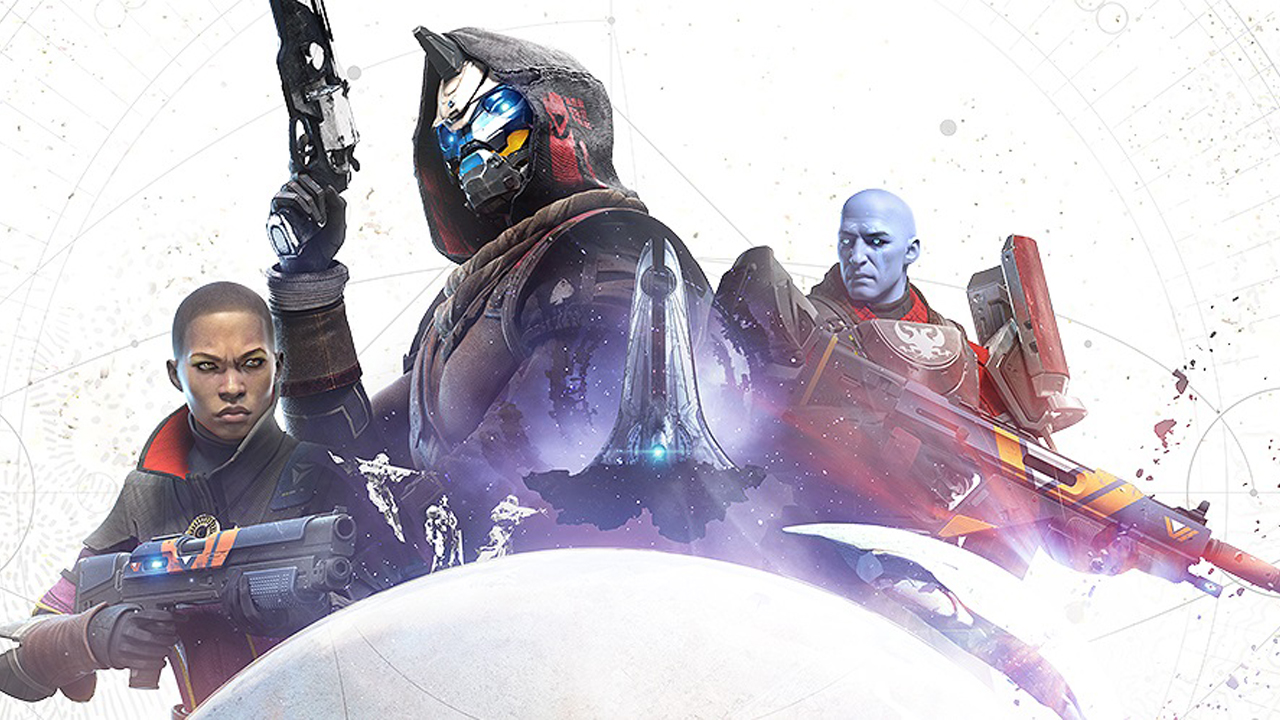
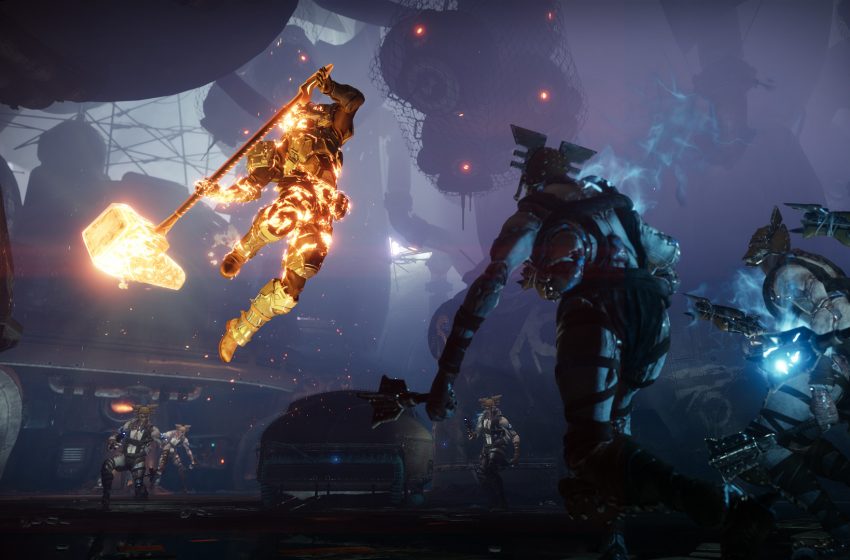
Chalk Destiny 2 up as another game in the lost list of titles that’s part of the Twitch Prime lineup in terms of rewards! In a press release, Twitch announced the Destiny 2 Twitch loot rewards!

Available now, Destiny 2 players can expect Exotic gear to grace their grubby mitts just for being Twitch Prime members! This freebie applies to all platforms (PS4, Xbox One, PC, and Stadia).

NOW AVAILABLE Bungie is teaming up with Twitch Prime to bring Prime members six months of Exotic gear drops for Destiny 2. Each drop will contain four rewards, including Exotic weapons, Ghosts, ships, Sparrows, emotes and weapon ornaments from previous Seasons.

Beginning today, members can claim the Exotic Auto Rifle SUROS Regime, its Exotic Weapon Ornament Coup de Main, the Exotic ship unsecured/OUTCRY, and the Exotic Ghost Shell Skyline Flipside. Start your journey here, then visit Amanda Holliday in The Tower to claim your drop. 

I know, I know, the Exotic stuff aren’t really the best, but it is free, so there’s that.

Don’t forget, if you’re an Amazon Prime member, you’re automatically eligible for the Destiny 2 Twitch loot!

Speaking of Destiny 2, make sure to check out the patch notes from yesterday’s update, as well as the weekly reset.


Avatar photo

Alex Co

Father, gamer, games media vet, writer of words, killer of noobs.

Home > News

Halo MCC Update 1.1305 Released, Here’s the Full Patch Notes

343 Industries has released the big Halo: The Master Chief Collection (MCC) January update! Halo players will see this as the Halo MCC Update 1.1305, and before you dive in, note that some stuff included are scheduled to go live in February (more on that after the notes). Read up on the full Halo MCC update 1.1305 patch notes below.

Halo MCC update 1.1305 patch notes:

NEW FEATURES & CONTENT

Additional details for the New Features & Content items can be found below in the design update section for rotational playlists, featured content, and events for the month of February.

  • Featured playlists in Match Composer
  • New nameplates for future events
  • New upcoming Matchmaking content

ACCESIBILITY BUG FIXES

PC ONLY

  • Fixed an issue where pressing the spacebar would search for a player while typing a Gamertag in the “Find Player” prompt.

GLOBAL

  • Fixed bugs where pop-up messages were not read properly by Narrator & Xbox Game Transcription.
  • Fixed bugs button prompts were not read properly by Narrator & Xbox Game Transcription.
  • Fixed bugs where on-screen text was not read properly by Narrator & Xbox Game Transcription.

GENERAL FIXES

XBOX ONLY

  • Fixed an issue where the Main Menu would not appear after passing the title screen when launching for the first time.

GLOBAL

  • Fixed a rare crash related to player stats and leaderboards.
  • Reduced some excessive diagnostic reporting to improve performance.
  • Improved player reporting on dedicated servers when identifying potential anti-cheat violations.

PLAYLIST UPDATE

SOCIAL 1V1

  • Removed Magnum secondary from Halo: Reach Head to Head based on community feedback.

Social 1v1 is intended as a warmup arena for the Halo: Reach Hardcore playlist, so it’s important that the settings match.

SOCIAL 4V4

  • Team Slayer option has been replaced with “Precision Slayer” and “Auto Slayer.”

Historically, we’ve compromised by combining these into a single selection. We fully understand that different players have different preferences here, so now we offer players choice over their starting weapon/experience.

  • Precision Slayer includes weapon starts of DMR, BR, or Magnum.
  • Auto Slayer includes weapon starts of AR, SMG, and Halo 4 loadout starts.
  • Rotated in featured Halo: CE Anniversary category for Halo: Reach which contains maps and game settings which emulate Halo: CE.

This has been a commonly requested addition and rotational categories provide great opportunities to expose this sort of content.

SOCIAL 8V8

  • Reduced hill movement timer from 120s to 90s and reduced score to win from 250 to 200.

Out of the box, Reach’s base King of the Hill variant does not support a 90 second hill rotation option. The 120 second timer was longer than we liked so we took the opportunity to add the option for this variant. As the hill spends less time in each location, players will spend a bit more time moving between hills, so it was important that we reduced the score to win slightly to match this. We weren’t able to add the 90 second option globally as this would require all King of the Hill variants in the game to be rebuilt, but players seeking a 90 second timer for custom games can use the Big Team King variant as a base.

  • Replaced Territories with 3-plot Territories on Tempest.

As a symmetrical map, Tempest is well-suited to 3-Plot Territories. In 4v4, this game type was already paired with this map and, after seeing some intense matches of it played in the recent Big Team Battle Throwback Throwdown tournament, we wanted to make it official for 8v8 as well.

  • Rotated in experimental AR starts category containing AR start versions of all core Halo: Reach 8v8 map and game variants.

The range utility of the DMR makes it incredibly effective on some of the more open battlegrounds common in Big Team Battle. This leads to many engagements occurring at extreme range and can result in stagnation where players are discouraged from using certain movement options. Many players have requested that DMR starts be replaced with AR / Magnum starts in 8v8. We have concerns that this would leave players too vulnerable off spawn, leave them ineffective against vehicles, not provide enough starting ammunition, and lead to “snowballing” (where the score gap between two teams grows exponentially) when some players gain control of long range rifles. However, we wanted to give players a chance to try it for themselves. Depending on feedback and data, we’ll consider pulling Big Team AR starts into the core categories more permanently.

For a detailed look at the changes from the dev’s perspective, head on over here.

Avatar photo

Alex Co

Father, gamer, games media vet, writer of words, killer of noobs.

Home > News

DayZ Experimental 1.07 Update Now on PC, Full Notes Listed

DayZ PC players, you have something new to test starting today! Bohemia Interactive has released the DayZ Experimental 1.07 update and it’s live now. Check out the full DayZ Experimental 1.07 patch notes below.

DayZ Experimental 1.07 patch notes:

OTES

  • Consider using the Steam client option to verify the integrity of the local game cache to avoid corrupted data after downloading this update.
  • Consider de-fragmenting your HDD after downloading large updates.
  • In case of problems, please check the Bohemia Interactive support F.A.Q.DayZ F.A.Q., or BattlEye F.A.Q.
  • You can help us to further improve the game by posting your feedback on the Feedback Tracker.


Game Update 1.07.152928

GAME

ADDED

  • Added: Repeater Carbine
  • Added: .357 Rounds
  • Added: 12ga Rubber Slugs
  • Added: Amusement park locations throughout Chernarus

FIXED

  • Fixed: Several types of inventory interactions related to item reservation
  • Fixed: A client error caused by re-encountering the weapon you dropped during a previous death
  • Fixed: The map always used to open at the top left corner (now remembers the last opened position)
  • Fixed: Disabled “Jump out” action for back seat passengers of the ADA 4×4
  • Fixed: Action circle was missing while dismantling the oven
  • Fixed: The player can no longer attach both the suppressor and compensator to the SG5-K
  • Fixed: Issue caused by starting an action with a different item in your hands between client and server
  • Fixed: An animation glitch related to throwing
  • Fixed: Water bonus from wells was added to early in the action
  • Fixed: Infected would not cause bleeding as intended
  • Fixed: Issues with doors in the aircraft hangar, hospital, school, harbour crane
  • Fixed: Issues with the sounds of doors in the fire station and big ATC buildings
  • Fixed: Issues with a ladder on the construction site
  • Fixed: Piles of wooden planks could spawn on top of each other
  • Fixed: The big doorway of the sawmill had bullet collision
  • Fixed: Object placement fixes for Enoch and ChernarusPlus terrains
  • Fixed: A yellow heat comfort was giving a penalty on health regeneration
  • Fixed: Position of the combination lock widget, LODs and textures
  • Fixed: The player could collide with individual ivy parts
  • Fixed: The Denim Skirt showed the wrong colour in 1st person mode
  • Fixed: Infected could not navigate into the large grey shed
  • Fixed: The Construction Light behaved weirdly when thrown
  • Fixed: It was not possible to empty liquid containers in interior spaces
  • Fixed: Blue Athletic Sunglasses had a green texture (https://feedback.bistudio.com/T148324)
  • Fixed: The Thermometer would always display 0 degree (https://feedback.bistudio.com/T146710)
  • Fixed: Night vision was darkened when someone entered the players network bubble (https://feedback.bistudio.com/T147106)
  • Fixed: Base building actions could be mixed up resulting in building the wrong part
  • Fixed: Larger quantity numbers were not fully visible in the hand slot
  • Fixed: Barrel with holes was still able to store liquids (https://feedback.bistudio.com/T148495)

CHANGED

  • Changed: Global lighting changes (ground-lighting addition, brightness of day and night, shadow contrast during clear weather, rain visual tweaks, darker clouds during overcast)
  • Changed: Updated the inventory attachment icons (missing icons added, some icons tweaked and unused removed to free space for more in future)
  • Changed: Clean-up of the car damage zones
  • Changed: Lowered the amount of leaked coolant when the radiator is destroyed in the car
  • Changed: The open option for the fence gate can be accessed easier
  • Changed: Removed the collision from Barbed Wire
  • Changed: Barbed Wire now causes bleeding sources instead of shock damage
  • Changed: The fence and watchtower kits can be dismantled
  • Changed: Heavy items (with collision) are dropped using physics
  • Changed: Rework of the combination lock destruction (requires more time, but in shorter cycles)
  • Changed: Sawing a pile of wooden planks is now a truly continuous action
  • Tweaked: Decreased range of the night light, and changed its colour, position and brightness for better immersion
  • Tweaked: The fence gate opens and closes slower
  • Tweaked: Inventory view of the Assault Helmet Visor
  • Tweaked: You receive one additional plank when cutting down a wooden log
  • Tweaked: You receive one more wooden log when cutting down most trees
  • Tweaked: Base building materials are now placed more clear
  • Tweaked: Sorted the attachments icons of firearms
  • Tweaked: The base building build action won’t show up at all when it is being blocked (previously allowed to execute without result)
  • Tweaked: Adjusted the logic behind obstacle checks when building base building parts
  • Tweaked: The map is now full screen
  • Tweaked: Removed the collision from tourist trail poles

SERVER

  • Added: Ability to choose between bright and dark nights through a server config parameter lightingConfig (0 for bright, 1 for dark)
  • Tweaked: limitFPS is now logged and default crop value raised from <1..50> to <1..200>, by default it’s unlimited

LAUNCHER

MODDING

  • Added: Curl context can store results into files + API
  • Added: Livonia ruined houses variants without overgrown ivy
  • Added: Named selection for the bear (Body_Injury)
  • Added: Named selections for all ivy parts (leaves)
  • Added: GetGame().GetWorld().LoadNewLightingCfg(“filepath”) can reload the global lighting config during runtime
  • Added: SetSoundMaxVolume() to change the volume max level
  • Added: Functions InventoryItem::EnableCollisionsWithCharacter & InventoryItem::HasCollisionsWithCharacter
  • Added: Exposed rigid body functions to script
  • Added: Missing dGeomCreateCylinder implementation
  • Added: Script method Object::SetDynamicPhysicsLifeTime
  • Changed: inventorySlot changed to inventorySlot[] (string to array of string) to allow slot extensions
  • Changed: Livonia terrain files *_ce, *_data and *_navmesh changed from *.ebo format to *.pbo
  • Changed: Commented out transferToZonesThreshold]
  • Changed: Changed: Renamed OnEventFromRemoteWeapon event to OnEventForRemoteWeapon
  • Removed: Obsolete pond/well drink actions

KNOWN ISSUES

  • Individual texts might not be localized yet

Bohemia notes that this is only a “provisional” changelog, and that the full patch notes will be released once the stable update for 1.07 is out.

Console players, once the stable update is out, you should be getting this patch soon-ish.

Source: DayZ forums

Avatar photo

Alex Co

Father, gamer, games media vet, writer of words, killer of noobs.

Home > News

Report: Blizzard Banning Users on Forum for Helping People With Warcraft 3 Reforged Refunds

If you’re a real-time strategy (RTS) fan, chances are you’ve played Warcraft III (stylicized as Warcraft 3) when it was released way back in 2002. In case you haven’t, Blizzard Entertainment has released a remastered edition of Warcraft 3: Reign of Chaos called Warcraft 3 Reforged.

Released yesterday, Warcraft 3 Reforged has been met with mostly negative feedback by gamers due to technical glitches, gameplay issues and more. If you’re one of the people who want a Warcraft 3 Reforged refund and need help, you might not want to talk about it in Blizzard’s official Warcraft forums.

Multiple reports have surfaced that Blizzard is actively banning people on the official Warcraft forums for helping other people get a Warcraft 3 Reforged refund!

Even on the Warcraft 3 subreddit, users have jumped in regarding this ban wave, with one user stating that Blizzard doesn’t want to talk about refunds on the forums in the first two hours of launch.

People are getting banned
by inwarcraft3

Checking the official Warcraft 3 forums, you’ll see a lot of disgruntled customers and gamers all chiming in with negativity.

We’ve contacted Blizzard about this and will update the post if we hear anything back.

While some might argue that Blizzard has the right to do this given it is happening on their official forums and all, it doesn’t look good on them for sure.

Do you think Blizzard has the right to ban users and that if gamers want a refund they should do it outside the studio’s official forums? Or should gamers and buyers have the right to talk negatively about the game and what the best course is in terms of getting their money back if they’re not satisfied with the product? Let us know your thoughts in the comments.

Avatar photo

Alex Co

Father, gamer, games media vet, writer of words, killer of noobs.

Home > News

Battlefield V Multiplayer Producer Leaves DICE After 11 Years

While it’s easy to see game studios as just entities that we can complain to about everything we find wrong with their games, we mustn’t forget that these studios emply people that are more often than not, are fans of that studio’s games. For fans of Battlefield in general, a familiar name will be leaving DICE, and that’s Battlefield V Multiplayer Producer, David Sirland.

Sirland, also known as tiggr_ over on Twitter, and on Reddit, has posted a rather good bye letter to the Battlefield community, where he also mentioned that he’s moving on to the studio after 11 years of service.

Read his entire message below.

This is a weird post for me to make, simultaneously bittersweet and exciting. Hard to know what to lean into really :). 

I am writing this little bookend post inspired by Dan’s very nice exit as Battlefield community manager from last year. I think it was a great way to inform in a public and more personal way and let me reminisce at the same time.

Channeling Dan’s spirit, I’m just blurting out the bittersweet part… I am moving on from DICE and Battlefield. My last day in the studio will be on March 3rd this year. 

I’ve been with DICE and on Battlefield for ~11 years, in two stints, with the most recent one by far being the most rewarding. I remember fondly all the fun and awesome ideas we got to put forward and in players hands, and co-experience with the players starting with the Battlefield 4 Premium and the first incarnation of the CTE.

Looking back, I am really proud of the teams I’ve been part of, from Los Angeles to Stockholm, through failure and success. They’ve always been passionate, active and ready to help me make better games and experiences, dealing with my sometimes hyperactive tendencies and high-velocity direction and subsequent demands :).

I’m also really proud of what we achieved in terms of stifling the worst offender issues around the famed “Netcode” (networking, input latency, simulation rates/tickrate & related core gameplay quality) starting with said game. Which since we started is something that has been constantly improving in each title we’ve put out – nerd-yay!

Even cooler, our efforts spawned & instigated a new industry standard of sorts which increased the quality across many games (spot the HUD-networking icons in your fave game!).Since I live by the creed: No-one deserves to play with bad netcode – I love the fact that this, previously overlooked, highly technical, almost neglected and very niche area now is something players care about and actually value when looking at new titles… Times do change indeed!

To my DICE colleagues both in LA and Stockholm: I salute you! You are some of the most talented girls and guys I’ve had the pleasure of working with, and I know your coming games and releases are going to be awesome!

To play my old-geezer-game-dev role to it’s fullest, I’ll dispel some advice as well:

Keep on doing what really excites you, push for change take those take risks when needed and really embrace that passion of your fellow devs. Always aim to constantly improve, and you can’t really fail.That’s just part of this trek to reach higher and deliver so much better things – just beperseverant about it!And finally – It’s cheesy, but “Players first” really does hit the mark.

Speaking of memories of the last decade or so  – let me know your favorite memory in the comments below!I think my personal fave has to be the Community Map Project (Battlefield 4, CTE timeframe). Such a fun and really cool project to dream up and deliver, and in a very unheard of way (at least back then).

So, I am moving on – but, I am not going anywhere. I will very much be utilizing the same channels, same transparent development and communication in my new gig as soon as possible. I can’t tell you any details yet, but rest assured you won’t miss when I can :). 

And of course, I am still going to play Battlefield (and lots of other games), I will just be a very vocal player instead of a very vocal dev going forwards!

If you want to get in touch, feel free to follow me or contact me on the appropriate channel: 

https://twitter.com/tiggr_

https://www.linkedin.com/in/davidsirland/

And of course, since imitation is the highest form of praise (high five Dan!): Remember to ALWAYS play the fucking objective!

David Sirland, (Soon to be former) Battlefield Multiplayer Producer

Sirland will officially be out of DICE by March 3, 2020. So if you have any qualms or issues with Battlefield V, now might be the time to tweet him (nicely, of course). That said, someone will step up once he’s out, and let’s hope that person is as transparent as Sirland is.

As a big-time Battlefield fan, I appreciated Sirland’s candid response to the franchise’s massive player base, and how he understood where players are coming from. We don’t know where he’s headed next, but we wish Sirland nothing but the best.

Avatar photo

Alex Co

Father, gamer, games media vet, writer of words, killer of noobs.

Home > News

PlayStation Plus February 2020 Free Games Revealed

Members of Sony’s premium online service PlayStation Plus, the moment you’ve been waiting for has come! Sony has announced the PlayStation Plus February 2020 free games lot, and they’re none other than BioShock: The Collection, The Sims 4, and Firewall Zero Hour!

While this was announced by the EU PlayStation Blog, given that EU and US PS Plus free games are 99 percent the same every month, we’re going to hazard a guess that US gamers will see the trio of games as this month’s freebies too.

BioShock: The Collection

From the undersea city of Rapture to the airborne metropolis of Columbia, BioShock: The Collection takes players on monumental journeys through awe-inspiring, deceptively dangerous places that are simply unforgettable. BioShock: The Collection features all three games in this award-winning series – BioShock, BioShock 2, and BioShock Infinite – remastered in 1080p, including all single-player add-on content.

The Sims 4

The Sims is celebrating its 20th birthday this February, and you’re invited to join the party! Now’s your chance to play with life in The Sims 4, where you can unleash your imagination and create Sims in a unique world that’s an expression of you.

Firewall Zero Hour (PlayStation VR required)

Become a hired contractor and expertly seize – or protect – sensitive information from opposing teams in Firewall Zero Hour, a 4v4 tactical shooter developed exclusively for PS VR. Dive straight into these intense multiplayer battles when Firewall Zero Hour’s new season – Operation: Black Dawn – also begins 4th February, featuring a new map (Oil Rig) available for all players, and other free content!

All three games will be available for download this February 4, 2020, which is this coming Tuesday. Same as always, once the games are available for download, we’ll let our readers know.

More PlayStation Reading:

Avatar photo

Alex Co

Father, gamer, games media vet, writer of words, killer of noobs.

Home > News

Fortnite Update 2.54 Released, Here’s What’s in Fortnite Update Today

Those firing up Fortnite today, Epic Games has released a new Fortnite update today. Console gamers will see this as Fortnite update 2.54, and there’s no version number tied to this — at least from what we kno. Those looking forward to balance changes and whatnot, there’s sadly none of that in this 1GB download.

Unfortunately, Epic Games doesn’t share any Fortnite changes or patch notes anymore (nor has the official Fortnite Trello board has been updated), but having said that, we do know what’s in Fortnite update 2.54 — at least on the front-facing part. A bunch of new character skins and an emote has been added.

https://twitter.com/shiinabr/status/1222518700957487106?s=21

And as far as we know, that’s basically it. We’re still digging what else is included in this stealth update and once we know more, we’ll update the post. Just two weeks ago, Epic Games released Fortnite patch v11.40.1 (2.53) and here’s what we know it does.

In other Fortnite news, Fortnite Chapter 2 Season 2 releases this mid-February, which explains the lack of new patches recently. You can check out details of that here.

If you spot any gameplay changes included in this update (be it in Creative, Save the World or Battle Royale), let us know via email or in the comments and we’ll credit you.

Avatar photo

Alex Co

Father, gamer, games media vet, writer of words, killer of noobs.

Home > News

Rainbow Six Siege Update 1.81 Fires Out, Here’s the Changes in Y4S4.3

While PC players got it yesterday, the big Rainbow Six Siege Y4S4.3 (Year 4 Season 4.3) patch is now out for consoles  as well. Console gamers will see the Rainbow Six Siege update today as Rainbow Six Siege update 1.81, as a a patch for the shooter was released last week.

Rainbow Six Siege update 1.81 patch notes (Y4S4.3):

BALANCING

ADS

  • ADS time increased for all weapons.

  • Assault rifles: from 0.30s to 0.40s

  • DMRs: from 0.30s up to 0.40s

  • SMGs: from 0.20s up to 0.30s

  • LMGs: from 0.40s up to 0.45s

  • Pistol: 0.10s up to 0.20s

  • SMG in secondary slots: 0.10s up to 0.275s*

  • Shotguns: 0.20s up to 0.25s

*(Modified based on feedback from Test Server)

BLACKBEARD

We support great beards and more decision-making.

  • ADS penalization will only apply when Blackbeard’s Gun Shield is equipped.

  • Weapons without the Gun Shield will maintain the same ADS timings as any other AR.

  • Weapons with the Gun Shield will retain the same ADS timings from before.

  • The Angled Grip will affect the SCAR with and without the Gun Shield equipped.

ECHO

Echo forgot to activate 2SV.

  • Echo can now be called by Dokkaebi.

  • Echo now drops a phone when killed with Dokkaebi present.

  • When hacked, access to the Yokai cameras is also granted for Attackers.

  • Yokai now has lights that show only when NOT cloaked, and Yokai drone lights will change to reflect it is hacked.

ELA

A little more princess, a little less Nerferella.

  • Reduced recoil on Scorpion Evo3 for the first 16 shots, any proceeding shots will retain previous recoil pattern.

FINKA

The juice is loose.

  • Increased Finka’s Spear .308 damage to 42 (up from 38).

JAGER

Wamai giving Jager a run for his money.

  • Reduced Jager’s 416-C damage to 38 (down from 43).

MAESTRO

Maestro joins the No-ACOG club.

  • ACOG removed from Maestro’s ALDA.

YING

New and improved Candelas! Great for flashing enemies and not just your team!

  • Candela’s now have a new outline that is visible only to Ying.

  • Improved distribution of Cluster Flashes to make the flash more reliable.

  • Number of pellets per Candela increased to 7 (up from 6) – (1 at floor level, 3 at around hip level and 3 at head level).

  • Pellets detonation time reduced to 0.3s (from 1s on throw and 2.5s on deploy).

  • Pellets that bounce on environmental props maintain their velocity instead of falling and detonating on the floor.

  • Candela explosion minor VFX improvements.

FMG9

  • Increased FMG9 damage to 34 (up from 30) for Nokk and Smoke.

BUG FIXES

GAMEPLAY

  • FIXED – Attachers can sometimes go through barricaded windows while attempting to hotbreach without detonating the breaching charge.

  • FIXED – Crashing if Lesion is pushed back by an airjab while trying to pull out a GU mine at the same time.

OPERATORS

  • FIXED – Jackal can’t scan footsteps while within the warning area of a Mute jammer. He can now scan footsteps while in the warning area – making it more in alignment with all other Operator gadgets and abilities that can be used while still in the warning area of a jammer.

  • FIXED – A rolling Candela that stops on a staircase will slide downstairs before detonating. Candelas will now stop and stay in place where they activated, even on stairs or uneven surfaces.

  • FIXED – Glaz’s Holographic Sight has a larger and thicker red reticle than other Russian Holographic Sights.FIXED –

  • FIXED – After being affected by Thatcher’s EMP, Yokai’s blue lights remain dark even when being operated.

  • FIXED – Castle’s Nail Gun remains present and clips while deploying his Armor Panels.

LEVEL DESIGN

  • FIXED – Invisible collision at the skylight of EXT Roof Top of Kafe for sticky deployable gadgets.

  • FIXED – Wall studs are not destroyed when a reinforced wall is first broken by Maverick and then shot by Zofia’s impact grenade.

USER EXPERIENCE

  • FIXED – Thunt matches count towards the “Match Win Streak” Battle Pass Challenge.FIXED – Battle Pass progression does not update properly on end-match screen, but shows correct progression in the main BP HUD.

  • FIXED – Various minor HUD and menu visual issues.

  • FIXED – Various minor shop and cosmetic visual issues.

  • FIXED – If a player mutes a teammate, they can still hear muted teammates after switching sides, even though the HUD indicates they are muted.

  • FIXED – In Caster or support mode, Nomad’s warheads pops in her hand while switching/reloading.

  • FIXED – Bandit’s shockwire gadget appears offset when he holds it in his hands.

  • FIXED – Incorrect animation for Ballistic Shield ops when being pushed back.

  • FIXED – Zofia’s KS79 Lifeline grenade launcher’s ammo faces the wrong side.

  • FIXED – Swapping weapons while vaulting will cause the operators arm to appear broken from a 3rd person POV.

  • FIXED – Weapons don’t sway back and forth while in rappel and moving L/R.

  • FIXED – Operators can appear to be floating over a shield from 3rd person POV if they vault over a shield twice.

If Ubisoft once again sneaks out a game update later in the week or not, we’ll be sure to let our readers know.

Source: Reddit

Avatar photo

Alex Co

Father, gamer, games media vet, writer of words, killer of noobs.

Home > News

Gran Turismo Sport Update 1.55 Now Out and Fixes Bugs

Polyphony Digital has released a new Gran Turismo Sport update today, and it fixes a few stuff! Usually, when a new unannounced patch drops, it’s for bug fixes and technical improvements, and that’s the case for this patch.

Nope, there’s no new car, new tracks or any new piece of content at all.

Gran Turismo Sport update 1.55 patch notes:

Main Features Implemented

Sport Mode & Lobby
– Fixed an issue wherein collisions between cars were not incurring a penalty, even for incidents where they should have.

And that’s basically it. Those looking for new content and whatnot, we’ll probably have to wait for February 2020’s big patch for a new slate of cars and more.

We’ll keep an eye out on new Gran Turismo Sport news, which we’re hoping involves a new track or track variant. The FIAGTC (FIA Certified Gran Turismo Championships) will be kicking off soon this February, and we’re expecting new content to be released for the game alongside it.

Source: Gran Turismo

Avatar photo

Alex Co

Father, gamer, games media vet, writer of words, killer of noobs.

Home > News

The Division 2 Episode 3 Trailer Gives Us an Overview of the Chaos

While we already know what’s included in The Division 2 Episode 3 (for the most part, at least, we now have our first look at what’s coming down the pipeline in Ubisoft’s looter shooter! The publisher released a The Division 2 Episode 3 trailer that gives us an idea what to expect next month!

The Division 2 Episode 3 takes agents to Coney Island in search of a cure to the virus that started everything. This FREE update is coming in February 2020. Get 1 week early access with the Year 1 Pass.

In other The Division 2 news, Ubisoft Massive has already talked about Skill Power and recalibration changes, thought has confirmed that we won’t see those take effect in the game until after Episode 3 has been released.

No release date for Episode 3 has been announced so far other than February 2020, though we do know that it won’t contain a new raid.

Are you hyped for Episode 3, agents? What do you want to see from Ubisoft when it comes to new content and balance changes?

Avatar photo

Alex Co

Father, gamer, games media vet, writer of words, killer of noobs.

Home > News

Xbox Live Games With Gold February 2020 Titles Announced

Xbox Live Gold members, the time you’ve been waiting for has come! Microsoft has announced the Xbox Live Games With Gold February 2020 titles! Same as before, there are titles headed for free for the Xbox One and Xbox 360!

Xbox Live Games With Gold February 2020 Titles:

  • TT Isle of Man ($59.99 ERP): Available February 1 to 29 on Xbox One

TT Isle of Man
Take on the challenge of Snaefell mountain in the motorcycle racing game, TT Isle of Man. All 37.73 miles of the legendary course is faithfully reproduced in this realistic moto-racing title that will challenge your skills and reflexes. Memorize each section and corner each bend to perfection, all while hurtling along at 180 mph.

  • Call of Cthulhu ($39.99 ERP): Available February 16 to March 15 on Xbox One

Call of Cthulhu
Plunge into a world of cosmic horror and creeping madness in Call of Cthulhu. In the official videogame inspired by the classic pen and paper RPG, investigate a family death on an isolated island where nothing is as it seems. Trust no one in a story filled with strange creatures, weird science and sinister cults, set within the iconic universe of H.P. Lovecraft.

  • Fable Heroes ($9.99 ERP): Available February 1 to 15 on Xbox One & Xbox 360

Fable Heroes
Get in on the highly addictive, hack-and-slash adventure title, Fable Heroes. As the heroes of Albion, play up to four players, either competitively or in co-op mode, and collect as many gold coins as you can. Defeat familiar foes and new enemies alike in this fresh spin on the beloved franchise and take playful competition to the next level.

Star Wars Battlefront
Experience an all-time classic with Star Wars Battlefront. Participate in memorable battles from the first six Star Wars films as you fight on the front lines with every weapon and vehicle you see at your disposal. Either by yourself or with an army behind you, the choice is yours to topple the Empire or crush the Rebellion. Note: No online gameplay support.

Are the games coming thie February 2020 worth it or are you disappointed with the lot?

Source: Xbox

Avatar photo

Alex Co

Father, gamer, games media vet, writer of words, killer of noobs.

Home > News

Need for Speed Heat Update 1.05 Skids Out, Here’s What’s in the January Update

Ghost Games released a new Need for Speed Heat update today (as expected), and this includes wheel support, a bunch of quality of life improvements and lots more. Clocking in at 3GB on PC, 5.5GB on PS4, and 4.9GB on Xbox One, you can check out the full Need for Speed Heat update 1.05 patch notes below.

Need for Speed Heat update 1.05 patch notes:

Additions

Steering wheels

We know those of you that own a steering wheel are enjoying all kinds of racing games, and we want to give you the option to use your equipment in Need for Speed, too. We have been testing some steering wheels, but a few others that are not on this list might also work:

  • Thrustmaster T300RS (PS4, PC)

  • Thrustmaster TX (Xbox, PC)

  • Thrustmaster T150 (PS4, PC)

  • Thrustmaster TMX (Xbox, PC)

  • Logitech G29 (PS4, PC)

  • Logitech G920 (Xbox, PC)

  • Fanatec CSL Elite Racing Wheel (PS4, PC, XB1)

For PC players: Make sure to install the Logitech G Hub, regardless of the wheel manufacturer and model you are using.

For Console players: Make sure that your steering wheel is assigned to your console profile before launching the game. When launching the game, press the respective steering wheel button on the title screen to enable steering wheel play: A on Xbox, X on PlayStation.

Please note that in order to access all features in the game, you will need to use a combination of steering wheel and controller.

Chat Wheel

To make communication in-game easier, we are implementing a chat wheel. That means you will be able to send pre-made text messages to friends or rivals. From saying hello, challenging players to a race or just asking them to follow you, we hope this feature makes communication easier for you. It also helps to cross language barriers, as incoming messages will be displayed in the same language that your game is set to. You can also turn the chat messages on or off at any time.

Post image

Chat Wheel

Keys to the Map

You might notice a new tab in the menu, the in-game store. It will feature the “Keys to the Map”. This is a real-money purchase which will uncover the locations on the in-game map, including collectibles, activities, and gas stations. You will still have to complete the activities like smashing billboards or 3-star jumps, but you won’t have to look for the locations. This is one of the things we announced around Gamescom, and you could also call it a time-saver pack.

Please note that one thing will not be revealed by the Keys to the Map: One safe house location will be uncovered and unlocked upon reaching a certain point in the campaign and is not included here.

The activity and collectible locations will uncover once you hit the REP level that unlocks the corresponding activity in the game.

Gas Stations, Safe Houses and Billboards will show after completing the prologue and reaching REP level 2.

The other icons will show at these REP levels:

Speed Traps: REP level 3
Street Art: REP level 5
Jumps: REP level 9
Drift Zones: REP level 11
Flamingos: REP level 13

Post image

Keys to the Map

Quality of Life improvements

Using a controller with manual transmission

  • You have been bringing this one up a lot. When you’re driving using manual transmission on a controller, the bumper buttons not only are shifting up and down, but share a lot of different functionalities depending on context. You can bribe a cop, enter the garage, start an event, swap a car and more. Especially when shifting up after leaving the garage, this can be slightly awkward.To improve the experience, all actions except shifting up and down now require you to hold the button for a short while to prevent accidental presses.Note that this change only affects players that are using manual transmission.

Gas Stations

  • You’ve been clear on that one: You want to showcase your cars in the best light, without any damage. We added some functionality to the gas stations to give your car a complete repair when driving through a gas station. Functional damage will be fixed, but also dust will be washed off and scratches repaired.

UI

  • After finishing a night event, some UI elements will now stay on your screen. Both the minimap and the speedometer will remain visible, to make it easier to find your way to the nearest safe house if you want to bank your REP. Or to the gas station, if you need repairs and want to go again.

  • We added a notification to the garage that will inform you if a server will be shutting down soon.

  • Moved the “Escaped” notification to the bottom of the screen. It will now be shown in the same location as the “Escaping” notification after you escaped successfully. That should prevent a few accidents.

  • There was no button prompt for “Back” in the decal menu, so we added one.

  • The VoIP status bar is now visible on all screens if you’re in a party.

  • When you quit a mission or event, the UI will now prompt you that all of your progress will be lost.

  • We implemented a new waypoint icon and also polished some icons and notifications around the minimap.

Rewards for Drift events

  • We updated the way rewards work for drift events. Now you will receive a reward even if you don’t hit the target score.

Bugfixes

Missions

  • During the “Got Your Back” mission, Lucas no longer mentions the grille of Papi’s Camaro before offering you the mission to acquire it.

  • Pushing Shaw into the water during the “Got Your Back” mission should no longer result in the inability to finish the mission.

  • When restarting the second part of “Follow the Law”, Ana’s subtitles will now be synced with the voice lines.

  • In the “Home Base” intro, the music should now correctly play throughout the cinematic.

  • It shouldn’t be raining during the “Party Crashers” intro cinematic any longer.

  • When you’re playing “Party Crashers” and quit during the “Ambushed” part of the chapter, the pursuit music should no longer be playing after you’ve quit the mission.

  • In a different part of the mission, we moved a video wall and a speaker system so both you and the AI drivers are less likely to jump into them.

  • Also during “Party Crashers”, near missing checkpoints will now correctly trigger mission events.

  • Fixed an issue that would trigger incorrect voiceover lines by honking repeatedly during the final Chop Shop cinematic.

  • When you’re in first place during the “Pit Potential” story, nobody should tell you “This is not looking good for you” anymore.

  • We fixed an issue that would show the world in a very bright light that could be noticed as flash during the “Let it slide” mission.

  • Ana should no longer get lost when driving to the “Make a name” event when you’re speeding too far ahead.

  • When restarting “Get noticed”, Ana’s car will now spawn in the correct location.

Events

  • The final cinematic of the “Birds Eye” drift trial will now be playing correctly.

  • During the “Brake or Break”, a larger crowd will be cheering for you now.

  • We reinforced the barriers in the start area of “Ceryneian Hind” so you should no longer be able to drive into them or get stuck.

  • “Discovery” event should now start correctly after the countdown ends when “Challenge all” has been selected.

  • A spectator at the start of the “Foxbat” event was defying gravity as he jumped down a light in an instant. He adheres to the laws of physics now.

  • You should no longer be reset to jump in the water over and over and over and over when you fall into the water at the first jump of the “Heights” time trial. Or the last jump.

  • The night event “Krom” now shows the night event outro and rewards.

  • “Moonshine” Drift Trial should now be concluded by the correct cinematic.

  • All AI racers should now follow the correct route during the “Needletail” event.

  • During the event “Rollercoaster”, one checkpoint was missing flags, barriers and spectators, which have now showed up to cheer you on.

  • The “Springbok” event is now correctly unlocked only after finishing the driving story.

  • The game should no longer show a permanent black screen after the end of the “Yoshikazu” race and before the result screen.

  • We fixed an issue that could lead to a spectator floating, which would only be visible when playing with other players and starting on the left side of the grid.

  • When restarting an event multiple times, they should now have a countdown every time.

  • Completing an event in a personal best on the challenge level should now be properly reflected on the leaderboard.

  • During one of the off-road events, you could encounter Rokkit & Rokkit. They probably thought they had better chances of winning when signing up for the race twice. We had a chat with them and one of them agreed to give up their spot for another driver.

  • Fixed an issue that could lead to AI drivers floating without cars when restarting events.

  • When two players want to start the same event but each their own race, the countdown timer will now count down to 0 before the second player can start their race.

  • On PC, you can now decline an event invitation with the key you have rebound that action to.

UI

  • Activating photo mode in online play should no longer start the engine.

  • In the snapshot gallery, your snapshots will no longer appear in the friends tab, but only in your tab.

  • Before you can share a snapshot, a confirmation prompt will now appear.

  • The camera will no longer be outside of the garage when triggering snapshot and entering a garage at the same time.

  • When crashing a cop car, the “Crashed a Cop” wouldn’t always show, this should now be working correctly.

  • In the Song display, “MNKYBSNSS – Otro Lugar” was not showing the artist and title when the song started playing – we fixed that.

  • When “Novocaine” is playing, the artist will now be displayed correctly without underscores.

  • Updated the Engine Swap UI in the garage for widescreen resolutions so text should no longer be overlapping.

  • Fixed text of daily challenges that was overlapping the speedometer.

  • The objective list will now automatically be presented on the screen after leaving the garage.

  • The Racer challenges menu will stay on screen after one of the challenges is completed.

  • Updated the Racer challenges menu on PC to display the button that closes the menu.

  • After completing a daily challenge, the “tick” icon is no longer overlapping the daily challenge icon.

  • The Objective menu that can be opened on the right side of the screen is no longer accessible while in the dealership or part shop.

  • Some events have different car performance level recommendations. The lower one is the base level and the higher one is the challenge level. Looking at the crew leaderboard before starting an event could prevent the ability to switch between base level and challenge level of an event, which we now resolved.

  • In rare cases, when crashing the car after a jump at Heat level 5, the car and UI would disappear, which should now be fixed.

  • Updating a crew description with a text containing profanity would prompt you with “Operation successful”, it should now say “Operation failed”.

  • Searching for a specific crew should now work correctly.

  • You can now use an apostrophe when creating a crew.

  • Some crew leaderboards were a bit slow to update, this will be quicker now.

  • Fixed a typo in the Crew invite menu.

  • When you’re in a cop chase and hit a cop car without crashing it, you should no longer be prompted with a message implying you did crash the cop.

  • When getting busted during night with less than 10,000 Bank, there will now be a countdown to 0 instead of just 0 being displayed.

  • We improved the readability of the “The League” notification you’re prompted after completing the respective chapter, increasing the opacity of the background.

  • When you unlock a new car by completing the main story or one of the side stories, the banner will now no longer say “Leveled up”, but only “New Cars unlocked”.

  • When you’re looking at the collectibles overview page of a district that has more than 8 collectibles of one kind, the items will now be scrolling.

  • The scrollbar in some menus will no longer move beyond the background of the scrollbar.

  • Toggling the the subtitles on or off in the settings will now toggle the option in the accessibility settings and vice versa.

  • The Bank and Rep widgets will now appear in the same place across all menus.

  • Removed the prompt for the player list while you’re in the Part Shop, as it is not accessible from there.

  • Removed some duplicate button prompts in the dealership.

  • In the event invite notification, the car rating of the player sending the invite will now be correctly displayed if it’s 400+.

Cars / Garage

  • Starter cars will now show customization ratings.

  • Cars should no longer be shown with car parts missing in the garage.

  • When cycling through the cars in the warehouse and selecting one quickly, the correct car should now be swapped to the garage main spot.

  • When playing on PC with a controller, pressing LB should no longer trigger the horn in customization menus.

  • Spamming the Skip button while entering the garage should no longer place the car below the garage.

  • Vehicles with gloss paint finish should now show correct shadows if showcased in the garage.

  • The camera should no longer switch from the bonnet camera to the near chase camera when crashing into objects at high speeds.

  • Removed the light letterbox in the garage.

  • Updated the description of crew members’ Deluxe Edition cars in the garage showcase.

  • When looking at car parts, the currently equipped part should now be counted towards the total amount of copies you have.

  • When you’re in a high gear and are switching to a gearbox with fewer gears than the one previously equipped, the gear will now be switched to the highest possible gear available on the new gearbox. Example: If you are in 7th gear and switch to a gearbox with 5 gears, it should now display that you’re in 5th gear.

  • We improved the readability of the “Need for Speed Rivals” license plate option in the customization menu.

  • We fixed an issue that would prevent you from unlocking the Drift Story introduction. This could happen when you had a very, very specific combination of car parts that were just below the requirements to unlock the story, which was not reflected in the UI before.

  • We bolted on some car parts of vehicles that shouldn’t have been removable in the first place.

  • You can no longer select “Swap Car” in the garage if you don’t have a car to swap to.

  • The message prompt instructing you where to share a custom wrap from will now correctly refer to “Library” instead of “My Wraps”.

  • Customizing the fifteen52 rims on some car models will now apply the primary and secondary colors correctly.

  • fifteen52 rims should no longer be clipping with brake discs when you’re changing the rim size to maximum.

  • Improved the alignment of NOS visual effects for some exhaust models.

  • When you’re in the garage, looking for part upgrades, have 2 parts for a specific slot, the stock part equipped and are hovering over the other (better) part, it will show the potential performance improvement. If you now sell the highlighted part, you would keep the stock part, but the potential improvement would still show in the UI. This has now been fixed.

  • Rotiform Forged LVS rims now are visually consistent on different levels of detail.

  • Scaling down the rim size of the BBS CH-R rims will now correctly affect the spokes.

Car-Specific

  • Fixed an issue that could lead to a flickering texture when you’re customizing the color of the BMW i8 Coupe.

  • Fixed a visual issue affecting the trunk of the BMW M4 Convertible when a decal was applied.

  • The license plate interaction point of the BMW M4 GTS in the garage has been correctly aligned.

  • Applying a decal to the BMW Z4 M40i with the Alchemist roof equipped will now fit the designated space.

  • The “Speedhunters” exhausts will no longer clip through the “Speedhunters” rear bumper when equipped to the Chevrolet Bel Air ‘55.

  • The Chevrolet Colorado ZR2 ‘17 is no longer floating when you view it in the showcase.

  • The camera won’t pass through the side of the Dodge Charger ‘69 anymore during a night race intro. Nice.

  • Designing a Ferrari 458 Spider ‘11 in the NFS Studio App using stock parts only and importing it to the game will not charge you any Bank.

  • The windows of the Ferrari 458 Spider ‘11 will now be down when the roof is down. The same goes for the Lamborghini Huracan Spyder ‘18 and the Lamborghini Aventador SVJ, which will also have the convertible roof equipped by default.

  • The wing mirrors of the Ferrari F40 ‘87 are no longer floating and twitching when the side of the car is damaged.

  • The Ferrari F40 ‘87 will no longer have a preview of the underglow in the “Swap Car” menu.

  • When critically damaged, the rear bumper of the Ferrari FXX-K Evo ‘18 will no longer be shaking.

  • Improved the mapping of decals applied to the rear window of the Honda Civic Type-R ‘15.

  • Applying a decal to the side of the Honda NSX Type-R ‘92 will no longer affect the headlights when the “Rocket Bunny” side skirt is equipped.

  • Fixed a visual issue that made the rear tires appear partially transparent when equipping the Speedhunters rear fender to the Jaguar F-Type R Convertible ‘19.

  • If you’re taking the Jaguar F-Type R Convertible ‘19 for a ride, use the bonnet camera and the car is in a critical state, the hood will no longer block your sight.

  • Improved the mapping of decals applied to the sides of the Koenigsegg Regera.

  • The default spoiler of the Lamborghini Aventador SVJ Roadster ‘19 should no longer be raising when driving at high speeds.

  • The camera won’t clip through the garage floor anymore when selecting an exhaust for the Lamborghini Countach 25th Anniversary.

  • The player character shouldn’t be clipping through the bottom of the Lamborghini Diablo SV anymore.

  • The trunk lid of the Land Rover Defender 110 is no longer clipping with the default roof when the car is damaged.

  • We toned down the exhaust popping for the Lotus Exige S ‘06 a bit to make it sound less resonant.

  • We fixed a visual issue that would show on the rear fenders of the Mazda MX-5 when you equipped Pandem rear fenders with a Speedhunters rear bumper.

  • Toned down the exhaust flames of the McLaren P1 ‘14.

  • When the Mercedes-Benz AMG GT R ‘17 is damaged, the grille should no longer be clipping with other parts.

  • The camera view in the rim selection menu for the Mercury Cougar ‘67 now focuses on the rims.

  • Equipping the Pandem front bumper and the Pandem front fenders will no longer make the bumper disappear on the Nissan GT-R ‘17.

  • Fixed a visual issue with the second Nissan front bumper in the menu which could make it transparent in a spot where it shouldn’t be on the Nissan Skyline GT-R ‘99.

  • When the Porsche 911 GT3 RS is damaged, its license plate will no longer clip inside the rear bumper.

  • The Porsche 991 GT3 RS is now showing deformation properly when damaged.

Visual

  • We took another look at the lighting in the garage. Sometimes, your character and one side of the car would appear darker than the other side of the car, this should now be fixed.

  • Improved a cutscene with Ana, so her hair doesn’t clip with her neck anymore. Did you know that Ana is a real person, and her name is – Ana?

  • Updated the look of the JuiceBox logo.

  • Added Big Country Labs decals.

  • While wearing the blue bandana, changing the hair color in the menu will now actually change the hair color.

  • There were two pairs of pants that would clip through some tops. We’ve ironed that out.

  • Two bermuda shorts had a pretty similar look, we added some color to make them more distinguishable.

  • Some glasses would cause its wearer’s lashes to clip through them, which is now resolved.

  • Fixed an issue where the camera would clip through the floor of the garage.

  • Removed the background of a decal which was showing a square when it shouldn’t have.

  • When using the Protanopia colorblind setting, all routes will now have the correct color.

  • On PC, when you choose a different resolution and are prompted to confirm your choice, the confirmation selection prompt will now highlight an option.

  • Added subtitles that were partially missing for one of Lucas’ phone calls.

  • Put Italian subtitles back in sync during the prologue.

  • Korean subtitles are now in sync during the “Proposition” chapter.

  • “Did he just say Numero Uno?”: The subtitles are now synced with the voice line. Good old Kenny.

  • Improved the Russian wording on the outro screen for Time Trial events.

  • Increased detail on some ground textures in Port Murphy.

  • Some AI characters that take photographs before race events just vanished after a while. They will now no longer disappear mid-scene.

  • Fixed a rare issue that could lead to bright light overexposure in the garage.

  • The pulsating light in the loading screen before night events should now be in sync with the music for all songs.

  • You should no no longer be able to move the cursor out of bounds when looking at the map.

  • Background images in the crew menus will now fit the chosen aspect ratio.

  • Fixed an issue where some combinations of hairstyles and hair colors could result in slight flickering of the hair.

  • When purchasing a car in the dealership and using it straight away, mission markers should no longer be visible in the loading screen.

  • We replaced the image that’s displayed when you unlock the Polestar 1 ‘20 Hero Edition with a higher resolution image.

Audio

  • Lucas could be a bit pushy when reminding you about going to race when you were close to it anyway. We talked to him and he should be more lenient now.

  • There was a voice line playing in the garage that was triggered by the wrong event, so we removed it.

  • We lowered the volume of the sounds the metal surface of the bridge between Westside and Eden Shores would make when driving over it.

  • The large waterfall in Fort Callahan now makes a very calming peaceful sound.

  • Blue barrels and big white tires now make a sound when a car is colliding with them.

  • A sound should now be playing when receiving an event invitation.

  • The helicopter cop chatter in the prologue now is more distinguishable and in line with the other cop chatter.

  • When you restart an event using the prompt after the race ended, sometimes free roam music would start playing. This should no longer happen now.

  • Improved the audio mix during Daytime race outros to make the music more audible.

  • Cops should no longer talk about your Mercedes C63 AMG K.S Edition as “Mercedes G-Wagon” on the radio.

  • Improved the audio quality of the cop chatter on PS4 controller speakers.

  • Sometimes when the car would tumble and take off into the air, some audio effects would be missing. We fixed that issue to make it sound more immersive.

  • When scrolling through the news articles in the main menu, you will now receive audio feedback.

  • After completion of “Shattered Dreams”, the volume of the banter has been increased slightly to be in line with the other voice lines.

  • After finishing an daytime event, if you press retry, the celebration sound should no longer play during the loading screen.

  • Adjusted the mix of some voice-over lines to better fit the cinematic setting and reflect the environment during the “Ambushed” intro.

  • Starting an event while listening to a phone call should now interrupt the phone call.

  • During the Drift story tutorial, Wayne’s voice will now have a more consistent volume.

  • When fast traveling, the fast travel sound should no longer be cut off.

World

  • Bayview Park: Moved a respawn point further away from a ramp to allow players’ cars to build up enough speed to jump across the water.

  • Port Murphy: Moved a respawn point, you should no longer be able to become stuck in a respawn loop when driving into water in a specific location.

  • In a very, very specific scenario that would take too many lines to explain, it was possible to spawn under the map at the Fairview Fields gas station. This should no longer happen.

  • There is a jump in Downtown that wouldn’t track any progress if attempted with a very high speed, this has now been corrected.

  • Similarly, a jump in Grenada Wetlands should now award you with three stars if the cinematic is playing and you achieve the required distance.

  • A cop car could get stuck in a loop on a bridge in Mendoza keys. We updated the logic, so they should be able to get out of there without making overtime.

  • When entering a cop chase with a helicopter, escaping and coming back to the helicopter, it should no longer hover just above the ground.

  • Cops should no longer start chasing you when you’re driving on the monorail tracks and they drive below you and shouldn’t notice you.

  • The routing on the map during Chapter 5 will now start at the correct garage when using Arabic language.

  • If you’re in a cop chase, the “Busting” meter is filling and both you and the cop crash into water, you should no longer be busted after being reset.

  • Improved the cop logic in situations when you’re close to roadblocks.

  • AI drivers will stick to the road when taking a specific turn in Sandpiper Forest.

  • The same goes for a scenic location on Frontera Hills.

  • And one in Grenada Wetlands.

  • Improved a ramp in Palm City Raceway so you can no longer get stuck under it.

  • One flamingo was hovering above ground in Frontera Hills, another one in Blackwood Heights, but they’re grounded now.

  • To keep the balance, we also raised one flamingo that was partially dug into a Rockville hill.

  • Billboards shouldn’t get smashed anymore when jumping above them and not hitting them.

Performance

  • Improved client stability

  • Fixed a crash that could occur during the “Breaking the Law” mission when you reached the starting line before Ana.

  • Fixed a crash that could occur when reporting a player for an offensive wrap when the player didn’t have a wrap on their car.

  • Fixed a few crashes that could occur in the garage.

  • Fixed several other instances where the game could crash.

  • Opening the world map should now be smoother than before.

  • Fixed an issue where the game could hang when your car was pushed by the AI, resulting in jumping in the air and reaching extraordinarily high speeds.

  • Jumping into an inaccessible part of the map and wrecking the car in the process should no longer lead to the game hanging.

Other

  • The achievement “Swappin’” should no longer be awarded when the user wins an event with a stock engine vehicle.

  • The achievement “Benefits are nice” is now correctly unlocked after finishing 25 events.

  • Cops should behave smarter when they’re chasing a player that is then leaving the game.

  • It should no longer be possible to enter the garage after accepting a party invitation to an event.

  • When joining a party or inviting players to one, they should now be unmuted by default.

  • Changing the controller vibration settings when using an Xbox controller on PC will now work as intended.

Source: Reddit

Avatar photo

Alex Co

Father, gamer, games media vet, writer of words, killer of noobs.

Home > News

Battlefield V Chapter 6 Details – Everything You Need to Know

Earlier today, DICE gave us our first look at Battlefield V’s Chapter 6 “Into the Jungle” content via  a new trailer. If that’s not enough for you, DICE has opened the lid on the Battlefield V Chapter 6 details!

New map: Solomon Islands

Danger and opportunity are everywhere. On Solomon Islands, you’ll fight through a jungle environment where you never know what’s lurking around the riverbend, by the dark mangroves, or in the hidden bunkers.

Whether you’re launching an American attack or defending the Japanese lines, the terrain can be your best friend – or your worst enemy.

Rivers and marshes block the path for infantry and tanks, but savvy soldiers can make the bottlenecks work for them. You’ll charge through narrow paths winding through dense jungle and fight over covered strongholds.

We’ve designed Solomon Islands for intimate jungle infantry combat combined with land and sea vehicle warfare. You’ll notice how a mode like Breakthrough shines when played on this map. Defenders can stay hidden and use the terrain to hold the line, but attackers will have several options: flanking, sending in infantry, or utilizing landing boats for a frontal assault.

New weapons

Three new weapons and two new gadgets will be part of the rewards for Chapter 6! Same as before, you’ll earn them as Chapter Rewards.

Support class – Type 11 LMG, and the Model 37 shotgun

Assault class – M2 Carbine

Gadgets

Assault class – M1A1 Bazooka (anti-tank tool for long range)

Assault and Support classes – Lunge Mine Gadget (counter for tanks)

Three new Elites will be dropping too!

Three new Elites featuring signature looks, personas, voices*, and melee weapons are coming with Chapter 6: Into the Jungle.

Misaki Yamashiro

Focused and unrelenting, Misaki is a highly skilled assault specialist. Despite her young age, she’s experienced in jungle and tropical theaters of war. Misaki’s truly deadly in close quarters, where she wields a Commando Machete as her signature melee weapon. This Elite will be unlockable in a unique way. Instead of purchasing Misaki in the Armory, earn Chapter Rank to unlock her as a Chapter Reward. Reach Chapter Rank 40 before Chapter 6 ends and deploy as this fierce warrior.


Steve Fisher

When Steve’s not chasing down enemy fighters in the air, you’ll likely find him quoting his favorite film stars. This fearless but light-hearted pilot embraces combat as if there was never any danger to his life. Steve has a habit of finding himself in underdog situations, where he often makes good use of his melee weapon, the Knuckle Duster.

Akira Sakamoto

Young and excited. Though these are Akira’s main traits, he always wants to do the best job and follows orders to a T. He’s known for being in the right place at the right time when his wingmen need him. An accomplished Zero pilot, Akira has exceptional reflexes and ingenuity and has a repurposed Control Stick ripped from a destroyed airplane to function as a deadly melee weapon.

In case you didn’t know, Battlefield V Chapter 6 will start this February 6, 2020 on all platforms and will most likely be preceded by a patch. Once we know that, we’ll be sure to let you know.

Source: EA

Avatar photo

Alex Co

Father, gamer, games media vet, writer of words, killer of noobs.

Home > News

Modern Warfare January 28 Update Includes Weapon Nerfs, Exploit Fixes & More

While Infinity Ward released a rather chunky Call of Duty: Modern Warfare patch (1.13) just last week, the studio released a Modern Warfare January 28 update today, and it’s live now! Thankfully, this is a server-side update which means there’s no big file to download.

Included in this Modern Warfare update today are weapon nerfs, exploit fixes, playlist updates and more! And yes, this update introduces Deathmatch Domination to Moderm Warfare as teased previously.

Modern Warfare January 28 update patch notes:

Playlist Update

  • Added Deathmatch Domination!
  • Added Gunfight Custom!
  • Shipment 24/7 is back! (Replaces Shoot the Ship)
  • Removed Winter Docks
  • Moved Capture the Flag into the Quick Play Filter


GENERAL FIXES:

  • Weapons:
    • MP5: Reduced headshot multiplier, Small reduction to 10mm range
    • M4: Small damage decrease to reduce headshot effectiveness, Small range decrease
    • M13: Range increase, Small reduction to horizontal recoil, Small damage increase to boost headshot effectiveness
    • Crossbow: Players are able to shoot down an enemy Support Helo with only 3 Thermite Bolts. This has been adjusted; 5 to take down a VTOL and 6 to take down a Support Helo and Chopper Gunner
  • Fix for an exploit in Ground War via ATV
  • Fix for missing character model on the LA OpTic CDL skin
  • Shipment: Spawn tuning to reduce the frequency of instant deaths and spawn traps. Adjustments to spawn positions around the edge of the map for all modes. New spawn logic for Domination.
  • When using keyboard and mouse, a controller button prompt will appear to access the Social Menu while matchmaking. On PC with a PS4 controller, the button prompt will appear as an Xbox prompt. This has been fixed

Hopefully, nothing else is broken via this server-side patch, and there’s no stealth changes implemented as well/

Source: Infinity Ward

More Modern Warfare Reading:

Avatar photo

Alex Co

Father, gamer, games media vet, writer of words, killer of noobs.

Home > News

Ghost Recon Breakpoint Terminator Trailer Hypes Up Tomorrow

The ongoing war for humanity’s future begins tomorrow! In case you didn’t know. the Ghost Recon Breakpoint Terminator event starts tomorrow, which will bring in new content for players to chew on. While we got a teaser yesterday, the Ghost Recon Breakpoint Terminator trailer has today been released by Ubisoft!

The first part of the live event officially kicks off tomorrow and will be free for all players to participate. We don’t have a lot of details surrounding the missions story, other than a women named Rasa Aldwin has traveled back in time to stop Skynet’s plans. Judging from the trailer,  it’ll feature plenty of action against the formidable Terminator. Sadly, it doesn’t appear that Arnold Schwarzenegger’s likeness will be used at all during this cross-over event.

As mentioned the first part will be tomorrow, followed by the second part being available on Feburary 1. In this time players can also participate dialed challenges and earn unique rewards based on the Terminator series.

I’ll be jumping on tomorrow and provide a full playthrough of the missions. Fingers crossed they are in the least decent.

Make sure to check out today’s Breakpoint patch to see all the gameplay changes Ubisoft has made in preparation for tomorrow’s event.

Avatar photo

James Lara

A gamer at heart, James has been working for MP1st for the last decade to do exactly what he loves, writing about video games and having fun doing it. Growing up in the 90's gaming has been in his DNA since the days of NES. One day he hopes to develop his own game.

Home > News

GTA Online & Red Dead Online Free Rewards Given as a Thank You for Record-Breaking Holiday

While Rockstar Games doesn’t really a lot of titles in each console generation, the studio doesn’t really need to, as every game they release becomes a multi-million best-seller even years after its release. Case in point? Both GTA Online (via Grand Theft Auto V) and Red Dead Online (via Red Dead Redemption 2) are doing very well — to the point that Rockstar is even giving out GTA Online and Red Dead Online free rewards as a thank you!

In the press release, Rockstar Games announced that both titles had a record-breaking holiday season in 2019! Here’s some of the achievements of both:

  • The highest players numbers in GTA Online ever, following the December launch of The Diamond Casino Heist which set a new high in player numbers (surpassing previous records for daily, weekly and monthly average players set in July and August 2019, following the release of The Diamond Casino & Resort).
  • Red Dead Online hit a new peak in player numbers in December following the release of the Moonshiners update, topping those numbers again in January.
  • GTA V’s biggest year ever for views on YouTube, with December 30th to January 5th being the biggest seven-day period ever, along with a new record for engagement via likes and comments in the week ending January 12th, 2020.

As a thank you, the studio is offering the following as free rewards and bonuses for GTA Online and Red Dead Online:

  • GTA$2,000,000, the biggest cash giveaway yet
  • Free access to Red Dead Online Frontier Pursuit roles, special role item giveaways and much more

NEW REWARDS AND BONUSES

To celebrate these milestones, we will be offering huge bonuses in both games:

GTA Online will feature bonus cash of up to GTA$2,000,000 in its biggest cash giveaway yet. Starting on January 30th you can earn GTA$1,000,000 just by playing before February 5th and will be able to earn another GTA$1,000,000 by playing between February 6th and February 12th.

Red Dead Online players will receive a series of gifts including free access to select roles, special role item giveaways and more, including:

The Gunslinger’s Cache: Play between January 28th and February 3rd to get a Free Schofield Revolver, a Free Varmint Rifle and the Devastating Ammo Bundle, which includes 100x Split Point Revolver Ammo, 100x High Velocity Pistol Ammo, 100x Express Repeater Ammo, 100x Slug Shotgun Ammo, and 20x Explosive Rifle Ammo.

The Bounty Hunter’s Kit: Play between February 4th and February 10th to get a Reward for a Free Bounty Hunter license, 25x Bolas, and 25x Tracking Arrows.

Also included in the press release is Rockstar teasing what’s to come for both games this 2020! GTA Online will get an open wheel racing series featuring all vehicle types. As for Red Dead Online, the studio will expand on Frontier Pursuits with additional roles, new missions, and more.

Same as always, stick to MP1st for the latest GTA Online and Red Dead Online news.

Avatar photo

Alex Co

Father, gamer, games media vet, writer of words, killer of noobs.

Home > News

New Destiny 2 Weekly Reset – January 28, 2020

Thanks to Bungie’s on-going maintenance of Destiny 2, this week’s new Destiny 2 weekly reset is a wee bit late given, y’know, we have to wait for the actual servers to go up before we know of these, but here it is!

New Destiny 2 Weekly Reset – January 28, 2020:

Nightfalls:

Ordeal

  • Scarlet Keep

Legacy

  • Strange Terrain
  • Will of Thousands
  • Broodhold

That’s basically what you need to know right now. We’ll update the post with the rest of the info once we can or at least when the Reddit bot stops reacting to the server maintenance.

Don’t forget that a new Destiny 2 patch has been deployed, and there’s quite a fair number of fixes. You can check that out here. Also of note, that latest patch might have affected the way you approach Nightfalls for this week’s reset of activities (just a hunch).

Once we get the list sorted, we’ll update the post to reflect the changes and new activities.

Avatar photo

Alex Co

Father, gamer, games media vet, writer of words, killer of noobs.

Home > News

Destiny 2 Update 1.46 Released, Here’s the Changes in 2.7.1

As promised by Bungie last week, a new Destiny 2 update has been released just now after the maintenance period. Called the Destiny 2 update 2.7.1, console gamers will see this as Destiny 2 update 1.46. Clocking in at just 390MB on PS4, check out the full Destiny 2 update 1.46 patch notes below.

Destiny 2 update 1.46 patch notes:

ACTIVITIES

PIT OF HERESY

  • Improved some performance issues in the Chamber of Suffering encounter that could reduce framerates.
  • Fixed an issue where players could die when transitioning from the Necropolis encounter to the Tunnels of Despair.
  • Fixed an issue where players could get out of the environment in the Tunnels of Despair.

GARDEN OF SALVATION

  • Improved a performance issue that could occur when chunks of land return, or are removed during the Sanctified Mind encounter.
  • Improved the visual indication for when a tether source hub is on or off.
  • Added text notification when a Vex sacrifices on a relay.

NIGHTFALL: THE ORDEAL

  • Reduced weekly completions needed to bring it in line with other challenges.
      • Players now need three completions on Adept, two completions on Hero, or one completion on Legend or Master.

DIRECTOR

  • Players can now shortcut directly to their Roster by selecting their empty fireteam slots, or by invoking the Roster shortcut on Director Map screens.
  • When an activity is selected, fireteam leaders can navigate left and right to get to Quests and Roster respectively, then back to return to the selected activity.

REWARDS

WEAPONS

  • Seasonal Bow mods should now work reliably with Hush.
  • Fixed an issue where Onslaught would reduce damage at 2x Rampage stacks despite not increasing Rate of Fire.
  • Adjusted scope feedback and camera shake on Hard Light firing.
  • Eriana’s Vow no longer gets more ammo when swapping from other Special ammo weapons in Gambit. Starting ammo in Gambit increased from six to ten.
  • Fixed an issue where swapping from Two-Tailed Fox to another Power weapon would generate more ammo than intended.
  • Fixed an issue where Leviathan’s Breath started PVE activities with more ammo than intended.
  • Fixed an issue where Xenophage started PVE activities with more ammo than intended.

ARMOR

  • The Empowered Finisher Dawn mod will no longer consume Super energy if you do not have a mod equipped that is capable of benefiting from the Charged with Light buff.
  • The Ever Ready Dawn mod will now stack correctly with weapon dexterity leg armor mods applicable to the weapons it covers.
  • The Heavy Handed Dawn mod will no longer trigger after the death of Telesto bolts. Increased the number of enemies that must be near the player to trigger the ammo-granting benefit from two to three.
  • Several class item armor mods will now correctly provide diminishing returns when multiple copies of the mod are equipped. These mods include Perpetuation, Innervation, Invigoration, Insulation, and Absolution.
  • Wormgod Caress and Winter’s Guile no longer retain the status of their buff if the armor piece is unequipped.
  • The perk on Synthoceps now deactivates immediately when the armor piece is unequipped.
  • The Transcendent Blessing Outlaw mod will now correctly appear in players’ inventory; previously, it would only be visible in the mod flyout when socketing a mod.
  • Grenade Launcher Scavenger will no longer award Special ammo for Grenade Launchers when the player picks up Primary ammo bricks.
  • The last finisher removed from favorites will no longer override the fallback default class finisher.
  • Giddy Laugh rare emote now has a valid icon and can be selected for equipping on the emote wheel.
  • Shadowkeep campaign Exotic armor no longer has a potential to show up in Xur’s weekly inventory.
  • Gunsmith now properly assesses the owned status of Unflinching Machine Gun and Unflinching Hand Cannon mods.

POWER AND PROGRESSION

  • Fixed an issue that caused the amount of XP earned not to show up next to the XP progress bar.
      • NOTE: This issue may still exist for players after they reach Seasonal Rank 100, but all XP earned will still apply to Seasonal Ranks above 100.
  • Changed the progress bar description on the Weekly Strike challenge from “Bounties completed” (which was incorrect) to “Strikes completed”.
  • Completion values for some of the destination Obelisk Weekly Bounties have been reduced.
  • Fixed an issue where the “Green with Envy” pursuits could stop progressing correctly.
  • Players who were in this state should have their progress updated retroactively.

COMBAT

GAMEPLAY

  • Fixed an issue in which Roaring Flames was buffing Solar Weapon Damage while standing in a Well of Radiance.
  • Fixed an issue in which Sunbreaker Titans were able to self-heal by bouncing a Throwing Hammer off a wall.
  • Fixed an issue that prevented Warlocks from using Blink after switching weapons or cancelling sprint.
  • Fixed an issue that would sometimes cause the Sunbreaker Titan’s Mortar Blast to deal little to no damage.
  • Fixed an issue that allowed Sunbreaker Titans to gain stacks of Roaring Flames by destroying Telesto projectiles.
  • Increased the Sunbreaker Titan’s Mortar Blast damage by 70 percent in PvE.
  • Crucible
  • Players will remain in spaceflight instead of going to a black screen when they load into a PvP match faster than their peers.

BOUNTIES AND PURSUITS

  • Fixed an issue that could prevent players from obtaining the Black Armory Key Mold quest from Ada-1 on multiple characters.
  • Acquisition of Black Armory rare bounties significantly improved.
      • Players that complete all available weekly and daily bounties will acquire a rare bounty within five days.
  • Black Armory Keys taking up space in Pursuits will be removed if a player has already completed the Mysterious Box Izanagi’s Burden quest chain and unlocked the Exotic in their Collections.
  • The Gambit Prime “Collector” bounty will now progress from picking up Luna destination materials.
  • Fixed an issue affecting the “Newest” sorting option in Pursuits.
      • Newly acquired quests, or quests that get updated, will now be properly sorted to the top.

GENERAL

  • In Collections, the “Playin’ the Odds” Gambit emblem will now properly register as unlocked and can be reacquired accordingly.
  • Fixed an issue that was impacting the Unveiling Triumph.
      • Eris is now ready to present her final Lore entry to players who need it.
      • The Unveiling Lore Triumph now correctly reads #/11 Lore pieces and will unlock upon obtaining the final Lore piece.
  • Fixed an issue where certain randomized dialogue would play more or less frequently than intended.
  • Fixed an issue that was causing notifications to appear again after transferring items using the Bnet D2 API.
  • Improved performance when receiving certain messages from the server.
      • Largest impact will be in the Tower, but should help everywhere.
  • Fixed an issue that caused FOTL items to be stuck in the postmaster as invisible  items for some players.

In other Destiny 2 news, don’t forget to check out this fan-made Ghost 2.0 thing that Bungie themselves acknowledged was a good idea.

Source: Bungie

Avatar photo

Alex Co

Father, gamer, games media vet, writer of words, killer of noobs.

Home > News

Dead by Daylight Update 1.82 Rolled Out, Hotfix 3.5.1 List of Fixes

While Behaviour Interactive has just released a Dead by Daylight update last week to mark the Lunar New Year event, the studio has released a new Dead by Daylight update today, and it’s now live! There are loads of changes included in this hotfix for all platforms. Check out the full Dead by Daylight update 1.82 patch notes below.

Dead by Daylight update 1.82 patch notes:

HOTFIX 3.5.1

BALANCE – Treatment Theatre map changes

The following changes were done based on PTB feedback where it was found that some window vaults were too strong in the large rectangle rooms so we reduced the strength of those window loops and increased the strength of the pallet loops in those rooms to compensate:

  • Tile Rec_Bath_1P_01: Reduced window loop safety, increased pallet loop safety to 80+.
  • Tile Rec_Bath_1P_02: Reduced window loop safety, increased pallet loop safety to 82.
  • Tile Rec_Bed_2P_01: Reduced window loop safety, increased pallet loop safety to 82.
  • Tile Rec_Wait_1P_01: Reduced window loop safety, increased pallet loop safety to 80+.

BUG FIXES

  • Fixed an issue that caused the movement extrapolation system (tested during the 3.5.0 PTB) to have a slight effect on Survivors movement (although it was meant to be fully disabled).
  • Fixed an issue causing the Alpine Ski Vest Meg cosmetic to be automatically granted to all players. The cosmetic will now be granted after reaching level 35 in The Reckoning’s Rift.
  • Fixed an issue that caused Nea’s prestige torso to be missing the effects on her arms.
  • Fixed an issue that caused The Plague’s vomit splashes to be very loud.
  • Adjusted the distance and intensity at which players would hear the fireworks SFX from hooks and generators.
  • Fixed an issue that caused The Legion’s Fairview Varsity Jacket (Graffiti) to play the wrong audio if a Julie or Suzie body cosmetic was previously selected.
  • Tentatively fixed multiple crashes relating to the Archives The Doctor changes.
  • Partially fixed an issue that caused The Doctor’s Iridescent Queen add-on VFX to be displaced in front of the Survivor if they were moving. The VFX is still displaced when turning.
  • Fixed an issue that caused Survivors not to see illusionary pallets created by The Doctor’s “Order” – Cater’s Notes add-on.
  • Fixed an issue that caused the Decisive Strike perk not to work against The Doctor if the Survivor has an insane skill check.
  • Fixed an issue that caused succeeding a Snap Out Of It skill check to grant extra progress.
  • Fixed an issue that caused The Hag’s red stain to change brightness when teleporting to a trap.
  • Fixed an issue that caused The Nightmare’s Dream Snare placement animation to be slower.
  • Fixed an issue that caused an impassable gap between a hooked Survivor and a hospital bed in one of the hallways in the Treatment Theatre map.
  • Fixed an issue that caused Survivors to get temporarily stuck when cleansing a specific totem in a bathroom in the Treatment Theatre map.
  • Fixed multiple collision issues on the second floor of the Shock room in the Treatment Theatre map.
  • Fixed an issue that caused the Entity VFX to be missing on a specific hook in the Treatment Theatre map.
  • Fixed an issue that caused multiple unreachable totems and pick up spots in the Springwood maps. Shortly after the 3.5.0 update, the maps were removed from the rotation because of these unfair and exploiting issues. With this bug fix in 3.5.1, the maps have now been re-enabled.
  • Fixed an issue that caused an invisible collision on the right side of the basement stairs when exiting the basement in The Underground Complex map.
  • Fixed an issue that could cause party members to see a corrupted lobby briefly after the Offering burn sequence.
  • Fixed an issue that caused corrupted lobby UI when queuing for a match as a Killer without PS+.
  • Fixed an issue that made it impossible to switch between Killers for the first 10 seconds after queuing for a match.

If you want to check the patch notes for each specific platform, head on over here.

Avatar photo

Alex Co

Father, gamer, games media vet, writer of words, killer of noobs.

Home > News

Battlefield 5 Chapter 6 Trailer Brings Us “Into the Jungle,” Starts February 6

As promised, DICE has released our first look at Battlefield 5 Chapter 6! Called “Into the Jungle,” the latest Tides of War chapter will bring fresh new content in the form of weapons, maps, weekly Assignments, and more! Not only that, but the Battlefield 5 Chapter 6 release date has been announced for February 6, 2020!

Check out the Battlefield 5 Chapter 6 trailer below.

Head into close-quarter Pacific battles with Battlefield V Chapter 6: Into the Jungle, coming February 6. As the fight moves into the thick and treacherous vegetation of Solomon Islands, the outcome is uncertain for both sides.

The trailer shows us dense new areas to fight in, a new LMG, a new assault rifle, new gadgets, new skins and lots more! It also confirmed that We’ll see Battlefield 5 patch 6.0 in the first week of February, though note that these things change so don’t be surprised if the release gets pushed back.

Are you excited for Chapter 6? What do you hope to see in this new Tides of War chapter? Expect a more detailed look into Battlefield 5 Chapter 6 later today here on MP1st!

Avatar photo

Alex Co

Father, gamer, games media vet, writer of words, killer of noobs.