Home > News

Dead by Daylight Update 1.87 Released, Here’s What’s in Hotfix 3.6.1

Behaviour Interactive has been rather busy with their Dead by Daylight patches, and a new one has been released today! Called the 3.6.1 hotfix, console gamers will see this as Dead by Daylight update 1.87 and it’s out for the PS4, Xbox One, and PC (Nintendo Switch version is TBD).

While this is called a hoftix, players will need to download an actual patch. Speaking, check out the full patch notes below.

Dead by Daylight update 1.87 patch notes:

Balance and Bug fixes

  • Dead Dawg Saloon: Repositioned some vultures.
  • Dead Dawg Saloon: Repositioned the generator on the second floor of the saloon.
  • Dead Dawg Saloon: Fixed an issue that caused the Nurse to see out of world when blinking in the basement.
  • Family Residence: Fixed an issue that caused a Bear Trap to spawn inside a rock.
  • Fixed an issue that prevented The Nurse from blinking through the exit gates.
  • Fixed a heavy frame drop when walking on multiple Hag traps.
  • Fixed an issue that would award a Protection score event to a Survivor for breaking free from the Redeemer’s spear near an injured Survivor.
  • The Hillbilly: Polished the animation when breaking pallets and breakable walls with the Chainsaw.
  • The Hag: Fixed an issue that caused The Hag lunge speed after teleporting to be slower than it should be.
  • The Deathslinger: Adjusted the sensitivity when aiming down sights when using a controller.
  • Fixed an issue that would award progress to both the Killer and the Survivor for the Trophy Quick Draw.

Perks

  • Fixed an issue that caused Killers using the Perk Hangman’s Trick to see Survivor auras until the end of the hooking or dropping animation instead of at the beginning.
  • Fixed an issue that would cause the perk Boil Over to be active for Survivors that do not have it equipped during the trial if at least one Survivor has the perk equipped.
  • Fixed the translation of the Perk category text in Thai.
  • Updated the description of the perk Gearhead.

Once we get wind of the new content drop or a new patch, we’ll let our readers know.

Source: Dead by Daylight forums

Avatar photo

Alex Co

Father, gamer, games media vet, writer of words, killer of noobs.

Home > News

Destiny 2 Weekly Reset – March 17, 2020

Following last week’s big Destiny 2 patch, players shouldn’t expect a new Destiny 2 update this week, but that doesn’t mean there’s nothing to do. The new Destiny 2 weekly reset is now live, and we have the full list of activities and rewards players can tackle this week!

Destiny 2 weekly reset – March 17, 2020:

Nightfall – The Ordeal: Exodus Crash

Modifiers:

  • Nightfall: The Ordeal: Adept
    • Hot Knife: Shanks now have Solar shields
  • Nightfall: The Ordeal: Hero
    • All previous modifiers
    • Champions: Overload: This mode contains Overload Champions, which cannot be stopped without an Overload mod.
    • Champions: Barrier: This mode contains Barrier Champions, which cannot be stopped without an Anti-Barrier mod.
    • Champions: Fallen: This mode contains both Barrier and Overload Champions, which cannot be stopped without an Anti-Barrier or Overload mod, respectively.
    • Hero Modifiers: Extra Shields
    • Thaviks’s Implant: Incoming Arc and environmental damage increased.
  • Nightfall: The Ordeal: Legend
    • All previous modifiers
    • Equipment Locked: You will not be able to change your equipment after this activity starts.
    • Match Game: Enemy shields are highly resistant to all unmatched elemental damage.
    • Legend Modifiers: Match Game & Extra Shields
  • Nightfall: The Ordeal: Master
    • All previous modifiers
    • Famine: All ammunition drops are significantly reduced.
    • Master Modifiers: Extra Champions & Match Game & Extra Shields & No Saved Checkpoints
    • Champions: Mob: This mode contains additional Champions.

Rewards:

  • Powerful (Tier 1) reward: Get 5 points by completing runs. Higher difficulties grant more points.
  • Pinnacle reward: Get a score of 100k. Since modifiers are fixed, this requires a high difficulty run.

Legacy Nightfalls:


FLASHPOINT: MERCURY

Complete various activities around Mercury, including public events, Lost Sectors, and Heroic Adventures.


Weekly Crucible Rotator Playlists:

  • Team Scorched: “You’ve got a Scorch Cannon, they’ve got Scorch Cannons. Make a mess.” —Lord Shaxx – – Fight for Valor by defeating opponents using Scorch Cannons.
  • Countdown: “I hope the remaining Red Legion can see this: weapons they brought to destroy us, used as mere toys in training exercises. Do be mindful of the blast radius, though.” —Lord Shaxx – – Fight for Valor by detonating a charge, defusing the opposing charge, or eliminating all opponents.

Vanguard Burn: Solar Singe

The other modifieres rotate Daily, check out the Daily Reset Thread for them!


Moon Nightmares


Menagerie Boss: Pagouri, Vex Hydra

  • Extinguish: If your fireteam falls in a Restricted Zone, everyone is returned to orbit.
  • Match Game: Enemy shields are highly resistant to all unmatched elemental damage.
  • Attrition: Regeneration is greatly impaired. Defeating enemies may create wells of Light.
  • Arc Singe: Arc damage increases slightly from all sources.

Dreaming City Cycle: Growing Curse

  • Petra is at Divalian Mists.
  • Weekly MissionThe Oracle Engine – The Taken threaten to take control of an irreplaceable Awoken communications device.
  • Ascendant Challenge: Shattered Ruins, Spine of Keres
  • Blind Well: Hive, Plague: Cragur

Escalation Protocol Boss: Damkath, the Mask

This boss drops:


Leviathan

Raid Order: Gauntlet > Dogs > Baths > Calus

Challenge: The Gauntlet Challenge

Prestige Raid Lairs

  • Prestige: Arsenal
  • Armsmaster

Weekly Bounties

Rasputin Weekly Bounties

Name Description Cost Requirement Reward
Public Servant: EDZ Use Cache Codes to open Rasputin chests after successfully completing Seraph Tower public events in Winding Cove in the EDZ. Complete daily bounties or Rasputin activities to earn more Cache Codes. 4 Caches opened XP & Glimmer & Warmind Bits
Legendary Spelunker: EDZ Eliminate Champions and use cache codes to open Rasputin chests in Legendary Lost Sectors in the EDZ. Complete daily bounties or Rasputin activities to earn more cache codes. 3 Caches opened & 12 Champions defeated XP & Glimmer & Warmind Bits

Werner 99-40 Weekly Bounties

Name Description Cost Requirement Reward
Imperial Bestiary Defeat enemies of all species. 1000 Glimmer 40 Cabal defeated & 40 Vex defeated & 40 Hive defeated & 40 Taken defeated & 40 Scorn defeated & 40 Fallen defeated Legendary Gear & Legendary Rune & 1 Puny Purse of Imperials
Trial by Wits Complete Gambit daily bounties. 1000 Glimmer 8 Daily bounties completed Legendary Gear & Legendary Rune & 1 Puny Purse of Imperials
The Imperial Salute Defeat enemies with class abilities. 1000 Glimmer 100 Ability final blows Legendary Gear & Legendary Rune & 1 Puny Purse of Imperials
Spoils of War Collect lost treasures by defeating enemy combatants anywhere in the system. 1000 Glimmer 350 Treasures collected Legendary Gear & Legendary Rune & 1 Puny Purse of Imperials

We’ll be on the look out for more Destiny 2 news.

Source: Reddit

Avatar photo

Alex Co

Father, gamer, games media vet, writer of words, killer of noobs.

Home > News

Gaming as the Best Way to Release Stress During Exams

Exams are stressful, regardless of how prepared you may be. There is always the anxiety that you may not have covered everything for the next paper and conversely, you could be worrying about your performance in the last paper and not sure if you did well. 

All these can drive you up the wall literally during exam time. You need something to help you unwind for the next paper and it now appears gaming is the best way to release stress during exams and here is why.

Exams are stressful, regardless of how prepared you may be. There is always the anxiety that you may not have covered everything for the next paper and conversely, you could be worrying about your performance in the last paper and not sure if you did well. 

All these can drive you up the wall literally during exam time. You need something to help you unwind for the next paper and it now appears gaming is the best way to release stress during exams and here is why.

  1. Science on gaming and stress relieve

Popular thinking is that gaming is teenage pastime unworthy of any mention and without health benefit. As a matter of belief, many people think it a waste of time and an activity for idlers. 

However, what does science say about gaming and its effect on players? Unbelievably, scientific research appears to suggest strongly that gaming can indeed relieve stress and lift your moods.

Cortisol is the hormone responsible for stress in people and control of its levels is key to relaxing. Research by McGill University found that gaming reduced the production of this hormone in the body by 17 percent, significantly lowering stress levels. Many other research findings by various bodies have made a strong case for gaming as an antidote to stress.

  1. Gaming for improved brain function

In difficult and stressful situations like when facing exams, your brain might take flight – freeze and leave you blank when you need it most. This compounds the already stressed situation and can lead to depression besides failed exams. 

So, how do you train your brain to stay focused on difficult situations while handling accompanying anxiety?

Video gaming is designed for a split second on the spot decisions, training your brain for extreme multitasking capacity. This does not only enhance your capacity to handle stress but to think at the same time, something a student definitely needs in exams. 

Gaming trains your mind to remain focused on the task at hand while finding a solution to emerging hurdles as you seek success. 

During all this, you can also use https://writix.co.uk/personal-statement-help for the writing work that bothers you. After all, you cannot produce quality work when you are stressed and working hard to gain mental focus. Let the expert writers at UK Essay do the thesis, essays and dissertation work for you. 

  1. Managing stress by gaming

Granted, playing video games can be stressful in itself with frustrations at not beating the machine. Strangely, this irony is the trick to stress management. You see, every time you take up a game, you must overcome multiple hurdles in a fast-paced game that does not allow you time to think on your way to the next level. 

Unsuccessful progression can lead to stress and rage that feeds on itself to keep defeating you. You have to rethink strategy, and suddenly you realize that keeping calm might help you read the game clearly and successfully. Bingo! You just learned to manage your stress and possible bouts of rage. Do this several times over and you become the master of your emotions able to control decisions.

  1. Gaming for superior cognitive capacity

Gaming is not all about relaxation for players. There are other benefits for students that can help in both studies and exams. However, the student must define goals clearly when opting for video gaming as a tool in their study program. Consciously engage in gaming with the aim of enhancing your mental acuity even as you play to relax.

Scientific research has also demonstrated that responsible gaming has a marked impact on a player’s cognitive capacity. Gaming improves thought speed, analytical reasoning, problem-solving skills, and mathematical proficiency qualities any student desires. 

What this means is that over a long time of practice, a student acquires other learning skills unaware despite playing for leisure. The gaming rule, though, is to play responsibly.

  1. Play for self-motivation and resilience

Video gaming is based on multiple levels of challenges and progression. You have to overcome one level to proceed with difficulty index increasing. The desire to conquer and proceed to the ultimate finish drives players and not any external bidding. As these levels get harder, it takes a player with strong motivation to fight on with eyes on the prize.

If practiced well, the motivation gained here can be extended to classwork and exams helping the student achieve desired academic goals. Since academic programs come in ascending levels, to successfully progress through education, a smart student can use the same gaming analogy with eyes firmly on that major. 

The important thing is to approach gaming with clearly understood objectives, otherwise “Jumanji” will swallow you.

Conclusion

Gaming is gaining popularity even beyond the traditional youth group and attracting older people seeking relief from life stresses. For students, there are multiple benefits to gain as long as they exercise moderation to guard against the downsides. 

Besides relaxation, you also get to make friends as they learn from the competitive spirit generated during group gaming. In these technological days, it is a worthy alternative to outdoor activities, especially during winters. Game on as you excel in your exams! 

Author Bio:

Ray Campbell is an academic counselor who works with school and college students to help them beat stress and achieve higher success in whatever they take up. He focuses mainly on sports performance, academic results and general behavior. Other than his work, he loves to try drone photography, reads books and shoots prank videos for TikTok.

MP1st

MP1st Staff

Home > News

id Software Talks Doom Eternal Battle Pass, Cosmetics, and Boosters

Confirmed earlier this year, id Software finally discusses what exactly the DOOM  Eternal Battle Pass system is along with detailing how the in-game boosters work.

Much like many others out there, DOOM Eternal battle pass will give players a huge collection of seasonal rewards. These rewards are earned by gaining XP (Singleplayer & Multiplayer)  to reach different tiers in the battle pass. In total, Doom Eternal battle pass features three kinds of tier levels, which are:

Deluxe Edition – Basic level cosmetics (Common)

Special Edition – Tier above basic (Rare). Includes accessories and a few minor changes.

Master Collection – Top of the line collectibles (Legendary and Exotics). These are full 3-D model updates, so they differ from the previous editions as they are whole new assets altogether.

And you might be wondering how much all this cost? Well, absolutely nothing, except your time I suppose. DOOM Eternal will not feature a paid Battle Pass or an in-game store!

As for what boosters are? Well, they’re pretty much free XP that can be earned passively based on friends gameplay. It doesn’t take away from them or you, they are literally just bonuses that you can activate. id Software described it as a “like” button that gives you rewards.

DOOM Eternal is launching this Friday on the PlayStation 4, Xbox One, PC, and Google Stadia. The Nintendo Switch version will be launching at a later date. Expect Doom Eternal multiplayer to be heavily supported after launch, with more cosmetics, seasonal events, and balancing updates. We’ll be sure to keep you all updated as new content is revealed.

Getting DOOM Eternal on PC? Well, make sure to check out the official minimum and recommended system requirements here: Doom Eternal System Requirements

Also, don’t forget to check out the latest trailer celebrating the game’s launch: DOOM Eternal Launch trailer

Avatar photo

James Lara

A gamer at heart, James has been working for MP1st for the last decade to do exactly what he loves, writing about video games and having fun doing it. Growing up in the 90's gaming has been in his DNA since the days of NES. One day he hopes to develop his own game.

Home > News

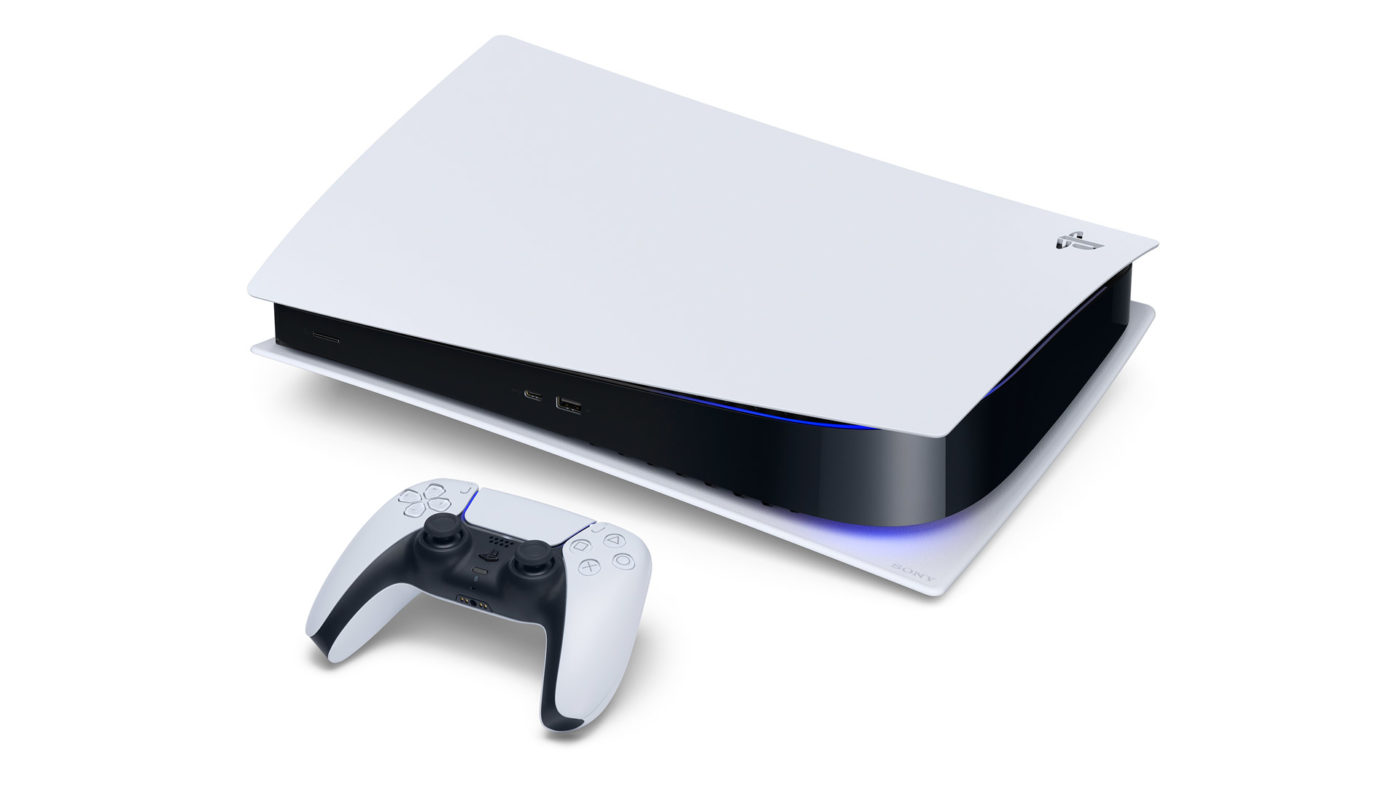
PS5 Deep Dive Into System Architecture Happening Tomorrow

While Microsoft unleashed quite a number of bombs yesterday with the Xbox Series X specs reveal and other stuff, Sony isn’t going to take it sitting down, as the company announced that a PS5 deep dive into the upcoming console’s architecture is happening tomorrow!

It takes place tomorrow at 9 a.m. PT/12 noon ET, and will be headed by Lead System Architect of the PS5 (and PS4) Mark Cerny. Expect it to happen at the PlayStation Blog.

Given the COVID-19 pandemic happening worldwide, gamers should expect more virtual reveals happening this year rather than physical press conferences. Mind, not really complaining since any next-gen news is good for everyone, and there’s Cerny’s soothing voice to listen to while he’s talking about the PS5’s system specs.

What are you expecting to see tomorrow? I’m personally hoping we get a glimpse of the new controller, but I doubt that’s happening. Heck, even a look at the console itself might be out of the question even.

More Next-Gen Reading:

Avatar photo

Alex Co

Father, gamer, games media vet, writer of words, killer of noobs.

Home > News

Fortnite Update 2.62 Rolled Out, Here’s What’s in v12.20 (Update)

Epic Games has released the Fortnite v12.20 patch, or what console gamers will see as Fortnite update 2.62. Once again, Epic Games has refrained from posting the actual patch notes, but we have the list of fixes and changes included in this patch!

Update: Added more confirmed new stuff and more at the bottom

Fortnite update 2.62 changes and fixes (known issues addressed by v12.20):

General:

Vault Banner is missing from Locker.

Description
The Vault Banner does not show up in players’ Locker.


Platforms
All


Discussion
Reddit thread

Battle Royale:

End of match: unable to return to Lobby, go to Item Shop, or report player.

Update
With the release of the PlayStation 4 and Xbox One maintenance patch on March 5 and the iOS maintenance patch on March 6, this issue has been resolved on those platforms.

We’ll provide an update when the issue is resolved on all platforms.


Description
At the end of a match, the “Return to Lobby,” “Item Shop,” and “Report Player” buttons may be unresponsive on controller.


Platforms
PC, Nintendo Switch


Workaround
To exit the match, open the Menu and select “Leave Match.”

If applicable, you can also select “Return to Lobby,” “Item Shop,” or “Report Player” via touch controls.


Discussion

Reddit thread

Player markers placed too far away.

Description
Player markers are placed on the terrain behind buildings/structures players could be aiming at.


Platforms
All


Discussion
Reddit thread

Stuck inside Porta Potty.

Description
Players may get stuck inside the Porta Potty they end up in after using a Secret Passage.


Platforms
All


Discussion
Reddit thread

Buildings and structures may appear low detail.

Description
We’ve seen an increase in reports of buildings and structures appearing low detail or loading in late in v12.10.


Platforms
All


Discussion
Reddit

Unable to resume Auto-Sprint on PlayStation 4.

Description
Players on PlayStation 4 may be unable to resume Auto-Sprint when they let go of the control stick after pushing it forward slightly left/right.


Platforms
PlayStation 4

Unable to place trap if trap icon hasn’t finished loading.

Description
Players may be unable to place a trap if the trap icon hasn’t finished loading.


Platforms
All


Discussion
Reddit thread

Creative:

Rails on the Yacht Prefab are displaced when placing the Prefab.

Description
When placing the Yacht Prefab the rails on the front and back of the Yacht do not align with the rest of the Yacht.


Platforms
All

Save the World:

B.A.S.E isn’t properly being impacted by perks.

Description
-The following Perks may not be properly applying to B.A.S.E:
Electrified Floors
BASE MD
Frozen Castle


Platforms
-All


Discussion
Reddit

Love lobbers poison cloud can sometimes cause semi-permanent damage.

Description
Love lobber’s poison cloud causes semi-permanent tick damage when walking into damage cloud after eliminating the beehive lobber.


Platforms
All

Banner Gadgets disappear earlier than intended.

Description
Banner gadgets acting as respawn points disappear earlier than intended.


Platforms
All


Workaround
None


Discussion
Reddit

Retrieve the Data missions sometimes can’t be started properly after the balloon has spawned.

Description
Retrieve the Data Missions will sometimes be unable to start normally which prevents players from progressing in the mission.


Platforms
All

Also of note, there’s a new Locker as well! Check it out below (via Lucas7yoshi):

Once we get more news regarding the items added and gameplay changes made, we’ll update the post.

So far there is (per ttopshagger):

-helicopters

-the rig is in multiple pieces

-spy ltm

-tutorial ltm that helps people with building defensively

-clingers, chug splashes, and sheild bubbles updated in the files

-slurp legends pack

-pleasant park has new helipad

-deadpool loading screen and wrap

-locker presets seem to be finished, could be in game right now but it’s UNCONFIRMED

-some strings about Lachlan and a fashion show were added

More stuff that are in today’s patch can be seen below.

Source: Fortnite (Trello)

Avatar photo

Alex Co

Father, gamer, games media vet, writer of words, killer of noobs.

Home > News

The Division 2 Update March 17 Edition Changes Listed

By the time you’re reading this, The Division 2 maintenance window is over. While that downtime took three hours to resolve itself, there’s a good reason for that as Ubisoft Massive has included a bunch of fixes to the game as well. Read up on The Division 2 update March 17 changes below. Note that this is a server-side patch and gamers do not need to download anything.

The Division 2 update March 17 patch notes:


  • We are temporarily disabling the ability to reset seasonal manhunts to prevent lost progression towards a manhunt. This is a temporary solution while we are working on a more permanent fix meant to release later in March. Once the final fix is implemented, we will reactive the ability to reset manhunts.
  • Fixed a progression blocker where an NPC became stuck at the last stage in Castle Clinton.
  • Fixed an issue that granted an incorrect number of Specialization Points per SHD level.
  • Fixed an issue where blue quality items dropped from regular NPCs in the DZ regardless of player max level.
  • Fixed an issue where players would gain multiple seasonal caches.
  • Fixed an issue with seasonal cache rewards becoming contaminated if players leveled in the season whilst in the DZ.
  • Fixed an issue that prevented players from gaining seasonal XP from DZ activities.
  • Fixed an issue where enemy NPCs would disappear at The Nest Control Point, halting progress at the “defend stage”.
  • Fixed an issue that prevented completion of The Nest Control Point on challenging difficulty.
  • Fixed an issue that would cause some NPCs to be stuck at spawn in various Control Points.
  • Fixed some puzzle reset issues on all Hunter encounters.
  • Fixed an issue causing Hunter encounters to give too many keys.
    • If you received too many keys, you won’t receive new keys until your completed encounters match your amount of keys.

Ubisoft mentions that these fixes rolled out are part of on-going efforts to fix the bugs discovered since the launch of Warlords of New York. Expect more changes and fixes to be deployed soon once they’re ready.

Source: Ubisoft forums


Avatar photo

Alex Co

Father, gamer, games media vet, writer of words, killer of noobs.

Home > DLC and Expansions

Borderlands 3 Guns, Love and Tentacles Gameplay First Look

Those who can’t get enough Borderlands 3, the next gamepaign DLC titled “Guns, Love and Tentacles: The Marriage of Wainwright and Hammerlock” is set to launch on March 26, and we have our first Borderlands 3 Guns, Love and Tentacles gameplay look!

Check out 12 minutes of gameplay below.

Gaige is here to kick ass and plan weddings in this first gameplay preview of Borderlands 3’s upcoming campaign DLC. “Guns, Love, and Tentacles: The Marriage of Wainwright & Hammerlock” drops March 26!

Here’s the full description for the DLC straight from the press release:

In case you missed the original announcement, Sir Alistair Hammerlock and Wainwright Jakobs are finally tying the knot, and they want you to come celebrate on the ice planet of Xylourgos, where a gargantuan monster lies frozen above a village full of deranged occultists.

You’ll have to fight back the forces of otherworldly evil if Wainwright and Hammerlock are to have their happily ever after. Luckily, the most badass wedding planner in the galaxy has your back: Gaige, a former Vault Hunter who’s inseparable from her robot BFF Deathtrap. And that’s not all:

  • Reunite with old friends and team up with some eerie new characters to help true love triumph over eldritch horror;
  • Confront bloodthirsty enemies and formidable bosses, including alien beasts, hideously mutated occultists, and a clan of cold-blooded bandits;
  • Delve into the disturbing and occasionally daft backstories of cursed townsfolk in a host of spine-tingling side missions;
  • Arm your Vault Hunter with some of the deadliest gear in the galaxy, including a trove of additional Legendaries and some supremely powerful Class Mods; and,
  • Flaunt your sense of style with a slew of new cosmetic items, from Vault Hunter Heads & Skins to interactive Room Decorations and all-new Vehicle Skins.

This upcoming Borderlands 3 expansion is included in the Borderlands 3 Season Pass and Super Deluxe Edition. Gearbox mentions that they will do a deep dive into the Guns, Love and Tentacles DLC in the upcoming Borderlands Show on March 24, where the studio will also talk about Mayhem Mode 2.0, the Revenge of the Cartels seasonal event and more.

Avatar photo

Alex Co

Father, gamer, games media vet, writer of words, killer of noobs.

Home > News

Xbox Series X Controller Features a New D-Pad, Textured Grip

Earlier today, we posted the official Xbox Series X specs. While that in itself is impressive, some might be wondering what (if any) big changes are coming to the Xbox Series X controller. The short answer here is: not a lot — at least from what was revealed today.

The Xbox Series X controller seems to mirror the Xbox One controller 1:1, except for a few things such as the directional pad (d-pad) and having textured should grips. Check out the screens below straight from Microsoft.

Meet the new Xbox Wireless Controller

Experience the modernized design of the Xbox Wireless Controller, featuring sculpted surfaces and refined geometry for enhanced comfort during gameplay. Stay on target with textured grip and a hybrid D-pad; capture and share content seamlessly while you play; and quickly pair with, play on, and switch between supported consoles, PCs, and mobile devices.*

While some might be disappointed we’re not seeing any sweeping changes made to the next-gen controller, there’s not a lot left to improve on it as well, no? I’d personally would want triggers or back buttons to be the standard, but I guess that’s not going to happen given that would make the Xbox Elite Controller obsolete.

Are you happy with the Xbox Series X controller or did Microsoft fail to capitalize on introducing something new? Let us know your thoughts down below.

Avatar photo

Alex Co

Father, gamer, games media vet, writer of words, killer of noobs.

Home > News

Halo 2 PC Version Enters Testing This Month

It won’t be long now for players to finally get a hold of the Halo 2 PC version as 343 Industries have revealed that test phases will begin later this month.

Detailed on the recent Development and Flighting Update post, 343 Industries’ Tyler Davis confirmed that the flight test for Halo 2 PC version will start near the end of this month.

Many of you already know this, but Halo 2 and Halo 2: Anniversary are now on deck for the next release to PC. With that in mind, the team is heads down on creating the spec for the next series of PC flights. We’re currently planning for our next flight to include content for Halo 2, Halo 2 Anniversary, Halo: Reach’s Forge & Theater for PC, and potentially some Halo: Reach audio fixes. These fixes are still in progress, so currently they may or may not come in for our next series of flights.

As a reminder, flighting is a way for us to get early access builds out to our Halo Insiders before they reach the public. Often things are rough around the edges and truly represent a work-in-progress. Building these games is a process and things can change. All of the content listed above may change and so may the timing, but if all goes well, we are targeting our next public flight for the end of March. If we remember back to earlier this year, we aimed to start flighting in January, but it ended up rolling into February when those kicked off. Please be patient as we want to get these out as quickly as possible, but in development: things happen.

Halo 2 will mark the third title from the Master Chief Collection, with Reach releasing last year and Halo: Combat Evolve just this month. We will most likely see the full release of Halo 2 for PC sometimes during the Summer season.

If you wish to participate in the flight test, be sure to be subscribed to the Halo Insider Program. Do note that being subscribed does not guarantee access to the flight tests.

Credit Source: Eurogamer 

Avatar photo

James Lara

A gamer at heart, James has been working for MP1st for the last decade to do exactly what he loves, writing about video games and having fun doing it. Growing up in the 90's gaming has been in his DNA since the days of NES. One day he hopes to develop his own game.

Home > News

Daily Battlefield 1 Game Mode Rotation Starts Today

If you’re a Battlefield 1 player and you want to keep things fresh, DICE is doing just that with a daily Battlefield 1 game mode rotation. Beginning today, and running from Monday to Friday of each week, Battlefield 1 will be getting different modes to keep things jumping.

This was announced by DICE Producer Jaqub Ajmal over on Twitter, where he also shared that today’s mode rotation starts with Conquest on Turning Tides!

Players can expect the daily BF1 game mode switch ups to happen at 9 a.m. CET (4 a.m. ET).  This game mode refresh is particularly helpful for those playing Battlefield 1 and want to experience something different each day. Given the situation we’re in now globally with the COVID-19 pandemic, playing video games might just be one of the safest ways to entertain ourselves with friends.

What game mode do you want to see in Battlefield 1 come back? Let DICE know your thoughts and who knows, they might just do it.

Avatar photo

Alex Co

Father, gamer, games media vet, writer of words, killer of noobs.

Home > News

Watch the Xbox Series X Load Times and Quick Resume Features Shown Off

Just last month, Microsoft revealed that the Xbox Series X revealed would allow quick resume on multiple games. As part of the Xbox Series X specs reveal today, Microsoft also showcased the Xbox Series X load times as well as the quick resume feature!

Watch a side by side loading time comparison for State of Decay 2, where one is loaded using an Xbox One X, and the other is on the Xbox Series X, and the results are surprisingly huge.

Xbox Series X load times and quick resume features demoed (official):

Xbox Series X – loading times vs Xbox One:

Gamers will experience more time playing and less time waiting as loading times will be greatly decreased thanks to the processing power of Xbox Series X.

Xbox Series X – Quick Resume:

A new feature powered by the technical capabilities and the innovative Xbox Velocity Architecture in Xbox Series X, Quick Resume enables players to seamlessly switch between multiple titles and resumes instantly from where you last left off.

As you can see, the loading time is huge, and should make gaming less of a wait. Of course, the Xbox Series X loading times are bolstered by the 1TB SSD (Solid State Drive), which is available out of the box for the console.

Avatar photo

Alex Co

Father, gamer, games media vet, writer of words, killer of noobs.

Home > News

Resident Evil 3 Remake Demo Out on March 19, Resident Evil Resistance Beta Starts March 27

Excited for Resident Evil 3 Remake? What about the game’s free multiplayer Resident Evil Resistance? If you’re excited for either title, you’re going to have a good month! Capcom has announced the Resident Evil 3 Remake demo release date, as well as that Resident Evil Resistance will haven an open beta.

In a press release, Capcom announced that the Resident Evil 3 Remake demo is out this March 19 for PS4, Xbox One, and PC gamers.  Called the Resident Evil 3: Raccoon City Demo, it’ll let players play as Jill Valentine, as she teams up with Carlos Oliveira and the Umbrella Biohazard Countermeasure Service (U.B.C.S.) to evacuate civilians from a crumbling Raccoon City. The demo will be available on March 19 at 12 a.m. ET on Xbox One, and at 1 p.m. ET on PS4 and PC.

In the demo, Capcom has a Mr. Charlie scavenger hunt tucked away! There are 20 Mr. Charlie status strewn across Raccoon City, and players will have an on-screen counter to keep track of the acquired statues they get during their playthrough.

If you absolutely do not want anything spoiled for you and want to play the game fresh when it launches this April, perhaps you’d rather play Resident Evil Resistance? Capcom’s 4v1 asymmetrical multiplayer experience included with Resident Evil 3 Remake will be in open beta starting March 27. Players will have the option to take on the role of Daniel Fabron, who’s one of the game’s four Masterminds. If that’s not your cup of tea, players can also band together as one of the Survivors who each have a unique ability to help their team escape traps and other dangerous stuff before the time expsires. The Resident Evil Resistance beta starts March 27 at 3 a.m. ET on the Xbox One, and 1 p.m. ET on the PS4 and PC. The open beta will be available until the game launches on April 3, 2020.

In other Resident Evil 3 Remake news, the game won’t have multiple endings. You can watch the latest trailer of the game right here.

Avatar photo

Alex Co

Father, gamer, games media vet, writer of words, killer of noobs.

Home > News

Xbox Series X Official Specs Revealed

While we’ve already reported on the Xbox Series X specs (specifications) before, it was mostly about raw power and what it can do from a gaming standpoint. Today, Microsoft has revealed the Xbox Series X official specs, and it’s one beastly console!

Targeting to release games at “true” 4K gaming and 8K ready, games can hit 120 frames-per-second. Check out the full specs below, and yes, this is official and what gamers will get when the console is made available later this holiday 2020.

Xbox Series X official specs:

  • CPU: 8x Zen 2 Cores at 3.8GHz (3.6GHz with SMT)
  • GPU: 12 TFLOPs, 52 CUs at 1.825GHz, Custom RDNA 2
  • Die Size: 360.45mm2
  • Process: TSMC 7nm Enhanced
  • Memory: 16GB GDDR6
  • Memory Bandwidth: 10GB at 560GB/s, 6GB at 336GB/s
  • Internal Storage: 1TB Custom NVMe SSD
  • IO Throughput: 2.4GB/s (Raw), 4.8GB/s (Compressed)
  • Expandable Storage: 1TB Expansion Card
  • External Storage: USB 3.2 HDD Support
  • Optical Drive: 4K UHD Blu-ray Drive
  • Performance Target: 4K at 60fps – up to 120fps

In addition to that, the company also announced the following technical info.

Split motherboard

For the first time ever on console, an innovative split motherboard keeps the Xbox Series X internals evenly temperature controlled, allowing for the console to output more power.

Heat-sink chassis

A heat sink is a non-electronic, passive mechanical component that has a vital role in the reliability and performance of the Xbox Series X and is integrated directly into the chassis of the console. This unique component of the parallel cooling architecture helps lend to the distinctive design of the console.

Vapor chamber

The vapor chamber in the Xbox Series X enables evenly spread temperatures with the core and memory.

Whisper-quiet fan

As part of the parallel cooling architecture, the whisper-quiet fan keeps the Xbox Series X internal components cool without disturbing your gameplay.

More storage without compromise

The Xbox Series X Storage Expansion Card provides additional game storage at peak speed and performance by replicating the console’s internal custom SSD experience. The 1TB card is inserted directly into the back of the console via the dedicated storage expansion port.

As for our next official look at the Xbox Series X, we’re expecting it this coming June, where Microsoft confirmed that it was doing a digital presentation.

Source: Xbox

Avatar photo

Alex Co

Father, gamer, games media vet, writer of words, killer of noobs.

Home > News

Warframe Update 1.83 Out, Here’s the Long List of Changes in 27.2.2

Following the release of Warframe patch 27.2.2. on PC two weeks ago, consoles are getting the patch today, and it’s live! Console gamers will see this as Warframe update 1.83, and it’s a massive download!

According to Digital Extremes Warframe update 1.83 grabs everything from hotfix 27.1.1 up to 27.2.2, and this patch will feel diferently depending where you are in your Warframe journey. Also, this patch is a “remaster” and as such, Warframe needs to be re-downloaded in its entirety to bring it from 48GB to 29GB.

Before diving into the patch notes, check out a quick FAQ for those wondering what this update does and how it will affect your current game download.

This is a remaster update! 

Warframe on PS4 is not only getting Revised, but reduced (in size that is)! For those unfamiliar with the remastering process, when we launch a remaster update we are essentially doing a big cache cleanup to optimize old and existing assets. When we do this, we free up space that ultimately reduces the overall size of Warframe on your PS4’s HDD. When the update goes live, Warframe will go from 48 GB to roughly 29 GB after it has been fully downloaded again! 

It is important to note that since this affects existing assets, Warframe will be re-downloaded in its entirety. This will appear no different from any other update, business as usual! It will download in the background as is expected with all main title updates.

Here are some things to keep in mind: 

  • You do NOT need to delete Warframe before the update.     

  • You do NOT have to back-up your data before the update. 

  • Your Warframe settings should be saved after the remaster launches, but we have run into issues in the past where they have – we apologize if this occurs!

Warframe update 1.83 patch notes:

We would also like to clarify that the Impact, Gas, and Kuva Lich Status Changes mentioned on Devstream #140 will not be in this Update. You can expect those changes in your next Update!

Console Specific Notes: 

  • Similarly to when we deployed Warframe Revised on PC, our PS4 Tenno can expect a 2x Affinity Weekend to follow the week that the update is deployed. We will post a PSA once the bonus weekend is live!
  • Controller Changes & Fixes:
    • Added a new Railjack pilot control “Pilot Centered Crosshair” option that, when set, the look input will only turn the Railjack and will not affect your crosshair. To enable/disable go to Options > Controls > Scroll down to “Railjack”:
      • You are already familiar with the enabled state of this option as it was the previous default and only crosshair option. Now, when you disable this option, the left stick will move your Railjack (forward/back/side to side), and the right stick will now allow you to freely move the reticle across the screen.
    • Increased the smooth time for non-centered reticles while piloting/using turrets in the Railjack.
    • Fixed missing bumper functionality when cycling through Components and Armaments categories in the Configure Railjack panel.
    • Fixed both the “on” and “off” state of the Railjack Ability Menu not getting bound to the Custom Ability Menu keybind.
    • Fixed an issue where rebinding the Ability Menu in the Railjack controller options would allow you to open it with the new binding, but force you to use the default binding to close it. Rebinding the Ability Menu will now use the new binding to open and close it.
    • Fixed customizing your Railjack controls always showing them as their default button regardless of the changes.
    • Fixed “Vector Maneuver” and “Drift Maneuver” not functioning as intended (only boosting) due to binding conflicts.
    • Fixed an issue where performing a Dodge while piloting Railjack would only ever cause it to lunge downwards.
    • Fixed Blink not working who have never customized their controls (ie. using defaults).
    • Fixed custom Railjack bindings not applying to hijacked Crewship turrets.
    • Fixed ability to endlessly descend the Railjack by holding down bumpers while Piloting.
    • Fixed “Search” and “Show Ranked” being bound to the same button, causing priority issues on selecting in the Avionics screen.
    • Fixed an issue where “Move Up/Down” couldn’t be rebound in the Railjack controller options.
    • Fixed excessive “rise/fall” sound triggering when Piloting Railjack due to controller issues.
    • Fixed script error when equipping Armaments onto your Railjack due to controller issues.Increased the smooth time for non-centered reticles while piloting/using turrets in the Railjack.
    • Fixed missing button functionality to swap through tips in the Railjack Configure screen.
    • Fixed “Search” and “Show Ranked” being bound to the same button, causing priority issues on selecting in the Avionics screen.
    • Fixed script error when equipping Armaments onto your Railjack due to controller issues.
    • Fixed excessive “rise/fall” sound triggering when piloting Railjack due to controller issues.
    • Fixed Railjack and Decoration placement headers appearing under the Archwing settings in Options > Controls.
    • Fixed “Search” and “Show Ranked” both being bound to L3 when using a controller, causing priority issues on selecting in the Avionics screen.
    • Fixed an issue where “Move Up/Down” couldn’t be rebound in Railjack controller options.
    • Fixed an issue where rebinding the Ability Menu in the Railjack tab controller options would allow you to open it with the new binding, but force you to use the default binding to close it. Rebinding the Ability Menu will now use the new binding to open and close it.
    • Fixed customizing your Railjack controller controls always showing them as their default button regardless of the changes.
    • Fixed “Vector Maneuver” and “Drift Maneuver” not functioning as intended (only boosting) due to controller issues.
  • Major optimization for Survival missions geared predominantly to improve performance on consoles.
  • The following additions that came with PC’s Update 27.2.0 will not be live in this update for PS4:
    • HDR Preview: We are looking into the tech support to potentially bring the HDR Preview option to PS4 Pro – stay tuned!
    • Deferred Rendering Preview: We are looking into the tech support to potentially bring this option in the future!
    • Audio dynamics processing to master output: The code to support this is currently not ready to go live on PS4 with this update! We are working towards it for a future release.

PS4 Specific Notes: 

  • Made fixes towards high-latency issues in the Vox Solaris quest, as reported here: https://forums.warframe.com/topic/1165740-vox-solaris-quest-bug/
  • Fixed clipping issue with Titania’s Empress skin and the Obsidian Corvus Syandana.
  • Made improvements towards a (up to 4 second) hang that could occur when selecting “Appearance” in the Arsenal.

XB1 Specific Notes: 

  • Optimized the effects on Titania’s Lantern ability to improve performance.
    • This was particularly noticeable on XB1 where FPS would drop below 30 – should perform much better now!
  • Optimized Hildryn’s Aegis Storm to improve performance.
    • The cost of the FX of Aegis Storm on XB1 was causing rooms that normally run just fine with no FPS issues to drop below 60, which would result in a significant impact to performance during a normal mission.

The New War Chapters:
A Codex Quest chapter entry for The New War has been added for those who have completed the Sacrifice Quest! As you might be aware, The New War has started, and with Scarlet Spear coming soon we want players to be properly informed as The New War develops. If you have yet to complete the Chimera Prologue or the Erra Quest, head to The New War Codex Quest entry to access a shortcut to these Quests.

Railjack Onboarding Changes:
The Rising Tide Quest gives you your very own Railjack, but the barrier to entry is – conclusively with months of stats – too high. We are releasing a revised series of Blueprints (BP) in the Quest that sees costs reduced between 66% – 75% for Railjack parts, and building time reduced to 6 hours each.

There are 3 situations players may find themselves in:

1. Haven’t started Rising Tide. Anyone just beginning will have fully new reduced BP costs.
2. Has started Rising Tide. Anyone with any progress at all gets 1x Rush Repair Drone, and will transition to new costs on the next Stage. Any old costs will be refunded.
3. Rising Tide Complete. Anyone with a complete quest gets 2x Rush Repair Drone. All cost differences will be refunded.

WHY:
Upon Review, stats show truly the only people that saw Rising Tide to completion were our veterans, which was originally our intent to design content for veteran players. However, to sustain the cost of future development and events like Scarlet Spear, accessibility is key and we have to adjust the barriers to entry for Railjack. For those who were early adopters, 2x Rush Repair Drones will be given out. Anyone with the Rising Tide Quest active will receive 1x Rush Repair Drone. For those unfamiliar with Rush Repair Drones: these items can only be acquired via rare drop in the Veil Proxima, as they allow you to instantly complete a given Armament or Component.

Railjack Changes & Fixes:

  • Added a new Crewship in Veil Proxima missions: Exo Skold Crewship! It is a variant of the Gokstad but it has an impenetrable shield – you’ll have to get crafty to figure out how to take it down, Tenno.
  • Added a ‘Forge All’ button on the Railjack Payload screen in the Dry Dock.
  • Avionics Screen no longer uses ‘Hold to Confirm’.
  • Intrinsics Screen no longer uses ‘Hold to Confirm’.
  • Avionics that are over capacity will now appear as “disabled” instead of being outright removed.
    cd6a663a90b664448f112b13e0d1c4f2.jpg
  • In a continued effort to avoid getting downed in Railjack situations you can’t control:
    • 4 seconds of invulnerability will be given when entering a Crewship via the Archwing Slingshot.
    • 2 seconds of invulnerability will be given when using context actions and the Omni Recall.
  • The Railjack Payload screen will now show the total Ordnance Ammo you have in your account when you’re in the Dry Dock, to make it clear that you aren’t wasting anything if you craft more than your Railjack can carry.
  • Disabled migrations during Railjack level transitioning (Void tunnel) to avoid putting new Host in completely broken states.
  • Disabled ability to enter the Archwing Slingshot while in a level transition (Void tunnel) due to loading into the Railjack mission in many broken states.
  • Improved Railjack Grineer Fighter variety across all 3 Proxima regions.
    • The way the levels were set up on the various Grineer Fighters, some of the nodes had level ranges that were too high for all the varieties to appear (The Elite varieties on Earth never spawned for example). So we re-adjusted the level ranges for the various Grineer fighters (Kosma, Gyre, Exo) across all 3 regions , so that there was a better spread of the different fighter types across the nodes. In other words, the lower level nodes of a region will spawn the basic fighter types and then as the difficulty of the nodes progress the Elites are slowly introduced.
  • When a Railjack mission completes, downed/dead players will be Revived and all Revives will be reset. Allowing you and your squad to continue on your Railjack journey instead of having to return to the Dry Dock.
    • This fixes staying stuck in spectator mode in all Railjack missions if all Revives have been used up.
  • Quick Meleeing with the Omni tool in hand will no longer unequip the Omni. This is now consistent with other Gear items, like Fishing/Mining.
  • In an effort to increase stat exposure and reduce clickthrough scenarios, we’ve made some changes to how Railjack Armament stats are displayed:
    • Railjack Armament stats now show up below the description in the info popup without having to navigate to the second tab.
    • Upon selecting an Armament that is not equipped, the UI will display it’s comparison stats with your current equipped weapon side by side.
    • c5e8375f27bfd82ae5fd65ea9c6a1fa5.jpg&key
  • You can now scrap as much Wreckage as desired when prompted due to being at max capacity before missions instead of just the minimum amount.
    • We found it quite cumbersome to have to go back to the Railjack Configure panel in the Dry Dock to clear out your Wreckage inventory over and over again. The previous implementation forced players to run into this prompt often and could cause them to fail loading into a mission (or worse causing instant migrations if Host). This new implementation prevents this issue from occurring and gives more freedom on how much Wreckage to clear outside of the Configure panel.
  • Enemy Crewships will now take on the Health and Armor values of the player’s Railjack when hijacked.
    • Shield values do not apply here as Grineer enemies do not have Shields.
  • The Forward Artillery will now fire on release instead of auto firing immediately after charge is complete.
    • After 3 seconds of holding the charge, the Cannon will auto fire. This brief time allows you to have more control over where you want that cannon fire to land.
  • Added “Sigma” category to sort through Sigma series Components and Armaments in your Railjack Configure panel.
    6edad79552e0200d401f1b85eb8eaded.jpg
  • Improved the wing cam when using the Tactical Map – it should be much more instant when transitioning!
  • Increased Railjack’s Energy tube material brightness to make it a bit more obvious with darker tints.
  • Changed material tinting across all Railjack Skins so that it matches and is more consistent with the base Railjack.
  • Improved the Crewship meltdown FX so that it is more obvious from the exterior.
  • Avionics that are incompatible with the selected Grid slot will be auto listed at the bottom and appear greyed out to avoid confusion as to why it can’t be equipped.
  • Armaments/Components that are equipped in the selected slot are now marked as “equipped”, Armaments/Components equipped in other slots are still marked as “equipped on X”. This directly correlates to the below fix:
    • Fixed Railjack Armaments/Components UI not displaying the correct name of the selected Armament/Component when Scrapping, resulting in accidental Scrapping of your equipped Armament/Component.
  • Improved performance of enemy fighter markers in Railjack missions.
  • Reduced brightness on the Dome Charge FX.
  • Fixed Railjack Clients crashing aboard the Missile Platform after destroying the core.
  • Fixed a loss of functionality for Clients upon loading into a Railjack mission.
    • More specifically, this issue would result in the Client appearing to skate around instead of walk, hold an invisible weapon, and getting completely stuck when mounting a Turret.
  • Fixed progression stopping bug if a Host migration occurred after the first radiator has been exposed on a Pulse Turbine POI, and players then proceed to destroy the exposed radiators.
    • After the Host migration, both radiators would be visible and vulnerable, at which destroying both of them would leave the mission broken due to having nothing to destroy after hacking the second console for the second radiator.
  • Fixed loading into a Railjack mission from friends Orbiter leaves Client screen black.
  • Fixed Clients having no Archwing if the Railjack mission was launched after being invited to an Orbiter.
  • Fixed falling in an endless void after using the Archwing Slingshot as a Client into an exploding Crewship and attempting to leave the ship.
  • Fixed Clients experiencing infinite loading when attempting to load into the Dojo from the Star Chart with the Host.
  • Fixed an edge case where performing a finisher at the moment the Crewship reached metldown punting you back to the Railjack in a very dead state.
  • Fixed an edge case where using a Turret or doing a finisher in a Crewship when the Omni tool’s countdown expired could leave you in a broken state and not recalling you.
  • Fixed Railjack Breaches sometimes being unrepairable when joining an active mission.
  • Fixed inability to use certain Intrinsics during a Railjack mission as the Operator.
  • Fixed Clients sometimes not being able to activate Railjack Battle Avionics.
  • Fixed ability to gain Railjack Flux Energy for free from killing enemies with a Battle Avionic.
  • Fixed the Intrinsic skill “Tactical Efficiency” (Tactical Rank 6) not modifying the Flux Energy cost of using Battle Avionics in a Railjack mission.
  • Fixed the Intrinsic skill “Reflex Aim” (Gunnery Rank 10) not snapping the player’s targeting reticle to the nearest enemy lead if using a Railjack hit-scan laser weapon.
  • Fixed inability to use Archwing Sprint if you were crouching/sliding as you exited the Railjack.
  • Fixed max Ranked Railjack ‘Tether’ Avionic not tethering up to 6 enemies as intended.
  • Fixed more cases of the never ending tunnel when loading into Railjack missions after 2 players select different nodes at the same time.
  • Fixed missing markers for Command Link when Piloting or using a Turret.
  • Fixed the reticle getting stuck on the right side of the screen when you aim down sights while Piloting with Rank 10 Gunnery.
  • Fixed Railjack Turrets aiming towards the Tether Avionic projectile when cast, causing them to point in weird directions
  • Fixed Ramsled boarded enemies remaining frozen in place after casting the Tactical Avionic ‘Intruder Stasis’ even after they’ve died.
  • Fixed Ramsleds not getting affected by Status Effects.
  • Fixed an issue where Heat Avionics were not being applied correctly.
  • Fixed description for ‘Void Cloak’ in The Tactical Menu not displaying the correct cooldown time if Tactical Rank is 7+.
  • Fixed being able to close the Tactical Menu during “Recall Warp” which caused further attempts to use “Recall Warp” to no longer function.
  • Fixed gaining max Health and Shields, Power Strength and presumably any other Archwing-specific bonuses while using Titania’s Razorwing mode in Railjack.
    • This is due to the Intrinsic Ranks that grant Archwing bonuses ( Vigilant Archwing, Vengeful Archwing, etc). These only apply to your true Archwing, not tiny fairy mode.
  • Fixed projectile speeds of certain Armaments causing bandwidth issues for Clients.
  • Fixed getting stuck on alt camera angle while piloting Railjack. This also fixes the issue of losing HUD when swapping back to Piloting view after being at an alt angle.
  • Fixed Void Hole appearing offset if activated by a Client who is Piloting the Railjack.
  • Fixed being equipped with your Parazon or completely unarmed if you use the Crafting Forge in your Railjack while your Omni Tool or Scanner is equipped.
  • Fixed several issues when entering the transportation tubes in the Sentient Anomaly:
    • Fixed automatic weapons continuously firing while traveling in the tube.
    • Fixed issues with staying in the tube if attempting to move around in all kinds of directions.
    • Fixed Operators in Void Mode speed running in the tube.
    • Fixed issues with getting stuck in the Pause menu while traveling in the tube.
  • Fixed inability to use Transference after spamming Transference while trying to exit the Railjack.
  • Fixed crash when using Transference at the same time as entering the Railjack Slingshot.
  • Fixed loading into the Archwing Slingshot with an Arch Gun active, causing players to fire the Arch Gun instead of hurling their Warframes out of the Slingshot.
  • Fixed Companion Pets sometimes being gigantic on the Railjack.
  • Fixed your Warframe having disjointed hips when Bullet Jumping into the Forward Artillery.
  • Fixed cases of the Asteroid Base being invisible in Railjack unless you had geometry detail set to High.
  • Fixed Avionic and Salvage pickup markers at times not showing distance values.
  • Fixed inconsistent Crewship meltdown timers if you had numerous Crewships in meltdown mode.
  • Fixed being put in a broken state when attempting to execute a Crewship pilot at the same time as the Crewship enters meltdown mode.
  • Fixed some edge cases where players could get stuck when trying to pilot an enemy Crewship that is in meltdown mode.
  • Fixed a rare case where your weapons function as Unmodded when boarding an enemy Crewship as a Client.
  • Fixed projectiles from stolen Crewship looping around in a circle before disappearing.
  • Fixed a script error that could occur if you executed the pilot of an enemy Crewship just as it was exploding.
  • Fixed mission objective UI appearing and overlapping the Options menu when you pause the game while using a Turret in the Railjack or stolen Crewship.
  • Fixed projectile Armaments like the Apoc or Cryophon ignoring the gigantic rocks in front of enemies and damaging them anyways.
  • Fixed a ‘Hold to Revive’ prompt appearing outside the top of the Railjack during a Catastrophic Failure. Allowing you to actually revive the Railjack’s Health with that apparently very effective green hand gas.
  • Fixed various collision issues in the Railjack that allowed Titania to exit the railjack while in Razorwing.
  • Fixed missile-distraction abilities from Odonata and Elytron being ineffective against missiles that stop tracking halfway in Railjack missions. This notably affects the long-range Grineer Crewship missiles (not the shorter range cannons, which aren’t homing).
  • Fixed scaling issue with the Imperator Vandal’s muzzle smoke FX in Railjack missions.
  • Fixed Railjack Glyphs sometimes appearing when inside the Archwing Slingshot.
  • Fixed not seeing your custom Railjack name when viewing the Railjack while in Archwing.
  • Fixed a copy of your Warframe being created after selecting the Dry Dock as Operator and Transferring back to Warframe. This also fixes issues of having a bunch of sentient Excalibur Umbras running around.
  • More fixes towards broken Dry Docks when some players have different progression into the Rising Tide Quest.
  • Potential fix towards Clients unable to exit the Railjack once back in the Dry Dock from a mission.
  • Fixed Operators taking on the color scheme of the Railjack interior after exiting any of the turrets in the Railjack.
  • Fixed Clients not seeing Host’s Railjack customizations (colors and Skin).
  • More fixes towards scrolling back to top issue when contributing or rushing a Railjack weapon or component. Now when you contribute or rush the window will remain where the item is as to not force you to search for it again.
  • Fixed Railjack Configure UI screen overlapping with the Trading window when invited and accepting to trade in the Dojos. This also fixes being unable to accept invites while on the Intrinsics menu.
  • Fixed an issue where a “Select All” option was appearing in the Railjack Scrap menu, but had no functionality.
  • Fixed a black shadow replacing one of the Wreckage icons when selecting MR tabs in the Railjack Configure panel.
  • Fixed Wreckage having to be deselected and reselected to show available options after you previously Contributed to it.
  • Fixed Scrapping equipped Reactor causing issues with re-equipping Avionics that were auto-unequipped to fit back under capacity.
  • Fixed selecting ‘Ask Me Later’ on the over capacity Wreckage prompt causing a long delay.
  • Fixed missing warning when attempting to Trade an already equipped Avionic.
  • Fixed some cases where the Grid in the Railjack Configure panel would show less elements than intended.
  • Fixed inability to use the ‘Change Loadout’ button functionality in the Railjack Navigation screen when anchored in the Dry Dock.
  • Fixed Rank checkmarks in the Intrinsic Details list not automatically updating after you’ve Ranked up.
  • Fixed the new chosen colours of your Railjack not saving if you go into the Payload screen right after changing colours.
  • Fixed Client players UI Theme color persisting on screen if said player is viewing the Payload, Avionic or Intrinsics screen when the Host launches a mission.
  • Fixed Platinum price of Glyphs/Railjack Skin displaying when hovering over the already purchased and selected Glyph/Railjack Skin in the Customization screen.
  • Fixed Railjack Customization UI lingering after purchasing and equipping a Railjack Skin.
  • Fixed selecting the Companion loadout in the Railjack Arsenal starting from a black screen and moving to the Companion station in the Dojo.
  • Fixed Dry Dock docking clamps disappearing at certain angles form viewed from inside the top level of the Railjack.
  • Fixed Codex missing descriptions for the Exo Raider, Exo Raider Carver, and Exo Raider Eviscerator.
  • Fixed missing localization when loading into the “Railjack Key Mission” in the Rising Tide Quest. It is now properly localized to “INVESTIGATE COORDINATES ON LUA”.
  • Fixed a script error as well as a case where some of the effects of the Forward Artillery gun in Railjack lingered forever if you started and stopped charging it very rapidly.
  • Fixed the banners in the Dry Dock near the entrances not using the Clan Emblem.
  • Made fixes towards POI marker inconsistencies.
  • Potential fix for a script error that occured when collecting loot in a Railjack POI.
  • Fixed script error with host migration after exiting Railjack.
  • Fixed unlocalized Avionics.
  • Fixed a couple cases of Grineer Mines being unlocalized.
  • Fixed inability to complete the Sentient Anomaly mission due to objective resetting.
  • Fixed Railjack Battle Avionic icons appearing white in mission.
  • Fixed a script error when dismounting the Archwing Cannon in Railjack.
  • Fixed a script error when attempting to Scrap a selected Armament.
  • Fixed a script error after Scrapping Wreckage.
  • Fixed ability to spawn Crewships almost indefinitely, resulting in exploitive Intrinsic farming.
  • Fixed getting a black screen after exiting the Railjack while Transferring to the Operator at the same time.
  • Fixed inability to Scrap the Fiery Phoenix Battle Avionic due to the description exceeding the screen limits.
  • Fixed an invisible blocking volume when a Clan Hall is placed just below the Drydock
  • Fixed a lengthy hitch when switching Loadouts in the Railjack Navigation panel.
  • Fixed the Avionic Upgrade window auto scrolling up after Upgrading an Avionic, instead of leaving you in the position you were in prior.
  • Fixed seeing ‘[HC] Vidar Fire Suppress’ when using the Tactical Intrinsic Ability Fire Suppression when your Railjack has both fire and electrical damage.
  • Fixes towards a script error after returning to the Dry Dock from a Railjack mission.
  • Fixed a script error in the Sentient Anomaly mission.

Kuva Lich Changes & Fixes:

  • We have removed the back-to-back Kuva Lich weapon mechanic where your Kuva Lich would have a guaranteed different Kuva weapon than its immediate predecessor.
    • With the change of the Kuva Larvling now displaying its birthed Kuva Lich weapon, there was no need to maintain the back-to-back restriction as you can now just choose to ignore or take the back-to-back weapon if you wish you use it for Valence Fusion.
  • Requiem Murmurs from failing a Kuva Lich Parazon stab will now be shared with the entire squad!
    • If we take a trip down memory lane, we’ll arrive at The Old Blood: Update 26.0.6, where a fix was included from PC’s Hotfix 26.0.5 that fixed all players receiving Kuva Lich Requiem Murmur progress whenever someone in the squad failed to kill their Kuva Lich. This was never actually live for our console players as the same update that introduced it also included the fix that removed it. Our intentions to have the Kuva Lich tied exclusively to the respective player were genuine, but the feedback has shone light on what is a worthwhile feature for the Kuva Lich system given its pace towards success. We have bigger plans for Liches for connecting them to other Systems, but this change is the only one ready for Mainline!
  • Kuva weapon innate bonus damage values now show when you are equipping the weapon in the Arsenal!
  •  Removed the Kuva Bramma from Conclave eligibility due to not being Conclave balanced yet.
  • Added fancy new FX when Valence Fusion has been successfully completed!
  •  The Kuva Lich section of the Codex now has tabs for Active, Vanquished, Converted, and Traded Liches!
  •  Decreased the chances of Kuva Lich controlled sectors forcing an Exterminate situation to allow for more gamemode chances.
  • Fixed Clients unable to use the pause menu after Parazon stabbing a Kuva Lich.
  • Fixed the Kuva Nukor, Kuva Hind, and Kuva Bramma weapon progression showing as complete in the Codex when at Rank 30 instead of it’s true completed Rank of 40.
  •  Fixed only 1 Kuva weapon maintaining its innate bonus damage attribute and respective Kuva Lich name when claiming multiple Kuva weapons using the ‘Claim All’ button in the Foundry.
    • This retroactively fixes the Kuva weapons that lost out on their innate bonus damage by giving them back their random buff. Unfortunately, the Kuva Lich name can’t be easily associated with the Kuva weapon, so these fixed weapons will have the default Kuva weapon name (Kuva Tonkor, Kuva Bramma, etc).
  •  Fixed Kuva Larvling not spawning Kuva Lich if downed before Host migration and captured after Host migration.
  •  Fixed becoming stuck on a Rampart after Parazon stabbing your Kuva Lich on it.
  •  Fixed more instances where Parazon Finishers were applying your Melee weapon’s attack speed with equipped Melee mods in Kuva Lich controlled missions.
  •  Fixed existing Kuva weapon name not being displayed when attempting to rename the weapon.
  •  Fixed an issue that would cause the Kuva Lich to slide when downed while doing a dodge.
  •  Fixed downed Kuva Lich still proceeding to break backs (which was removed in 27.1.0) in an invisible state.
  •  More fixes towards Kuva Liches with the “Ruse” ability not having the same Warframe Helmet on the clones if an alternate helmet is equipped upon Lich creation.
  •  Fixed the Kuva Lich button not appearing in the UI in the rare case where a Nightwave season is not active.
  •  Fixed small FX offset issues with the Kuva Bramma when reloading.
  •  Fixed being able to bypass the cooldown between scoped shots with the Kuva Quartakk and Quatz by scoping and unscoping between shots.
  •  Fixed issue where Requiem Mods would always appear in their Defiled version when viewing them in the Codex.
  •  Fixed squad members of a player who is in the middle of selecting their Kuva Lich’s fate being unable to unlock Lockers.
  •  Fixed Kuva Larvlings downed by Warframe abilities not displaying their Kuva weapon above their head.
  •  Fixed Ally Kuva Liches having the Enthrall ability and Enthralling Tenno factions like Defense Consoles, Sentinels, etc.
  •  Fixed inability to Vanquish/Convert your Kuva Lich if a player in the mission is dead.
  •  Fixes towards diminished Health on a Kuva Lich not being maintained after a Host migration occurs.
  •  Fixes towards Kuva Liches spawning midair in the Jupiter Gas City tileset and falling forever into teleport volumes.
  •  Fixed cases of default Corpus enemies spawning in a Kuva Lich controlled Jupiter Gas City Spy, Sabotage, or Rescue mission once the Objective has been reached.
  •  Fixed numerous issues if a Host migration occurred during a Kuva Lich mission:
  •  Fixed getting stuck on the Vanquish/Convert screen if a Host migration occurred while a Client is Vanquishing their Kuva Lich.
  •  Fixed Clients able to kill a recently migrated Host’s Kuva Lich, resulting in 1,200 Kuva being rewarded, as well as being able to see the Lich’s head mesh idling/walking in place after defeat.
  •  Fixed broken reward UI after a Host migration occurs.
  •  Fixed Parazon being stuck equipped after a Host migration occurred during a Kuva Lich Kill attempt.
  •  Fixed duplicates of Kuva Lich Taxed Rivens not being returned when the Kuva Lich is Vanquished/Converted.
  •  Fixed being in a perma-ragdolled state after attempting to stab a Kuva Lich and failing the Requiem guess.
  •  Fixed mission map lingering on screen after opening the Kuva Lich screen.
  •  Fixed a script error when attempting to kill the Kuva Lich and a squadmate disconnects.
  •  Fixed a crash that occurred when a Host migrated while a Kuva Lich was downed.
  •  Fixed a crash that could occur if a Kuva Lich applied a Radiation Status Effect to the Defense target on the Lua Stöfler node.

Armor and Damage Changes (Enemy):
This section will go over before and after scenarios with our enemy Armor, Health, and Shield changes. Reading this section should give you a conceptual and on-paper understanding of what we’re changing and why, but practical experiences will tell the full story here. You may need to refresh some aspects of your Builds to truly optimize your power against your enemies.

Before: Armor, Shields and Health on an Exponential Curve
After: Armor Shields and Health on an S curve

Damage Changes:
Enemy Damage output should still be close to what is was in the previous Live version of the game before the update, but we have made a few changes that will affect how players take Damage in-game.

Damage-Type Changes:

  •  Slash Status now does not bypass Shields and instead deals damage over time to Shields. Slash Status still bypasses Armor.
  •  Toxin Damage used to apply to Armor with a 25% bonus. Now it is neutral. For role distinction, Toxin bypasses Shields (but not Armor) where as Slash Status bypasses Armor but not Shields.

Player Changes:

Player Shields, Health, and Armor used to be shared with all AI, so they had all the weaknesses and resistances that their AI counterparts did.

Now Players have their own unique Shield, Health, and Armor type classified as TENNO! These have all weaknesses and resistances neutralized (for now). Player Shields now reduce 25% of incoming damage. Player Shields now recharge with custom player-only logic. Shield recharge delays are based on depleted or partial depleted shields. Partially depleted shields (any amount) is a 1 second recharge delay. Full depletion is a 4 second recharge delay.

These changes to Player shields are in addition to the Shield Gating changes, which you can read about in our Shield Gating section!

Why: Armor Scaling and enemy Damage Reduction was the nucleus for this change. For years Tenno have had the tools to deal with these things, but the tools were uniform: Use Corrosive Projection, or else. While this is a simplification, it removed the feeling of choice. With these changes, we hope players experience a feeling of variety and choice when taking on enemies. By changing the scaling for Armor, we could consistently change the scaling for all!
Infested Damage:
We did not want to overlook the Infested in our review. Infested are close-range enemies that telegraph most attacks – and now if one of those attacks hits you, it simply does more damage. Stay agile, stay moving, and the mission is as good as won!

Why: Having Infested simply deal more Damage encourages you to use mobility in ways that is not the norm for their ranged counterparts. Rewarding mobility is a key part of Warframe.

AI Aimbots

Up until now in Warframe, the higher the enemy level, the better their accuracy. High-level enemies would be pinned at the best Accuracy they are capable of – not quite 100%, but getting pretty close! Things like your movement and Mods would reduce accuracy, but the potential for bad ‘Aimbot’ moments was too high. We have spread this progression across a greater range of AI now. We are decoupling enemy accuracy from level to reduce the overall ‘Aimbot’ like behaviours you face at higher levels.

Why: This change allows us more accurate balancing of foes at higher levels. This change alone would be noticed by simply sometimes ‘getting hit less’, but in conjunction with the numerous other changes we are making to enemies, it is part of a holistic Refresh to the underlying mechanics behind Warframe’s enemies.
Shield Gating: Friend and Foe

Friend: First, let’s answer ‘What is Shield Gating?’ when it applies to you as a player. In this implementation, Shield Gating is the mechanic of preventing an instance of lethal (‘1-shot’) damage if you have Shields active. Simply put, the goal is to reduce the number of ‘1-shots’ you take when your shields are up, particularly for Shield-based frames. When any shields are active, an incoming hit that depletes your last bit of Shields will not continue into your Health pool, and also triggers a brief time where your Health is protected. Once that period is over you can take Health damage normally. Additionally, you will no longer take Slash Status Effect damage to your Health while Shields are up.

Foe: Enemies – Corpus in particular – also have received a bit of a Shield Gating, but with skillful gameplay you can overcome this. Any Headshots or shots to Weakspots completely bypass Corpus enemy Shield Gating. In addition, 5% of the damage dealt when hitting the shield gate will target enemy Health – this allows you to take your Forma fueled weapons back to low level enemies and hit them hard instead of hitting the shield gate. The goal here is to make Shields a mechanic you want to play against with Mods (Auras, Elemental) or to bypass with skill (Headshots). Slash Status Effects will now deal damage over time to Shields, Toxin damage remains as-is (bypassing Shields to directly affect enemy Health). Damage from Warframe Abilities will ignore the enemy Shield Gate (i.e if an instance of Damage from an ability is greater than the Shield value, it will go into health as well).

Why: Giving both Friend and Foe shield gating has two purposes: we want to reward skill a bit more in all Corpus missions, and give the ‘squishier’ frames a bit more viable edge and a chance to really explore Shield-focused builds. Toxin Damage and Status Effects are still your friend against Corpus or Shielded enemies!

Arcane Changes
After years of Arcanes as a system – with several additions to the offerings and replacement locations, we are doing several things:

  •  Increasing the maximum Rank of Warframe and Operator Arcanes to 5, up from 3. Arcane Revives are a bonus that begins on Rank 3.
  •  Adjusting the power of Arcanes at Rank 5 to generally behave as if you had 1.5 equipped, list as follows – Expand the spoilers to see the full list of power adjustments for Arcanes: 

Arcane Acceleration
On Rank 5: On Critical Hit:
30% chance for 90% Fire Rate to Primary Weapons for 9s.

Arcane Aegis
On Rank 5: On Shield Damaged:
3% chance for +30% Shield Recharge for 12s.

Arcane Agility
On Rank 5: on Damaged:
60% chance for +60% Parkour Velocity for 18s.

Arcane Arachne
On Rank 5: On Wall Latch:
150% Damage for 30s.
Added a Cooldown

Arcane Avenger
On Rank 5: On Damaged:
21% chance for +45% Critical Chance for 12s

Arcane Awakening
On Rank 5: On Reload:
60% chance for +150% Damage to Pistols for 24s

Arcane Barrier
On Rank 5: On Shield Damaged:
6% chance to instantly restore all Shields.

Arcane Blade Charger
On Rank 5: On Primary Weapon Kill
30% chance for +300% Melee Damage for 12s

Arcane Bodyguard
On Rank 5: On 6 Melee Kills within 30s
Heal Companion for 900

Arcane Consequence
On Rank 5: On Headshot:
100% Chance for +60% Parkour Velocity for 18s.

Arcane Deflection
On Rank 5:
102% chance to resist a Slash Damage effect

Arcane Energize
On Rank 5: On Energy Pickup
60% chance to replenish Energy to nearby Allies
Added duration and Cooldown added (cannot re-trigger while active).

  • Arcane Energize will still give Energy to toggled Warframe Abilities – this has been asked a lot.

Arcane Eruption
On Rank 5: On Energy Pickup
100% chance to Knockdown nearby enemies.

Arcane Fury
On Rank 5: On Critical Hit:
60% chance for +180% Melee Damage to Melee Weapons for 18s

Arcane Grace
On Rank 5: On Health Damaged:
9% chance for +6% Health Regeneration/s for 9s
Cooldown added (cannot re-trigger while active).

Arcane Guardian
On Rank 5: On Damaged:
15% chance for +900 Armor for 20s

Arcane Healing
On Rank 5:
+102% chance to resist a Radiation Damage effect

Arcane Ice
On Rank 5:
+102% chance to resist a Heat Damage effect

Arcane Momentum
On Rank 5: On Critical Hit:
60% chance for +150% Reload Speed to Sniper Rifles for 12s

Arcane Nullifier
On Rank 5:
+102% chance to resist a Magnetic Damage effect

Arcane Phantasm
On Rank 5: On Parry:
45% Chance for +60% Speed for 18s

Arcane Pistoleer
On Rank 5: On Pistol Headshot Kill:
60% Chance for +102% Ammo Efficiency for 12s
Cooldown added (cannot re-trigger while active).

Arcane Precision
On Rank 5: On Headshot:
100% Chance for +300% Damage to Pistols for 18s
Cooldown added (cannot re-trigger while active).

Arcane Primary Charger
On Rank 5: On Melee Kill:
30% chance for +300% Primary Weapon Damage for 12s

Arcane Pulse – Increased stats and added cool down
On Rank 5: On Health Pickup:
60% chance to Heal nearby allies

Arcane Rage
On Rank 5: On Headshot:
15% chance for a +180% Damage to Primary Weapons for 24s

Arcane Resistance
On Rank 5:
+102% chance to resist a Toxin Damage effect

Arcane Strike
On Rank 5: On Hit:
15% chance for +60% Attack Speed to Melee Weapons for 18s

Arcane Tanker– Increase the durations cool down
On Rank 5: On Archgun Equipped:
+1200 Armor for 60s

Arcane Tempo
On Rank 5: On Critical Hit:
15% chance for +90% Fire Rate to Shotguns for 12s

Arcane Trickery
On Rank 5: On Finisher:
15% chance to become invisible for 30s

Arcane Ultimatum – Increased stats and duration
On Rank 5: On Finisher:
100% chance for +1200 Armor for 45s

Arcane Velocity
On Rank 5: On Critical Hit:
90% chance for +120% Fire Rate to Pistols for 9s

Arcane Victory
On Rank 5: On Headshot Kill:
75% chance for +3% Health Regeneration/s for 9s

Arcane Warmth
On Rank 5:
+102% chance to resist a Cold Damage Effect.

Magus Arcane Changes:

Magus Accelerant
On Rank 5: On Void Blast:
Reduce Enemy Resistance to Heat Damage by 65%

Magus Anomaly
On Rank 5: On Transference In:
Enemies within 30m are pulled towards Warframe

Magus Cadence
On Rank 5: On Void Dash:
100% chance for +90% Sprint Speed for 12s

Magus Cloud
On Rank 5: On Void Mode:
+300% Void Dash Radius for 6s

  •  We have reworked Magus Cloud, since its original design was not popular.

Magus Destruct
On Rank 5: On Void Blast:
Reduce Enemy Resistance to Puncture Damage by 65%

Magus Drive
On Rank 5: On Transference In:
Increase K-Drive Speed by 150% for 30s

Magus Elevate
On Rank 5: On Transference In:
95% chance to restore 300 Health to Warframe

Magus Firewall
On Rank 5: On Void Mode:
Generate Void Particles every 1s up to 6 particles, each granting 12,5% Damage Reduction for 60s. Taking damage consumes a particle.

Magus Glitch
On Rank 5: On Transference Static:
102% chance to negate Transference Static

Magus Husk
On Rank 5: On Transference Out:
+150 Armor

Magus Lockdown
On Rank 5: On Void Dash:
Drop a mine that tethers up to 10 enemies in 15m. After 4s it explodes dealing 60% of their Health as Puncture Damage.

Magus Melt
On Rank 5: On Void Dash:
Increase Heat Damage in Operator Mode by 20% for 15s, stacking up to 7x.

Magus Nourish
On Rank 5: On Transference Out:
Restores 35 Health/s to Warframe

Magus Overload
On Rank 5: On Void Blast:
Stun robotic enemies for 3s, which then discharge Electricity Damage dealing 80% of their Max Health to anyone within 25.

Magus Repair
On Rank 5: On Void Mode:
Heal Warframes within 30m by 25% Health/s.

Magus Replenish
On Rank 5: On Void Dash:
100% chance to heal 30% Health.

Magus Revert
On Rank 5: On Void Dash:
Use again within 3s, to return the Operator to their original position at no energy cost, Restores 60 Health. 3s cooldown.

Magus Vigor:
On Rank 5: On Transference Out:
+300 Health

  •  Removing the ability to Equip two of the same Arcane simultaneously.
  •  Added the ability to Distill assembled Arcanes back into multiple unranked ones.
  • Added an ‘Incomplete’ category to Arcane management screen when accessed via Foundry.
  •  Arcanes that can trigger again while the Arcane is active are indicated in the Arcane Manager screen with a ‘Duration Can Refresh’ text.
    c076e342dbe9088127f30e2f388b7270.jpg&key
  • Arcanes will require 21 Arcanes to reach the new Max Rank of 5. Scarlet Spear will feature a buy-what-you-want shop for Arcanes based on the currency earned in the event. It will launch sometime after this Mainline.

Why: The reasoning here is mainly toward the ability to equip two of the same Arcane. This reasoning is one of past inconsistency and time determining intent. There are a lot of builds that specialize the use of two Arcanes, but we want to encourage a variety instead of duplication. Arcanes are the only Upgrade system in the game that allows two of the exact same upgrade to be equipped – and we would rather players have variety than duplications. In the same way you can’t equip Amalgam Serration and regular Serration, you can’t equip multiple Rivens per weapon, or any duplication of Mods at all, Arcanes will follow. But we are making major changes to the Ranking (up from 3 to 5 with power changes). Instead of having 2 of the same Arcane with a double effect, you can now choose between 2 different Arcanes that behave (generally) at 1.5x efficacy than before.
Self Damage Changes:
We are getting rid of Self Damage and replacing it with something else: instead of Self Damage, it’s now ‘Stagger’. This change completely removes the chance of killing yourself, and instead now creates scenarios where you will interrupt yourself – or ‘Stagger’ – to varying degrees if you aren’t careful.

The degrees of Self-Interrupt start with a small stumble all the way to full knockdown depending on how close you are to the center of explosion. Any Mods referring to Self Damage will be converted to acknowledge Stagger.

With this Self-Interrupt system, we have added dozens of new recovery animations that harness a ninja-like recovery experience. By pressing ‘Jump’ at the correct time, you can execute a ninja-skill-based knockdown recovery to ALL in-game knockdowns. This ninja recovery window is indicated by a glowing FX on your Warframe.

In addition to Self Damage being removed, some of the more powerful AOE weapons without Self Damage presently will have the Stagger added, but it should only be noticeable in cases of extreme inaccuracy on the player’s part. The Weapons include:

Kuva Chakkurr
Opticor
Opticor Vandal
Battacor
Simulor
Synoid Simulor
Ferrox
Astilla
Shedu
Kuva Seer
Cyanex
Staticor
Pox
Tombfinger
Granmu Prism
Exard Scaffold

In the original Dev Workshop, we said:
As a result of this overall systemic change, Weapons with Stagger will be getting approximately a 20% buff in Damage, with any weapons with AOE receiving a 50% Radial Damage Falloff from central impact.

This is no longer accurate after continued testing. What we are doing now is:

No damage buffs have been added, but any weapons with AOE are receiving ~20% increase in Radius. Additionally, AOE weapons are receiving a Radial Damage Falloff from central impact. This means on the very outer section of the explosion Radius 10% of the Damage will be dealt. Tactics will be deadly – aim true, Tenno.

  • AoE Weapon Radial Fall Off Changes:
    • Arsenal Stats now show Radial data and fall off when viewing a Weapon!
    • The following lists the specific AoE weapons Radial Damage Falloff from central impact (expand spoilers):

Primary:
Mutalist Quanta: 50%
Kuva Chakkurr: 30%
Opticor: 60%
Opticor Vandal: 60%
Battacor: 40%
Acceltra: 50%
Ogris: 80%
Kuva Ogris: 80%
Penta: 50%
Carmine Penta: 50%
Secura Penta: 60%
Simulor: 60%
Synoid Simulor: 60%
Tonkor: 70%
Kuva Tonkor: 70%
Zarr: 50%
Ferrox: 40%
Javlok: 30% / Alt Fire 60%
Scourge: 30% / Alt Fire 60%
Astilla: 30%
Phantasma: 50%
Komorex: 40%
Zhuge Prime: 30%
Lenz: 70%
Shedu: 60%

Secondary:
Kuva Seer: 30%
Cyanex: 20%
Angstrum: 40%
Prisma Angstrum: 40%
Kulstar: 40%
Stug: 30%
Akarius: 70%
Staticor: 30% / Alt Fire 90%
Castanas: 40%
Sancti Castanas: 40%
Talons: 50%
Pox: 50%

Kitgun:
Tombfinger: 30%

Arch-Gun:
Grattler: 50%
Kuva Ayanga: 50%
Larkspur: 60%

Operator Amp:
Granmu Prism: 30%
Shraksun Scaffold: 40%
Phahd Scaffold: 40%
Exard Scaffold: 30%
Dissic Scaffold: 60%
Propa Scaffold: 70%

Glaive:
Cerata: 50%
Falcor: 50%
Glaive: 50%
Glaive Prime: 50%
Halikar: 50%
Kestrel: 50%
Orvius: 50%
Pathocyst: 50%

Corinth and Kuva Bramma remain unchanged.

Why: Several players brought up the history of the Tonkor and we want to make sure we ship this change in a place that’s conservative in its starting point from a balance perspective. The complete removal of Self Damage does change the pace of destruction with some of the game’s most powerful weapons, so we want to make sure we can iterate upwardly instead of releasing a bonanza of explosions with no other choices.

With the removal of Self Damage, Cautious Shot Mod has been changed to be Rifle compatible and reflect the new Stagger mechanic:

  • +90% chance to reduce the Stagger effect from self-imposed Radial Attacks.

Excavation Health/Shield Scaling Changes:
Excavation missions have had the same property since launch: all Excavators have 500 Shield, 2500 Health no matter the mission level. Now, both Health and Shields will scale following the same formula as Mobile Defense Terminals. Shield Regeneration of Excavators will be a percent of health vs. flat value to deal with scaling shields.

529e146024c62cc4532b47163e6c382c.jpg&key

Why: This change will bring Excavation in line with existing mission types that have scaling properties after several years of having flat values. True to our initial goal of fixing inconsistencies, we are making these mission objectives scale in a consistent manner to other mission objectives.
Titania Changes:

  • Spellbind: Hold Titania’s Spellbind to cast Status Immunity on yourself. Previously you had to cast it while looking at the ground to accomplish this!
  • Tribute: You can now select which Tribute to cast, by cycling through the different buffs like Ivara’s arrows, or Vauban’s Minelayer.
  • Lantern: Lanterns are now locked in place, allowing for more easily-controlled CC.
  • Razorwing has a new FX upgrade!
  • Razorwing flight model has been brought more in line with Skywing controls.

Broad Warframe Armor Change – not just Vauban!
To provide a minor bump in survivability if your CC or strategies fail you, a handful of “squishy” Warframes/Primes have received Base Armor increases!

Ash: 65 to 100
Ash Prime: 150 to 175
Banshee: 15 to 100
Banshee Prime: 65 to 125
Baruuk: 150 to 175
Ember: 100 to 125
Ember Prime: 125 to 150
Equinox: 100 to 125
Equinox Prime: 120 to 150
Gara: 125 to 150
Gauss: 150 to 175
Harrow: 150 to 175
Hydroid: 200 to 225
Hydroid Prime: 250 to 275
Inaros: 200 to 225
Ivara: 65 to 100
Ivara Prime: 65 to 125
Limbo: 65 to 100
Limbo Prime: 85 to 125
Loki: 65 to 100
Loki Prime: 65 to 125
Mag: 65 to 100
Mag Prime: 65 to 125
Mesa: 65 to 100
Mesa Prime: 85 to 125
Mirage: 65 to 100
Mirage Prime: 150 to 175
Nekros: 65 to 100
Nekros Prime: 65 to 125
Nezha: 175 to 190
Nova: 65 to 100
Nova Prime: 65 to 125
Nyx: 15 to 100
Nyx Prime: 50 to 125
Oberon: 150 to 175
Octavia: 125 to 150
Revenant: 105 to 125
Rhino: 190 to 225
Titania: 65 to 100
Trinity: 15 to 100
Trinity Prime: 15 to 125
Vauban: 50 to 150
Vauban Prime: 100 to 200
Volt: 15 to 100
Volt Prime: 100 to 125
Wisp: 150 to 175
Zephyr: 15 to 100
Zephyr Prime: 75 to 125

Why: The conversation surrounding Arcane Guardian led to a significant review of Armor stats on Warfarmes. The Majority of Warframes received an increase in the Armor stat to increase survivability. Compounded with Shield Gating and the numerous other changes covered, we expect a much more fair feeling playing field for all Warframes.

Reward Cleanup: Base Missions:
Base Missions have gotten a small cleanup for this Mainline.

This change will be told from the perspective of a single node for example purposes, but the logic applies gamewide to Base Missions – which is to say, the Node on the Star chart (excluding special missions like the Index, Open Worlds, Rathuum, Assassination).

Consider the node Memphis, Phobos.

Base Missions like Memphis are receiving a bit of ‘fat trimming’ in terms of the lowest-point rewards available within them. For example,’Memphis’ on ‘Phobos’ will have its 500, 1,000, 1,500 Credit Caches removed, as well as the 15 and 50 Endo. This will only leave the 2,000 Credits Cache, and the 100 Endo drop for each category, with a drop chance of the sum of all prior denominations.

Why: This is more of a Review and clean up for some of the less-rewarding aspects of missions. Right now the base Solar Map nodes exist to progress from planet to planet, while providing either general rewards (Mods, Credits) or specific return rewards (Ivara, Nidus, etc). By getting rid of the lower value items on the general rewards, people playing for the first time should come across a bit of a bump in their resources and credits. We have more plans for this to write about at a later date.

UI QOL:
This is a summary of the UI changes announced in a recent Dev Workshop “Why Do We UI Like We UI: Part II?”.

  •  ‘Item Labels’ are now set to ‘On’ by default, but can still be turned off.
  •  Avionics Screen no longer uses ‘Hold to Confirm’. (As mentioned in RJ Changes)
  •  Intrinsics Screen no longer uses ‘Hold to Confirm’. (As mentioned in RJ Changes)
  •  Razorwing has a new FX upgrade! (As mentioned in Titania Changes)
  •  Hold to Confirm added to Revive to avoid accidental aborts, particularly during Arbitration missions.
  •  Added a ‘Forge All’ button on the Payload screen in Dojos. (As mentioned in RJ Changes)
  •  More stats on DPD (Detailed Purchase Dialog). This screen has been re-tooled to be less hover-dependent and provide stat information at a glance:
    • If the Warframe/Weapon has been Mastered. In the case where it has not been fully Mastered, it will show the current rank.
    •  The number of “Blueprints Owned” (if applicable).
    •  The “Purchase”, “Blueprint”, and “Gift” buttons have all shifted to accommodate all this new info display!
      fe8f00b5d61e85ef3d550d9429fc1c0e.jpg&key
  •  General scrollbar usability improvements.

Why: As outlined in the original Dev Workshop, we are looking to course correct some UI decisions based on feedback.

Profit Taker Change:
Due to the frequency of the Profit Taker Ability being too high and frustrating, we have made a minor QoL change to the Profit Taker encounter. The cooldown has been increased on a very specific, but noticeable, attack: The Blue shield projectile knockdown attack.

100x Restore Blueprints (Scaling Costs):
We have added a new series of Restore Research and Blueprints that yield 100 of given Restore. Visit the Clan Dojo Tenno Lab to research, and prepare your Railjack Resources accordingly!

Upon research, you will be able to build in batches of x100 with costs scaled from the x10 Blueprints!!

Why: The frequency at which players use these in missions vs. the 1 minute wait times for building 10x meant we could level up the batches here. Railjack Resources are being used for Research to give another use for what you are picking up!

Sharing Sentinel Mods: Shared Usage Allowed:
Sentinel Weapons and Warframe weapons cannot share Mods, which is to say: if you have 1 Maxed Serration Mod, your Sentinel’s Weapon cannot use it if you have a Primary Weapon with it equipped. You either switch your Sentinel Weapon to a different class (Shotgun, Melee), or acquire and max a duplicate Mod.

We are removing this condition and now your Mods can be simultaneously equipped.

Why: Over time, the amount of systems to put your time into have increased. The appeal of grinding out a Duplicate Mod for Sentinels just isn’t a proposition we want players to be faced with in the context of everything else the game has to offer!
Greater than 100% Status having meaning:
Years ago we added Orange and Red Critical Damage numbers when you land a Critical with greater than 100%. For years, Status being greater than 100% has done nothing except guarantee Status – which is good, just not an added incentive to go over 100%. We have changed that this update.

When you hit a Status Chance greater than 100%, a single damage instance will be able to create two Status Effects. This means if you have a Shot with 200% Status Chance modded with both Blast and Toxin Damage, that single shot will result in both Status Effects!

It is worth noting we haved fixed a UI inconsistency that is ‘Display Only’. Previously, the Arsenal shows Status Chance affected by Multishot, which made reading the new >100% value confusing. For example, the Arsenal might say 120% but really the Status Chance is 80%. We don’t have Multishot affect any Critical Stats (Chance or Multiplier), so we haved fixed this display inconsistency. Multishot now has its own Stat.

Shotguns have a unique Role here based on a very patch-work history with how they interact with Status Chance. A Shotgun that shoots 99% Status Chance would give you 35% (roughly) status per pellet. 100% Status Gives you 100% Status per pellet. This huge jump in performance happens with just a 1% gain – why? Well, to answer that we have to look at our choice to make what the UI conveys reality. It would feel broken to shoot a Shotgun with 100% Status and not see a perfect spread of Effects. In reality, to make Status consistent we have to treat Shotguns as a special case.

Shotguns as a special case means we have buffed the Status Chance of all Shotguns by x3 or greater. The UI now behaves to show the reality that you are determining Status Chance per pellet.

Stacking Status Effects:

But wait – THERE’S MORE! In addition to being able to achieve two Status Effects on a single shot with >100% Status, we are also adding new meaning if you get a duplicate Status Effect on an enemy overall.

This section will outline exactly what this means for each Status type, including information on how multiple Status Effects behaved with stacking prior to this Update.

Expand the spoilers below for the full list stacking behaviors based on Status type

Type – Stacking Behaviour when a duplicate Status Effect Occurs:

Slash – Each Slash Status has its own duration, but now we only show a maximum of 10 damage numbers in the HUD, damage is unaffected, but reducing how many damage events we show helps with performance

Impact – Repeat single-target Impact Status Effects will escalate the efficacy of the Impact Status (removed previous change of adding Ragdoll as maximum Stagger consequence).

Puncture – The first Puncture Status Effect has an enemy deal 30% less Damage. Subsequent Puncture Status add +5% weakening, leading to up to 75% (capped). Each Puncture Status has a duration of 6 Seconds.

Cold – The first Cold Status Effect deals 25% slow. Subsequent Cold Status Effects deal +5% slow for a total of 70% slow at 10 procs. Each Cold Status has a duration of 6 seconds.

Heat – No Change.

Toxin – See Slash, plus the base duration of a Toxin Status Effect now matches Slash for 6 seconds.

Electric – AoE Electric Damage that is part of the Status Effect can now reoccur while the target is still under the stun animation of another Electric Status Effect.

Blast – Grants the Blast Status Effect a single target. Blast Status reduces enemy accuracy by 30% base. Subsequent Blast Status Effects add +5% innacuracy for 75% total at 10 stacks. Each Blast Status has a 6 second Duration.

Corrosive – The first Corrosive Status Effect strips 26% Armor. Subsequent Corrosive Status Effects strip 6% more Armor, leading up to 80% Armor removal. Each Corrosive Status Effect lasts 8 seconds. Note: Corrosive was the only Status with infinite Duration and 100% Efficacy toward a defensive stat. This was necessary to some based on how Armor Scaled. We feel our rebalancing efforts need a differently behaving Corrosive to balance out all Status overall.

Radiation – The first Radiation Status Effect has an enemy deal 100% Damage to allies. Subsequent Radiation Status adds +50% damage, leading to up to 550% (capped). Each Radiation Status Effect has a duration of 12 seconds.

Magnetic – New Status Effect entirely: enhanced Damage! First Magnetic Status Effect deals 100% additional Shield damage, subsequent Magnetic Status add +25% for a total of 325% (capped). Enemies under a Magnetic Status Effect cannot regenerate Shields. Magnetic Status Duration is now 6 seconds.

Viral – New Status Effect entirely: enhanced Damage! First Viral Status Effect deals 100% additional Health damage, subsequent Viral Status add +25% for a total of 325% (capped).
Note: Before Viral would halve a target’s health pool and simply refresh the duration. Now it deals 2x Damage to Health, and can scale up to 4.5x Damage on repeat Status Effects.

Gas – The base duration of a Gas Status Effect now matches Slash for 6 seconds. No longer does AoE with forced Poison Status Effect (resulting in Poison DoT for enemies in radius), instead it does AoE DoT Gas damage around the target.

In addition, we increased the base Status Chance of Exalted Blade and Desert Wind to 15%, while also changing the Chromatic Blade and Reactive Storm Augments to stack in the same manner other Status Mods do. The following reflects the new Maximums:

  • Chromatic Blade 50% to 300% Status Chance
  • Reactive Storm 35% to 250% Status Chance

Players – aka Tenno – can only have a Maximum of 1 Stack on them – you cannot receive Stacked Status Effects as a player from enemies, fear not!

Why: The inclusion of enhanced or different stacking of Duplicate Status Effects is one to refresh the appeal of Status.

In addition, we’ve removed 0.25x Multiplier for Elemental Status Effects, meaning all Elemental Status Effects are 4x more likely.

Why: Critical has long been king – and while we are leaving Critical as is, our goal is to bring Status into the Arsenals in a new light for all Primary, Secondary, and Melee weapons. Our long-term goal with this change is to build upon this series of changes to eventually allow Status to impact bigger threats like Liches and Eidolons.

Faction Aura Changes

We are rebalancing the faction Auras to not completely bypass our rebalancing effort. More importantly though, with the complete rescale these Auras (mostly Corrosive Projection) will not be as necessary as they were.

Corrosive Projection, Shield Disruption and Infested Impedance new Rank values are:

  • Unranked: -3%
  •  Rank 1: -6%
  •  Rank 2: -9%
  •  Rank 3: -12%
  •  Rank 4: -15%
  •  Rank 5: -18%

Why: We think being consistent is key. Passively removing 100% of an enemy’s defenses is not an interesting choice, and we were completely inconsistent in this regard with Auras (i.e the efficacy of 4x Corrosive Projections vs 4x Shield Disruptions).
Status Chance Mod Buffs:
The Status Chance Mods we released many years ago have not been considered worthwhile – there are simply better options within the Status Mod builds (Dual Stats) or Critical builds are more appealing. We are buffing all Standalone Status Chance Mods to increase the appeal of building for Status on your Weapons:

  •  Rifle Aptitude increased from 15% Status Chance to 90% Status Chance
  •  Melee Prowess increased from 15% Status Chance to 90% Status Chance
  •  Sure Shot increased from 15% Status Chance to 90% Status Chance
  •  Shotgun Savvy increased from 30% Status Chance to 90% Status Chance

Why? This is a long overdue change that will thrive when paired with the above change of giving >100% Status meaning. The goal is to give your Arsenals a shake up in terms of what Status may mean for some of your Collection! This is a power output increase across the board for Status. We will review the other Status Mods at a later date, but have no firm plans for them now.
Grenade Markers:
Sometimes the devious enemies of Warframe decide they’d rather stay safely behind cover and throw explosive surprises at the Tenno instead of rushing in. They do this when you are stationary for long periods of time. Some time ago we added an audio warning so that thrown grenades would chirp or tick, but experience has shown that they are still easy to miss during the chaos of fighting. A visible HUD marker and a warning glow have been added to grenades that are thrown at you to give you a better chance to react. PLUS, you can now shoot the grenade before it explodes, allowing for increased tactical revenge!

Why: More awareness on where Grenades are has been a longstanding community request to help the flow of battle. We are adding it to allow for more player tactical choice.Fun extra fact: Saryn’s Molt will shed an attached grenade!]

FOV Maximum Change
Fresh from the oven comes a hot bonus change: we’ve increased the max FOV value from 78 to 90!

d08ed86415c89f34f0fc75abd75b070f.jpg

Why: Out of the players that do change their FOV setting, ~84% change it to the max. You may be wondering “why not max it even further??”. It comes down to the potential of the diegetic UI, FX, etc breaking when going plus ultra FOV. We hope you enjoy this bump for now!
Mag Magnetize Change:
You’ll notice a new Arsenal stat for Mag’s Magnetize ability called ‘Magnetic Pull’. This value now represents Mag’s force of gravity that pulls targets towards a central enemy. ‘Magnetic Pull’ is scaled with Magnetize’s Rank and can be Modded with Ability Strength Mods.

Magnetic Pull’ stat has been added to address enemies that are only affected by the pull for brief moments or those that ignore it completely, as opposed to getting pulled towards the central target.
Gear Wheel Changes and Fixes:

  •  Added “drag and drop” functionality to the Gear Wheel! Simpy select the item with ‘X’ and drag it to the desired slot with the left stick. To accommodate for this change, we have removed the R1 button in the Arsenal that would swap to the Emote Wheel to now remove items from selected Gear Slots.
  •  When removing items from a Slot, the first 13 slots will not reposition due to the first 12 allowing custom bindings. Anything above slot 13 will reposition if items are removed. For example, if you have something in slot 13 and 14 and remove the item in 13, the item will now be in slot 13.
  •  Deactivating Gear items by selecting the item in the Gear Menu a second time will now re-equip the weapon you previously had equipped, rather than always equipping your Primary.
  • Fixed mounting a K-Drive with a Scanner equipped not restoring it after dismounting.
  •  Fixed any equippable Gear item not restoring properly after performing a Hack or Finisher on an enemy.

Optimizations:

  •  Rewrote how Navigation caches the active session counts to reduce latency and reduce server load (it should now update roughly 5x as frequently).
  •  Optimized the Kuva Bramma cluster bombs with and without Mirage’s Hall of Mirrors, to address issues with crashing due to FX overload.
  •  Optimized the Hillside Ruin cave in Plains of Eidolon. In some cases, this will result in an increase in performance by as much as 100FPS!
  •  Made systemic micro-optimizations to the UI system (the HUD most importantly).
  •  Improved robustness of the script system by adding native resource tracking to the auto-generated bindings.
  •  Made a micro-optimization when opening the Navigation console.
  •  Made improvements towards a hang that could occur when selecting “Appearance” in the Arsenal to improve performance.
  •  Heavily optimized Survival missions. Replaced the old script used in Survival missions with a new one that can perform up to 90% faster!
  •  Optimized the projectiles of Carcinnox and Apoc Armaments to improve performance.
  •  Made a micro-optimization to the Resource management system.
  •  Optimized how custom shadow quality settings are applied.
  •  Cleaned up generic explosions by replacing certain effects that were causing performance issues. Explosions should now be more optimal and consistent across the board.
  •  Optimized the Kuva Nukor’s FX.
  •  Optimized lighting across many Dojo rooms.
  •  Optimized enemy awareness code.
  •  Optimized the way the Codex is stored to save nearly 3.5 MB of memory.
  •  Optimized the way the Star Chart is stored to save nearly 2MB of memory.
  •  Optimized language cache preprocessing.
  •  Optimized Hydron, Sedna to improve performance.
  •  Optimized the effects on Titania’s Lantern ability to improve performance.
  •  Made more optimizations to the Kuva Fortress tileset to improve overall performance.
  •  Optimized Hildryn’s Aegis Storm to improve performance.
  •  Optimized the Silver Grove shrine by reducing the number of particles.
  •  Fixed a memory leak in dojos that could result in a crash after entering a large number of rooms.
  •  Fixed random zombie players you would often see in the airlock of Relays and optimized performance in Relays in general.

General Additions: 

  • Added new Elite Shield Lancers to Asteroid, Forest, Shipyard and Galleon missions that have level 25+ Grineer.
  •  Added new “hit reaction” animations to Grineer enemies!
    •  Before this change Grineer would only “flinch” when attacked – Now, with the updated hit reactions, it’ll be much easier to see when an enemy has been hit. These hit reactions are also much more dynamic to improve your Grineer crushing experience.
  •  Added “Browse Wares’ ‘ option to Onkko (Cetus), Roky (Fortuna), and Little Duck (Fortuna).
    •  We removed the extra step required to get to their offerings! Instead of having to select “The Quills’ Standing” and then “view offerings”, you now have the option to do so right away. We also updated all mentions of “View Offerings” to “Browse Wares”.
      9bad0739d476c8a664132aa7e989e876.jpg
  •  Added a “Trading Policy” that will appear when Trading for the first time! Safe trading tips have also been added to the Trade UI.
    •  Trading is an essential part of Warframe and we felt it important to inform players on how to proceed with trading in a safe manner. All players will be presented with the “Trading Policy” window when trading for the first time ever (Mastery Rank 2 players who have just unlocked trading), and for the first time since downloading the update. This applies to any instance of trading in the Dojo and in Maroo’s Bazaar. Once you’ve accepted the Policy you may access it from the “Trading Policy” button when trading if desired.
      94b727e0de68ba8c0ae5a22187a0ee1e.jpg
  •  Added a ‘COMPANION INVINCIBILITY’ option in the Simulacrum!
    60bee7d8e7576045294a20b0a70470ef.jpg&key
  •  Added an AkLex Conclave Skin to Teshin’s Conclave Offerings!
  • Added the following categories to the Arsenal stat damage section:
    •  “Damage” or “Damage/Projectile”.
    •  Total damage counts that takes multishot into consideration.
    •  “Status” for weapons with built-in multishot will now read “Status/Projectile”.
      f461b766c1ed187f6747d5bba22e2760.jpg&key
    •  Added a new sound to the Staticor to indicate that it is fully charged!
    •  Added a new explosive sound to the Javlok’s alt fire!

General Changes:

  • Nova’s Wormhole will now teleport players’ weapon fire – You may remember we discussed the possibilities of this on Devstream #137. Well we saw your reaction to the possibility and we thought…why not make it a reality!
  • Kitguns can use Skins now!
  • Slightly increased the size of Garuda’s Dread Mirror shield.
    •  We noticed that enemies were still able to shoot Garuda’s feet, so this increase is to help avoid those stray foot bullets.
  •  Hildryn’s Haven ability now also provides invulnerability to all damage for 3 seconds for her Allies upon their Shields being depleted.
  •  Due to the changes with regard to how Viral Status stack, Saryn’s Miasma will now only apply a single Viral Status on its initial hit rather than each time Miasma applies damage.
    • This change may sound scary, but you will still get that same 6 seconds of initial doubled damage, just stacking now. If you play Saryn, you know it’s rare that enemies even survive Saryn’s damage output!
  •  The Firestorm Mod is now compatible with all Primary weapons!
    •  Updated the Firestorm Mod description to reflect this compatibility.
  •  The Fulmination Mod is now compatible with all Secondary weapons!
    •  Updated the Fulmination Mod description to reflect this compatibility.
  •  The Codex console in your Orbiter will now display Leverian Prex Cards instead of cycling through the Codex. There is also a brand new ‘Leverian’ section specifically for the Codex that you can access the respective Warframe’s Leverian!
  •  The Quest section of the Codex now orders itself in Active > Incomplete > Complete to reduce having to scroll through alphabetical order.
  •  Changed the Focus Convergence in-world marker to a lighter yellow color so it isn’t as easily confused with the main objective marker.
  •  Removed “Exterminate enemies” stage in Sortie Spy missions. This was done to fix some issues related to being unable to complete the mission due to this stage appearing.
  •  Increased the frequency in which missions from the Void appear as Void Fissures.
  •  Removed camera shake and color correction for other players in your squad when firing the Kuva Bramma for less eye bleed!
  •  Updated the Mastery Test UI screen with more information and style!
    cb5e0df4a95665e5a5b9dad1d05c917d.jpg
  • Updated loading screen with a fancy new diamond loader and updated the loading screen tip font!
  •  Updated the ‘Network Not Responding’ icon to be more jazzy and on brand!
    2bde89771e163e6ca250d9e9082d2988.jpg&key
  •  Significantly increased the chance for the Juggernaut to drop Pherliac Pods Blueprint from 10% to 90%.
  •  Increased the max Waypoint range from 100 to 250 meters.
  •  In addition to the Revive screen receiving the ‘Hold to Confirm’ Revive/Abort function, we’ve made a few other changes/fixes when in spectator mode after an unfortunate death:
    • The Squad panel, minimap, and HUD trackers will now be visible during your time spectating.
    •  The spectator camera now also follows the movement of the player’s camera more closely.
    •  You can spectate the other fallen corpses of your Allies.
    •  Fixed missing controller bindings callouts in the spectator screen.
    •  Fixed an issue with the “current target” icon not always appearing over the name of the player actually being spectated.
  •  Disruptions missions will no longer be eligible Syndicate missions below level 15, as Demolysts don’t spawn at that level, thus an inability to complete the mission.
  •  Palladino’s Riven Mod Offering screen now also includes the option to purchase Riven Mods Slots!
    490664146761737d9b0e3625f86ae480.jpg&key
  •  You can now equip Veiled Kitgun Rivens on your Primary!
    •  This feature is in preparation for Primary Kitguns coming in the Scarlet Spear update!
  •  Reduced the pulsing FX frequency and size on the Eidolon Vomvalysts in their energy form.
  •  Baruuk’s Reactive Storm Augment Mod will now also apply its Status Chance and damage type matching to enemy weakness on Serene Storm’s AOE attacks.
    •  Previously the Augment was only applying to close-combat attacks – we decided to extend this to Serene Storm’s AOE waves to give more flexibility to the Augment’s use. We’ll be monitoring the change as you play and test it for any potential adjustments.
  •  Upon review, the falloff range for a few Arch-Guns were not consistent with what the Arsenal was displaying. The changes below fixes these issues:
    • Increased the speed of Corvas and Fluctus projectiles to fix them dying before reaching their intended falloff ranges.
    •  Increased the Grattler projectile lifetime so it can reach its intended falloff range.
  •  Ivara Prime’s starry night FX when invisible will apply to any form of invisibility, not just her abilities (Prowl, Cloak Arrow).
    •  This fixes other invisibility FX sources (for example: Untraceable and Ghost Mods) stacking with hers and looking awful/causing performance issues.
  •  Removed Security Cameras and Turrets in Corpus Ship survival missions.
    • During an optimization pass we realized these environment hazards in Survival missions were extra AI overhead and annoyances when there’s already a lot going on.
  • Significantly reduced the damage of slide attacks for dual swords in the Conclave.
    • After reviewing how slide attacks perform with dual swords vs. other weapons, we determined it far exceeded them and needed to be rebalanced.
  •  Made some minor UI tweaks in Survival missions to improve readability.
  •  Projectiles from Crossbows equipped with the Dali Ballistica Skin will now match the Skin.
  •  Updated naming conventions for Dojo Decorations. For example: “Small Topiary Bush” is now “Topiary Bush (Small)”.
  •  Made adjustments to the brightness of trees in the Orokin Moon tileset.
  •  Changed Nova’s Molecular Prime casting FX to have better positioning.
  •  The Grineer Shield Lancer has been given a brand new reload animation!
  •  Updated the reload animation for the Miter to better suit its uniqueness.
  •  Kuva Lich and Ayatan Star in-world markers will start to fade as you approach them within certain distances:
    •  Kuva Lich: At 20m marker will begin fade
    •  Ayatan Star: At 5m marker will begin fade
  •  Reduced overall transmission frequency in Survival missions.
  •  Updated the Survival tower icon for in-world markers so that it matches the objective UI.
    6d2decf15f84bcfaad687f8521ea2f4b.jpg
  •  Increased the Health and Damage Resistance on Simaris’ Synthesis Targets so that they don’t get accidentally nuked while attempting to scan them.
  •  Reduce volume/ radius of Domestic Drones in Orbiter.
  •  Slightly toned down Wisp’s cloak particles as they have gotten too large with some distance scaling.
  •  You can now access Ivara’s Leverian when viewing Ivara Prime in the Codex.
  • Tweaked Toxic Ancients Area of Effect blast FX timing so the FX is visible before the actual damage (at the moment, you’ll always be damaged before you see the attack).

This is possibly the biggest Warframe we’ll ever see. Hopefully, players dig the changes made by Digital Extremes.

Source: Warframe forums

Avatar photo

Alex Co

Father, gamer, games media vet, writer of words, killer of noobs.

Home > News

Call of Duty Warzone Map Loot Locations Revealed, You Can Catch Downed Teammates in Mid-Air to Revive

With Call of Duty: Warzone released earlier this week, some might be wondering where the best loot are in the free-to-play battle royale game. Thankfully, you don’t need to guess anymore. Below is a Call of Duty Warzone map loot locations with markers showcasing the kind of loot players can get in each area.

YouTuber S0ur posted a COD Warzone loot map video, which goes into detail on where the best place to drop is at the start of matches and more. If you want to see just the map, head on below (thanks, ModernWarzone):

As you can see, the higher the tier number is, the better the loot. You’ll be getting the best stuff by dropping into Tavorsk. Having said that, plenty of players have had their time with the game and should know that place as well, so be ready for a gunfight the moment you drop.

Another thing that popped into our radar for Warzone today is how downed players can seemingly fall off a building, have their teammates catch them mid-air for a revive (yes, the teammate can revive you in mid-air!). Confused? Don’t believe me? Watch it in action below.

Pro Tip: With good timing, you can catch downed teammates in mid-air for a revive
byu/MooseVI inCODWarzone

Mind, it’s not as easy to do as it looks but at least we know it’s possible. Who knows? Maybe knowing this tactic might help you win a match or two someday.

If you spot anything cool for Call of Duty: Warzone or something, feel free to reach out to us and we’ll credit you if we run it.

More Call of Duty: Warzone Reading:

Avatar photo

Alex Co

Father, gamer, games media vet, writer of words, killer of noobs.

Home > News

Xbox Live Down for the Second Time in 4 Days (Update #2)

While Xbox gamers got their playing time cut off earlier this week when Xbox Live went down, it seems it’s happening yet again today. Yes, Xbox Live down time is happening yet again, and on a weekend, too.

Multiple reports have surfaced over on Reddit, and a few members of the MP1st staff have repeatedly tried it themselves to connect to XBL, but it’s not responding. Unfortunately, Microsoft has yet to comment on the situation, and even the Xbox Live status page is down as of this writing.

Over on Reddit, multiple threads have surfaced from different subreddits asking about the status of Xbox Live and whether it’s down just for them (nope, it’s for everyone).

Servers
byu/IttaPupu69 inxbox

SERVERS FECKED
byu/lord-of-bacon inxbox

Servers are down :/
byu/TheRealGetRekt64 inxbox

Xbox Live Down
byu/Throwaway94044 inxboxone

Xbox Live Sevices are Down Again! Can’t Even Access to Xbox Live Status Website.
by inxboxone

It seems multiplayer gaming, buying stuff on the Xbox Store digital marketplace and basically everything else isn’t working. We’re on the look out for whatever the official Xbox Support Twitter account has to say, and once we get new info, we’ll update this post.

Hopefully this doesn’t last long as not only is this the weekend, but a lot of cities all over the world are either on lockdown or are being told to stay indoors due to the COVID-19 epidemic. Online gaming is possibly one of the safest ways people can still interact with other people, so this couldn’t have come at a worse time.

Once we get new info about this Xbox Live server outage, we’ll update the post.

Update (3/15/20): 

Microsoft has acknowledged the situation (finally!) and are currently investigating.

Update #2 (3/15/20): 

Multiple users are reporting that the XBL servers are going back up! Restart your console and game on, people!

More Xbox Reading:

Avatar photo

Alex Co

Father, gamer, games media vet, writer of words, killer of noobs.

Home > News

Monster Hunter World Iceborne Sales Numbers Put it at 5 Million Units Shipped

Unless you haven’t been playing a lot of video games lately, it’s no secret that Capcom’s Monster Hunter World is a very, very successful game for the company. Well, it seems evens its full-fledged expansion Iceborne is, too! Capcom has announced that the Monster Hunter World Iceborne sales numbers peg the title at five million units shipped worldwide!

Capcom announced that Monster Hunter — as a franchise — has now amassed over 62 million units sold as of March 13, 2020. As for Monster Hunter World, the title has shipped 15 million units worldwide as of January 2, 2020, which is the first title in Capcom’s long history to achieve this record.

Note that for Monster Hunter World Iceborne, the five-million number is for units shipped and not sold, which is still an impressive feat — especally if you consider it’s just an expansion.

Capcom also mentioned that the Monster Hunter mobile title called Monster Hunter Riders for iOS and Android, have now reached more than three million downloads!

A hearty congratulations are in order for Capcom, though I doubt they’ll hear that given they’re probably swimming in pools of money over there. And don’t be surprised to see a new Monster Hunter World make its way to consoles in the near future.

Source: Capcom

Avatar photo

Alex Co

Father, gamer, games media vet, writer of words, killer of noobs.

Home > News

Modern Warfare DLC Contributed $1.6M of $4.5M Raised by Games Industry for Australian Bushfire Relief

While COVID-19 might be on everyone’s minds right now (and understandably so) when it comes to world problems, the year started out very bad for Australia in particular given the bushfires the country is suffering through currently. If you’re a gamer, you’ll be happy to know that the video games industry contributed a hefty $4.5 million to the cause, and it’s spearheaded none other by Call of Duty: Modern Warfare DLC!

Back in January, Infinity Ward and Activision made it so that every Outback Pack sold in Modern Warfare would have the entirety of its proceeds benefit the Bushfire Relief for a limited time. Well, it seems people stepped up for a good cause! According to the report by GamesIndustry, the global video game sector contributed $4.5 million to the Australia bushfire cause, and Outback Pack generated $1.6 million in total for it!  The top earner was the $25 Humble Bumdle which amassed $2.4 million to chip in.

As for the largest single donation from the video game market, it came from Sony Foundation Australia, which pledged $132,518, and also raised an additional $12,651 with its livestreaming event, and another $5,000 from staff donations.

Warframe makers Digital Extremes, Wargaming, Ubisoft Australia also made donations, while other video game companies/studios ran fundraisers.

This is definitely one of those times that DLC and microtransactions did good instead of being a blight for gamers.

If we get a chance to help with the COVID-19 problem, let’s hope everyone steps up too.

Avatar photo

Alex Co

Father, gamer, games media vet, writer of words, killer of noobs.

Home > News

CS:GO Concurrent Player Count Reaches All-Time High at 1M

Counter-Strike: Global Offensive, or more commonly known as CS:GO, is still raking in players even after years of being out (two decades if you count the original Counter-Strike). Case in point: The CS:GO concurrent player count has now reached an all-time high of one million!

This was mentioned by the Steam Database Twitter account that also mentioned that CS:GO is now the third game in history to do this insanely amazing feat! The other two? PlayerUnknown’s Battlegrounds (PUBG) and DOTA 2.

While there are a ton of shooters out there right now, it seems Counter-Strike’s longevity just can’t be beat. Mind, given how a lot of people around the world are advised to stay at home due to the COVID-19 epidemic, I suspect a lot of online games will be getting a lot of love the next few days and weeks.

Are you surprised at CS:GO’s staying power and how it managed to reach one million concurrent players? Are you still playing CS:GO?

Avatar photo

Alex Co

Father, gamer, games media vet, writer of words, killer of noobs.