Home > News

Ghost Recon Breakpoint Open Beta Announced, Watch Lil Wayne Star in This New Live-Action Trailer

If you didn’t manage to take part in the Ghost Recon Breakpoint closed beta, don’t fret. Ubisoft has announced that a Ghost Recon Breakpoint open beta is happening on all platforms, and it’s due next week! The Ghost Recon Breakpoint open beta will be available on the PS4, Xbox One, and PC, and will take place September 26-30.

In addition to that, Ubisoft has also released a new live-action trailer featuring rapper Lil Wayne, and directed by David Leitch (Deadpool 2). Produced by Minted Content, the trailer features Lil Wayne and buddies playing Ghost Recon Breakpoint multiplayer.

In other Breakpoint news, Ubisoft has revealed the Year 1 roadmap, and yep, expect the same level of support other Ubisoft games have had in the past. You can read up on the PvP mode of the game here too.

Ghost Recon Breakpoint will launch this October 4 on the PS4, Xbox One, and PC.

Avatar photo

Alex Co

Father, gamer, games media vet, writer of words, killer of noobs.

Home > News

Call of Duty: Modern Warfare Beta PC Requirements Listed, PC Controls and Settings Detailed

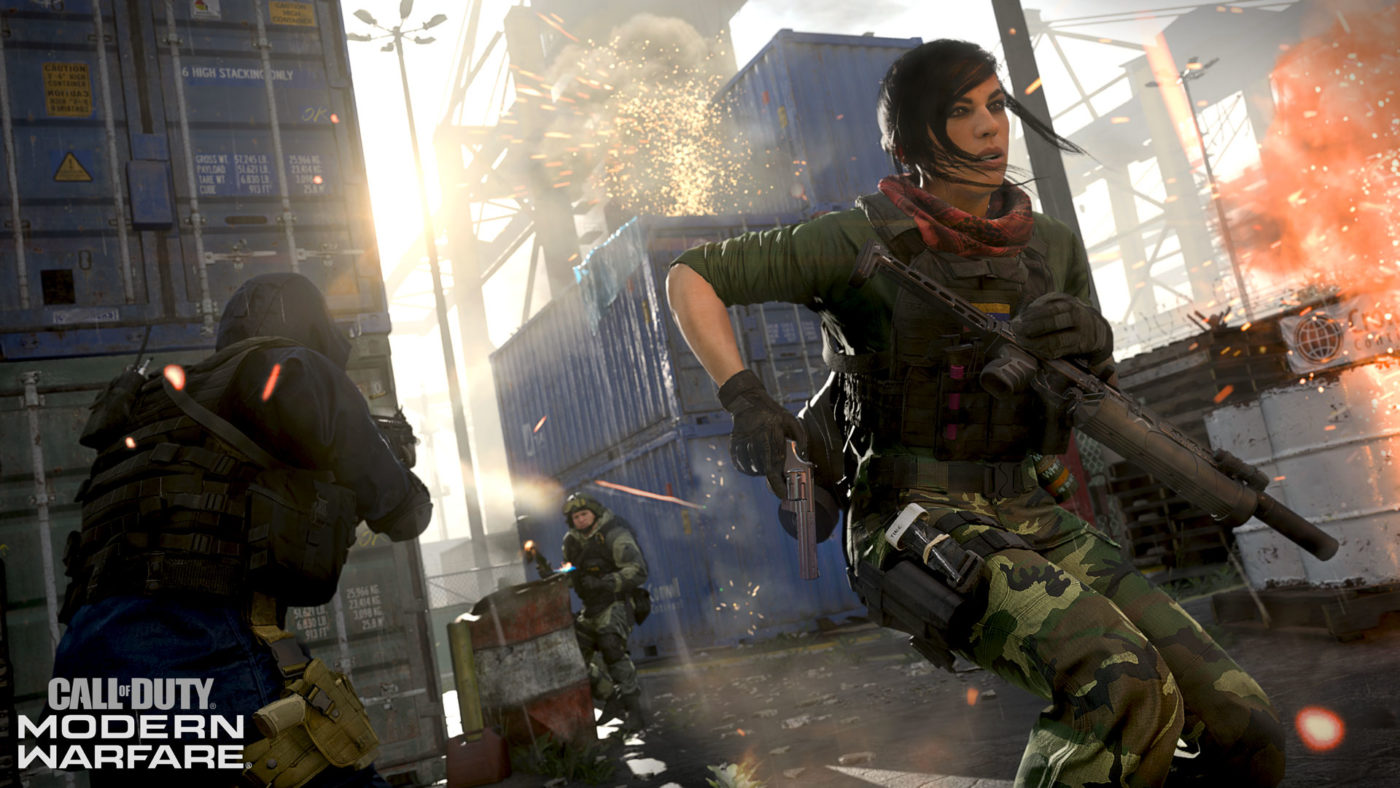
In just a day, PC and Xbox One players will be able to partake in the Call of Duty: Modern Warfare beta! While Xbox One players will just need to download the beta client, PC players will need to ensure their gaming rig can handle the game first. Having said that, Activision has today announced the Modern Warfare beta PC requirements, and more!

Modern Warfare beta PC requirements:

Minimum Specifications

Here are the minimum specs needed to play the Beta:

·       Requires DirectX 12 compatible system

·       OS: Windows 7 64-Bit (SP1) or Windows 10 64-Bit (1709 or later)

·       CPU: Intel Core i5 2500k or AMD equivalent

·       Video: Nvidia GeForce GTX 670 2GB / GTX 1650 4GB or AMD Radeon HD 7950

·       RAM: 8GB RAM

·       HDD: 45GB HD space

·       Network: Broadband Internet connection

·       Sound Card: DirectX Compatible

And here are recommended specs:

·       Requires DirectX 12 compatible system

·       OS: Windows 10 64 Bit (latest Service Pack)

·       CPU: Intel Core i7 4770k or AMD equivalent

·       Video: Nvidia GeForce GTX 970 4GB / GTX 1660 6GB or AMD Radeon R9 390 / AMD RX 580

·       RAM: 16GB RAM

·       HDD: 45GB HD space

·       Network: Broadband Internet connection

·       Sound Card: DirectX Compatible

In addition to that, there’s a slew of PC settings players can tweak as well.

Graphics Options:

Display

The Display menu is where you’re going to find the main settings that will impact how the game is displayed and how objects on screen are rendered. In this section, you can select the game’s Display Mode (Windowed, Borderless Window, or Fullscreen), Display Monitor, Screen Refresh Rate, Render Resolution, Aspect Ratio, turn on V-Sync, and set a custom Framerate Limit for both Gameplay and Menus if you’re so inclined. If you leave these values off (set “Custom Framerate” to “Disable”), Modern Warfare will run at an uncapped framerate, limited only by your rig’s hardware.

Rounding out this subsection is the option to select a Display Gamma and switch between GPU (Display Adapters).

Details & Textures

These are the first set of settings that will let you balance visuals with framerate. You can select the quality of Texture Resolution, Texture Filter Anisotropic (surfaces when viewed at an angle), Particle Quality, Bullet Impacts, and Tessellation. Changing these settings will have a different impact on different GPUs. Modern Warfare will automatically adjust these to their ideal settings based on your GPU the first time you start the game, but you can always adjust them later to fit your preference.

Shadow & Lighting

This submenu allows you to tinker with Shadow Map Resolution, Shadow Caster Levels, the ability to Cache Spot Shadows and Sun Shadows results, Ambient Occlusion, and Particle Lighting. Warning: Some of these options use a significant amount of video memory when enabled and will have a substantial performance impact on certain GPUs. Modern Warfare will automatically adjust these to their ideal settings based on your GPU the first time you start the game, but you can always adjust them later to fir your preference.

Post Processing Effects

This is where you can adjust Anti-aliasing, Filmic Strength, or the amount of temporal blurring vs. image stability when anti-aliasing, and the amount of Film Grain on screen.

Next up, we dive into the Modern Warfare PC controls, and it’s a meaty one.

Keyboard & Mouse Options:

Mouse and Movement

Under this submenu are three sections, starting with a few different options that pertain to just Mouse controls:

First is Mouse Sensitivity. You can have different sensitivity settings for different situations such as Ground Vehicles, Air Vehicles, and Tablet Sensitivity within the Advanced menu.

Sensitivity settings can be further refined with two options for how ADS Mouse Sensitivity is handled: Legacy, which makes rotation speed feel faster when Aiming Down Sights, or Relative, which uses an improved mouse algorithm to match mouse movement with on-screen movement without being affected by field of view. This is very useful for training muscle memory to learn the exact mouse movement needed to hit a certain location on screen. You can even set different sensitivity multipliers for Rifleman and Marksman Scopes, as well as ADS Sensitivity Transition Timing, which allows you to change when sensitivity multipliers are applied while transitioning to an ADS view. The other option here, Monitor Distance Coefficient, allows you to define a monitor distance that can be reached with an identical mouse movement at any zoom level. For example, the default value, 1.33, equates to 75% of a 16:9 monitor. With a value of 0, you will notice that you need more mouse movement to aim at a target near the boundaries of the screen than at a target closer to the reticle.

Mouse Acceleration is also customizable, letting you adjust the acceleration factor or completely disable it. There are also toggles for Mouse Filtering and Mouse Smoothing, both which can be disabled, to give you true 1:1 input for pixel perfect precision.

In order to give you even more control over your actions, there are four different Behaviors you can toggle:  Automatic Airborne Mantling will climb ledges without an additional keypress, slide can be toggled between a hold or quick tap, crouching and going prone can be set to hold, toggle or goto, and sprint and tactical sprint behavior can be customized.

Rounding out the Movement menu is Keybinds. Every single basic movement control can be changed to a different key from the default. There are also Keybind options for Weapon and Vehicle & Killstreak Controls. Essentially, if a command is mapped to a button on the mouse or keyboard, it can be re-mapped in Modern Warfare.

Weapon

The main submenu under here is for Behaviors. You can change whether a weapon automatically switches when trying to fire with no ammo (Depleted Ammo Weapon Switch), and set Aim Down Sight (ADS), and Equipment activation behaviors as toggles or holds. There’s also a variety of options for Weapon Mount Activations so you can change the keybind and activation to best suit your playstyle.

There are a few other settings here for keyboard and mouse users to really fine tune how actions in the game behave:

Switch Weapon Minimum Delay: Set the minimum time in milliseconds before it is possible to switch weapons again. Low values will help quickly switch weapons twice to cancel actions at the cost of it being more difficult to switch weapons with the mouse wheel. This setting is particularly helpful if you have a very fast scrolling mouse wheel. The trade-off is more about consistency. If the value is too low, you might switch weapon and cancel it. Having a slight delay makes weapon switch more consistent with mouse wheel, but a high delay will make it harder to cancel it.

Weapon Switch Wrap-Around: When enabled, weapons will cycle on a loop when switching through them. When disabled, the next weapon button will switch weapons until you are holding the last equipped weapon with no wrap around, and previous weapon commands will end with your first equipped weapon. This is an option if you prefer Previous Weapon to always grant you your Primary and Next Weapon to grant you your Secondary weapon. Basically, pressing multiple times previous will stop at the first weapon.

Weapon Mount Exit Delay: Sets the amount of milliseconds a directional input must be held before being registered to exit Weapon Mounting. This delay requires that the Weapon Mounting Movement Exit option is set to Enabled. This is particularly useful for players who like to quickly enter and exit Mounting. By default, you need to hold a directional input for a minimum delay before the mounted weapon is detached.

Vehicle & Killstreaks

Here you can rebind keys for vehicle movements as well as the menu navigation keys.

General Options:

Screen

Field of view is one of the most requested graphical options. With Modern Warfare, the team wants to make sure the game looks great on the widest variety of hardware, from the smallest monitor to a huge ultra-ultra-wide display.

Each weapon has its own zoom level. With the ADS Field of View set to Independent, the weapon ADS will override your field of view settings. With the value set to relative, the weapon will scale the field of view based on your settings. This is very useful for players playing on very high field of view as it will limit the FOV transition when ADS.As for Horizontal and Vertical HUD Bounds, this is where you can adjust the horizontal and vertical margins of your Heads-Up Display to better fit your screen.

Accessibility & Content Filters

This menu is similar to console menu options, including the option to toggle Text Chat on and off.

Telementery

While fine tuning your settings, you’re going to want some feedback on how the changes are affecting your framerate. In this menu you can add some of that important telemetry to your HUD including the FPS counter. You’ll also be able to turn on indicators for server latency, muted sounds, and voice chat so you can easily tell what’s muted when using the mute hotkeys (F9 for master audio and F10 for voice chat). The indicators for muted sounds and voice chat is a new feature this year: To avoid hitting these buttons by mistake, a telemetry widget has been added to the top of the screen to remind you, in case you disabled any of these options. The Sound and Voice chat telemetry widget allows you to remove these notifications to reduce visual noise.

Audio Options

Just like the customizations for graphics and controls, Modern Warfare allows you to adjust the audio mix to best suit your gaming preferences. In the Audio Options, you can adjust the individual volume levels for for Music, Dialogue, and Effects Volume, as well as change the overall (master) volume level for the game. In addition, you can choose between multiple Audio Mix (equalizer) presets. There are also options to turn the Juggernaut Music on and off, change the Hit Marker Sound Effect, and adjust Voice Chat settings.

Read up on the keyboard controls for Modern Warfare below.

Gaining Complete Control

When using a Keyboard in Modern Warfare on default settings, these are the keybinds that have the following basic commands (these commands can be all be re-bound to keys within the Settings menu):

W, A, S, D – Movement: Use these keys to move forward (W), left (A), backwards (S), and right (D).

F – Use: If you need to access a context-sensitive object (like opening a door instead of charging through it), press this key.

Space – Jump/Stand/Mantle: Jump across gaps, mantle over lower objects such as barriers or window sills, and climb certain scenery using this button. The depth of your jump may be influenced by your speed. You can also use this button while crouching or prone to stand up.

C – Crouch/Slide: When moving under normal circumstances, you tap this button to crouch. If you’re Sprinting and hold this button, you’ll Slide into a Crouch.

Left Ctrl – Prone: Tap this key to go Prone, lowering your center of gravity in order to do actions such as crawling under objects.

Left Shift – Sprint/Tactical Sprint/Change Zoom: If you’re maneuvering, press this while you move to Sprint, or tap twice quickly while moving to Tactical Sprint (which causes you to move more quickly than a Sprint, but with your weapon pointed up and held in one hand, lengthening the time it takes to aim and engage the gun). If you’re using a scoped weapon, this toggles the magnification of the weapon when looking through the scope itself.

Mouse – Aim/Look: Move the mouse around to have your character look around or aim a weapon.

Left-Click – Fire Weapon: This expels projectiles from your weapon’s chamber. Pay attention to your weapon’s firing mode – single, burst, or fully-automatic – as you may need to click multiple times to keep firing.

Right-Click – Aim Down Sight: This pulls the view in slightly, removes or lessens your target reticle.

R – Reload: Low on Ammo? Press this button to Reload a weapon.

1 or Mouse Wheel Up – Next Weapon: Swap to your next weapon by either pressing the 1 key or rolling the Mouse Wheel Up.

2 or Mouse Wheel Down – Previous Weapon: Swap back to a previous weapon by either pressing the 2 key or rolling the Mouse Wheel Down. Depending on settings, using the Next or Previous Weapon commands will “wrap” weapon selection around or stop at the first and last weapons in a loadout.

Mouse Button 4 or Z – Mount: Press this to mount a weapon if you’re close to a wall, window sill, or other scenery that allows this.

B – Alternate Fire: Utilizing this function when using a weapon that offers multiple firing modes – i.e. an Assault Rifle that has both fully-automatic and burst fire modes – changes the fire mode of that weapon.

Mouse Button 5 or E – Melee: Pistol whip, strike, or otherwise bludgeon a foe at close quarters with the Melee attack or hold to attempt an execution when attacking an unsuspecting foe from behind. You can also melee doors open, too.

G or Mouse Wheel Press – Lethal Equipment: This utilizes the lethal equipment from your Loadout; which ranges from mines to C4, to a throwing knife, to a good old-fashioned Frag Grenade.

Q – Tactical Equipment: This utilizes the tactical equipment from your Loadout; usually a non-lethal grenade, but a Stim or Heartbeat Sensor are also options.

N – Night Vision Goggles: Holding the button engages and disengages your NVGs (Night Vision Goggles), where appropriate, on applicable maps and modes.

X – Use Field Upgrade: When your in-game Field Upgrade, i.e. a Trophy System or Stopping Power Rounds, is fully charged, press this key to activate it.

3/4/5/6/K– Killstreak: This engages a Killstreak in the first, second, third, and fourth slots, respectively. The last button opens a radial menu where you can select a Killstreak, if you have more than one available.

Tab – Scoreboard/Objectives: Tap Tab to check the scores for yourself, your team, and your rivals, as well as other pertinent data relating to the particular Multiplayer game mode in question.

F3/F2 – Pause/Dismiss Pause Menu: This brings up your pause menu. In certain Multiplayer game modes, a mini-map is displayed in the center of the screen, along with icons of your teammates, and other informative data. You can also change your Loadout manually and edit Options in-game. Dismiss this menu by pressing the latter key.

Speaking of the beta, read up on the reward players will get for hitting level 10 right here. You should also read up on crossplay details regarding the three platforms to understand how it works, too.

Source: Activision 1, 2

Avatar photo

Alex Co

Father, gamer, games media vet, writer of words, killer of noobs.

Home > News

Call of Duty Mobile Release Date Announced for October 1, Here’s What to Expect

If you’re looking forward to playing Call of Duty on your phones, tablets and whatnot, rejoice! Activision has finally given us a Call of Duty Mobile release date, and it’s October 1 for both Android and iOS!

Developed by  Tencent’s Timi studio. Call of Duty Mobile is free-to-play, and will offer the standard multiplayer experience, and even battle royale. There will also be time-limited events added on a regular basis, and even modes. Speaking of modes, in multiplayer. fans can expect staple modes like TDM (Team Deathmatch), Search & Destroy (S&D), Free-for-All, and more. Iconic franchise maps like Nuketown, Crash, Hijacked and more will also be available.

In multiplayer, players will be able to rank up, and earn classic Call of Duty characters like Soap McTavish, Simon “Ghost” Riley, and even Alex Mason from the Black Ops series. As one can expect, scorestreaks, weapons and gear will be available for players as well, which is what fans expect from your traditional multiplayer experience.

As for battle royale, here’s what Activision had to say via the press release:

Battle Royale mode is a unique take on the genre from within the Call of Duty universe, specifically built and tailored for Call of Duty: Mobile. Up to 100 combatants will fight for survival in a map designed exclusively for the mobile title featuring locations from across the Call of Duty franchise in solos, duos or four-person teams. Players can battle across land, sea and air with vehicles including an ATV, helicopter, and tactical raft, while finding and equipping gear and weapons that span the series.
While I admit, I’m not a fan of mobile gaming that much, I will still give this a go since it is Call of Duty. If you’d rather read up on this year’s major release, head on over to our Modern Warfare game hub.
Avatar photo

Alex Co

Father, gamer, games media vet, writer of words, killer of noobs.

Home > News

EU PSN Store Sale Showcases Ubisoft and Retro Titles, Here’s the Full List

While we already posted the “September Savings” from the NA PlayStation Store sale yesterday, there’s also an EU PSN Store sale happening now, and it focuses on Ubisoft-published games and retro titles.

EU PSN Store sale – Ubisoft games

EU PSN Store sale – PlayStation Retro (until 2nd October)

Our PlayStation Retro discounts also return giving you the perfect excuse to pick up a few fan-favourites you may have missed out on. Save up to 60% on Crash Bandicoot N. Sane Trilogy, Spyro Reignited Trilogy, PAC-MAN Championship Edition 2 and more.

Source: EU PlayStation Blog

Avatar photo

Alex Co

Father, gamer, games media vet, writer of words, killer of noobs.

Home > News

No Man’s Sky Update 2.12 Patch Notes Listed, New Event Now Live and Here’s What You Can Get

In what seems like a weekly occurrence, Hello Games has now released yet another new No Man’s Sky update! While we have the full No Man’s Sky update 2.12 patch notes below, there are more than gameplay changes in today’s patch, as a new event with new (free) missions are part of it.

No Man’s Sky update 2.12 patch notes:

Added new events to the Nexus:

    • Occasionally, ‘Encrypted Missions’ will appear on the Nexus mission list. The objectives for these missions are hidden until the mission is in progress, but the rewards are far higher.
    • Each day, every player also has the chance to complete a Nexus mission to earn Quicksilver.


    • Added new customisation items to the Quicksilver shop: a full suit of Vy’keen-style armour.
    • Progress towards unlocking these items is achieved by community-wide completion of Nexus missions.


    • Fixed a number of mission flow issues in standard Nexus missions.
    • Increased the reward from standard Nexus missions.
    • Improved the visuals of the mission start UI in Nexus missions.


    • Introduced a number of PC VR and PSVR rendering optimisations.
    • Significantly improved image quality in PSVR: reduced blurriness caused by TAA jitter and fixed low-quality terrain/atmosphere jaggies.
    • Introduced a number of general PC optimisations.
    • Introduced an optimisation to region decoration.


    • Increased the stack multiplier on a significant number of products.
    • Fixed an issue that prevented Larval Cores and Hypnotic Eyes from being used as cooking ingredients.
    • Fixed bad data in the Nutrient Refiner recipes for various cheeses and cheese-based products.
    • Fixed an issue that prevented ships/Multi-Tools/etc being rotated in the inventory.
    • Fixed an issue that caused the Blaze Javelin not to work in VR.
    • Fixed an issue that caused players with Rocket Boots to jump when selecting things in the Quick Menu.
    • Rebalanced NPC language encounters so that attempts at using alien words are viewed more positively.
    • Fixed an issue that caused creature bait stored in the cargo inventory to be unavailable.


    • Fixed an issue that caused double inputs on some UI screens.
    • Fixed an issue that caused incorrect unit costs to be used when purchasing Exosuit slot upgrades.
    • Improved the audio balance in a number of places, as well as fixing some missing sounds and some incorrectly looping sounds.
    • Fixed an issue that caused NPCs to sometimes face the wrong way on the Nexus.
    • Fixed a number of incorrect and missing control icons.
    • Fixed a number of control conflict issues when plugging multiple gamepads into one PC.
    • Added validation to prevent invalid actions being bound.
    • Fixed a number of stuttering issues when using mouselook on the Steam controller.
    • Fixed an issue where the input for uploading a base screenshot did not work correctly on consoles.


    • Fixed repeated triggering of a warning noise when registering specific actions with Steam.
    • Fixed a number of issues where weapons would interfere with Quick Menu use on PC.
    • Fixed a PC controller issue that caused Discovery Page subsections to be incorrectly closed.
    • Fixed a number of colour and texture issues in a specific exotic biome variant.


    • Fixed a number of collision issues on the Space Anomaly.
    • Added audio to Cronos’ barbeque on the Space Anomaly.
    • Made landing bay seats sittable on the Space Anomaly.
    • Fixed some specific LODing issues on the Space Anomaly.
    • Fixed a number of LODing issues with specific fighter-style starship variants.
    • Fixed a number of collision and visual issues with freighter hangers.
    • Fixed an issue that caused faecium deposits to have an incorrect icon when viewed through the Analysis Visor.
    • Fixed a number of issues with the graphics settings descriptions in the PC options pages.
    • Improved the visuals of a number of mission icons.


    • Removed some erroneous automatic chat messages.
    • Added automatic chat messages when transferring items to players not in your current group.
    • Added automatic chat messages when starting missions.
    • Added automatic chat messages when short of ingredients to build a pinned item.


    • Fixed a soft lock that could occur when answering the Communicator after swapping ships or summoning ships.
    • Fixed a camera issue that could occur when answering the Communicator when playing in third person.
    • Added a workaround to prevent a permanent black screen when using older AMD drivers.
    • Added a workaround to prevent a crash bug in older AMD drivers.
    • Added a workaround for driver issues with AMD laptops.
    • Fixed a number of rare crashes when testing collision.
    • Fixed a number of inventory-related crashes.
    • Fixed a rare threading crash.
    • Fixed a softlock that could occur when opening the Nexus mission list with the chat window open.
    • Fixed a GPU crash that could occur on PS4 in the Galaxy Map and loading starfield.
    • Fixed a crash that could occur when loading very large bases.
    • Fixed a rare networking crash.
    • Fixed a rare memory corruption.
    • Fixed a Linux driver issue.


  • Various localised text improvements.

The event commences today, and has no set deadline for completion. Progress may be tracked from the Galactic Atlas website, or from the Quicksilver Robot itself.

Nexus Mission Rewards

Quicksilver Reward Missions

Once each day, a mission rewarding Quicksilver will become available at the Nexus. These Quicksilver missions can queue up, to a maximum stack of 3 (so you won’t miss out even if you don’t have the opportunity to play every day).


Encrypted Missions

These rare, high-priority missions offer especially interesting and lucrative rewards. Mysterious in nature, their requirements are secret until the moment the mission commences.


From the Quicksilver Synthesis Bot

Specialist Polo’s robotic companion is busy developing a set of 5 new customisation items, which together form a complete armoured suit. This practical fashion choice is favoured by the Vy’keen, but is wearable by explorers of any race.

Each customisation item will become available for synthesis as all Traveller iterations complete missions at the Nexus.

Tier 1 – Armoured Boots

Reinforced foot protection system with integrated tread-balancing gyroscopes. Hundreds of years of high-tech research, as applied to footwear.

Tier 2 – Armoured ExoGloves

Armoured gloves, perfect for wielding weapons, impressing martial cultures, and picking really spiky plants.

Tier 3 – Armoured Leggings

Carefully woven nano-fibres make these leggings both flexible and resistant to small-arms fire. Washing requires specialist equipment.

Tier 4 – Armoured Chestpiece

Reinforced yet stylish, this Exosuit chest armour provides excellent abdominal protection without compromising on looks.

Tier 5 – Armoured Shoulderpads

Powerful shoulder armour, this Exosuit augmentation comes with high-voltage connections into the user’s skeletal system. This current jolts the user’s body as required, manipulating the muscles into their optimal defensive posture.

Community Spotlight

We were struck by these adorable drawings of alien creatures by u/Sixelona…

And these gorgeous paintings of alien landscapes by u/fioriX:

Hello Games has also mentioned that a community event will be launched, and once we know more details, we’ll be sure to let our readers know.

Source: No Man’s Sky

Avatar photo

Alex Co

Father, gamer, games media vet, writer of words, killer of noobs.

Home > News

Death Stranding Multiplayer Details Revealed, Players Can Transform the Terrain and Construct Highways

Legendary game creator Hideo Kojima sheds some new details on Death Stranding multiplayer, stating that players can have influenced with one other players’ game sessions. While players won’t exactly play with one another directly, when connected to the network they will be able to leave things behind such as ladders as shown during the TGS gameplay. This was confirmed in the recently published translation video by IGN and YouTuber Kubricked who also provided their own translation that goes a bit more in-depth. You can find a break down of the multiplayer features shown in the footage down below. This certainly will clear a lot of confusion that viewers had during the stream, as this focus was just a portion of the game features. Kojima states that there are more action packed boss fights, but wanted to show this off to get a better understating of what a Strand game is.

  • It’s a single-player game in a sense that you will play alone, but being connected changes that as you can follow in other players footsteps.
  • Some players will just plow through the story as quickly as possibly, while others will focus on constructing building and stuff. The like system plays a pretty big role in the game. Everyone’s approach will be different. Some people won’t interact so they won’t get aid, but the more likes you give and get the more connected you are to others.
  • There’s an in-game mailing system that shows bonding levels between players
  • You can summon players during boss fights, you fight alone but you aren’t alone. In the demo we can see a white ghost like Sam throwing items at the player to help them fight against the boss. Though from the demo, it was obvious that the other player wasn’t doing any damage directly to the boss. This is what Kojima refers to as a “Strand” he stated.
  • “Essentially Sam is reconnecting a fragmented world. It’s a game of connection, you are essentially by yourself, exploring the world by yourself. It’s a very lonely world. Then at a certain moment you connect with other players, and that’s why I call it a stranding game.”
  • You can build bridges by yourself or other can work together to build it. The player with the most contribution in the building will have their name appear on the object. This was shown in the demo as the character went over the bridge.
  • If you travel down the same path as other players it’ll eventually smooth out that path and turn it into a road so you can drive faster and smoother down it.
  • At the end of the demo Kojima states that paths will be made and you can even make highways to make deliveries by truck, which wasn’t shown in the demo.
  • Players can leave warning symbols behind, warning them of rough environments and such. This was shown in the demo, very similar to the Souls game.
  • Structures that are still in construction will be labeled as such in the world as shown during the demo. You can leave supplies behind at the location to contribute to building the structure.
  • Green footsteps are those of other players
  • In the demo a second ladder had been placed by another player that can be used.
  • There is a “like” system that players use to connect with one another. You can like objects left behind by others.
  • Shoes are important in the game, they can break. You can leave other players a spare set of shoes to help them.
  • Players can leave things behind, whether they forgot to pick it up or just discarded they will show up for other players. They can also age over time if they don’t get picked up. Can be repaired by players using tools.
  • You can junk items and other players will see that also.
  • You can make lockers that other players can use. Can be used to share items or privately.
  • If a route is used frequently it’ll make a path
  • Rain damages packages, players can use shelter that other players made for protection
  • Can customize music and players will hear it and vice versa.
  • Can level up certain structures plays leave behind.
  • Left behind stones are indication that a player has rested there. You can rest there also, from the demo he implies that something will happen if enough resting in used in the spot.
  • Mules are enemy NPC that attempt to steal cargo, they steal cargo from other players around the world. In the demo Kojima takes a more stealth approach by leaving some of his cargo behind and riding the hoverboard. The cargo was left behind because Mule can detect players easier if they hold it.
  • Ping system lets you see all the cargo the Mules have stolen. All the items are taken from other Sams in the world.
  • Can throw cargo at Mules but they become damaged. Recommends not to use your own cargo.
  • Charge stations can be left behind for players to charge their equipment
  • Can tag objects left behind by players so they show up better for others
  • You can leave motorcycles behind for other players
  • In the demo there is a scene that music begins playing as the player traverses across the rough hill. Kojima states that there are millions of other people who will be doing the same thing and experiencing the same thing. This can only be achieved when connected, although he does say you can skip out on these experiences if you decide to take a vehicle all the way to your destination.
  • At distribution center you can see what other players have made.
  • Kojima ends his first demo being thankful for his journey and all the connection he has made along it. This no doubt played a crucial part in Death Stranding development.
  • The concept behind the game is connections and you have been going through that. We haven’t been going through third parties, and have been connecting directly with these individuals.

Some very interesting details that gives us a far better look into what type of game Death Stranding will be. From the sound of it the network connection is all optional, although it seems like a rather major part of the game as playing alone will certainly make things tougher. The world of Death Stranding will no doubt be always be evolving, it will be interesting to see where this all goes in the end from a narrative perspective.

We’ll be sure to keep you all updated as more details surface concerning Death Stranding, but with white these new pieces of information, is the game finally starting to make more sense to you?

Avatar photo

James Lara

A gamer at heart, James has been working for MP1st for the last decade to do exactly what he loves, writing about video games and having fun doing it. Growing up in the 90's gaming has been in his DNA since the days of NES. One day he hopes to develop his own game.

Home > News

Fortnite Update 2.36 Patch Notes and File Now Up – Here’s What’s in Update v10.31

Same as always, Epic Games has released yet another weekly Fortnite update and it’s live now! Clocking in at 1.3GB on PS4, the Fortnite update 2.36 patch notes can be seen below. It’s called the Fortnite update v10.31 (this is the version Epic Games calls it).

Fortnite update 2.36 patch notes:

BATTLE ROYALE

WHAT’S NEW?

Party Hub
Hang with friends while you’re on the go so the party never stops. See who’s online, party up, and play together. (Or just voice chat!) For a deeper dive on Party Hub, read our FAQ here.
10BR_PartyHub_Social.jpg

WEAPONS + ITEMS

Bug Fixes

  • Resolved an issue involving the Star Wand and AC/DC Pickaxes not doing the intended amount of damage.
    • Because this issue has been resolved, these Pickaxes have been re-enabled.

GAMEPLAY

  • Storm Circles will no longer end at the following locations (in core and Arena modes):
    • Moisty Palms
    • Greasy Grove
    • Tilted Town
    • Retail Row

Bug Fixes

  • Resolved an issue in which Ziplines could give players an unintended effect.
    • Because this issue has been resolved, Ziplines have been re-enabled.
  • When a player is eliminated, their damage towards the Storm Surge threshold will no longer be removed from their remaining teammates’ total.

ACCESSIBILITY 

  • Support-a-Creator codes can now be used for real-money offers in-game.
    • More information on this will be available in a blog post later this week.
    • Please note: For any Packs that contain V-Bucks, the revenue share will be applied to the Creator code that is entered when the V-Bucks from that pack are spent.

MOBILE

  • Party Hub
    • Connect with Fortnite friends on the go so the party never stops. See who’s online, party up, and jump in-game together on any platform. (Or just voice chat!)
    • Want to hang with friends in-game while you’re out and about? Now you can take the party with you! For more information, check out our FAQ here.
  • Multitasking
    • This new feature allows you to you use two apps at once on supported iPads! Supported iPad models include:
      • iPad Pro
      • iPad (5th generation and later)
      • iPad Air 2 and later
      • iPad mini 4 and later
    • By enabling Multitasking, all iPads will have the ability to rotate the screen orientation to enter Portrait Mode.
      • If you don’t want to play in Portrait mode, enable Rotate Lock on your iPad.

RECAP

  • From server on September 13
    • Resolved an issue involving some Mission objectives not measuring progress.

CREATIVE

RECAP

  • From hotfix on September 11
    • Increased the limit for Basic Storm Controllers from 10 to 16.

SAVE THE WORLD

WHAT’S NEW?

Cloaked Star Hit the Road, Part II!
This week, help Cloaked Star with part 2 of his journey to the Radio Station! Load up the truck with more crushing silence and get ready to Hit the Road with a new weekly quest.
10StW_CloakedStar_Mayday_Social_Purple.jpg

Deciblaster 
Bounce back with the Deciblaster! Build some tunnels, load up your Deciblaster, and prepare for action!
10StW_BoomboxLauncher_Social.jpg

WEAPONS + ITEMS

  • The Deciblaster bounces into the Weekly Store!
    • This shoots a blast of sound that pierces enemies and bounces up to 5 times, dealing damage in an area with each bounce. Does not consume ammo, but has low durability.
    • Available in the Weekly Store from Wednesday, September 18 at 8 PM ET until Wednesday, September 25 at 8 PM ET.

SOCIAL

  • Social Parties in Save the World now support up to 16 players.
    • In order to launch a mission, there must be only 4 active players in the party.
    • Other party members must enter the Sit Out state through the Social Panel. This allows them to continue to participate in voice chat.

GENERAL

Bug Fixes

  • Players with their reticle on stairs will no longer enter edit mode for an unintended building piece.
    • In v10.30, we addressed an issue in which players would sometimes enter edit mode for a building piece that their reticle was not on. However, players may have still found themselves entering edit mode for a different building piece than intended if their reticle was on stairs. This has been resolved.
  • Removed black borders on the iPad 2018 Pro.

Once new developments, events and such are announced, we’ll let our readers know.

Source: Epic Games

Avatar photo

Alex Co

Father, gamer, games media vet, writer of words, killer of noobs.

Home > News

Monster Hunter World Iceborne Update 10.12 Patch Notes – New Update Unleashes a Lot of Fixes

While we got the big Monster Hunter World update two weeks ago that brought in the Iceborne expansion and gameplay changes, Capcom has rolled out Monster Hunter World Iceborne update 10.12, and as one can expect, it’s full of bug/gameplay fixes and nothing else. Clocking in just 70MB on PS4, 80MB on Xbox One, the full Monster Hunter World Iceborne update 10.12 patch notes can be seen below.

Monster Hunter World Iceborne update 10.12:

  • Fixed a bug that would not allow you to select the Guardian armor during character creation.
  • Changed the design of how certain songs would play on repeat while at base.
  • Fixed a bug where players were getting the same decoration results when using the Elder Melder’s First Wyverian Ritual.
  • Fixed a bug at the quest counter where the optional quest “Completed!” marker color would change from red back to blue after save data is imported into Monster Hunter World: Iceborne.
  • Fixed a bug where the “Language” section of the squad card editing screen would not display correctly after importing save data from Monster Hunter: World.
  • Fixed a bug where the “Low Level Hunter Helper Reward” could be obtained even after failed quests.
  • Fixed a bug where players could not properly obtain the “Glavenus Mantle” material from Acidic Glavenus.
  • Fixed a bug where players’ attacks would not properly remove Velkhana’s icecloak if it was put into paralysis while its icecloak active.
  • Fixed a bug where the custom radial menu could be closed at the item box but would remain on the screen and disable normal controls.
  • Fixed a bug where the Handler would keep moving in certain places in the Ancient Forest.
  • Fixed a bug where great sword charges would not trigger charged slashes if the player landed on top of the ice ground created by Velkhana or mud created by Jyuratodus.
  • Fixed a bug where the contents of expeditions were unintentionally updating after each use of “Change Objects in Area” in the training area.
    In addition to this change, we are also exploring further changes to address the issue of intentional disconnects for resetting the Guiding Lands. While this should not affect players who enjoy the game normally, we’d like to ask for your patience as we look into implementing options that remove the need to attempt intentional disconnects.
  • Fixed other minor bugs.

Source: Capcom

Avatar photo

Alex Co

Father, gamer, games media vet, writer of words, killer of noobs.

Home > News

Call of Duty: Modern Warfare Beta Reward Announced, and Here’s How to Get It

Earlier today, Activision posted a blog update which talked about the Call of Duty: Modern Warfare gun customization. At the end of it, the blog also mentioned that a Modern Warfare beta reward will be given to those who participated in the beta.

Players who participated in the beta and reached level 10 (the level cap of the first week), will get the Hammer Shotgun pictured above as the Modern Warfare beta reward.

The Beta* Reward Item

As a token of our gratitude, be sure to reach Level 10 before the Beta ends on September 23 at 10AM PDT: That way, you’ll automatically obtain a free item reward; the Hammer Shotgun, fully customized with a pistol grip, dual-silenced short barrel, angled foregrip, and holographic sight designed to create a quick-handling, short-ranged, silenced method of foe disposal. This weapon blueprint, which is available to those reaching Level 10 or higher by the end of the Beta Weekends, will be accessible and waiting for you when you play the final game, available on October 25.

For more Modern Warfare news, go read up on how crossplay will work in the game, which will be tested in the beta starting this Thursday.

Avatar photo

Alex Co

Father, gamer, games media vet, writer of words, killer of noobs.

Home > News

Anthem Future Plans Announced, Post-Launch “Acts” Cancelled in Favor of Seasonal Updates and Gameplay Re-Working

By now, it’s no secret that Anthem hasn’t exactly lived up to expectations. While that might be the case, BioWare has slowly been building confidence in the game back up starting with its Cataclysm event, which ends today. Today, the studio announced some of its Anthem future plans, and it seems the previously announced roadmap has been cancelled.

Over on the BioWare blog, Chad Robertson, Head of Live Service, announced the Anthem future plans.

So what’s next for Anthem?

We hear your concerns on core issues in Anthem and are acting on it. Those systems require a more thorough review and re-working versus quick fixes. We’ve got a team working on that now, and early results are promising.

In order to address these long-range plans, we are moving away from the Acts structure for updates. Instead, we have additional seasonal updates planned for this year that we think players will enjoy. These events will deliver challenges and chases similar to what you’ve seen, and are built around some fun themes we’re bringing to the game.

Will this go over as well as the Cataclysm event? Let’s hope so. Hopefully, BioWare can announce what’s next for the game soon, before it loses some of the momentum it has built with the Cataclysm event.

Avatar photo

Alex Co

Father, gamer, games media vet, writer of words, killer of noobs.

Home > News

Call of Duty: Modern Warfare Gun Customization In-Depth, Custom Mods Will Be Available at Launch

If you’ve played the Call of Duty: Modern Warfare beta, no doubt you’ve had a chance to test the Gunsmith part of the game. The Gunsmith, which is a fancier way of saying Modern Warfare gun customization, allowed gamers to mix and match weapon attachments to see which ones are the best fit for their play style.

Over on Activision’s blog, the publisher confirmed that there will be nine different attachment categories for weapons.

Gunsmith

Gunsmith is a simple and visualized, yet deep and engaging in-game system that focuses on collecting and utilizing an incredible array of weapon attachments. These are designed to offer a ton of weapon customization options to suit each player’s individual play style.

Unlock attachment sets across up to nine different categories, each with loads of options and configurations:

·      Stocks

·      Lasers

·      Optics

·      Rear Grips

·      Magazines

·      Barrel

·      Under Barrel

·      Muzzles

·      Perks

Aside from attachments, players will be able to utilize unique weapon mods like ricochet, semi-auto, burst and more. As for weapon progression, customization options will be unlockable via gameplay, and each weapon will have hteir own progression path. Lastly, the blog mentions something about “Custom Mods,” which will be available at launch. It’s mentioned that players can “blueprint” their own custom weapon configurations utilizing the content unlocked through gameplay.

In other Modern Warfare news, go read up on how crossplay works in the game, and it’ll be available in the beta this Thursday! Activision has also promised that PS4 gamers will get an “exciting advantage” on day one for the game.

Avatar photo

Alex Co

Father, gamer, games media vet, writer of words, killer of noobs.

Home > News

Call of Duty: Modern Warfare to Give PS4 Gamers an “Advantage” on Day One, “Most” Post-Launch Content Will Launch at the Same Time on All Plaforms

While Activision partnered with Microsoft and the Xbox 360 last gen, the publisher surprisingly allied with PlayStation this generation. In this partnership, we saw the PS4 get access to maps, modes and more first, with other platforms (PC, Xbox One) gaining access to it later. Well, that seems to be changing, as the Modern Warfare PlayStation exclusive stuff won’t be the maps and game modes, but something else.

While this is certainly good news to hear for those who want Modern Warfare on other platforms, it would seem that aside from the PS4 getting early access to the Modern Warfare alpha and beta, the PlayStation partnership won’t end there as it has also been confirmed that PS4 owners will be greeted with something “exciting” on day one of release.

In today’s Modern Warfare crossplay details post, Activision confirmed the following information, stating that PS4 owners will has an “exciting Day 1 advantage,” though they didn’t go into details as to what this advantage may be, and that “most” post-launch content — which includes maps and modes — will be released simultaneously on all platforms!

Following the launch of Modern Warfare next month, the team has worked to ensure that content will be released in a way that enables all players to continue to seamlessly play together. Most Post-launch gameplay content, including new multiplayer maps, new multiplayer modes, special ops missions and more will release simultaneously across all platforms. We look forward to further detailing how post-launch content plans will operate prior to Modern Warfare’s launch on October 25th.

In addition, Call of Duty is excited to continue its partnership with PlayStation, including last weekend’s PS4 debut of the Modern Warfare Open Beta as well as the recent PS4 exclusive 2v2 Alpha. But the best is yet to come. For the very first time in our partnership with PlayStation, PS4 players will have an exciting Day 1 advantage. More details on how Call of Duty will continue to support PlayStation as the best place to play Modern Warfare will be rolled out soon.

What could this “exciting” day one advantage be? Perhaps an XP boost? An early unlock token? Maybe they’ll let PS4 players play the game a day early? Your guess is as good as ours. What we do know is that “most” post-launch content will be dished out for all platforms, and that’s a good thing that we hope will be the norm moving forward.

Avatar photo

James Lara

A gamer at heart, James has been working for MP1st for the last decade to do exactly what he loves, writing about video games and having fun doing it. Growing up in the 90's gaming has been in his DNA since the days of NES. One day he hopes to develop his own game.

Home > News

Overwatch Update 2.74 Patch Notes and File Now Up – Bastion’s Brick Challenge & More Listed

Those playing Overwatch, there’s a new Overwatch update out now, and it includes hero balancing changes, bug fixes, and a new challenge, even! The Overwatch update 2.74 patch notes can be read below, and we’ve also included details regarding Bastion’s Brick Challenge.

Overwatch update 2.74 patch notes:

PATCH HIGHLIGHTS

Bastion’s Brick Challenge

Get ready to play with Bastion’s Brick Challenge and some special, unlockable in-game content! Wins in Quick Play, Competitive Play, or Arcade will earn you themed sprays, player icons, and a new legendary skin: Brick Bastion!

Tune in to participating Twitch broadcasters while they’re playing Overwatch any time through 9/30 to earn a total of seven Bastion’s Brick Challenge sprays and icons!

HERO UPDATES

General

  • Ground targeted abilities (Reaper’s Shadowstep, Mei’s Icewall, Synnetra’s Teleporter, etc) will now more heavily prefer edges over placing as far away as possible.

Bastion

Self-repair

  • Self-repair no longer consumes resource while Bastion is at full health
  • Bastion now correctly initiates 0.25 sec of recovery time when canceling Self-Repair by firing

Symmetra

Primary Fire

  • Beam width lowered from 0.3 meters to 0.2
  • Beam DPS per level lowered from 65/130/195 to 60/120/180

Zarya

Primary Fire

  • Beam width is now 0.15 meters and no longer scales with energy
  • Max Beam DPS lowered from 190 to 170

Sigma

Hyper Spheres

  • Explosion damaged reduced from 35 to 30

Experimental Barrier

  • Added a toggle option for deploying Sigma’s Experimental Barrier
  • Being hacked by Sombra will now recall his barrier if it is deployed. (EMP will still destroy the barrier first if both are in range)

Accretion

  • Explosion damage increased from 50 to 60

Gravitic Flux

  • Intro cast time increased from 0.4 seconds to 0.6

WORKSHOP UPDATES

New Workshop actions:

  • Create Dummy Bot
    • Creates a dummy bot, which is a full player that has no human or AI controlling it. Using other Workshop actions, dummy bots can move, aim, press buttons, and do most things that human players can do.
  • Destroy Dummy Bot
    • Destroys a dummy bot.
  • Start Throttle In Direction
    • Either sets or modifies the throttle (directional movement input) for a given player (human, AI bot, or dummy bot).
  • Stop Throttle In Direction
    • Stops the change to throttle being caused by Start Throttle In Direction.
  • Create Beam Effect
    • Creates a beam effect between two positions (either or both of which may be a player).

New parameters to existing Workshop actions:

  • Create HUD Text
    • New SpectatorVisibility option for defining when spectators can see the text.
    • New colors have been added to Text Color.
  • Create In-World Text
    • New SpectatorVisibility option for defining when spectators can see the text.
    • New colors have been added to Text Color.
  • Create Effect and Play Effect
    • New colors have been added.

New Workshop value:

  • Is Dummy Bot
    • Whether a given player is a dummy bot.

New Workshop Inspector features:

  • Copy current variables to CSV [PC-Only] :
    • Copies the currently visible variables to the system clipboard in CSV format. These can be pasted into text and spreadsheet applications.
  • Copy all variables to CSV [PC-Only] :
    • Copies all variables throughout the Inspector history for the currently selected entity to the system clipboard in CSV format. These can be pasted into text and spreadsheet applications.
  • Copy current variables as actions:
    • Copies the currently visible variables to the clipboard in Workshop text format. These can be pasted back into a Workshop action list.

BUG FIXES

General

  • Workshop – Fixed a bug that caused the “Enable Workshop Inspector” option not to reset when using Restore Defaults
  • Workshop – The “Is Firing Primary” Workshop value now correctly reports whether Sigma is using his Hyperspheres
  • Fixed an issue where killing D.Va’s mech via Environment kill would not always grant the full amount of ult charge
  • Fixed an issue where knockbacks would sometimes be shorter than intended if the target was moving down an incline
  • Players should no longer get stuck inviting players when using ‘Stay As Team’ feature
  • Attempting to save a highlight without sufficient disk space now displays an appropriate error message
  • Fixed an issue where the first person camera would be incorrectly offset when switching heroes in some workshop scenarios
  • Competitive arcade season ratings now display a skill rating in the career profile
  • Season 1 competitive end ratings now show correctly in leaderboards

Maps

Paris

  • Fixed a bug that allowed Moira’s Biotic Orb to pass through the attacker’s spawn door

Heroes

Ashe

  • Improved the ability for B.O.B. to get through doorways and more consistently make it to where he was launched towards

Bastion

  • Fixed a bug where Bastion was not entering a recovery state when immediately firing weapons after Self-Repair is used

Brigitte

  • Fixed a bug with Brigitte’s Repair Pack cooldown scalar not working in custom games

D.Va

  • Fixed a bug that allowed D.Va’s mech to block Earthshatter briefly during the destruction animation

Hanzo

  • Fixed a bug that caused Hanzo’s bow to flicker when switching to Sonic Arrow, when certain skins were equipped

Lucio

  • Fixed an issue where knockbacks applied to enemies moving down ramps would not knock back as far as intended.

Mercy

  • Fixed a bug where Mercy could sometimes mispredict being able to Guardian Angel to a teammate who had died behind a wall.

Orisa

  • Fixed a bug that caused players to be thrown further than intended when escaping the pulling effect of Orisa’s Halt

Sigma

  • Fixed a bug that caused the first-person animations for Kinetic Grasp, Accretion, Experimental Barrier return/retract, and primary fire not to play correctly when used immediately after being frozen
  • Fixed a bug that caused Hyperspheres to appear without any VFX or animation after letting the cast timer on Gravitic Flux expire
  • Fixed a bug that incorrectly allowed Sigma to gain shields after absorbing a healing orb from Moira with his Kinetic Grasp
  • Corrected various Sigma team color visual effects
  • Fixed a bug with Sigma’s Damage Blocked average per 10 min not appearing in career profile

Sombra

  • Fixed a bug with Sombra detection radius being affected by player aim pitch

Wrecking Ball

  • Fixed an issue preventing Wrecking Ball specific stats from showing up in the Career Profile
  • Fixed a bug with adaptive shields area being affected by aim pitch

Zenyatta

  • Fixed a bug that prevented Zenyatta from using a Teleporter while Transcendence is active

If you want to see more Overwatch content here on MP1st, let us know in the comments below. If you’re from the UK. read up on how influential Brimingham is to video gaming here.

Source: Overwatch

Avatar photo

Alex Co

Father, gamer, games media vet, writer of words, killer of noobs.

Home > News

Call of Duty: Modern Warfare Crossplay Details and Everything You Need to Know Detailed, Crossplay Beta Starts Thursday

It’s already know that Call of Duty: Modern Warfare will offer crossplay, which is a first for the franchise. If you’re one of the many people who have a lot of questions (and concerns) about it, Activision is here to clear the air a bit. The publisher has posted a new post detailing the Modern Warfare crossplay details and should answer everything you need to know about it.

1. You can Opt in, or Opt out:

In Modern Warfare, players can choose to enable crossplay, allowing players to play with friends on all three supported platforms, so the game offers an opt-in choice.

2. A COD Account is Needed:

Remember, you will need a COD Account to play Modern Warfare, if you don’t have one already you can create one here.

3. Matchmaking and Balancing:

In Modern Warfare, crossplay has been designed to factor play balancing across differences in controller type. No one should feel an unfair advantage. Plus, players have choices on which control device they wish to use on any platform. Here are some examples you may experience:

·      You can decide to use keyboard and mouse on PlayStation® 4 or Xbox One.

·      You can decide to use a controller on PC.

·      PlayStation 4, Xbox One, and PC players can all play against each other, provided they all utilize controllers, or all utilize KBM (a keyboard and mouse).

·      You can place into a lobby where there are no control scheme filters, allowing you to play with players using both controllers and/or KBM across up to all three supported platforms.

Plus, with the addition of crossplay, we anticipate that players should look forward to even shorter lobby wait times.

4. Adding your Friends and Gathering Parties:

Using your COD Account, you are able to create cross-platform Friends lists and Parties from all three supported platforms. This unites the community by removing barriers, creating platform-agnostic friend groups. Are you a PS4 player with friends on Xbox One and PC, for example? Now you can organize parties and jump into matches with your friends, easily and quickly regardless of platform!

5. Crossplay Applicable Modes:

Crossplay supports all multiplayer modes in Modern Warfare. There are no plans currently to support Ranked Play or competitive tournaments.

Also of note, the Modern Warfare beta will start again this Thursday and will include crossplay so players can test it out for themselves.

For more on Modern Warfare, make sure to check out our Modern Warfare game hub.

Source: Activision

Avatar photo

Alex Co

Father, gamer, games media vet, writer of words, killer of noobs.

Home > News

Destiny 2 Update September 17 Hotfix: Here’s What Got Fixed in Hotfix 2.5.2.3

Following Destiny 2’s maintenance today, Bungie has rolled out a server-side hotfix (meaning there’s no download required). Called hotfix 2.5.2.3 by Bungie, here’s what got fixed in the Destiny 2 update September 17 hotfix.

Destiny 2 update September 17 hotfix:

  • Annual Pass content is now available to all Forsaken players of Destiny 2
  • All negative modifiers have been removed from the Reckoning
If you don’t implement the hotfix (meaning you didn’t go back to the title screen or restarted the game) by 2 p.m. PDT, you will be returned to the title screen.

Yep, that’s basically it. Of course, there’s a lot of changes planned when Shadowkeep launches this October 1, which will affect the game as a whole. You can read up on the upcoming changes here.
Don’t forget to check out this week’s Destiny 2 Weekly Reset right here.
Source: Bungie
Avatar photo

Alex Co

Father, gamer, games media vet, writer of words, killer of noobs.

Home > News

Destiny 2 Weekly Reset September 17 Edition: Here Are This Week’s Challenges and Rewards

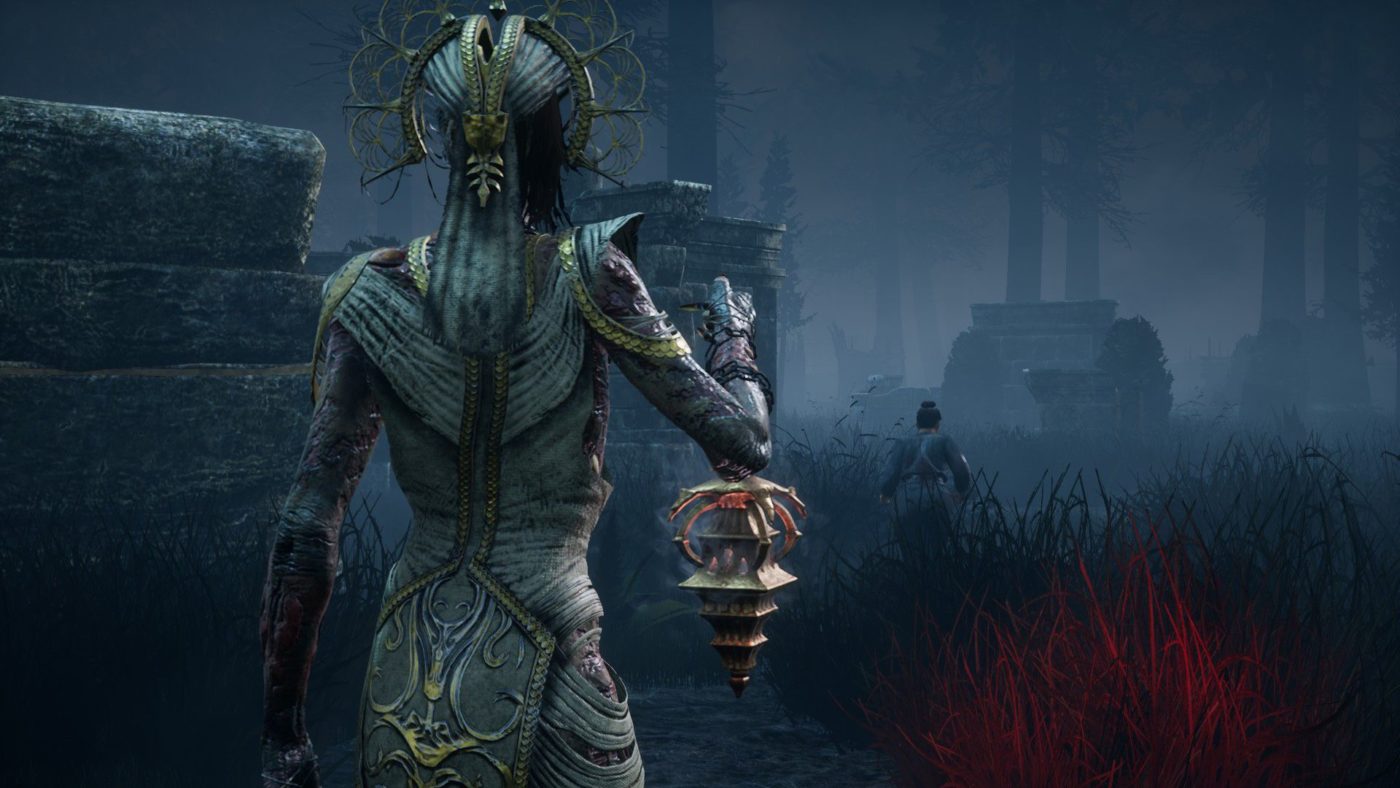
It’s another Tuesday, and that means another Destiny 2 Weekly Reset for Guardians everywhere in the world! For this week’s bounties, rewards, challenges and more, check out the Destiny 2 Weekly Reset September 17 list below.

Destiny 2 Weekly Reset September 17:

Nightfalls:

  • The Corrupted
  • The Insight Terminus
  • Exodus Crash

Scoring:

  • Complete the nightfall to receive a ‘challenge card’ (If you already have one, this will still be in your inventory).
  • Add burns / increase the difficulty on the challenge card to increase the scoring modifier for your run.
  • Get a highscore and earn unique weapons and exotic accessories. The higher the score, the higher your chance.
  • Reach a score of 100.000 or more to get an additional Powerful Engram.

FLASHPOINT: TITAN

Complete various activities around the moon Titan, including public events, Lost Sectors, and Heroic adventures.


Weekly Crucible: Iron Banner

“There will come a day when the Tower falls again. Our ability to hold territory is paramount.” —Lord Saladin

Capture zones to increase points for every kill.


Vanguard Burn: Void Singe

The other modifieres rotate Daily, check out the Daily Reset Thread for them!


Menagerie Boss: Hasapiko, Vex Minotaur

  • Extinguish: If your fireteam falls in a Restricted Zone, everyone is returned to orbit.
  • Iron: Enemies have more health and are not staggered by damage.
  • Blackout: Enemy melee attacks are significantly more powerful, and radar is disabled.
  • Void Singe: Void damage increases slightly from all sources.

Dreaming City Cycle: Strong Curse

The Shattered Throne dungeon active, start at The Confluence.

  • Petra is at Rheasilvia.
  • Weekly MissionDark Monastery – Provide recon for Petra’s forces by investigating strange enemy activity in Rheasilvia.
  • Ascendant Challenge: Ouroborea, Aphelion’s Rest
  • Blind Well: Taken, Plague: Inomina

Escalation Protocol Boss: Kathok, Roar of Xol

This boss drops:


Leviathan

Raid Order: Dogs > Baths > Gauntlet > Calus

Prestige Raid Lairs

  • Prestige: Gladiator
  • Armsmaster

In other Destiny 2 news, go check out the roadmap for the upcoming Shadowkeep expansion here.

Source: Reddit
Avatar photo

Alex Co

Father, gamer, games media vet, writer of words, killer of noobs.

Home > News

PlayStation Store Sale “September Savings” Now Live, Here’s the List of Discounted Games

It’s yet another Tuesday where Sony has another PlayStation Store sale! Called the September Savings, there’s a ton of AAA games discounted, which you can check out below.

PlayStation Store sale “September Savings” (ends October 1, 9 a’m. PDT):

Game Price % Off PS+ % Off
2Dark $8.99 70%
A Plague Tale: Innocence $29.99 40%
Absolute Drift: Zen Edition $3.59 70%
Ace of Seafood $5.99 50%
ACT IT OUT! A Game of Charades $1.74 75%
Along Together $7.49 50%
American Fugitive $11.99 40%
American Ninja Warrior: Challenge $14.99 50%
Apocalypse Rider $3.49 30%
Aqua Moto Racing Utopia $9.99 50%
Astebreed $9.99 50%
Astrology and Horoscopes Premium $4.49 50%
Aven Colony $7.49 75%
Awkward $2.99 75%
Axiom Verge $9.99 50%
Batman™: Arkham Knight – A Matter of Family $3.49 50%
Batman™: Arkham Knight 1970s Batman Themed Batmobile Skin $0.49 50%
Batman™: Arkham Knight 2008 Tumbler Batmobile Pack $0.99 50%
Batman™: Arkham Knight A Flip of a Coin $0.99 50%
Batman™: Arkham Knight Batman Beyond Skin $0.49 50%
Batman™: Arkham Knight Batman Classic TV Series Batmobile Pack $0.99 50%
Batman™: Arkham Knight Catwoman’s Revenge $0.99 50%
Batman™: Arkham Knight Crime Fighter Challenge Pack 1 $0.99 50%
Batman™: Arkham Knight Crime Fighter Challenge Pack 2 $0.99 50%
Batman™: Arkham Knight Crime Fighter Challenge Pack 3 $0.99 50%
Batman™: Arkham Knight Crime Fighter Challenge Pack 4 $0.99 50%
Batman™: Arkham Knight Crime Fighter Challenge Pack 5 $0.99 50%
Batman™: Arkham Knight Dark Knight Returns Batman Skin $0.49 50%
Batman™: Arkham Knight GCPD Lockdown $0.99 50%
Batman™: Arkham Knight Harley Quinn Story Pack $0.99 50%
Batman™: Arkham Knight Original Arkham Batmobile $0.99 50%
Batman™: Arkham Knight Prototype Batmobile Skin $0.99 50%
Batman™: Arkham Knight Red Hood Story Pack $0.99 50%
Batman™: Arkham Knight Riddler Themed Batmobile Skin $0.49 50%
Batman™: Arkham Knight Robin and Batmobile Skins Pack $0.99 50%
Batman™: Arkham Knight Season of Infamy: Most Wanted Expansion $4.99 50%
Batman™: Arkham Knight Season Pass $9.99 50%
Batman™: Arkham Knight WayneTech Track Pack $0.99 50%
Beyond Eyes $3.74 75%
Big Buck Hunter Arcade $5.99 70%
Big Buck Hunter Arcade: Elk Adventure $1.49 70%
Bleed $3.24 75%
Bleed – Deluxe Edition $7.62 75%
Bleed 2 – Deluxe Edition $5.59 80%
Bully® $8.99 40%
Caveman Warriors – Bundle $2.99 80%
Claire: Extended Cut $3.74 75%
Conan Exiles $24.99 50%
Conan Exiles – Complete Edition $52.49 50%
Conan Exiles – Deluxe Edition $37.49 50%
Croixleur Sigma $7.49 50%
Crossout – ‘Arachnophobia’ Pack $27.49 50%
Crossout – ‘Corrida’ Pack $14.99 50%
Crossout – ‘Drive’ Pack $12.49 50%
Crossout – ‘The inventor’ Pack $34.99 50%
Dangerous Driving $17.99 40%
Deer Hunter Reloaded: Canada Region Pack $1.49 70%
Deer Hunter: Reloaded $5.99 70%
Deiland special pack $7.99 50%
Deployment $2.99 70% $2.49 75%
Deus Ex: Mankind Divided $4.49 85%
Dick Wilde 2 $11.99 40%
Disgaea 1 Complete $29.99 40%
Dragon’s Lair Trilogy $9.99 50%
DWVR $7.49 50%
Effie – Deluxe Edition $12.97 41%
Eliosi’s Hunt $3.99 60%
Epic Dumpster Bear: Dumpster Fire Redux $2.49 50%
Euro Fishing $7.99 60%
Euro Fishing: Bergsee $6.59 40%
Euro Fishing: Lilies $4.39 60%
Euro Fishing: The Moat $4.39 60%
Euro Fishing: Waldsee $4.39 60%
Extinction $11.99 70%
Extinction: Days of Dolorum Season Pass $4.49 70%
Extinction: Deluxe Edition $14.99 70%


Game Price % Off
Omega Strike Deluxe Edition $6.29 80%
Outcast – Second Contact $7.99 80%
Outlast: Trinity $14.74 75%
Overcooked $5.09 70%
Overruled! $3.74 75%
Oxenfree $5.99 40%
Palm Reading Premium $4.49 50%
Penarium $2.49 75%
Persona 5 $11.99 40%
Personality and Psychology Premium $4.49 50%
Pharaonic $4.79 70%
Pinball Arcade: Gottlieb Table Pack 1 $4.99 50%
Pixel Heroes: Byte & Magic $4.49 70%
Plague Inc: Evolved $5.99 60%
Please, Don’t Touch Anything $5.99 40%
Prismatic Solid $4.99 50%
RACE THE SUN ® $2.49 75%
Raining Coins $3.59 40%
Rapala Fishing Pro Series: Lake Okeechobee Pack $1.49 70%
Rapala Fishing: Pro Series $5.99 70%
R.B.I. Baseball 19 $9.99 50%
Rayon Riddles – Rise of the Goblin King $5.39 55%
Red Dead Revolver $8.99 40%
Rememoried $1.49 90%
Rento Fortune $5.99 40%
Riptide GP Bundle $6.49 50%
Riptide GP: Renegade $4.99 50%
Riptide GP2 $2.79 60%
Rise of the Tomb Raider: 20 Year Celebration $9.59 84%
Schrödinger’s Cat and the Raiders of the Lost Quark $3.99 60%
Sephirothic Stories $8.99 40%
SEVEN: ENHANCED EDITION $23.99 40%
Sheltered $3.74 75%
Sherlock Holmes : The Devil’s Daughter $4.99 90%
Skullgirls 2nd Encore $9.99 60%
Sleeping Dogs™ Definitive Edition $4.49 85%
Slender: The Arrival $3.99 60%
Slime Rancher $11.99 40%
Slime-san: Superslime Edition $7.49 50%
Snake Pass $7.99 60%
Sniper Elite 4 $17.99 70%
Sniper Elite 4 Deluxe Edition $26.99 70%
Sniper Ghost Warrior 3 Season Pass Edition $9.99 75%
SNK 40th ANNIVERSARY COLLECTION $27.99 30%
Snow Moto Racing Freedom $9.99 50%
SONIC FORCES Digital Standard Edition $9.99 50%
SPACE RIFT – Episode 1 $11.99 40%
Spy Chameleon $2.99 40%
Spyro™ Reignited Trilogy $23.99 40%
SteamWorld Dig $2.99 70%
SteamWorld Dig 2 $9.99 50%
SteamWorld Heist $4.49 70%
SteamWorld Heist – The Outsider $2.49 50%
Super Night Riders $3.99 50%
Super Volley Blast $5.99 40%
SYMMETRY $10.79 40%
Table of Tales: The Crooked Crown $9.99 50%
Tarot Readings Premium $4.49 50%
Team17 Indie Heroes $12.89 70%
Team17 Trophy Hunters Pack $13.99 80%
Tennis World Tour $20.99 65%
Tennis World Tour – Legends Edition $26.24 65%
Tennis World Tour: Roland-Garros Edition $32.99 40%
Game Price % Off PS+ % Off
Fall of Light – Deluxe Edition $5.39 80%
Farm Together $11.99 40%
Fernz Gate $8.99 40%
Fishing Sim World: Pro Tour + Quad Lake Pass $25.79 40%
Fishing Sim World®: Pro Tour – Gigantica Road Lake $6.59 40%
Fishing Sim World®: Pro Tour – Jezioro Bestii $6.59 40%
Fishing Sim World®: Pro Tour – Lake Arnold $6.59 40%
Fishing Sim World®: Pro Tour – Lake Williams $6.59 40%
Floor Plan $2.99 50%
Flywrench $2.44 65%
Frane: Dragons’ Odyssey $8.99 40%
‘n Verlore Verstand $8.99 40%
Frutakia 2 $2.39 40%
Future Unfolding $9.99 50%
Genesis Alpha One $14.99 50%
Glass Masquerade $2.99 75%
GOD WARS Future Past $8.99 70%
Grand Theft Auto: The Trilogy $17.49 50%
Grand Theft Auto: Vice City® $8.99 40%
Grand Theft Auto®III $8.99 40%
Guacamelee! STCE ‘Frenemies’ Character Pack $0.74 75%
Guacamelee! Super Turbo Championship Edition $3.74 75%
Guilt Battle Arena $3.49 65%
Hand of Fate $4.99 75%
Hand of Fate 2 $14.99 50%
Hand of Fate 2: A Cold Hearth $1.49 50%
Hand of Fate 2: The Servant and the Beast $3.49 50%
Hand of Fate Deluxe Edition $5.49 75%
HELLFRONT: HONEYMOON $4.99 50%
Hero Defense $11.99 60%
HITMAN™ – Game of the Year Edition $14.99 75%
Hunter’s Legacy $2.09 70%
Hunting Simulator $7.99 80%
Hyper Sentinel $1.16 91%
Indie Darling Bundle Vol.2 $9.99 80%
InnerSpace $4.99 75%
It’s Quiz Time $11.99 40%
Just Cause 3 $5.99 70%
Just In Time Incorporated $5.99 60%
Kero Blaster $4.99 50%
Kyurinaga’s Revenge $3.99 60%
LA Cops $3.74 75%
Labyrinth of Refrain: Coven of Dusk $29.99 40%
Lapis x Labyrinth $20.99 30%
Lara Croft and the Temple of Osiris $3.99 80%
Lara Croft GO $2.49 75%
Layers of Fear $4.99 75%
Lethal VR $3.74 75%
Life is Strange Complete Season $3.99 80%
Life is Strange: Before the Storm Complete Season $5.09 70%
Lords of the Fallen $3.99 80%
Lords of the Fallen Complete Edition $5.99 80%
Manhunt $8.99 40%
Marooners $4.99 50%
Max Payne® $8.99 40%
METAL MAX Xeno $19.99 50%
Mind Labyrinth VR Dreams $12.99 48%
Mitsurugi Kamui Hikae $5.99 50%
Mugsters $7.49 50%
Mulaka $9.99 50%
MURDERED: SOUL SUSPECT™ ‘ $1.99 90%
Mutant Year Zero: Road to Eden $20.99 40%
My Night Job $4.79 40%
My Time at Portia $17.99 40%
n Verlore Verstand – Deluxe Edition $11.99 40%
Narcosis $8.99 40%
Nefarious $4.49 70%
Nex Machina $9.99 50%
Nickelodeon Kart Racers $14.99 50%
Nidhogg $4.49 70%
Nidhogg 2 $7.49 50%
Ninjin: Clash of Carrots $5.99 60%
Numantia $14.99 50%
observer $8.99 70%
Oh…Sir! The Hollywood Roast $1.99 60%
Oh…Sir! The Insult Simulator $1.19 60%
OlliOlli $3.89 70%
OlliOlli $3.89 70%
OlliOlli $3.89 70%
OlliOlli: Epic Combo Edition $8.09 70%
OlliOlli2: Welcome to Olliwood $5.99 60%
Game Price % Off
The Caligula Effect: Overdose $29.99 40%
The Coma: Recut $3.74 75%
The Escapists 2 $7.99 60%
The Escapists: Supermax Edition $6.24 75%
The Inner World $5.99 60%
The Jackbox Party Pack 3 $14.99 40%
The Princess Guide $23.99 40%
The Rabbit Hole $3.49 30%
The Savior’s Gang $3.49 30%
The Savior’s Gang – Blessed Edition $5.24 25%
The Shapeshifting Detective $7.79 40%
The Sinking City $44.99 25%
The Sinking City – Necronomicon Edition $56.24 25%
The Warriors® $8.99 40%
The Witch and the Hundred Knight 2 $24.99 50%
The Witch and the Hundred Knight Wicked Bundle $34.99 50%
The Witch and the Hundred Knight: Revival Edition $14.99 50%
theHunter: Call of the Wild $17.99 40%
Thief $2.99 85%
Tomb Raider: Definitive Edition $5.99 80%
Torn $7.49 75%
Toro $1.49 50%
Tour de France 2019 $23.99 40%
Train Sim World: DB BR 155 Loco Add-On $11.99 40%
Train Sim World®: Long Island Rail Road $10.49 65%
Train Sim World®: Main Spessart Bahn: Aschaffenburg – Gemünden $10.49 65%
Train Sim World®: Northern Trans-Pennine $10.49 65%
Train Sim World®: Ruhr-Sieg Nord $14.99 50%
Vector Unit Triple Pack $9.99 50%
Verdun $9.99 50%
Vermintide 2 – Back to Ubersreik $7.49 25%
Vermintide 2 – Shadows over Bögenhafen $7.49 25%
Viking Days $2.49 50%
Virry VR: Feel the Wild $3.99 60%
Virry VR: Wild Bundle $9.99 60%
Virry VR: Wild Encounters $7.99 60%
Wales Interactive Bundle $35.99 40%
Wales Interactive VR Bundle $17.99 40%
War Thunder – AMX-30 Pack $24.99 50%
War Thunder – AVRE Pack $24.99 50%
War Thunder – HMCS Haida Pack $24.99 50%
War Thunder – IAR 316B Pack $17.49 50%
Warhammer Chaosbane $41.99 30%
Warhammer Chaosbane Deluxe Edition $48.74 25%
Warhammer: Chaosbane Magnus Edition $59.99 25%
Warhammer: Vermintide 2 $14.99 50%
Warhammer: Vermintide 2 – Ultimate Edition Bundle $27.49 50%
War Thunder – M26 Pershing Ariete Pack $17.49 50%
War Thunder – Magach 3 Pack $24.99 50%
War Thunder – Naval Pack ‘Z-20 Karl Galster’ $24.99 50%
War Thunder – Naval Pack USS Cowell DD-547 $24.99 50%
War Thunder – P40 ‘Leoncello’ Pack $9.99 50%
War Thunder – Type 5 Ho-Ri Pack $17.49 50%
We Are The Dwarves $3.74 75%
WRC Collection $21.99 80%
Yasai Ninja $1.49 50%
Yooka-Laylee $9.99 75%
Zeus Quest Remastered $3.59 60%
Ziggurat $7.49 50%

Don’t forget, there’s the Platinum sale which seems to  be on-going now too

Avatar photo

Alex Co

Father, gamer, games media vet, writer of words, killer of noobs.

Home > News

Call of Duty: Modern Warfare Livestream Happening Now, Featuring Details on Crossplay and What’s in Store for Beta Weekend 2

As mentioned yesterday, Infinity Ward is hosting a Call of Duty: Modern Warfare livestream today, where the studio will talk about crossplay, and what to expect in the beta’s second weekend. The Modern Warfare livestream starts at 1 p.m. ETm and you can watch it unfold live below.

Watch live video from Infinityward on www.twitch.tv

Hopefully, we get a good preview of not only crossplay, but the 32 vs. 32 Ground War mode too, which is scheduled to hit next week as well.

Stay tuned for our Modern Warfare beta hitting later this week. We’re also going to go deep in Ground War once it’s out, and offer our impressions as well.

More Modern Warfare Reading:

Avatar photo

Alex Co

Father, gamer, games media vet, writer of words, killer of noobs.

Home > News

Call of Duty: Black Ops 4 Update 1.24 September 17 (Patch Notes)

Update:  
It seems there was a download that rolled out though it was late. It’s Black Ops 4 update 1.24 and the patch notes below are still accurate.
Original Story:
Treyarch has rolled out a Call of Duty: Black Ops 4 update today, though it’s a server-side hotfix (meaning there’s no download required). But even so, we get a new map variant in multiplayer, new playlists, and news regarding the new Operation dropping next week! Check out the complete list of changes in the Black Ops 4 update September 17 notes below.
Jungle Flooded Now in Rotation on PS4
Post image

Jungle Flooded is our new free alt-weather map variant in Black Ops 4. We’re bringing unique gameplay elements to the Black Ops fan-favorite map with this one, including traversable water and an underwater capture point in Domination – and like Contraband Hurricane, additional light weather elements give this map a unique feel without affecting player visibility.

Jungle Flooded is now live in rotation starting today on PS4, and Arsenal Sandstorm has been shifted out of the map selection based on community feedback. Jump into a match and let us know what you think!

Blackout Map Environment Updates

As we close out the final days of Operation Apocalypse Z, the zombies have started their retreat and the apocalypse has ended in Blackout, bringing daylight back to both the main map and Alcatraz on all platforms. Players can expect new daytime lighting and brightness levels on the main map, and the return of the original afternoon environment in Alcatraz with this update.

Havelina AA50 Weapon Tuning
Post image

Today’s update includes two tuning changes for the Havelina AA50 sniper rifle: we’ve removed aim assist to require more precision for each EKIA, and corrected the damage values for the High Caliber II attachment. We’re also aware of an existing issue with paintjobs not showing up properly on the Havelina AA50, which should be fixed in a future update.

Stockpile and Ground War This Week
Post image

We’re bringing Stockpile to Multiplayer and Ground War back to Blackout this week on all platforms before we kick off Operation Dark Divide. Although we originally planned to bring Pandemic back to Blackout this week, we heard the community’s requests for more Ground War and made the call to swap it in for the last run of this Operation. Squad up and enjoy, and watch for more details soon on our newest limited-time mode in Blackout coming in our next Operation.

Zombies Gameplay Improvements

This update delivers new gameplay improvements for Zombies players, including an increased ammo count for the M16 and multiple fixes for Hellhound spawning logic and their visual FX. Note: Today’s update also introduces a known issue that will incorrectly display blood vials on Primis Richtofen’s in-game character model when playing “Alpha Omega”, which is planned to be fixed in a future update along with an issue preventing Diamond Camo for the Hellion Salvo from properly unlocking.

Keep an eye out for more info on Zombies content coming in our next Operation, including the conclusion to the Black Ops 4 Aether story next week on PS4. Speaking of which…

“Tag der Toten” Arrives Monday on PS4
Post image

We’re less than a week away from the launch of “Tag der Toten” on PS4, and we can’t wait to get the map into the community’s hands. As mentioned above, we’ll have plenty of details from the team before launch to prepare you for what awaits at the end of the Black Ops 4 Zombies Aether story. Stay tuned later this week for the announcement of Monday’s Operation Dark Divide studio broadcast.

With yesterday’s reveal of the official poster art and some other interesting bits of intel, you might think we’d stay quiet until Monday’s launch. But then, where’s the fun in that…?

Post image

See below for everything new in today’s game update:

Post image
MULTIPLAYER
  • Maps

    • Jungle Flooded

      • Alt-weather variant of Jungle now live on PS4 with other platforms to follow.

    • Arsenal Sandstorm

      • Arsenal Sandstorm removed from map rotation in core and hardcore game playlists.

Post image
MULTIPLAYER
  • Weapons

    • Havelina AA50

      • Removed aim assist.

      • Corrected damage values for High Caliber II attachment.

  • Featured Playlists (Sept. 17-23)

    • Stockpile

    • Barebones Moshpit

    • Bolt-Action Barebones Moshpit

    • Party Game Moshpit

    • Endurance Chaos Moshpit

BLACKOUT
  • Map Updates

    • Main Map

      • The apocalypse has ended in Blackout, bringing new daytime lighting and brightness levels to the main map environment.

    • Alcatraz

      • Original daytime map environment returns to Alcatraz.

  • Featured Playlists (Sept. 17-23)

    • Ground War

    • Alcatraz Portals

    • Quads

    • Duos

    • Solo

ZOMBIES
  • Weapons

    • M16

      • Increased base ammo count.

  • Miscellaneous

    • Addressed an issue that could allow Hellhounds to start pathing before spawning.

    • Addressed a timing issue on Hellhound spawn visual FX.

GLOBAL
  • Customization

  • Addressed an issue that could prevent Weapon Charms and Death Effects from staying equipped.

Post image
MULTIPLAYER
  • Featured Playlists (Sept. 17-23)

    • Stockpile

    • Endurance Chaos Moshpit

    • Bolt-Action Barebones

BLACKOUT

  • Featured Playlists (Sept. 17-23)

    • Ground War

    • Alcatraz Portals

    • Solo

Operation Dark Divide Launches Sept. 23 on PS4:

The sixth Operation of Black Ops 4 arrives Monday on PS4 with Operation Dark Divide, our upcoming superheroes vs. villains-themed season packed with all-new game content and customization gear, as well as our final two Black Ops Pass Multiplayer maps and the conclusion of the Black Ops 4 Zombies Aether story, “Tag der Toten”.

Treyarch will host a livestream next week to talk about the new Operation, and we’ll report more details once we know more.

Source: Reddit

Avatar photo

James Lara

A gamer at heart, James has been working for MP1st for the last decade to do exactly what he loves, writing about video games and having fun doing it. Growing up in the 90's gaming has been in his DNA since the days of NES. One day he hopes to develop his own game.

Home > News

Rumor: Gaming Media to Get 3-Hour Hands-on With The Last of Us 2 Next Week

Following last week’s news that there will be a media event for The Last of Us Part II later this month, it seems press people will get more than just a new trailer. Over on ResetEra, reliable industry insider and and Senior Analyst at Niko Partners Daniel Ahmad has let on that “media will get a 3 hour hands on” with The Last of Us 2!

the last of us 2

Mind, this isn’t official news just yet, so Ahmad could be wrong. That said, he has a very good track record in reporting these things, so that’s why we’re putting it up here.

If true, don’t be surprised if the build media gets to try will be the same one shown during the GameStop expo.

Once we know more details about this, we’ll let our readers know.

Avatar photo

Alex Co

Father, gamer, games media vet, writer of words, killer of noobs.