Home > News

SNES Classic Sales Numbers in Japan Surpass 360,000 in First 4 Days

With the SNES Classic, Nintendo is clearly aiming it at the old players (like me) who have very fond memories of the console way back then. Well, so far so good, it seems to be working — even in Japan! The Nintendo Classic Mini Super Famicom, which is the Japanese equivalent of the SNES Classic has already sold over 368,913 units in its first four days of release! 

This was revealed by Famitsu, with the sales numbers listed for the dates of October 5, which was when the Nintendo Classic Mini Super Famicom was released, until October 8. It’s safe to say that the SNES Classic is a hit worldwide, and it’s easy to see why.

For those who manage to get one, you can add more games by using this easy tutorial we posted yesterday.

Source: Famitsu via Gematsu

Avatar photo

Alex Co

Father, gamer, games media vet, writer of words, killer of noobs.

Home > News

WWE 2K18 Will Have Colonel Sanders as a Playable Character

Remember when we reported that there’s a KFC and Snickers-related Trophy/Achievement in WWE 2K18? Well, apparently that’s nothing to the craziness of having the actual Colonel Sanders in the wrestling game! Yes, the Colonel Sanders that invented the chicken!

Now, before any of you thinks of a cool finishing move for the Colonel, it’s not as easy as just picking him from the huge roster pool; nope. You’ll have to build the character in the “Create a Wrestler” feature. Check the “official” announcement from Kurt Angle in the video below.

Imagine eating some KFC, while playing as Colonel Sanders and getting that KFC Trophy?! That’s some serious Inception-level stuff right there. 

What product cross-marketing do you want the WWE 2K games to have in the future? 

Source: KFC (Twitter) via Destructoid

Avatar photo

Alex Co

Father, gamer, games media vet, writer of words, killer of noobs.

Home > News

Call of Duty: WWII Kontrol Freek Includes Exclusive Division Calling Card

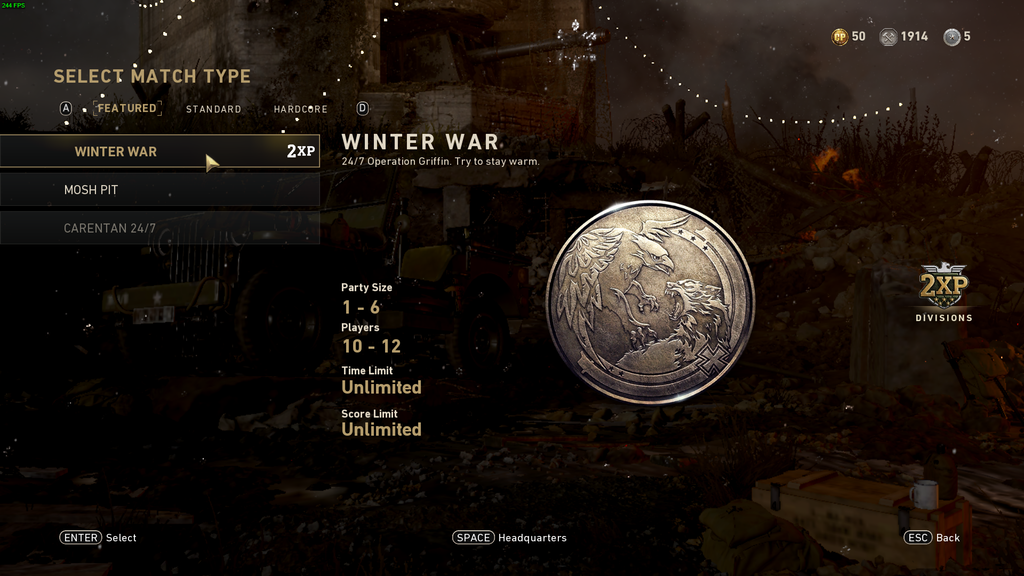
For those looking to buy some accessorizes for their controllers, and looking forward to Call of Duty: WWII, you might want to give Kontrol Freeks’ thumbstick grips a look since you’ll also be getting a free and exclusive Divisions Calling Card.

Priced at $17.99, the FPS Freek Call of Duty: WWII thumbsticks are available for both the PlayStation 4 and Xbox One, and features the Infantry Division emblem on the grips themselves. All you have to do to redeem the exclusive COD: WWII Calling Card is to enter the code in the redemption site, and that’s it.

Here’s what the Calling Card looks like as well as the full product description:

FPS Freek® Call of Duty®: WWII

Designed with Activision® and Sledgehammer Games® specifically for use in Call of Duty: WWII, FPS Freek Call of Duty: WWII features two high-rise thumbsticks (12.2mm) to enhance precision and mobility in Call of Duty: WWII. The iconic Infantry Division emblem and concave surface boosts grip and control to keep you at peak performance in any warzone.

Built to meet the demands of high-speed gameplay in Call of Duty: WWII, these Performance Thumbsticks allow for faster target acquisition at any range. Additionally, they allow you to dial up the sensitivity on your controller so you can make the shots that win the battles. Show your Pride! Represent the Infantry Division with the exclusive Calling Card only available with the purchase of KontrolFreek FPS Freek Call of Duty®: WWII Thumbsticks.

Benefits:

  • Iconic Infantry crest in striking crimson
  • High-rise thumbsticks increase precision and aim
  • Concave surface for enhanced comfort
  • Designed for use in Call of Duty: WWII
  • Includes exclusive in-game Infantry Division Calling Card

For other Call of Duty: WWII news, we just ran a video feature explaining the COD: WWII Prestige system since it’s a bit different compared to past Call of Duty games. We also ran a video yesterday where we summed up the most interesting info leaks we’ve reported on so far.

Avatar photo

Alex Co

Father, gamer, games media vet, writer of words, killer of noobs.

Home > News

Star Wars Battlefont II: DICE Reading “Pretty Much Everything” on Feedback, Explains Why They Don’t Comment on Everything

While we liked what we played of the recently-concluded Star Wars Battlefront II beta, developer DICE has gotten a bit of flack for the game’s loot boxes and how it handles progression. We’ve seen people from the studio address concerns on social media, or even on Reddit, but so far, they have kept mum on the loot boxes.

Over on Reddit, DICE emplployee Peter Vesti explained the reasoning why the studio doesn’t comment on every little thing the community is in uproar about, and mentions the studio reads “pretty much everything.”

If you can’t see that, it reads:

I mostly respond to level design questions and feedback – since that’s what I do. There hasn’t been much feedback in that area for a while. When we don’t comment on issues, it mostly means that we don’t feel we can add anything useful to the discussion. We are reading pretty much everything though!

Given how toxic some people are when complaining about games and their lack of features and whatnot, maybe it’s for the best that they don’t answer everything, no? 

Don’t forget to check out our hands-on impressions piece with Star Wars Battlefront II’s space battles mode, Starfighter Assault. 

Avatar photo

Alex Co

Father, gamer, games media vet, writer of words, killer of noobs.

Home > Hardware

New Xbox One S Bundles 2017 Feature Minecraft, Halo & More

Microsoft has announced four new Xbox One S 500GB bundle deals. The following bundles are available to purchase:  Xbox One S Minecraft Complete Adventure Bundle, Xbox One S Rocket League Blast-Off Bundle, Xbox One S Starter Bundle and the Xbox One S Ultimate Halo Bundle.

For the full list of bundle details see below:

Xbox One S Minecraft Complete Adventure Bundle

Own the Xbox One S Minecraft Complete Adventure Bundle (500GB) for $279 USD / £229 GBP / €279 EUR and be part of a worldwide phenomenon. This bundle is available at local retailers in select markets including Microsoft Store and includes:

  • Xbox One S with 500GB hard drive
  • Xbox Wireless Controller
  • Full-game download code of Minecraft – Now you can build, dig, and craft together with friends across Xbox One, mobile, VR and Windows 10 with the Better Together update
  • Full add-on download code of the Minecraft Explorer’s pack – The Explorer’s pack features the Chinese Mythology Mashup, Natural Texture Pack, Biome Settlers Skin Pack, Battle and Beasts Skin Pack and Campfire Tales Skin Pack. The Explorer’s Pack will also be available as a standalone retail offering which includes the base game and DLC (valued at $29.99) starting Nov. 7.
  • Full-game download code of Minecraft: Story Mode Season 1 – The Complete Adventure(Episodes 1-8) – Experience this episodic point-and-click adventure game.
  • Xbox Live Gold – Enjoy 3 months of Xbox Live Gold to join the online Minecraft community and build, dig and craft together with friends.
  • Xbox Game Pass – Get instant access to over 100 great games with 1 month of Xbox Game Pass.

Xbox One S Rocket League Blast-Off Bundle

Still wondering what soccer would be like with rocket-equipped cars? Wonder no more and get in on the action with one of the most popular multiplayer games around. The winner of numerous awards, get ready to score amazing aerial goals with the Xbox One S Rocket LeagueBlast-Off Bundle (500GB) for £229 GBP / €279 EUR. This bundle is available at local retailers in select markets including Microsoft Store and includes:

  • Xbox One S with 500GB hard drive
  • Xbox Wireless Controller
  • Full-game download code of Rocket League – Choose from a variety of high-flying vehicles equipped with huge rocket boosters to score amazing aerial goals and pull off incredible, game-changing saves, take on the single-player challenge in Season Mode or join in 8-player online competition and 4-player split-screen action.
  • Xbox Live Gold – Enjoy a 3-month subscription of Xbox Live Gold to play your favorite games online with friends and get free games each month plus deep Xbox Store discounts on games, add-ons and more.
  • Xbox Game Pass – Get instant access out of the box to over 100 great games with 1 month of Xbox Game Pass.

Xbox One S Starter Bundle

Own the Xbox One S Starter Bundle (500GB) for $279 USD / £229 GBP / €279 EUR and dive into the very best of Xbox One. This bundle is available at local retailers in select markets including Microsoft Store and includes:

  • Xbox One S with 500GB hard drive
  • Xbox Wireless Controller
  • Xbox Live Gold – Play with and against friends and family on the most advanced multiplayer network with 3 months of Xbox Live Gold, plus receive exclusive membership perks like free games each month and deep discounts in the Microsoft Store
  • Xbox Game Pass – Get instant access to over 100 great games carefully curated for high quality and fun gameplay with 3 months of Xbox Game Pass. Games are added every month so there’s always something new to play including fan favorites such as Halo 5: Guardians, DiRT Rally and LEGO Batman.

Xbox One S Ultimate Halo Bundle

Own the Xbox One S Ultimate Halo Bundle (500GB) for $279 USD and live the legend of the Master Chief on Xbox One S. This bundle is available exclusively at Walmart in the U.S. and includes:

  • Xbox One S with 500GB hard drive
  • Xbox Wireless Controller
  • Full-game download codes of Halo 5: Guardians and Halo: The Master Chief Collection, which collectively offer fans the chance to experience the Master Chief’s epic journey over five Halo games
  • Xbox Game Pass – Get instant access to over 100 great games carefully curated for high quality and fun gameplay with 1 month of Xbox Game Pass
  • 14-day Xbox Live Gold trial – Play games with friends near or far on Xbox Live with a 14-day trial

Will you be picking up a new Xbox One S? Which bundle looks most enticing?

In other Xbox news, check out this month’s Games With Gold, which includes Gone Home, The Turing Test and more.

Source: Xbox

Jasmine Powell

Subscriber

Home > News

Call of Duty: Black Ops 4 Teased by Voice Actor

Veteran Call of Duty: Black Ops fans will know James C. Burns as the voice actor behind Frank Woods, a main character who appeared in both the original Black Ops and Black Ops II

Well, Woods’ voice actor is offering some teases at what could be next for the Call of Duty franchise. Posting on Twitter, Burns wrote the following:

The @Sgt_Frank_Woods account linked in the above tweet is another handle owned by Burns. Over on that page, he’s been retweeting articles that hype up a potential Black Ops 4 release:

While this will be very exciting news for those who want to see another Black Ops title, user RdJokr1993 on Reddit commented that Burns has done this kind of thing before, even when he’s not involved with the game:

“He did the same thing around BO3 season, doing all sorts of teases. Guess what? He wasn’t even in it. Take this with a huge grain of salt.”

So yes, do consider that Burns could well be trolling!

Would you like to see Call of Duty: Black Ops 4 in 2018?

In other Call of Duty news, take a look at the latest leaked information which includes the Prestige system, Headquarters, Contacts, Quartermaster, and more! Oh, and if you’re still playing Infinite Warfare, give the Halloween Event a go!

Source: Twitter via Reddit

Mack Ashworth

Writer of Articles, Maker of Videos, and Topper of Leaderboards. Currently attempting to conquer Westeros. Subscriber

Home > News

Destiny 2 Must-Have Tool Tells You When Vendors Are Selling Level 300 Loot

Wish there was some way to magically know when Destiny 2 vendors are selling the highest level loot? Well, it isn’t magic, but there is now a tool that will alert you once high level loot is available. 

If you’re rank 300-305, you may have noticed that Vendors rotate their gear level every half an hour. Gear can be between 295-300. Obviously, you’ll be wanting to grab gear when it’s at its peak Power Level. 

Enter Vendorengrams.xyz, which is now compatible with Discord, the popular communication app. Here’s what it’s all about:

Each of the vendors in Destiny 2 that you can collect tokens with to recieve engrams rotate the level of the gear they drop. They do this every 30 minutes–on the hour and half hour–but only for guardians at 305PL or base 300PL. The engrams can vary between 295 – 300. At VendorEngrams.xyz you, and other users, vote on what the current vendors are showing so collectively we can help everyone see what the current drops are. 

In order to add the alerts to Discord, and have notifications come through your phone for ultimate convenience, follow these instructions:

We just added integration with vendorengrams.xyz so you can get notifications in Discord when a vendor is selling PL300 engrams. Just type !server vendorengrams on in the channel were you want the notifications to be posted and they’ll pop in within a minute of being discovered by the community.

Want instant notifications on your phone? Want it easy for your clanmates to set up?

  • Create a new channel and set it to read-only for all users except Charlemagne. Make sure Charlemagne can post to the channel.
  • Type !server vendorengrams on in that channel
  • Now turn on notifications for all posts in that channel

To add Charlemagne to your server, go to warmind.io or just click here.

Give the tool a go, and let me know what you think of it!

In other Destiny news, update 1.07 is out now. Also, the Leviathan Raid has been delayed until next week. Finally, get caught up on what changed with the Weekly Reset

Source: Reddit

Mack Ashworth

Writer of Articles, Maker of Videos, and Topper of Leaderboards. Currently attempting to conquer Westeros. Subscriber

Home > Features

Call of Duty: WWII Video Explains Prestige Mode

Posting on Pixel Enemy, I’ve shared a video that explains Call of Duty: WWII Prestige mode, and what we’ve learned from the various info leaks.

Click “play” on the video above to give it a watch, and be sure to leave any thoughts of your own in the comments below.

“This is Mack, for Pixel Enemy, here to talk about prestiging in Call of Duty: WWII.

Prestige has been in Call of Duty since the Modern Warfare days. Back then, entering into Prestige Mode meant forgoing all of your current progress in exchange for a cooler-looking player icon.

In the more recent Call of Duty titles, Prestige has worked a little differently. You still trade-in most of your progress, but in exchange you get some bonuses, like a new Custom Class slot and additional challenges.

In Call of Duty: WWII it looks like players will get a little something extra. Thanks to the info found in the mined PC beta files, we’ve now got a good idea of what WWII’s Prestige Mode will involve.

Again, take all this with a grain of salt, as some of these things may have changed by the game’s launch.”

Don’t forget to check back regularly here on MP1st for the latest gaming news! 

For more original video, podcasts, and the latest in game trailers, don’t forget to subscribe to Pixel Enemy!

Essential Reading:

Mack Ashworth

Writer of Articles, Maker of Videos, and Topper of Leaderboards. Currently attempting to conquer Westeros. Subscriber

Home > News

Huge Splatoon 2 Patch Includes Balance Changes, Ranking System Tweaks & More

Nintendo has released patch 1.4.o for Splatoon 2, fixing a load of multiplayer issues and making improvements to the Spectator mode, Salmon Run, and more.

Update 1.4.0 is currently available to download and install automatically if your system is connected to the internet. 

Find the full list of patch notes below:

  • Changes to Player Ranks
    • Previously when going down in rank while rank S+1 or higher, players could drop to S+0 all at once. This drop is now limited to a maximum of five ranks levels.
    • In conjunction with the above change, maintaining current rank from S+0 to S+49 will now require the rank meter to stay at least 50% full (was previously 40%).
  • Changes to Salmon Run
    • Fixed an issue causing certain combinations of main and special weapons to not appear, though they had been among the four supplied for that session of Salmon Run.
    • Fixed an issue causing players in life preserver form positioned near the edge of a stage to fall through the stage when super jumping to the starting point or to the Grizzco ship at the end of a wave.
    • Fixed an issue when hunting for a Goldie, causing its size and the location of the Golden Eggs it drops when defeated to appear differently to different players.
    • Fixed an issue allowing a Flyfish’s missle launcher to be destroyed when hit with a bomb just as it closed, although the bomb hadn’t gone inside.
    • Fixed an issue causing players swimming on walls to take damage continuously when attacked by a Chum, Smallfry, or Cohock.
    • Fixed an issue preventing ink from a Slosher from reviving allied players in life preserver form at point-blank range.
    • Fixed an issue that gave both pieces of gear the same randomly assigned gear abilities when receiving the current and previous month’s Limited-Time Bonus gear simultaneously.
  • Changes to Spectator Mode
    • Fixed an issue causing incorrect animations to play when objects other than players, such as Inkrails or Splash Walls were damaged while viewing a particular player’s perspective.
    • The sound effect that plays when taking damage during regular play now also plays when viewing that player’s perspective in spectator mode.
  • Other Changes
    • Fixed issues while creating posts in which 1)lines drawn outside of the frame and then back into the frame failed to properly appear and 2)the “undo” function failed to work properly.
    • Fixed an issue when testing weapons in which coming into contact with one of the targets immediately after performing a vertical swing with a roller failed to deal contact damage.
    • Fixed an issue when testing weapons in which coming into contact with one of the targets continuously with a Brella-type weapon incorrectly only damaged the target once.
    • Fixed an issue occurring when exceeding the number of displayable League Battle results caused recent results to not be displayed instead of the oldest results.
    • Updating to Ver.1.4.0 will disable wireless matchmaking for local multiplayer with players using Ver.1.3.0
  • Changes to Multiplayer
    • Fixed an issue where, under the following conditions, players would only receive the benefit of Ink Resistance Up when stacking it to maximum effect.
      • Moving while shooting a weapon in the Shooter category.
      • Moving while shooting a weapon in the Dualie category.
      • Moving while preparing to throw a bomb or sub weapon.
    • When storing a charged shot with a Charger, swimming into enemy ink and being returned to kid form now allows you to maintain the charge you had stored.
    • Fixed an issue preventing players using a Charger from shooting when pressing ZR again after releasing the button once a stored charged shot had expired.
    • Decreased the knock back distance when coming into contact with a roller that has run out of ink or is in mid-air.
    • Fixed an issue causing the aiming reticule to display outside the center of the screen when moving the camera and using a Roller or Brella-type weapon.
    • Fixed an issue causing Brellas to shoot in an off-center direction when shooting them while moving the camera.
    • Fixed an issue causing a discrepancy in movement speed while trying to shoot a Brella-type weapon with no ink remaining, as opposed to shooting a Brella with ink in the ink tank.
    • Fixed an issue causing Slosher-type weapons to shoot ink from a higher position than they appeared to.
    • Fixed an issue occasionally allowing opposing players standing behind a Splash Wall to be splatted when a bomb hit the edge of the wall.
    • Fixed an issue causing Curling Bombs to lose speed inappropriately when thrown on sloping surfaces.
    • Fixed an issue causing bombs not to ink the floor when exploding at the very edge of a stage.
    • Fixed an issue causing the predicted range of the sub weapon to incorrectly display when readying an Ink Storm special while also equipped with either a Point Sensor or Toxic Mist sub weapon.
    • Fixed an issue causing the inking effect of an Ink Storm special to occur unnaturally when the storm intersected with a roof or other similar object in a stage.
    • Bubbles from the Bubble Blower that burst after the end of a match will no longer ink the stage.
    • Fixed an issue causing movement speed while firing the Bubble Blower to vary depending on which main weapon was equipped.
    • In Rainmaker mode, equipping weapons such as the E-liter 4K and Dynamo Roller will no longer lower movement and swim speed while holding the Rainmaker.
    • Fixed an issue in Rainmaker Mode in which splatting a player holding the Rainmaker while they were jumping caused the Rainmaker to reappear not in its fixed location, but where the player had started their jump.
    • Fixed an issue in The Reef causing Suction Bombs and other objects thrown onto the area around the central bridge to sink inside it.
    • Fixed an issue in Inkblot Art Academy causing players readying a Roller or Brella at specific locations in the stage to fall through it.
    • Fixed an issue in Moray Towers causing players who fell off the stage near its center to fall faster than in other stages.
    • Fixed an issue in Manta Maria allowing players to enter into certain pillars in the stage.
    • Fixed an issue applying to the Drop Roller in which players returning to their starting point after using the Inkjet special were unable to roll when going into squid form just before landing.
    • Specifications for some of the main weapons have been changed.
    • Specifications for some of the special weapons have been changed.
    • Specifications for some of the gear abilities have been changed.
    • Points required to fill the special gauge for some weapons have been changed.

Will this patch make your game more enjoyable? Let us know below!

Source: Nintendo Support

Jasmine Powell

Subscriber

Home > News

Star Wars Battlefront II Starfighter Assault Beta Impressions – Galaxy Rangers

While we already have our Star Wars Battlefront II beta impressions piece, it mostly talked about the infantry-centric modes, and how it played. For this hands-on impression piece, we’re focusing on Battlefront II’s space battles mode, Starfighter Assault.

Bit of a disclaimer from me: I never really like dogfighting in games much. Sure, I played them, but if I had a choice between infantry and space/jet combat? I’d choose the former every time. Now that’s out of the way, here’s the big kicker: I absolutely loved Starfighter Assault. I wasn’t particularly super good at it, nor can I control my spacecraft with pinpoint precision, but man, did I enjoyed the time I had — especially as the Imperials. 

Destroying Stars

In the Star Wars Battlefront II beta, Starfighter Assault mode had three ships to choose from: there’s the X-Wing, which was your standard assault vehicle with rapid fire lasers; the Interceptor, which was more of a one-on-one specialist; and the Bomber, a heavy-hitting craft that either slowed down a targeted enemy ship (for the Rebels), or fired off three missiles that can lock on to multiple targets (Imperials). Each “side” (Rebels and Imperials) had their own version of each craft though with slight variance in each.

What was surprising to me was, each vehicle felt really different, and that was pretty much evident with the abilities, and the laser sound each vehicle made (more on that later). So far, my favorite of the three is the Bomber ship, since it meant you can support your teammates in taking out Hero ships or pesky pilots by slowing them down (as the Rebel Bomber), or targeting multiple enemy ships as the Imperial Bomber. It’s so satisfying taking out a vehicle by bombarding them with missiles and watching things blow up.

Adding to each spaceship’s abilities are Star Cards that acts as buffs for offensive or defensive abilities, or gives players ability boosts such as their main weapons taking longer to overheat, faster lock-ons and more. It would be awesome to have the ability to put a skin over your own vehicle, but it doesn’t seem to be an option that’s available — at least in the beta.

Cockpit Commander

I can’t, for the life of me, pilot a chopper or jet in DICE’s Battlefield games. Call me a noob, idiot, or whatever, but I just can’t. Imagine my surprise when I found the controls in Starfighter Assault easy to adapt, but a tad harder to master. After a few matches I was weaving and flying through structures, painting enemy spacecrafts and more.

One cool objective had you flying in the trenches of a space structure where you had to take out multiple targets inside. Imagine having to maneuver that and have to contend with enemy fighters on your tail trying you laser your ass down! It’s definitely one of those I-can’t-believe-I’m-really-doing-this moments that needs to be experienced firsthand. 

Aiding in that movie-like chase downs are the simple controls where the left stick handles the acceleration and deceleration, with the right stick making your craft roll, Weapons are fired by L1, R1 and L1+R1 which means you’re hands are always ready to fire when ready. 

While some people might scoff at making the controls super simple, I’m all for it. It’s hard enough fighting with enemy spaceships, don’t let the player wrestle with the controls, too. 

Hero Ships

Of course, it won’t be a Star Wars dogfight without the universe’s legendary ships. In the beta, we have access to Han Solo’s Millenium Falcon, Bobba Fett’s Slave-1, Darth Maul’s Scimitar and a modified X-Wing. Out of the lot, Bobba Fett’s craft is easily my favorite and if I’m being honest, feels a tad overpowered. Its ultimate ability is leaving a bomb area of attack that damages and stuns those who are tailing you. Sure, the wind up takes a second or two, and there’s no way to lose enemies targeting you, but the damage capabilities of Fett’s ship easily outclasses those of the Millenium Falcon and the rest.

Controlling the hero spacecrafts give off a sense of power, which is emphasized by the ship-specific voice overs. Piloting the Falcon? Prepare to hear Chewbacca and Han Solo spew out some quips that should be appreciated by Star Wars fans. 

Fortunately, the Hero vehicles aren’t too overpowered — at least from what I’ve experienced so far. Sure, they can take away a few ships, but if a few regular spaceships are coordinate in taking it down, it should go down given the self-repairing gameplay mechanic doesn’t kick in immediately when no one is shooting.

More Star Wars Battlefront II Reading on MP1st:

Danger Zone

Based on what I’ve played of Starfighter Assault in the Battlefront II beta, DICE and Criterion have nailed the mode down. If you ever wanted to pilot an X-Wing or drop goons while piloting the Millenimum Falcon, then your dreams are one step closer to reality. Simply put, if a non-genre fan like me can be swayed by what I’ve played, imagine what it’ll do to those who are huge fans of Star Wars and flight sims or space battles. 

Let’s hope that the Hero vehicles we’ve yet to see live up to the rest that was showcased in the beta. Other than that, maybe a way to customize ships (though not too much), and I can see myself getting lost in the vast oceans of the galaxy. 

Will what was shown in the beta have enough depth to have would-be pilots coming back after the initial thrill has worn off? How will the other maps differ from the rest? There’s lots of questions left, but so far so good, DICE and Criterion are on the right trajectory when it comes to bringing the thrills Star Wars Battlefront II’s space battles, and I for one, am excited to jump back into the cockpit once again come this November 17 when the game ships for the PS4, Xbox One and PC.


Star Wars Battlefont II early access beta code provided by EA, played on PS4.

Avatar photo

Alex Co

Father, gamer, games media vet, writer of words, killer of noobs.

Home > News

Latest Humble Bundle Guarantees Fun With Friends in Several Must-Play RPGs

A new Humble Bundle deal is up for grabs, featuring some fantastic RPGs starting from just $1, enough games to entertain you all fall.

For just $1 you can get Borderlands: Game of the Year EditionThe Incredible Adventures of Van Helsing: Final Cut, and Wurm Unlimited.

We’d recommend grabbing some friends for a bit of Borderlands gameplay, if you’ve somehow managed to avoid playing the game!

Head here to check out the Humble Bundle and buy it for yourself.

Here are the full tiered list of games and blurbs:

Pay $1 or more and you will purchase the following:

  • Borderlands: Game of the Year Edition

With its addictive action, frantic first-person shooter combat, massive arsenal of weaponry, RPG elements and four-player co-op, Borderlands is a breakthrough experience that challenges all the conventions of modern shooters. Borderlands places you in the role of a mercenary on the lawless and desolate planet of Pandora, hell-bent on finding a legendary stockpile of powerful alien technology known as The Vault. 

  • The Incredible Adventures of Van Helsing: Final Cut

Grab your weapons and embark on an incredible adventure in the gothic-noir world of Borgovia, where mad science threatens the peace between monsters and mortals. Save the day with your charming companion, Lady Katarina (who happens to be a ghost). Explore the wilderness and the grim districts of a metropolis twisted by weird science, and don’t forget: you might never know who the real monsters are! The Incredible Adventures of Van Helsing: Final Cut is the definite collection of three stand-alone episodes told as one continuous story, with six playable classes and a new endgame mode with a huge variety of open missions!

  • Wurm Unlimited

In Wurm Unlimited, players can explore an elaborate fantasy sandbox world in the predefined Creative or Adventure modes as well as set up their own game server and invite friends to live and experience the Wurm universe.

Muster up the average $5 and you’ll receive all the previous games plus:

  • Borderlands 2 + DLC

A new era of shoot and loot is about to begin. Play as one of four new vault hunters facing off against a massive new world of creatures, psychos and the evil mastermind, Handsome Jack. Make new friends, arm them with a bazillion weapons and fight alongside them in 4 player co-op on a relentless quest for revenge and redemption across the undiscovered and unpredictable living planet.

  • Endless Legend: Classic Edition

Another sunrise, another day of toil. Food must be grown, industries built, science and magic advanced, and wealth collected. Urgency drives these simple efforts, however, for your planet holds a history of unexplained apocalypse, and the winter you just survived was the worst on record. A fact that has also been true for the previous five. 

  • Guild of Dungeoneering

Guild of Dungeoneering is a turn-based dungeon crawler with a twist: instead of controlling the hero you build the dungeon around him. Using cards drawn from your Guild decks, you lay down rooms, monsters, traps and of course loot! Meanwhile your hero is making his own decisions on where to go and what to fight. But will he be strong enough to take on the dungeon’s overlord? In between dungeon runs you manage your Guild, building new rooms to attract new classes of adventurer and to expand your decks of cards with more powerful items and events.

Pay $10 and you’ll get the entire list of games including:

  • Borderlands The Pre-Sequel

Discover the story behind Borderlands 2 villain, Handsome Jack, and his rise to power. Taking place between the original Borderlands and Borderlands 2, the Pre-Sequel gives you a whole lotta new gameplay featuring the genre blending fusion of shooter and RPG mechanics that players have come to love. 

If you want to get your hands on over $242 worth of games boasting over 300+ hours of potential play time, then time is running out!

Will you be making a cheeky purchase? Let us know below.

Source: Humble Bundle

Jasmine Powell

Subscriber

Home > News

Destiny 2 Update 1.07 Now Out, All About the Tower

In case you haven’t logged on today for Destiny 2, you’ll be prompted with a new Destiny 2 update (1.07) that’s out now on PlayStation 4. Unfortunately, there doesn’t seem to be any new tweaks or additions to the gameplay experience, but this one is all about the crashes players are experiencing in the Tower.

Here’s what the Bungie site says about this latest Destiny 2 hotfix:

1.0.3.2 The one about Tower crashes. 
 

General

  • Fixed an issue that was causing crashes while loading into the Tower

Note that this is a hotfix, but Bungie says that players might need to manually check for updates to begin the installation process.

In other Destiny 2 news, the weekly reset happened this week, which you should read about if you care about new stuff to do in the game. Also of note, the big Destiny 2 Leviathan Prestige Raid has been delayed to next week due to a lingering exploit.

Avatar photo

Alex Co

Father, gamer, games media vet, writer of words, killer of noobs.

Home > News

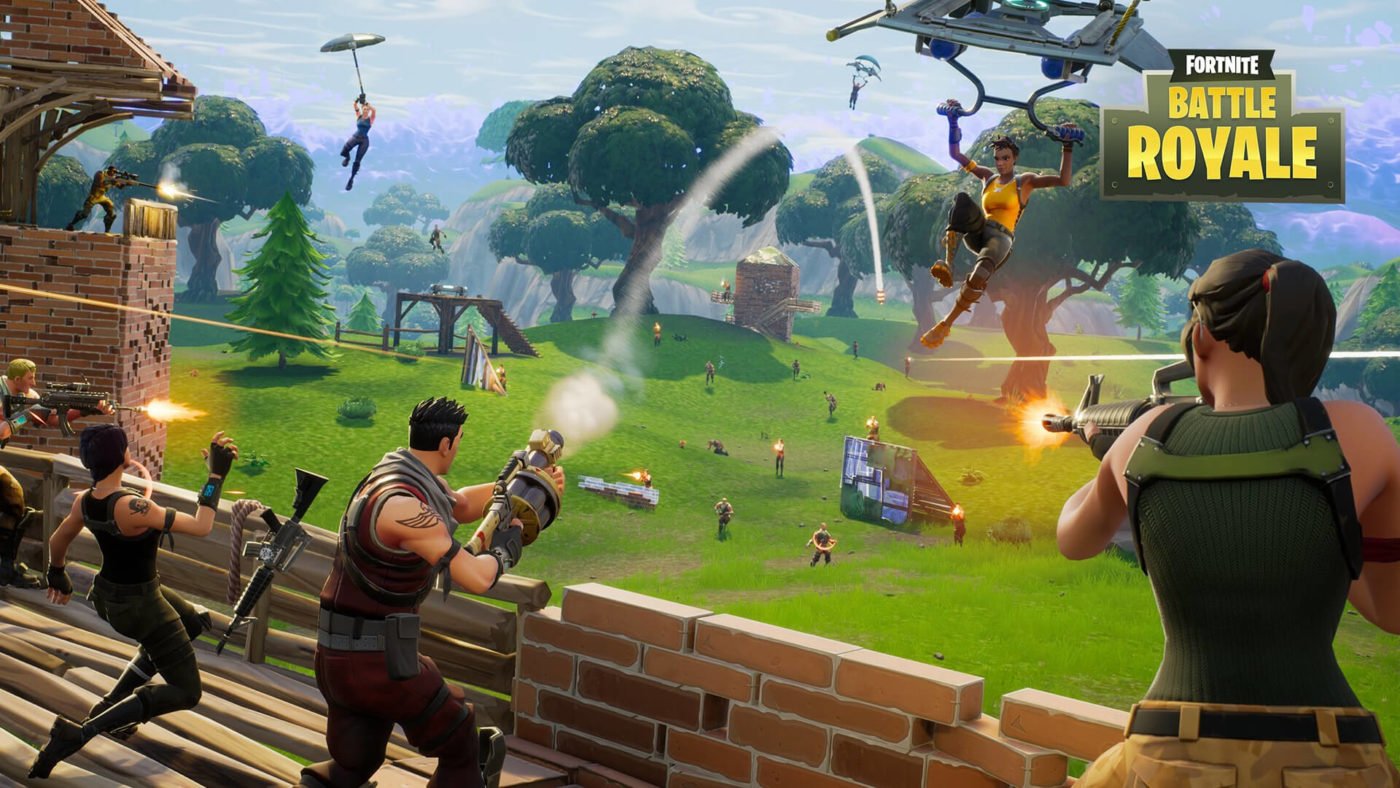
Epic Games Releases Impressive Fortnite Battle Royale Stats

I just reported on the impressive feat achieved by PlayerUnknown’s Battlegrounds, in which the game has amassed a peak concurrent player count of 2 million, and now Fortnite Battle Royale is making milestone-demolishing headlines of its own!

Epic Games has released a cool-looking infographic that compiles a bunch of fun facts and statistics. Give it a look below!

– 10 million Battle Royale players in 2 weeks
*That’s the entire population of Sweden.
– 44,494,571 total number of hours played*
*1,483 college defrees that could have earned in that time
– 58,925,337 traps found*
*Zero traps found in Return of the Jedi
– 797,785,423 walls/stairs/floors/ceilings built*
*3,873,000,000 bricks in the Great Wall of China
– 6,957,908 number of unbreallas earned*
Over 8,000,000 copies of Rihanna’s Umbrella have been sold
– 292,715,319 number of people who have jumped from the Battle Bus*
*2 – Number of times Patrick Swayze jumps out of a plane in Point Break

These stats come just a couple of days after Fortnite‘s concurrent player count rose above 500,000 concurrent users. If you haven’t seen what the latest Fortnite update changed, here’s the list of patch notes. And here’s a Top 5 video in which we list five lessons PUBG could learn from Fortnite Battle Royale.

Source: Fortnite (Official Twitter)

Mack Ashworth

Writer of Articles, Maker of Videos, and Topper of Leaderboards. Currently attempting to conquer Westeros. Subscriber

Home > News

PUBG Player Count Surpasses 2 Million Concurrent, Chickens Face Extinction

Well, it’s happened! PlayerUnknown’s Battlegrounds has reached a concurrent player count of 2 million! That is 2 million people all online playing PUBG at the same time.

What’s more, it’s been achieved on a Wednesday, whereas previous record player counts have been achieved during the weekend. Impressive!

Above you’ll find the PUBG player count as recorded by Steam.

Bluehole’s unstoppable game smashed the 15 million sales milestone a couple of days ago, and now it’s claimed another impressive achievement. And remember, this is all through the PC version! I can only wonder what heights this game will achieve when it comes to Xbox One and (hopefully) PS4!

That’s a lot of people competing for first place and a “Winner, winner, chicken dinner!” I feel bad for all of those chickens…

In other PlayerUnknown’s Battlegrounds news, Bluehole is in “talks” with Sony regarding a PS4 version, a creative chap has managed to get PUBG running on a Game Boy, and Bluehole is now valued at $4 billion

If you’re still waiting for a PUBG console release, check out our list of the top 5 PUBG console alternatives.

Are you one of the millions enjoying PUBG?

Source: Steam via NeoGAF

Mack Ashworth

Writer of Articles, Maker of Videos, and Topper of Leaderboards. Currently attempting to conquer Westeros. Subscriber

Home > News

Star Wars Battlefront II Beta Update 1.01 Rolls Out

[badlist]

  • Item #1
  • Item #2
  • Item #3

[/badlist]

Well, here’s a weird one. It seems there’s a Star Wars Battlefront II beta patch (1.01) that just went live right now — at least on the PlayStation 4. Checking the update history of the title update, it says, “Multiplayer Beta test patch” and nothing more for the 140MB download.

What’s interesting and weird here is that the beta is set to end today, and it’s weird for DICE to roll out a patch for something that should be over in a few hours. Maybe it’s another beta extension? Or maybe it’s to fix some weird matchmaking issues? We’ll give the Battlefront II beta a spin to see if there’s any changes. Speaking of which, go give our beta impressions piece a go to see what we think of it so far.

In other Star Wars Battlefront II news, Darth Vader has been confirmed to be in the game, and you can read about his powers here. DICE is also asking for feedback on the beta’s crosshairs, which I admit, isn’t ideal for me. 

Avatar photo

Alex Co

Father, gamer, games media vet, writer of words, killer of noobs.

Home > News

Overwatch Update 2.21 Out Now, Check the Patch Notes Here

Overwatch fans, there’s a new Overwatch update out now (1.16 or 2.21 on PlayStation 4), and clocks in at a whopping 18GB! As one can expect, there’s a lot of hero tweaks, as well as gameplay adjustments that are made. Aside from that, expect the big Halloween update to be part of it as well.

Check out the Overwatch patch notes below for both gameplay and hero tweaks.

D.Va

Boosters

  • Players now have the option to now hold down the boost button, rather than using the default toggle method. Releasing the button will end the ability. The Hold Boosters option can be found under the ‘Controls’ tab in the ‘Options’ menu – select D.Va from the dropdown menu.

Genji

Dragonblade

  • Stun attacks that hit Genji during his Dragonblade’s casting animation won’t interrupt the cast. (Soldier: 76, Winston, and Bastion’s ults work the same way.)

Orisa

Supercharger

  • Can now be interrupted when Orisa is stunned or hacked.

Sombra

Sombra balance changes

Hack

  • Now interrupts the following ultimate abilities: Ana’s Nano Boost, Orisa’s Supercharger, Mei’s Blizzard, Reinhardt’s Earthshatter, and D.Va’s Call Mech.

Overwatch Patch 1.16 User Interface changes

Assault Maps

  • A team-coloured high-water mark will now appear in the progress bar until the attacking team has overtaken the defending team’s progress
  • When capturing an objective, the progress bar is now broken into three segments; when filled, each segment will trigger an animation and audio cue
  • The number of defenders currently on the objective will now be displayed with the attacker count, just below the progress bar

Spectating

  • Team colours are now visible in the capture point progress bar on Assault, Escort, and Assault/Escort maps

Overwatch Patch 1.16 Bug Fixes

General

  • Fixed a bug that allowed muted players to become unmuted after leaving and rejoining the same match

A.I.

  • Fixed a bug that caused bots to get trapped in a movement loop after taking the tunnel under the capture point in the University section of Oasis

Competitive Play

  • Fixed an issue that caused matches to end in a draw when both teams won their first attacking rounds in overtime on Hanamura, Horizon Lunar Colony, Temple of Anubis, and Volskaya Industries
  • Custom Games and Game Browser
  • Fixed a bug that prevented the Capture Speed Modifier setting from being applied in custom games
  • Fixed a bug that prevented D.Va’s Projectile Speed slider from appearing in Custom Game settings

Heroes

  • Fixed a bug that prevented D.Va’s Micro Missles from producing rumble feedback when using a controller with vibration enabled
  • Fixed a bug that caused Lúcio’s soccer ball to fly off in the wrong direction when activating his Juggle emote at 30 FPS
  • Fixed a bug that caused Mercy to maintain forward momentum after canceling Guardian Angel mid-flight
  • Fixed a bug that could cause heroes to respawn as a different hero after being resurrected by Mercy
  • Fixed a bug that caused Roadhog’s chest to deflate when his Tuckered Out emote was activated while the Mako or Sharkbait skins were equipped
  • Fixed a bug that prevented the sound effects on Symmetra’s turrets from being heard by teammates
  • Fixed a bug that prevented Torbjörn’s weapon-draw animation from being played when turret placement was canceled

Maps

  • Fixed a bug on Junkertown that allowed some heroes to get stuck behind a barrel near the final point
  • Fixed a bug on King’s Row that caused a dark box to appear if you stared into the robot city for too long
  • Fixed a bug that allowed Sombra to reach unintended locations on Volskaya Industries
  • Fixed a bug affecting Ilios, Lijang Tower, Nepal, and Oasis that prevented overtime progress from resetting when the point had been flipped after both teams’ progress bars reached 99%

UI

  • Fixed a bug that could cause Widowmaker’s scoped overlay to appear while spectating her from third person view

It’s also been said that the Overwatch update changes how ultimates are handled when your character bites the dust. Before, once you activated your ultimate, you’d respawn with a little of it back in your meter. Now, that won’t be the case anymore. Also of note, the patch notes above are for the PC version, but if there are differences to the PS4 and Xbox One versions, we’ll update the post.

Lastly, Mercy hasn’t been tweaked just yet, so yeah, expect here to continue using her new abilities for now.

Source: Overwatch Subreddit, PCGamesN

Avatar photo

Alex Co

Father, gamer, games media vet, writer of words, killer of noobs.

Home > News

Xbox Live Down Worldwide, Online Gaming and Sign-In Affected (Update)

Update:

Xbox Live services are back up again! Carry, gamers!

Original Story:

If you’re trying to log on to Xbox Live right now but can’t, it’s not you, but rather, Xbox Live down time is happening! And you thought it was only Sony that had this problem, no?

According to the official Xbox Live status page, Xbox Live Core Services are all at “limited,” and affect platforms are the Xbox One, Xbox 360, Xbox on other devices and Xbox on Windows 10. As some people on NeoGAF has said, you can’t sign in at all, much less game online or check the Xbox store. 

The latest update from Microsoft:

Latest update:

Our engineers and developers are actively continuing to work to resolve the issue causing some members to have problems signing in to Xbox Live. Stay tuned, and thanks for your patience.

Over on Twitter, the official Xbox account has acknowledged the Xbox Live down time and said that they will provide more info when they have it.

If you can’t see the tweet it states:

We’ve got the proper teams investigating sign-in issues across Xbox One consoles & our website. We’ll provide more info when we have it!

Once we know more details or when it’s back up, we’ll be sure to update the post. If you can or can’t log in to Xbox Live, please leave a comment below and tell us where you’re from.

Avatar photo

Alex Co

Father, gamer, games media vet, writer of words, killer of noobs.

Home > News

SNES Classic Hack Tutorial Allows More Games to Be Added

While the SNES Classic is one hard retro console to get, those who have it might be wondering if there’s a way to add more games to the console other than what Nintendo included. Popular choices like Chrono Trigger, NBA Jam, and more are sure to be missed by old-school fans, but fret not! There is a way! 

Thanks to to NeoGAF user Robin64, the SNES Classic hack tutorial is made a wee bit easier. Note that MP1st does not endorse the console, and it can brick your unit if you did something wrong. For those who want to risk it, read on, since from what people have said, it’s not that hard at all. We’ve also added a video above from YouTuber ADH Gaming so it’s easier to follow. 

Here’s the SNES Classic hack tutorial from NeoGAF and Reddit.

Reddit:

How do I mod my SNES Classic?

There’s a few videos out there, but here’s one to start you off.

Can I mod non American versions of the SNES Classic (Australian, European, Japanese et cetera)?

Yes.

Will I lose my save states or progress in my games?

Most likely not, just keep in mind things happen and you might be the 1 in the 1/1000000 chance that something happens.

Is there a possibility doing this will brick my unit?

See above.

Will all my SNES ROMs work?

Cluster M says the inbuilt emulator has support for about 75% of games. The games that aren’t supported will need RetroArch.

What kind of ROMs do I need to use?

U.S. ones as the European ones are in a PAL format (note: Japanese are also in NTSC) and seem to be a bit of a hit and miss in terms of functionality (more miss than hit). All SNES Classics use the NTSC format no matter whether they’re sold in the U.S. or abroad.

Can I load PAL games onto the SNES Classic?

See above.

How many games can I fit on my SNES Classic?

Short answer is “it depends”. Games come in different sizes and you have around 260MB to work with. A ballpark figure would be around 100 or so.

Can I play NES, or other console ROMs?

Yes, check out RetroArch with a tutorial here.

I’m getting a C8 error after I’ve loaded up the ROMs!

You’ve most likely got too many games on one screen, try keeping it under 40 or so.

I’m getting a C7 error when trying to load a game!

It’s probably incompatible, check to see if you’re using a U.S. version, and if you are you’ll probably need to run it using RetroArch.

How big is the box art?

The big box art is 228×160 pixels, while the small is 40×28.

My return to menu key combination isn’t working!

The emulator processes the key combination first so depending on the combination, the emulator will process the keys in game before the Operating System can pick it up and take you to the main menu. To get around this you will either need to change the key combination, pause the game or do it on your second controller (all depending on whether the game will process keys in those states).

How do I add custom backgrounds?

Rather than repeating it here, check out this thread.

I really want to load [some program] onto my SNES Classic. Is there a way to do it?

Maybe. Search here on the subreddit to see if others have done it, try google as well. If nothing comes up, ask about it and maybe someone will know how.

How do I back up my original kernel, and where is it stored?

Kernel -> Dump Kernel

After that, you will find it under the following folder (assuming you’re using the web installer on Windows 10): Documents/hakchi2/dump

How do I revert my SNES Classic back to its original state?

Load the original kernel dump back onto the console: Kernel -> Flash Original Kernel

NeoGAF:

So what are the basics?

https://github.com/ClusterM/hakchi2/releases will always be the link to get the latest release. Right now we are on version 2.21b (internal version 2.0.21.32). Download the .zip file, unzip to a folder, and then follow these instructions to get adding your own games.

Despite what that page says, please do not use the web installer.

1) With the SNES Mini attached to your PC via USB, hold reset, turn the Mini on, wait a few seconds, then release reset. The light will not be on.
2) Go to Kernel, Dump Kernel. Install the driver if prompted. DO NOT lose this file, ever.
3) Go to Kernel, Flash Custom Kernel. Your SNES Mini is now haxed.
3a) Optional, but recommended if you aren’t doing too many games. Go to Settings, Pages/Folders Structure and pick Disable. (“Too many games” means 63 or more. SNES Mini crashes if you have that many)
4) From now on, simply use the Add Games button, pick your SNES ROM, fill out the details, assign some box art..
5) And when you’re done, hit the Sync button bottom right.
6) Now turn the SNES off, wait a moment, then turn it back on without holding reset. The light will come on, your new games will appear.

Note that in future you do not need to hold reset. Simply have the SNES Mini attached to your PC and turned on, you will be able to sync new games while it is in that state.

Why did the SNES Mini USB driver not install?

Some people have been having problems with Windows and its Driver Signature Enforcement feature. It’s suggested that you turn this off by following this guide and then try again,

What doesn’t work right now?

There is now a shared community spreadsheet here with info.

If I do this will I lose all my original saves and save states?

No

How can I alter art and stuff for the original 21 games?

You need to FTP into the machine and browse to /usr/share/games/. There you will find the preinstalled CLV-P-xxxxx games. Download those to your PC. (Make sure to set your FTP client to transfer only 1 file at a time, the SNES Mini really hates more than that)

Now copy those folders to hackchi’s /snes_games/ folders where your custom games are.

Now restart hakchi and you will see they appear as custom games too alongside previous ones you added, so you will want to deselect the original 21. Now you have copies that you can work with, such as changing their box art and thumbnails.

How do I FTP in to the machine?

With the SNES connected to your PC and turned on, open hakchi and make sure that “FTP servers” is ticked in the tools menu. If it is, just open your favourite FTP client and connect to 127.0.0.1 on port 1021 with the username root and the password clover.\

Note that for ROMS, you can find it on the internet, but that’s a bit of a grey area that we don’t want to link out to or endorse any site. 

If you managed to mod your SNES Classic, let us know how easy (or hard) it is in the comments.

Avatar photo

Alex Co

Father, gamer, games media vet, writer of words, killer of noobs.

Home > News

Tekken 7 Sales Now at Over 2 Million Units

While Tekken 7 was just released back in June of this year, it looks like the fighting game is already a smash hit for Bandai Namco Entertainment as it has already sold over two million copies to date! The Tekken 7 sales number was revealed by Game Director Katsuhiro Harada over on Twitter.

While no platform breakdown was given, I assume this is for all three platforms, and most likely includes digital sales too. In other Tekken 7 news, check out the latest game update to see what changes were made, and there was a tournament recently too that produced a rare double KO.

Are you one of the two million people who bought Tekken 7? Does this prove that the fighting game genre is back on its feet in terms of sales?

Avatar photo

Alex Co

Father, gamer, games media vet, writer of words, killer of noobs.

Home > News

Star Wars Battlefront II Dev Explains Crosshair Color Choices, Asks for Feedback

While I liked what I played of the Star Wars Battlefront II beta, there are a few things that need to be tweaked come release this November. One of these small but annoying things is the crosshairs, or more specifically, how thin and white they are that it sometimes gets lost amid the bright colors of the background. 

Over on the Battlefront II Subreddit, DICE developer ShadowXJ explained why the crosshair is only one color, and asks for feedback as well.

In case the embedded Reddit post isn’t showing for you, here’s what was said:

So I work on the HUD, and I would actually want to get more info from you guys on your complaints with the crosshairs.

I am aware we don’t have the color changing when you highlight over friendlies and enemies. Right now the reason for this is because we currently have color coded hit indicators, white for a weak hit, yellow for a strong hit, red for the eliminations. There was just concern about having too many different color indicators mixing with each other in the center of the screen.

But as I mentioned in a previous thread, would be really good if you can call out which specific weapons you’re having trouble reading the reticles on, are you playing PC or Console? 1080? higher? Are you losing sight of the reticle?

I know small details like reticles can get lost in the slew of discussions about big features, but I really care about this stuff. So please reply with as much specific feedback as possible, and I’ll read everything in this thread.

Hopefully, it’ll be fixed before the game’s release this November 17. For those playing the beta, DICE has already mentioned a few things that are getting buffed and nerfed based on beta feedback. Don’t forget to check out our beta impressions to see what we make of it so far.

Avatar photo

Alex Co

Father, gamer, games media vet, writer of words, killer of noobs.