Home > News

Apex Legends Update 1.19 Patch Jumps Out

It seems Respawn Entertainment has released a new Apex Legends update, and it’s an unannounced one, which means it’s mostly to fix bugs and not usher in new content. The Apex Legends update 1.19 patch clocks in at just 600MB on PS4, 660MB on PC.

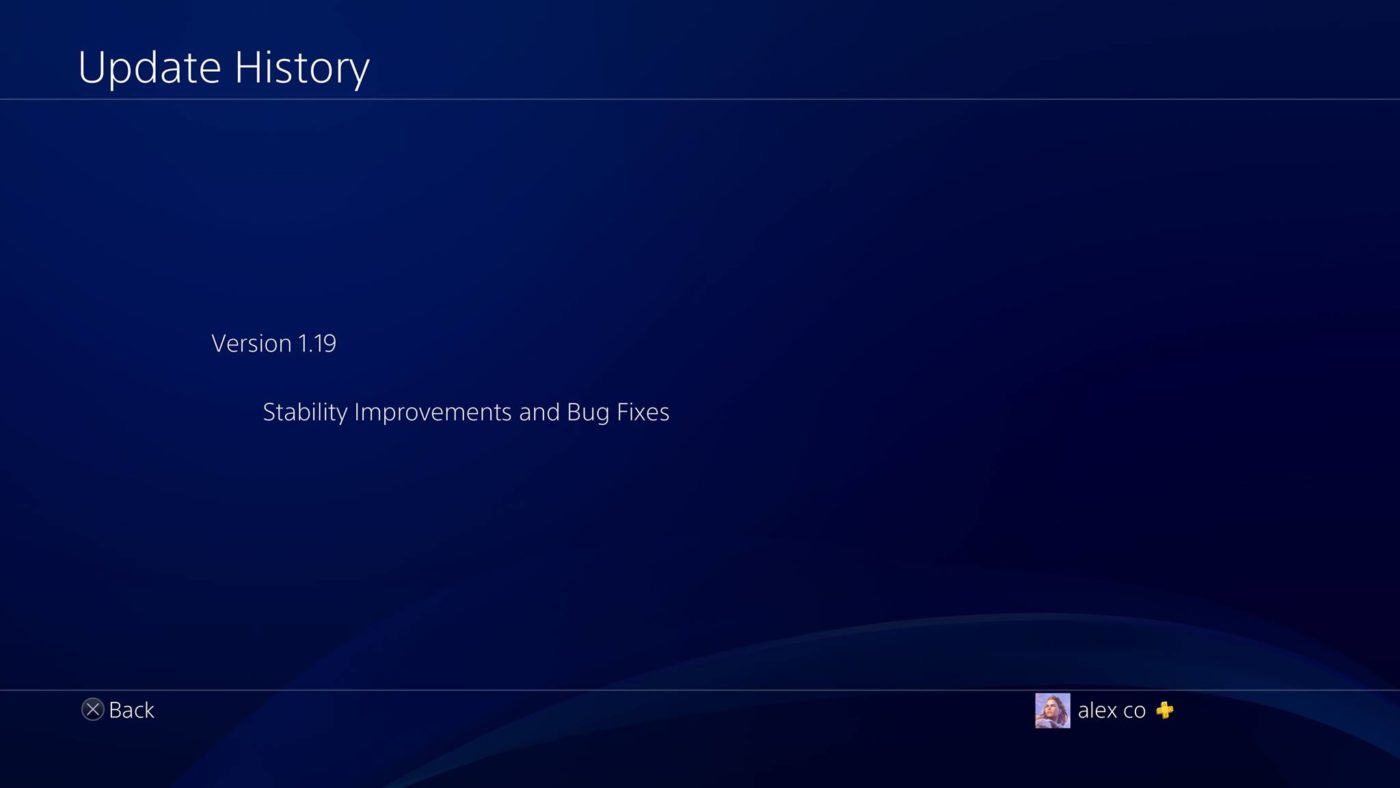
Currently, Respawn has remained mum on what the patch does. On the PS4 front, checking the update history only reveals that it’s for stability improvements and bug fixes.

Yep, that’s it. But usually, the update history doesn’t list down the specific changes (hence why you read them on MP1st!). We’ve reached out to EA to see if there are specific notes. If and when Respawn posts ’em, we’ll update the post accordingly.

In case you didn’t know, the last Apex Legends update (1.18), introduced the Wraith Voidwalker event, and here’s the list of changes included. Hopefully, we’ll get a lot of new datamined info from this patch, since the last patch revealed that Respawn is working on 14 new legends!

Avatar photo

Alex Co

Father, gamer, games media vet, writer of words, killer of noobs.

Home > News

Battlefield 5 Weekly Challenge Reset (Chapter 4, Week #12) – New Weapon Is This Week’s Reward!

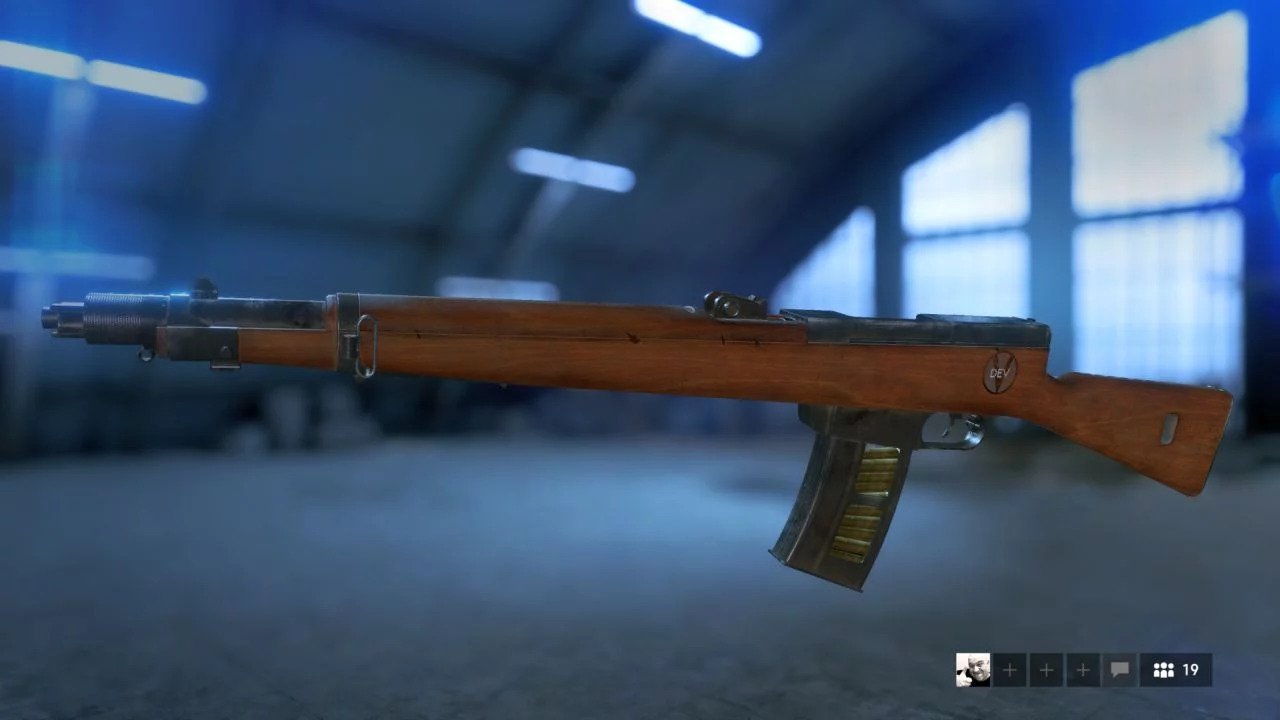
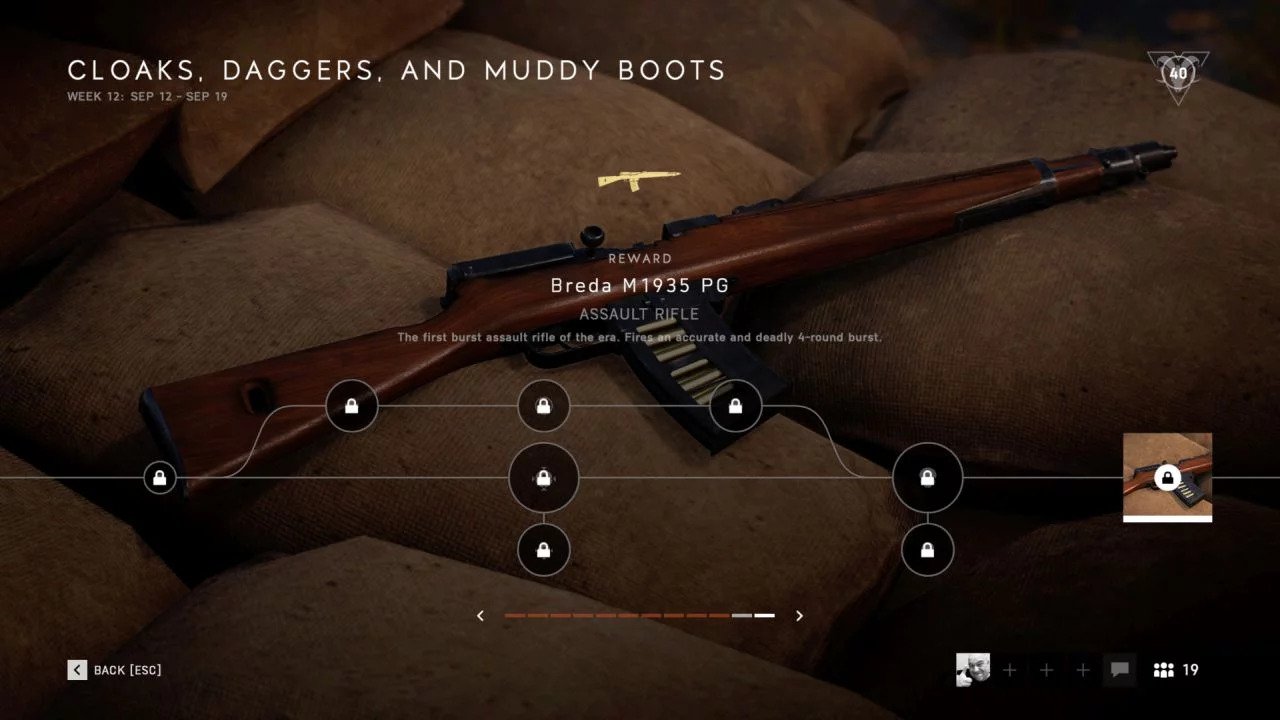
It’s another week, and that means another set of challenges in Battlefield 5! For the Battlefield 5 weekly challenge reset this week (Chapter 4, Week #12), we’re getting a new weapon the Breda M1935 PG, which is an assault rifle for the Assault class.

Called “Cloaks, Daggers and Muddy Boots,” this new last challenge for Chapter 4, Week 12 is mostly about Squad Conquest, which isn’t really ideal, but what can you do.

All nodes matchmake to playlist of

  • Squad Conquest Provence
  • Squad Conquest Lofoten Islands
  • Squad Conquest Marita
  • Squad Conquest Mercury
  • Squad Conquest Al Sundan

FIRST STEPS – 4,000 CHAPTER XP
Play 1 round of any mode.

CHAIN SMOKER – 12,000 CHAPTER XP
Deploy smoke 20 times.

CREATOR ERADICATOR – 12,000 CHAPTER XP
Build fortifications in friendly objective areas or destroy fortifications in enemy objective areas 40 times.

DEEP DIVE – 25,000 CHAPTER XP
Earn 35000 score.

THOSE WHO DARE – 12,000 CHAPTER XP
Win 3 rounds of Squad Conquest.

PATCH UP JOB – 12,000 CHAPTER XP
Revive teammates or resupply bandages 50 times.

MASTERY – 25,000 CHAPTER XP
Kill or assist in killing 30 enemies.

In other Battlefield 5 news, make sure to check out some of the stuff planned for the game unearthed in the game’s files! There’s new weapons, and even a mention of Battlefield fan-fave map, Wake Island!

Source: Battlefield forums

Avatar photo

Alex Co

Father, gamer, games media vet, writer of words, killer of noobs.

Home > News

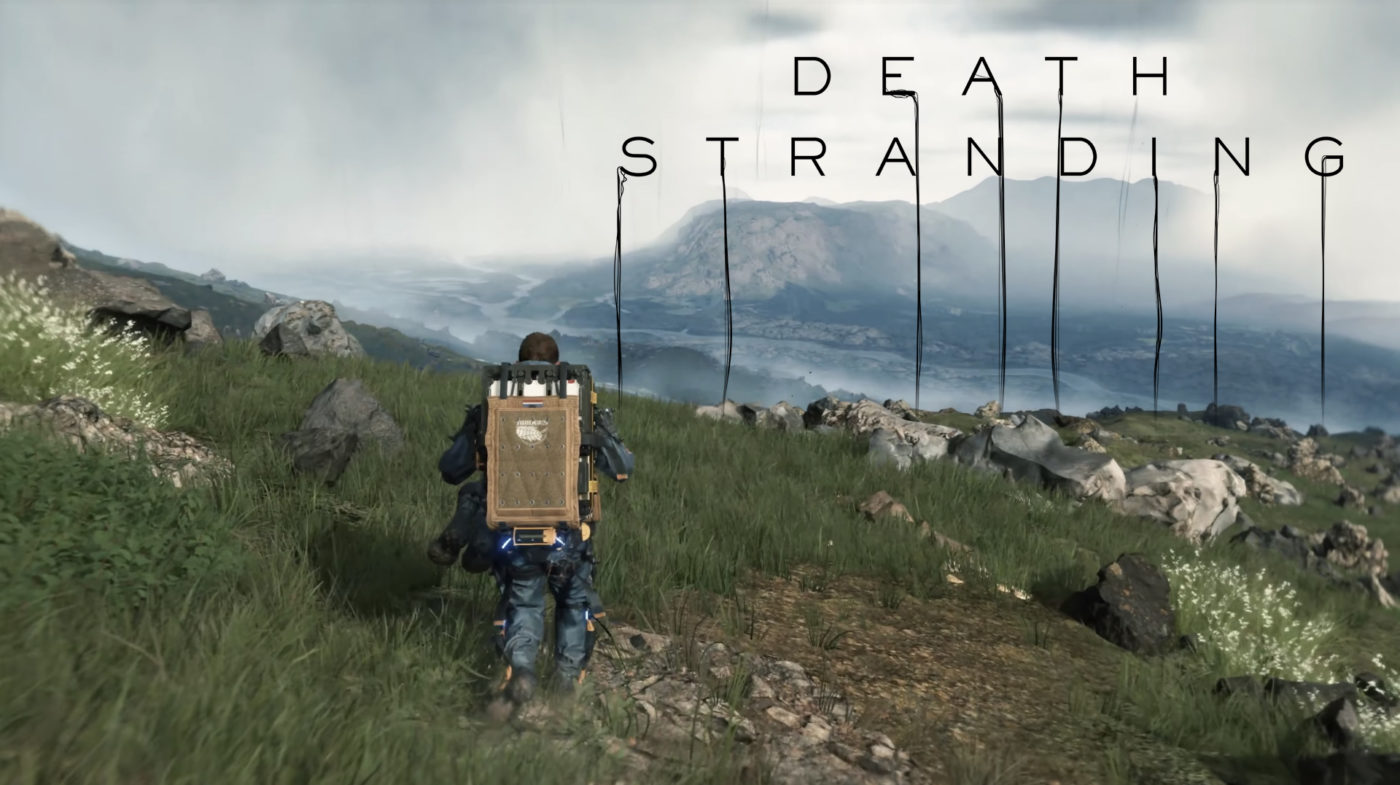
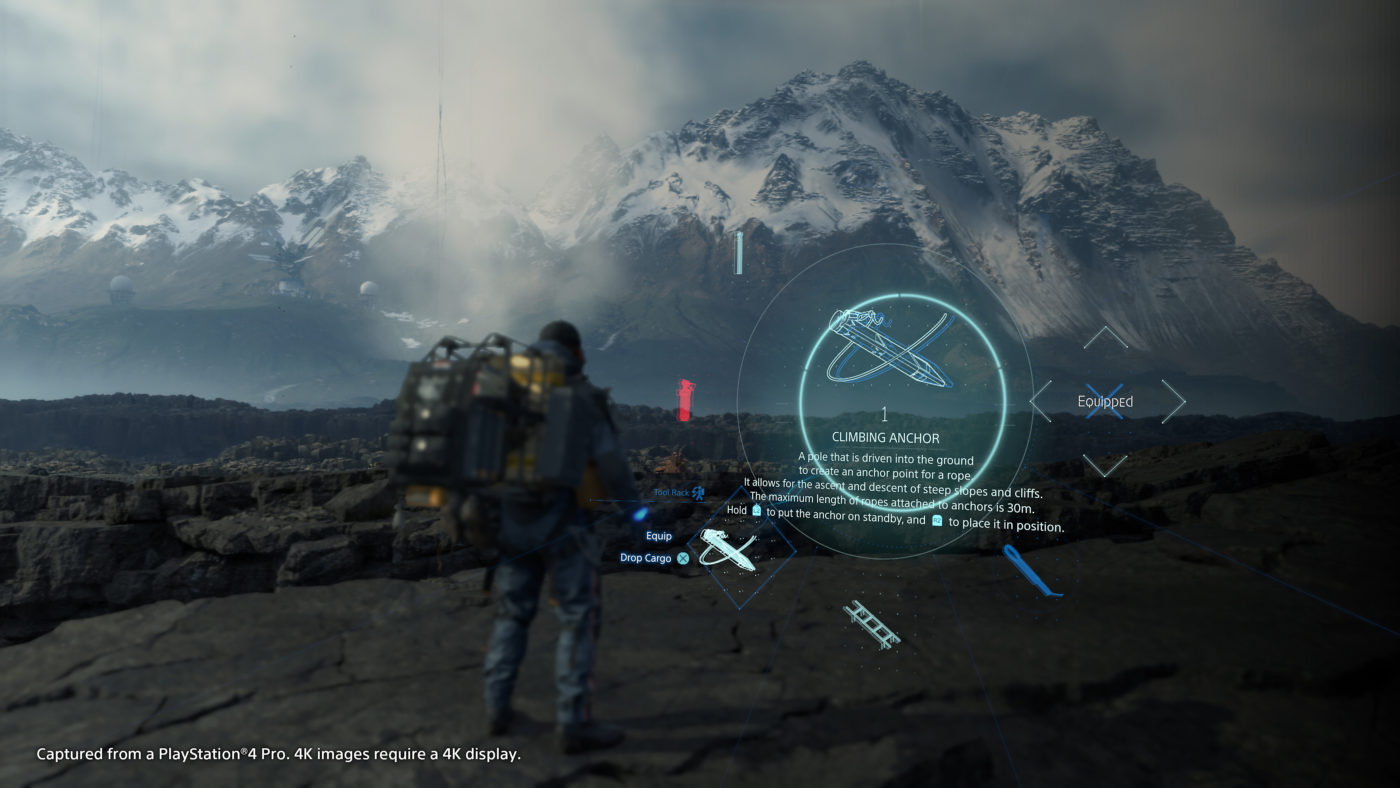
Watch 50 Minutes of Death Stranding New Gameplay Straight From TGS, Showcases Multiplayer Interaction

In case you didn’t catch the Death Stranding livestream by Hideo Kojima, you can watch the 50-minute Death Stranding gameplay right here at your own pace straight from the Tokyo Game Show (TGS). Bear in mind, it’s entirely in Japanese, but you’ll be able to see the fighting and the walking part (lots of walking). Watch the Death Stranding new gameplay footage below!

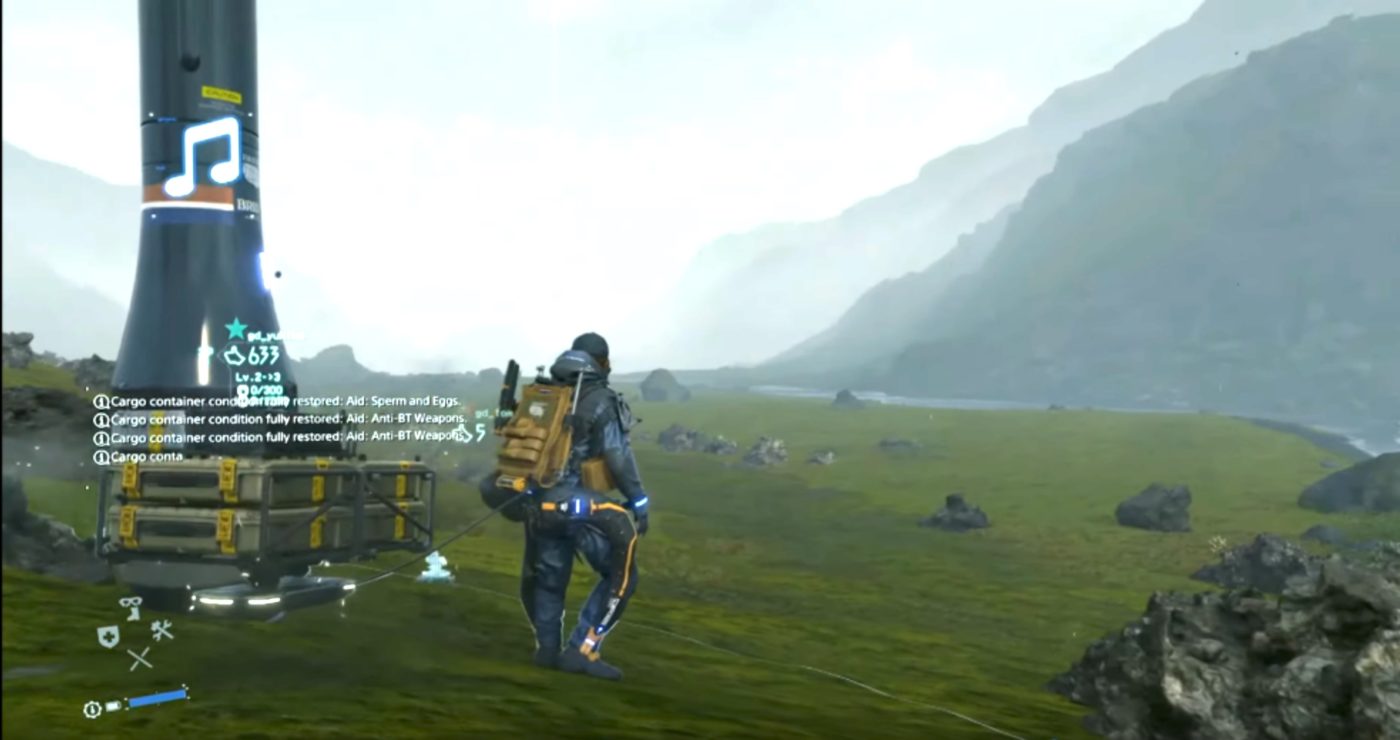
In case you didn’t see it, there’s multiplayer footage in it as well! It’ll be fully playable offline, but you can also see a messaging system similar to Dark Souls in the footage if you decide to play online. We can see glimpse of other players making interactions such as deliveries and even losing packages. For the most it seems to follow that of the Soul series, minus the online co-op, we can see throughout the demonstration of the player being left packages.

Death Stranding will launch this November 8 exclusively on the PS4.

More Death Stranding Reading:

Avatar photo

Alex Co

Father, gamer, games media vet, writer of words, killer of noobs.

Home > News

Project Resistance Gameplay Revealed & Will Be an Asymmetric 5-Person Game, Closed Beta Announced

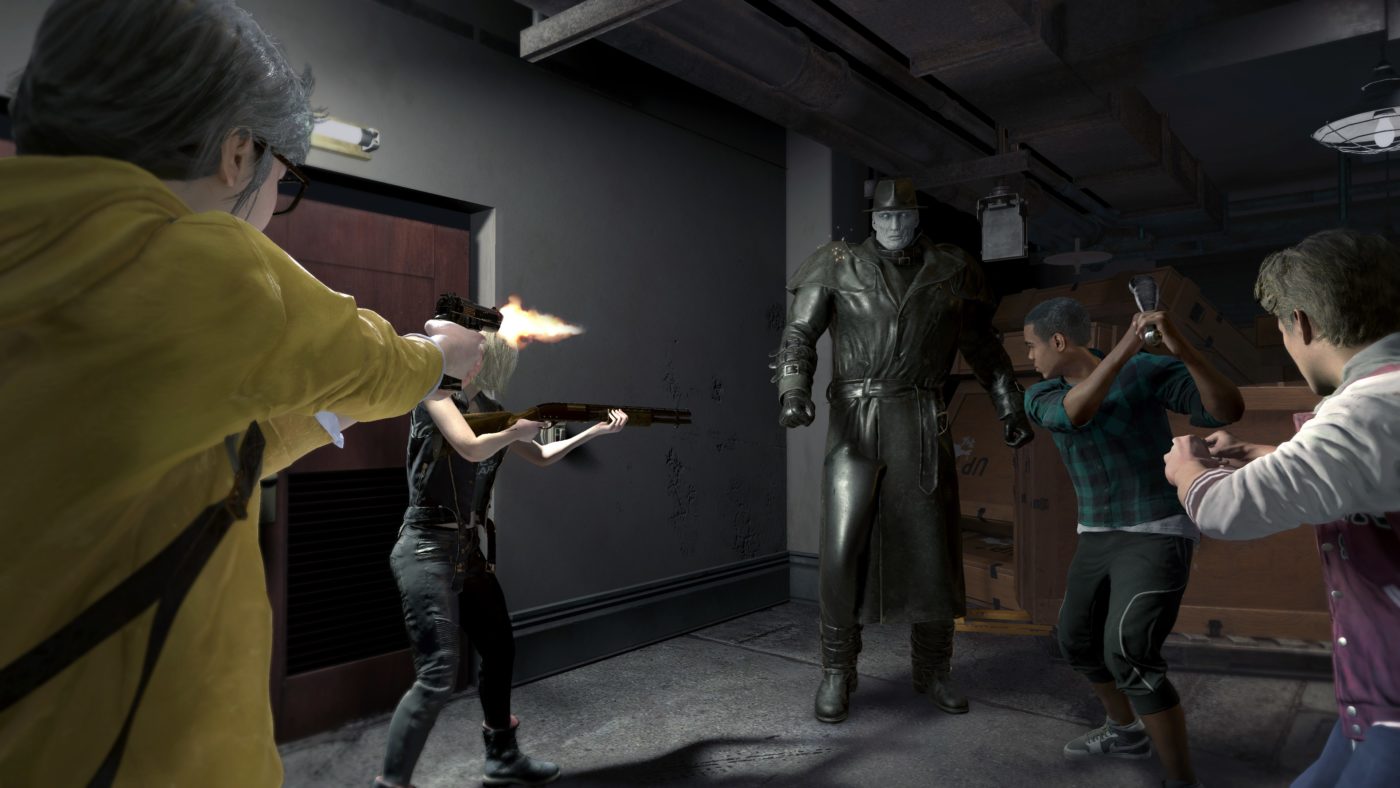
While we got the official trailer for Project Resistance a few days ago, Capcom has now debuted Project Resistance gameplay and a lot of info about the upcoming game set in the Resident Evil universe! We now know that it’ll be an “asymmetric” multiplayer game (ie: Dead by Daylight, Friday the 13th: The Game), and will feature the “Mastermind” as a player-controlled villain!

Here’s the official gameplay description straight from the press release:

In each 4v1 match, one Mastermind player tracks the four Survivors through a network of security cameras, staying one step ahead at every turn to prevent their escape. The Mastermind plots a deadly course by wielding a strategic deck of cards to create dangerous obstacles for the Survivors, such as summoning vicious creatures, setting traps, manipulating the environment, and weaponizing security cameras. He or she can also directly control zombies in play. In addition, Mastermind players can even step into the trench coat of the towering, deadly Tyrant for the first time in franchise history. In turn, the Survivors must cooperatively work together as a team to fend off the Mastermind’s attacks and complete puzzle style mission objectives to escape the map before time runs out. Each Survivor possesses unique skills to help their team overcome the Mastermind’s challenges and survive the sinister experiment.

Also mentioned in the press release, Capcom wil be holding a special Project Resistance closed beta on PS4 and Xbox One. Members of the Xbox Insider Program and RE Ambassadors will be eligible to participate in the beta that will run from October 4-7. Registration will be open between September 11-18 at the official site. More details regarding the beta will be revealed at a later date.

What do you make of the Project Resistance gameplay revealed so far? Do you think this will gain the same success as the other asymmetrical multiplayer games?

Avatar photo

Alex Co

Father, gamer, games media vet, writer of words, killer of noobs.

Home > News

Death Stranding Livestream Happening Now, Watch Kojima Demo His Latest Game

As we’ve mentioned last week, Hideo Kojima plans to showcase a LOT of Death Stranding at the Tokyo Game Show (TGS) this week. Well, that’s happening now! Watch the Death Stranding livestream below, with Kojima narrating what’s happening on-screen.

We’ll get the full gameplay clip up the moment we can for those who can’t watch the livestream and just want to see the actual gameplay. Best to get a cold drink though, this is supposed to last 50 minutes.

In other Death Stranding news, there will be multiple difficulty options confirmed! Players can also play the game in first-person but don’t expect it to be a first-person shooter.

Avatar photo

Alex Co

Father, gamer, games media vet, writer of words, killer of noobs.

Home > News

Paladins, Realm Royale and SMITE Crossplay Confirmed

Are you a fan of Hi-Rez Studios’ games? If you are, it’s about to get a whole lot crazier (for the better), not only is SMITE crossplay happening, but it’s also happening for the studio’s other games Paladins, and Realm Royale!

This was announced earlier today over on Twitter, with the Paladins crossplay functionality now available as part of the Pirate’s Treasure update.

For Realm Royale crossplay, it’ll be with the OB22 update, and that players will be able to queue based on the input device! Note that cross-save progression (shared Achievement/Trophy progress) and cross-commerce (shared pool of purchased items across platforms), are not supported yet, though Hi-Rez says they are working with Sony to have this implemented.

OB22 update for Realm Royale will be out this October. Check out the FAQ (via Realm Royale):

  • How do I invite players to my party if I’m not on PlayStation 4?

    • Head to the Social menu and select Invite to Party. You’ll then need to invite your friend by name by pressing the keybind shown at the bottom of the screen.
    • Alternatively, you can head to the Friends tab and add the person by name to be a Hi-Rez friend. From there, you’ll be able to quickly invite your friends to a party.
  • Who will I queue against when I play with friends?

    • When playing in a party full of players using controllers (i.e. PlayStation 4, Xbox One, Nintendo Switch), you will queue against other players also using only controllers. This will require you to select Same Input Type under the Gameplay option Input-Based Matchmaking Preference. If any member of your party is using mouse and keyboard, your entire party will be queued into the full crossplay lobby containing PC players and other Any Input Type parties.
  • Will my Achievement and Trophy progress carry over between platforms?

    • Upon initial release: No. We are working with our partners at Sony and will update the community when we have more information.
  • Will be purchases from other platforms be usable on PlayStation 4?

    • Upon initial release: No. We are working with our partners at Sony and will update the community when we have more information.

Lastly, SMITE, the studio’s most popular game, will support crossplay with the Odyssey: Underworld Update. Same as with Realm Royale, cross-save progress and cross-commerce are not supported yet, and they are also talking to Sony to have this supported as well.

Check out the FAQ for SMITE crossplay below (via SMITE):

Q: What is cross-play?

A: Cross-play is the function to play the same game with other players across more than one platform.


Q: How do I enable cross-play?

A: To enable cross-play, go into the Options menu on your platform of choice and select the User Interface tab.  When you reach this tab you will see an option for Enable Crossplay.  If you would like to enable crossplay, you can select On, PS4 Only, or Console Only. On will permit you to crossplay with anyone regardless of their input method, across all platforms. PS4 or Console only will restrict matchmaking to players on those platforms.


Q: How do I add or invite my PC, Xbox One, or Nintendo Switch friend to my party if I am on PlayStation?

A: To invite your friend to your party on another platform you will need to use the in-game Friends List. When you select this option go to the Friends tab and type the in-game name (for PC & Nintendo Switch) or gamertag (for Xbox One) of the player.  Their username will show up on your screen and be available to add. To invite to a party, follow the same steps under the Party tab.


Q: Can I change my cross-play settings mid match?

A:  No, you cannot.  These settings will remain for the duration of your game.

Once the game patches are out to support this, we’ll let our readers know.

Avatar photo

Alex Co

Father, gamer, games media vet, writer of words, killer of noobs.

Home > News

EA Helps Fight Online Bullying & Toxicity, Establishes the Healthy Communities Player Council

EA has established a new anti-bullying initiative known as the Healthy Communities Player Council. The group was formed as part of the publisher’s Building Healthy Communities work, which attempts to find ways to eliminate online toxicity in games.

The Healthy Communities Player Council is a group made up of gamers, all of whom want to work with EA to find solutions to, and ultimately eliminate, online bullying and toxicity. EA is keen to let players know that working with them is a priority for this initiative, which is why they’ve revealed some details about the ways in which they’re combatting online toxicity.

The first meeting of the Healthy Communities Player Council was held at Gamescom earlier this year. EA brought together 13 of their Game Changers players to participate, who were joined by several EA employees, all of whom are central to the company’s health and safety. These EA employees came from a number of departments within EA, including WorldWide Customer Experience, EA Security, EA Studios, and Global Analytics and Insights.

While this initial meeting was a closed one, EA did reveal some of the topics that were discussed.

  • Community Managers for EA titles shared updates on some of the initiatives that Building Healthy Communities has been working on. These include updated toxicity escalation procedures, as well as new standards of conduct for Game Changers.
  • Insights into the harassment reporting tool were shared by a leader from the customer Experience team. These insights included the process through which the team escalates issues in order to address the most threatening situations.
  • Advice of safeguarding and protecting personal data were shared by the Head of Physical Security and Safety for EA.
  • A discussion on Inclusion Framework was led by a senior developer from DICE. The discussion focused on the design practice on intentionally and authentically telling more representative and character-driven stories.
  • A member of the Global Analytics and Insights team used the discussion as an opportunity to get feedback on pressing issues within EA communities, which should help EA’s research into disruptive behaviour and inclusion.

Ideas for how EA can do better were pitched as part of the discussion. One such idea was for two-factor phone authentication for EA accounts. This would increase player security, but also make it harder for players who have been banned to create new accounts quickly. The idea would also alert players to suspicious activity surrounding their account. Ideas for increased cultural representation n EA games and technology requests, AI-based chat moderation for example, were also discussed.

The Healthy Communities Player Council will have opportunities for further discussions like these in the future. EA insists that this group is one that is designed to work with EA on a long term basis in order to eradicate online toxicity.

Toxicity is present in most, if not all, online games such as Rainbow Six Siege. It’s good to see a publisher such as EA working to reduce, and eventually eliminate, it for good.

Jamie Moorcroft-Sharp

Trying to be a games journalist, dad, and master of Destiny 2. Author

Home > News

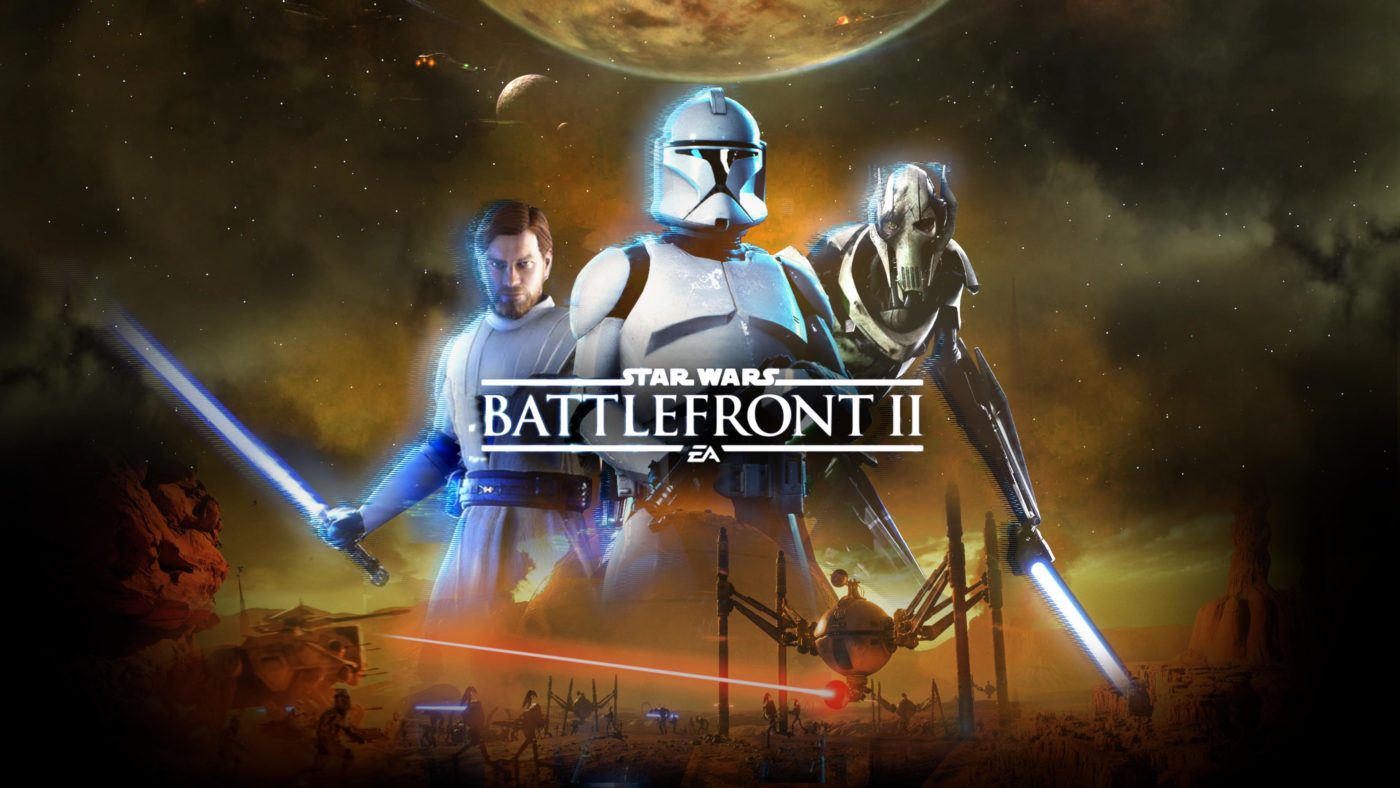
Star Wars Battlefront 2 September 2019 Calendar Revealed

While we’ve already posted the Star Wars Battlefront 2 2019 roadmap, DICE has today revealed what’s coming to the game within the month, and there’s a lot! For the Star Wars Battlefront 2 September 2019 calendar, there’s an event happening every week!

Sept. 6-8:

Battle Point Event – Reinforcements and Vehicles  (Reinforcements and vehicles will be available in Galactic Assault and Capital Supremacy for 75% off their normal cost).

Sept. 13-15:

Battle Point Event – Boots on the Ground (No heroes or vehicles will be coming to aid you in this weekend’s Battle Point Event for Galactic Assault and Capital Supremacy).

Sept. 20-22:

Battle Point Event – No Match for a Good Blaster (Last month we introduced a newevent with “Elegant Weapons.”  This month, take Han Solo’s advice and trust in your blaster with the “No Match for a Good Blaster” event).

Sept. 25:

Game Content – Cooperation Update (This update arrives on the 25th and brings with it two new game modes; Co-OP and Instant Action. Also arriving this month is the planet of Felucia and the Clone Commando Reinforcement).

Sept. 27-29:

Triple XP Event – Co-Op (Celebrate the release of the Co-Op with a full weekend of TRIPLE XP in the new game mode. Grab 4 of your friends and face off against enemy AI in the Clone Wars for a heroic co-op adventure).

Not a bad month for Battlefront 2 players, no?

In other Battlefront 2 news, DICE says that the player base is rising month after month after the Geonosis update. This is good news, as the studio also mentioned that they hit “rock bottom” due to the loot box controversy.

Source: Reddit

Avatar photo

Alex Co

Father, gamer, games media vet, writer of words, killer of noobs.

Home > News

Rumor – Call of Duty: Modern Warfare Prestige System Dropped by Infinity Ward, Will Implement Something New

Ever since Call of Duty 4: Modern Warfare exploded into the multiplayer scene, the game introduced the Prestige system that’s been the staple of the franchise since then. Well, that’s about to change it seems, according to a new rumor, the Modern Warfare Prestige system will be scrapped entirely, and will be replaced with something new.

Over on Twitter, reliable leaker and YouTuber TheGamingRevolution has mentioned that “Prestiging” will be gone, and that Infinity Ward has “something new” in its place.

https://twitter.com/TheGamingRevoYT/status/1171231386583339008

https://twitter.com/TheGamingRevoYT/status/1171229114000449536

Note that this means that the Twitch marathon streams for “The Race” where a streamer plays Call of Duty multiplayer non-stop until they reach Prestige or max Prestige will be a thing of the past too.

https://twitter.com/TheGamingRevoYT/status/1171227665229131776

Of course, this is just a rumor so take it with a grain of salt. But if it’s true, then Call of Duty players will be on for a shock, as the Prestige system in Call of Duty games have been the standard. Will this mean we’ll be stuck to one high rank or we won’t be able to reset? I doubt that since the game thrives on drip-feeding new stuff (no matter how small) to keep players hooked in leveling up.

What do you hope to see in terms of the replacement to the Prestige system in Modern Warfare? Don’t forget, the beta is set to start very soon, and we’re giving away codes for it here.

More Modern Warfare Reading:

Avatar photo

Alex Co

Father, gamer, games media vet, writer of words, killer of noobs.

Home > News

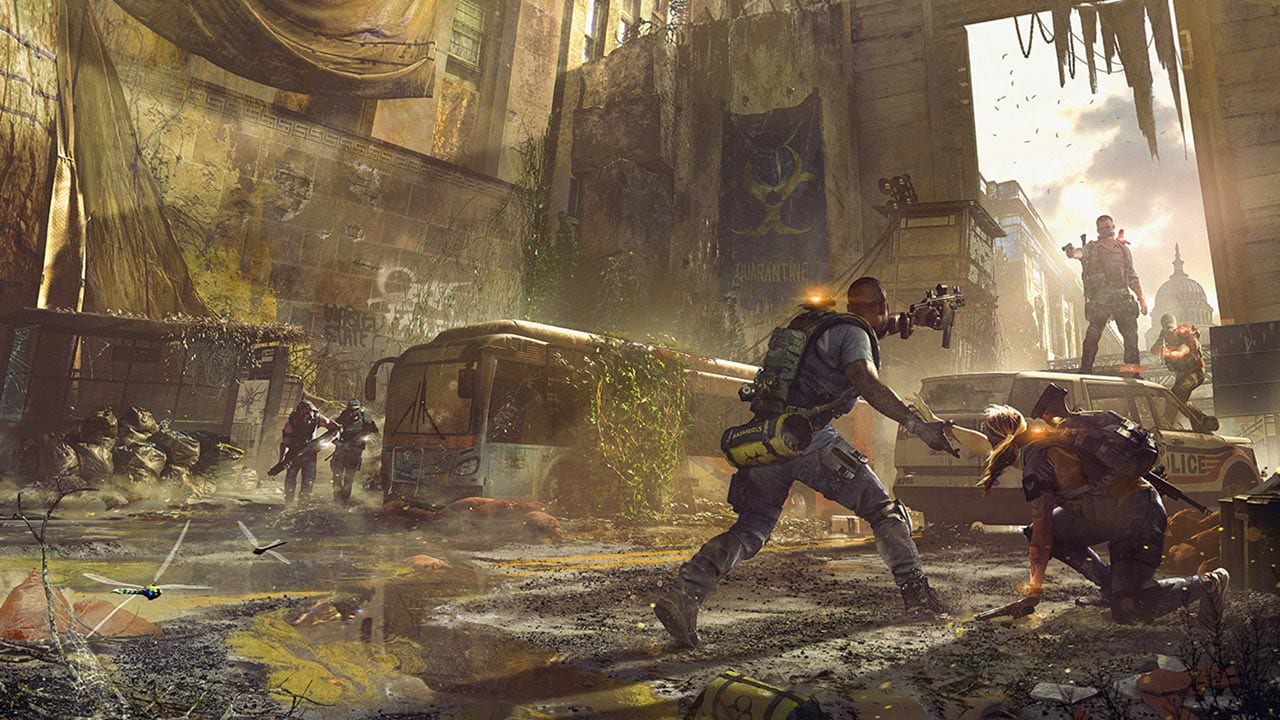
The Division 2 Next Patch to Drop in October, Here’s Some of the Stuff Coming in Title Update #6

Earlier today, Ubisoft Massive held the first The Division 2 State of the Game livestream since last month’s hiatus, and in it, the devs talked about The Division 2 next patch, which the studio has confirmed will drop in October. Title Update #6 will drop with Episode 2, and will include the usual gameplay tweaks and more.

Here’s some of the important info from the devs via the livestream:

Gear Sets

  • With Title Update 6 you no longer need 6 items to complete the Gear Set but only 4 to unlock all the bonuses.
  • This also allows the combination with other high-end pieces or exotic items.
  • The Chest and the Backpack will get additional high-end gear talents that usually roll on these items.
  • The Raid Gear Sets will now be available in the general loot pool – the chest and the backpack item will stay exclusive to the raid. But since you only need 4 items to activate the Gear Set you can play with those without participating in the raid. Only when you want to unlock the full potential of the Raid Sets (as in getting the chest and the backpack) you need to participate in the raid.
  • With TU6 – you will also get the craftable Gear Sets and the sets that were previously assigned to the Black Tusk from the Loot Pool.

Brands Sets

  • With Title Update 6 all brands have items for all slots.
  • With that change, you will be a lot more flexible when you put together your build.
  • This is one less thing you need to keep track off that is also not documented in-game.
  • One Exception is the 5.1.1 Set because that is a real-world reference and they only make the specific items that are in the game now.

Named Items

Over the course of the campaign, you get some “Named Weapon” like Emeline’s Guard P90 that have specific lore and a story behind them. But currently, they are basically a reskin of existing weapons with some lore attached to them. That is why they want to revamp those, add more and also make them more interesting to acquire.

  • There will be 35 new Named Items (weapons and gear) will be added to the game.
  • Some of these items will have unique sources where you can get them.
  • They will also be very rare drops and they will be an incentive to play the more difficult content of the game (Heroic Missions / Higher difficulty checkpoint). The specific sources are still WIP
  • There will also be a visual indicator so that you don’t miss the drop.
  • The special thing about these Named items is, that they have a unique Talent on them that is basically a “perfect” version of existing high-end talent. For example, when the normal talent does 10% weapon damage under specific conditions the perfect version does 15% on the Named Item.
  • While one Talent is fixed per item, the rest of the stats on the Named Item are still RNG. So you will be able to get different qualities of these weapons.
  • That special Talent can’t be recalibrated away to other items.

Loot

They know that the loot pool is very big and with Title Update 6 we have even more items in the loot pool and it is hard to target specific items that you need.

That is why with Title Update 6 once you reach World Tier 5 they will add a new system to the game that will allow you to narrow down the loot pool for more targeted farming.

Recalibration

  • The Recalibration got a completely new UI
  • Instead of selecting an item, you select the stat you want and then select the item you want to get the specific stat from.
  • The stat-restriction has been removed, so you can now recalibrate any stat to any stat. Offensive to defensive etc.
  • The goal is to give you more flexibility when you optimize your items.
  • There will also be bore flexibility when recalibrating Talents on items. You can take a talent that is on one backpack and move it to another backpack, regardless of the brand of each backpack.
  • But the Talent restrictions still apply, so you can’t recalibrate an active talent to a handling talent.
  • They are also looking to change the color/type of your mod-slots. That is still work in progress though.

Crafting

  • They are raising the material cap that you can carry – no specific numbers as of now
  • You will also be able to share materials among your characters
  • You will get more material drops from Materials
  • Once you are full, the materials will no longer drop
  • The Scavenging containers in the open world will now drop both materials.
  • There will also be a chance that you get Polycarbonate from deconstructing items.
  • Crafting will also get cheaper and will use up less gray and brand mats
  • There will also be a complete list of blueprints in-game and where they drop. This way you see what blueprints are missing and where you get them.

Stash

Will be upgraded to 300 Slots.

To see what’s in store for the State of the Game for the next few episodes, click here.

Source: Reddit

Avatar photo

Alex Co

Father, gamer, games media vet, writer of words, killer of noobs.

Home > News

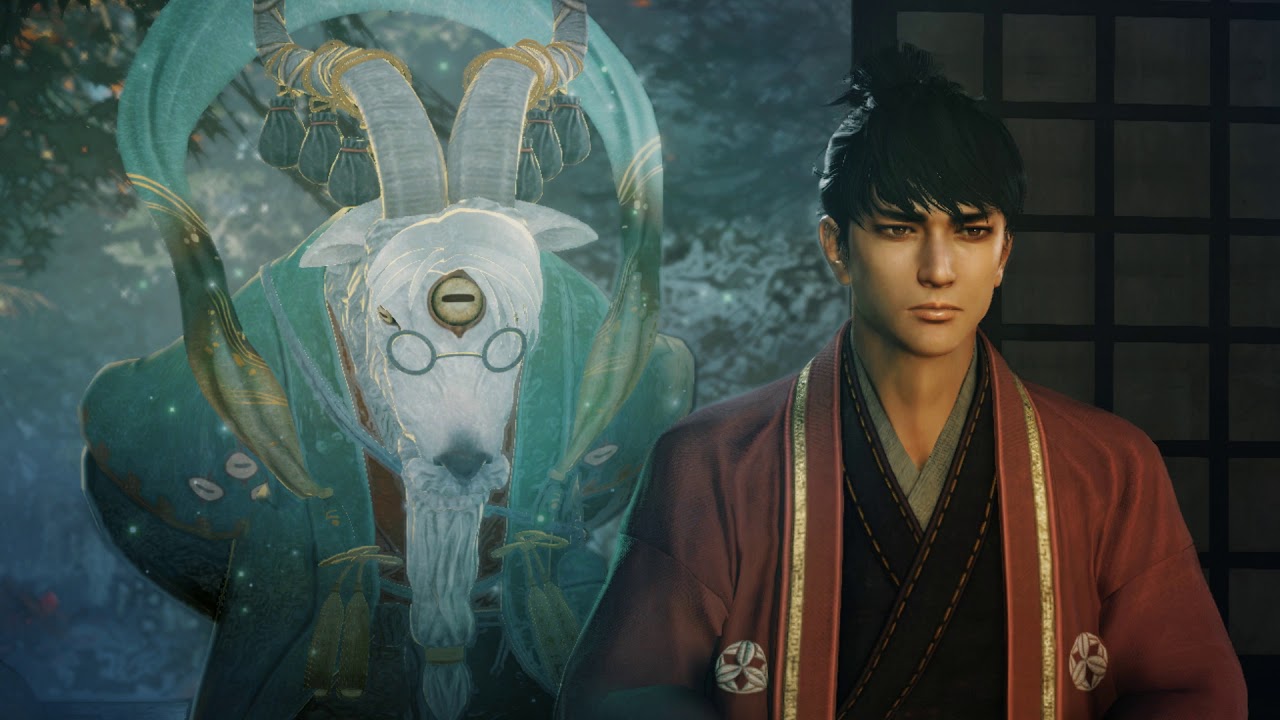
Nioh 2 Gameplay Trailer Released, Confirms Early 2020 Release Date

The first Nioh 2 gameplay trailer has been released today. This trailer was created for the Tokyo Games Show 2019, which runs from September 12 to September 15, 2019. Check out the trailer below and read on for more details about Nioh 2.

In addition to this trailer showing the first every gameplay of Nioh 2, it also confirmed an early 2020 release window. This gives everyone plenty of time to get stuck into the original Nioh and finish it before the sequel comes along, as long as this trailer hasn’t put them off too much.

Nioh 2 will follow in the footsteps of the original game, putting players in the shoes of a character who must fight against impossible odds. As a souls-like Nioh 2 is bound to attract the core group of players who enjoy the mechanics in this genre of games. Death is a core mechanic, and collected currency from enemies will be dropped upon death, meaning players must retrieve it without dying if they want to continue to upgrade their character.

This trailer shows off some new NPC faces, as well as some never before seen bosses. While these are brilliant in their own right, no multiplayer gameplay was shown. It’s likely that the multiplayer element from Nioh will return, which allows players to be summoned into another player’s world for a duel. This mechanic worked differently to how it does in Dark Souls, in that graves appear when a player dies in their world, which AI versions of that player can be summoned from by others. There’s also co-op to consider, which brings players together to take on the hardest bosses, though hardcore souls-like fans don’t bother with that.

The last release in the Nioh series was the original’s PC port. Fans should be ecstatic to finally know that the series is continuing with a release not too far away.

Jamie Moorcroft-Sharp

Trying to be a games journalist, dad, and master of Destiny 2. Author

Home > News

New Final Fantasy 7 Remake Trailer Shows Chaos and Unrest in Midgar

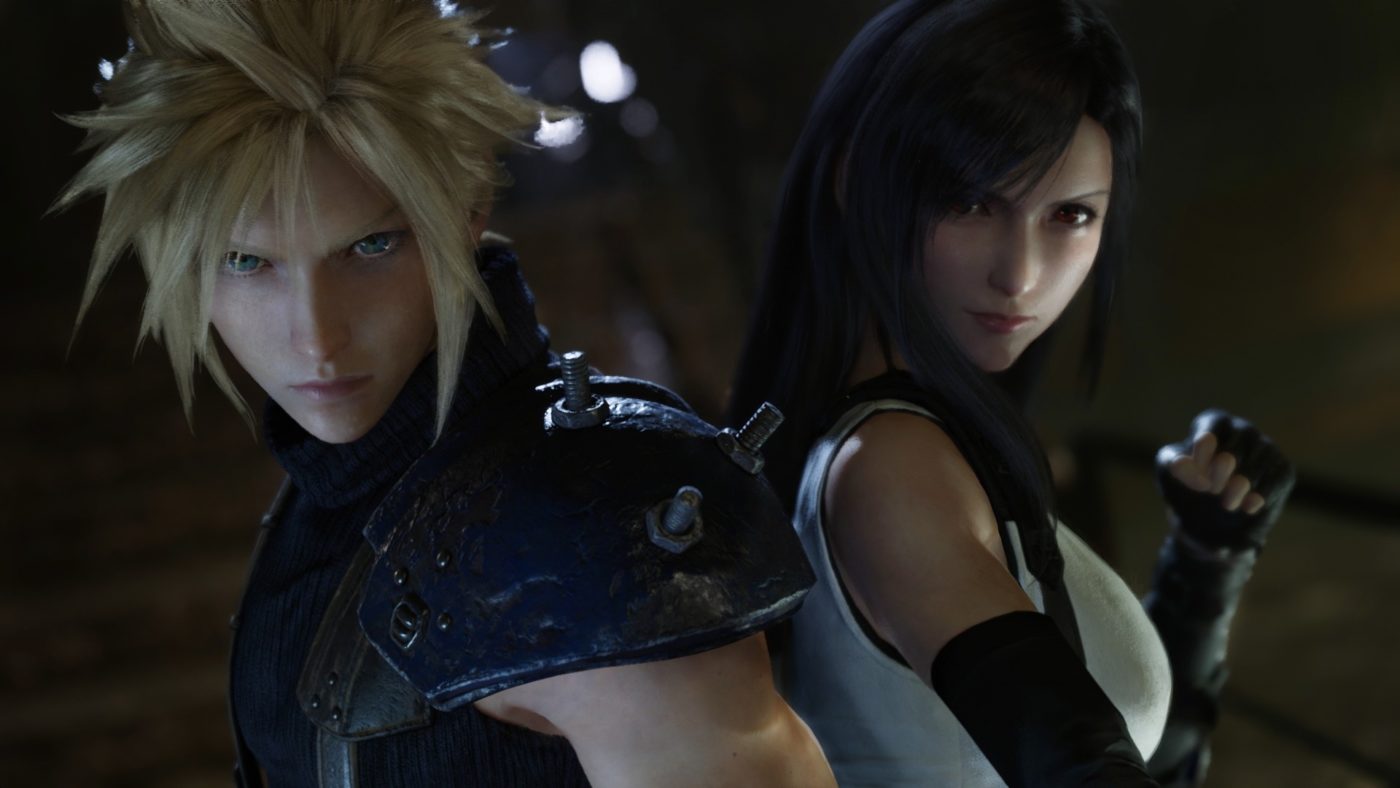
A new Final Fantasy 7 Remake trailer has been released today. The trailer drops ahead of the Tokyo Games Show, which runs from September 12, 2019 to September 15, 2019, but is aimed at impressing audiences at the event. Check out the trailer below and read on for more details.

The new trailer focuses on events occurring in Midgar, showing civil unrest and chaos in the streets of the city. We already know that the upcoming release will only feature the sections from Midgar in Final Fantasy 7, with further parts of the game to be covered in future releases. Even so, this trailer shows a very different Midgar to the one that Final Fantasy fans know and love from the original version of the game.

Within the trailer are a few surprises for fans of Final Fantasy 7. First of all the fan-favourite Shinra Operatives, The Turks, make an appearance. In addition we see characters taking on a number of small mini games in a gym, indicating that there will be much more to do in Final Fantasy 7 Remake than simply play through the story. Finally, two summons were also showcased int heir updated forms in the trailer, Shiva and Ifrit, both of whom can be summoned in the game.

This trailer further shows how careful Square Enix is being with the source material. The story seems to have been lovingly recreated in an updated setting. A fantastic comedic moment also looks to be returning, in which players must seduce an NPC as Cloud while he dresses as a woman. More details about the game are sure to be revealed during the Tokyo Game Show as it unfolds this week.

Jamie Moorcroft-Sharp

Trying to be a games journalist, dad, and master of Destiny 2. Author

Home > News

Rainbow Six Siege Update 1.71 Patch Notes – Operation Ember Rise Now Live & Here’s What’s New

As mentioned yesterday, the latest Rainbow Six Siege Operation is now live on all platforms with Operation Ember Rise! Ubisoft has rolled out the Rainbow Six Siege update 1.71 file, whcih clocks in at 5GB on PS4, and not only does it include new content, but there’s a host of new gameplay changes as well, too. For the full Rainbow Six Siege update 1.80 patch notes, check ’em out below.

Rainbow Six Siege update 1.71 patch notes:

BALANCING

For full details and insights into the Y4S3 balancing changes, please see our Pre-Season Designer’s Notes.

  • Defuse timer changed to 7 seconds (from 5s) for both Ranked and Unranked playlists. Casual playlist still at 5s defuse timer.
  • Hostage position in 2F Theatre room on Coastline has been moved to in front of the TV.
  • Slightly increased vulnerability radius of deployable shields and Volcan shields to explosives.

GOYO

  • Goyo – Fire from Volcan Shield fire AoE duration lowered to 10s (previously 12s).

IQ + AMARU

  • G8A1 magazines (IQ and Amaru) increased to 301 (up from 201) in PvP. PvE increased to 401 (from 201).

OTHER

  • SMG Recoil Animation Update – With Ember Rise we updated the SMG animations and now each one has it’s own unique set of animations. The resulting effect is that there is less perceived shaking when ADS. This is an update to the animation only and recoil has not changed.
  • RFF: We have delayed the following updates while we work on a few things.
    • Player Behavior – Playlists lock after leaving a ranked game.
    • Player Behavior – RFF Squad management.
    • Player Comfort – New surrender parameters.

We’ll provide an updated timeline for these changes when they are closer to release.

BUG FIXES

GAMEPLAY

  • FIXED – Hot breaching exploit.
  • FIXED – Reloading of an extra shell in all non–magazine fed shotguns.
  • FIXED – Frag grenades remains in the player’s hands if you attempt to ADS and use the gadget before the ADS animation completes.
  • FIXED – Nitro cell sometimes wont detonate.
  • FIXED – Reinforcing a wall after attaching a shield in a nearby door way will destroy the shield.
  • FIXED – Full ADS accuracy is not attained when ADS animation is completed.
  • FIXED – While vaulting, ADS is misaligned for operators with ballistic shields.
  • FIXED – ADS shooting animation is delayed after sprinting when angled grip is equipped,
  • FIXED – Advance deployment gauge does not match the real deployment time of the Deployable shield V2.
  • FIXED – Quickly switching between secondary and primary gadgets will cancel the deployment animation.
  • FIXED – Improper breach charge explosion can result in damage or death of players on deploying end.
  • FIXED – Detonating a “Breach Charge” does not pull operator out of ADS.
  • FIXED – Breach charges can kill a player through a soft wall that was not destroyed.
  • FIXED – Two shields can be placed within the same double doorframe. One doorframe = one deployable shield.
  • FIXED – Deployable shields cannot be attached onto two doors that are close to each other.
  • FIXED – Player is unable to attach a shield on a door after a previous shield was attached to it and destroyed.
  • FIXED – Weapon rotation and lean transition times are out of sync.
  • FIXED – Switching between spectating the owner of a drone and the drone can remove SFX of jammed drones and pest SFX.
  • RFF:
    • FIXED – Currently, if Volcan shield explodes and kills the hostage, the player that detonated the explosion is responsible. Now Goyo/his team are responsible in all situations. Goyo’s Volcan shield kills will follow the same design philosophy of Smoke/Capitao – if the hostage dies or goes into DBNO from the shield, Goyo is responsible. If Goyo leaves the game/disconnects, his team is responsible.
    • FIXED – Missing RFF icon in kill log and death cam replay if a player suicides by bleeding out during DBNO as a result of RFF.
    • FIXED – Suiciding after RFF is active gives the wrong message and killfeed icon.
    • FIXED – Situations: RFF UI appears when player dies while holding the hostage.
    • FIXED – RFF: When hostage is killed by Volcan Shield while Goyo is dead, his team is responsible. Intent: In line with our RFF design philosophy, as long as Goyo is in the game, dead or alive, he should be responsible for the hostage death.

OPERATORS

ALIBI

  • FIXED – Audio detection warning for attackers when teammate triggers an Alibi prisma.
  • FIXED – Alibi Prisma will cancel the pick-up prompt when placed closed to a Deployable shield V2, when player is not the host of the session.

AMARU

  • FIXED – Red marker for Garra Launcher will sometimes not appear for hatches if used at a bad angle.
  • FIXED – Various incorrect landing zones when reeling.
  • FIXED – Mismatched/conflicts with rappel zones for Amaru’s Garra Launcher.
  • FIXED – Weapon autoswap for Amaru is slow when reeling to a rappel zone with a railing.
  • FIXED – Amaru can reel before being put into DBNO after falling.
  • FIXED – From a third person POV, after Amaru uses her Garra Launcher, other players cannot see her cooldown animation or the no ammo one. (It appears as if her gadget is not on cooldown and she has uses still available).
  • FIXED – Teammates are unable to retrieve the defuser if Amaru was carrying it and is killed mid–air while reeling from certain spots.

BANDIT

  • FIXED – Maverick can cancel bandit’s shock wire placement animation when using the blowtorch on the same wall.

BLACKBEARD

  • FIXED – Blackbeard cannot enter ADS after equipping his rifle shield while performing a full reload.

BLITZ

  • FIXED – Blitz instant ADS after using gadget.

BUCK

  • FIXED – If the player spams primary and secondary gadget inputs, Buck is able to use an invisible primary weapon with the hostage.
  • FIXED – Broken recoil animation for Nomad and Buck when shooting and switching between primary and gadget.

CAVEIRA

  • FIXED – Caveira stepping on Trax Stinger cancels stealth and keeps draining energy from the gadget.

CLASH

  • FIXED – Clash CCE shield can clip through Clash’s body if spamming weapon/shield swapping.
  • FIXED – Clash VFX issues when equipping CCE Shield.

ECHO

  • FIXED – Yokai Concussion VFX is shorter if the player is already in motion when hit by the Sonic Burst.
  • FIXED – Inconsistent behavior when using Echo’s Yokai’s sonic burst from above a ceiling fan.

ELA

  • FIXED – A grzmot mine detonated between a planted defuser and a wall will have no effect for the defender.

FINKA

  • FIXED – Finka sprints empty handed when using her primary weapon SPEAR.308.

GOYO

  • FIXED – Goyo’s shield can disappear when Thunt bots throw grenades or vault over it in Laundry Room, House.
  • FIXED – Killing Goyo while he’s picking up his shield can result in a crash.
  • FIXED – Barbed wire isn’t destroyed by Volcan Shield explosion.

IQ

  • FIXED – If her gadget is active, IQ’s animation can freeze when picking up a claymore.

JAGER

  • FIXED – Jager’s model can get stuck and player will lose control/functionality when deploying his ADS.

MAVERICK

  • FIXED – Iron sight on Maverick’s M4 is stretched.

MUTE

  • FIXED – Mute is not interrupted by the Echo drone when deploying his gadget.
  • FIXED – Picking back up a deployed Mozzie pest or Mute jammer disables the SFX of other pests/jammers for players who are on their drone when that happens.

NOMAD

  • FIXED – When Nomad’s Air Jab is activated by a prone player, players can lose operator functionality.
  • FIXED – Nomad’s Airjab doesn’t interrupt Caveira’s Silent Step.
  • FIXED – Glitched Nomad Airjab launcher equip animation when vaulting.
  • FIXED – Certain steps can let Nomad load an extra airjab.

THATCHER

  • FIXED – Thatcher Debuff icon progression animation does not match the effect duration in server matches.
  • FIXED – Thatcher EMPs can be destroyed by explosives.

WARDEN

  • FIXED – Warden’s hands and weapon are out of sync when transitioning between ADS or sprinting.

VALKYRIE

  • FIXED – Excessive Valkyrie Black Eye glitch VFX.
  • FIXED – Valkyrie Black Eye camera pivot point. We have fixed the camera inside Valkyrie’s Black Eye Cams by putting the camera back closer to its intended pivot point. This change brings the Black Cams back to their intended use and scope of vision, and prevents players from seeing through solid objects that shouldn’t be seen through, preventing potential exploitation of her cams.

LEVEL DESIGN

  • FIXED – Various visual texture and LOD issues on maps.
  • FIXED – Various lighting issues on maps.
  • FIXED – Various clipping issues on maps.

BANK

  • FIXED – Glass from the skylines on Bank make no noise when shattered with gadgets.
  • FIXED – Drones can clip into the walls from EXT Terrace on Bank.

BORDER

  • FIXED – Defenders are able to reinforce the destroyed trap door located in 2F Armory Desk room of Border.

COASTLINE

  • FIXED – Players can go onto the purple tarps on coastline.
  • FIXED – Explosions don’t do damage at EXT South Promenande on Coastline.
  • FIXED – LOS on Coastline from Main Entrance.
  • FIXED – Drone clipping into ruined wall at EXT Ruins of Coastline.
  • Missing hard surface restrictions on Coastline which allow players to detonate cluster charges and candelas inside the wall.

CLUBHOUSE

  • FIXED – Echo’s Yokai can be attached under an invisible object in 1F Lobby of Clubhouse.
  • FIXED – Ying Candelas and Fuze Cluster Charges can’t be deployed on certain surfaces in Clubhouse due to impediments.
  • FIXED – Defenders can be shot through a reinforcement while deploying in 2F Bathroom of Clubhouse.
  • FIXED – Pixel LOS on Clubhouse in EXT Parking.

HEREFORD

  • FIXED – Players can rappel onto an invisible ledge in Hereford.

KAFE

  • FIXED – Collision near trees results in a fatal fall when rappelling from the roof on Kafe.

KANAL

  • KANAL rework bug fixes over the TS include: fixes to pixel peeks, spawn peeks, long LOS, object bullet penetration issues, drone clipping issues, out-of-bounds issues, etc. (see Test Server Patch Notes for full details).

OREGON

  • FIXED – Operators with a dark uniform can be hard to spot when crouched next to the bed in 2F Dorm Room of Oregon.
    FIXED – Defuser can be planted inside the drawer of 2F Kids Dorms on Oregon.

VILLA

  • FIXED – Barricade for eastern window in 2F Master Bedroom of Villa sometimes fails to load.
  • FIXED – Players can hide in the bar of 2F games Room on Villa.
  • FIXED – Fuze cluster charges can get stuck and explode inside the floor if placed too close to the hard surface area near the pool table at 2F Games Room of Villa.
  • FIXED – Painting hooks remain floating after wall destruction, retain collision physics.
  • Valkyrie can place a Black Eye behind the curtain at 1F Red Stairs on Villa.

USER EXPERIENCE

  • FIXED – Mysterious Garage (it has mysteriously vanished ?).
  • Menu and UI SFX + VFX improvements and updates.
  • FIXED – Various model clipping/animation issues.
  • FIXED – Various spectator mode issues.
  • FIXED – Kill feed shows RFF icon when player kills the last enemy.
  • FIXED – Report Griefing and Report Voice Abuse report options are not available when reporting a non–friend player.
  • FIXED – Missing dropped magazine objects after reloading.
  • FIXED – Operators can see their weapons and shield when going onto cams.
  • FIXED – Updated Rate of Fire UI stats for various weapons in game to match actual RoF.
  • FIXED – Missing bullet decals from new deployable shield.
  • FIXED – After reconnecting to a Ranked match, the “ongoing ranked match” ribbon remains and prevents player from starting any other multiplayer modes that are not Ranked.
  • FIXED – Title remains stuck on loading screen if player is playing a Situation without completing the previous one in a single play session.
  • FIXED – Controller-specific icons not showing properly on PC.
  • FIXED – Shield Operator’s shields flip upside down when they go into observation mode while walking.
  • FIXED – Operator hands can clip inside while deploying the deployable shield.
Avatar photo

Alex Co

Father, gamer, games media vet, writer of words, killer of noobs.

Home > News

Anthem Update 1.41 Patch Notes and File Now Live – Here’s the List of Fixes

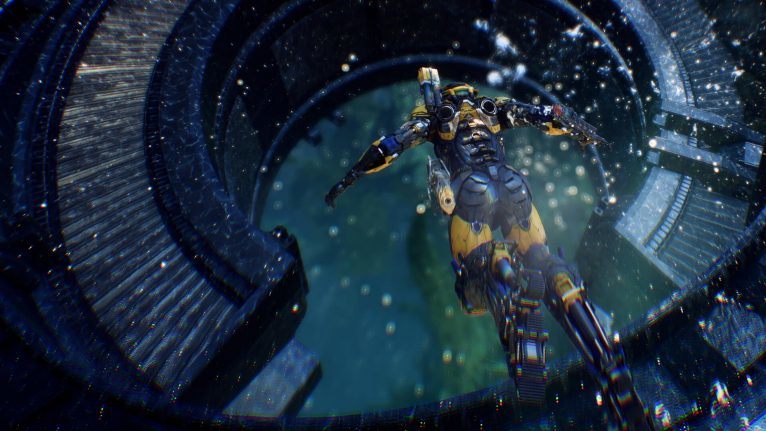
As expected from yesterday’s post, the new Anthem update 1.41 is now live! Given that we’re about to be done with the Cataclysm event, don’t expect any new content in this new Anthem patch (datamined info notwithstanding), but rather, just a series of fixes to make your gaming life a wee bit more enjoyable. Check out the Anthem update 1.41 patch notes below, which is at 2.1GB on PS4.

Anthem update 1.41 patch notes:

General Bug Fixes & Improvements

  • The Colossus Battle Cry and Interceptor Target Beacon now properly debuff enemy resistances again.
  • Fixed a bug that prevented formula bonuses from being applied, which caused unintended damage reduction in certain cases (Steam Vent ability and combo damage inscriptions).
  • Fixed an issue that prevented new weapons (Volt Casters, Blade Slingers, and Pulse Accelerators) from appearing in the Vault.
  • Jarra’s Wrath now requires time before it can be fired again after releasing the trigger. This fix also improves game performance in some instances.

If you want to get a decent info  about  “new mmos”  check out it on NerdMuch.com

Don’t forget, the Cataclysm event has been extended until September 17, so make sure to check out all the missions tied to it while you can.

We also ran the Anthem store update post yesterday, and we also posted some of the known issues BioWare is tackling from the previous patch.

Avatar photo

Alex Co

Father, gamer, games media vet, writer of words, killer of noobs.

Home > News

Fortnite Update 2.35 Patch Notes and File Now Live, Here’s What’s New in v10.30

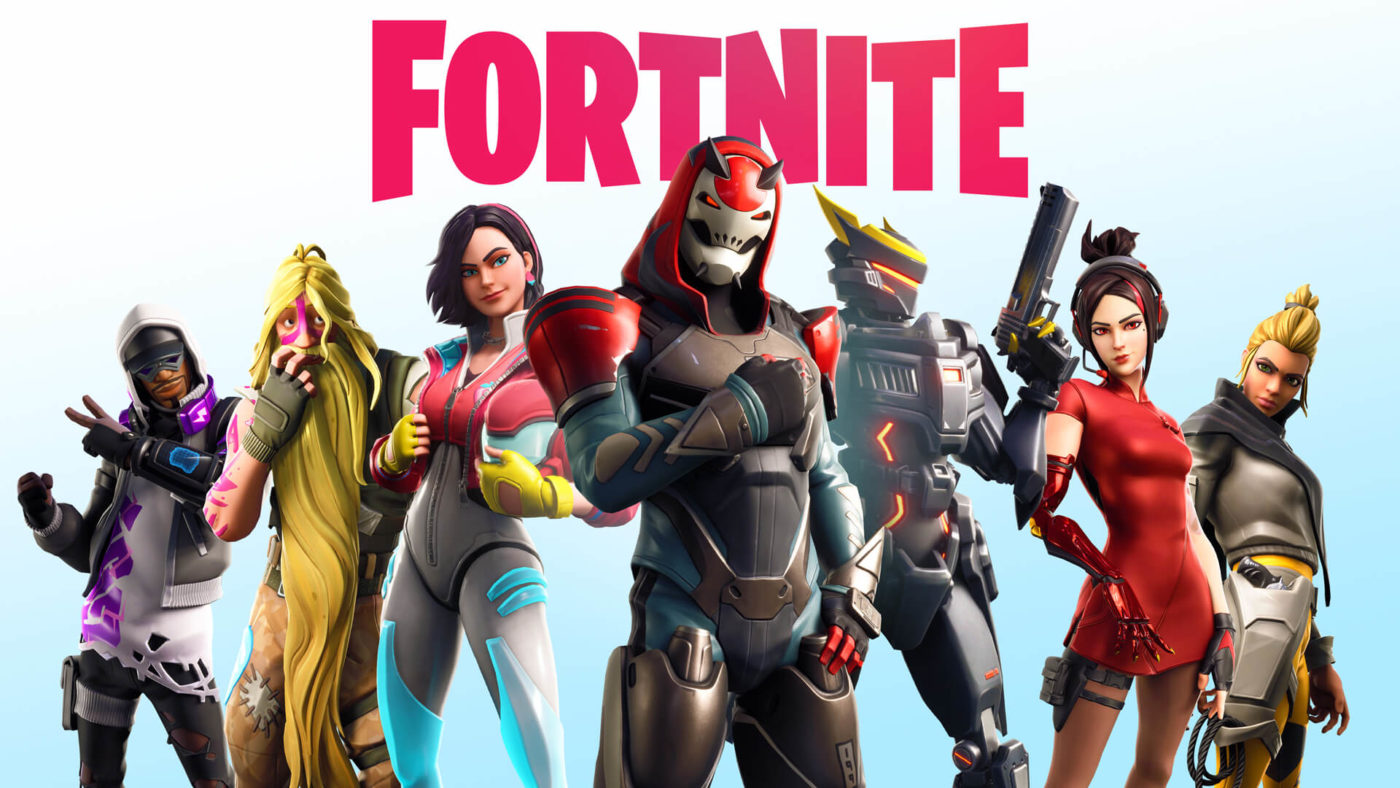
Fortnite players, a new Fortnite update has been rolled out by Epic Games! Fortnite update 2.35 (on PS4), or otherwise known as Fortnite update v10.30! Clocking in at 2.5GB on PS4, the Fortnite update 2.35 patch notes can be seen below.

Fortnite update 2.35 patch notes:

v10.30 Patch Notes

BATTLE ROYALE

What’s New?

Moisty Palms

In this swampy new Rift Zone, you can crouch to disguise yourself as a prop!

Greasy Grove

A Rift Zone has brought back Greasy Grove, but the neighborhood’s favorite food is now tacos. The tacos here are so good that even their smell makes people party!

Limited Time Modes:

Team Type: Solo | Respawning: On

Created by AlanShinohara. Knock Town was a top 3 contender for the LTM Creator Contest!

Use the grappler to jump around and dodge shots as you one-tap enemies in the air with the Flint-Knock Pistol. The player with the most eliminations at the end of the match wins!

Weapons + Items

  • Vaulted
    • Burst SMG
  • Unvaulted
    • Tactical SMG (Also: now available in Playground!)

Bug Fixes

  • Players impulsed by a Shockwave Grenade will no longer destroy a nearby trap without first destroying the building piece it is attached to.
  • The Zapper Trap’s info card now shows the appropriate 4 stars (indicating Epic Rarity) rather than 2 (indicating Uncommon Rarity).
  • Resolved an issue in which the Zapper Trap would not build properly when thrown on slopes or uneven terrain.
  • B.R.U.T.E.s will now be launched away if they touch the Floating Island’s Cube.
  • The B.R.U.T.E.’s Stomp attacks now deal consistent damage to other vehicles.
    • Previously, they would deal either double or triple damage to other vehicles.
  • The color of the B.R.U.T.E.’s cooldown meter now updates properly to correspond with the cooldown value.

Gameplay

  • Mosty Palms
    • The Rift Beacon at Paradise Palms has created this new POI! In addition to its swampy nature, this Rift Zone is known for being a good place to keep a low profile.
      • While in the Rift Zone, crouching will disguise players as a random prop. They can exit the prop state by using the Primary Fire button.
        • Players are still able to take damage while in prop form.
      • ADS lets players lock in place and look around for unsuspecting victims.
  • Greasy Grove
    • A Rift Zone has brought back Greasy Grove! But this time, Durrr Burger is out, and Tacos are in!
    • Periodically, Spicy Tacos will rain down from the sky. Their smell is so overwhelmingly appetizing that players in the Zone can’t help but dance!
      • While dancing, players are invulnerable to damage from others and will regenerate health at 20 HP per second.
        • Dancing does not block Storm Damage or regenerate Health in the Storm.
    • Spicy Tacos can be consumed for 10 Effective Health (sum of a player’s Health + Shield) and a temporary increase in movement speed (40% increase for 20 seconds).
      • The Spicy Tacos don’t last long — grab them before they expire!
  • Community Choice
    • Players will get to vote on what’s featured in the Item Shop!
    • The first community vote starts this week. For more information about Community Choice, check out our blog post

Bug Fixes

  • POIs no longer load at different distances depending on the angle of approach.
  • Resolved an issue in which players would enter edit mode for a building piece that their reticle was not on.
  • Reviving a squadmate no longer causes the reviver to get disconnected.

Playground

Bug Fixes

  • Resolved an issue in which players were able to damage each other on the Playground Hub.

Performance

  • Improved the performance of Shield Bubble collisions.

Art + Animation

  • When players’ characters are near a wall, they will lower their weapon while in their idle pose.
    • This is to reduce instances in which the hands of players’ characters appear through walls.

Bug Fixes

  • Changed the lace color of the Jets 2019 – 2020 NFL Outfit from white to green to accurately match the real uniforms.
  • The Flowerprint wrap no longer appears incorrectly on assault and sniper rifles.
  • Damaging a tree no longer places a rock texture on its leaves or causes its wood texture to become transparent.

Audio

  • Lowered the volume of the open and close sounds of teammates’ Gliders by 50%.

Bug Fixes

  • Resolved an issue in which the Battle Bus’ audio would be silent for a short period of time.

UI

Bug Fixes

  • Sending feedback during a replay no longer causes players to get stuck in the Player Reporting or Feedback menu.
  • Eliminating another player using a Junk Rift Triceratops will now indicate that they were sent to the Cretaceous period in the elimination feed.
    • Previously, the elimination feed would say that they were sent to the Jurassic period, but Triceratops only existed during the Cretaceous period. We apologize for this Tyrannosaurus Wreck of an oversight.

Replay

  • Resolved an issue in which mouse controls would not function properly in some replays.
  • Going near ammo no longer causes the “Can’t hold more of this item!” message to appear when this action is shown in replays.

Mobile

  • New Settings
    • Building and Editing
      • Players can now adjust the touch sensitivity settings for both building and editing.
    • Toggle Targeting
      • Sets targeting to be an on/off toggle or a hold.
        • Turning this setting off will require players to hold the ADS to aim.
          • The setting is turned on by default.
      • Toggle Aim setting now includes touch as well as controllers on mobile.
    • Edit Confirm On Release
      • This setting will allow players to confirm an edit anytime they release their edit selection.
    • Touch Acceleration multiplier
      • A value of 1 will have full touch look acceleration, and a value of 0 will have no touch look acceleration.
      • This is is not synonymous with sensitivity. Lower values do not necessarily translate to slower look speeds.
  • New Button
    • Edit Select Reset button
      • This button is located in the HUD Layout Tool.
      • This will reset the edit state of build pieces upon opening them for editing.
  • Added 60 FPS support to the iPhone X.
  • Updated autofire reticle to increase visibility when against high value surfaces.
  • Autofire adjustments to Drum and Tactical Shotgun.
    • Reduced max autofire range to match effective range of projectiles.

Bug Fixes

  • Resolved an issue in which weapons would fire automatically after placing a trap.
  • Vending Machines no longer give the incorrect item when using touch input.
    • Known issue: Players using the dedicated pickup button may still receive the wrong item. We are working to resolve this.
  • Team Elimination count will show the accurate amount of eliminations.
  • Fixed an unopenable chest located northeast of the frozen lake in Greasy Grove.
  • Corrected mislabeled B.R.U.T.E. buttons on the HUD.
  • Emoting while driving a B.R.U.T.E. won’t mute all sounds and will not lead to a crash.
  • Closing the Settings menu while still scrolling won’t make it impossible to scroll again when reopening it.
  • Maximum Audio Volume achievable on Android is higher.
  • SFX will now play when shots are fired from the Storm Sniper, Green Assault Rifle, Silenced Pistol, and Hand Cannon.
  • Quick Heal button won’t persist after using the last healing item while in the Storm. It also won’t disappear upon entering the Storm.
  • Low-end devices can see the writing on World Cup trophies.
  • Fire Mode screen will not display pink tiles on Android.
  • In Team Rumble, quick slot input won’t be blocked by the Goal and Elimination counters.
  • We’ve made some graphical and audio improvements for the following:
    • Battle Bus
    • Synapse Outfit
    • B.R.U.T.E. Navigator Outfit
    • Glow Stick Harvesting Tool
    • Renegade Roller Harvesting Tool
    • Axeroni Harvesting Tool
    • Sparkle Supreme Outfit
    • Laser Pick Harvesting Tool
    • Lollipopper Harvesting Tool
    • Star-Spangled Ranger Outfit
    • Freestyle Outfit during Emote animations
    • Rift Edge Harvesting Tool
    • Shifu Outfit
    • Dynamo Outfit
    • The AC/DC Harvesting Tool will play the proper SFX in the Locker.
    • Detonator Backbling will now show on players when equipped.
    • Mauler Pickaxe will show swing trail.

Recap

  • From hotfix on September 5
    • Made some balance adjustments. The details of these adjustments can be found in our blog post
  • From hotfix on September 6
    • Teammates’ arrow markers will no longer disappear in large team modes when the teammates are still visible.
  • From hotfix on September 6
    • Temporarily disabled Ziplines to resolve an issue.
      • We plan to have this issue resolved in the next update.

CREATIVE

WHAT’S NEW?

Heroes & Villains
Show off your allegiance to good or evil with four new Prefabs. Assemble a hero’s mansion or develop your diabolical villain lair.
10CM_Theme_HeroLair_Social.jpg

Vending Machine
Long awaited. Set and customize Vending Machines to match your game.
10CM_VendingMachine_Social.jpg

Class Devices
A highly configurable set of devices that allow you to create your own player classes with unique traits.
10CM_ClassDevice_Social.jpg

ISLANDS

  • The My Island settings screen has been updated in terms of layout and visuals. The screen now appears as a tab in the main in-game menu but can also be accessed in the same way as it can be now.

Bug Fixes

  • Fixed an issue where players would occasionally be disconnected when their island saved.
  • Fixed an issue where an island would be invisible and players would be left floating.

GAMEPLAY

  • Added new options to My Island settings:
    • Default Class Identifier: Sets the default Class assigned to players at the start of each round.
      • None, 1-16 (Default: None).
    • Revert Player Class To Default When: Determines when a player’s Class should be reverted to the default Class.
      • Round Ended, Game Ended, Player Eliminated (Default: Game Ended).

Bug Fixes

  • Temporarily removed keybind blocking when Allow Building is set to Off since this was breaking trap placement on some existing islands.
  • Fixed an issue where the game would end immediately if Last Standing was set to On and one team had infinite spawns.
  • Fixed an issue where entering a vehicle that was on top of a rift could cause players to lose some movement functionality after teleporting.
  • Players will no longer get stuck respawning when returning to the hub after spectating in game.
  • Fixed an issue where players were unable to cancel their prop gun disguise if they tried to cancel while colliding with another object.

WEAPONS + ITEMS

  • Added the Legendary Bolt-Action Sniper Rifle to the Creative Inventory.
  • Added the Rare Pistol to the Creative Inventory.
  • Added the Zapper Trap to the Creative Inventory.

Bug Fixes

  • Flags will no longer remain in a player’s inventory after elimination.

PREFABS & GALLERIES

  • Added 4 New Prefabs.
    • Villain Lair
    • Decayed Villain Lair
    • Hero Mansion
    • Decayed Hero Mansion
  • Added 6 New Galleries.
    • Villain Lair Gallery
    • Decayed Villain Lair Gallery
    • Hero Mansion Gallery
    • Decayed Hero Mansion Gallery
    • Gray Cliff Grass Gallery
    • Hero/Villain Prop Gallery
  • Added the Dark Purple Car to Car Gallery B.
  • Added a Bat Swarm Particle to Particles Gallery B.

Bug Fixes

  • Changed some crates in the Container Complex Prefab to make them no longer searchable.

DEVICES

  • Increased the number of available Trigger channels from 32 to 50 and the number of available Receivers from 40 to 50.
  • Added Class Designer device.
    • This allows players to define custom player Classes. Each device configures the settings and starting inventory for a single Class.
      • Drop inventory items onto the device to define the starting inventory for the Class.
      • Use in conjunction with the Class Selector device to use Classes during Play mode.
    • Class Name: Specifies a display name for the corresponding Class to be used throughout the UI.
    • Class Identifier: Determines the Class this device’s settings will apply to.
      • None, 1-16 (Default: None).
    • Grant On Respawn: Sets whether the device grants its items to players when they respawn after elimination.
      • On, Off (Default: Off).
    • Visible During Games: On, Off (Default: Off).
    • Bonus Ammo For Weapons: On, Off (Default: On).
    • Starting Health: 1% Health, 50% Health, 100% Health, Invincible, Do Not Override (Default: Do Not Override).
    • Max Health: 1 Health, 25 Health, 75 Health, 100 Health, 200 Health, 500 Health, 1000 Health, 2000 Health, 10000 Health, Do Not Override (Default: Do Not Override).
    • Starting Shields: Empty Shields, 50% Shields, 100% Shields, Do Not Override (Default: Do Not Override).
    • Max Shields: No Shields, 25 Shields, 50 Shields, 75 Shields, 100 Shields, 200 Shields, 500 Shields, 1000 Shields, 2000 Shields, 10000 Shields, Do Not Override (Default: Do Not Override).
    • Instant Reload: On, Off, Do Not Override (Default: Do Not Override).
    • Infinite Ammo: On, Off, Do Not Override (Default: Do Not Override).
    • Infinite Resources: On, Off, Do Not Override (Default: Do Not Override).
    • Keep Items When Eliminated: Drop, Keep, Delete, Do Not Override (Default: Do Not Override).
    • Keep Resources When Eliminated: Drop, Keep, Delete, Do Not Override (Default: Do Not Override).
    • Fall Damage: On, Off, Do Not Override (Default: Do Not Override).
    • Gravity: Very Low, Low, Normal, High, Very High, Do Not Override (Default: Do Not Override).
    • Jump Fatigue: On, Off, Do Not Override (Default: Do Not Override).
    • Player Flight: On, Off, Do Not Override (Default: Do Not Override).
    • Player Names & Location: Always Show, Always Hide, Do Not Override (Default: Do Not Override).
    • Glider Redeploy: On, Off, Do Not Override (Default: Do Not Override).
    • Down But Not Out: Default, On, Off, Do Not Override (Default: Do Not Override).
    • Allow Building: On, Off, Do Not Override (Default: Do Not Override).
    • Respawn Time: 1-30 Seconds, Do Not Override (Default: Do Not Override).
    • Spawns: Infinite, 1-10, Do Not Override (Default: Do Not Override).
    • Health Granted on Elimination: 0, 10, 25, 50, 100, 250, 500, 1000, Do Not Override (Default: Do Not Override).
    • Wood Granted on Elimination: 0, 5, 10, 15, 20, 25, 30, 40, 50, 100, 250, Do Not Override (Default: Do Not Override).
    • Stone Granted on Elimination: 0, 5, 10, 15, 20, 25, 30, 40, 50, 100, 250, Do Not Override (Default: Do Not Override).
    • Metal Granted on Elimination: 0, 5, 10, 15, 20, 25, 30, 40, 50, 100, 250, Do Not Override (Default: Do Not Override).
    • Maximum Building Resources: 0, 100, 150, 200, 300, 400, 450, 500, 750, 999, 2000, Do Not Override (Default: Do Not Override).
    • Allow Item Drop: Yes, No, Do Not Override (Default: Do Not Override).
    • Allow Item Pick Up: Yes, No, Do Not Override (Default: Do Not Override).
    • Harvest Rate: 0x, 0.1x, 0.5x, 1x, 2x, 3x, 4x, 5x, 10x, Do Not Override (Default: Do Not Override).
    • Spawn Immunity Time: 0 Seconds, 1 Second, 2 Seconds, 5 Seconds, 10 Seconds, 20 Seconds, 30 Seconds, 40 Seconds, 50 Seconds, 1 Minute, 2 Minutes, 5 Minutes, 10 Minutes, Do Not Override (Default: Do Not Override).
  • Added Class Selector device.
    • This creates a zone that switches players to a specific Class.
    • Class Identifier: Determines which Class players will switch to when they enter the zone. If set to None, players entering the zone will revert to having no Class.
      • None, 1-16 (Default: None).
    • Team: Determines which team can activate the device.
      • Any, 1-16 (Default: Any).
    • Time To Switch: Sets the time the player needs remain within the device’s zone before a Class switch will be applied to the player.
      • Instant, 1 Second, 2 Seconds, 3 Seconds, 4 Seconds, 5 Seconds, 6 Seconds, 7 Seconds, 8 Seconds, 9 Seconds, 10 Seconds, 15 Seconds, 20 Seconds (Default: 3 Seconds).
    • Respawn Player On Switch: Determines whether the device will force a respawn after setting the player to a new Class.
      • On, Off (Default: Off).
    • Size Of Volume: 0.5 Meters, 1 Meter, 2 Meters, 3 Meters, 4 Meters, 5 Meters, 10 Meters, 15 Meters, 20 Meters, 30 Meters, 40 Meters, 50 Meters (Default: 1 Meter).
    • Volume Visible In Game: Determines whether the device’s zone is visible during the game.
      • On, Off (Default: On).
    • Visible In Game: Determines whether the device is visible during the game.
      • On, Off (Default: On).
    • Accent Color: Team Color, White, Sky Blue, Red-Orange, Golden, Apple Green, Fuchsia, Orange, Aquamarine, Beige, Purple, Neon Green, Cerulean, Silver, Aqua, Pink, Green (Default: Aqua).
    • Enabled: Will be enabled during these game phases.
      • Disabled, Enabled, Pre-Game Only, Gameplay Only (Default: Gameplay Only).
    • Transmitter Support:
      • When Class Switched Transmit On: Transmits a signal on the selected channel when a player switches to a Class through this device.
        • No Channel, 1-50 (Default: No Channel).
    • Receiver Support:
      • Enable When Receiving From: No Channel, 1-50 (Default: No Channel).
      • Disable When Receiving From: No Channel, 1-50 (Default: No Channel).
      • Change Player To Class when Receiving From: Changes the instigating player to the Class specified by this device on receiving a signal from the selected channel.
        • No Channel, 1-50 (Default: No Channel).
  • Added Custom Vending Machines.
    • This allows players to place a Vending Machine and customize which items can be purchased based on material costs.
    • Drop Items next to the Vending Machine after placing it to add them to the device. Items will become accessible to players in the order they are added to the Vending Machine.
    • The first item registered will consume Wood resources from the player’s inventory to purchase, the second will consume Stone and the third will consume Metal.
    • Cost of First Item in Wood: No Cost, 5, 10, 20, 30, 40, 50, 60, 70, 80, 90, 100, 110, 120, 130, 140, 150, 160, 170, 180, 190, 200, 220, 240, 260, 280, 300, 320, 340, 360, 380, 400, 420, 440, 460, 480, 500, 550, 600, 650, 700, 800, 900, 999 (Default: No Cost).
    • Cost of Second Item in Stone: No Cost, 5, 10, 20, 30, 40, 50, 60, 70, 80, 90, 100, 110, 120, 130, 140, 150, 160, 170, 180, 190, 200, 220, 240, 260, 280, 300, 320, 340, 360, 380, 400, 420, 440, 460, 480, 500, 550, 600, 650, 700, 800, 900, 999 (Default: No Cost).
    • Cost of Third Item in Metal: No Cost, 5, 10, 20, 30, 40, 50, 60, 70, 80, 90, 100, 110, 120, 130, 140, 150, 160, 170, 180, 190, 200, 220, 240, 260, 280, 300, 320, 340, 360, 380, 400, 420, 440, 460, 480, 500, 550, 600, 650, 700, 800, 900, 999 (Default: No Cost).
    • Bonus Ammo for Weapons: On, Off (Default: On).
    • Enabled on Game Start: Enabled, Disabled (Default: Enabled).
    • Receiver Support.
      • Enable When Receiving From: No Channel, 1-50 (Default: No Channel).
      • Disable When Receiving From: No Channel, 1-50 (Default: No Channel).
      • Spawn Item When Receiving From: No Channel, 1-50 (Default: No Channel).
      • Cycle to Next Item When Receiving From: No Channel, 1-50 (Default: No Channel).
    • Transmitter Support.
      • When Item Spawned Transmit On: No Channel, 1-50 (Default: No Channel).
  • Added Trigger & Receiver options to the Capture Item Spawner.
    • Transmitter Support:
      • When Item Dropped Transmit On: Transmits a signal on the selected channel when the Capture Item has been dropped.
        • No Channel, 1-50 (Default: No Channel).
      • When Item Captured Transmit On: Transmits a signal on the selected channel when the Capture Item is “captured” at a Capture Area.
        • No Channel, 1-50 (Default: No Channel).
    • Receiver Support:
      • Enable When Receiving From: No Channel, 1-50 (Default: No Channel).
      • Disable When Receiving From: No Channel, 1-50 (Default: No Channel).
  • Added New HUD and Text options to the Ball Spawner device.
    • This allows you to show players where the ball is via a Badge Icon, as well as giving the ability to add visible text depending on team assignments in game
    • HUD Icon: None, Badge Style (Default: None).
    • Friendly Team: All Neutral, Any, 1-16, All Hostile (Default: All Neutral).
    • Team Visibility: Any, 1-16, All Hostile, All Neutral, All Friendly (Default: Any).
    • HUD Icon Identifier: None, A-D, W-Z (Default: None).
    • Requires Line of Sight: Yes, No (Default: Yes).
    • Hide HUD Icon At: 2m, 5m, 10m, 15m, 20m, 30m, 50m, 100m, 150m, 200m, 250m, 500m (Default: 20m).
    • Hostile Icon Text Field: Specifies text to display to Hostile players.
    • Friendly Icon Text Field: Specifies text to display to Friendly players.
    • Neutral Icon Text Field: Specifies text to display to Neutral players.
    • HUD Text Size: 1x, 1.5x, 2x (Default: 1x).
    • Receiver Support
      • Hide HUD On Received From: No Channel, 1-50 (Default: No Channel).
      • Show HUD On Received From: No Channel, 1-50 (Default: No Channel).
  • Added a new option to the Item Spawner device.
    • Continuously Spawn Items: Allows additional items to keep spawning even if previously spawned items are still in play.
      • On, Off (Default: Off).
  • Added new option to the Team Settings & Inventory device.
    • Default Class Identifier: Sets the default Class assigned to players on the selected Team at the start of each round.
      • None, 1-16, Do Not Override (Default: Do Not Override).
  • Added new option to Basic Storm Controller and Advanced Storm Controller devices.
    • On Finish Behavior: Determines what should happen to the storm when it finishes its final phase.
      • Stay, Destroy Instantly, Destroy in 5 Seconds, Destroy in 10 seconds, Destroy in 15 seconds, Destroy in 30 seconds, Destroy in 60 seconds, Destroy in 2 minutes, Destroy in 3 minutes, Destroy in 4 minutes, Destroy in 5 minutes (Default: Stay)
  • Added a new option to the Creature Manager device.
    • Movement Speed: Very Slow, Slow, Fast, Very Fast (Default: Fast).
  • Added new values to the Time From Round Start option in the HUD Message Device.
    • 6 minutes, 7 minutes, 8 minutes, 9 minutes, 10 minutes.
  • Added new options to the Capture Area Device.
    • Enabled on Phase: All, Pre-Game Only, Gameplay Only, None (Default: All)
    • Enable when Receiving From: No Channel, Channel 1 – 16 (Default: No Channel)
    • Disable when Receiving From: No Channel, Channel 1 – 16 (Default: No Channel)
    • Consume Item on Scoring: Yes, No (Default: Yes)
    • Consume Item when Dropped: Yes, No (Default: Yes)

Bug Fixes

  • Fixed an issue where consumables were not properly collected when spawned by the Item Spawner device with ‘Run over pickup’ enabled.
  • Allow Building Damage option in the Team Settings device now overrides the My Island settings correctly.
  • Disabled aim assist on Ball Spawner balls.
  • Players will no longer see a red box visible in game after placing a Random Number Generator device.
  • The Storm Circle from the Advanced Storm Controller will not return to being visible after fully closing in game.
  • Fixed an issue where Sentries would still be able to fire at players while inside a Weapon Free Zone.
  • Fixed an issue where the Warm-up Only setting on the Barrier Device would not work prior to game start.
  • Fixed an issue where the When Item Picked Up Transmit On transmitter on the Capture Item Spawner device wouldn’t transmit when the Capture Item in use was the Flag.
  • Item Spawner previews now accurately reflect the Set Item Scale option.
  • Fixed an issue with Explosive Device proximity being triggered when the game starts.
  • Fixed an issue where the Capture Area was not consuming items when it became enabled.
  • Fixed an issue where the Capture Area was pulsing but no score was being granted.
  • Fixed an issue where the Particles inside large Capture Areas became invisible when moving away from the center.
  • Fixed an issue with Team Visibility settings for the Explosive Barrel.
  • Fixed an issue where the Explosive Barrel could be destroyed while in the warmup phase.
  • Fixed an issue where damage particles were visible when hitting an invisible Objective Device.

UI + SOCIAL

  • Added a second way to access the My Island settings menu from the Creative Inventory. You can now open the menu and start a game just as quick as you can select a device to place on your island.
  • Added a Clear Items button to the following devices to remove all inventory items previously dropped on the device: Capture Area, Capture Item Spawner, and Class Designer.  This will be rolled out to more devices in future releases.

Bug Fixes

  • The UI now displays a warning when a player has reached a device limit.
  • Players are able to remove an island with the same name as the currently loaded island.
  • The scrolling speed on certain inventory tabs is consistent.

SAVE THE WORLD

WHAT’S NEW?

Penny Hits the Road Part 2
This week, help Penny make her way to the Radio Station in this edge-of-your-seat sequel where things get a little bit weird. Load up the truck and gather your group because it’s time to Hit the Road with a new weekly quest.
10BR_PennyMaydayBadge_Social-(1).jpg

Field Agent Rio Returns
Get ready to load up the Phase Cannon and Phase Blast the Husks! Field Agent Rio Returns to the Event Store!
10StW_FieldAgentRio_Social-(1).jpg

MISSIONS + SYSTEMS

  • This week brings a special new quest to “Hit the Road” courtesy of Lars and his love of all things musical. Check your quest log for more information!
  • Removed some of the potential enemy spawn directions from several amplifiers in the Twine Peaks Storm Shield Defense map.
    • Removed “crossed” spawns that caused structures to be destroyed on Husk spawn. This made specific spawns very difficult to build enough defenses to survive certain waves.
  • Dialog will now appear if players attempt to start a Storm Shield Defense mission while their Storm Shield fort is still being disassembled. The fort must be stable (no more ongoing edits) before a mission / wait for assistance action can be started.
  • Pure Drop of Rain rewards for power level 140 missions have increased by 25%.
    • Example: a 64 Pure Drops of Rain reward prior to this update will now reward 80 Pure Drops of Rain.
  • For 4 Player Missions starting at power level 108, evolution material and PERK-UP rewards have been increased across the board. Some examples below:
    • A 4 Player Mission that would have rewarded 168 Pure Drops of Rain in a power level 108 zone prior to the 10.30 update will now reward 256 Pure Drops of Rain.
    • A 4 Player Mission that would have rewarded 168 Pure Drops of Rain in a power level 140 zone prior to the 10.30 update will now reward 320 Pure Drops of Rain.
    • A 4 Player Mission that would have rewarded 164 Epic PERK-UP in a PL 108 zone prior to the 10.30 update will now reward 204 Epic PERK-UP.
    • A 4 Player Mission that would have rewarded 164 Epic PERK-UP in a PL 140 zone prior to the 10.30 update will now reward 248 Epic PERK-UP.
    • Note: These are just examples. You may find yourself earning more or less than these examples depending on mission objective performance. Review this blog post for more information!

Bug Fixes

  • Players are now much less likely to spawn next to encampments at the start of a mission.
  • Players can now “find the meteor” from the bottom of the crater in the Comet Jr. quest.

UI

  • Added animated scrolling in the Item Management menus.
  • Added the SMG weapon type to Armory Wall behind Clip in the Armory screen.

Bug Fixes

  • Emotes that are attached to specific BR outfits are no longer selectable from the emote wheel as they are unplayable.
  • Reduced clutter that resulted from text on the PSA loading screens conflicting with the tips banner.
  • The fast forward effect now displays correctly when opening Llamas.
  • Hero displays now properly update when changing the Commander of the current Hero Loadout.
  • Fixed flashing text in the Item Inspect screen that caused Hero abilities to overlap for a small amount of time.
  • The Trap durability UI no longer displays the incorrect number.
  • Players will no longer unintentionally navigate through the front end while the social panel is open.
  • The page button prompts will now correctly show in the lobby emote wheel when using the “Builder Pro” controller configuration.
  • The Llama opening results will no longer show additional incorrect copies of an item.
  • The UI in “Resupply” missions now displays correctly after completing all primary objectives.
  • Corrected grammatical errors in the Expeditions text

HEROES

  • Field Agent Rio shifts back into the Event Store!
    • Standard Perk: Phase Cannon
      • Using Phase Shift causes your next ranged weapon shot to fire a Phase Pulse, dealing 31 base Energy Damage and piercing enemies.
    • Commander Perk: Phase Cannon +
      • Using Phase Shift causes your next ranged weapon shot to fire a Phase Pulse, dealing 93 base Energy Damage and piercing enemies.
    • Team Perk: Phase Blaster
      • Every 5 seconds, your next shot will fire a Phase Pulse which deals 47 base Energy Damage.
    • Available in the Event store starting September 11 at 8 PM Eastern Time.
  • Ragnarok slams back into action!
    • Standard Perk: Return to Sender
      • Seismic Smash returns to its origin point. Decreases Seismic Smash Damage and Impact by 25%.
    • Commander Perk: Return to Sender +
      • Seismic Smash returns to its origin point. Increases Seismic Smash Damage and Impact by 125%.
    • Team Perk: Slow your Roll
      • Freeze melee attackers for 2 seconds. Mist Monsters are slowed by 43%.
    • Available from completing the “Limited Edition” quest.
  • Bladestorm Enforcer flips back into battle!
    • Standard Perk: Kunaihilation
      • Daggers from Kunai Storm explode shortly after impact, dealing 4 base Energy Damage in a .25 tile radius.
    • Commander Perk: Kunaihilation +
      • Daggers from Kunai Storm explode shortly after impact, dealing 8 base Energy Damage in a .5 tile radius.
    • Team Perk: Endless Shadow
      • For each Nina with 3 or more stars, Increases Shadow Stance Duration by 4 seconds.
    • Available from completing the “Limited Edition” quest.

Bug Fixes

  • Fixed a typo in Breakbeat Wildcat’s description.
  • B.A.S.E.’s placement animation can no longer be skipped by switching weapons.
  • Fixed Constructor animations while in the lobby.
  • Mantis Leap correctly deals damage after using a Leap Attack while the Leaping Ninjas Storm modifier is active.
  • Bull Rush will no longer launch enemies farther than expected when they are Bull Rushed into an Encampment.
  • Ragnarok, Thunder Thora, and Field Agent Rio now take up inventory space.
  • R.O.S.I.E. can no longer be placed on an encampment.

WEAPONS + ITEMS

Bug Fixes

  • Updated Steam Thrasher to correctly apply damage bonuses on the Maelstrom Heavy Attack for Scythes instead of Hardware.
  • Fix issues with Crescendo’s charging and max charge VFX sometimes not playing properly on all clients.
  • The Beat Blaster schematic now correctly takes up inventory space and can be recycled.
  • The V6 Launcher’s reload effect now plays for all players in the mission.
  • The Tiny Instrument of Death rocket now disappears correctly after exploding.
  • Fixed camera shake sometimes not stopping after using Leap Attack.

GAMEPLAY

  • Added a new Storm Alert modifier “Powerful SMG’s”.

Bug Fixes

  • Patrol points now properly despawn after showing up on the map.
  • Nature-charged Riot Huskies no longer fail to block attacks.

ART + ANIMATION

Bug Fixes

  • Nature elemental VFX no longer linger on a Riot Husk’s Shield while dancing.

AUDIO

Bug Fixes

  • Updated vehicle (Cars, Buses, Trucks, etc.) impact sounds with more unique content per vehicle type.
  • Updated Blaster sounds to add better environmental audio perspective during combat.
  • Updated the audio for the Van lift-off sequence in Ride the Lightning.
  • Fixed issue with the Husk Dancing music not stopping when eliminated.
  • Updated sounds for Husks being launched from floor / wall launcher traps.
  • Music and sound volume issues have been adjusted while DBNO.
  • Updated the bonus failed sound to a shorter sound to help sync with UI feedback.

GENERAL

Bug Fixes

  • Structures no longer remain bright yellow.
  • Resolved an issue in which Xbox One players may have frequently encountered an error message that sent them back to the console menu when trying to launch the game.

PERFORMANCE

  • Optimized level streaming on Switch to ensure that buildings load in fully before players land.
    • Please note that this will make the patch larger than normal.
  • Reduced the initial load time on Switch. Starting up the game will approximately be 10 seconds faster.
  • Improved activation time on Xbox One. This shortens the time before the loading screen appears.
  • Improved the performance of buildings’ wobble animation.

Let’s hope nothing gets broken via this patch or we’ll get an emergency patch like last week.

Source: Epic Games

Avatar photo

Alex Co

Father, gamer, games media vet, writer of words, killer of noobs.

Home > News

Rainbow Six Siege Next Update Patch Notes Revealed for Ember Rise

Just a few weeks ago, Ubisoft announced the newest Operation hitting Rainbow Six Siege called Ember Rise, which will once again include new Operators, and more. For those looking forward to it, rejoice! The Rainbow Six Siege next update patch notes have been released, with the game update set to hit tomorrow!

Rainbow Six Siege next update patch notes:

BALANCING

For full details and insights into the Y4S3 balancing changes, please see our Pre-Season Designer’s Notes.

  • Defuse timer changed to 7 seconds (from 5s) for both Ranked and Unranked playlists. Casual playlist still at 5s defuse timer.
  • Hostage position in 2F Theatre room on Coastline has been moved to in front of the TV.
  • Slightly increased vulnerability radius of deployable shields and Volcan shields to explosives.

GOYO

  • Goyo – Fire from Volcan Shield fire AoE duration lowered to 10s (previously 12s).

IQ + AMARU

  • G8A1 magazines (IQ and Amaru) increased to 301 (up from 201) in PvP. PvE increased to 401 (from 201).

OTHER

  • SMG Recoil Animation Update – With Ember Rise we updated the SMG animations and now each one has it’s own unique set of animations. The resulting effect is that there is less perceived shaking when ADS. This is an update to the animation only and recoil has not changed.
  • RFF: We have delayed the following updates while we work on a few things.
    • Player Behavior – Playlists lock after leaving a ranked game.
    • Player Behavior – RFF Squad management.
    • Player Comfort – New surrender parameters.

We’ll provide an updated timeline for these changes when they are closer to release.

BUG FIXES

GAMEPLAY

  • FIXED – Hot breaching exploit.
  • FIXED – Reloading of an extra shell in all non–magazine fed shotguns.
  • FIXED – Frag grenades remains in the player’s hands if you attempt to ADS and use the gadget before the ADS animation completes.
  • FIXED – Nitro cell sometimes wont detonate.
  • FIXED – Reinforcing a wall after attaching a shield in a nearby door way will destroy the shield.
  • FIXED – Full ADS accuracy is not attained when ADS animation is completed.
  • FIXED – While vaulting, ADS is misaligned for operators with ballistic shields.
  • FIXED – ADS shooting animation is delayed after sprinting when angled grip is equipped,
  • FIXED – Advance deployment gauge does not match the real deployment time of the Deployable shield V2.
  • FIXED – Quickly switching between secondary and primary gadgets will cancel the deployment animation.
  • FIXED – Improper breach charge explosion can result in damage or death of players on deploying end.
  • FIXED – Detonating a “Breach Charge” does not pull operator out of ADS.
  • FIXED – Breach charges can kill a player through a soft wall that was not destroyed.
  • FIXED – Two shields can be placed within the same double doorframe. One doorframe = one deployable shield.
  • FIXED – Deployable shields cannot be attached onto two doors that are close to each other.
  • FIXED – Player is unable to attach a shield on a door after a previous shield was attached to it and destroyed.
  • FIXED – Weapon rotation and lean transition times are out of sync.
  • FIXED – Switching between spectating the owner of a drone and the drone can remove SFX of jammed drones and pest SFX.
  • RFF:
    • FIXED – Currently, if Volcan shield explodes and kills the hostage, the player that detonated the explosion is responsible. Now Goyo/his team are responsible in all situations. Goyo’s Volcan shield kills will follow the same design philosophy of Smoke/Capitao – if the hostage dies or goes into DBNO from the shield, Goyo is responsible. If Goyo leaves the game/disconnects, his team is responsible.
    • FIXED – Missing RFF icon in kill log and death cam replay if a player suicides by bleeding out during DBNO as a result of RFF.
    • FIXED – Suiciding after RFF is active gives the wrong message and killfeed icon.
    • FIXED – Situations: RFF UI appears when player dies while holding the hostage.
    • FIXED – RFF: When hostage is killed by Volcan Shield while Goyo is dead, his team is responsible. Intent: In line with our RFF design philosophy, as long as Goyo is in the game, dead or alive, he should be responsible for the hostage death.

OPERATORS

ALIBI

  • FIXED – Audio detection warning for attackers when teammate triggers an Alibi prisma.
  • FIXED – Alibi Prisma will cancel the pick-up prompt when placed closed to a Deployable shield V2, when player is not the host of the session.

AMARU

  • FIXED – Red marker for Garra Launcher will sometimes not appear for hatches if used at a bad angle.
  • FIXED – Various incorrect landing zones when reeling.
  • FIXED – Mismatched/conflicts with rappel zones for Amaru’s Garra Launcher.
  • FIXED – Weapon autoswap for Amaru is slow when reeling to a rappel zone with a railing.
  • FIXED – Amaru can reel before being put into DBNO after falling.
  • FIXED – From a third person POV, after Amaru uses her Garra Launcher, other players cannot see her cooldown animation or the no ammo one. (It appears as if her gadget is not on cooldown and she has uses still available).
  • FIXED – Teammates are unable to retrieve the defuser if Amaru was carrying it and is killed mid–air while reeling from certain spots.

BANDIT

  • FIXED – Maverick can cancel bandit’s shock wire placement animation when using the blowtorch on the same wall.

BLACKBEARD

  • FIXED – Blackbeard cannot enter ADS after equipping his rifle shield while performing a full reload.

BLITZ

  • FIXED – Blitz instant ADS after using gadget.

BUCK

  • FIXED – If the player spams primary and secondary gadget inputs, Buck is able to use an invisible primary weapon with the hostage.
  • FIXED – Broken recoil animation for Nomad and Buck when shooting and switching between primary and gadget.

CAVEIRA

  • FIXED – Caveira stepping on Trax Stinger cancels stealth and keeps draining energy from the gadget.

CLASH

  • FIXED – Clash CCE shield can clip through Clash’s body if spamming weapon/shield swapping.
  • FIXED – Clash VFX issues when equipping CCE Shield.

ECHO

  • FIXED – Yokai Concussion VFX is shorter if the player is already in motion when hit by the Sonic Burst.
  • FIXED – Inconsistent behavior when using Echo’s Yokai’s sonic burst from above a ceiling fan.

ELA

  • FIXED – A grzmot mine detonated between a planted defuser and a wall will have no effect for the defender.

FINKA

  • FIXED – Finka sprints empty handed when using her primary weapon SPEAR.308.

GOYO

  • FIXED – Goyo’s shield can disappear when Thunt bots throw grenades or vault over it in Laundry Room, House.
  • FIXED – Killing Goyo while he’s picking up his shield can result in a crash.
  • FIXED – Barbed wire isn’t destroyed by Volcan Shield explosion.

IQ

  • FIXED – If her gadget is active, IQ’s animation can freeze when picking up a claymore.

JAGER

  • FIXED – Jager’s model can get stuck and player will lose control/functionality when deploying his ADS.

MAVERICK

  • FIXED – Iron sight on Maverick’s M4 is stretched.

MUTE

  • FIXED – Mute is not interrupted by the Echo drone when deploying his gadget.
  • FIXED – Picking back up a deployed Mozzie pest or Mute jammer disables the SFX of other pests/jammers for players who are on their drone when that happens.

NOMAD

  • FIXED – When Nomad’s Air Jab is activated by a prone player, players can lose operator functionality.
  • FIXED – Nomad’s Airjab doesn’t interrupt Caveira’s Silent Step.
  • FIXED – Glitched Nomad Airjab launcher equip animation when vaulting.
  • FIXED – Certain steps can let Nomad load an extra airjab.

THATCHER

  • FIXED – Thatcher Debuff icon progression animation does not match the effect duration in server matches.
  • FIXED – Thatcher EMPs can be destroyed by explosives.

WARDEN

  • FIXED – Warden’s hands and weapon are out of sync when transitioning between ADS or sprinting.

VALKYRIE

  • FIXED – Excessive Valkyrie Black Eye glitch VFX.
  • FIXED – Valkyrie Black Eye camera pivot point. We have fixed the camera inside Valkyrie’s Black Eye Cams by putting the camera back closer to its intended pivot point. This change brings the Black Cams back to their intended use and scope of vision, and prevents players from seeing through solid objects that shouldn’t be seen through, preventing potential exploitation of her cams.

LEVEL DESIGN

  • FIXED – Various visual texture and LOD issues on maps.
  • FIXED – Various lighting issues on maps.
  • FIXED – Various clipping issues on maps.

BANK

  • FIXED – Glass from the skylines on Bank make no noise when shattered with gadgets.
  • FIXED – Drones can clip into the walls from EXT Terrace on Bank.

BORDER

  • FIXED – Defenders are able to reinforce the destroyed trap door located in 2F Armory Desk room of Border.

COASTLINE

  • FIXED – Players can go onto the purple tarps on coastline.
  • FIXED – Explosions don’t do damage at EXT South Promenande on Coastline.
  • FIXED – LOS on Coastline from Main Entrance.
  • FIXED – Drone clipping into ruined wall at EXT Ruins of Coastline.
  • Missing hard surface restrictions on Coastline which allow players to detonate cluster charges and candelas inside the wall.

CLUBHOUSE

  • FIXED – Echo’s Yokai can be attached under an invisible object in 1F Lobby of Clubhouse.
  • FIXED – Ying Candelas and Fuze Cluster Charges can’t be deployed on certain surfaces in Clubhouse due to impediments.
  • FIXED – Defenders can be shot through a reinforcement while deploying in 2F Bathroom of Clubhouse.
  • FIXED – Pixel LOS on Clubhouse in EXT Parking.

HEREFORD

  • FIXED – Players can rappel onto an invisible ledge in Hereford.

KAFE

  • FIXED – Collision near trees results in a fatal fall when rappelling from the roof on Kafe.

KANAL

  • KANAL rework bug fixes over the TS include: fixes to pixel peeks, spawn peeks, long LOS, object bullet penetration issues, drone clipping issues, out-of-bounds issues, etc. (see Test Server Patch Notes for full details).

OREGON

  • FIXED – Operators with a dark uniform can be hard to spot when crouched next to the bed in 2F Dorm Room of Oregon.
    FIXED – Defuser can be planted inside the drawer of 2F Kids Dorms on Oregon.

VILLA

  • FIXED – Barricade for eastern window in 2F Master Bedroom of Villa sometimes fails to load.
  • FIXED – Players can hide in the bar of 2F games Room on Villa.
  • FIXED – Fuze cluster charges can get stuck and explode inside the floor if placed too close to the hard surface area near the pool table at 2F Games Room of Villa.
  • FIXED – Painting hooks remain floating after wall destruction, retain collision physics.
  • Valkyrie can place a Black Eye behind the curtain at 1F Red Stairs on Villa.

USER EXPERIENCE

  • FIXED – Mysterious Garage (it has mysteriously vanished ?).
  • Menu and UI SFX + VFX improvements and updates.
  • FIXED – Various model clipping/animation issues.
  • FIXED – Various spectator mode issues.
  • FIXED – Kill feed shows RFF icon when player kills the last enemy.
  • FIXED – Report Griefing and Report Voice Abuse report options are not available when reporting a non–friend player.
  • FIXED – Missing dropped magazine objects after reloading.
  • FIXED – Operators can see their weapons and shield when going onto cams.
  • FIXED – Updated Rate of Fire UI stats for various weapons in game to match actual RoF.
  • FIXED – Missing bullet decals from new deployable shield.
  • FIXED – After reconnecting to a Ranked match, the “ongoing ranked match” ribbon remains and prevents player from starting any other multiplayer modes that are not Ranked.
  • FIXED – Title remains stuck on loading screen if player is playing a Situation without completing the previous one in a single play session.
  • FIXED – Controller-specific icons not showing properly on PC.
  • FIXED – Shield Operator’s shields flip upside down when they go into observation mode while walking.
  • FIXED – Operator hands can clip inside while deploying the deployable shield.

Once the patch is out tomorrow, we’ll be sure to let our readers know.  For more on Ember Rise, check out this “making of” video.
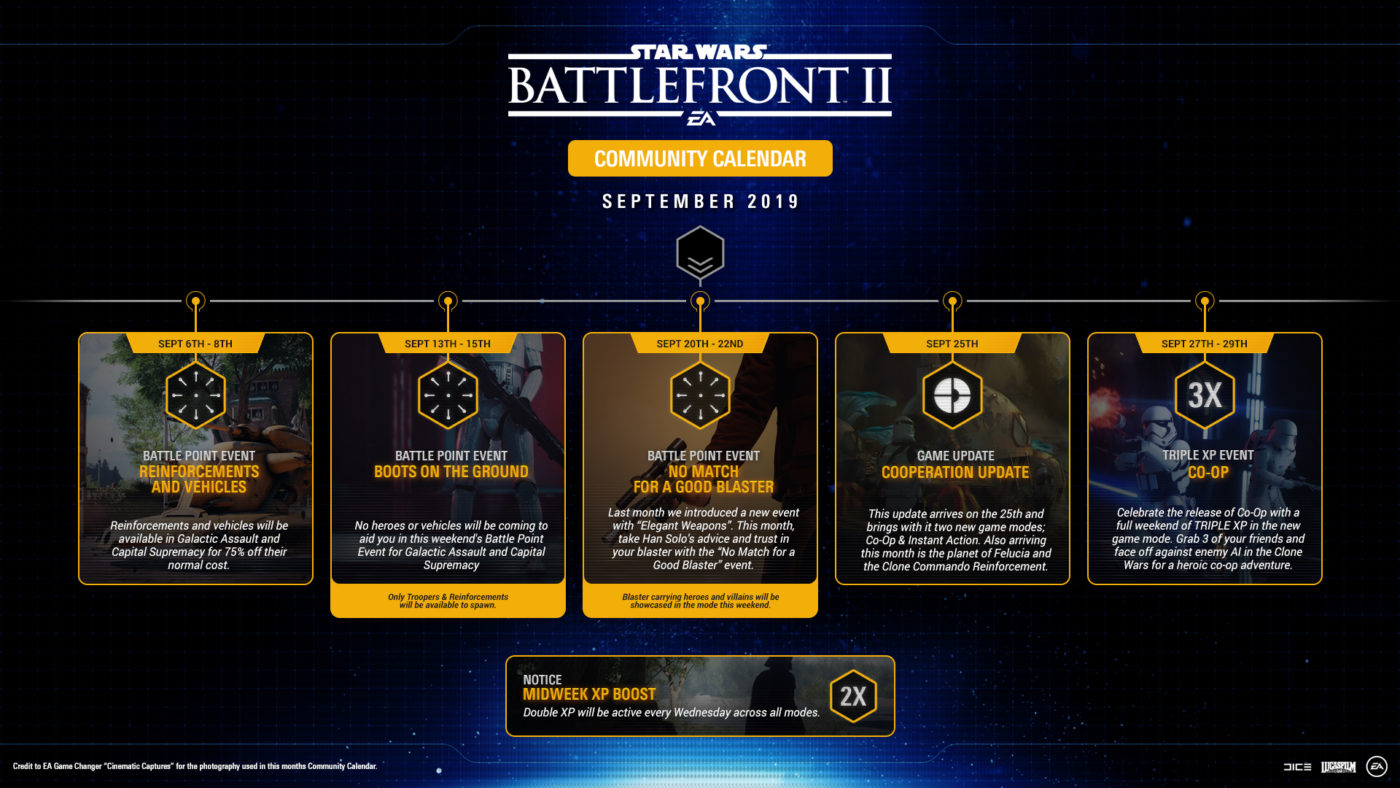
Source: Rainbow Six

Avatar photo

Alex Co

Father, gamer, games media vet, writer of words, killer of noobs.

Home > News

Crash Team Racing Nitro Fueled Update 1.10 Released, Here’s What We Know Got Fixed

It seems Beenox has stealth released a new Crash Team Racing Nitro Fueled update, and it’s a mystery for most what’s in it given the patch notes only mention “bug fixes.” Clocking in at just 273MB on PS4, the Crash Team Racing Nitro Fueled update 1.10 patch fixes exploits, and from the looks of it, nothing else.

On the game’s subreddit, players have commented that the Le Chaux color has been fixed, the Thunder Struck glitch has also been fixed, as well as the one in Dingo Canyon too. Unfortunately, the random collision bugs, and other stuff haven’t been touched.

That’s it, basically. We’ve reached out to Activision to get an official patch notes list from Beenox, and if we get a response, we’ll update the post.If you haven’t played the game in a while, the 1.09 update has a lot of content in it, which you can read about here.

Don’t forget to check out our review of the game and why it’s a worthy successor to the classic.

Avatar photo

Alex Co

Father, gamer, games media vet, writer of words, killer of noobs.

Home > News

Call of Duty: Modern Warfare Beta Codes Free Giveaway (Any Platform) – Enter and Win!

Update:

We are giving away Xbox One and PC Modern Warfare beta codes here, though I suspect it won’t last long since we’re getting flooded with entries already.

Original Story:

If you played the Call of Duty: Modern Warfare alpha and wanted to test the game out before you buy, here’s your chance! Thanks to Activision, we’re doing a Modern warfare beta codes free giveaway and it’s for any platform!

How to snag one? Super simple! Just tell us in the comments below what you want to see more of on the site, and/or what we can do here on MP1st to make the site better. Simply put, we want to do more giveaways, have better reader interaction and such, but we can’t do that without your help. The best and most insightful comments will win one, which we’ll either email (the email registered to your Disqus account) or via social media (Twitter).

How to redeem Modern Warfare beta code: Use it on Modern Warfare beta redemption site

Quick Modern Warfare beta schedule rundown:

  • PS4 early access beta Sept 12 – 13
  • PS4 open beta Sept 14 – 16, Sept 19 – 23
  • PS4
    • Sept 12-13
  • Xbox
    • Sept 19-20
  • PC
    • Sept 19-20

The codes we give out can be redeemed on any platform (PS4, Xbox One, PC).

Note that the Modern Warfare beta preload is live now on PS4. If you want to play on other platforms or just want to know the nitty gritty details, head on over here.

Don’t forget, leave a comment, and win! That’s it! See you on the battlefield, soldiers! Stay tuned to our Modern Warfare beta hands-on impressions hitting the site soon.

Avatar photo

Alex Co

Father, gamer, games media vet, writer of words, killer of noobs.

Home > News

Bungie Confirms They’re Not Working on Destiny 2 Weapons 2.0

It’s been confirmed that Bungie isn’t working on a Destiny 2 Weapons 2.0 system, as they are with armor 2.0 for Shadowkeep. This confirmation comes from Destiny 2’s Director, Luke Smith.

Armor 2.o is a system that Bungie is implementing in Destiny 2 with the launch of Shadowkeep, the game’s next expansion. The system allows players to swap in and out perks on a piece of armor, instead of having to rely on getting the exact roll of the armor piece they want as a reward from an activity. Many players are asking for a similar system to this to be introduced with the game’s weapons, and up until now it has been a possibility because no one has said no. Now however, Luke Smith has confirmed that they system is not in the works.

Speaking with KinaFunnyGames, Luke Smith said that Bungie is definitely not working on weapons 2.0 at this time. What they are doing is looking at how players use their weapons, and what they want from them on a deeper level. Right now players want armor 2.0 for their weapons, because it’s new and exciting, but Bungie see players needing something more for their weapons.

Luke Smith said that in the future Bungie is going to be looking to refine the art of building a character down to the smallest detail in Destiny, and weapons may form a part of that. What Luke Smith calls buildcrafting is an inherent part of all RPGs, and as Bungie make Destiny 2 more of an RPG they’re going to need to bring in a system that allows players to work with their weapons like they can their armor.

Right now Bungie is concerned with launching Shadowkeep outside of the umbrella of Activision. They also want to see a smooth launch for Destiny 2 New Light, the Free-to-play version of Destiny 2 that launches at the same time. After that, they might begin looking into introducing weapons 2.0 at this point next year, having worked through their refined seasons timeline first.

Jamie Moorcroft-Sharp

Trying to be a games journalist, dad, and master of Destiny 2. Author

Home > News

FIFA 20 Player Ratings Revealed by EA

EA has announced the FIFA 20 player ratings for the top 100 players in upcoming release FIFA 20. These player ratings give those playing FIFA 20 a good indication of both how accurate the game’s representation of those players is, and who the best players in the game are at launch.

The top 10 rated players in FIFA 20 is made up of some of football’s biggest icons. Check out the list below and read on for more details.

  1. Lionel Messi, FC Barcelona – 94
  2. Christiano Ronaldo, Piemonte Calcio – 93
  3. Neymar Jr., PSG – 92
  4. Eden Hazard, Real Madrid – 91
  5. Kevin De Bruyne, Manchester City – 91
  6. Jan Oblak, Atlético de Madrid – 91
  7. Virgil van Dijk, Liverpool – 90
  8. Mohamed Salah, Liverpool – 90
  9. Luka Modric, Real Madrid – 90
  10. Marc-André ter Stegen, FC Barcelona – 90

The rest of the top 100 rated players can be seen in detail on the official FIFA 20 website.

As of today players can jump in and enjoy a free demo of FIFA 20 across all platforms. The demo features an 11 V 11 Kick Off mode, as well as the new VOLTA game mode, which has most players excited to jump in and play the latest FIFA title.

Further details on players in FIFA 20, including the future stars, most improved, 5 star skills, and much more can be found on the official EA Sports Twitter.

Don’t forget to check out our recent article on FIFA’s boss David Rutter overseeing DICE, Criterion and Ghost Games.

Jamie Moorcroft-Sharp

Trying to be a games journalist, dad, and master of Destiny 2. Author

╳