Home > News

Death Stranding San Diego Comic Con Trailer Leaks Out

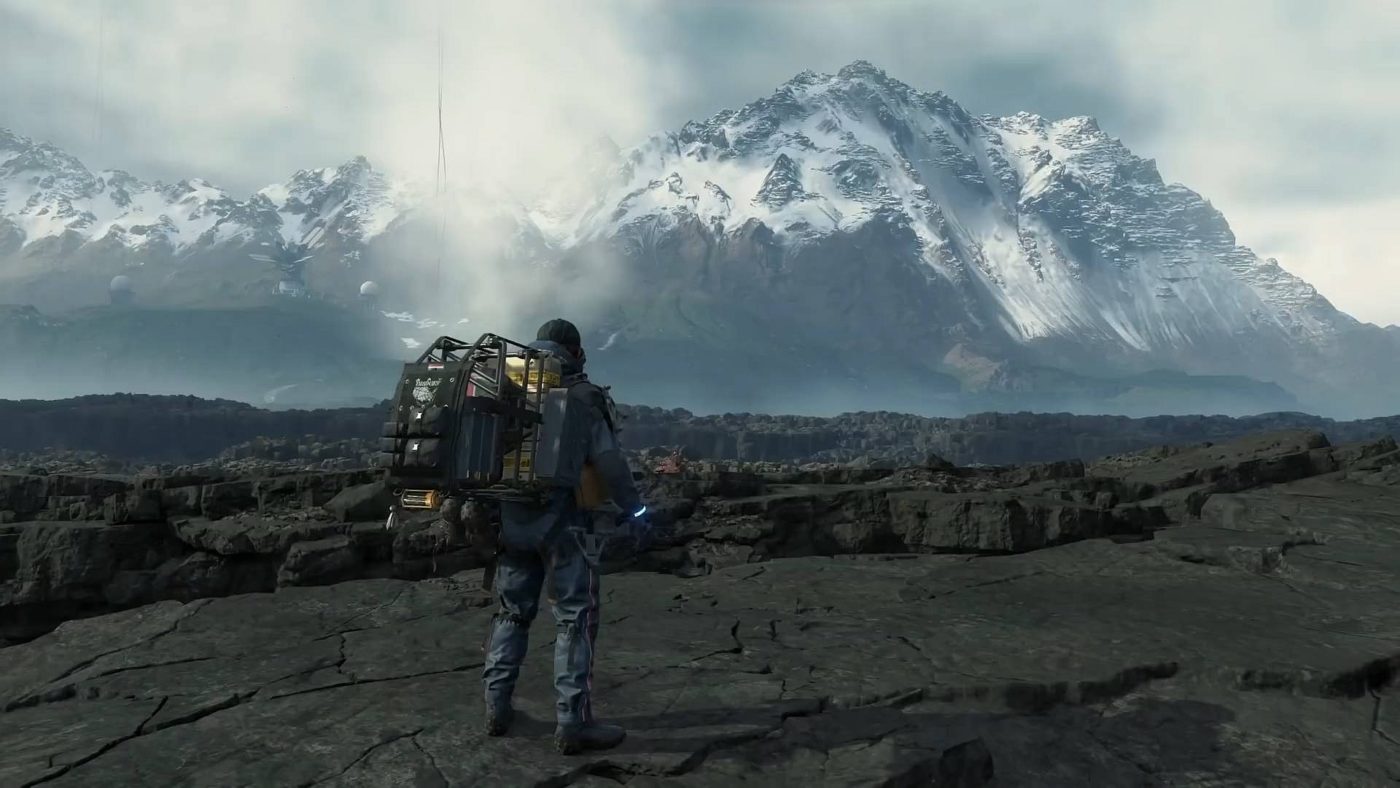
During the San Diego Comic Convention, the legendary game creator Hideo Kojima held a panel where not only did he share a lot of new Death Stranding details, but also shared a brand-new video exclusively for the attendees.While the panel wasn’t livestreamed, we’re fortunate enough to see the Death Stranding Comic Con video right now thanks to leakers!

UPDATE: Playstation has officially released the video

In other Death Stranding news, you can check out the official box art and steelbook covers right here. There’s also new info on a new character in the game named Heartman though the info revealed might be spoiler-ish for some. Finally, Kojima was offered Keanu Reeves initially but he opted to go with Mads instead.
Death Stranding will be out this November 8 exclusively on the PS4.

Avatar photo

Alex Co

Father, gamer, games media vet, writer of words, killer of noobs.

Home > News

Star Wars Battlefront 2 Visual Effects Community Transmission

The latest community transmission explores Star Wars Battlefront 2 visual effects, the ways in which they impact the game, and how they are achieved. this community transmission came from Global Community Lead for Star Wars Battlefront 2 on Reddit, F8RGE.

From explosions and blasters, to lighting and rain, visual effects, VFX for short, are present in every video game. How they fit into a title isn’t always explored, but with a game such as Star Wars Battlefront 2 it’s impossible not to be in awe of the incredible visuals they create. The Star Wars franchise in particular has some of the best VFX in the industry, though they’re a double-edged sword at times. On one hand, the films provide a visual reference for how the games need to look, meaning that the true work is in replicating the movie experience, not making a new one. On the other hand, the games need to replicate the films, meaning there is little room for deviation from what is already established in this beloved franchise.

Sometimes it’s hard to pin down where certain VFX begin and and, but luckily Anders Egleus, Senior VFX Artist on Star Wars Battlefront 2, has given some insight into them. He explained, “Most people associate VFX with sprites, i.e. flat planes with transparent textures. But modern game engines like Frostbite have become so flexible and powerful that we can now use our VFX tools to create a lot of things that traditionally would have to be created by other parts of the game team, e.g. animation, lighting, technical art, even code. From birds and leaves on Naboo, to full scenes of background fighting with vehicles and hundreds of soldiers on Geonosis, a lot of people don’t even think of these elements as effects. Point being, our job is anything but repetitive, and because we dabble in many different areas of the game, we get to collaborate with a lot of talented artists, designers and coders too, which is super rewarding.

Egleus went on to describe the roles that VFX play in certain parts of each game.

Gameplay Effects

This type of effects are there to communicate gameplay mechanics and give feedback to the player when you do something, or something happens. Examples are weapon impacts, muzzle flashes, blaster bolts, destruction elements, lightsabers, character/vehicle abilities and UI-like effects. These all have to work well in many different situations and lighting conditions. Since visual fidelity is such an important aspect of Star Wars, and by extension Battlefront II, they also need to stay true to the source material, look great, and feel “Star Wars-y.” Creating these types of effects often involves many iterations until all of the above requirements are satisfied.

Environment Effects

Most Levels (maps) are embellished by different types of environment effects; Fog, fire, smoke, rain, snow, swirling leaves, and more all help the world come alive, but also give visual cues to help you understand your surroundings.

Narrative Effects

Cinematics, and many Battle Beyond scenes, often use the same types of effects as the other two categories, but the story telling aspect is the most important part, and the setup is more similar to traditional keyframe animation in that effects are triggered by a timed sequence rather than resulting from triggered events.

Capital Supremacy contains many cinematic and narrative elements. Needless to say, many effects fall into more than one, even all three categories, like the dust storm on Geonosis or the fires in the scene below. There’s a gameplay aspect in that they provide cover and sight reduction, risk/reward decisions (i.e. Do I take a shortcut and take some damage or do I go around?); they certainly enhance the environment art; and they tell a story about a battle that has been raging before you got there.

What all these types of effects also have in common is, of course, to help immerse the player into the world and support the artistic vision of the game.

Visual Targets

Before starting work on an effect, it’s important to have a good reference of the desired end result. This helps identifying details that would otherwise be missed and facilitates communication with the art director, designers, and other stakeholders.

Elaborating more on this point, Egleus went on to say, “The Star Wars franchise is extremely gratifying because you almost always have access to good reference material, and because the visual style is so distinct. There’s of course a flipside to that: You’re expected to nail the look of the movies with every effect. Other IPs might not come with the same baggage of what things should look like, but I prefer that any day to an unclear vision. Most of the time it’s easy to find the reference we need, like in the case of the Droideka’s shield which appears in full glory at the start of Episode I. Other times we take help from our in-house Star Wars gurus like CJ and Guillaume to dig up just the right scene from this or that episode of The Clone Wars.

The collaboration with Lucasfilm is also crucial to the result. They often suggest things we would never have thought of. They provide us with the needed reference material. They’ve even sent us raw footage from practical on-set explosions and other special effects, and we constantly rely on their expertise for feedback and advice.

Another source of reference is the work of our talented concept art team. The concept art establishes a clear vision and allows us to start thinking about potential challenges early on. We can look at a concept image and go ‘yeah, no, that’s never gonna fit into our performance budget’, but then you go back and start thinking about the challenge and eventually find a way to cram it all in there.

Just Like the Simulations

So how are VFX made in a game like Star Wars Battlefront II? Unlike other artists who use programs like Photoshop and Maya to create their assets, the main tool of the VFX team is the game engine itself. The most common part of an effect is the particle system, or emitter. A particle is just a point in space with properties like size, rotation, color, and transparency. Unlike traditional keyframe animation, particles are then usually simulated, which (grossly oversimplified) could be described as the game engine applying basic physics to them as they evolve over time. The artist can then vary these physical properties (e.g. gravity, air resistance, etc.) to get the desired result.

The final effect is typically made up of multiple emitters, lights, and other components. Often, many different effects are needed to make up a gameplay feature, environment. or cinematic event.

Lighting Effects

When it comes to making effects fit into the rest of the game world, there’s probably nothing more important than their interaction with lighting. For this to work, and be fast enough to calculate for all target platforms, the engine combines cheap per-vertex lighting with approximated texture based volumetric lighting. A simplified forward scattering model is also used to get nicely backlit particles. To give the right look to fire and other self-illuminating materials, a so-called blackbody calculation converts grey scale images into believable fire colors and intensities.

New Technology

Star Wars Battlefront 2 was the fist Frostbite game to ship with a new GPU particle technology, in addition to the standard particles Egleus has covered so far. Recalling the moment when he and his team were approached to collaborate on developing this new system he exclaimed, “Happy to be your guinea pigs! A lot of the effects in the game simply couldn’t have been made without it. GPU particles are much cheaper than their old CPU counter parts so you can have lots and lots more of them. Also they’re programmable, so that allows for much more complexity and control. The downside of that though is that they’re a lot harder to make because we have to build everything from scratch, so we only use them where the old system can’t deliver what we need (e.g. background crowds). Some other examples of effects created with the new GPU particle system are rain, snow, sparks, embers, pebbles, metal debris, leaves, insects (and Whisties!), lightning/electricity, birds, blaster bolts, and, of course, lightsaber blades.

Constructing a New Lightsaber

Lightsabers, and specifically lightsaber blades, are some of the most iconic effects in the Star Wars universe. In Star Wars Battlefront, the shape and colors of the blade are procedural, which means that instead of using a texture to define the blade, different math functions are combined in a so-called “pixel shader” which gets called (i.e. activated) when the blade is drawn to the screen (i.e. ignited). This allows for visual tricks like making them look like they have a volume even though they’re drawn on flat planes.

However, Egleus went on to explain why creating lightsabers in Star Wars Battlefront 2 wasn’t quite as straightforward as the team first thought. “We used basically the same technique in both games, but it turned out to be a lot harder to get it right in the sequel. One reason for this was simply time constraint. There were more lightsaber wielders in the second game (the first one had only Luke and Vader), and they were more diverse. We weren’t 100% happy with the look, but it kind of worked so we figured let’s move on and build all the other effects needed for the game.

Another reason was that the differences between light settings were much bigger in the sequel, making it more difficult to keep consistency across all lighting conditions. Finally, stretch bloom (horizontal glow), which was introduced to mimic the look of The Force Awakens, became very exaggerated with very bright objects. As a result, the intensities of the blades had to be toned down a lot, since glow is applied equally to everything on screen based on the intensities of the pixels.” Egleus concluded that, “Ironically, once we decided to remove stretch bloom in a post launch patch, it paved the way for a look that was more true to the movies.

The motion fan of lightsabers also proved problematic to Egleus and the team.

Star-Wars-Battlefront-2-Visual-Effects-Community-Transmission

Traditionally you would rely on the built-in motion blur of the game engine, which we tried during the early production of the first game. This proved problematic, however, as the blade would have to be a solid object (like Phasma’s staff) instead of the pulsing cylindrical volume we all know and love. Moreover, the framerate in a game is much higher than in a film and can be even higher on powerful PCs. Therefore, the amount of motion blur would be much less than expected and didn’t look right. The answer was to connect planes, which, much like an accordion, would stretch from the current position to a fixed time offset (say 1/60 seconds ago).

An additional problem was that, before the June update, the back rotation was stored in world space, so sometimes you’d get a lot more motion blur than you’d expect, e.g. when rotating with your character. The blade didn’t move at all in camera space, but rotated quite a lot in world space. Now we store it in camera space which is closer to how real camera motion blur works. It’s a bit painful that it’s taken so long, we tend to prioritize new content over polishing existing assets, but it’s nice to finally be at a point (no pun intended) were we’re happy with the lightsaber blades. We will of course continue to improve lightsabers and many other effects in future updates.

This is where the community transmission ended what is a fairly comprehensive look into the VFX of Star Wars Battlefront 2, and just how they’re implemented.

Since the game launched, Star Wars Battlefront 2 has faced backlash from critics and players alike. Microtransactions almost ruined it, and a lack of vision seemed to leave it dead in the water. However, the game has a clear roadmap with content still ahead of it, and those players who are still enjoying it every day are very much looking forward to getting a new map this fall.

Source: Reddit

Jamie Moorcroft-Sharp

Trying to be a games journalist, dad, and master of Destiny 2. Author

Home > News

World War Z Jerusalem Glitch Helps Players With Six Skull Difficulty

One player has found a World War Z Jerusalem glitch that could save many other people time on six skull difficulty, the hardest currently available in the game. The glitch is specifically for the end of the second mission in the Jerusalem episode, Dead Sea Stroll. Check out the video below and read on for more details.

The glitch was posted on the World War Z Subreddit by user gora_yoyo. They posted the glitch because they believe it will help the community with five and six skull difficulty for the second mission in the Jerusalem Episode.

The glitch exists in the very last stage of the mission. Here players need to find car parts for Greengold, the mission’s NPC, and keep him alive while hordes of Zekes attack occasionally, with a much larger swarm on the way. There are various buildings, such as gas station and garage, but the glitch here is way before all of this.

World War Z Glitch 1

When players first emerge into the area they need to turn right, head to the guard rail on the side of the road, with a small rocky outcrop behind it, and try to get over the rail and onto the outcrop. Refilling ammo  prior to this is definitely a good idea. There’s a knack to getting over the guard rail, which requires players to run up a small rock. Once over the rail players need to keep running towards the tree, and eventually they’ll find themselves up on the rocky outcrop.

world War Z Glitch 2

world War Z Glitch 3

World War Z Glitch 4

Now that you’re in this position you have certain advantages over everyone else. First of all, no Zekes can get at you, they’ll just run at the guard rail and flail around waiting for you. Leave them alone, and don’t kill them. If you kill them, more will spawn and run in, wasting more ammo, and they won’t attack allies while they’re focused on you. Secondly, you can pick off Zekes that are attacking your allies, so they can focus on collecting car parts, and accomplishing the objectives.

World War Z Glitch 5

While you’re in this spot you’re also perfectly located to defend Greengold, who will often find himself underneath a Creeper or colossal Bull. Keeping him alive is paramount to completing the mission, so if you’re able to focus on that while everyone else defends themselves and collects parts, it should be far easier than if everyone has to fight off the swarm and do everything else as well.

The full video can be seen here, you might want to watch it for reference.

Source: Reddit

Jamie Moorcroft-Sharp

Trying to be a games journalist, dad, and master of Destiny 2. Author

Home > News

The Division 2 Update Today Done After Maintenance, Here’s What Got Fixed

Earlier today, Ubisoft Massive took down The Divison 2 servers for routine maintenance. While we got the big The Division 2 update earlier this week that brought in Episode 1 and more, Ubisoft has rolled out a new The Division 2 update today, and this time it’s via a server-side hotfix!

For The Division 2 update today, there’s no download required, but there are a number of fixes that got implemented and here they are:


  • Fixed an issue causing the Defender Drone to give temporary invulnerability.
  • Fixed a crash occurring when readying up at the same time as a group member being kicked out of the group.
  • Fixed the Firefly skill not being able to target more than 3 enemies.
  • Fixed the level up / field proficiency pop-up not displaying obtained rewards.

And that’s it. Good thing devs can fix some issues in the game via their end, no?

If you’re curious on The Division 2’s second raid, head on over here for our first info.

Source: Ubisoft forums


Avatar photo

Alex Co

Father, gamer, games media vet, writer of words, killer of noobs.

Home > News

Destiny 2 Xur Location and Items July 26, 2019

It’s Friday, and that means another Destiny 2 Xur location and items post here on MP1st! Once again, we have the complete list of items the hooded one is selling, and more importantly, where he can be found.

Destiny 2 Xur Location: EDZ, Winding Cove

Destiny 2 Xur Items:

Exotic Gear:

Name Type Armor Perk Perk 1 Perk 2 Cost
D.A.R.C.I. Heavy Sniper Rifle 29 Legendary Shards
Vesper of Radius Warlock Chest Armor Plasteel Reinforcement Mod – Restorative Mod Unflinching Scout Rifle Aim – Unflinching Sniper Aim – Unflinching Power Aim Auto Rifle Reserves – Sidearm Reserves 23 Legendary Shards
Wormhusk Crown Hunter Helmet Plasteel Reinforcement Mod – Restorative Mod Heavy Lifting – Enhanced Ashes to Assets – Machine Gun Targeting Sword Reserves – Machine Gun Reserves 23 Legendary Shards
Armamentarium Titan Chest Armor Plasteel Reinforcement Mod – Restorative Mod Unflinching Rifle Aim – Unflinching Large Arms – Enhanced Unflinching Bow Aim Bow Reserves – Hand Cannon Reserves 23 Legendary Shards

Consumables:

Name Type Cost
Five of Swords Challenge Card

Invitations:

Name Type Cost
The World Invitation of the Nine 9 Legendary Shards

It’s been a busy week on Destiny 2. Make sure to check out the Weekly Reset, Solstice of Heroes 2019 info reveal, and even our latest article listing some tips for the Iron Banner’s return this week.

Source: Reddit, Destiny Discord

Avatar photo

Alex Co

Father, gamer, games media vet, writer of words, killer of noobs.

Home > News

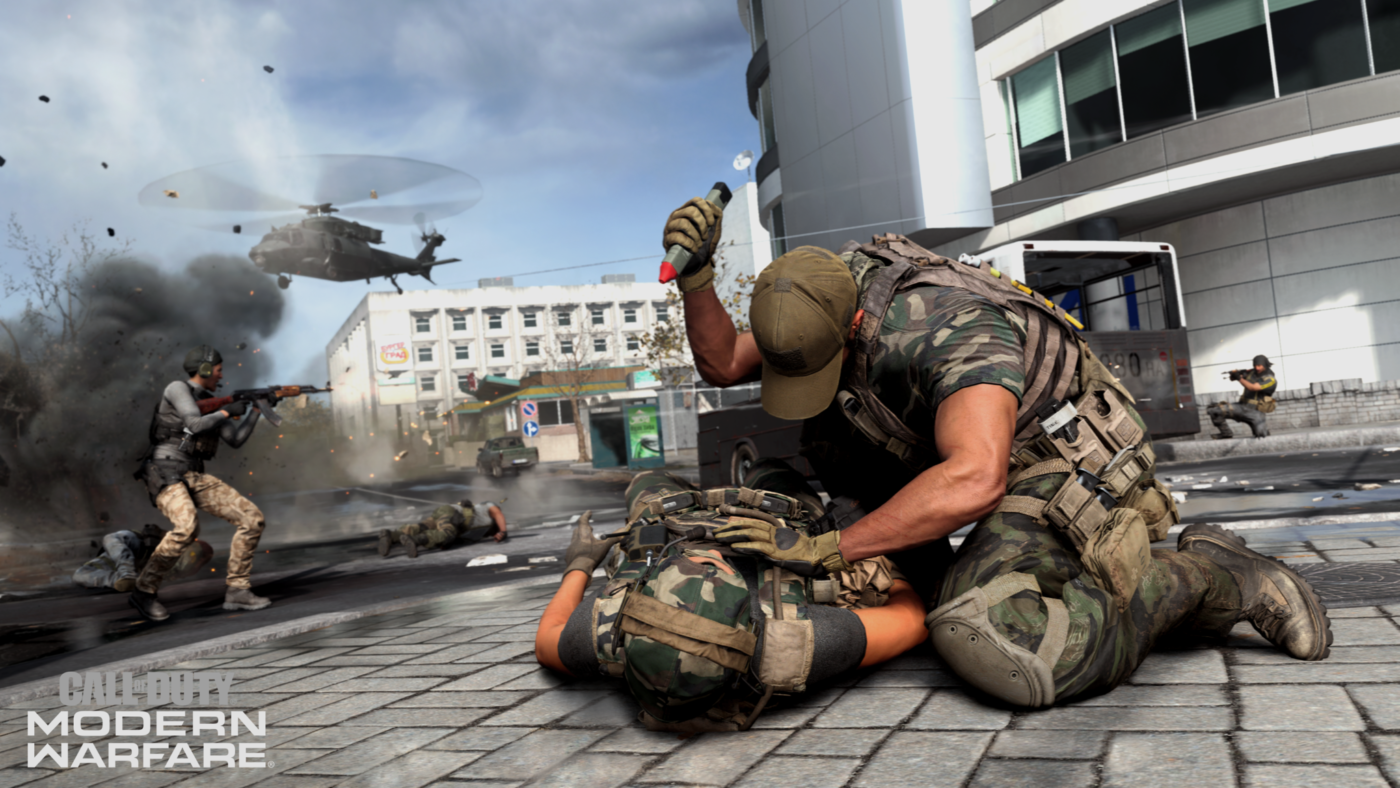
Call of Duty: Modern Warfare Task Force 141 Is Returning, New Map, Factions Announced

Fans of the Call of Duty: Modern Warfare franchise may be familiar with The One Four One (141) task force as they were briefly featured in the first game and made a major role in the sequels to follow. We have now gotten official confirmation that the team will return in the game in some form along with a new map.

This morning many publications and influencers woke up to a package delivered from Activision. In it, was an official invitation to the Call of Duty: Modern Warfare multiplayer reveal happening August 1st, along with an exclusive AR Snapchat code that would bring members of the press to a special intel Snapchat page. One interesting thing though about the invitation is that at the end it says, “Welcome to the One Four One,” which as we mentioned was a group established in the first Modern Warfare and featured throughout the rest of the series.

This is further backed up by a recent post made by Charlie Intel, confirming the logo of the group, which you can see below.

This was the logo used back in the early Modern Warfare titles

Interesting enough we reported a few days ago that more familiar faces would be joining Captain Price in the new iteration of Modern Warfare, and this here may just confirm that we will see other members such as soap, ghost, and possibly even Commander Shepard, despite being the antagonist in Modern Warfare 2. Of course that list of characters is speculation, but it’s a possibility. It’s important to take note that this is a part of the multiplayer reveal though it has been stated that all modes in the game share the same universe.

The last bit of news also comes from the ARG Snapchat promo that people got, in it we got a new map called “Raid” with a small overview of what it looks like. Also confirmed in the video are two new weapons and factions which are: The M13 as a primary weapon, and .50 GS as a secondary weapon, and Coalition and Allegiance for factions.


We’ll be sure to keep you all updated on the latest Call of Duty: Modern Warfare (2019) news, be on the look out for our August 1st multiplayer reveal coverage.

Avatar photo

James Lara

A gamer at heart, James has been working for MP1st for the last decade to do exactly what he loves, writing about video games and having fun doing it. Growing up in the 90's gaming has been in his DNA since the days of NES. One day he hopes to develop his own game.

Home > News

Destiny 2 Upcoming Changes Discussed by Bungie

In the latest This Week at Bungie article, Destiny 2 upcoming changes were discussed, specifically those coming next week in update 2.5.2. While only some of the patch notes for this update have been revealed so far, they do give us an idea of where Bungie is taking Destiny 2 in the future around the time Solstice of Heroes goes live.

Most of these changes are community-requested, while others feature updates to notorious weapons such as Lord of Wolves. The update notes preview is as follows.

  • Lord of Wolves
    • Reducing the amount of ammo Shotgun scavenger perks can give to Lord of Wolves when in the Release the Wolves state
    • Decreasing the effective range on Lord of Wolves
    • This decrease is more aggressive when in the Release the Wolves state
  • Tribute Hall
    • Tribute Hall Triumphs for “The Emperor’s Gladiator” and “Scoundrel in Uniform” will no longer require a full set of Leviathan gear equipped to progress
    • Players will earn more points based on the number of gear pieces worn, similar to other Triumphs
  • Iron Banner
    • Iron Banner quest objective values will been adjusted for future events
    • Reducing grenade kills required by 50%, and ally grenade kills will be worth as much as your own
    • Reducing Sword kills required by 25%, and ally sword kills will be worth as much as your own
  • Menagerie/Chalice
    • Heroic Menagerie will drop a Sword for first time completion (100%)
    • Subsequent completions will have a moderate chance to drop a sword (25%)
  • General
    • Fixing an issue where completion notifications did not appear after completing bounties
    • This will also fix an issue where players would sometimes not spawn during a Crucible match

We’ve got some key takeaways that we think you should take note of from these patch notes.

First, if you didn’t already know this was happening, Lord of Wolves is getting significantly nerfed with this update. The weapon has been a viable way to annihilate enemies in the Crucible for too long, and players are sick of it. As of next Tuesday it will no longer be the powerhouse that it is today.

The Tribute Hall is being made slightly easier, which is definitely a good thing. Triumphs for the area have clearly been too difficult for some players to complete, which is why the number of gear pieces required have been dropped in the above notes.

Iron Banner bounties are going to be far easier to complete from now on. The Iron Banner quest was experimental at best for Season of Opulence, and many players found it too much of a grind. The bounties are clearly also too grindy, which is why Bungie have given in and adjusted the number of kills required for all future Iron Banner events.

The Menagerie is still a very new event, so it’s not surprising to see it getting tweaked here and there. The fixes noted for update 2.5.2 have obviously been made to make it easier for players to earn a sword.

The general fix for players not spawning in Crucible matches is a huge problem, and it’s good that it’s going to be fixed. Hopefully there aren’t anymore issues that big that need fixing, because update 2.5.2 will be colossal if there are.

We’re looking forward to seeing how this update will feel with Solstice of Heroes 2019 live. The event will require a lot of mission grinding to unlock better armor and that’s going to be much harder if there are blatant PVE issues in Destiny 2.

Jamie Moorcroft-Sharp

Trying to be a games journalist, dad, and master of Destiny 2. Author

Home > News

Gears 5 Open Tech Test Now Available to All Xbox Live Gold Members

While the Gears 5 technical test (a fancier way of saying beta) was already available since last week for those who pre-ordered the game or was an active Xbox Game Pass member, those with Xbox Live Gold will be able to join the fun starting today with the Gears 5 open tech test weekend!

Gears of War fans can download the Gears 5 tech test client now, but the actual servers will be available later at 10 a.m. PDT (1 p.m. ET), and will run until Monday. First-time players can enlist to the Boot Camp training mode to get a grasp on the basics, and then jump on to Arcade mode to kick some ass. Players will be also be able to try out the fan-fave King of the Hill, and Escalation game modes, and even check out the Tour of Duty progression The Coalition has set up for Gears 5.

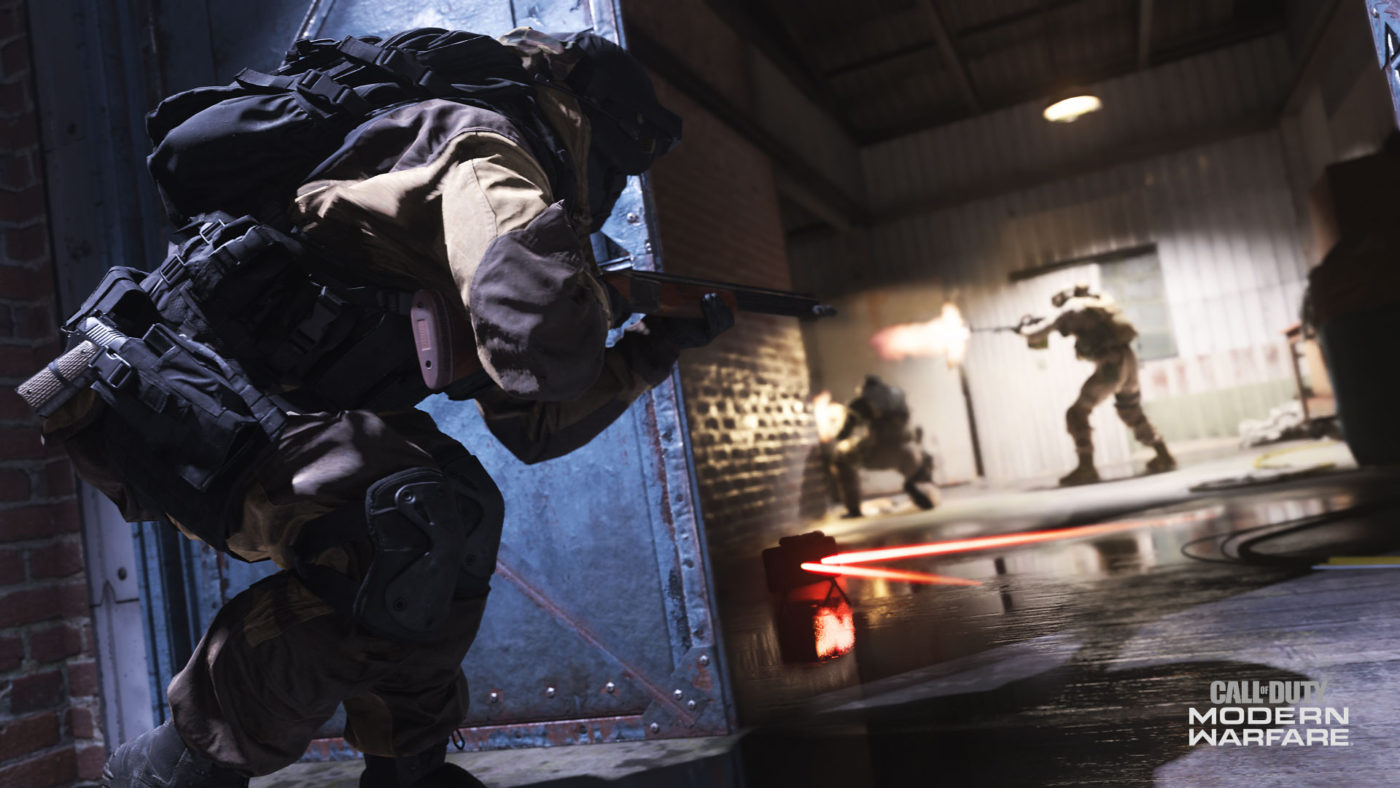
Speaking of progression, the devs have added a new reward for tech test gamers that will carry over to the final verson of the game. Called he Wreath Bloodspray, which can be earned by completing one match during the Tech Test from 5:30 – 6:30 pm PDT on Friday, July 26. Check out what it looks like below,

In other Gears 5 news, go read up on how the recoil system has been tweaked by The Coalition. You can also check out the multiplayer classes right here.
Source: Xbox

Avatar photo

Alex Co

Father, gamer, games media vet, writer of words, killer of noobs.

Home > News

Gundam Battle Operation 2 Update 1.14 for Its First Anniversary Now Live, File Size and Details Here

Gundam Battle Operation 2 is celebrating its one year anniversary in a big way as the recent update has released, bringing in a ton of free gifts and content.

The anniversary update (1.14) weights roughly 1.2GB and comes pack with a bunch of freebies. The event will run from now, until August 29th and will allow players the opportunity to complete in limited missions, and earn clan bonuses along with other content that you can read up below. Gundam Battle Operation 2 is a free-to-play sequel to the first, available exclusively on PS4. As of right now the game is currently only available in Japan, but it does offer an English translation in the game settings. The game is slated to release later this year in the US and Europe, though no exact date has been announced

First order of freebies is the 39 free tokens you get for logging in during the anniversary. These tokens can be used at the lottery station in exchange for a chance at a randomized Unit, character suit piece, or unit weapons/upgrades, though we suggest you take advantage of the current step event, which improves your chances of obtaining certain banner suits and is also currently at a 50% discount for the first step (15 tokens rather than 30). With the anniversary event the first step also has a 72 hours bonus boost which guarantees one of the currently featured banner units. Do be careful and make sure you use those tokens on the right lottery, as I made the mistake in wasting 30 tokens on the regular 10 roll lottery.  And speaking of 10 rolls, for the next 5 weeks the game is giving out 1 ten roll a week for absolutely free!

Now moving on to the other content found in this anniversary update, upon logging on you’ll also be given the following units for free. If you’ve had them prior to this event they’ll be converted over into recycle and mechanic tickets, which you can spend at their respective shops.

Gundam Battle Operation 2 update 1.14 patch notes:

Free General Unit
Psycho Zaku [TB] LV1 (For Space Use. Cost: 500)
Gelgoog LV1 (For Ground/Space Use. Cost: 350)
GM Command LV1 (For Ground Use. Cost: 250)
Dom LV1 (For Ground Use. Cost: 300)
Raid Unit
Full Armor Gundam [TB] LV1 (For Space Use. Cost: 500)
Prototype Gundam LV1 (For Ground/Space Use. Cost: 350)
Acguy LV1 (For Ground Use. Cost: 200)
Support Unit
Zaku I Sniper Type LV1 (For Ground/Space Use. Cost: 300)
Guncannon LV1 (For Ground/Space Use. Cost: 350)
Guntank Mass Production Type LV1 (For Ground Use. Cost: 250)

Clans

Active clans during this period have the opportunity to receive up to 5 times the leveling rewards, which once they’ve reached a certain level or completed certain missions they’ll also earn some credits(10K is now 50K) along with more tokens (1 Token is now 5 Tokens).

Limited Missions

Some new limited missions are available, which you can find below along with their rewards. Information for rewards were gathered from the official website, with the challenges details gather from in-game.

GM Custom LV1 & 2 (For Ground/Space Use. Cost: 400)

For the level 1 version all you have to do is sortie into 40 battles, while the level 2 requires you to complete all limited missions.

  • General unit with a cost of 400.
  • Developed after the One Year War in the attempt to enhance the performance of the GM, this MS shares a lot in common with the Alex in their specifications and components.
  • Although it is often teased that “lacking characteristics is its characteristic”, the MS possesses sufficient skills as a general unit, and achieves high performance.
  • Equipped with orthodox yet easy-to-use weapons, the MS is expected to produce good battlefield results with its high adaptability.

Clothing & Accessories

  • Normal Suit: Federation B 03 – Win a battle 20 times
  • Helmet: Burning 01 – Earn top individual score 3 times
  • T-shirt: PMU 01 – Sortie into battle 1 time

Pattern

  • Splitter Camo HG – Cause a total of 500,000 damage in battle

Marking

  • P.M.U. Art – Get the top score for any result 8 time(s) in battle

Other Rewards

  •  50 Recycle Ticket(s) – Defeat at least 3 enemy MS in battle for 16 times
  • 15 Mechanic Ticket(s) – Sortie into battle 20 times
  • 15 Mechanic Ticket(s) – Acquire a total individual score of 80,000 in battle

New Game Mode

A new matchmaking playlist called “Weekend Battle” is now live. These weekend battle will run every week from Friday until Sunday and will feature two new game modes, which you can read up below. Information taken from the official weekend battle page and in-game

Simple Battle

  • A team battle with players divided into two teams competing for score
  • 6-minute time limit, no destroying bases or infantry activities (mobile units only.)
  • Can sortie from any waypoint base after respawning
  • Shortened respawn time for MS
  • Specific actions can restore HP and part damage: Crouching/lying prone on the ground and remaining still for a certain time in space repairs unit.

Shuffle Target

Similar to the Mode “ACE”, Shuffle Target selects a random player from both team to be the targeted suit. Each team must defend their own while going after the other, and after a certain amount of time the target will swap to a different player, something that doesn’t happen in ACE mode. Destroying the target will grant that team 3 times the score that they would normally get for killing that cost unit. NO details on whether a target destroying an enemy also multiples the score like it does in ACE mode.

Down below you’ll find other related fixes and features that came with this patch, do mind that the translation is grabbed from the official patch page and isn’t 100% correctly translated due to google translate.

Clan related

  • “Clan Mission” has been added.
  •  The clan mission is a weekly mission that challenges all clan members.
  • Clan missions have achieved stages , earning rewards as the rank goes up, and rewards improve as the rank goes up.
  • The achievement reward of the mission can be earned by all the members who are enlisted at the time of achievement, and the achievement status up to the “previous time” and “previous time” remains as a history.
  • You can check clan mission from HARO> clan screen.
  • The universe rating is also displayed in the clan related members list.
  • In the level up reward when the clan level has risen, the reward received at one time was changed to the last 30 levels.

Rating related

  • “A+” Rating has been added

Tutorial related

  • We modified some of the base camp’s first tutorial to make it easier for first-time players to understand Batope 2 to understand.
  • Arrows now appear for items to be selected during the tutorial.
  • It has become impossible to select items not related to the tutorial, and it has become possible not to accept unnecessary button input.

MAP related

  • Adjusted the map “Harbor Base” It has become impossible to climb HLV and scaffolding near the relay point C.

Base camp related

  • We decorated the entire base camp to commemorate the first anniversary of the service and opened up some unopened areas.
  • Emotion “Hand-held fireworks”, “Take-up fireworks” were added.

Strengthening facility related

  • MS On the warehouse selection screen for reinforced facilities, the MS list can be displayed by pressing the △ button.
  • When strengthening MS with high rarity, “Leona Loucraft” began to sing new lines.

Paint related

  • Adjusted the marking position of “Bishop”.
  • Adjusted the marking position of “SICOMUM High Mobility Test Machine”

Unit related

  • “Jim · rifle” has been added to the main armament that can be equipped with “Powered Gym”.

Network related

Types of game modes for rating that can be selected have decreased, and players in Block list are now colored different. Blue meaning you, white is a normal player and red for the blocked player

Added 30 BGM songs to be played during battle .

  •  Introduce some of the additional BGM
  • From “Geonic Front”  The threat in front of eyes, ZEONIC FRONT, crow’s eyebrows, as long as there are fangs, others
  • From “MS Front 0079” Dauntless soldiers, Death-struggle, others
  • From “Target in Sight” SORTIE [strike], FIRST CONTACT [touch], others
  • Other – Gundam Senki LWC, GUNDAM Senki, Ambitions of New Guilen, Side Stories,
    Tracks of Warriors, In Land where Colony Drops … Also added from New

General Fixes
Battle related

  • A number of suit adjustments were made, which can be found here.
  • Fixed the phenomenon that the pilot gets into the MS body when getting off the MS at the wall etc during battle.
  • Fixed the phenomenon that the pilot gets in the object of the map when getting down from the tank system MS.
  • We corrected because there was a case that AI of enemy MS stopped in the training in the space map.
  • In the ace match, the aircraft HP correction that occurs when the ace is destroyed, was corrected because the number of destruction before becoming an ace was also added.
  • In the personal battle results screen after the end of battle, it was corrected because the button guide displayed at the bottom of the screen was incorrect.
  • Fixed the phenomenon that the MS would shoot at an unnatural angle when attacking while performing a specific operation in a mobile shooting capable weapon.
  • In the free practice, when enemy MS tried to return to the initial position, it was corrected because it might keep walking toward the wall.
  • Fixed the problem that the focusing effect was not displayed on the opponent’s screen in the shooting weapon that can be focused while moving.
  • When MS falls during battle, it has been corrected as MS may be unnaturally squeezed if certain operations are performed.

Unit related

  • When painting “Gym intercept custom FB”, it was corrected because the unnatural part was blinking as a color changeable part.
  • Corrected the phenomenon that the upper body of the aircraft disappears under certain conditions while operating the “Gym Intercept Custom FB”.
  • While operating the assault gun form of “Hildorub”, it was corrected because the cartridge case was not displayed when using the armament during movement.
  • When using the snipe mode with “Saicommu High Mobility Test Machine”, the camera’s turning speed was corrected because it was not unified between left rotation and right rotation.
  • Fixed the phenomenon that the aircraft icon was not displayed when confirming the assault gun type skill of “Hildorub” with Database> Item Data> MS.
  • When we boarded a tank system MS on a slope etc., it was corrected because the boarding effect might be unnatural camera work.

Clan related

  • We dealt with the server side for the phenomenon that the information of the clan can not be acquired normally and an error occurs.
  • Fixed the clan tag displayed to other players in the base camp because it might be another clan.
  • Changed the flow so that the clan terminal can not be accessed without passing through the clan lodging when the clan’s application for application is approved.
  • Modified to sort by space rating because it was sorted by ground rating when sorting was ordered by rating in Clan member’s invitation list in the Space Map preparation room.
  • Fixed the fact that if a clan level is raised while clan is enlisted, and if you rejoin the same clan without having received a level up reward, you will not receive a level up reward.

Network related

  • Fixed the phenomenon that the dialog displayed when the game mode update time is over is closed automatically while waiting in the mission preparation room using group matching.
  • Fixed the phenomenon that the MS icon displayed on the left of the screen under different circumstances (ground or space) is different from the dispatch map ( under certain circumstances) while waiting in the mission preparation room using group matching .
  • Corrected the phenomenon that the number of people displayed in the battle that was dispatched last time is displayed only for a moment when entering the dispatch preparation room.

Map related

  • In the “mountain area”, it was corrected because there was a place where the inside of the wall could be seen.
  • In “unmanned urban area”, it was corrected because there was a point where the pilot was put inside the building.
  • Fixed some textures in “Unmanned Cities”.
  • In “inside of space fortress”, it was corrected because there was a place where the inside of the wall could be seen.
  • In “inside of space fortress”, it was corrected because there was a case that it re-launched out of the area under a specific situation.

Armament-related

  • Modified the fired child machine not to be an attack target at the time of use of Psychocom Armor.

Paint related

  • Fixed the problem that another pattern or color might be displayed when performing a specific operation when selecting a pattern on the paint screen.

Other

  • Corrected the phenomenon that the cursor is not displayed when performing a specific operation on the HARO> MS> Customize screen.
  • Since the background of the map dispatched just before was reflected in the head accessory of the pilot set for the base camp, it was corrected.
  • Fixed to put a comma separator every 3 digits in the in-game number notation.
  • In some languages ​​other than Japanese, it was corrected because translation was incorrect.
  • At Tenda’s information center, corrected some of Tenda’s lines when “Basic Space Training” was completed.
  • Corrected the phenomenon that ON / OFF switching of “my army information” occurs simultaneously when switching the short cut of armed armor during battle when a specific button setting is made as an option.
  • We corrected because there was a case that some texts overlapped at the compensation window.
  • When application data was updated under a specific situation, it was corrected because the transition to the title screen might not be performed.
  • Fixed because the image in the guide displayed in the reinforced facility was partially incorrect.
Avatar photo

James Lara

A gamer at heart, James has been working for MP1st for the last decade to do exactly what he loves, writing about video games and having fun doing it. Growing up in the 90's gaming has been in his DNA since the days of NES. One day he hopes to develop his own game.

Home > Features

Destiny 2 Iron Banner Tips and Tricks for This Week

This week has seen the return of Destiny 2 Iron Banner for the second time during Season of Opulence. During Iron Banner a special Crucible playlist becomes available, in which the Power Level of all weapons and armor are take into account, meaning that those with even a slight advantage can wipe the floor with weaker players. We thought we’d put together a few tips and tricks for you to try out this week, and hopefully use to succeed in the most brutal PVP competition in Destiny 2.

Buy Every Bounty From Lord Saladin

Lord Saladin is offering weekly bounties that you can complete over the course of this week with Iron Banner. Buy them, and just hold them in your inventory, even if you’re not actively playing Iron Banner every day. Completing these will award powerful gear at and above your current Power Level, and they’re not even that difficult to complete. As long as you play enough Iron Banner matches this week, you’re almost guaranteed to complete every bounty, which will award you a lot of new gear for your Guardian.

Wear Your Best Weapons and Armor

This one might seem obvious, but every single Power Level really will help. In traditional Crucible matches the playing field is evened out, so Power Level isn’t taken into account. This means that brand new players can compete with and against those who have put in hundreds of hours, without being completely crushed.

In Iron Banner the Power Levels are taken into account, so if your weapon is at a higher level than an opponent’s armor, you can deal a little more damage, and kill them slightly faster, than you usually could. This makes all the difference in Iron Banner, because everyone is at the top of their game, wearing their best weapons and gear. If you’re wearing something that’s even one level weaker, then you’re going to suffer for it.

So don’t worry about what you look like. The event is only live for one week anyway.

Capture the Control Points

This week’s Iron Banner game mode is Control. This is exactly the same as Capture the Flag in other games, except there are three zones to capture and hold. If a team captures all three zones, then they are locked for a short period of time, during which that team gains bonus points for all kills they make.

Capturing zones is the name of the game, and if you don’t do it you won’t be helping your team. If a team can capture and hold just two zones for the whole match, then they can win. The reason for this is that they’ll be earning two points for every kill, while the enemy will only be earning one. This is the best tactic for playing Iron Banner Control.

If your team manages to capture all three zones at some point, then find and kill as many enemies as possible for those bonus points. Getting as many points as possible during this phase of the match will help ensure your team wins.

Hold Control Points

If your team has two zones captured, then give everyone a helping hand and stand near one to defend it. Nine times out of ten, the reason that enemies capture your zones is because no one is there to defend them. If everyone on your teams runs off to capture point B for example, then yes you’ll probably capture it. However, you’ll also probably lose points A and C to the enemy, who have easily snuck around you and your team to pick up the zones you’re ignoring.

Generally point B is the zone that players fight over the most. It’s almost always the hardest to defend because it’s in the middle of the map, right at the point where players run past it on the way to either point A or C. Leaving B alone and focussing on A and C is a great way to ensure your team always has two zones under their belt, and it’ll stop you all becoming cannon fodder to the enemy if they currently have that zone.

In summary, don’t be a hero, just play it safe.

Help Each Other

This final point should really go without saying. Make sure you help your team out if you see them fighting other players. It might look like they’re making short work of the enemy, shooting them in the head as they run away, but they could just as easily be killed by three others once you look in a different direction. Heading over to an ally and helping them take down an enemy is safer than trying to go it alone, or leaving your allies to go it alone.

By following this, and all of our other tips, you’ll rack up the kills and points, and win the match almost every time. You’ll also earn yourself some nice new loot in the process, which will then help you win even more matches in the future.

Jamie Moorcroft-Sharp

Trying to be a games journalist, dad, and master of Destiny 2. Author

Home > News

Call of Duty: Modern Warfare Female Characters Featured in Multiplayer, Will Have Multiple Map Intros

In case you’re curious whether you’ll be able to play as a female soldier in Call of Duty: Modern Warfare multiplayer, the answer is yes. Over on the Modern Warfare subreddit, a user posted the question whether Modern Warfare female characters will be available in multiplayer, and thankfully, that question was answered.

Ashton Williams, Senior Communications Manager at Infinity Ward, who goes by the name ashtonisVULCAN on Reddit, answered that question with a straightforward “yes.”

Given we’ve seen female characters in past Call of Duty games, this shouldn’t come as a shock, but it’s a nice confirmation nonetheless, right?

In case you didn’t see today’s tease by Infinity Ward, the studio showed us the new multiplayer match intro they’ve created, and if that wasn’t exciting enough for you, it seems there will be multiple multiplayer match intros according to reliable Call of Duty fansite, CharlieIntel. We should mention that CharlieIntel was amongst the press that had the opportunity to play the multiplayer at previous events.

I’m guessing we’ll some where the Operators rappel into a stage or something? It should add a touch of variety to the usual intro we’ve seen in past Call of Duty games.

Don’t forget, the full multiplayer reveal for Modern Warfare will be this August 1, and MP1st will be reporting all the news that happens before then, during and after.

More Modern Warfare Reading:

Avatar photo

Alex Co

Father, gamer, games media vet, writer of words, killer of noobs.

Home > News

Battalion 1944 Roadmap for the Next 12 Months Outlined

In a press release, publisher Square Enix has revealed some of the stuff Bulkhead Interactive has planned for its shooter, Battalion 1944. Before you read on about the Battalion 1994 roadmap, note that there will be a double XP weekend this coming Friday to celebrate the next update and release of the roadmap.

Battalion 1944 double XP is hapening from Friday, July 26 at 7 a.m./12:00 BST and will last up to Monday July 29, also at 7 a.m. ET.

Check out below for the full, 12-month Battalion 1944 roadmap:

The Battalion 1944 Roadmap

The purpose of the following roadmap breakdown is not to announce tiny specific details – instead we’re here with a snapshot overview of what can be expected within this next year of Battalion 1944’s post release development with weekly, monthly and seasonal updates as well as a huge content release at the end of Year 1’s development.

Weekly News Update & Special Event Map Rotation
(Starting with the Summer Seasonal Update, August 1st 2019)

  • Different map added to Special Event rotation every week.
  • General hotfixes & smaller bug fixes if required weekly.
  • Development previews, map playtesting & teasers.

Larger Seasonal Updates (Roughly 8 weeks apart)
Summer Update, Autumn Update, Winter Update, Spring Update

  • New arcade & special event game modes.
  • New BattleRank season (new & unique skins).
  • New FACEIT competitive seasons (with improvements).
  • New War Chests (with new items).
  • Map reworks released.
  • Larger community requested features.
  • Larger bug fixes.
  • Surprise features & additions.

Mid Season Updates (Roughly 4 Weeks into a season)
Smaller Updates between Seasonal Updates (Roughly 4 weeks apart)

  • Weapon balance & meta changes.
  • New FACEIT competitive season.
  • Weapon and animation/audio overhauls.
  • Map rework playtesting.
  • Smaller community requested quality of life changes.
  • Bug Fixes.

Huge Content Release Early 2020
We can’t wait to start teasing this more… but expect a huge meta shift after this release

  • Celebrating one year of Battalion 1944 with a HUGE content release.
  • British faction added to competitive reworks of Savoia, Docks & Invasion.
  • British weapons added – yeah you heard that right Lee Enfield fans!
  • Everything usually included within a seasonal update.
  • Additional languages support.

If you’re playing the shooter, let us know how it’s faring out so far.

Avatar photo

Alex Co

Father, gamer, games media vet, writer of words, killer of noobs.

Home > News

PS4 Firmware 7.00 Beta Invites Are Being Sent Out and Here’s What’s Being Tested

It seems Sony is set to roll out a new PS4 firmware update soon, and it’s the long-awaited PS4 firmware 7.00! Over on ResetEra, user HamsterPlugin posted that he got a PS4 firmware 7.00 beta invite, which can be used 20 times.

So what’s being tested in this firmware? It’s primarily boosting the Party sessions from eight to 16 players, and possibly the bigger addition, your PS4 system won’t need to restart after every update (yay!).

Be one of the first players to try out the new PS4™ Party update, as part of the PlayStation® Beta experience. Play, chat and connect with even more friends online, as we’re boosting Party sessions from eight to 16 players – this brand-new feature is due to release in System Software Update 7.00.

Performance for system updates is also being improved, meaning your PS4™ won’t always need to restart after every update. Going forwards, select system software updates will automatically be installed after download if the [System Software Update Files] setting is switched on, found under:

[Settings] > [System] > [Auto Downloads]

No official release date has been given for the PS4 firmware 7.00 roll out, but given Sony springs out system updates whenever it feels like it, we can expect it maybe sometime before December. Speaking of which, the last firmware update released by Sony was just last week, and here’s what it does.

Source:  ResetEra via VG247

Avatar photo

Alex Co

Father, gamer, games media vet, writer of words, killer of noobs.

Home > News

Waframe Hotfix 25.4.2 Patch Notes and Update Now Live

Those playing Digital Extremes’ excellent free-to-play shooter Warframe on PC, there’s a new hotfix out now! Officially called the Warframe hotfix 25.4.2, it has a host of optimization tweaks, bug squashes, and even some changes to the gameplay too! Check out the Warframe hotfix 25.4.2 patch notes below.

Warframe hotfix 25.4.2 patch notes:

Changes:

  • Increased the drop rate of the Bloodshed Sigil from 1% to 3% from the Profit-Taker.
  • Changed the Nightwave ‘Silent Exterminator’ Act to clarify its requirement. It now reads:
  • Complete an Extermination mission with level 30 or higher enemies without triggering alarms.
  • Improved navigation markers in the Infested Corpus ship to help players navigate between floors.
  • Removed hack doors from the Razorback boss tileset.

Optimizations:

  • Optimized bindings – saving 16KB of data.
  • Optimized the Squad panel UI.
  • Made some micro-optimizations to some scripts.
  • Fixed a performance bug with Warframe’s with an Ability selector function (Ivara’s Quiver, etc.)

Fixes:

  • Fixed a crash when typing an invalid character in the ‘Add a Friend’ screen.
  • Fixed a UI lockup that could occur when using the Incubator.
  • Fixed a UI lockup that could occur in the Arsenal.
  • Fixed an Orb Vallis progression stopper in the ‘Investigate The Bodies’ Bounty stage due to Solaris corpses not spawning.
  • Fixes towards ability to kill flying Capture Targets (Gas City), resulting in a mission failure. As reported here: https://www.reddit.com/r/Warframe/comments/caqx5w/flying_gas_city_capture_target_can_be_killed/ towards
  • Fixed a case of an inability to Rank up within a Syndicate that you’ve already Ranked up in (but made them mad so you got demoted).
  • Fixed a case of receiving an error prompt when attempting to increase a Focus pool.
  • Fixed an issue in the Focus Manager where increasing the Pool Capacity and backing out to the Operator screen, then back into the Focus manager causing all Focus Schools to show the cost of the Capacity upgrade being applied to every School instead of just the current one.
  • Fixed the description for Rhino Vanguard and Thrak Helmets spelling Rhino wrong.
  • Fixed script error in Sanctuary Researcher Nightwave Act script.
  • Fixed teleport script trigger and a blocking volume sticking through an elevator ceiling.

Unfortunately, no word yet on when this hotfix will hit the console versions, though I expect it’ll be rolled in with a bigger update.

In other Warframe  news, go watch over 40 minutes of Warframe Empyrean gameplay right here to see what’s coming to the game soon.

Source: Waframe forums

Avatar photo

Alex Co

Father, gamer, games media vet, writer of words, killer of noobs.

Home > News

Fallout 76 Update 1.24 Patch Notes, File Size and More Detailed

While we just got a Fallout 76 update last week, Bethesda has rolled out a hotfix today, and as one might expect, it’s for bug fixes and technical stability. You can check out the full Fallout 76 update 1.24 patch notes below. Clocking in at just 50MB on PC, and under 1GB on PS4 and Xbox One, this Fallout 76 update is also marked as 1.2.1.26 by Bethesda, so don’t be confused by the numbering.

Fallout 76 update 1.24 patch notes:

SURVIVAL MODE

USER INTERFACE
  • Scoreboards: Players ranked in the Top 3 on the Scoreboards are no longer highlighted on the Map. The Scoreboards will remain in-place so that players can check their stats and rankings, but the Map can no longer be used to track the positions of the Top 3.
COMBAT
  • Weapon Damage: The following adjustments have been made to reduce lethality and allow for more engaging PVP combat experiences in Survival Mode.
    • Survival Mode PVP damage bonus multipliers have been removed so that base weapon damage more closely matches Adventure Mode.
    • Non-base-weapon damage bonuses have been reduced to create more balanced engagements that are less dependent on specific builds.
    • The maximum damage per shot that can be dealt by weapons in PVP has been reduced.

BUG FIXES

PERFORMANCE AND STABILITY
  • Controls: Addressed an issue that could cause the game controls to become unresponsive when entering Power Armor from the front.
  • Controls: Addressed an issue that could cause Power Armor to become unresponsive when returning to Adventure Mode from Nuclear Winter.
  • Stability: Addressed an issue that could cause a player wearing Power Armor to crash when Fast Traveling to a teammate.
  • Stability: Addressed a pair of issues that could cause a server to crash during a Nuclear Winter match.
USER INTERFACE
  • Enemies: Fixed an issue that could cause non-legendary creatures to display “Legendary” in their names.
  • Events: Fixed an issue that could prevent rewards from being displayed on-screen after completing an Event.
  • Power Armor: Pieces of Power Armor that the player has renamed no longer lose their custom names when they are recalled to the player’s inventory.

If you’re curious as to what last week’s patch bought, check it out here. We also posted an update on this week’s Atom Shop items list if you want to check out what’s new, too.
Source: Fallout

Avatar photo

Alex Co

Father, gamer, games media vet, writer of words, killer of noobs.

Home > News

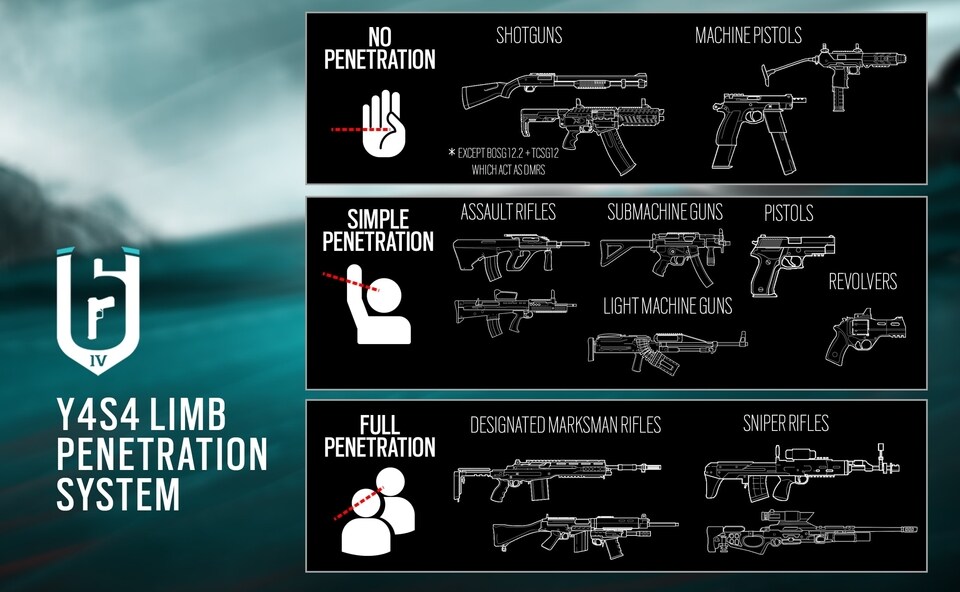
Rainbow Six Siege Update 1.70 Patch Notes and Changes

While the PC version got the Rainbow Six Siege update Y4S2.3 earlier this week, console players just got it recently, and it’s already live! The Rainbow Six Siege update 1.70 patch notes can be seen below.

Rainbow Six Siege update 1.70 patch notes:

GAMEPLAY UPDATES

RFF ANTI-GRIEFING

  • Addition of further RFF parameters to take into account damage history to a player from the offender over multiple rounds in a match.
    • Continued chip damage to an individual from another teammate over several rounds will stack RFF points more quickly.
  • Putting a teammate into DBNO will activate RFF.
    • Reviving the DBNO teammate will remove the RFF activation.
    • Bleeding out from DBNO will prompt the dead player to mark the TK as intentional or not.

IDLE KICK TIMER

  • Idle kick warning timer will display 10 seconds before a kick.

LAN VOICE CHAT

  • LAN/Offline modes in-game voice chat has been removed for optimization purposes.
  • PvP/Online voice chat will not be affected.

BALANCING

SHIELD HIP-FIRE

  • Hip-fire cone increased.
  • We have standardized the hip-fire penalization when you have a Ballistic Shield equipped. Having a shield equipped will now increase it by the same amount. Spread has increased for every Operator when a shield is equipped, but Fuze, Montagne and Blitz will be the most impacted by the change.

BALLISTIC SHIELD MELEE

  • Performing a melee attack with a Ballistic Shield equipped will now only injure and DBNO the opponent, instead of killing them.
  • The new changes for melee attacks while using a Ballistic Shield will impact Blitz, Fuze, Montagne and Recruit.

ECHO

  • Reduced Yokai Sonic Burst disorientating effect base duration to 7 seconds (down from 10s).

We are running low on AAA batteries, so to save energy we’re tuning down Yokai’s power a bit.

GLAZ

  • Reduced time it takes to trigger the vision penalty when moving or rotating, lowering the overall vision penalty when moving.
  • Movement time before complete vision is lost is now 6 seconds (up from 2.5s).
  • The speed at which the vision penalty is applied when rotating has also been slowed down.

Glaz has been feeling a bit left out so we gave him some incentive to join the party.

JACKAL

  • Reduced the number of pings from a scan to 4 (down from 5), reduced time being tracked by 5 seconds.

You can rest easier now. Maybe.

MAVERICK

  • Modified breaching torch sound SFX.
  • Breaching torch sounds will now be easier to hear when Maverick is making a hole close to you.

Can you hear me now?

NØKK

  • Increased Nøkk’s ability duration to 12 seconds and increased the refill timer to 12 seconds.
  • With the longer duration, and cooldown, you’ll be able to better leverage her ability.

As per the law of equivalent exchange, you can now spend longer being spooky, but also spend longer getting a full refill.


BUG FIXES

GAMEPLAY

  • FIXED – Under certain circumstances, after emptying the magazine, weapons cannot be reloaded.
  • FIXED – After joining in progress, any Yokai drones or hacked Mozzie drones outside will not display the jammed VFX to the player who joined midway.

OPERATORS

CLASH

  • FIXED – Missing SFX for Clash when equipping her CCE Shield.

MIRA

  • FIXED – Sometimes placing Mira’s Mirror on a reinforced wall may not breach both sides of the wall.

LEVEL DESIGN

KAFE

  • FIXED – Players can spawn peek the Docks.

USER EXPERIENCE

  • FIXED – Starting any situation after completing a Custom Online game will start a Thunt Lone Wolf on the same map and mode as the Custom Online game.
  • FIXED – Players are unable to reconnect to a Ranked session via the dynamic Play button and remain in queue unless they relaunch.

Once we hear about the latest game update, we’ll let you know.

Avatar photo

Alex Co

Father, gamer, games media vet, writer of words, killer of noobs.

Home > News

Call of Duty: Modern Warfare Multiplayer Match Intro Shown Off, and It Looks Fantasic

Continuing with what seems to be a weekly tease leading up to the August 1 multiplayer reveal for Call of Duty: Modern Warfare, Infinity Ward has now released a new video showing us what the Modern Warfare multiplayer match intro will be, and it’s not like what we’re used to before.

Usually, in Call of Duty multiplayer matches, once the loading screen is done, we’re then shown that the soldiers are already on the ground, and we see a countdown. In Modern Warfare, it seems Infinity Ward is shaking things up, and will now fly in players before a match starts! Check it down below.

https://twitter.com/CallofDuty/status/1154436181117067272

Looks snazzy, right? Good thing it’s quick and doesn’t seem to drag on at all. Check out the attention to detail with the other soldiers’ clothes also flapping around with the wind. Nice touch, Infinity Ward!

If you missed it, last week’s teaser was for the Gunsmith, and we see how the attachments will work. Want more Modern Warfare news, go check out our Modern Warfare game hub where we’ve posted a TON of news that you won’t find anywhere else.

Avatar photo

Alex Co

Father, gamer, games media vet, writer of words, killer of noobs.

Home > News

Destiny 2 Riven First Floor Solo Kill World Record Broken

A Destiny 2 player has managed to defeat one of the game’s toughest bosses solo. However, a Destiny 2 Riven solo kill clearly wasn’t enough for this player, because they’ve gone and killed Riven solo, on the first floor of the encounter. Check out the video of this Destiny 2 Riven first floor solo kill below, and read on for more.

Let’s unpack what this news actually means. Riven is the boss of the Last Wish raid, a six player activity in Destiny 2 that has been widely regarded as one of the toughest activities out there for a while. Prior to encountering Riven, players must fight though a series of bosses and puzzles, all of which culminate in the Riven boss fight, which has several of these mechanics mixed into it. As you can imagine, this doesn’t make Riven a pushover exactly.

The encounter with Riven alone usually takes place over four floors, with the final floor being the location where you defeat her, and claim your rewards. Riven has been defeated by solo players before, over the course of this encounter, but never before on the first floor, which is what makes this world first so impressive.

The player in question, Unknown573 on Reddit, is clearly a very high Power Level, because they destroy all of the enemies in the encounter, including Riven, with relative ease. That’s because the Last Wish raid isn’t quite the peak of difficulty that it once was in Destiny 2.

When Destiny 2 Forsaken first launched, the Last Wish raid wasn’t available. After a few weeks it was released by Bungie, and completed first by Clan Redeem. At this time the Power Level cap for players was around 550, which is substantially lower than it is today. The reason for that is the seasons that have launched in Destiny 2 since Last wish went live. Each season has increased the Power Level cap, so that now most Destiny 2 players are a much higher Power Level than the one recommended for the Last Wish raid, and by extension, Riven.

This in turn has made Riven more like the Crota of Destiny 2. Crota was a boss that was easily cheesed and defeated in Destiny 1, and quite often used to farm for powerful weapons and armour when The Dark Below expansion released.

Bungie could increase the Power Level cap for Riven and the Last Wish raid, but if they did then they’d be harming new players to the game. At this point Last Wish is fairly early on in the Destiny 2 content pipeline, so if it was made to be more difficult, new players would hit a stumbling block and potentially give up on the game. As a result, Riven now is, and probably will be for the duration of Destiny 2, an easy boss to defeat solo.

One good thing to come out of Riven being such an easy boss now, is that the Exotic Fusion Rifle, One Thousand Voices, is much easier to get. The weapon is a rare drop from killing Riven, but now players can probably grind for it with relative ease.

For more on Destiny 2 keep an eye on MP1St.

Jamie Moorcroft-Sharp

Trying to be a games journalist, dad, and master of Destiny 2. Author

Home > News

Japanese Players Can Finally Use the Fallout 76 Atomic Shop

Yesterday was the first time since the game launched that Japanese players could purchase ATOM for use in the Fallout 76 Atomic Shop. Up until July 24, 2019, ATOM has been unavailable for Japanese Fallout 76 players to buy, leading to them calling themselves ‘Children of ATOM’ as a bit of a joke at the situation.

Over on the Fallout 76 Subreddit, user kuromitsuame made a post yesterday about this momentous occasion in Japanese Fallout 76 history. According to them, issues and regulations concerning virtual currency have restricted players from being able to purchase the premium currency in Fallout 76, ATOM. Kuromitsuame was aware that most players probably didn’t know about this situation, so they made this Reddit post to inform the community.

Apparently the story of Fallout 76 has been much the same in Japan as it was for the rest of the world. The game was heavily criticized due to the number of bugs it had at launch, much like it was around the rest of the world, leading to many Japanese YouTubers dropping the title after two or three months of playing it and creating content around it. Despite this, many Japanese players are still active in the game, posting their experiences on Twitter or 5CH, the Japanese equivalent of 4CH.

The biggest difference between the experience everyone else was having, and the experience Japanese players were having, was the inability to purchase ATOM. As a result, whenever new cosmetics were introduced to the Fallout 76 Atomic Shop, such as the Blackbird Power Armor Paint Set, it was almost impossible for Japanese players to access them. This, and many other cosmetics, made all other players the envy of Japanese Fallout 76 players.

This created a slightly different endgame for Japanese Fallout 76 players. While everyone else has been looking for Legendary Creatures to kill for the best loot, in Japan the endgame has been completing every Challenge that awards ATOM. Apparently every time a new Challenge that awarded ATOM went live in Japan, the Fallout 76 community would work out how to complete the Challenge as fast or easily as possible, and share that solution for everyone else.

Sometimes these Challenges barely seem worth it to the rest of us. An entire Challenge that only awards 50 ATOM is barely worth it for the work you have to put in. However, in Japan there was no other way to get ATOM, so these Challenges were very much worth completing. This is when some Japanese Fallout 76 players began to call themselves ‘Children of ATOM’ as a caricature of their attitude towards grinding through literally anything in order to get ATOM.

This situation got to the point where Japanese Fallout 76 players began to view themselves as the experiment, with the rest of the world being the control group. This is a reference to what Vault-Tec, the company responsible for the Vaults in the Fallout universe, were doing with the various Vaults. While Vault 76 was a control group, a rare Vault, most Vaults played host to various experiments, such as sacrificing the Overseer every year, or solving all arguments through gambling. The motivation for Bethesda to create this experiment was said to be, to monitor the experimental group’s desire for in-game currency compared to the rest of the world, since they can’t access it. Of course this is a joke, but it’s a very positive outlook on quite a desperate situation.

Now that Japanese players can purchase ATOM, they say the dark days are over. The attitude towards microtransactions is much more accepting in Japan than it is in other countries such as the UK or US. While they’re much more open to buying items from the Atomic Shop, they’re still discussing what the best bundles to purchase are, such as the Free States bundle that’s currently on offer.

Source: Reddit

Jamie Moorcroft-Sharp

Trying to be a games journalist, dad, and master of Destiny 2. Author

Home > News

Battlefield 5 Update 1.21 Patch Notes, File Size Info – Here’s Everything in the BF5 Update Today

As expected from DICE’s previous announcement, the new Battlefield 5 update today has been rolled out, and it’s full of fixes rather than new content. Clocking in at X on PC, 2.4GB on PS4, the Battlefield 5 update 1.21 patch notes can be read below, and is also referred as Battlefield 5 update 4.2 by DICE.

Battlefield 5 update 1.21 patch notes:

What’s New?

  • We have reduced the recoil, and increased the muzzle velocity for the P08 Carbine in a bid to improve its effectiveness
  • Kills in Firestorm are now awarded if the enemy player disconnects during the downed state

What’s Changed?

  • Fixes targeted at removing extreme instances of Invisible Soldiers
  • Specializations are now able to be reset on the P08 Carbine
  • The game will no longer stutter when killing enemies with tanks
  • Removed an unintended suppression effect that was applying to infantry soldiers when a tank fires it’s main cannon
  • The screen will no longer turn black when firing stationary cannons
  • The Arras sights on the Lewis gun now displays correctly when using extended mags
  • Rate Of Fire for the MKVI Revolver has also been reduced to 180RPM, from 200RPM
  • The correct crosshair now shows for the Mosquito FB MKVI on all load-outs
  • The Company will now display the correct amount of bombs for the JU-88
  • Players trying to spawn into airplanes should no longer get stuck on the deploy screen

Don’t forget, a much smaller update is due to hit next week, and will most likely include a bunch of fixes, and will enable the Marita map for all players!

The next major Battlefield 5 update is scheduled to hit near the end of August, and will bring the increase in the level cap and much more, which you can read about here.
Once we hear more news regarding next week’s update, or if this update brings in a bunch of new info that can be datamined, we’ll let our readers know ASAP.

Avatar photo

Alex Co

Father, gamer, games media vet, writer of words, killer of noobs.